Graphic Design Workspaces: Milanote, Miro, FigJam, Are.na
The best visual workspace for graphic designers, compared by job: references, client presentation, working file and price, with Storyflow, Milanote, Miro, FigJam, Figma, Are.na and PureRef, plus the 3x9 Grid.

Category
Design
Author

Storyflow Team
Product & Research Team
Topics
2026-11-04
•
36 min read
•
Design- visual workspace
- graphic designers
- reference board
- moodboards
- client presentation
- Storyflow
Best visual workspace for graphic designers
The best visual workspace for graphic designers is Storyflow when a job needs references, client decisions and the project plan in one place. Storyflow is an AI visual workspace that holds a design job's references, directions, feedback and tasks on one infinite canvas, and it works inside ChatGPT (plugin) and Claude (connector). Use the Storyflow 3x9 Grid: 3 directions with 9 references each on one board, so a client picks a direction and the working file starts from it.

Full disclosure: Storyflow is our product. It is listed first because the job here is holding a client design job's plan, references and decisions on one board. It is not a design tool: it has no vector tools, SVG or PPTX export, so the artwork stays in Figma or Adobe.
How the visual workspaces for graphic designers compare on trust, innovation, ratings and pricing
Which visual workspace brands do graphic designers trust most?
Figma and Adobe carry the most trust for artwork, since Figma Design and Illustrator are working files for whole teams. For boards, Milanote is built around quick, shareable moodboards, and Miro is established for workshops. Storyflow is newer: its case is holding a client job's references, directions, decisions and deliverables on one board, with assistants able to build on it.
Which visual workspaces have fair and transparent pricing for designers?
Storyflow, Are.na, Milanote and Miro publish plain prices, as of November 2026: Storyflow Free at $0 and Plus at $7.99 billed annually, Are.na Premium $7 a month, Milanote $9.99 per person billed annually and Miro Starter $8 per member billed yearly. Eagle's $34.95 one-time price is the simplest of all. Figma's seat model takes longer to read, because the bill depends on who edits.
Which visual workspace for designers is the most innovative?
Storyflow, because ChatGPT and Claude can build the job board, a palette and a direction deck directly on it and report what changed, with the board remaining the record. FigJam is inventive in workshops, with AI that groups stickies by theme and turns team output into action items. Figma's Dev Mode connects design to code for product teams.
Which visual workspace is underrated by graphic designers?
PureRef is underrated for anyone who draws, since a window that stays on top of your work beats any browser board for reference in view. Are.na is underrated for slow research, because its channels connect ideas across years. Storyflow's change report is easy to miss: asking what changed on the job board this week, and who changed it, replaces a status email in a small studio.
Quick Comparison
Four workspaces graphic designers choose between: our pick first for a client job, then the rest by job. Prices as of November 2026.
| Tool | Best For | AI Features | Price |
|---|---|---|---|
| Storyflow | Client jobs: references, directions, decisions and tasks on one board | ChatGPT and Claude build walls, tables and palettes on the board; no vector tools | Free plan; Plus $7.99 mo annual |
| Milanote | A pleasant board for arranging references | Web Clipper, 100+ templates, read-only links with no signup | $9.99 per person mo annual |
| Miro | Large workshops | Hundreds of templates; Business adds guests and AI workflows | Starter $8 per member mo billed yearly |
| FigJam | Teams already paying for Figma | AI groups stickies by theme; guests for 24 hours without login | Included on Collab seats; see Figma pricing |
Key Takeaways
- For a client design job, Storyflow is our pick as the visual workspace: references, directions, the client's decisions and the deliverables list share one board, which a client opens by link with no account, while the artwork stays in your design file.
- The Storyflow 3x9 Grid is our own rule, not research: a design job board shows 3 directions, one wall each, with up to 9 references per wall. That caps the client's view at 27 images, so the discussion stays on directions and not on pictures.
- There are four separate jobs here, and no tool wins all four: collecting references (PureRef, Eagle, Are.na, Milanote), presenting to a client (Storyflow, Milanote), making the artwork (Figma, Illustrator, InDesign) and running the workshop (Miro, FigJam).
- A reference board decides what the work should feel like. A design file decides what the work is. Mixing them means clients comment on unfinished artwork, or designers lose references in a layer panel.
- As of November 2026, Storyflow has a Free plan at $0 with Plus, where in-app AI starts, at $7.99 a month billed annually. Milanote is $9.99 per person a month billed annually, Miro Starter is $8 per member billed yearly, Figma's Organization Collab seat with FigJam is $5 a month billed annually, and Are.na Premium is $7 a month or $70 a year.
- Storyflow is not a design tool. It has no vector tools, no SVG or PPTX export and no version compare, so it sits before and beside Figma or Adobe, never in place of them.
How to Run a Design Job in a Visual Workspace: The 9-Step Storyflow Method
A Storyflow job board fixes the part of a design job that is not artwork. You have seen the rest go wrong: the references are in a Pinterest board, the brief is in an email, the client's "can it feel more premium?" is in a different email, and the logo round two PDF is named final_v3.
- Open a Storyflow project for the client and put the brief on the board as a document, with one note that states the decision this job has to reach and who makes it.
- Collect widely into a Storyflow wall called Intake, using the Web Clipper from any site or by dropping your own files. Do not sort yet, and do not show anyone.
- Sort the Intake wall into 3 direction walls on the Storyflow board, with up to 9 references each, following the Storyflow 3x9 Grid. Everything else moves to an archive board in the same project.
- Give each direction a one-line rationale, a colour palette and a type note, so a client is choosing an argument and not a mood.
- Present in Storyflow's presentation mode, stepping through the three walls with the Intake wall hidden, or move Intake to a separate board and send a view-only link that opens with no account.
- Record the decision on the Storyflow board in a plain note: which direction, who chose it, what date, and what they asked to change. Clear the comment thread only after that.
- Open Figma, Illustrator or InDesign and start the artwork from the chosen direction. Put the file link on the board so the two stay connected.
- Track rounds and deliverables in a Storyflow table with rows kept in date order, and give the to-dos an assignee and a due date.
- At handoff, export the board as a PDF for the client's records and keep the project as your source of what was decided and why.
Steps 1 to 6 happen before anyone draws a final curve. Client trouble usually starts because the direction was never actually agreed, and a direction cannot be agreed on from a folder of files.
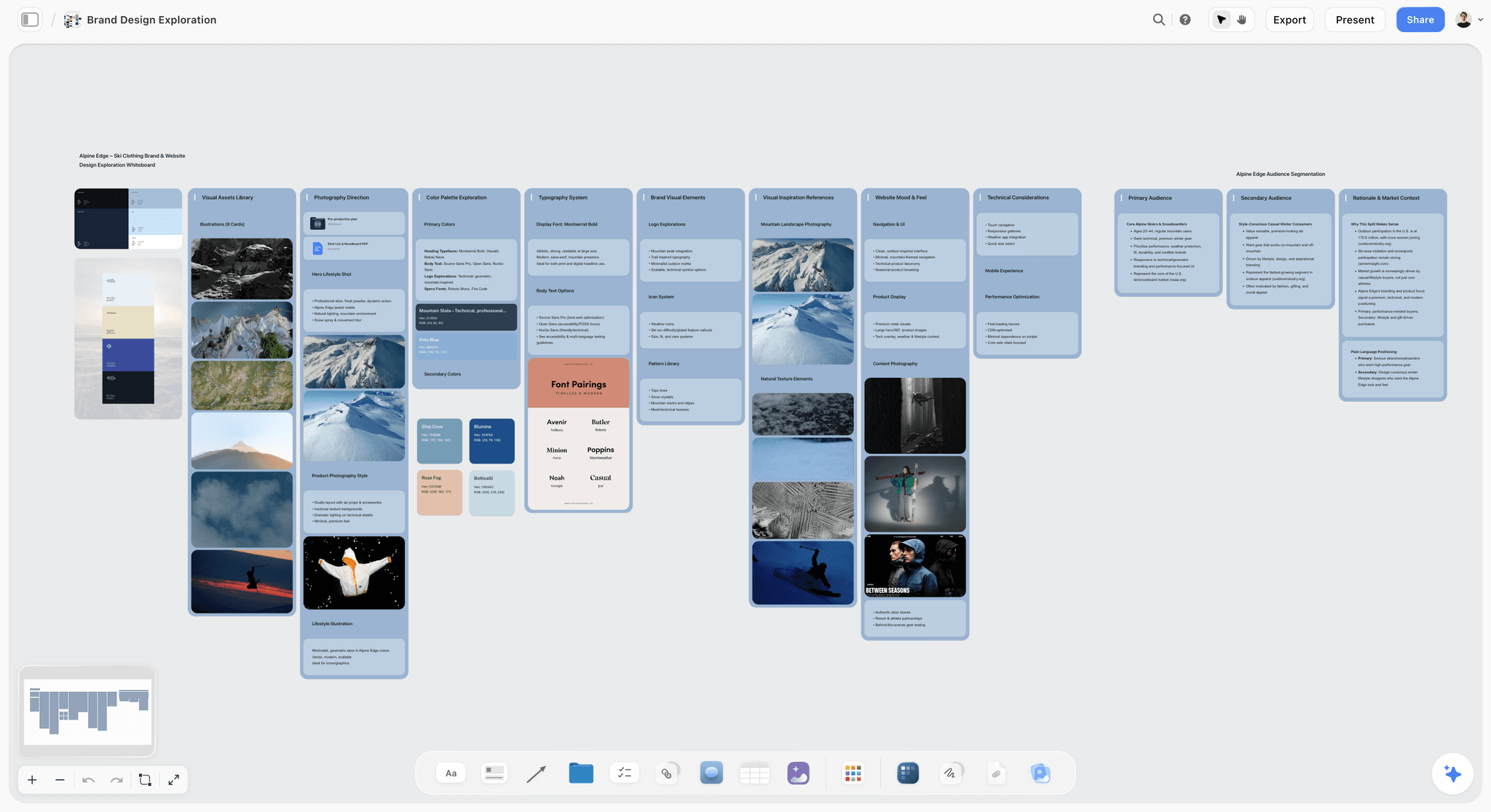
Brand exploration for a fictional ski clothing label on a board: photos, palettes and font pairings sit together, so a direction reads as one argument.
The Storyflow 3x9 Grid, and Why It Stops at 27 Images
The Storyflow 3x9 Grid gives reference collecting the end it lacks: 27 images at most in front of a client. Every designer has a board of 300 images and a client meeting tomorrow, and that board is useless in the meeting for exactly the reason it was satisfying to build.
The Storyflow 3x9 Grid, defined
The Storyflow 3x9 Grid is the rule we recommend for client-facing reference work: on a Storyflow job board, show 3 directions as 3 walls, each with up to 9 references, a one-line rationale, a palette and a type note. That is 27 images at most in front of the client. It is our editorial recommendation from production logic, and no study sits behind the figures.
Why three directions
Two directions turn a meeting into a yes or no vote. Four or more get unwieldy: Cowan's 2001 paper on short-term memory puts the limit at about four chunks, and a client also has to hold the brief in mind. That paper is about memory and not client meetings, so take it as a reason and not as proof. Three gives a real choice, and it gives you room for one safe, one expected and one that stretches the brief.
Why nine references per direction
Nine fills a 3-by-3 wall that stays readable at one zoom level, with room for a mix: three for colour and light, three for type and layout, three for subject or material. Fewer than six rarely says enough. Past a dozen, clients start picking favourite images, and you end up being asked for the exact picture they liked.
What happens to everything else
Nothing gets deleted. Your other 200 images go onto an archive board in the same project, out of the presentation and out of any link you send. Moving them there is the editing work that gives the three walls their force.
When to break the rule
Break it upward for a large identity system with several sub-brands, using one board per sub-brand with its own grid. Break it downward for a retained client who already trusts you: one direction with nine references, sent as a link, is a fair way to say "here is what we are doing". The number protects a decision, so where no decision is pending you do not need it.
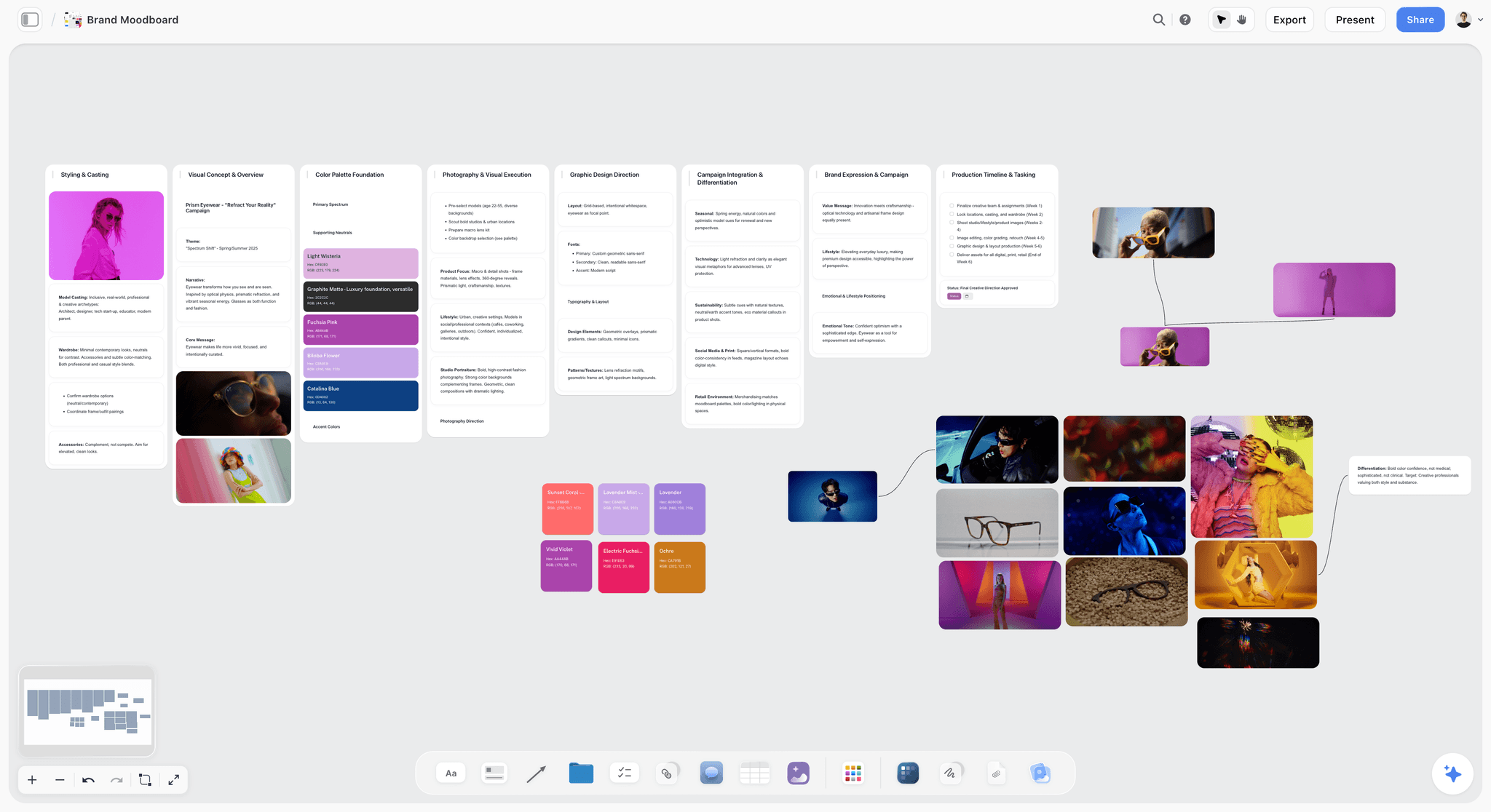
A fictional eyewear campaign moodboard. References and palettes read as one direction, which is what a client should be choosing between.
Reference Board vs Design File: Where Each Decision Belongs
A reference board decides what the work should feel like and a design file decides what the work is, so the board holds the 3x9 Grid and the client's decision while the file holds the artwork.
| Question | Reference board (Storyflow, Milanote, Are.na) | Design file (Figma, Illustrator, InDesign) |
|---|---|---|
What does it decide? | Direction, tone, palette, type feel | Exact shape, spacing, grid, production spec |
What is on it? | Other people's work, photos, notes, rationale | Your own artwork |
Who reads it? | Client, creative director, account lead | Designer, developer, printer |
What feedback fits? | "This direction, less of that colour" | "Move this 4 px" |
What may be shown publicly? | Nothing without checking rights; it is reference | The approved work |
How long does it live? | The whole job, then the record of why | Until the next version |
When is it done? | A direction is chosen and written down | Files pass handoff checks |
Clients comment on what you show them
Send a Figma link during direction stage and you will get pixel comments on a concept that was never meant to be final. Send a board and you get direction comments. The medium sets the level of the feedback.
References are not a licence
Everything on a reference board is somebody else's work until you have established otherwise. Keep reference boards private or view-only, never paste a reference into client artwork, and label anything your team shot itself. It is not a formality. It is what separates inspiration from a takedown letter.
Decisions need a home that is not the file
A design file records what was made. It rarely records why option B lost, or that the marketing director asked for green in a call on the 12th. That goes in a plain note on the board. Resolve on a comment deletes the whole thread, so copy the decision to a note before you clear it.
The link between the two is one line
Put the working file's URL on the board as a link card, and put the board's URL in the file's cover page. That is enough, and it survives every tool change.
Job 1, References: Which Workspace Collects Best
Storyflow's Web Clipper puts references on the board where the job lives, but collecting is the job with the most good options, because it is mostly solo and mostly about speed. We list ourselves first in this table; PureRef and Eagle beat us as pure collectors.
| Tool | How references get in | How they are organised | Files live on your machine? | Sharing |
|---|---|---|---|---|
Storyflow | Web Clipper for pages, text, images and video frames; file drops; an upload link from ChatGPT | Walls and folders in a project | No, browser-based | View-only link, no account |
Milanote | Web Clipper, drag and drop, Pexels photos | Boards, 100+ templates | No, an online service with desktop and mobile apps | Read-only link, no signup |
Miro | Paste and upload to a board | Free-form canvas, tags on sticky notes | No, an online service | Free has no guests or private boards; Starter adds visitor editing; Business adds guests |
FigJam | Paste and upload to a board | Stickies, 300+ templates | No, an online service with an iPad app | Guests for 24 hours without login |
Are.na | Save blocks into channels | Channels, reusable across collections | No, an online service | Open, closed or private channels |
PureRef | Drag, paste or pull from a browser | Single free-form scene | Yes, desktop app | Not described on its page |
Eagle | Browser extension, batch saves, screenshots | Tags, smart folders by colour or format, ratings | Yes, desktop app | Not described as a team feature |
PureRef wins when the board must float over your work
PureRef stays on top of other windows with a minimal interface, on Windows, Mac and Linux. If you draw or model with a reference beside your canvas all day, nothing here is better.
Eagle wins when the library is the asset
Eagle is a desktop asset manager with tags, colour and format smart folders, ratings and duplicate scanning. A designer with ten years of files needs this more than another board.
Are.na wins when the collecting is the thinking
Are.na treats a saved item as a block that can live in many channels, which makes it good for long-running research. The free Guest tier caps total connections at 200, and each block added to a channel counts once per channel, so heavy users hit it.
Storyflow wins when references have to become a decision
The Web Clipper saves pages as link cards, selected text as notes with a link back, images from any site and video frames, to a project or folder you pick. From there the images are already on the board where the job lives. Read the best mood board tools for graphic designers for more on this job, and the free reference board page for a lighter start.
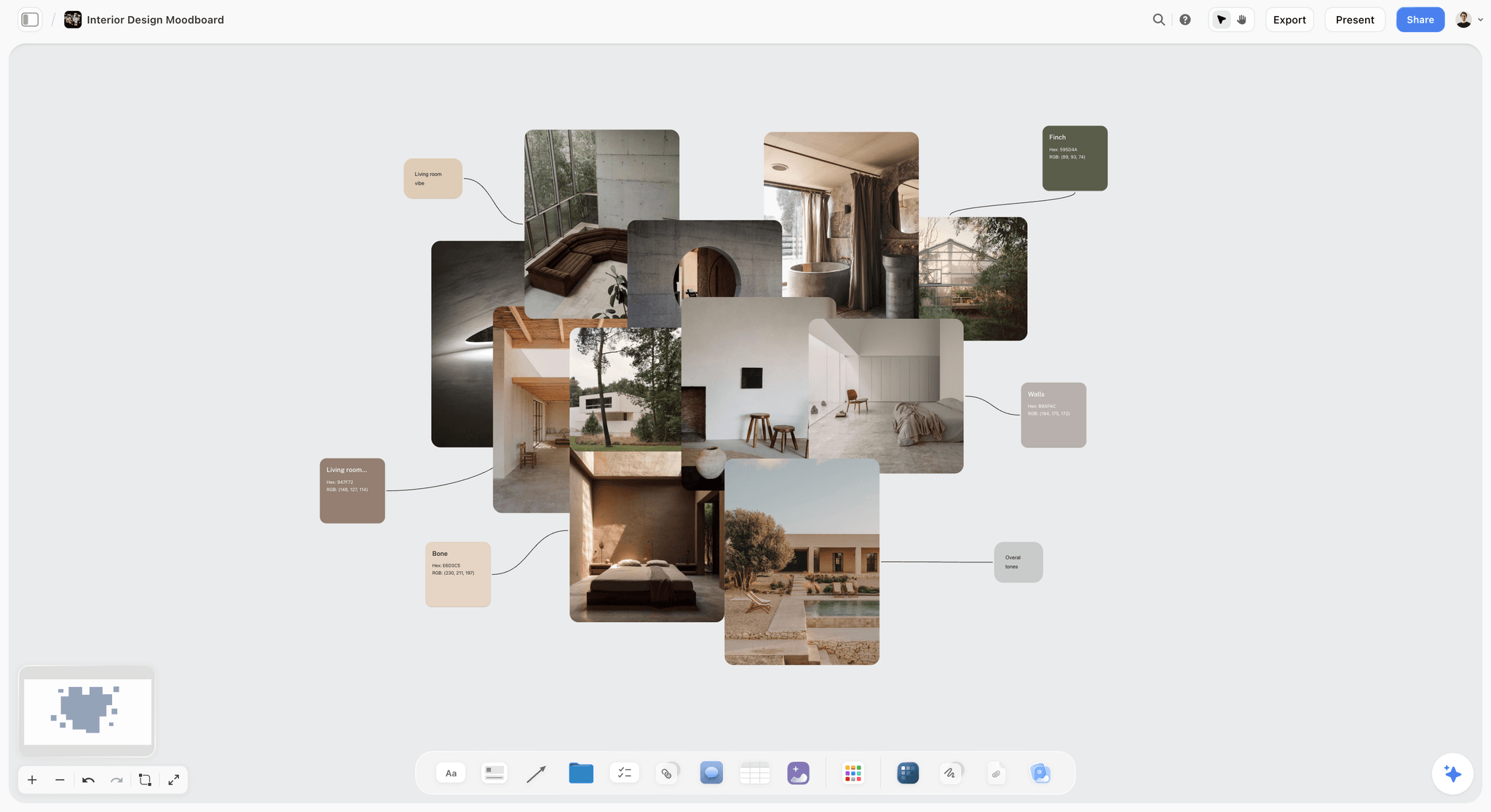
An interior design moodboard. Named swatches sit beside material photos, so colour is decided in context.
Job 2, Client Presentation: Which Workspace a Client Can Open
A client opens a Storyflow board from a view-only link with no account, and that test removes more tools than any feature list does, because the client has no account, no patience and a phone.
| Tool | Client opens without an account? | Client comments? | Presenting | Sent as a file |
|---|---|---|---|---|
Storyflow | Yes, view-only link | Sign in to comment or draw | Fullscreen presentation mode; arrow keys step through walls | PNG, JPEG or PDF of the board |
Milanote | Yes, read-only link | Free account to comment | Board view | Printable PDF |
Miro | Starter: visitor editing without sign-in; Free has no guests | Business adds unlimited guests | Slides on all plans | High-resolution JPG or PDF on Starter |
FigJam | Guests for 24 hours without login | See Figma | Spotlight mode | See Figma |
Figma | Paid plans allow view and comment without extra seats | Yes, on Design files | Prototype, or Figma Slides with presenter notes | See Figma |
Are.na | Open channels are public | See Are.na | Presentation mode on Premium | See Are.na |
PureRef | No | Not described | Your own screen | Not a client tool |
Presentation mode walks the grid
In Storyflow, presentation mode goes fullscreen and the arrow keys step through every top-level wall, note, image and document from left to right. The frame list reorders them, hides any you do not want shown and steps through a wall's items one at a time. Hide Intake, and the three direction walls become the meeting. Frames drawn with the Framing tool are not slides, so build the presentation from walls.
Milanote's sharing is well documented
Milanote's sharing guide separates editors, commenters and viewers cleanly: viewers need no login, and commenters and editors need a free account. It is a good model, and its boards look good in front of a client.
Miro's Free plan is the trap
Miro's pricing page says the Free plan has no guests and no private sharing, and only the three most recent boards stay editable. Do not plan a client presentation on it. Starter at $8 adds private boards and visitor editing without sign-in, and Business adds unlimited guests at $20, both per member billed yearly.
Comment accounts are an honest friction
A client reading a board link needs no account, but a client commenting has to sign in. Many clients will reply by email anyway. When that happens, paste their words onto the board as a note and do not retype them from memory. The client review board and design feedback pages set this up, and moodboards for clients covers the first meeting.
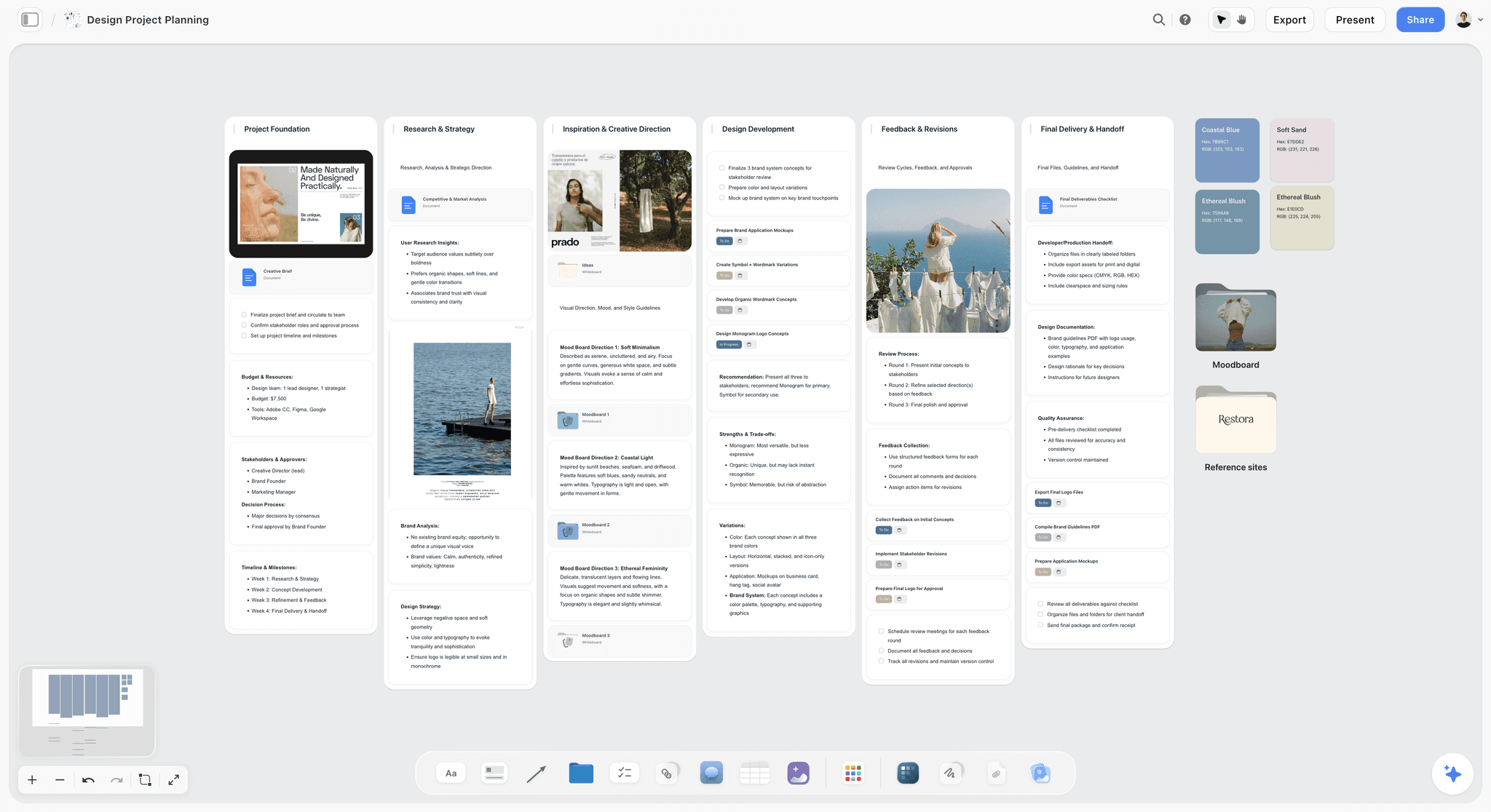
A fictional brand's project planner, with moodboard directions next to tasks, so presenting a direction and running the job happen on one surface.
Job 3, The Working File: Where Artwork Actually Gets Made
No visual workspace on this page replaces the design file, and a page that says otherwise is selling something. Here is where each piece of artwork belongs. Storyflow is not in this table because it does not make artwork; it makes plans, decks, one-pagers and fliers from a board and keeps the record of decisions.
| Tool | Makes | Strength | Who else needs a seat | Hand off from the board |
|---|---|---|---|---|
Figma Design | Interfaces, websites, vector shapes, components | Multiplayer files, shared libraries, Dev Mode | Developers and editors; viewing is free | Link card on the board |
Illustrator | Logos, vector artwork | Per Adobe, a single-app plan at $22.99 a month | Each designer | Link or file on the board |
InDesign | Print, layouts, long documents | Per Adobe, a single-app plan at $22.99 a month | Each designer | Link or file on the board |
FigJam | Workshop output, not final artwork | Sits in the same seat as Figma Design | Each Collab, Dev or Full seat | Link card on the board |
Figma is a design file with a whiteboard next door
Figma Design provides vector tools, components, shared libraries, multiplayer editing, comments and Dev Mode. FigJam adds stickies, 300+ templates, audio and AI grouping. If your team already pays for Figma, FigJam is included on Full, Dev and Collab seats, per Figma's pricing page, and starting elsewhere needs a reason.
Adobe remains the print and identity toolchain
Creative Cloud plans list Illustrator and InDesign at $22.99 a month each, on an annual plan billed monthly, and Creative Cloud Standard at $54.99, as of November 2026. A workspace does not replace any of them. Its job is making sure you open them with the right direction.
Keep handoff boring
Name the deliverables in a table: asset, format, size, owner, status. The design handoff board gives the structure, and the design review board covers internal critique. Storyflow does not hold version compare or frame-level approval status, so version comments belong in Figma or your proofing tool.
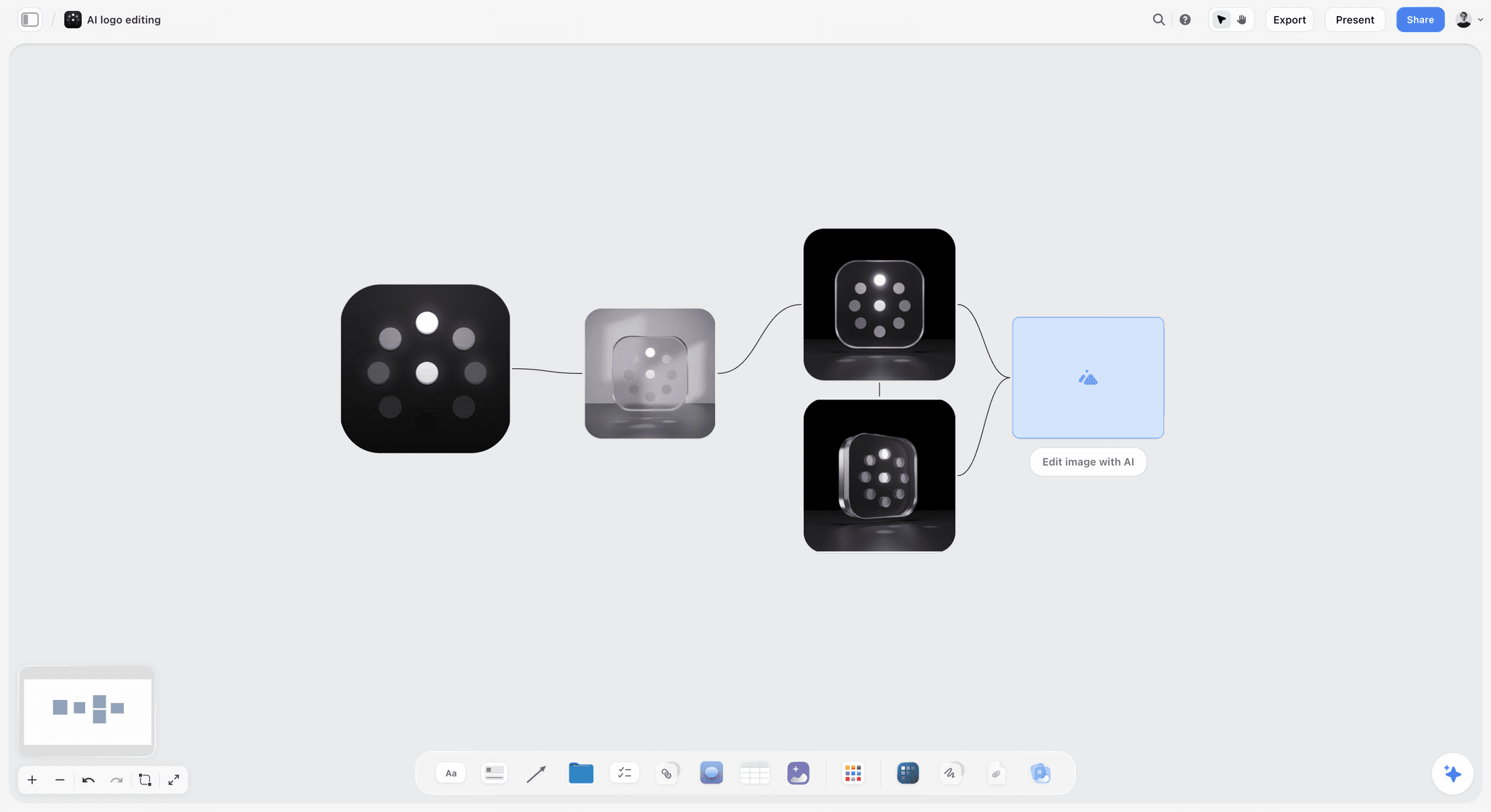
A logo variation flow, with connected steps showing how a mark evolved. It records the exploration; the final vector still lives in your design file.
Job 4, Visual Workspace Pricing Compared
Storyflow has a Free plan at $0 and Plus at $7.99 a month billed annually, and across this list the real cost is who needs a seat. Prices below were read from each vendor's page, as of November 2026, in US dollars. We list ourselves first, then the list runs by job: boards, whiteboards, design tools, collectors.
| Tool | Free route | Entry paid plan | Next plan | Billing as stated | Who pays |
|---|---|---|---|---|---|
Storyflow | Free: $0, no card, capped projects and uploads, 25 plugin or connector actions a week, no in-app AI | Plus $7.99 a month, with in-app AI and unlimited uploads | Pro $14; Max $39 with Team Workspace | Billed annually; monthly $9.99, $19, $49 | Each account on a paid plan; invited collaborators join free |
Milanote | 100 notes, images or links; 10 uploads | $9.99 per person a month | Team upgrade $49 a month for up to 10 people, $99 for up to 50 | Billed annually; per person $12.50 monthly | Per person, or flat team fee |
Miro | 3 editable boards | Starter $8 per member a month | Business $20 | Billed yearly | Each member |
FigJam | Figma Starter lists FigJam tools such as the shared timer | See Figma pricing for Professional | Organization Collab $5 a month | Organization billed annually | Each Collab, Dev or Full seat |
Figma | Starter with unlimited drafts | See Figma pricing for Professional | Organization Full $55; Enterprise Full $90 a month | Organization and Enterprise billed annually | Each editor; on paid plans others view and comment with no extra seat |
Are.na | Guest, 200 connections | Premium $7 a month or $70 a year | Supporter $120 a year | Monthly or yearly | Each person |
PureRef | Personal use: a contribution, with $7 and $15 presets or a custom amount | Small business $49 once, up to 3 users | Business $8 per seat a month annually, $10 monthly | One-time or subscription | The studio |
Eagle | 30-day trial | $34.95 once, two devices | None listed | One-time | Each licence |
Adobe Illustrator or InDesign | None listed | $22.99 a month per app | Creative Cloud Standard $54.99 | Annual, billed monthly | Each designer |
Sources: Milanote plans, Miro pricing, Figma pricing, Are.na, PureRef's buying page, Eagle's store, Adobe plans and Storyflow pricing.
Milanote's team fee can beat per-person pricing
Milanote's plans page lists a flat team upgrade at $49 a month billed annually for up to 10 people, or $99 for up to 50. At $9.99 per person, the $49 tier pays for itself at five people.
Figma's pricing is really about who edits
A Collab seat gets a marketing colleague into FigJam and Slides, with view and comment access in Design files, and on a paid plan others can view and comment with no extra seat. A Full seat for someone who only comments is the avoidable cost.
Our invite rule changes the sum for clients
Free can invite anyone to a board, and a view-only link needs no account. So a client never needs a seat. The Free plan is $0 with no card, though its capped projects and uploads run out fast on a reference-heavy job, and in-app AI starts on Plus, which also has unlimited uploads.
One-time tools sit beside a subscription, not in place of one
PureRef and Eagle are cheap one-time purchases. Neither presents to a client, so count them as additions to a workspace.
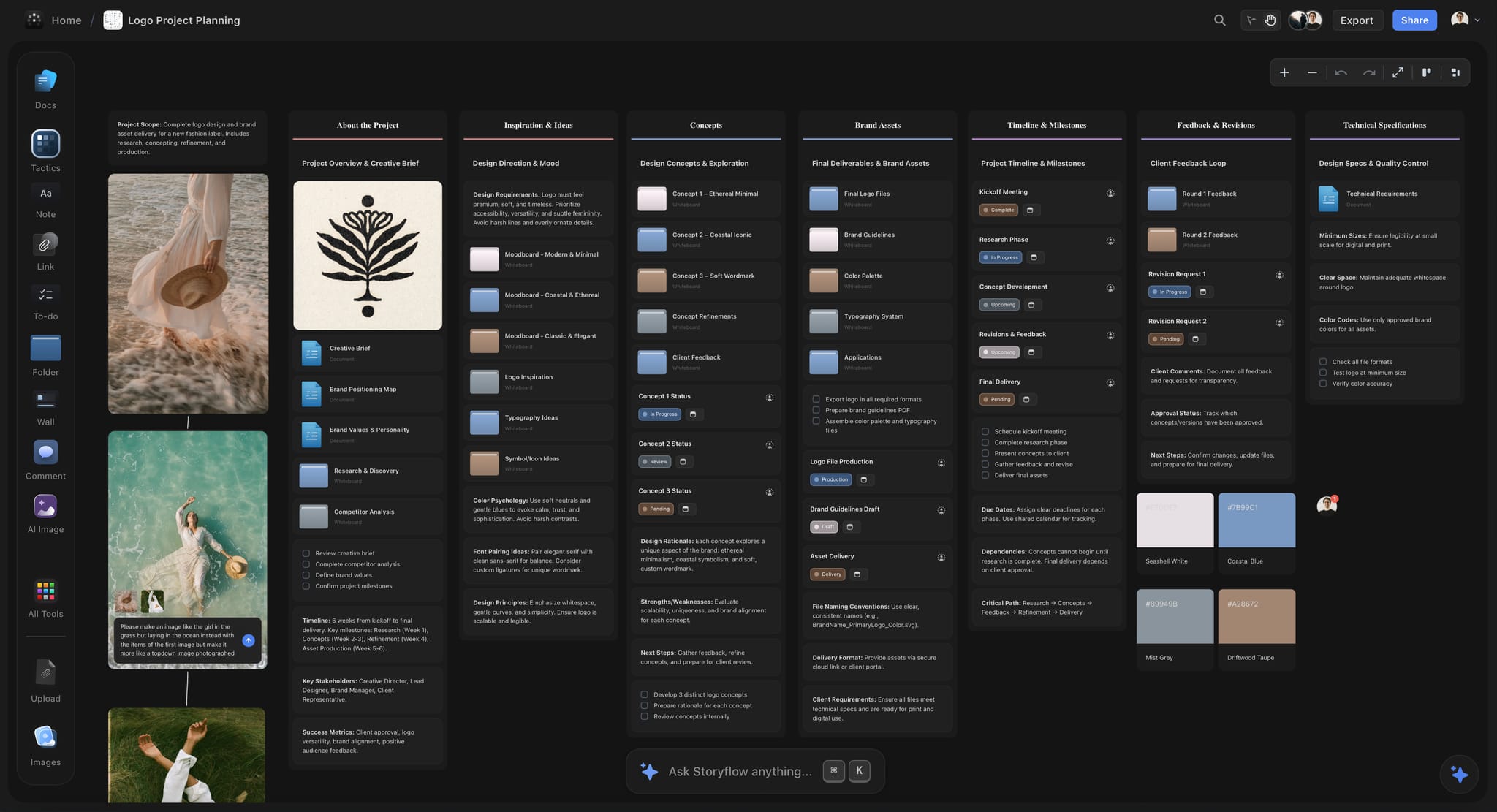
Storyflow logo project board for a new fashion label, with walls for the brief, inspiration, concepts, brand assets, timeline and client feedback
Cut your reference pile down to three walls of nine
Install Storyflow from ChatGPT's plugin directory, paste the client's brief, and get a job board with three direction walls, a decision wall and a deliverables table your client opens by link.

Template: A Design Job Board You Can Copy
This is a board plan for a fictional three-person studio, Fieldnote, rebranding a fictional coffee roaster, Larkspur Row. One row is one wall or element on the board. Copy the columns and change the contents.
| Board element | What goes on it | Limit | Owner | Client sees it? | Done when |
|---|---|---|---|---|---|
Brief | Document: goal, audience, deliverables, decision-maker | 1 page | Priya | Yes | Client confirms it in writing |
Intake | Everything collected, unsorted | No limit | Tom | No, on a separate board | Sorted into directions |
Direction A: Roasted Letterpress | 9 references, rationale, palette, type note | 9 images | Ines | Yes | Presented |
Direction B: Field Journal | 9 references, rationale, palette, type note | 9 images | Tom | Yes | Presented |
Direction C: Night Shift | 9 references, rationale, palette, type note | 9 images | Ines | Yes | Presented |
Decision | Note: chosen direction, who chose, date, requested changes | 1 note | Priya | Yes | Client's words recorded |
Concepts | Link cards to the three logo rounds in Illustrator | 3 rounds | Tom | By link | Round approved |
Rounds table | Round, date, feedback summary, status, rows in date order | 1 table | Priya | Yes | All rounds closed |
Deliverables table | Asset, format, size, owner, status | 1 table | Tom | Yes | All marked delivered |
To-dos | Tasks with an assignee and a due date | Per round | Ines | No | Ticked |
Brand notes | Palette, type system and tone-of-voice rules for guidelines | 1 document | Ines | Yes | Moved into guidelines |
Archive board | The references that did not make the grid | No limit | Tom | No, on a separate board | Job closes |
Hide, do not delete
The Intake material and archive board are the reason a question like "what else did you look at?" has an answer. If they sit on the board you present from, hide them in the frame list. A view-only link shows the board, so before sending one, move anything a client should not see to a separate board.
Use the Owner column on purpose
If ChatGPT or Claude fills a table, a person column named Owner or Assignee links people who already have access to the board. If any name matches nobody, the whole column stays plain text with the names as written.
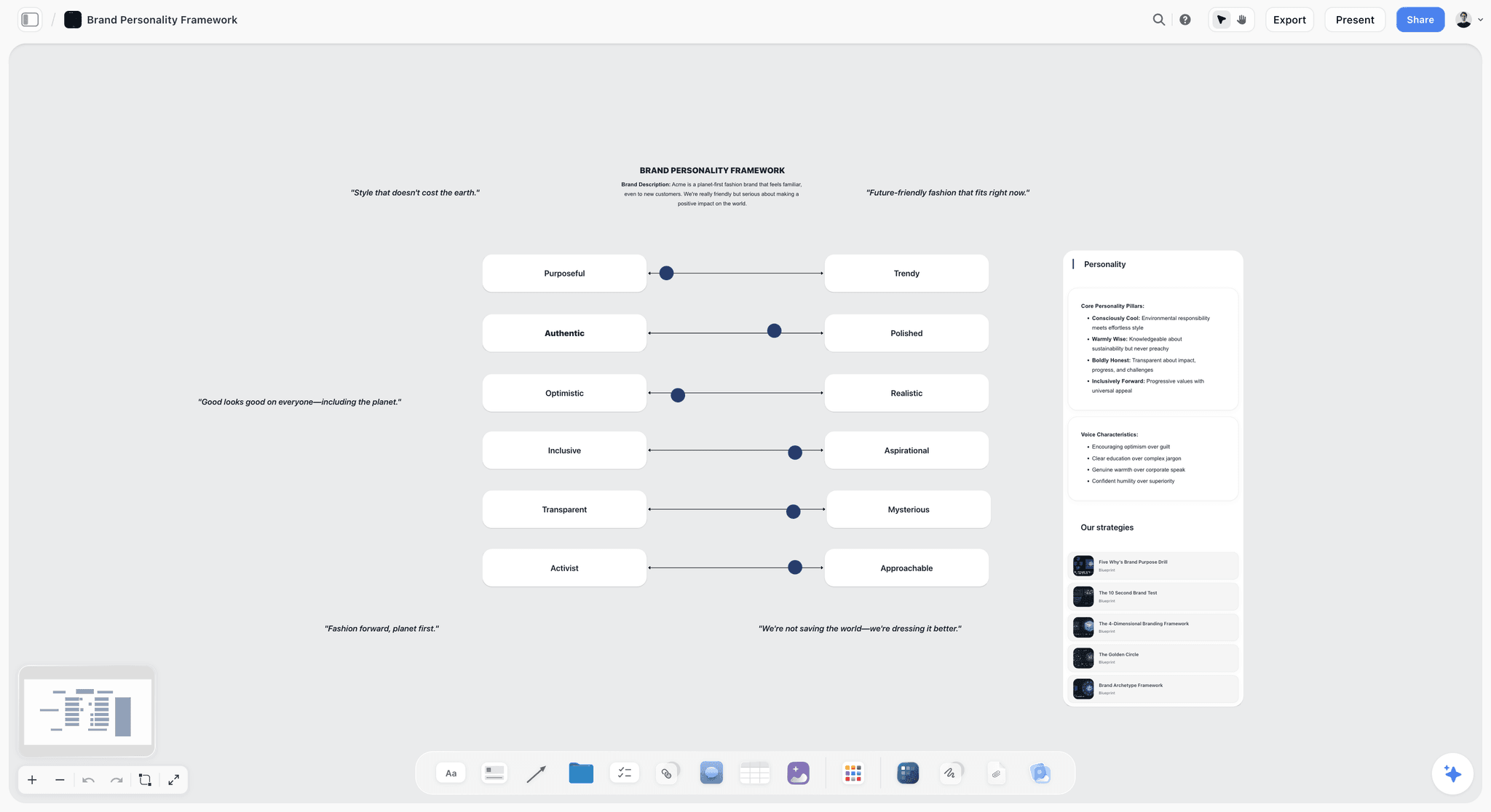
Brand personality sliders for a fictional company on a board, the kind of element that feeds a Brand notes document.
Worked Example: A Rebrand From Brief to Handoff
This example is illustrative, for the fictional Fieldnote studio and its fictional client Larkspur Row, a coffee roaster moving from farmers' markets to supermarket shelves.
The brief states a decision
Priya, the account lead, writes one sentence at the top of the brief: "By the end of this phase, the owner chooses one of three visual directions for shelf packaging." Anything that does not serve that sentence goes in a later phase, which spares the first meeting a logo discussion.
Intake collects without judgement
Tom clips roughly a hundred references into Intake from sites and a supermarket visit: packaging, letterpress type, field notebooks, and photos he took himself. Photos he took on his phone go up by file, and he labels them as his.
Three walls become an argument
Ines sorts them into Roasted Letterpress, Field Journal and Night Shift, nine images each. Each gets a line: "Roasted Letterpress argues that the roaster's craft is the product." Palettes and type notes go on each wall. The other references move to the archive board, and the grid is ready.
The meeting picks a direction, with changes
Ines presents the three walls fullscreen. The owner picks Field Journal and asks whether Night Shift's dark ground could work for the seasonal range. Priya types that in a note on the Decision wall during the call, with the date and the owner's words.
The artwork starts from the board
Tom opens Illustrator with the Field Journal wall on a second screen. Logo rounds go out as PDFs, link cards on the board point to them, and the rounds table records what changed in each. When the owner's business partner appears in round two and asks why not Letterpress, Priya sends the Decision note, and the conversation takes one email.
Handoff stays dull
The deliverables table ends with every asset marked delivered. Priya exports the board as a PDF for the client's file, and the project stays as the record for next year's seasonal range.
Do This in ChatGPT or Claude
Connect Storyflow to ChatGPT or Claude and the structure an assistant pulls from a client's rambling brief lands on the job board, instead of being lost to next week's chat.
Install the Storyflow plugin in ChatGPT
Open the Storyflow listing, select Install plugin, sign in to Storyflow and choose which projects ChatGPT may use. Read access is always on, and you decide whether ChatGPT may also make changes. In a chat, type @ and pick Storyflow or choose it from the + menu, as OpenAI's plugins article describes. Availability depends on your ChatGPT plan, workspace and region. In Business and Enterprise workspaces an admin manages plugins. See ChatGPT for a moodboard and ChatGPT for a brand board.
Connect Storyflow to Claude
Claude calls these connectors. Add a custom connector with the address https://mcp.storyflow.so/mcp under Customize, then Connectors, per Anthropic's connector guide, and turn it on per conversation with the + button. Free users are limited to one custom connector. Setup is on the Storyflow MCP page, with job guides for Claude and moodboards and Claude and brand boards.
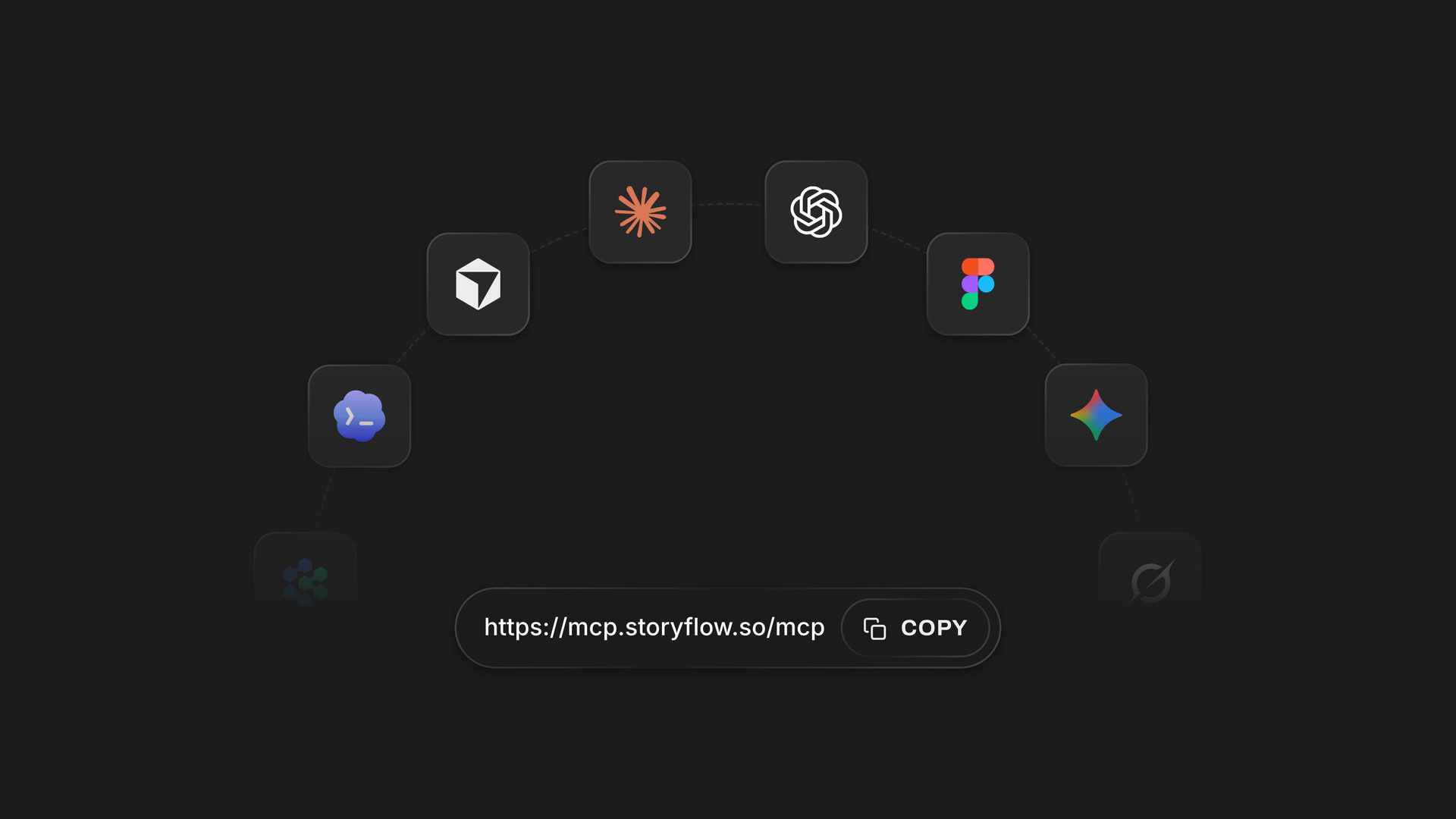
The connector address links one account to assistants like Claude; ChatGPT installs it as a listed plugin.
Seven prompts for this job
- "@Storyflow, in my Larkspur Row project, create a document called Brief from this email, with goal, audience, deliverables and who decides: [paste]."
- "@Storyflow, build the board for a design job: an Intake wall, three direction walls named Roasted Letterpress, Field Journal and Night Shift, a Decision wall and a Deliverables table."
- "@Storyflow, add a colour palette to the Field Journal wall built from these colours: [list]."
- "@Storyflow, give me an upload link for this board so I can add my own photos."
- "@Storyflow, build a table called Rounds with columns Round, Date, Feedback, Owner and Status, with rows kept in date order."
- "@Storyflow, build a short slide deck with one slide per direction, using each wall's rationale line."
- In Claude: "Read the Brief document and the rationale notes on the three direction walls. Tell me which direction drifts furthest from the brief, quote the line that shows it, and wait before you change anything."
What lands on the board
Notes, walls, tables, documents, colour palettes, images added to the board and slide decks. ChatGPT can also read back what changed on the board in the last week and who changed it, which works as a status check for a small studio. The same is true through Claude. See ChatGPT for a client presentation, Claude for a client presentation and ChatGPT for a colour palette.
What to check by hand
- A photo attached in a ChatGPT chat does not reach Storyflow. Use the upload link from prompt 4.
- AI image generation is not available through the plugin. It is an in-app feature on Pro and Max.
- The plugin can add a comment card but cannot read comments, so paste client feedback into a note if you want an assistant to use it.
- Sorting references into a direction is your taste. Ask an assistant to criticise your rationale, not to replace it.
- Plugin actions use your ChatGPT plan and no Storyflow AI credits. A Free account gets 25 actions a week; Plus, Pro and Max have no weekly limit.
- Through the plugin a to-do takes no date and no assignee, so set those in the app, or put dates in a table date column.
- Figma, Miro and Adobe are also listed in ChatGPT's plugin directory as of October 2026; Milanote and FigJam are not. See OpenAI's connected apps article for how apps use context.
What the In-App Storyflow AI Adds
This runs inside Storyflow, separately from the plugin, starts on Plus and uses Storyflow AI credits. A Free account has no in-app AI.
Builds a moodboard or brief from your material
Build a moodboard for my project and Brief my campaign are menu workflows. Ask for a brand moodboard or brand strategy and the AI builds them on the board, asking a question or two first and staging the result as a proposal you accept or discard. It reads the current board and sees an image's pixels only when you select it, up to 24 at a time.
Turns a board into a client document
Designed deliverables include a pitch deck, one-pager, flier, lookbook, creative brief and a designed PDF of a board. These are planning documents and presentations, and they are not the identity system. The design brief page and brand identity project plan show where they fit.
Handles small picture jobs
Background removal and upscaling are unlimited on paid plans, and AI image generation is on Pro and Max. Separately from the AI, ink drawn on a picture from its full-size view stays on the picture, which is handy for marking up a reference: "this curve, not this one".
Visual Workspaces for Graphic Designers Compared
Storyflow comes first because it is our product and the job here is a client design job's plan, references and decisions on one board. It is not first as a design tool, since it is not one. The others were read from their own pages, as of November 2026, and each wins a job Storyflow does not do.
1. Storyflow
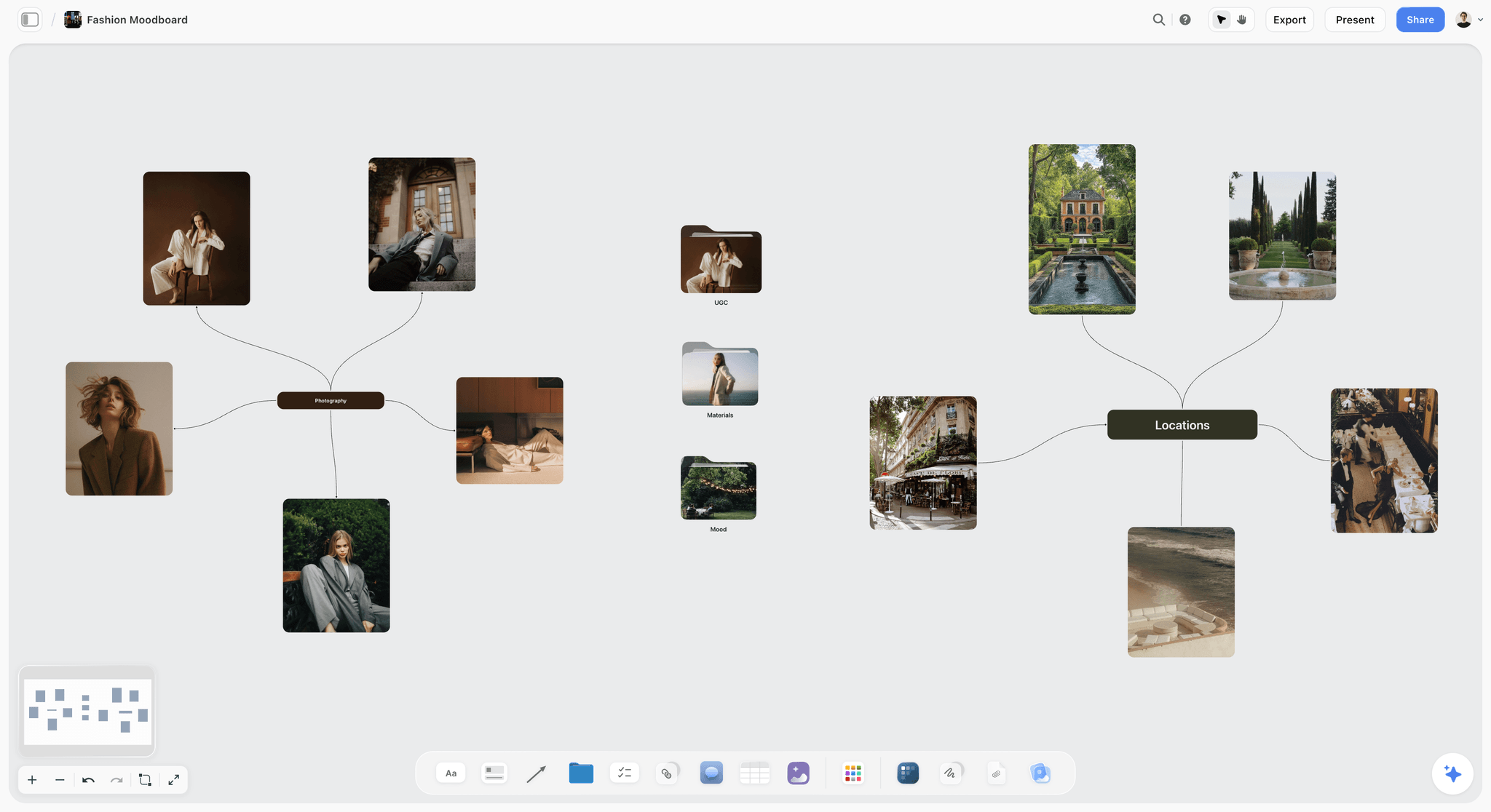
A fashion moodboard mapped on a Storyflow board, showing references grouped by theme on the same canvas as the rest of a project.
Storyflow is where the job lives: brief, references, directions, decisions and deliverables on an infinite canvas, with an AI that builds on the board and reads it back.
- Best for: freelancers and studios who present to clients and want the reasoning to survive the project.
- Limit: no vector tools, no SVG or PPTX export, no version compare, no native desktop or mobile app, and no proposals, contracts or invoices.
- Price: Free $0 with no card, capped projects and uploads and 25 plugin or connector actions a week, with no in-app AI; Plus $7.99 a month billed annually ($9.99 monthly), where in-app AI starts; Pro $14 ($19 monthly); Max $39 ($49 monthly) with a Team Workspace, as of November 2026. Free can invite anyone to a board.
- Details: see the visual workspace for graphic designers page, Storyflow for designers and moodboards for designers.
2. Milanote
Milanote sells itself on quick, shareable moodboards, with a Web Clipper, 100+ templates, a Pexels integration and read-only links that need no signup.
- Does best: the look of the board itself. It is a pleasant place to arrange references for a client.
- Limit: the Free tier stops at 100 notes, images or links and 10 uploads, and a commenter needs a free account.
- Price: $9.99 per person a month billed annually, or $12.50 monthly; team upgrade $49 a month billed annually for up to 10 people, or $99 for up to 50, as of November 2026.
- Choose Milanote instead when the board is the whole job, with no AI and no assistant connection needed. See the Milanote alternative page for the overlap.
3. Miro
Miro is a whiteboard for large groups, with hundreds of templates, sticky note sorting and integrations with a company's tool stack. Its ChatGPT plugin is listed as "Visualize and structure ideas", as of October 2026.
- Does best: workshops with many participants, especially inside a company that already runs on Miro.
- Limit: Free keeps three editable boards with no guests or private sharing. Business features such as guests, data tables and AI workflows cost more.
- Price: Starter $8 per member a month billed yearly, Business $20 billed yearly, Enterprise custom, as of November 2026.
- Choose Miro instead when the client's organisation already uses it, or a workshop is the deliverable. The Miro alternative page covers the rest.
4. FigJam
FigJam gives you stickies, 300+ templates, audio and live chat, AI that groups stickies by theme, Spotlight mode and outside guests for 24 hours without a login.
- Does best: a quick workshop with a team that already lives in Figma.
- Limit: its page is written around meetings, planning and retrospectives, rather than a client-facing reference board.
- Price: included on Full, Dev and Collab seats; Organization Collab is $5 a month billed annually, and see Figma pricing for Professional, as of November 2026.
- Choose FigJam instead when you are already paying for Figma and the output is workshop notes. The FigJam alternative page explains when it is not enough.
5. Figma
Figma Design is the working file for interface and web work, with vector tools, components, Dev Mode and multiplayer editing. Its ChatGPT plugin is listed as "Create designs, ship to code", as of October 2026.
- Does best: building the design itself with others in the same file.
- Limit: it invites pixel-level comments, and references pasted into a design file are hard to keep tidy. Reference and direction work suits a board better.
- Price: Starter is free; Organization Full $55, Dev $25 and Collab $5 a month billed annually; see Figma pricing for Professional, as of November 2026.
- Choose Figma instead when the job is the artwork. You will use it anyway, whichever board you choose.
6. Are.na
Are.na is a platform for saving material into channels you can connect, search and share, privately or with collaborators.
- Does best: slow, long-term research, and following the taste of people you admire.
- Limit: the Guest tier caps at 200 connections, and it is a research tool first, without tasks or a project plan.
- Price: Premium $7 a month or $70 a year; Supporter $120 a year, as of November 2026.
- Choose Are.na instead when you are building a personal library that outlasts any client.
7. PureRef
PureRef is a stand-alone reference organiser that stays on top of your other windows on Windows, Mac and Linux.
- Does best: keeping references in view while you draw or model.
- Limit: its page describes no collaboration or sharing, so it is not a client surface.
- Price: personal use with $7 and $15 presets or a custom amount; small business $49 once for up to 3 users; business $8 per seat a month billed annually, as of November 2026.
- Choose PureRef instead when you need references beside your canvas all day and nobody else needs to see them.
8. Eagle
Eagle is a desktop asset manager with tags, smart folders by colour or format, ratings and a browser extension for batch saving.
- Does best: finding a file you know you own, across years of work.
- Limit: it lives on your machine. Its page describes no team features, and testimonials mention sharing a library through a cloud drive.
- Price: $34.95 once, two devices, with a 30-day trial, as of November 2026.
- Choose Eagle instead when your problem is an unsearchable archive and not a client meeting.
9. Adobe Creative Cloud
Creative Cloud holds Illustrator and InDesign, the working files for identity and print. Adobe is listed in ChatGPT's plugin directory as "Design, combine, and edit", as of October 2026.
- Does best: final artwork, type control and print output.
- Limit: it is not a place to discuss direction with a client, and each designer needs a licence.
- Price: Illustrator or InDesign $22.99 a month, Creative Cloud Standard $54.99, on an annual plan billed monthly, as of November 2026.
- Choose Adobe instead when the deliverable is print or a logo. You will likely use it with any workspace above.
Which Setup for Which Designer
Most designers end up with one collector, one board and one design file. This table pairs them. Ours is the board in the rows where a client or a team reads the work.
| You are | Collect in | Present and plan in | Make in | Reason |
|---|---|---|---|---|
Freelance identity designer | Web Clipper or Eagle | Storyflow | Illustrator | Clients get a link, and decisions stay on record |
Small branding studio | Web Clipper | Storyflow | Illustrator and InDesign | One record across three people |
Product design team | FigJam | FigJam, or Storyflow for marketing work | Figma | Everything is already in Figma |
In-house brand team | Web Clipper | Storyflow, or Miro if the company uses it | Adobe or Figma | Reviewers outside design can read a board |
Illustrator or concept artist | PureRef | Your portfolio | Your paint app | The reference has to stay in view |
Designer who loves research | Are.na | Milanote or Storyflow per client | Figma or Adobe | Taste library stays separate from jobs |
Workshop facilitator | Miro | Miro | Not applicable | Many participants, one session |
Related comparisons: Milanote vs Miro vs FigJam vs Storyflow for graphic designers, the best visual workspaces for graphic designers, and for assistants, visual workspaces with ChatGPT and Claude.

A fictional studio's client tracker: the level above the job board, with one card per client job.
Mistakes and Fixes
Each of these turns up in a design job's second week, by which point fixing it is awkward.
Sending a folder and calling it a direction
A folder of 40 images asks the client to do your thinking. Reduce it to the 3x9 Grid with one rationale line per wall before anyone outside the studio sees it.
Showing a design file at direction stage
Pixel comments on a concept mean the client has skipped a decision. Use a board first, and send the file only after a direction is written down.
Deciding in a call and leaving no record
Priya's job above can be yours. Type the decision into a note during the call, with the name and date. When someone new appears in round two, you have an answer.
Putting the job in a workshop tool
A whiteboard with no guests on its free plan, or one that bills per member, gets awkward when the client's whole team needs a look. Check the sharing rules before you build there.
Using one giant board for all clients
A single infinite canvas per studio turns into a search problem. Use one project per client, one board per phase, and a tracker board above them.
Treating references as usable assets
A reference copied into a client's artwork is a rights problem, however small it is on the page. Label what you shot, and license what you use.
Resolving a comment before recording it
Resolve deletes the whole thread on a board. Write the decision on a note first. Comments are the conversation and notes are the record.
Paying for Full seats nobody draws in
Commenters and viewers rarely need the most expensive seat. Review who edits, then move the rest to a cheaper seat or a view link.
Storyflow's Honest Limits for Graphic Designers
The case above is for planning and presenting. Here is what Storyflow does not do.
It is not a design tool
There are no vector tools, components, type controls or print output. You still need Figma, Illustrator or InDesign. Exports are PNG, JPEG or PDF, with no SVG and no PPTX.
It has no proofing
There is no frame-level approval status and no version compare. For tight rounds with several stakeholders, use your design tool's comments or a dedicated proofing product.
It does not run the studio's business
There are no proposals, contracts, e-signature or invoices. There is also no Gantt chart, calendar view or time tracking, so dates live in table date cells and to-dos, and rows are kept in date order by hand.
It has no native app
It runs in the browser and is best built on a laptop. PureRef's always-on-top window has no equivalent here, and a collector living on your desktop may suit you better for that part.
Its free plan caps projects and uploads
Free is $0 with no card, but it caps projects and uploads and has no in-app AI or Tactics. For a large personal library on no budget, Are.na's Guest tier or PureRef's personal terms are better starts.
The Bottom Line
Treat the board and the file as two tools with two jobs. Collect wherever you collect fastest. Decide on a board, using the Storyflow 3x9 Grid: 3 directions, 9 references each, and one written decision. Make the work in Figma or Adobe. Pick Milanote when the board is the whole job, Miro when a large workshop is, and FigJam when you already pay for Figma. Pick Storyflow when the client, the plan and the reasoning all have to sit in one place.
For your next job, take the reference pile you have now, cut it to three walls of nine, and build the board from ChatGPT or from Claude before you open a design file.
FAQ: Best Visual Workspace for Graphic Designers
What is the best visual workspace for graphic designers?
Storyflow is the best visual workspace for graphic designers running client jobs, because references, three directions, client decisions and deliverables sit on one board a client can open by link with no account. Artwork stays in Figma, Illustrator or InDesign. Use the Storyflow 3x9 Grid for the client's view. For pure reference collecting, PureRef or Eagle can be better, and FigJam suits teams already in Figma.
What is the best tool for organising design references and client work?
Storyflow is the best tool for organising references together with client work, since walls, folders, documents, tasks and tables share one project. If you only need a personal archive, Eagle's tags and smart folders are stronger, and PureRef keeps references in view while you draw. Are.na suits long-term research. Most designers end up using a collector and a client-facing board.
What is the Storyflow 3x9 Grid?
The Storyflow 3x9 Grid is our editorial rule for client-facing reference work: 3 directions, one wall each, with up to 9 references per wall, plus a rationale line, a palette and a type note. That caps the client's view at 27 images, so the talk stays on direction. It comes from production logic rather than research, and other references sit on an archive board.
What is the difference between a mood board and a design file?
A mood board, or reference board, decides what the work should feel like using other people's images, palettes and notes. A design file holds your own artwork at production detail. Clients should see the board first, because a design file invites pixel-level notes on a concept not yet agreed. The board holds the decision, and the file stays in Figma or Adobe.
Is Milanote better than Miro for graphic designers?
Milanote suits graphic designers better than Miro for a client-facing reference board, because it is built around arranging references and has a read-only link needing no signup. Miro is stronger for large workshops and teams already using it, though its Free plan has no guests. Storyflow adds the project plan and assistant connections to the same kind of board, with a Free plan and in-app AI from Plus.
Is FigJam included with Figma?
FigJam is included on Figma's Full, Dev and Collab seats, per Figma's pricing page as of November 2026, and an Organization Collab seat is $5 a month billed annually. Starter gives free limited access to Figma products, and its feature table lists FigJam tools such as the shared timer. For Professional rates, see Figma pricing.
How much does Are.na cost?
Are.na Premium costs $7 a month or $70 a year, and its Supporter tier is $120 a year, as of November 2026. The free Guest tier allows unlimited blocks but caps you at 200 connections in total, where each block added to a channel counts per channel. Premium adds advanced search filters, table view and presentation mode.
Can clients view a Storyflow board without an account?
Yes. A view-only link opens with no account, so a client can read your direction walls on any device with a browser. To comment or draw, the client signs in, and Free can invite anyone to a board. Presentation mode also lets you walk a client through the walls yourself, fullscreen, with hidden items left out.
Does Storyflow replace Figma or Adobe?
No. Storyflow has no vector tools, type controls or print output, and it exports boards as PNG, JPEG or PDF, without SVG or PPTX. It sits before and beside Figma, Illustrator and InDesign, holding references, directions, client decisions and deliverables. Put a link to the working file on the board, and let the file do what files are good at.
Can ChatGPT build a moodboard on a Storyflow board?
Yes, with limits. Through the plugin, ChatGPT can build walls, notes, tables and colour palettes and add images to a board. A photo attached in the ChatGPT chat does not reach Storyflow, so the plugin gives you an upload link instead. AI image generation is not available through the plugin. Availability depends on your ChatGPT plan, workspace and region.
Can Claude work with my design job board?
Yes. Add a custom connector in Claude with the address https://mcp.storyflow.so/mcp under Customize, then Connectors, sign in to Storyflow and turn it on per conversation from the + button. Claude can then read and build on the board, such as checking your rationale notes against the brief. Anthropic limits Free users to one custom connector, and team owners add it first.
What do graphic designers use PureRef for?
Graphic designers and illustrators use PureRef to keep reference images visible while they work, since it stays on top of other windows with a minimal interface on Windows, Mac and Linux. It has tools for arranging images and quick notes. Its page describes no collaboration, so designers usually pair it with a shared board for client work. Personal use has $7 and $15 presets.
Should a design studio use one board per client?
Use one project per client, with one board per phase and a tracker board above them, rather than one giant canvas. A single canvas becomes a search problem within months, and a client link then shows too much. Keeping each job in its own project also limits what ChatGPT or Claude can see, since you choose which projects an assistant may use.
Table of Contents
- Key Takeaways
- How to Run a Design Job in a Visual Workspace: The 9-Step Storyflow Method
- The Storyflow 3x9 Grid, and Why It Stops at 27 Images
- Reference Board vs Design File: Where Each Decision Belongs
- Job 1, References: Which Workspace Collects Best
- Job 2, Client Presentation: Which Workspace a Client Can Open
- Job 3, The Working File: Where Artwork Actually Gets Made
- Job 4, Visual Workspace Pricing Compared
- Template: A Design Job Board You Can Copy
- Worked Example: A Rebrand From Brief to Handoff
- Do This in ChatGPT or Claude
- What the In-App Storyflow AI Adds
- Visual Workspaces for Graphic Designers Compared
- 1. Storyflow
- 2. Milanote
- 3. Miro
- 4. FigJam
- 5. Figma
- 6. Are.na
- 7. PureRef
- 8. Eagle
- 9. Adobe Creative Cloud
- Which Setup for Which Designer
- Mistakes and Fixes
- Storyflow's Honest Limits for Graphic Designers
- The Bottom Line
- FAQ: Best Visual Workspace for Graphic Designers
- Related Reading
Templates to check out for this topic


Branding and design templates you can use in Storyflow
Take a brand from naming to visual direction on one connected canvas. Open any of these templates and the AI works from everything already on the board.


See Storyflow in Action
A visual AI workspace where every feature lives inside one canvas. No tab-switching, no context lost.
Build your entire board from a single message
Type what you need in the AI chat at the bottom of your canvas. The AI adds cards, headings, and structure directly onto your board.
Use expert frameworks as AI context
Type @ in the AI chat and choose any Tactic. The AI tailors every response to that framework instead of giving generic advice.
Turn your board into a mind map in seconds
Ask the AI to restructure your canvas as a mindmap. It connects your ideas into a visual hierarchy so you can see how everything relates.
Why Storyflow Exists
Storyflow actually began as a personal tool while working on creative and research projects.
We kept running into the same problem: ideas were scattered everywhere: notes, documents, and whiteboards.
Nothing helped us see how everything connected.
So we started building a workspace designed around how ideas actually grow.
→ Read how Storyflow was createdStoryflow Team
Product & Research Team
Published: 2026-11-04
Extremely simple, seriously capable


See how easy it is to get started
Watch a real project come together, from a blank board to a finished plan, clicked through step by step.
Start creating with AI and become more productive
Transform your creative workflow with AI-powered tools. Generate ideas, create content, and boost your productivity in minutes instead of hours.