
Ultra-fast moodboards with real taste
Make the moodboard in ChatGPT,
with the pictures on one board.
For creative directors, brand teams and photographers: ChatGPT writes the direction and lays out your references, a named palette and the notes on one Storyflow board.


Creatives working for these brands already got early access
- Red Bull
- Canon
- Artlist
- Porsche
See how easy it is to get started
Watch a real project come together, from a blank board to a finished plan, clicked through step by step.
Start from a ready-made template
Pick a board to see what you can build, then let AI fill it in. Every template is a real, editable starting point on the same infinite canvas.

Film Moodboard
Collect film references, color palettes, lighting, locations, and tone in one place, then invite your crew.
Can ChatGPT make a moodboard?
Yes, ChatGPT can make a moodboard: give it the brief and it writes the direction, proposes a palette with hex values, decides what each group of pictures has to show and, in its own chat, searches for references. Storyflow is an AI visual workspace that builds a moodboard on one infinite canvas: reference pictures in named groups, a palette of swatches, the direction line and a note on what to take from each picture. With the Storyflow plugin installed, ChatGPT lays that board out itself, on its own model, so it spends none of your Storyflow AI credits.
Without a board, a moodboard from ChatGPT is a long reply: a direction line, six hex codes, a list of links to pages with pictures on them, and perhaps a few images it drew further up the chat. Nobody sees the pictures next to each other, the colours are text, and the client has to scroll. A moodboard works only when the pictures sit together, because that is how a team sees that four references share the same hard light and one does not.
With the plugin, ask in a chat with Storyflow picked and ChatGPT builds the moodboard on the campaign's board. It writes the direction as a heading and a note at the top. It makes a wall for each decision the pictures have to settle, such as light, casting, styling, location and type. It adds pictures from direct image addresses, up to 12 per request, from its own web search or from links you paste. It places the palette as a grid of 2 to 24 swatches, each with its name, hex and RGB value. Your own photos go in through an "Add your photos" link.
An example to copy (the brand is made up). Halcyra, a sunscreen brand, briefs a summer campaign: one 30-second film, 12 stills and 20 social posts, shot over two days in Lisbon in May. The direction line is "heat you can feel, skin you can trust", and every picture must pass three words: bright, close, unretouched. Five walls of six pictures make 30 references: light, casting, styling, location and pack shots. The palette has six swatches: Tile Blue #1F5FA8, Hot Sand #E8B27A, Shell #F7F4EE, Shade #2B2F36, Coral #F06B5B and Fig Leaf #5C8A5A. The art director sends 14 recce photos through the upload link, ChatGPT adds 16 references from image addresses, and that makes the 30.
Decide what the moodboard has to settle before you ask, because a board of good pictures that settles nothing gets approved and then argued about on set. Name each wall for a decision ("light", not "saved from Instagram"). Give every picture a caption that says what to take from it: "this light, not the outfit". Keep a "not this" wall, since ruling a look out ends more arguments than another reference does. Hold each wall to about six pictures so every one earns its place. ChatGPT writes the captions when you ask; which pictures stay is still your call.
Now the limits. The plugin does not make AI images: every picture on the board comes from an image address or from your own files. A picture ChatGPT draws in the chat, or one you attach there, does not reach Storyflow by itself; save it and send it through the "Add your photos" link, which works for 15 minutes and takes up to 200 pictures. ChatGPT cannot delete pictures or read the comments on the board, so remove the ones that fail the test words by hand. Storyflow's own built-in AI, inside the app, has a "Build a moodboard for my project" workflow and makes AI images on Pro and Max; that uses Storyflow AI credits.
Ultra fast from brief to board
Four steps from the brief to a moodboard the client signs off.
ChatGPT lays out the walls and the palette. The cut and the sign-off stay with you.
01
Install Storyflow from the plugin directory
Open the Storyflow listing in ChatGPT's plugin directory and select Install plugin. Sign in to Storyflow when asked, then choose which projects ChatGPT may use.
02
Give ChatGPT the brief
Start a chat, type @ and pick Storyflow, then paste the brief or ask ChatGPT to read it on the board. For example: "Build the summer moodboard on the Halcyra board: a direction line, five walls for light, casting, styling, location and pack shots, and a six-colour palette." The direction, the walls and the swatches appear, with references wherever ChatGPT has image addresses.
03
Add your own pictures
Ask ChatGPT for the "Add your photos" link and pick recce shots, product photos or past work from your phone or computer. Tell ChatGPT which wall they belong in, and they land there as they upload.
04
Cut, caption and share
Remove the pictures that fail the test words and caption the rest, by hand or by asking ChatGPT. Then share the board from Storyflow with a view-only link the client opens in a browser without an account.

What ChatGPT puts on the moodboard.
Each card is something ChatGPT does through the plugin, and something the client sees without opening a chat.
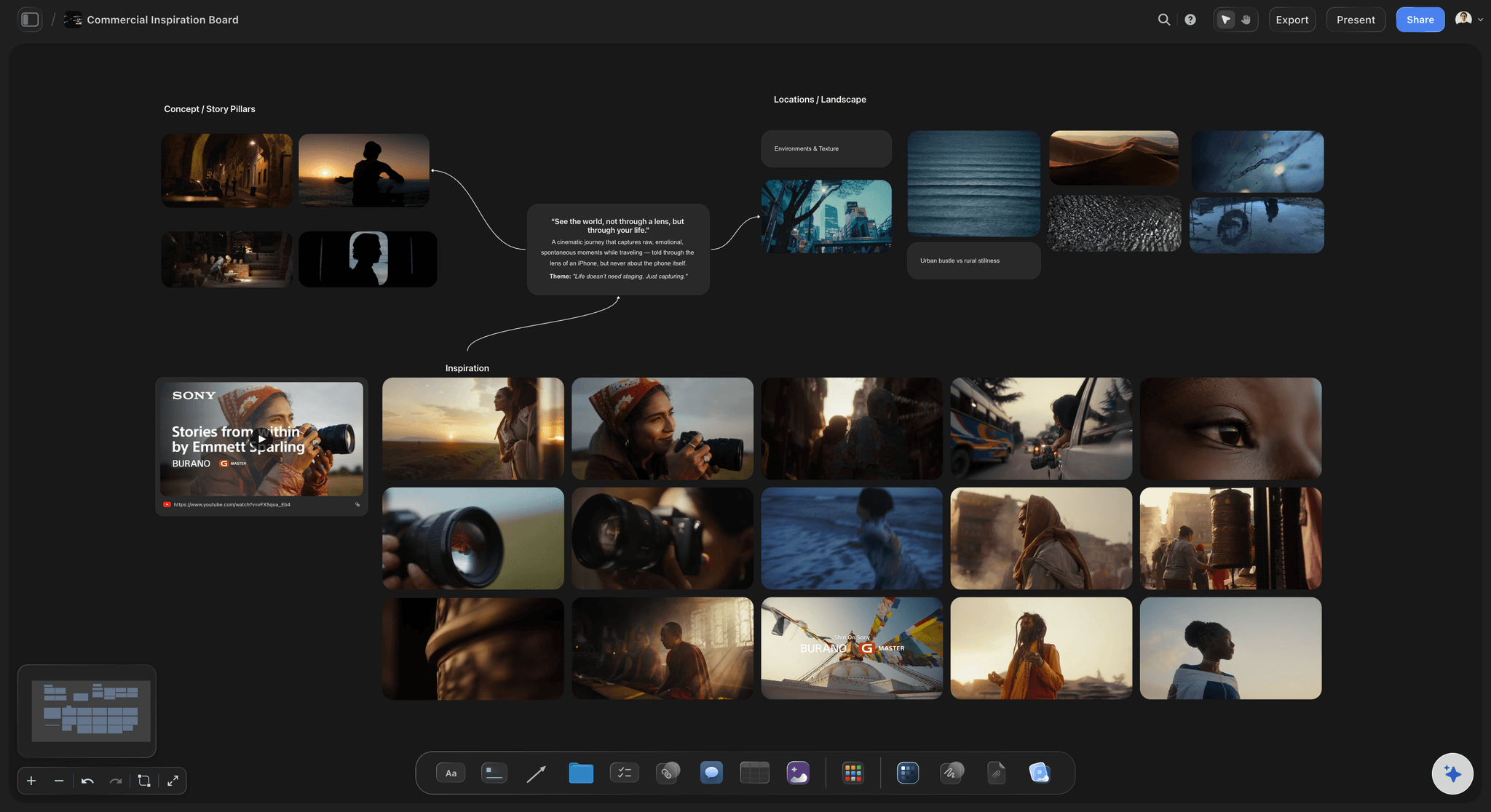
The direction
One line at the top, the groups under it
ChatGPT writes the direction as a note and joins it to the groups it serves: the story, the locations, the reference stills. A reference film goes in as a link card beside the pictures.
See the brand campaign moodboard →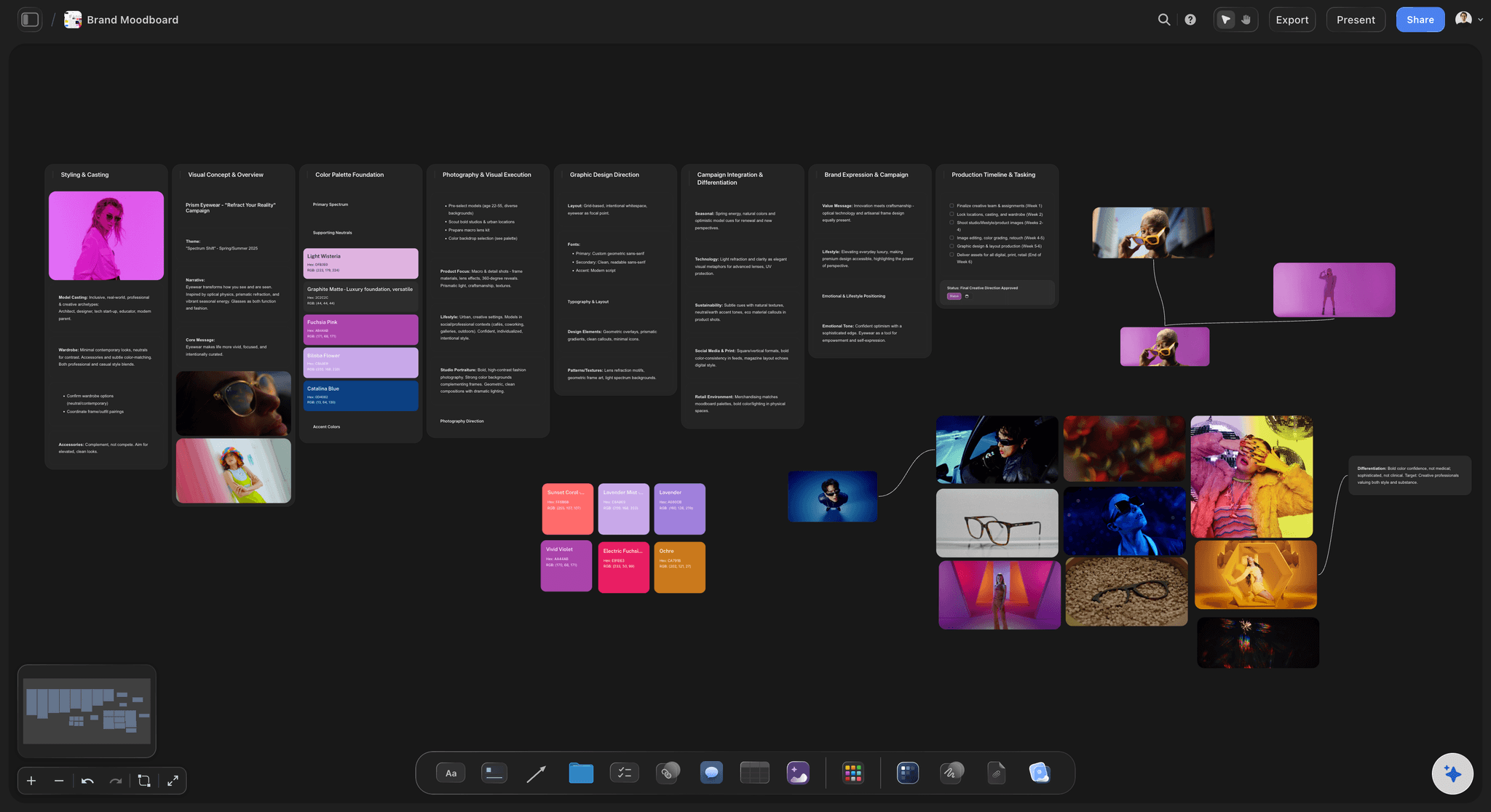
The palette
Colours with names and values
Ask for the palette and ChatGPT places named swatches next to the pictures, each showing its hex and RGB values. Four across for most palettes, one row for six colours or fewer.
See the colour palette with ChatGPT →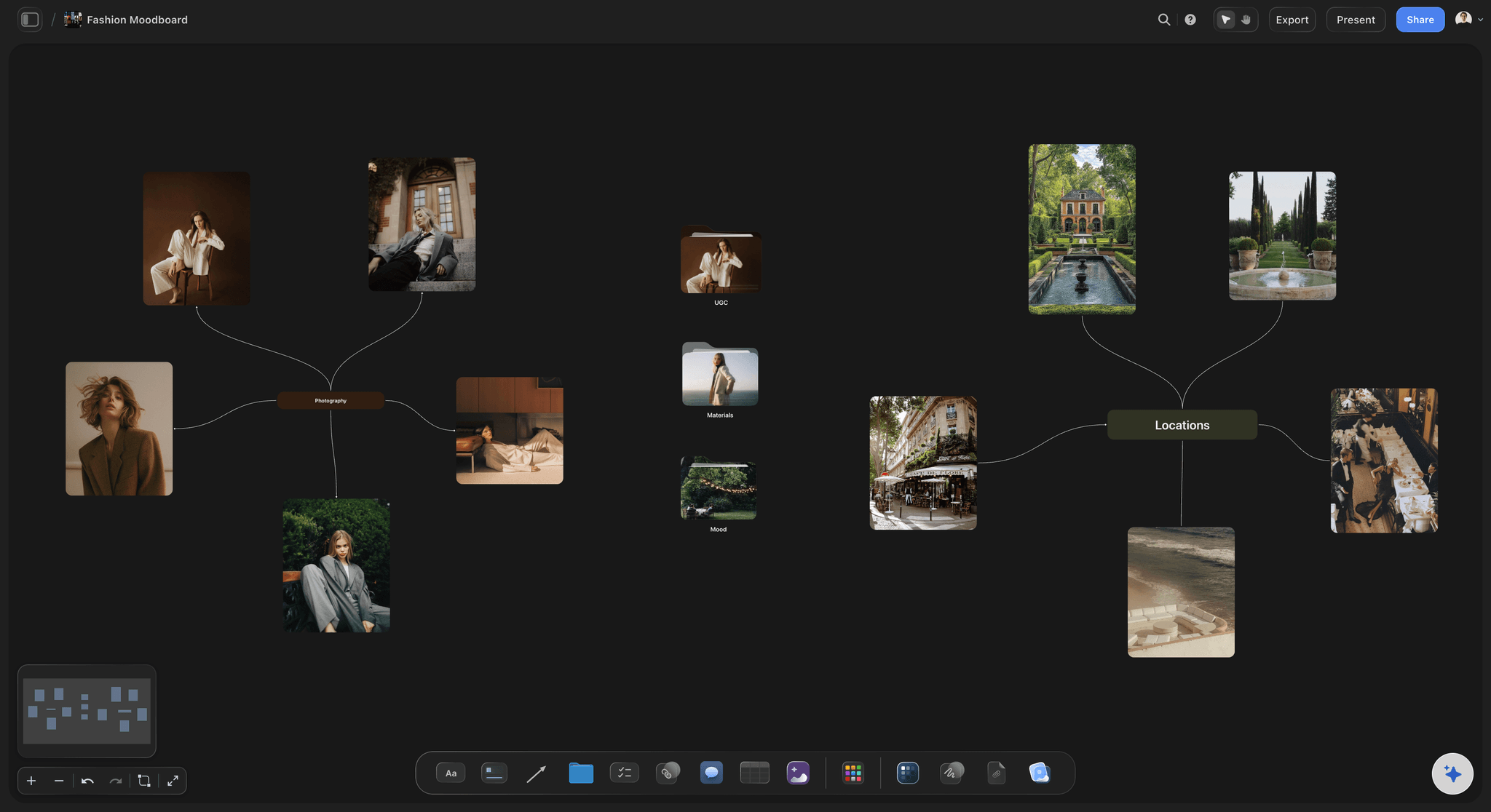
Your photos
Recce shots and past work from your phone
ChatGPT gives you an "Add your photos" link. Open it on your phone and the location photos you took this morning land in the wall you named, beside the references they answer.
See the photoshoot moodboard →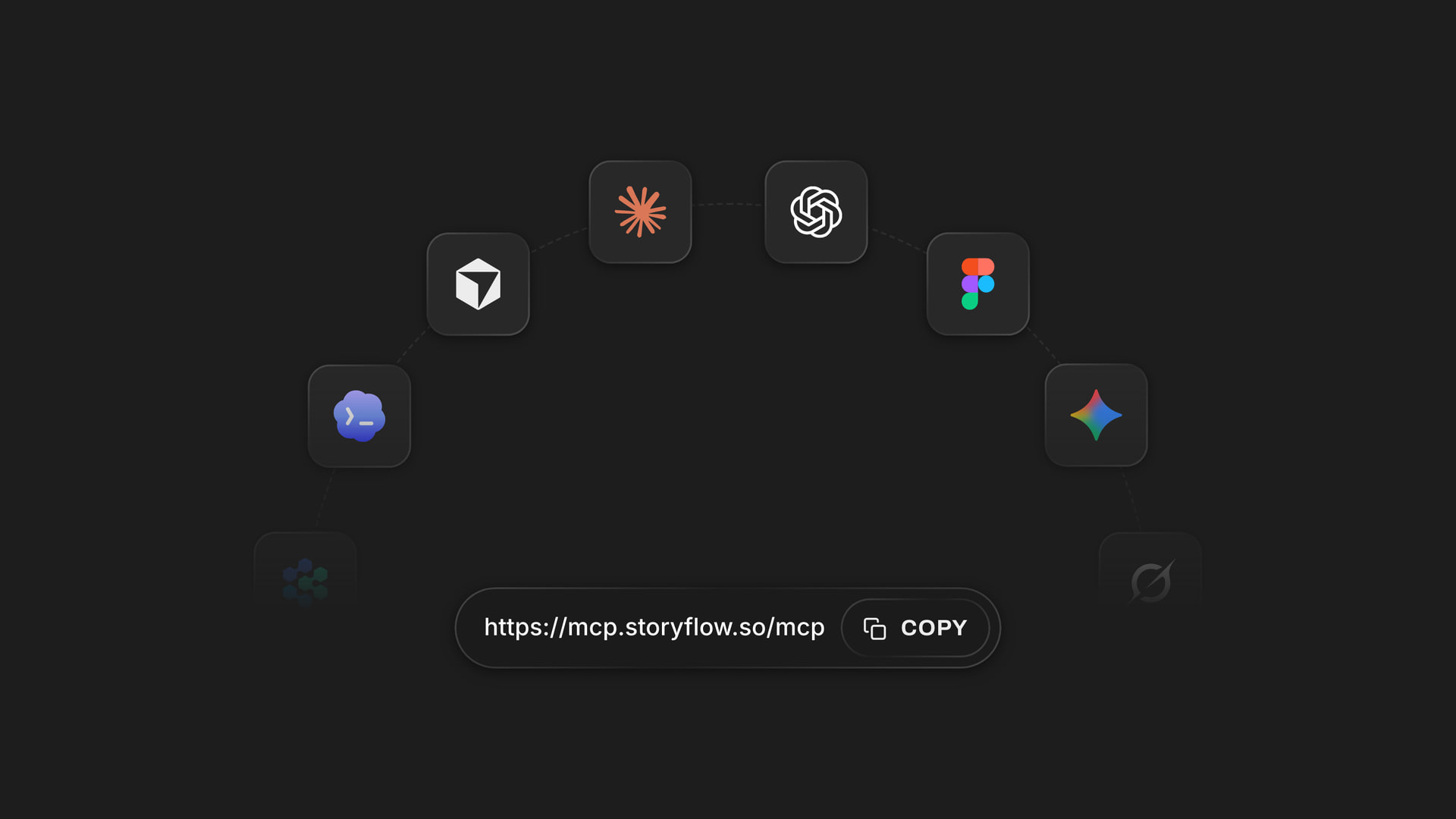
Any assistant
The same board from ChatGPT, Claude, Gemini or Grok
Your photographer can add to the moodboard from Claude while you work in ChatGPT. Claude, Gemini and Grok connect the same Storyflow account through one address, and each person picks the projects their own assistant may open.
See how to connect your assistant →ChatGPT lays out the moodboard. Your Storyflow credits stay put.
The plugin runs on ChatGPT's own model and your ChatGPT plan, so a moodboard built through it uses no Storyflow AI credits. An invited free Storyflow account can make 25 plugin actions a week, reset every Monday (UTC). Plus, Pro and Max have no weekly limit. Storyflow is paid-only during early access, from $7.99 a month billed annually ($9.99 monthly), and anyone a paid member invites to a board joins free.
No Storyflow AI credits spent on boards ChatGPT builds
No weekly limit on plugin actions on Plus, Pro and Max
The client and the photographer join free when you invite them
Pictures, palette, direction and notes on one board
You choose which projects ChatGPT may open
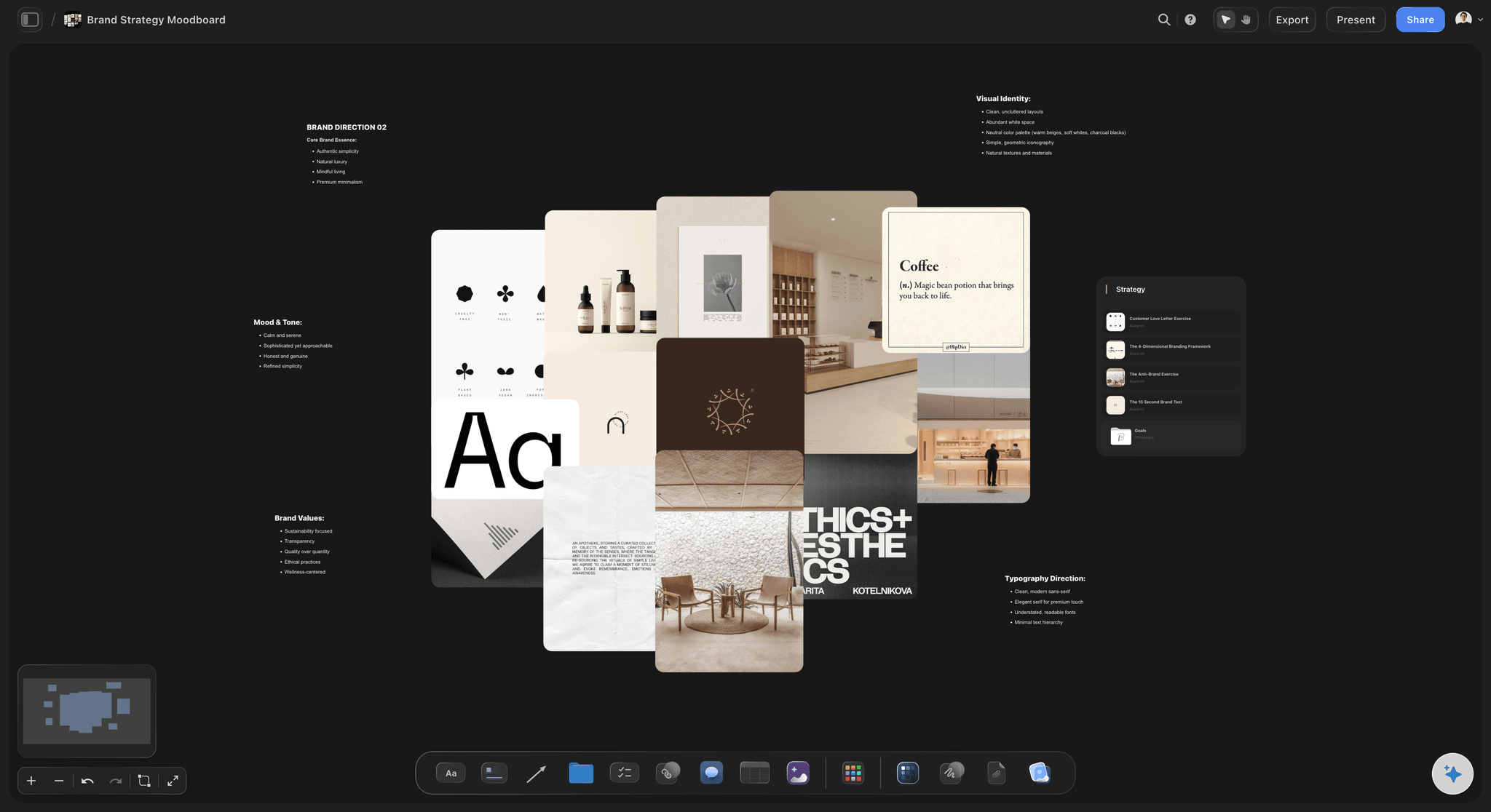
Built for people with taste
Where a moodboard from a chat comes apart.
ChatGPT has good taste in words. A moodboard is decided in pictures, side by side.
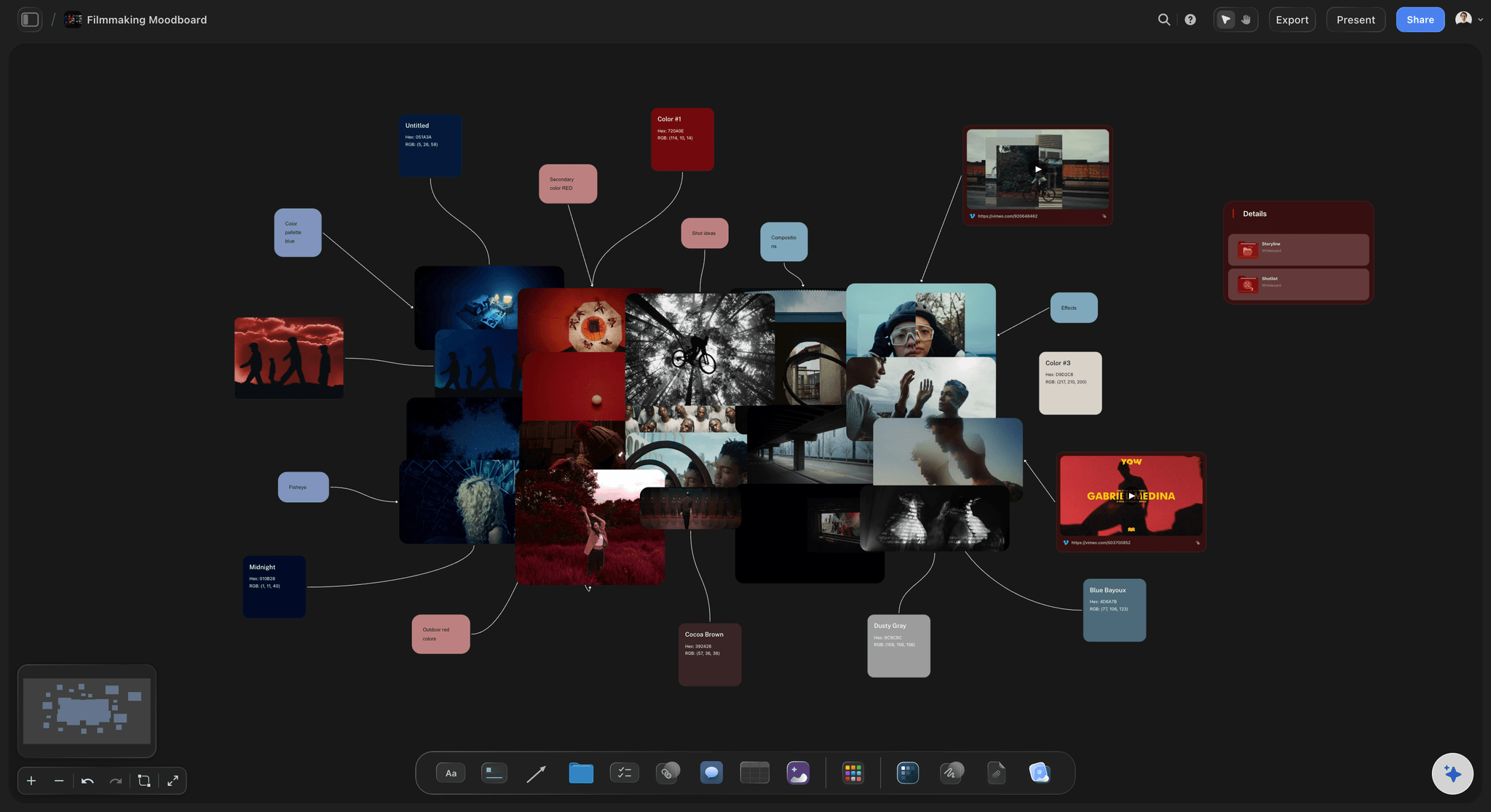
The pictures
Links in a reply are not a moodboard
Pictures on the board, not links: ChatGPT hands Storyflow each picture's own address, and Storyflow downloads and keeps a copy, so a reference stays after the site it came from changes.
A page link is not a picture: If ChatGPT only has the page a picture sits on, it cannot place it. Paste the image address itself, or save the picture and send it through the upload link.
Start from a moodboard template: Storyflow's template gallery has brand, commercial, fashion and photography moodboards. Ask ChatGPT to put one on the board and rewrite its example walls for your brief.
Grouped after the fact: Loose pictures can be sorted later. Ask ChatGPT to gather the light references into one wall and the casting into another, and it moves them there.
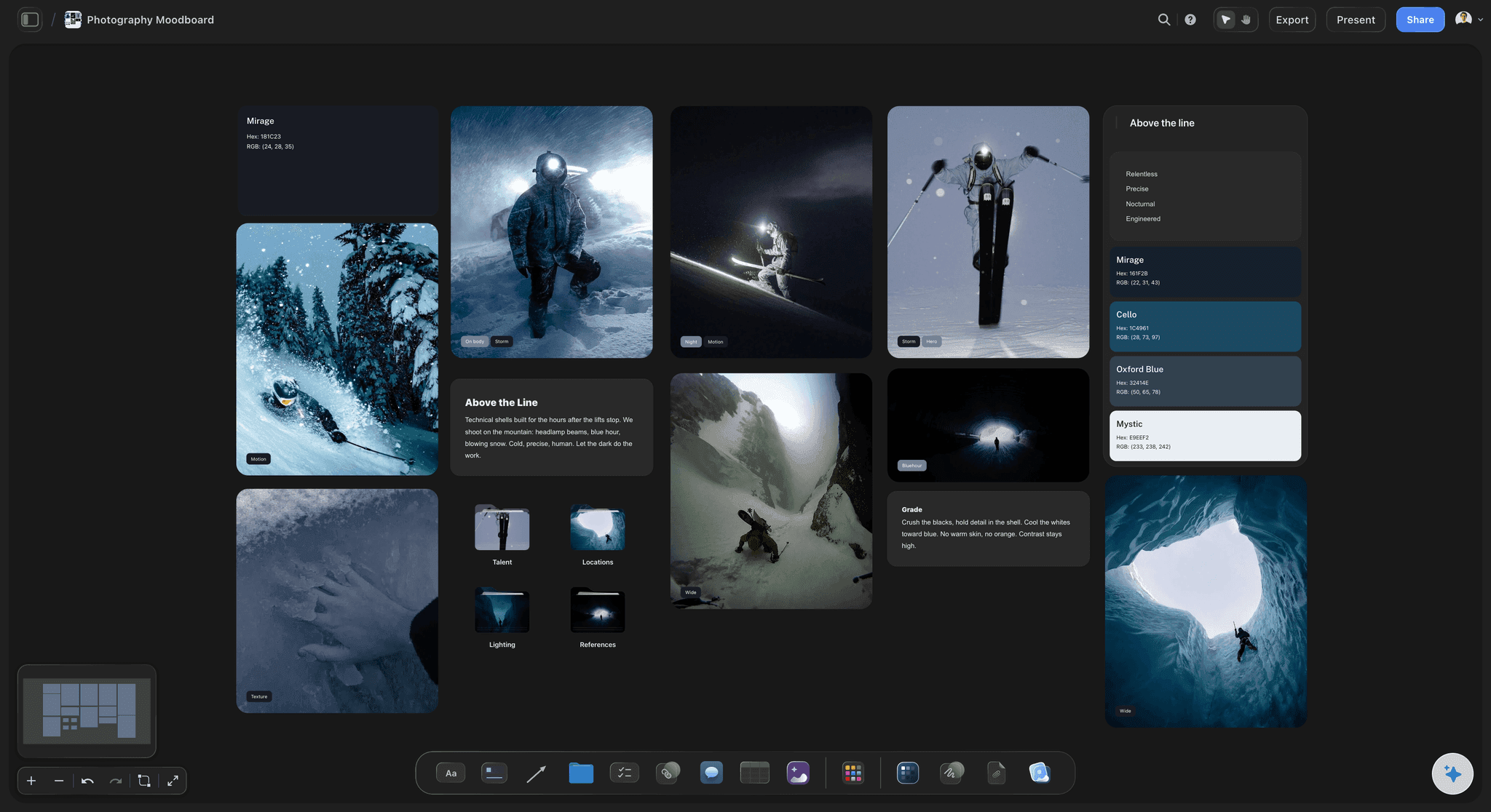
The palette and the notes
Colours everyone reads the same way
Values, not adjectives: "Warm and sunny" means something different to each person. A swatch called Hot Sand with the value #E8B27A means one thing to the photographer, the retoucher and the designer.
Colours read off a photo: Attach a photo in the chat and ask for its colours: ChatGPT reads them from the picture and places them as swatches. The photo itself stays in the chat unless you send it through the upload link.
A grade note beside the pictures: Ask for a short note on the grade or the retouch, such as "keep skin texture, no orange in the whites", and it sits next to the references it describes.
You check the swatches: ChatGPT proposes the values. Hold each swatch against the reference it came from before the palette goes to the client.
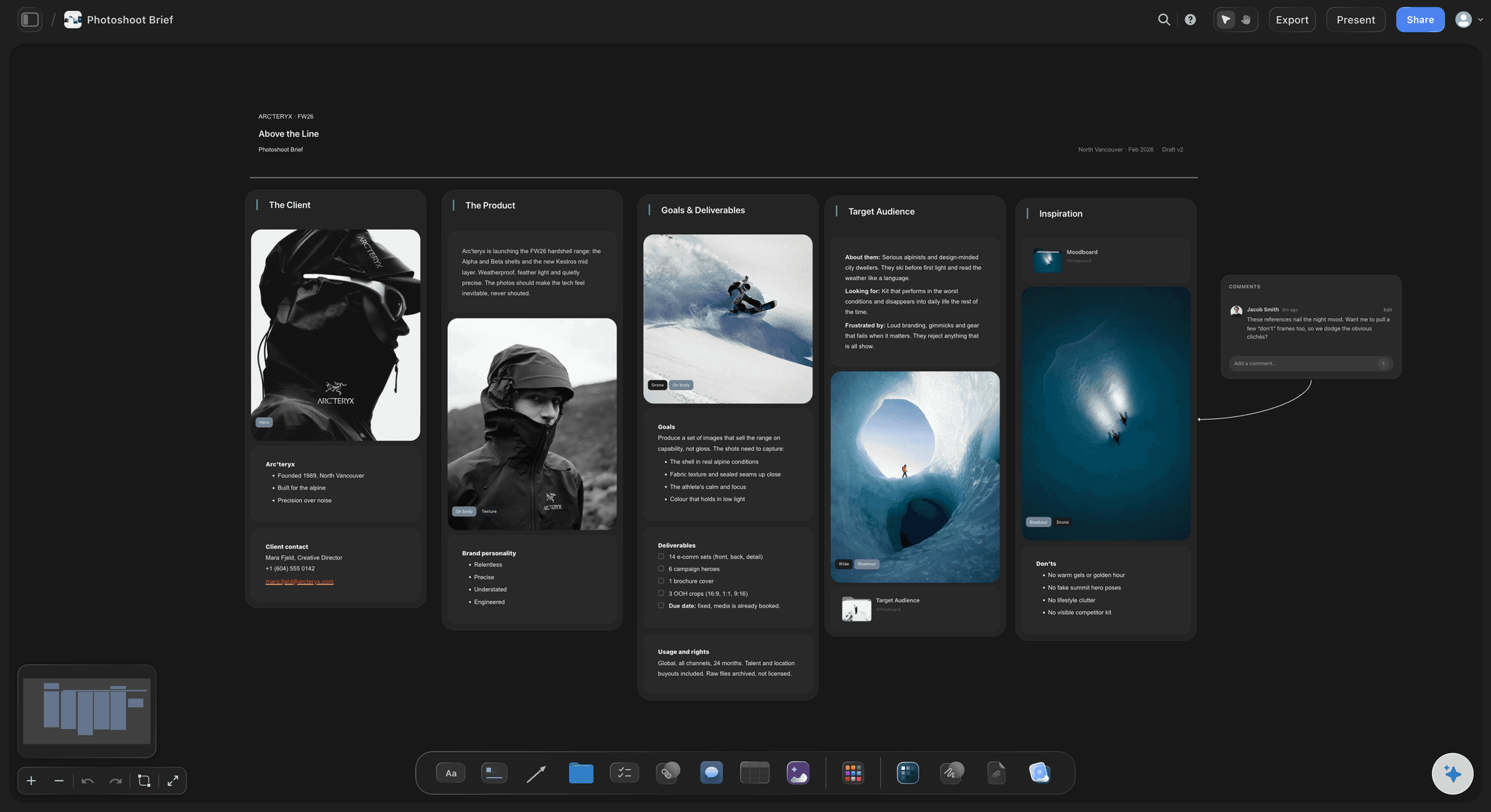
The sign-off
The client wants it warmer on Friday
A second direction beside the first: Tell ChatGPT the client wants more warmth and it adds a new wall of references and two warmer swatches beside the first set. Compare them on the board and keep one.
Captions carry the reason: Ask ChatGPT to caption each picture with what to take from it. When the client asks why a picture is there, the answer is already under it.
Comments stay with people: The client signs in to comment on a picture. ChatGPT cannot read comments, so read them yourself and tell ChatGPT what to change.
Present it on the call: Presentation mode goes fullscreen and steps through one wall at a time, so the client sees the light, then the casting, then the location, not 30 pictures at once.
Explore templates for your project
Every template opens as a real, editable board on the infinite canvas. Pick the closest fit and make it your own.
Film Moodboard
Collect film references, color palettes, lighting, locations, and tone in one place, then invite your crew.
One app instead of five
ChatGPT with a board, ChatGPT alone, or Milanote.
Storyflow is our product, so it comes first. Milanote is a moodboard app with no plugin in ChatGPT's directory as of October 2026. It has iPhone, Android and iPad apps and a built-in library of free stock photos from Pexels.
Storyflow with ChatGPT
Recommended
Board built by ChatGPT from the brief
Your own photos placed from your phone
Named colour swatches beside the pictures
Pictures, notes and colours on one open canvas
Client views it from a link with no account
Board saved as a PDF
Native phone app
ChatGPT on its own
Board built by ChatGPT from the brief
Your own photos placed from your phone
Named colour swatches beside the pictures
Pictures, notes and colours on one open canvas
Client views it from a link with no account
Board saved as a PDF
Native phone app
Milanote
Board built by ChatGPT from the brief
Your own photos placed from your phone
Named colour swatches beside the pictures
Pictures, notes and colours on one open canvas
Client views it from a link with no account
Board saved as a PDF
Native phone app
What creators are saying
Join early creators getting structured workspaces and AI that remembers their projects
“Storyflow has sped up my workflow by at least 3x, which means more flow state and more projects I can actually ship. It truly changed the way me and my team create.”

Reilin Joey
Director & YouTuber
“One prompt gets me a structured board. But the tactics are my favorite. I run my YouTube scripts through them and my intros and retention got better. It's amazing.”

Justkay
YouTuber & Freelance Filmmaker
“I used to juggle five apps to plan a project. Now I describe what I am making and get boards, lists, and a schedule. All in one place.”

George
@fernwehchronicles
Moodboards with ChatGPT: questions
What creative directors, brand teams and photographers ask before a moodboard goes to the client.
Yes. ChatGPT writes the direction, proposes a palette and works out what each group of pictures should show. With the Storyflow plugin, it builds the moodboard on a Storyflow board instead of in the chat: the direction line, a wall of reference pictures for each decision, a palette of named swatches with hex and RGB values, and captions. Pictures come from image addresses or from your own files through an upload link.
Storyflow is our pick, on one basis: ChatGPT builds the whole moodboard through it, with real pictures in named walls, a palette of swatches and the direction on one board the client opens without an account. Storyflow is our product. Canva, also in ChatGPT's plugin directory, creates and edits designs, which suits a single designed moodboard page; see Canva's help for what its plugin does.
Yes, when it has each picture's own address. ChatGPT can search the web itself or use links you paste, and add up to 12 pictures per request to your Storyflow board. Storyflow downloads and keeps a copy, so a reference stays after the page it came from changes. A link to a web page is not a picture address, so ChatGPT cannot place it.
Ask ChatGPT for the "Add your photos" link for your Storyflow board. Open it on your phone or computer and pick the pictures: up to 200, within 15 minutes. Tell ChatGPT which wall they belong in and they land there as they upload. A photo you attach in the ChatGPT chat itself does not reach Storyflow, which is why the link exists.
Not through the Storyflow plugin. ChatGPT can draw pictures in its own chat, but the plugin does not make AI images, and a picture drawn in the chat does not reach the board by itself: save it and send it through the "Add your photos" link. Storyflow's own built-in AI, inside the app, makes AI images on Pro and Max, and that uses Storyflow AI credits.
Yes. Ask for the palette and ChatGPT places 2 to 24 named swatches on your Storyflow board, each showing its hex and RGB values, four across for most palettes and in one row for six or fewer. Attach a photo in the chat and it can read the colours off that picture first. Check each swatch against the reference it came from before the client sees it.
Five things: what the pictures are for and where they will run, the decisions the board must settle (light, casting, styling, location), three words every picture has to pass, any colours the brand already owns, and which board to build on. Ask for a "not this" wall too. A short brief with those five gets a better first board than a long one without them.
Check first. A picture added from a web address is a copy Storyflow stores for your board, not a licence to use it. A reference on a moodboard the client reviews is a different use from a picture in a published ad, so check the source's terms before either. Caption each reference with where it came from so you can trace it later.
It does not make AI images, delete pictures or read the comments people leave on the board. A photo you attach in the ChatGPT chat stays in the chat until you send it through the upload link. Storyflow exports a board as PNG, JPEG or PDF, and it has no native phone app: it runs in the browser and is best built on a laptop.
No. The plugin runs on ChatGPT's own model and your ChatGPT plan, so it uses no Storyflow AI credits. Storyflow is paid-only during early access: Plus is $7.99 a month billed annually ($9.99 monthly), Pro $14 and Max $39 a month billed annually. An invited free account can make 25 plugin actions a week, reset on Mondays (UTC). Plus, Pro and Max have no weekly limit.
Yes. Share the board from Storyflow with a view-only link and the client opens it in a browser with no account. To leave a comment on a picture, they sign in. Anyone a paid member invites to the board joins free, so the photographer and the stylist can add references with you in real time. You can also export the board as a PDF.
The board is the same; only the setup differs. ChatGPT adds Storyflow from its plugin directory. Claude, Gemini and Grok connect the same Storyflow account as a custom connector with the address https://mcp.storyflow.so/mcp, and storyflow.so/mcp has the steps for each. A creative director in ChatGPT and a photographer in Claude can build on the same walls.
Only the ones you choose. When you sign in, Storyflow asks whether ChatGPT may use all your projects or only the ones you pick. Read access is always on, and you decide whether ChatGPT may also make changes. Without changes, it cannot build anything or give you the upload link. Every connection ends after 30 days, and ChatGPT then asks you to sign in again.
Yes, on the same Storyflow board. Once the client approves the look, ask ChatGPT for the shot list and it builds a row of shot cards beside the moodboard; pictures already on the board can become the shot frames. Ask for the shoot plan and it adds walls for the brief, the run of the day and the kit, so the look and the plan travel together.
More from Storyflow
Connect ChatGPT to Storyflow
Storyflow for every AI assistant
Moodboard with Claude
Brand board with ChatGPT
Colour palette with ChatGPT
Photoshoot plan with ChatGPT
Lookbook with ChatGPT
How to make a brand campaign moodboard with ChatGPT or Claude
How to create a photoshoot moodboard with ChatGPT or Claude
Moodboard apps that work with ChatGPT and Claude
Brand campaign moodboard
Moodboard from a brief
AI mood board maker
Start the moodboard in the chat. Sign it off on a board.
Your pictures in named walls, a palette with values, the direction on top, and one link for the client.