
Ultra-fast moodboards with real taste
Make a moodboard with Claude
with the pictures in it, not only the words.
For photographers and creative directors: Claude adds reference pictures, a colour palette and the direction to one Storyflow board, and you choose what stays.


Creatives working for these brands already got early access
- Red Bull
- Canon
- Artlist
- Porsche
See how easy it is to get started
Watch a real project come together, from a blank board to a finished plan, clicked through step by step.
Start from a ready-made template
Pick a board to see what you can build, then let AI fill it in. Every template is a real, editable starting point on the same infinite canvas.

Film Moodboard
Collect film references, color palettes, lighting, locations, and tone in one place, then invite your crew.
Can Claude make a moodboard?
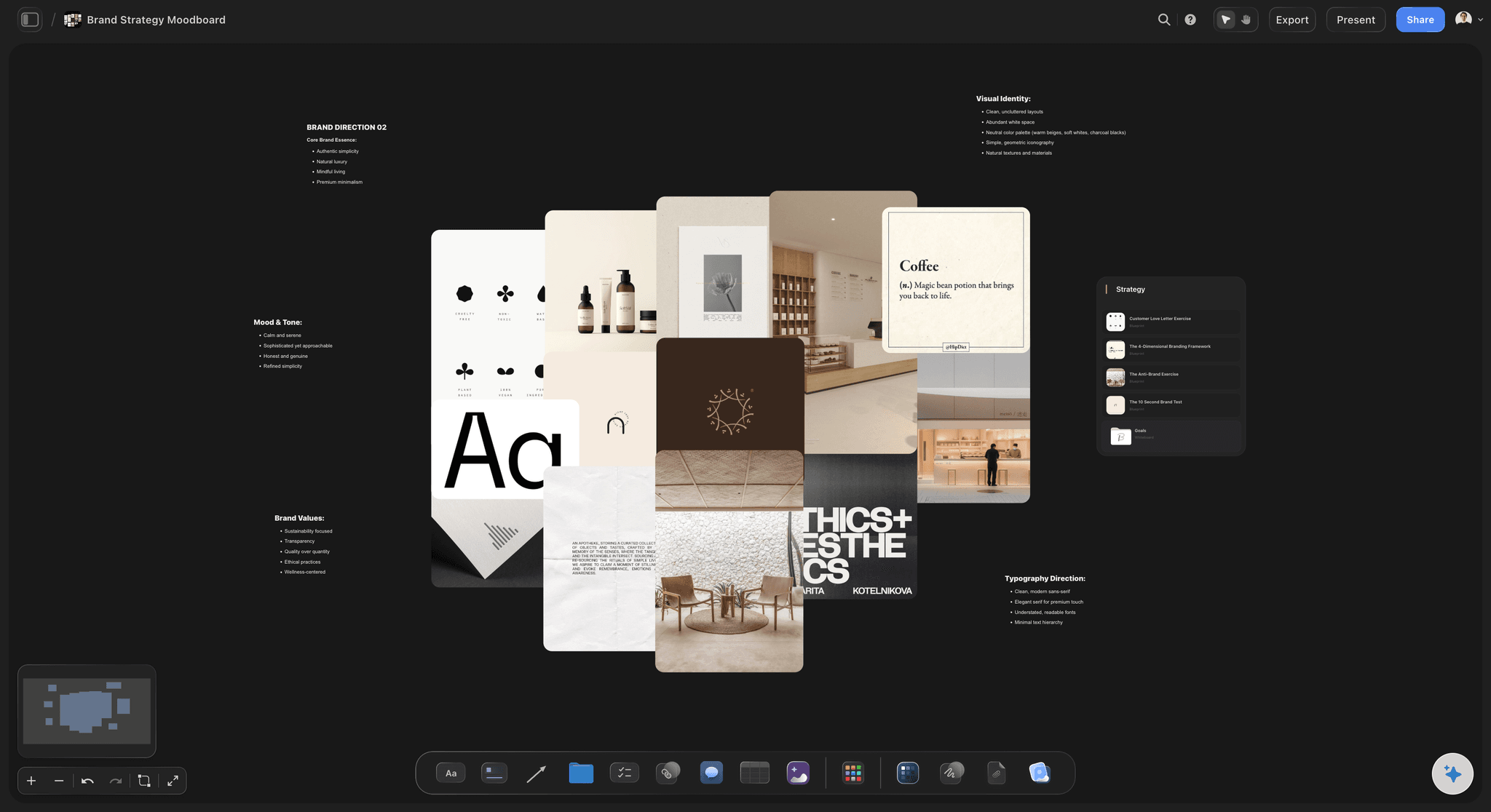
Yes, in part: Claude can write the direction for a shoot or a campaign, propose the colours and find reference pictures on the web, but on its own it hands back words and links in a chat, not a board of pictures anyone can look at. Storyflow is an AI visual workspace that builds a moodboard for a shoot or a brand campaign on one infinite canvas: reference pictures sorted into groups, a named colour palette, a caption for each picture and the direction written above them. Connect Claude to Storyflow and it places the pictures it found, the palette and the notes on your board itself. It runs on its own model, so none of that spends Storyflow AI credits.
Start with what Claude is good at before any connection. Give it the brief and it writes the direction in one line, offers three words to test every picture against, suggests a palette with hex values, and points out that two of your ideas pull in opposite directions. If your Claude can search the web, it brings back links. That is where the answer stops being usable, because a moodboard is pictures side by side. A paragraph about soft coastal light and a list of twelve links is homework for the stylist, not something she can take in at a glance.
Connect Claude to Storyflow and ask for the moodboard on the shoot's board. It happens in this order. Claude writes the direction as a note at the top. It builds a group for each decision you named, such as light, people, styling and place, each laid out as a grid. It adds the pictures it found, up to twelve in one request, and Storyflow saves its own copy of every one, so the board does not break when a web page disappears. Ask for the colours and a palette arrives as named swatches with their hex and RGB values. Ask for one look on its own and Claude builds a centre card with a ring of pictures, swatches and notes around it. For your own pictures, it hands you an "Add your photos" link.
Here is a moodboard you can copy before you connect anything. A knitwear label wants an autumn campaign, shot in one day on the coast. The direction is one line, "warm wool against cold weather", with three words every picture must pass: windswept, close and unposed. There are six groups: light, people, styling, place, colour and "not this". Five pictures a group is 30. If Claude has a direct image address for each, they go in as three requests of 12, 12 and 6. Add six of your own from last year's shoot and the board holds 36. Now cut. Keep the four strongest in each group, which is 24, and park the other 12 at the edge of the board. Set five colours and give each one a job: Oat, Wet Slate, Rust, Sea Fog and Ink. Rust is #A6522E, which is RGB 166, 82, 46.
Every moodboard that works has the same six parts, whoever builds it. A direction line that says how the pictures should feel. Three words to test each picture against. Groups named for decisions, not for where the pictures came from. A caption on every picture that says what you are taking from it, such as "this light, ignore the outfit". A palette set in names and values, so nobody has to guess the blue from a photograph. And a corner for what the work must not look like, because that is the look everyone drifts back to. Then count the pictures. If two of them could not belong to the same shoot, one of them has to go.
Now the limits. Storyflow does not make pictures or search for them over the connector, so the board depends on the addresses Claude brings, and a Claude without web search brings none. Claude cannot see a picture on your board: it gets the address and the caption, not the image, so the cut is yours. A picture you attach in the Claude chat does not reach Storyflow, which is what the "Add your photos" link is for (up to 200 pictures, open for 15 minutes). Claude has no tool that deletes a card. A picture from the web belongs to whoever made it, so check the rights before a board goes to a client. Storyflow's own built-in AI is the other route: inside the app it lays out a moodboard and can generate pictures for a look nobody has photographed. A creative director on ChatGPT, Gemini or Grok can add to the same moodboard through the same connector.
Ultra fast from brief to board
From one line of direction to a board of pictures.
Claude does the collecting and the layout. The choosing stays with you.
01
Connect Claude to Storyflow once
Open Customize in Claude and go to Connectors. Choose Add, then Add custom connector. Give it the name Storyflow and the address https://mcp.storyflow.so/mcp, then press Continue. Pick Sign in now and press Add. In the Storyflow sign-in, tick the project for this shoot and keep creating and editing allowed, so Claude can place pictures.
02
Give Claude the direction
Paste the brief, or put it on the board as a PDF or Word file for Claude to read. Say the direction in one line and name the groups. For example: "Autumn knitwear campaign, one day on the coast. Build a moodboard on the Coastline board with groups for light, people, styling, place and colour." A note with the direction and an empty group for each decision appear.
03
Ask for the pictures and the colours
Ask Claude to find five reference pictures for each group and add them. They land up to twelve per request, each one saved as Storyflow's own copy. Ask for the palette and five named swatches appear on the board with their hex and RGB values.
04
Add your own, cut, and share
Ask Claude for the "Add your photos" link and send up your own pictures. Cut the board by hand, because Claude cannot see what is on it. Then make a view-only link in Storyflow for the client and invite the stylist to the board.
The pictures, the colours, the groups and the words.
Claude collects and lays out. Storyflow keeps the board where the client and the crew can open it.
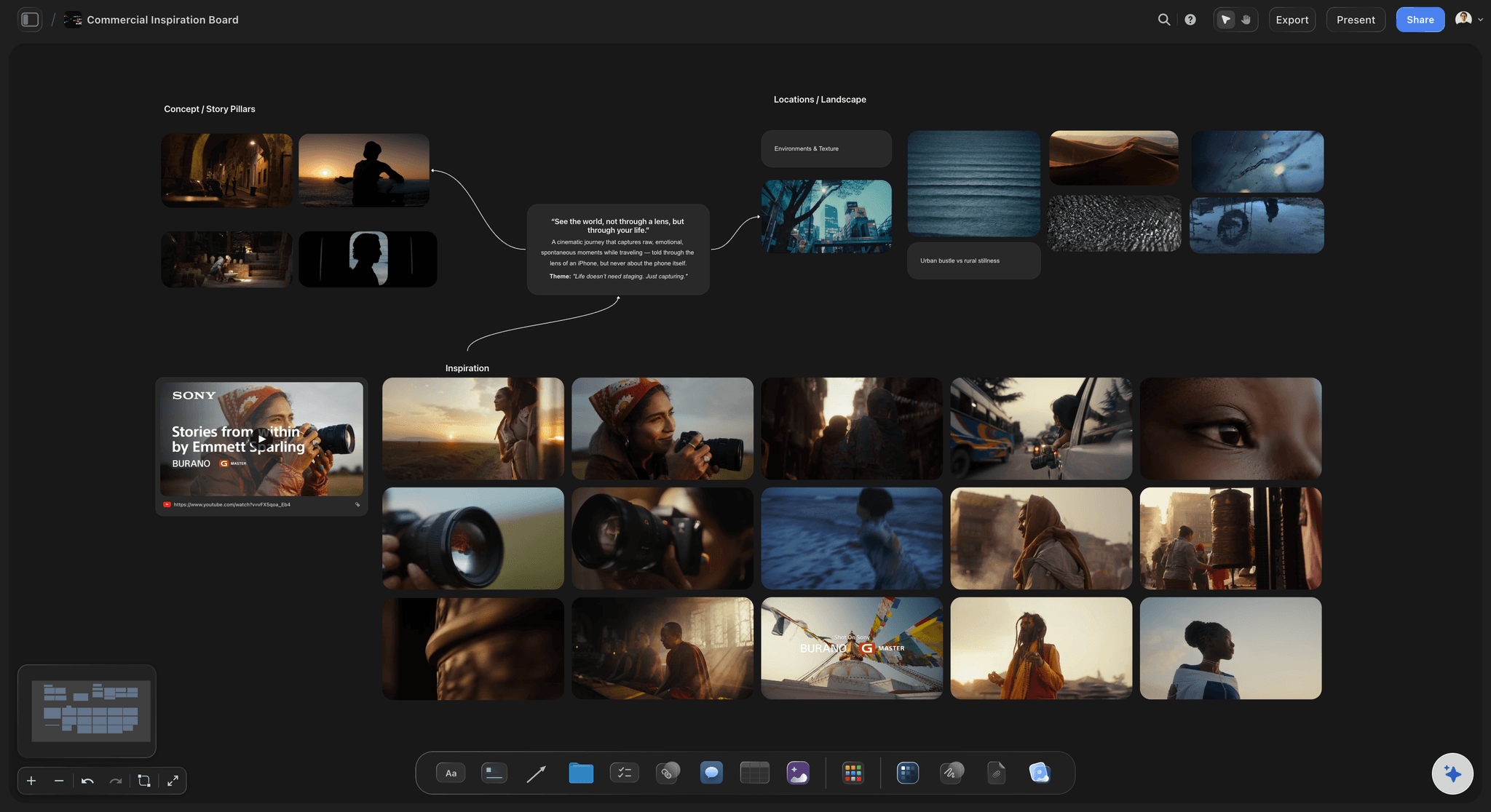
Pictures from the web
Reference pictures saved onto the board
Claude hands Storyflow the web addresses of the pictures it found, up to twelve in one request. Storyflow saves its own copy of each into the group you named, laid out as a grid, so the board does not depend on someone else's page staying up.
See the photoshoot moodboard page →
Colour
A palette with names, hex and RGB
Ask for the colours of the look and Claude builds a palette of 2 to 24 swatches. Each swatch carries its name, its hex value and its RGB value, so the designer and the retoucher type the same rust instead of two guesses at it.
See the colour palette maker →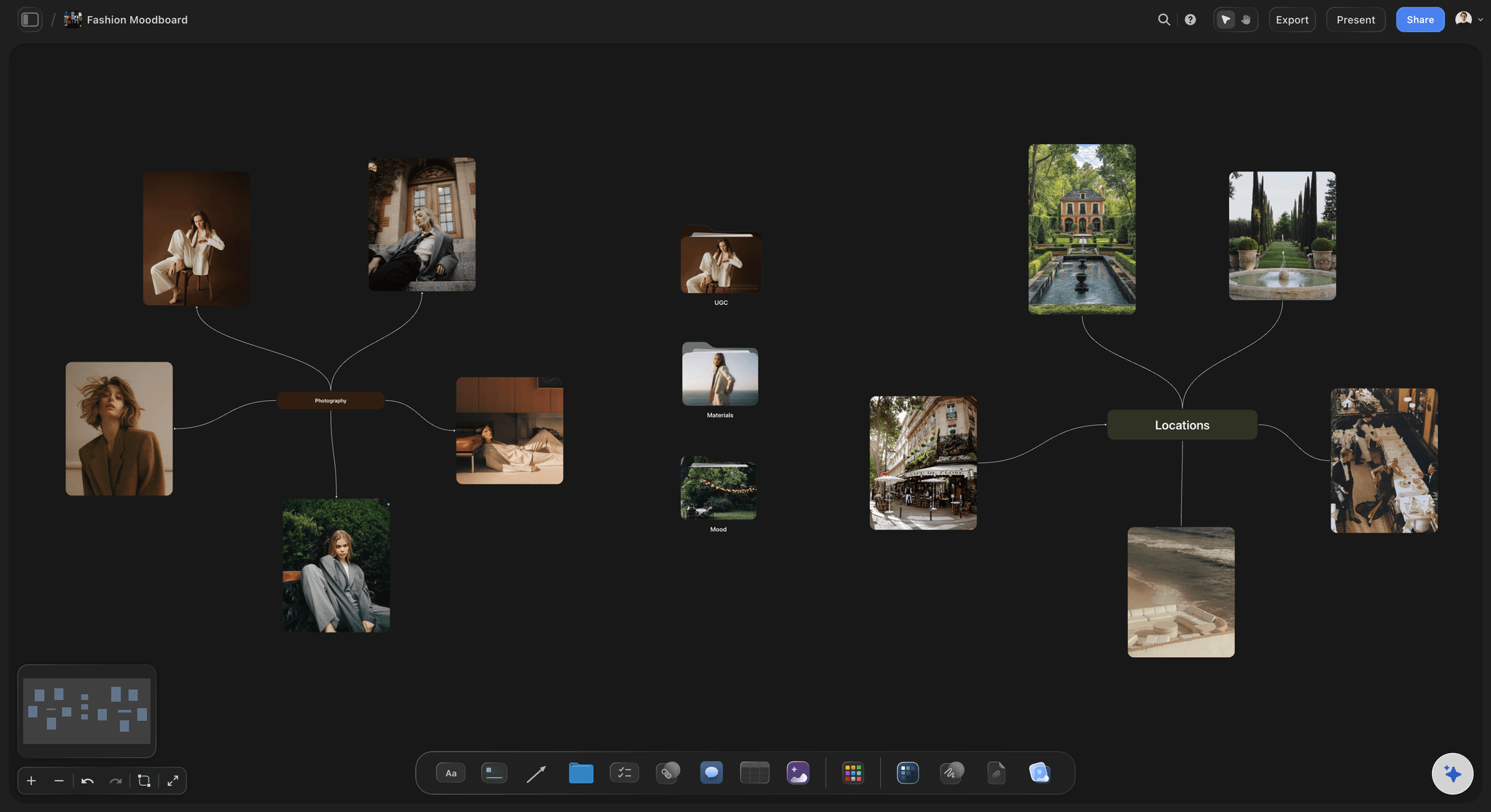
One look
Pictures around a centre card
For one look or one location, ask Claude for a centre card with a ring around it: pictures, colour swatches, notes and links. It reads as one idea at a glance, which a long column of pictures does not.
See the brand moodboard page →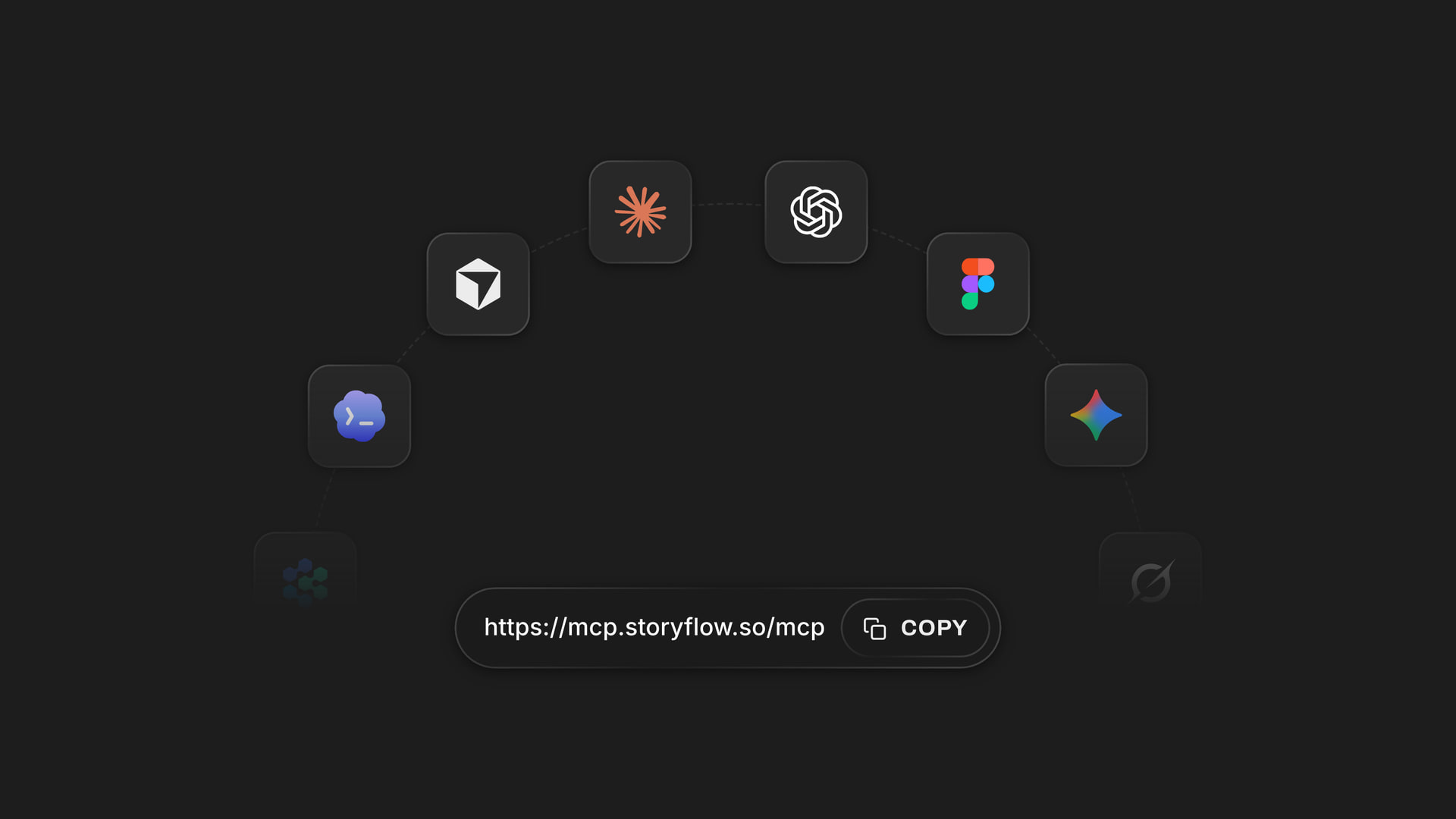
Any assistant
The same moodboard from Claude, ChatGPT, Gemini or Grok
Every assistant reaches Storyflow at the same address, https://mcp.storyflow.so/mcp. Add it to the one you already use, sign in, and choose which shoots it may open. A creative director in ChatGPT adds to the board a photographer started in Claude.
Connect any assistant →Claude does the collecting. It does not spend your Storyflow AI credits.
Claude runs on its own model, so a moodboard built over the connector uses no Storyflow AI credits. A free account (today, one a paid member invited) has a weekly allowance of assistant actions; see the pricing page for the current number. On Plus, Pro and Max, Claude can add as many pictures and groups as the shoot needs. Storyflow is paid-only during early access, with plans from $7.99 a month billed annually ($9.99 monthly). A free plan launches before the end of 2026, and the stylist or client you invite to the moodboard joins free.
No Storyflow AI credits spent on anything Claude adds
Plus, Pro and Max: as many connector actions as the shoot takes
Invite the stylist, the art director and the client to the board free
Up to 200 of your own pictures through one photo link
You choose which shoots Claude may open, and whether it may change them
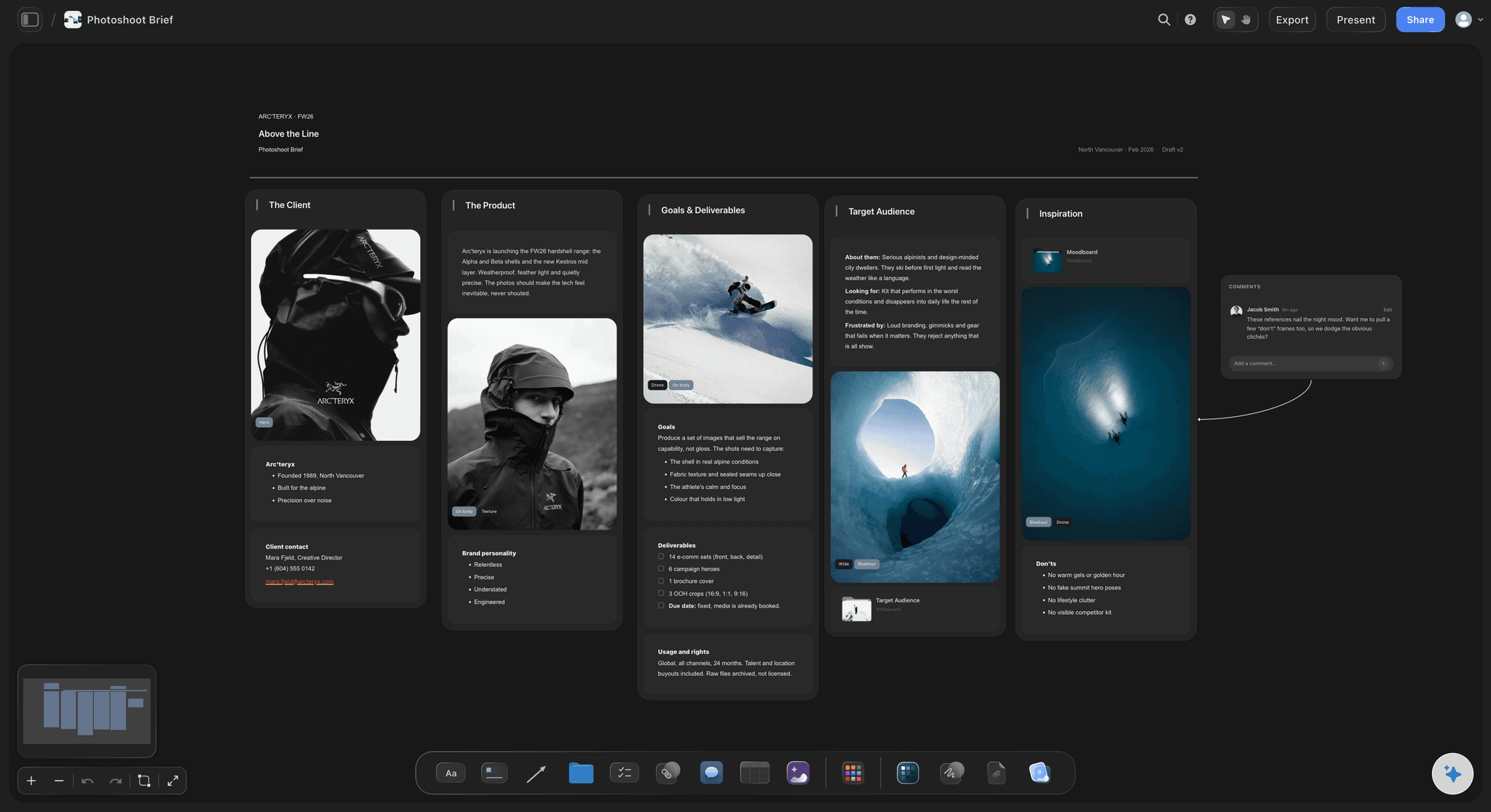
Built for people with taste
Where a moodboard made in a chat stops working.
Claude is good at the direction. The trouble starts when the direction has to become pictures other people can see.
The words
A paragraph about light is not a reference
Pictures on the board, not links in a chat: Claude gives Storyflow the address of each picture and Storyflow saves a copy onto your board. Nobody opens twelve tabs to find out what "soft coastal light" meant.
One group for each decision: Light, people, styling and place each get their own group, laid out as a grid of two to twelve columns. The stylist reads one group and the location scout reads another.
The direction sits above the pictures: The one-line direction and the three words are a note at the top of the board, so every picture under it can be held against them, by you and by the client.
Start from a moodboard template: Ask Claude to search Storyflow's templates for a moodboard and put it on the board. It arrives with example cards and Claude rewrites the notes for your shoot. You remove the example pictures by hand.

The colours
Everyone guessing the palette from the photos
Values, not adjectives: "Warm neutral" becomes Oat, a swatch with a hex value and an RGB value. The retoucher grading the pictures and the designer building the layout work from the same numbers.
Up to 24 colours in one palette: A palette holds 2 to 24 named swatches in a grid. Five is enough for most campaigns: two colours that carry the picture, two that support them and one accent.
A job for every colour: Ask Claude for a note beside the palette that says where each colour goes: Rust on the knitwear, Sea Fog in the backgrounds, Ink for type. A swatch with no job gets cut.
You check the colours against the pictures: Claude chooses the palette from your words, because it cannot see the photos. Hold the swatches against the pictures, say what is off, and the corrected palette lands beside the first one.
The handover
A board only you have seen
Your own pictures through one link: Ask Claude for the "Add your photos" link. It takes up to 200 pictures in 15 minutes and fills the empty frames you named first, so last year's campaign and the scouting photos sit beside the references.
One link for the client: You make a view-only link in Storyflow and the client opens it in a browser with no account: pictures, colours and direction on one page. To comment, they sign in.
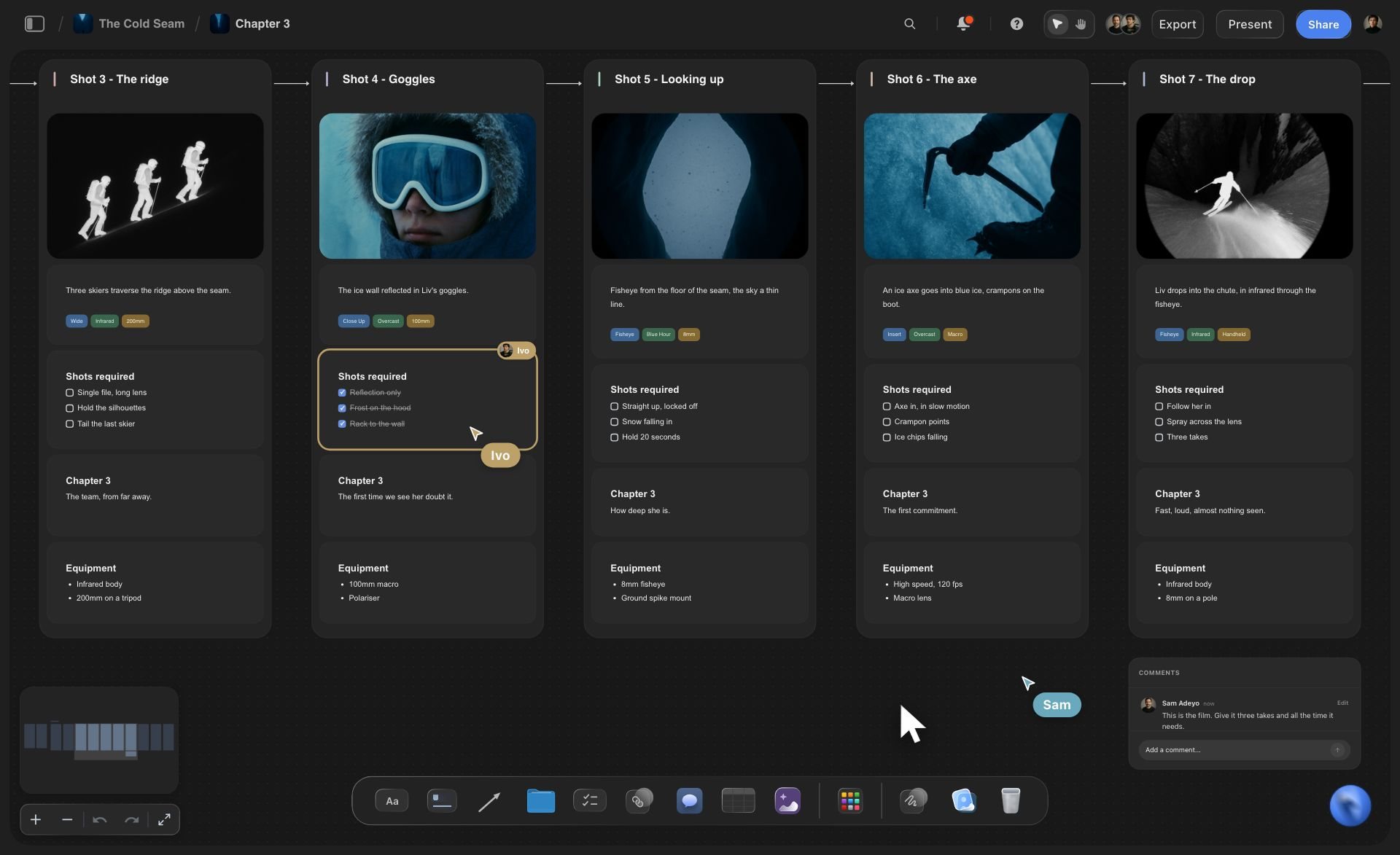
From approved look to shot list: When the look is approved, ask Claude for the shot list. It builds a card for every setup, and the pictures already on the board can become the frames on those cards.
The board is still there next season: The moodboard outlasts the chat. Next year, ask Claude to read the direction, the captions and the palette from the board (the words, not the pictures) and draft the new brief from them.
Explore templates for your project
Every template opens as a real, editable board on the infinite canvas. Pick the closest fit and make it your own.
Film Moodboard
Collect film references, color palettes, lighting, locations, and tone in one place, then invite your crew.
One app instead of five
What Storyflow adds to a moodboard made with Claude, and what it does not.
It holds the pictures, the colours and the notes Claude collects. It is not a feed for finding pictures.
Storyflow with Claude
Recommended
Direction drafted from the brief in one conversation
Reference pictures saved on your Storyflow board
Named colour swatches on the same board as the pictures
Pictures, colours and notes on one open canvas
Shot list on the same board as the references
A feed of new pictures to browse for ideas
Suggests more pictures like the ones you save
Follow other people's boards for references
Claude on its own
Direction drafted from the brief in one conversation
Reference pictures saved on your Storyflow board
Named colour swatches on the same board as the pictures
Pictures, colours and notes on one open canvas
Shot list on the same board as the references
A feed of new pictures to browse for ideas
Suggests more pictures like the ones you save
Follow other people's boards for references
Direction drafted from the brief in one conversation
Reference pictures saved on your Storyflow board
Named colour swatches on the same board as the pictures
Pictures, colours and notes on one open canvas
Shot list on the same board as the references
A feed of new pictures to browse for ideas
Suggests more pictures like the ones you save
Follow other people's boards for references
What creators are saying
Join early creators getting structured workspaces and AI that remembers their projects
“Storyflow has sped up my workflow by at least 3x, which means more flow state and more projects I can actually ship. It truly changed the way me and my team create.”

Reilin Joey
Director & YouTuber
“One prompt gets me a structured board. But the tactics are my favorite. I run my YouTube scripts through them and my intros and retention got better. It's amazing.”

Justkay
YouTuber & Freelance Filmmaker
“I used to juggle five apps to plan a project. Now I describe what I am making and get boards, lists, and a schedule. All in one place.”

George
@fernwehchronicles
Moodboards with Claude: questions
What photographers and creative directors ask before they hand Claude the look.
Yes, once it is connected to Storyflow, and what you get is a board of real pictures, not a description in a chat. Give Claude the brief and ask for a moodboard. It writes the direction, builds a group each for light, people, styling and place, adds reference pictures it found on the web, and sets a colour palette with hex and RGB values. You choose which pictures stay, because Claude cannot see them.
Storyflow gives Claude a board to build the moodboard on: reference pictures saved as copies and sorted into groups, a named colour palette with hex and RGB values, and the direction notes, on one canvas your client and crew open from a link. The same board works with Claude, ChatGPT, Gemini and Grok. Pinterest is still where you browse a feed to discover pictures and get more like the ones you save.
Only from direct image addresses Claude has: a link to a web page is not a picture, and web search often returns pages. Claude passes those addresses to Storyflow, up to twelve in one request, and Storyflow saves its own copy of each onto your board. Storyflow's connector does not search for pictures itself. A Claude without web search can still build the groups, the palette and the notes, and you add the pictures yourself.
No. Over the Storyflow connector Claude receives each picture's address and its caption, never the image. So it can write the caption you dictate, move a picture to another group when you name it, and build a palette from your words. It cannot tell you which frame is stronger, or that two looks clash. Choosing is the part of a moodboard that stays with you.
Claude can give you an "Add your photos" link. A picture you attach in the Claude chat does not reach Storyflow, so the link is the way in: open it, choose up to 200 pictures, and they land on the board, filling any empty frames Claude named before the rest go into a group. The link works for 15 minutes. Or open the board in Storyflow and drag the pictures straight onto the canvas.
Five things: what the pictures are for, the direction in one line, three words every picture must pass, the groups you want (light, people, styling, place), and what the work must not look like. Paste the brief too, or put it on your Storyflow board for Claude to read. A vague request gets generic pictures. "Overcast coast, wool close to the skin, nobody looking at the camera" gets pictures worth cutting from.
Yes. Ask for the colours and Claude builds a palette on your Storyflow board: 2 to 24 swatches in a grid, each with a name, a hex value and an RGB value. Claude picks them from your words, not from the pictures, which it cannot see. Hold the swatches against the photos, tell Claude what is off, and ask again. The corrected palette lands beside the first one.
Add Storyflow as a custom connector in Claude: Customize, then Connectors, then Add and Add custom connector. Name it Storyflow, paste https://mcp.storyflow.so/mcp, press Continue, pick Sign in now and press Add. Sign in to Storyflow and tick the shoots Claude may open. On the Free plan Claude allows one custom connector. Untick creating and editing and Claude can look through a moodboard but not add a picture to it.
Treat them as references, not as pictures you own. A picture Claude found on the web belongs to whoever made it, and saving a copy onto a Storyflow board does not change that. Use it to show your team a direction, then shoot or license the real thing. Check the rights to every picture before the board goes to a client, and again before anything is published or printed.
No. Claude runs on its own model, so a moodboard built over the connector spends no Storyflow AI credits. A free Storyflow account (today, one a paid member invited) gets a weekly allowance of assistant actions, with the current number on the pricing page; Plus, Pro and Max have none. Storyflow is paid-only during early access, with plans from $7.99 a month billed annually ($9.99 monthly).
Only the ones you allow. At sign-in Storyflow lets you give Claude every project or only the shoots you tick, with or without permission to change them. With changes unticked, Claude can read a board but cannot add to it or offer the photo link. One client's campaign stays closed to a chat about another's. After 30 days the connection ends and you sign in to Storyflow again from Claude.
Over the Storyflow connector, Claude cannot see a picture, generate an image, or make a share link or a PDF, and it has no tool that deletes a card. Ask for a group again and the new one lands beside the old one; you remove the old one by hand, and it stays in the board's trash for 7 days. For generated pictures, use Storyflow's own built-in AI inside the app, which is separate from the connector.
Yes. ChatGPT, Gemini and Grok reach the same Storyflow moodboard through the same address, https://mcp.storyflow.so/mcp. ChatGPT needs Plus, Pro, Business, Enterprise or Edu, on the web, and on Business and Enterprise an admin turns on developer mode. Gemini's custom apps need a personal Google account with Keep Activity on, in the US, for people 18 or over, in English. On Grok Business and Enterprise, a team admin adds it in the xAI console first.
More from Storyflow
Storyflow MCP server
Connect Claude to Storyflow
Photoshoot moodboard
Brand moodboard
Photoshoot plan with Claude
AI mood board maker
Moodboard from a brief
Colour palette maker
Brand board with Claude
Moodboard for clients
Photoshoot moodboard, step by step
Art direction board
Shot list with Claude
Moodboard maker
Storyflow for photographers
Storyflow for creative directors
Brand campaign moodboard
Moodboard tool for photographers
Give Claude the direction. Give the crew the pictures.
Reference pictures, a named palette and the direction, collected in one conversation and kept on one board.