
Category
Design
Author

Justkay
Documentary Filmmaker & Founder at Storyflow
Topics
2026-05-18
•
Updated May 18, 2026
•
15 min read
•
Design- best AI tools for graphic designers 2026
- AI for graphic design
- AI design tools
- Canva Magic Studio
- Adobe Firefly
- AI mood board tools
What are the best AI tools for graphic designers in 2026?
The best AI tools for graphic designers in 2026 are Canva Magic Studio (best all-in-one design and AI workspace), Adobe Firefly (best commercially safe generation in a pro pipeline), and Storyflow (best for the brief, concept, mood board, and creative direction before any artwork begins). Midjourney leads on artistic quality and Recraft on production-ready vectors. Most working designers use two or three together, one to plan the work and one to generate or design it.

All 12 AI Tools for Graphic Designers, Ranked
- Canva Magic Studio: best all-in-one design and AI workspace
- Adobe Firefly: best for commercially safe generation in a pro pipeline
- Storyflow: best for the brief, concept, mood board, and creative direction
- Adobe Photoshop: best for pixel editing with generative AI
- Figma: best for UI and product design with AI
- Midjourney: best for artistic image generation
- Recraft: best for production-ready AI vectors
- Ideogram: best for readable text inside images
- Kittl: best for logos, merch, and print design
- Khroma: best for AI color palettes
- Looka: best for AI logo generation
- Designs.ai: best for an all-in-one AI content suite
Full disclosure: Storyflow is our own product, and we rank it #3 here for one job: the brief, concept, mood board, and creative direction stage before any artwork begins, where the AI reads your whole board. For all-in-one design and generation Canva Magic Studio is stronger, and for commercially safe image generation Adobe Firefly is stronger. Storyflow does not generate finished artwork or export production-ready vectors, so it is not an image generator or a pixel editor. We link to every tool so you can judge the fit.
Quick Comparison: Best AI Tools for Graphic Designers
These four cover the jobs designers switch between: all-in-one design and generation, commercially safe generation, the brief and creative direction, and pixel editing.
| Tool | Best For | AI Features | Price |
|---|---|---|---|
| Canva Magic Studio | All-in-one design plus AI | Magic Studio generation suite | Free / $15 mo |
| Adobe Firefly | Commercially safe generation | Firefly generative models | Free / $9.99 mo |
| Storyflow | Brief, concept, and creative direction | Canvas AI reads your full board | $7.99 mo annual (free plan late 2026) |
| Adobe Photoshop | Pixel editing with generative AI | Generative Fill and Expand | $22.99 mo |
1) Quick Answer: The Best AI Tools for Graphic Designers in 2026
The best AI tools for graphic designers in 2026 are Canva Magic Studio (best all-in-one design and AI workspace), Adobe Firefly (best commercially safe generation inside a pro pipeline), and Storyflow (best for the brief, concept, mood board, and creative direction before any artwork begins). Most working designers in 2026 do not use one tool. They use one tool to plan the work, one to generate or design it, and one or two for specialized jobs like color, logos, or readable type inside images.
The short version: if you want layouts and AI in one place, Canva. If you want generation that is safe to ship to a client, Adobe Firefly or Photoshop. If you want to lock the brief, gather references, and direct the work before you open a design tool, Storyflow. If you want artistic image quality, Midjourney. If you want production-ready vectors, Recraft.
A graphic designer's day is not one job. It is five. This list is organized by all five.
2) Comparison Table: 12 AI Tools for Graphic Designers Compared
Rating criteria: Tested on real client briefs, brand systems, and production deliverables. Tools were rated on whether they shipped a usable asset or moved a project forward, not on demo polish. Prices verified on each tool's official pricing page in May 2026; re-verify before quoting.
Frequently Asked: Which Graphic Design Software Brands Lead on Innovation, Trust, and Price
In graphic design software, which brands are perceived as leaders in innovation?
Adobe and Canva, and they lead in different directions. Adobe's Firefly and the generative tools inside Photoshop are the most consequential innovation in the category, because they put generation inside the file a designer is already working in rather than in a separate tab. Canva's innovation is distribution: Magic Studio put capable AI design in the hands of people who are not designers, which changed the market more than any single feature. Behind those two, Midjourney still sets the ceiling on image quality and Recraft solved the harder problem of production-ready vectors. Figma leads on collaborative product design. Storyflow's contribution is upstream of all of them, in the brief and concept stage.
Which brands are frequently praised for cutting-edge technology or innovative product features?
By what the feature actually changed rather than by marketing: Recraft for generating editable SVG vectors instead of pixels, which is the single most practical AI advance for a working designer; Ideogram for rendering readable text inside images, a problem every other generator failed at for two years; Adobe Firefly for training on licensed material so the output is commercially usable; Midjourney for aesthetic quality nothing else matches; and Khroma for learning your colour taste and generating palettes from it, which it does for free. Canva Magic Studio is the most feature-complete rather than the most cutting edge.
Which AI tools for graphic designers are the highest rated?
By the ratings in the table above, Canva Magic Studio (9.3) is the highest rated on this page, Adobe Firefly (9.2) is next and is the right answer where commercial safety matters, and Storyflow (9.1) rates third for the brief and concept phase rather than for producing artwork. Photoshop with AI (9.0) and Figma (8.8) lead their own disciplines. The ratings are per workflow phase, so a designer whose bottleneck is production should read Canva's and Photoshop's numbers as the top of the table.
Which AI design tools are known for fair and transparent pricing?
Khroma is free with no tier above it. Ideogram at $8 and Adobe Firefly at $9.99 are the cheapest real entry points, and Midjourney at $10 is fair for what it produces though it has no free tier at all. The expensive end is Designs.ai at $69/mo, which is the highest price on this page for the least differentiated product, and Photoshop at $22.99 for a single app. Watch the credit models rather than the sticker price: Canva, Firefly, Recraft, and Ideogram all meter generations, so a heavy month costs more than the plan suggests. Storyflow prices flat per account at $7.99/mo billed annually, is paid-only during early access, and its Free plan arrives before the end of 2026.
Which graphic design software brands are renowned for their commitment to frequent updates?
Adobe and Canva ship the most frequently in this category, and they do it differently. Adobe adds generative capability into applications designers already have open, on a predictable cycle with point releases between the annual ones. Canva changes continuously in the browser, so there is no version to adopt. Figma also updates continuously and is the reference for shipping into a live multiplayer product without breaking files. Midjourney iterates on the model rather than the interface, which is the update that matters for an image generator. Storyflow is in early access and ships weekly, which means fixes land quickly and the surface is less settled than a mature product's.
Which graphic design software brands justify their cost with specific features or benefits?
Adobe justifies roughly $23 a month per application on capability that has no real substitute for professional raster, vector and layout production, and the honest counter is that the price is for the Creative Cloud dependency as much as for any one tool. Figma justifies $16 per editor on being the place the whole team already works, which is worth more than any single feature. Canva justifies its price on speed for people who are not designers. Affinity justifies a one-time purchase by not charging again. Storyflow prices flat per account at $7.99 a month billed annually rather than per seat, which is the specific benefit when a project pulls in freelancers, and it is paid-only during early access. It does not justify its price on design capability, because it does not make the artwork.
Where is Storyflow not the right answer?
Making the artwork. Every production tool on this page beats it there and the article says so: Canva and Kittl for layouts, Photoshop for pixels, Recraft for vectors, Illustrator for illustration, Figma for interface work, Midjourney and Ideogram for generated imagery, Looka for a quick logo. Storyflow holds the brief, the references, the concept direction, and the client conversation that produced them. The file that gets delivered is made somewhere else.
3) Why Graphic Designers Need a Different AI Stack
A graphic designer and a generalist using an AI image button have radically different needs even when both produce a picture. Three structural differences shape the designer's AI stack.
Design is a five-phase job, not a generate button. A real deliverable starts with a brief, moves through concept and reference gathering, then generation or layout, then refinement against feedback, then delivery in the right formats with the right rights. Generic AI tools optimized for one-shot generation cover one of those five phases. They produce a striking image and leave the other four to you. The strongest designers in 2026 build a stack that covers the whole arc.
Design has a creative direction layer. Before a designer draws anything, there is a decision about tone, audience, references, and constraints. Skip that layer and the AI produces something plausible that misses the brief by a mile. The tool that helps you lock the direction is not the same tool that generates the pixels, and treating them as one tool is the most common reason AI design output looks generic.
Design is multi-format and rights-sensitive. A logo, a social set, a print poster, and a UI screen need vectors, raster files, CMYK, and component libraries. A client campaign needs generation you can legally ship. Tools that ignore format and rights produce assets you cannot actually deliver. A graphic designer's day is not one job. It is five: brief, concept, generate, refine, deliver.
The familiar approach is to open an AI image generator, type a prompt, and hope. It works for one striking frame, fails when the client asks for the same look across 30 assets, and produces drift the moment the brief gets specific. The designer approach is to lock the brief and references first, then generate against a direction the AI can actually read. The output comes back on-brand because the direction existed before the prompt did.
A 2026 Figma design survey found that 75% of designers now use AI tools, but only 31% use AI for core design work. The gap is the four phases around generation that most AI tools ignore.
4) How We Evaluated These Tools (On Real Design Work)
Every tool on this list was tested on actual client briefs, brand systems, and production deliverables between 2024 and 2026. No synthetic prompts. Five criteria, weighted in this order:
- Workflow-phase fit. Which of the five phases (brief, concept, generate, refine, deliver) does the tool genuinely cover, and does it cover that phase well or just gesture at it?
- Output you can actually ship. Does the tool produce files in the formats and resolutions real delivery needs, or does it produce a screen-only image that falls apart in print or at scale?
- Commercial rights clarity. Can a designer legally ship the output to a paying client without a licensing puzzle? This separated several tools that look similar on quality.
- Brief and brand consistency. Does the tool hold a direction across many assets, or does each output drift slightly until the set looks incoherent?
- Pricing honesty at real usage. What does the tool cost when generation volume is real, not the trial-day volume?
Tested workflows included: a brand identity for a hospitality startup, a social campaign for a CPG launch, a print poster series, a UI refresh for a SaaS product, and a logo package for a freelance client.
5) Quick Picks by Design Phase
If you want the short list, organize by the phase of the job.
Best for the Brief and Creative Direction: Storyflow. An infinite canvas where the brief, audience, references, and mood board live together and the AI reads all of it before you generate anything.
Best for Concept and Mood Boards: Storyflow for the structured concept canvas. Khroma for color exploration. Midjourney for visual concept frames when you need to see a direction fast.
Best for Generation (Raster): Adobe Firefly for commercially safe images. Midjourney for artistic quality. Canva Magic Studio if generation needs to drop straight into a layout.
Best for Generation (Vector): Recraft for production-ready SVG output. Kittl for logo and merch vectors with a built-in editor.
Best for Readable Text Inside Images: Ideogram. The standout for posters, ads, and any composition where the words must render cleanly.
Best for Refinement and Pixel Editing: Adobe Photoshop with Generative Fill and the 2026 AI assistant. Adobe Firefly for generative cleanup outside the full app.
Best for Layout and Delivery: Canva Magic Studio for marketing assets. Figma for UI and product design.
Best for Logos: Kittl for editable logo design. Looka for a fast first-pass logo when budget and time are tight.
6) Detailed Reviews: 12 AI Tools for Graphic Designers in 2026
1. Storyflow
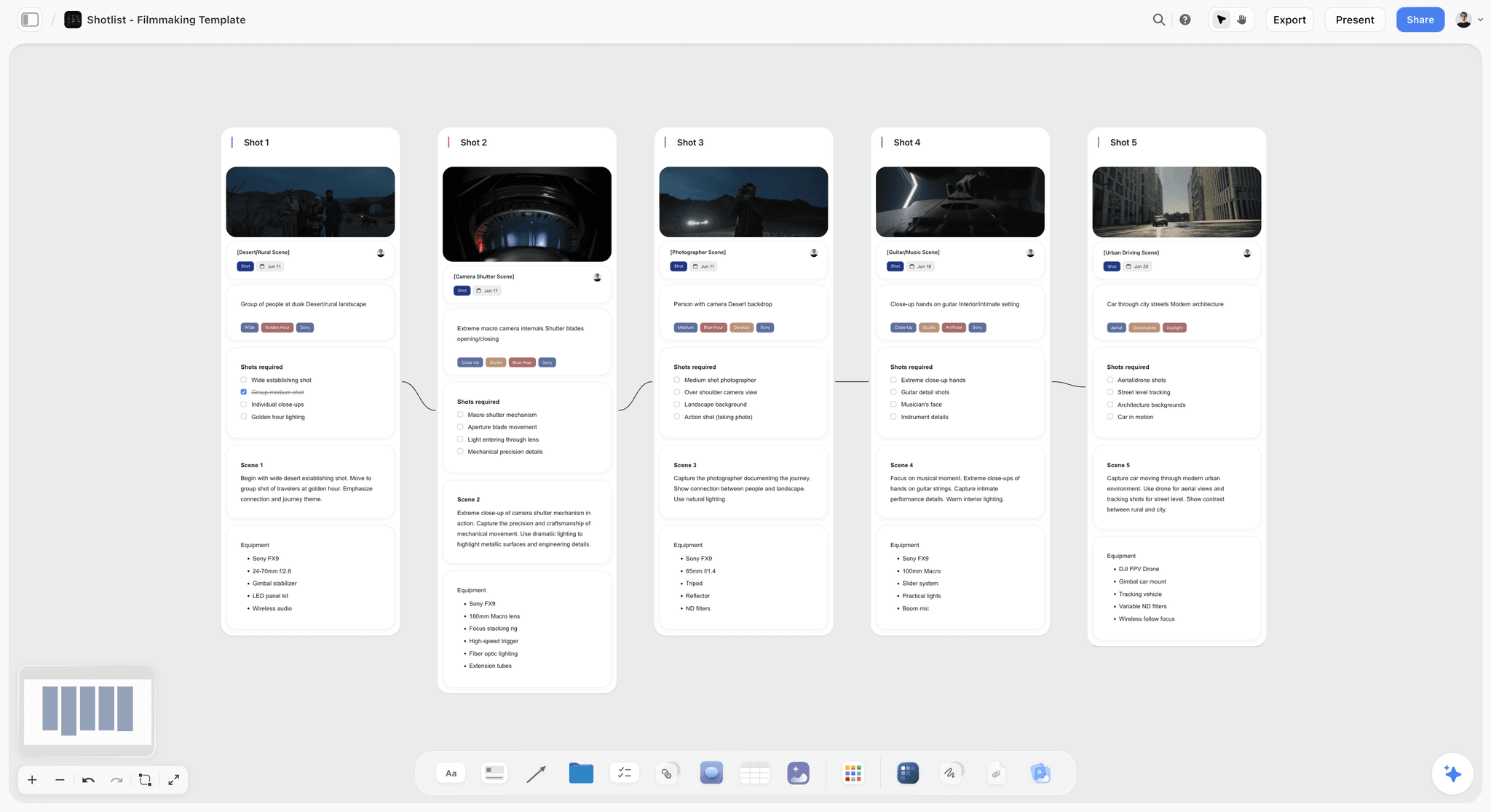
Storyflow is the infinite canvas where a graphic designer plans the work before any artwork begins. It is not an image generator and not a pixel editor. It is the brief, concept, mood board, and creative-direction layer, the part of the job where AI design output is won or lost.
Here is the friction every designer knows. You open Midjourney or Firefly, type a prompt from memory, and generate something striking that misses the brief. The client asked for warm and editorial. You produced cold and corporate. The problem was never the generator. The problem is that you prompted before the direction existed. Storyflow is where the direction gets built.
On a Storyflow board, the brief lives as structured cards next to the audience notes, the competitor references, the color direction, the type pairings, and the mood board images. The AI reads the full active canvas. When you ask it to tighten the brief, suggest a visual direction, or pressure-test a concept against the audience, it answers from everything on the board, not from a sentence you had time to type into a chat box. You can also @-mention up to 1 Tactic and up to 3 Documents to bring in extra context like a brand guideline or a client questionnaire.
The 200-plus Story Blueprints are expert framework templates that scaffold the upstream thinking: creative brief structures, audience and persona frames, mood board layouts, concept-development frameworks. You are not staring at a blank canvas trying to remember how a brief should be shaped. You start from a structure an expert already built.
Best for: Brand designers, agency creatives, freelance graphic designers, and design leads who plan the work before generating it.
Verdict: The strongest tool for the brief, concept, and creative-direction half of graphic design. It does not draw the artwork. It makes sure the artwork you draw is the right artwork.
Key features
- Canvas-aware AI by default. The AI reads your full active board (brief, audience, references, mood board, color and type direction). Add up to 1 Tactic and up to 3 Documents via @-mention for extra grounding.
- 200+ Story Blueprints on Plus and above. Expert framework templates for briefs, concepts, mood boards, and audience work.
- Infinite canvas with structured cards. Notes, images, links, and documents arranged in space, so a concept can take whatever shape it needs.
- Unlimited shared boards and unlimited collaboration on every plan. Max adds a team workspace with permissions and roles for studios and in-house teams.
Pricing
Paid-only during early access; the Free plan (unlimited notes, images, and links, unlimited shared boards, basic AI usage, 20 file uploads, unlimited collaboration) launches before the end of 2026, and anyone a paid member invites to a board joins free now. It will exclude the 200-plus Story Blueprints library. Plus: $7.99/mo annual or $9.99/mo monthly (200-plus Story Blueprints, unlimited file uploads). Pro: $14/mo annual or $19/mo monthly (adds AI image generation and 20x more AI than Plus). Max: $39/mo annual or $49/mo monthly (adds 40x more AI plus a team workspace with permissions and roles). As of May 2026.
Pros
- The AI reads the whole brief and mood board canvas, so concepts stay on-direction.
- Story Blueprints replace the blank-canvas problem with expert-built frameworks.
- The Free plan, launching before the end of 2026, is built to be genuinely usable for the planning phase, with unlimited boards and collaboration.
Cons
- Storyflow does not edit pixels, vectors, or layouts. Do the actual artwork in a design tool. Storyflow is the brief, concept, mood board, and creative-direction layer.
- The 200-plus Story Blueprints library is a paid feature; the coming free plan will ship without it.
- Cloud-only; no local-first option for designers in regulated environments.
If you keep generating off-brief work, the fix is not a better prompt. Take your next client brief and build it on a Storyflow canvas before you open a generator. Start a Storyflow workspace and run that test.
2. Canva Magic Studio
Canva Magic Studio is the all-in-one design workspace where AI generation and layout live in the same tool. It is the pick when you want a prompt, a layout, and a finished asset without ever leaving the canvas.
Best for: In-house designers, social and marketing designers, solo creators producing high volumes of branded assets.
Verdict: The strongest all-in-one design plus AI tool in 2026. Pro designers needing print-grade vector or CMYK control still finish in Adobe.
Key features
- Magic Studio suite. Magic Write, Magic Edit, Magic Eraser, Magic Resize, Magic Grab, Magic Morph, and text-to-image generation, all inside the editor.
- Magic Resize. Resize one design into 50-plus formats in seconds, which is the single biggest time saver for social and campaign work.
- Brand Kit. Locks fonts, colors, and logos so AI-generated assets stay on-brand.
- Template library. The largest template ecosystem of any tool here, which lowers the floor for non-designers but can produce generic results without customization.
Pricing
Free plan with limited Magic Studio credits. Canva Pro: $15/mo or $120/year. Pro includes the full Magic Studio suite with 500 monthly credits split across Magic Write and AI image generation. Teams and Enterprise tiers add collaboration and admin controls. As of May 2026; re-verify on Canva's pricing page.
Pros
- Generation and layout in one tool removes the export-and-reimport loop.
- Magic Resize is a genuine multi-hour saver for campaign work.
- Brand Kit keeps AI output on-brand without manual policing.
Cons
- Templates can make output look generic if you do not customize hard.
- Not built for print-grade CMYK or precise vector work; finish in Adobe for that.
- The free plan does not cover AI-generated images used in paid campaigns; check the license tier before shipping client work.
3. Adobe Firefly
Adobe Firefly is the generation model trained for commercial safety, woven through Adobe's apps and available as a standalone product. It is the pick when the output has to be safe to ship to a paying client.
Best for: Agency designers, brand designers, anyone whose output goes into client campaigns with rights attached.
Verdict: The strongest commercially safe generation tool in 2026. Midjourney still edges it on raw artistic flair.
Key features
- Commercially safe training. Firefly is trained on licensed and public-domain content, which is why agencies trust it for client work.
- Generative Fill and Generative Expand. Available inside Photoshop and as standalone web features.
- Multiple model choice. The 2026 Firefly app lets you pick between Adobe's own model and partner models for different looks.
- Unlimited standard generations on paid plans. Credits are only consumed by premium features like video.
Pricing
Free tier with 25 generative credits per month. Firefly Standard: $9.99/mo. Firefly Pro: $19.99/mo. Higher tiers exist for heavy and enterprise use. Every Creative Cloud subscription also includes Firefly credits. As of May 2026; re-verify on Adobe's pricing page.
Pros
- The clearest commercial-rights story of any generation tool here.
- Generative Fill inside Photoshop is the most-used AI feature in pro pipelines.
- Standard generations are unlimited on paid plans.
Cons
- Artistic output is strong but slightly less distinctive than Midjourney.
- The credit and plan structure changed in 2025 and is still confusing.
- Standalone Firefly overlaps with Creative Cloud, so many designers pay twice without noticing.
4. Adobe Photoshop (AI features)
Adobe Photoshop is still the industry pixel editor, and in 2026 its AI features make it the strongest refinement tool on this list. The pick when the job is editing real artwork, not generating it from scratch.
Best for: Photo retouchers, brand designers, anyone whose output is composited and edited raster work.
Verdict: The strongest AI-assisted pixel editor in 2026. The cost is the Adobe subscription, which not every freelancer wants.
Key features
- Generative Fill and Generative Expand. Describe a change in plain text and see it composited into the image.
- Multiple model choice. As of early 2026 Generative Fill can route to Adobe Firefly, Google's Gemini image model, or Black Forest Labs' FLUX, depending on the look you need.
- AI assistant. A 2026 public beta on web and mobile that takes plain-language edits like "remove the person on the left."
- Standard generations. Unlimited on Creative Cloud Pro, Firefly, and credit plans.
Pricing
Single-app Photoshop: around $22.99/mo. Photography Plan (Photoshop plus Lightroom): $19.99/mo. Creative Cloud Pro: around $69.99/mo for the full app suite. 7-day trial. As of May 2026; re-verify on Adobe's pricing page.
Pros
- The deepest AI-assisted editing toolkit of any tool here.
- Model choice inside Generative Fill is a real advantage for matching a look.
- The standard in agencies, so files and handoff just work.
Cons
- Subscription-only, and the single-app price is steep for occasional use.
- Generation is good but it is a retouching tool first, not a concepting tool.
- The learning curve is real for designers who started on Canva or Figma.
5. Figma (AI features)
Figma is the UI and product design standard, and its 2026 AI layer adds generation, background removal, and search inside the same tool. The pick for designers whose deliverable is screens, not posters.
Best for: Product designers, UI designers, graphic designers who also own digital interface work.
Verdict: The strongest AI-assisted product design tool in 2026. Less relevant for print and brand identity work.
Key features
- AI image generation and editing. Generate and edit images, boost resolution, and remove backgrounds inside the file.
- AI search. Find components and assets across a project by description.
- Figma Make. Prompt-to-app generation for fast interactive prototypes.
- AI credits. Included in Professional and above, with shared pools for teams.
Pricing
Starter: free, with 150 AI credits per day. Professional: $15/user/mo annual or $20/user/mo monthly. Organization: $55/user/mo. Enterprise: $90/user/mo. As of May 2026; re-verify on Figma's pricing page.
Pros
- AI features are included in paid plans at no extra cost.
- The free Starter tier is genuinely usable for solo work.
- Best-in-class for component-based, multi-screen design systems.
Cons
- Built for interface design; print and identity work fits awkwardly.
- The AI credit system resets monthly with no rollover.
- Per-seat pricing scales fast for larger teams.
6. Midjourney
Midjourney is the artistic image generator that still sets the bar for aesthetic quality. The pick for concept frames and hero imagery where the look matters more than precise control.
Best for: Concept artists, brand designers exploring directions, anyone who needs striking imagery fast.
Verdict: The strongest artistic image quality in 2026. Weakest on precise control and commercial-rights clarity.
Key features
- Version 7. Released in early 2026, producing consistently strong aesthetic output.
- Relax Mode. Unlimited slower generations on Standard and above, so volume work does not burn fast hours.
- Stealth Mode. Private generation on Pro and above.
- Style references. Feed a reference image to steer the look.
Pricing
Basic: $10/mo. Standard: $30/mo. Pro: $60/mo. Mega: $120/mo. Annual billing cuts each by 20%. No free plan. Commercial use requires the Standard plan, and companies over $1M revenue need Pro or Mega. As of May 2026; re-verify on Midjourney's pricing page.
Pros
- The most distinctive aesthetic output of any generator here.
- Relax Mode makes high-volume exploration affordable.
- Style references give real control over a direction.
Cons
- No free plan, so evaluation costs money up front.
- Commercial-rights rules are tier-dependent and trip up freelancers.
- Precise control (exact text, exact layout) is weaker than Ideogram or a design tool.
7. Recraft
Recraft is the AI tool built for production-ready vectors. The pick when the output has to be an editable SVG, not a flat raster image.
Best for: Brand designers, icon and illustration designers, anyone delivering scalable vector assets.
Verdict: The strongest AI vector generation tool in 2026. Narrower than a full generator, but the vector output is the reason to use it.
Key features
- Native SVG export. Generates editable vectors, not just raster images traced after the fact.
- Style controls. Color palettes and illustration-style presets for consistent sets.
- Raster export too. PNG and JPEG when you need them.
- Full commercial rights on the Pro plan.
Pricing
Free: 50 image generations per day. Pro: $25/mo or $20/mo billed annually. Team tiers are credit-based. As of May 2026; re-verify on Recraft's pricing page.
Pros
- The only tool here generating genuinely production-ready vectors.
- The free tier is generous enough for real evaluation.
- Style presets keep icon and illustration sets coherent.
Cons
- Narrower than a general generator; it is a vector specialist.
- Aesthetic range is smaller than Midjourney for hero imagery.
- Full commercial rights need the Pro plan.
8. Ideogram
Ideogram is the image generator that renders readable text inside images. The pick for posters, ad creative, and any composition where the words must be legible.
Best for: Advertising designers, poster and packaging designers, social designers who need typographic compositions.
Verdict: The strongest text-in-image generator in 2026. A specialist, but it owns its specialty.
Key features
- Accurate in-image text. Renders legible words at roughly 90 to 95% accuracy, far ahead of general generators.
- Style controls. Presets for different aesthetic directions.
- Higher resolutions and faster rendering on paid tiers.
- Magic Prompt. Expands a short prompt into a fuller description.
Pricing
Free: 10 credits per week. Basic: $8/mo. Plus: $20/mo. Pro: $48/mo with API access. As of May 2026; re-verify on Ideogram's pricing page.
Pros
- Solves the single hardest problem in AI image generation: readable text.
- The free weekly credits are enough to test the core feature.
- Strong for typographic poster and ad concepts.
Cons
- A specialist; for non-typographic imagery other tools are stronger.
- Text accuracy is high but not perfect, so proof every word.
- Less control over precise layout than a real design tool.
9. Kittl
Kittl is the AI-first design platform built for logos, merchandise, and print assets. The pick when Canva templates start to look generic and you need a vector editor next to the AI.
Best for: Merch and print-on-demand designers, logo designers, freelancers producing branded physical products.
Verdict: A strong middle tier between Canva and Adobe for branded design work. The vector editor plus AI combination is the draw.
Key features
- AI generator plus vector editor. Generate and refine in one workspace, with editable vector output.
- Print and merch focus. Built for logos, apparel, and physical product design.
- Commercial licensing. The Pro plan covers commercial use up to a large reproduction cap.
- Template library tuned for branded design rather than generic social posts.
Pricing
Free plan with exports capped at 800px and 72 DPI, which is not enough for print. Pro: around $10/mo on annual billing, with vector export, commercial licensing, and 2,000 monthly AI tokens. Expert tier around $24/mo annual. As of May 2026; re-verify on Kittl's pricing page.
Pros
- The vector editor plus AI in one tool is genuinely useful for merch work.
- Pro pricing is competitive with Canva for branded design.
- Built for print and physical products, not just screens.
Cons
- The free plan export cap makes it unusable for real print work.
- Smaller template and asset library than Canva.
- Less powerful than Adobe for complex compositing.
10. Khroma
Khroma is the AI color tool that learns your taste and generates palettes from it. The pick for the color phase of a concept, and it is completely free.
Best for: Every graphic designer who builds color palettes, which is every graphic designer.
Verdict: The best free AI color tool in 2026. Narrow by design, and it does its one job well.
Key features
- Taste-trained model. Pick 50 colors you like and a neural network learns your preferences.
- Generation views. See palettes as typography, gradient, swatches, or over an image.
- Accessibility data. Hex, RGB, CSS, and WCAG contrast ratings for each pairing.
- Search and filter by hue, tint, and value.
Pricing
Completely free. No paid tiers, no account required. As of May 2026.
Pros
- Genuinely free with no usage caps.
- The taste-training step makes palettes feel personal, not random.
- Built-in WCAG ratings save a separate contrast check.
Cons
- A single-purpose tool; it does color and nothing else.
- No team or collaboration features.
- The taste model is per-browser, so it does not follow you across devices.
11. Looka
Looka is the AI logo generator for fast first-pass identity work. The pick when a client needs a logo quickly and the budget is small.
Best for: Freelancers handling small-business logo jobs, founders designing their own brand, designers needing a fast starting point.
Verdict: A capable fast-logo tool. Not a replacement for real identity design, and it should not be sold as one.
Key features
- AI logo generation. Generates logo options from a few inputs about the brand.
- Brand Kit. Extends a chosen logo into business cards, social profiles, and templates.
- Editable output. Adjust color, layout, and type after generation.
- Multiple file formats in the premium package.
Pricing
Free preview. Basic logo: $20 one-time for a PNG. Premium logo: $65 one-time for PNG, EPS, SVG, and PDF. Brand Kit subscription: $96/year. As of May 2026; re-verify on Looka's pricing page.
Pros
- Genuinely fast for a first-pass logo.
- The one-time pricing suits one-off small jobs.
- The Brand Kit extends a logo into a usable starter system.
Cons
- Output is template-driven and can look generic without heavy editing.
- It is not original identity design; treat it as a starting point.
- Strategy, naming, and brand positioning are not part of the package.
12. Designs.ai
Designs.ai is the all-in-one AI content suite covering logos, video, voiceover, and graphics. The pick for solo operators who want one subscription for everything.
Best for: Freelancers and small businesses wanting a single tool across design, video, and audio.
Verdict: A broad suite that trades depth for breadth. Useful for generalists, less so for dedicated graphic designers.
Key features
- Multi-tool suite. Logomaker, Designmaker, Videomaker, and Speechmaker under one login.
- AI credits shared across the suite.
- Team collaboration on higher tiers.
- Template-driven output across all modules.
Pricing
Pro plan: $69/mo with 3,000 AI credits. Enterprise: $199/mo. No free plan. As of May 2026; re-verify on the Designs.ai pricing page.
Pros
- One subscription covers design, video, and voice.
- Useful for solo operators who do a bit of everything.
- The Logomaker is a quick option for fast identity work.
Cons
- Breadth comes at the cost of depth in any single discipline.
- No free plan, so evaluation costs money.
- A dedicated graphic designer will outgrow it for serious work.
7) Designer-Type Recommendations
13. Freelance Brand Designer
Top picks: Storyflow + Adobe Firefly
Storyflow for the brief, mood board, and creative direction so client work starts on-target. Adobe Firefly for commercially safe generation you can ship without a rights puzzle. Add Khroma for color.
14. In-House Graphic Designer
Top picks: Canva Magic Studio + Storyflow
Canva Magic Studio for the high-volume branded asset production an in-house role demands. Storyflow for the campaign brief and concept canvas behind each request. Add Photoshop when refinement gets serious.
15. Agency Creative
Top picks: Storyflow Max + Adobe Photoshop + Adobe Firefly
Storyflow Max for the team workspace where client briefs and mood boards live with permissions and roles. Photoshop for production. Firefly for client-safe generation.
16. Logo and Identity Designer
Top picks: Kittl + Storyflow + Khroma
Kittl for editable logo and identity vectors. Storyflow for the brand brief and reference gathering before the marks. Khroma for the palette.
17. Social and Marketing Designer
Top picks: Canva Magic Studio + Ideogram
Canva Magic Studio for fast on-brand social sets and Magic Resize. Ideogram for ad creative where the text inside the image must read cleanly.
18. Print and Packaging Designer
Top picks: Adobe Photoshop + Recraft
Photoshop for print-grade compositing and color control. Recraft for production-ready vector elements. Storyflow for the concept and reference phase upstream.
19. Product and UI Designer
Top picks: Figma + Storyflow
Figma for the screens, components, and prototypes with its AI layer built in. Storyflow for the concept and content direction before the interface work begins.
20. Solo Founder Designing Their Own Brand
Top picks: Canva Magic Studio + Looka
Canva Magic Studio for everyday assets. Looka for a fast first-pass logo. Storyflow if you want to think the brand through before generating anything, paid-only during early access with a Free plan coming before the end of 2026.
21. Illustration and Icon Designer
Top picks: Recraft + Midjourney
Recraft for production-ready vector icon and illustration sets. Midjourney for artistic exploration and hero imagery.
22. Design Lead or Creative Director
Top picks: Storyflow + Adobe Firefly
Storyflow for the briefs, concepts, and direction you set for the team. Firefly for the generation layer your designers ship from. The lead's job is direction, and Storyflow is the direction tool.
8) Honorable Mentions
A few tools that came close but did not make the main twelve:
- Freepik AI Suite: A large AI creative suite combining stock assets with a multi-model generator. Broad and useful, narrowly missed on focus.
- Adobe Express: Adobe's Canva competitor; capable, but Canva Magic Studio is the stronger all-in-one.
- LightX: A strong text-to-design platform with good in-image text; close to Ideogram's specialty.
- DALL-E 3 (ChatGPT): Convenient inside ChatGPT with clear commercial rights, but weaker than dedicated tools for design work.
- Leonardo.ai: A flexible generator with fine control; strong, but overlaps with Midjourney and Recraft.
- Coolors: A fast palette generator; Khroma's taste-training edges it for designers.
- Gamma: AI presentation and deck design; useful, but adjacent to graphic design rather than core.
- Visme: AI-assisted infographic and visual content; narrower audience than this list.
These are not bad tools. Their focus or audience is narrower than the main list.
9) Where AI Does Not Help Graphic Designers Yet
Honest accounting matters. There are graphic design jobs where AI is still weak, and pretending otherwise wastes time.
- Original brand strategy. AI can explore directions, but the decision about what a brand stands for and how it should feel is human work grounded in client conversations.
- Genuinely original concepts. AI generates plausible, on-trend output. The concept that surprises a client and defines a campaign still comes from human craft.
- Precise layout and typesetting. AI generators do not reliably control kerning, grid, hierarchy, and exact placement. Final layout is still hand work in a real design tool.
- Print production decisions. Bleed, color profiles, paper stock, and pre-press are judgment calls AI does not make for you.
- Client relationships and feedback. Reading what a client actually wants behind what they say is the core skill, and no model replaces it.
- Design critique and taste. Knowing why one option is stronger than another, and being able to defend it, is the part of the job that compounds over a career.
If your AI use is mostly in these areas, you are using AI for the wrong jobs. The right AI use is upstream (brief structuring, reference gathering, concept exploration) and in the middle (generation, refinement, format work). The judgment, the taste, and the client relationship stay human. AI changes how fast you reach a strong option. It does not change who decides which option is strong.
A 2026 Figma design survey found that 67% of designers view AI as a complement rather than a replacement, and a Clutch report noted that 53% of businesses expect to increase their graphic design investment in the next 12 months. The work is not disappearing. The slow parts of it are.
11) The Bottom Line
The best AI tool for graphic designers in 2026 depends on which phase of the job is the bottleneck. Canva Magic Studio is the strongest all-in-one for generation and layout. Adobe Firefly is the strongest for commercially safe generation in a pro pipeline. Storyflow is the strongest for the brief, concept, mood board, and creative direction, the upstream phase where AI design output is won or lost. Adobe Photoshop is the strongest for AI-assisted refinement, Figma for product and UI work, Midjourney for artistic quality, and Recraft for production-ready vectors.
Most working designers in 2026 do not pick one tool. They use Storyflow to plan the work, a generator or design tool to make it, and one or two specialists for color, logos, or readable type. A graphic designer's day is not one job. It is five. A stack built around that reality beats any single tool that pretends generation is the whole job.
The judgment, the taste, and the client relationship stay with the designer. AI takes the slow parts: the blank-canvas brief, the reference hunt, the first-pass generation, the resize loop. That is the trade worth making.
For designers who want to test the upstream half, the move is to take one client brief and build it on a Storyflow canvas before generating anything. Start a Storyflow workspace to run that test.
10) FAQ: AI Tools for Graphic Designers in 2026
What is the best AI tool for graphic designers in 2026?
It depends on the phase of the job. For an all-in-one design and AI workspace, Canva Magic Studio. For commercially safe generation, Adobe Firefly. For the brief, concept, and creative direction before any artwork, Storyflow. Most working designers in 2026 use two or three together, not one.
What is the best free AI tool for graphic designers?
Khroma is fully free for AI color palettes. Storyflow's Free plan, which launches before the end of 2026, will be the strongest free tier for the planning phase: unlimited boards, unlimited cards, unlimited collaboration, basic AI, and 20 file uploads. Recraft's free tier gives 50 generations a day, and Figma's Starter plan includes 150 AI credits daily.
Can AI replace graphic designers?
No. A 2026 Figma survey found 67% of designers view AI as a complement, not a replacement, and only 18% of businesses say AI tools reduced their need for designers. AI is replacing specific slow tasks (background removal, resizing, first-pass generation) and amplifying others (concept exploration, reference gathering). Strategy, taste, and client work remain human.
Which AI tool is best for logo design?
Kittl for editable logo and identity work with a vector editor built in. Looka for a fast, low-budget first-pass logo. For serious identity work, pair either with Storyflow for the brand brief and reference gathering so the marks answer a real direction.
Which AI tool generates readable text inside images?
Ideogram. It renders legible in-image text at roughly 90 to 95% accuracy, far ahead of general generators like Midjourney. It is the pick for posters, ad creative, and packaging where the words must read cleanly. Always proof every word, since accuracy is high but not perfect.
Is Canva or Adobe better for AI graphic design?
Canva Magic Studio is better for all-in-one speed: generation and layout in one tool, ideal for high-volume branded assets. Adobe (Photoshop plus Firefly) is better for print-grade work, precise control, and commercially safe generation in a professional pipeline. Many designers use Canva for fast work and Adobe for final production.
Is Storyflow a design tool or an image generator?
Neither. Storyflow does not edit pixels or vectors and is not an image generator. It is the brief, concept, mood board, and creative-direction canvas where a designer plans the work and gathers references before generating or designing. You do the actual artwork in a design tool. Storyflow makes sure it is the right artwork.
Which AI tool is best for creating vectors?
Recraft. It generates native, editable SVG output rather than raster images you trace afterward, which makes it the pick for production-ready icons, illustrations, and brand elements. Kittl is the alternative when you also want a vector editor and a logo and merch focus.
Are AI-generated designs safe to use commercially?
It depends on the tool. Adobe Firefly is trained on licensed and public-domain content and has the clearest commercial-rights story. Midjourney requires the Standard plan for commercial use, with stricter rules for companies over $1M revenue. Canva's free plan does not cover AI images in paid campaigns. Always check the license tier before shipping client work.
How much do AI design tools cost in 2026?
Entry pricing ranges widely. Khroma is free. Storyflow's paid tier starts at $7.99/mo annual. Ideogram and Kittl start around $8 to $10/mo. Canva Pro and Figma Professional are $15/mo. Adobe single-app Photoshop is around $22.99/mo. Midjourney runs $10 to $120/mo. Most designers spend $30 to $60/mo across a small stack.
Can AI tools handle a full brand identity project?
Not end to end. AI can speed up concept exploration, generation, and asset production, but a full identity needs brand strategy, original concept work, precise typesetting, and client collaboration that AI does not do well. The realistic workflow is Storyflow for the brief and direction, a generator for visuals, and a design tool for final identity craft.
What is the smallest test I can run?
Take your next client brief. Before you open any generator, build it on a Storyflow canvas: the brief as structured cards, the audience notes, three reference images, and a color direction. Then ask the AI to pressure-test the concept against the brief. Generate only after the direction is locked. Most designers see fewer off-brief revisions within the first project. Try Storyflow to run that test.
Table of Contents
- Quick Answer: The Best AI Tools for Graphic Designers in 2026
- Comparison Table: 12 AI Tools for Graphic Designers Compared
- Why Graphic Designers Need a Different AI Stack
- How We Evaluated These Tools (On Real Design Work)
- Quick Picks by Design Phase
- Detailed Reviews: 12 AI Tools for Graphic Designers in 2026
- Designer-Type Recommendations
- Honorable Mentions
- Where AI Does Not Help Graphic Designers Yet
- FAQ: AI Tools for Graphic Designers in 2026
- The Bottom Line
- Author
- Related Reading
Templates to check out for this topic


Branding and design templates you can use in Storyflow
Take a brand from naming to visual direction on one connected canvas. Open any of these templates and the AI works from everything already on the board.


See Storyflow in Action
A visual AI workspace where every feature lives inside one canvas. No tab-switching, no context lost.
Build your entire board from a single message
Type what you need in the AI chat at the bottom of your canvas. The AI adds cards, headings, and structure directly onto your board.
Use expert frameworks as AI context
Type @ in the AI chat and choose any Tactic. The AI tailors every response to that framework instead of giving generic advice.
Turn your board into a mind map in seconds
Ask the AI to restructure your canvas as a mindmap. It connects your ideas into a visual hierarchy so you can see how everything relates.
Why Storyflow Exists
Storyflow actually began as a personal tool while working on creative and research projects.
We kept running into the same problem: ideas were scattered everywhere: notes, documents, and whiteboards.
Nothing helped us see how everything connected.
So we started building a workspace designed around how ideas actually grow.
→ Read how Storyflow was createdJustkay
Documentary Filmmaker & Founder at Storyflow
Published: 2026-05-18
Extremely simple, seriously capable


See how easy it is to get started
Watch a real project come together, from a blank board to a finished plan, clicked through step by step.
Start creating with AI and become more productive
Transform your creative workflow with AI-powered tools. Generate ideas, create content, and boost your productivity in minutes instead of hours.