
A workspace with taste, for people with taste
Everything around the design file,
in one visual workspace.
The brief, references, moodboards, concept routes, client feedback and the handoff on one canvas, beside Figma or Adobe rather than instead of them.


Creatives working for these brands already got early access
- Red Bull
- Canon
- Artlist
- Porsche
See how easy it is to get started
Watch a real project come together, from a blank board to a finished plan, clicked through step by step.
Start from a ready-made template
Pick a board to see what you can build, then let AI fill it in. Every template is a real, editable starting point on the same infinite canvas.

Design Planner
Plan a design project from brief to delivery, with references, tasks, and feedback side by side.
What is the best visual workspace for graphic designers?
For graphic designers, the best visual workspace is one that holds the project around the design file: the brief, the references, the moodboards, the concept routes, the client's feedback and the handoff. Storyflow is an AI visual workspace that holds a design project on one infinite canvas: the brief, references, moodboards, concept routes, client feedback and the handoff files. Its AI reads the whole board, so it can draft a brief from a client's email and give notes on a draft against your goal. It sits beside Figma, Illustrator or Photoshop, which stay where the work is made. Milanote is a well-made board for references and moodboards, and Miro or FigJam suit live workshops with a team.
A design project produces far more than the final file. There is the brief and what it leaves out, the references and moodboard that set the direction, two or three concept routes, the reasons one route won, rounds of client feedback, and the handoff: final files, specs and usage notes. Design tools are built to make the artwork and hold little of this, so it scatters. The brief sits in an email, references in a folder, rejected routes on hidden artboards, feedback across two threads and a call, and the handoff in a message nobody can find six months later.
A good workspace keeps that context in the order a project runs. The brief first, with the approver and the dates. The moodboard next, with palette and type references captioned with what they are for. Concept routes side by side with a line on the thinking behind each, so the client chooses between ideas rather than reacting to a single option. Feedback gathered against the specific route and round, with contradictions between stakeholders resolved before revisions start. And a handoff folder with final files and usage notes that is still findable when the same client comes back.
In Storyflow, the brief sits on the board as a Doc or cards with the job, who it is for, the approver, a dates table and a budget table with a total, with folders for audience, moodboard and brand files. The AI can build a Brand Moodboard with palette, typography, logo concepts, visual language and applications, run a Brand Strategy from the brief, and give notes on a draft with Review my work. Clients open the board from a view-only link with no account. Signed-in clients comment on the specific route, and final files, links and PDFs sit together in a handoff folder.
Ultra fast from brief to board
One board per design project, from brief to handoff.
Next to your design tool, not inside it.
01
Set out the brief
Ask the AI to draft the brief from the client's email, or write it as a Doc: the job, the audience, the approver, dates and budget, with the gaps listed as open questions.
02
Build the direction
Collect references, palettes and type into a moodboard, or ask the AI for a Brand Moodboard from the brief, then caption what each reference is for.
03
Present routes side by side
Place concept routes exported from Figma or Adobe next to each other, with a line on the thinking behind each, and share the board for review.
04
Collect feedback and hand off
Gather signed-in client comments against each route, then keep the final files, links and usage notes in a handoff folder.
The project around the artwork.
Brief, direction, routes and feedback, kept where the whole team and the client can see them.
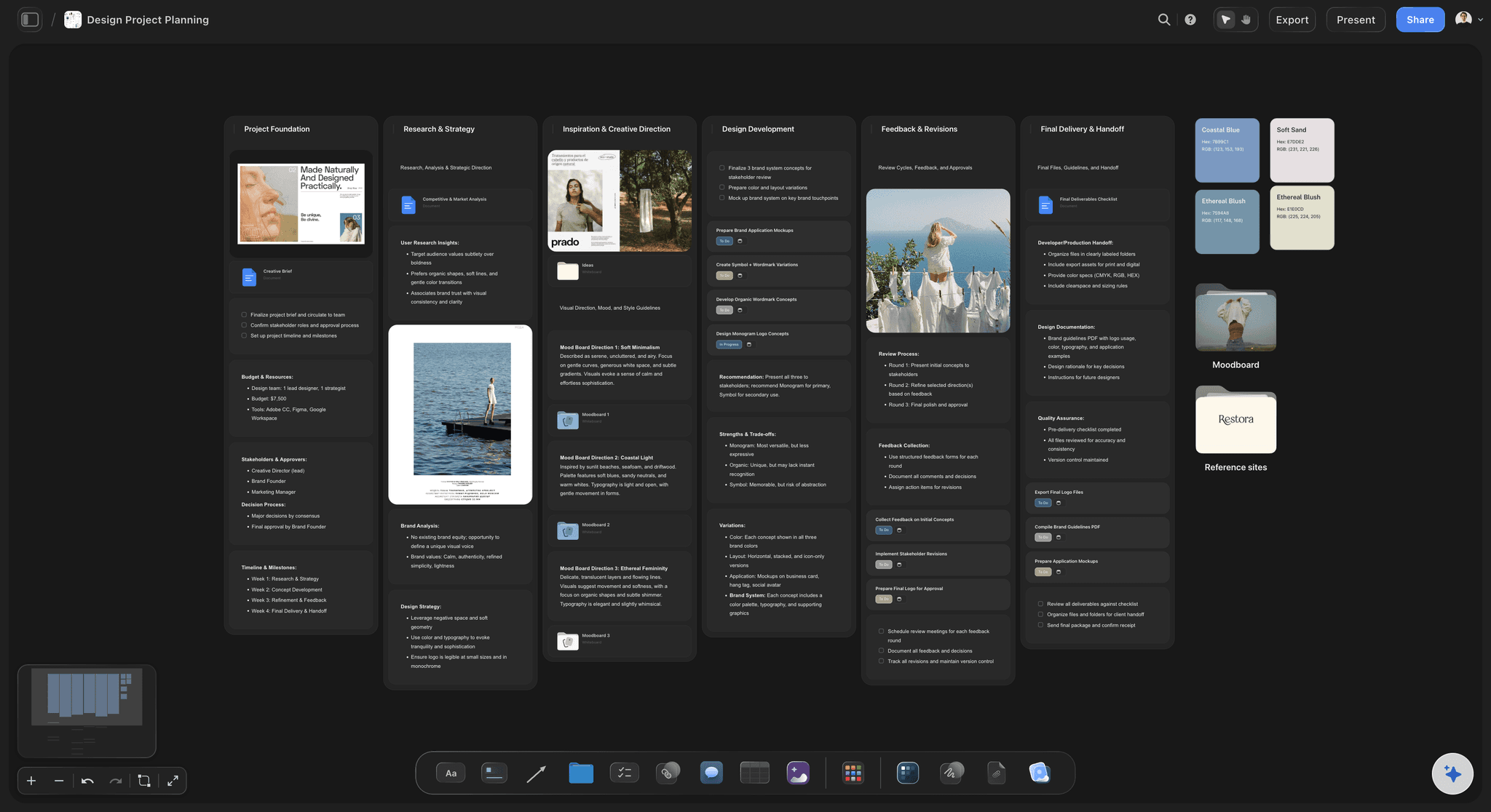
What was asked, and who approves
A brief the work is checked against
The brief keeps the job, audience, approver, dates and budget beside the work as a Doc or cards, so a scope question in week three has an answer on the board.
See the design brief board →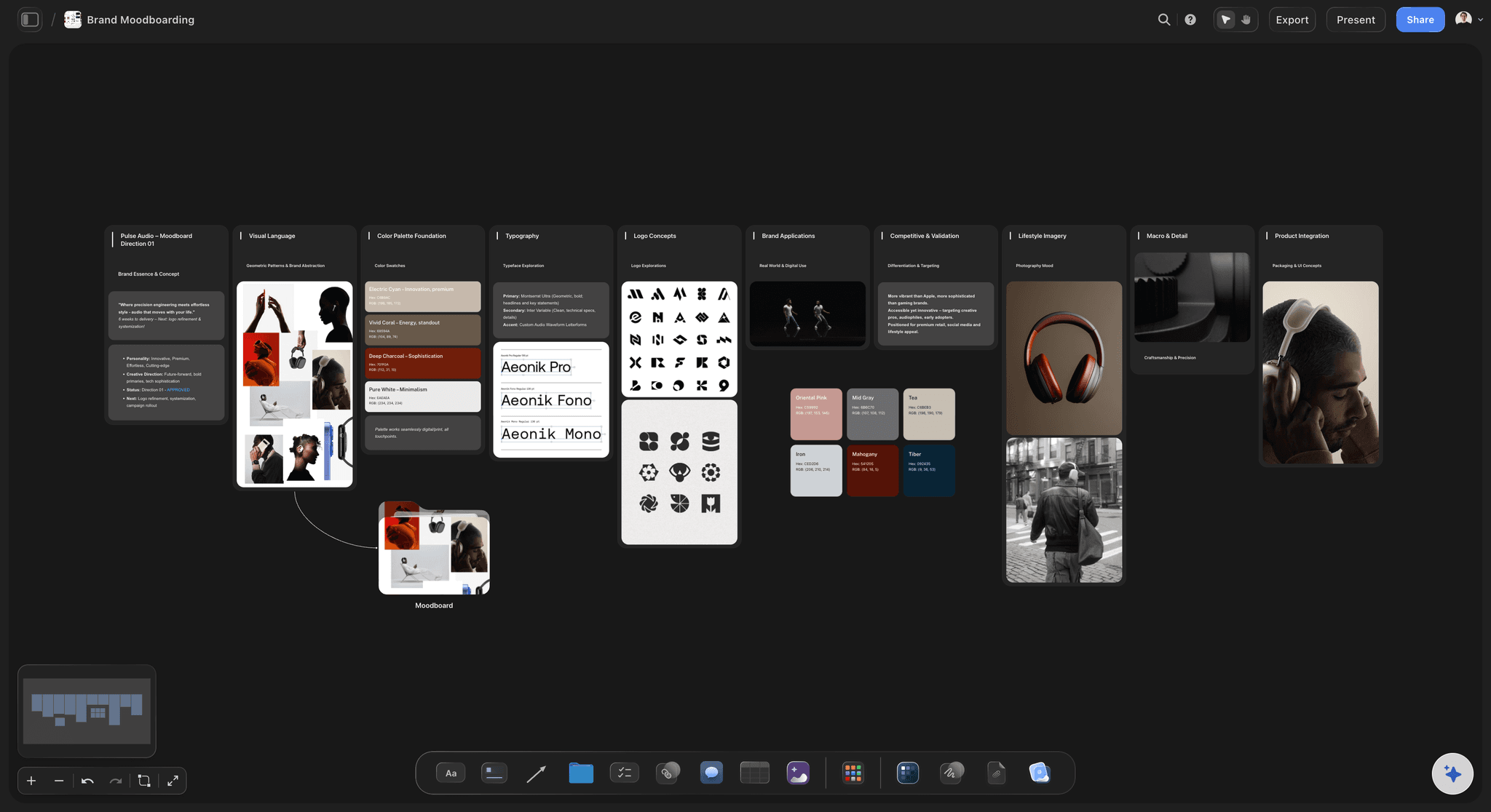
Palette, type and references
Moodboards that set the direction
References captioned with what they are for, palette swatches, type samples and logo references in one place, built by hand or drafted by the AI.
See moodboards for designers →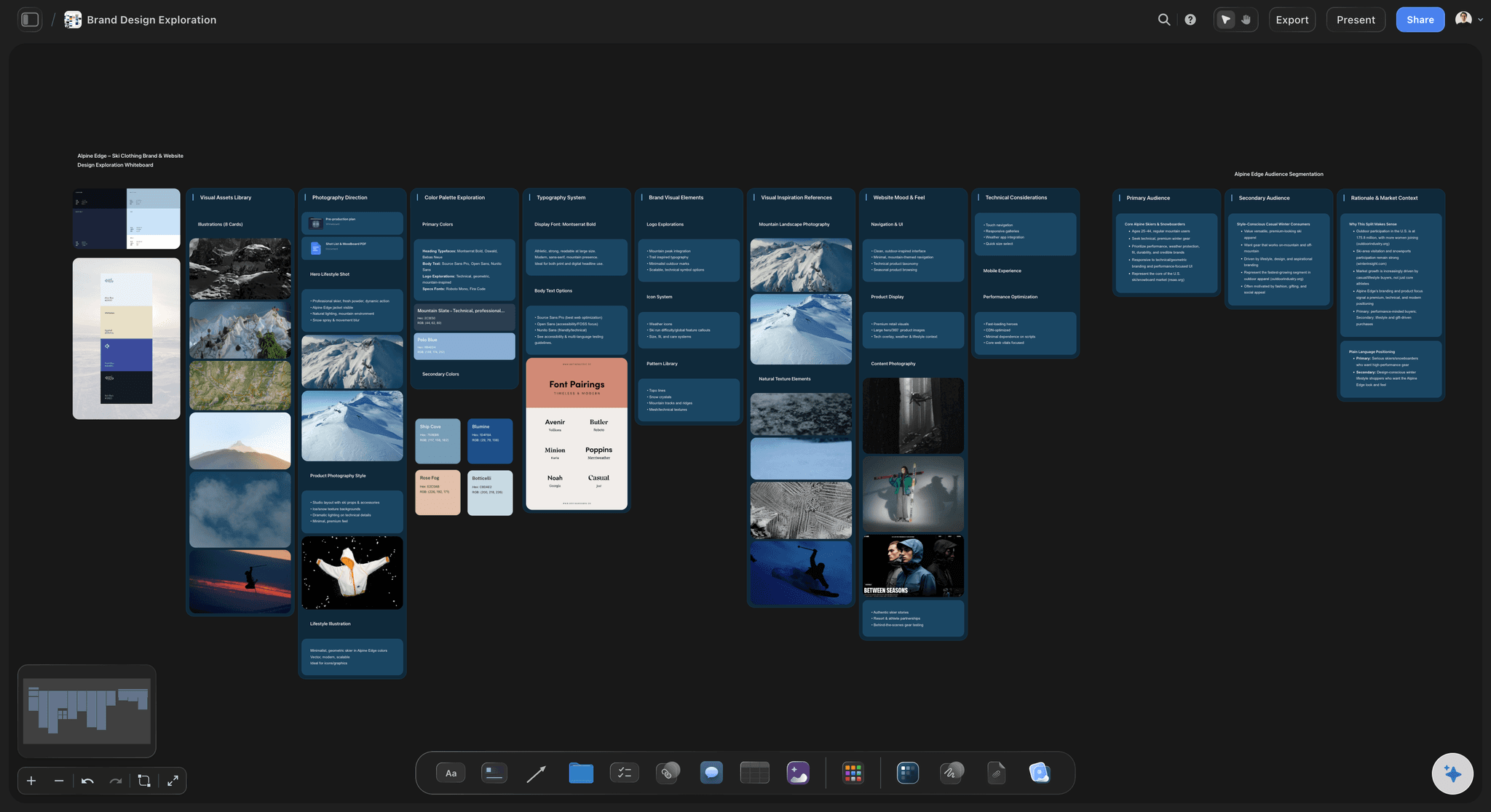
Routes side by side
Concepts presented as a choice
Two or three routes next to each other with the thinking behind each, so the client picks between ideas instead of reacting to a single option.
See the client presentation tool →
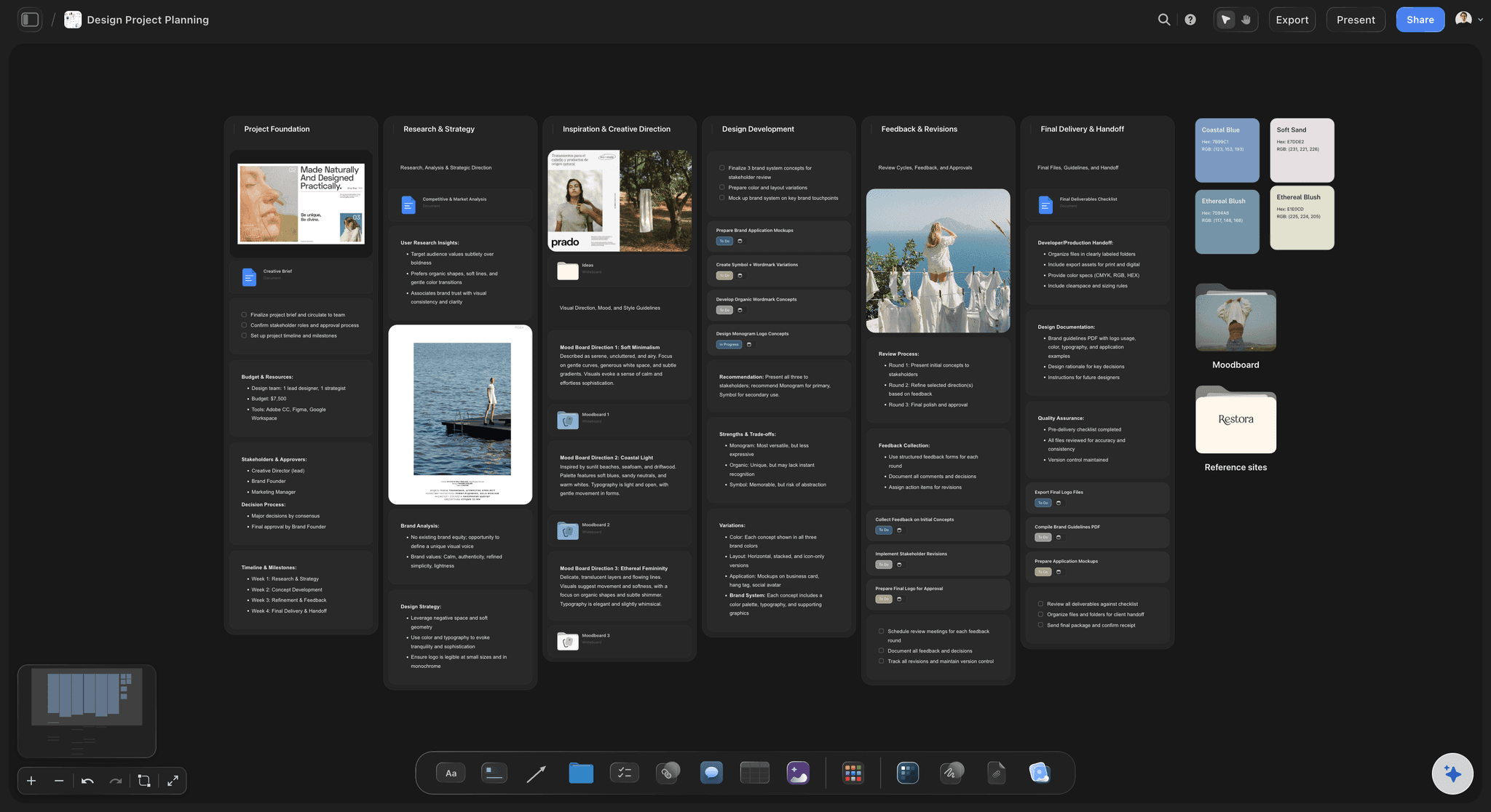
Feedback and handoff
Notes on the route they concern
Clients open the board by link, and signed-in reviewers comment on the specific route. Final files and usage notes stay in a handoff folder.
See the design review board →Unlimited boards. No object cap.
One board per client or per project, with every route kept. Storyflow is paid-only during early access, with plans from $7.99 a month billed annually, and a Free plan launches before the end of 2026. Anyone a paid member invites to a board joins free.
Unlimited boards, images, files and links on Plus
Unlimited background removal and upscaling
AI usage that renews every billing period
View-only links for clients, plus image and PDF export
Built for people with taste
What a design project needs besides the artwork.
Each has a place on the board, and each costs hours when it lives nowhere.
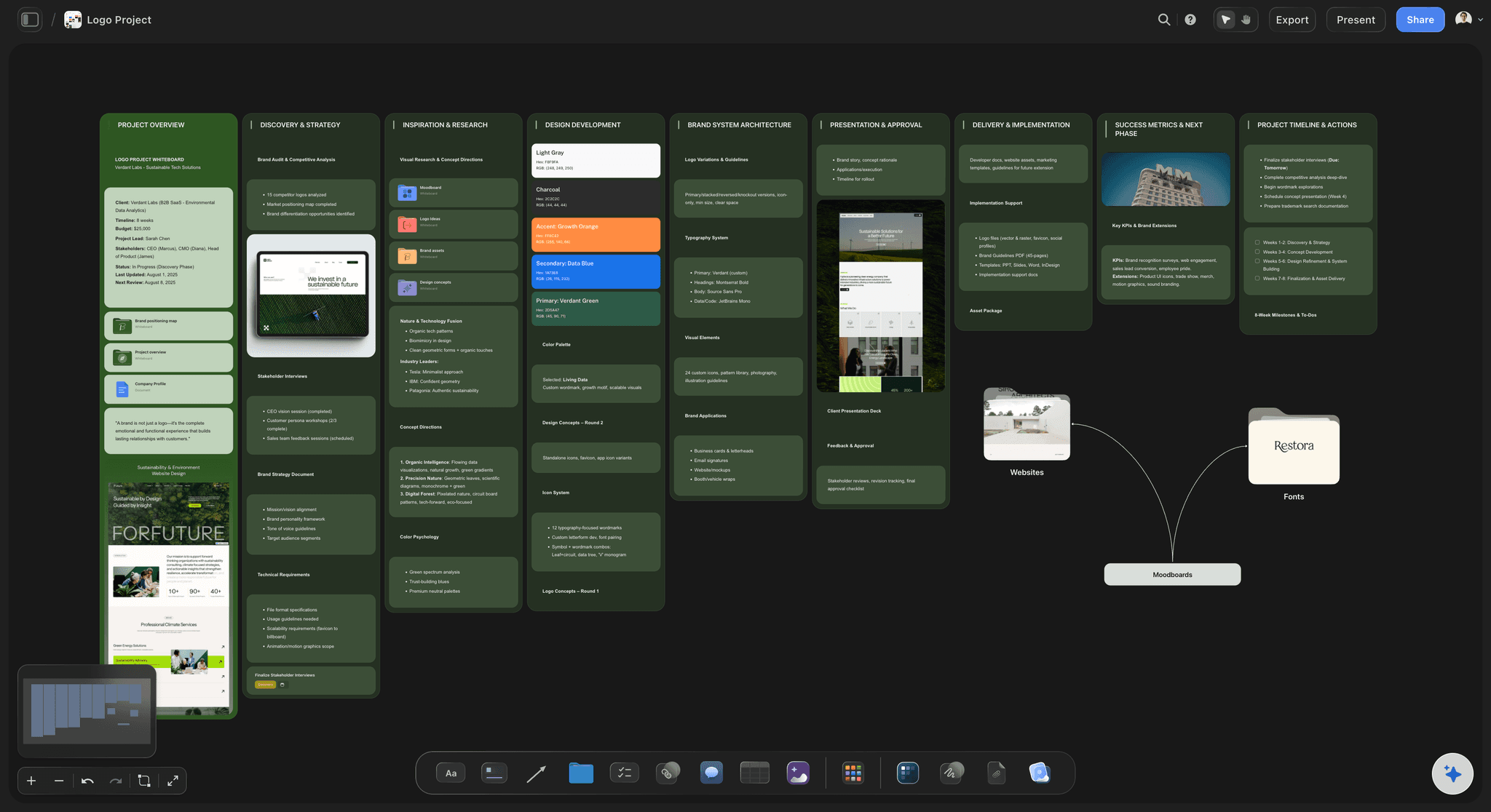
The brief
Scope you can point at
The approver named: One person on the client side who signs off. Notes from stakeholders who never agreed with each other are the most expensive round a designer gets.
What is missing: Formats, sizes, file types and deadlines the brief did not give you, kept as open questions until someone answers them.
Dates and budget: A dates table with each round and a budget table that sums, visible when a request arrives that is in neither.
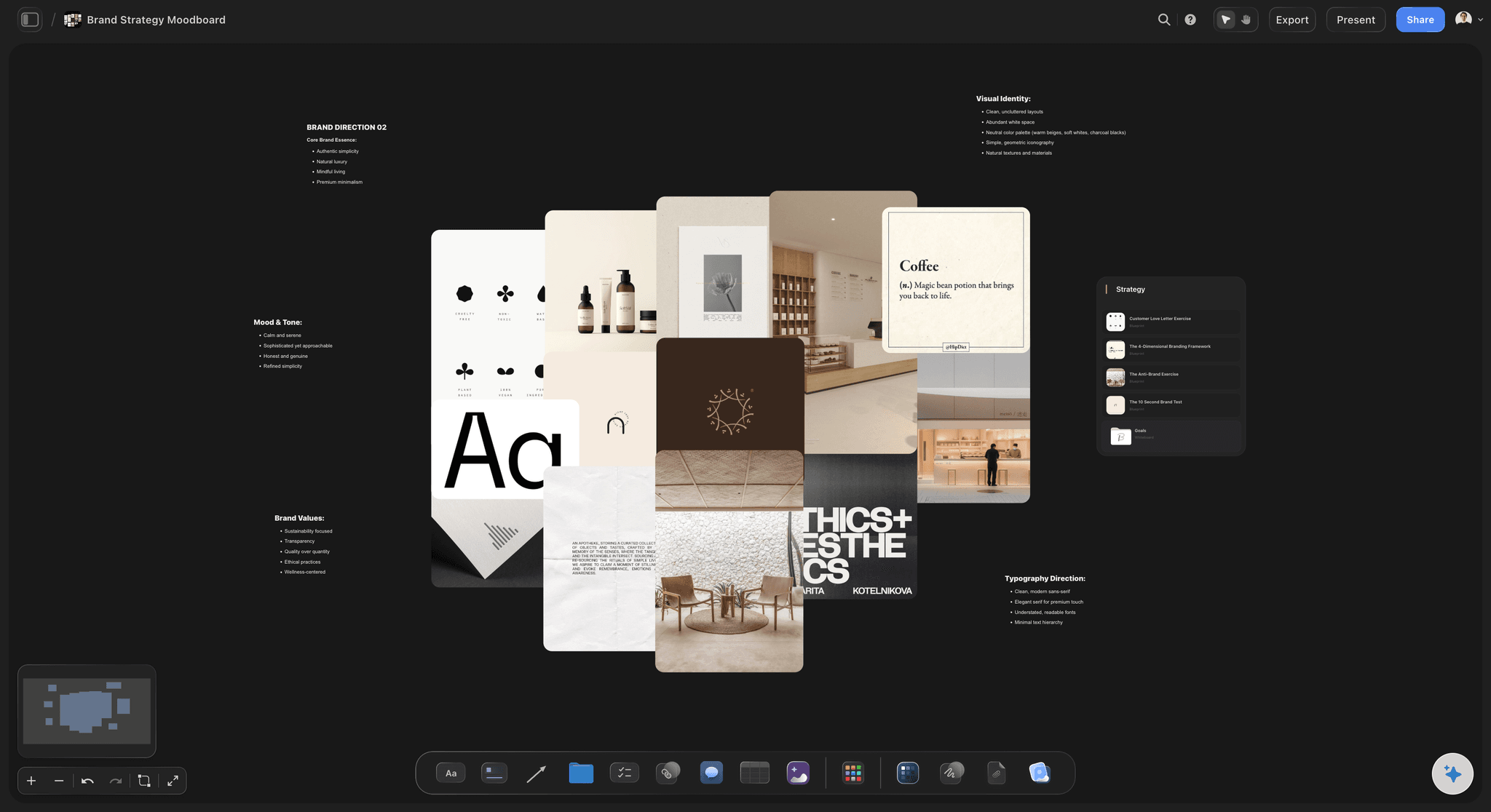
The direction
References that explain themselves
Captions on every reference: What you are borrowing: the type, not the colour. A reference without a reason gets read differently by each person who sees it.
Palette and type together: Colour swatches and type samples beside the images they came from, so the direction reads as one system.
Brand Moodboard from the brief: Ask the AI for palette, typography, logo concepts, visual language and applications, then cut what does not fit.
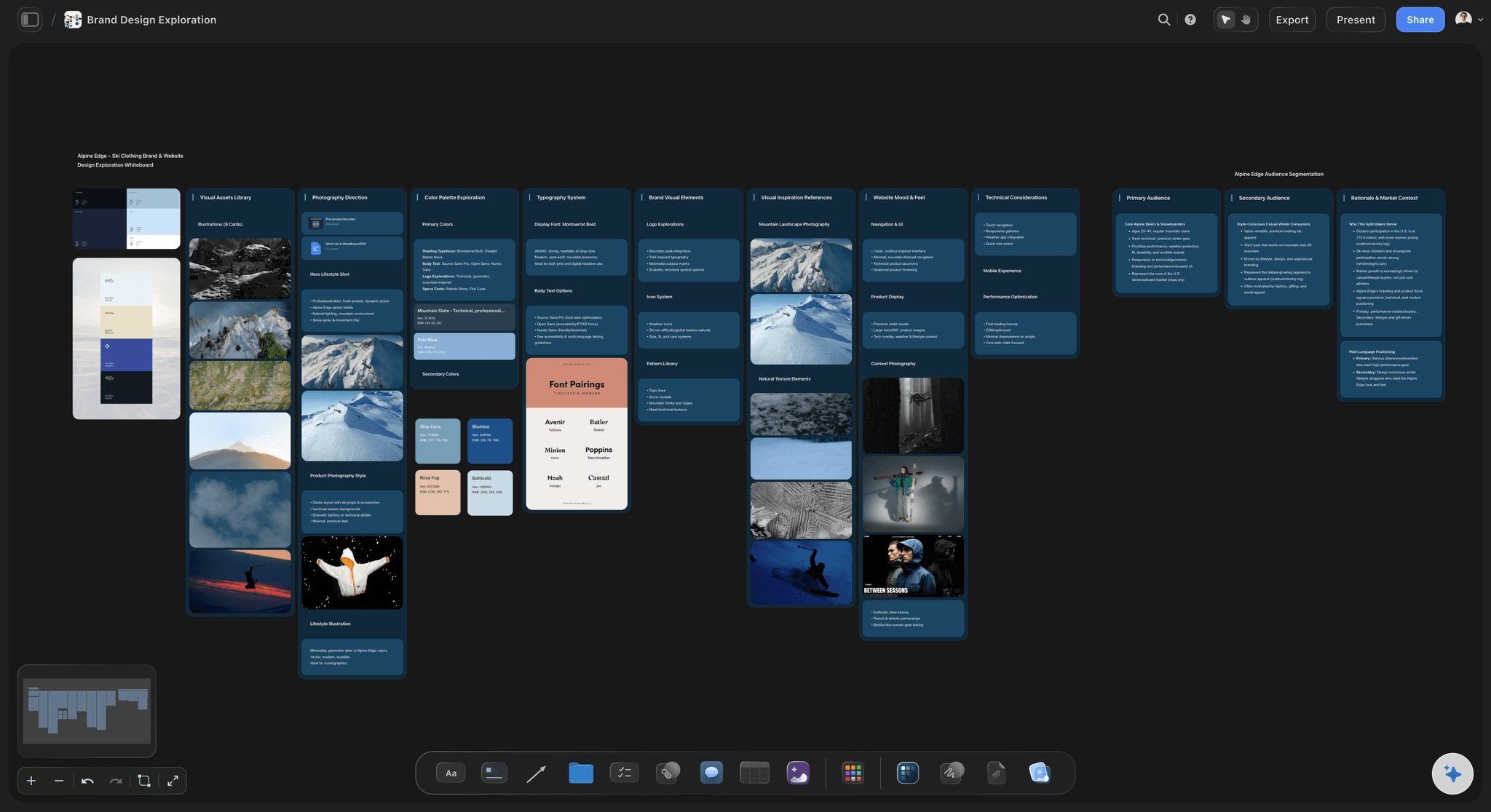
The routes and the feedback
A choice, not a guess
Routes side by side: Concepts next to each other with the thinking behind each, exported from Figma, Illustrator or Photoshop as images.
Why a route lost: A line on each rejected route, so the decision survives the tidy-up and the same idea is not proposed again next year.
Comments on the route: Signed-in clients comment on the specific concept, so contradictions between stakeholders show up in one place.
Notes on a draft: Review my work reads a draft against the goal you set and says what misses it and what is strong but buried.
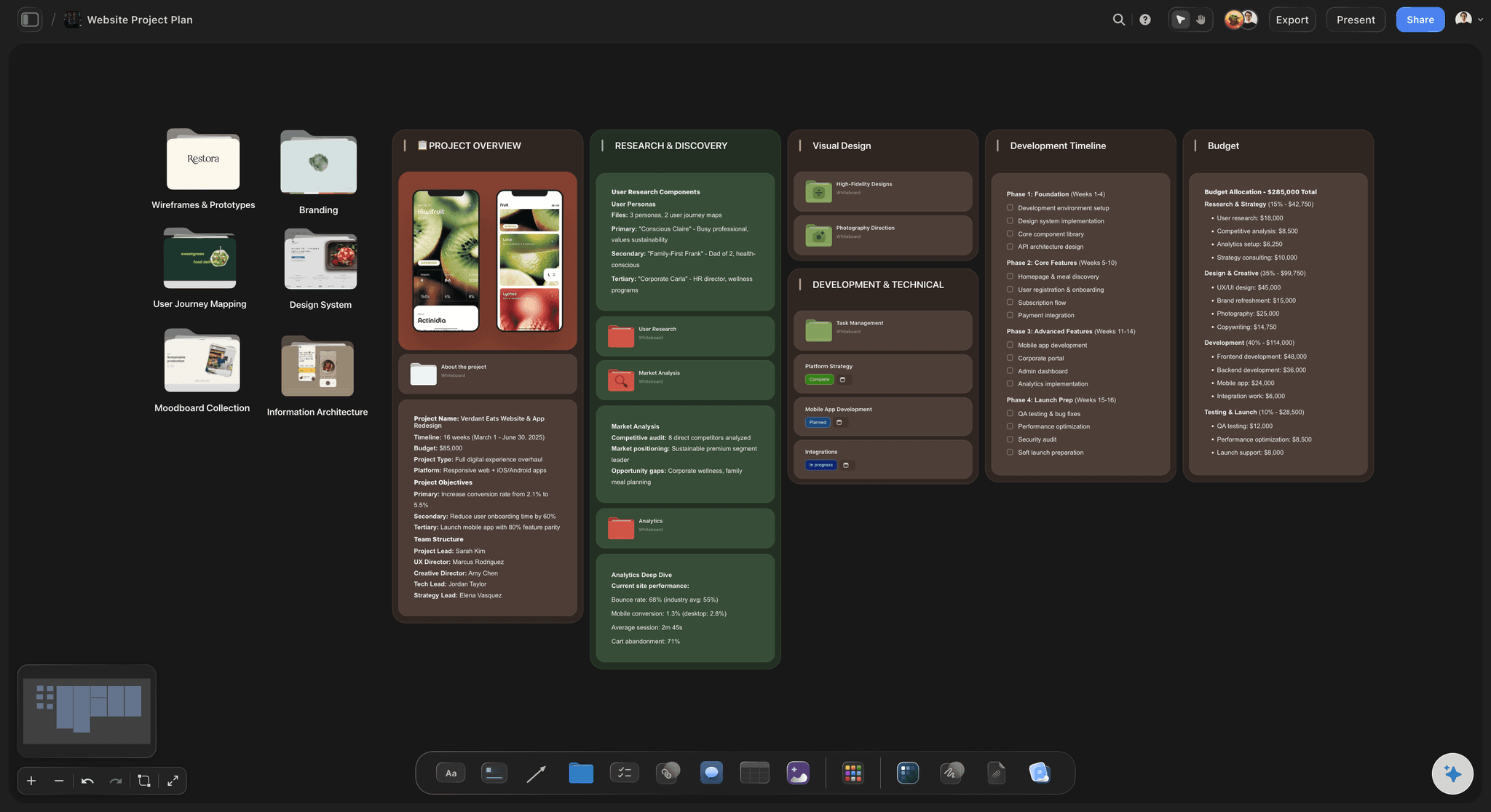
The handoff
A project that is still findable later
Final files and links: Exports, links to source files, fonts and usage notes in one folder on the board.
The next project for the same client: What they approved, what they rejected and the language they use, kept on the client's board.
Rounds with dates: Each review round as a row with its date, an owner and a status, so a late approval is visible before it moves the deadline.
Not a proofing tool: Pixel-level markup and version comparison belong in proofing software such as Filestage or Ziflow.
Explore templates for your project
Every template opens as a real, editable board on the infinite canvas. Pick the closest fit and make it your own.
Design Planner
Plan a design project from brief to delivery, with references, tasks, and feedback side by side.
One app instead of five
Storyflow vs Milanote, Miro and FigJam.
Storyflow is built for the project around the design file. Milanote is a well-made board for references, Miro and FigJam are strongest in live workshops, and none of the four replaces Figma, Illustrator or Photoshop for making the work.
Storyflow
Recommended
Brief, references, routes and feedback on one board
Tables and tickets with owners, dates and status
AI that reads the board and builds from the brief
Share the board by view-only link
Live workshop tools such as voting and timers
Milanote
Brief, references, routes and feedback on one board
Tables and tickets with owners, dates and status
AI that reads the board and builds from the brief
Share the board by view-only link
Live workshop tools such as voting and timers
Miro
Brief, references, routes and feedback on one board
Tables and tickets with owners, dates and status
AI that reads the board and builds from the brief
Share the board by view-only link
Live workshop tools such as voting and timers
FigJam
Brief, references, routes and feedback on one board
Tables and tickets with owners, dates and status
AI that reads the board and builds from the brief
Share the board by view-only link
Live workshop tools such as voting and timers
What creators are saying
Join early creators getting structured workspaces and AI that remembers their projects
“Storyflow has sped up my workflow by at least 3x, which means more flow state and more projects I can actually ship. It truly changed the way me and my team create.”

Reilin Joey
Director & YouTuber
“One prompt gets me a structured board. But the tactics are my favorite. I run my YouTube scripts through them and my intros and retention got better. It's amazing.”

Justkay
YouTuber & Freelance Filmmaker
“I used to juggle five apps to plan a project. Now I describe what I am making and get boards, lists, and a schedule. All in one place.”

George
@fernwehchronicles
A designer's workspace, answered.
What it holds, what it does not do, and how it sits beside your design tool.
Storyflow is built for the part of design work the design tool does not hold: the brief, references, moodboards, concept routes, client feedback and handoff files, on one canvas with an AI that reads the board. Designers keep making the artwork in Figma, Illustrator or Photoshop. Miro and FigJam are strongest for live workshops, and Figma remains the place for the design itself.
Storyflow is built for exactly this job: one board per project holds the brief with the approver and dates, the captioned references, the concept routes side by side, the feedback gathered against each route, and the handoff files. Its AI drafts the brief from a client's email and gives notes on a draft against your goal, and the client opens the board by link. The artwork itself is still made in Figma, Illustrator or Photoshop.
No. There is no vector editing, typesetting or retouching for production artwork. Storyflow is the workspace around the file: the brief, the direction, the routes, the client's comments and the handoff. It removes backgrounds and upscales images, and AI image generation on Pro and Max can produce reference imagery for a moodboard, but the delivered work is made in your design tool. Export routes as images and place them on the board for review.
Six things, in the order the project runs: the brief, with the approver, dates and budget; the references and moodboard, each image captioned; the concept routes side by side, with the thinking behind each; the feedback rounds, gathered against the specific route; the decisions, including why rejected routes lost; and the handoff files. In Storyflow these sit on one board per project, so context that usually scatters across email, folders and hidden artboards stays with the work.
As a choice, side by side, each with a line on the thinking behind it and the part of the brief it answers. Show the brief first, so the client judges the routes against it rather than against taste. Keep to two or three routes and say which you recommend. In Storyflow the routes sit beside the brief on a board the client opens from a view-only link, and the AI can turn it into a Presentation PDF.
Ask for it against the work, from one named approver, by a date. Notes by email, on a call and in an annotated PDF never get reconciled, and opposite requests stay hidden until you have made both changes. In Storyflow the client opens the board from a view-only link and signs in to comment on the specific route, so contradictions surface before revisions start. Pixel-level annotation of final artwork belongs in proofing tools such as Filestage or Ziflow.
Make the agreed deliverables and rounds visible to the client, not buried in a contract nobody reopens. Scope creep is usually a series of small requests, one more size, one more route, one more round, each easier to absorb than to price. When the brief lists the deliverables, rounds and budget on a board the client can see, an extra request becomes a visible addition to a countable list. Name and date the rounds at the start.
Everything someone needs to use the work without asking you: final exports in every agreed format and size, links to the source files, the fonts and their licences, the colour values, usage notes, and who approved the final version. For a brand identity, add logo variants and clear space rules. In Storyflow the handoff is a folder on the project board, beside the brief and the approved route, so the client's next project starts from what was delivered.
No. Storyflow does not do pixel-level annotation or side-by-side version comparison of artwork, which is what proofing software such as Filestage, Ziflow or Frame.io is built for. It holds the review in context: routes side by side, the brief they answer, and signed-in client comments on the specific piece. Many design projects need both, with the direction agreed on the board and the final artwork proofed in a dedicated tool.
With the project, more than the artwork. Storyflow's AI reads the whole board, so it can draft a brief from a client's email, build a Brand Moodboard with palette, typography, logo concepts and applications, run a Brand Strategy with persona, values, tone of voice and positioning, and give notes on a draft against your goal. On Pro and Max it generates images for reference and mood, not production artwork. It proposes and you decide.
Storyflow and Milanote are both boards for references and moodboards, and Milanote is a well-made one. Storyflow adds project structure beside the work, with tables of dates, owners and budget, Kanban and tickets, and an AI that reads the board and builds from the brief. Miro is strongest in live sessions, with voting and timers for a workshop or a crit, which Storyflow does not have. Choose by what hurts most: references, the project or the workshop.
Not yet. Storyflow is paid-only during early access, with plans from $7.99 a month billed annually ($9.99 monthly). A free plan launches before the end of 2026, and anyone a paid member invites to a board joins free, so a client, a copywriter or a second designer you bring in does not pay. Plus is for one person running whole projects, Pro adds AI image generation, and Max gives a studio one shared workspace with roles.
More from Storyflow
AI visual workspace
Storyflow for designers
Design brief
AI design brief generator
Moodboard for designers
Brand moodboard
Brand personality template
Client presentation tool
Design review board
Design feedback tool
Design handoff board
Style guide maker
How to choose a visual workspace for a creative team
Best visual workspaces for graphic designers
For creative directors
Art direction board
Scope creep on creative projects
Keep the project around the design file in one place.
Set out the brief, build the direction, present the routes and hand off, on one board beside your design tool.