
Elevated brand work, made with taste
Your color palette in ChatGPT,
placed beside the pictures it came from.
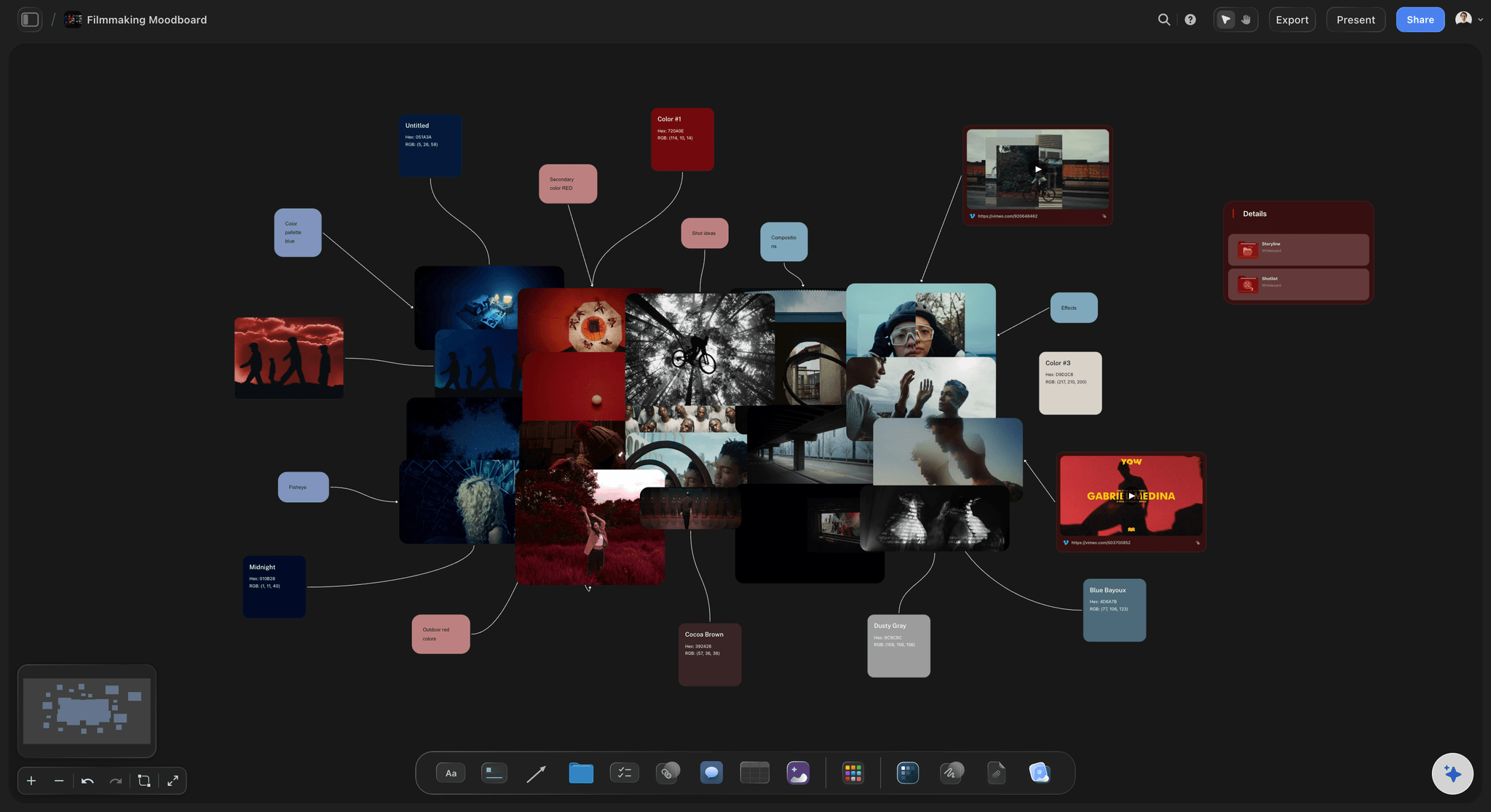
For designers and brand teams: ChatGPT proposes the colors, names each one and places them as swatches on your Storyflow board, next to the references they serve.


Creatives working for these brands already got early access
- Red Bull
- Canon
- Artlist
- Porsche
See how easy it is to get started
Watch a real project come together, from a blank board to a finished plan, clicked through step by step.
Start from a ready-made template
Pick a board to see what you can build, then let AI fill it in. Every template is a real, editable starting point on the same infinite canvas.

Brand Strategy
Define your positioning, values, and voice and connect them into a strategy the team can follow.
Can ChatGPT make a color palette?
Yes, ChatGPT can make a color palette: describe the brand, the room or the campaign, or attach a photo, and it proposes colors with names, roles and hex values. Storyflow is an AI visual workspace that builds a color palette on one infinite canvas: named swatches showing their hex and RGB values, placed beside the references, the type and the notes they belong with. With the Storyflow plugin installed, ChatGPT places the palette on your board itself, on its own model, so it uses none of your Storyflow AI credits.
Without a board, a palette from ChatGPT is a list of hex codes in a reply. ChatGPT is good at the reasoning: it explains why a deep green reads as calm, warns that two of your neutrals are too close to tell apart, and works out the contrast ratio of any pair. But a hex code is not a color you can see, and a palette is judged by eye, next to the pictures it has to match. So the codes get pasted into a palette tool, the swatches get screenshotted, and the screenshot goes into a deck.
With the plugin, ChatGPT places the palette on your board in one request: 2 to 24 swatches, each showing the color, its name and its hex and RGB values. Six colors or fewer land in one row. A bigger palette lands as a grid, four across for most, laid out so the last row never holds one swatch on its own. ChatGPT gives every swatch a real name or a role, such as "Sea Mist" or "Primary accent", never "Color 1". It can join a swatch to the reference it came from with a line, put colors inside a wall beside the brand's type notes, and read the colors off a photo you attach in the chat.
An example to copy (the studio is made up). Ferrow Interiors pitches a calmer reception for a dental clinic. The designer uploads 9 photos of the current room and 6 references through the upload link, then asks ChatGPT for a palette of eight: three neutrals for walls and floor (Chalk #F2EFE9, Oat #DCCFB8, Clay #B9A58A), two greens (Sage #9DAE97, Fern #5E7358), one wood (Walnut #6B4A33), one accent (Ochre #C9922E) and one for text and signs (Ink #2C2A28). Eight swatches land as two rows of four. ChatGPT joins Sage and Fern to the two references they came from and checks the text pairs: Ink on Chalk is about 12.5 to 1, Fern on Chalk just under 4.5 to 1, so Fern is kept for large signs only, and Ochre on Chalk about 2.4 to 1, so Ochre stays off text.
Decide what the palette is for before you ask, because a palette for a logo, a website and a room are three different jobs. Give each color a role and a share: the neutrals carry most of the space, one or two primaries carry the brand, and the accent is kept for what people must notice. Name colors so a client can say them on a call. Test text colors against their backgrounds before anyone falls for a combination, because a pair that fails has to be fixed in every design that uses it. And look at the palette next to the pictures: colors that work as squares can fall apart on a photo.
Now the limits. Storyflow exports the board as PNG, JPEG or PDF; it has no SVG export and does not write palette files such as ASE or CSS, so a developer copies the hex values from the swatches. There is no built-in contrast checker: ChatGPT works the ratio out from the hex values, and any contrast tool can confirm it. A photo you attach in the chat lets ChatGPT read its colors, but the photo itself stays in the chat; send it through the "Add your photos" link to put it on the board. ChatGPT cannot delete swatches or read the comments on the board.
Ultra fast from brief to board
Four steps from a brief or a photo to a palette on the board.
ChatGPT proposes and places the colors. Your eye makes the final call.
01
Install Storyflow from the plugin directory
Open the Storyflow listing in ChatGPT's plugin directory and select Install plugin. Sign in to Storyflow when asked, then choose which projects ChatGPT may use.
02
Ask for the palette
Start a chat, type @ and pick Storyflow, then say what the palette is for, how many colors and any that are fixed, or attach a photo to work from. For example: "Eight colors for the Ferrow reception on the clinic board: calm, warm, readable signs. Name each one." The swatches appear on the board as one block.
03
Put it next to the references
Send your photos through the "Add your photos" link, then ask ChatGPT to join each swatch to the picture it came from with a line, or to put the colors in the wall with the type notes.
04
Check it and share it
Ask ChatGPT to check each text color against its background and propose a fix for any pair that fails. Then share the board from Storyflow with a view-only link the client opens in a browser without an account.

What ChatGPT does with color on the board.
Each card is something ChatGPT does through the plugin, next to the pictures the colors have to match.
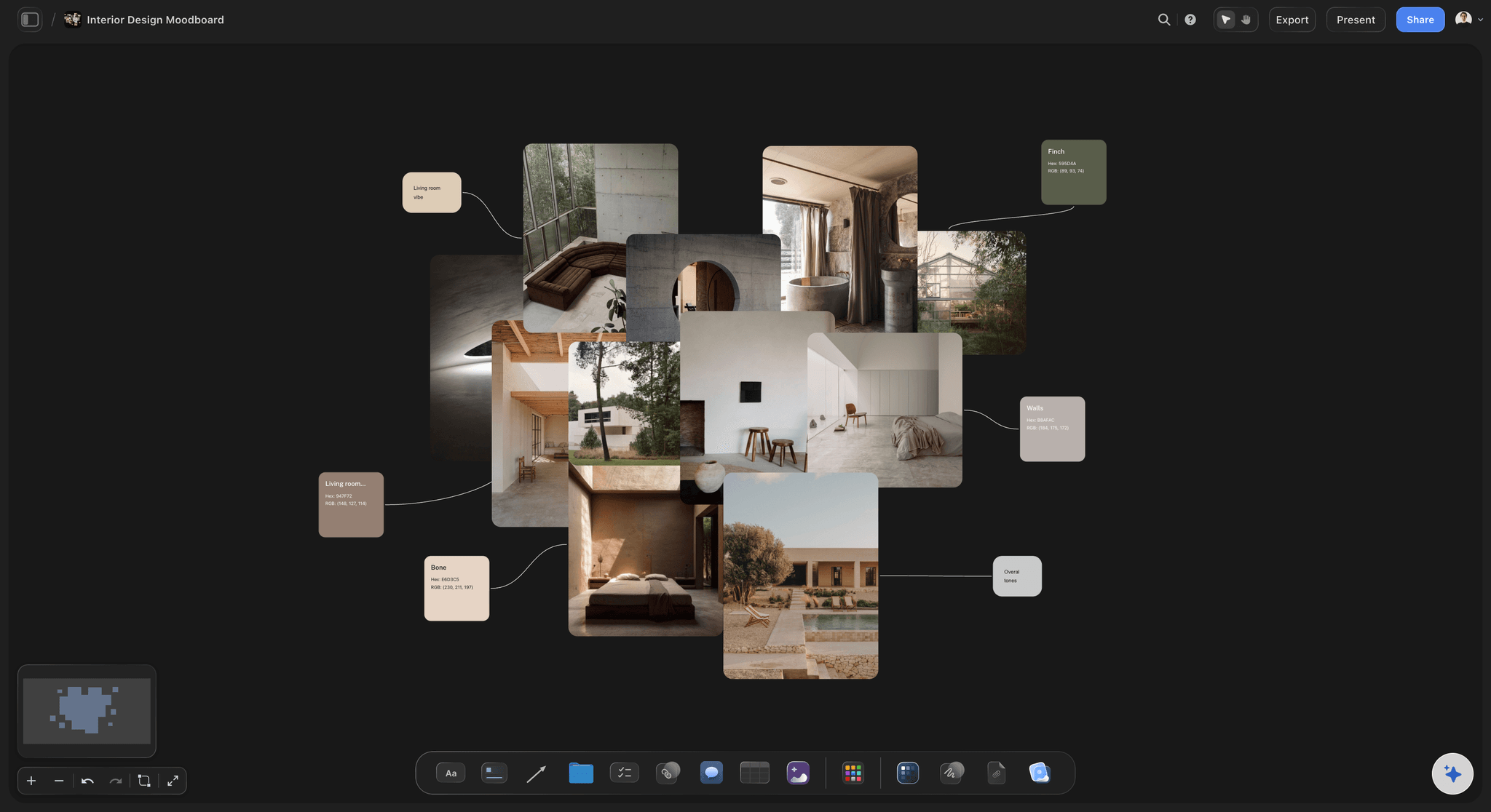
The palette
Swatches joined to the pictures they came from
Each swatch shows its color, its name and its hex and RGB values. ChatGPT can join a swatch to its reference with a line, so the client sees where every color comes from.
See the color palette maker →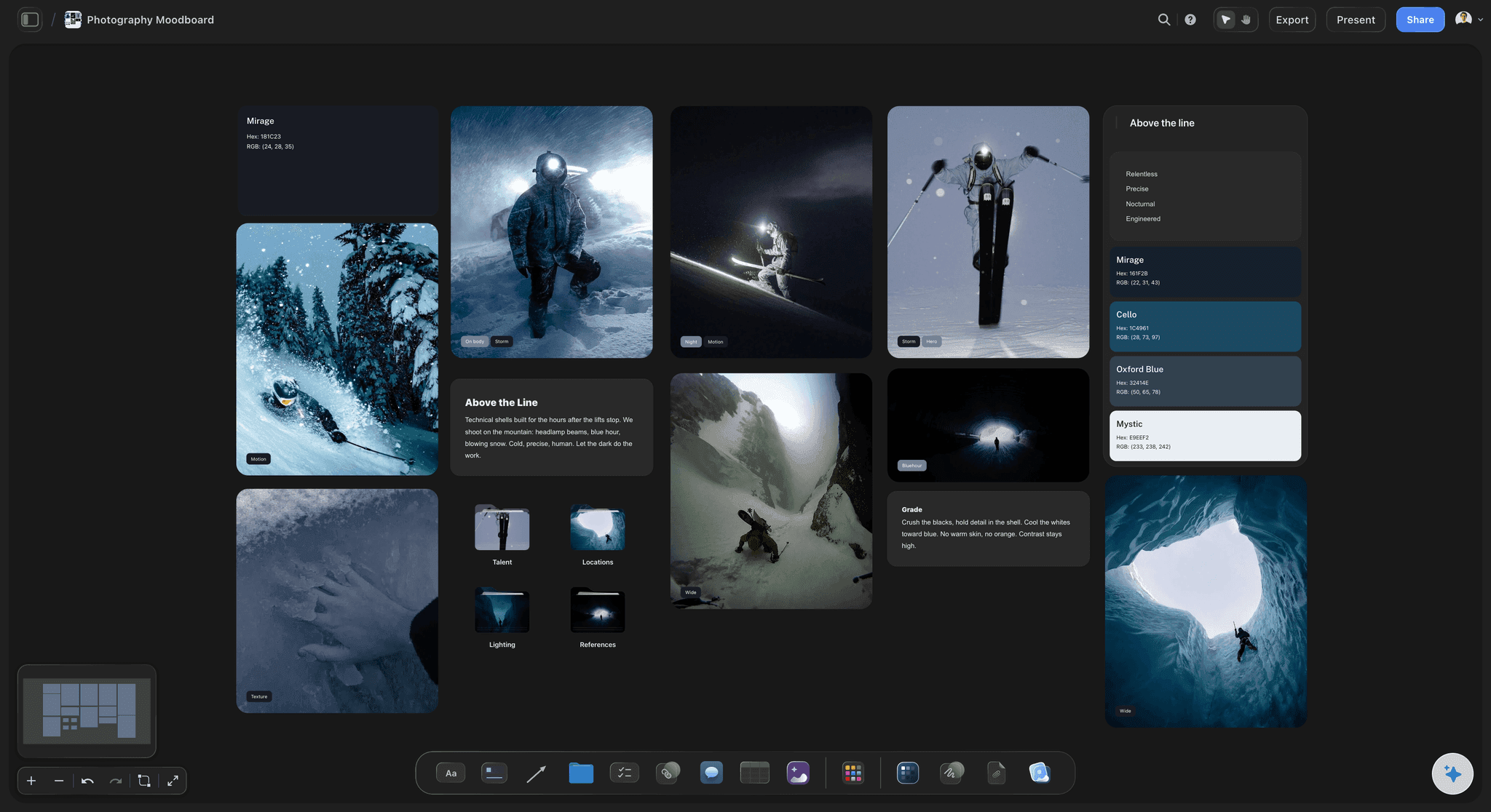
From a photo
Colors read off a picture you attach
Attach a photo in the chat and ask for its colors. ChatGPT reads them from the picture and places them as named swatches; send the photo itself through the upload link to put it beside them.
See the moodboard with ChatGPT →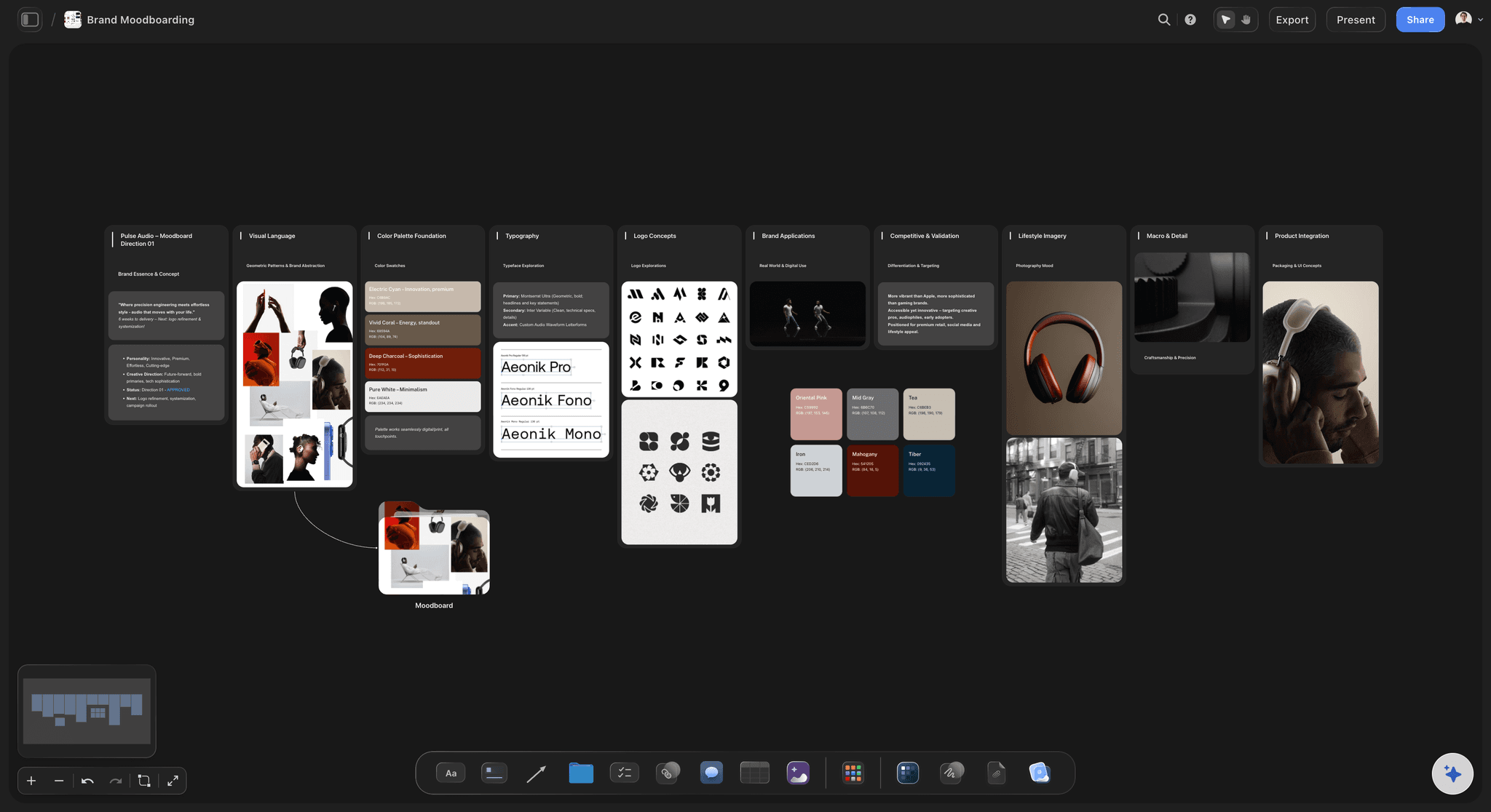
The brand board
The palette inside the brand's rules
Put the colors in the brand board's color wall, beside the type and the logo, with a line on each swatch saying what it is for.
See the brand board with ChatGPT →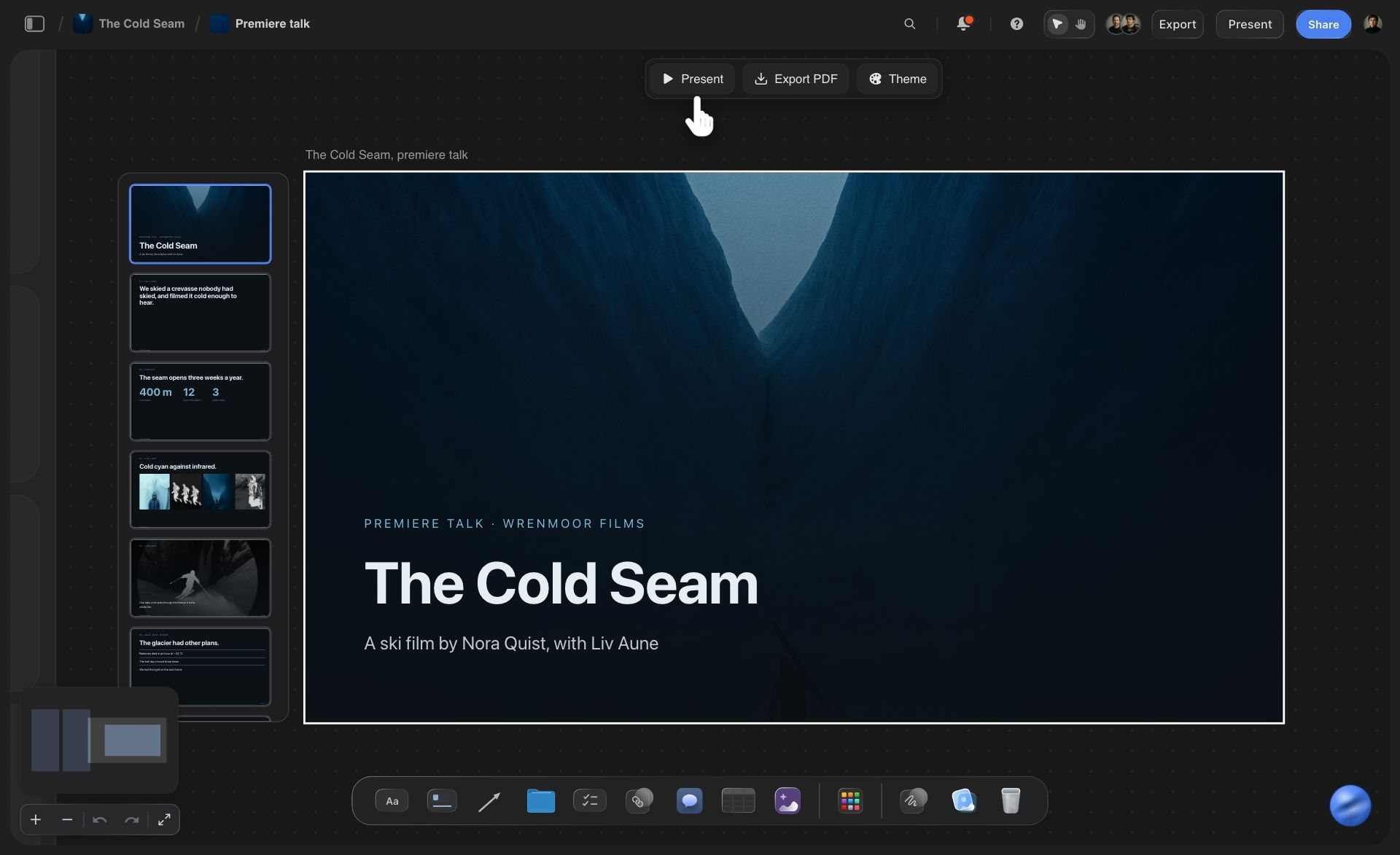
The deck
One palette for every slide
When ChatGPT builds a deck on the same board, it can take the background, text and accent colors from the palette. Change the palette later and ask ChatGPT to re-theme the deck: every slide changes at once.
See the presentation with ChatGPT →ChatGPT picks the colors. Your Storyflow AI credits stay untouched.
The plugin runs on ChatGPT's own model and your ChatGPT plan, so a palette built through it uses no Storyflow AI credits. An invited free Storyflow account can make 25 plugin actions a week, reset every Monday (UTC). Plus, Pro and Max have no weekly limit. Storyflow is paid-only during early access, from $7.99 a month billed annually ($9.99 monthly), and anyone a paid member invites to a board joins free.
No Storyflow AI credits spent on palettes ChatGPT builds
No weekly limit on plugin actions on Plus, Pro and Max
Clients and developers join the board free when you invite them
Palette, references and type notes on one board
You choose which projects ChatGPT may open
Built for people with taste
Where a palette from a chat falls short.
ChatGPT reasons well about color. A palette still has to be seen.
Roles
Every color with a job and a share
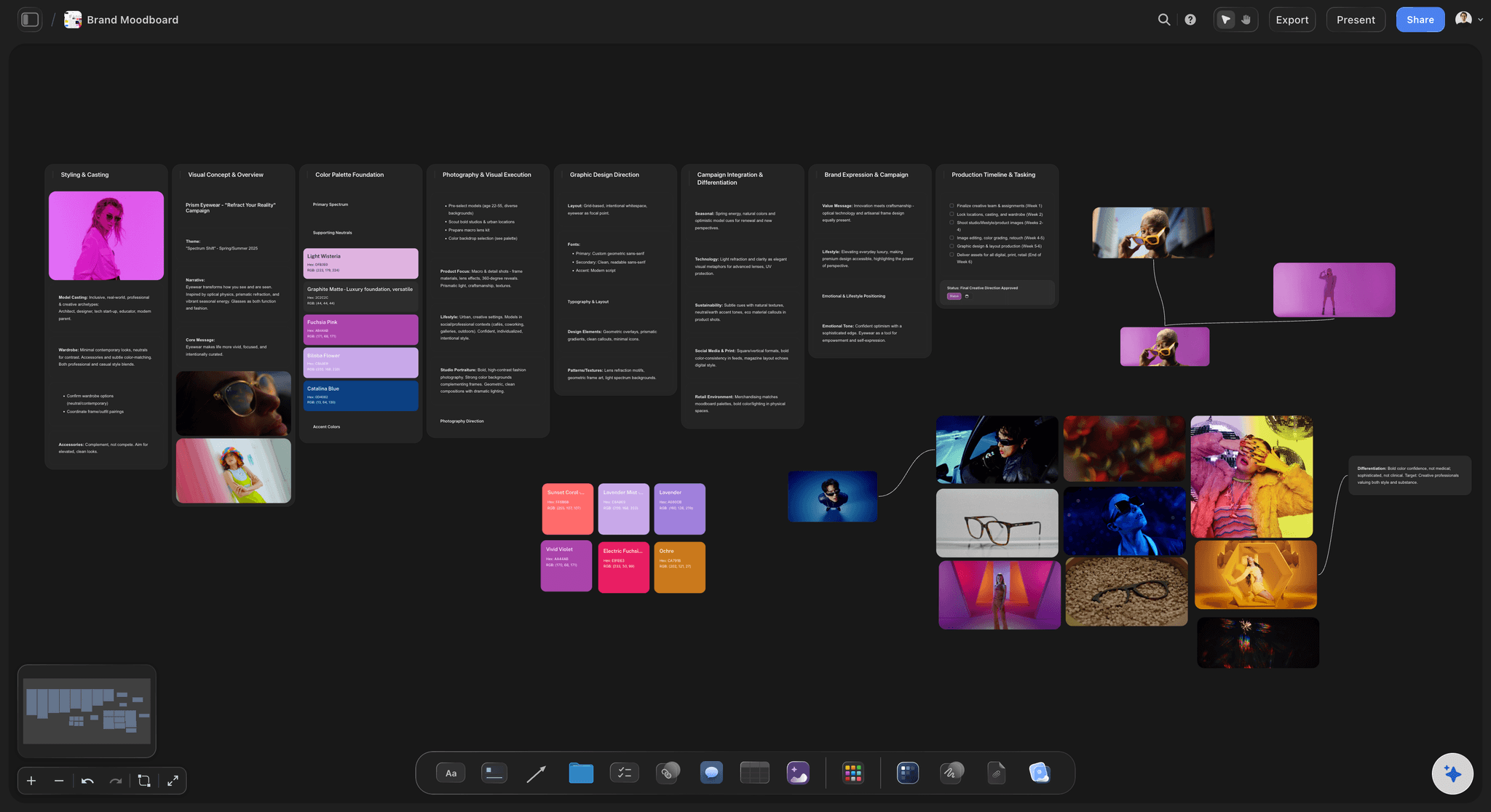
Names people can say: ChatGPT names each swatch so a client can say it on a call, such as "Sage" or "Ochre", or by its role, such as "Background" or "Primary accent".
Grouped by role: Ask for the palette grouped into primaries, neutrals and accents and ChatGPT builds one block per group, or places the colors inside labelled walls.
The right shape: Six colors or fewer sit in one row; more sit in a grid, four across for most palettes. Ask for a set number of columns, from two to eight, when the shape matters.
Up to 24 in one palette: One palette holds 2 to 24 swatches. For a bigger set, such as a whole product range, ask for one palette per color family.
Contrast
Readable before it is pretty
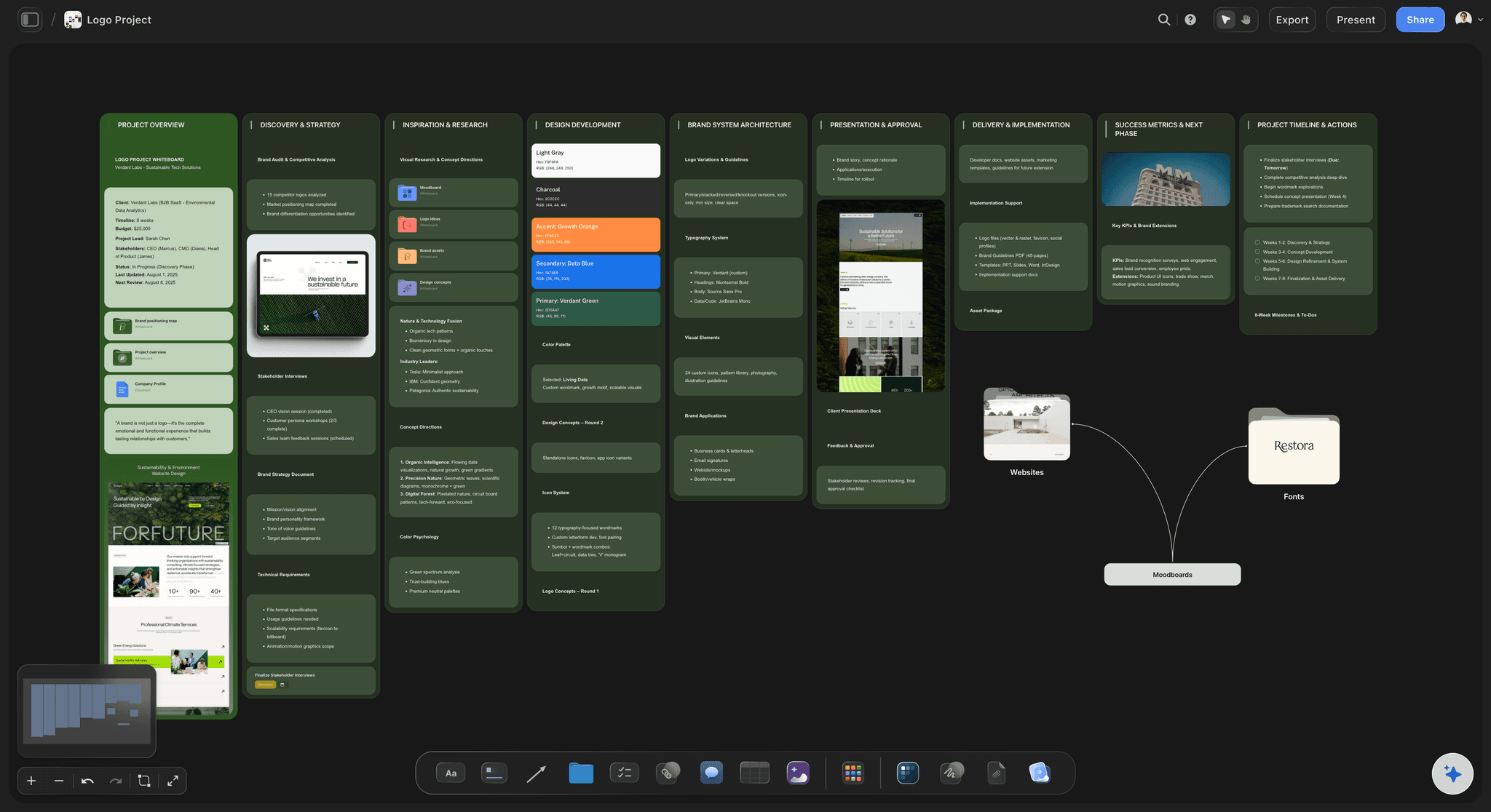
The 4.5 to 1 rule: Under WCAG, body text needs a contrast ratio of at least 4.5:1 with its background, and large text 3:1. ChatGPT works the ratio out from the two hex values.
A fix beside the fail: For a pair that fails, ask for a darker or lighter version of the text color. It lands as a new swatch next to the first, so you compare the two before you choose.
Two neutrals too close: Ask ChatGPT which swatches are too close to tell apart on screen, and merge or drop them before the client picks a favourite.
Checked by eye: A ratio does not show how a color sits on a photo. Join the swatch to its reference and look at the two together on the board.
The handoff
The palette travels with the project
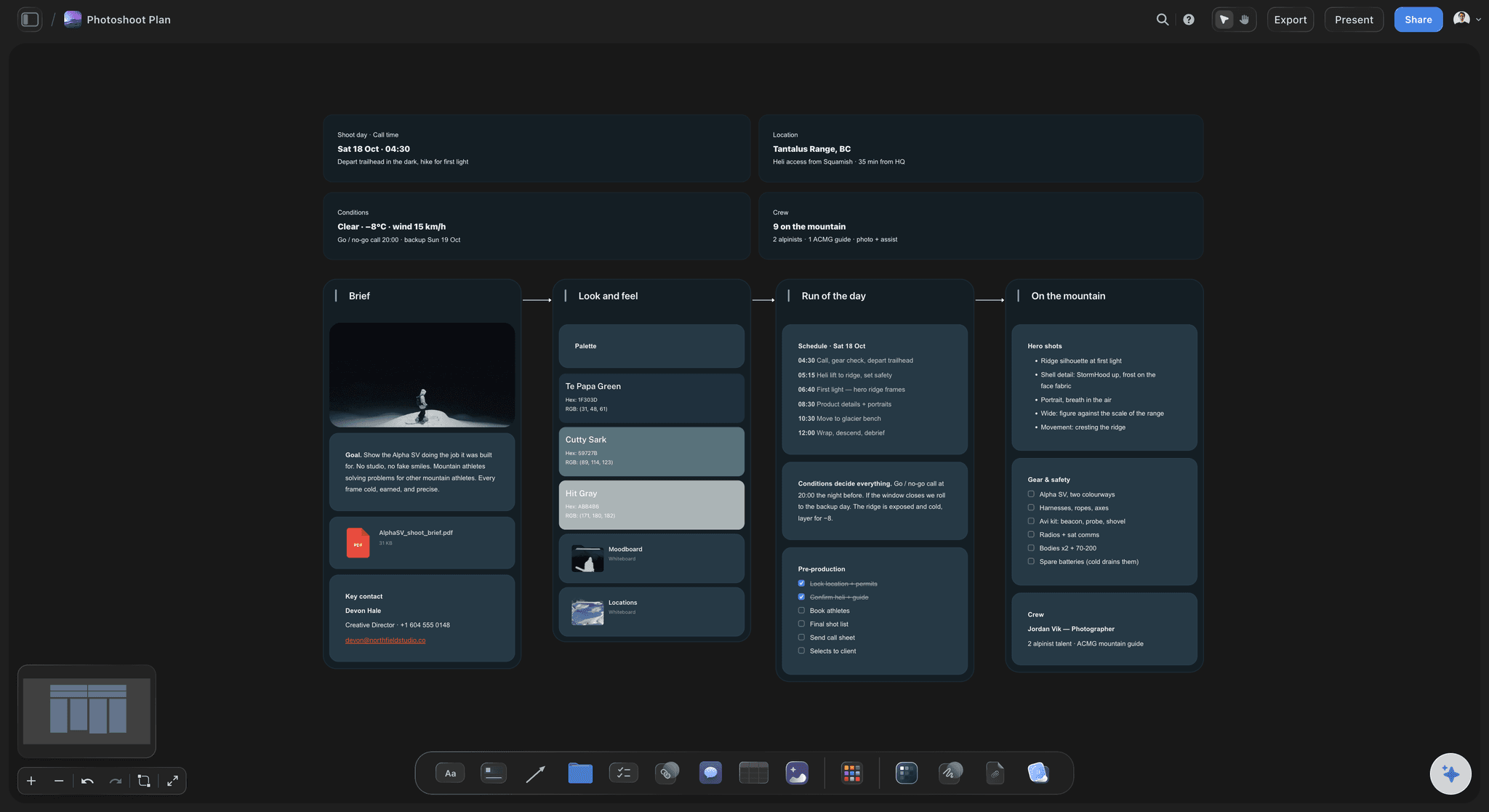
Into the shoot plan: Put the palette in the shoot plan's look and feel wall, so the stylist packs to it and the photographer lights to it.
Values ready to copy: Each swatch shows its hex and RGB values, so a developer or a printer reads them straight off the board.
One link for the client: Share the board with a view-only link that opens with no account, or export it as PNG, JPEG or PDF for a pitch.
Ask what changed: When the accent moves from Ochre to a deeper gold, ask ChatGPT what changed on the board this week. It lists what was added, edited or moved, and by whom.
Explore templates for your project
Every template opens as a real, editable board on the infinite canvas. Pick the closest fit and make it your own.
Brand Strategy
Define your positioning, values, and voice and connect them into a strategy the team can follow.
One app instead of five
ChatGPT with a board, ChatGPT alone, or Coolors.
Storyflow is our product, so it comes first. Coolors is a palette tool with no plugin in ChatGPT's directory as of October 2026, and it has a built-in contrast checker and exports palettes as CSS, ASE, SVG and more.
Storyflow with ChatGPT
Recommended
Palette placed on a board by ChatGPT
Named swatches with hex and RGB values
Colors picked from a photo
Swatches next to the references they came from
Palette, moodboard and brand board on one board
Client views it from a link with no account
Built-in contrast checker
Export as CSS, ASE or SVG
ChatGPT on its own
Palette placed on a board by ChatGPT
Named swatches with hex and RGB values
Colors picked from a photo
Swatches next to the references they came from
Palette, moodboard and brand board on one board
Client views it from a link with no account
Built-in contrast checker
Export as CSS, ASE or SVG
Coolors
Palette placed on a board by ChatGPT
Named swatches with hex and RGB values
Colors picked from a photo
Swatches next to the references they came from
Palette, moodboard and brand board on one board
Client views it from a link with no account
Built-in contrast checker
Export as CSS, ASE or SVG
What creators are saying
Join early creators getting structured workspaces and AI that remembers their projects
“Storyflow has sped up my workflow by at least 3x, which means more flow state and more projects I can actually ship. It truly changed the way me and my team create.”

Reilin Joey
Director & YouTuber
“One prompt gets me a structured board. But the tactics are my favorite. I run my YouTube scripts through them and my intros and retention got better. It's amazing.”

Justkay
YouTuber & Freelance Filmmaker
“I used to juggle five apps to plan a project. Now I describe what I am making and get boards, lists, and a schedule. All in one place.”

George
@fernwehchronicles
Color palettes with ChatGPT: questions
What designers and brand teams ask before a palette goes to the client.
Yes. ChatGPT proposes colors with names, roles and hex values from a brief or from a photo you attach. With the Storyflow plugin, it places them on a Storyflow board as 2 to 24 named swatches, each showing its hex and RGB values, in a row or a grid. It can join each swatch to the reference it came from and put the palette beside the brand's type and pictures.
Storyflow is our pick, on one basis: ChatGPT places the palette as named swatches on the same board as the references, the brand board and the moodboard it serves. Storyflow is our product. As of October 2026 the plugin directory also lists Color Designer - Palette Maker ("Generate schemes+designs+logos") and Tonebook Palette ("Compare colors, build boards"). Coolors, which is not a plugin, exports palette files.
Yes. Attach the photo in the ChatGPT chat and ask for its colors: ChatGPT reads them off the picture and places them on your Storyflow board as named swatches with hex and RGB values. The photo itself stays in the chat. To put it on the board beside the palette, send it through the "Add your photos" link, then ask ChatGPT to join the swatches to it.
Most brand palettes work with five to eight: one or two primaries, two or three neutrals, one accent and a dark for text. Interiors and product ranges often run larger. A Storyflow palette holds 2 to 24 swatches; past that, split it into one palette per color family. Fewer colors are easier for everyone to use the same way.
Yes. Each swatch on your Storyflow board shows its hex and RGB values, worked out from the hex, so they always match. The swatches do not show CMYK or Pantone. ChatGPT can suggest close CMYK or Pantone matches in the chat, but ask your printer for a proof before anything is printed, because screen and ink colors differ.
It can do the arithmetic. Under WCAG, body text needs a contrast ratio of at least 4.5:1 with its background and large text 3:1, and ChatGPT works the ratio out from two hex values. For a pair that fails, it can add a darker or lighter swatch beside the first. Storyflow has no built-in contrast checker, so confirm close calls in a contrast tool.
Yes. A palette lands as a loose block of swatches clear of what is already on the board. Ask ChatGPT to put the colors inside a wall instead, such as the brand board's color wall or a moodboard's look wall, and they sit beside the type notes and pictures there. It can also move a palette next to a reference and join them with a line.
As part of the board, yes: Storyflow exports boards as PNG, JPEG or PDF, and each swatch shows its hex and RGB values for anyone to copy. There is no SVG export and no palette file such as ASE or CSS. If a developer needs a file, copy the hex values from the swatches into one, or use a palette tool that exports them.
It does not make AI images, delete swatches or read the comments on the board, and a photo you attach in the chat stays there until you send it through the upload link. Storyflow has no built-in contrast checker, shows no CMYK or Pantone values, and exports no palette files. It runs in the browser, with no native phone app.
No. The plugin runs on ChatGPT's own model and your ChatGPT plan, so it uses no Storyflow AI credits. Storyflow is paid-only during early access: Plus is $7.99 a month billed annually ($9.99 monthly), Pro $14 and Max $39 a month billed annually. An invited free account can make 25 plugin actions a week, reset on Mondays (UTC). Plus, Pro and Max have no weekly limit.
Yes. Share the board from Storyflow with a view-only link and the client opens it in a browser with no account, with the swatches next to the pictures they came from. To comment on a swatch, they sign in. Anyone a paid member invites to the board joins free, so a developer or a printer can read the values straight off it.
The palette is the same; only the setup differs. ChatGPT adds Storyflow from its plugin directory. Claude, Gemini and Grok connect the same Storyflow account as a custom connector with the address https://mcp.storyflow.so/mcp, and storyflow.so/mcp has the steps for each. Both build the same named swatches on the same board.
Only the ones you choose. When you sign in, Storyflow asks whether ChatGPT may use all your projects or only the ones you pick. Read access is always on, and you decide whether ChatGPT may also make changes; without changes it cannot place a palette. Every connection ends after 30 days, and ChatGPT then asks you to sign in again.
Yes. Ask ChatGPT to make one color deeper and it changes that swatch's value and name where it sits, and the hex and RGB update with it. For a new direction, ask for a second palette beside the first and compare the two; ChatGPT cannot delete swatches, so remove the old set by hand. A deck themed from the palette changes when you ask ChatGPT to re-theme it.
More from Storyflow
Connect ChatGPT to Storyflow
Storyflow for every AI assistant
Brand board with ChatGPT
Moodboard with ChatGPT
Photoshoot plan with ChatGPT
Presentation with ChatGPT
Moodboard and palette with Claude
Brand board with Claude
How to make a brand campaign moodboard with ChatGPT or Claude
Color palette maker
Brand moodboard
Interior design moodboard
Style guide maker
Pick the colors in the chat. See them on the board.
Named swatches with their values, next to the pictures they came from, on one link for the client.