
Pitch-ready plans, extremely reliable
Build the client presentation with Claude
from the board the work is on.
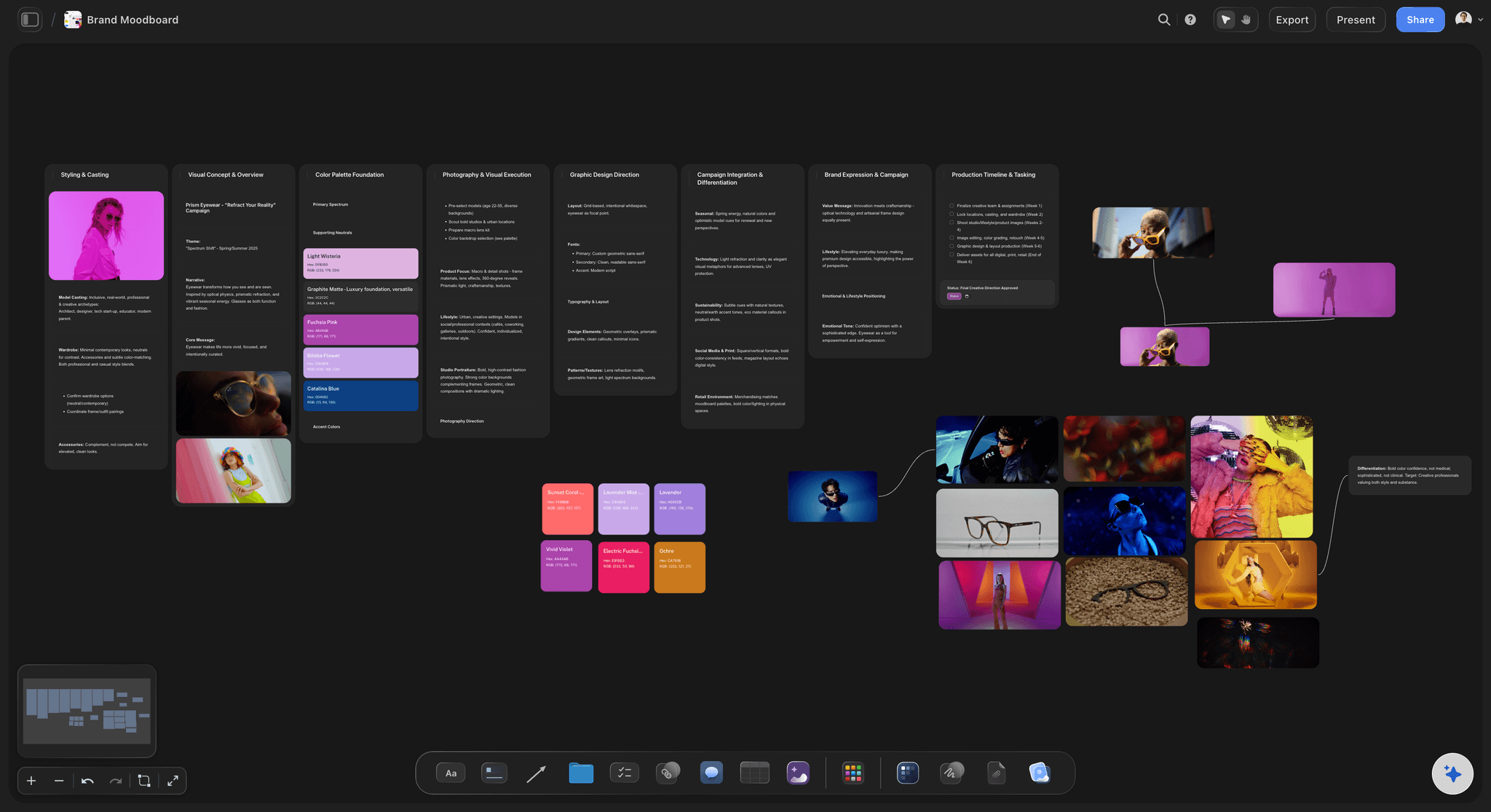
For agencies and studios: Claude reads your concept board and builds the deck beside it, then reorders it when the story changes the night before.


Creatives working for these brands already got early access
- Red Bull
- Canon
- Artlist
- Porsche
See how easy it is to get started
Watch a real project come together, from a blank board to a finished plan, clicked through step by step.
Start from a ready-made template
Pick a board to see what you can build, then let AI fill it in. Every template is a real, editable starting point on the same infinite canvas.

Storyboard
Lay out your shots frame by frame with images and notes, then reorder them until the sequence reads like the finished cut.
Can Claude build a client presentation?
Yes. Claude can turn your notes into a client presentation with a clear order: what the client asked for, what you found, the idea, the directions and what you need from them, but on its own it only knows what you paste into the chat, and the slides end up apart from the work they describe. Storyflow is an AI visual workspace that builds a client presentation on one infinite canvas: the brief, the directions, the reasons behind each one and the deck itself, side by side. Connected to Storyflow, Claude reads your board first, then builds the deck on that same board, using its own model, so it costs you no Storyflow AI credits.
Here is what Claude does well without any connection. Give it the brief and your three ideas and it finds the order that makes the recommendation feel earned, cuts eighteen slides to twelve, writes the one-line version of each direction, and plays the client who asks why you did not just do what they asked for. Where it struggles is context. It has not seen the references, the notes from the last review or the direction you dropped on Tuesday, unless you paste all of it in again.
Connect Claude to Storyflow and it starts from the board. It reads the cards, the documents and the tables on the project's board, then builds the deck as one element there: up to 30 slides, at 16:9, 4:3 or A4 portrait, under one theme of four colours and a font. Change the theme and every slide changes with it. When the creative director says the recommendation should come first, ask Claude to move it, and it reorders the deck that is already there. It can also add slides at any position and remove the ones you cut. You present the deck fullscreen from Storyflow or export it as a PDF.
A twelve-slide concept presentation you can copy without signing up. Slide 1: the title and the date. Slide 2: what you asked us for, in three lines. Slide 3: what we learned. Slide 4: the idea in one sentence. Slides 5 and 6: direction A, the work and then why. Slides 7 and 8: direction B. Slides 9 and 10: direction C. Slide 11: the one we recommend. Slide 12: what we need from you, and by when. That is four opening slides, six for the three directions and two to close. In a 30-minute meeting, plan 20 minutes for the twelve slides and keep 10 for the conversation.
The deck is only as good as the board it reads. Before you ask for slides, put the work on the board: the brief in the client's own words, each direction in its own column with its pictures, and one note per direction that says why it answers the brief. Claude lifts the reasons from those notes, so each direction's why is on the slide after the work and still on the board next to it. When the client asks what else you tried, the dropped ideas are one scroll away, not in a file at the office. Keep a column called Not shown for them and tell Claude to leave it out of the deck, so you can still find them in the meeting.
Pictures start as empty spaces on each slide, because Storyflow does not make pictures over the connector. You add your own work to the slides in Storyflow. Claude cannot rewrite the words on one slide that is already built: edit that slide by hand, or ask Claude to remove it and add a new one in its place. The deck has no animations, no speaker notes, and Storyflow does not save a PowerPoint file. The same connector works with ChatGPT, Gemini and Grok.
Ultra fast from brief to board
From concept board to client deck in four moves.
The slow part is the thinking on the board. The deck itself takes one message.
01
Connect Claude to Storyflow once
In Claude, open Customize, then Connectors, click Add, then Add custom connector. Name it Storyflow, paste https://mcp.storyflow.so/mcp, click Continue, choose Sign in now and click Add. Sign in to Storyflow and pick this client's project.
02
Put the work on the board
The brief, a column for each direction with its pictures, and a note under each saying why it answers the brief. If your team already works in Storyflow, this is done. Add one card that says which direction you recommend.
03
Ask for the presentation
Tell Claude who is in the room and how long you have. For example: "Read the Hollow Oats concept board and build a twelve-slide client presentation at 16:9. Three directions, the reason after each one, our recommendation, then what we need by Friday."
04
Reorder, add your work, present
Read the deck on the board. Ask Claude to move, add or cut slides until the story holds. Add your pictures to the empty spaces. Read it through twice, once as the agency and once as the client. Then press Present for the meeting, or export a PDF to send ahead.
The deck, the work behind it and the file you leave behind.
Claude builds and reorders the slides. Storyflow keeps them next to the work they explain.
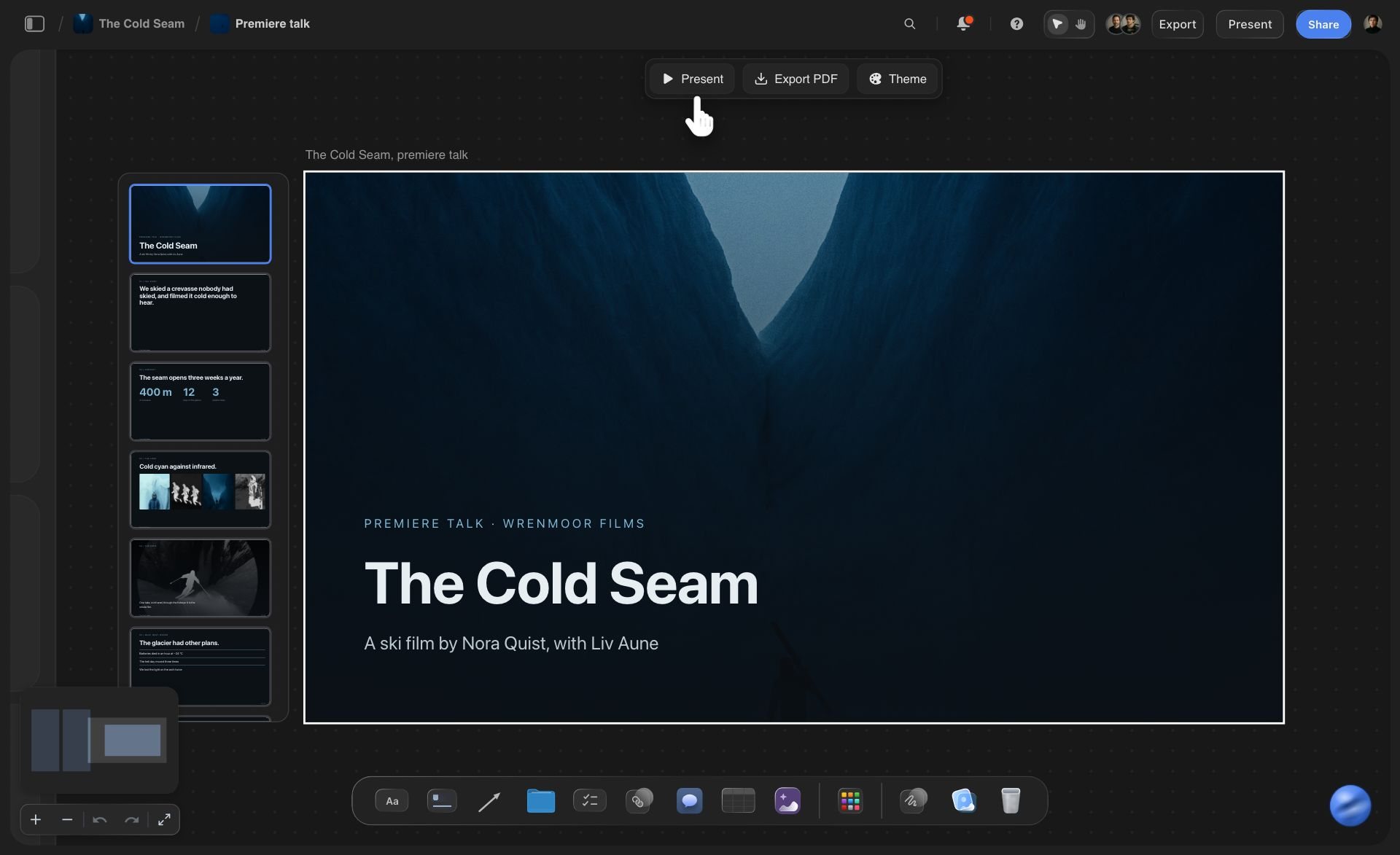
On the board
A deck that lives beside the work
The deck is one element on the board, with its slides listed down the side. Press Present to go fullscreen and step through with the arrow keys. Change the theme once and every slide follows. Open any slide to change its words by hand, and move the deck next to the direction it is about.
See the client presentation tool →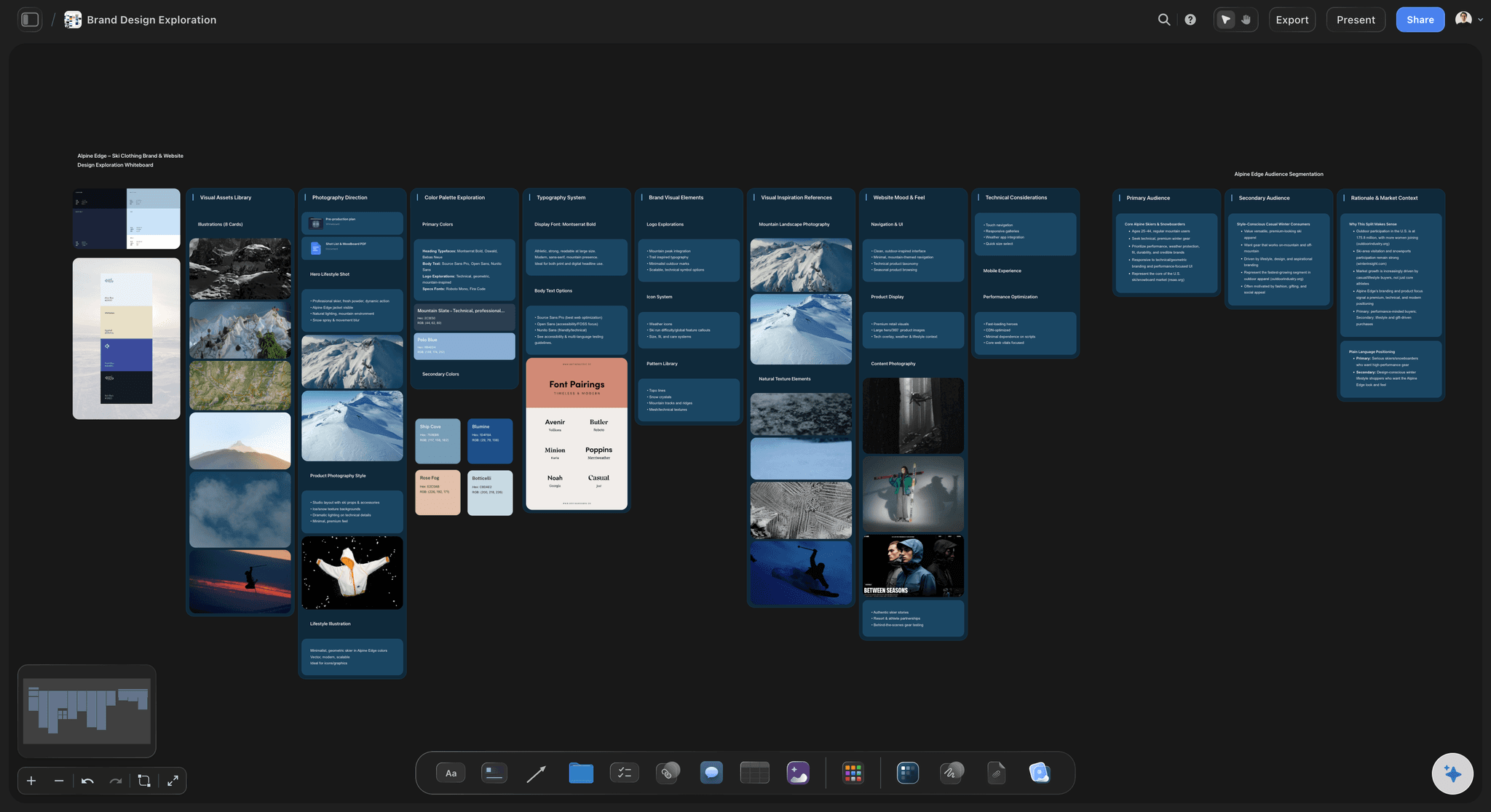
Read first
Claude reads the directions before it writes
Each direction sits in its own column with its pictures and its reasons. Claude reads those columns before it writes a slide, so the presentation says what the team decided and not what a chat guessed. Ask Claude to list any direction that has no reason written under it yet. That is worth knowing before the client asks.
See the campaign concept presentation →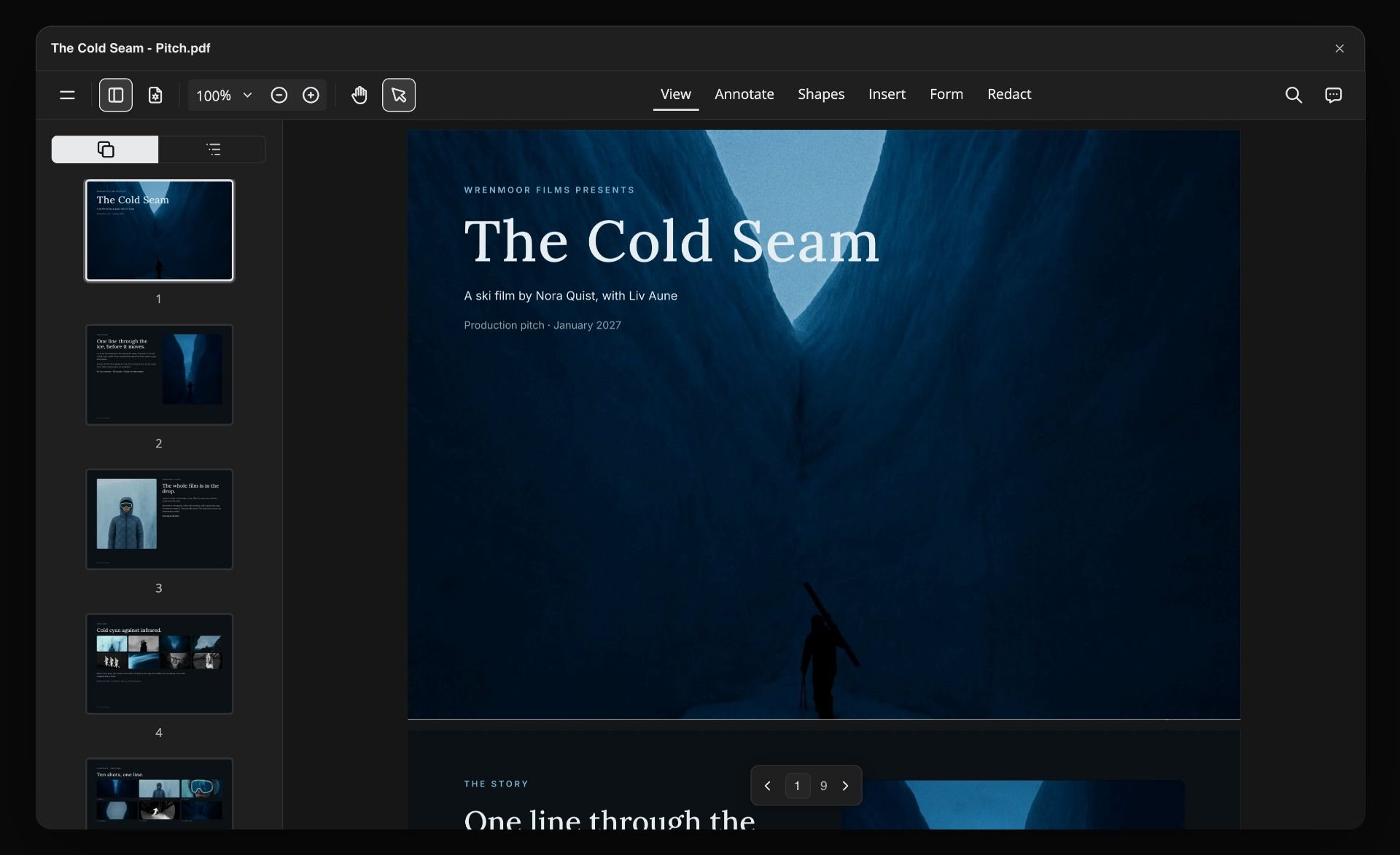
The leave-behind
One PDF for the people who missed the meeting
Export the whole deck from Storyflow as one PDF, or download the slides as images. The client's boss, who was not in the room, gets the same slides in the same order. Send it the evening before, and the room has already read what they asked for when you start.
See the brand identity presentation →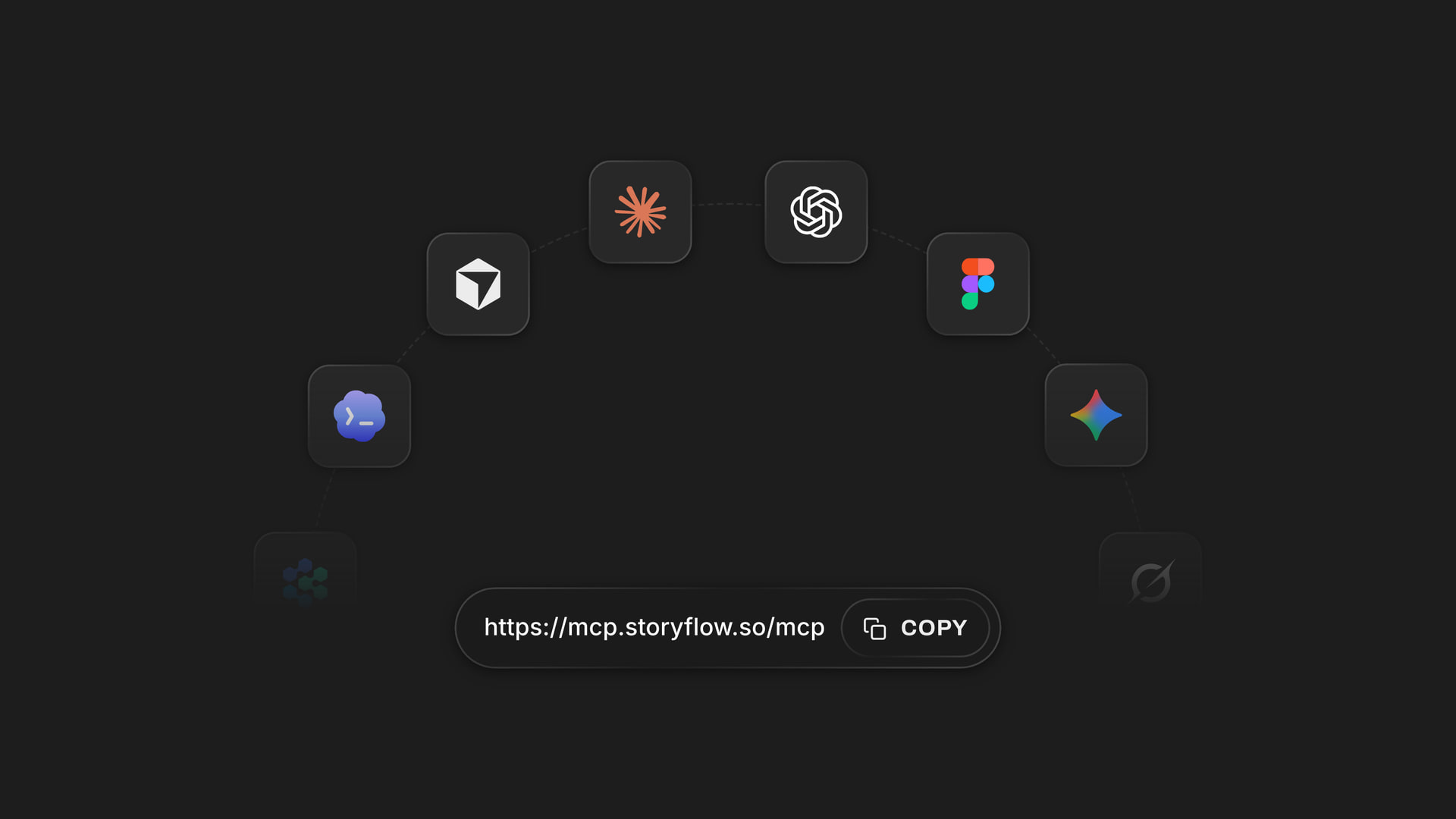
Any assistant
One address for Claude, ChatGPT, Gemini and Grok
Storyflow's MCP server is one web address. Add it to Claude, ChatGPT, Gemini, Grok or Claude Code, sign in, and pick the client projects each one may use. The strategist and the designer can use different assistants on the same deck.
See how to connect your assistant →Claude does the work. Your Storyflow plan does not pay for it.
Claude runs on its own model, so building a deck over the connector uses no Storyflow AI credits. A free account (today, one invited by a paid member) gets 50 actions a week from its assistant, and Plus, Pro and Max have no limit. Storyflow is paid-only during early access, with plans from $7.99 a month billed annually ($9.99 monthly). A free plan launches before the end of 2026, and anyone a paid member invites to a board joins free.
No Storyflow AI credits spent on anything Claude builds
No limit on connector actions on Plus, Pro and Max
Up to 30 slides in a deck, at 16:9, 4:3 or A4 portrait
Present fullscreen or export one PDF from the board
Pick which client projects Claude may see, and whether it may change them

Built for people with taste
Where a client deck made in a chat lets you down.
Claude writes a good story. The trouble starts when the story changes at six the night before.
The night before
The order changes and the deck has to follow
Move a slide by asking: Ask Claude to put the recommendation second, and it reorders the deck on the board. Nobody drags eleven thumbnails around at midnight.
Add a slide where it belongs: The client's new competitor needs a slide after the insight. Claude adds it at that position, in the same theme as the rest.
Cut without rebuilding: Direction C did not survive the internal review. Ask Claude to remove its two slides, and the deck closes the gap.
One theme, changed once: Switch the deck to the client's colours and font in one place. Every slide follows, so nobody fixes twelve slides one by one.
The why
Work on one slide, reasons on another, proof nowhere
Built from the board, not from memory: Claude reads the columns your team filled in. The reason on the slide is the reason the team wrote, in the team's words.
The reason follows the work: Ask for each direction as two slides: the work, then why it answers the brief. The client hears the argument while the picture is still in their head.
The dropped ideas are close: The deck sits beside the board it came from. When the client asks what else you tried, leave the deck and show the column of ideas you cut.
The brief is on slide two: Claude copies what the client asked for from the brief on the board. The room agrees on the question before it judges the answers.

After the meeting
The deck leaves and the feedback scatters
The client opens it from a link: Send a view-only link to the board. The client opens it in a browser without an account, presents the deck to their own team and exports the PDF themselves.
Feedback lands next to the work: Invite the client to the board and their comments sit beside the direction they are about, not in an email thread with the subject line changed.
Round two is the same deck: After the review, ask Claude to cut the direction that lost and add two slides on the one that won. The second meeting starts from the first deck.
Ask what changed: Ask Claude what changed on the client's board this week and who changed it. It reads the board's history and tells you, card by card.
Explore templates for your project
Every template opens as a real, editable board on the infinite canvas. Pick the closest fit and make it your own.
Storyboard
Lay out your shots frame by frame with images and notes, then reorder them until the sequence reads like the finished cut.
One app instead of five
Where Storyflow fits in a client presentation made with Claude.
It keeps the deck beside the work. It does not animate slides or save a PowerPoint file.
Storyflow with Claude
Recommended
Deck drafted from one message
Built from the work on your Storyflow board
Deck sits beside the directions and their reasons
Add, remove and reorder slides by asking
Present fullscreen and export a PDF
Animations and slide transitions
Speaker notes and a presenter view
Saves a PowerPoint file
Claude on its own
Deck drafted from one message
Built from the work on your Storyflow board
Deck sits beside the directions and their reasons
Add, remove and reorder slides by asking
Present fullscreen and export a PDF
Animations and slide transitions
Speaker notes and a presenter view
Saves a PowerPoint file
PowerPoint or Google Slides
Deck drafted from one message
Built from the work on your Storyflow board
Deck sits beside the directions and their reasons
Add, remove and reorder slides by asking
Present fullscreen and export a PDF
Animations and slide transitions
Speaker notes and a presenter view
Saves a PowerPoint file
What creators are saying
Join early creators getting structured workspaces and AI that remembers their projects
“Storyflow has sped up my workflow by at least 3x, which means more flow state and more projects I can actually ship. It truly changed the way me and my team create.”

Reilin Joey
Director & YouTuber
“One prompt gets me a structured board. But the tactics are my favorite. I run my YouTube scripts through them and my intros and retention got better. It's amazing.”

Justkay
YouTuber & Freelance Filmmaker
“I used to juggle five apps to plan a project. Now I describe what I am making and get boards, lists, and a schedule. All in one place.”

George
@fernwehchronicles
Client presentations with Claude: questions
What agencies ask before they let Claude near the client deck.
In Storyflow, yes, and the deck lands on the board beside the work it presents. Connect Claude to Storyflow, put the brief and the directions on a board, and ask for the presentation. Claude reads the board and builds up to 30 slides under one theme. You present it fullscreen or export a PDF from Storyflow.
Storyflow is designed for exactly this: your assistant reads the board the work is on, builds the deck on that board under one theme, and reorders the same deck when the story changes. It works with Claude, ChatGPT, Gemini and Grok. PowerPoint, Keynote or Google Slides still do animations, speaker notes and the .pptx file some clients ask for.
In a fixed order: what the client asked for, what you learned, the idea in one sentence, two or three directions with the reason after each, the one you recommend, and what you need from the client by when. Twelve slides is enough for a 30-minute meeting. In Storyflow, Claude builds that deck from the concept board.
Without a connector Claude still writes a strong presentation outline and can hand you a slide file to download. It only knows what you paste into the chat, and every change means a new file. Connected to Storyflow, it reads your board first and builds the deck there, where it can reorder it later.
In Claude, open Customize, then Connectors. Click Add, then Add custom connector. Name it Storyflow, paste https://mcp.storyflow.so/mcp and click Continue. Choose Sign in now, click Add, then sign in to Storyflow and pick the projects Claude may use. Claude's Free plan allows one custom connector. In Claude Code, run claude mcp add --transport http storyflow https://mcp.storyflow.so/mcp, then /mcp.
Yes. Ask Claude to put the slides in a new order, add slides at a position, remove slides, or change the deck's title, size or theme. It changes the deck already on your Storyflow board instead of building a second one. To change the words on one slide, edit it by hand in Storyflow, or ask Claude to remove that slide and add a new one.
Yes. Share a view-only link to the Storyflow board and the client opens it in any browser without an account. From that link they can present the deck fullscreen and export it as a PDF. To leave comments beside the work, invite them to the board, and anyone a paid member invites joins free.
A PDF, yes. Select the deck on the Storyflow board and export every slide as one PDF, or download the slides as PNG or JPEG images. Claude does not export it for you over the connector. Storyflow does not save a PowerPoint file, so if the client needs .pptx, rebuild the final version in PowerPoint or Google Slides.
It writes the words and leaves a space for each picture. Storyflow does not make pictures over the connector, and a picture you attach in the Claude chat does not reach the board. Add your own work to the empty spaces on each slide in Storyflow before you present. The words come from the board, so check them against the latest version of each direction.
No. Claude runs on its own model, so what it builds over the connector uses no Storyflow AI credits. A free Storyflow account (today, one invited by a paid member) gets 50 actions a week from its assistant, and every read and every change counts as one. The count resets every Monday (UTC). Plus, Pro and Max have no limit.
Yes. Storyflow's MCP server is one address, https://mcp.storyflow.so/mcp. ChatGPT needs Plus, Pro, Business, Enterprise or Edu, on the web; on Business and Enterprise an admin turns on developer mode. Gemini's custom apps need a personal Google account with Keep Activity on, in the US, for people 18 or over, in English. On Grok Business and Enterprise, a team admin adds it in the xAI console first. Each one can change the same deck.
Only the ones you pick. When you sign in, Storyflow asks which projects Claude may use and whether it may make changes, so one client's board is not open to a chat about another. Without changes Claude can only read. Every connection ends after 30 days and Claude asks you to sign in again.
No. Storyflow runs in the browser, with no native apps to install. Claude connects to it from your Claude account with one web address, and you present the deck from any browser in the client's meeting room.
More from Storyflow
Storyflow MCP server
Connect Claude to Storyflow
Client presentation tool
Campaign concept presentation
Pitch deck with ChatGPT
Campaign plan with Claude
Client updates with ChatGPT
Brand identity presentation
Creative direction deck
Creative agency pitch deck
Agency credentials deck
AI presentation maker
Client review board
Storyflow for agencies
Creative brief with ChatGPT
Campaign concept board
Give Claude the board. Walk in with the deck.
A client presentation built from the work, kept beside it, and reordered when the story changes.