
Extremely simple, seriously capable
Free reference board: keep every visual reference in one place.
A PureRef-style reference board that lives in your browser. Drop in images, zoom across an infinite canvas, and organize references for characters, environments, shots, and styles without juggling folders and tabs.


Add your references
Drop JPG, PNG, or WebP images onto the canvas and start your reference collection.
Upload your referencesFree to use
No credit card required
Works in your browser
How it works
How to build a reference board online.
Three steps from scattered screenshots to an organized collection.
1
Drop in your images
Create a free board and drag your JPG, PNG, or WebP references straight onto it. Add several at once and lay them out side by side.
2
Organize by cluster
Group references with frames and walls: one cluster per character, location, lighting setup, or style direction. Add sticky notes to record why each image matters.
3
Zoom in and work
Zoom deep into a single reference to study detail, then pull back to see the whole collection. Share a view-only link when someone else needs the same references.
Creatives working for these brands already got early access
- Red Bull
- Canon
- Artlist
- Porsche
See how easy it is to get started
Watch a real project come together, from a blank board to a finished plan, clicked through step by step.
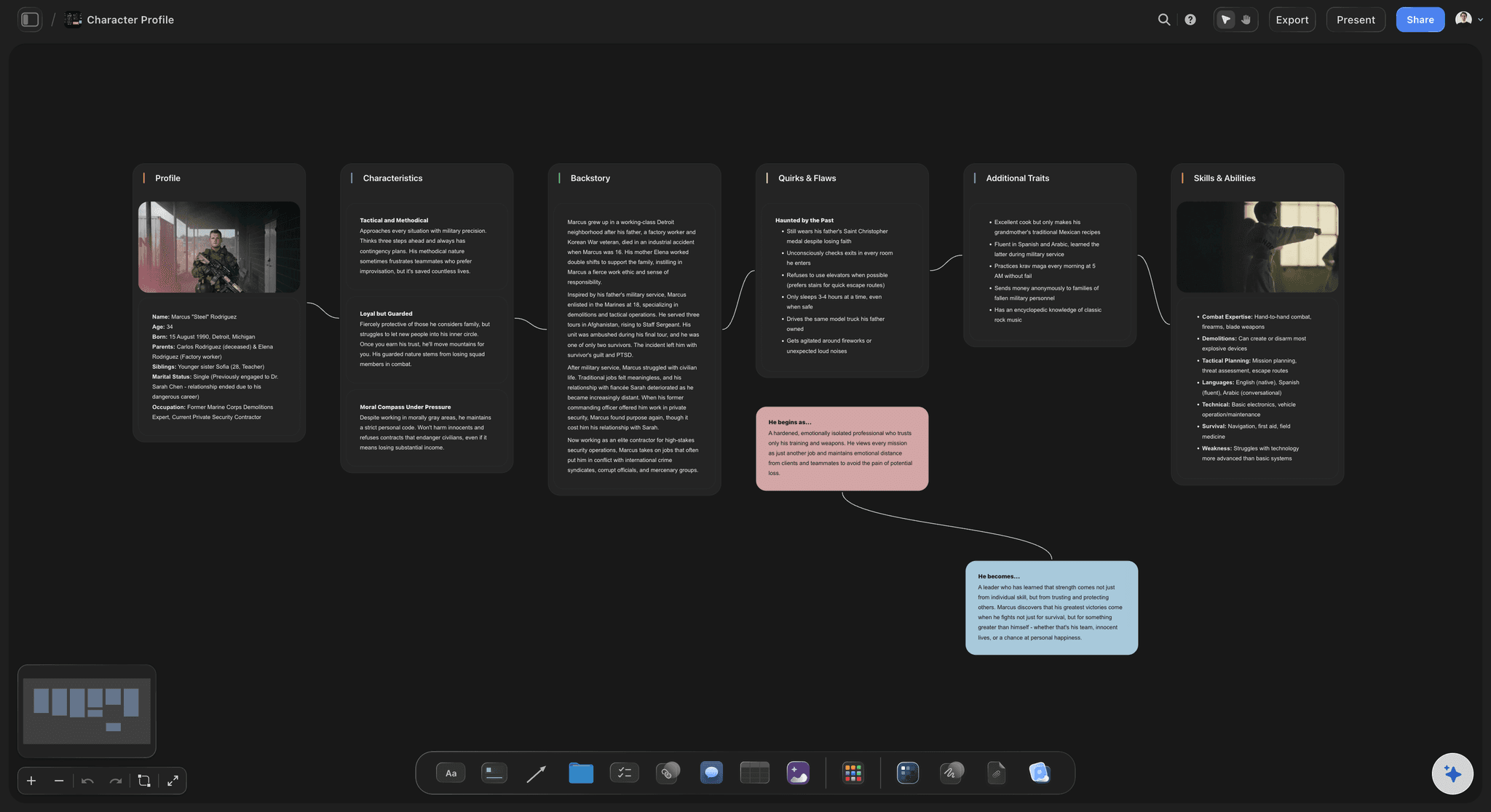
Built for character and figure reference.
Collect poses, faces, costumes, and anatomy studies for one character on a single cluster of the canvas. Zoom in to study a detail, zoom out to compare variations, and keep the whole cast on one board instead of a dozen folders.
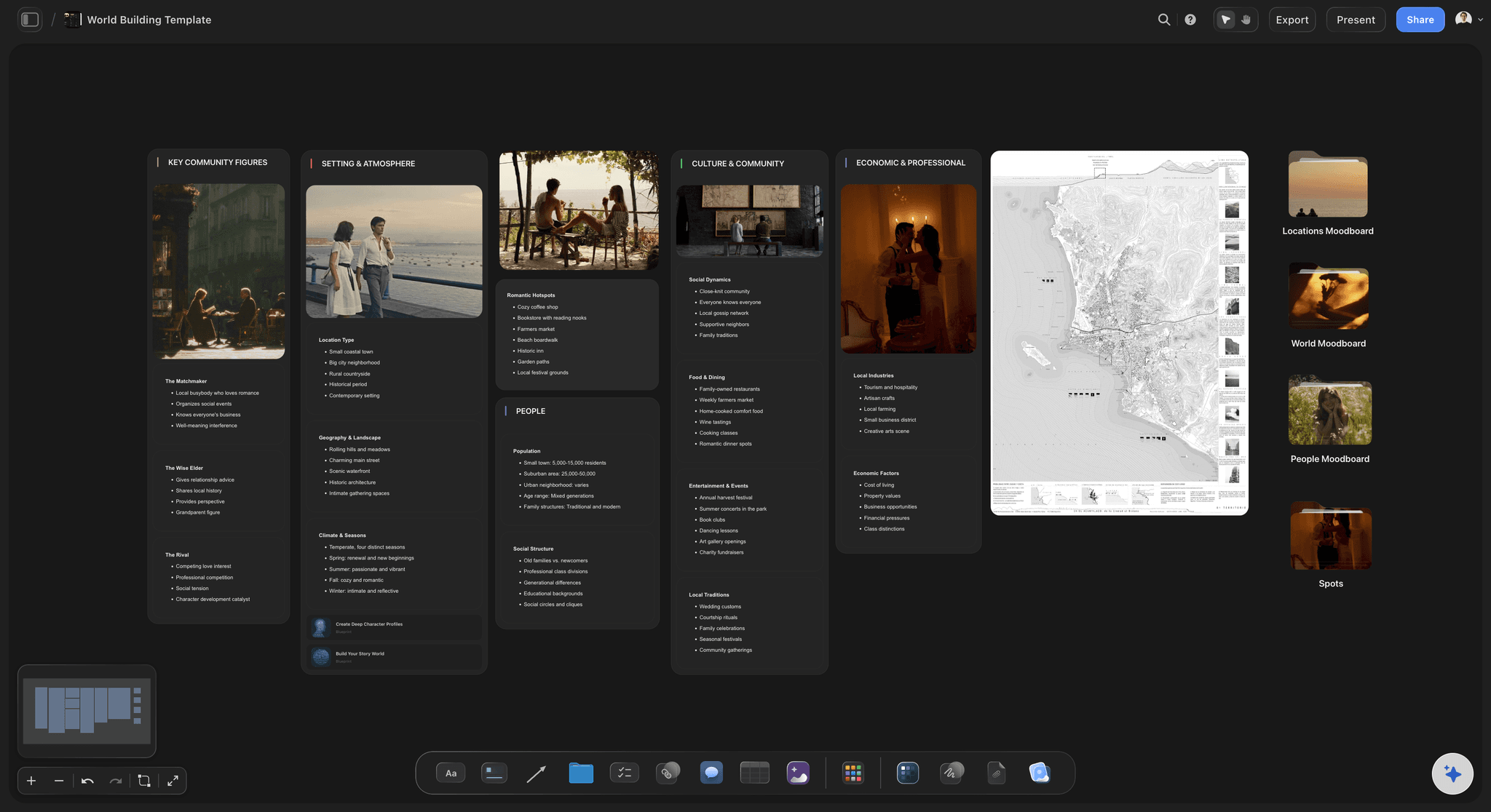
Map entire worlds, not just single images.
Worldbuilders and concept artists can spread environments, props, architecture, and palettes across the infinite canvas. Because there is no page edge, the board grows with the project, from a first pin to a full production bible.
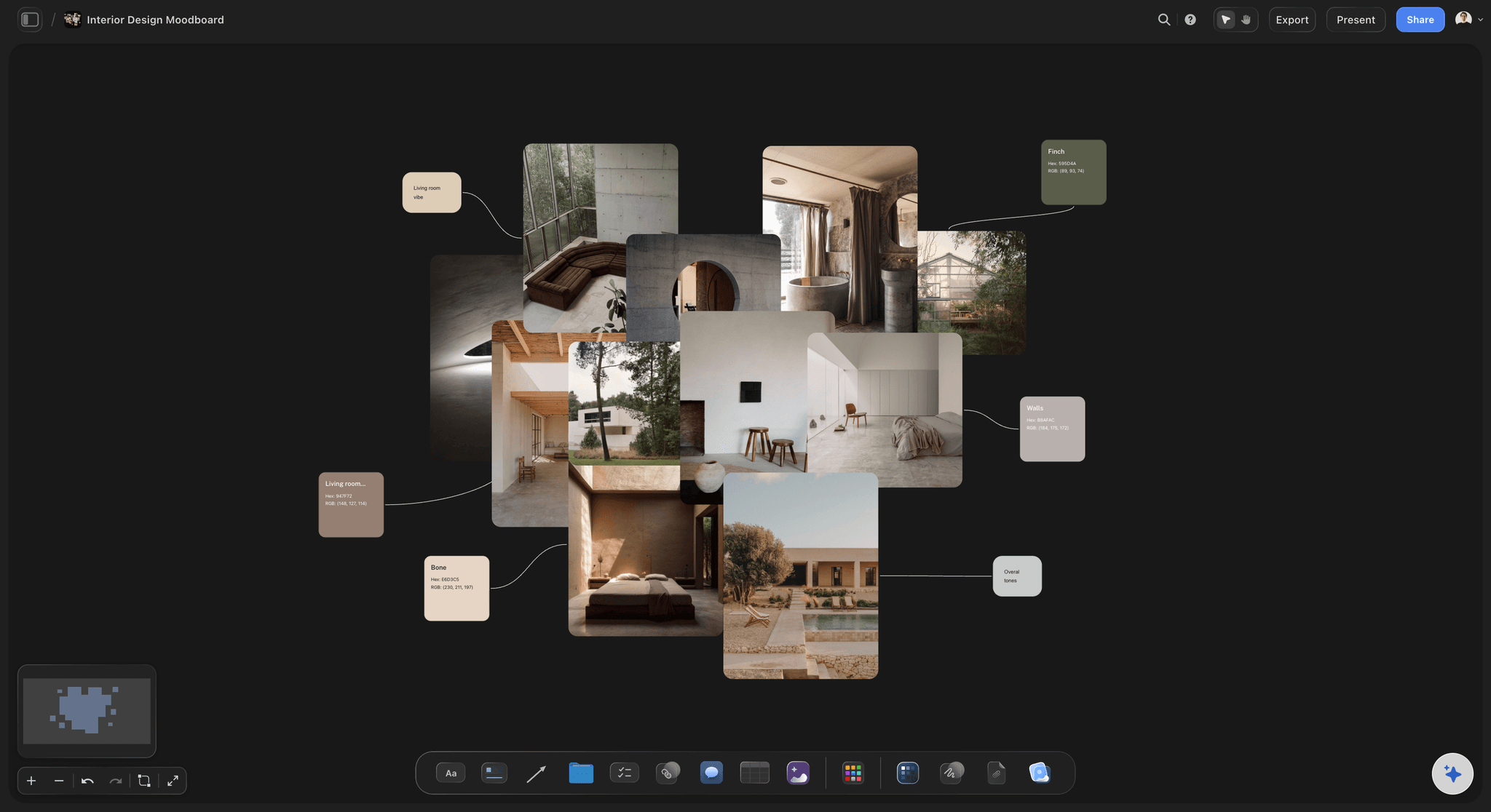
Reference for designers, not just illustrators.
Interior designers, brand designers, and photographers use reference boards too. Collect textures, materials, rooms, and finished work in one place, annotate what to borrow from each, and keep the board open while you work.
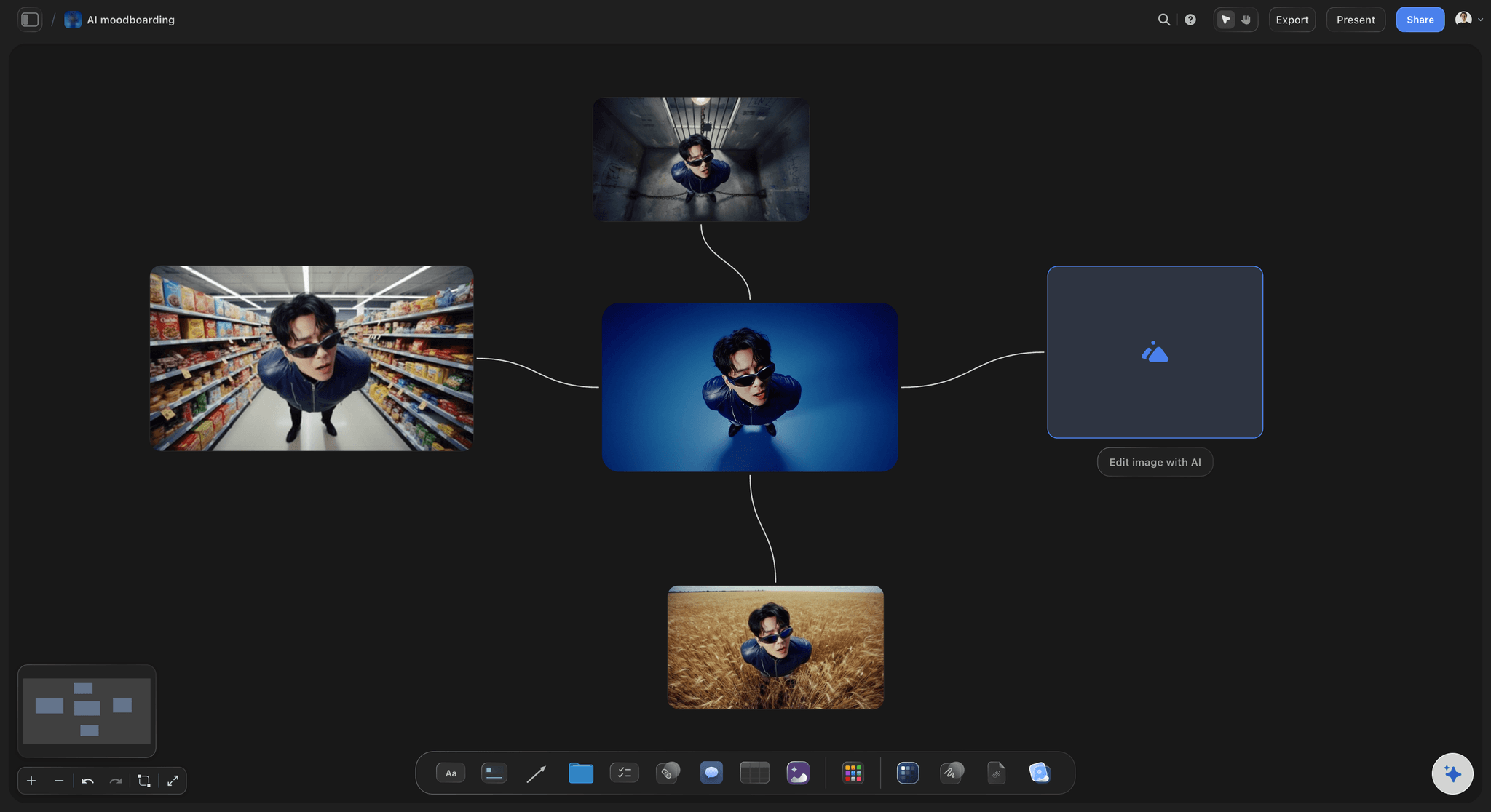
Clean up references as you collect them.
Every image on the board gets one-click tools: crop a screenshot down to the useful part, upscale a small find, remove a distracting background, or zoom into a detail. Your references stay sharp and usable, not raw and messy.
A reference board that works like PureRef, in the browser.
Storyflow gives artists, designers, and filmmakers a PureRef-style reference board with nothing to install. Drop JPG, PNG, and WebP images onto an infinite canvas, arrange them freely, and zoom smoothly from a full collection down to a single detail. Because it runs in the browser, the same board is there on every machine you sign into.
Unlimited boards, organized forever.
Every paid plan includes unlimited boards, plenty of canvas space, and unlimited file uploads. Keep one board per project or one master library with clusters for characters, environments, lighting, and style. Frames and walls keep collections tidy as they grow.
References that connect to the rest of the work.
A reference board rarely stands alone. In Storyflow it sits next to your storyboards, shot lists, and briefs on the same canvas, so the reference and the work it informs live together. Add notes and comments beside images, and share a view-only link when a collaborator or client needs to see the collection.
What creators are saying
Join early creators getting structured workspaces and AI that remembers their projects
“Storyflow has sped up my workflow by at least 3x, which means more flow state and more projects I can actually ship. It truly changed the way me and my team create.”

Reilin Joey
Director & YouTuber
“One prompt gets me a structured board. But the tactics are my favorite. I run my YouTube scripts through them and my intros and retention got better. It's amazing.”

Justkay
YouTuber & Freelance Filmmaker
“I used to juggle five apps to plan a project. Now I describe what I am making and get boards, lists, and a schedule. All in one place.”

George
@fernwehchronicles
Frequently asked questions.
PureRef comparisons, organization, and sharing collections.
A reference board is a canvas where you collect visual references, such as poses, environments, lighting, materials, and style examples, so you can study and compare them while you work. Storyflow gives you that canvas in the browser with free zooming and freeform arrangement.
If you want a PureRef-style workflow without installing software, yes. You get an infinite canvas, freeform image arrangement, and deep zoom in the browser, plus things PureRef does not do, like sticky notes, comments, and view-only share links.
Not yet. Storyflow is paid-only during early access, with plans from $7.99 a month billed annually ($9.99 monthly). A free plan launches before the end of 2026, and anyone a paid member invites to a board joins free. Every paid plan gives you unlimited boards, so each project gets its own, and unlimited file uploads for the images.
Use frames and walls to cluster references by character, location, or theme, and add sticky notes to record why each image is there. Because the canvas is infinite, collections can keep growing without a new file or page.
Yes. Every image gets one-click tools: crop it to the useful part, upscale it, zoom into details, replace it, or remove its background. That keeps screenshots and found images clean and comparable.
Yes, through a view-only link. A client, art director, or crew member opens it in the browser and can pan and zoom the full collection without creating an account, which makes handing over a complete reference pack painless.
Start your reference board in Storyflow.
Drop in your references, organize them on a free board, and zoom in whenever you need them. No credit card required.