
Elevated brand work, made with taste
Make a brand board with Claude
before the launch needs one.
For founders and brand leads: Claude puts the colours, the voice, the values, the logo frames and the written rules on one Storyflow board your team and freelancers work from.


Creatives working for these brands already got early access
- Red Bull
- Canon
- Artlist
- Porsche
See how easy it is to get started
Watch a real project come together, from a blank board to a finished plan, clicked through step by step.
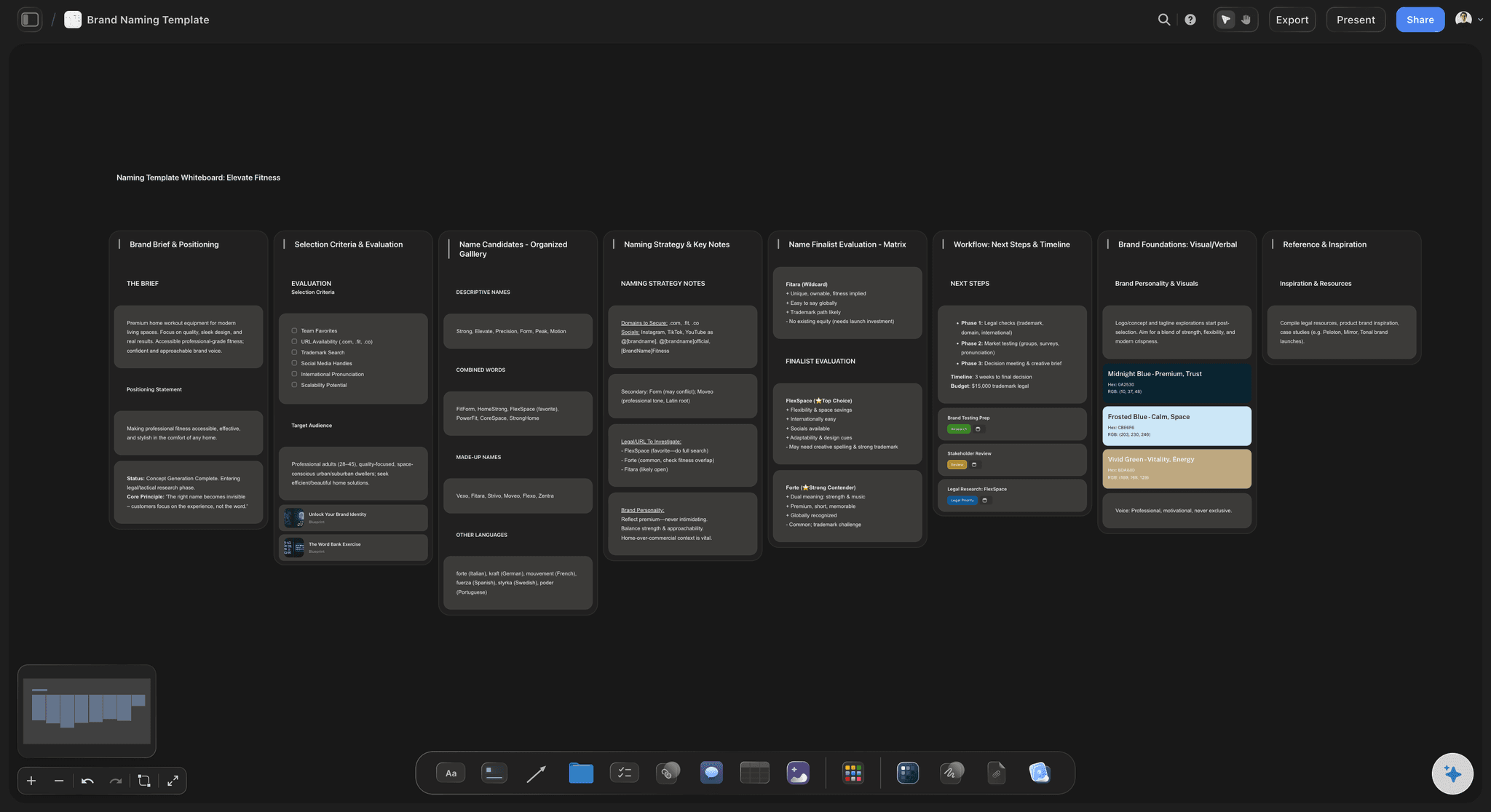
Start from a ready-made template
Pick a board to see what you can build, then let AI fill it in. Every template is a real, editable starting point on the same infinite canvas.

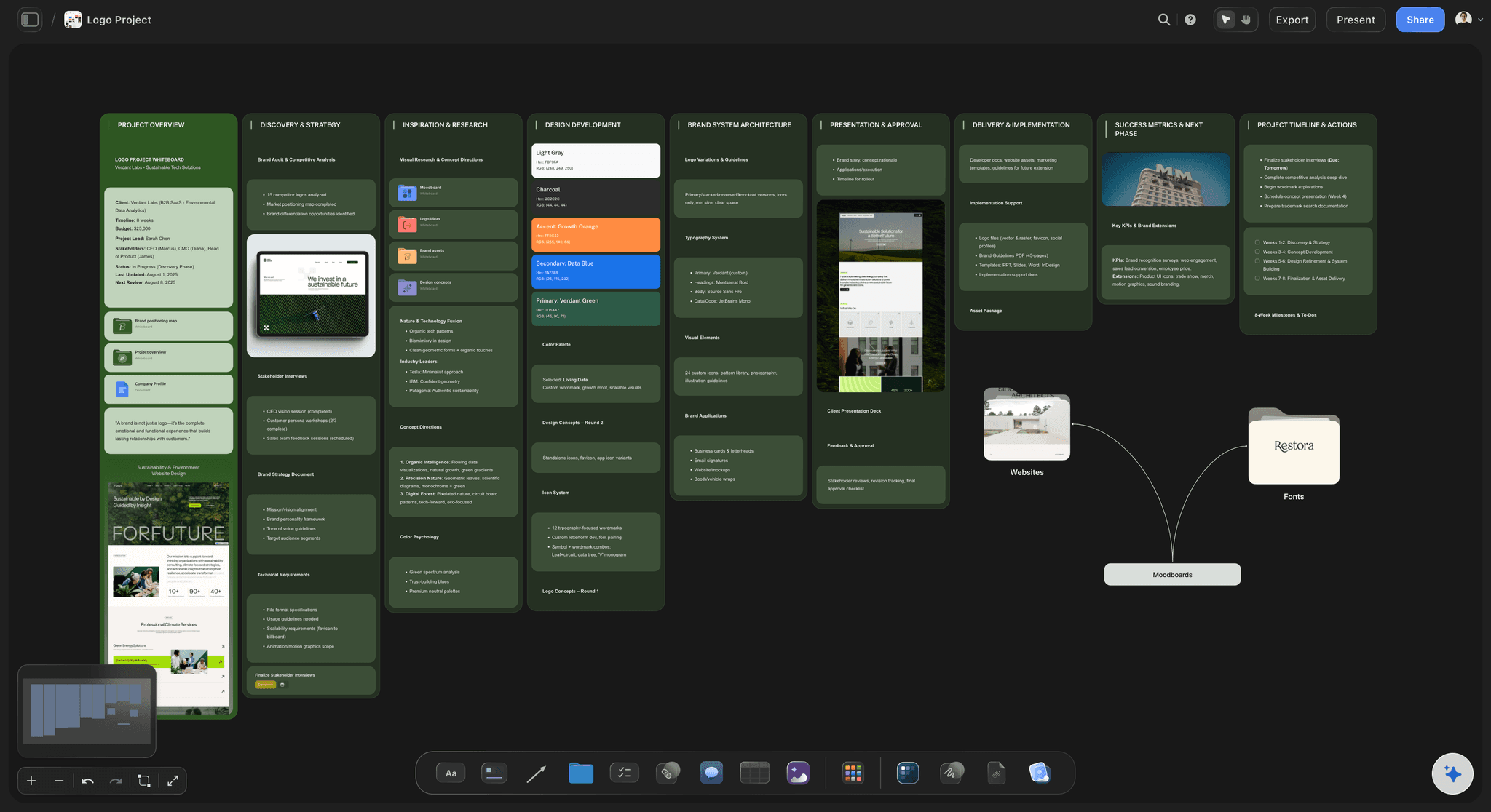
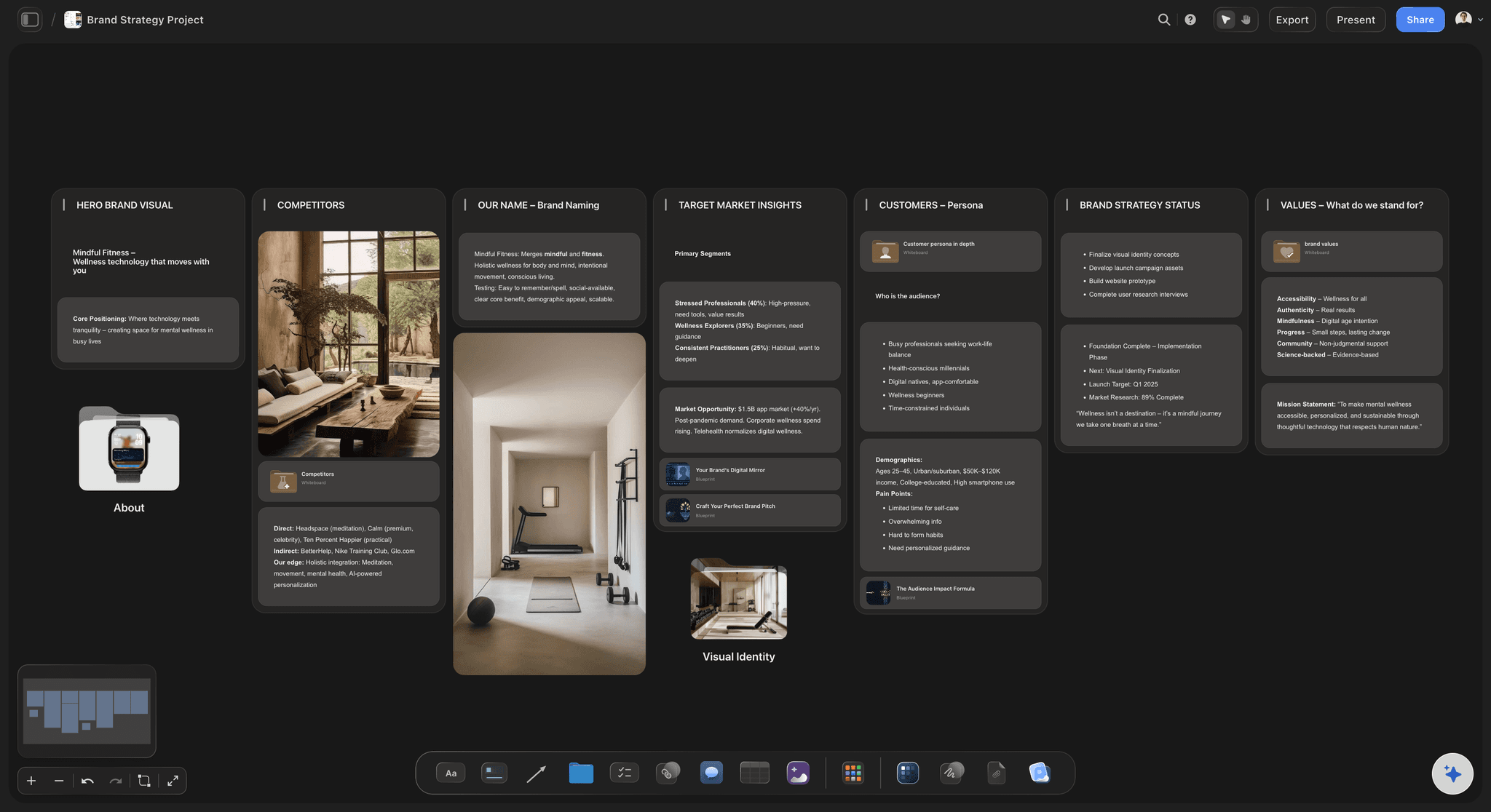
Brand Strategy
Define your positioning, values, and voice and connect them into a strategy the team can follow.
Can Claude make a brand board?
Yes: Claude can write how a brand sounds, propose its colours with hex values, name typefaces and list the logo versions you need, but on its own that is a long message in a chat, with no swatch to look at and no logo in it. Storyflow is an AI visual workspace that builds a brand board on one infinite canvas: a named colour palette, columns for the voice, the values and the do and don't lines, frames for the logo and reference pictures, and the written guidelines. Connect Claude to Storyflow and it builds each of those on your board itself. Claude runs on its own model, so the work spends no Storyflow AI credits.
Claude is good at the thinking a brand board needs. Describe the company in a few lines and it writes the voice as three words, with a sentence that sounds right and one that sounds wrong for each. It proposes six colours and what each is for, suggests two typefaces by name, and lists the four versions of the logo a launch needs. Then the conversation ends, and what you have is text. Nobody can see whether the blue is the right blue. The freelancer you hire next month gets a paragraph pasted into an email, and your co-founder is working from a different paragraph.
Connect Claude to Storyflow and ask for the brand board on the launch's board. Claude builds the palette first: named swatches, each with its hex and RGB values. Then a column each for the voice, the values and the do and don't lines, one line per card. Then empty frames named for the versions of the logo, and the reference pictures it found on the web, saved as Storyflow's own copies. It names the typefaces in a note, with a link to where each one comes from. Last, it writes the guidelines as a document on the board, section by section. You send your logo files up through the "Add your photos" link, and they fill the frames.
Here is a brand board you can copy for your own launch. A founder is launching a tinned fish brand. The palette has six colours: two neutrals (Cream and Ink), two brand colours (Deep Sea and Tin) and two accents (Tomato and Lemon). Deep Sea is #12355B, which is RGB 18, 53, 91. On a label, Cream covers about 60 percent, Deep Sea 30 and Tomato 10. The voice is three words, plain, salty and generous, each with one do line and one don't line, which makes six lines. There are four values, four logo frames (the full logo, one colour, the mark alone, and the logo on a dark background), two typefaces and twelve reference pictures. That is 6 swatches, 6 voice lines, 4 values, 4 frames, 2 typefaces and 12 pictures: 34 things on one board.
Every brand board needs the same seven parts, however small the company. The logo in the versions people will really need, with the clear space around it. The colours, each with a value and a job. The typefaces, each with what it is for. The kind of pictures the brand uses, and one kind it never does. The voice, as a few words with a right and a wrong sentence for each. The values, in plain language. And a short list of things the brand does not do. Then test it. Hand the board to a freelancer you have never briefed and ask for one post. If it looks and sounds like you, the board works.
Now the limits. Claude does not design a logo here, and the connector does not generate pictures, so the logo frames stay empty until you add your own files. Claude cannot see a picture on the board, so it cannot read colours from your logo: give it the hex values. Fonts are named in a note with a link to where they come from, not installed. Cards take their colours from twelve built-in themes, so the exact brand colours live on the swatches. And this is a working brand board, not a designed brand book: Claude cannot make a PDF, and a layout tool such as Canva still does that job. A co-founder on ChatGPT, Gemini or Grok reads and adds to the same brand board through the same connector.
Ultra fast from brief to board
From a few lines about the company to a brand board in four moves.
Do it before the first freelancer asks which blue to use.
01
Connect Claude to Storyflow once
Start in Claude: Customize, then Connectors, then Add and Add custom connector. Enter Storyflow as the name and https://mcp.storyflow.so/mcp as the address, click Continue, choose Sign in now and click Add. Sign in to Storyflow and allow the launch project.
02
Tell Claude the brand
Say what the company sells, who buys it and how it should feel. Give the hex values if a designer has already chosen the colours. For example: "Tinned fish brand for home cooks. Plain, salty, generous. Build a brand board on the Launch board." The palette appears first, then columns for the voice and the values.
03
Ask for the frames, the references and the type
Ask for a frame for each version of the logo and twelve reference pictures for packaging and photography. Claude adds the pictures it found, and Storyflow saves its own copy of each. Ask it to name the typefaces in a note, with a link to each one.
04
Add your logo, then ask for the written rules
Ask Claude for the "Add your photos" link and send up your logo files: they fill the empty frames. Then ask for the guidelines as a document, section by section, and share the board with your team.
The colours, the voice, the logo and the written rules.
Claude drafts the brand. Storyflow keeps it where the people who use it can open it.
Colour
A palette with a name, a value and a job for each colour
Claude builds the palette as 2 to 24 swatches, each with its name, its hex value and its RGB value. Ask for a note beside it saying what each colour is for, so Tomato is the accent and never the background.
See the colour palette maker →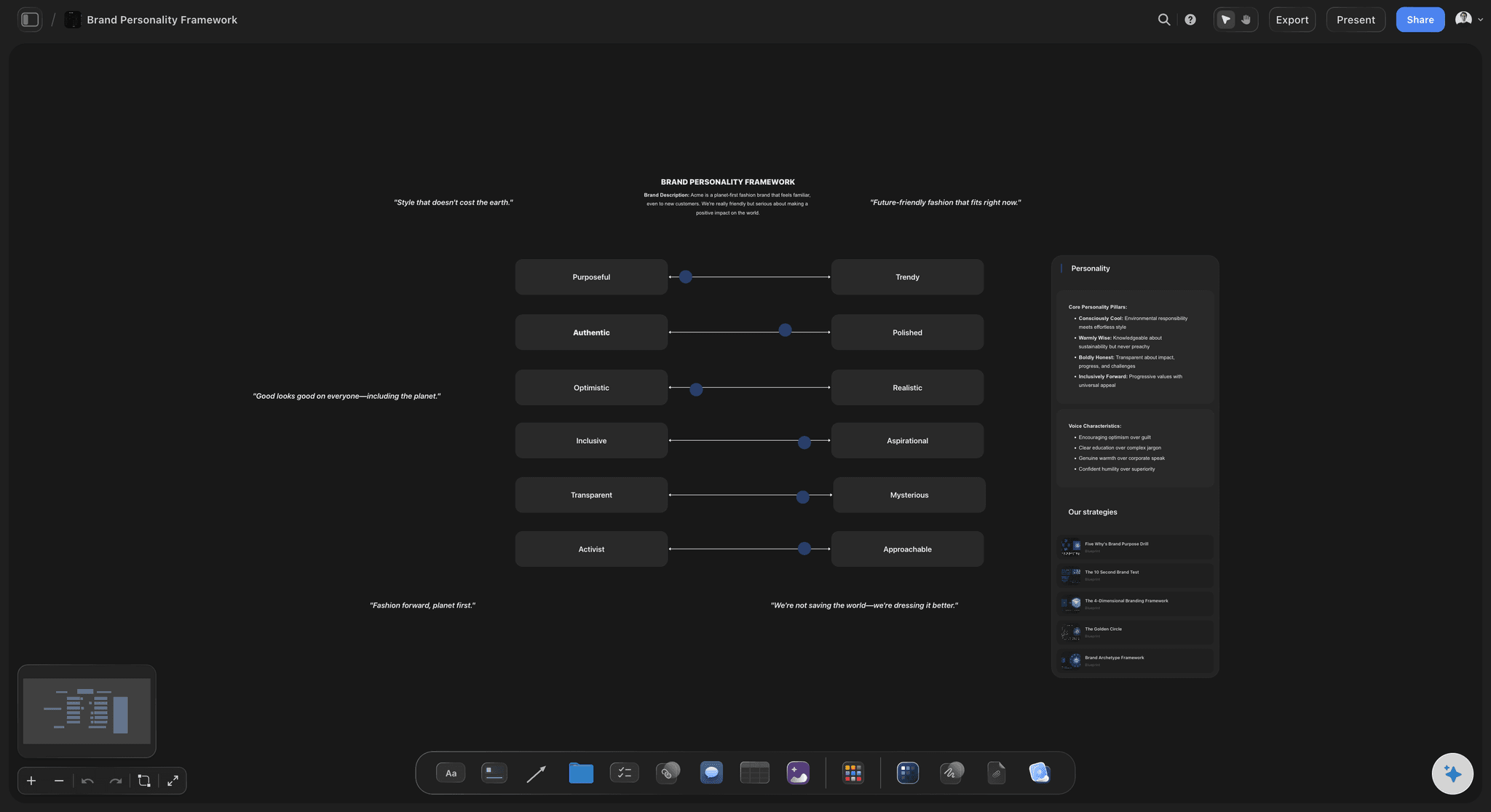
Voice and values
How the brand sounds, one line per card
The voice, the values and the do and don't lines each get a column. Every line is its own card, so you change "We say catch, not harvest" by asking Claude to edit that one card.
See the brand voice generator →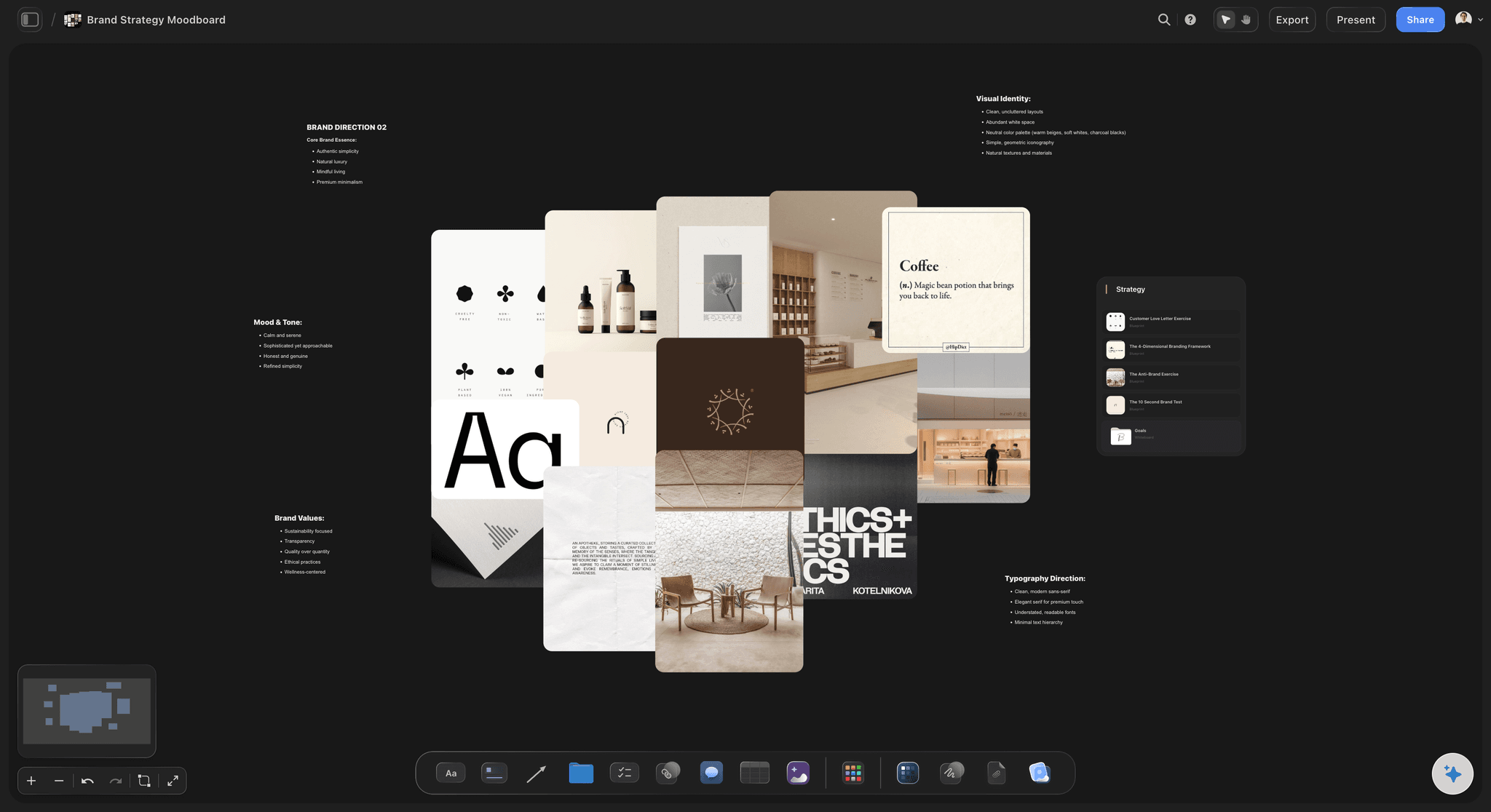
Logo and pictures
Frames for the logo, references from the web
Claude makes an empty frame for each version of the logo and names it. Your files fill the frames through the photo link. Reference pictures it found on the web are saved onto the board, up to twelve in one request.
See the brand moodboard page →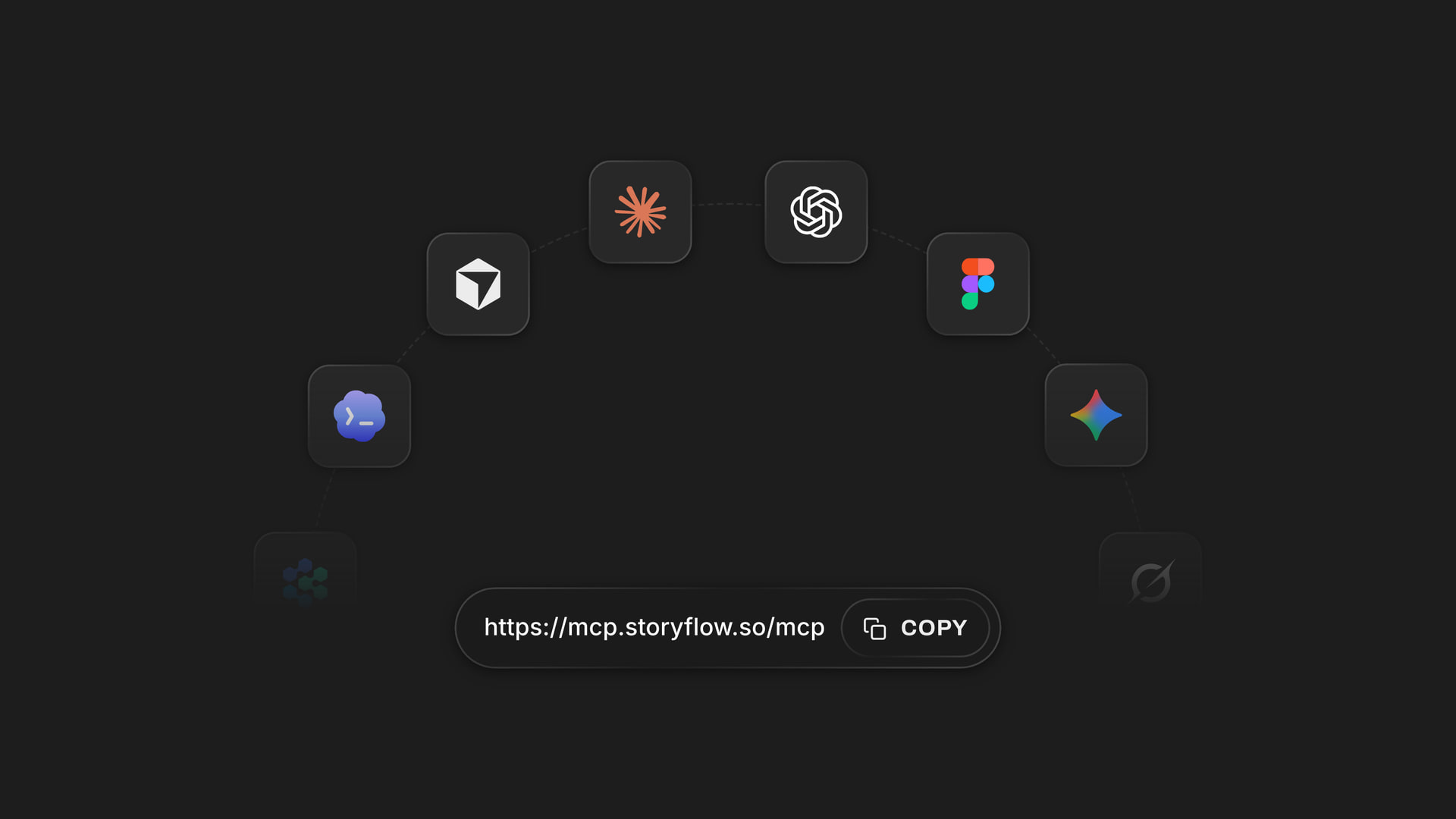
Any assistant
One address, whichever assistant the team uses
Claude, ChatGPT, Gemini and Grok all connect at https://mcp.storyflow.so/mcp. Each person adds it, signs in, and picks the projects their assistant may open. A marketing lead in ChatGPT reads the same brand board the founder built with Claude.
Connect your team's assistant →Claude builds the board. Your Storyflow AI credits are not touched.
Claude runs on its own model, so a brand board built over the connector uses no Storyflow AI credits. A free account (today, one a paid member invited) has a weekly allowance of assistant actions, and the pricing page carries the current number. Founders on Plus, Pro or Max can revise the brand board without counting. Storyflow is paid-only during early access, with plans from $7.99 a month billed annually ($9.99 monthly). A free plan launches before the end of 2026, and the freelancers you invite to the brand board join free.
No Storyflow AI credits spent on what Claude builds
Unlimited connector actions on Plus, Pro and Max
Invite your co-founder, your designer and your freelancers to the board free
Up to 24 named colours in one palette
You decide which projects Claude opens, and whether it may edit them
Built for people with taste
Where a brand board written in a chat falls short.
Claude writes the rules well. The trouble starts when other people have to follow them.
The message
Brand rules nobody can see
Colours you can look at: The palette is built as swatches on the board, not typed as a list of codes. You see Deep Sea next to Cream before anyone prints a label.
One rule, one card: Each do and don't line is its own card under its column. A rule that turns out wrong is one card to change, not a paragraph to rewrite.
The written guidelines as a document: Ask for the long version and Claude writes it on the board section by section: logo, colour, type, pictures, voice. It can add a section or replace the whole document, but not change one line in the middle.
The pitch read from the board: If the positioning or the pitch is on the board as a PDF or a Word file, Claude reads the first 40,000 characters there before it writes a word of the voice.

The assets
A logo that lives in someone's downloads
A frame for each version of the logo: Claude makes empty frames named for the full logo, the one-colour version, the mark and the logo on dark. An empty frame is a visible reminder of the version nobody has made yet.
Your files through one link: A logo attached in the Claude chat does not reach Storyflow. Ask for the "Add your photos" link, send the pictures up within 15 minutes, and they fill the named frames.
Reference pictures that stay: Claude adds pictures it found on the web for packaging, photography and shop shelves, and Storyflow keeps its own copy of each. They are references: check the rights before you publish one.
Typefaces named, with a link: A note names each typeface and what it is for, with a link card to where it comes from. The board names the font. Installing it happens in your designer's tools.
The handover
Every new freelancer briefed from memory
One link for the freelancer: Make a view-only link in Storyflow and a freelancer opens the brand board in a browser with no account. To comment, they sign in.
The brand beside the launch: The brand board sits on the same board as the launch plan, so whoever writes the launch email can check the voice without leaving the page.
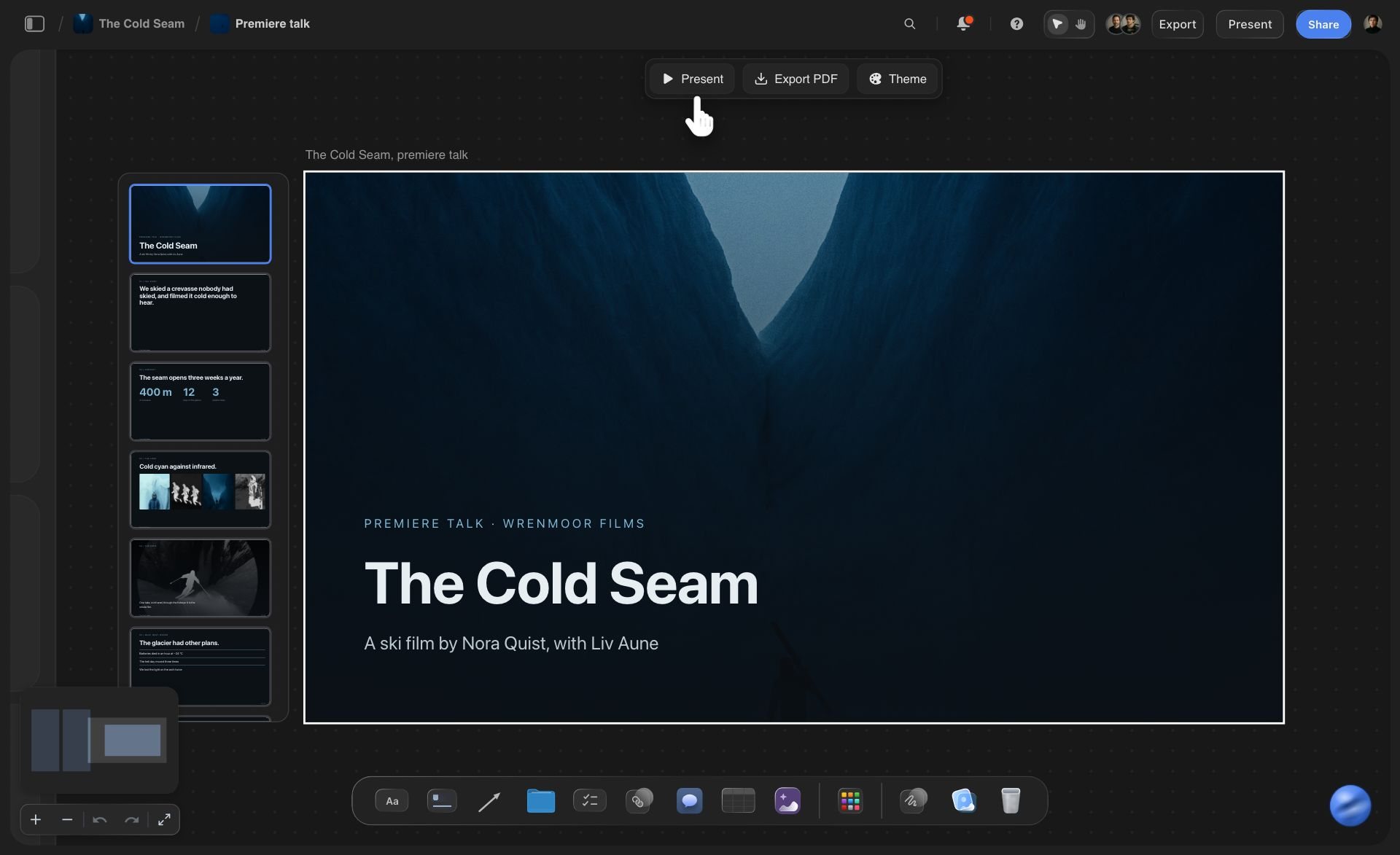
A short deck when someone wants slides: Ask Claude for the brand rules as a deck of up to 30 slides. The picture spaces start empty for your logo, and you present it or export a PDF from Storyflow yourself.
Change a rule by asking: A brand shifts in its first year. Tell Claude which line to change and it edits that card. Ask for the whole palette again and the new one lands beside the old one, so you can compare them.
Explore templates for your project
Every template opens as a real, editable board on the infinite canvas. Pick the closest fit and make it your own.
Brand Strategy
Define your positioning, values, and voice and connect them into a strategy the team can follow.
One app instead of five
What Storyflow adds to a brand board made with Claude, and what a design tool still does.
It holds the working rules where the team and the launch plan are. It does not design a logo or lay out a brand book.
Storyflow with Claude
Recommended
AI drafts the voice and rules
Colour swatches with names, hex and RGB on your Storyflow board
Each voice rule a card on that board, changed by asking
Brand board on the same Storyflow board as the launch plan
Rules the team can edit after the chat ends
Designs the logo and a finished brand book
Stores your brand fonts for the whole team
Applies your colours and fonts to new designs in one click
Claude on its own
AI drafts the voice and rules
Colour swatches with names, hex and RGB on your Storyflow board
Each voice rule a card on that board, changed by asking
Brand board on the same Storyflow board as the launch plan
Rules the team can edit after the chat ends
Designs the logo and a finished brand book
Stores your brand fonts for the whole team
Applies your colours and fonts to new designs in one click
Canva
AI drafts the voice and rules
Colour swatches with names, hex and RGB on your Storyflow board
Each voice rule a card on that board, changed by asking
Brand board on the same Storyflow board as the launch plan
Rules the team can edit after the chat ends
Designs the logo and a finished brand book
Stores your brand fonts for the whole team
Applies your colours and fonts to new designs in one click
What creators are saying
Join early creators getting structured workspaces and AI that remembers their projects
“Storyflow has sped up my workflow by at least 3x, which means more flow state and more projects I can actually ship. It truly changed the way me and my team create.”

Reilin Joey
Director & YouTuber
“One prompt gets me a structured board. But the tactics are my favorite. I run my YouTube scripts through them and my intros and retention got better. It's amazing.”

Justkay
YouTuber & Freelance Filmmaker
“I used to juggle five apps to plan a project. Now I describe what I am making and get boards, lists, and a schedule. All in one place.”

George
@fernwehchronicles
Brand boards with Claude: questions
What founders and brand leads ask before they let Claude write the rules.
Yes, when it is connected to Storyflow. Describe the company and ask for a brand board. Claude builds a named colour palette with hex and RGB values, a column each for the voice, the values and the do and don't lines, empty frames for the logo, reference pictures it found on the web, and the written guidelines as a document. You add the logo files yourself, because Claude does not design one.
Storyflow gives Claude a board to build the brand on: a named palette with hex and RGB values, the voice, the values and the do and don't lines as cards, frames for the logo, reference pictures and the written guidelines, beside the launch plan they are for. Your team and freelancers read it from one link. Canva still designs the finished brand book, stores your fonts and applies the brand to new designs.
Seven things: the logo in the versions people need, the colours with a value and a job each, the typefaces and what each is for, the kind of pictures the brand uses, the voice with a right and a wrong sentence, the values, and what the brand never does. In Storyflow, Claude builds each as its own group of cards, and the logo frames wait for your files.
No. Claude does not design a logo over the Storyflow connector, and the connector does not generate pictures. What Claude can do is write the brief for a logo designer as a document on the board, list the versions a launch needs, and make an empty, named frame for each one. When the logo exists, you send the files up through the photo link and they fill the frames.
Claude hands you an "Add your photos" link on request. A file attached in the Claude chat does not reach Storyflow, so the link is the way in: open it, choose your logo pictures, and they fill the empty frames Claude named. It stays open for 15 minutes and accepts up to 200 pictures, logo versions included. If you have the board open in Storyflow, dragging the logo files onto it works too.
It can propose them and build them. Tell Claude how the brand should feel and it suggests a palette, then builds it on your Storyflow board as 2 to 24 swatches with names, hex values and RGB values. It cannot see your logo or your pictures, so it cannot read colours from them. If a designer has already chosen the colours, give Claude the hex values and it uses those.
It can name them, not install them. On your Storyflow board, Claude writes a note for each typeface saying what it is for (headlines, text, small print) and adds a link to where it comes from. There is no tool over the connector for uploading or installing a font, so the fonts themselves stay in your designer's files and in the tools that use them.
Not a designed one. A brand board in Storyflow is a working page your team edits, and Claude cannot make a PDF. If someone needs slides, ask Claude for the rules as a deck of up to 30 slides, then present it or export a PDF from Storyflow yourself. For a fully designed brand book, a layout tool such as Canva is still the right place.
From Claude's Customize menu, open Connectors, then Add and Add custom connector. Enter Storyflow and https://mcp.storyflow.so/mcp, click Continue, choose Sign in now and click Add. Sign in to Storyflow and allow the launch project. On the Free plan Claude allows one custom connector. Creating and editing must stay allowed for Claude to build the palette and the frames; without it, Claude only reads.
No. Claude runs on its own model, so a brand board built over the connector spends no Storyflow AI credits. A free Storyflow account (today, one a paid member invited) has a weekly allowance of assistant actions, and the pricing page shows how many. There is no cap on Plus, Pro or Max. Storyflow is paid-only during early access, with plans from $7.99 a month billed annually ($9.99 monthly).
Only the ones you allow. During sign-in Storyflow asks for two choices: all your projects or only the ones you pick, and read only or allowed to change things. Pick only the launch and the rest of the company stays closed to the chat. With changes unticked, Claude can read the brand board but not build on it. Connections expire after 30 days, when Claude prompts you to sign in again.
Over the Storyflow connector Claude cannot design a logo, generate or see a picture, install a font or make a PDF, and it has no tool that deletes a card. It also cannot colour a card in your exact brand colour: cards use twelve built-in themes, so the true values live on the swatches. Ask for a section again and the new one lands beside the old one, and you remove the old one by hand.
Yes. Whoever uses another assistant adds https://mcp.storyflow.so/mcp to it and opens the same Storyflow brand board. ChatGPT needs Plus, Pro, Business, Enterprise or Edu, on the web, and on Business and Enterprise an admin turns on developer mode. Gemini's custom apps need a personal Google account with Keep Activity on, in the US, for people 18 or over, in English. On Grok Business and Enterprise, a team admin adds it in the xAI console first.
More from Storyflow
Storyflow MCP server
Connect Claude to Storyflow
AI brand guidelines generator
Style guide maker
Brand moodboard
AI brand voice generator
Colour palette maker
Moodboard with Claude
Brand strategy tool
Brand personality template
Product launch plan with ChatGPT
Brand launch planner
Brand messaging framework
AI logo brief generator
Rebrand planner
Storyflow for startups
How to launch a new brand
Tell Claude the brand. Hand the team the board.
The colours, the voice, the values, the logo frames and the written rules, built in one conversation and kept where the launch is planned.