The 11 Best Visual Workspaces for Graphic Designers (2026)
Eleven visual workspaces for graphic designers compared, Storyflow first: what each one does with your brief, references and mood board, what it costs in October 2026, and when to choose Figma, Milanote, Miro, Adobe or Canva instead.

Category
Design
Author

Justkay
Documentary Filmmaker & Founder at Storyflow
Topics
2026-08-26
•
36 min read
•
Design- best visual workspace for graphic designers
- visual workspace
- graphic design workspace
- workspace for designers
- which visual workspace has the best templates
- can clients view our visual workspace
- shared design workspace
- mood board for graphic designers
What is the best visual workspace for graphic designers in 2026?
For a graphic designer who needs the brief, the references and the client's feedback in one place, our pick for 2026 is Storyflow: one infinite canvas holds the brief, the mood board, the captioned references, the client's feedback and the project plan for a design job, and its AI builds the mood board, the colour palette, the plan and the client deck from what is already on the board. Choose Milanote instead for a hand-arranged mood board with a free plan, Figma or Adobe for the design files, FigJam or Miro for a workshop, and Canva for templated social graphics.

Full disclosure: Storyflow is our own product and this list is ordered with it first, on one stated basis: how much of the work around the artboard (the mood board, the palette, the plan and the client deck) the workspace builds from the brief and references you already have. After Storyflow the tools are grouped by the job each one wins, with no score. Storyflow is not a design tool, so Figma, Adobe, Affinity and Canva are where the artwork is made, and it has no free plan today, which Milanote does. Rival prices and features come from each vendor's own pages, checked on 11 October 2026.
Quick Comparison
Storyflow, our own product, is listed first. These four cover the four jobs in a design project: planning it, making it, running the workshop and producing the final files. All eleven tools are compared in the table below.
| Tool | Best For | AI Features | Price |
|---|---|---|---|
| Storyflow | Brief, references, mood board, client feedback and plan on one infinite canvas | AI builds the mood board, colour palette, plan and client deck from the board; image generation on Pro and Max | $7.99 mo annual (free plan late 2026) |
| Figma | Layout, components, prototypes and handoff | AI credits listed on the Starter plan | Starter free / Full seat $16 mo on Professional |
| Miro | Workshops and strategy mapping with large teams | Miro AI on monthly credits | Free (3 editable boards) / Starter $8 member mo billed yearly |
| Adobe Creative Cloud | Print, photo retouching and long documents | Firefly, including Firefly Boards | Annual plans billed monthly; see Adobe for your region |
Quick Picks: The Best Visual Workspace for Graphic Designers by Job
Storyflow is our own product and it is listed first. The rest follow by the job each one wins, and every rival keeps that job.
- Our pick overall: Storyflow. Best for putting the brief, the references, the mood board, the feedback and the project plan together on one visual board. Storyflow's visual workspace for graphic designers is an infinite canvas with an AI that builds the first pass of each from what is on the board.
- Our pick for mood boards and creative planning: Storyflow. Storyflow's AI turns a brief into a mood board of 9 to 16 reference tiles from a web search, or generates them on Pro and Max, then adds a colour moodboard of named swatches with hex codes. Choose Milanote instead when you want to arrange every image by hand and start on a free plan.
- Our pick for sharing boards with clients: Storyflow. Storyflow shares a board by link with no account needed to view, presents it fullscreen one wall at a time, and turns it into a deck you export as a PDF. Choose Canva or Figma Slides instead when the client needs an editable slide file.
- Best for the design files themselves: Figma. Nothing on this list replaces it for layout, components and prototypes.
- Best for a workshop: FigJam when the team already lives in Figma, Miro when the room includes people from outside the design team.
- Best for print, photo and long documents: Adobe Creative Cloud, or Affinity, which is now free for individuals.
- Best for templated social graphics: Canva.
- Best reference library: Eagle, a one-time purchase, with Are.na for research-led identity work.
- Best for the written record: Notion, when your briefs are long text documents.
- Best free start: not Storyflow, which has no free plan today. Figma's Starter plan and Affinity are free for the making, Miro's Free plan keeps three boards editable, and Milanote's free plan holds 100 notes, images or links.
Two sibling guides take different angles on the same question. If you want only the four boards head to head, read Milanote vs Miro vs FigJam vs Storyflow for graphic designers. If by workspace you also mean the desk and the monitor, read the desk, the display and the software.
At a Glance: The 11 Workspaces Compared
| Tool | Best for | AI that builds from your material | Compared with Storyflow | Price (checked 11 October 2026) |
|---|---|---|---|---|
Storyflow | The brief, references, mood board, feedback and plan on one infinite canvas | Mood board, colour palette, plan and client deck built from the board; image generation on Pro and Max | Our pick | From $7.99 a month billed annually (free plan late 2026) |
Figma | The design files | AI credits listed on the Starter plan | Makes the artwork Storyflow does not; holds no brief or mood board | Starter free; Professional Full seat $16 a month |
Milanote | A hand-arranged mood board | None listed on its moodboard page | Has a free plan Storyflow lacks; no AI that builds the board | Free for 100 notes, images or links; $9.99 per person a month billed annually |
FigJam | Workshops inside Figma | Templates and visuals from a prompt; sorts stickies | Better for a live workshop; Storyflow holds the job afterwards | Included with every Figma seat; Collab seat $3 a month on Professional |
Miro | Workshops with large teams | Miro AI on monthly credits | More templates than Storyflow; less structure per client job | Free with three editable boards; Starter $8 per member a month billed yearly |
Adobe Creative Cloud | Print, photo and long documents | Firefly Boards generates images on a canvas | Produces the final files; Storyflow plans and presents them | Annual plans billed monthly; no US price shown when checked |
Canva | Templated social graphics | Not checked, site blocked | Fills templates; Storyflow decides the direction first | Not quoted: the pricing page did not load |
Affinity | A free professional design app | AI tools need a Canva premium plan | A making tool with no board; pairs with Storyflow | Free for individuals |
Eagle | A desktop reference library | AI search and AI actions | Keeps references for years; Storyflow keeps them per job with the brief | $34.95 one-time for two devices |
Are.na | Research-led reference channels | None listed | Connects references in lists; Storyflow arranges them on a canvas | Free up to 200 blocks; Premium $7 a month |
Notion | The written brief and record | Notion AI on Business and Enterprise | Stronger documents and databases; no canvas like Storyflow's | Plus $10 per member a month billed annually |
The order is ours, with our product first, on one stated basis: how much of the work around the artboard the workspace builds from the brief and references you already have. Below Storyflow the tools are grouped by job, not scored. Prices come from each vendor's own pricing page on 11 October 2026 and change often. Check before you commit a team.

A brand design exploration board in Storyflow for a ski clothing brand: reference photography, a colour palette, font pairings and website direction on one canvas
Taste arguments cannot be won
When a stakeholder questions a direction and the reasoning exists only in your memory, the work gets defended on taste. Storyflow keeps the restated brief, the captioned references and the rejected directions on one canvas the AI reads, so you scroll to the reason instead of recalling it, then turns the board into the client deck.

Key Takeaways
- Storyflow is the visual workspace to start with: the brief, the references, the mood board and the reasoning sit on an infinite canvas its AI reads, and that AI then builds the mood board, the palette, the plan and the client deck.
- A visual workspace is not a design tool. Figma, Adobe Creative Cloud, Affinity and Canva make the artefact. The workspace holds what decides it.
- Most design rework starts in the brief-to-artboard gap: the days between the brief arriving and the first file existing, when the interpretation, the references and the rejected directions live in somebody's head.
- Around Storyflow, each rival keeps one job: Milanote is the hand-arranged board with a free plan, FigJam and Miro are workshop boards, Eagle and Are.na are reference libraries, and Notion is the written record.
- The version that costs nothing still works: one document per job with the brief in your own words, every reference captioned, and the directions you rejected.
What Is a Visual Workspace for Graphic Designers?
A visual workspace is a canvas where a designer arranges images, notes, links and files in space, so the brief, the references and the reasoning for a job are visible together. It sits in front of the design tool. The design tool makes the artefact; the visual workspace holds the decision the artefact comes from. Storyflow is a visual workspace in this sense, and Figma, Illustrator and InDesign are design tools.
People asking for a "graphic design workspace" usually mean one of six things. They want different tools.
| What you mean by visual workspace | Use first | Choose instead when |
|---|---|---|
A mood board for images, colours and type | Storyflow | Milanote, when you want to place every image by hand on a free plan |
An infinite canvas to arrange references and ideas | Storyflow | FigJam, when the team already lives in Figma; PureRef, for an offline reference window |
One place to organise design projects and clients | Storyflow | Notion, when the record is mostly long text and databases |
A space to show work to a client and collect feedback | Storyflow | Figma, when the client reviews the design file itself |
A place to create finished designs | Figma, Adobe Creative Cloud, Affinity or Canva | Storyflow is not a design tool and does not belong in this row |
The physical desk and display | A calibrated monitor and neutral light |
The first four rows are one job seen from four sides: getting from a brief to a direction the client has agreed, before the expensive work starts. That is the job this list is ordered for.
The Brief-to-Artboard Gap
Watch a graphic designer start a job. The brief arrives, in an email or a twenty-minute call. Somewhere between one and four days later, a Figma or Illustrator file exists with real work in it.
Ask what happened in between and you get a shrug, or "I thought about it," or "I collected some references." Ask where that thinking is now and there is usually no answer at all, because it happened in a browser with nineteen tabs open, in a screenshots folder, and in a head.
This is the brief-to-artboard gap, and it is where a surprising amount of design rework is created.
Three things happen in it that nobody records.
The brief gets interpreted. A brief is always underspecified. "Modern but warm," "premium without being cold," "like this competitor but not." The designer resolves those ambiguities, correctly or not, and the resolution is a set of assumptions nobody has seen. If one is wrong, it surfaces at the review as "this isn't what we meant," six days late.
References get chosen and the reasons do not. Forty images get collected. Some are there for a colour, some for a layout, some for a feeling. In the folder they are all equal and unlabelled, and by the time somebody asks why you went this direction, the answer is a recollection, not a record.
Directions get rejected. Usually two or three, quickly and correctly. Nobody writes them down. Then at the review a stakeholder proposes one of them, and instead of "we tried that, here is why it does not work," you get another week.
None of that is a failure of Figma, which is doing its job. It is that the tools designers have are all downstream of the decision, and the decision has nowhere to live.
What Belongs on the Board Before You Open Figma
Put four things on one Storyflow board before you open Figma: the brief in your own words, the captioned references, the rejected directions and the constraint list. The artefact that closes the gap is that small, and it takes about twenty minutes.
The brief in your own words. Restate what you understood, including the audience and what the piece has to achieve. This single step catches misunderstandings while they cost nothing, and it is the item most often skipped because it feels redundant. A brief you can restate is a brief you understood, and finding out you cannot is the point.
The references, captioned. Six words beside each one saying what you are taking from it. "The spacing, not the type." "That specific green." "Confidence of the layout, ignore the photography." This does two jobs: it makes the board legible to a client, and it exposes the references you collected because you liked them, not because they serve the job.
The directions you rejected, in one line each. "Tried a serif system: reads academic, wrong for a fitness brand." Thirty seconds each, and they are the most useful thing to have at a review, because they turn a stakeholder's suggestion from a new week of work into a settled question.
The constraint list. What is fixed: the logo, the colour, the format, the deadline, the thing the founder hates. Written down, because half of these arrive verbally and are forgotten by whoever said them.
A worked example: one identity job on one board
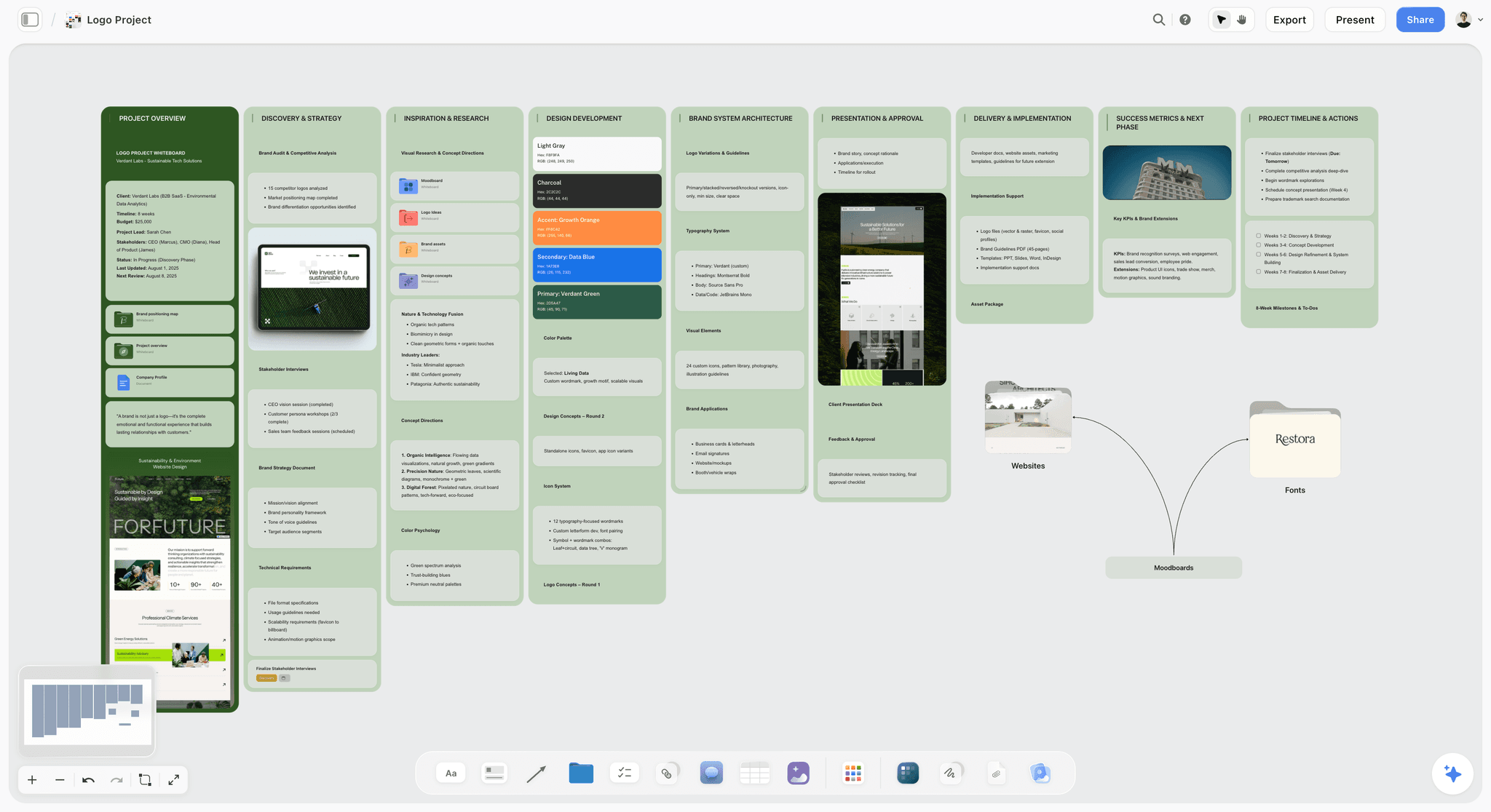
Here is how those four items look as walls on a Storyflow board, using an invented job: a rebrand for a neighbourhood bakery called Oak and Rye, due in four weeks.
| Wall | What goes on it | Example entry | Who fills it |
|---|---|---|---|
Brief, restated | Audience, objective, deliverables, dates | "Regulars aged 30 to 55; must look established, not trendy; mark, bag, menu, shopfront by 6 November" | You, or the AI from the client's PDF, then you correct it |
References, captioned | 12 to 16 images, each with a caption | "Hand-painted fascia: the weight of the letters, not the colour" | The AI places a first set; you caption and cut |
Colour and type | Swatches with hex codes, two type pairings | "Crust brown #6B4A2F as primary; no pastel" | The AI builds the swatch grid from an image you select |
Rejected directions | One line each | "Minimal sans wordmark: reads like a tech startup" | You |
Constraints | What is fixed | "Owner keeps the wheat icon; bags are one-colour print" | You |
Feedback | Client comments, dated | "Shopfront sign must read from across the street" | The client, signed in |
Deck | The slides you present | Cover, brief, two directions, recommendation, next steps | The AI builds it from the walls above; you edit |
The table is the template. Copy the seven wall names onto a Storyflow board and the AI fills the first pass of four of them; copy them into any other tool and you have the same structure, filled by hand.
How We Compared These Workspaces
This is a comparison from published sources, not a lab test. Every price and feature for a rival comes from that vendor's own product, pricing or help page, opened on 11 October 2026 and linked where it is used. Claims about Storyflow come from the product we build. Where a vendor's page would not load or showed no US price, the review says so and quotes no figure.
How the list is ordered. Storyflow, our own product, is first. The basis is one criterion that fits this job: how much of the work around the artboard the workspace builds for you from the brief and references you already have. After that, tools are grouped by the job each one wins: making, the hand-built board, the workshop, production, and the library. There is no score and no weighting.
Five things were compared for every tool.
Does it build anything from the brief you already have?
A board you fill entirely by hand records your thinking. A board that reads the brief and builds a first moodboard, palette or deck shortens the twenty minutes and gives you something to correct. This is the criterion the order rests on.
Can a reference carry a note?
An unlabelled reference is decoration. Six words next to it is the difference between a moodboard and a direction, so the tool has to let text sit against an image, not in a separate document.
Does the structure survive month two?
A designer runs several jobs at once and they interleave. The workspace needs a place per client and per job, and a way to find last month's decision without scrolling one enormous board.
Can a client open it without an account?
Friction at the moment of review is the common reason boards do not get looked at. What matters is whether a link opens for a client who has never heard of the tool, and what they need to do to leave a comment.
What does it honestly cost?
Per-seat pricing, free-plan caps and one-time licences are all on the table, quoted from the vendor's page with the billing term attached.
Not compared: plugin ecosystems and stock asset libraries. Both are strong across the making tools and neither changes what happens at a review.
The 11 Best Visual Workspaces for Graphic Designers, Reviewed
1. Storyflow
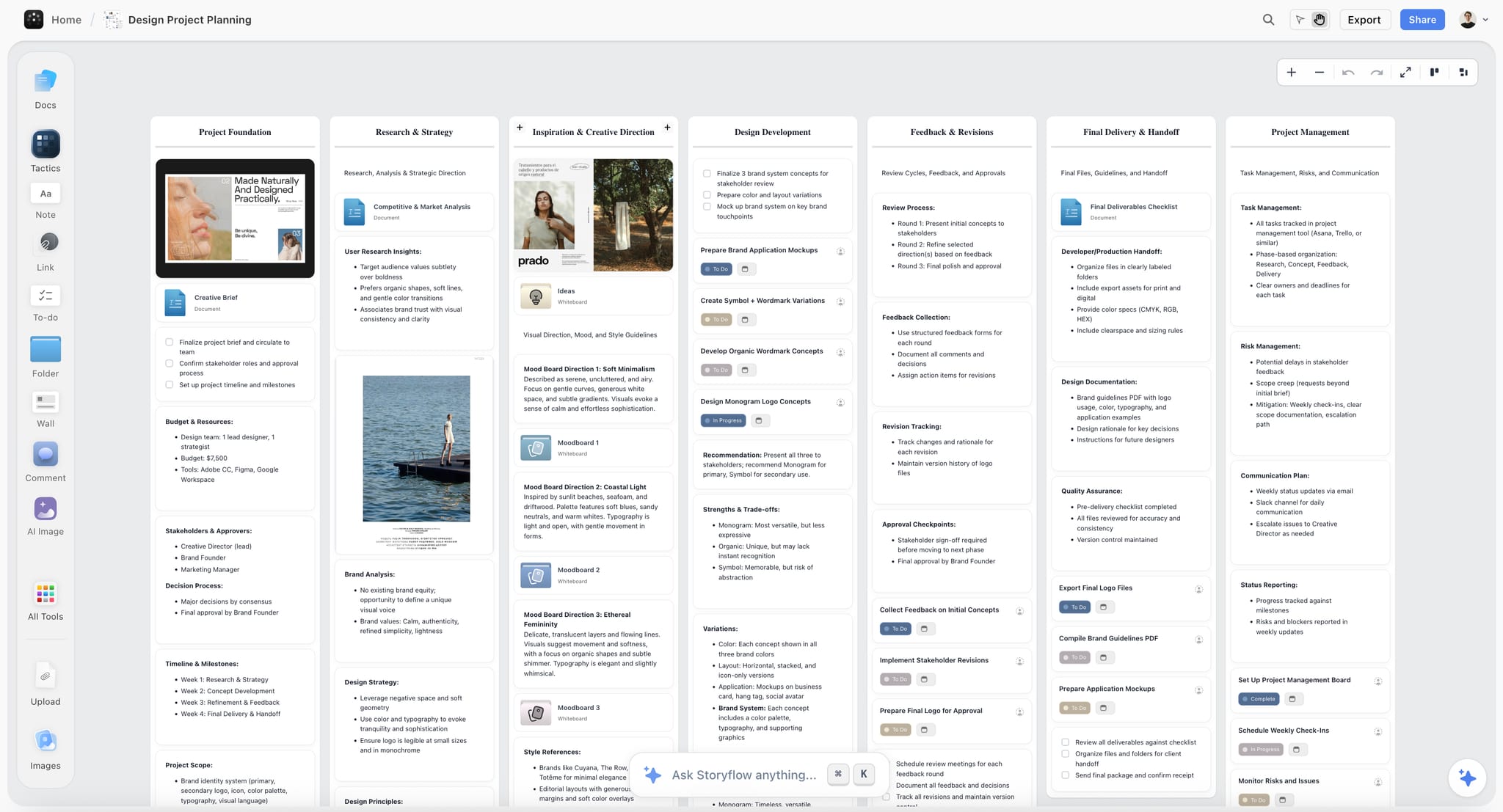
Storyflow is an AI visual workspace for graphic designers: an infinite canvas where you drag and drop images, notes, links, documents and files, and an AI agent that turns a brief into a board. Storyflow's visual workspace for graphic designers keeps the brief, the references, the mood board, the client's feedback and the project plan for a design job on one visual board. Storyflow is our own product, and it is first here on the stated basis: its AI builds the mood board, the palette, the plan and the deck from the brief and references you already have.
Best for: Putting the brief, the references, the mood board, the client feedback and the project plan together on one visual board, with AI that builds the first pass of each.
Pricing: Paid-only during early access. Plus is $7.99 a month billed annually or $9.99 monthly. Pro is $14 a month billed annually or $19 monthly and adds AI image generation and memory across conversations. Max is $39 a month billed annually or $49 monthly and adds a Team Workspace with roles and permissions. AI use is metered on every plan. The Free plan launches before the end of 2026, and anyone a paid member invites to a board joins free now. Details are on the pricing page.
Storyflow's AI reads the board you have open with every message, and looks at up to 24 images you select. You can attach up to five documents and three other boards to the same chat. So the questions the gap is made of become askable: does this mood board still answer the brief, which of these forty references are the same reference, what is this board committing to.
Storyflow then builds from what it read. Ask Storyflow for a mood board and it places 9 to 16 tiles from a web search, or generates them on Pro and Max. Ask Storyflow for a colour moodboard and it builds a grid of swatches, each with a name and a hex code, read from an image you select or designed from a description. Ask Storyflow to review the board and it returns notes on what misses the stated goal and what is strong but buried, and it leaves an open decision open instead of picking for you.
Storyflow shares the finished board with a client by link, with no account needed to view. Storyflow presents the board fullscreen, one wall at a time, turns it into a slide deck, and exports it as a PDF. Real-time collaboration works on any paid plan, and invited collaborators join without paying.
Strengths:
- An infinite canvas with drag and drop for images, links, documents and files, and a caption on every image, so a reference carries its six words.
- AI that reads the board, checks the references against the brief and builds from both: mood boards, colour swatch grids, plans, creative briefs, one-pagers, fliers, carousel posts and slide decks.
- Templates: 70 board templates and more than 200 Tactics, including a Brand Moodboard template, a Logo Planning Project template and a Design Project Planner.
- Client sharing by link with no account needed to view, a fullscreen Present mode that steps one wall at a time, and PDF export.
- Real-time collaboration, comments, to-dos that take a person and a due date, and tickets in Kanban walls for the production phase.
- Background removal and upscaling for reference images.
- A connector for Claude, ChatGPT, Gemini and Grok through the Storyflow MCP server, so an assistant can read your projects and build boards in them.
Limits:
- Storyflow is not a design tool. There is no vector editing, no type control, no component system, no prototyping and no print export. The artwork is made in Figma, Adobe or Affinity.
- Storyflow has no free plan today. Milanote does, so a designer who needs the cost to be zero should start there.
- Storyflow's AI reads the current board, not every board you own, and AI image generation is on Pro and Max only.
- Storyflow runs in the browser, with no offline mode. PureRef is the offline reference board, and Eagle is a desktop library.
- Storyflow keeps no version history and has no approval lock. Keep a dated PDF export as the record of what the client agreed.
Not the right pick when: the only thing you need is a place to pin forty images by hand, or an always-on-top reference window while you paint. Milanote and PureRef do those two jobs with less in the way.
2. Figma
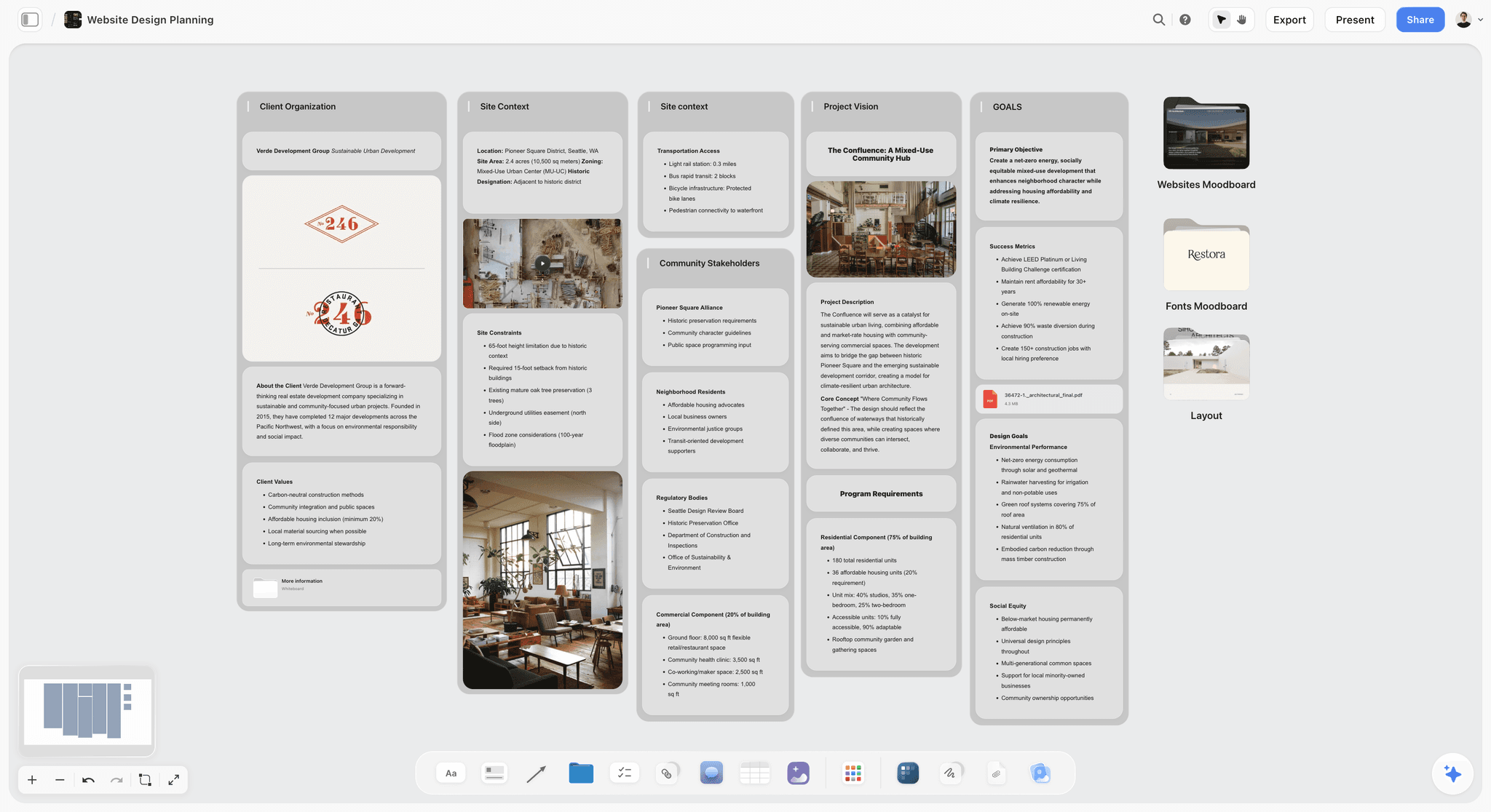
Figma is where the design gets made, and Storyflow does not replace it: Storyflow holds the brief, the mood board and the client deck in front of the Figma file. Figma is second on this list because making is the job most designers open a tool for.
Best for: Layout, components, prototypes and handoff, with the team in the same file, after the direction is settled on a board such as Storyflow.
Pricing: The Starter plan is free. On Figma's pricing page the Professional plan lists a Full seat at $16 a month, a Dev seat at $12 and a Collab seat at $3, with View seats free. Seat types have been restructured before, so price it before committing a team.
For making, it is the category standard: components, auto layout, variables, prototyping and real-time collaboration in one file. Paid-plan files can be viewed and commented on without buying extra seats.
For the gap, it is weak by design. A file holds artefacts, not reasoning. Comments attach to objects, not to decisions, so "why this direction" has nowhere to live except a memory or a comment thread that gets resolved and disappears. Pages organise a file and do not nest into a client and job structure, and reference collection is manual.
Strengths:
- The strongest making tool here for screen work.
- Real-time collaboration and free View seats on paid plans.
- A free Starter plan with AI credits listed.
Limits:
- Holds the artefact, not the reasoning behind it.
- Pages do not nest into a project structure.
- Seat pricing needs checking per team.
Choose Figma instead of Storyflow when: the question is where to make the design. Most designers run both: Storyflow for everything before the decision, Figma for everything after. The longer comparison is in Storyflow vs Figma.
3. Milanote
Milanote is a hand-arranged mood board with a free plan. Unlike Storyflow it has no AI that builds the board from a brief, so choose Milanote when you want to place every image yourself or the cost must be zero.
Best for: Designers who want to place every image and note by hand on a free plan, where Storyflow would build the first board for them.
Pricing: Free for 100 notes, images or links and 10 file uploads. Paid is $9.99 per person a month billed annually or $12.50 monthly, with a team option at $49 a month billed annually, per Milanote's plans page.
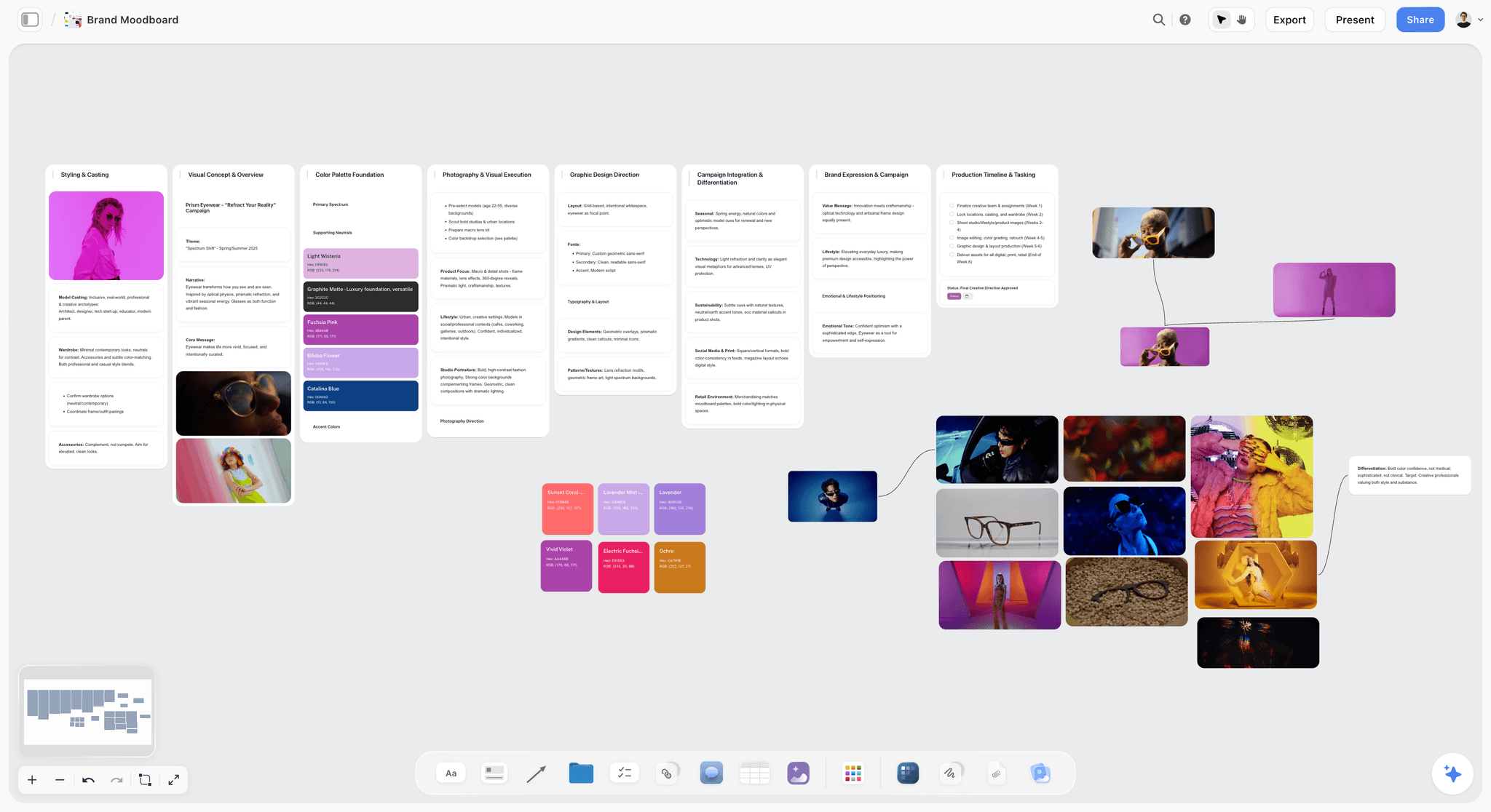
Images, notes, links and files sit together as first-class objects arranged like a physical wall, so a reference and the six words explaining it live side by side. That single property is what turns a folder of screenshots into a direction somebody else can read.
Nesting is the second reason. Boards can be placed inside one another like folders, so a client holds jobs and a job holds a brief board, a reference board, a concepts board and a delivery board. A read-only link opens with no signup, there is a web clipper for saving references, and any board downloads as a PDF.
Strengths:
- Notes beside images, arranged freely.
- Boards nest per client and per job.
- A free plan, a web clipper, over 100 templates and mobile apps.
Limits:
- Its moodboard page lists no AI features, so the board holds your reasoning and builds nothing from it.
- No design tooling, so it sits beside Figma.
- The free plan's 100-item cap is tight for image-heavy work.
Choose Milanote instead of Storyflow when: you want a manual board with deep nesting and a free plan, and you would rather build the mood board yourself than correct one Storyflow's AI placed. The full comparison is in Storyflow vs Milanote.
4. FigJam
FigJam is the workshop whiteboard inside Figma. Unlike Storyflow it is built for the live session, not for holding a client's brief, mood board and feedback for the life of a job. FigJam's argument is adoption: the account exists, the permissions are right, and the handoff into Figma is one click away.
Best for: Kickoffs, affinity maps and early exploration with a team that already uses Figma, before the outcome moves to a job board in Storyflow.
Pricing: FigJam is included with every Figma seat on every plan. On the Professional plan a Collab seat, which covers FigJam, Figma Slides and Figma Buzz, is listed at $3 a month.
For a kickoff with stakeholders or an affinity map of research FigJam works well and costs little. FigJam lists over 300 ready-made templates, builds templates and visuals from a prompt, sorts stickies into themes, and has a timer, voting sessions, and audio and live chat on the board. There is an iPad app for sketching.

Strengths:
- Already inside the Figma account and permissions.
- Workshop features: templates, sticky sorting, a timer, voting and audio.
- Cheap as a Collab seat.
Limits:
- Sections organise one plane and do not nest into client and job.
- It is built as the loose stage before work moves into Figma, which is the wrong assumption when the board has to hold the reasoning for the life of the job.
Choose FigJam instead of Storyflow when: the session is a workshop with voting and a timer for people who already have Figma open. Storyflow has no voting sessions and no timer. For alternatives, see the best FigJam alternatives.
5. Miro
Miro is the large-team workshop board. Next to Storyflow it has far more templates and facilitation tools and less structure per client job, so Miro is the right choice when the phase before the artboard involves many people from outside the design team.
Best for: Large workshops, brand strategy mapping and journey maps with a cross-functional group, where Storyflow is built for the single design job.
Pricing: The Free plan keeps your three most recent boards editable. Starter is $8 per member a month and Business $20, both billed yearly, on Miro's pricing page. AI runs on monthly credits: 25 per member on Starter and 50 on Business.
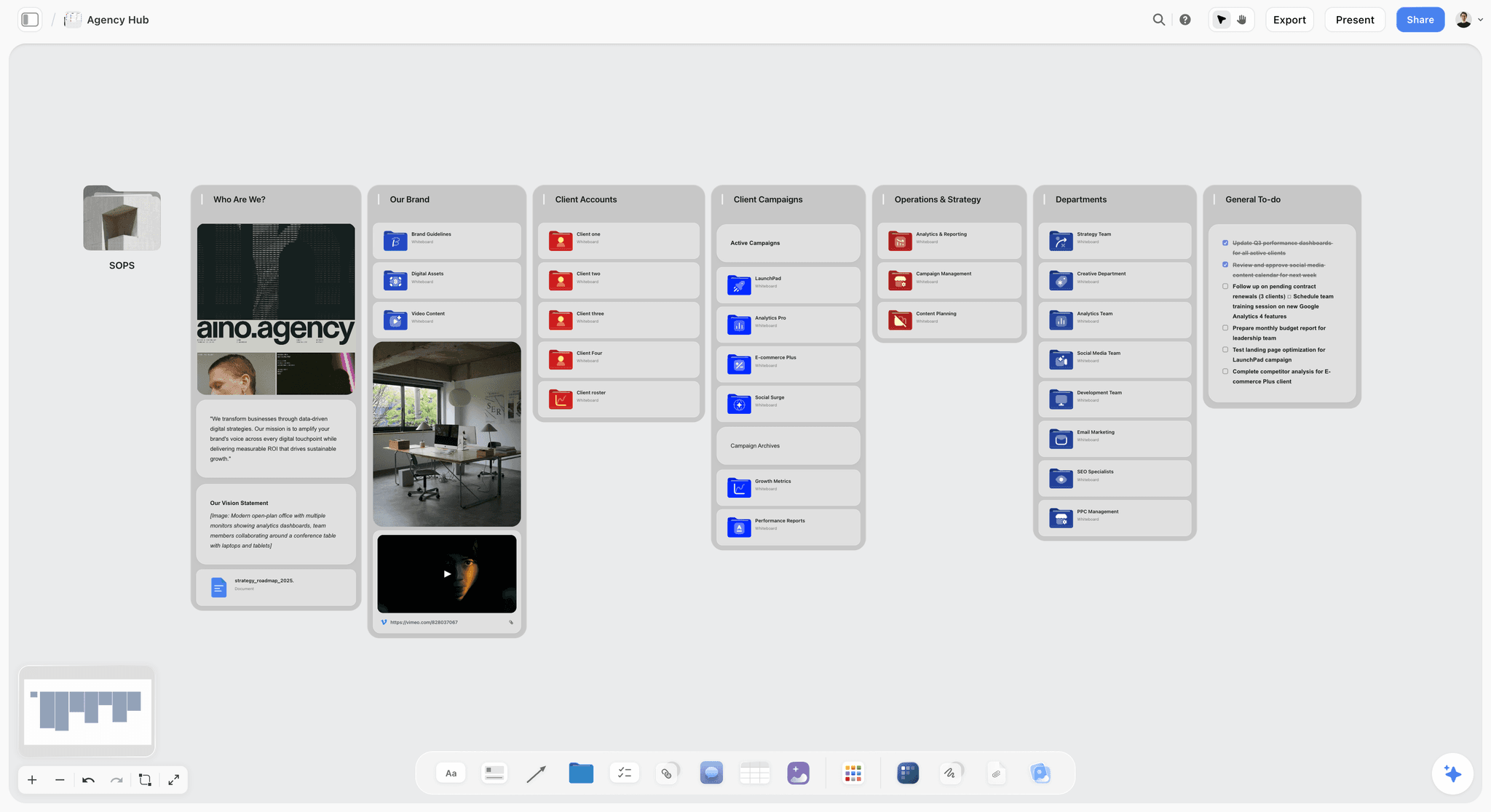
Miro is made for facilitated sessions. Images and notes go anywhere, and Miro's template library lists more than 7,000 templates, which covers the common workshop formats a facilitator asks for.
Strengths:
- Made for facilitated sessions with many participants.
- The largest template count listed here.
- AI credits and MCP calls listed on every plan.
Limits:
- Frames organise one plane, so a designer running several jobs ends up with several very large boards navigated from memory.
- The Free plan has no Guest role, and the three-board cap arrives at the wrong moment.
- Its workshop feel sits awkwardly with visual direction work.
Choose Miro instead of Storyflow when: the pre-design phase is a facilitated session with marketing, product and leadership in the room. Move the agreed direction onto a Storyflow board afterwards, where it stays with the brief and the mood board.
6. Adobe Creative Cloud
Adobe Creative Cloud is where print, photo and production artwork gets made. Storyflow plans the job and presents it, and makes nothing you would send to a printer, so for a large share of graphic design work Adobe is not optional.
Best for: Photo retouching, complex vector work, packaging and long-document layout, the making that Storyflow leaves to a design tool.
Pricing: Adobe's plans page lists Creative Cloud Pro, Creative Cloud Standard, single apps and a Photography plan, each as an annual plan billed monthly with a 14-day refund window. The page showed no US dollar price when checked, so no figure is quoted here.
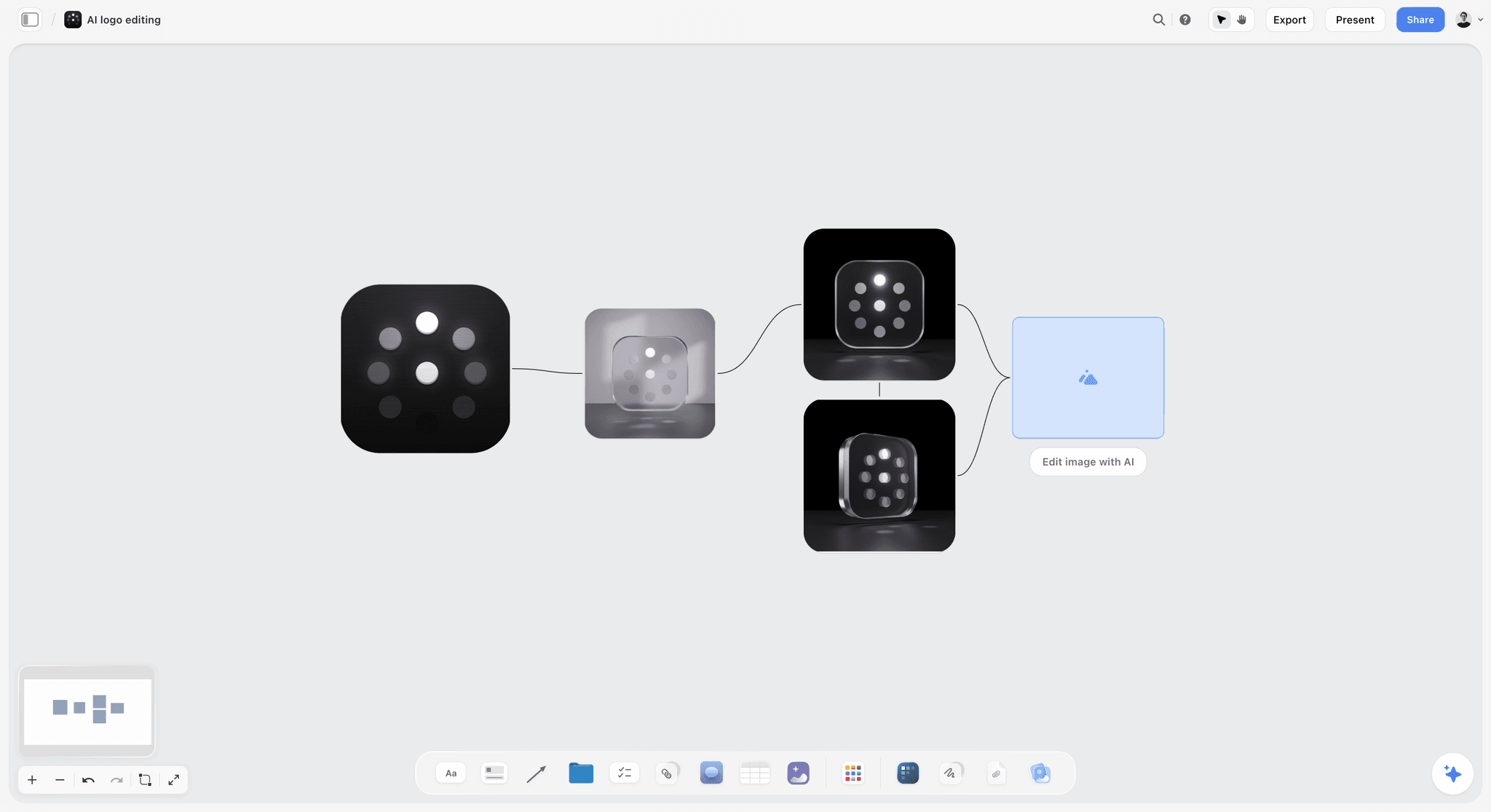
Photoshop, Illustrator and InDesign are still the correct tools for image work, complex vector and long documents, and Libraries give some continuity of assets across a job. Adobe also now has Firefly Boards, which it describes as a generative AI-first approach to mood boarding on a single infinite canvas.
Strengths:
- The production standard for print and raster.
- Libraries carry assets across apps.
- Firefly Boards adds image generation on a canvas.
Limits:
- Libraries hold assets, not reasoning.
- A subscription commitment with an annual term.
Choose Adobe Creative Cloud instead of Storyflow when: the question is how to produce print, packaging or heavy photo work. The gap does not go away because the output is print, so keep a Storyflow board in front of it.
7. Canva
Canva is the template-led design tool for fast social graphics. Storyflow is where the direction gets decided before those templates are filled. Canva is on this list for accuracy: a large share of routine graphic output now happens in it, including work that used to be sent to designers.
Best for: Templated social graphics and assets a client will maintain themselves, once the direction is agreed on a Storyflow board.
Pricing: Not quoted. Canva's pricing page did not load when checked on 11 October 2026.
For a designer, the honest use is the work that does not need your judgment: resizing one asset into six formats, producing a set of posts from a settled direction, or handing a client a template they can keep up to date.
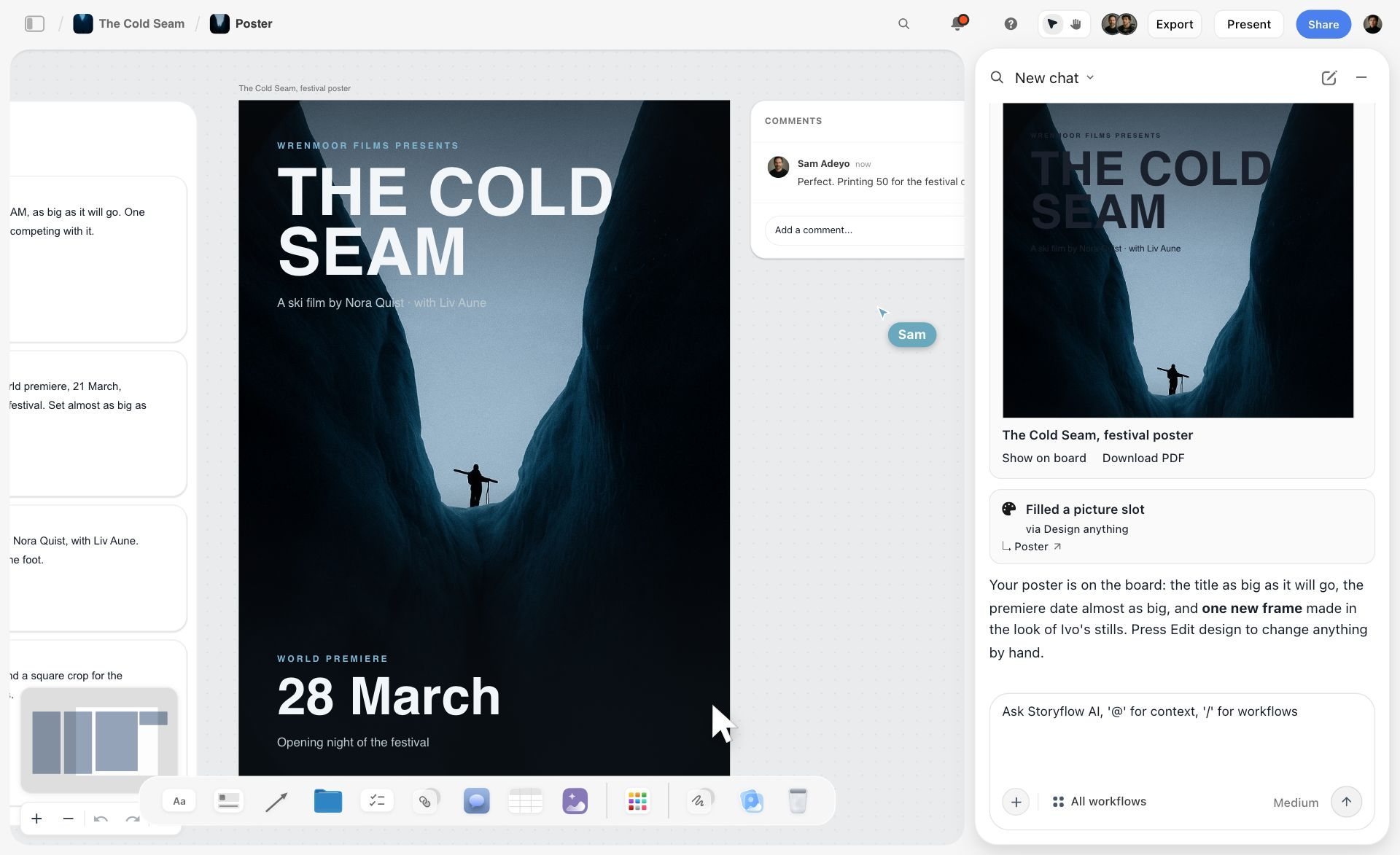
Storyflow overlaps with Canva at one point, and the image below shows it: a festival poster Storyflow's AI laid out on the board from the project's own stills and notes, with a collaborator's comment beside it and a Download PDF link in the chat.
Strengths:
- Fast, template-led output.
- A handoff format clients can edit.
Limits:
- Templates pull work toward looking like other work, which is the opposite of what a designer is paid for.
- It is a making tool, so the reasoning still needs a home.
Choose Canva instead of Storyflow when: the deliverable is a set of templated social formats or a file the client will edit. See the best Canva alternatives for the other options.
8. Affinity
Affinity is a free professional design app with no board, so it pairs with Storyflow the way Figma does: Storyflow for the brief and the mood board, Affinity for the artwork. Its terms changed: Affinity is now Canva's professional creative app and it is free for individuals.
Best for: Freelancers who want vector, photo and layout tools without a monthly fee, beside a planning board such as Storyflow.
Pricing: Free for individuals, per Affinity's site. Its AI tools need a Canva premium plan.
It covers design, photo editing and page layout in one app on Mac and Windows, with an iPad version listed as coming soon, and it reads PSD, AI and IDML files.
Strengths:
- No licence cost for an individual.
- Vector, pixel and layout work in one app.
Limits:
- It is a making tool with no board, so it does nothing for the gap.
- Some agency and print workflows still assume Adobe files.
Choose Affinity instead of Storyflow when: you need to make the artwork and want a professional tool at no cost. Affinity and Storyflow do different jobs, and most freelancers will want one of each.
9. Eagle
Eagle is a desktop reference library bought once, for a designer who collects continuously across years. Storyflow holds the references for one job beside its brief, so the two complement each other.
Best for: A permanent, searchable archive of references, fonts and mockups that feeds each job's Storyflow board.
Pricing: $34.95 one-time for a licence that works on two devices, with a 30-day full-feature trial, per Eagle's store.
It runs on Windows and macOS, tags any asset, finds assets within the same colour palette, lets you annotate ideas directly on images, and saves from the browser with an extension. Version 4 adds AI search.
Strengths:
- Made for collecting at volume, with batch save from the browser.
- Colour search, tags and annotations.
- One payment.
Limits:
- It is a library, not a workspace. It holds material, not reasoning about a specific job.
- A client cannot be sent a link to it the way they can to a board.
Choose Eagle instead of Storyflow when: the missing piece is a desktop library that outlives any single job. Eagle complements a Storyflow board; it does not compete with one.
10. Are.na
Are.na is a research tool where one reference lives in many channels at once. Unlike Storyflow it has no canvas, so position carries no meaning, and its structural idea helps identity and editorial work in a different way.
Best for: Connective reference research for identity and editorial projects, before the chosen references move to a Storyflow board.
Pricing: The Guest plan costs nothing for up to 200 blocks. Premium is $7 a month or $70 a year, per Are.na's pricing section.
A block lives in many channels at once, so a reference can belong to "warm serif systems," "independent publishers" and this specific job. Following a block into its other contexts shows you what it is an example of, which is a form of reasoning no folder produces.
Strengths:
- One reference, many contexts.
- Community channels for discovery.
Limits:
- Channels are lists, so position carries no meaning.
- It is deliberately slow and text-forward, and a poor client-facing surface.
Choose Are.na instead of Storyflow when: the research half of an identity job deserves its own tool, and you want to see what else a reference is connected to.
11. Notion
Notion is the written record: documents and databases. Unlike Storyflow it cannot put two references side by side on a canvas, so Notion is the right answer when your briefs are text-heavy and your clients read documents.
Best for: The written brief, the constraint list and the decision log, where Storyflow is stronger for the visual half.
Pricing: Plus is $10 per member a month billed annually or $12 monthly, and Business is $20 or $24. Notion's pricing page shows local currency in some regions. Notion AI is included with Business and Enterprise.
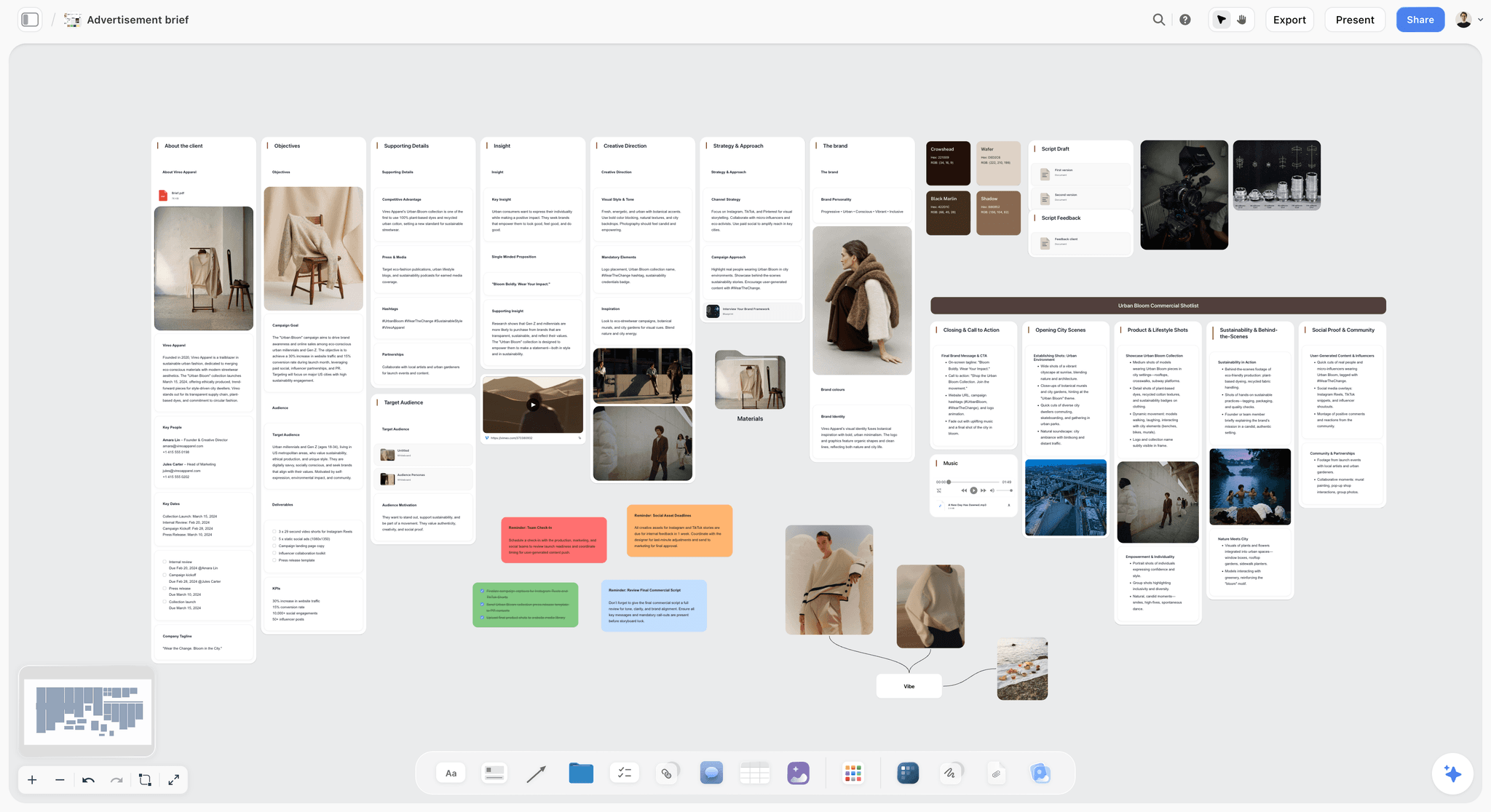
It is the strongest tool here for the written half of the gap. The restated brief, the constraints and the rejected directions all belong in a document, and a client database linked to a project database gives a freelancer a useful business layer.
Strengths:
- The best document and database model on this list.
- A real business layer for a freelancer.
Limits:
- Gallery views are grids, so putting two references next to each other says nothing.
- A page needs a title before a thing can exist, which is awkward for material that has not resolved yet.
Choose Notion instead of Storyflow when: the record is mostly words and databases. Pair it with a Storyflow board for the visual comparison.
Which Workspace Covers Which Stage of a Design Job
A design job runs through ten stages around the artboard. This table shows what Storyflow does at each one and what to use instead or alongside.
| Stage of the job | What Storyflow does | Use instead or alongside |
|---|---|---|
1. Restate the brief | Reads the client's PDF or document and puts the audience, objective, deliverables and dates on the board | Notion, when the brief is a long text document the client edits |
2. Collect references | Images, links and files on the canvas; every image takes a caption | Eagle for a library across years; Are.na for research channels |
3. Build the moodboard and palette | Places 9 to 16 tiles from a web search, or generates them on Pro and Max; builds a swatch grid with names and hex codes | Milanote to arrange by hand; Firefly Boards to generate inside Adobe |
4. Run the kickoff | A shared board in real time on any paid plan; loose notes sorted into walls afterwards | FigJam inside a Figma team; Miro for a large cross-team session |
5. Record rejected directions | A wall per direction with one line on why it lost; a board review reads it back against the goal | Nothing else needed |
6. Make the design | Nothing. There are no vector, type or layout tools | Figma, Adobe Creative Cloud, Affinity or Canva |
7. Present to the client | Present steps one wall at a time, fullscreen; the AI builds a deck you present or export as a PDF | Figma Slides or Canva, when the deck must be an editable slide file |
8. Collect feedback | A view link opens with no account; signed-in viewers comment on the board | Figma comments, for notes on the design file itself |
9. Plan production and handoff | To-dos with a person and a due date; tickets in Kanban walls | Asana or ClickUp, when you need dependencies and workload |
10. Archive the job | Boards in folders per client; a dated PDF export as the record | Eagle, for the references worth keeping |
Stage six is the honest gap in Storyflow, and it is the whole job of four other tools on this list. That is the reason a designer's stack is two tools, not one.
What Storyflow's AI Builds From a Design Job
Storyflow is first on this list because its AI builds the next thing from what you already put down. The canvas alone would not earn the place; other tools have canvases. Three examples from Storyflow's own homepage show it. The project in the screenshots is a ski film, and the flow is the same for a rebrand.
The first image shows loose prep notes after the AI sorted them into three walls, with a collaborator's comment beside them. Swap the film for an identity job and the walls become Audience, References and Open Questions.

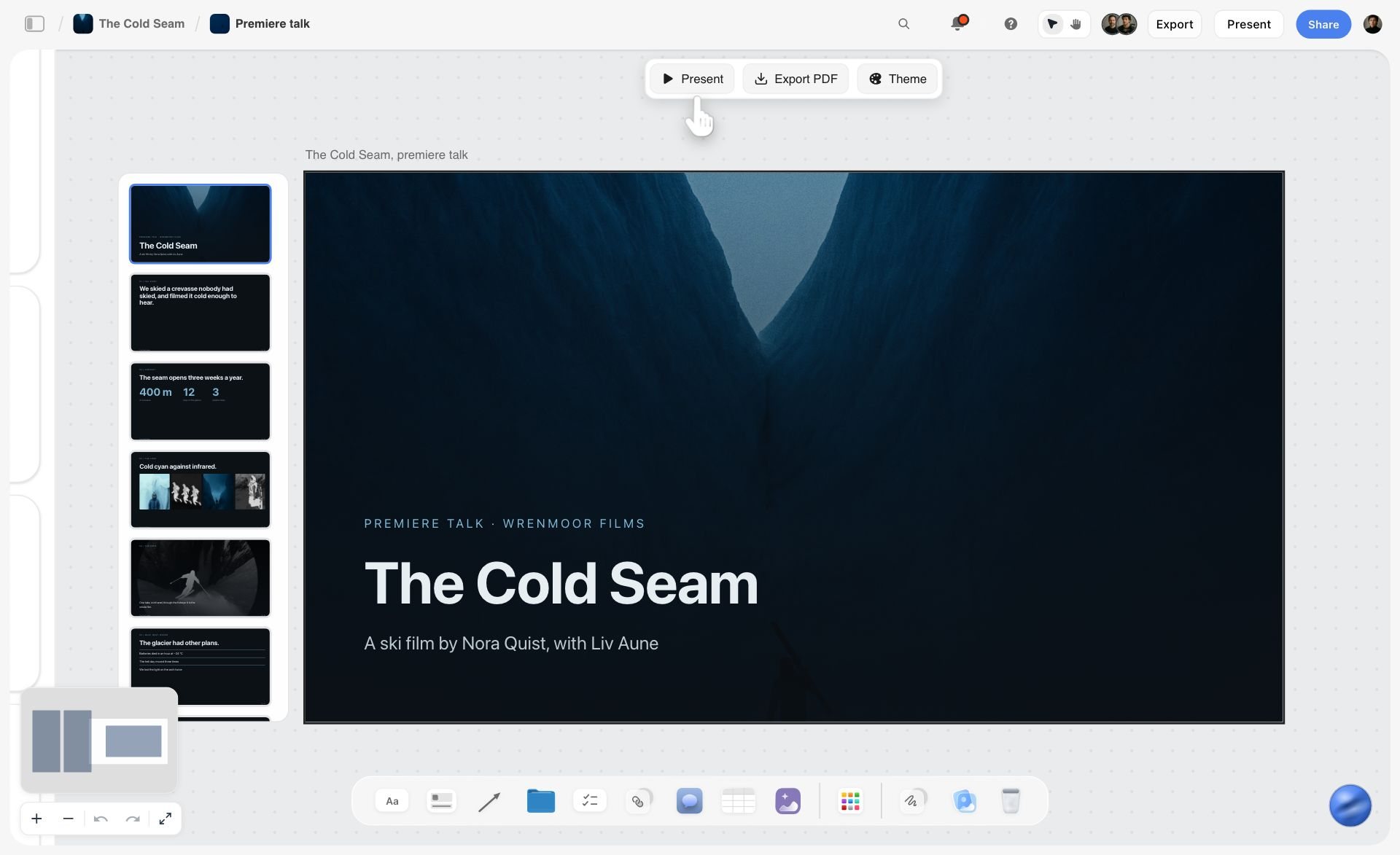
The second image shows a slide deck the AI built from the board, sitting on the canvas with Present, Export PDF and Theme controls above it. This is the client deck from the worked example: cover, brief, directions, recommendation.
Watch: This AI Turns Your Board Into a Client Presentation (3:09)
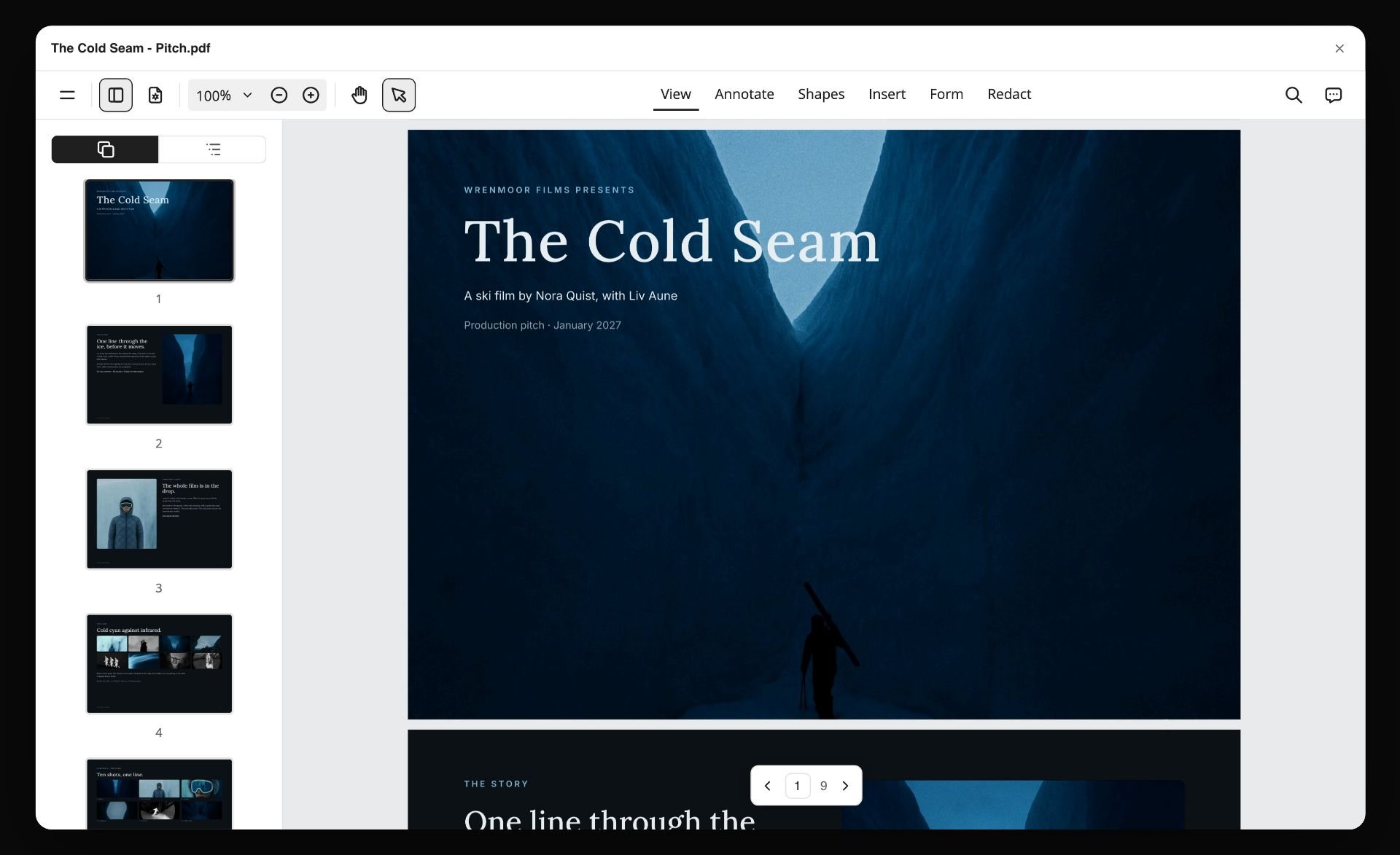
The third image shows the board turned into a PDF pitch you can send, open in a viewer with its nine pages listed down the side.
What Storyflow's AI builds, in plain terms:
- Organised walls from loose notes, files or a paste.
- A moodboard of reference tiles and a colour moodboard of swatches.
- Tables from a PDF, such as the names, costs and due dates in a supplier quote.
- A creative brief, a one-pager, a flier or a set of carousel posts as designed pages.
- A presentation, a pitch deck or a lookbook you present fullscreen or export as a PDF.
What Storyflow does not do: export PowerPoint files, set type with the control of InDesign, or rebuild a deck by itself when the board changes. You ask again. These are working drafts and client documents, not final artwork.
Pricing Compared
All figures are from the vendor's own page on 11 October 2026.
| Tool | Free option today | Lowest paid price | Billing note |
|---|---|---|---|
Storyflow | No free plan yet; invited collaborators join free | $7.99 a month | Billed annually; $9.99 monthly |
Figma | Starter plan | Collab seat $3 a month; Full seat $16 a month | Professional plan |
Milanote | 100 notes, images or links | $9.99 per person a month | Billed annually; $12.50 monthly |
FigJam | Included in Figma Starter | Collab seat $3 a month | Professional plan |
Miro | Three editable boards | $8 per member a month | Billed yearly |
Adobe Creative Cloud | Not checked | Not shown in US dollars when checked | Annual plan billed monthly |
Canva | Not checked | Not quoted | Pricing page did not load |
Affinity | Free for individuals | None for individuals | AI tools need a Canva premium plan |
Eagle | 30-day trial | $34.95 one-time | Two devices |
Are.na | Up to 200 blocks | $7 a month | Or $70 a year |
Notion | Free plan | $10 per member a month | Billed annually; $12 monthly |
A complete low-cost stack is Storyflow Plus at $7.99 a month billed annually plus Affinity or Figma Starter for the making. A stack at no cost at all is Figma Starter plus Milanote's free plan, accepting the 100-item cap and a board no AI builds on.
Which Visual Workspace Has the Best Templates?
For a graphic designer's project templates, start with Storyflow: its gallery has 70 board templates built around real jobs, including a brand moodboard, a brand design exploration board, a logo planning project and a website design plan, and its paid plans add more than 200 Tactics, which are frameworks such as AIDA and StoryBrand. By raw count Miro is far ahead, with more than 7,000 listed.
| Tool | Templates the vendor lists | Design-specific examples | Source |
|---|---|---|---|
Storyflow | 70 board templates, plus 200+ Tactics on paid plans | Brand Moodboard, Brand Design Exploration, Logo Planning Project, Design Project Planner | |
Miro | More than 7,000 | Workshop and strategy formats | |
FigJam | Over 300 ready-made | Workshop and brainstorm formats | |
Milanote | Over 100 | Moodboard and creative project boards |
Count is the wrong measure for this job. A template earns its place when it matches the job you have, with the walls already named. Open the Brand Design Exploration template and the photography direction, palette and type walls are waiting to be filled.
Can Clients View Your Visual Workspace?
Yes, in the tools built for it. In Storyflow a view link opens the board with no account, and a client who wants to comment signs in. Here is what each vendor states.
| Tool | Opening a shared board | Commenting | Source |
|---|---|---|---|
Storyflow | A view link opens with no account | Signs in to comment | Product behaviour |
Milanote | A read-only link, no signup required to view | Invited commenters | Milanote's moodboarding page |
Figma | View seats are free on paid plans | Viewers on paid-plan files can comment | Figma's pricing page |
Miro | Visitors view by link on Free; Guests are a paid-plan role | Depends on the role | Miro's pricing page |
Two rules matter more than the tool. Send the client the board before the work, not after, so the review checks against something already agreed. And cut the board down first: a client needs the restated brief, the captioned references and the constraints, not your forty rejected screenshots. A client review board is that cut-down version.
How to Choose: Recommended Setups by Role
Freelance brand or identity designer
Storyflow for the brief, the moodboard and the client deck. Figma or Affinity for the making. Eagle for the reference library. That is $7.99 a month billed annually plus one $34.95 purchase, and the AI builds the first moodboard and the deck. More on this stack is in the best tools for freelance designers.
In-house designer on a marketing team
Storyflow for the job board each request gets, because the brief arrives as a document the AI can read and the stakeholders need a link, not an account. FigJam or Miro for the quarterly workshop. Figma or Adobe for the work.
Agency design team
FigJam or Miro for the kickoff with the client's team, then a Storyflow board per job for the direction and the deck, then Figma. Three surfaces sounds like a lot, and each is doing a different job. On Storyflow's Max plan the Team Workspace adds roles and permissions.
Designer starting with no budget
Milanote's free plan for one job and Figma Starter for the work. When the 100-item cap bites or you want the board to build things, move to Storyflow. This is the honest answer today, since Storyflow has no free plan until late 2026.
Print and packaging designer
Adobe Creative Cloud or Affinity for making, and a Storyflow board for the gap. The printer's constraints belong on the constraint wall from day one.
Designer who plans with ChatGPT or Claude
Connect the assistant to Storyflow through its MCP connector and the plan you talk through becomes a board, not a chat you lose. That angle has its own guide: the best visual workspaces for work you plan with ChatGPT or Claude.
Minimum viable, any role
Figma, plus a single document per job containing the restated brief, the captioned references and the rejected directions. It costs nothing and captures most of the value of everything above.
Working From ChatGPT or Claude: The MCP Connector
If your first draft of a brief happens in a chat with an AI assistant, the workspace should be reachable from that chat. Storyflow connects to Claude, ChatGPT, Gemini and Grok through its MCP connector, which is open to every user in Settings. Once connected, the assistant can read your Storyflow projects and build boards, documents and decks in them. ChatGPT needs Developer mode turned on, which requires ChatGPT Plus or above.
For a designer this means one sentence in Claude, "build a board from this brief with a moodboard wall and a constraints wall," ends as a real board the client can open, not as a transcript. Setup steps are on the MCP page, and the wider field is covered in the best MCP servers for designers and creatives.
Honourable Mentions
PureRef. An offline reference board for Windows, macOS and Linux that sits beside your design app while you work. PureRef is pay what you want for personal use, with a $49 one-time licence, per PureRef. Choose it over Storyflow when you need references on screen beside Photoshop and nothing else.
Adobe Firefly Boards. Adobe's AI moodboarding canvas. Worth a look if you already pay for Creative Cloud and want generated concept images in the same account. Storyflow does the same job with the brief and the client deck on the board beside the images.
Pinterest. Still where a lot of references are found. Pinterest is a discovery feed, not a project workspace, so move what you keep onto a Storyflow board and caption it.
A paper notebook. For the restated brief and the rejected directions, a page per job is hard to beat. It fails only at sharing.
Tools to Avoid for This Job
A screenshots folder as the reference system. No arrangement, no notes, and a filename records nothing about why the image mattered. It is the default and it is why reasoning disappears.
Figma as the whole workflow. Figma is superb after the decision and holds no reasoning before it, so using it for both means the reasoning does not get recorded. Put a Storyflow board in front of it.
A slide deck for the phase before the artboard. Fixed page dimensions crop references to a rectangle nobody chose, and the polish invites cosmetic feedback on a direction question. Build the deck after the direction is agreed.
A chat thread as the brief. Decisions in messages are unfindable within a fortnight, and no version of the brief is current.
Any tool the client needs an account to open. It adds friction at exactly the wrong moment and is a common reason boards do not get looked at.
A workspace you maintain instead of working. Twenty minutes per job is the right budget for the gap. If you are spending an afternoon, the tool has become the work.
What No Tool on This List Does
None of them interpret the brief for you. Resolving "modern but warm" into a decision is the judgment you are paid for. A model can tell you the board is ambiguous. It cannot tell you what the founder meant.
None of them stop scope creep. Recording the rejected directions makes it much cheaper to resist a stakeholder reopening one, and somebody still has to say no.
None of them make taste arguments winnable. The value of the reasoning is that it converts a taste argument into a brief argument, which is a different conversation and one you can have.
None of them replace showing the work early. A board of reasoning presented at the end is a defence. The same board presented at the start is an alignment, and the second one prevents the situation the first one is for.
The Bottom Line
Our pick for graphic designers is Storyflow, which we make, for one reason: it is where the brief, the captioned references and the rejected directions sit on a canvas an AI reads, and where that AI then builds the moodboard, the palette, the plan and the client deck. You scroll to the reasoning at the review instead of recalling it, and you present from the same board.
Storyflow is not where you design. Figma, Adobe Creative Cloud and Affinity are excellent at the artefact, and Storyflow makes nothing you would hand to a printer. Milanote does the manual half well, with deep nesting and a free plan, which Storyflow does not have today.
The version that requires no purchase is still worth more than the tool choice. Before you open the artboard, spend twenty minutes writing the brief in your own words, captioning every reference with what you are taking from it, and noting the two directions you rejected and why.
That document will not improve the design. It will change what happens at the review, which is where design work is won and lost. If you want the board to build itself from the brief, start the next job on a Storyflow canvas.
FAQ: Visual Workspaces for Graphic Designers
What is the best visual workspace for graphic designers?
Our pick is Storyflow, which we make. Storyflow puts the brief, the references, the mood board, the client feedback and the project plan for a design job on one infinite canvas, and its AI builds the mood board, the colour palette and the client deck from what is on the board. Choose Milanote for a hand-arranged board with a free plan, Figma for the design files, and Eagle for a permanent reference library.
What is a visual workspace?
A visual workspace is a canvas where you arrange images, notes, links and files in space, so the material and the reasoning for a project are visible together. For a graphic designer it sits in front of the design tool: the brief, the references and the directions live in the workspace, and the artwork is made in Figma, Adobe or Affinity.
Which visual workspace has the best templates?
For design project templates we would start with Storyflow: 70 board templates built around real jobs, such as a brand moodboard, a logo planning project and a design project planner, plus more than 200 Tactics on paid plans. By count, Miro lists more than 7,000, FigJam over 300 and Milanote over 100. Pick by fit to your job, not by the number.
Can clients view our visual workspace?
Yes. In Storyflow a view link opens the board with no account, and a client signs in only if they want to comment. Milanote also offers a read-only link with no signup to view. In Figma, View seats are free on paid plans. In Miro, the Free plan has no Guest role, and Miro's own pricing pages disagree on what visitors can do there.
What should I look for in a shared design workspace?
Seven things: a reference can carry a note, there is a place per client and per job, a client can open a link with no account, you can present from it, roles exist, it builds something from your material, and the per-person price is clear. Test them on one real job before you move a team.
Is Figma a visual workspace?
For making, yes, and it is the standard. For the phase before making, no: a file holds artefacts, comments attach to objects and not to decisions, and pages organise one file, not a client and job structure. That is a scope, not a flaw. Put a Storyflow board in front of it for the brief, the captioned references and the rejected directions.
Is Storyflow or Milanote better for graphic designers?
Storyflow, when you want the board to do work: its AI reads the canvas and builds the moodboard, the palette and the client deck. Milanote, when you want to arrange everything by hand and start on a free plan for 100 notes, images or links. Both keep notes beside images, and both need a sign-in to comment.
What is the best free workspace for designers?
Not Storyflow today. Storyflow is paid-only during early access; its Free plan launches before the end of 2026, and anyone a paid member invites to a board joins free now. Free today: Figma's Starter plan and Affinity for the making, Miro's Free plan with three editable boards, and Milanote's free plan for 100 notes, images or links.
Which AI image generators offer a collaborative workspace for design teams?
Storyflow and Adobe Firefly Boards both put image generation on a shared canvas. In Storyflow, Pro and Max plans generate images on the board beside the brief, and collaborators work on the same board in real time. Adobe describes Firefly Boards as a generative AI-first approach to mood boarding on one infinite canvas.
Who offers a design workspace with team permission controls?
Storyflow has admin, edit and view roles on each project, shares a board by an edit link or a view link, and adds a Team Workspace with roles and permissions on the Max plan. Figma separates Full, Dev, Collab and View seats. Miro offers guest and visitor roles on its paid plans.
Is Canva a shared design workspace?
Canva is a design tool first: it is where templated graphics get made and handed to clients to edit. It is not where the brief, the references and the reasons for a direction are kept. Use it for output, and keep a board such as Storyflow in front of it for the decision. Canva's pricing page did not load when checked, so no plan details are quoted here.
Where should designers keep references?
Somewhere they can carry a note, which rules out a screenshots folder. Use Storyflow for the references belonging to a specific job, where each image takes a caption and the AI can compare them to the brief. Use Eagle for a permanent searchable library across years, and Are.na when the connective research matters.
Is Storyflow a design tool?
No. Storyflow has no vector editing, no type control, no component system, no prototyping and no print export, so Figma and Adobe are untouched by it. Storyflow covers the work around the artboard: the restated brief, the captioned references, the rejected directions and the client deck, on an infinite canvas the AI reads. Plans start at $7.99 a month billed annually.
Can I use a visual workspace from ChatGPT or Claude?
Yes, with Storyflow. The Storyflow MCP connector lets Claude, ChatGPT, Gemini and Grok read your Storyflow projects and build boards, documents and decks in them. You connect it in Settings and choose which projects the assistant may use. ChatGPT needs Developer mode, which requires ChatGPT Plus or above.
What should you record before opening Figma?
Four things, in about twenty minutes: the brief restated in your own words with audience and objective, the references with six words each on what you are taking from them, the two or three directions you rejected with one line each on why, and the fixed constraints. The rejected directions are the highest-value item.
How do designers organise multiple client projects?
With a structure that nests: client, then job, then the phases of that job. Storyflow keeps boards in folders per client, Milanote places boards inside boards, and Notion does it well for text-heavy work. Figma's pages do not nest, so several jobs means several files and a naming convention.
Is Adobe still necessary for graphic design?
For print, complex raster work and long-document layout, largely yes, and many agency and print workflows still assume Adobe files. Affinity covers much of the same ground and is now free for individuals. For screen and product work, Figma has taken most of the territory. Whichever you make in, a Storyflow board holds the brief and the client deck around it.
What does a graphic design workspace cost per month?
Between nothing and about $16 per person. Storyflow starts at $7.99 a month billed annually, Milanote at $9.99 per person, Miro at $8 per member and a Figma Full seat at $16. Eagle is a single $34.95 purchase and Affinity is free for individuals. Prices were checked on each vendor's page on 11 October 2026.
Table of Contents
- Quick Picks: The Best Visual Workspace for Graphic Designers by Job
- At a Glance: The 11 Workspaces Compared
- Key Takeaways
- What Is a Visual Workspace for Graphic Designers?
- The Brief-to-Artboard Gap
- What Belongs on the Board Before You Open Figma
- How We Compared These Workspaces
- The 11 Best Visual Workspaces for Graphic Designers, Reviewed
- 1. Storyflow
- 2. Figma
- 3. Milanote
- 4. FigJam
- 5. Miro
- 6. Adobe Creative Cloud
- 7. Canva
- 8. Affinity
- 9. Eagle
- 10. Are.na
- 11. Notion
- Which Workspace Covers Which Stage of a Design Job
- What Storyflow's AI Builds From a Design Job
- Pricing Compared
- Which Visual Workspace Has the Best Templates?
- Can Clients View Your Visual Workspace?
- What to Look For in a Shared Design Workspace
- How to Choose: Recommended Setups by Role
- Working From ChatGPT or Claude: The MCP Connector
- Honourable Mentions
- Tools to Avoid for This Job
- What No Tool on This List Does
- The Bottom Line
- FAQ: Visual Workspaces for Graphic Designers
- Related Reading
Templates to check out for this topic


Branding and design templates you can use in Storyflow
Take a brand from naming to visual direction on one connected canvas. Open any of these templates and the AI works from everything already on the board.


See Storyflow in Action
A visual AI workspace where every feature lives inside one canvas. No tab-switching, no context lost.
Build your entire board from a single message
Type what you need in the AI chat at the bottom of your canvas. The AI adds cards, headings, and structure directly onto your board.
Use expert frameworks as AI context
Type @ in the AI chat and choose any Tactic. The AI tailors every response to that framework instead of giving generic advice.
Turn your board into a mind map in seconds
Ask the AI to restructure your canvas as a mindmap. It connects your ideas into a visual hierarchy so you can see how everything relates.
Why Storyflow Exists
Storyflow actually began as a personal tool while working on creative and research projects.
We kept running into the same problem: ideas were scattered everywhere: notes, documents, and whiteboards.
Nothing helped us see how everything connected.
So we started building a workspace designed around how ideas actually grow.
→ Read how Storyflow was createdJustkay
Documentary Filmmaker & Founder at Storyflow
Published: 2026-08-26
Extremely simple, seriously capable


See how easy it is to get started
Watch a real project come together, from a blank board to a finished plan, clicked through step by step.
Start creating with AI and become more productive
Transform your creative workflow with AI-powered tools. Generate ideas, create content, and boost your productivity in minutes instead of hours.