
A workspace with taste, for people with taste
Hand over the reasoning,
not just the file.
Figma already gives developers the measurements. What it cannot give them is why the layout breaks the way it does, what happens with sixty characters in that field, and which of these decisions is load-bearing.


Creatives working for these brands already got early access
- Red Bull
- Canon
- Artlist
- Porsche
See how easy it is to get started
Watch a real project come together, from a blank board to a finished plan, clicked through step by step.
Start from a ready-made template
Pick a board to see what you can build, then let AI fill it in. Every template is a real, editable starting point on the same infinite canvas.

Design Planner
Plan a design project from brief to delivery, with references, tasks, and feedback side by side.
What is a design handoff board?
A design handoff board is where the information that does not fit inside a design file lives. Storyflow is an AI visual workspace that holds your design handoff on one infinite canvas: the intent and reasoning beside each screen, component states and edge cases as a visible checklist, and a board engineers read with no design tool seat. Handoff is often described as a delivery problem, as though the job were getting the file to the developer, and modern design tools solved that years ago. Figma gives engineers exact measurements, colour values, spacing, and exportable assets, and it does that better than anything else. The reason handoff still goes wrong is that measurements are not the part people get stuck on.
What developers actually ask about after receiving a perfect file falls into a narrow and predictable range. What does this look like while it is loading, and while it is empty, and when it fails. What happens to this layout when the text is three times longer. Which of these margins is a deliberate decision and which is a byproduct of how the frame was drawn. Is this component the same as the one on the other screen or subtly different, and if it is different, is that intentional. None of those questions have answers inside the file, so they get asked in a thread, answered inconsistently, and lost.
Storyflow is an AI-native infinite canvas that suits this because a handoff board is a set of annotated artefacts rather than a document. Drop screenshots of the designs onto the canvas, write the intent next to the screen it applies to, put every state of a component in a row so the missing one is visible, and list the edge cases against the elements that have them. The design file stays the source of truth for pixels; the board carries everything the pixels cannot say.
A handoff worth doing covers three layers, and only one of them lives in the design tool. The specification layer is measurements, tokens, colours, and assets, and Figma owns this completely. The intent layer is why the design is like this: what problem the screen solves, what the user is meant to do first, and which decisions are load-bearing versus arbitrary. The completeness layer is everything the happy path leaves out: loading, empty, error, and permission states, long and short content, offline behaviour, and what happens on the small screen. The second and third layers are where handoff fails, and they are exactly what a board is good at holding.
Ultra fast from brief to board
From a finished design to a handoff nobody has to chase.
Keep the file for the pixels. Put the reasoning and the edge cases on a board.
01
Open a canvas
Sign up in seconds. No download. Your infinite handoff canvas opens straight in the browser.
02
Bring the screens in
Drop screenshots or exports of the designs onto the board and link back to the Figma file. The file remains the source of truth for measurements; the board is where the reasoning goes.
03
Write the intent and the states
Next to each screen, write what it is for and which decisions are load-bearing. Lay every component state out in a row so a missing empty or error state is visibly missing rather than merely absent.
04
Walk it through and share
Share a view-only link with engineering and walk the board together. Questions raised here cost minutes; the same questions raised mid-sprint cost a rebuild.
Everything the design file cannot say.
Intent, states, and edge cases annotated beside the screens they apply to.
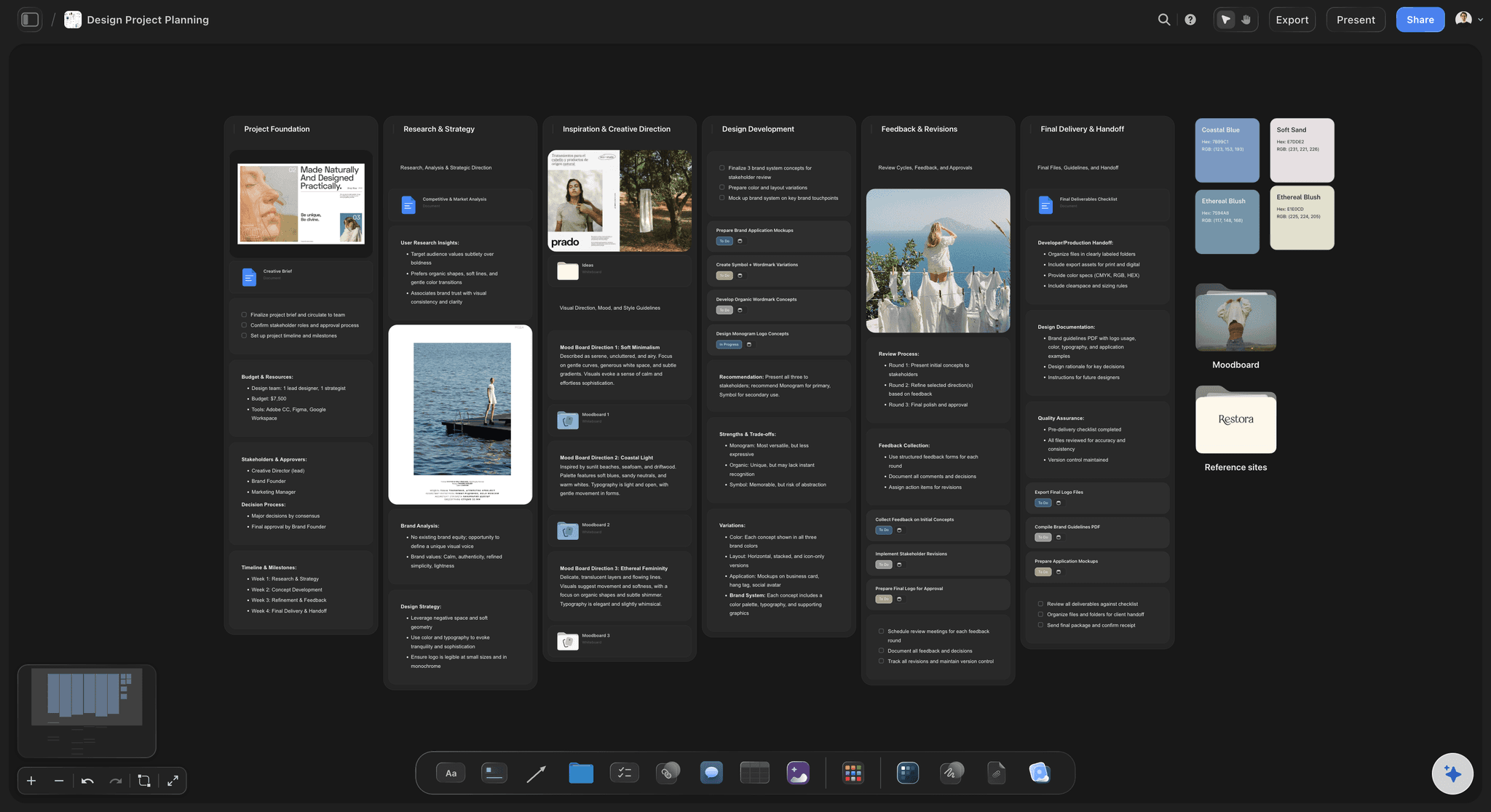
Intent written beside the screen it explains
Say which decisions are load-bearing
Developers make dozens of small judgment calls implementing a screen. Telling them which parts of the design are deliberate and which are incidental is what makes those calls land correctly.
See the design brief →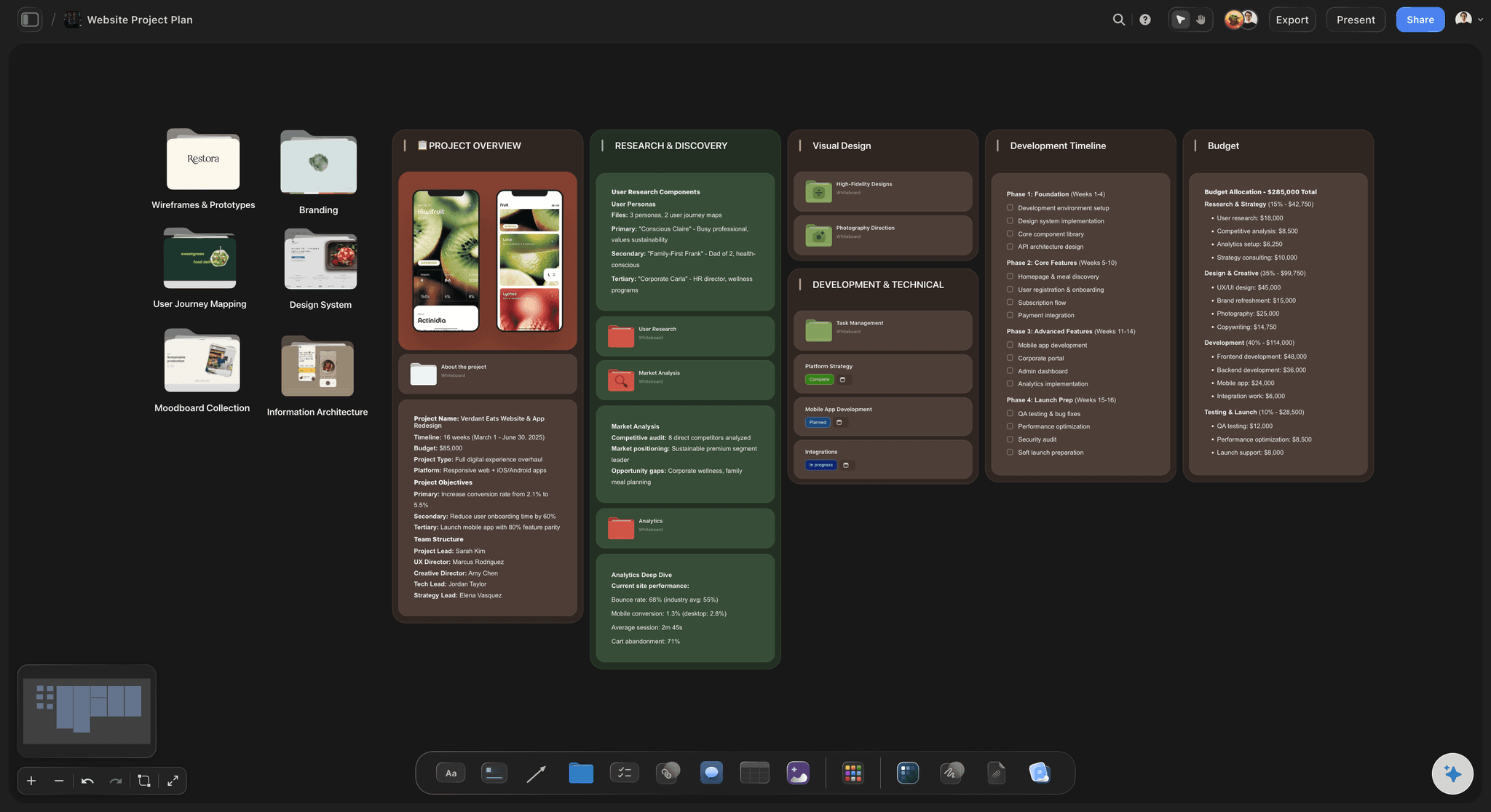
Every state of a component laid out in a row
Make the missing state visible
Default, loading, empty, error, disabled, and permission-denied side by side. A gap in a row is obvious in a way that an unmentioned state in a file never is.
See the design system planner →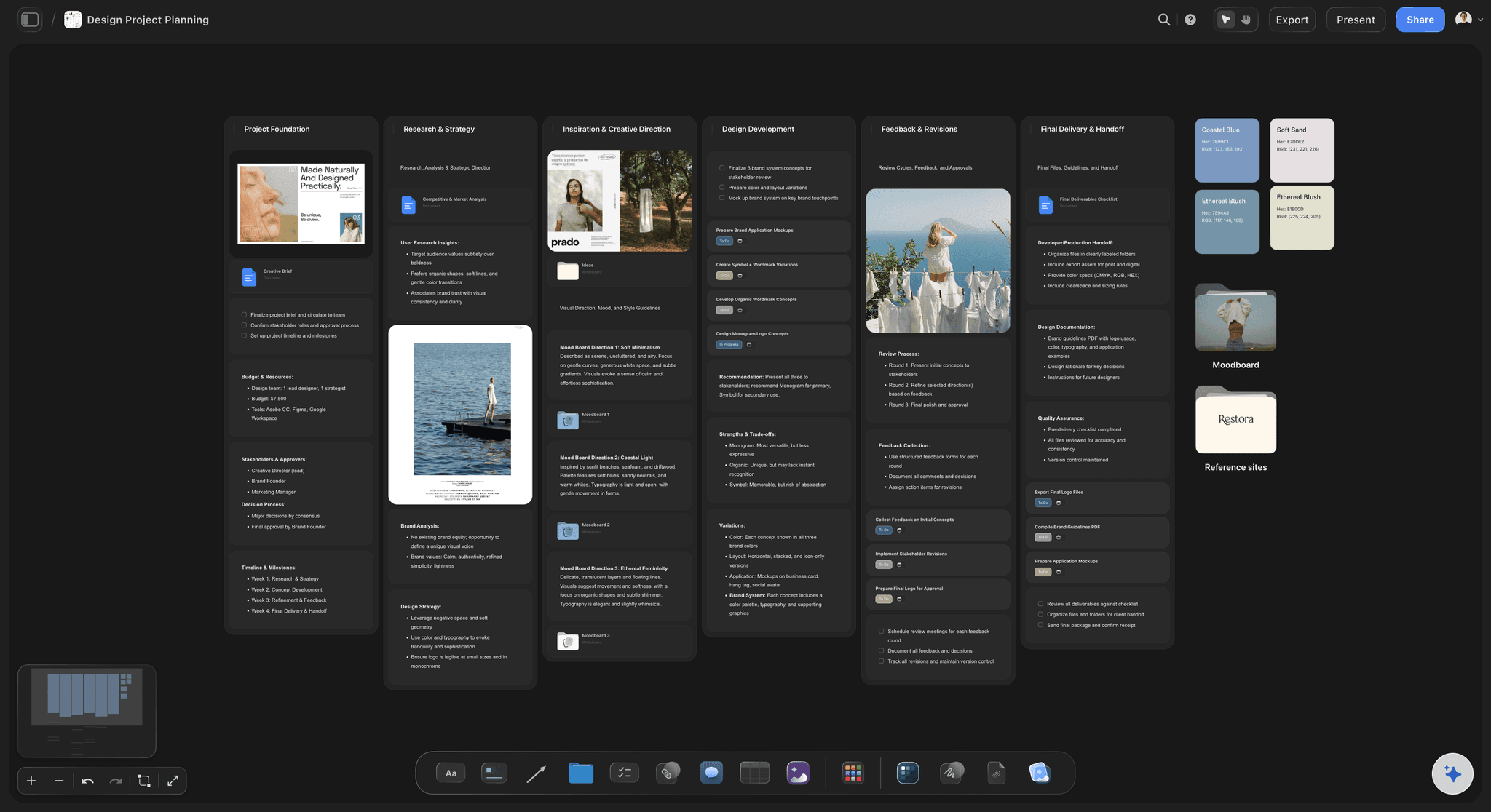
Edge cases listed against the elements that have them
Answer the long-text question in advance
What breaks with sixty characters, zero items, a thousand items, or no network. These are the questions engineers always ask, so answering them on the board removes the entire thread.
See the design critique board →
One board that outlives the sprint
Keep the reasoning after the file changes
Design files get iterated and the reasoning behind version three disappears. A board keeps the record of why, which is what the next person needs when they inherit the screen.
See the design feedback tool →Unlimited boards. No object cap.
Open a canvas, drop the screens in, and write down what the file cannot say. Storyflow is paid-only during early access, with plans from $9.99 a month, and a Free plan launches before the end of 2026.
Unlimited handoff boards on an infinite canvas
Basic AI usage to generate boards from prompts
3 starter frameworks built in
Share view-only links with engineering
Built for people with taste
Figma owns the pixels. This owns the reasoning.
Handoff does not fail on measurements. It fails on intent and on the states nobody drew.
Specification, intent, and completeness
Cover all three layers of a handoff
Specification belongs in Figma: Measurements, spacing, colour values, tokens, and exportable assets are handled better by your design tool than by anything else. Do not duplicate them on a board, because a second copy of a number is a number that will go stale.
Intent is what the file cannot hold: What the screen is for, what the user should do first, and which decisions are deliberate versus incidental. Without this, developers guess, and they guess reasonably and wrongly.
Completeness is where sprints die: Loading, empty, error, permission, and offline states, plus long content and small screens. Every one of these that is missing becomes a mid-sprint conversation and often a partial rebuild.
Name the open questions: Write down what has not been decided yet rather than leaving it implicit. An explicit open question gets resolved; an implicit one gets resolved silently by whoever hits it first.
AI that can see the board you have already built
Draft the checklist with AI, decide the design yourself
Generate a states checklist: Ask the AI to lay out the states and edge cases a given component type usually needs. This is pattern-matching against a well-known list, which is where a model is genuinely reliable.
It cannot see your Figma file: Storyflow does not connect to Figma, does not read your design files, and cannot inspect your components. You bring screenshots and links across; the AI works from what is on the canvas.
Use it to interrogate the design: A useful prompt is to ask what a developer would need to know that is not written down. It will not always be right, but it reliably surfaces two or three real gaps.
Screenshots, links, video, and documents on one canvas
Put the artefacts where the questions are
Screens and flows on the board: Drop exports and screenshots onto the canvas and arrange them as the flow rather than as a file list. Seeing the journey is what makes a missing intermediate screen obvious.
Link back to the source of truth: Keep a link to the Figma frame on each screen card so nobody implements from a stale screenshot. The board is the commentary; the file is the specification.
Record the interaction: Drop a screen recording of the intended interaction onto the board. Motion and timing are notoriously hard to specify in writing and trivial to demonstrate in five seconds of video.
Share with engineering, QA, and product
One walkthrough instead of a month of questions
View-only links: Send a link and engineering, QA, and product read the same handoff in a browser with no account and no seat. QA in particular benefits, since the edge case list is most of a test plan.
Walk the board together: The single highest-value handoff activity is walking the board with the engineers who will build it. Questions surface in minutes rather than mid-sprint. Live multi-editor presence with cursors is on the Max plan.
Export for the ticket: Export as an image or PDF to attach to a ticket, so the reasoning travels with the work rather than staying in a tool some people do not open.
Explore templates for your project
Every template opens as a real, editable board on the infinite canvas. Pick the closest fit and make it your own.
Design Planner
Plan a design project from brief to delivery, with references, tasks, and feedback side by side.
One app instead of five
Storyflow vs Figma, Zeplin, and a ticket description.
Figma is the right home for the design and the specs. Here is the honest division.
Storyflow
Recommended
Intent and reasoning beside each screen
States and edge cases as a visible checklist
Readable with no design tool seat
Exact measurements, tokens, and CSS
Asset export and code snippets
The design file itself
Figma
Intent and reasoning beside each screen
States and edge cases as a visible checklist
Readable with no design tool seat
Exact measurements, tokens, and CSS
Asset export and code snippets
The design file itself
Zeplin
Intent and reasoning beside each screen
States and edge cases as a visible checklist
Readable with no design tool seat
Exact measurements, tokens, and CSS
Asset export and code snippets
The design file itself
Ticket description
Intent and reasoning beside each screen
States and edge cases as a visible checklist
Readable with no design tool seat
Exact measurements, tokens, and CSS
Asset export and code snippets
The design file itself
What creators are saying
Join early creators getting structured workspaces and AI that remembers their projects
“Storyflow has sped up my workflow by at least 3x, which means more flow state and more projects I can actually ship. It truly changed the way me and my team create.”

Reilin Joey
Director & YouTuber
“One prompt gets me a structured board. But the tactics are my favorite. I run my YouTube scripts through them and my intros and retention got better. It's amazing.”

Justkay
YouTuber & Freelance Filmmaker
“I used to juggle five apps to plan a project. Now I describe what I am making and get boards, lists, and a schedule. All in one place.”

George
@fernwehchronicles
Design handoff questions, answered.
What handoff should contain, why files are not enough, and where Figma wins outright.
Three layers, though only one of them belongs on a board. The specification layer is measurements, spacing, colour values, tokens, and assets, and your design tool handles that better than anything else, so do not duplicate it. The intent layer is why the design is the way it is: what the screen is for, what the user should do first, and crucially which decisions are load-bearing versus incidental, because developers make dozens of small judgment calls and need to know which ones matter. The completeness layer is everything the happy path omits: loading, empty, error, and permission states, what happens with very long or very short content, offline behaviour, and the small-screen layout. Handoffs almost never fail on the first layer and almost always fail on the second and third.
Storyflow is built for the part of handoff a design file cannot hold: the intent and reasoning sit beside each screen, so developers know which decisions are load-bearing. Component states and edge cases, such as loading, empty, error and long text, become a visible checklist that the AI can draft for you. Figma gives developers the exact measurements, tokens and CSS, which Storyflow does not.
Because Figma answers what and not why, and the questions that stall a sprint are all why questions. An engineer with a perfect file still does not know whether that 18 pixel gap is a deliberate rhythm or an artefact of how the frame was drawn, what should render while the data loads, what happens when the product name runs to sixty characters, or whether this card is intentionally different from the visually similar one two screens back. None of that is expressible in a file that shows one state of one layout. It is not a shortcoming of Figma, which is excellent at its job; it is that the job has two halves and the file only holds one.
Not during early access. Storyflow is paid-only right now, with plans starting at $9.99 a month, and a Free plan launches before the end of 2026. Anyone a paid member invites to a board joins free today, which matters here specifically: your engineers can read and comment on the handoff without anyone buying them a seat. If you want a free approach this minute, a well-structured document with a states checklist and screenshots covers a surprising amount of this.
No, and it would be a bad idea to try. Storyflow does not do interface design, does not produce measurements or CSS, does not export assets, and does not connect to or read your Figma files. Figma is where the design lives and where the specification comes from, and this page assumes you are using it or something like it. Storyflow holds the layer that sits alongside the file: the intent, the states, the edge cases, and the open questions. If you are choosing between them, you are asking the wrong question, because they are not solving the same problem.
Start with the six that cover most real failures: default, loading, empty, error, disabled, and permission-denied. Then add the content extremes, meaning what the component looks like with the shortest plausible content and with content several times longer than the design shows, since text length is the single most common cause of a layout breaking in production. Add offline or degraded-network behaviour if the component fetches anything. Laying these out in a row on a board is the point, because a gap in a visible row reads as a missing state, whereas a state nobody drew simply does not exist as far as the file is concerned.
It can draft the checklist, which is the mechanical half. Ask it what states and edge cases a given component type usually needs and you will get a solid generic list to work from, because that is pattern-matching against well-known categories. What it cannot do is explain your design, since it cannot see your Figma file and does not know what problem the screen solves or which decisions were deliberate. The intent layer is the part only the designer can write, and it is also the part that makes the handoff worth reading.
Answer them in the same place every time and make that place the one engineers actually open. Most repeat questions are not really new: they are the same six states and the same content-length problem arriving on a different screen. A standard board structure that every handoff follows means completeness stops depending on which designer ran it, and engineers learn where to look before asking. The other half is walking the board together once, which converts the questions people would have asked over three weeks into fifteen minutes of conversation.
Yes. Share a view-only link and anyone can open the whole handoff in a browser with no account and nothing installed. This is a genuine advantage over documenting handoff inside a design tool, where read access often means an extra seat and where engineers frequently do not have the tool open in the first place. If you want people to comment or contribute, invite them to the board and they join free when invited by a paid member.
Yes, and this is the quiet long-term benefit. Design files get iterated, and by version four the reasoning behind version two has vanished, along with the person who knew it. A board that records intent and the alternatives considered survives that, so when someone inherits the screen a year later they can see why it works the way it does rather than assuming it was arbitrary and changing it. Writing down what was explicitly rejected is often more valuable than writing down what was chosen.
Yes, and agency work is where this pays off most. When you hand a design to a team you will not sit beside, anything not written down does not survive the transfer. A board carrying intent, states, edge cases, and open questions is a deliverable in its own right, and it is readable by a client's engineers without them needing a seat in your design tool. Exporting it as a PDF for the project record is also straightforward.
Hand over the reasoning, not just the rectangles.
Open a canvas, drop the screens in, and write down what the file cannot say. No download.