
A workspace with taste, for people with taste
Client feedback and approval,
one round at a time.
The draft goes up beside the brief it answers. The client opens one link with no account, signs in to comment on the specific piece, and the sign-off goes in a table with a name and a date.


Creatives working for these brands already got early access
- Red Bull
- Canon
- Artlist
- Porsche
See how easy it is to get started
Watch a real project come together, from a blank board to a finished plan, clicked through step by step.
Start from a ready-made template
Pick a board to see what you can build, then let AI fill it in. Every template is a real, editable starting point on the same infinite canvas.

Design Planner
Plan a design project from brief to delivery, with references, tasks, and feedback side by side.
What's the best way to share creative work with a client for feedback and approval?
Share one board, not a folder of attachments: put the work beside the brief it answers, send the client one link, and keep every round and every sign-off in the same place. Storyflow is an AI visual workspace that runs client feedback and approval on one infinite canvas: the work beside its brief, a view-only link the client opens with no account, comments on the specific draft, cut or design, and an approvals table. The client signs in to comment, each feedback round stays on the board beside the last, and the approvals table holds the status, the approver and the date for every deliverable. For near-final files that need pixel-level markup and version comparison, proofing tools such as Filestage, Ziflow and Frame.io are built for that stage.
Client feedback goes wrong in predictable places, and almost never because the client is difficult. Notes arrive by email, call and message, so something is lost between them. A comment about the header means nothing two versions later, because the thread no longer knows which version it described. The person giving notes is often not the person who signs off, so a whole round is overturned in week four. Nobody set a date for the feedback, so a late reply moves the delivery date without anyone seeing it happen. And the final approval is a 'looks good' in a message, with no record of which version was approved.
Good review is decided before round one. Name the approver in the brief. Fix the number of rounds, two or three, and what each is for: direction first, then detail, then corrections. Put the date each round of feedback is due into the schedule, because feedback is a task with a deadline like any other. Present every round beside the brief with what changed and the one question you need answered, and ask the client for one consolidated set of notes rather than three people's opinions. Approval is then a named person signing off a named version on a date.
Storyflow holds each of those pieces on the board. The brief sits beside the work as a Doc or cards, with the approver named and a dates table for the feedback deadlines. Each round goes in its own frame beside the previous one, comments sit on the specific piece, and threads can be replied to and resolved. The approvals table uses a status cell, a person cell for the approver and a date cell for the sign-off. Before a round goes out, Review my board reads the whole board and gives notes on what still misses the goal in the brief, and you decide what changes. When a client's process needs a file, the approved board exports as a high-quality image or PDF.
Ultra fast from brief to board
Four steps from first draft to sign-off.
Most of the work is agreeing the rules before the client sees anything.
01
Put the brief and the approver on the board
Add the brief as a Doc or cards: what the work has to do, who it is for, who signs off, and a dates table with the day each round of feedback is due.
02
Post the round beside the brief
The drafts, cuts or designs go into a frame named Round 1, with a note saying what changed and the one question the client needs to answer.
03
Share one link
The client opens the view-only link with no account, signs in to comment on the specific piece, and forwards the same link to whoever actually signs off.
04
Record the sign-off
The approvals table gets a row per deliverable with its status, the approver and the date. The next round goes up beside the last one.
Feedback on the work, and approval on the record.
What a studio needs from a review round: notes it can act on and a sign-off it can point to.
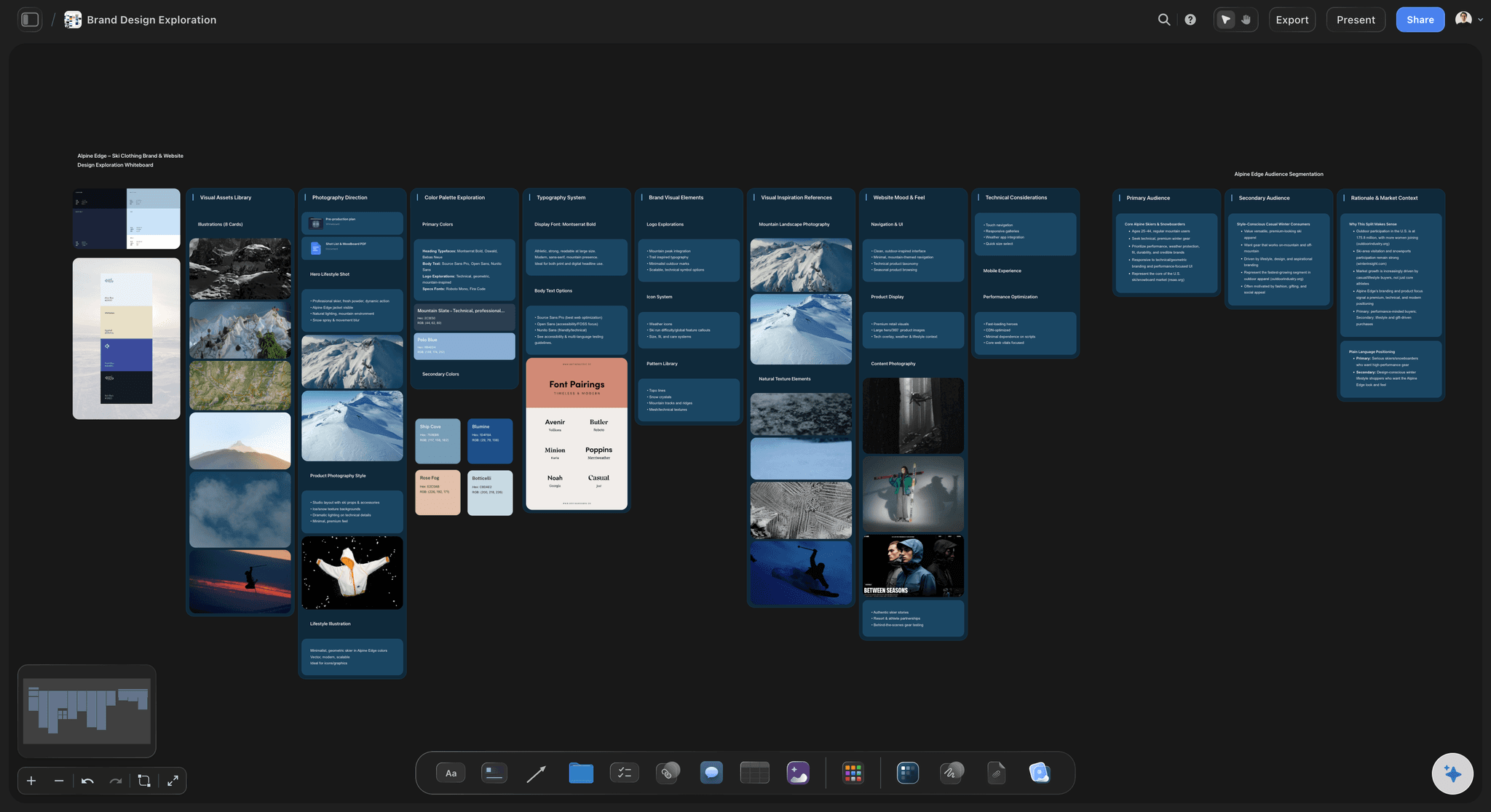
Comments on the specific piece
Notes that point at something
A comment sits on the draft, cut or design it concerns, not on a slide number in an email, so it still makes sense after the board is rearranged and the next version goes up.
See the design feedback tool →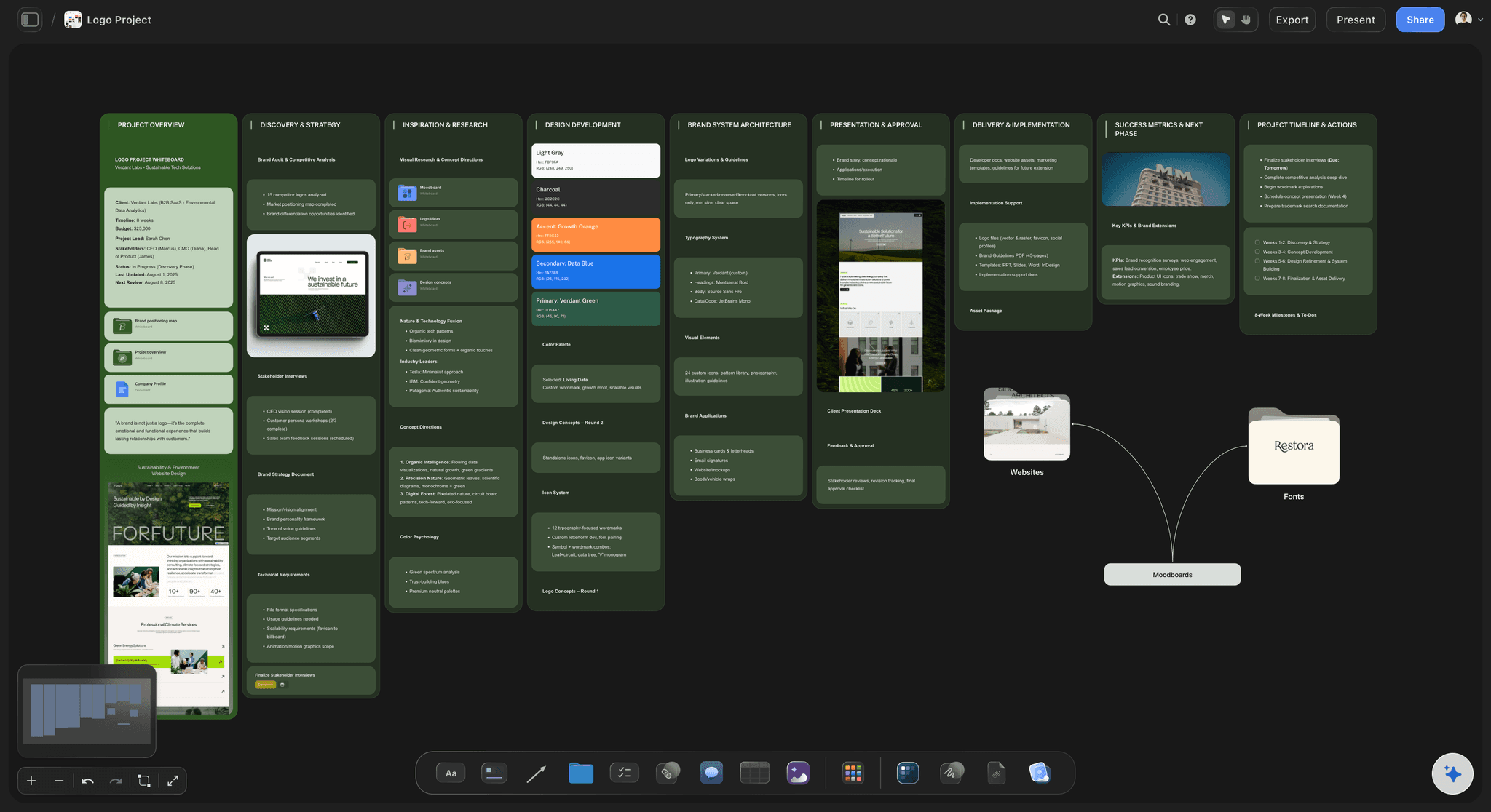
Every round on one board
Round three checked against round one
Each round keeps its frame beside the last, so anyone can see whether the notes from round one were addressed without opening four versions of a file.
Read how to run a design review →
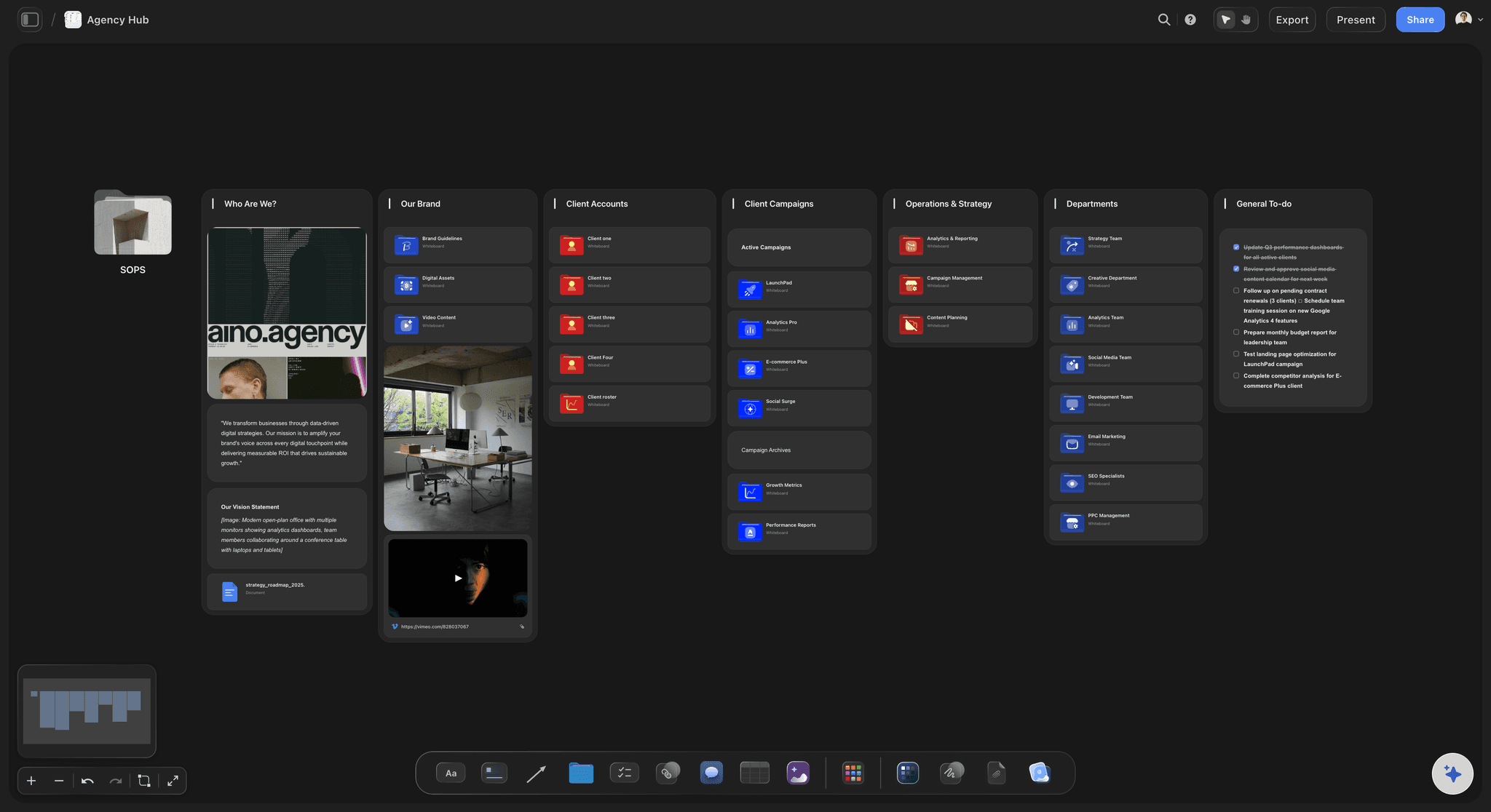
An approvals table
Sign-off with a name and a date
One row per deliverable, with a status cell, a person cell for the approver and a date cell for the sign-off, so a late 'we never agreed to that' has an answer.
Read about campaign approvals from brief to delivery →
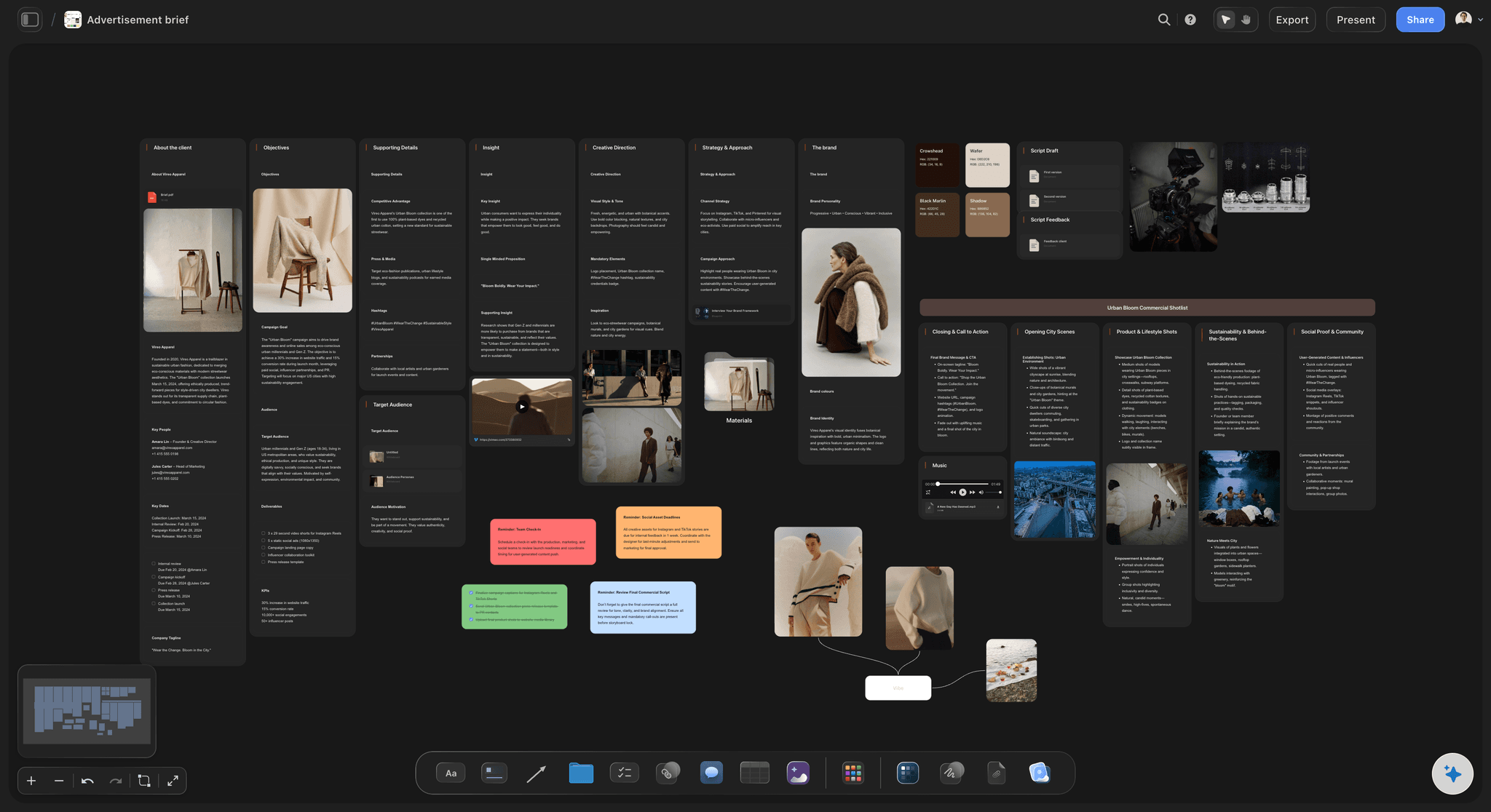
The approver named in the brief
Nobody is surprised by who decides
The brief names who approves the work before anything is made, so round one goes to the person who can say yes, not only the person who briefed you.
See the creative brief template →Unlimited boards. No object cap.
One board per client job, with every round kept. Storyflow is paid-only during early access, with plans from $7.99 a month billed annually, and a Free plan launches before the end of 2026. Anyone a paid member invites to a board joins free.
Unlimited boards, images, files and links for every round
View-only links the client opens with no account
Comments on the specific piece once the client signs in
Export the approved board as a high-quality image or PDF
Built for people with taste
Four parts of a review round that holds.
None of them depends on the client being easy. All of them are set by the person sharing the work.
Before round one
Agree the rules of the review
Name the approver: Write who signs off into the brief. Notes from someone who cannot approve are the most common reason approved work gets reopened.
Fix the number of rounds: Two or three, agreed before work starts, with anything beyond them scheduled and priced as new work.
Date the feedback: Put the day each round's notes are due in the brief's dates table. A late reply moves your delivery date whether or not anyone writes it down.
Say what each round is for: Direction first, then detail, then corrections. Asking for everything in every round is how a project circles.
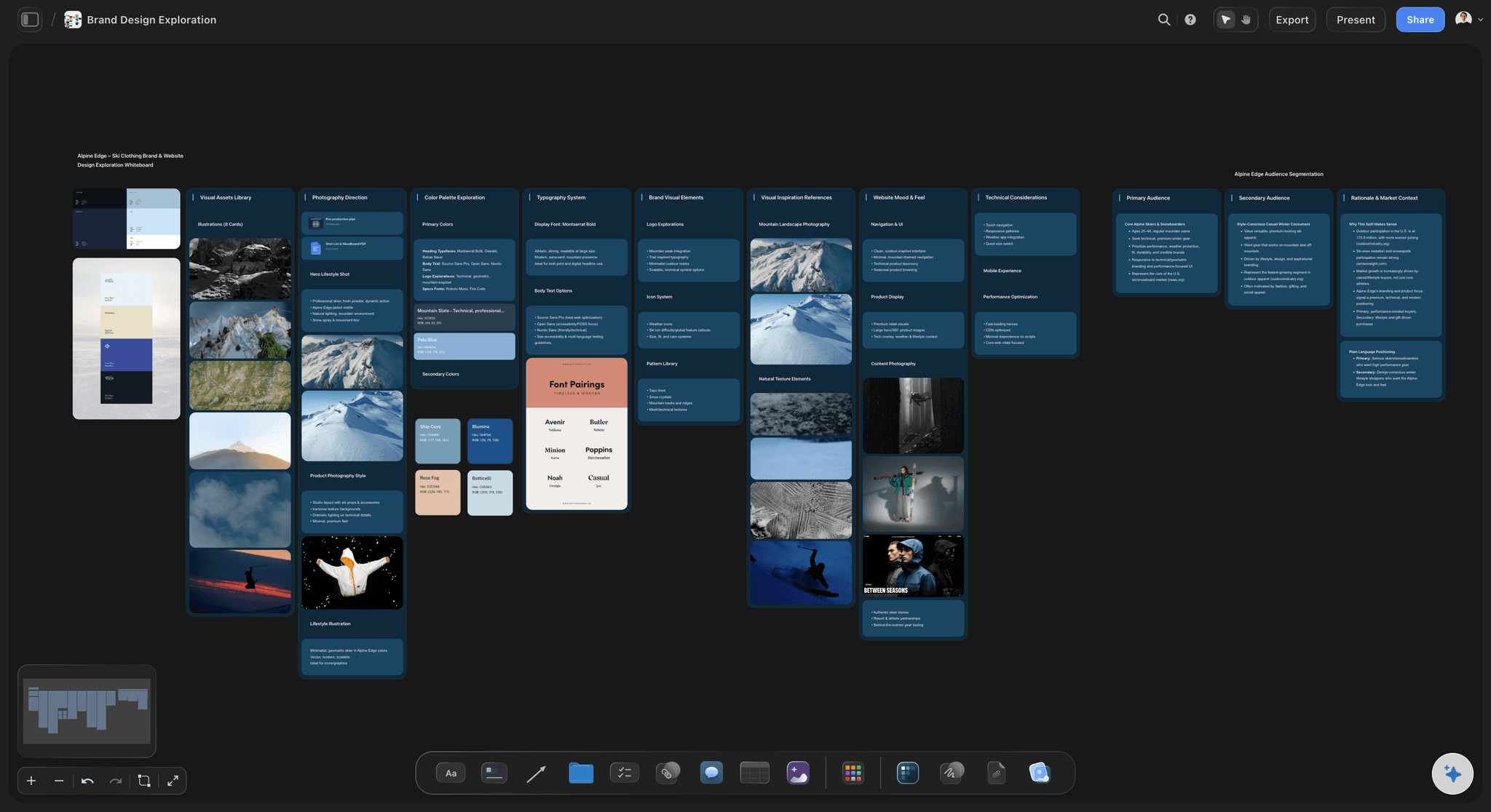
Each round
Present a round so the notes are usable
Show it beside the brief: The work next to what it had to do turns a reaction into a judgement about whether it does the job.
Say what changed: A short note on the frame listing what moved since the last round stops the client re-reviewing everything.
Ask one specific question: Ask whether it reaches the audience you agreed, not what they think of it. The first gets an answer you can work from; the second gets adjectives.
One consolidated set of notes: Ask the client to settle internal disagreements before commenting, so you receive one direction instead of three.
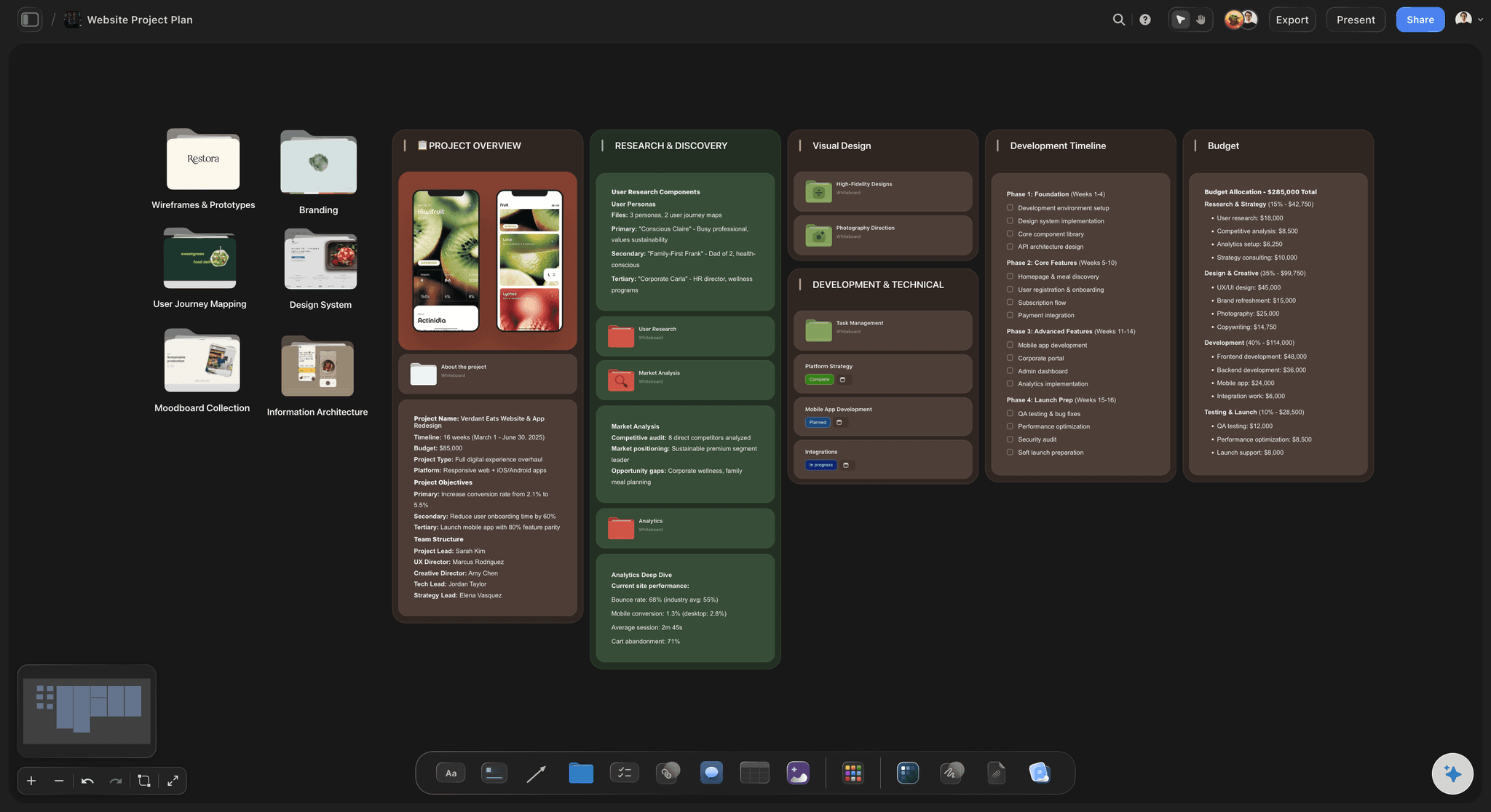
Comments and rounds
Feedback that stays attached to the work
Comments on the piece: The client signs in from the view-only link and leaves a comment on the draft, cut or design it is about.
Threads you can resolve: Reply in the thread and resolve it when the change is made, so the open notes are the ones still to do.
Email notes moved onto the board: Feedback that still arrives by email goes on the board beside the piece it concerns, so the next round has one place to be checked against.
Earlier rounds kept in view: Round one's frame stays beside round two's, which makes an honest conversation about scope possible.

Sign-off
Approval recorded against the exact version
An approvals table per job: A row per deliverable with a status cell, a person cell for the approver and a date cell for the sign-off.
The approved round named: Record which round was approved, not only that something was, so later changes are visible as changes.
Notes before it goes out: Review my board reads the whole board and gives notes on what still misses the goal in the brief. You decide what changes.
A file for the record: Export the approved board as a high-quality image or PDF when the client's process needs a document.
Explore templates for your project
Every template opens as a real, editable board on the infinite canvas. Pick the closest fit and make it your own.
Design Planner
Plan a design project from brief to delivery, with references, tasks, and feedback side by side.
One app instead of five
Storyflow vs Filestage, Ziflow and Frame.io.
Filestage, Ziflow and Frame.io are proofing tools, and they are better at markup on near-final files and comparing versions. Storyflow covers the review around the work: the brief, every round, the comments and the sign-off on one board.
Storyflow
Recommended
Client views the work from a link, no account
Comments on the specific piece of work
Review status on each deliverable
Brief, references and earlier rounds on one board
Pixel markup and side-by-side version comparison
Filestage
Client views the work from a link, no account
Comments on the specific piece of work
Review status on each deliverable
Brief, references and earlier rounds on one board
Pixel markup and side-by-side version comparison
Ziflow
Client views the work from a link, no account
Comments on the specific piece of work
Review status on each deliverable
Brief, references and earlier rounds on one board
Pixel markup and side-by-side version comparison
Frame.io
Client views the work from a link, no account
Comments on the specific piece of work
Review status on each deliverable
Brief, references and earlier rounds on one board
Pixel markup and side-by-side version comparison
What creators are saying
Join early creators getting structured workspaces and AI that remembers their projects
“Storyflow has sped up my workflow by at least 3x, which means more flow state and more projects I can actually ship. It truly changed the way me and my team create.”

Reilin Joey
Director & YouTuber
“One prompt gets me a structured board. But the tactics are my favorite. I run my YouTube scripts through them and my intros and retention got better. It's amazing.”

Justkay
YouTuber & Freelance Filmmaker
“I used to juggle five apps to plan a project. Now I describe what I am making and get boards, lists, and a schedule. All in one place.”

George
@fernwehchronicles
Client feedback and approvals, answered.
How studios run review rounds, get a clear sign-off and choose the right tool.
On one board per job, with rules agreed before round one. In Storyflow the brief names the approver, each round of drafts, cuts or designs goes up beside the last, the client opens a view-only link with no account and signs in to comment on the specific piece, and an approvals table holds each deliverable's status, approver and date. Studios that need pixel-level markup on final files add a proofing tool such as Filestage, Ziflow or Frame.io.
Storyflow is made for client review of creative work: the draft sits beside the brief it answers, the client opens it from a view-only link with no account, and signs in to comment on the exact piece. Every round stays beside the last, and an approvals table records the status, the approver and the date. Filestage, Ziflow and Frame.io still give you pixel markup and side-by-side version comparison.
Five things, agreed before the first round: the approver, by name, so notes from anyone else are input rather than decisions; the number of rounds and what each is for; a date for every round of feedback, since a late reply moves delivery; a rule for consolidated notes; and a record of the sign-off, meaning which version, approved by whom and when. Written into the brief at the start, these settle most approval arguments.
Two or three, named at the start, with further rounds scheduled and priced as new work. Round one decides direction while changes are cheap, round two refines it, and round three is for corrections only. Projects run past three rounds when each round asks for everything, when notes come from someone who is not the approver, or when the brief changed silently. With every round on one board, round three can be checked against what round one asked for.
No, not in Storyflow: the client opens the view-only link in any browser with no account, but signs in before leaving a comment on the specific piece, so every note carries a real name. Signing in costs the client nothing, and anyone a paid member invites to edit the board joins free. Some proofing tools let reviewers comment as guests, which can matter when a client's legal or brand team will not create accounts.
Ask for a decision on a named version and write it down. When the round goes up, say exactly what needs approving and by when: this cut, this layout, these twelve images. Record the answer where both sides can see it, with the approver's name and the date. In Storyflow that is a row in the approvals table, with status, person and date cells. A 'looks good' from anyone but the named approver is feedback, not approval.
Only for the stage where the detail is the question. Proofing tools such as Filestage, Ziflow, ReviewStudio and, for video, Frame.io are built for near-final files: pixel markup, timecoded comments and version comparison. Most approval happens earlier, on concepts, drafts, moodboards and treatments, where the question is whether the work does what the brief asked. Storyflow covers that stage on one board, and many studios use both: the board for direction, a proofing tool for the final file.
Two kinds. Work management suites such as Wrike put proofing inside a task with an assignee and due date, and proofing tools such as Filestage and Ziflow add review deadlines around files. Storyflow puts the plan on the same board as the work, in tables with date, person and status cells, Kanban and tickets, while clients comment on the specific piece. It has no pixel-level proofing, so choose a proofing tool when the file check matters most.
Ask for one consolidated set of notes per round and one named approver, and agree both before round one. Contradictory notes from three people are the most expensive feedback a studio gets, because you end up resolving the client's internal disagreement in your own time. If notes still arrive separately, put them beside the piece they concern, mark where they conflict and ask the approver to decide. Comments on the specific piece also make duplicate notes fall away.
Put the cut on the board beside the brief and script, as an unlisted YouTube or Vimeo link that plays in place, with a note on what changed and what needs deciding. The client opens the view-only link with no account and signs in to comment next to the cut, starting each note with the timecode. Keep every cut in its own frame. For frame-accurate notes drawn on the picture, use a video review tool such as Frame.io.
Yes, by reading the work before the client does. In Storyflow, Review my board reads the whole board, the brief included, and gives notes on what loses the audience, what misses the brief's goal and what is strong but buried, so you catch the obvious note before it costs a round. It can also draft the note that goes out with a round. It proposes; you decide what to change, send and push back on.
Not yet. Storyflow is paid-only during early access, with plans from $7.99 a month billed annually ($9.99 monthly). A free plan launches before the end of 2026, and anyone a paid member invites to a board joins free. Your clients never pay: they open a view-only link with no account, and signing in to comment costs them nothing. Plus covers unlimited boards, images, files and links for every round of every job, and Pro adds AI image generation.
More from Storyflow
Design feedback tool
Creative concept board
Campaign concept presentation
Design review board
Moodboards for clients
Client presentation tool
Creative brief template
Campaign brief to delivery
Frame.io alternative
Agency client project planning
For agencies
When the client hates the first round
Campaign approvals from brief to delivery
Running a video review round with a client
Solo studio project planning
Photography client questionnaire
Scope creep on creative projects
Run the next review round on one board.
Put the brief and the work up, share one link, and record the sign-off. No download.