
Extremely simple, seriously capable
A design feedback tool
that keeps every note beside the work.
The work, the brief, the references and every round on one board. The client opens a view-only link with no account, and signs in to comment on the piece in front of them.


Creatives working for these brands already got early access
- Red Bull
- Canon
- Artlist
- Porsche
See how easy it is to get started
Watch a real project come together, from a blank board to a finished plan, clicked through step by step.
Start from a ready-made template
Pick a board to see what you can build, then let AI fill it in. Every template is a real, editable starting point on the same infinite canvas.

Mind Map
Branch one central idea out into themes and sub-points, then drag the connections around until the structure makes sense.
What is the best design feedback tool?
A design feedback tool is where a client reviews creative work and leaves each note beside the piece it is about. Storyflow is an AI visual workspace that gathers design and creative feedback on one infinite canvas: the work, the brief, the references and every round sit together, and the client opens a view-only link with no account. That is the simple freelancer workflow of one shareable link with comments, plus the context the comments need: the client signs in to comment beside the specific piece, and a status column such as In review or Done shows where each piece stands. Use Filestage or Frame.io instead when the job needs proofing markup on near-final files, a formal approval record or side-by-side version comparison.
Design feedback rarely fails because of what a client says. It fails in transit. One note arrives by email, another in a call, a third as a screenshot of an old version, each separated from the work it is about, and each stakeholder writes theirs without seeing the others. So round two contradicts round one, a decision settled last week reopens, and the revision cycle goes on reconciling channels instead of improving the work.
A feedback process that holds up is set before round one. Name the one person who decides. Show two or three directions in the first round, not six. Ask for one consolidated set of notes per round within an agreed window, such as three working days, and agree the number of rounds, usually two or three, with further rounds priced as new work. Keep the brief beside the work, so notes are measured against what was agreed rather than against taste.
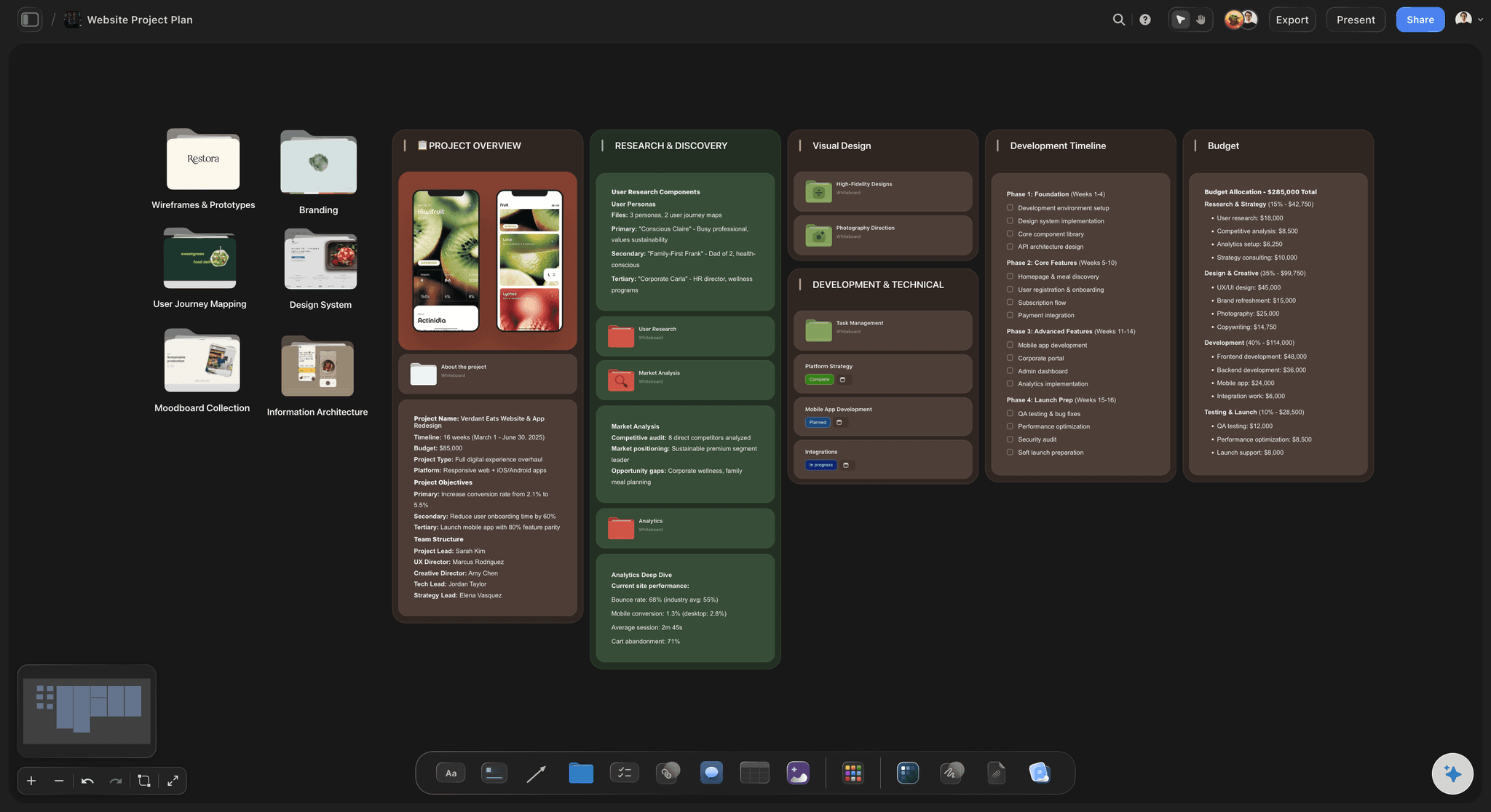
On a Storyflow board each round goes in its own frame beside the last, so the client sees what changed. Comments sit next to the piece they are about, Docs carry inline comment threads for copy and rationale, and a table tracks each piece with its round, owner, due date and status. Presentation mode steps through the frames in a review call, the AI reads the board and gives notes on what still misses the brief before anything goes out, and the whole board exports as an image or PDF for the record.
Ultra fast from brief to board
From scattered notes to one board and one link.
No review portal to configure and nothing for the client to install.
01
Lay out the work beside the brief
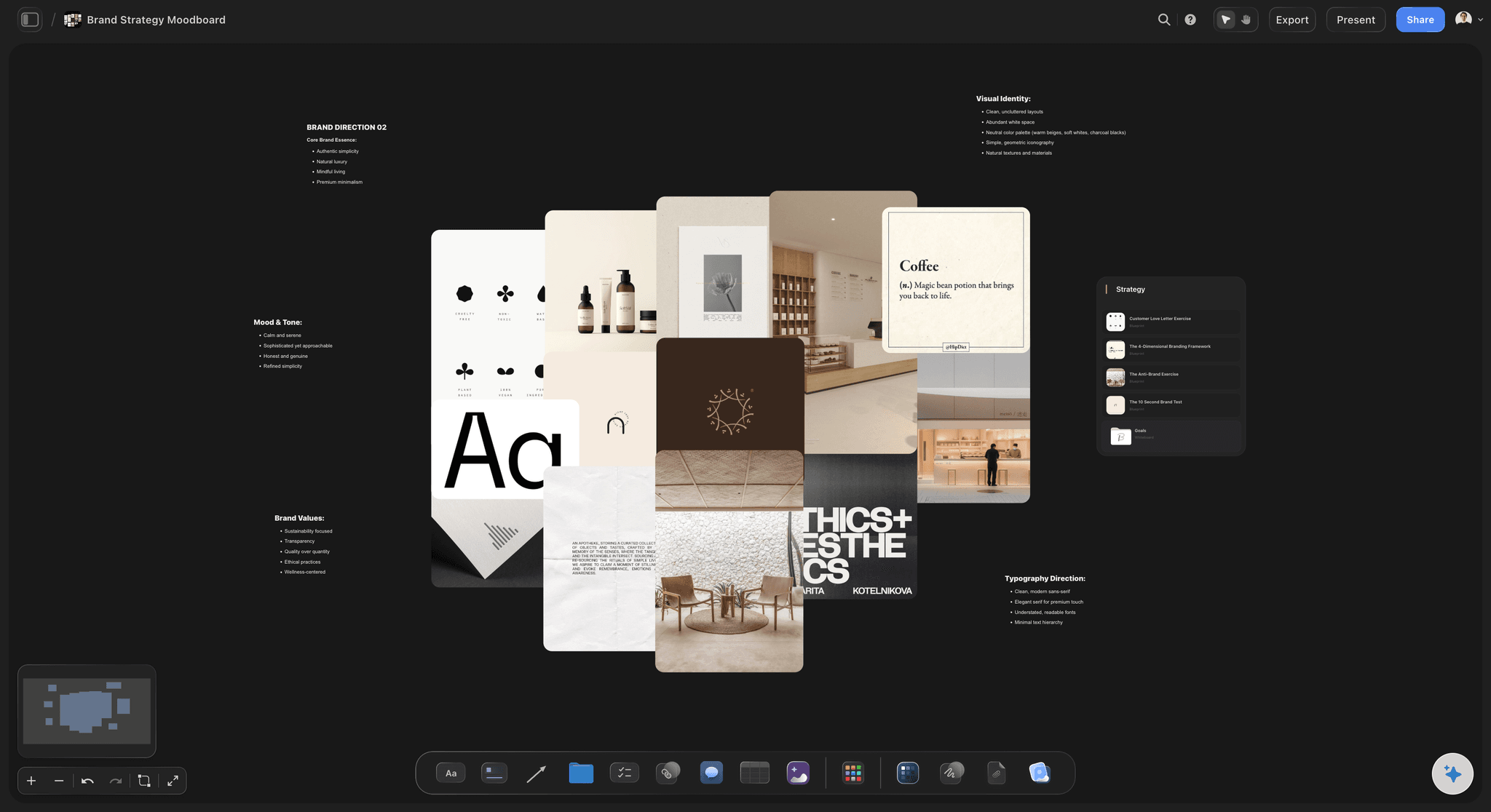
Put each direction in its own frame with the brief and references next to it. Describe the project and the AI can lay out the board for you.
02
Share one view-only link
The client opens it in a browser with no account, and signs in to comment on the specific piece. Everyone sees the same board and each other's notes.
03
Run one round at a time
Ask for one consolidated set of notes by a date. The next round goes in a new frame beside the last, so what changed stays visible.
04
Record where each piece stands
A status such as In review or Done and a due date for every piece. Export the board as a PDF when a client needs a file for their records.
The work, the notes and the next round on one board.
Designs, video, copy and references on a canvas your client can open from a link.
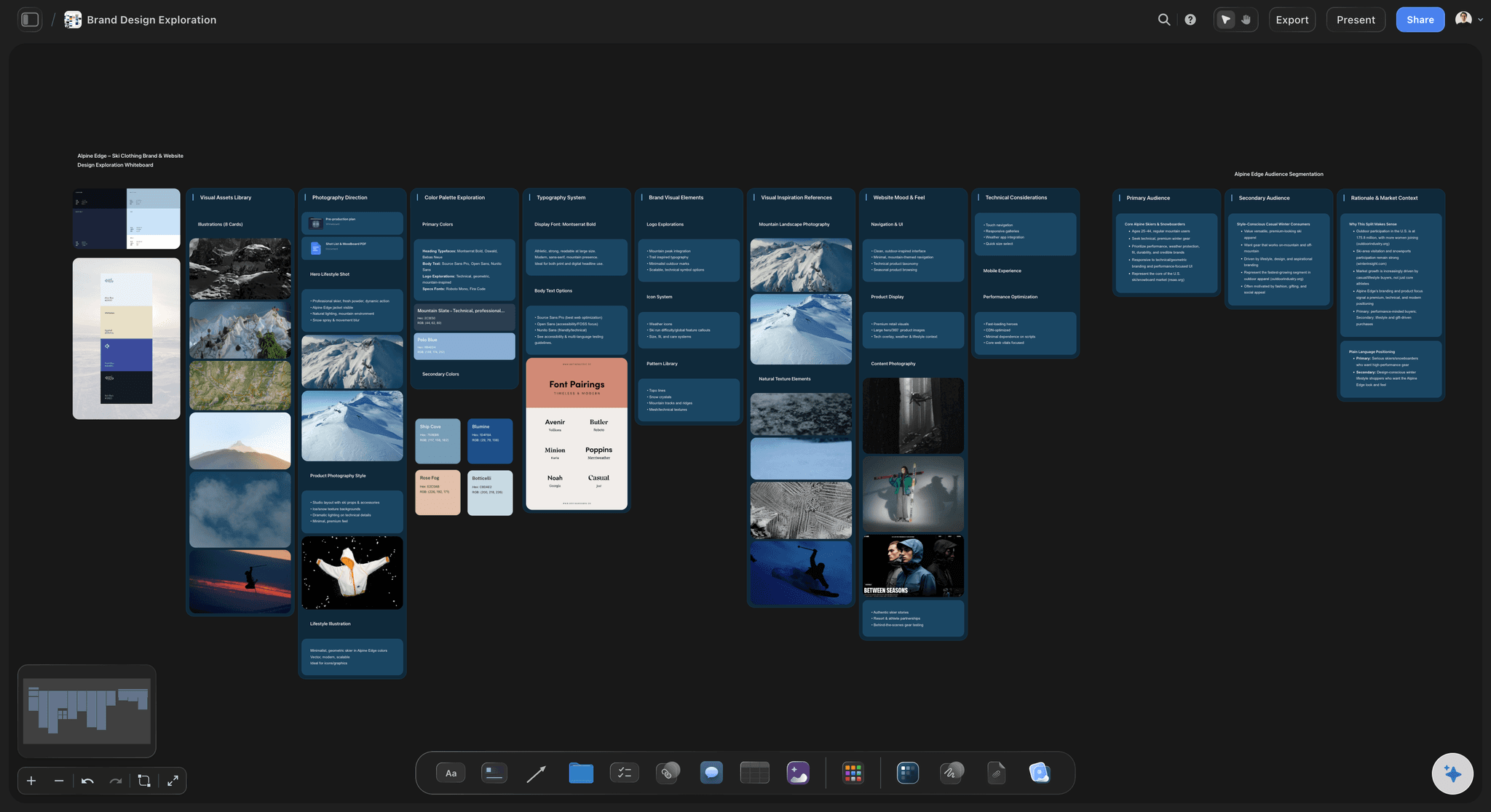
Directions side by side
Compare what you can see together
Every direction on one canvas, so the client reacts to the set rather than to whichever attachment they happened to open first.
Try the client presentation tool →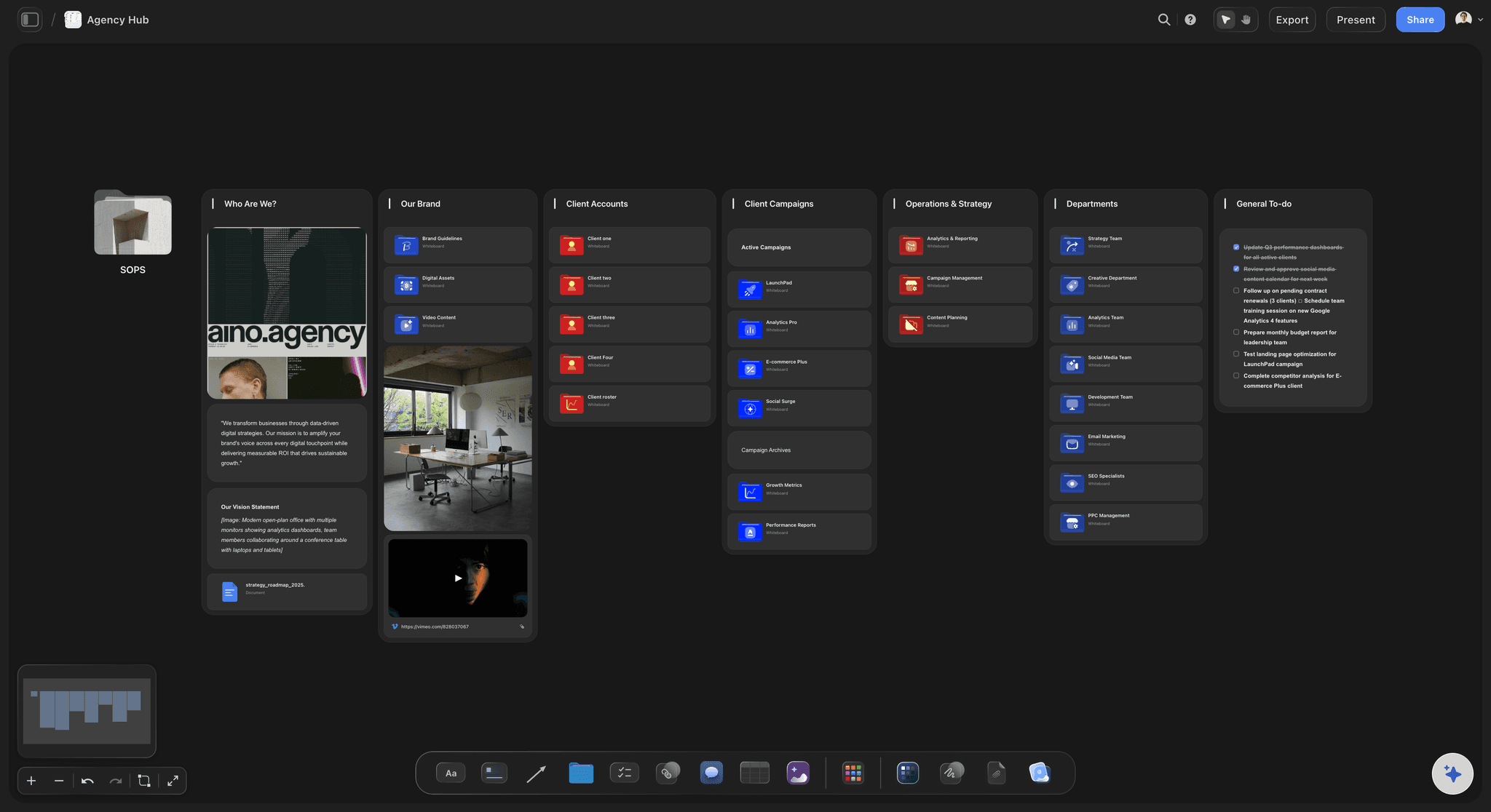
Comments beside the piece
Notes that stay with the work
The client signs in and comments next to the design, frame or document in question, so a note never has to say which version it meant.
See the client review board →
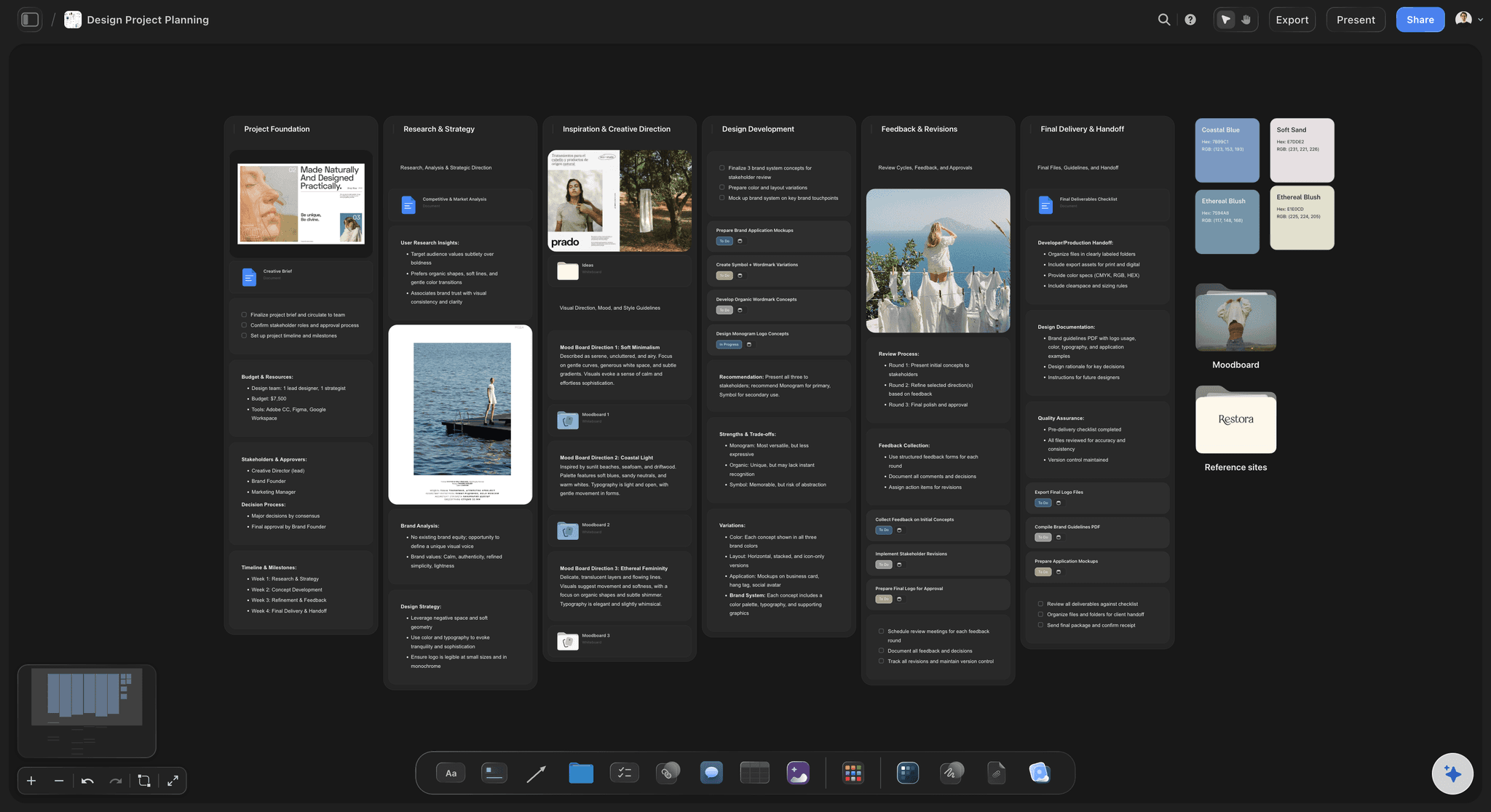
Brief and rationale in view
Feedback measured against the brief
The brief, the references and the reasoning sit next to the designs, so notes respond to what was agreed instead of starting the argument again.
See the design brief →
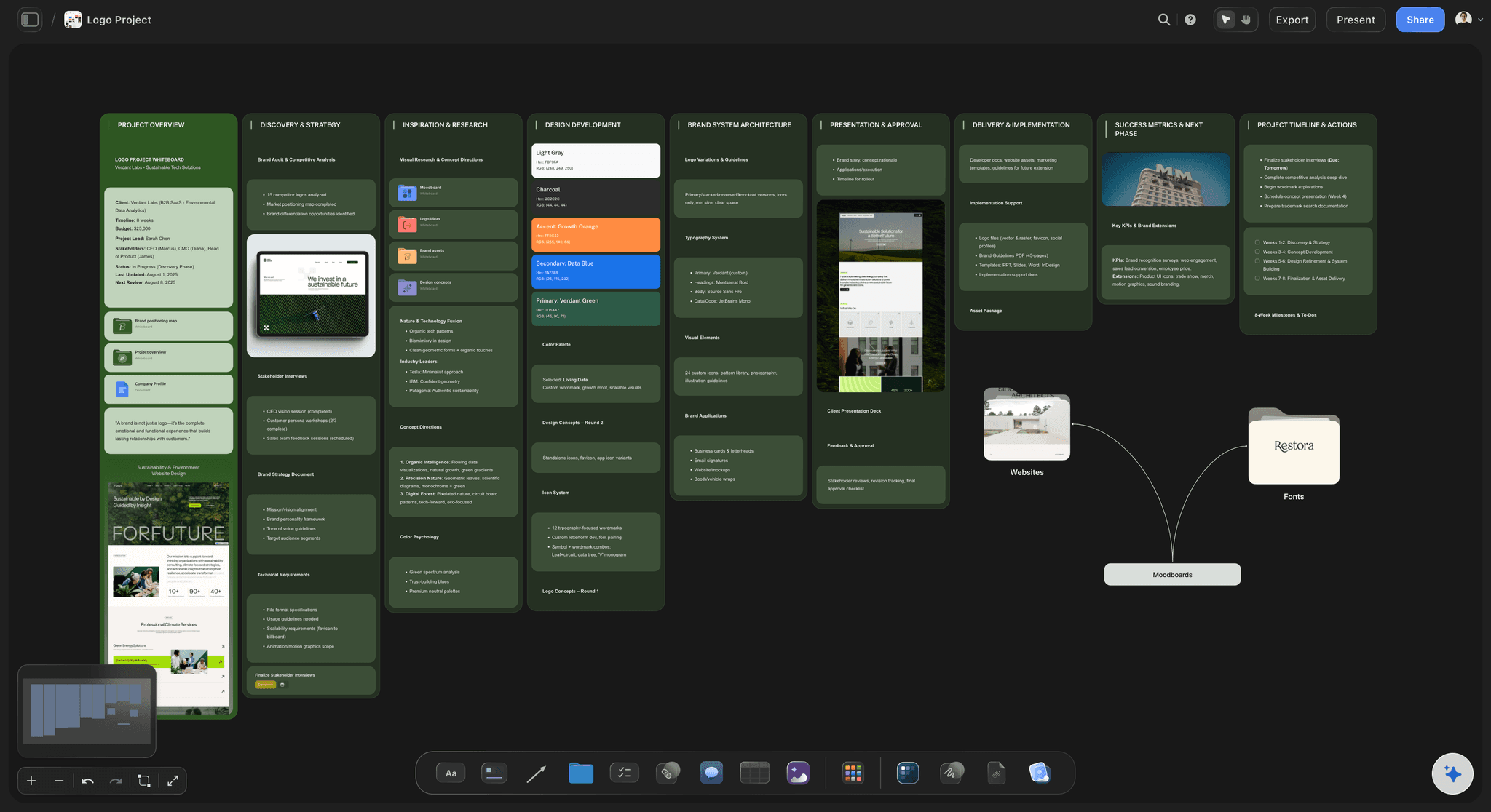
Video and copy as well
Creative feedback beyond static design
Upload a video cut and grab the frame a note is about, or put copy in a Doc that invited collaborators discuss in inline comment threads. Timecoded notes on every frame belong in Frame.io.
See the video production workflow →Unlimited boards. One per client.
A board for every client and project, with no cap on designs, rounds or references. Storyflow is paid-only during early access, with plans from $7.99 a month billed annually ($9.99 monthly). A free plan launches before the end of 2026, and anyone a paid member invites to a board joins free.
Unlimited feedback boards and file uploads
View-only links that open with no account
Comments beside the work, and Docs with inline threads
Status, person and date columns for every piece
Built for people with taste
Most feedback problems are set up before round one.
Four things decide whether design feedback converges or goes in circles.
Before the first round
Rules the client agrees to
One decision maker: Several people can comment, but one person decides. Name them in the brief, or round three overturns round two.
Two or three directions: Enough to compare, few enough to choose from. Six directions invite a request to combine four of them.
A fixed number of rounds: Two or three, each with a job: direction first, then detail, then corrections. Further rounds are priced as new work.
A date for every round: Feedback is a task with a deadline. A late round moves your delivery date, so it belongs in the schedule with a date on it.
During a round
Notes that can be acted on
Comments on the piece, not in the inbox: A note beside the design it is about needs no screenshot, no attachment and no version number to be understood.
One consolidated list: Ask the client to gather every stakeholder's notes into one list per round, so contradictions are settled on their side, not yours.
Problems, not prescriptions: Ask what is not working rather than what to change. 'The headline gets lost' is more useful than 'make the logo bigger'.
Questions in context: Collaborators you invite ask about copy or rationale in an inline comment thread on the Doc, where the answer stays with the text. A client viewing by link comments beside the Doc instead.
Across rounds
A trail the client can follow
Each round in its own frame: Round two sits beside round one instead of replacing it, so the client sees what changed and why.
Status per piece: A table with a status cell (Not started, In progress, In review, Done) and a due date shows what is waiting on whom.
The decision written down: When the client chooses, write the choice, the date and who made it on the board. It is a note, not an approval button, and for most freelance work it is enough.
Export for the record: Export the whole board as an image or PDF when a client's process needs a file, or present it full screen frame by frame.

The AI, and where Storyflow stops
Honest about the edges
The AI sets up and checks the board: Describe the project and the AI lays out the directions, the brief and the references. Ask it for notes on what still misses the brief before the client sees it.
No proofing markup: A client who signs in can draw on the board to circle a spot and comment beside it, but neither is anchored to a pixel of the file. Figma pins comments inside a design file, and Filestage and Frame.io mark up near-final files.
No approval button or version compare: There is no one-click sign-off and no side-by-side version view. Use Filestage or Frame.io when a client requires a formal approval record.
Commenting needs a sign-in: The client views with no account, and signs in to comment. Invited collaborators edit the board with you in real time and join free.
Explore templates for your project
Every template opens as a real, editable board on the infinite canvas. Pick the closest fit and make it your own.
Mind Map
Branch one central idea out into themes and sub-points, then drag the connections around until the structure makes sense.
One app instead of five
Storyflow vs Figma, Frame.io and Filestage.
Figma pins comments inside the design file, Frame.io owns timecoded notes on video, and Filestage runs formal proofing with approvals and version comparison. Storyflow is the shared board around the work: every direction, round, reference and note behind one link.
Storyflow
Recommended
Runs in the browser, nothing to install
Brief, references and every round on one canvas
Briefs and copy written as docs with comment threads
Comments anchored to a point inside the file
Timecoded comments on video
Figma
Runs in the browser, nothing to install
Brief, references and every round on one canvas
Briefs and copy written as docs with comment threads
Comments anchored to a point inside the file
Timecoded comments on video
Frame.io
Runs in the browser, nothing to install
Brief, references and every round on one canvas
Briefs and copy written as docs with comment threads
Comments anchored to a point inside the file
Timecoded comments on video
Filestage
Runs in the browser, nothing to install
Brief, references and every round on one canvas
Briefs and copy written as docs with comment threads
Comments anchored to a point inside the file
Timecoded comments on video
What creators are saying
Join early creators getting structured workspaces and AI that remembers their projects
“Storyflow has sped up my workflow by at least 3x, which means more flow state and more projects I can actually ship. It truly changed the way me and my team create.”

Reilin Joey
Director & YouTuber
“One prompt gets me a structured board. But the tactics are my favorite. I run my YouTube scripts through them and my intros and retention got better. It's amazing.”

Justkay
YouTuber & Freelance Filmmaker
“I used to juggle five apps to plan a project. Now I describe what I am making and get boards, lists, and a schedule. All in one place.”

George
@fernwehchronicles
Design and creative feedback, answered.
How to collect it, which tool fits which work, and what Storyflow does and does not do.
Storyflow, for direction-stage feedback on mixed creative work: moodboards, concepts, drafts, video cuts and copy on one board a client opens by link. Figma, for UI and product design critique inside the file. Frame.io, for video, with timecoded notes on each frame. Filestage and Ziflow, for formal proofing: markup, version comparison and approval records across many file types. Plenty of studios use two of these side by side.
Storyflow keeps every note beside the work: the brief, the references and every round sit on one board with the pieces themselves. The client opens a view-only link with no account and signs in to comment beside the specific piece, and a status column shows where each piece stands. Frame.io and Filestage still do what Storyflow does not: comments anchored to a point inside the file and timecoded comments on video.
Software that puts the work and the reactions to it in one place, so feedback arrives attached to the piece it is about instead of scattered across email, calls and chat. Some are proofing tools for markup and approvals on near-final files, such as Filestage. Some live inside the design tool, such as Figma comments. Storyflow is a shared board for the work, the brief, the references and every round.
Five things, visible at once. The directions under review, side by side. The brief and references, so notes are measured against what was agreed. The comments, next to the piece each one is about. Each round in its own frame beside the last, so progress shows. And a table of every piece with its round, owner, due date and status. In Storyflow all five sit on one board the client opens from a view-only link.
Not to view. A Storyflow view-only link opens in any browser with no account and nothing to install, so the client sees the board exactly as you arranged it. To comment, they sign in, which also puts their name on every note. Anyone a paid member invites to the board joins free and can work on it with you. View-only visitors see the latest version when they open or reload the link.
Roughly. A client who signs in can draw on the board to circle the spot and leave a comment beside it, but neither is anchored to a pixel of the file, and there is no proofing markup or version compare. When a round depends on exact pixels in near-final artwork, use Figma comments for design files, or Filestage and Frame.io for proofing. Storyflow suits the direction stage, where the question is which route and why.
No. There is no approve button, approval status or version comparison. Freelancers usually record the decision on the board instead: a status cell set to Done, a person cell naming who decided and a date cell for when, beside the chosen direction. If a client's process requires a formal, auditable sign-off, use a proofing tool such as Filestage or Ziflow, and keep the brief and earlier rounds on the Storyflow board.
Set the rules before round one. Name one decision maker, show two or three directions, and agree two or three rounds, each with a job: direction, then detail, then corrections. Ask for one consolidated set of notes per round by a date. Keep the brief beside the work, so a note that contradicts it is visible to everyone. In Storyflow each round sits in its own frame beside the last, so progress is visible too.
Get them onto one surface before asking them to agree. When every stakeholder comments on the same Storyflow board, each sees the others' notes, so contradictions surface in the review instead of in your inbox. Ask the client's decision maker to settle conflicts and send one consolidated list. Keep the brief beside the work, so a note that contradicts what was agreed is visible to the whole group, not only to you.
Use both, for different people. Figma is better for critique between designers inside the working file, with comments pinned to exact positions. Client feedback usually needs more than the file holds: the brief, the references, earlier rounds and competing directions. A Storyflow board carries that layer behind a view-only link, and the client signs in to comment. Many designers make the work in Figma and decide about it on a board.
Yes, at the direction stage. Upload a cut, grab the frames that matter and place them beside the script and the style frames, and a client who signs in comments beside them. For frame-accurate, timecoded notes on every moment of a cut, Frame.io is the specialist tool. Many editors share the direction board in Storyflow and the final cut in Frame.io, and link one from the other.
It sets up and checks the board, and you decide. Describe the project, such as three logo directions for two stakeholder groups, and the AI lays out a frame per direction with the brief and references. Before a round goes out, ask it for notes on what still misses the brief, and it reads the whole board. It can also draft the note that introduces a round. It does not design the work or approve it.
No. Storyflow is paid-only during early access, with plans from $7.99 a month billed annually ($9.99 monthly). A free plan launches before the end of 2026, and anyone a paid member invites to a board joins free. Clients who only view never need an account. If you need something free today, Google Slides with comment access handles a simple review with one stakeholder.
More from Storyflow
Client review board
Design review board
Design critique board
Client presentation tool
Moodboard for clients
Design handoff board
Creative collaboration platform
Storyflow for designers
Storyflow for agencies
Storyflow for freelancers
Solo studio project planning
Design brief
How to run a design review
How to present design concepts to clients
Creative brief template
Campaign brief template
Give every note one place to land.
Open a board, lay the work out beside the brief, and send one link instead of four threads. Runs in your browser.