
Extremely simple, seriously capable
A moodboard
is an argument.
A grid of pretty images is a scrapbook. A moodboard is a case for a direction, which means the reason each reference is there has to be on the board next to it. Otherwise you present it, everyone nods at the nice pictures, and three weeks later the work is judged against whatever they privately imagined.


Creatives working for these brands already got early access
- Red Bull
- Canon
- Artlist
- Porsche
See how easy it is to get started
Watch a real project come together, from a blank board to a finished plan, clicked through step by step.
Start from a ready-made template
Pick a board to see what you can build, then let AI fill it in. Every template is a real, editable starting point on the same infinite canvas.

Mind Map
Branch one central idea out into themes and sub-points, then drag the connections around until the structure makes sense.
What makes a good moodboard for designers?
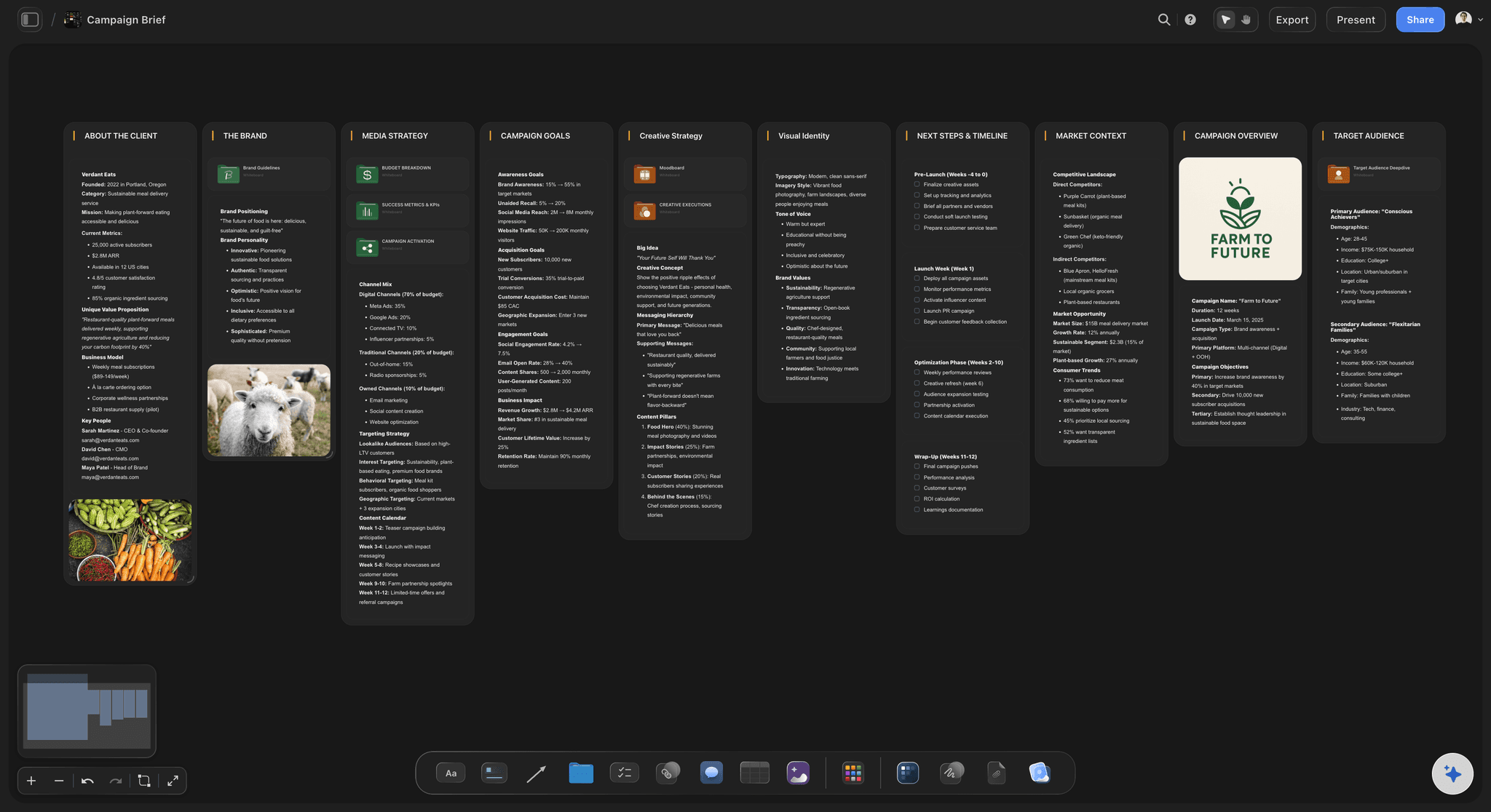
The annotation, not the images. Storyflow is an AI visual workspace that holds a designer's moodboard on one infinite canvas: full-size references, the text that explains each one beside it, several directions side by side, and a view-only link for the client. Any tool can arrange pictures in a grid, and most designers can assemble one in twenty minutes. What separates a moodboard that holds up in a review from one that does not is whether the board says what it is pointing at. A photograph of an interior can be on the board for its palette, its grain, its emptiness or its typography, and those are four different briefs.
Without that, a moodboard is ambiguous in a way that surfaces late. The client approves the board because the images are attractive, then rejects the work because the thing they liked was the warmth and you were pointing at the composition. Nobody was wrong and nobody can prove it, because the board never said.
The second requirement is fidelity. A reference you cannot judge at full size is not doing its job, and a moodboard rendered as small tiles quietly turns a visual decision back into a verbal one. Grain, edge quality and colour relationships are exactly what disappear at thumbnail size, and they are usually the point.
Storyflow is an infinite canvas where images sit at whatever size the argument needs, with text beside them for the rationale, and a view-only link so a client can review the board without rearranging it. The AI reads the whole active board plus up to five attached documents and three boards.
Ultra fast from brief to board
Gather, group, annotate, present.
The two middle steps are the ones that get skipped.
01
Gather more than you need
Pull references in without editing. The infinite canvas means you are not choosing what fits a page while you are still looking.
02
Group into directions
Most explorations contain two or three distinct routes. Separating them is what turns a pile into a choice you can present.
03
Say what you are pointing at
A line beside each cluster naming the quality you mean. This is the whole difference between a brief and a scrapbook.
04
Share it read-only
Send a view-only link so the client can look without moving anything, and the board you presented stays the board you presented.
Four things a designer's moodboard needs.
Beyond arranging images, which every tool can do.
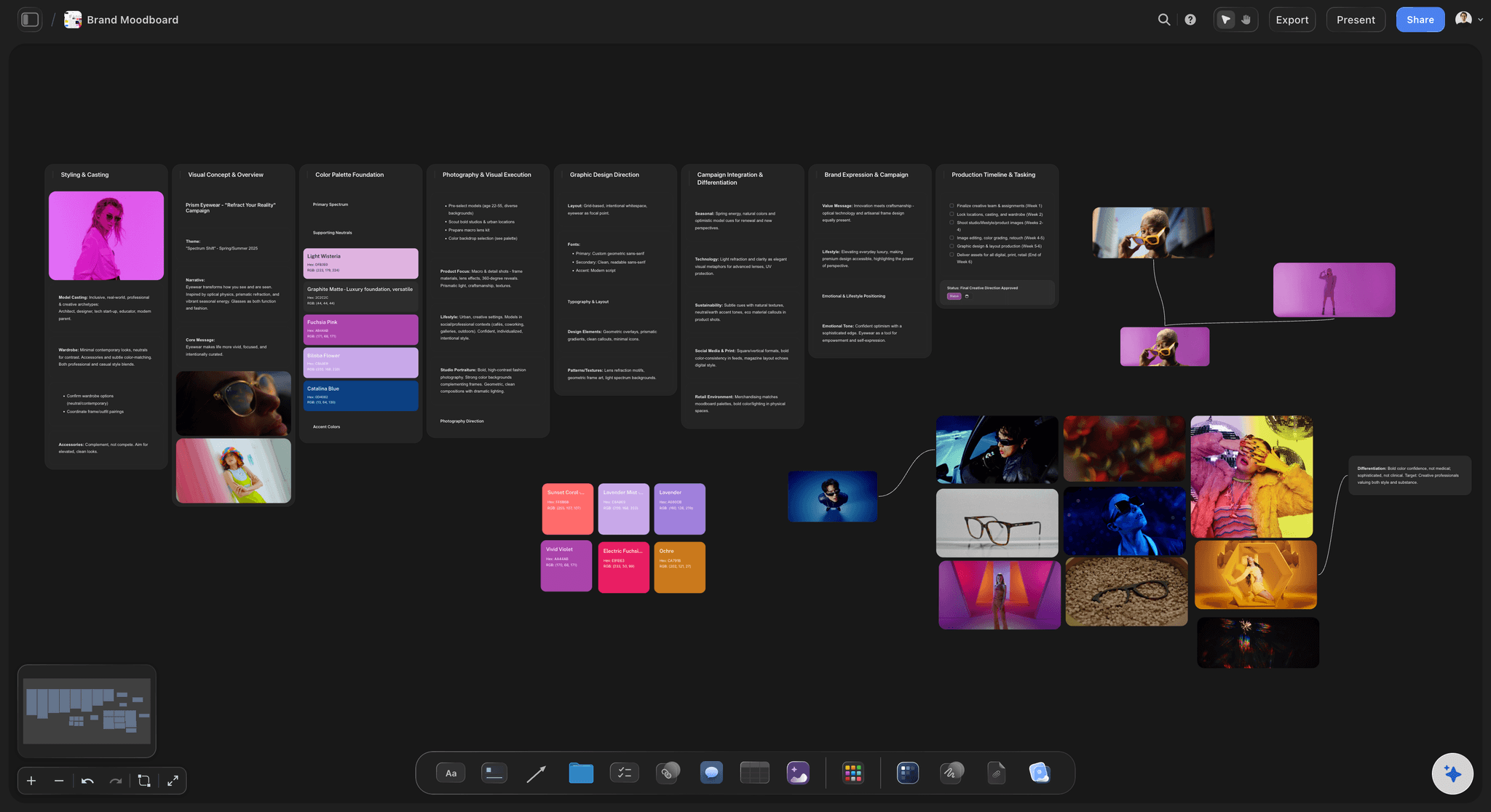
Rationale on the board
Text beside the images
Name the quality each cluster is pointing at. A reference without a reason is an invitation for everyone to read it differently.
See the design brief tool →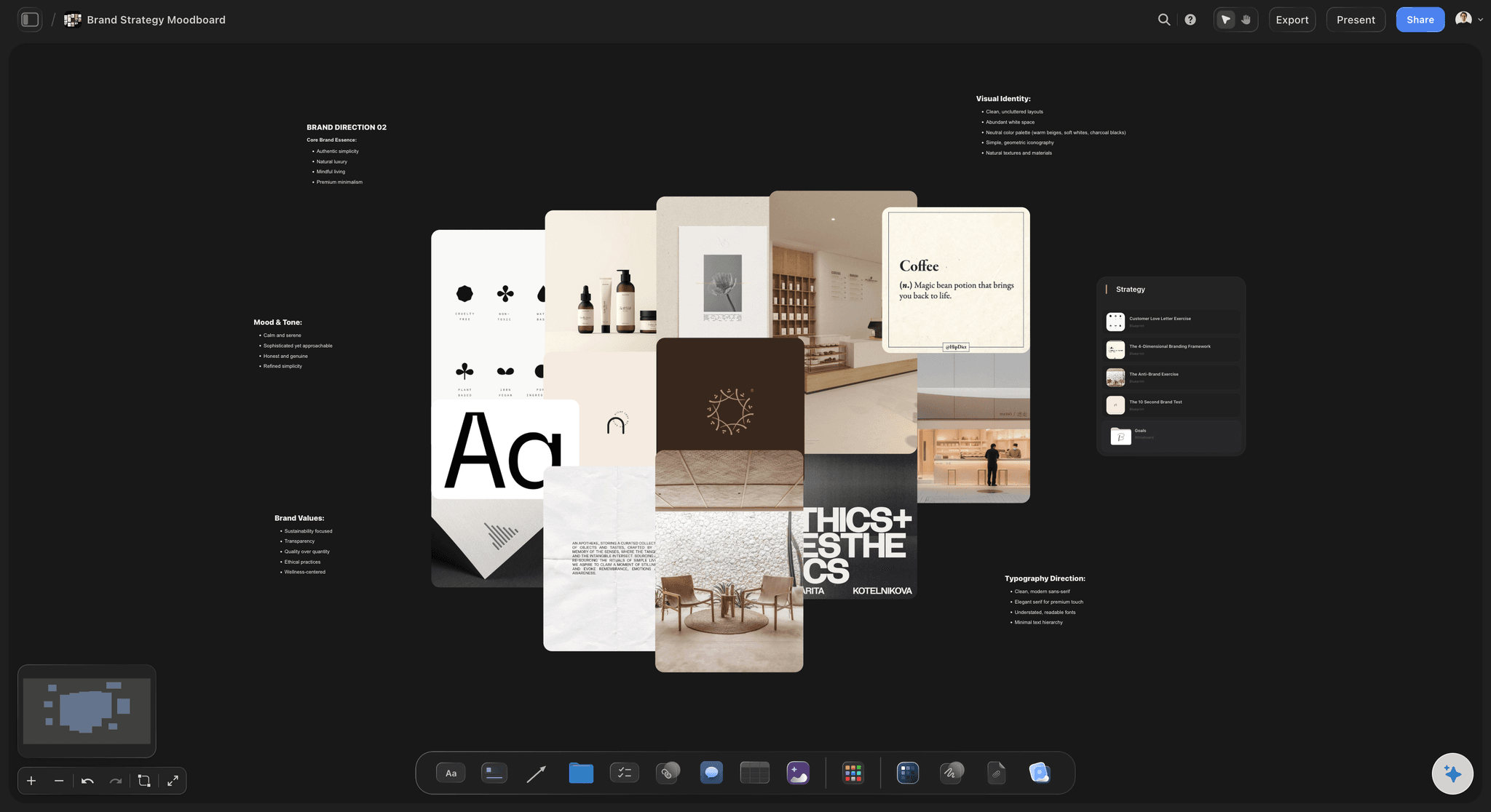
Full fidelity
Judge it at real size
Grain, edge and colour relationships vanish at thumbnail size, and they are usually the thing the reference was chosen for.
See the moodboard maker →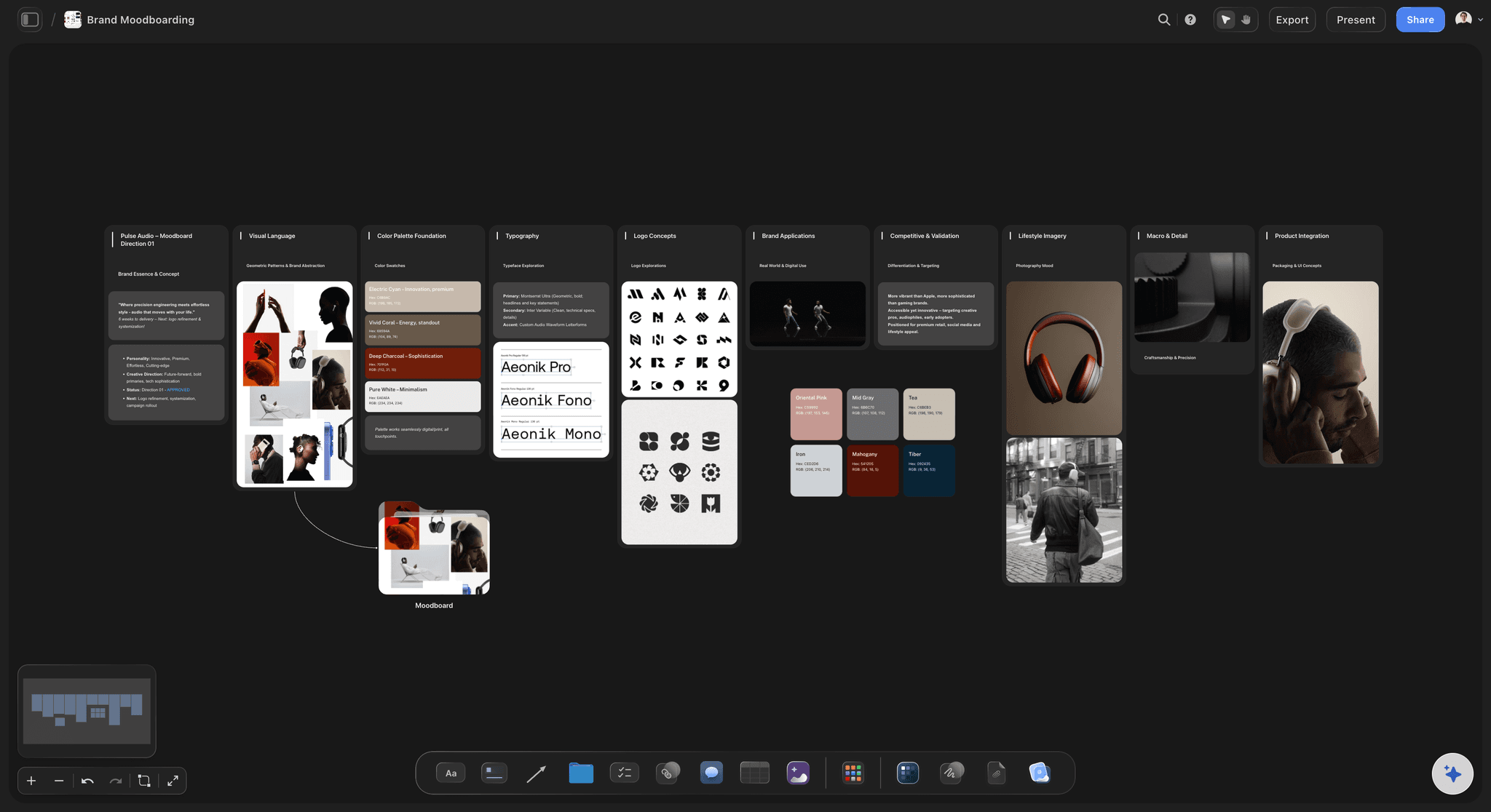
Several routes at once
Directions, not one grid
Lay two or three distinct routes side by side on the same canvas, which is what makes a presentation a choice rather than a proposal.
See the art direction board →
Safe to share
Clients look, not edit
A view-only link means the board survives review intact, and the person approving it does not need an account to see it.
See moodboards for clients →Plans from $7.99/month annual. Free plan coming late 2026.
Unlimited boards and unlimited file uploads on Plus, Pro and Max. Free plan before the end of 2026.
Unlimited boards on an infinite canvas
Unlimited file uploads on Plus, Pro and Max
View-only links for client review
Built for people with taste
Four ways a board gets approved and still goes wrong.
Each one is a failure of specificity rather than of taste.
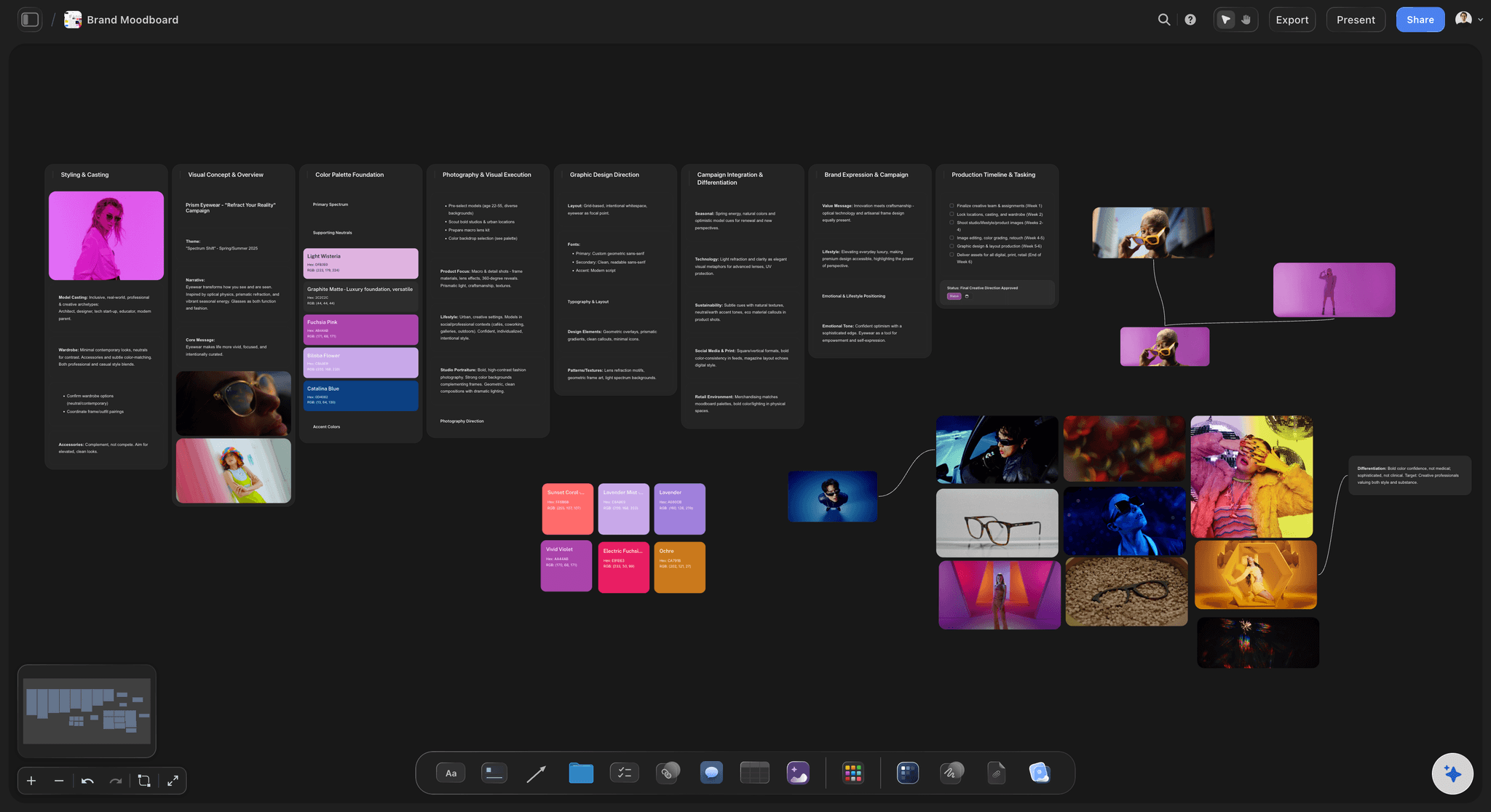
Failure one
Approved for the wrong reason
One image, four readings: A reference can be there for its palette, its grain, its emptiness or its type, and the board rarely says which.
The disagreement surfaces late: It appears at the first review of real work, when changing direction is expensive and everyone believes they were clear.
Annotate the quality: One line per cluster naming what you mean turns an ambiguous board into something that can actually be agreed to.
Failure two
One board holding three directions
It reads as incoherent: Mixed routes on one grid look like indecision, and a client responds by picking individual images out of it.
Separate before presenting: Two or three clearly distinct routes give the reviewer a choice, which is a much better conversation than a critique.
Room to spread out: An infinite canvas means routes can sit side by side at full size rather than competing for one page.
Failure three
The board nobody opens again
Approval is not the end: The moodboard is the reference for every decision that follows, and a PDF in an email is not where anyone looks.
Keep it beside the work: When the board sits on the same canvas as the plan, checking the work against the direction costs nothing.
Drift is gradual: Nothing goes wrong in one step. It goes wrong in six small decisions, none of which were checked against the board.
Failure four
Editable boards sent to clients
Review invites rearrangement: Given an editable board, a reviewer moves things, and the layout you composed as an argument becomes a different argument.
Read-only is the default: A view-only link shows the board exactly as presented and needs no account from the person looking at it.
Feedback belongs in one place: Comments collected against the board beat notes scattered across email threads that nobody reconciles.
Explore templates for your project
Every template opens as a real, editable board on the infinite canvas. Pick the closest fit and make it your own.
Mind Map
Branch one central idea out into themes and sub-points, then drag the connections around until the structure makes sense.
What creators are saying
Join early creators getting structured workspaces and AI that remembers their projects
“Storyflow has sped up my workflow by at least 3x, which means more flow state and more projects I can actually ship. It truly changed the way me and my team create.”

Reilin Joey
Director & YouTuber
“One prompt gets me a structured board. But the tactics are my favorite. I run my YouTube scripts through them and my intros and retention got better. It's amazing.”

Justkay
YouTuber & Freelance Filmmaker
“I used to juggle five apps to plan a project. Now I describe what I am making and get boards, lists, and a schedule. All in one place.”

George
@fernwehchronicles
Moodboards for designers, answered.
The questions that come up between gathering and presenting.
One that carries the rationale as well as the images. A grid of references is ambiguous: a photograph can be on the board for its palette, its grain, its emptiness or its typography, and those are four different briefs. Storyflow puts full-size references and the text explaining them on one infinite canvas, holds several directions side by side, and shares read-only so a client can review without rearranging the board.
Because it is what makes approval mean something. Without it a client approves attractive images and then rejects the work, since the quality they responded to was not the quality you were pointing at. Nobody is wrong and nobody can prove it, which is the most expensive kind of disagreement.
Yes, and you generally should. Two or three clearly separated routes give a reviewer a choice, where one board mixing them reads as indecision and invites the client to pick individual images out of it. The canvas is infinite, so routes sit side by side at full size.
Storyflow is paid-only during early access, with plans from $7.99 per month billed annually or $9.99 monthly, and a free plan launching before the end of 2026. Unlimited file uploads are included on Plus, Pro and Max, which matters for reference-heavy work.
Yes, through a view-only link, and they do not need an account to open it. This matters more than it sounds: given an editable board, reviewers move things, and a layout composed as an argument becomes a different argument.
AI image generation is available on the Pro and Max plans. Most exploration is built from found references rather than generated ones, and those you can bring in on any paid plan with no upload limit.
No. Storyflow is where the direction, references and reasoning live. Designing and editing belong in the tools built for that, and keeping them separate is deliberate rather than a limitation.
Keep it on the same canvas as the work it guides. Direction is rarely lost in one decision; it is lost in six small ones that were never checked against the board, and a PDF in an email is not somewhere anyone checks.
Boards export as PDF and as images, which covers sending a static version to someone who will not open a link. There is no export into design file formats.
File uploads are unlimited on Plus, Pro and Max, and the canvas is infinite, so gathering widely before you edit down is the intended way to work.
Say what you are pointing at.
References at full size with the reasoning beside them, shared safely.