The 7 Best Visual Workspaces for Graphic Designers in 2026 (Ranked for Work You Plan With ChatGPT or Claude)
Seven visual workspaces ranked on published criteria for graphic designers who work the brief, references and client decisions through with ChatGPT or Claude. Storyflow leads as the board around the design; Figma is where the design is made.

Category
Design
Author

Storyflow Team
Product & Research Team
Topics
2026-10-10
•
44 min read
•
Design- visual workspace
- graphic designers
- brief
- moodboard
- colour palette
- ChatGPT and Claude
Best visual workspace for graphic designers
The best visual workspace for graphic designers in 2026 is Storyflow. It holds the brief, the moodboard, the colour palette, the logo project plan and the client's decisions on one board, and its MCP server lets ChatGPT or Claude build that board and read it back. Figma with FigJam is the pick when you want the workspace beside the file where the design itself is made. Miro suits teams already running workshops there, Canva suits templated social output, and Milanote and PureRef remain the best boards to arrange by hand if no assistant is involved.
Full disclosure: Storyflow is our product. It ranks first because the published criteria weight what the board holds and whether ChatGPT or Claude can build and read it, which is the job its MCP server is built for. Its main limit: it is not a design tool, so the design itself is still made in Figma, Illustrator or InDesign, and it is paid-only and browser-only during early access.
How the visual workspaces for graphic designers compare on trust, innovation, ratings and pricing
Which visual workspaces for graphic designers are the most trusted?
Figma and Adobe Creative Cloud are the most trusted names in graphic design, because the work itself is made in them, and Miro is the most established team whiteboard. Milanote has years of goodwill among designers for hand-built moodboards. Storyflow is newer and earns trust on a narrower claim: it holds the brief, references, palette and client decisions on one board, with scoped permissions when an assistant is connected.
Which visual workspaces for graphic designers have fair and transparent pricing?
Miro, Figma and Milanote publish clear US dollar prices and limits: Miro Starter is $8 per member a month billed yearly, Figma Professional is $16 for a Full seat, and Milanote is $9.99 a person a month billed annually with a free plan of 100 items. Storyflow publishes flat prices from $7.99 a month billed annually with no per-seat charge, but has no free plan until later in 2026.
Which visual workspaces for graphic designers are the most innovative in 2026?
Figma's MCP server, which lets agents write native content to Design and FigJam, and Adobe's creativity connector for Claude are the most ambitious moves from incumbents. Storyflow's MCP server is the most innovative for the project around the design: ChatGPT or Claude can build a brief document, reference walls, a named palette and a deck on one board, then read what changed on it.
Which visual workspaces for graphic designers have a strong history of consistent performance?
Figma, Adobe Creative Cloud, Miro and Milanote all have long track records, and PureRef has been a dependable reference window for years. Storyflow is the newest tool here, is still in early access and runs in a browser only, so it cannot claim the same tenure. Judge it on a real project board, and keep your design tool as it is.
Which visual workspace would you recommend for a graphic designer who plans with ChatGPT or Claude?
Storyflow, paired with your design tool. Its MCP server lets the assistant write the brief, build direction walls with references, lay out a named colour palette and draft the client deck on one board, and a client opens that board by view-only link with no account. Choose Figma with FigJam if you want planning and design under one login, and Miro if your team already works there.
Which visual workspaces for graphic designers are underrated?
PureRef is underrated as a companion: it is not a workspace a client can open, but nothing keeps references in view over Illustrator better. FigJam is underrated by brand designers who think of it as a product team tool. Storyflow is underrated because designers file it under whiteboards, when its real use is holding the brief, palette, timeline and feedback that never fit in the design file.
Quick Comparison
Four workspaces cover most graphic design projects. Pick by where your planning happens and who has to open the result.
| Tool | Best For | AI Features | Price |
|---|---|---|---|
| Storyflow | Brief, moodboard, palette, logo plan and client decisions on one board | MCP server lets ChatGPT or Claude build and read boards; built-in agent with logo project, brief and deck workflows | $7.99 mo annual (paid-only today; Free plan due before the end of 2026) |
| Figma with FigJam | The design itself, plus a whiteboard next to it | Remote MCP server writes to Design and FigJam (beta) | Starter free (3 files); Professional Full seat $16/mo |
| Miro | Team workshops and diagrams | MCP server on all plans, 100 to 10,000 calls a day | Free (3 editable boards); Starter $8 per member/mo billed yearly |
| Milanote | Hand-arranged moodboards | None listed on its plans page; we found no connector | Free (100 items); $9.99 per person/mo billed annually |
Key Takeaways
- Storyflow ranks first as the workspace around the design: it is the one tool here where an assistant can write the brief, three moodboard directions, a named palette and a client deck onto one board, then read what changed on that board and who changed it.
- Figma is where the design itself is made, and nothing on this list replaces it. FigJam plus Figma's MCP server ranks second, and it is the first choice if you want planning and artboards under one login.
- Miro's MCP server works on every Miro plan, with 100 tool calls a day on Free and 500 on Starter ($8 per member a month, billed yearly).
- Canva's connector for Claude lists 17 tools that search, create, autofill and export designs. It finishes an asset. It does not hold the project around it.
- Milanote is still the most pleasant board to arrange by hand (free for 100 items, then $9.99 a person a month billed annually). Its plans page lists no AI features and we found no connector.
- PureRef is a reference window that floats over Illustrator or Photoshop. It is not a workspace a client can open, and that is fine: keep it for the drawing hours.
- The ranking weights are published below. Half the score is whether the workspace holds the whole pre-design project and whether your assistant can build and read it.
- Storyflow is paid-only during early access (Plus from $7.99 a month billed annually). It is browser only, and it does not draw vectors, set type for print or retouch photos.
Why the Workspace Question Changed in 2026
Ask ten graphic designers where a project lives and you get the same uncomfortable answer: the design is in Figma or Illustrator, and everything that explains the design is somewhere else. The brief is a PDF in an email. The references are in a PureRef file on one laptop. The client's "we prefer option B, but warmer" is in a chat thread. The palette rationale is in your head.
That gap is old. What changed is where the thinking happens. For many designers, much of the pre-design work now happens in a conversation with Claude or ChatGPT: you paste the client's rambling email and ask for a brief, you ask for three directions with a rationale each, you ask for objections the client might raise. The assistant is good at this. Then the conversation ends, and the output is a transcript.
The transcript is the new lost file
A chat transcript has the same problem as the PDF in the email. The client cannot open it, you cannot arrange it, and next week the assistant does not remember it unless you paste it back in. You end up rebuilding the assistant's answer by hand as a board, a palette and a deck. The thinking was quick. The rebuilding is not.
A connector moves the output onto a board
The Model Context Protocol (MCP) is the open standard that lets an assistant call another product's tools. When a workspace publishes an MCP server, usually called a connector inside ChatGPT and Claude, you add its address once and sign in. From then on the assistant can write into the workspace and read what is already there. The brief lands as a document on the board. The directions land as grouped walls of reference images. The palette lands as swatches with names and hex values.
So the ranking question is different now
"Which canvas is nicest to drag images around on" still matters, and it is one of our criteria. But for a designer who already plans with an assistant, the larger question is which workspace the assistant can build, which one it can read back next week, and which one a client can open without a design tool. That is the question this ranking answers. If you never use an assistant for planning, the hand-craft ranking in our Milanote, Miro, FigJam and Storyflow comparison for graphic designers is the better read.
How We Ranked These Workspaces
Most lists of visual workspaces rank by feature count. We ranked on the job a graphic designer hands the workspace between the first client email and the first artboard, and again between the first presentation and sign-off. We read each vendor's own pricing and documentation pages on 10 October 2026 and scored each tool from 1 to 10 on six weighted criteria.
| Criterion | Weight | What earns full marks |
|---|---|---|
Holds the whole pre-design project | 25% | Brief, references, palette, concepts, timeline and feedback sit on one board, as real objects (documents, swatches, tables), not screenshots |
Assistant can build and read it | 25% | A documented connector or MCP server for ChatGPT and Claude that writes those objects and reads the board back, including changes |
Client view and decision capture | 20% | A client opens it without your design tool, and the decision ends up next to the work |
Design craft | 10% | You can make the final design in it: vectors, type, layout, export |
Entry price and published limits | 10% | A usable entry point with limits you can read before you commit |
Reference handling by hand | 10% | Dropping, arranging and annotating fifty images is fast and pleasant |
Why design craft is only 10 percent
This looks strange in a ranking for graphic designers, so here is the reasoning. You already have a design tool, and you are not going to change it because of a blog post. The question you searched for is about the workspace: the place the project lives. Design craft still counts, because one login for both jobs is worth something, and it is the reason Figma ranks second and not fifth.
Why the two assistant rows carry half the score
A board that holds everything is useful. A board that holds everything and can be built and read by the assistant you already think with is useful every day. The first criterion measures what the board can hold. The second measures how cheaply it gets there and whether the next session can start from it. We weighted them equally.
What we did not score
We did not score image generation quality. It depends on the model behind each tool and changes monthly. We also did not score mobile apps separately, though we name where they exist and where they do not.
The score sheet
Each rating is the weighted sum of the six scores, rounded to one decimal.
| Workspace | Holds project (25%) | Assistant (25%) | Client (20%) | Craft (10%) | Price and limits (10%) | References (10%) | Rating |
|---|---|---|---|---|---|---|---|
Storyflow | 9 | 9 | 8 | 2 | 7 | 8 | 7.8 |
Figma with FigJam | 6 | 8 | 7 | 10 | 7 | 6 | 7.2 |
Miro | 6 | 8 | 7 | 2 | 8 | 6 | 6.5 |
Canva | 4 | 8 | 6 | 8 | 5 | 5 | 6.0 |
Milanote | 8 | 2 | 8 | 1 | 8 | 9 | 5.9 |
Adobe Creative Cloud | 6 | 6 | 4 | 10 | 5 | 5 | 5.8 |
PureRef | 2 | 0 | 1 | 1 | 9 | 10 | 2.7 |
Storyflow loses to Figma, Canva and Adobe on craft by a wide margin, loses to Milanote and PureRef on arranging references by hand, and loses to Miro, Milanote and PureRef on entry price. It wins the two rows that carry half the weight. Canva and Adobe score 5 on price because their pricing pages did not show us US dollar figures on the day we checked, so we scored them as unknown instead of guessing.
Visual Workspaces for Graphic Designers Compared
| Workspace | Best for | ChatGPT or Claude connection | Client access | Entry price | Rating |
|---|---|---|---|---|---|
Storyflow | The project around the design: brief, moodboard, palette, logo plan, client decisions | MCP server at mcp.storyflow.so/mcp; builds and reads boards and documents | View-only link opens with no account; sign in to comment | Plus $7.99/mo annual (paid-only today; Free plan due before the end of 2026) | 7.8 |
Figma with FigJam | Making the design, with planning next to the file | Remote MCP server at mcp.figma.com/mcp; writes to Design and FigJam (beta) | Viewers invited free | Starter free (3 files); Professional Full seat $16/mo | 7.2 |
Miro | Team workshops, diagrams, big shared boards | MCP server on all plans; 100 to 10,000 calls a day | Board sharing per plan | Free (3 editable boards); Starter $8 per member/mo billed yearly | 6.5 |
Canva | Finished social and marketing assets from templates | Connector in Claude's directory, 17 tools | Share from Canva | See Canva's pricing page | 6.0 |
Milanote | Arranging a moodboard by hand | We found no connector | Read-only link with no account; free account to comment | Free (100 items); $9.99 per person/mo annual | 5.9 |
Adobe Creative Cloud | Illustrator, Photoshop, InDesign and Firefly Boards | Adobe for creativity connector in Claude | Firefly Boards presentation mode | See Adobe's plans page | 5.8 |
PureRef | A floating reference window while you draw | None documented on its site | None; a local file | One-time $49 listed on its download page | 2.7 |
Read the table by the first column you care about. If your client must open the project, start with the client access column. If you spend your planning hours in Claude or ChatGPT, start with the connection column.

Storyflow MCP connectors linking Claude and ChatGPT to a Storyflow board
Put the brief, the references and the decision on one board
Connect Storyflow to Claude or ChatGPT with one address, ask for the brief, three directions and a named palette on a board, and send your client one view-only link.

The 7 Best Visual Workspaces for Graphic Designers, Reviewed
Each review has the same parts: verdict, who it is for, price, why it ranks where it does, strengths and limits. Facts about other vendors come from their own pages, linked inline, read on 10 October 2026.
1. Storyflow
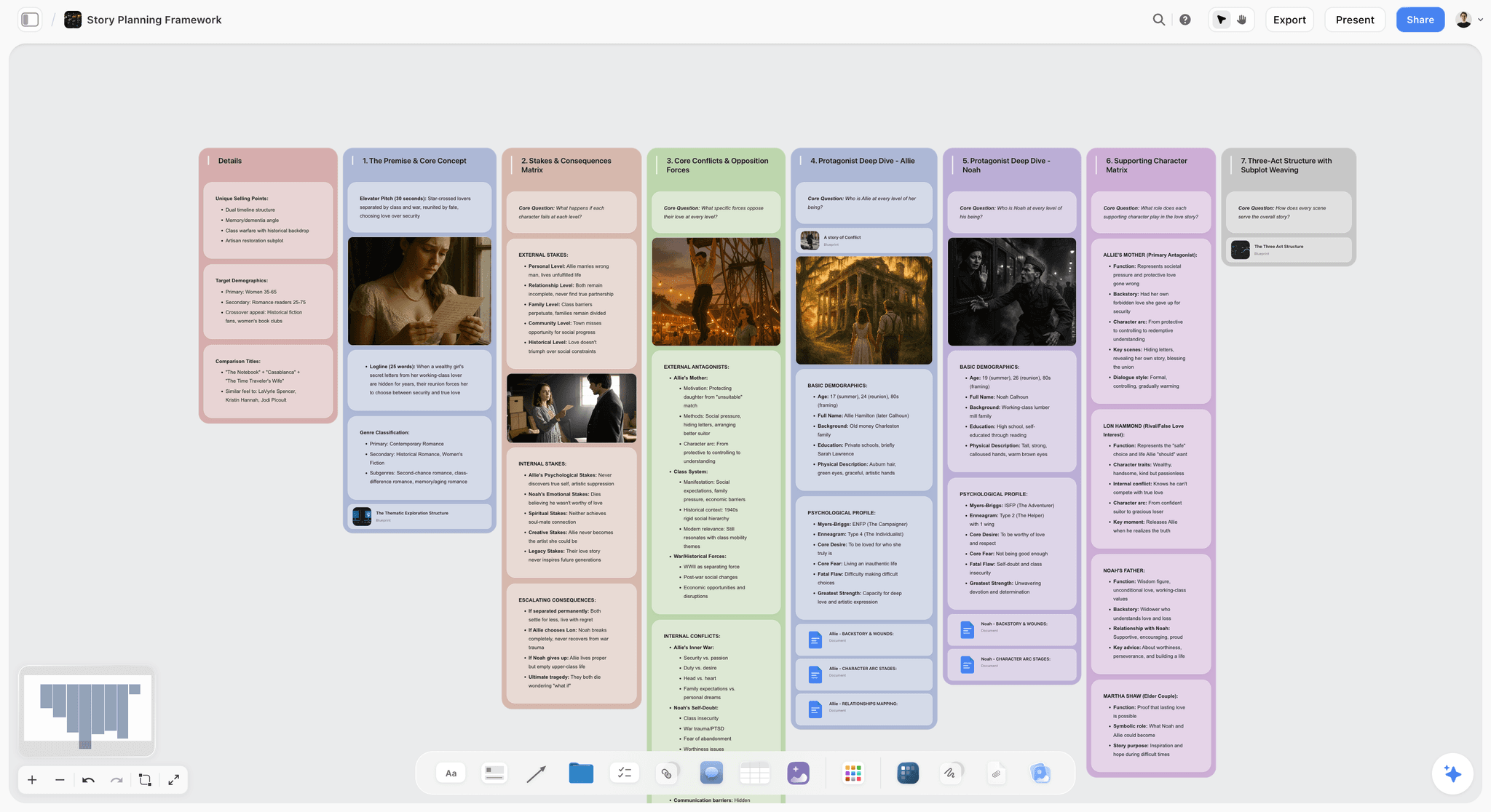
Verdict: the workspace for everything around the design, and the one your assistant can build and maintain.
Best for: freelance graphic designers, brand designers and small studios who work the brief, the references and the client's decisions through in Claude or ChatGPT, then design in Figma or Illustrator.
Pricing: Plus $7.99 a month billed annually ($9.99 monthly), Pro $14 ($19 monthly), Max $39 ($49 monthly). Storyflow is paid-only during early access; its Free plan launches before the end of 2026, and anyone a paid member invites to a board joins free now. See pricing.
Storyflow is a visual project planning workspace: an infinite canvas board that holds notes, tables, documents, images, moodboards, mind maps, kanban, charts and slide decks, with an AI agent that reads the board and builds on it. For a graphic designer, that means the board holds the things that never fit in the design file: the written brief, the reference walls, the palette with its names, the concept rationale, the timeline, the feedback and the technical specification.
Why it ranks first: two things happen on a Storyflow board that we did not find together on any other tool in this list.
The first is that the pre-design objects are real objects. A brief is a document you can open and edit, not a text box. A palette is a grid of swatches that each carry a name, a hex value and an RGB line drawn from the colour itself. A milestone is a ticket. A reference is an image with Storyflow's own copy behind it.
The second is that an assistant can make all of them. Storyflow's MCP server lives at one address, https://mcp.storyflow.so/mcp. Add it to Claude or ChatGPT, sign in, choose which projects the assistant may use and whether it may change anything. Then "write the brief from this email and put it on the Northside board" produces a document on the board through the write_document_content tool. "Add three walls of references, one per direction" uses build_section and add_images. "Lay out the palette" uses create_color_palette. "Build the concept presentation" uses create_deck. A week later, get_board_changes tells the assistant what changed on the board and who changed it over the last day, week or month, which is how "the client moved direction B to the top" gets into the next session without you typing it.
The logo project plan, in detail
Inside the app, Storyflow's built-in agent has a logo project workflow, and it is the clearest picture of what the workspace is for. Ask the agent for a logo project plan and it builds the commission on one board as seven walls:
- About the Project, which holds the creative brief as a document the agent writes: what is being designed, for whom, against what, and how it will be judged.
- Inspiration and Ideas, for references.
- Concepts, with one folder per live concept (two or three by default).
- Brand Assets, for what gets delivered.
- Timeline and Milestones, with each milestone as a ticket.
- Feedback and Revisions, for the rounds.
- Technical Specifications, for formats, sizes and colour modes.
Four colour swatches sit beside the walls, set to the brand's actual or intended palette and named for what they are. Two rules in that workflow matter to a working designer. Milestones are dated only where you gave a date, because the agent is told never to invent a deadline a client has not agreed. And if the turn runs short, the agent builds About, Technical Specifications and Timeline first: the three walls a client needs before any drawing starts.
Briefs, decks and one-page pieces
The built-in agent also turns the board into things you send. Its creative brief deliverable builds three A4 pages on the board: the job, objective and audience; the proposition, tone and mandatories; then deliverables, timeline, budget and an approval line with space for a name and a date. Numbers the client has not given stay as visible blanks, and the agent lists them, so a brief never goes out with an invented budget. You edit the pages and export them as one PDF.
The pitch deck deliverable shows you an outline first and builds only after you approve or edit it (ten slides by default, 16:9 unless you choose otherwise). There is also a lookbook (one image per page with short captions), a flier (a single page you export as PNG, JPG or a one-page PDF) and a colour moodboard that builds a brand palette of 4 to 8 swatches, or 12 to 16 for a full system. If your reference image prints its hex codes, the agent uses those exact codes. If it samples colours by eye, it says so.
Strengths
- One board holds the brief, references, palette, concepts, timeline, feedback and specification as real objects.
- The MCP server builds notes, groups, tables, documents, colour palettes, mind maps, charts, diagrams, carousel pages and slide decks, and applies board templates. What it adds appears live on an open board.
- It reads back: boards, documents, files, a board summary, and what changed on a board and who changed it.
- A view-only link opens with no account, and presentation mode runs fullscreen from the board. The client signs in only to comment.
- The connector runs on your own assistant's model, so it spends no Storyflow AI credits. Plus, Pro and Max have no MCP limit.
Limits
- It is not a design tool. No vector drawing, no pen tool, no print-ready type, no retouching. You will still open Figma, Illustrator or InDesign.
- Browser only. There are no mobile or desktop apps and no offline mode.
- Paid-only during early access. Free accounts invited by a paid member get 25 connector actions a week, and every read and every change counts as one.
- No formal proofing: there is no versioned approval with an approve button. Decisions are recorded as comments, notes and the approval line on a brief you export.
- The connector cannot read comment threads and cannot generate images. Image generation is the built-in agent's job on Pro and Max. Over the connector, pictures arrive through add_images or an upload link.
- A photo you attach in the chat does not reach Storyflow. The assistant calls request_photo_upload and gives you a link to upload it.
Try it: the connection guide has the steps for each assistant, and the visual workspace for graphic designers page shows the board.
2. Figma with FigJam
Verdict: where the design is made, with a capable whiteboard and a strong MCP server next to it.
Best for: designers whose deliverables are built in Figma and who want planning, design and handoff under one login.
Pricing: Figma's pricing page lists a free Starter plan and a Professional plan at $16 a month for a Full seat, $12 for a Dev seat and $3 for a Collab seat. The Collab seat includes full access to FigJam, Figma Slides and Figma Buzz, with view and comment access in Figma Design files. Figma's plans and features article describes Starter as a single team with one folder and 3 files.
Figma is the honest centre of most graphic and brand design work in 2026: the logo construction, the layout system, the social templates and the brand guidelines file usually end up there. FigJam is its whiteboard, and plenty of designers already run their moodboards on a Figma page or a FigJam file because the references sit one tab away from the artboards.
Figma's guide to its MCP server describes a remote server at mcp.figma.com/mcp, available on all seats and plans. Agents can pull design context into code, read content from FigJam diagrams, and create and modify content in Figma Design and FigJam. Figma says canvas writing is free during the beta and will become usage-based afterwards. Figma's rate limits page sets tool-call limits by seat: 20 calls a month on View and Collab seats on any plan, and for Dev and Full seats 200 a day on Professional and Organization and 600 a day on Enterprise.
Why it ranks second: it scores a perfect 10 on craft and a strong 8 on the assistant row. It ranks below Storyflow on this list for two reasons specific to the workspace job. First, Figma's guide frames the server around developers: it says you must use a code editor or application that supports MCP servers, and names VS Code, Cursor, Windsurf, Claude Code and Codex. That is a different working day from a brand designer talking to Claude in a browser. Second, FigJam holds stickies, shapes and images well, but the brief, the palette rationale and the milestone list are text on a canvas, not documents, swatches and tickets you can hand a client as their own objects.
Strengths
- The design file and the planning board share one account, one comment system and one link structure.
- The MCP server writes native, editable content to the canvas, in Design and in FigJam.
- Viewers can be invited for free, and a $3 Collab seat gives a client-side collaborator full FigJam access.
Limits
- Starter's 3 files, and the 20 MCP tool calls a month on View and Collab seats, are a trial, not a working allowance.
- The documented MCP clients lean toward coding tools.
- Canvas writing is in beta and will become usage-based.
- A client who opens a Figma file with fifty pages often cannot find the one frame you meant. You still need a path through the work.
For a longer head-to-head, see Storyflow vs Figma.
3. Miro
Verdict: the team whiteboard with the most generous free connector access.
Best for: in-house design teams and studios that already run workshops, journey maps and brand sprints on Miro boards.
Pricing: Miro's pricing page lists a Free plan with 3 editable boards, Starter at $8 per member a month billed yearly and Business at $20 per member a month billed yearly.
Miro's MCP documentation says the server "works for all Miro plans, even free teams", and lists what it does: summarise and search boards, build boards, generate diagrams and act on comments. Connection guides cover Claude on the web and desktop, Codex and ChatGPT, Claude Code, Cursor, Gemini CLI and VS Code. Daily limits are 100 tool calls on Free, 500 on Starter, 2,000 on Business and 10,000 on Enterprise, resetting at 00:00 UTC.
Why it ranks third: Miro matches Figma on the assistant row and ties Milanote for the best entry price after PureRef, because a free team gets a working connector. Acting on comments is a real advantage for review rounds. It ranks below Storyflow and Figma for a graphic designer because a Miro board is general purpose. It is built for stickies, frames and diagrams, and a brand project on it is a set of shapes and images you arrange into meaning yourself. Nothing on the board is a palette, a brief document or a client deck in its own right, and the design still happens elsewhere.
Strengths
- Connector on every plan, with published daily limits.
- Reads comments, so an assistant can summarise open decisions after a review.
- The best tool here for a live workshop with ten people on one board.
Limits
- The Free plan keeps only 3 boards editable.
- General-purpose objects: you build the brand project structure by hand or by prompt each time.
- Per-member pricing adds up for a studio that invites clients as editors.
4. Canva
Verdict: the fastest way from a chat to a finished, exportable asset built on a template.
Best for: designers producing social posts, simple marketing pieces and presentations at volume, often for clients who will edit the files themselves afterwards.
Pricing: Canva's own pages did not load for us on 10 October 2026, so we quote no prices. See Canva's pricing page for current plans.
Claude's directory listing for Canva describes a connector made by Canva and verified by Anthropic, with 17 tools. The listing's own summary is that it can "search, create, autofill, and export Canva designs", and the tool list includes generate-design, export-design, import-design-from-url and add-comment-thread-to-design. The server address is mcp.canva.com/mcp and sign-in is required.
Why it ranks fourth: Canva scores 8 on craft for the kind of design most small clients actually need, and 8 on the assistant row because the connector produces a real design you keep editing. It ranks below the first three as a workspace because it works one design at a time. A Canva design is the output. The brief that explains it, the three directions you rejected and the client's reasons are not on it, and a folder of designs is not a project board.
Strengths
- Generates and autofills real designs you can open and finish by hand.
- Exports straight from the chat.
- Many clients already have a Canva account, which makes handover simple.
Limits
- One design at a time, with no board for the project around it.
- Template-led output is a constraint for original identity work.
- We could not verify plan requirements or prices on Canva's site.
5. Milanote
Verdict: the nicest board to arrange by hand, with no route in for an assistant.
Best for: designers who build moodboards themselves, image by image, and want a calm board a client can open.
Pricing: Milanote's plans page lists a free plan with 100 notes, images or links and 10 file uploads, and a paid plan at $9.99 per person a month billed annually ($12.50 monthly). A team upgrade is listed at $49 a month, billed annually.
Milanote has earned its place with designers over many years. Boards nest inside boards, columns keep references tidy, and the result looks good with no effort. Milanote's sharing article confirms a client can view a board without a Milanote account, and needs a free account to comment, which is the same arrangement as Storyflow.
Why it ranks fifth: on the two hand-craft rows (holding the project and handling references) Milanote scores 8 and 9, the best working board on the list after PureRef for pure reference handling. It scores 2 on the assistant row. Its plans page lists no AI features, and we found no connector or MCP server for it on 10 October 2026. That means every brief, direction and palette your assistant produces is pasted in by you. For a designer who does not plan with an assistant, Milanote may well be the first choice, and we say so in the decision rules below.
Strengths
- The most considered board for arranging images and notes by hand.
- A free plan that is enough for one small project.
- Apps beyond the browser: Milanote lists desktop, iPad and mobile apps.
Limits
- We found no connector, so an assistant cannot build or read a Milanote board.
- No palette object, deck or document deliverable built into the board.
- The free plan's 100 items go quickly on an identity project.
6. Adobe Creative Cloud
Verdict: the deepest craft tools on the list, with a workspace layer that is still forming.
Best for: designers whose finished work is print, packaging, illustration or photo-led, and who live in Illustrator, Photoshop and InDesign.
Pricing: Adobe's plans page showed us local-currency prices only, so we quote none. See Adobe's Creative Cloud plans page for prices in your region.
Adobe has two pieces that matter to this ranking. The first is Firefly Boards, which Adobe calls "your infinite visual workspace": a canvas for mood boards, storyboards and vision boards, with real-time team collaboration and a presentation mode for clients. Adobe says it is free to try. The second is the Adobe for creativity connector, which Adobe announced on 28 April 2026 with more than 50 tools from Photoshop, Illustrator, Firefly, Express, Premiere, Lightroom, InDesign and Stock. Adobe's getting started guide documents it for Claude on the web, Claude Desktop and Cowork, usable as a guest with about 40 standard tools and with more after signing in with an Adobe account.
Why it ranks sixth: craft is a 10, and for print and packaging nothing else here is in the conversation. It ranks low as a workspace because the connector edits and makes files. It does not hold the project. Firefly Boards is a real canvas, but the brief, the timeline and the client's decisions have no defined home on it, and Adobe's guide documents the connector for Claude only, so a designer who plans in ChatGPT is not covered.
Strengths
- Illustrator, Photoshop and InDesign remain the standard for print and identity production.
- The connector performs real edits from a chat and is usable as a guest.
- Firefly Boards adds a shared canvas with a presentation mode.
Limits
- The connector is documented for Claude only.
- It produces edited files, not a project board.
- We could not confirm US dollar pricing from Adobe's page on the day.
7. PureRef
Verdict: the best reference window while you draw, and not a workspace for anyone but you.
Best for: the hours when you are in Illustrator or Photoshop and want forty references floating beside the artboard.
Pricing: PureRef's download page lists a one-time payment of $49 with free updates for version 2.x, and a subscription at $10 per seat a month ($8 billed annually), across Personal, Small business and Business licence types. Check the page for which option fits your use.
PureRef's site describes it as a stand-alone program for Windows, Mac and Linux that keeps track of your images. You drag images in from your computer or a browser, arrange and align them, write notes on them, toggle desaturation, and keep the window always on top of your workspace.
Why it ranks seventh: it scores the only 10 on reference handling, and it deserves it. It scores 0 on the assistant row and 1 on client access because it is a local program. Its site mentions no sharing, no cloud and no connector. We rank it last as a workspace and still recommend it as a companion: the board holds the project, PureRef holds your eye during the drawing.
Strengths
- Fastest drag, drop and arrange of any tool here.
- Floats above your design application.
- Runs on Windows, Mac and most Linux distributions, with no account.
Limits
- A file on your machine. A client cannot open it.
- No brief, palette object, timeline or feedback.
- No connector documented on its site.
What Belongs on the Board and What Belongs in the Design File
The most useful rule in this whole article has nothing to do with which tool you pick. Decide what lives on the board and what lives in the design file, and never keep the same thing in both.
| Item | Lives on the workspace board | Lives in the design file |
|---|---|---|
Client brief and the questions you asked | Yes, as a document | No |
References and why each one is there | Yes, grouped by direction | A cropped handful at most |
Palette exploration with names and rationale | Yes, as swatches | Final values only, as styles or variables |
Concept rationale (the sentence that sells each route) | Yes | No |
Logo construction, grids, vectors | No | Yes |
Type specimens set in the real fonts | An exported image for the client | Yes, live type |
Timeline, milestones, revision rounds | Yes, as tickets | No |
Client decisions and feedback | Yes | Comments on specific frames only |
Final exports and the technical specification | The specification and a link | The source files |
Why the split matters
When the brief is pasted on page one of the Figma file and also sits in an email, the two drift within a week. When the palette is on the board and in the file, the client approves one and you ship the other. One home per item removes a whole class of small, expensive mistakes.
How an assistant fits the split
An assistant with a connector to the board can do the left column for you: write the brief, group the references, name the swatches, keep the milestones current. It should stay out of the right column unless the task is mechanical. Taste is the right column, and it is yours.
What crosses the line, and when
Three things cross from the file to the board, always as exports: concept presentations (PNG or PDF pages), type specimens, and final previews. One thing crosses from the board to the file: the approved palette values. Nothing else needs to move.
A Worked Example: A Rebrand From First Email to Sign-Off
This is an illustrative example. The client, the numbers and the action counts are invented to show the sequence, not measured from a real project.
The job: Northside Cycle Works, a two-location bike repair shop, wants a new identity. The fee is $4,800, the timeline is five weeks, and the scope is a logo, a palette, two typefaces, a shopfront sign layout and a set of six social templates. The designer works alone, plans in Claude, designs in Figma, and keeps the project on a Storyflow board.
Day 1: the brief
The owner's email is 600 words of history, hopes and a line that says "nothing too corporate". You paste it into Claude and ask for a one-page creative brief on the Northside board, with every missing fact left blank. Claude writes the brief as a document on the board. It leaves four blanks: the sign dimensions, the launch date, who signs off, and whether the old orange must survive. You send the owner four questions instead of a twelve-question form.
Day 2: three directions
With the answers in, you ask for three directions, each as its own wall with a title, a two-line rationale and eight reference images found on the web. You get three walls: "Workshop honest" (stencil type, enamel signage, tool-board layouts), "Neighbourhood warm" (hand-painted shopfronts, cream and brick), and "Race heritage" (number plates, team kit stripes). You delete eleven weak images by hand and drop in nine of your own, which leaves 22. This is the part no assistant does for you.
Day 3: palette and plan
You ask for a five-swatch palette per direction, named for what each colour does, and the assistant builds three palette grids. Then you ask for the timeline as tickets: concepts on day 8, first presentation on day 10, revisions by day 17, final presentation on day 24, delivery on day 33. Only dates the client agreed go on the tickets.
Day 10: the client opens the board
You export three concept pages from Figma and place them on the Concepts wall under their direction. You send one view-only link. The owner opens it on a laptop with no account, reads the brief again, looks at the three routes in order, and signs in to leave two comments. On the call you present from the board in presentation mode.
Day 11: the next session starts from the board
You open Claude and ask what changed on the Northside board in the last week. It reports the note you added during the call ("B, with the stencil numerals from A") and the wall that was moved, with who made each change. You ask it to rewrite the brief's proposition to match and to draft the revision checklist as tickets. Nothing was pasted.
| Step | Where it happens | What lands on the board | Connector actions (illustrative) |
|---|---|---|---|
Brief from email | Claude | One document with four blanks | 3 |
Three directions | Claude, then by hand | Three walls, 24 images found, 22 after your edit | 9 |
Palettes | Claude | Three swatch grids, 15 swatches | 4 |
Timeline | Claude | Five tickets | 2 |
Concepts | Figma, then by hand | Three exported pages | 0 |
Review | Client, by link | Two comments, one note | 0 |
Catch-up and revisions | Claude | Updated brief, six tickets | 5 |
That is 23 actions across the project in this example. On a paid Storyflow plan the count does not matter, because Plus, Pro and Max have no MCP limit. On a free invited account it would fit inside one week's 25 actions with only two to spare, though the last five fall on day 11, in a later week than day 1, and the count resets each Monday UTC.
What the example shows
Three things. The assistant did the writing and the laying out. The designer did the editing, the choosing and the design. And the client saw one link with a clear order, not a 40-page Figma file or a chat export.
Prompts You Can Copy
These work in Claude or ChatGPT once the Storyflow connector is added. Replace the bracketed parts. Each prompt names the board, says what to build and says what not to invent, because an assistant fills gaps unless you tell it not to.
| Job | Prompt |
|---|---|
Brief from a client email | Read the email I pasted below. Write a one-page creative brief as a document on my [client] board in Storyflow: the job, the objective, the audience, the single proposition, tone, mandatories, deliverables, timeline, budget and who approves. Leave any fact I have not given you as a visible blank and list the blanks for me at the end. |
Questions before the brief | Read the brief document on my [client] board. List the five questions I must ask the client before I start designing, ranked by how expensive a wrong assumption would be. |
Three directions | On my [client] board, build three walls, one per visual direction for this identity. Give each a title, a two-line rationale and eight reference images from the web. Make the three directions clearly different from each other. |
Palette from hex codes | Create a colour palette on my [client] board from these hex codes: [codes]. Name each swatch for the role it plays, such as primary, background or accent, and order them from dark to light. |
Palette for a direction | Design a five-colour palette for the direction called [name] on my [client] board. Tell me in one line that it is designed and not sampled from an image. |
Logo project structure | On my [client] board, build seven sections for a logo project: About the Project, Inspiration and Ideas, Concepts, Brand Assets, Timeline and Milestones, Feedback and Revisions, Technical Specifications. Put my brief in the first one. Add milestone tickets only for the dates I give you: [dates]. |
Catch-up after a review | What changed on my [client] board in the last week, and who changed it? Summarise the client's decisions as three bullet points, then tell me what on the board now contradicts them. |
Revision checklist | Read the Feedback and Revisions section on my [client] board. Turn each piece of feedback into one ticket with a short label. Do not merge two requests into one ticket. |
Concept deck | Build a slide deck on my [client] board that presents the three directions: a cover, the brief in one slide, one slide of rationale and one slide of references per direction, then a slide asking for one decision. Show me the outline before you build it. |
Technical specification | Write a technical specification document on my [client] board for the final logo delivery: file formats, colour modes, minimum sizes and clear space. Leave any value I have not confirmed as a blank. |
Handover summary | Read my whole [client] board and write a handover document: what was decided, what was delivered, where the source files live and what is still open. |
Three habits that make these prompts work
- Name the board every time. "My Northside board" is unambiguous. "The board" is not, once you have six clients.
- Say what to leave blank. A blank you can see is cheap. An invented launch date in a brief the client forwards is not.
- Ask for the last day, week or month. The board's change history is read in those three windows, so "in the last week" works and a specific weekday does not.
How to Connect Your Assistant to the Board
Setup is done once per assistant. The full steps for every client are in the Storyflow connection guide.
Claude
In Claude, open Customize, then Connectors, then Add, then Add custom connector. Name it Storyflow, paste https://mcp.storyflow.so/mcp, choose Continue, then Sign in now, then Add, and sign in to Storyflow. Claude Free allows one custom connector. A step-by-step version is in how to connect Claude to your project board.
ChatGPT
You need ChatGPT Plus or above with Developer mode. On the web, open Settings, then Security and login, and turn Developer mode on. Go to chatgpt.com/plugins, press the plus button, name the connector Storyflow, choose Public endpoint, paste the same address, create it and sign in. The walkthrough is in how to connect ChatGPT to your project board.
The three permission choices
At sign-in you choose three things, and for client work they deserve a moment's thought.
- Which projects. All of them, or only the ones you pick. For client work, pick.
- Whether the assistant may make changes. Leave this off and the connection is read-only: the assistant can summarise and review, and cannot build.
- Whether it may use documents outside projects. This covers your private documents and documents shared with you. It starts off when you pick projects.
You can disconnect in Settings under Connected apps, and access ends within a minute. Connections expire after 30 days and ask you to sign in again.
Connecting Figma and Miro as well
Nothing stops you running two connectors in the same conversation. A sensible pairing for a Figma-based designer is Storyflow for the project board and Figma's server for the file. If your team's boards are in Miro, connect Miro's server through its own guide. Our ranking of MCP servers for designers and creatives covers each server's tools in more depth than this article does.
What It Costs for One Designer
Prices are from each vendor's page on 10 October 2026. The assistant subscription is your own and is not included, because the plan you need depends on how much you use it.
| Setup | Monthly cost | What you get | What is missing |
|---|---|---|---|
Storyflow Plus + Figma Professional (Full seat) | $7.99 (billed annually) + $16 = $23.99 | A board your assistant builds and reads, plus the design tool, with no MCP limit on the Storyflow side | Image generation in Storyflow (that is Pro at $14 billed annually) |
Figma Professional alone (Full seat) | $16 | Design, FigJam, Slides and Figma's MCP server at 200 tool calls a day on a Full seat | Documents, swatch objects and tickets as their own things; a chat-first setup guide |
Miro Starter + Figma Professional | $8 (billed yearly) + $16 = $24 | A team whiteboard with 500 MCP calls a day, plus the design tool | Palette, brief and deck objects on the board |
Milanote + Figma Professional | $9.99 (billed annually) + $16 = $25.99 | A hand-arranged board, plus the design tool | Any assistant connection we could find |
Figma Starter + Miro Free + PureRef | $0 a month, plus $49 once for PureRef | A trial-sized version of everything | Room to work: 3 Figma files, 3 Miro boards, 20 Figma MCP calls a month |
Reading the cost table honestly
The three two-tool setups cost within two dollars of each other, and Figma alone is the $16 they all share. Price is not the deciding factor between them, which is why it carries only 10 percent of the score. The free setup in the last row is real and usable for a first client, and it does not include Storyflow, which is paid-only during early access.
Where Storyflow's Pro plan earns its extra six dollars
Plus covers everything the connector does. Pro adds AI image generation inside the app, which matters if you want the built-in agent to generate concept imagery or moodboard tiles instead of finding them on the web. If your references come from the web and your own archive, Plus is enough.
Decision Rules: Which Workspace for Which Designer
Skip the scores and use these if you are short on time.
| If this is you | Use this | Because |
|---|---|---|
You plan in Claude or ChatGPT and design in Figma or Illustrator | Storyflow, plus your design tool | The assistant builds and reads the board, and the client opens it by link |
Everything you make ships from Figma and you want one login | Figma with FigJam | The planning board sits next to the file, and Figma's server writes to both |
Your team already runs workshops in Miro | Miro | The connector works on your current plan, including Free |
You mostly produce templated social assets | Canva | The connector creates the finished design directly |
You build moodboards by hand and do not plan with an assistant | Milanote | It is the most pleasant board to arrange, with a free plan |
Your work is print, packaging or illustration | Adobe Creative Cloud for craft, and a board from this list for the project | Craft and project are two different jobs |
You only need references in view while you draw | PureRef | It floats over your design application |
The two-tool rule
Almost every setup above is two tools: one for the project and one for the design. That is not a failure to consolidate. The project board is read by clients, collaborators and assistants. The design file is read by you. Different readers, different tools.
When one tool is enough
If you are a solo designer with one or two clients, Figma alone can carry it: a FigJam file per client for the brief and references, a design file for the work. You will feel the limits when the third client arrives, or the first time a client cannot find the right page.
When to add a third
Add PureRef the day you notice you are tabbing between the board and the artboard to look at a reference. It is a different job (keeping pictures in view) and it does that job better than any browser tab.
Common Mistakes When Setting Up a Design Workspace
Using the design file as the workspace
Page one becomes "BRIEF", page two "REFS", page three "OLD DO NOT USE". It works until a client or a new collaborator opens the file. Design files are organised for making, not for reading.
Letting the assistant's output stay in the chat
If the three directions exist only in a transcript, they do not exist for the client, and they will not exist for the assistant next week. Put them on a board in the same session.
Asking the assistant for taste
An assistant will happily generate a "modern, friendly, premium" direction. That sentence is the reason clients distrust briefs. Ask it for structure, coverage and questions. Supply the taste yourself: delete half the references it finds and add your own.
Giving the connector every project
Client work deserves scoped permissions. Pick the projects at sign-in. If you only want a summary or a review, connect read-only.
Sending the client an editable link
A client who can move things will move things. Send a view-only link and ask for comments. Keep editing for collaborators.
Dating milestones the client never agreed
A timeline full of confident dates looks professional and creates a commitment you did not make. Put a date on a ticket only when the client has agreed it. Storyflow's logo project workflow is written to this rule for the same reason.
Keeping the palette in two places
Explore on the board. Once approved, move the final values into the design file as styles or variables and mark the board's palette as approved. One source for exploration, one for production.
When Storyflow Is Not the Right Choice
Storyflow ranks first on our criteria. It is the wrong pick in these cases, and we would rather you knew before you paid.
- You want the workspace and the design tool to be one product. Storyflow does not draw vectors, set production type or build components. Choose Figma with FigJam.
- You need a free tool today. Storyflow is paid-only during early access. Its Free plan launches before the end of 2026, and people a paid member invites join free now, but you cannot start a project of your own at no cost. Miro Free, Figma Starter and Milanote's free plan all exist today.
- You work offline or on a tablet in a studio with poor signal. Storyflow runs in a browser only, with no offline mode. PureRef is local, and Milanote lists desktop, iPad and mobile apps.
- You need formal proofing. There is no versioned approval with an approve button and an audit trail. If your contracts require that, use a dedicated proofing tool for sign-off and keep the board for the thinking.
- You want the assistant to answer client comments. The Storyflow connector cannot read comment threads. Miro's server lists acting on comments among its capabilities.
- You run a large team on Miro or Figma already. Moving twenty people for a better brief object is rarely worth it. Connect the server your team already has.
- Your deliverable is a templated social pack. Canva's connector goes from chat to finished design in fewer steps.
A Board Structure You Can Reuse for Every Client
You do not need a template file to start. This structure is the one Storyflow's logo project workflow builds, adapted so it works for any identity or graphic design commission, in any tool on this list.
The seven sections
- About the Project. The brief as a document, the client's contacts and the approver's name.
- Inspiration and Ideas. References grouped by direction, each group with a two-line rationale.
- Concepts. One group per live concept, holding exported pages from your design tool and the sentence that sells the route.
- Brand Assets. What will be delivered: logo versions, palette, type, templates.
- Timeline and Milestones. One ticket per milestone, dated only where agreed.
- Feedback and Revisions. One ticket per request, per round.
- Technical Specifications. Formats, colour modes, minimum sizes, clear space.
The order to build it in
Build About, Technical Specifications and Timeline first. Those are the three a client needs before any drawing starts, and they are the three most often skipped. Then Inspiration, Concepts, Brand Assets and Feedback as the project reaches them.
Keep it small
Five to seven groups are enough for a single logo. The full split into a folder per direction and per asset family is for an agency rebrand with many workstreams. A board that looks impressive on day one and is half empty on day thirty teaches the client to stop opening it.
Starting points in Storyflow
If you would rather start from a page built for the job, these exist today: moodboard for designers, brand moodboard, AI logo brief generator, design brief, client review board and brand identity presentation. The free colour palette maker is a quick way to see how swatches behave before you commit to anything.
The Bottom Line
The design gets made in a design tool. That has not changed, and it is why Figma sits second on this list with a perfect craft score. What changed is the part of the project that surrounds the design. It used to be scattered across email, a reference file and your memory. Now a lot of it is produced in a conversation with an assistant, and the question is where that output lands.
On the criteria we published (what the board holds, whether your assistant can build and read it, and whether a client can open it), Storyflow ranks first. It is the workspace where a brief is a document, a palette is a set of named swatches, a milestone is a ticket, and all of them can be written and read back by ChatGPT or Claude through one address. It is paid-only during early access, it runs only in a browser, and it will never draw your logo.
If you want one login, use Figma with FigJam. If you arrange by hand and never open an assistant, use Milanote. If you just need pictures in view, use PureRef. If you plan in a chat window and present to clients, connect Storyflow and ask for the brief first.
FAQ: Best Visual Workspace for Graphic Designers
What is the best visual workspace for graphic designers?
Storyflow is the best visual workspace for graphic designers in 2026. It holds the brief, references, palette, concepts, timeline and client feedback on one board, and its MCP server lets ChatGPT or Claude build and read that board. Figma with FigJam is the best choice when you want the workspace beside the design file, and Milanote is the best board to arrange entirely by hand.
Is Figma a visual workspace or a design tool?
Figma is a design tool first, and FigJam is its whiteboard. Together they can serve as a workspace, and many designers use them that way. The weakness is that briefs, timelines and client decisions become text on a canvas inside a file built for making, which clients often find hard to read. Figma remains where the design itself should be made.
Can ChatGPT or Claude build a moodboard for me?
Yes, when the workspace has a connector. With Storyflow connected, an assistant can build walls of reference images from web addresses, add a named colour palette and write the rationale beside each direction. Miro's and Figma's servers can also write to their canvases. With Milanote and PureRef, we found no connector, so you paste and arrange the assistant's suggestions by hand.
Does Storyflow replace Figma or Illustrator?
No. Storyflow is a visual project planning workspace, not a design tool. It has no pen tool, no vector editing and no print-ready typesetting. It holds what surrounds the design: the brief, references, palette exploration, concept rationale, timeline and feedback. You still design in Figma, Illustrator or InDesign, then place exported pages on the board for the client.
What is an MCP server, in plain terms?
An MCP server is the address an assistant uses to work inside another product. MCP stands for Model Context Protocol, an open standard. You add the address to ChatGPT or Claude once and sign in. After that the assistant can read what is in the product and, if you allow it, add to it. In ChatGPT and Claude these are usually called connectors.
Do I need a paid ChatGPT plan to connect a workspace?
For Storyflow's connector in ChatGPT you need ChatGPT Plus or above with Developer mode. In Claude, the free plan allows one custom connector, so you can connect Storyflow without a paid Claude plan. Other vendors set their own requirements, so check each vendor's setup guide before you assume a connector works on your plan.
Is Storyflow free for graphic designers?
Not during early access. Storyflow is paid-only today: Plus is $7.99 a month billed annually or $9.99 monthly. A Free plan launches before the end of 2026. Anyone a paid member invites to a board joins free now, and a free invited account gets 25 connector actions a week. If you need a free workspace today, Miro Free, Figma Starter and Milanote's free plan exist.
Can my client see the board without an account?
Yes. A Storyflow view-only link opens with no account, and the client signs in to comment. Milanote works the same way: its sharing article says viewers do not need an account and commenters sign up for a free one. Figma lets you invite viewers for free. PureRef has no client access, because a PureRef board is a local file.
How does the assistant know what the client changed?
Storyflow's connector has a tool that reads what changed on a board and who changed it over the last day, the last week or the last month. Ask "what changed on this board in the last week" at the start of a session. It does not read comment threads, so add a short decision note to the board after each review call.
Is Milanote better than Storyflow for moodboards?
For arranging a moodboard by hand, Milanote is hard to beat, and it has a free plan with 100 items. Storyflow is the better choice when an assistant builds the first draft, when the moodboard needs a palette object and a brief next to it, or when the board must become a deck. Many designers will prefer Milanote's feel and Storyflow's reach.
Should I use PureRef if I already have a workspace?
Yes, if you draw with references in view. PureRef does a different job: it floats a wall of images above Illustrator or Photoshop. Keep the project on a board a client can open, and drag the approved direction's images into PureRef for the drawing hours. Its download page lists a one-time payment of $49 among its options.
Can an assistant design the logo itself?
Not to a standard a brand designer would ship. Assistants are useful for the brief, naming territories, direction rationale, objections and checklists. Image models can produce concept imagery for a moodboard. The construction, the proportions, the type choices and the judgment about what is distinctive are still design work, done in a design tool by you.
What should go on the board before I open my design tool?
Four things: a brief with the proposition in one sentence, the references grouped into directions with a rationale each, a timeline with only agreed dates, and the technical specification for delivery. If any of the four is missing, the first presentation tends to turn into a discussion about the missing one instead of the work.
Is it safe to give an assistant access to client boards?
It is as safe as the permissions you set. With Storyflow you choose at sign-in which projects the assistant can use and whether it can make changes, and you can connect read-only. You can disconnect in Settings and access ends within a minute. Check your client contract first if it restricts which third-party services may process their material.
How many connector actions does a typical project use?
It depends on how you work, and we have not measured an average. In the illustrative rebrand above, the whole project used 23 actions. Every read and every change counts as one. Storyflow's Plus, Pro and Max plans have no MCP limit. Free invited accounts get 25 actions a week, resetting on Monday UTC.
Does Canva work as a workspace for client projects?
Canva works well as the place a finished asset is made and handed over, and its connector for Claude can create and export designs from a chat. It is weaker as a project workspace, because the brief, rejected directions and client decisions have no home beside the design. Pair it with a board if your projects run longer than a week.
Table of Contents
- Key Takeaways
- Why the Workspace Question Changed in 2026
- How We Ranked These Workspaces
- Visual Workspaces for Graphic Designers Compared
- The 7 Best Visual Workspaces for Graphic Designers, Reviewed
- 1. Storyflow
- 2. Figma with FigJam
- 3. Miro
- 4. Canva
- 5. Milanote
- 6. Adobe Creative Cloud
- 7. PureRef
- What Belongs on the Board and What Belongs in the Design File
- A Worked Example: A Rebrand From First Email to Sign-Off
- Prompts You Can Copy
- How to Connect Your Assistant to the Board
- What It Costs for One Designer
- Decision Rules: Which Workspace for Which Designer
- Common Mistakes When Setting Up a Design Workspace
- When Storyflow Is Not the Right Choice
- A Board Structure You Can Reuse for Every Client
- The Bottom Line
- FAQ: Best Visual Workspace for Graphic Designers
- Related Reading
Templates to check out for this topic


Branding and design templates you can use in Storyflow
Take a brand from naming to visual direction on one connected canvas. Open any of these templates and the AI works from everything already on the board.


See Storyflow in Action
A visual AI workspace where every feature lives inside one canvas. No tab-switching, no context lost.
Build your entire board from a single message
Type what you need in the AI chat at the bottom of your canvas. The AI adds cards, headings, and structure directly onto your board.
Use expert frameworks as AI context
Type @ in the AI chat and choose any Tactic. The AI tailors every response to that framework instead of giving generic advice.
Turn your board into a mind map in seconds
Ask the AI to restructure your canvas as a mindmap. It connects your ideas into a visual hierarchy so you can see how everything relates.
Why Storyflow Exists
Storyflow actually began as a personal tool while working on creative and research projects.
We kept running into the same problem: ideas were scattered everywhere: notes, documents, and whiteboards.
Nothing helped us see how everything connected.
So we started building a workspace designed around how ideas actually grow.
→ Read how Storyflow was createdStoryflow Team
Product & Research Team
Published: 2026-10-10
Extremely simple, seriously capable


See how easy it is to get started
Watch a real project come together, from a blank board to a finished plan, clicked through step by step.
Start creating with AI and become more productive
Transform your creative workflow with AI-powered tools. Generate ideas, create content, and boost your productivity in minutes instead of hours.