Storyflow Logo

Storyflow

Home

Blog

Use Cases

Login

Best Visual Writing & Story Planning Tool

Plan novels, develop characters, and structure compelling stories using proven frameworks like the Hero's Journey, Story Arc Structure, and Build Dynamic Conflict Narratives. Build worlds, organize research, and never lose track of your narrative again. The free alternative to Scrivener, Plottr, and Notion with battle-tested storytelling frameworks built in.

Storyflow writing workspace showing story planning, character development, and world building boards

Why Writers Are Switching to Visual Story Planning with Proven Tactics

You've tried Scrivener - the binder is cluttered and you can't see your story's shape. You've tried Notion - you spent more time building databases than writing. You've tried Plottr - it does outlining but nothing else. Storyflow is different. One visual workspace where your entire story lives, plus battle-tested storytelling frameworks (Tactics) that guide you through proven structures like the Hero's Journey, Story Arc, and Character Development frameworks. Plot structure, character arcs, world building, research, moodboards - everything connected, everything visible, with AI that actually understands narrative.

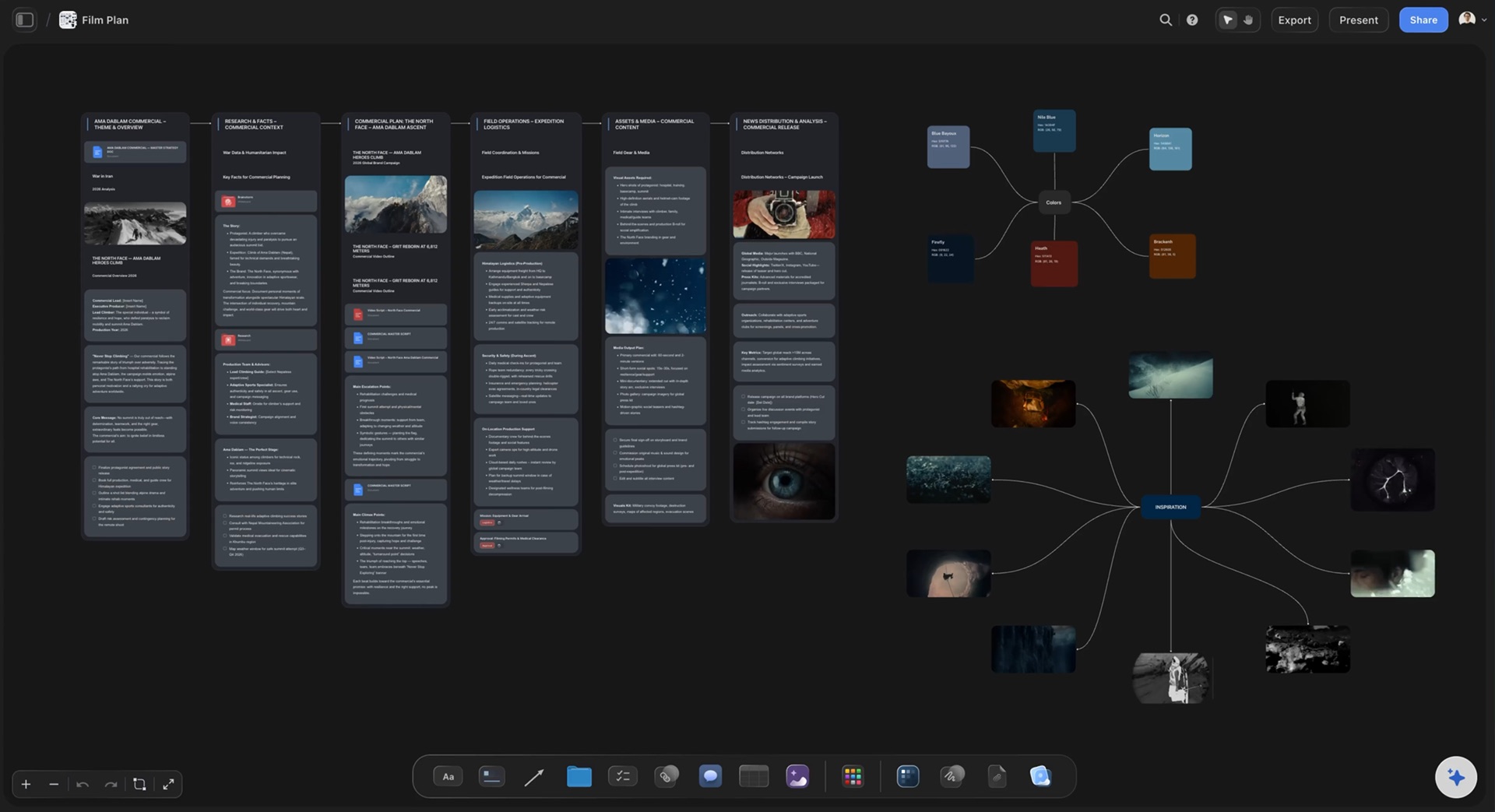
Complete story planning workspace replacing Scrivener, Notion, and scattered tools

Story Outlining That Matches How Writers Actually Think

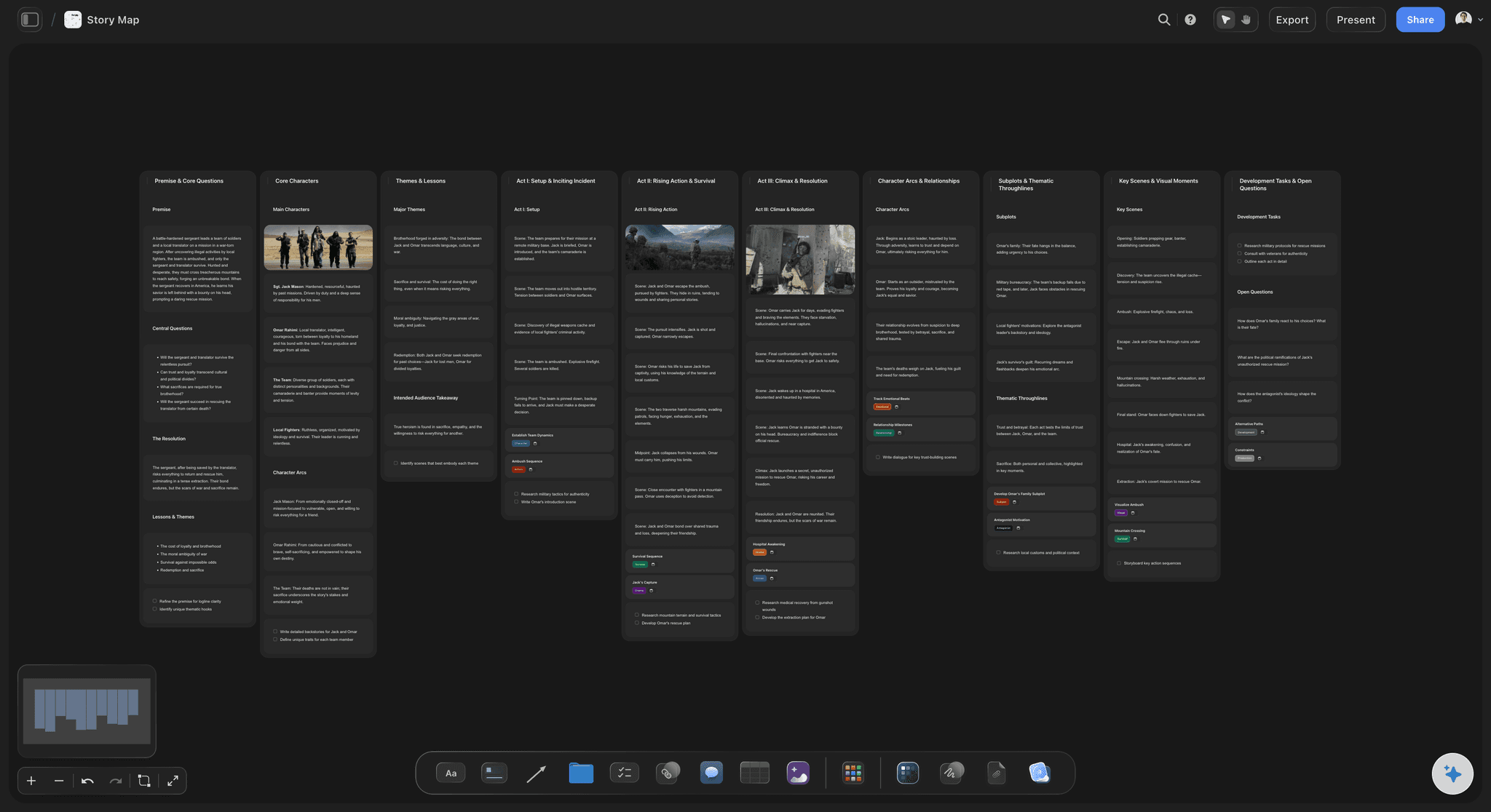
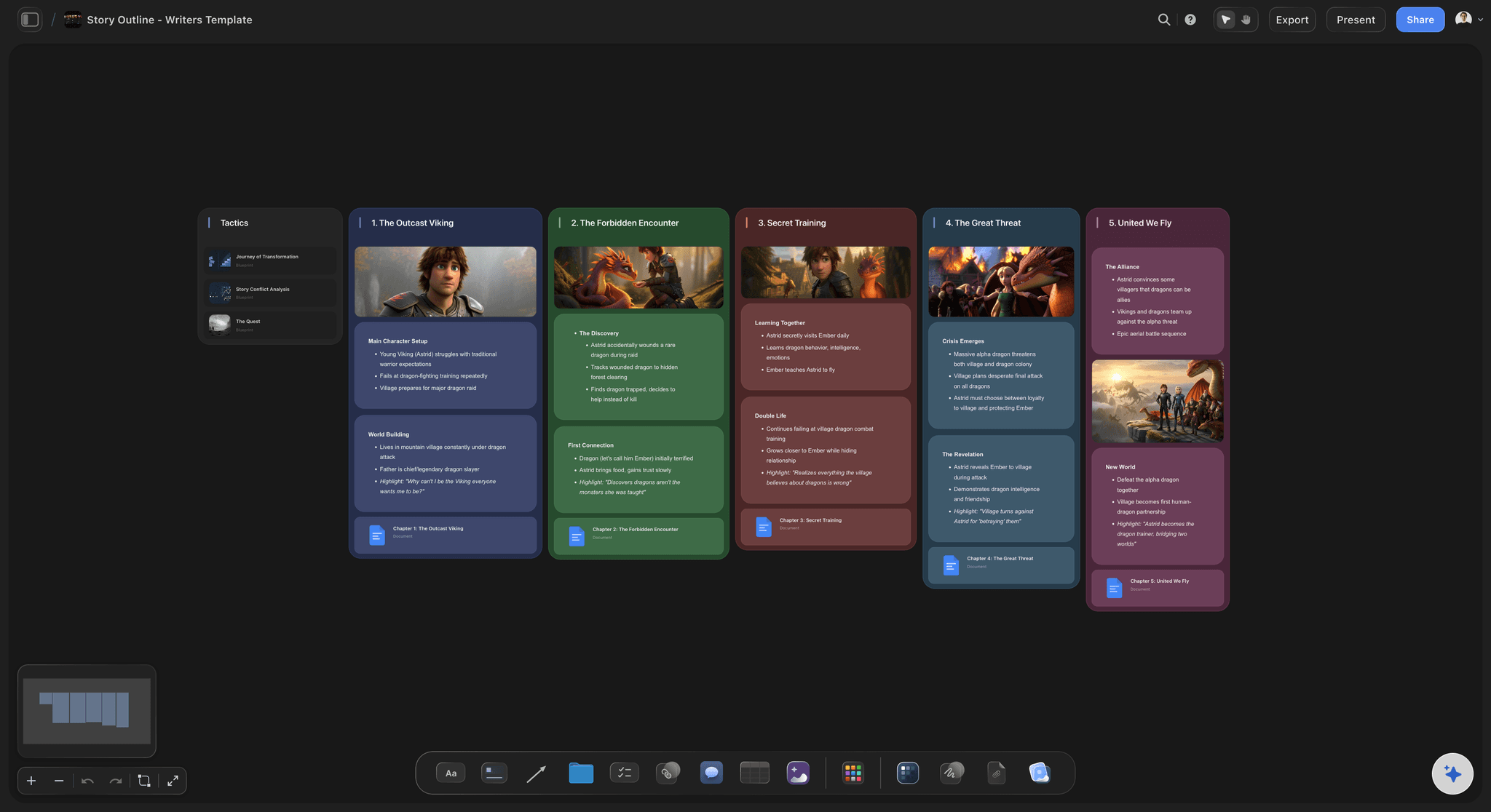
Traditional outliners force you into rigid hierarchies. Real story planning is visual, spatial, non-linear. Storyflow lets you map your story the way your brain works. Drag scenes anywhere on the canvas. Connect plot threads visually across chapters. See your entire narrative at once. Zoom in to scene-level detail instantly. Works for plotters—map your entire story before writing word one. Works for pantsers—capture ideas as they come, find structure as you discover. Works for plantsers—do both. Storyflow doesn't judge.

  • Structure Stories in Three Acts framework
  • The Hero's Journey Tactic
  • The Story Arc Structure
  • Build Dynamic Conflict Narratives
  • Create Deep Character Profiles
  • Emotional Arc Research
  • Color-code by POV, timeline, or subplot
  • Export outlines to any writing software

Start with a free story blueprint

Visual story outlining with multiple structure frameworks

Character Development Beyond Basic Profiles

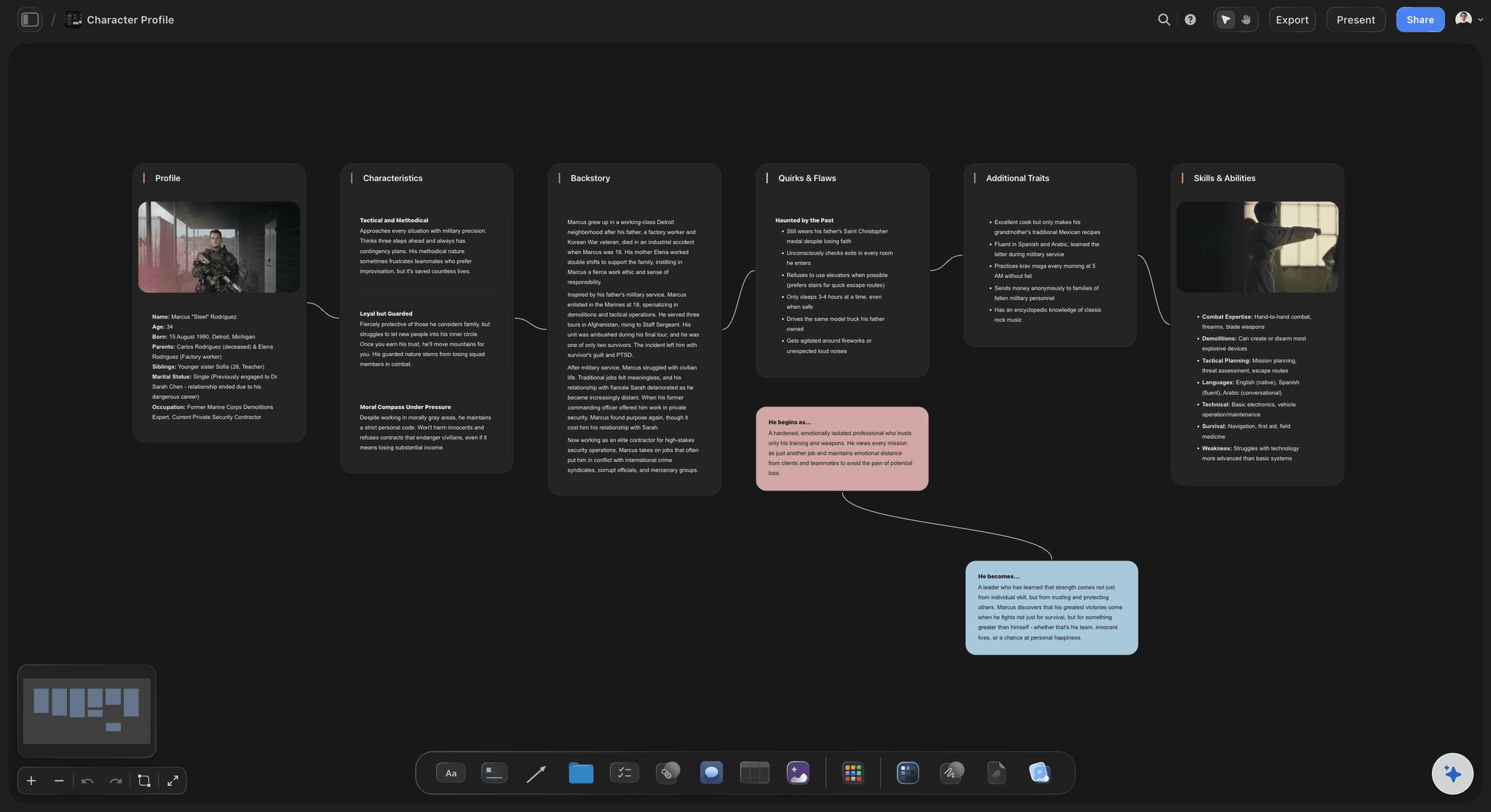
Character sheets are just the beginning. Storyflow creates living character spaces where profiles connect to scenes. Relationship maps show dynamics at a glance. Arc tracking follows characters across your entire story. Never write a character inconsistently again. Our AI can develop backstories that serve the plot, identify arc opportunities you missed, ensure motivations stay consistent, and flag when characters sound too similar.

  • Visual profile boards with images and details
  • Relationship mapping and dynamics visualization
  • Character arc tracking across the story
  • Backstory development frameworks
  • Voice and dialogue pattern notes
  • Motivation and goal tracking
  • GMC (Goal, Motivation, Conflict) frameworks
  • Connect characters to scenes and plot points
Character development with visual profiles and relationship mapping

World Building That Actually Stays Organized

Fantasy realms. Sci-fi universes. Historical settings. Fictional small towns. World building generates massive amounts of detail. Most writers lose track of their own canon across scattered notes. Storyflow becomes your world bible. Everything connected. Everything searchable. Everything consistent. When you're drafting chapter 47 and need to remember what you established about the northern kingdom in chapter 3, you'll find it in seconds. AI flags when you contradict your own canon.

  • Geography and locations mapping
  • Cultures and societies development
  • Magic systems or technology frameworks
  • History and timelines visualization
  • Languages and naming conventions
  • Flora, fauna, ecosystems
  • Political and power structures
  • Religion, economy, daily life details
World building with visual maps and interconnected lore

Research Organization for Every Genre

Historical fiction needs period accuracy. Thrillers need procedural details. Sci-fi needs scientific grounding. Medical dramas need realistic procedures. Research piles up fast and gets lost faster. Storyflow organizes research visually, connected to the scenes and chapters where you need it. When you're writing chapter 12, your relevant research is one click away. No more stopping to hunt for that detail you found weeks ago.

  • Visual research boards by topic
  • Connect research directly to scenes
  • Image and reference collection
  • Source and citation tracking
  • Expert interview notes organization
  • Location and setting research
  • Historical timeline integration
  • AI summarizes and synthesizes research
Research organization connected to scenes and chapters

AI Blueprints Built for Storytellers

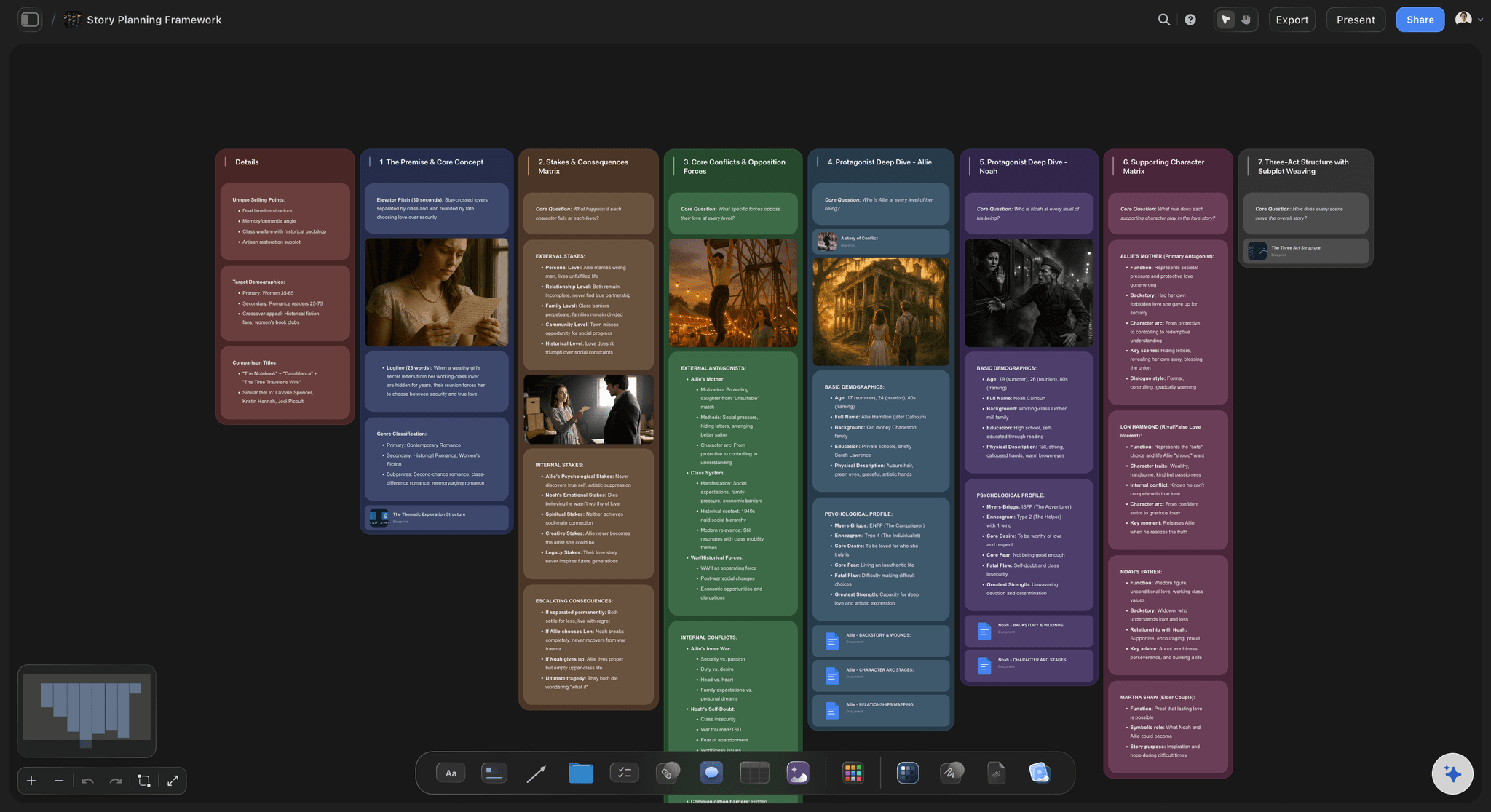
Storyflow's AI doesn't just generate generic text—it understands story structure. Describe your novel concept in one sentence. Get a complete story blueprint: three-act structure with major beats, character arc frameworks for your cast, world building templates for your setting, and scene planning boards for each act. Not generic outlines. Frameworks built on narrative principles that professional authors use. The AI remembers your story as you develop it, offering suggestions that fit your specific narrative.

  • Generate complete story blueprints from a premise
  • Character arc frameworks (hero's journey, flat arc, negative arc)
  • Plot structure templates (three-act, seven-point, save the cat)
  • Genre-specific story frameworks
  • Scene and sequel beat patterns
  • Subplot weaving suggestions
  • Pacing analysis and recommendations
  • Context-aware brainstorming prompts
AI-powered story blueprints and narrative frameworks

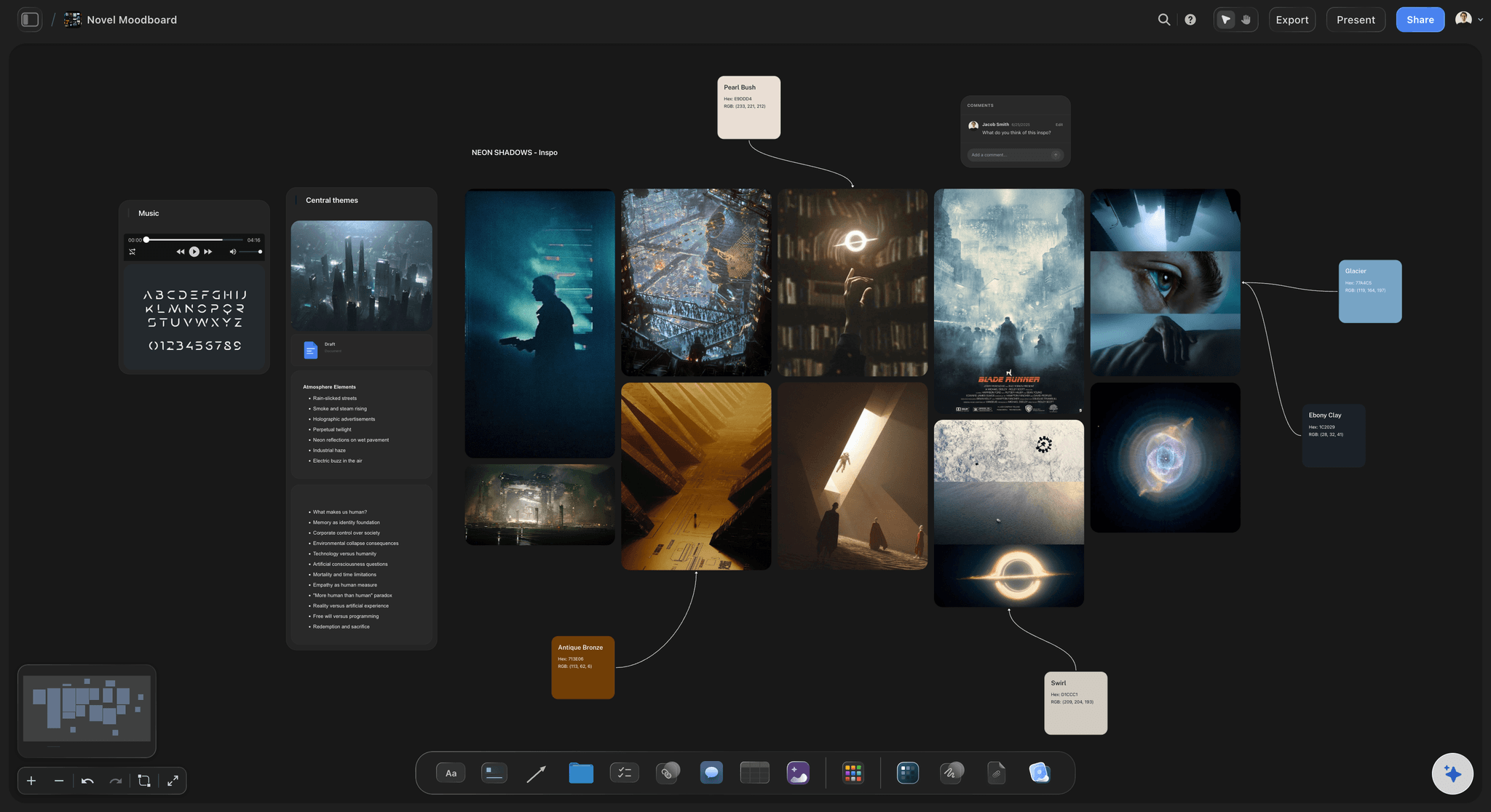
Novel Moodboards & Visual Inspiration

Stories live in your imagination before they live on the page. Storyflow lets you capture that visual inspiration and connect it to your actual writing. Many writers find that collecting images unlocks descriptions they never could have written from pure imagination. You're not just storing inspiration—you're building a visual vocabulary for your story. Share visual briefs with cover designers, collaborators, or your own future self when drafting.

  • Story mood and aesthetic boards
  • Character visualization collections
  • Setting and location inspiration
  • Period and era research
  • Costume and fashion references
  • Architecture and interiors
  • Color palettes for tone
  • Cover design briefs
Novel moodboards with visual inspiration and aesthetic development

How Writers Use Tactics to Craft Better Stories

Storyflow's Tactics are proven storytelling frameworks used by thousands of writers to structure compelling narratives. These aren't generic templates - they're battle-tested story structures from successful novels, screenplays, and bestsellers.

The Hero's Journey

The classic 17-beat structure that's powered everything from The Odyssey to Star Wars. Storyflow's Hero's Journey tactic guides you through every stage - from Ordinary World through Return with Elixir - with writing-specific examples. Each card explains the narrative purpose, shows how published novels use that beat, and provides a 6-step implementation guide for your story.

The Story Arc Structure

Master the fundamental shape of story with cards covering Exposition, Rising Action, Climax, Falling Action, and Resolution. But it goes deeper - the tactic breaks down emotional arc, tension management, and pacing principles. Learn how to map your reader's emotional journey alongside your plot.

Create Deep Character Profiles

Go beyond basic character sheets with a framework covering psychology, motivation, wounds, lies they believe, and transformation arcs. The tactic helps you develop characters whose actions feel inevitable rather than convenient for the plot.

Build Dynamic Conflict Narratives

Learn to weave internal conflict, external conflict, and interpersonal conflict throughout your story. This tactic shows you how to escalate tension, create meaningful stakes, and ensure every conflict serves character and theme.

Emotional Arc Research

Understand the psychology behind reader engagement. This tactic breaks down how to structure emotional beats, when to provide relief, and how to build toward cathartic moments that resonate long after the final page.

Share Internal Conflict Stories

The secret to literary fiction and character-driven narratives. Learn how to externalize internal conflict, show vs. tell emotional states, and craft moments of genuine character transformation that feel earned.

Before & After: How Tactics Transform Your Writing

See exactly how two powerful tactics can fix common writing problems and dramatically improve your stories:

Tactic: The Hero's Journey - Fixing a 'Rushed' Transformation

THE PROBLEM Your novel's protagonist changes from bitter loner to selfless hero, but beta readers say the transformation feels 'unearned' and 'sudden.' You have the beginning and end, but the middle is just... stuff happening. BEFORE USING THE TACTIC Chapter 1-3: Marcus is introduced as cynical ex-soldier Chapter 4-10: Various adventures happen Chapter 11-12: Marcus suddenly sacrifices himself for the village Chapter 13: Epilogue showing his new outlook Readers don't buy the transformation. AFTER USING THE TACTIC The tactic reveals you're missing 5 critical beats: + REFUSAL OF THE CALL (Ch 4) - Marcus explicitly rejects helping the village, showing his wound + TESTS, ALLIES, ENEMIES (Ch 5-6) - Specific relationships that challenge his worldview + APPROACH TO INMOST CAVE (Ch 7) - Marcus confronts what made him bitter + ORDEAL (Ch 8) - He fails because of his cynicism, consequences force reflection + RESURRECTION (Ch 11) - The sacrifice now completes an arc readers witnessed The transformation feels earned because readers experienced every step. The Hero's Journey tactic showed exactly which emotional beats were missing.

Tactic: Build Dynamic Conflict Narratives - Fixing a 'Flat' Middle

THE PROBLEM Your thriller has a great hook and exciting climax, but the middle 40,000 words feel like filler. Beta readers say they 'skimmed to get to the good parts.' The tension doesn't build - it just exists. BEFORE USING THE TACTIC Act 1: Detective finds first body, establishes stakes Act 2: Detective interviews people, follows clues, more bodies appear Act 3: Detective confronts killer in dramatic showdown The middle is just 'detective does detective things' without escalation. AFTER USING THE TACTIC The tactic maps three conflict layers that must ESCALATE: EXTERNAL CONFLICT + Each body reveals killer is getting closer to detective's family + Stakes physically escalate chapter by chapter INTERNAL CONFLICT + Detective's past failure resurfaces, threatening her judgment + Must confront trauma to solve case INTERPERSONAL CONFLICT + Partner suspects detective is hiding something + Relationship deteriorates as case intensifies Now Act 2 has three escalating conflict threads weaving together. Readers can't skim because tension builds on multiple fronts. The tactic showed how flat middles happen when conflict exists but doesn't escalate.

What Writers Use Storyflow For

Join thousands of novelists, screenwriters, and storytellers who plan visually.

Novel plotting and outlining

Character development and arc tracking

World building and lore management

Research organization and connection

Series bible creation

Screenplay and script planning

Short story collection management

Writing project organization

Query and submission tracking

Story structure with proven frameworks

Character transformation arcs

Conflict escalation planning

Perfect for Every Type of Writer

Storyflow adapts to your specific writing style, genre, and workflow needs.

Novelists

Plan novels from premise to final chapter. Visual structure that reveals plot holes before you write yourself into them. Character tracking that keeps arcs consistent across 100,000+ words.

Screenwriters

Visual beat sheets, character relationship maps, and scene breakdowns. See your script's structure at a glance. Works alongside Final Draft, Highland, or your drafting tool of choice.

Fantasy & Sci-Fi Writers

World building that scales with your imagination. Magic systems, alien cultures, historical timelines, maps. Keep your canon consistent across series.

Mystery & Thriller Writers

Track clues, red herrings, and revelations. Map your detective's investigation. Ensure your puzzle pieces fit. Visual planning is perfect for complex plots with multiple reveals.

Romance Writers

Relationship arc mapping, emotional beat tracking, trope frameworks. Plan the push and pull of your love story visually. Series romance? Track your connected couples across books.

Literary Fiction Writers

Theme boards, motif tracking, and structural experimentation. Visual planning isn't just for genre fiction. See how your literary elements weave through the narrative.

Pantsers & Discovery Writers

You don't have to outline first. Use Storyflow to capture ideas as they come, organize what you've written, and discover structure as you go. Many discovery writers find visual tools more intuitive than linear outlines.

Series Writers

Series bibles that actually stay updated. Track continuity across books. Plan overarching arcs. Manage cast growth. Never contradict your own canon.

AI Prompts & Blueprints for Writers

Get more from Storyflow's AI with these proven prompts. Copy, paste, and customize for your story.

Complete Novel Blueprint

"Create a complete novel blueprint for a [genre] story about [one-sentence premise]. Include three-act structure, major plot points, character arcs for [number] main characters, and key scenes for each act. Target word count: [number]."

Character Arc Development

"Develop a complete character arc for [character name] who starts as [starting state] and ends as [ending state]. Include the lie they believe, the truth they need, key turning points, and how their arc intersects with the main plot."

World Building Framework

"Create a world building framework for a [genre] story set in [setting type]. Include geography, political systems, social structures, technology/magic level, history, and cultural details. Focus on elements that impact my story about [premise]."

Scene-by-Scene Beat Sheet

"Generate a beat sheet for Act [1/2/3] of my story. The act needs to accomplish [goal]. Include scene purposes, emotional beats, character moments, and plot progression."

Subplot Integration

"Help me weave a [type] subplot into my main plot. The subplot involves [brief description] and should enhance the theme of [theme]. Show me where subplot beats should fall."

Series Bible Generator

"Create a series bible framework for a [number]-book series in [genre]. Include overarching series arc, individual book arcs, recurring elements, character growth across books, and world expansion plans."

Revision Planning

"Create a revision blueprint for my completed draft. Help me identify structural issues, pacing problems, character consistency, and theme reinforcement opportunities."

Genre-Specific Framework

"Generate a [mystery/romance/thriller/fantasy] specific story framework including genre conventions, reader expectations, required elements, and common structure variations for my premise: [description]."

Pro Tips from Published Authors

Advanced techniques that professional writers use to maximize their story planning workflow.

The Parallel Structure Method

Create parallel boards for plot, character, and theme. Look for intersection points. When a plot event advances character arc AND reinforces theme, you've found gold. Storyflow's visual layout makes these intersections visible.

Color-Code Your Threads

Assign colors: main plot (red), subplots (blue, green), character arcs (purple), foreshadowing (orange). Color patterns reveal pacing issues instantly. Too much red in a row? Add subplot beats.

The Scene Purpose Test

Tag every scene: advance plot, develop character, build world, plant setup, deliver payoff. Scenes should serve 2-3 purposes. One purpose only? Consider cutting or combining.

Research-to-Scene Linking

Link each research item to the scene where you'll use it. When drafting, your research is one click away. No more stopping to hunt for that detail you found weeks ago.

The Character Voice Board

Create a board for each POV character's voice. Collect dialogue snippets, speech patterns, vocabulary notes. Reference while drafting to maintain distinct voices across your entire manuscript.

Visual Revision Planning

After drafting, create a revision board. Map your draft's current structure. Identify weak points visually. Plan fixes before touching the manuscript. Many authors cut editing time in half this way.

Series Continuity System

Create a master continuity board. Every established fact—eye colors, timeline dates, world rules—gets a card. Reference before drafting new installments. Readers notice inconsistencies.

AI as Developmental Editor

Use Storyflow's AI not for prose, but for developmental analysis. Share your outline and ask for pacing feedback, arc analysis, or plot hole identification. Like having a developmental editor available 24/7.

Why Writers Switch to Storyflow

Real feedback from novelists, screenwriters, and storytellers who transformed their creative process.

From Scrivener

"Scrivener is great for drafting but terrible for visual planning. I couldn't see my story's shape. Now I plan in Storyflow and draft in Scrivener. Best of both worlds."

From Notion

"I built an elaborate Notion system for my novel. Databases, linked pages, relation properties. It took more time to maintain than to write. Storyflow just works."

From Plottr

"Plottr does outlining but nothing else. Character notes in one place, research in another, moodboards somewhere else. Storyflow brings everything together."

From World Anvil

"World Anvil is powerful but overwhelming. I just want to write a novel. Storyflow gives me world building without the wiki complexity."

From Index Cards

"I used physical index cards for years. Then I moved. Storyflow is the digital version I always wanted. Same visual planning, can't be lost in a box."

From Google Docs

"I had character sheets in one doc, plot outline in another, research scattered everywhere. Finding anything took forever. Storyflow connects everything visually."

Your Stories Stay Private

Your creative work is protected. Always. We never train AI on your writing without explicit permission.

  • We never train AI on your content
  • End-to-end encryption at rest and in transit
  • Your work is never shared or analyzed
  • Real-time backups protect against loss
  • Export anytime in standard formats
  • GDPR compliant data handling

I want to create a:

Plan your novel's structure with visual plot mapping and scene organization.

Story outline template