
Elevated brand work, made with taste
A brand identity presentation
that ends with a decision, not a vote.
For studios revealing a new identity: recap what was agreed, show each route working on real touchpoints, then colour, type, imagery and applications, the case for each choice in their own words and questions that get a clear answer.


Creatives working for these brands already got early access
- Red Bull
- Canon
- Artlist
- Porsche
See how easy it is to get started
Watch a real project come together, from a blank board to a finished plan, clicked through step by step.
Start from a ready-made template
Pick a board to see what you can build, then let AI fill it in. Every template is a real, editable starting point on the same infinite canvas.

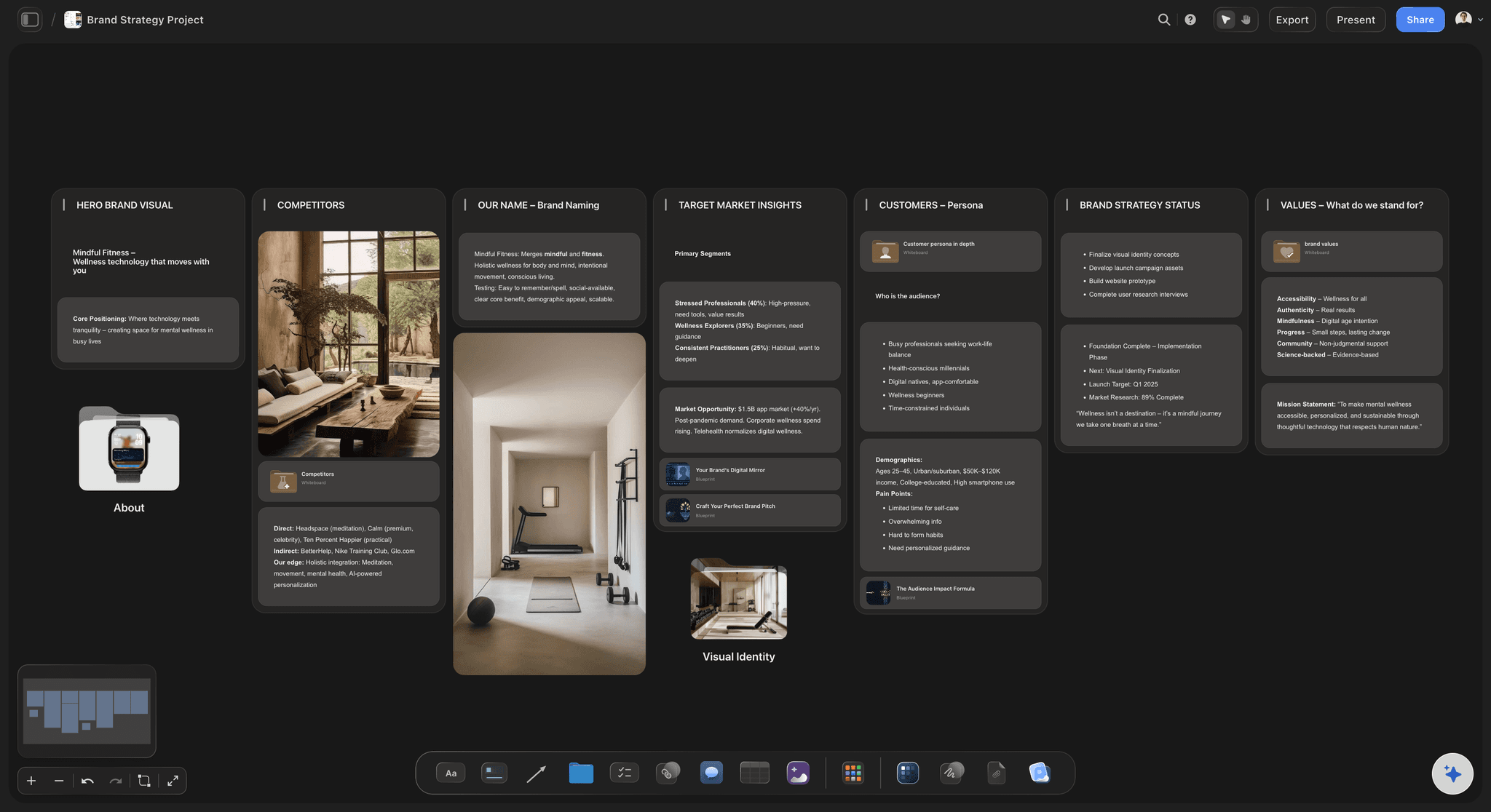
Brand Strategy
Define your positioning, values, and voice and connect them into a strategy the team can follow.
How should a brand identity presentation run?
A brand identity presentation is the meeting where a studio shows a client the new identity and asks for a decision. Storyflow is an AI visual workspace that presents your client's new identity on one infinite canvas: frames stepped through fullscreen from the board the identity was built on, mockups as images, the palette as swatches and the reasoning in a Doc. After sign-off, those frames become the first pages of the guidelines.
Recap before you reveal. Open with the brief and the strategy the client signed: the problem, the audience, the positioning line and the personality words. Two frames are enough. The identity is then judged against words they already agreed, and "I'm not sure about the green" becomes "does the green feel confident, as we said it should?"
Lead with the identity at work. Show the new mark on the client's own shopfront, packaging, website header and social avatar before showing it alone on a plain frame, so the room reacts to how their business will look. Then show the mark, its lockups and the thinking behind each letterform or symbol.
Ask questions that end in a decision. A question about liking invites taste, and a room of stakeholders has plenty of it. Ask which route fits the brief best, where it drifts from the strategy and which touchpoint they struggle to picture. Close with one decision-maker, a date for consolidated notes and what the next round covers.
Ultra fast from brief to board
The reveal, built in four moves.
Most of the material already exists; the work here is the order.
01
Recap in two frames
Give the brief one frame and the signed strategy another, with the positioning and personality exactly as signed. The AI can draft both from your strategy notes for you to cut down.
02
Build each route as a run of frames
Touchpoints first, then the logo on its own with its lockups, then colour, type, imagery and applications. Place the mockups you made in your design tools as images, with swatches beside them for the palette.
03
Tie every choice to their words
A short Doc for each route that ties every choice to a word from the strategy: rounded terminals because the brand should feel approachable, a green because every competitor is blue.
04
Present it, then send the questions
Step through the frames fullscreen and end on the questions and a deadline for the client's merged reply. Once the client decides, move the settled frames into the guidelines.
The identity shown the way the client will live with it.
Everything a stakeholder needs to judge a route, presented from one board.
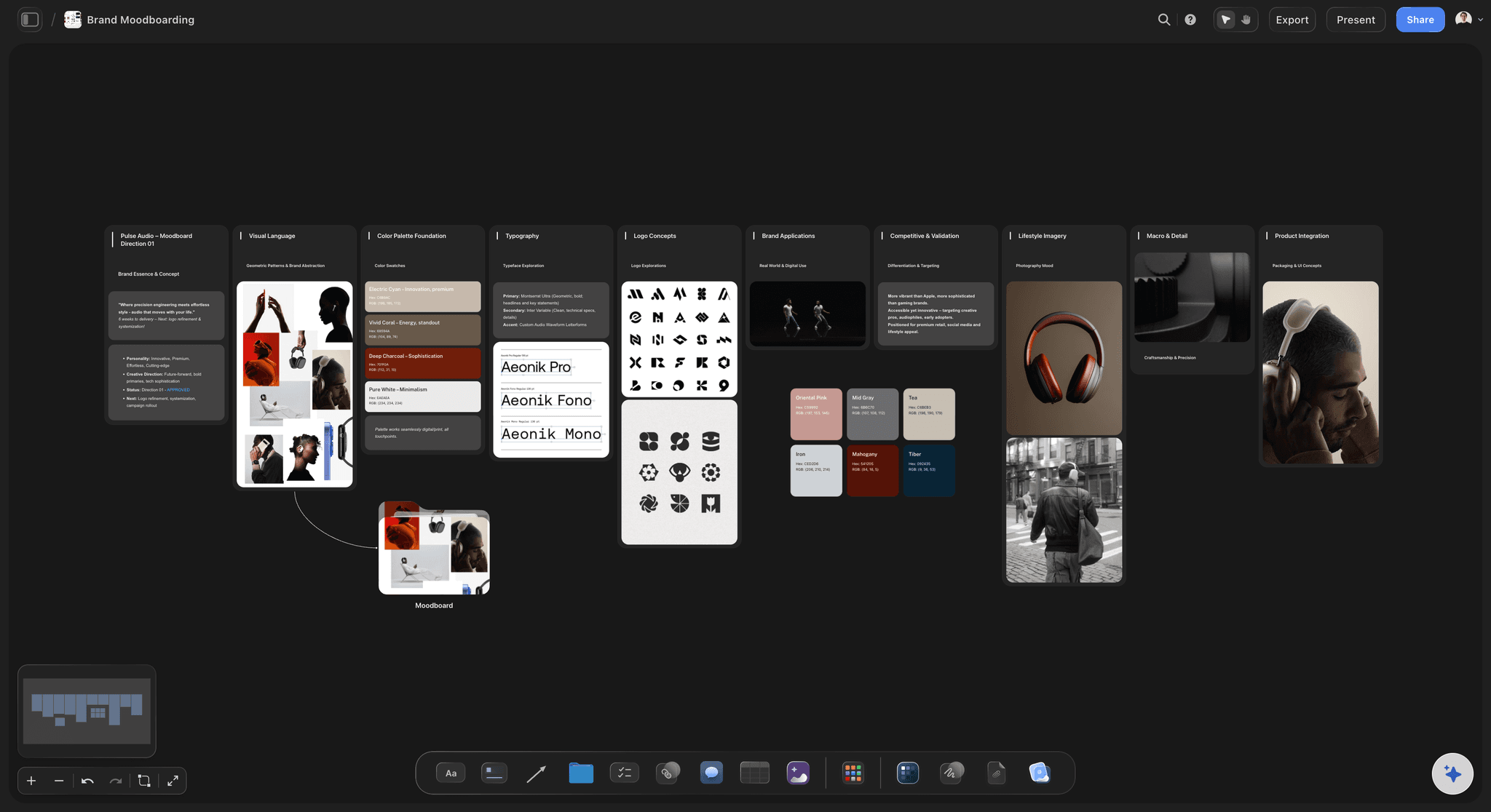
Each route as a run of frames
One route at a time, in use before alone
Presentation mode steps through the frames fullscreen: the recap, the route at work on their touchpoints, and only then the logo alone and the system around it. Every route follows the same order, so the comparison is fair.
See the client presentation tool →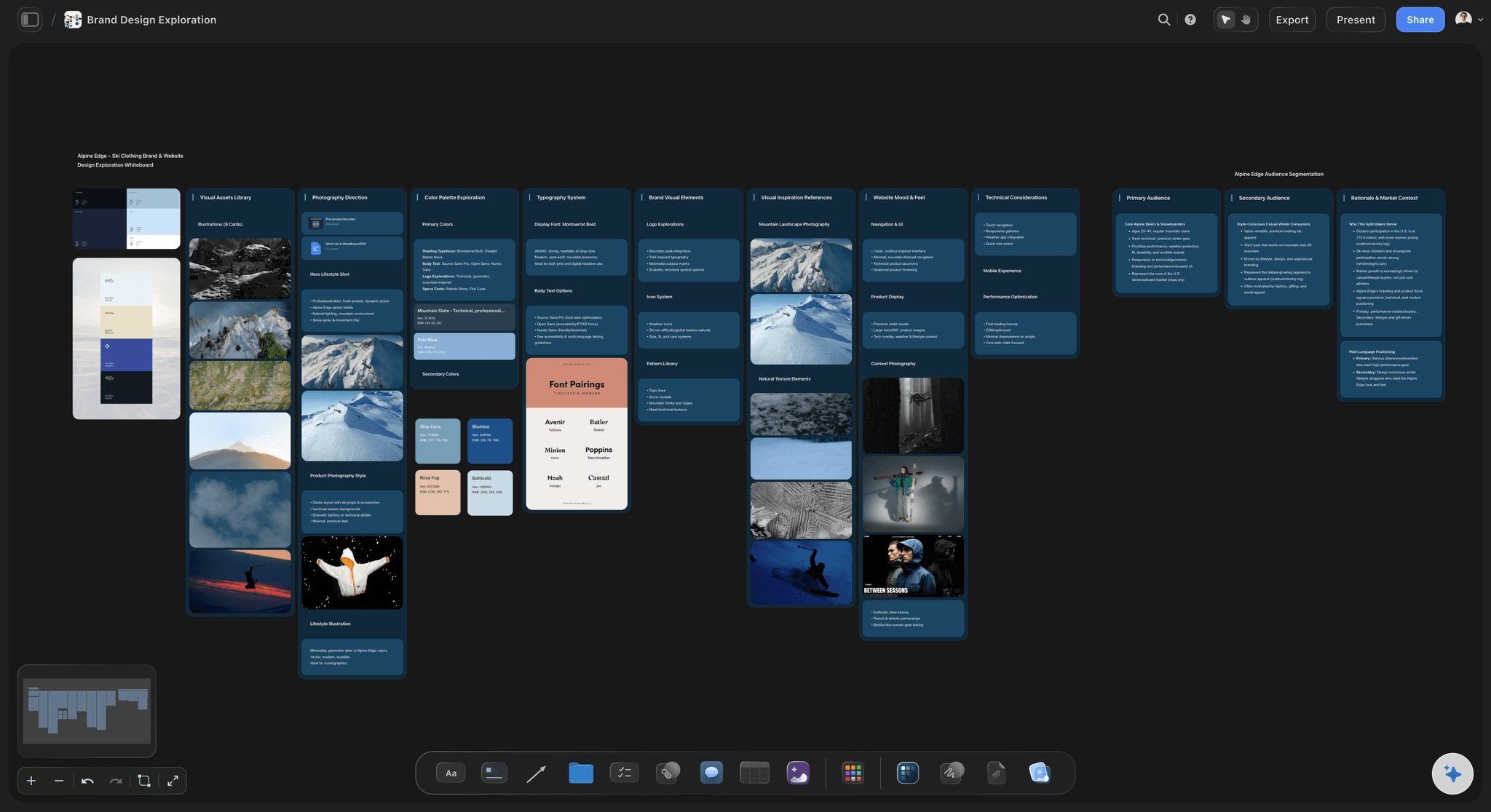
Mockups beside the reasoning
Applications, swatches and reasons in one view
Place the mockups as images, set colour swatches for the palette and keep a short Doc of reasoning beside each route, so a stakeholder who zooms into the packaging finds the reason for its colour right next to it.
Plan the identity project →
The decision, on the record
What was agreed, kept with the frames
Record the decision as a dated line in the rationale Doc and leave the agreed frames untouched, with each later round in its own frame beside them. Storyflow has no approval button, so the record is the words and the frames.
See the client review board →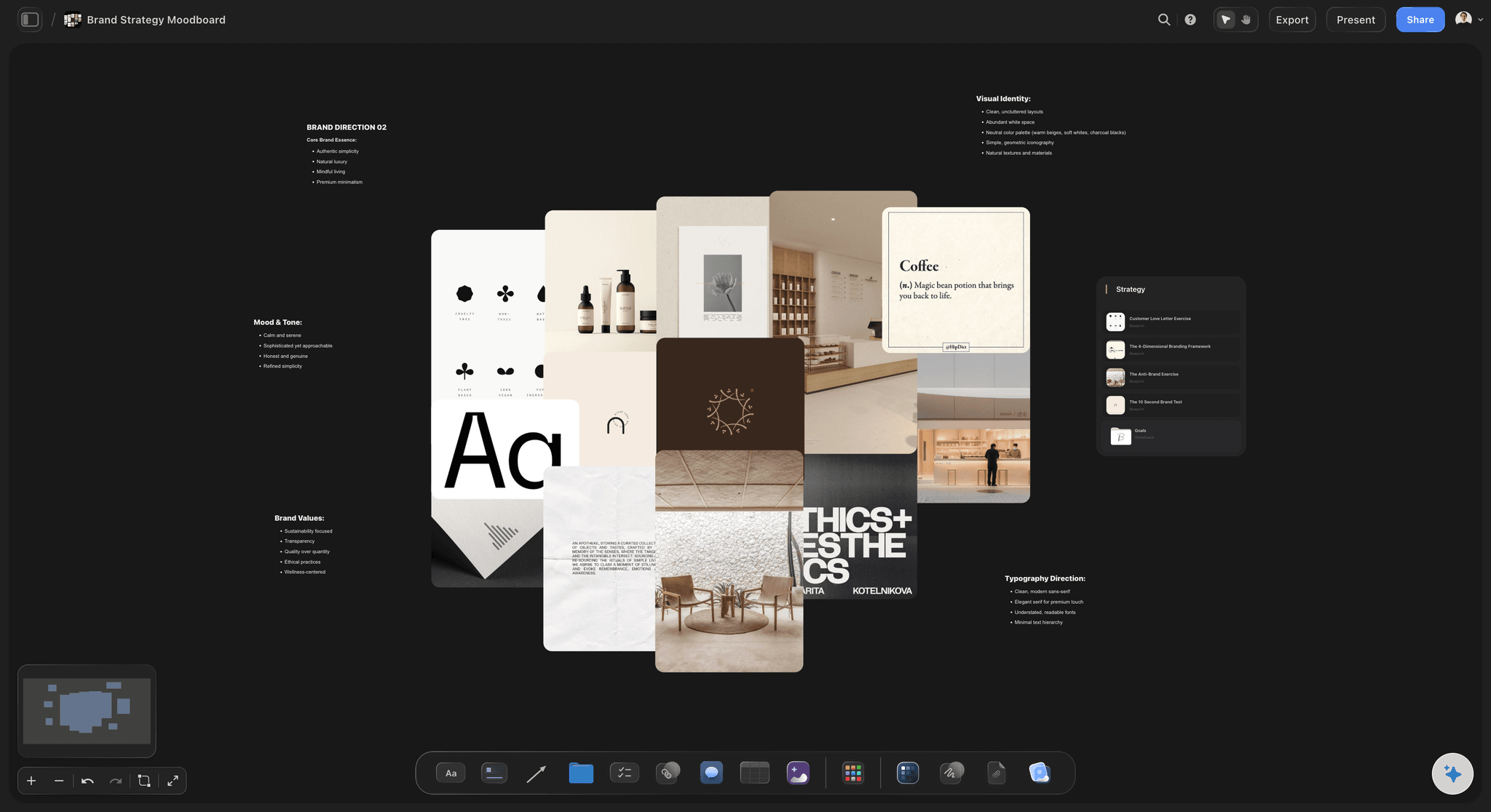
One link for every stakeholder
Read by the people who were not in the room
Each of the client's stakeholders opens the same view-only link with no account, and signs in to comment on a specific frame. Export the whole board as a PDF for a board pack.
See the design feedback tool →The frames the client agrees become the start of the guidelines.
Move the frames they approved into a guidelines board and write the rules around them, so nothing is redrawn for the handoff. Storyflow is paid-only during early access, with plans from $7.99 a month billed annually ($9.99 monthly). A free plan launches before the end of 2026, and anyone a paid member invites to a board joins free.
Unlimited identity boards and mockup uploads on every paid plan
Presentation mode that steps through a route frame by frame
Docs for the rationale that export to Word and PDF
AI brand strategy, brand moodboard and colour palette workflows
Built for people with taste
The order of an identity reveal, and what to ask.
A common shape for up to three routes in a sixty-minute meeting. The order holds in a room, on a call or when the board is read later.
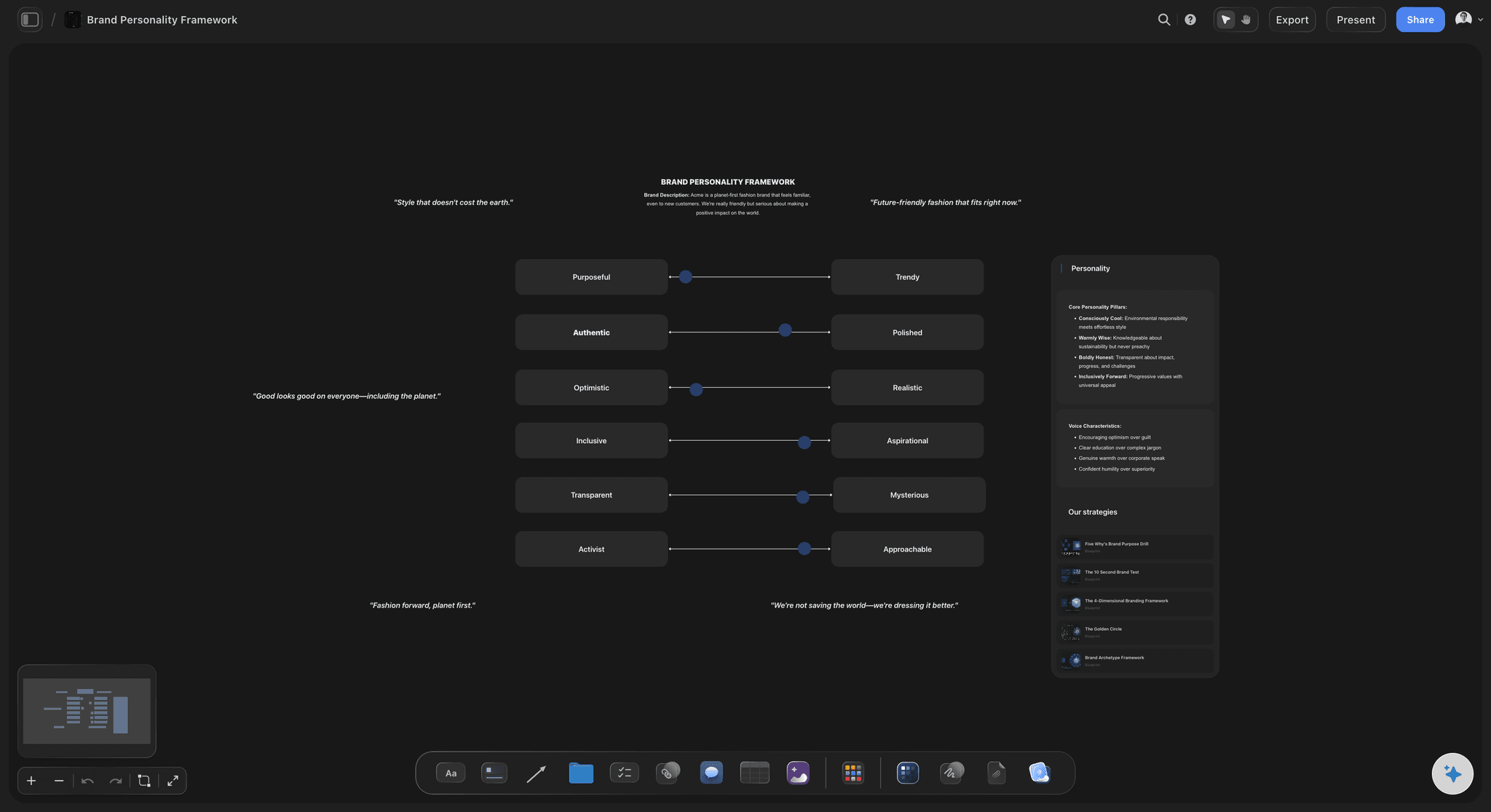
Frames 1 to 4 of 12
Before anything new is shown
1. What we decide today: One frame naming the decision the meeting exists for, such as choosing a route to refine. A client who knows the question listens for the answer.
2. The brief, recapped: The problem and the goals as the client wrote them. It reminds the room what the identity is for before anyone sees it.
3. The strategy, recapped: The positioning, the audience and the personality the client signed off. Every route will be judged against this frame, so keep it close while you talk.
4. The idea behind the route: One sentence and one image for what this route is trying to say, before any logo appears. A route is easier to follow when its intent is heard first.
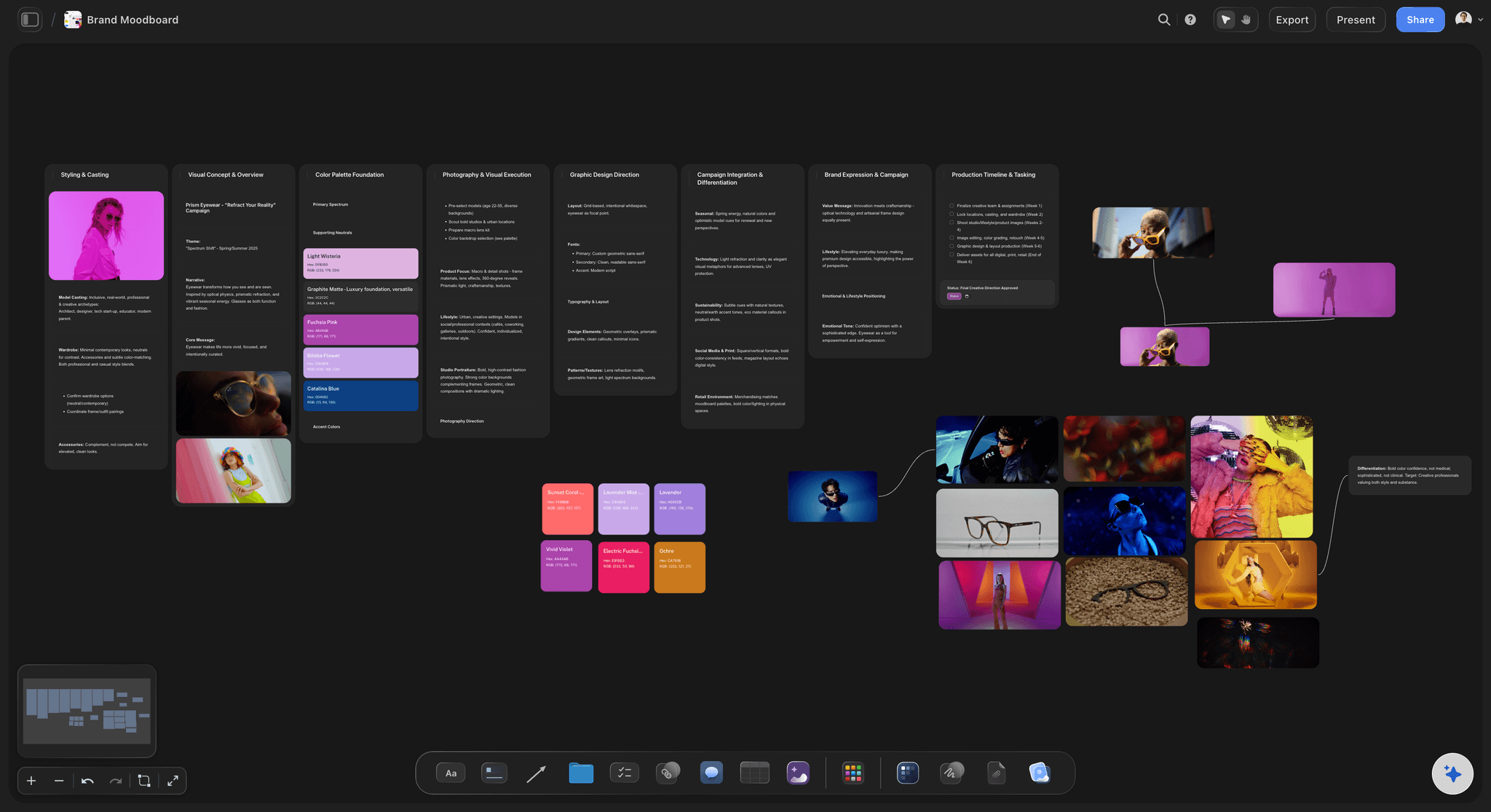
Frames 5 to 8 of 12
The route at work, then up close
5. The identity in use: Their own touchpoints first, three or four of them: the shopfront or website header, packaging, an app icon, a social avatar. Use their products and their words, never placeholder text.
6. The mark and its lockups: The primary logo, the stacked and horizontal lockups and the icon, with a line on why each shape is there. Show it at favicon size too, because that is where marks fail.
7. Colour and type: The palette as swatches with the share each colour takes, and the type pairing set as real headlines and body copy. Show both on an application, not only as specimens.
8. Imagery and graphic elements: Photography direction, illustration, patterns or icons that come with the route. Show only what the route needs to be understood; the full rules belong in the guidelines.
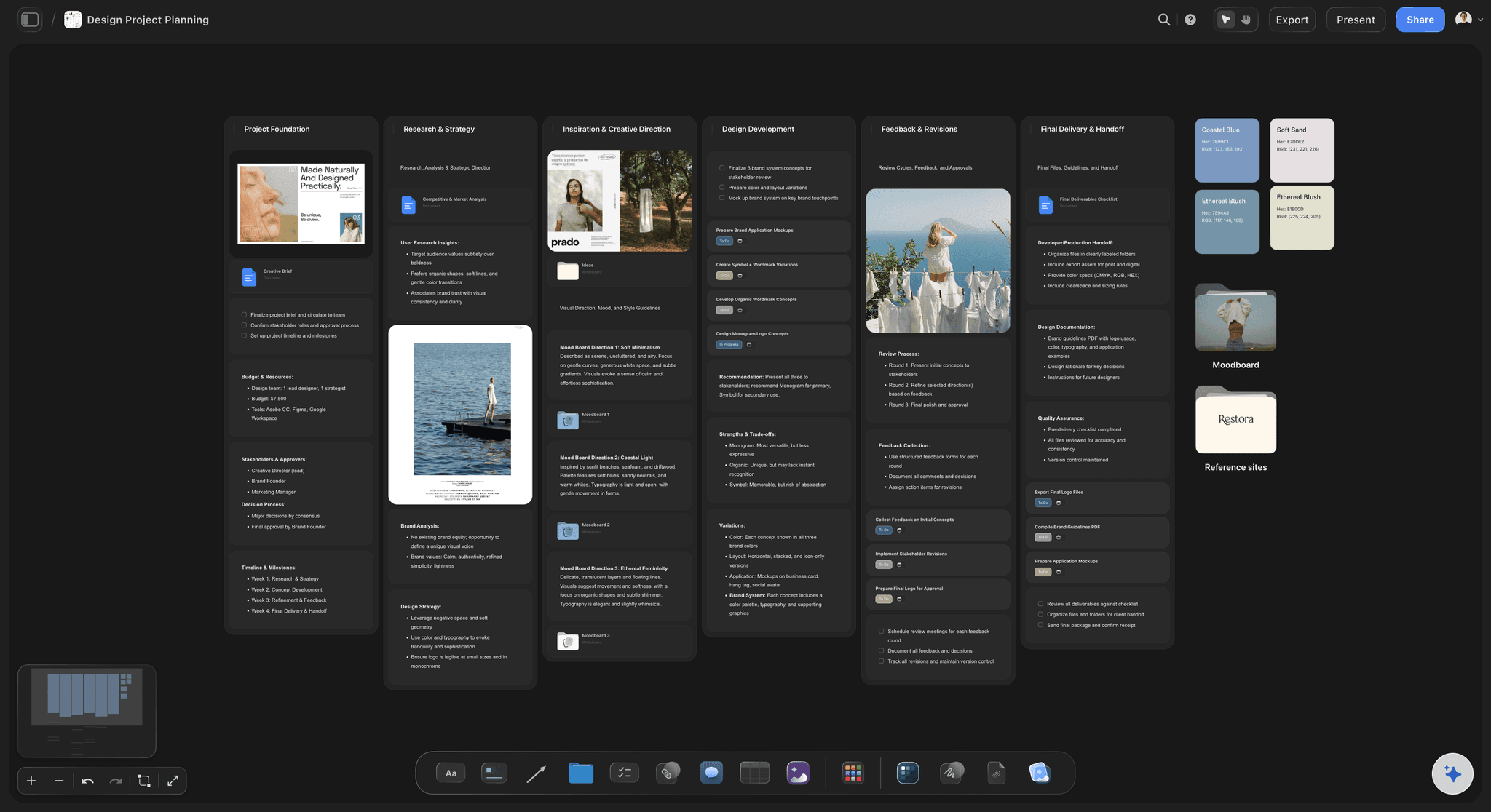
Frames 9 to 12 of 12
Applications, reasons and the ask
9. Applications in context: Four to six mockups on materials the client really uses: signage, packaging, a web page, stationery, uniforms or a vehicle. Mockups made in your design tools sit on the frame as images.
10. The rationale, in their language: Tie each choice back to a phrase from the brief or the strategy, in the client's words rather than design vocabulary. "Approachable" lands with a founder; "humanist sans-serif with open apertures" does not.
11. The questions: A few questions on screen, each answerable with a choice, so the room decides instead of reacting freely. The ones to ask and the ones to leave out are in the next block.
12. Next steps: Who decides, the date consolidated notes are due, and what the next round covers. A presentation that ends without a date ends without a decision.
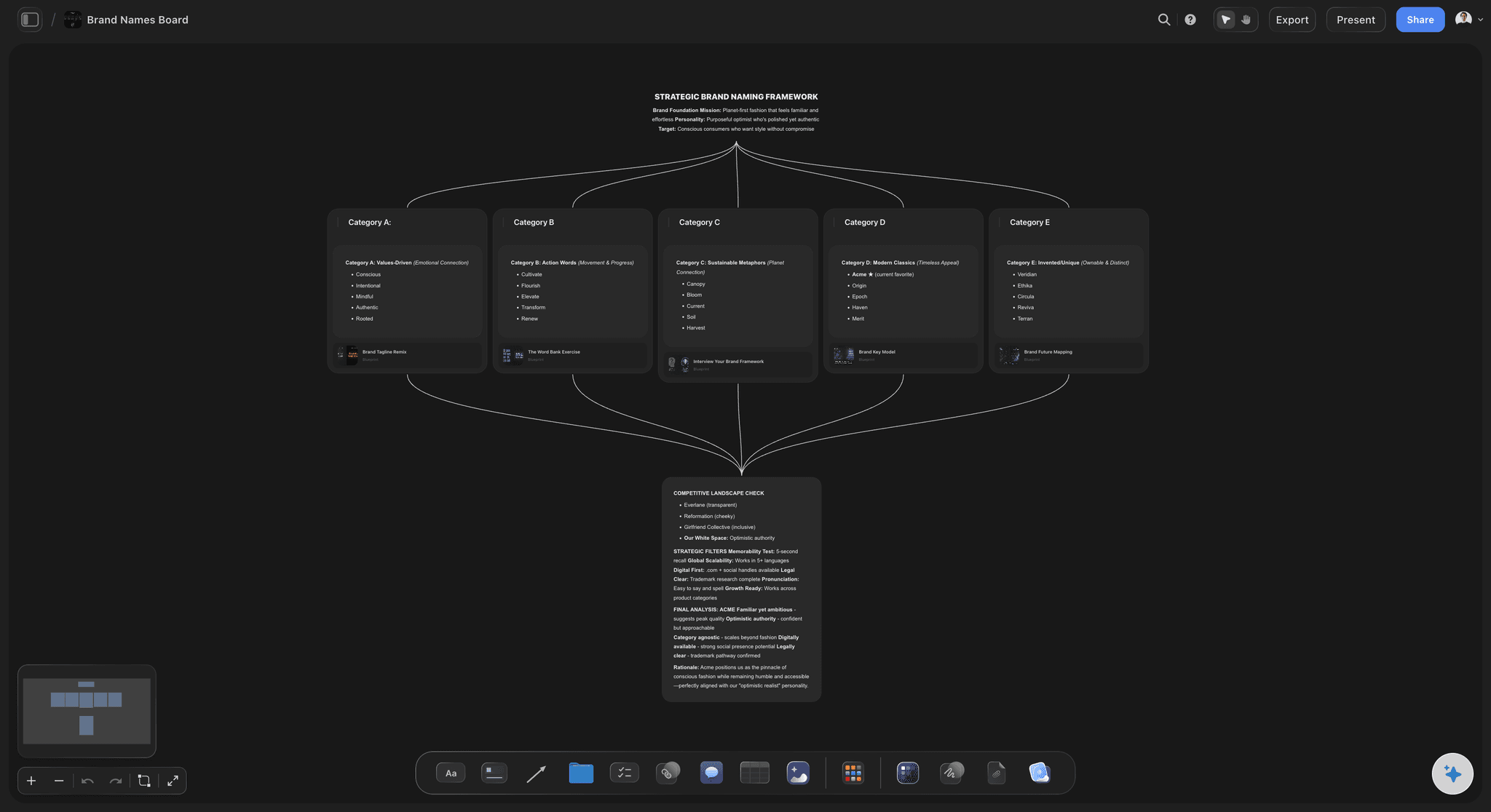
Routes and questions
How many routes to show, and what to ask after
One to three routes: Show one when the strategy is tight and the client already trusts you, and two or three when the brief is open. Never include a route you would not be glad to deliver, because a nervous client often picks it.
Questions that get a decision: Ask which route answers the brief best, and where each one drifts from the agreed personality. Ask which application is hardest to picture in their business, and who else must see it before the decision.
Questions to leave out: "Do you like it?" and "What do you think?" both ask for taste, and "Which colour do you prefer?" starts a mix-and-match of routes that were designed as wholes.
After the meeting: Ask for one consolidated reply from the decision-maker within three to five working days. Notes collected from each person separately turn a route into a committee's compromise.
Explore templates for your project
Every template opens as a real, editable board on the infinite canvas. Pick the closest fit and make it your own.
Brand Strategy
Define your positioning, values, and voice and connect them into a strategy the team can follow.
One app instead of five
Storyflow, Figma, Keynote or Google Slides for an identity reveal?
Keynote and Google Slides give themed slides and version history, and Figma is where most marks are drawn. Storyflow keeps the strategy, the routes and the mockups on one canvas and presents from it.
Storyflow
Recommended
Strategy, routes and mockups on one canvas
Fullscreen presenting, one frame at a time
Rationale Doc exports to Word
Version history to restore an earlier round
Slide themes and layouts
Figma
Strategy, routes and mockups on one canvas
Fullscreen presenting, one frame at a time
Rationale Doc exports to Word
Version history to restore an earlier round
Slide themes and layouts
Keynote
Strategy, routes and mockups on one canvas
Fullscreen presenting, one frame at a time
Rationale Doc exports to Word
Version history to restore an earlier round
Slide themes and layouts
Google Slides
Strategy, routes and mockups on one canvas
Fullscreen presenting, one frame at a time
Rationale Doc exports to Word
Version history to restore an earlier round
Slide themes and layouts
What creators are saying
Join early creators getting structured workspaces and AI that remembers their projects
“Storyflow has sped up my workflow by at least 3x, which means more flow state and more projects I can actually ship. It truly changed the way me and my team create.”

Reilin Joey
Director & YouTuber
“One prompt gets me a structured board. But the tactics are my favorite. I run my YouTube scripts through them and my intros and retention got better. It's amazing.”

Justkay
YouTuber & Freelance Filmmaker
“I used to juggle five apps to plan a project. Now I describe what I am making and get boards, lists, and a schedule. All in one place.”

George
@fernwehchronicles
Before, during and after the reveal.
Order, routes, logo presentation and the feedback questions that get a decision.
Storyflow presents a brand identity on the board where the work was developed: the recap, each route in use, the logo, palette and type, stepped through fullscreen with the mockups and the written reasoning beside them. Stakeholders open one view-only link with no account and sign in to comment on a frame, and once they decide, the agreed frames seed the brand guidelines board. Produce the mockups themselves in Figma or Photoshop.
About twelve frames for one route: the decision the meeting is for; the brief and the strategy recapped; the idea behind the route; the identity in use; the mark and its lockups; colour and type; imagery; applications; the rationale, told in the client's language; the questions; and the next steps. For a second or third route, repeat frames 4 to 10 in the same sequence, so the client compares like with like.
One to three. Two or three suit most briefs, because a single route turns the meeting into a yes or no; show one only when the strategy is tight and the client already trusts the studio. Give every route equal depth, say which one you recommend and why, and leave out any route you would not be glad to deliver, since a nervous client tends to choose exactly that one.
Yes. A mark alone on a plain frame gets judged like artwork, on whether people like it. On the client's shopfront, packaging, website and a social avatar it gets judged as part of their business, which is the question that matters. Show three or four applications first, then the mark, its lockups and why its shapes are drawn that way.
Ones that end in a decision: which route best answers the brief, where each strays from the personality agreed in the strategy, which application is hardest to imagine in the business, and who else must see it before deciding, by when. Leave out "Do you like it?", "What do you think?" and "Which colour do you prefer?", which invite taste and mixing routes.
A reusable frame order for showing a logo to a client, with placeholders for the in-use mockups, the lockups, the palette and the rationale. Keep one on a board and duplicate it for each job: the frame order and its questions stay, the work changes. Label each placeholder with a real touchpoint, such as the client's shopfront, so the mockups are never generic.
Behance's branding gallery and studio case studies show finished identities, edited after the project for a portfolio. They are useful for layout and for how applications are shot, but they skip what a client meeting needs: the recap, the reasoning in plain language and the closing questions. Borrow their craft, and use the twelve-frame order for the meeting itself.
Present it live, in the room or on a call, then send it. A file read cold gets judged in seconds, often on a phone and without the recap that frames it. After the meeting, send the board and the questions, with a reply date, so the people who were not there see the order you presented in.
Take the disagreement back to the strategy they signed: which route better fits the positioning and the agreed personality? Ask for one consolidated reply from the named decision-maker rather than separate notes from each person. If the argument is really about the strategy, stop and settle that first, because no identity can satisfy two different briefs.
It can do the preparation around the design. In Storyflow the AI drafts the recap frames from your strategy notes, proposes a palette with its colour palette workflow, drafts the rationale Doc for you to rewrite, and can produce a presentation PDF from the finished board. It does not design the logo, and the argument for each choice should be yours, because the client will ask you about it.
No. Storyflow has no approval buttons or proofing markup: decisions are recorded in comments, in a dated line in the written rationale and in the frames both sides agreed. Mockups are produced in Photoshop or Figma and placed on the board as images, and when an audience expects a themed slide deck, finish it in Keynote or Google Slides.
Not during early access. Storyflow is paid-only during early access, with plans from $7.99 a month billed annually ($9.99 monthly). A free plan launches before the end of 2026, and anyone a paid member invites to a board joins free. Viewing the presentation costs the client nothing.
More from Storyflow
Client presentation tool
Campaign concept presentation
Style guide maker
Brand identity project plan
Design proposal template
Creative direction deck
Brand moodboard maker
Client review board
Design feedback tool
Brand strategy tool
AI brand guidelines generator
Brand discovery workshop
How to present design concepts to clients
Pricing
Agency credentials deck
Case study builder
Campaign concept board
Creative rationale
Walk in with the questions, not just the logo.
Recap the strategy, show the work on their own touchpoints, and present from the same board as the thinking behind it.