
Sharper briefs, sent ultra fast
Write the design brief
with the direction beside the words.
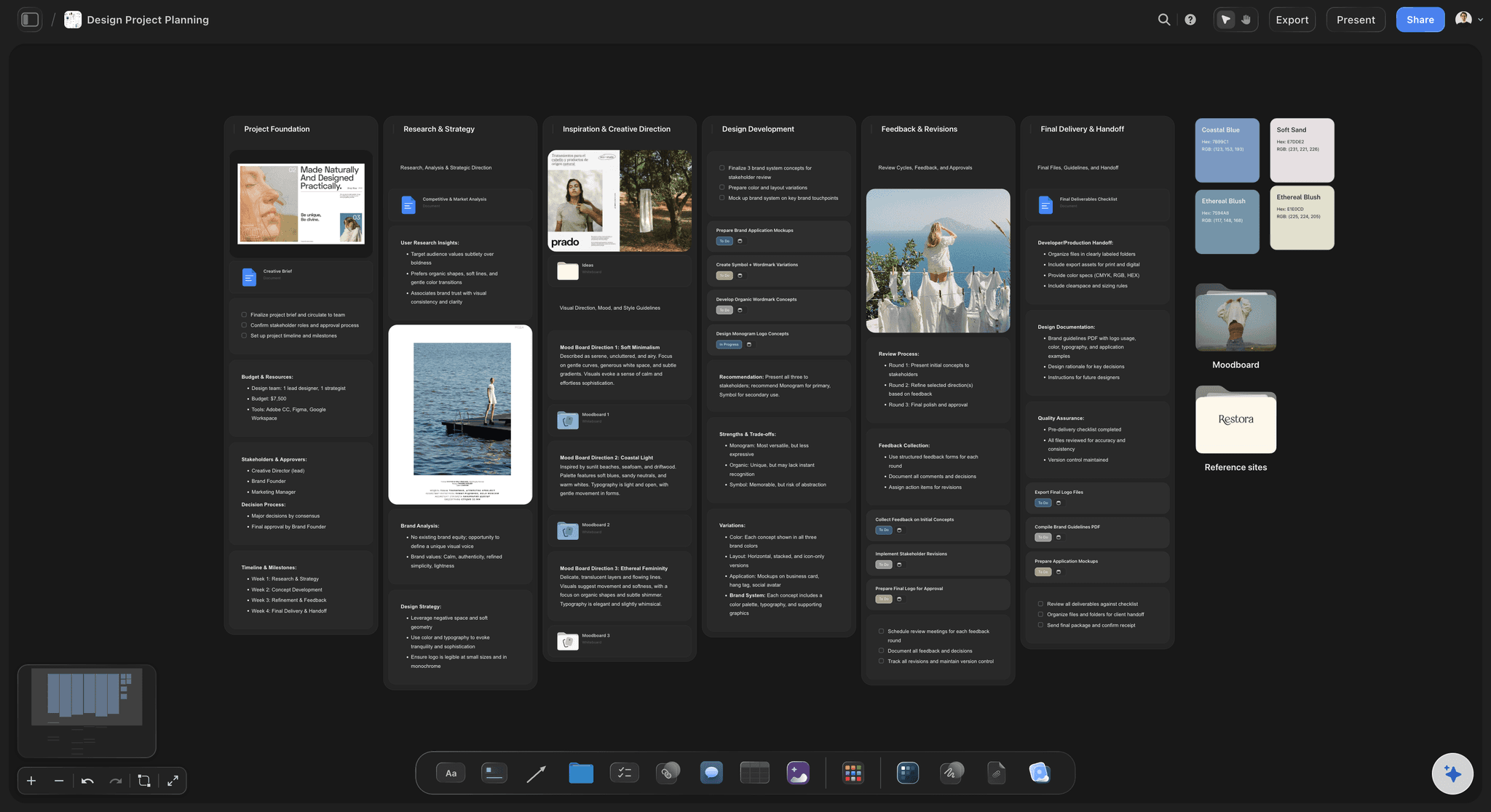
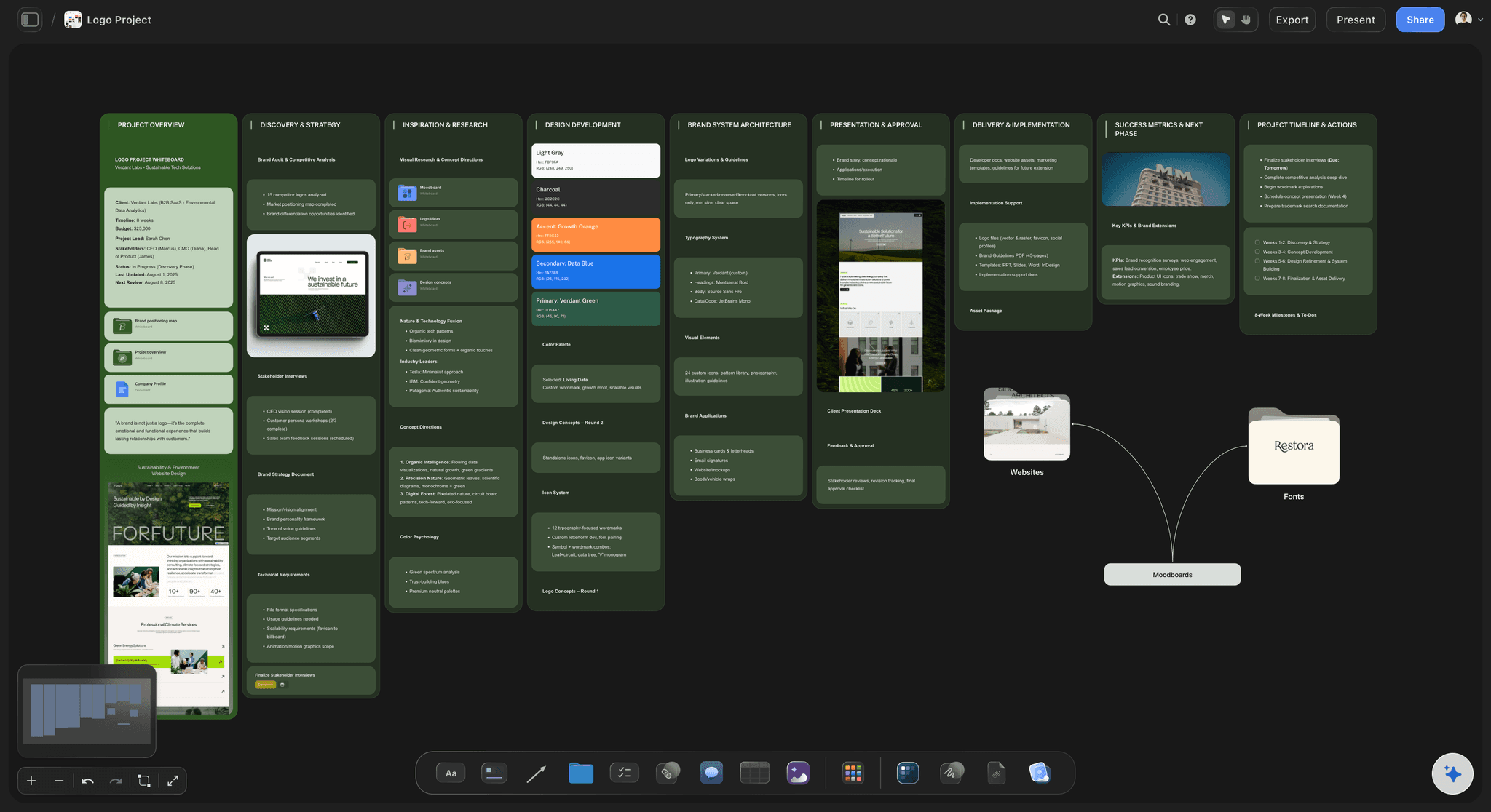
Goal, audience, deliverables and constraints on one board, with the references that show what 'modern' or 'warm' actually means. The client reviews the picture, not just the paragraph, and the brief becomes the plan.


Creatives working for these brands already got early access
- Red Bull
- Canon
- Artlist
- Porsche
See how easy it is to get started
Watch a real project come together, from a blank board to a finished plan, clicked through step by step.
Start from a ready-made template
Pick a board to see what you can build, then let AI fill it in. Every template is a real, editable starting point on the same infinite canvas.

Creative Brief
Capture the objective, audience, and message for a creative so everyone works from the same brief.
What is a design brief?
A design brief is the agreement written before design starts: what is being made, for whom, why, by when, within what budget, and how the result will be judged. Storyflow is an AI visual workspace that writes the design brief on one infinite canvas: the goal, audience, deliverables and constraints beside the references that show what the words mean. Its AI lays out the fields from the client's email or your notes, and the client opens the board by link with no account. Use Notion when you want a database of text briefs with properties and filters, and Google Docs when a plain written brief is all the job needs.
A design brief is the agreement written before design starts. It answers what is being made, for whom, why, by when, within what budget and constraints, and how the result will be judged. Its purpose is to make feedback measurable: when a client says the logo feels wrong, the brief is what you both check it against.
Most briefs fail in one predictable place. The words live in a document, the references live in a folder, and the two never meet, so the client approves 'bold but approachable' and the designer draws their own version of it. The first round then reveals that everyone pictured something different, and the brief is rewritten after the work instead of before it.
On a board the fix is mechanical: every field that describes a look gets two or three reference images next to it, and every reference gets one line saying what to take from it. Describe the project and the AI drafts the fields; paste the client's email and it structures that instead. Once the brief is agreed, the moodboard, the deliverables and the review rounds go on the same board.
Ultra fast from brief to board
From a client's email to an agreed brief.
Four steps, one board, and a client who has seen the direction before the first round.
01
Collect what the client said
Paste the email, the call notes or the RFP onto the board. Runs in your browser, nothing to install.
02
Fill the ten fields
The AI drafts goal, audience, deliverables, constraints, budget, dates and success measures. With every field on the board, you can see at a glance which ones the client never answered.
03
Put references beside the words
Two or three images per visual field, each with a line on what to take from it and what to ignore. This is the step text-only briefs skip.
04
Share it for review
Send a view-only link. The client opens it with no account, signs in to comment on the field they disagree with, and the agreed version stays on the board.
A design brief the client can see, not just read.
The words, the references and the plan that follows, on one board.
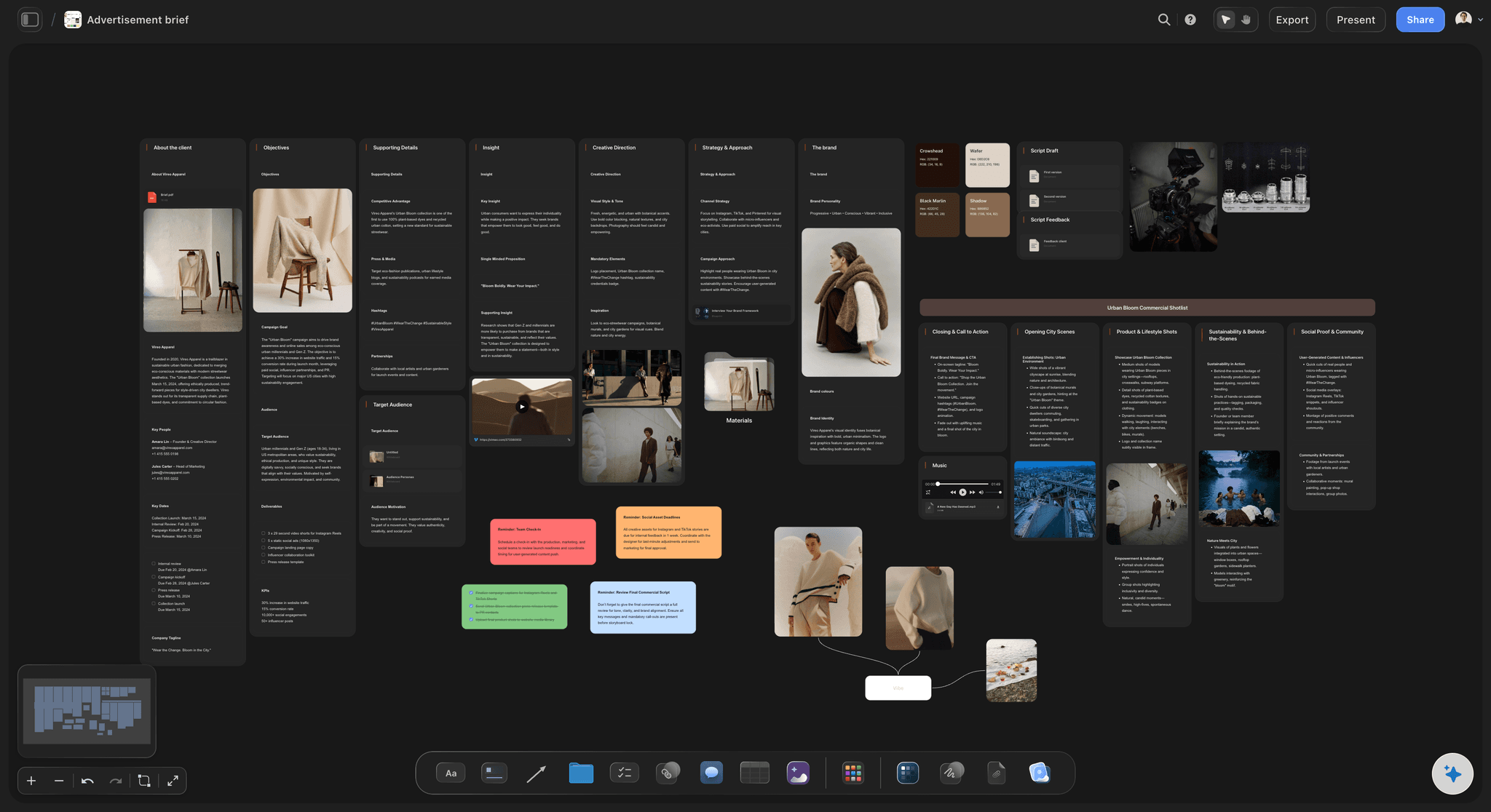
A first draft from a short description
Start from a draft, not a blank template
Describe the project or paste the client's email and the AI drafts each field, so you can see at a glance which fields the client never answered.
See the AI design brief generator →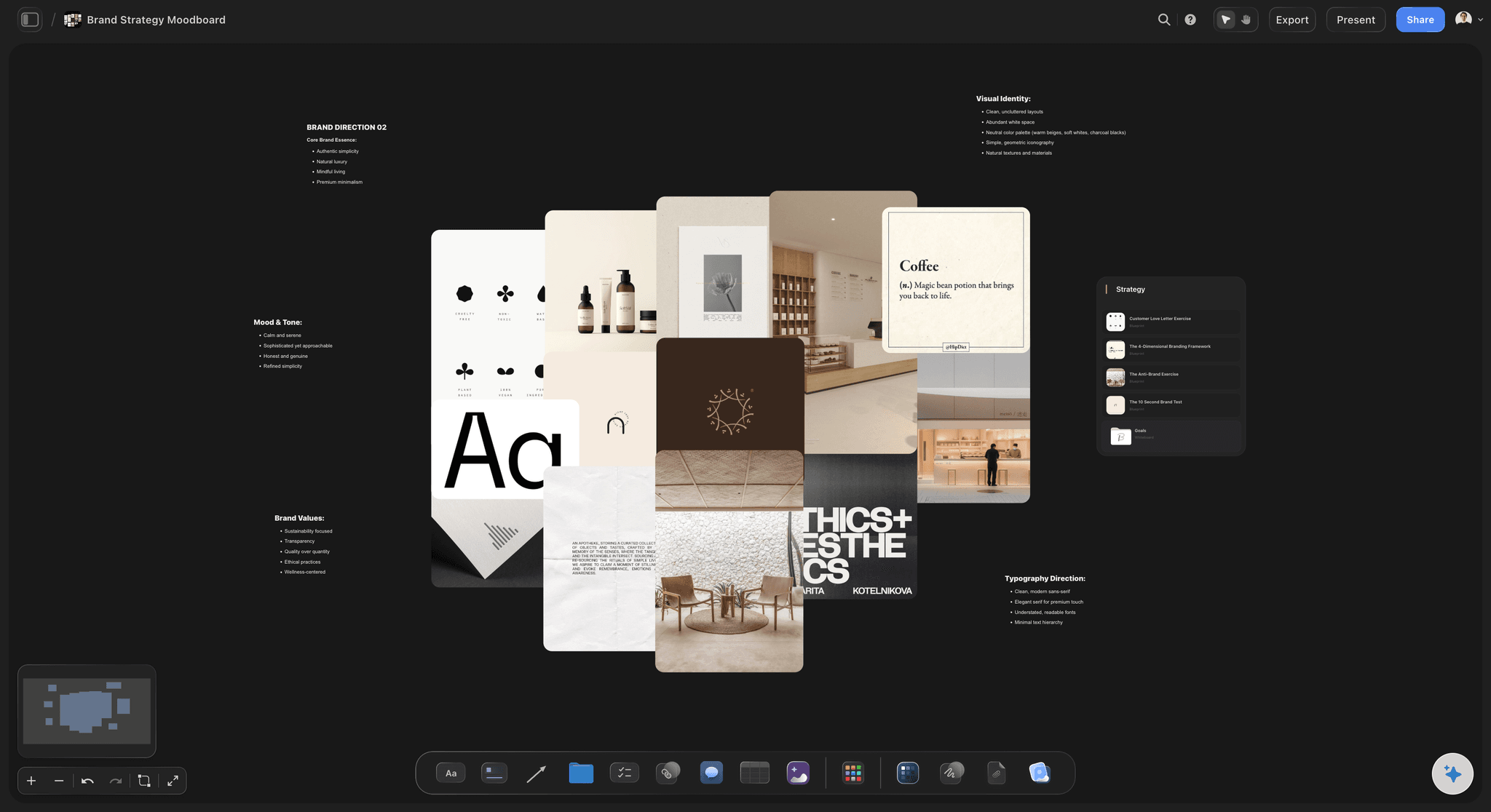
References next to the field they explain
Show what the adjectives mean
Logos, competitor screenshots, palettes and type samples beside the words they illustrate, so 'premium' means the same thing to both sides.
Build a moodboard from a brief →
Campaigns and content, not only design
The creative brief sibling
When the job is a campaign rather than a design deliverable, the creative brief template adds key message, channels and the production plan.
See the creative brief template →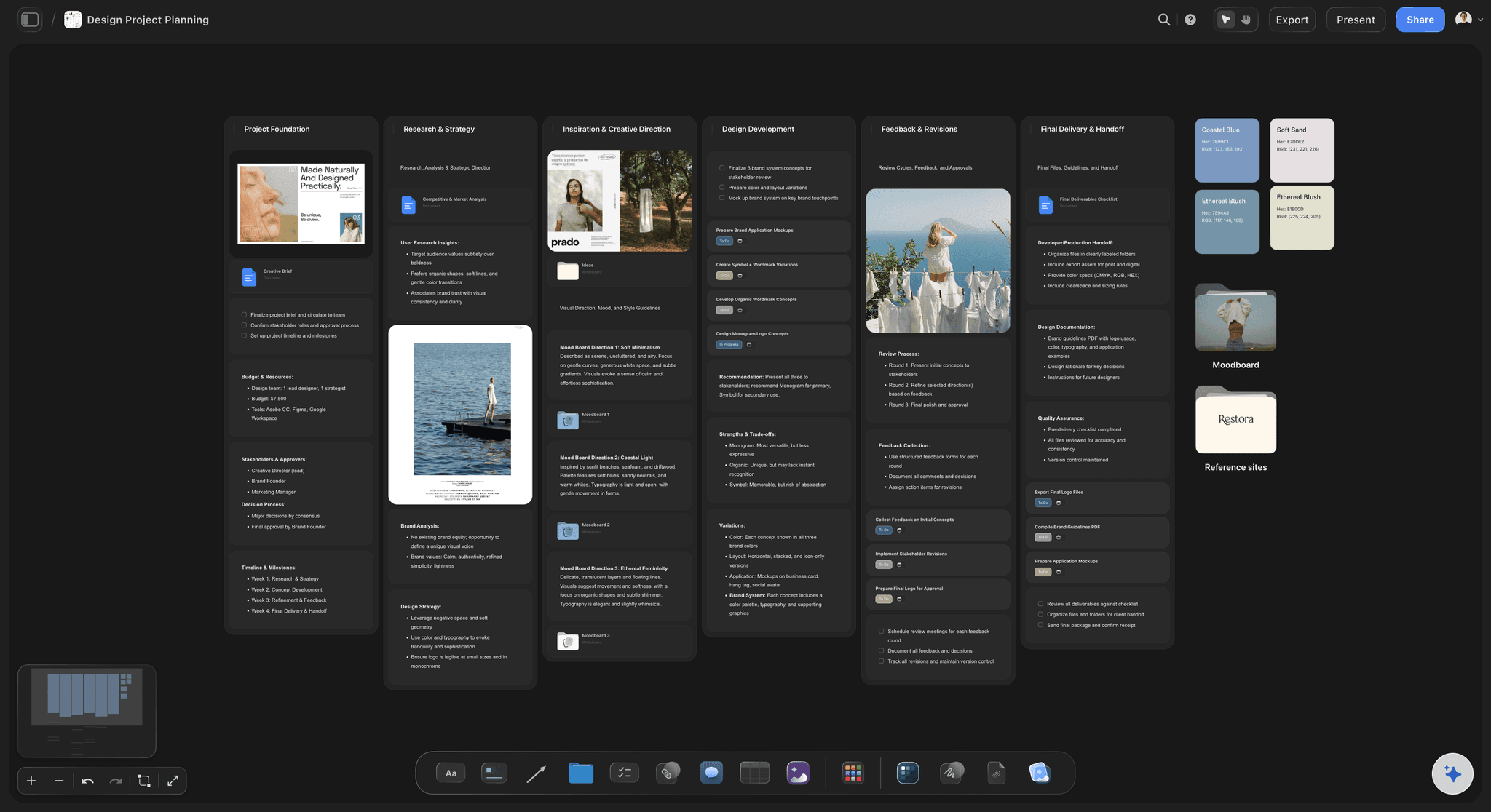
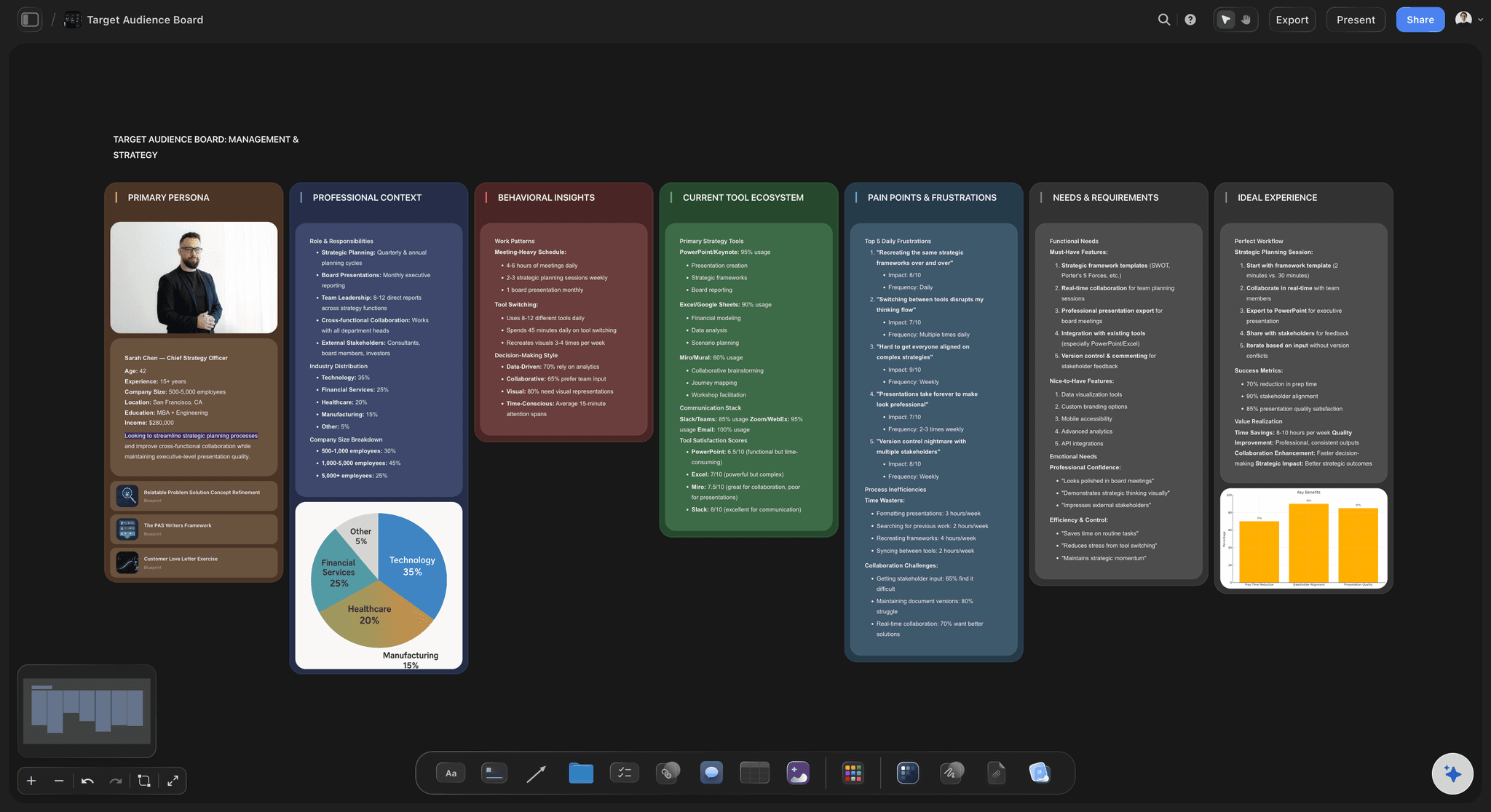
The brief becomes the plan
Deliverables and rounds on the same board
Once the brief is agreed, each deliverable becomes a ticket with an assignee and a due date, beside the field that defined it.
See brief to project board →Unlimited boards. A brief per project.
Write the brief, add the references and share it. Storyflow is paid-only during early access, with plans from $7.99 a month billed annually ($9.99 monthly). A free plan launches before the end of 2026, and anyone a paid member invites to a board joins free.
Unlimited boards and file uploads on every paid plan
AI that drafts the brief from a description or an email
Docs with inline comment threads, exported to Word or PDF
View-only links clients open with no account
Built for people with taste
The ten fields, and what goes in each.
Copy this structure onto any tool. On a board, the visual fields get their references beside them.
Fields 1 to 4: why and for whom
Purpose and audience
1. Project and background: Who the client is, what they sell and what prompted the project. Two or three sentences, enough for a designer who has never heard of them.
2. Goal: The business problem the design solves, in one sentence. 'Look more modern' is a symptom; 'win back customers under 35' is a goal.
3. Audience: Who will see the work and what they already believe. One primary audience beats a list of five, because the design can only speak to one first.
4. Key message and tone: What the audience should take away, and three tone words each paired with a reference. The tone words are useless without the images.

Fields 5 to 7: what is being made
Deliverables and direction
5. Deliverables and specs: Every asset with its format, size and quantity: 'logo in SVG and PNG, primary and stacked', not 'a logo'. Vague deliverables are where scope arguments start.
6. References and direction: Five to nine images in two groups: what to aim for and what to avoid. One line under each saying what to take from it.
7. Mandatories and constraints: Existing brand guidelines, colours or type that must stay, legal lines, accessibility requirements and the platforms the work runs on.
Fields 8 to 10: the guardrails
Budget, dates and how it is judged
8. Budget: A number or a range. A brief without a budget produces a direction the client cannot afford to finish.
9. Timeline and decision maker: Final delivery date, review dates, the number of revision rounds, and the one person who signs off. Name the person; a committee is not a decision maker.
10. Success measures: How the work will be judged, written before anyone sees a concept. This is what keeps feedback about the brief rather than about taste.
A worked example, all ten fields
Design brief example: a neighbourhood cafe rebrand
1. Background: Corner cafe, open eleven years, busy with regulars before 10am and half empty after. A new co-working space opened across the street in January.
2. Goal: Win afternoon customers under 35 without losing the morning regulars. Measured as afternoon card transactions, up 25% six months after launch.
3. Audience: Local professionals who work from cafes for two or three hours, choose a place by how it looks on a map listing, and stay where the wifi and the seating feel planned for them.
4. Message and tone: Message: a neighbourhood room you can work in. Tone: warm, unfussy, a little playful. Three references for warm, three for what to avoid, such as chain-cafe minimalism.
5. Deliverables: Logo in SVG and PNG with a one-colour version, a two-page menu at A4, window vinyl for a 2.4 m window, a cup stamp, and a profile image and cover for the map listing.
6. References and direction: Eight references in two labelled groups, each with one line saying what to take from it: the hand-lettered sign, the tiled counter, the green of the old awning.
7. Mandatories: Keep the green, keep the cafe's name exactly as it is, and the menu must stay readable at arm's length for the older regulars.
8. Budget: Design fee agreed as a range, print and vinyl quoted separately, two review rounds included, a third billed by the day.
9. Timeline and decision maker: Brief signed week 1, first concepts week 3, second round week 5, final files week 8. The owner signs off; the manager comments but does not approve.
10. Success measures: Regulars recognise the cafe in the new look, newcomers mention the window or the listing when asked how they found it, and afternoon transactions move toward the goal.
Writing, sharing and keeping it
Where the brief goes after it is written
Review by link: The client opens a view-only link with no account and sees the latest version when they reload. Signed-in reviewers comment beside the field they question.
A written record when one is needed: Write the fields in a Doc on the board, which has inline comment threads and exports to Word or PDF, or export the whole board as an image or PDF.
Reuse the good ones: Duplicate a strong brief board as the starting point for the next client. Your best brief becomes your template.
Explore templates for your project
Every template opens as a real, editable board on the infinite canvas. Pick the closest fit and make it your own.
Creative Brief
Capture the objective, audience, and message for a creative so everyone works from the same brief.
One app instead of five
Storyflow vs Notion, Miro and Milanote for design briefs.
Notion is strong for databases of text briefs, Miro for workshops on a whiteboard, Milanote for visual boards. Here is where they differ for writing and sharing a brief.
Storyflow
Recommended
Brief text and references on one canvas
Client opens a view-only link with no account
Brief turns into tickets with assignees and dates
Database of briefs with properties and filters
Free plan available today
Notion
Brief text and references on one canvas
Client opens a view-only link with no account
Brief turns into tickets with assignees and dates
Database of briefs with properties and filters
Free plan available today
Miro
Brief text and references on one canvas
Client opens a view-only link with no account
Brief turns into tickets with assignees and dates
Database of briefs with properties and filters
Free plan available today
Milanote
Brief text and references on one canvas
Client opens a view-only link with no account
Brief turns into tickets with assignees and dates
Database of briefs with properties and filters
Free plan available today
What creators are saying
Join early creators getting structured workspaces and AI that remembers their projects
“Storyflow has sped up my workflow by at least 3x, which means more flow state and more projects I can actually ship. It truly changed the way me and my team create.”

Reilin Joey
Director & YouTuber
“One prompt gets me a structured board. But the tactics are my favorite. I run my YouTube scripts through them and my intros and retention got better. It's amazing.”

Justkay
YouTuber & Freelance Filmmaker
“I used to juggle five apps to plan a project. Now I describe what I am making and get boards, lists, and a schedule. All in one place.”

George
@fernwehchronicles
Design briefs, answered.
What to put in one, how to write it, and where to share it.
A design brief is the agreement a client and a designer make before design starts. It says what is being made, for whom, why, by when, within what budget and constraints, and how the result will be judged, so feedback can be checked against it. In Storyflow the brief sits on one board with two or three reference images beside every field that describes a look.
Storyflow is built for exactly this job: the goal, audience, deliverables and constraints sit on one board beside the reference images that show what the words mean, the AI lays out the fields from the client's email, and the client opens it by link with no account. Once agreed, the brief becomes the project plan on the same board. The design itself is still made in Figma, Illustrator or Photoshop.
Start from what the client told you, then fill ten fields: background, goal, audience, key message and tone, deliverables with specs, references, mandatories, budget, timeline with the decision maker, and success measures. Put two or three reference images beside every field that describes a look. Send it for review before any design starts, and treat every empty field as a question for the client rather than a guess.
Ten cover most jobs. Project background, goal, audience, key message and tone, deliverables with formats and sizes, references and direction, mandatories and constraints, budget, timeline with the named decision maker, and success measures. The two most often left blank are budget and decision maker, and both cause the most expensive problems later: a direction nobody can afford, and feedback from people who contradict each other.
A short one: 'Rebrand for a neighbourhood café. Goal: win customers under 35 without losing regulars. Audience: local professionals who work from cafés. Tone: warm, unfussy, a little playful, with three references each. Deliverables: logo in SVG and PNG, menu, window signage. Mandatory: keep the green. Budget: range agreed. Two review rounds, owner signs off, final files in eight weeks. Success: regulars recognise it, newcomers notice it.'
A design brief defines a design deliverable, such as a logo, a website or packaging, so it leans on specs, references and mandatories. A creative brief defines a campaign or piece of content, so it leans on the insight, the key message and the channels. Most of the structure is shared. Storyflow's creative brief template covers the campaign version and how it turns into a production plan.
Send a view-only link rather than an attachment. The client opens the board in a browser with no account and sees the latest version whenever they reload, so nobody reviews last week's draft. To leave a note they sign in and comment beside the field in question. Agree what counts as sign-off, such as a written yes from the named decision maker, because Storyflow has no approval button.
Five to nine, in two labelled groups: what to aim for and what to avoid. Fewer than five and the designer fills the gaps with their own taste; more than a dozen and the brief stops pointing anywhere. Write one line under each reference saying what to take from it, such as the colour, the type or the photography, because clients often like an image for a reason the designer cannot guess.
It can draft one. Describe the project or paste the client's email and Storyflow's AI lays out the fields on the board, so you can see at a glance which ones the client never answered, often the budget and the decision maker. You check every field against what the client actually told you. The AI proposes, you decide, and its edits apply with one-click Undo. For a draft from one line, see the AI design brief generator.
A document when the job is text-led and the client wants a file on record. A board when the direction is visual, because the references sit next to the words that need them. Storyflow does both: write the fields in a Doc on the board, which exports to Word or PDF and has inline comment threads, and keep the references and the plan around it on the canvas.
It becomes the plan. Each deliverable turns into a ticket with an assignee and a due date, the reference groups become the starting moodboard, and the review rounds go into a table with a date column, rows kept in date order. In Storyflow all of that sits on the same board as the brief, so every concept is judged against what was asked for rather than what people remember.
One screen of decisions, with the references and supporting detail beside it rather than inside it. The ten fields fit on a page when each answer is a sentence or a short list. What makes a brief long is usually history and opinion, which belongs in the background field in two lines. In Storyflow the fields sit in a Doc on the board, and the references, research and budget sit around it, so the brief stays short without losing anything.
Not during early access. Storyflow is paid-only during early access, with plans from $7.99 a month billed annually ($9.99 monthly). A free plan launches before the end of 2026, and anyone a paid member invites to a board joins free. Clients viewing a brief by link never need an account. For a free option today, Google Docs handles a text-only brief well.
Four come up constantly. A goal that is really a style ('make it modern'). Deliverables without specs, which invite scope arguments. Tone words without reference images, which every reader pictures differently. And no named decision maker, which produces contradictory feedback in round two. Each one is cheap to fix before design starts and expensive to fix after the first concepts are shown.
More from Storyflow
AI design brief generator
Creative brief template
Project brief template
AI creative brief generator
Brief to project board
Moodboard from a brief
AI logo brief generator
Design planning tool
Style guide maker
Client presentation tool
For designers
For agencies
What is a design brief
Comparing creative brief software
Design feedback tool
Campaign brief template
How to write a campaign brief
Creative production brief
Show the direction before the first round.
Paste the client's notes, fill the ten fields, add the references and share the link.