
Ultra-fast moodboards with real taste
Show two directions.
Get one decision.
A moodboard shown to a client has a different job from the one you build for yourself. It has to be narrow enough to decide from, explicit enough to be held to later, and openable without a login. Put two directions side by side on one canvas, share a view-only link, and let the comments land on the images instead of in an email thread.


Creatives working for these brands already got early access
- Red Bull
- Canon
- Artlist
- Porsche
See how easy it is to get started
Watch a real project come together, from a blank board to a finished plan, clicked through step by step.
Start from a ready-made template
Pick a board to see what you can build, then let AI fill it in. Every template is a real, editable starting point on the same infinite canvas.

Film Moodboard
Collect film references, color palettes, lighting, locations, and tone in one place, then invite your crew.
How do you present a moodboard to a client?
Show two directions rather than one or five, name what separates them, and ask for a choice rather than for feedback. Storyflow is an AI visual workspace that presents a moodboard to your client on one infinite canvas: two directions side by side, a view-only link that opens without an account, and comments on the board instead of in an email thread. One direction reads as a decision already made and invites nitpicking. Five reads as indecision and produces a committee. Two, clearly different, produces an answer, and the answer is the thing you actually need before work starts.
Make the difference explicit in words, not just in pictures. Write the sentence that distinguishes them: warm and close versus cool and observed, hand-made versus engineered. Clients rarely have the vocabulary to say why they prefer a board, so giving them the vocabulary is the difference between "I like this one" and a note you can brief a crew from.
Then make it openable. The most common failure in client presentation is not the board, it is the delivery: a 40MB PDF, a login wall, a link that expires. Storyflow shares view-only, in a browser, with no account needed, so the client and whoever they forward it to can all see the same thing. Comments land on the board next to the image they concern, which is how you avoid an email saying "the third one, second row" about a board that has since been rearranged.
The board stays live after approval, which matters more than it sounds. When the work is reviewed in week six, the approved direction is still there to check against, rather than being a PDF somebody has to find.
Ultra fast from brief to board
From a pile of references to a signed-off direction.
The goal of the meeting is a decision, so the board is built to produce one.
01
Build the wide version privately
Collect everything on one canvas first. The exploration board and the client board are different objects, and mixing them is what produces a presentation nobody can decide from.
02
Cut it to two directions
Pull the strongest references into two clearly separated groups, each with a name and a sentence saying what it commits to.
03
Send a view-only link
No account, no download, no expiry. The client opens it in a browser and can forward it to whoever else has to see it.
04
Collect comments on the board
Feedback lands next to the image it concerns, so "not this one" is attached to a specific reference rather than to a position in a grid.
Built for the meeting where somebody has to choose.
Presenting is a different job from exploring, and the board should be a different shape.
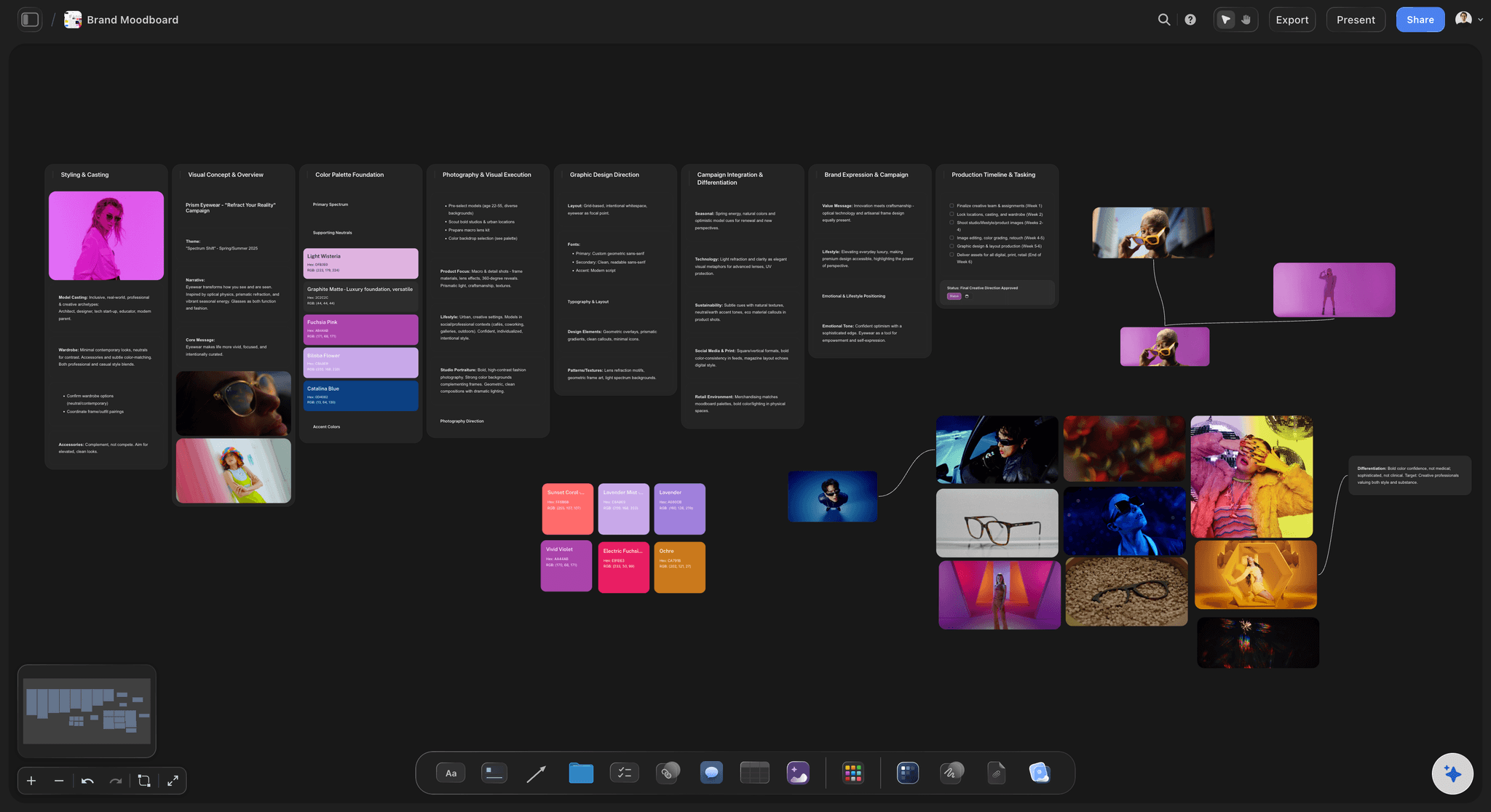
Two directions, side by side
Make the choice easy to make
Lay both options on one canvas with the difference written between them, so the client is comparing rather than reacting to whatever they saw first.
See the client review board →
Opens in a browser, no signup
A link, not a 40MB attachment
Share view-only and the client sees the board immediately, on a phone if that is what they have, and can forward it without you provisioning anyone.
See the design review board →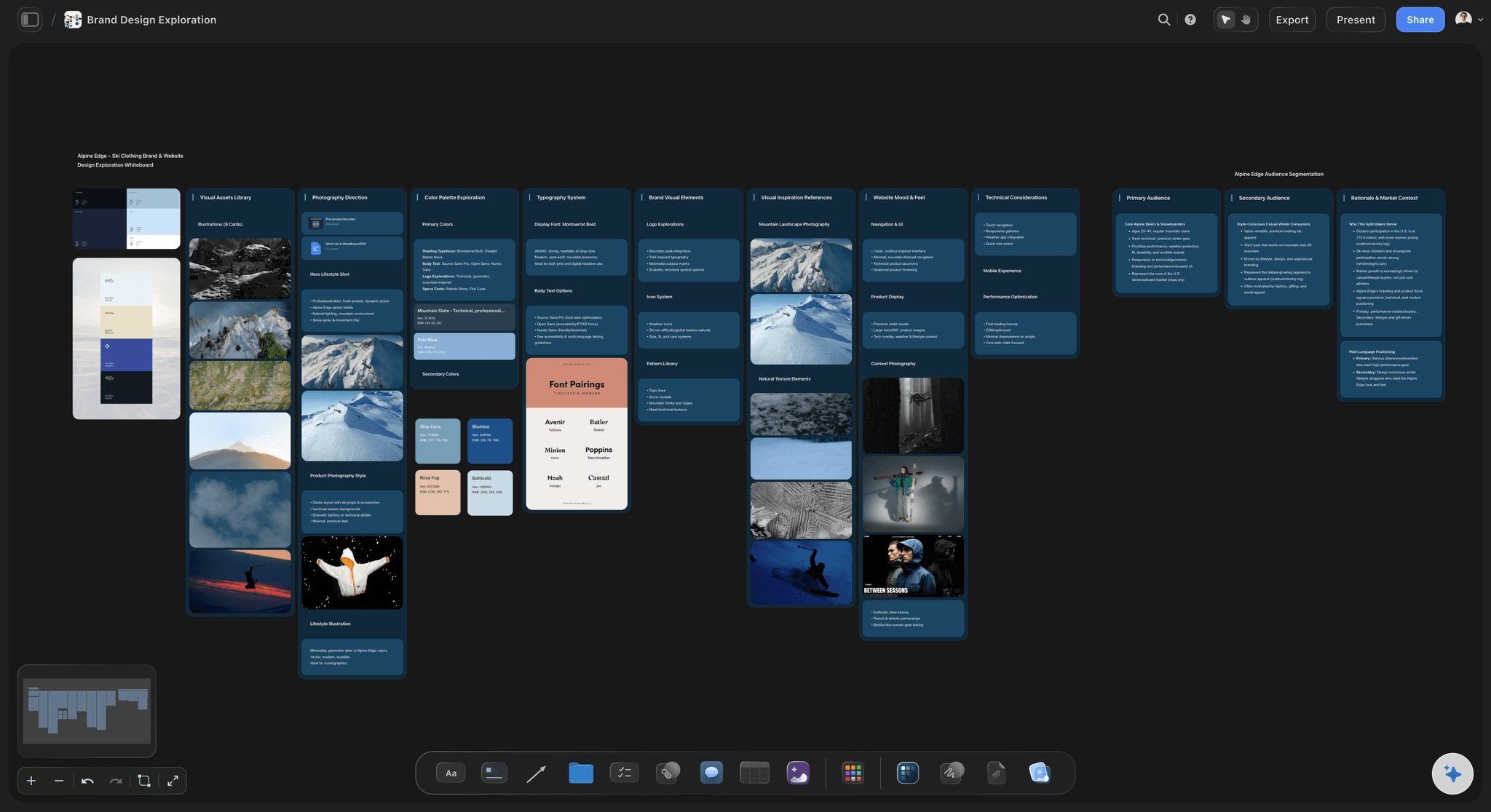
Feedback attached to the image
No more "the third one, second row"
Comments sit on the board beside the reference they concern, which survives the board being rearranged and survives the thread being forwarded.
See the design feedback tool →
The approved direction stays live
Something to check the work against in week six
The board does not become a PDF in a folder. It stays on the canvas beside the work, and the AI can read both when you ask whether the execution has drifted.
See the AI creative workspace →Plans from $7.99/month annual. Free plan coming late 2026.
Present, get sign-off, and keep the approved direction live. Storyflow is paid-only during early access, and anyone a paid member invites to a board joins free today.
View-only links open with no account
Anyone a paid member invites to a board joins free
One board per client project, no limit
Export to image or PDF when it has to travel
Built for people with taste
Four ways a client moodboard fails, and what fixes each.
None of these are about the quality of the references. They are about the shape of the presentation.
Failure one
Too many options
Five directions produce a committee: Every extra option multiplies the discussion and makes a compromise more likely, and a compromise of five moodboards is not a direction.
One option produces nitpicking: With nothing to compare against, a client critiques individual images rather than choosing a direction.
Two produces an answer: Clearly different, clearly named, and the question becomes which rather than whether.
Failure two
No words, only pictures
Name each direction: A direction with a name can be referred to in a meeting three weeks later. An unnamed one becomes "the blue one" and then becomes nothing.
Write what it commits to: One sentence on what this direction rules out is worth more than five more images of what it includes.
Give the client vocabulary: Most clients know what they prefer and cannot say why. The words you write are the words their feedback will come back in.
Failure three
The delivery breaks
No login wall: A view-only link opens in a browser. The moment a client has to create an account, the approval slips by a week.
Forwardable: The person you present to is rarely the only person who decides, so the link has to survive being passed on.
Readable on a phone: Approval often happens on a phone between meetings, and a 40MB PDF does not.
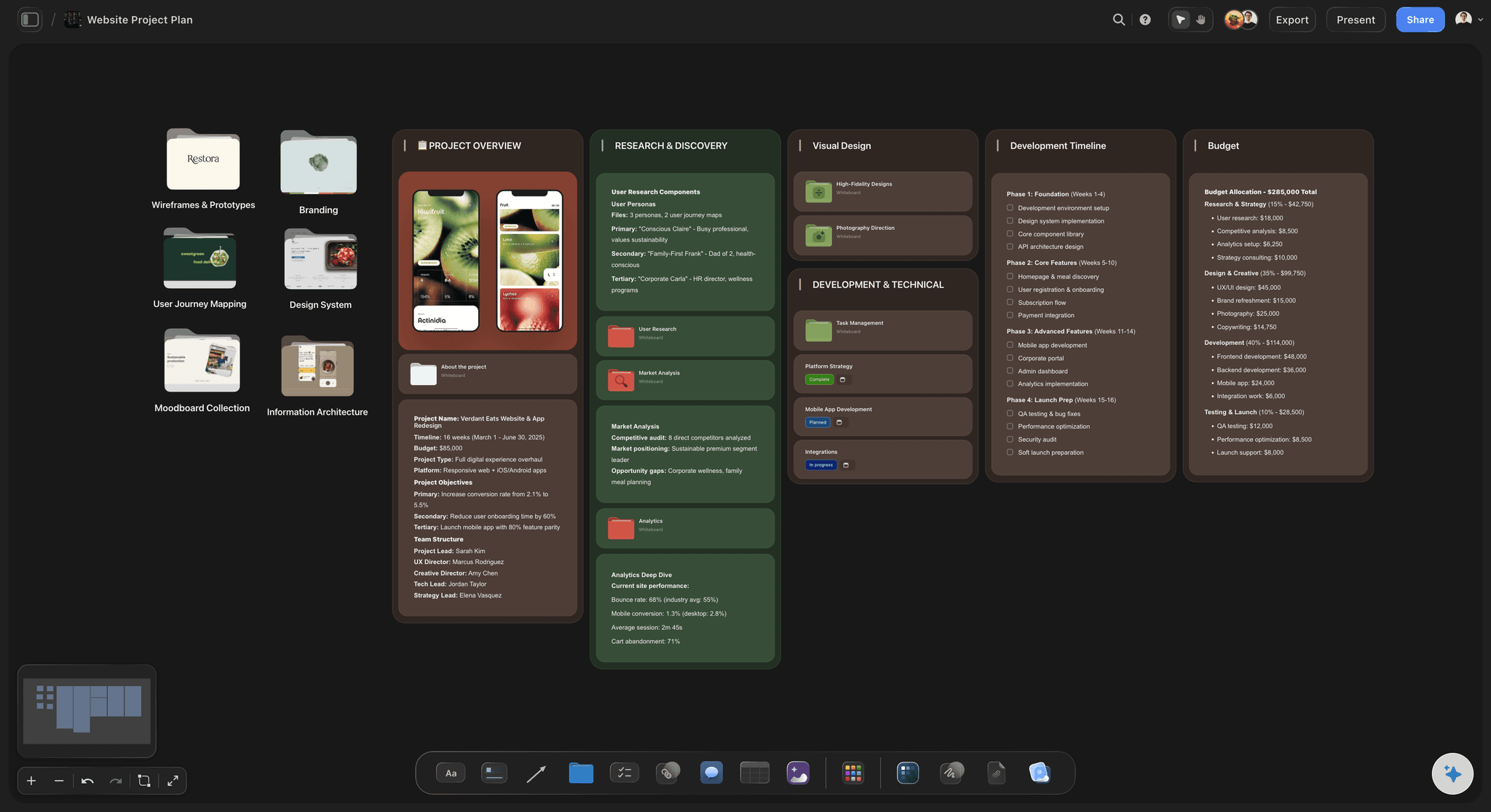
Failure four
The approval disappears
The board stays live: The approved direction remains on the canvas rather than becoming an attachment nobody can find in month two.
Check the work against it: The AI reads the whole active board, so you can ask whether the current execution still matches what was signed off.
The trail is on the board: Comments and the chosen direction sit together, so a later disagreement is settled by looking rather than by searching email.
Explore templates for your project
Every template opens as a real, editable board on the infinite canvas. Pick the closest fit and make it your own.
Film Moodboard
Collect film references, color palettes, lighting, locations, and tone in one place, then invite your crew.
What creators are saying
Join early creators getting structured workspaces and AI that remembers their projects
“Storyflow has sped up my workflow by at least 3x, which means more flow state and more projects I can actually ship. It truly changed the way me and my team create.”

Reilin Joey
Director & YouTuber
“One prompt gets me a structured board. But the tactics are my favorite. I run my YouTube scripts through them and my intros and retention got better. It's amazing.”

Justkay
YouTuber & Freelance Filmmaker
“I used to juggle five apps to plan a project. Now I describe what I am making and get boards, lists, and a schedule. All in one place.”

George
@fernwehchronicles
Client moodboards, answered.
The questions that come up before the presentation meeting.
Show two clearly different directions rather than one or five, give each a name and a sentence saying what it commits to, and ask the client to choose rather than to give feedback. Share it as a view-only link that opens in a browser with no account, so it can be forwarded to whoever actually signs off, and let signed-in reviewers leave comments on the board beside the image they concern. In Storyflow the approved direction then stays live on the canvas, so the work can be checked against it later rather than against a PDF nobody can find.
Storyflow is built for the client meeting and the sign-off after it: you put two directions side by side on one canvas and send a view-only link that opens in a browser without an account. Signed-in reviewers leave comments on the board beside the image they concern, so notes stop arriving as a vague email. The approved direction stays live on the canvas, ready to check the work against later.
Two. One invites nitpicking because there is nothing to compare against, and five invites a committee that averages them into something nobody chose. Two clearly different options turn the question from whether into which, which is the decision you actually need before work starts.
Not to see it: a view-only link opens with no account at all. To leave notes directly on the board, the client signs in on a link with commenting enabled, and anyone a paid member invites to a board joins free today.
That is common and it is usually a sign the two boards were not different enough. Name what each one rules out as well as what it includes, because a direction defined only by what it contains can always be merged with another one.
No. The exploration board and the presentation board are different objects with different jobs. Build the wide version privately, then pull the strongest references into the client board. On an infinite canvas both can live on the same project without being the same view.
Not during early access. Plans start at $7.99 per month billed annually or $9.99 monthly, and a free plan launches before the end of 2026. Anyone a paid member invites to a board joins free, so the number of clients you share with does not change the bill.
Yes. Any board exports as a high-quality image or PDF when the presentation has to leave the canvas, for a deck or an archive. The live link is better for approval, and the export is better for the record.
Give the client the vocabulary in the board itself and let them comment on the images rather than in a thread. Most vague feedback is a client who knows what they prefer and has no words for it, so the sentences you write are the sentences their reply comes back in.
Yes, and this is the main reason to keep it on a canvas rather than in a deck. In week six, when somebody asks whether the work has drifted, the approved board is still there, and Storyflow's AI reads the whole active canvas so it can compare the two.
Yes. Send one link rather than provisioning accounts. The person you present to is rarely the only person deciding, so a link that survives being forwarded is worth more than a controlled invite list.
More from Storyflow
Client review board
Design review board
How to make a photoshoot moodboard
Client presentation tool
Design feedback tool
AI mood board maker
Collaborative moodboard
Moodboard for designers
Moodboard maker
Photography proposal template
Moodboard app
For creative directors
Art direction board
Solo studio project planning
Campaign concept presentation
Photoshoot planning
Brand campaign moodboard
Present a direction, not a mood.
Two options, named, on a link that opens without a login.