The Best Tool to Storyboard a Commercial in 2026 (9 Compared on Agency and Brand Work)
A commercial storyboard is a contract with a clock on it: timed to the spot, carrying VO and supers, approved by a brand, and shot within days. Nine tools, scored on those four jobs.

Category
Filmmaking Tools
Author

Storyflow Team
Product & Research Team
Topics
2026-09-19
•
36 min read
•
Filmmaking Tools- best tool to storyboard a commercial
- commercial storyboard software
- best storyboard software 2026
- video storyboard tools for agencies
- Boords vs Canva storyboard
- Storyboarder commercial storyboard
What's the best tool to storyboard a commercial?
Storyflow is the best tool to storyboard a commercial in 2026: its AI drafts the frames from your brief or AV script, and the VO lines, supers, shot list and client review sit on the same board, which the client opens by link. Pick Boords when the job ends at a timed animatic and formal client sign-off, and StudioBinder when the storyboard must plug into a production office that sends and tracks call sheets. Canva suits a quick pitch board on a free plan. For tools beyond commercials, see [storyboard software](/storyboard-software) compared.
Full disclosure: Storyflow is our product. It ranks first because the frames, script and VO, shot list and client review sit on one board the client opens by link, and its AI builds each from the brief or script. It does not make timed animatics or record sign-off; for that, this article recommends Boords.
How the commercial storyboard tools compare on trust, innovation, ratings and pricing
Which commercial storyboard tools are the most trusted?
Boords is the most trusted dedicated tool for commercial storyboards, built for video agencies and their clients, with AV scripts, animatics and client sign-off. StudioBinder is a long-standing production management platform used for shot lists, storyboards and call sheets. FrameForge has a long record in camera-accurate previs. Storyflow is newer; trust there comes from behavior you can check, since every AI edit lands on the board with one-click Undo and the client sees the live board by link.
Which commercial storyboard tools have fair and transparent pricing?
Storyflow publishes monthly and annual prices from $7.99 a month billed annually, billed per seat, and anyone a paid member invites joins free on free-tier limits. Boords publishes flat tiers by user cap, from $26 a month billed yearly, with AI image caps listed per plan. StudioBinder lists plans bundling 1 to 20 users. Canva has a free plan, Pro for one person and Business per person. Storyboarder is free and open source.
Which commercial storyboard tools are the most innovative in 2026?
Storyflow is the most innovative on what happens around the storyboard: its AI builds the advertising brief, the storyboard from an attached script, the shot list from that storyboard and a call sheet PDF, all on one board a client opens by link. Boords Agent brings script import, frame generation and localization into a mature storyboard product. Storyboarder.ai pushes furthest on generation, from screenplay to animatic video.
Which commercial storyboard tools have a strong history of consistent performance?
Boords and StudioBinder have the longest track records for agency and production storyboards, and FrameForge, now on version 4, has years of previs behind it. Storyboarder by Wonder Unit is a trusted free app, though its last release dates from 2020. Storyflow, Storyboarder.ai and StoryboardHero are newer, and their AI features change quickly, so check current plan limits before a long campaign.
Which commercial storyboard tools would you recommend for storyboarding a commercial?
Storyflow is the recommendation when the spot goes from client approval to a shoot: the frames, VO lines, supers, shot list and call sheet PDF sit on one board, built by the AI from the brief or AV script, and the client opens it by link with no account. Boords is the pick when the job ends at a timed animatic and sign-off. StudioBinder suits production companies sending call sheets weekly.
Which commercial storyboard tools are underrated?
Storyflow is underrated for commercials because it is usually filed as a visual planning board, not a storyboard app. Its AI reads an AV script as a Word or PDF file, builds one panel per frame with the VO, super and duration you ask for, and then builds the shot list from those panels. ShotPro is also overlooked: 3D blocking with real camera controls from $79.99 a year.
Quick Comparison
The four tools that rank highest for storyboarding a 15 to 60-second commercial a client must approve and a crew must shoot.
| Tool | Best For | AI Features | Price |
|---|---|---|---|
| Storyflow | Brief to storyboard to shoot plan on one client board | AI builds the storyboard, shot list and call sheet PDF; AI frames on Pro and Max | From $7.99/mo annual |
| Boords | Timed animatics and client sign-off | Boords Agent imports scripts, generates and restyles frames | From $26/mo billed yearly |
| StudioBinder | Storyboard inside a full production office | No built-in AI | Free plan; Indie $49/mo (2 users) |
| Canva | Fast pitch boards on a free plan | Photo Generator, Magic Write, Video Generator | Free plan; Pro and Business paid |
Which Tool Should You Use to Storyboard a Commercial?
Pick by where the spot goes after the boards. Updated October 10, 2026.
| Your commercial job | Use this | Why |
|---|---|---|
Brief in, approved storyboard, shoot within days | Storyflow | The AI builds the storyboard from the AV script, then the shot list and call sheet PDF on the board the client opens by link |
You cannot draw and the client needs frames this week | Storyflow | Reference photos, your uploads, placeholders, or AI frames on Pro and Max, one panel per AV row |
You plan the spot in ChatGPT or Claude | Storyflow | The MCP connector builds the board in your Storyflow project |
The deliverable is a timed animatic with recorded sign-off | Boords | VO timing, MP4 animatics, guest sign-off |
A production office sends call sheets weekly | StudioBinder | Call sheets it sends and tracks |
A quick internal pitch board for free | Canva | Templates and a free plan |
You draw your own frames for free | Storyboarder | Free, open source drawing app |
The short version: storyboard the commercial in Storyflow, because a commercial storyboard becomes a shoot within days and Storyflow keeps the brief, frames, VO, supers, shot list and call sheet on one board. Use Boords alongside it when the client contract asks for a timed animatic.
Key Takeaways
- Storyflow ranks first (8.7 out of 10) for storyboarding a commercial: frames, script, VO lines, supers, the shot list and the client link live on one board, and the AI builds that board from a brief or an attached script.
- A commercial storyboard is not a film storyboard. It is timed to a 6, 15, 30 or 60-second spot, carries VO and on-screen supers, is approved by an agency and a brand, and becomes a shoot within days. The tools here are scored on those four jobs.
- Boords (8.2) is the strongest dedicated storyboard and animatic tool. It times voiceover automatically, builds animatics and lets clients review with no sign-up. Solo costs $26 a month billed yearly or $39 monthly (checked October 9, 2026).
- StudioBinder (6.9) is the pick when the storyboard is one page of a larger production office: shot lists, stripboards and call sheets it sends and tracks, with a free plan to start.
- Canva (6.7) is the fastest way to a presentable pitch board, with a free plan and AI image generation, but it has no shot list, timing or shoot paperwork.
- Storyboarder, FrameForge, ShotPro, Milanote and Procreate each win one narrow job: free drawing, camera-accurate previs, cheap 3D blocking, a reference board, or hand-drawn frames.
- On Storyflow, AI-generated frames need Pro ($14 a month billed annually) or Max. On Plus ($7.99) the storyboard workflow fills frames with captioned web reference photos, your own uploads, or empty placeholders.
- A 30-second spot holds roughly 60 to 75 words of VO and 6 to 12 frames. Storyboard the timing first, then the pictures.
What Makes a Commercial Storyboard Different From a Film Storyboard?
Most storyboard software was built for film: scenes, coverage, a director and a crew. A commercial borrows that grammar and then adds four jobs a feature storyboard never has. Any tool you pick has to handle all four, or you end up rebuilding the storyboard in a second app the week of the shoot.
A commercial storyboard is a contract with a clock on it: every frame is a promise to a client about what they will see, and for how many seconds.
It is timed to a spot length
A film storyboard can run long. A commercial storyboard cannot. The spot is bought as a 30, a 15, a 6-second bumper or a 60, and the boards must add up to that length before anyone shoots. That means each frame needs a duration, and the frame count follows the length, not the other way around. Tools that treat a storyboard as a grid of pictures with no clock make you track timing in a separate spreadsheet.
It carries VO, supers and legal
A commercial frame is picture plus words. The VO line that plays over it, the super (on-screen text) that appears, the end card with logo and URL, and the legal line at the bottom all belong to specific frames. Agencies often write this as a two-column AV script: video on the left, audio on the right. A good commercial storyboard keeps both columns attached to the frame they describe.
It has two audiences who sign off
The creative team approves the idea, then the brand approves the storyboard, often through a brand manager who never opens production software. Whatever tool you use, the client has to open the board without friction, understand it without a walkthrough, and leave notes on a specific frame. A PDF attached to an email is the most common answer, and it is where versions start to fork.
It turns into a shoot within days
Commercial schedules are short. The approved storyboard becomes a shot list, a shoot day, a call sheet and a crew brief almost immediately. If the storyboard lives in one tool and the shot list in another, the first thing that happens after approval is retyping, and retyping is where frame 7 loses the product close-up the client asked for.
Where commercial storyboards usually break
- The math breaks. Twelve frames of action and 90 words of VO do not fit in 30 seconds, and nobody notices until the edit.
- The client reviews an old version. Round 2 notes arrive on the round 1 PDF.
- The supers disappear. The legal line and end card are in the script doc, not on the frames, so they are missing from the shot list.
- The storyboard is a dead end. The approved boards are exported, filed, and the production team starts a shot list from zero.
How We Evaluated Tools to Storyboard a Commercial
The nine tools were compared on six criteria, weighted for an agency, brand team or freelance director storyboarding a 15 to 60-second spot for a client. Prices come from each vendor's own pricing page, checked on October 9, 2026 where marked and otherwise as of September 2026; StudioBinder's and Canva's pricing pages showed no plans to us, so no Canva price is stated and the one StudioBinder figure, Indie at $49 a month for 2 users, comes from its own support article. Features come from each vendor's product pages; for Storyflow they come from the product as it runs today.
| Criterion | Weight | What earns a high score |
|---|---|---|
Brief, script and frames on one surface | 20% | The brief, the script or AV script, and the frames sit together and stay in step |
Frames without an illustrator | 15% | AI frames, reference photos, uploads or 3D blocking, so a non-artist can board a spot |
Timing, VO and supers | 15% | Per-frame duration, VO lines and on-screen text attached to frames, ideally a timed playback |
Client review and presenting | 15% | A link the client opens with no install, comments on a frame, a clean presenting view |
Handoff to shot list and shoot paperwork | 20% | The storyboard becomes the shot list, schedule and call sheet without retyping |
Cost for a small agency team | 15% | A fair price for one person and for a team of 3 to 5, with a clear billing shape |
What we did not weigh
Drawing quality was not weighed on its own, because the illustrator's hand is not the tool's. Neither was template count, brand recognition or integrations with editing software, which matter after the shoot, not before it. Animation-specific features (layered drawing, camera moves on a 2D stage) were not weighed either: an animated commercial is a different job, covered below under Toon Boom.
The scores, criterion by criterion
Each tool's rating is the weighted sum of these six scores. A low total does not mean a bad product; it means the product was built for a different job than storyboarding a commercial for a client.
| Tool | One surface (20%) | Frames (15%) | Timing and VO (15%) | Client review (15%) | Handoff (20%) | Cost (15%) | Rating |
|---|---|---|---|---|---|---|---|
Storyflow | 10 | 8 | 6 | 8 | 10 | 9 | 8.7 |
Boords | 8 | 9 | 10 | 10 | 6 | 7 | 8.2 |
StudioBinder | 7 | 5 | 5 | 7 | 10 | 6 | 6.9 |
Canva | 7 | 8 | 5 | 9 | 3 | 9 | 6.7 |
Storyboarder | 3 | 6 | 8 | 2 | 3 | 10 | 5.1 |
FrameForge | 3 | 8 | 4 | 3 | 7 | 5 | 5.0 |
ShotPro | 4 | 5 | 6 | 2 | 5 | 7 | 4.8 |
Milanote | 7 | 3 | 2 | 5 | 3 | 8 | 4.7 |
Procreate | 1 | 5 | 1 | 1 | 1 | 10 | 3.0 |
Boords beats Storyflow on three of six criteria: frames, timing and client review. Storyflow wins on the two criteria weighted highest for a commercial, keeping everything on one surface and handing off to the shoot, and on cost. If your work ends at an approved animatic, reweight the table and Boords comes out on top.
Comparison Table: The 9 Tools Side by Side
| Tool | Rating (/10) | Best for | Starting price | Free plan | AI | Billing shape |
|---|---|---|---|---|---|---|
Storyflow | 8.7 | Brief to storyboard to shoot plan on one client board | From $7.99/mo annual | Coming late 2026 (invited collaborators join free now) | AI builds the storyboard, shot list and PDFs; AI frames on Pro and Max | Per seat |
Boords | 8.2 | Timed animatics and client sign-off | $26/mo billed yearly | Yes: 5 active storyboards, 8 sample AI images | Boords Agent: script import, frame generation, restyling | Flat tiers by user cap |
StudioBinder | 6.9 | Storyboard inside a full production office | Paid tiers by user count | Yes, limited | None built in | Plans bundle users, seats can be added |
Canva | 6.7 | Fast pitch boards and presentations | Pro and Business paid | Yes | Photo Generator, Magic Write and more | Pro for one person, Business per person |
Storyboarder | 5.1 | Free hand-drawn boards and quick animatics | $0 | Yes, open source | None | Free |
FrameForge | 5.0 | Camera-accurate 3D previs | $12.99/mo annual or $498 once | No (14-day trial) | None | Per license |
ShotPro | 4.8 | Low-cost 3D blocking and previs | $9.99/mo or $35 once | No | None | Per machine |
Milanote | 4.7 | Reference and mood boards before the storyboard | $9.99/person/mo annual | Yes, 100 items | None listed | Per person or team bundle |
Procreate | 3.0 | Hand-drawn frames on iPad | $12.99 once | No | None by design | One-time purchase |

A Storyflow board holding an advertising brief laid out in walls, client, objectives, insight and creative direction, with brand color swatches beside it: the starting point for a commercial storyboard
Storyboard the spot where the shoot gets planned
Attach the brief and the AV script. Storyflow's AI builds one panel per frame with the VO line, super and duration you ask for, on a board your client opens by link. The shot list and call sheet PDF come from the same storyboard.

The 9 Best Tools to Storyboard a Commercial, Ranked
1. Storyflow
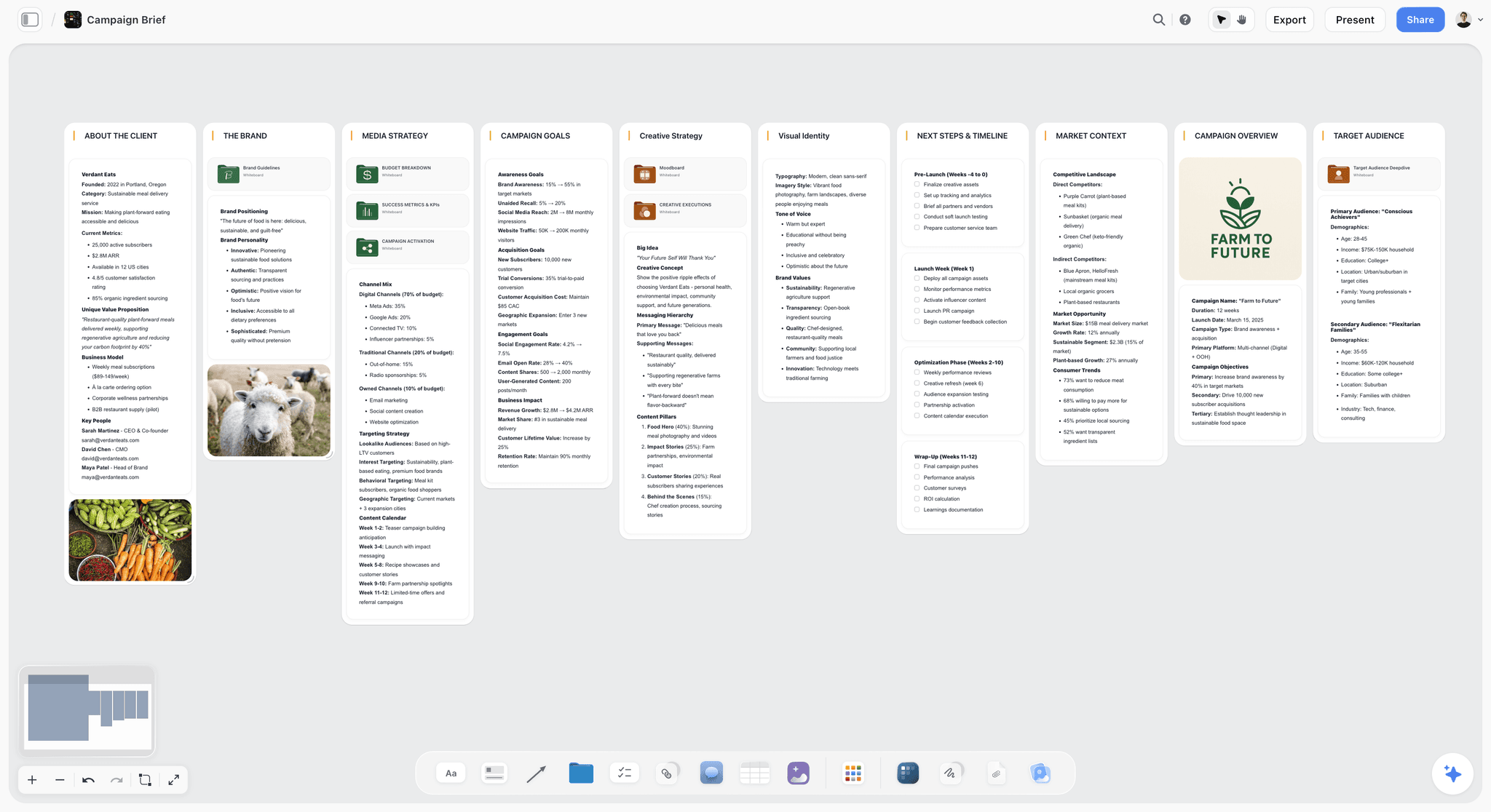
The verdict: Storyflow is the best tool to storyboard a commercial when the storyboard has to be approved by a client and then shot within days. It is an infinite canvas where the brief, the script, the frames and the shot list sit on one board, and its AI builds each of those from what is already there. The client opens the board by link with no account and signs in to comment on a frame.
Best for: agencies, in-house brand teams and freelance directors who take a spot from brief to shoot day and are tired of keeping a storyboard, an AV script and a shot list in step across three files.
Key features for this job:
- The AI's storyboard workflow builds one panel per scene, beat or shot, in order, from a script you paste or attach (PDF, Final Draft, Fountain or Word). If your breakdown numbers frames 4A to 4E, you get five panels with those numbers, with no cap on the count.
- Each panel carries what you ask for: a frame, then the VO line, the super, the duration and the shot size as labels or notes. By default it adds a short scene note with labels and a shot checklist.
- Frames come four ways: AI-generated (Pro and Max), web photos captioned "Reference" so no panel reads as a shot you already have, your own uploads, or empty placeholders. The AI Image tool has a Storyboard style that renders a sketched panel with a scene marker and caption.
- Ask the AI for an advertising brief and it lays out the brief a creative team reads (client, objectives, insight, creative direction, audience, strategy), with the brand colors as swatches beside it.
- The AI's shot list workflow turns the storyboard on the board into camera setups, as shot cards or a table, and the AI drafts a call sheet PDF for a shoot day from the board.
- Upload a reference film or a scratch VO: video elements play, scrub and grab frames, and audio files sit beside the panels.
- Presentation mode steps through the board one wall at a time, full screen, so each panel gets the screen in the client meeting. The whole board exports as an image or PDF.
Pricing (checked October 9, 2026): Storyflow is paid-only during early access, with plans from $7.99 a month billed annually ($9.99 monthly). A free plan launches before the end of 2026, and anyone a paid member invites to a board joins free. Pro ($14 annually, $19 monthly) adds AI image generation and memory across conversations; Max ($39 annually, $49 monthly) adds the Team Workspace with Permissions and Roles. AI use is metered on every plan. Team billing is per seat.
Pros:
- The storyboard is not a dead end: the shot list and call sheet PDF are built from it on the same board.
- A client link opens with no account, so brand managers actually open it.
- Non-artists can board a spot in minutes with AI frames, reference photos or placeholders.
- Paid plans from $7.99 a month billed annually, below Boords Solo ($26) and Milanote ($9.99).
Where it falls short:
- No animatic and no automatic VO timing. Durations are labels you set, not a playback clock. Boords times VO and builds animatics.
- No approval button or sign-off status. Feedback lives in comments. Boords records formal client sign-off.
- No drawing tools for an illustrator. Storyboarder (free) or Procreate cover hand-drawn frames, which you can then upload.
- Paid-only until the free plan launches late 2026. Canva and Storyboarder are free today.
2. Boords
The verdict: Boords is the most complete dedicated storyboard tool for commercials, and the pick when the deliverable is a timed animatic the client signs off. It was built for video agencies and their clients, and it shows: two-column AV scripts, automatic voiceover timing, an animatic editor and no-signup client reviews are all core features.
Best for: video agencies and directors whose job ends at an approved storyboard or animatic, and who hand the shoot to a production company with its own paperwork.
Key features for this job:
- Free-form and two-column AV scripts with automatic voiceover timing, so the VO read sets frame durations.
- Convert a script to a storyboard, then play it as an animatic.
- No-signup client reviews with unlimited guest commenting and sign-off.
- Version history, real-time collaboration and password protection.
- Boords Agent imports scripts, generates frames, restyles images and localizes copy.
- PDF and other exports, a public API, webhooks and Slack.
Pricing (checked October 9, 2026): a free plan with no credit card holds 5 active storyboards, 3 active scripts and 8 one-off sample AI image credits. Solo $26 a month billed yearly or $39 monthly (1 user, 250 AI images a month); Pro $50 or $75 (up to 5 users, 1,000 AI images); Team $85 or $125 (up to 10 users, 2,000); Agency $165 or $250 (up to 30 users, 3,000).
Pros:
- The best timing and animatic workflow in this list.
- Client sign-off is a feature, not a comment convention.
- Flat tiers by user cap: Pro covers up to 5 people for $50 a month billed yearly.
Where it falls short:
- The storyboard is the product. The brief, moodboard, call sheet and shoot schedule live elsewhere.
- AI images are capped per month, and client-hidden comments and project permissions start at the Team tier.
- The free plan is a sampler (5 active storyboards, 8 one-off AI images), and the Solo price is over three times Storyflow Plus.
- Converting a script to frames creates a snapshot, so later script edits do not update the frames.
For a closer look at the two, read Storyflow vs Boords, or see the Boords alternative page.
3. StudioBinder
The verdict: StudioBinder is the pick when the storyboard is one page of a full production office. It writes screenplays and two-column AV scripts, builds shot lists and storyboards, and then runs breakdowns, stripboard scheduling and call sheets it sends and tracks. For a commercial production company that shoots several spots a month, that depth matters more than frame generation.
Best for: production companies and producers who need call sheet distribution, contacts and scheduling as much as a storyboard.
Key features for this job:
- Two-column AV scripts alongside screenplays.
- Shot lists and storyboards with an image editor and arrows.
- Stripboard scheduling with auto-populated call sheets, sent with tracking and analytics.
- Lookbooks, location management and a contacts CRM.
- External collaborators are free and need no account.
Pricing: a free plan, then paid tiers that grow by user count, from a one-user Starter tier to Agency and Studio tiers for larger teams. The pricing page showed no plans when loaded on October 10, 2026; StudioBinder's own Indie plan article lists Indie at $49 a month for 2 users. See studiobinder.com/pricing for current figures.
Pros:
- The deepest shoot paperwork in this list, including call sheet sending and tracking.
- A free plan to test with.
- AV scripts suit agency copywriters.
Where it falls short:
- No built-in AI, so frames come from your own drawings, photos or another AI tool.
- The advanced versions of shot lists and storyboards are not on the entry tier.
- No refunds or prorated billing, per its FAQ.
The StudioBinder alternative page covers where the two approaches differ.
4. Canva
The verdict: Canva is the fastest way to make a storyboard that looks finished in a pitch, and it has a free plan. Its storyboard templates, AI image generation and Presentations make a clean leave-behind for a client meeting. It stops there: there is no shot list, no timing and nothing that turns the boards into a shoot.
Best for: marketers, social teams and solo creators who need a presentable board for a pitch or an internal sign-off, and whose shoot is simple.
Key features for this job:
- Storyboard templates and a large stock library.
- AI tools including Photo Generator, Video Generator and Magic Write.
- Presentations with present controls for the client meeting.
- Share links for others to view, comment and edit, on every plan.
- Free Whiteboards and Docs.
Pricing: a free plan with up to 20 AI uses a month, then Pro for one person and Business per person. Canva's pricing page blocked our check on October 9, 2026, so see canva.com/pricing for current figures. Only one person can use a Pro account, so a team needs Business.
Pros:
- A free plan that is genuinely usable for a pitch board.
- Polished output with little design skill.
- Clients know Canva and open links without hesitation.
Where it falls short:
- No shot list, stripboard or call sheet: the production team starts from zero after approval.
- No per-frame timing or VO column, so the 30-second math lives elsewhere.
- Team pricing is per person on Business.
See Storyflow vs Canva or the Canva alternative page.
5. Storyboarder
The verdict: Storyboarder by Wonder Unit is the best free tool for drawing a commercial storyboard yourself. It is a free, open-source desktop app for Mac, Windows and Linux, with simple drawing tools, per-board dialogue, action, timing and shot type, and animatic export. It is a drawing room, not a client room.
Best for: directors and creatives who sketch, want per-frame timing for free, and send the client a PDF.
Key features for this job:
- Fast drawing tools built for stick figures and rough frames.
- Per-board dialogue, action, timing and shot type fields.
- Shot Generator builds reference shots from a typed description.
- Round trip to Photoshop; printable worksheets you photograph back in.
- Export to Premiere, Final Cut, Avid, PDF and animated GIF.
Pricing (as of September 2026): Free and open source.
Pros:
- Free, with timing per board and animatic export.
- Nothing to buy for a one-off spot.
Where it falls short:
- Desktop only, with no cloud sharing, client review or scheduling.
- The latest release on GitHub is v2.1.0, dated September 2020, so expect no new features.
- Not the same product as Storyboarder.ai, which is covered further down.
6. FrameForge
The verdict: FrameForge is the pick when a commercial depends on exact camera placement: a car spot on a track, a product macro, a crane move a client has to understand before the rig is booked. It is a virtual studio with optically accurate cameras, and each board exports with its camera data.
Best for: directors and DPs planning technically complex spots where lens and position must be right before the shoot.
Key features for this job:
- Optically accurate virtual cameras and a Location Builder that works from floor plans or set designs.
- Drag-and-drop actors and objects.
- Boards export with camera position, focal length and height.
- Pro adds cranes, dollies, tracks, depth of field, lighting instruments and separate shooting and storyboard orders.
Pricing (as of September 2026): Core $498 one-time, or $12.99 a month on an annual subscription ($155.88 a year). Pro $799 one-time, or $24.99 a month annually, or $34.99 a month on a 3-month term. 14-day free trial.
Pros:
- Camera data the DP can actually shoot from.
- Separate shooting order (Pro) is useful for a shoot day.
Where it falls short:
- No client review link or comments.
- Slow for a simple talking-head or lifestyle spot.
- No AI; frames are built by posing a 3D scene.
7. ShotPro
The verdict: ShotPro is the budget way into 3D previs. It covers scripts, scenes and shot lists, 2D blocking of camera and character moves, and a 3D final look with real camera controls, for a small subscription or a one-time license.
Best for: solo directors who want to block camera moves in 3D for a spot without paying for FrameForge.
Key features for this job:
- Scripts, scenes and shot lists in one app.
- 2D blocking of character, camera and prop moves, then a 3D look.
- Camera controls for aperture, focus, ISO, shutter, lens and depth of field.
- Text to speech for dialogue, useful as a scratch VO.
Pricing (as of September 2026): ShotPro S subscription $9.99 a month, $44.99 for 6 months or $79.99 a year; ShotPro Standalone 4.x perpetual license $35 for one machine or $70 for two.
Pros:
- Very low cost for 3D blocking.
- Scratch VO via text to speech helps with timing.
Where it falls short:
- Installed per machine, with no client sharing.
- The product page footer runs 2014 to 2023, so check the current version before you buy.
8. Milanote
The verdict: Milanote is a good board for the references that come before a commercial storyboard: the mood, the casting pulls, the look. It names storyboarding as a use case and has a presentation mode, but it lists no AI features and has no timing, shot list or shoot paperwork.
Best for: art directors collecting references and building a visual direction before the boards are drawn.
Key features for this job:
- Boards mixing notes, images, links and files.
- Read-only share links that need no Milanote login; password-protected boards.
- Presentation mode that hides editing tools.
- Guest comments via the share link, once the commenter signs up for a free account.
Pricing (as of September 2026): Free with 100 notes, images or links in total and 10 uploads. $9.99 per person a month billed annually or $12.50 monthly; Team $49 a month billed annually for up to 10 people, $99 for up to 50.
Pros:
- Clean for moodboards and references.
- A flat team bundle for up to 10 people.
Where it falls short:
- No AI features listed, so every frame is found or made elsewhere.
- No timing, VO column, shot list or call sheet.
- The free cap is 100 items in total, which one storyboard with references can use up.
The Milanote alternative page covers the difference in more detail.
9. Procreate
The verdict: Procreate is where many storyboard artists draw commercial frames by hand on an iPad, and it is the right tool when a drawn look is part of the pitch. It is a drawing app, not a storyboard tool: no timing, no sharing workflow, no shot list. Adobe Photoshop fills the same slot on a desktop; its pricing is on Adobe's pricing page.
Best for: storyboard artists and illustrating directors who hand finished frames to a planning tool.
Key features for this job:
- 300+ brushes, Apple Pencil support and layers.
- Page Assist for comics and a deck of concepts, which suits panel sequences.
- QuickShape and StreamLine for clean lines at speed.
Pricing (as of September 2026): $12.99 one-time for iPad; Procreate Pocket for iPhone $5.99 one-time.
Pros:
- One payment, no subscription.
- No generative AI, by the vendor's own policy, which some brand clients prefer.
Where it falls short:
- iPad only, with no client review, timing or shot list.
- Drawing every frame is the slowest route when the concept is still changing.
A common pairing: draw in Procreate, upload the frames to a Storyflow board, and let the AI build the shot list from them. The storyboard maker page shows that flow.
Four More Tools You Will See Named for Commercial Storyboards
Four tools come up for this job that did not make the ranked nine. Each is good at something specific. For the AI generators as a field, see the best AI storyboarding tools.
Storyboarder.ai
Storyboarder.ai is an AI storyboard generator: a script or concept goes in, and a storyboard, shot list, screenplay and animatic come out, with consistent characters and 3D camera angle control. It reads PDF, Final Draft, Fountain, Word and text scripts. Its free plan covers 2 projects and 50 image generations (checked October 9, 2026); paid tiers are set by project count and script length, include unlimited image generation and 10 video generations, and are month to month. It generates the most from the least, but it has no client review link or shoot paperwork. Read Storyflow vs Storyboarder.ai.
StoryboardHero
StoryboardHero generates a concept, a script and one AI image per scene from a short brief, aimed at video agencies. Solo is $19 a month with a 7-day free trial and no free plan (checked October 9, 2026); optional human sketch artists cost $99 for 10 credits. It shares boards online with guest commenting and exports PDF and MP4. There are no scheduling, call sheet or breakdown tools.
Toon Boom Storyboard Pro
Toon Boom Storyboard Pro is the industry tool for animated commercials: layered drawing, camera moves and a timeline. We did not verify its current price; see Toon Boom's pricing page. For a live-action spot it is more tool than you need.
Adobe Photoshop and Firefly
Photoshop is the desktop standard for drawn or composited frames. Adobe Firefly Pro ($19.99 a month) includes 4,000 generative credits plus Photoshop on web and mobile, and Firefly Boards for mood boards. Neither handles timing, client review or a shot list.
Worked Example: A 30-Second Coffee Spot From Brief to Shoot
Here is one realistic spot taken through the job, so the differences between tools show up in practice rather than in feature lists. The brand is invented: Harbor Roast, a regional coffee roaster launching a cold brew can. The deliverable is a 30-second spot plus a 15-second cutdown, for social and connected TV.
The brief and the timing table
The creative director's brief is one page: audience (commuters 25 to 40), single message ("cold brew that tastes like it was made this morning"), mandatory end card with can, logo and URL, and a legal super ("Contains caffeine"). The copywriter's AV script runs 68 words of VO. Timed out, it becomes this:
| Frame | In | Duration | Picture | VO | Super |
|---|---|---|---|---|---|
1 | 0:00 | 3s | Alarm, dark kitchen, empty coffee pot | "Mornings don't wait." | None |
2 | 0:03 | 3s | Commuter on a platform, train doors closing | "Neither should your coffee." | None |
3 | 0:06 | 4s | Macro: cold brew pouring over ice at the roastery | "We brew Harbor Roast cold, for eighteen hours," | Brewed in small batches |
4 | 0:10 | 4s | Roaster sealing cans on the line | "then seal it the same morning." | None |
5 | 0:14 | 4s | Hand pulls a can from a fridge, condensation | "So the can you open tastes like the pot you missed." | None |
6 | 0:18 | 5s | Commuter cracks the can on the platform, smiles | "Cold brew that tastes like this morning." | None |
7 | 0:23 | 3s | Train pulls out; can in cup holder | None (music) | None |
8 | 0:26 | 4s | End card: can, logo, URL | "Harbor Roast. Made this morning." | URL; Contains caffeine |
Eight frames, 30 seconds, 68 words. The 15-second cutdown keeps frames 2, 5, 6 and 8.
Building it in Storyflow
The producer attaches the brief and the AV script (a Word file) to a message on a new board and asks the AI for an advertising brief, then a storyboard with one panel per row of the AV script, each panel carrying duration, VO line and super as labels. The storyboard workflow asks one question, where the frames come from, and recommends by subject: web reference for the real roastery, AI-generated for the invented platform scenes, placeholders for anything the DP will shoot as a test. On Pro, the producer picks AI-generated for the invented scenes and web reference for the roastery. Where the client should see a sketch rather than a finished-looking shot, a frame can be redrawn with the AI Image tool's Storyboard style.
Eight panels land in order, connected left to right, each titled with its frame number. The scratch VO the copywriter recorded goes on the board as an audio file beside frame 1. The brand manager opens the link with no account, reads the panels in order, and signs in to comment "can needs to be label-forward in 5". The producer swaps that one frame, then asks the AI's shot list workflow to build a shot table from the storyboard, and asks the AI to draft a call sheet PDF for the roastery day. Anything the board does not state, such as crew phone numbers, is left blank and listed as an open item.
The same spot in Boords
In Boords, the AV script goes into a two-column script and the VO timing sets each frame's duration automatically, which is faster and more exact than labeling durations by hand. Boords Agent generates the frames. The animatic plays the spot at length with the VO, so the client feels the pacing. The client reviews with no sign-up and signs off. Then the approved PDF goes to the production company, which builds its shot list and call sheet in another tool.
What changed between the two
Boords produced the better approval artifact: a timed animatic and a recorded sign-off. Storyflow produced the better production artifact: the brief, storyboard, shot list and call sheet PDF on one board, with the client's note sitting on the frame it changed. The right tool depends on where your job ends: at the client's yes, or at the wrap.
The 30-Second Math: How Many Frames, Words and Seconds a Spot Can Hold
Before you pick a tool, do the arithmetic. A common rule of thumb for broadcast VO is 2 to 3 words per second of read, leaving air for music and the end card. Frame counts follow shot pace: lifestyle spots cut every 3 to 5 seconds, energetic social spots every 1 to 2.
| Spot length | VO words (typical) | Frames to board | End card | Common use |
|---|---|---|---|---|
6 seconds | 8 to 12 | 2 to 3 | 1 to 2s | Bumper, pre-roll |
15 seconds | 25 to 35 | 4 to 6 | 2 to 3s | Social, cutdown |
30 seconds | 60 to 75 | 6 to 12 | 3 to 4s | TV, connected TV, hero social |
60 seconds | 120 to 150 | 12 to 24 | 4 to 5s | Brand film, launch |
If your storyboard has more frames than this, either the pace is deliberate (say so in the note) or the spot is overwritten. If your VO has more words, cut the copy before anyone draws.
Cutdowns belong on the same board
Most spots ship with a 15 and a 6. Mark which frames survive each cutdown on the storyboard itself (a label per frame works) rather than boarding the cutdowns from scratch. It forces the question early: does the 6-second version still land the message with two frames?
Aspect ratios change the frames, not just the crop
A 16:9 frame composed for TV loses the product when cropped to 9:16 for vertical social. If the spot ships vertical, board the key frames vertical too, or add a safe-area note per frame. Decide this in the brief, not in the edit.
How to Storyboard a Commercial in Storyflow, Step by Step
The full craft of commercial storyboarding is in How to Storyboard a Commercial. This is the tool-specific method.
Step 1: Put the brief on the board
Attach the client brief (PDF or Word) and ask the AI for an advertising brief; it is not a menu item, you ask in the chat. It lays out client, objectives, insight, creative direction, audience and strategy, with brand color swatches. Check the insight wall first; it is the one most often filled with filler. The AI creative brief generator page shows the shape, and how to write a campaign brief for a client covers what the client should have given you.
Step 2: Write or attach the script
Attach the AV script, or ask the AI's video script workflow to draft one. Count the VO words against the spot length before moving on.
Step 3: Settle the frame count yourself
Tell the AI the count, or give it a numbered breakdown. The storyboard workflow builds exactly the frames you name and keeps your numbering; if you name nothing and have no script, it asks.
Step 4: Say what each panel carries
Ask for duration, VO line, super and shot size on every panel. What you ask for replaces the default note and checklist.
Step 5: Pick the frame source by subject
Web reference for real places and products, AI-generated for invented scenes (Pro or Max), placeholders for frames you will shoot or draw. You can mix: swap single frames later by uploading your own.
Step 6: Share the link and present
Turn sharing on, send the view link, and walk the client through in presentation mode. They open it with no account and sign in to comment. The client review board page covers the review setup.
Step 7: Turn the storyboard into the shoot
Ask the AI's shot list workflow to build setups from the storyboard, as cards or a table; how to make a shot list explains what each row needs. Then ask for a call sheet PDF for the shoot day. The shot list generator and AI call sheet generator pages show both outputs.
What It Really Costs: Solo, a Team of 3 and a Team of 5
Annual billing where offered, per year. Storyflow, Boords and Storyboarder checked October 9, 2026; Milanote, FrameForge and ShotPro as of September 2026. StudioBinder and Canva are left out because their pricing pages showed no plans to us; StudioBinder's support article lists Indie at $49 a month for 2 users, which is $588 a year. The billing shape matters more than the headline price once a second person joins.
| Tool | Solo, per year | Team of 3, per year | Team of 5, per year | Billing shape |
|---|---|---|---|---|
Storyflow Plus | $95.88 | $287.64 | $479.40 | Per seat |
Storyflow Pro (AI frames) | $168 | $504 | $840 | Per seat |
Boords | $312 (Solo) | $600 (Pro, up to 5) | $600 (Pro, up to 5) | Flat tiers by user cap |
Milanote | $119.88 | $359.64 (per person) | $588 (Team, up to 10) | Per person or team bundle |
FrameForge Core | $155.88 or $498 once | $467.64 | $779.40 | Per license |
ShotPro S | $79.99 | $239.97 | $399.95 | Per machine |
Storyboarder | $0 | $0 | $0 | Free |
How the billing shapes differ
Boords and Milanote's Team bundle charge flat tiers, so the fourth and fifth person cost nothing extra until the cap. Storyflow and Canva Business charge per seat. Storyflow has a further wrinkle that changes the math for agencies: anyone a paid member invites to a board joins free, on free-tier limits, which means their own AI allowance and uploads are the free ones. The client, a freelance DP or a copywriter who only needs to read and comment does not need a seat; anyone who needs a full AI allowance does.
The hidden costs
- AI caps. Boords caps AI images per month by tier; Canva meters AI uses; Storyflow meters AI on every plan. Heavy regeneration eats allowance on all three.
- The second tool. A storyboard tool with no shot list or call sheet means a production tool on top. Add a StudioBinder plan to Boords or Canva and compare again.
- Retyping time. The cost nobody invoices: moving an approved storyboard into a shot list by hand.
See Storyflow pricing for the current plans.
What Are the Top Business Storyboard Tools, and What Do They Cost?
Agencies, brand teams and marketers searching for "business storyboard tools" usually need three things: a fast first draft, a client link, and a price that does not climb with every reviewer.
| Tool | Business use | Storyboard templates | Entry price | Who reviews free |
|---|---|---|---|---|
Storyflow | Brief to storyboard to shoot plan for agencies and brand teams | AI builds the board from the brief or script; 200+ Tactics on paid plans | $7.99 a month billed annually | View link with no account; invited collaborators join free |
Boords | Agency storyboards and animatics | Storyboard and AV script formats | Free plan; Solo $26 a month billed yearly | Guests review and sign off with no signup |
StudioBinder | Production companies | Storyboard and shot list templates | Free plan; Indie $49/mo for 2 users | View-only links |
Canva | Marketing pitch boards | Large template library | Free plan | Share links |
StoryboardHero | AI concept boards for agencies | Generated per scene | $19 a month, 7-day trial | Guest commenting |
Storyboard outsourcing vs doing it in-house for a quick-turnaround pitch
Agencies outsource storyboards to an illustrator when the pitch needs a signature drawn style. For a two-day turnaround, an in-house AI draft is usually faster: in Storyflow, attach the AV script, get one panel per row with VO and super labels, swap the weak frames, and send the link the same day. StoryboardHero also sells human sketch credits ($99 for 10) if you want a drawn look without hiring.
The pricing of popular storyboard tools in one line
Free to start: Storyboarder, Canva, Boords' free plan, StudioBinder's free plan. Under $10 a month: Storyflow Plus at $7.99 billed annually. $19 to $39 a month: StoryboardHero ($19), Boords Solo ($26 billed yearly, $39 monthly). Above that: StudioBinder Indie at $49 a month for 2 users, per its support article, then Toon Boom Storyboard Pro and FrameForge. Check Canva's pricing page for Canva Pro.
Which Tool for Which Person
| Person | Pick | Why |
|---|---|---|
Agency producer taking spots from brief to shoot | Storyflow | Brief, frames, shot list and call sheet PDF on one client board |
Agency creative whose job ends at client approval | Boords | Automatic VO timing, animatics and formal sign-off |
Production company shooting several spots a month | StudioBinder | Call sheets it sends and tracks, stripboards, contacts |
In-house marketer pitching an idea internally | Canva | Free plan, polished boards, presentations |
Director who sketches and wants zero cost | Storyboarder | Free drawing with timing and animatic export |
DP planning a technical car or product spot | FrameForge | Camera-accurate previs with lens data |
Storyboard artist delivering drawn frames | Procreate | Best hand-drawn frames on iPad, then upload them to the planning board |
For more on director-specific setups, read The Best Tools for Commercial Directors. For film and video work beyond ads, Storyflow, Boords, StudioBinder and Canva compared as storyboard software scores the same four on a script-to-shoot job. Agency teams can also see the for agencies page.
Decision Rules by Budget, Stage and Team Size
| If this is true | Choose | Because |
|---|---|---|
You need the storyboard, shot list and call sheet from one source | Storyflow | Each is built from the one before it on the same board |
The client must watch the spot at length before approving | Boords | It builds a timed animatic from the VO and keeps it in step with the boards |
The client requires a recorded sign-off | Boords | Storyflow has comments, not an approval status |
Budget is zero and you draw | Storyboarder | Free, open source, with timing |
Budget is zero and you cannot draw | Canva free plan | AI images and templates at no cost |
The spot hinges on a precise camera move | FrameForge | Real lens and rig data |
Team of 5 on a tight budget | Storyflow Plus or Boords Pro | $479 or $600 a year respectively |
You already have drawn frames | Storyflow | Upload them; the AI builds panels and the shot list around your pictures |
Rule of thumb: pick by where the storyboard goes next. If it goes to an edit suite as an animatic, Boords. If it goes to a shoot day, Storyflow.
Common Mistakes When Storyboarding a Commercial
Mistake 1: Drawing before timing
Frames drawn before the VO is timed are frames you redraw. Fix: time the AV script first, set the frame count from the spot length, then make pictures.
Mistake 2: Keeping supers in the script only
The legal line and end card live in the copy doc and never reach the shot list, so nobody shoots the clean plate the super sits on. Fix: put every super on the frame it belongs to.
Mistake 3: Sending a PDF per round
Round 3 notes arrive on the round 1 PDF. Fix: share one live link and keep it current. On Storyflow, view-only visitors see the latest version when they open or reload.
Mistake 4: Letting the tool choose the frame count
AI storyboard tools love a round number. Fix: state the count or give a numbered breakdown. Storyflow's storyboard workflow keeps your numbering and count exactly.
Mistake 5: Generating frames of real places
An AI frame of a real roastery shows a roastery that does not exist, and the client asks why it looks nothing like theirs. Fix: use captioned web reference or the location scout's photos for real places; generate only invented scenes.
Mistake 6: Treating the storyboard as the shot list
One frame can need three setups: wide, insert, product macro. Fix: build the shot list from the storyboard as its own step. Read Storyboard vs Shot List for the difference.
Mistake 7: Skipping the cutdowns
The 15 and the 6 get boarded after approval, and the message does not survive. Fix: mark cutdown frames on the main storyboard before the client sees it.
When Storyflow Is Not the Right Choice
You need a timed animatic
Storyflow has no animatic and no playback clock. Boords builds one from the VO timing, and Storyboarder exports animated GIF and editor timelines for free. The difference is explained in Storyboard vs Animatic, and the animatic maker page shows what Storyflow does instead.
Your client requires formal sign-off
There is no approval button or status in Storyflow. Boords records client sign-off; StudioBinder suits production offices with their own approval habits. If sign-off keeps slipping whatever the tool, a five-gate approval workflow is the fix.
You send and track call sheets
Storyflow's AI drafts a call sheet PDF, but it does not send it, collect confirmations or track crew availability. StudioBinder sends call sheets with tracking; StudioBinder, SetHero and Storyflow compared on call sheets has the detail.
The spot is animated
Toon Boom Storyboard Pro is built for animation boards with a timeline and camera moves.
You will not pay before trying
Storyflow is paid-only until the free plan launches late 2026. Canva's free plan and Storyboarder cost nothing today.
A Copy-Ready Commercial Storyboard Checklist
Paste this onto the board as a to-do list before the first frame is made.
- Spot lengths confirmed: hero length plus every cutdown (30, 15, 6).
- Aspect ratios confirmed: 16:9, 9:16, 1:1 or 4:5, and which frames are boarded vertical.
- VO word count checked against length (roughly 2 to 3 words per second).
- Frame count set from the spot length and the cut pace.
- Every frame carries: number, duration, picture, VO line, super.
- End card frame: product, logo, URL, legal line, duration.
- Mandatories from the brief listed and ticked on the frames that meet them.
- Frame source chosen per frame: reference, generated, drawn, placeholder.
- Real places and products use reference photos, not generated frames.
- Cutdown frames marked on the main storyboard.
- Client link tested in a private window before sending.
- Shot list built from the approved storyboard, one setup per row.
- Shoot day call sheet drafted from the board, open items listed.
Prices and Sources Checked October 9, 2026
Prices marked "as of September 2026" in this article come from the same vendor pages in September; these were re-checked on October 9, 2026.
The Bottom Line
The best tool to storyboard a commercial is the one that matches where the storyboard goes next. Storyflow ranks first because a commercial storyboard rarely ends at approval: it becomes a shot list and a shoot day within days, and Storyflow keeps the brief, the frames, the VO and supers, the shot list and the call sheet PDF on one board the client opens by link. Boords is the right call when the deliverable is a timed animatic with formal sign-off. StudioBinder earns its price in production offices that send call sheets every week. Canva makes the best free pitch board. Start with the 30-second math, then pick the tool. The commercial storyboard page shows the Storyflow setup, and commercial production covers the rest of the shoot.
FAQ: Commercial Storyboard Tools
What's the best tool to storyboard a commercial?
Storyflow is the best tool to storyboard a commercial in 2026, because its AI builds the storyboard, the shot list and a call sheet PDF on one board the client opens by link. Boords is the best dedicated storyboard and animatic tool when the job ends at a timed animatic and client sign-off. StudioBinder suits production companies that need call sheet sending and tracking. Canva suits a quick pitch board on a free plan.
What are the top business storyboard template tools right now?
Storyflow for agencies and brand teams that go from brief to shoot, because its AI builds the storyboard from the brief or AV script on a board the client opens by link. Boords for animatics and sign-off, StudioBinder for production paperwork, Canva for marketing pitch templates.
What is a commercial storyboard?
A commercial storyboard is the frame-by-frame plan for an ad: each frame shows the picture, how many seconds it holds, the VO line over it and any on-screen text. Unlike a film storyboard it must add up to the spot length (6, 15, 30 or 60 seconds), and an agency and a brand approve it before the shoot.
What are the top storyboard tools for design teams?
For a design or brand team, Storyflow first, because the brief, the frames and the client link share one board and the AI builds the first pass. Canva is the pick for a polished pitch layout from a template, Procreate or Photoshop for frames drawn by hand, and Boords when the client signs off a timed animatic.
Can I storyboard a commercial from ChatGPT or Claude?
Yes, with Storyflow's MCP connector. ChatGPT, Claude, Gemini and Grok can build the storyboard board in your Storyflow project from the chat, and the client opens it by link.
Is Storyflow free?
Not yet. Storyflow is paid-only during early access, with plans from $7.99 a month billed annually ($9.99 monthly). A free plan launches before the end of 2026, and anyone a paid member invites to a board joins free. Invited collaborators use free-tier limits for their own AI allowance and uploads, so a client or freelancer who only reviews does not need a seat.
Is Boords good for commercials?
Yes. Boords is built for video agencies and their clients, and it is the strongest dedicated storyboard tool for commercials. Two-column AV scripts with automatic voiceover timing, an animatic editor and no-signup client reviews with sign-off are core features. Its limit is scope: the brief, shot list and call sheet live in other tools. Solo is $26 a month billed yearly or $39 monthly (checked October 9, 2026).
Can I storyboard a commercial in Canva?
Yes, for a pitch. Canva has storyboard templates, AI image generation and Presentations, and its free plan is enough for a simple board. It has no per-frame timing, VO column, shot list or call sheet, so a production team rebuilds the plan elsewhere after approval. Pro covers one person; teams need Business, priced per person.
Do I need to draw to storyboard a commercial?
No. You can board a commercial with AI-generated frames, reference photos, stock images, 3D blocking or placeholders. In Storyflow, the storyboard workflow offers web reference, AI-generated frames (Pro and Max) or empty placeholders, and the AI Image tool has a Storyboard style that renders a sketched panel. FrameForge and ShotPro pose 3D scenes. Drawing is still the best route for a stylized pitch.
How many frames should a 30-second commercial storyboard have?
Six to twelve frames covers most 30-second spots, with 60 to 75 words of VO. Lifestyle spots that cut every 3 to 5 seconds need 6 to 10; fast social cuts need more. Set the count from the spot length and cut pace, then give every frame a duration so the total is exactly 30 seconds, including a 3 to 4-second end card.
What should each frame of a commercial storyboard include?
Each frame should carry its number, duration, the picture, the VO line that plays over it, any super or on-screen text, and the shot size. The end card frame adds the product, logo, URL and legal line. In Storyflow you ask the AI for those fields and every panel carries them; in Boords the AV script columns attach them to frames.
Can a client review a commercial storyboard without making an account?
Yes, in several tools. In Storyflow the client opens the view link with no account and signs in to comment on a frame. Boords offers no-signup guest review with sign-off. StudioBinder lets external collaborators in with no account. Milanote's read-only link also needs no login, and like Storyflow it asks commenters to sign in.
Which tool makes an animatic from a commercial storyboard?
Boords builds animatics from the storyboard, with frame durations set by automatic voiceover timing. Storyboarder exports animated GIF and timelines for Premiere, Final Cut and Avid for free, and Storyboarder.ai generates animatic video clips. Storyflow does not make animatics; it holds the storyboard, VO audio file and shot list on one board, and presentation mode steps through the panels one wall at a time.
Is Storyboarder the same as Storyboarder.ai?
No. Storyboarder by Wonder Unit is a free, open-source desktop drawing app, last released in 2020. Storyboarder.ai is a separate paid AI generator that turns a script into a storyboard, shot list and animatic, with a free plan of 2 projects and 50 image generations.
Is StudioBinder better than Boords for commercials?
It depends on where your job ends. StudioBinder is better when the storyboard feeds a full production office: stripboards, call sheets it sends and tracks, contacts and locations. Boords is better for the storyboard itself: VO timing, animatics and client sign-off. Storyflow sits between them, carrying the storyboard through to a shot list and call sheet PDF on one client board.
How much does commercial storyboard software cost in 2026?
From $0 to about $250 a month. Storyboarder is free; Canva has a free plan; Storyflow starts at $7.99 a month billed annually; Boords Solo is $26 billed yearly (checked October 9, 2026); FrameForge Core was $498 once or $12.99 a month annually as of September 2026. A team of five pays about $479 a year on Storyflow Plus and $600 on Boords Pro.
Can AI storyboard a commercial from a script?
Yes. Storyflow's AI reads a script attached as PDF, Final Draft, Fountain or Word and builds one panel per scene or shot, keeping your numbering. Boords Agent imports scripts and generates frames, Storyboarder.ai turns a screenplay into storyboard and animatic, and StoryboardHero generates a concept, script and frames from a brief. Review every frame against the brief's mandatories.
Should I use AI-generated frames in a client storyboard?
Use them for invented scenes and use reference photos for real places and products. An AI frame of a client's real store or product will look wrong to the person who knows it best. Storyflow captions web frames "Reference" so no panel reads as a shot you already have. Some brand clients also prefer drawn frames; ask before the first round.
What is a two-column AV script and which tools support it?
An AV script puts video (what we see) in the left column and audio (VO, dialogue, music, SFX) in the right, row by row. It is the standard format for agency commercials. Boords and StudioBinder support two-column AV scripts natively. Storyflow's AI reads an AV script you attach as a Word or PDF file and, when you ask for one panel per row, builds exactly that many panels.
What is the best free tool to storyboard a commercial?
Storyboarder is the best free tool if you draw: open source, with per-frame timing and animatic export. Canva's free plan is the best if you cannot draw, with templates and a monthly AI allowance. Neither handles shoot paperwork. The free storyboard maker page covers more choices.
Table of Contents
- Which Tool Should You Use to Storyboard a Commercial?
- Key Takeaways
- What Makes a Commercial Storyboard Different From a Film Storyboard?
- How We Evaluated Tools to Storyboard a Commercial
- Comparison Table: The 9 Tools Side by Side
- The 9 Best Tools to Storyboard a Commercial, Ranked
- 1. Storyflow
- 2. Boords
- 3. StudioBinder
- 4. Canva
- 5. Storyboarder
- 6. FrameForge
- 7. ShotPro
- 8. Milanote
- 9. Procreate
- Four More Tools You Will See Named for Commercial Storyboards
- Worked Example: A 30-Second Coffee Spot From Brief to Shoot
- The 30-Second Math: How Many Frames, Words and Seconds a Spot Can Hold
- How to Storyboard a Commercial in Storyflow, Step by Step
- What It Really Costs: Solo, a Team of 3 and a Team of 5
- What Are the Top Business Storyboard Tools, and What Do They Cost?
- Which Tool for Which Person
- Decision Rules by Budget, Stage and Team Size
- Common Mistakes When Storyboarding a Commercial
- When Storyflow Is Not the Right Choice
- A Copy-Ready Commercial Storyboard Checklist
- Prices and Sources Checked October 9, 2026
- The Bottom Line
- FAQ: Commercial Storyboard Tools
- Related Reading
Templates to check out for this topic


Filmmaking templates you can use in Storyflow
Skip the blank canvas. Open one of these filmmaking boards in Storyflow and the AI builds on the structure that is already there, from research through the shot list.


See Storyflow in Action
A visual AI workspace where every feature lives inside one canvas. No tab-switching, no context lost.
Build your entire board from a single message
Type what you need in the AI chat at the bottom of your canvas. The AI adds cards, headings, and structure directly onto your board.
Use expert frameworks as AI context
Type @ in the AI chat and choose any Tactic. The AI tailors every response to that framework instead of giving generic advice.
Turn your board into a mind map in seconds
Ask the AI to restructure your canvas as a mindmap. It connects your ideas into a visual hierarchy so you can see how everything relates.
Why Storyflow Exists
Storyflow actually began as a personal tool while working on creative and research projects.
We kept running into the same problem: ideas were scattered everywhere: notes, documents, and whiteboards.
Nothing helped us see how everything connected.
So we started building a workspace designed around how ideas actually grow.
→ Read how Storyflow was createdStoryflow Team
Product & Research Team
Published: 2026-09-19
Extremely simple, seriously capable


See how easy it is to get started
Watch a real project come together, from a blank board to a finished plan, clicked through step by step.
Start creating with AI and become more productive
Transform your creative workflow with AI-powered tools. Generate ideas, create content, and boost your productivity in minutes instead of hours.