
Ultra-fast storyboards: minutes, not days
A Boords alternative where the
whole pre-production lives together.
Storyflow keeps the storyboard frames you plan shots in, and sets them on a truly infinite canvas next to the script, moodboard, shot list, and schedule. Describe a scene and the AI lays out frames, grab reference stills from YouTube and Vimeo, and keep everything in one place.


Creatives working for these brands already got early access
- Red Bull
- Canon
- Artlist
- Porsche
See how easy it is to get started
Watch a real project come together, from a blank board to a finished plan, clicked through step by step.
Start from a ready-made template
Pick a board to see what you can build, then let AI fill it in. Every template is a real, editable starting point on the same infinite canvas.

Storyboard
Lay out your shots frame by frame with images and notes, then reorder them until the sequence reads like the finished cut.
What can you use instead of Boords, and why switch?
Boords is a polished, dedicated storyboarding tool, and video teams love it for good reason. The frames are clean, the shot fields are thought through, you can string boards into an animatic to feel the timing, and the client review links make sign-off simple. If a tidy, purpose-built storyboard is the whole job, Boords does it very well, and this page is not here to argue otherwise.
The gap most filmmakers hit is that a storyboard is only one artifact in pre-production. The script lives in one app, the moodboard in another, the shot list in a spreadsheet, and the schedule somewhere else again. Because Boords is storyboard-first by design, those pieces sit outside it, and you spend real time copying decisions between tools that never quite agree with each other.
Storyflow is a Boords alternative for filmmakers who want the whole pre-production in one place instead of a single-purpose app. It is an AI infinite canvas where the storyboard sits beside the script, the moodboard, the shot list, and the schedule on the same board. Describe a scene and the AI lays out frames for you, grab reference stills straight from YouTube and Vimeo, and there is no object cap. You still storyboard, you just do not leave the storyboard to do everything around it.
Ultra fast from brief to board
From script to a storyboard on the canvas in four steps.
Bring the scene. The AI lays out the first frames, and the rest of pre-production stays on the same board.
01
Open a canvas
Start in the browser. Nothing to install, just an infinite canvas ready for your first sequence.
02
Describe the scene or paste the script
Tell the AI what the scene is, or drop in the script beat. One or two lines is enough to get a first set of frames on the canvas.
03
AI lays out the frames
The AI places storyboard frames in sequence, reading your current board as context, so the panels follow the scene instead of a generic template. Reorder, redraw, and add shot notes from there.
04
Grab references, add the shot list, share
Pull reference stills from YouTube and Vimeo onto the board, build the shot list and schedule beside the frames, then share a view-only link or export as image or PDF.
Everything a storyboard needs, plus the rest of pre-production beside it.
Keep the sequenced frames and shot detail. Lose the jump to a separate app for the script, moodboard, and schedule.

Frames from a scene description
AI lays out the storyboard, you refine
A blank storyboard is slow to fill panel by panel. Describe the scene and Storyflow's AI lays out a sequence of frames to react to, so you are refining shots instead of starting from an empty board.
See the AI storyboard generator →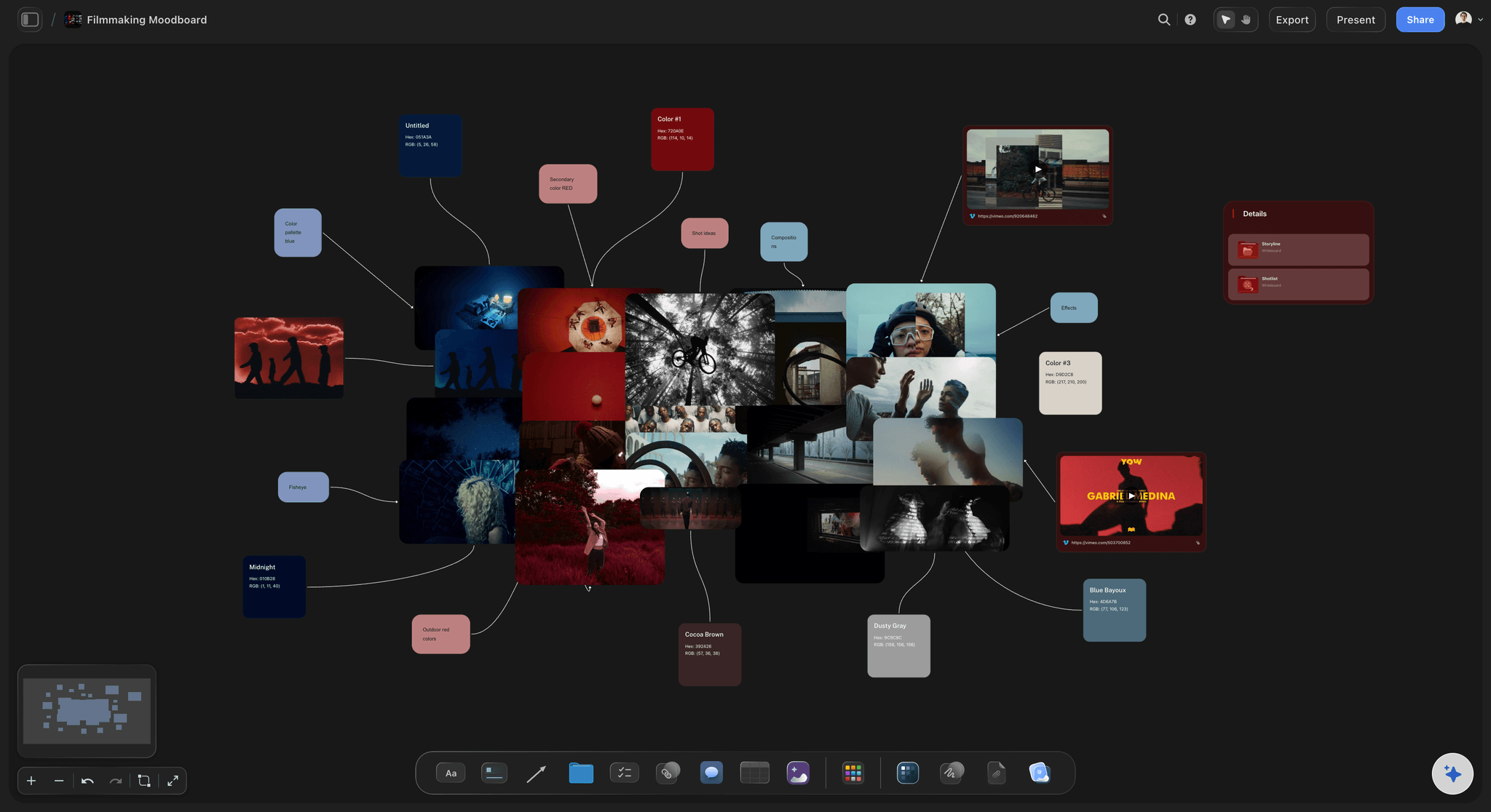
Stills straight from reference films
Grab frames from YouTube and Vimeo
Building a visual reference usually means screenshots and downloads. Paste a YouTube or Vimeo link and grab frames right onto the board, so a reference film becomes storyboard and moodboard cards in seconds.
See the film storyboard maker →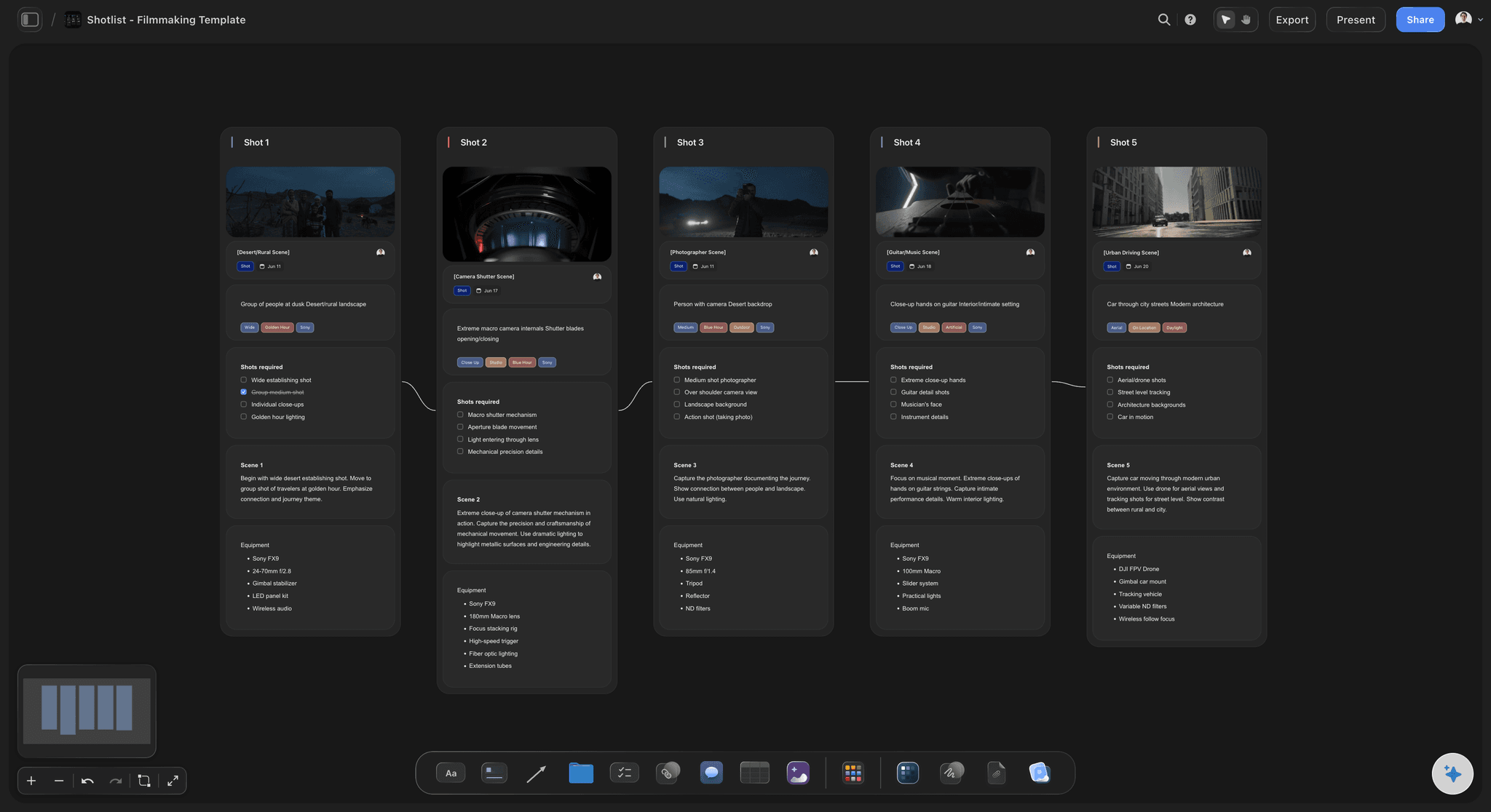
The shot list lives next to the frames
Storyboard and shot list on one board
In a storyboard-only tool the shot list lives in a spreadsheet somewhere else. In Storyflow the shot list sits on the same canvas as the frames, so a change to a panel and its shot detail happen in one place.
See the shot list generator →
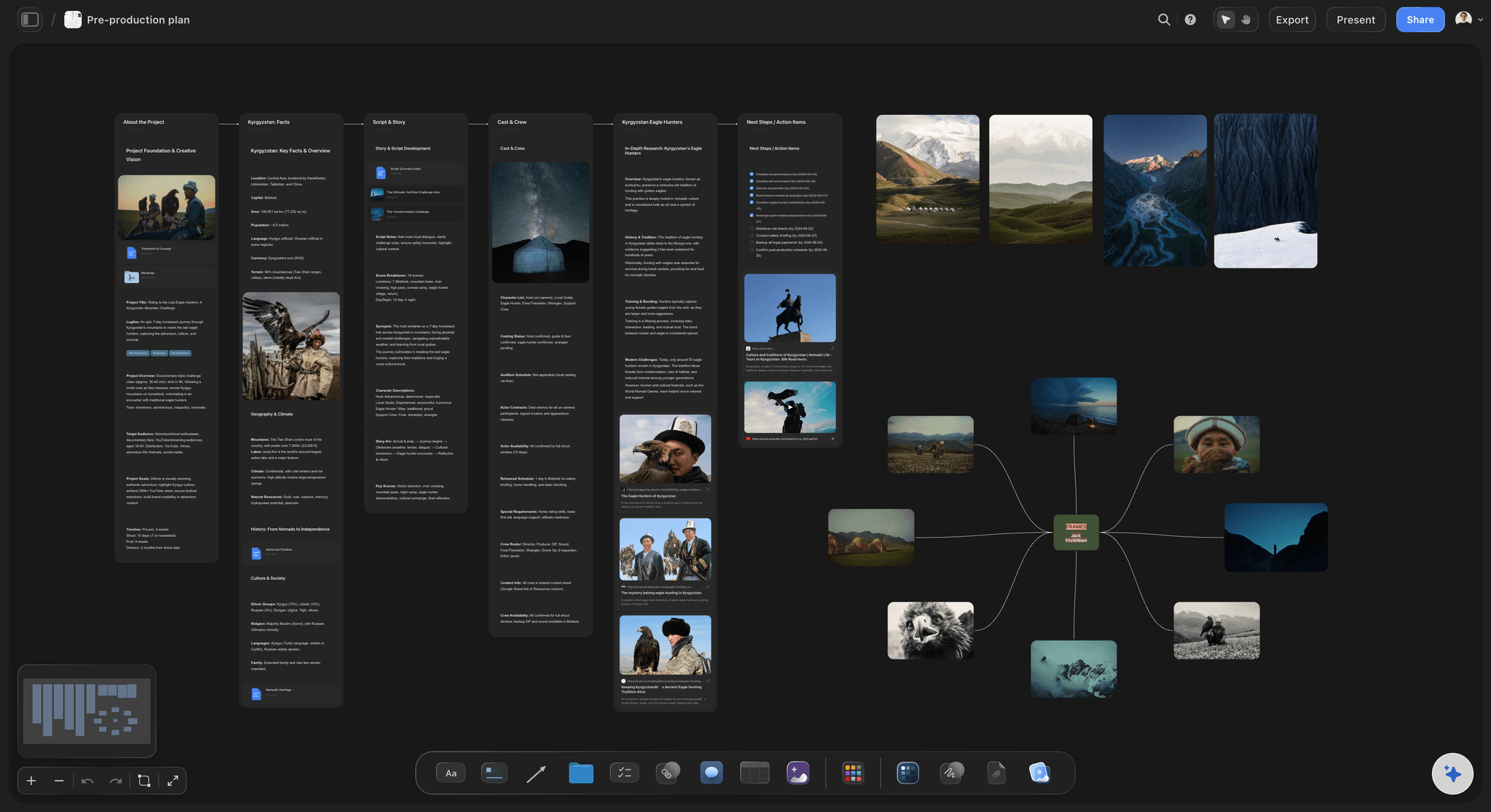
The board holds the whole plan
Script, moodboard, and schedule together
A storyboard is one piece of pre-production, not all of it. On the same infinite canvas you can keep the script, the moodboard, the beat sheet, and the shoot schedule beside the frames, so the plan reads as one thing.
See film production planning →Free plan coming late 2026. No object cap.
Storyboard a whole short without an object cap in the way. Storyflow is paid-only during early access, with Plus from $7.99 a month; a no-time-limit Free plan is planned before the end of 2026.
Unlimited boards and frames on an infinite canvas, no object cap
Basic AI usage to lay out frames and expand a scene
Attach images, PDFs, video, and links, plus 20 file uploads
Share boards view-only, or invite collaborators free
Built for people with taste
Made for the way a scene actually gets planned.
Sequence the shots, keep the reference and the shot detail beside each frame, and carry the scene through to a schedule without changing tools.
Frames you sequence, the AI proposes
A storyboard you fully control
Frames in sequence: Storyboard panels sit in order on the canvas as cards you drag, reorder, resize, and annotate, the way a dedicated storyboard reads, with the shot notes right beside each frame.
AI lays out the first pass: Instead of an empty board, the AI proposes a sequence of frames from your scene or script. Keep the shots that work, redraw the rest, and add your own.
Shot detail on the card: Camera, lens, movement, and dialogue notes live with the frame, so the storyboard and the shot thinking never drift into two separate files.

Context from the board you are working on
AI that builds on the scene in front of you
Reads your active board: The AI uses what is already on the board you have open, so new frames and shots match the scene and the style you have set.
Attach your script: Add up to five documents and three boards as context: the script, a treatment, or scene notes the storyboard should follow.
Re-prompt to refine: Ask for a wider establishing shot, more coverage on a beat, or a tighter cut. The AI reworks the frames while keeping the panels you have already dialed in.
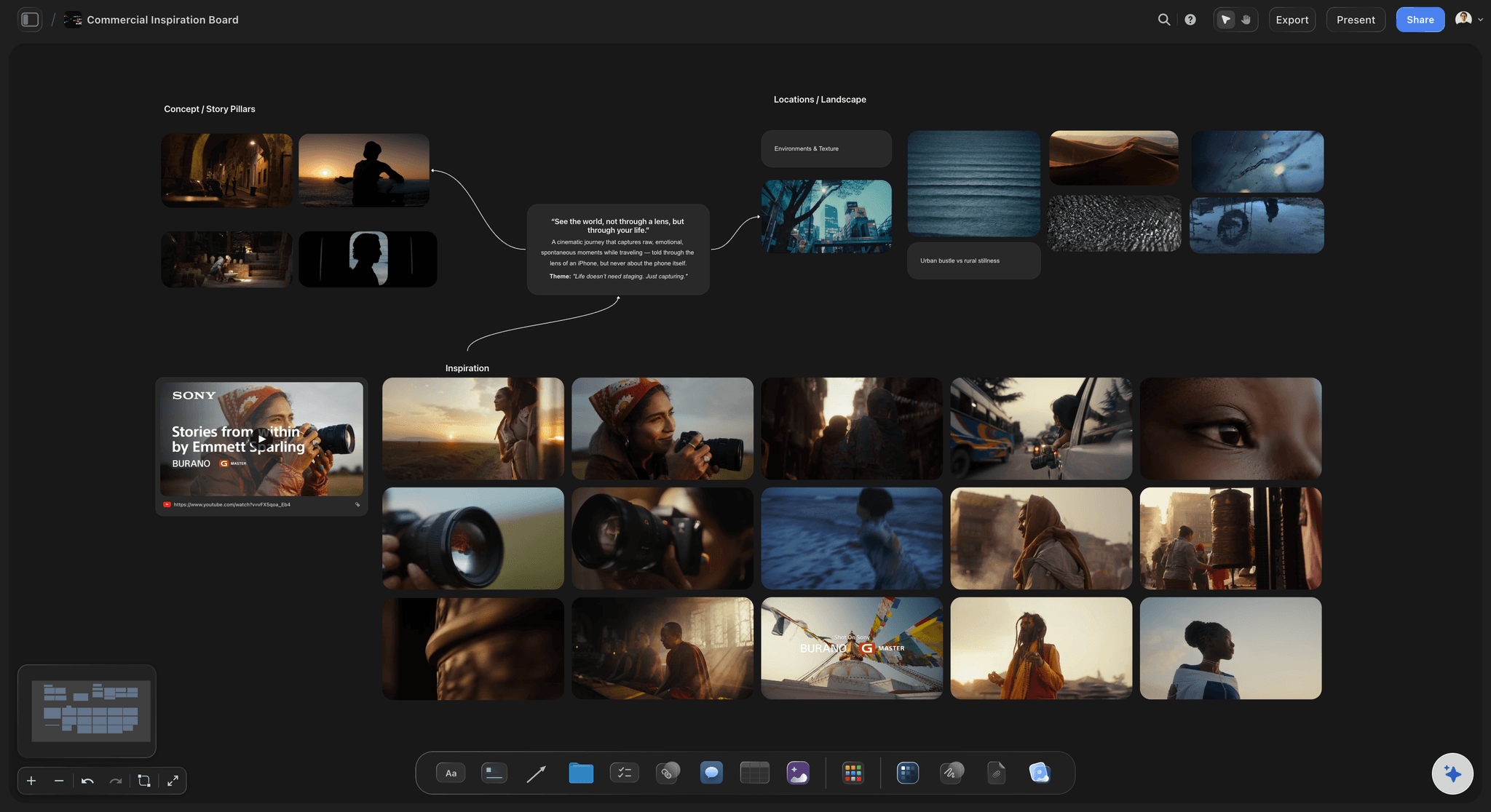
More than panels on a page
References and notes beside every frame
Drop in anything: Images, video, GIFs, PDFs, and links sit on the canvas next to the frames they inform, so a lighting reference or a lens test lives beside the shot it belongs to.
Frame grabs from video: Capture stills from YouTube and Vimeo straight onto the board when a reference film shows the shot better than a sketch can.
The moodboard stays attached: Keep the look and the palette on the same canvas as the frames, so the storyboard and the visual direction never live in two apps.
The storyboard is one part of the plan
From frames to shot list and schedule
Turn frames into a shot list: Ask the AI to build a shot list from the storyboard on the same canvas, so every panel has its coverage and the list stays in step with the boards.
Plan the shoot beside it: Lay out the schedule, locations, and beat sheet next to the frames, and the whole pre-production reads as one board instead of five files.
Share and export: Send a view-only link so a director or client can review the boards without an account, or export the storyboard as a clean image or PDF.
Explore templates for your project
Every template opens as a real, editable board on the infinite canvas. Pick the closest fit and make it your own.
Storyboard
Lay out your shots frame by frame with images and notes, then reorder them until the sequence reads like the finished cut.
One app instead of five
Storyflow vs Boords, StudioBinder, and Milanote.
Each tool does something well. The question is whether the storyboard sits alone or beside the rest of pre-production.
Storyflow
Recommended
AI lays out storyboard frames from a prompt
Dedicated storyboard frames with shot detail
Script, moodboard, shot list, and schedule on one canvas
No object cap on the canvas
Boords
AI lays out storyboard frames from a prompt
Dedicated storyboard frames with shot detail
Script, moodboard, shot list, and schedule on one canvas
No object cap on the canvas
StudioBinder
AI lays out storyboard frames from a prompt
Dedicated storyboard frames with shot detail
Script, moodboard, shot list, and schedule on one canvas
No object cap on the canvas
Milanote
AI lays out storyboard frames from a prompt
Dedicated storyboard frames with shot detail
Script, moodboard, shot list, and schedule on one canvas
No object cap on the canvas
What creators are saying
Join early creators getting structured workspaces and AI that remembers their projects
“Storyflow has sped up my workflow by at least 3x, which means more flow state and more projects I can actually ship. It truly changed the way me and my team create.”

Reilin Joey
Director & YouTuber
“One prompt gets me a structured board. But the tactics are my favorite. I run my YouTube scripts through them and my intros and retention got better. It's amazing.”

Justkay
YouTuber & Freelance Filmmaker
“I used to juggle five apps to plan a project. Now I describe what I am making and get boards, lists, and a schedule. All in one place.”

George
@fernwehchronicles
Boords alternative questions, answered.
Everything people ask when comparing Storyflow with Boords.
It depends on what you need around the storyboard. If you want storyboard frames but also the script, moodboard, shot list, and schedule in one place, with an AI that lays out frames from a prompt and no object cap, Storyflow is a strong fit. It keeps the sequenced frames Boords is known for and puts the rest of pre-production on the same infinite canvas.
Boords is a dedicated, storyboard-first tool with clean frames, shot fields, animatics, and client review links, and it does that job very well. Storyflow keeps storyboard frames but sets them on an infinite canvas beside the script, moodboard, shot list, and schedule, lays out frames with AI from a scene or script, lets you grab stills from YouTube and Vimeo, and has no object cap.
Not during early access. Storyflow is paid-only right now, with Plus starting at $7.99 per month billed annually for basic AI usage to lay out frames, unlimited boards on an infinite canvas with no object cap, 3 starter frameworks, 20 file uploads, view-only sharing, and unlimited collaborators. A Free plan is planned before the end of 2026, and anyone a paid member invites to a board joins free today.
Yes. You can lay out storyboard panels in sequence on the canvas, reorder and resize them, and keep shot notes like camera, lens, and movement beside each frame. On top of that, the AI can lay out a first pass of frames from your scene or script, and you can grab reference stills from YouTube and Vimeo straight onto the board.
Yes, and it is worth being honest about it. Boords is a purpose-built storyboarding app: its animatic playback for feeling the timing of a cut, its dedicated frame drawing tools, and its client review and approval links are refined for exactly that workflow. If a single, polished storyboard with animatics and client sign-off is all you need, Boords is a great choice.
Yes, and that is a core reason to switch. In Storyflow the script, moodboard, shot list, and schedule live on the same infinite canvas as the frames. Ask the AI to build a shot list from the storyboard and it stays in step with the panels, so a change to a shot and its coverage happens in one place rather than across separate tools.
Yes. The AI reads your active board, so frames and notes already on the canvas shape what it lays out next. You can also attach up to five documents and three boards, such as the script or a treatment, for it to work from. It builds on the board you have open, not on all your boards at once.
Be honest about the fit: if you specifically want a dedicated storyboarding tool with polished frame drawing, animatic playback, and built-in client review links, and you do not need the script, shot list, and schedule on the same canvas or an AI that lays out frames, Boords is the better pick. Storyflow is for filmmakers who want storyboard frames plus the whole pre-production in one place, with AI layout, an infinite canvas, and no object cap.
Keep the storyboard. Bring the rest of pre-production with it.
Describe a scene, watch the frames lay themselves out, and keep the script, shot list, and schedule on the same canvas.