
Ultra-fast storyboards: minutes, not days
AI storyboarding that reads your script
and lays out the frames for you.
For marketing leads, founders and producers who owe a client or a crew a storyboard for a commercial or brand film. You get a board to correct, not a blank page.


Creatives working for these brands already got early access
- Red Bull
- Canon
- Artlist
- Porsche
See how easy it is to get started
Watch a real project come together, from a blank board to a finished plan, clicked through step by step.
Start from a ready-made template
Pick a board to see what you can build, then let AI fill it in. Every template is a real, editable starting point on the same infinite canvas.

Storyboard
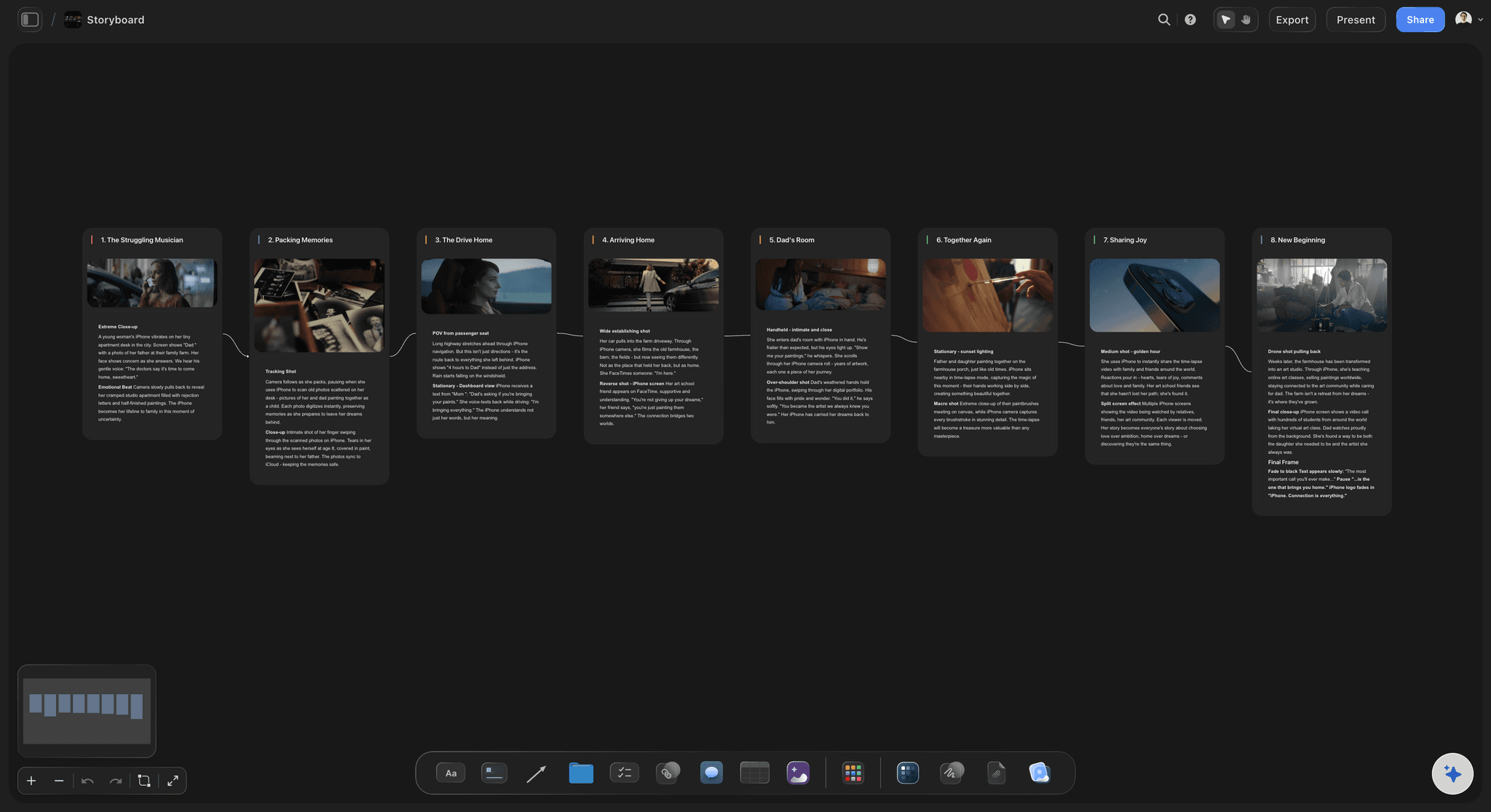
Lay out your shots frame by frame with images and notes, then reorder them until the sequence reads like the finished cut.
What is AI storyboarding, and which simple AI tool should you use?
AI storyboarding means using AI to turn a script or idea into a sequence of frames, so you correct a draft instead of building each panel by hand. Storyflow is an AI visual workspace that handles AI storyboarding on one infinite canvas: your script, a panel for every scene or shot, AI pictures and the shot list. Attach the script, say how many panels you want, and accept or change the board it proposes. Storyflow assists the people making the film; it does not replace them.
The AI does three separate things, and it pays to judge them separately. First it reads: Storyflow takes a script as a PDF, a Final Draft .fdx or a Fountain file, or plain text you paste in. Then it lays out: it builds a left-to-right row of panels in story order, one for each scene, beat or shot, each with a title, a frame and a note saying what happens. Last it draws: AI image generation is on the Pro and Max plans. Reading and laying out are the parts to judge first, because getting the order right is the slow work. All three sit inside the AI in Storyflow, which starts on Plus. On a paid plan you build a storyboard by hand, or through ChatGPT or Claude with no weekly limit.
The panel count is your decision, and Storyflow treats it that way. Name a number and it builds that many. If your script has scene headings, it uses those. If neither gives an answer, it asks before building. As a rule of thumb for a commercial, plan on one shot every two to three seconds: a 30-second spot needs 10 to 15 panels, and a 60-second brand film needs 20 to 30. Fewer than that and the board hides decisions the crew will have to make on the day.
Pictures are where to set your expectations. AI images are good for showing framing, setting and mood. Keeping one face the same across 15 frames is harder, so in Storyflow select your strongest frame or a character photo as a reference image before you generate the next one. It guides the style and look; it does not guarantee a perfect match. For a client board, a practical mix is to generate the establishing shots, then fill the rest with reference photos, a quick pen sketch, or stills grabbed from a video on the board.
A worked example with a made-up brand: Tidewell is a drinks company making a 30-second commercial with a shoot on 20 January. Its marketing lead attaches a one-page script to a Storyflow board and asks for 12 panels, one per shot. She rewrites 3 of them, swaps 5 AI pictures for location photos from the producer, and shares the board with the founder, who comments after signing in. After two rounds the director asks for a shot list from the storyboard, and the crew has 12 shots on one board a week before the shoot.
The tools for AI storyboarding, by job
Storyflow is our own product, so it leads, as our pick for planning the storyboard with the rest of the project. Every other row names what a working team uses for that job.
| The job | The tool | Why it goes here |
|---|---|---|
| Turn a script into a storyboard beside the plan | Storyflow | Reads a PDF, .fdx or Fountain script, lays out a panel per scene or shot on one canvas, and keeps the brief, references and shot list on the same board. |
| Make a timed animatic and export MP4 | Boords | A dedicated storyboard tool with an animatic editor, MP4 export and sign-off recorded against each version, from a script split into frames. |
| Generate video from a script with AI | LTX Studio | Splits a script into scenes and shots, keeps characters as reusable elements, and turns shots into AI video you can download. |
| Write and format the script | Final Draft | A screenwriting app with proper screenplay formatting, and its .fdx files can be attached to the Storyflow AI. |
| Draw finished frames by hand | Adobe Photoshop or Procreate | Photoshop on a desktop or Procreate on an iPad, for a storyboard artist whose drawn panels are the deliverable. |
| Edit the final film | Adobe Premiere Pro or DaVinci Resolve | Timeline editing of the footage you shot from the storyboard, including picture and sound. |
| Review cuts frame by frame | Frame.io | Frame-accurate notes on video in review, once there is a cut to look at. |
Ultra fast from brief to board
From a script to a storyboard a client can read.
You decide what stays at each step.
01
Attach the script and set the count
In Storyflow, choose Storyboard my script and attach a PDF, .fdx or Fountain file, or paste the text. Tell the Storyflow AI how many panels you want, or let it use your scene headings.
02
Accept the panels, then correct them
Storyflow stages the storyboard as a proposal you accept or discard. Each panel carries a title, a frame and a note, and you can rewrite, reorder or delete any of them on the board.
03
Fill the frames your way
On Pro or Max, generate pictures in Storyflow using a selected image as a reference. On any plan, drop in your own photos, grab a still from a video, or sketch with the pen tool.
04
Share it and make the shot list
Send a Storyflow view-only link that opens with no account, and collect comments from anyone who signs in. Then ask for A shot list from my storyboard, and export the board as a PDF.
A storyboard that belongs to the whole project.
What sits around the frames when the job is a commercial, not an exercise.
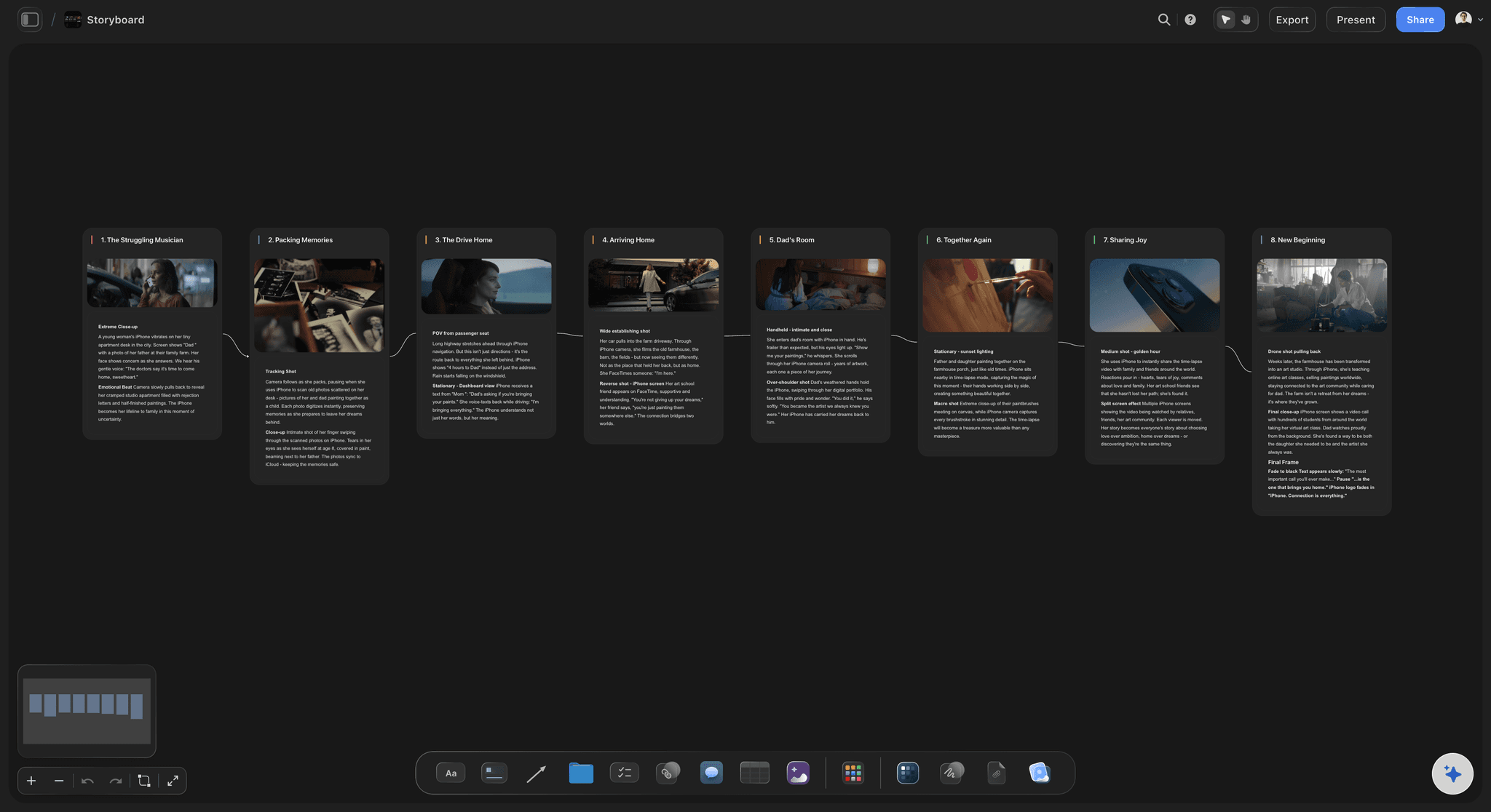
One panel per scene or shot
Your script, in your order
Storyflow builds from your real scenes and characters, in the order you wrote them. If you already have a shot breakdown, it follows that breakdown instead of writing its own.
See the AI storyboard generator →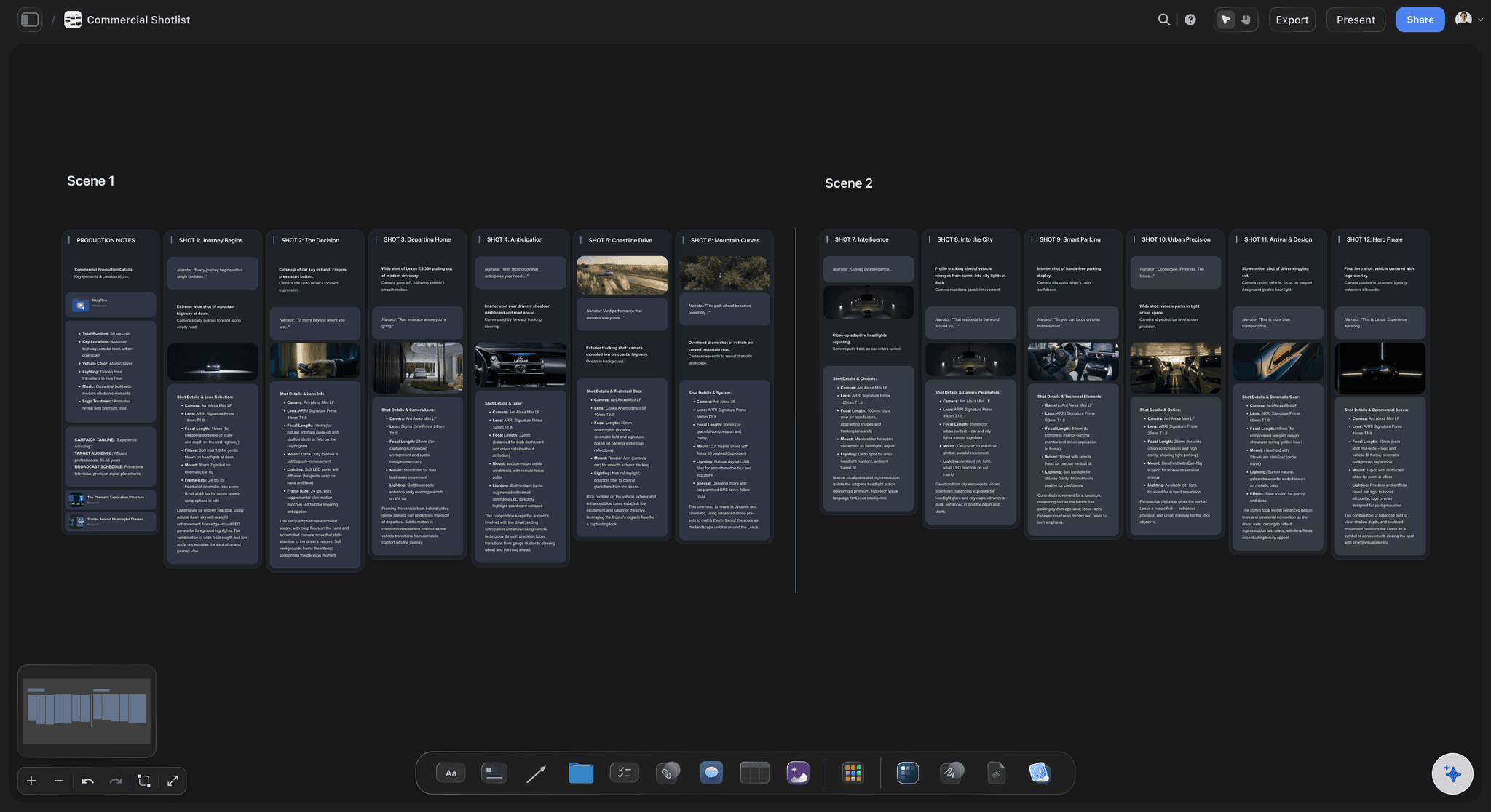
The shots that follow from it
A shot list from the same board
Ask for a shot list from your storyboard and it lands beside the panels, so the director and the producer read the same numbers on the shoot day.
Plan a commercial storyboard →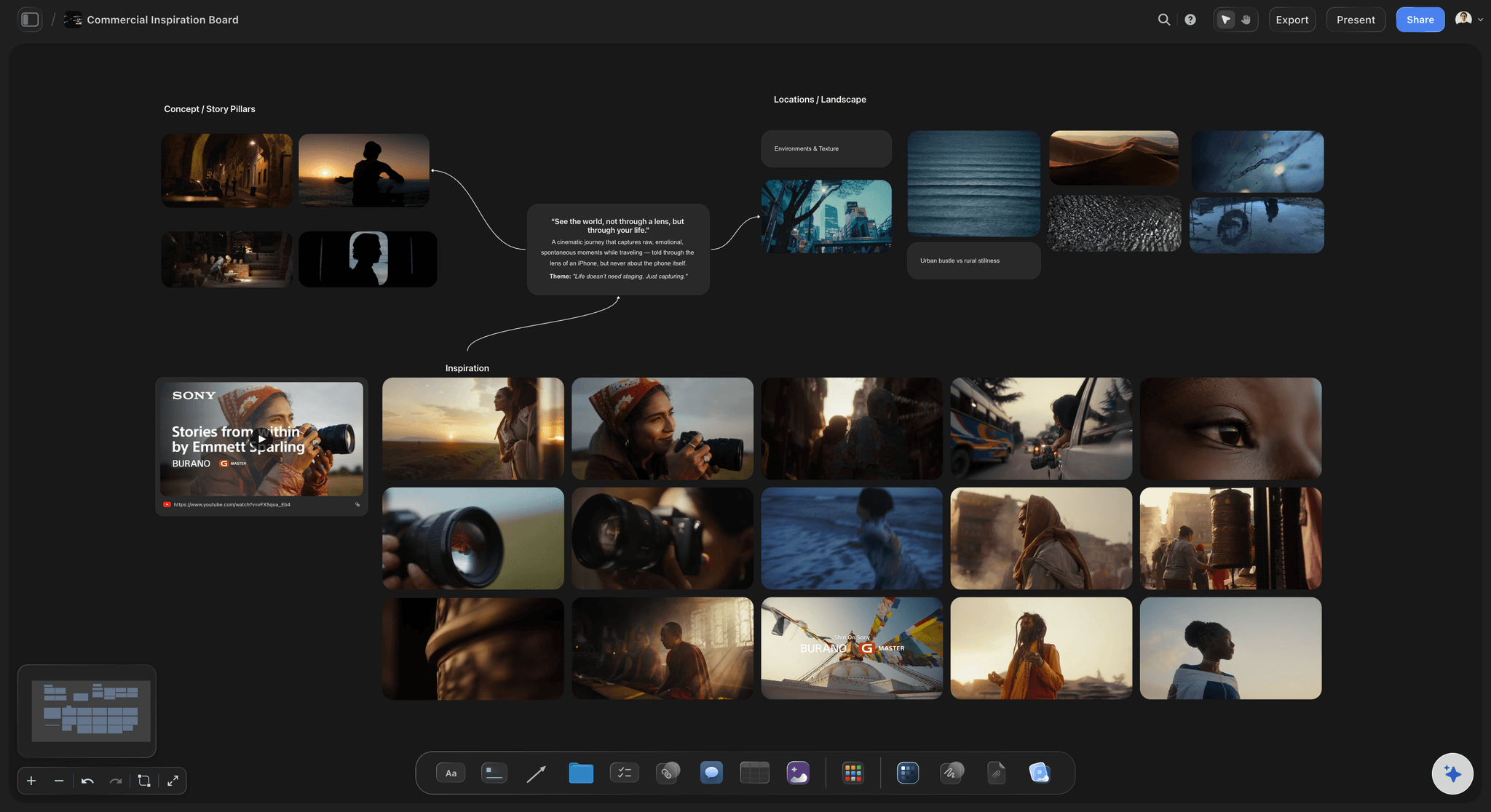
The look, agreed first
References beside the frames
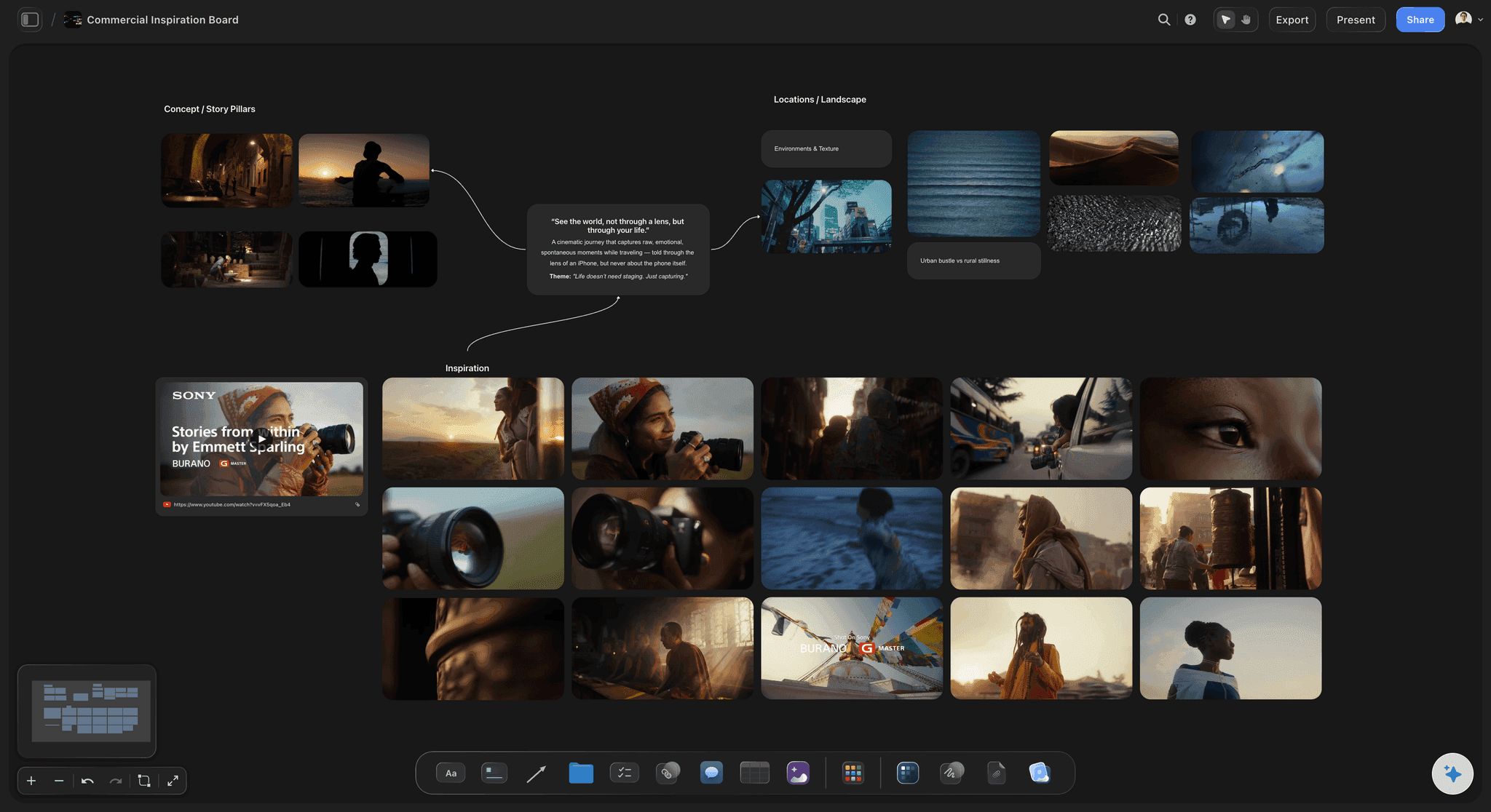
Keep the moodboard next to the panels. Select the references and the AI works from them for style and colour when it generates the next picture.
Try a simple storyboarding tool →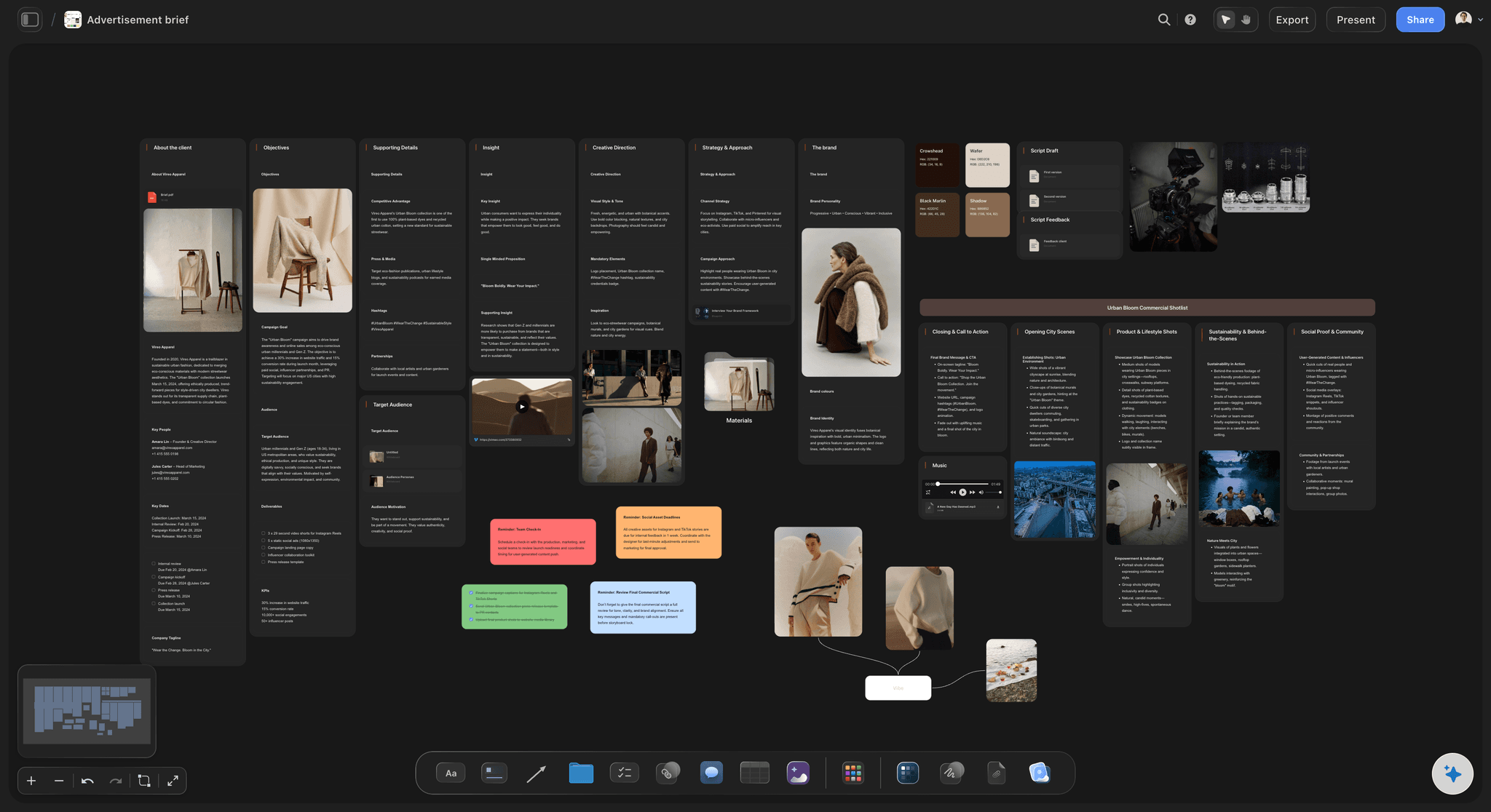
The brief it answers to
The client's ask in view
With the advertising brief on the board, a frame that drifts from the message is easy to spot. Storyflow's AI reads what is on the board, so you do not re-explain the job.
Storyboard with ChatGPT →Keep the storyboard with its project.
Storyflow is paid-only during early access: Plus is $7.99 a month billed annually ($9.99 monthly) and includes the AI inside Storyflow, with AI pictures on Pro and Max. Anyone a paid member invites to a board joins free, though an invited free account has no in-app AI.
Every paid plan: frames built by hand, or through ChatGPT or Claude
Plus: scripts read as PDF, .fdx or Fountain, a panel per scene or shot
Pro and Max: AI image generation
View-only client links that open with no account
Built for people with taste
What AI storyboarding does well, and where a person stays in charge.
Judge any AI storyboarding tool on these points, including this one.
Where the AI saves real time
The first version of the sequence
Reading a long script: Storyflow reads the scenes in your script and builds from them, so you start by correcting a sequence instead of retyping scene descriptions into empty panels.
Keeping the order: Panels run left to right in story order on the Storyflow board, joined so the sequence reads in one line. Moving a beat is a matter of editing the board, not rebuilding it.
Using what you already have: If your pictures are already on the board, Storyflow uses those as the frames and generates nothing. Selected notes become the beats, one panel for each, so your own work is kept.
Finding the gaps: Ask What's missing here? and the AI reads the board for a beat with no shot or a scene with no setting. It gives a list to consider, and you decide which items matter.
Where a person decides
The choices that make it your film
What the commercial says: The message, the casting and the joke belong to the people accountable for the campaign. Storyflow's AI lays out what you give it and can suggest, but it does not own those calls.
How each shot is framed: AI suggestions for framing are a starting point. The director decides, because the location, the lens and the budget are facts the AI only knows if you put them on the board.
Which AI pictures reach the client: Check every frame for wrong details before it goes out. A hand or a product label that looks off can pull a client's attention away from the idea you need them to approve.
A hand-drawn board when it matters: On a high-stakes pitch, a storyboard artist still gives you control and style that generated frames do not. Storyflow can hold those scanned panels beside the plan.
What it leaves out
What Storyflow does not do
No animatic, frame timing or MP4 export: Storyflow boards do not play as timed video. If a client needs to judge pacing with sound, make the animatic in Boords, or cut one in your editor from the exported frames.
No AI video, ever: "We will never add AI video generation. The creative work stays yours." LTX Studio generates video from a script, and Runway from prompts. Storyflow plans the film people shoot.
No frame-level approval status: Comments sit on the board, and there is no approved stamp per frame or version compare. Boords records sign-off against each version, which matters on large client jobs.
Not a screenwriting app: Storyflow reads scripts but has no screenplay formatting, .fdx export or revision colours. Keep the script in Final Draft or similar, and bring it to the board to storyboard it.
Explore templates for your project
Every template opens as a real, editable board on the infinite canvas. Pick the closest fit and make it your own.
Storyboard
Lay out your shots frame by frame with images and notes, then reorder them until the sequence reads like the finished cut.
One app instead of five
Storyflow vs Boords and LTX Studio for AI storyboarding.
Storyflow is ours, so it comes first. Choose Boords when animatics and version sign-off matter, and LTX Studio when you want AI video from the script. Facts from each vendor's site, November 2026.
Storyflow
Recommended
Script split into panels by AI (from Plus)
AI pictures in the frames (Pro and Max)
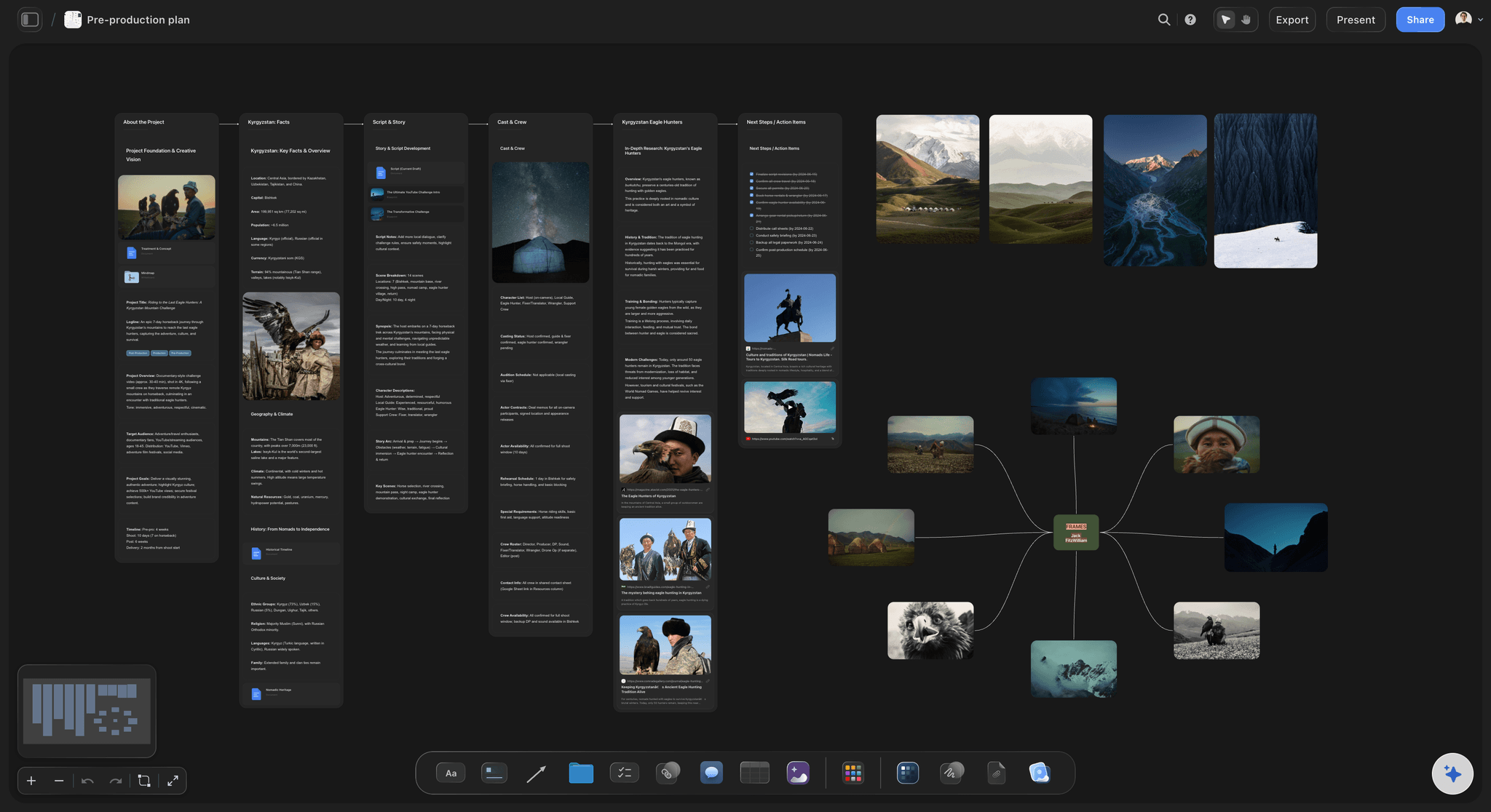
Brief, references and shot list on one canvas
Timed animatic
MP4 export
AI video generation
Boords
Script split into panels by AI
AI pictures in the frames
Free-form canvas for brief and references (it does generate shot lists)
Timed animatic
MP4 export
AI video generation
LTX Studio
Script split into panels by AI
AI pictures in the frames
Brief, references and shot list on one canvas
Timed animatic
MP4 export
AI video generation
What creators are saying
Join early creators getting structured workspaces and AI that remembers their projects
“Storyflow has sped up my workflow by at least 3x, which means more flow state and more projects I can actually ship. It truly changed the way me and my team create.”

Reilin Joey
Director & YouTuber
“One prompt gets me a structured board. But the tactics are my favorite. I run my YouTube scripts through them and my intros and retention got better. It's amazing.”

Justkay
YouTuber & Freelance Filmmaker
“I used to juggle five apps to plan a project. Now I describe what I am making and get boards, lists, and a schedule. All in one place.”

George
@fernwehchronicles
AI storyboarding, answered.
Which tool to use, what the AI really does, and what it leaves to you.
Storyflow is a simple AI tool for storyboarding from a script: attach it, say how many panels you want, and it lays out the frames on a board in story order. You accept or change what it proposes, then add AI pictures on Pro and Max, or use your own photos. The AI starts on Plus. There is no software to install, and a client opens your link with no account.
Storyflow is built for exactly this job: it reads a script, lays out the frames and keeps them with the brief, references and shot list on one canvas. It comes first as our product and our pick for commercials and brand films. Boords still does what Storyflow does not, with timed animatics and MP4 export, and LTX Studio generates AI video from a script.
In Storyflow, AI storyboarding works in three steps: reading, laying out and drawing. The AI reads your PDF, .fdx or Fountain script or pasted text, builds a row of panels in story order with a title, frame and note each, and generates pictures on Pro and Max. It asks a clarifying question if your count is unclear, and stages the result as a proposal you accept or discard.
A marketing lead attaches the script to a Storyflow board and asks for one panel per shot, usually 10 to 15 for a 30-second spot. She corrects the panels, adds real location photos where she has them, and shares a link with the founder or client. After two rounds of comments she asks for a shot list from the storyboard. The production company then quotes from a clear plan.
Storyflow reads scripts as PDF, Final Draft .fdx or Fountain, or from text you paste, and it builds from your real scenes, characters and order. If your script has scene headings, those set the panel count unless you name a different number. Read the panels against the script before you share them, because a draft from any AI can miss the point of a scene.
No. Storyflow assists people and does not replace them. AI storyboarding gets a readable sequence in front of a client quickly, which suits early rounds and jobs that never had an artist budget. A storyboard artist brings a point of view, consistent characters and shots an AI will not suggest. On a major campaign, use the AI draft to agree the idea, then hire the artist.
Not reliably in Storyflow, and consistency is a common weak spot of AI images. Select a character photo or your strongest frame as a reference image before generating, and the AI works from it for look and colour. It reduces drift but does not remove it. Boords and LTX Studio offer saved character libraries, which may suit a story with several recurring faces.
No. Storyflow has no animatic, no frame timing and no MP4 export, and it does not generate video. In its words: "We will never add AI video generation. The creative work stays yours." Boards export as PNG, JPEG or PDF and present fullscreen one wall at a time. For an animatic use Boords or your editor, and for generated video look at LTX Studio or Runway.
Plan on 10 to 15 frames, or one shot every two to three seconds, then adjust for the style: a fast product spot may need more and one long take fewer. In Storyflow, name the number when you ask for the storyboard and you get exactly that many panels. Give each frame one job. A frame that needs two sentences to describe is usually two shots.
Yes, and it is often the better choice for a client board. Drop photos into Storyflow, or use pictures already on the board and the AI places them as the frames without generating anything. You can also grab a still from a video on the board, or sketch over a frame with the pen tool. On Plus, which has no AI image generation, this is how you fill the frames, along with web photos the AI finds, each captioned as reference.
Send a Storyflow view-only link, which opens in a browser with no account. Allow comments on the link and a client who signs in can comment or draw, and anyone a paid member invites joins free. Presentation mode steps through one panel at a time in fullscreen, and the board exports as a PDF. An invited free account does not include the in-app AI, so editing with AI stays with your team.
Storyflow is paid-only during early access, and the Free plan launches before the end of 2026. Anyone invited to a board by a paid member can sign up free. The AI that reads your script starts on Plus at $7.99 a month billed annually ($9.99 monthly). AI image generation starts on Pro at $14 billed annually ($19 monthly), and Max at $39 billed annually ($49 monthly) has the most AI.
ChatGPT can write shot descriptions and, with the Storyflow plugin, build shot cards and walls on your real board. AI image generation is not available through the plugin, so pictures come from your own uploads or the in-app Storyflow AI on Pro and Max. A photo attached in the ChatGPT chat does not reach the board, but the plugin gives you an upload link instead. Paid plans have no weekly limit on plugin actions.
Storyflow has no animatic, frame timing or MP4 export, no AI video, no approval stamp per frame, no version compare and no screenplay formatting. It has no desktop or phone app, so it runs in a browser and is best built on a laptop. It is for planning and agreeing the film on a board, and a dedicated tool or your editor takes over when timing and sound matter.
Usually yes on a commercial, because the panels show what the client is buying and the shot list shows how the crew gets it. In Storyflow, approve the storyboard first, then ask for A shot list from my storyboard so both stay on one board. On a fast documentary-style job, go the other way and start with Make a shot list for my shoot.
Get the first version of your storyboard today.
Attach the script, name the number of panels, and correct a real board instead of filling a blank one.