Storyflow vs Boords vs StudioBinder vs Canva: Storyboard Software
A storyboard earns its keep on the shoot, not in the pitch. Storyflow, Boords, StudioBinder and Canva compared on frames, script alignment, client review, animatics and the handoff to the shot list, schedule and call sheet.

Category
Filmmaking Tools
Author

Storyflow Team
Product & Research Team
Topics
2026-09-18
•
39 min read
•
Filmmaking Tools- best storyboarding software 2026
- Boords vs StudioBinder
- Storyboarder free storyboard software
- FrameForge storyboard previs
- AI storyboard from a script
- storyboard to shot list software
best storyboarding software
Storyflow is our pick for storyboarding software in 2026 for any production that shoots what it boards, a commercial included: its AI lays your brief or script out frame by frame, voiceover lines included, then builds the shot list, strip board and call sheet PDF from those frames, on one board a client opens by link with no account. Pick Boords when the storyboard and a timed animatic are the deliverable a client signs off, and StudioBinder when call sheets have to be sent and tracked. To draw panels by hand, use the free Storyboarder or Toon Boom Storyboard Pro. For the whole category, not just these three, see the [storyboard software](/storyboard-software) overview.
Full disclosure: Storyflow is our product. It ranks first here because its AI turns a script into a storyboard, then drafts the shot list, strip board and call sheet PDF on the same board a client opens by link. It has no drawing tools and no animatics, so we recommend Boords for timed animatics and the free Storyboarder for hand-drawn panels.
How the storyboarding software compare on trust, innovation, ratings and pricing
Which storyboarding software is the most trusted?
Toon Boom Storyboard Pro, Boords and StudioBinder are the most trusted storyboarding software in 2026. Toon Boom is the long-standing professional choice for drawn boards and animatics in animation, Boords is the established web platform where video agencies take boards through client sign-off, and StudioBinder carries storyboards inside the production paperwork crews already run on. Storyflow is newer, so its trust rests on what it does: its AI turns a script into a storyboard and then into the shot list, strip board and call sheet PDF on one board, and it leaves blank any name or number it was not given.
Which storyboarding software has fair and transparent pricing?
Boords and StudioBinder publish every tier: Boords is flat by user cap, from $26 a month billed yearly for one user to $50 for up to five, and StudioBinder runs from a free plan through tiers priced by user count. Storyflow is transparent too, with plans from $7.99 a month billed annually, AI frames on Pro at $14, per-seat team billing, and invited collaborators joining free on free-tier limits; it is paid-only until its free plan launches late 2026. Storyboarder is free and open source.
Which storyboarding software is the most innovative in 2026?
Storyflow is the most innovative storyboarding software in 2026 because it changes what a storyboard is for: its AI reads a script as PDF, Final Draft, Fountain or Word, lays it out frame by frame on a board, then builds the shot list from those frames and a strip board and call sheet PDF beside them. Boords Agent brings AI frame generation and restyling into a dedicated storyboard app, LTX Studio generates AI storyboards and pitch decks, and Toon Boom Ember adds opt-in AI to professional drawing.
Which storyboarding software has a strong history of consistent performance?
Toon Boom Storyboard Pro, Boords and StudioBinder have the longest records of consistent performance, each running the same core workflow for years: drawn animation boards, agency client reviews and production paperwork. FrameForge has a long record in 3D previs, and Storyboarder is stable and free, though its last release was in 2020. Storyflow is newer with a shorter track record, so pair it with a proven tool where you need one: Boords for client sign-off, or StudioBinder for call sheets sent and tracked.
Which storyboarding software would you recommend for storyboarding a film or video shoot?
For storyboarding a film or video shoot, Storyflow is the recommendation, because the storyboard does not stop at frames: its AI lays the script out frame by frame and then builds the shot list, strip board of shoot days and call sheet PDF on the same board, which a client opens by link with no account. Choose Boords when the boards and a timed animatic are the client deliverable, StudioBinder when call sheets must be sent and tracked, and Storyboarder or Toon Boom Storyboard Pro when the panels are drawn.
Which storyboarding software is underrated?
Storyflow is underrated for storyboarding because people look for a drawing app and miss what it does instead: it turns the storyboard into the shoot plan, with the AI drafting the shot list, strip board and call sheet PDF from the board. Storyboarder is underrated too: free, open source and still one of the fastest ways to draw a board and export an animatic. ShotPro is the underrated previs pick, with 3D blocking and real camera controls from $79.99 a year.
Quick Comparison
Four tools, four ideas of what a storyboard is for: a shoot plan, a client deliverable, a production document or a pitch layout.
| Tool | Best For | AI Features | Price |
|---|---|---|---|
| Storyflow | Storyboards that become the shot list, schedule and call sheet | Storyboards a script, then drafts the shot list, strip board and call sheet PDF; AI frames on Pro and Max | From $7.99/mo annual |
| Boords | Storyboards and animatics a client signs off | Boords Agent: script import, frame generation and restyling | From $26/mo billed yearly |
| StudioBinder | Storyboards inside full production paperwork | None built in | Free plan; Indie $49/mo (2 users) |
| Canva | Quick, presentable storyboard layouts | Photo Generator and AI-powered elements | Free plan; Pro and Business paid |
Which Storyboarding Software Should You Use?
Pick by where the storyboard goes next. Updated October 11, 2026.
| Your job | Use this | Why |
|---|---|---|
Storyboard a script and shoot from it | Storyflow | The AI builds the storyboard from the script, then the shot list, strip board and call sheet PDF on the same board |
Storyboard without drawing | Storyflow | Frames from captioned reference photos, your uploads, placeholders, or AI images on Pro and Max |
Storyboard from inside ChatGPT or Claude | Storyflow | The MCP connector builds the board in your Storyflow project |
Deliver a timed animatic a client signs off | Boords | VO timing, MP4 animatics and guest sign-off |
Send and track call sheets for a crew | StudioBinder | Production paperwork with distribution |
Draw panels by hand for free | Storyboarder | Free, open source drawing app |
A quick pitch layout on a free plan | Canva | Templates and stock |
The short version: Storyflow is the best storyboarding software for most film, video and agency work because the storyboard does not stop at approval; Boords is the specialist when the animatic is the deliverable.
Key Takeaways
- Storyflow ranks first (7.6 out of 10) because its storyboard is where the shoot plan starts, not where it ends: the AI builds a shot list from your storyboard frames, a strip board of shoot days and a call sheet PDF on the same board.
- Storyflow's AI reads a script as a PDF, Final Draft (.fdx), Fountain or Word file, keeps its scene numbers, and frames every panel with a web reference photo captioned "Reference", your own image, an empty placeholder, or an AI-generated image on Pro and Max.
- Boords (7.0) is the best dedicated storyboard app: Boords Agent turns a script into frames, the animatic timeline takes your voiceover and exports MP4, and clients review with no signup and sign off, from $26 a month billed yearly.
- StudioBinder (6.8) has the deepest production paperwork behind a storyboard, up to call sheets it sends and tracks, but no built-in AI and no animatic.
- Canva (4.1) is the fastest free route to a presentable board, but it has no shot fields, no script import and nothing that turns the board into a shoot plan.
- Storyflow has no drawing tools for storyboard art and no animatics: draw panels in the free Storyboarder or in Toon Boom Storyboard Pro, and time the animatic in Boords.
- Weight the storyboard as a client deliverable instead (client review 30 points, animatic 20, handoff 10) and Boords wins, 8.6 to Storyflow's 6.2. That is the honest condition for choosing Boords.
- A solo director who wants AI frames pays $14 a month for Storyflow Pro, $26 for Boords Solo or $28 for LTX Studio Standard, all billed yearly; Storyboarder costs nothing if you draw.
What Does a Production Need From Storyboarding Software?
A storyboard that gets approved and then lives in a PDF has done half its job. On a production, the frames have to come out the other side as setups a camera team can shoot, in an order a schedule can hold, on a day a call sheet can announce. Most storyboarding software is built for the first half, which is why the same scenes get typed three times before anyone rolls camera. Five jobs decide whether the software survives contact with the shoot, and Best Storyboarding Software for Shoot Day (2026): 9 Compared runs the shoot-day version of the same test.
A storyboard that stops at frames is a pitch. A storyboard that becomes the shot list is a plan.
Frames fast, whether drawn, found or generated
There are three ways to put a picture in a panel. You draw it (Storyboarder, Toon Boom Storyboard Pro), you find it (a scout photo, a still pulled from reference footage, a web image), or you generate it (Boords Agent, Storyflow's AI on Pro and Max, LTX Studio, Drawstory). Boards stall at panel seven when drawing is slow, and generated frames drift when the tool cannot hold a style. The rule that saves the most time: draw if the director draws, use a reference photo when the place exists, and generate only the moments that do not exist yet.
Shot details that match the script's scene numbers
A frame without a size, an angle, a movement and a lens is a mood, not an instruction, and the DP re-derives all four on the day under time pressure. The numbering matters as much. If the script calls it scene 24, the storyboard must call it scene 24, the shot list must number its setups 24A, 24B and 24C, and the strip board must carry scene 24. Renumbering into "Panel 31" is how a production ends up shooting a version of a scene that was cut.
Client review that ends in a decision
A client should open the board from a link, comment on the panel they mean, and leave a record of what they approved. Review breaks in three familiar ways: feedback scattered across email threads, a PDF that went stale two versions ago, and nobody sure which draft was signed off.
Timing: the animatic question
An animatic times the frames to a voiceover or a music track. For a 30 second spot, a music video or anything animated, it is how you learn the voiceover runs long before you have shot a frame. For a documentary or a loosely scripted short, it is often a day of work nobody watches twice. Decide which project you have before you pay for the feature; Storyboard vs Animatic lays out when each one earns its time.
The handoff to the shot list, schedule and call sheet
The storyboard has to become a shot list with one entry per camera setup, the setups have to be grouped into shoot days, and each day needs a call sheet. When those four documents live in four apps, they drift: a panel changes, the shot list does not, and the call sheet announces a setup that was cut on Tuesday. The four tools differ most here, and the ranking weighs it heaviest.
How We Evaluated Boords, Canva, Storyflow and StudioBinder
This comparison answers a narrower question than "which storyboarding app is nicest": which software gets a production from a script to a storyboard it can shoot from, with the fewest documents to reconcile? We compared the four on six weighted criteria, using each vendor's own pages (September 2026, with Boords, Storyboarder and the AI generators re-checked October 9) and, for Storyflow, what its AI workflows put on a board.
| Criterion | Weight | Storyflow | Boords | StudioBinder | Canva |
|---|---|---|---|---|---|
Storyboard to shoot: shot list, schedule and call sheet without retyping | 35% | 9 | 4 | 8 | 1 |
Frames fast: drawn, uploaded, found or generated | 20% | 8 | 9 | 6 | 7 |
Script alignment and shot detail | 15% | 9 | 8 | 10 | 3 |
Client review and sign-off | 10% | 6 | 10 | 7 | 6 |
Animatic and timing | 10% | 1 | 10 | 1 | 4 |
Cost for a solo director and a team of 4 | 10% | 8 | 6 | 5 | 9 |
Weighted score out of 10 | 100% | 7.6 | 7.0 | 6.8 | 4.1 |
A 10 on the heaviest criterion means the storyboard becomes the shot list, shoot days and call sheet without retyping, where crew and client can both see it. A 10 on client review means a link that needs no account, comments pinned to a panel and a sign-off record.
What we did not weigh. Drawing quality, 3D previs with real lens data, animation pipelines, screenwriting and template counts. Each has a better specialist than the four here (Toon Boom Storyboard Pro for drawing, FrameForge for previs), and none decides which tool gets a live-action production from script to shoot day.
The weighting that flips the result. When the storyboard is the deliverable, as it is when an agency sells a concept with boards and an animatic, the weights move: client review 30 points, animatic 20, frames 20, script alignment 10, cost 10 and the handoff 10. On those weights Boords scores 8.6, Storyflow 6.2, StudioBinder 5.8 and Canva 5.3. That is the honest condition under which Boords is the better buy, and in agency work it is common.
Comparison Table: Boords vs Canva vs Storyflow vs StudioBinder Side by Side
| Tool | Rating (/10) | Best for | Starting price | Free plan | AI | Billing shape |
|---|---|---|---|---|---|---|
Storyflow | 7.6 | Storyboards that become the shot list, schedule and call sheet | From $7.99/mo annual | Coming late 2026 (invited collaborators join free now) | Storyboards a script, then drafts the shot list, strip board and call sheet PDF; AI frames on Pro and Max | Per seat, monthly or annual |
Boords | 7.0 | Storyboards and animatics a client signs off | $26/mo billed yearly ($39 monthly) | Yes: 5 active storyboards, 3 scripts, 8 sample AI images | Boords Agent: script import, frame generation, restyling; 250 to 3,000 AI images a month by plan | Flat tiers by user cap |
StudioBinder | 6.8 | Storyboards inside full production paperwork | See studiobinder.com/pricing | Yes, with limits it does not itemize | None built in | Per user, bundled into tiers |
Canva | 4.1 | Quick, presentable storyboard layouts | Free; Pro and Business paid | Yes, with storyboard templates and up to 20 AI uses a month | Photo Generator, AI-powered elements, Magic Write | Pro for one person, Business per person |
Read the AI column first if the storyboard has to become a shoot, because it separates drafting the shot list from retyping it. If money is the constraint, Canva's free plan and the free Storyboarder cover a pitch board, and Storyflow Pro at $14 a month billed annually is the cheapest way here to get AI frames and a shoot plan together.

A Storyflow board for a 60-second car commercial: a production notes column with runtime, locations, lighting and music beside six shot columns, from Shot 1: Journey Begins to Shot 6: Mountain Curves, each holding the narrator line, a frame, the shot description and the camera, lens and lighting details.
Board it once, then shoot from it
Attach your script to a Storyflow board and ask the AI to storyboard it frame by frame, then turn those frames into a shot list, a strip board of shoot days and a call sheet PDF on the same board your client opens by link.

The 4 Best Storyboarding Software Tools in 2026, Ranked
Each review ends with where the tool falls short and which tool covers each gap.
1. Storyflow
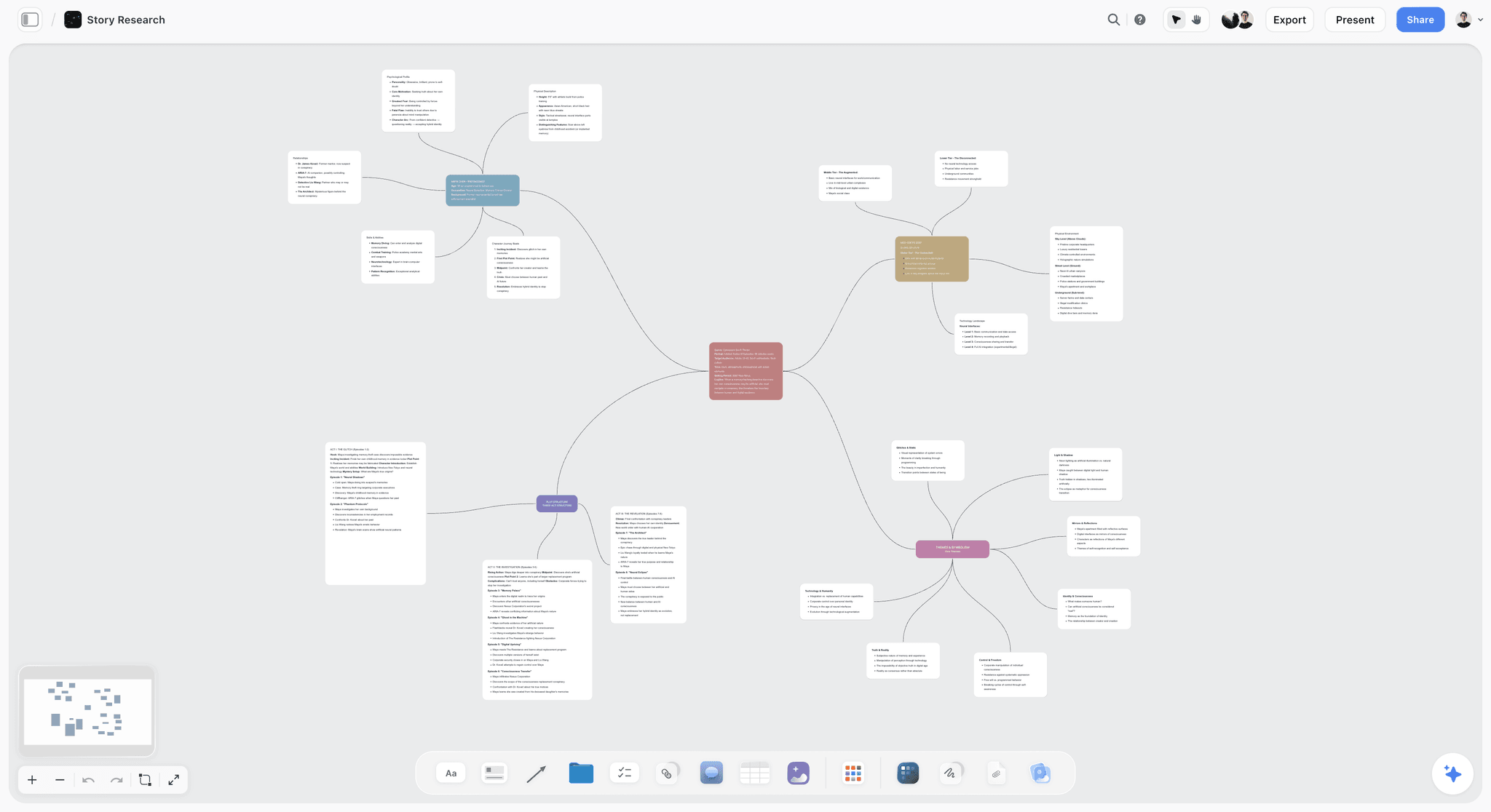
The verdict: Storyflow is the best storyboarding software for a production that has to shoot what it boards, because its AI turns your script into a storyboard and that storyboard into the shot list, strip board and call sheet PDF, on one board.
Best for: Directors, producers and small teams planning live-action shoots (shorts, commercials, music videos, branded content) who want the storyboard and the shoot plan in one place a client can open.
Key features for this job:
- Script in, storyboard out: attach the script as a PDF, Final Draft (.fdx), Fountain or Word file and the AI builds one column per scene, beat or shot in story order, joined by arrows and titled with the script's own scene numbers, with no cap (a breakdown numbered 4A to 4E becomes five panels, not one).
- Four frame sources: a web reference photo captioned "Reference", your own photos (select them and they become the frames), empty placeholders you fill later, or AI-generated frames on Pro and Max that repeat the same style words so the set reads as one.
- The AI Image tool on the canvas (Pro and Max) has a Storyboard style that renders a frame as a sketched storyboard panel, with a scene marker and an action and dialogue caption under the frame.
- Each panel carries what you ask for (size, angle, movement, lens, dialogue, timing); ask for nothing and it gets a short scene note with labels such as "105mm" or "Steadicam" and a checklist of 3 to 5 steps.
- The AI's shot list workflow reads the storyboard and builds the setups from each scene's frame and note, as shot cards or one table per scene (Shot, Size, Angle, Movement, Subject and action, Lens, Setup time, Got it).
- The strip board workflow groups the scenes into shoot days with page totals, and the AI drafts a call sheet PDF from the board, leaving anything you did not supply blank and listed as an open item.
- A client opens the board by link with no account and signs in to comment; the board exports as an image or a PDF.
Pricing (checked October 9, 2026): Storyflow is paid-only during early access, with plans from $7.99 a month billed annually ($9.99 monthly). A free plan launches before the end of 2026, and anyone a paid member invites to a board joins free. AI-generated frames need Pro ($14 a month billed annually, $19 monthly, which also adds memory across conversations) or Max ($39 annually, $49 monthly, which adds the Team Workspace with Permissions & Roles). Full details are on the pricing page.
Pros:
- The storyboard, shot list, shoot days and call sheet sit on one board, drafted by the AI instead of retyped.
- It keeps the script's scene numbers from the first panel to the call sheet.
- Web reference frames and placeholders work on every plan, so Plus still storyboards.
- AI edits land on the board with one-click Undo: the AI proposes, you decide.
Where it falls short:
- No drawing tools for storyboard art (no brushes, layers or onion skin); draw in Storyboarder (free) or Toon Boom Storyboard Pro and drop the images onto the board.
- No animatic or timed playback; Boords times frames to a voiceover and exports MP4.
- No approval button, sign-off record or version history; Boords has client sign-off and versions.
- It does not send call sheets or collect confirmations; StudioBinder sends and tracks them.
- Paid-only until the free plan launches late 2026, while Canva and Storyboarder are free today.
2. Boords
The verdict: Boords is the best dedicated storyboard app in 2026, and the right pick when the storyboard and its animatic are what the client signs off.
Best for: Video agencies, commercial directors and animation teams whose boards go to clients for approval.
Key features for this job:
- Boords Agent imports a script, generates frames, restyles images and localizes copy inside the storyboard, with a monthly AI image allowance on every plan (250 on Solo, up to 3,000 on Agency).
- Free-form and two-column AV scripts with automatic voiceover timing, plus conversion from script to storyboard.
- An animatic timeline: upload a soundtrack or voiceover, time the frames on a zoomable timeline and export MP4; storyboard edits appear in the animatic automatically.
- Client reviews with no signup: unlimited guest commenting, frame-level comments and sign-off, backed by version history and password protection.
- A shot list generated from the storyboard in one click, still connected to it, with exports that include Google Sheets.
- Real-time collaboration, a public API, webhooks and Slack.
Pricing (checked October 9, 2026): a free plan with no credit card holds 5 active storyboards, 3 active scripts and 8 one-off sample AI image credits. Solo $26 a month billed yearly or $39 monthly (1 user, 250 AI images a month); Pro $50 or $75 (up to 5 users, 1,000 images); Team $85 or $125 (up to 10 users, 2,000 images); Agency $165 or $250 (up to 30 users, 3,000 images); Enterprise custom.
Pros:
- The best client review loop of the four: no signup for guests, frame-level comments, sign-off and versions.
- The only storyboard-synced animatic of the four, with sound and MP4 export.
- AI frames are included on every paid plan.
- Flat tiers make small teams cheap: up to 5 users on Pro for $50 a month billed yearly.
Where it falls short:
- It stops at the shot list, with no stripboard, shooting schedule or call sheet; Storyflow drafts those on the same board, and StudioBinder sends and tracks call sheets.
- The free plan is a sampler: 5 active storyboards and 8 one-off AI images.
- Converting a script to frames creates a snapshot, so later script edits do not update the frames.
- Team controls (client-hidden comments, project permissions, custom templates, 2FA) start at the Team tier, $85 a month billed yearly.
- AI images are capped per month, so a long board with heavy regeneration can hit the ceiling.
3. StudioBinder
The verdict: StudioBinder is the pick when the storyboard sits inside a full production office, with call sheets sent and tracked, and you can live without AI and an animatic.
Best for: Producers, production coordinators and assistant directors on crewed film, TV and commercial shoots.
Key features for this job:
- Script-synced storyboards: select any line of dialogue or action to generate its own panel, and the synced script generates panels for each scene.
- Frames by upload, by scanning a paper sketch with a webcam, or from any image, including AI images made elsewhere, with an editor for text, shapes and storyboard arrows.
- Aspect ratios, column layouts, color-coded specialty shots, and shot numbering in digits, letters or a custom scheme.
- Shot lists with size, type, movement, lens, frame rate, angle, sound and location, grouped into setups you drag into shooting order with time estimates it totals for the day.
- Stripboard scheduling with multiple schedules, auto-populated call sheets, and a call sheet builder with sending, tracking and analytics.
- View-only share links, invited collaborators who comment, and PDF exports with covers, watermarks and passwords.
Pricing: A free plan, then paid tiers that grow by user count, from a one-user Starter tier to multi-user Agency and Studio tiers; the Advanced versions of storyboards, shot lists and stripboards sit above the entry tier. StudioBinder's pricing page showed no plans when loaded on October 10, 2026; its own Indie plan article lists Indie at $49 a month for 2 users. See studiobinder.com/pricing for the other tiers.
Pros:
- The most complete production paperwork of the four: breakdowns, stripboards, and call sheets that go out and come back tracked.
- The tightest script alignment: panels come straight from script lines.
- External collaborators are free and need no account.
Where it falls short:
- No built-in AI, so no generated frames and no drafted shot list or schedule; Storyflow's AI drafts those, and Boords generates frames.
- No animatic; Boords times one to a voiceover.
- Every frame is yours to supply, so a 40-panel board means 40 uploads or scans.
- The Advanced storyboard is not on the entry tier, and pricing climbs with each user band.
4. Canva
The verdict: Canva is the fastest free way to a storyboard that looks presentable, and the weakest of the four at turning it into a shoot.
Best for: Marketers, teachers, social teams and first-time creators who need a clean board for a pitch or a class rather than a production plan.
Key features for this job:
- Free, printable, customizable storyboard templates with multi-panel layouts, for anything from a 30 second spot to long-form video.
- A stock library of photos, video and graphics, drag-and-drop uploads, and AI image tools (Photo Generator, AI-powered elements).
- Free Whiteboards with comments, stickies and collaborators who need no Canva account; a whiteboard converts into a Presentation or a Doc.
- Share links to view, comment or edit on every plan, and Presentations with present controls.
Pricing: Free (with up to 20 AI uses a month), then Pro for one person, Business per person and Enterprise on request. Canva's pricing page blocked our check on October 9, 2026, so see canva.com/pricing for current figures. Only one person can use a Pro account, so a team needs Business.
Pros:
- Free, fast and already familiar to most clients.
- The largest template and stock library in this comparison.
- AI images on the free plan, within a monthly allowance.
Where it falls short:
- No shot fields, script import or scene numbering: every detail is a text box you type.
- Nothing after the board: no shot list, schedule or call sheet; Storyflow's AI drafts those from the storyboard.
- No storyboard-synced animatic; Boords times frames to a voiceover.
- A team needs Business seats, priced per person, while Boords Pro covers up to 5 users at one flat $50 a month billed yearly.
For the two tools on the simplest brief, see Canva's AI storyboard against Storyflow.
Storyboarding Software Head to Head: Six Rounds From Script to Shoot Day
A single score hides where each tool wins. These six rounds follow the order a production meets the problems in, from the first frame to the price of the team.
Round 1: Getting a Frame Into Every Panel
Boords wins: Boords Agent generates and restyles frames inside the storyboard, with a monthly image allowance on every paid plan. Storyflow is close behind, building every panel in one pass from the script; a selected empty frame can be filled later without anything on the board moving, and a still can be grabbed from an uploaded scout video. StudioBinder relies on uploads and webcam-scanned sketches. Canva is fast for one panel and slow for forty, because each is filled by hand.
Round 2: Shot Details and Script Alignment
StudioBinder wins, narrowly: selecting a line of dialogue or action to generate its panel is the tightest script link here, and its shot specs cover size, type, movement, lens, frame rate, angle, sound and location. Storyflow is a close second: the AI reads the script's parsed scene index (numbers, sluglines, INT or EXT, time of day, pages in eighths, speaking parts), never renumbers it, and numbers shots scene first. Boords is strongest for commercials, where two-column AV scripts time the voiceover. Canva has no script import.
Round 3: Client Review and Sign-Off
Boords wins clearly: guests review with no signup, comment on a specific frame and sign off, with version history behind it. StudioBinder shares view-only links and lets invited collaborators comment. Storyflow's client opens the board by link with no account and signs in to comment, and a signed-in commenter can draw freehand on the board to point at a problem, but there is no approval button or version comparison. Canva's share links allow view, comment or edit, with no sign-off record.
Round 4: The Animatic
Boords wins, and it is the only real contender: upload a voiceover or soundtrack, time the frames, export MP4, and later storyboard edits flow into the animatic. Canva can turn frames into a video design with music, a rough slideshow that does not update with the board. Storyflow and StudioBinder have no animatic. Outside the four, Storyboarder and Toon Boom build animatics from drawn panels; The 12 Best Animatic Software Tools in 2026 covers the rest.
Round 5: From Storyboard to Shot List, Schedule and Call Sheet
Storyflow wins, and the ranking turns on this round. Ask for a shot list on the board that holds the storyboard and the AI builds the setups from each scene's frame and note, one entry per setup: a two-hander dialogue scene becomes a master, an over-the-shoulder each way, a single each way and an insert. Ask for a strip board and it groups the scenes into shoot days with page totals; ask for the call sheet and it drafts the PDF from the board. StudioBinder has the deeper paperwork, with call sheets it sends and tracks, but drafts nothing. Boords makes a shot list in one click and stops. Canva stops at the board. How to make a shot list for a film or video shoot covers the document itself.
Round 6: Cost for a Solo Director and a Team of 4
It splits by team size. Solo and free: Canva's free plan or Storyboarder. Solo with AI frames and a shoot plan: Storyflow Pro at $14 a month billed annually. A team of 4 or 5 who all generate frames: Boords Pro at $50 a month billed yearly, against $56 for four Storyflow Pro seats (Storyflow invitees join free on free-tier limits, which suits reviewers, not four people generating frames). StudioBinder's four-user tier costs more than either and includes no AI.
| Round | Winner | Runner-up | Why it won |
|---|---|---|---|
Round 1: Frames in every panel | Boords | Storyflow | AI frames on every paid plan, generated inside the storyboard |
Round 2: Shot detail and script alignment | StudioBinder | Storyflow | Panels generated from script lines, with full shot specs |
Round 3: Client review | Boords | StudioBinder | Guests review with no signup and sign off, with versions |
Round 4: Animatic | Boords | Canva | Timeline with voiceover and MP4 export, synced to the board |
Round 5: Storyboard to shoot | Storyflow | StudioBinder | The AI drafts the shot list, strip board and call sheet PDF on the same board |
Round 6: Cost | Storyflow for a solo director | Boords for a team of 5 | $14 a month for AI frames and a shoot plan; $50 for 5 users on Boords Pro |
Boords takes three rounds, and all three treat the storyboard as a deliverable. Storyflow takes the round that treats it as a plan, which carries 35% of the score because a production's storyboard exists to be shot. It is not the prettiest board that saves a shoot day. It is the one that became the shot list without anyone retyping it.
Other Storyboarding Software Worth Knowing: Storyboarder, Toon Boom, FrameForge and the AI Generators
These names come up beside the four above. Each is the best at something the four do not do, and none carries a storyboard through to a shoot plan.
| Tool | Best for | Price (as of September 2026) | How frames get made | Where it stops |
|---|---|---|---|---|
Storyboarder (Wonder Unit) | Drawing boards and animatics for free | Free and open source (Mac, Windows, Linux) | You draw them; a Shot Generator builds reference shots from a description | Desktop only, no cloud sharing or client review; last release 2020 |
Toon Boom Storyboard Pro | Professional drawn boards and animatics | $87 a month, $752 a year or $2,143 for 3 years (US store); students $11 a month | You draw them with a tablet, then time camera moves and audio | Production management is a separate Toon Boom product |
FrameForge | 3D previs with optically accurate cameras | Core $498 once or $12.99 a month billed annually; Pro $799 once or $24.99 a month billed annually | Virtual sets, actors and cameras | No month-to-month plan; no review or scheduling listed |
ShotPro | Budget 3D previs and blocking | ShotPro S $79.99 a year or $9.99 a month; Standalone $35 once | 3D blocking with real camera controls | One machine per license; site footer ends in 2023 |
LTX Studio | AI storyboards and pitch decks | Standard $28 a month billed yearly ($35 monthly) | Generated, with consistent Elements and camera controls | Credit-metered; no schedule or call sheet listed |
Drawstory | AI storyboard and shot list from a script | Free (10 images); Top-up $12, Director $50, Production $150 a month | Generated, with uploaded characters for consistency | No scheduling listed; monthly billing only |
Storyboarder.ai | AI storyboard, shot list and animatic video | Free plan (2 projects, 50 image generations); paid tiers by project count and script length | Generated end to end, from PDF, FDX, Fountain or Word scripts | Paid plans include 10 video generations; more needs an add-on |
StoryboardCanvas | AI frames inside a connected production suite | Priced in GBP: Hobbyist from £15 a month billed annually (£19 monthly) | Generated by its AI Artist with a style lock | Its own pages disagree on whether a free tier exists |
StoryboardHero | AI concepts, scripts and storyboards for agencies | Solo $19 a month, monthly only | Generated per scene, with optional human sketch artists | No scheduling, call sheets or breakdowns |
Milanote, Miro, FigJam | Loose visual boards and moodboards | Milanote $9.99 a person a month billed annually; Miro Starter $8 a member a month billed yearly; FigJam Collab seat $3 a month billed annually | You place images on a canvas | No shot fields, script import or animatic |
Drawing: Storyboarder and Toon Boom Storyboard Pro
Storyboarder is the free way to draw. Each board carries dialogue, action, timing and shot type, a panel can round-trip through Photoshop, printed worksheets come back in from a phone photo, and exports go to Premiere, Final Cut, Avid, PDF or an animated GIF. It reads Fountain scripts, but its latest GitHub release dates from September 2020 and nothing is shared in the cloud. Toon Boom Storyboard Pro is the professional end: you draw with a tablet, thumbnail a first pass and time camera moves in an animatic, and the current release adds a Panel Timer that records timing as you tap through the dialogue. Toon Boom Ember is an opt-in AI add-on, and there is a 14-day trial. The free field is ranked in The 12 Best Free Storyboard Software and Tools in 2026.
3D previs: FrameForge and ShotPro
When a DP needs to know whether a 24mm fits the room, drawn frames cannot answer and 3D previs can. FrameForge works as a virtual studio, with optically accurate cameras, a Location Builder that works from floor plans or set designs, drag-and-drop actors, and boards exported with camera data (position, focal length, height); Pro adds dollies, cranes, depth of field and lighting, and there is a 14-day trial. ShotPro is the budget route, with 2D blocking, a 3D final look and controls for aperture, focus, ISO and lens. The 12 Best Previs Tools in 2026 goes deeper.
AI-first generators: LTX Studio, Drawstory, Storyboarder.ai, StoryboardHero and StoryboardCanvas
The first four start from generation. LTX Studio's Standard plan is where AI Storyboards, Pitch Decks, consistent Elements and the commercial-use license start; its free tier, which already has camera controls, is for personal projects only. Drawstory turns a script into shots and scenes with an AI shot list breakdown and uploaded characters for consistency. Storyboarder.ai generates the storyboard, shot list, screenplay and an animatic video from a script, and StoryboardHero generates concepts, scripts and a frame per scene for agencies, with human sketch artists as a paid extra ($99 for 10 credits) and a 7-day free trial. All four are strong at pictures and thin after them: none lists a strip board or a call sheet. StoryboardCanvas is the exception in scope: a web production suite whose AI Artist reads the script, cast and locations and holds one style across a board, with call sheet, budget and calendar apps alongside. It is priced in pounds, and its own pages disagree on whether a free tier exists, so check before you plan around one. The 12 Best AI Storyboarding Tools in 2026 ranks the wider field, and a StoryboardHero and Boords comparison covers the agency pair.
Canvases, not storyboard software: Milanote, Miro and FigJam
A canvas works for a rough first pass. Milanote gives you a tidy board of image cards, with a free plan capped at 100 notes, images or links in total; it lists no AI features. Miro and FigJam are whiteboards with comments and AI that builds diagrams, tables and timelines, and Miro's plans start at 2 members. None of the three has shot fields, script import, an animatic or a route to a shot list and schedule, so the storyboard gets rebuilt when the production starts. Storyflow is a canvas too; the difference is an AI that builds the storyboard from the script and turns it into the shoot plan.
A Worked Example: A 10-Page Short Film From Script to Call Sheet
One realistic job, end to end in Storyflow: a 10-page short film, 14 scenes across three locations (an apartment, a bus stop and a diner), shot over two days by a crew of eight. The director has the script in Final Draft and a folder of scout photos; the producer needs a Day 1 call sheet by Thursday. Each row is one request on the same board.
| Step | What you give the AI | What lands on the board | Plan |
|---|---|---|---|
Storyboard | The .fdx script, "storyboard it, one panel per scene", and empty placeholders as the frame source | 14 columns in script order titled with the script's scene numbers, each with an empty frame, a scene note with labels and a checklist, joined by arrows | Any |
Your frames | Scout photos of the apartment and the bus stop, dropped into their panels' frames | Your own photos in scenes 1 to 10 | Any |
Generated frames | The four diner placeholders selected, and "fill these in a pencil storyboard look" | A generated frame in each selected placeholder, in the look you asked for, with nothing on the board moved | Pro or Max |
Review | The view-only link, sent to the producer and the lead actor | They open it with no account and sign in to comment on a panel | Any |
Shot list | "Shot list as a table, you decide the coverage" | One table per scene with setups numbered 1A, 1B and on: size, angle, movement, lens, setup time and a Got it column | Any |
Schedule | "Strip board, 2 days, group by location" | Two day columns, a colored strip per scene and a page total per day | Any |
Call sheet | Day 1 call times, crew names and phones, the diner's address and parking | A Day 1 call sheet PDF, with the caterer's number, which you left out, blank and listed as an open item | Any |
Nobody retyped a scene: the shot list came from the storyboard columns, the strip board from the script's scene index and page counts, and the call sheet from the board. The job still needs you for coverage (the AI proposes setups, the director cuts them), day totals (the AI names a heavy day, and moving a strip is dragging the card) and the call sheet's open items. Storyflow does not send the PDF or collect confirmations, so the producer sends it, or runs delivery through StudioBinder.
Elsewhere, Boords gives you frames, an animatic, sign-off and a shot list for Google Sheets, with the schedule and call sheet in another app; StudioBinder gives you a stripboard and a tracked call sheet, with every frame placed by hand; Canva gives you a clean grid someone retypes into a spreadsheet.
How to Storyboard a Shoot in Storyflow, Step by Step
Seven steps take a script to a call sheet, and each one has a decision worth making on purpose.
Step 1: Attach the script file, not a summary of it
Attach the script as a PDF, Final Draft (.fdx), Fountain or Word file rather than pasting a synopsis. The AI builds from the script's scene index, so the panels carry its scene numbers and character names exactly as written, and the shot list and strip board later refer to the same scenes. A message can also carry up to 5 documents and up to 3 other boards or folders, so the treatment and the moodboard ride along. The script to storyboard page shows the flow, and How to Break Down a Script in 2026 covers the breakdown between script and schedule.
Step 2: Settle the panel count before the pictures
Unless your request or the script settles it, the AI asks how many panels you want before it builds. One per scene suits a first pass, one per beat suits a pitch, and one per shot is what a DP wants. If you have a shot breakdown, say "use the breakdown as written": its numbering, groupings and wording are kept. There is no cap, so a long board is a long turn, and if the AI runs out of turn part-way it tells you which panels are built.
Step 3: Choose the frame source by subject
The same pause asks where the frames come from. A real place or product points to web reference photos, captioned "Reference" so nobody mistakes them for footage. An invented moment points to generated frames on Pro or Max, which spend AI allowance and take a few seconds per panel. A shoot you will scout yourself points to empty placeholders you fill with your own photos, or select later and ask the AI to fill. Pictures already selected on the board become the frames, one panel per picture.
Step 4: Name the shot details your crew reads
Say what each panel should carry: shot size, angle, movement, lens, dialogue or voiceover, timing, location, who is in frame. The AI builds exactly that, with short attributes as labels, prose in a note and anything enumerated in a checklist. Ask for nothing specific and each panel gets the default: a scene note with 2 to 4 labels and a checklist of 3 to 5 concrete steps.
Step 5: Get the storyboard reviewed before you break it down
Turn on the board's view-only link (sharing stays off until you do) and send it. The client or producer opens it with no account and signs in to comment on the panel they mean; a view-only visitor sees the latest version on each open or reload, not live edits. Editors work on the same board in real time with live cursors, and anyone a paid member invites joins free, on free-tier limits. Settle the frames here: every later step reads them.
Step 6: Turn the storyboard into the shot list
Ask for a shot list on the same board. The AI asks whether you want shot cards (a column per shot with its frame, coverage, direction and equipment) or tables (one per scene, compact enough to scan on set), and how many shots. It reads the storyboard columns and builds one entry per camera setup, numbered from the script's scenes and put in shoot order when it knows the locations or lighting. The AI shot list generator page shows both formats.
Step 7: Group the scenes into shoot days, then draft the call sheet
Ask for a strip board. The AI asks how many days and whether to group by location or keep script order, then builds a column per day with a colored strip per scene in the INT/EXT and day/night code and a page total per day; when it balances the days itself, it aims at 4 to 6 pages a day for narrative work. Then give it the day's calls, crew, locations and contacts and ask for the call sheet: a PDF with a header (calls, sunrise, sunset, weather, nearest hospital), a schedule table, cast, crew by department, locations and notes. The AI shooting schedule generator and AI call sheet generator pages cover each step.
What Storyboarding Software Really Costs in 2026: A Solo Director and a Team of 4
Sticker prices mislead: some plans are one person only, some are flat up to a user cap, and every AI tool caps generation. Here is what two buyers pay. Storyflow, Boords and Storyboarder were checked on October 9, 2026; LTX Studio as of September 2026; StudioBinder's and Canva's pricing pages showed no plans to us, so both are left out of the table; StudioBinder's support article lists its Indie plan at $49 a month for 2 users.
| Tool | Solo, billed monthly | Solo, billed annually, per month | Team of 4, billed annually, per month | Billing shape | AI allowance |
|---|---|---|---|---|---|
Storyflow Plus | $9.99 | $7.99 | $31.96 for 4 seats | Per seat | Metered AI, no image generation |
Storyflow Pro | $19 | $14 | $56 for 4 seats | Per seat | Metered AI with image generation |
Boords | $39 (Solo) | $26 (Solo) | $50 (Pro, up to 5 users) | Flat tiers by user cap | 250 AI images a month on Solo, 1,000 on Pro |
StudioBinder | Not verified today | Not verified today | Not verified today | Per user, bundled into tiers | None |
Canva | Not verified today | Not verified today | Not verified today | Pro for one person, Business per person | Free plan up to 20 AI uses a month; more on paid plans |
LTX Studio | $35 (Standard) | $28 (Standard) | Sold per account, not per seat | Credits per account | 28,000 credits a month on Standard |
Storyboarder | $0 | $0 | $0 | Free, open source | None |
The billing shape decides more than the sticker:
- Storyflow bills per seat: a director on Pro pays $14 a month, invited reviewers join free on free-tier limits (their own AI allowance and uploads are the free ones), and four people generating frames need four Pro seats.
- Boords is flat to a user cap, so 5 users on Pro cost the same $50 as 2, the cheapest AI storyboarding for a small team, with 1,000 AI images a month on the plan.
- Canva Pro is one person only, so a team means Business, priced per person.
- LTX Studio sells credits per account, and its Pro plan ($100 a month billed yearly) adds 3 collaborators per project.
Budget for regeneration, not just generation. A 30-panel board where a third of the frames get redone is 40 generations, already double Canva's free allowance of 20 AI uses a month.
Which Storyboarding Software for Which Person?
Seven common buyers, the pick for each, and the runner-up:
| Person | Pick | Why | Also consider |
|---|---|---|---|
Indie director with a short film to shoot | Storyflow Pro | The storyboard becomes the shot list, strip board and call sheet PDF on one board | Storyboarder to draw key panels |
Agency producer pitching a commercial | Boords | Client sign-off, versions and an animatic timed to the voiceover | Storyflow to plan the shoot once the boards are approved |
Producer or first AD on a crewed shoot | StudioBinder | Stripboards and call sheets it sends and tracks | Storyflow for AI-drafted shot lists and strip boards |
Storyboard artist or animator | Toon Boom Storyboard Pro | Drawing, camera moves and animatics in one professional app | Storyboarder, free |
Film student with no budget | Storyboarder | Free, draws, and exports animatics to an editor | Canva's free plan for a pitch layout |
Marketer or teacher making a pitch board | Canva | Free storyboard templates, stock and AI images | Storyflow if the pitch turns into a shoot |
DP planning a complex move or a tight room | FrameForge | Optically accurate virtual cameras and camera data on every board | ShotPro at a lower price |
Agency and brand work has its own comparison: the best tool to storyboard a commercial.
Storyboarding Software by Budget and Team Size
When the constraint is money or headcount rather than role, these rules settle it.
| Budget or team | Pick | Cost (checked October 9, 2026) | The trade-off |
|---|---|---|---|
$0 and you can draw | Storyboarder | Free | Desktop only; last release 2020 |
$0 and you cannot draw | Canva Free | Free | No shot fields or script import |
Under $15 a month, solo, shooting it yourself | Storyflow Pro | $14 a month billed annually | No drawing tools or animatic |
Solo, with client sign-off and an animatic | Boords Solo | $26 a month billed yearly | Stops at the shot list |
Team of 3 to 5 presenting to clients | Boords Pro | $50 a month billed yearly | 1,000 AI images a month on the plan |
Team of 4 planning shoots with AI | Storyflow Pro, 4 seats | $56 a month billed annually | No sign-off record |
Crew of 10 with call sheets to send | StudioBinder Agency | See studiobinder.com/pricing | No AI |
Three stage rules sit on top:
- At the pitch, the board is a deliverable: use Boords, or Canva when the budget is zero.
- Once the boards are approved, the board is the plan: build the shot list, strip board and call sheet from it, in Storyflow when you want them drafted on one board.
- In shoot week with a crew, distribution matters: send the call sheet through StudioBinder when you need confirmations tracked.
Common Storyboarding Mistakes (and the Fix)
Each of these costs time on the day, and each fix costs minutes in prep.
Mistake 1: One panel per scene when the day needs setups
A scene is covered by several shots, and a two-hander dialogue scene is typically a master, an over-the-shoulder each way, a single each way and an insert. Five panels for five scenes look finished and are useless on set. The fix: keep the storyboard per beat for the story, and build the shot list per setup for the shoot.
Mistake 2: Renumbering the script's scenes
"Panel 31" means nothing to a first AD holding scene 24. The fix: carry the script's numbers into every panel title and number the shots scene first (24A, 24B), never in a sequence of your own.
Mistake 3: Letting a frame pretend to be something it is not
A generated diner is not the diner you rented, and an uncaptioned web photo reads as a shot you already have; one sends the crew lighting for windows that do not exist, the other has the client asking why the final looks different. The fix: caption every reference photo and generate only what does not exist. Storyflow's web frames arrive captioned "Reference" for exactly this reason.
Mistake 4: Making an animatic nobody needed, or skipping one you did
An animatic on a loosely scripted documentary is a day nobody gets back, and no animatic on a 30 second spot is how a voiceover runs long in the edit. The fix: make one when the runtime is fixed (a 30 or 60 second spot, a music video) or the project is animated, and skip it where the edit will find the rhythm.
Mistake 5: Retyping the storyboard into a spreadsheet
Every retype is a place for the shot list to drift from the board. The fix: generate the shot list from the storyboard (one click in Boords, one request to Storyflow's AI on the same board) and edit that.
Mistake 6: Sending a PDF when a link would do
A PDF is frozen the moment you export it, so the client comments on version two while you work on version four. The fix: send a link that always shows the latest version, and export the PDF last, as the record.
When Storyflow Is Not the Right Choice
Storyflow ranks first for the job this article weighs: a storyboard that has to become a shoot. For these jobs, pick something else.
- You draw your boards: Storyflow has no drawing tools for storyboard art, so use Storyboarder (free) or Toon Boom Storyboard Pro.
- The animatic is the deliverable: Storyflow has no timed playback, so use Boords.
- You need the client's sign-off on record, with versions: Storyflow has no approval button or version history, so use Boords.
- You need call sheets sent with confirmations: Storyflow drafts the PDF but does not send it, so use StudioBinder (StudioBinder, SetHero and Storyflow compared on call sheets).
- You need lens-accurate 3D previs: use FrameForge, or ShotPro on a budget.
- You need a free tool today: Storyflow is paid-only until its free plan launches late 2026, so use Storyboarder or Canva's free plan.
- You storyboard animation inside a studio pipeline: use Toon Boom Storyboard Pro, which supports Wacom tablets and times camera moves in an animatic.
If you are weighing a move away from Boords, the Boords alternative page compares the two workflows side by side.
A Storyboard Panel Template and Handoff Checklist You Can Copy
Copy these fields into whatever tool you use; they are what the shot list and schedule will need from every panel.
- Panel number: the script's scene number plus a shot letter, such as 12A.
- Frame: drawn, a captioned reference, generated, or an empty placeholder.
- Size: wide, medium, close-up, ECU, OTS or two-shot.
- Angle: eye level, high, low, Dutch or overhead.
- Movement: static, pan, tilt, handheld, dolly in, push in, tracking, crane or gimbal.
- Lens: the focal length, such as 35mm or 85mm.
- Subject and action: who is in frame and what happens, in one concrete line.
- Dialogue or voiceover: the line exactly as written.
- Duration: seconds on screen, when the runtime is fixed.
- Location and time of day: as the slugline says.
Before the storyboard becomes the shoot, run this handoff checklist:
- Every panel title carries a script scene number.
- Every reference frame is captioned as a reference.
- The client has the link, and every comment has an answer.
- The shot list has one entry per setup, numbered scene first.
- The setups are in shoot order, grouped by location and lighting.
- Each shoot day totals 4 to 6 pages for narrative work, or you know why it does not.
- The call sheet's open items are closed before it goes out.
- The board is shared by link, and the PDF is exported last.
Prices and Sources Checked October 9, 2026
Prices marked "as of September 2026" above were taken from the vendors' pages in September; the ones below were re-checked on October 9, 2026. StudioBinder's and Canva's pricing pages showed no plans to us; the one StudioBinder figure given here, Indie at $49 a month for 2 users, comes from its own support article, and no Canva price is stated.
- Boords pricing: free plan, Solo $26 billed yearly, Pro $50, Team $85, Agency $165.
- Boords AI storyboard generator: script to frames, character library, snapshot on conversion, MP4 animatics.
- Storyboarder by Wonder Unit: free and open source on Mac, Windows and Linux.
- Toon Boom Storyboard Pro: 14-day free trial.
- Storyboarder.ai: free plan with 2 projects and 50 image generations.
- StoryboardHero pricing: Solo $19 a month, 7-day free trial.
- StoryboardCanvas: GBP tiers, AI Artist with style lock.
- Milanote plans: free 100 notes, images or links; $9.99 a person a month billed annually.
- Miro pricing: Starter $8 a member a month billed yearly.
- Frame.io pricing: for reviewing the cut once the boards are shot; Pro $15 a member a month.
- Storyflow pricing: Plus $7.99 a month billed annually, Pro $14, Max $39.
The Bottom Line
Storyflow is the best storyboarding software in 2026 for anyone who has to shoot what they board: its AI turns the script into a storyboard and the storyboard into the shot list, strip board and call sheet PDF, on one board a client opens by link. Boords is the better pick when the boards and an animatic are what the client signs off, and StudioBinder when call sheets must go out tracked. Draw in Storyboarder or Toon Boom Storyboard Pro, and keep Canva for pitch boards. The test: attach your script to a Storyflow board, ask for the storyboard and then the shot list, and see whether the second step saved you the retyping. Start from the storyboarding page.
FAQ: Storyboarding Software
What is the best storyboarding software?
Storyflow is the best storyboarding software in 2026, because its AI turns your script into a storyboard and then builds the shot list, strip board and call sheet PDF from it on one board a client opens by link. Boords is the best dedicated storyboard app when the boards and an animatic are the client deliverable. StudioBinder suits crews that need call sheets sent and tracked. For drawn panels, Toon Boom Storyboard Pro is the professional standard and Storyboarder is free.
Is Boords better than StudioBinder for storyboarding?
For the storyboard itself, yes: Boords generates frames with Boords Agent, times an animatic to your voiceover, and lets clients review and sign off with no signup. StudioBinder is better at everything around the storyboard, from panels generated off script lines to stripboards and call sheets it sends and tracks. Choose Boords when the boards are what the client buys, and StudioBinder when the boards feed a crewed shoot.
Is Storyflow free?
Not yet. Storyflow is paid-only during early access, with plans from $7.99 a month billed annually ($9.99 monthly). A free plan launches before the end of 2026, and anyone a paid member invites to a board joins free. AI-generated storyboard frames need Pro ($14 a month billed annually) or Max ($39 a month billed annually); web reference frames, your own images and empty placeholders work on every plan.
Can Storyflow draw storyboard frames?
No. Storyflow has no drawing tools for storyboard art: no brushes, layers or onion skin. Its frames are web reference photos captioned "Reference", your own images, empty placeholders you fill later, or AI-generated images on Pro and Max, which can also restyle a picture you already have. For drawn panels, draw in Storyboarder (free) or Toon Boom Storyboard Pro and drop the images onto the board.
Does Storyflow make animatics?
No. Storyflow has no animatic or timed playback. Presentation mode shows the board full screen and steps through it one wall at a time, which walks a client through the panels but carries no timing or sound. For an animatic timed to a voiceover and exported as MP4, use Boords; for animatics from drawn panels, use Storyboarder or Toon Boom Storyboard Pro.
What is the best free storyboarding software?
Storyboarder by Wonder Unit is the best free storyboarding software if you draw: free and open source on Mac, Windows and Linux, with per-panel dialogue and timing and export to Premiere, Final Cut, Avid, PDF and GIF. Its last release was in 2020, and it has no cloud sharing. If you cannot draw, Canva's free plan gives you storyboard templates and up to 20 AI uses a month. Storyflow is not free today; its free plan launches late 2026.
Can AI make a storyboard from a script?
Yes. Storyflow, Boords Agent, Drawstory and Storyboarder.ai all turn a script into panels with generated or found frames, and LTX Studio generates AI storyboards and pitch decks. The difference is what happens next: Storyflow's AI keeps the script's scene numbers and turns the storyboard into a shot list, strip board and call sheet PDF on the same board, Boords turns it into an animatic and a shot list, and the AI-first generators mostly stop at pictures and video.
Boords vs Canva: which is better for storyboards?
Boords, when the storyboard is real production work: it imports a script, generates frames, times an animatic to a voiceover and records the client's sign-off, from $26 a month billed yearly. Canva, when you need one presentable board today and will pay nothing: templates, stock and up to 20 AI uses a month on the free plan, but no shot fields and no script import.
How much does Boords cost?
Boords has a free plan with 5 active storyboards, 3 scripts and 8 sample AI images. Solo is $26 a month billed yearly or $39 monthly for one user, Pro $50 or $75 for up to 5 users, Team $85 or $125 for up to 10, and Agency $165 or $250 for up to 30 (checked October 9, 2026).
Is Canva good for storyboarding?
Canva is good for a presentable storyboard, fast and free, and poor for a production storyboard. Its templates, stock library and AI image tools make a pitch board quickly, but it has no shot fields, no script import and nothing that turns the board into a shot list or schedule, so everything gets retyped once the shoot is real.
What storyboarding software do professionals use?
Professionals split by job. Animation storyboard artists draw in Toon Boom Storyboard Pro, video agencies present boards and animatics in Boords, film and TV production offices run StudioBinder, and DPs who need lens-accurate previs use FrameForge. Storyflow, newer than all four, is where a director or producer turns the storyboard into the shoot plan with AI.
How much does storyboarding software cost?
Most solo storyboarders pay between nothing and $39 a month. Storyboarder is free, and Canva has a free plan; Storyflow starts at $7.99 a month billed annually, with AI frames on Pro at $14; Boords starts at $26 a month billed yearly (all checked October 9, 2026). As of September 2026, Toon Boom Storyboard Pro, the professional drawing app, was $87 a month and FrameForge Core $498 once. StudioBinder's support article lists its Indie plan at $49 a month for 2 users; check Canva's paid tiers on its own pricing page.
What is the difference between a storyboard and a shot list?
A storyboard shows what each moment looks like; a shot list says what the camera must capture to get it. The storyboard runs per beat or scene in story order, while the shot list runs per camera setup, numbered scene first (12A, 12B), usually in shoot order, with size, angle, movement, lens and setup time. Build the shot list from the storyboard rather than beside it; Storyboard vs Shot List: The Complete Guide goes deeper.
Do I need an animatic?
You need an animatic when the runtime is fixed or the project is animated: a 30 or 60 second commercial, a music video, an animated short. For a documentary or a loosely scripted short, a storyboard and a shot list are usually enough. Boords builds animatics from web storyboards, Storyboarder and Toon Boom Storyboard Pro from drawn panels, and Storyflow does not make them.
Can a client review a storyboard without making an account?
Viewing, yes, in all four tools; commenting differs. Boords guests review, comment and sign off with no signup. Storyflow's client opens the board by link with no account, but signs in to comment. StudioBinder's external collaborators need no account, and Canva's Whiteboards take collaborators without one. For a record of what was approved, Boords is the only one of the four with sign-off.
Can I use Milanote, Miro or FigJam to storyboard?
You can lay out a rough storyboard in any of them, but none is storyboarding software. Milanote is a tidy board of image cards (free up to 100 items, then $9.99 a person a month billed annually) with no AI features listed, and Miro and FigJam are whiteboards with AI for diagrams and summaries. None has shot fields, script import, an animatic or a path to a shot list.
Which storyboarding software turns a storyboard into a shot list?
Boords and Storyflow both do. Boords generates a shot list from the storyboard in one click and exports it, including to Google Sheets. Storyflow's AI reads the storyboard on the board and builds the shot list beside it, as shot cards or one table per scene, then goes further with a strip board of shoot days and a call sheet PDF. StudioBinder has full shot lists with setups, shooting order and time estimates; Canva has none.
Table of Contents
- Which Storyboarding Software Should You Use?
- Key Takeaways
- What Does a Production Need From Storyboarding Software?
- How We Evaluated Boords, Canva, Storyflow and StudioBinder
- Comparison Table: Boords vs Canva vs Storyflow vs StudioBinder Side by Side
- The 4 Best Storyboarding Software Tools in 2026, Ranked
- 1. Storyflow
- 2. Boords
- 3. StudioBinder
- 4. Canva
- Storyboarding Software Head to Head: Six Rounds From Script to Shoot Day
- Other Storyboarding Software Worth Knowing: Storyboarder, Toon Boom, FrameForge and the AI Generators
- A Worked Example: A 10-Page Short Film From Script to Call Sheet
- How to Storyboard a Shoot in Storyflow, Step by Step
- What Storyboarding Software Really Costs in 2026: A Solo Director and a Team of 4
- Which Storyboarding Software for Which Person?
- Storyboarding Software by Budget and Team Size
- Common Storyboarding Mistakes (and the Fix)
- When Storyflow Is Not the Right Choice
- A Storyboard Panel Template and Handoff Checklist You Can Copy
- Prices and Sources Checked October 9, 2026
- The Bottom Line
- FAQ: Storyboarding Software
- Related Reading
Templates to check out for this topic


Filmmaking templates you can use in Storyflow
Skip the blank canvas. Open one of these filmmaking boards in Storyflow and the AI builds on the structure that is already there, from research through the shot list.


See Storyflow in Action
A visual AI workspace where every feature lives inside one canvas. No tab-switching, no context lost.
Build your entire board from a single message
Type what you need in the AI chat at the bottom of your canvas. The AI adds cards, headings, and structure directly onto your board.
Use expert frameworks as AI context
Type @ in the AI chat and choose any Tactic. The AI tailors every response to that framework instead of giving generic advice.
Turn your board into a mind map in seconds
Ask the AI to restructure your canvas as a mindmap. It connects your ideas into a visual hierarchy so you can see how everything relates.
Why Storyflow Exists
Storyflow actually began as a personal tool while working on creative and research projects.
We kept running into the same problem: ideas were scattered everywhere: notes, documents, and whiteboards.
Nothing helped us see how everything connected.
So we started building a workspace designed around how ideas actually grow.
→ Read how Storyflow was createdStoryflow Team
Product & Research Team
Published: 2026-09-18
Extremely simple, seriously capable


See how easy it is to get started
Watch a real project come together, from a blank board to a finished plan, clicked through step by step.
Start creating with AI and become more productive
Transform your creative workflow with AI-powered tools. Generate ideas, create content, and boost your productivity in minutes instead of hours.