
Category
Photography
Author

Storyflow Team
Product & Research Team
Topics
2026-11-15
•
54 min read
•
Photography- photography client questionnaire
- questions to ask photography clients
- client questionnaire before a photo session
- photography questionnaire template
- usage and licensing questions
- Storyflow
What questions should a photographer ask a client before a shoot?
In Storyflow, run your photography client questionnaire as 30 questions in six groups, and file every answer on the matching wall of the Brief tool on the shoot board. Storyflow is an AI visual workspace that keeps the questionnaire, the client's answers and the shoot plan on one infinite canvas, and it works inside ChatGPT (plugin) and Claude (connector). Five answers come before any quote: usage, final image count with crops, delivery date, final approver and budget range. That is the Storyflow 5-Before-Quote Rule.

Full disclosure: Storyflow is our product. It is listed first because the client's answers and the shoot plan share one board. This guide compares kinds of tool rather than brands on purpose. Storyflow has no form builder, contracts, e-signature or invoices, no calendar view and no native mobile app, is paid-only during early access, and the 5-Before-Quote Rule is our own editorial rule, not research.
How the photography client intake tools compare on trust, innovation, ratings and pricing
Which kinds of photography client intake tools are the most trusted?
Trust follows the job. A studio management app is trusted for intake that ends in a signed contract and a paid deposit, because the forms, contracts and payments sit in one record. An online form builder is trusted for volume. Storyflow is newer, with its ChatGPT plugin live since 24 October 2026; its case is that the client's answers land on the same board as the moodboard, shot list and call sheet the shoot runs from.
Which photography client intake tools have fair pricing?
Fair pricing for client intake means the client does not need a paid seat to answer. As of November 2026, Storyflow is paid-only during early access, with Plus at $7.99 a month billed annually ($9.99 monthly), and anyone a paid member invites to a board joins free, so a client's marketing manager can fill in the questionnaire table at no cost. When you price a studio app, count the per-client or per-booking fees too.
Which photography client intake tools are the most innovative?
Storyflow, for letting ChatGPT or Claude build the questionnaire table on the shoot board, fill it from a client's reply and list every question still unanswered, while the photographer keeps the answers in the client's own words and files them on the Brief walls by hand. The quote and the licence still come from the photographer's judgment.
Which photography client intake tools are underrated?
A plain email reply with ten numbered questions is underrated, because it gets answered the same day while a long form waits a week. In Storyflow, the underrated step is the Quote inputs note: five answers on one card that tell you whether you can quote yet, visible to anyone who opens the shoot board.
Which photography client intake tools hold up when the client's approver changes mid-project?
Tools hold up when the answers and their history stay visible to the new person. On a Storyflow board, the questionnaire table, the usage note and the references sit where a new head of brand can read them by link, and the change report shows who edited what in the last week. Answers kept in one person's email thread tend to break first, because they leave with that person.
Quick Comparison
Our pick first, on the basis that the client's answers and the shoot plan they feed share one board, then four other kinds of tool by the job each does best. Prices as of November 2026.
| Tool | Best For | AI Features | Price |
|---|---|---|---|
| Storyflow | A 30-question table on the shoot board, answers filed on the Brief tool's six walls, the client reading it by view-only link | The ChatGPT plugin and Claude connector build the questionnaire table, fill answers from a pasted email and list what is still missing; the in-app AI organizes pasted client notes and names what is missing | From $7.99 mo billed annually; invited clients join free |
| An online form builder | Collecting the same answers from many enquiries at once | Depends on the product | Varies by product |
| A studio management app | Intake forms, contracts, invoices and payments in one client portal | Depends on the product | Varies by product |
| A shared doc | A long written brief the client's team edits as text | Depends on the product | Varies by product |
Key Takeaways
- Storyflow is where a photographer's client questionnaire turns into the shoot plan: the 30 questions sit in one table on the shoot board, each answer is filed on a wall of the Brief tool (the work, who it's for, how it looks, what we're working from, plan, budget), and the client reads the same board by link.
- Ask about money last and usage first. Media, term and territory change the licence fee more than any other answer, and a client who has not thought about usage will say "everything, forever" unless you offer them choices.
- The Storyflow 5-Before-Quote Rule: no quote leaves until five answers are in writing on the board: usage, final image count with crops, delivery date, final approver and budget range. It is our editorial rule, built from what each answer does to a price.
- Send 10 questions in the first reply and keep the other 20 for a 30-minute call or the board after the booking. Thirty questions in one email reads as a test and gets half-answered.
- Every vague answer has a cost: "a few images" is a scope dispute in week three, "for social" is an unpaid billboard in month nine. Each of the 30 questions below says what the vague answer costs and the follow-up that fixes it.
- A questionnaire is not a contract. Storyflow holds the questions, the answers and the plan; the licence terms go into a contract you sign elsewhere, because Storyflow has no e-signature, contracts or invoices.
How to Run a Photography Client Questionnaire: 8 Steps
A questionnaire is worth sending only if every answer changes something: the quote, the crew, the shot list or the deadline. This method keeps the questions short, gets the price-moving answers first, and puts each answer where the shoot will use it.
- Reply to the enquiry within a day with the 10 first-pass questions (the five price-moving answers and five about the work), pasted into the email body, not attached. In Storyflow, make the shoot board the same day and drop the Brief tool on it from All Tools, so there is a place for the answers before they arrive.
- Copy the client's replies into one table on the Storyflow board, one row per question, with columns Question, Answer, Wall, Status and Owner. Leave a cell empty rather than guessing.
- Read every answer for vagueness. "A few", "for social", "sometime in spring" and "the team" each get one follow-up question, written in the client's words.
- Check the five quote answers. In Storyflow, keep them on one note at the top of the Brief tool's first wall called Quote inputs; when all five are filled, write the quote. Not before.
- Quote, with the licence spelled out by media, term and territory, and send the contract from whatever you sign contracts in.
- After the booking, run the other 20 questions on a 30-minute call, typing answers straight into the table on the Storyflow board while the client watches the screen share.
- File each answer on its Brief wall: references on How it looks, logos and past shoots on What we're working from, dates on Plan, costs on Budget. The Storyflow board now holds the shoot plan, not a questionnaire.
- Send the client a view-only link to the board two working days before the shoot and ask them to reply "confirmed" or name what is wrong. A view-only link opens with no account; to comment, the client signs in.

A photoshoot workflow board: the questionnaire answers feed the first stage, and everything after it inherits what the client said.
Five Answers Before Any Quote
A quote written before these five answers exist is a guess the client will hold you to. Each of the five changes the price on its own; the other 25 questions change the plan.
The Storyflow 5-Before-Quote Rule
The Storyflow 5-Before-Quote Rule is our editorial recommendation: no quote leaves the studio until five answers are written on the Storyflow board, on one Quote inputs note: usage (media, term and territory), the number of final images with their crops, the delivery date, the name of the final approver, and the budget range. It is not research; it is plain pricing logic, and the next three sections say why each answer is on the list.
Why these five
Usage sets the licence fee. The final image count and crops set the shooting time and the retouching hours. The delivery date sets whether you need extra retouchers or a rush rate. The final approver sets how many rounds of changes you will really make, because the person who signs off and the person who briefs you are often not the same. The budget range tells you which of three versions of the shoot to quote. Everything else, from the location to the snacks, changes the plan inside a price you have already set.
What each answer does to the quote
| Answer | What it changes in the quote | What a missing answer costs | Where it lives in Storyflow |
|---|---|---|---|
Usage: media, term, territory | The licence fee line | A licence priced for web that ends on packaging | Quote inputs note, Brief wall 1 |
Final image count and crops | Shooting hours and retouch hours | Ten "extra" finals at no fee | The Brief's work table: How many, Format |
Delivery date | Rush rate, extra retoucher, overtime | A weekend edit you did not price | Brief wall 5, the What happens / When table |
Final approver | Number of change rounds | A third round after someone new sees it | Brief wall 2, Who approves it |
Budget range | Which version of the shoot you quote | A quote that misses by half and ends the talk | Brief wall 6, the Item / Cost table |
When to quote anyway
Quote with a missing answer only when you state the assumption on the quote itself: "Usage assumed: website and organic social, 12 months, one country. Paid ads and print quoted on request." A written assumption turns a missing answer into a line the client can correct before signing. In Storyflow, copy the assumption onto the Quote inputs note with the status In review, so it stays visible until the client confirms it.
Photography Client Questionnaire vs Creative Brief
A creative brief is the client's statement of what the work must do; a photography client questionnaire is the photographer's list of questions that turns that statement into a price and a plan. In Storyflow, the client's brief goes into the Brief tool's file slot "The brief", and the questionnaire's answers fill the Brief tool's six walls around it.
| Question | Photography client questionnaire | Creative brief | Where it lives in Storyflow |
|---|---|---|---|
Who writes it | The photographer | The client or their agency | Questionnaire table beside the Brief tool |
When it exists | Before the quote, often before any brief | Sometimes never, sometimes after the quote | The brief as a file on wall 4, What we're working from |
What it holds | Usage, counts, crops, dates, people, budget, logistics | Objective, audience, message, mandatories | Answers filed across the six Brief walls |
What it is for | A price and a production plan | Agreement on what the work must achieve | One board read by both sides |
What goes wrong without it | A quote built on assumptions | Pictures that look right and say the wrong thing | Empty cells show what is still unknown |
Who writes each, and why it matters
Most commercial photography enquiries arrive without a brief: an email from a marketing manager with three reference links and a date. Larger clients send a brief written for an agency, which says everything about the audience and nothing about crops. The questionnaire covers both cases. When a brief exists, skip the questions it answers and quote its wording back; when it does not, the questionnaire becomes the brief. For the client-side document itself, see what a creative brief is and the creative brief template.
When each one is final
The brief is final when the client signs off on it. The questionnaire is final when the five quote answers are in and every other question has an answer or a named owner and a date. In Storyflow, the Status column in the questionnaire table carries the six fixed options (Not started, Blocked, In progress, In review, Done, Archived); a questionnaire is finished when nothing is left at Not started or Blocked.
Where the answers go next
Answers do not stay in the questionnaire. Usage goes to the contract, the crops go to the shot list, the people go to the call sheet, the references go to the moodboard. That is why the answers belong on the shoot board, not in an email thread: each one sits next to the thing it changes. For the full shoot plan around them, see how to plan a photoshoot.
The 30 Questions at a Glance
Here is the whole photography client questionnaire on one table, with the first-pass ten marked. The six groups below take each question in turn: why it matters, what a vague answer costs you, and where it lands on the board.
| # | Question | First pass | Brief wall in Storyflow |
|---|---|---|---|
1 | What is this shoot for, in one sentence? | Yes | 1. The work |
2 | Where will the photos appear first, and where else within a year? | Yes | 1. The work |
3 | What kind of photography is it? | Yes | 1. The work |
4 | What have you shot before that worked, and what did not? | 4. What we're working from | |
5 | What happens if the shoot slips a week? | 5. Plan | |
6 | Which media will the photos run in? | Yes | 1. The work |
7 | For how long will you use them? | Yes | 1. The work |
8 | In which countries or regions? | Yes | 1. The work |
9 | Do you need exclusivity, and when can I show the work? | 1. The work | |
10 | Do you need a licence or the copyright, and who else will use the files? | 1. The work | |
11 | How many final images, counted how? | Yes | 1. The work |
12 | Which crops and ratios does each final need? | 1. The work | |
13 | What level of retouching, and how many rounds of changes? | 1. The work | |
14 | When do you need proofs, and when the finals? | Yes | 5. Plan |
15 | Who chooses the selects, how many, and by when? | 5. Plan | |
16 | Who gives final approval, by name? | Yes | 2. Who it's for |
17 | Who is the day-to-day contact, and who pays? | 2. Who it's for | |
18 | Who else will see the work before it is approved? | 2. Who it's for | |
19 | Who should these photos speak to? | 2. Who it's for | |
20 | Who will be in front of the camera? | 2. Who it's for | |
21 | Which reference images do you love, and what in each? | 3. How it looks | |
22 | Which images do you dislike, and why? | 3. How it looks | |
23 | What are your brand rules and files? | 4. What we're working from | |
24 | Which products or samples are in the shoot? | 4. What we're working from | |
25 | Who supplies hair, makeup, wardrobe and props? | 6. Budget | |
26 | Where will we shoot? | 5. Plan | |
27 | Which dates work, and which are impossible? | 5. Plan | |
28 | What does your team need on the day? | 5. Plan | |
29 | What budget range are you working to? | Yes | 6. Budget |
30 | What would make this shoot a success in three months? | 1. The work |
The first pass holds the five quote answers (questions 6 to 8 together count as usage, then 11, 14, 16 and 29) plus questions 1, 2 and 3, which tell you whether you want the job at all.
Group 1: The Work and Its Use (Questions 1 to 5)
These five tell you what the client is buying. They land on the first Brief wall, The work, whose table has cells for What kind, Length, Format, How many and Where it goes, and a What it needs to do note.
1. What is this shoot for, in one sentence?
Ask for the business reason, not the picture: "launch our winter gift tins in October", "replace the stock photos on our website", "recruit nurses for the new clinic". The sentence decides what a good photo is. A launch needs a hero image and its crops; a website refresh needs consistency across 40 pages; recruitment needs real staff who look like they like the job. Vague answer: "we need content." Cost: you shoot attractive pictures that do no particular job and are judged on taste. Follow-up: "What will change in the business when these photos go live?" In Storyflow, the answer goes on the What it needs to do note, word for word.
2. Where will the photos appear first, and where else within a year?
This is the channel list, and it feeds both the licence and the crops. Ask for the first use and the likely second use separately, because clients answer the first and forget the second. Vague answer: "online." Cost: a website licence that ends on a trade show stand. Follow-up: "Website, organic social, paid ads, email, print, packaging, retail displays, outdoor, press: which of these within twelve months?" In Storyflow, list the answers in the Where it goes cell of the work table.
3. What kind of photography is it?
Product on a plain background, product in use, lifestyle with people, portraits, food, interiors, event coverage, or a mix. Each kind has a different crew, kit and day length, so a mix of three is three shoots on one date. Vague answer: "a bit of everything." Cost: a day that tries to do packshots, lifestyle and headshots and does none of them well. Follow-up: "If we could only do one kind well, which?" In Storyflow, the answer goes in the What kind cell; a mix becomes one row per kind.
4. What have you shot before that worked, and what did not?
Ask for links to past shoots and one sentence on each. This is where you learn that the founder hated the last photographer's colour, or that the retailer rejected images with shadows. Vague answer: "nothing we liked." Cost: you repeat the mistake nobody named. Follow-up: "Send the one you liked least and tell me why." In Storyflow, paste the links on wall 4, What we're working from, which has a link card for exactly this.
5. What happens if the shoot slips a week?
This finds the real deadline. A print deadline, a product launch, a trade show or a paid campaign start date cannot move; "we'd like it by the end of the month" can. Vague answer: "it's urgent." Cost: a rush rate you never charged for a date that was never fixed. Follow-up: "What is the date after which the photos are useless?" In Storyflow, write that date in the Plan wall's What happens / When table, above everything else.
Group 2: Usage and Licensing (Questions 6 to 10)
Usage is where most underpriced commercial shoots lose their money. Ask in choices, not open questions: a client asked "how will you use them?" says "everywhere"; a client shown eight media and three terms picks four and two. Licensing works the same way in stock: Wikipedia's entry on rights-managed licensing describes a licence that covers a specified use, with another licence needed for other uses. A commission licence follows the same logic: you price what is used.
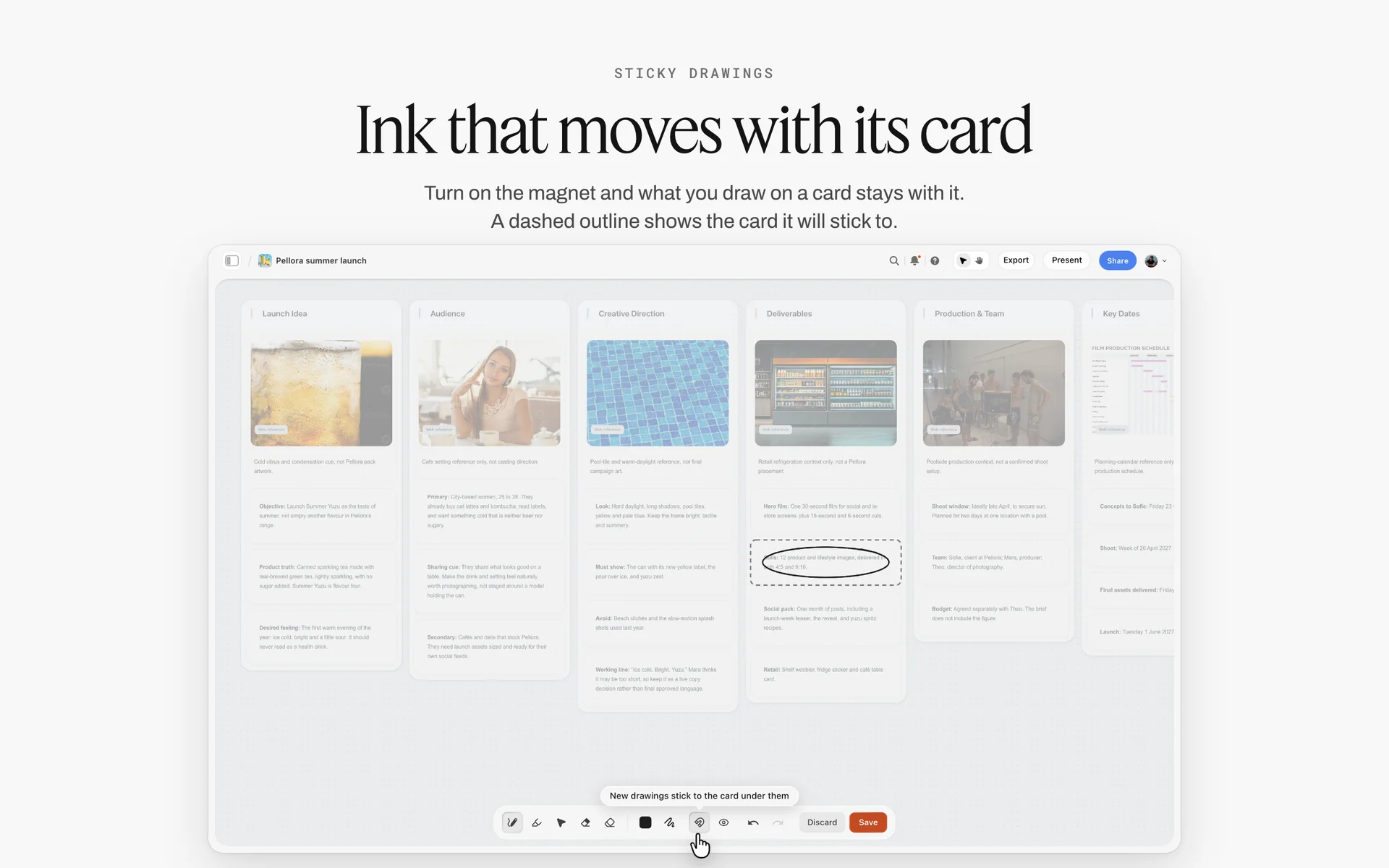
Deliverables written per channel and format: each line on that wall is an answer the usage questions turn into a licence and a price.
6. Which media will the photos run in?
Offer the list: website, organic social, paid social and digital ads, email, print advertising, catalogue or brochure, packaging, retail and point of sale, outdoor (posters, billboards, transit), broadcast, press and PR. Each tick changes the fee, and packaging and outdoor change it most because they are the most visible and the longest-lived. Vague answer: "all digital." Cost: paid ads priced as organic posts. Follow-up: "Will any of these images be in paid ads, and roughly how much spend?" In Storyflow, keep the ticked list on the Quote inputs note.
7. For how long will you use them?
Offer one year, two years, three years or unlimited. Many clients will pick unlimited by reflex; show the price of each so the choice is real. Vague answer: "for as long as we need." Cost: a perpetual licence at a one-year price. Follow-up: "Would you rather pay less now and renew in a year, or pay once for unlimited?" In Storyflow, the term goes beside the media on the same note.
8. In which countries or regions?
One country, a region, or worldwide. Websites are seen everywhere, so define territory by where the client markets, not where a page can be read. Vague answer: "we're global." Cost: a worldwide fee for a brand that sells in two countries, or the reverse. Follow-up: "Where do you run ads or sell in stores?" In Storyflow, territory is the third line of the usage answer on the Quote inputs note.
9. Do you need exclusivity, and when can I show the work?
Exclusivity stops you licensing the images to anyone else, including stock agencies, and it is worth paying for. Rights-managed licences, as the Wikipedia entry puts it, "can be given on a non-exclusive or exclusive basis". Ask the second half too: can the images go in your portfolio and on your social accounts, and from what date? Launches often carry an embargo. Vague answer: "keep it quiet." Cost: an unpaid embargo of unknown length. Follow-up: "From what date can I share the work publicly?" In Storyflow, write the embargo date in the Plan table so nobody posts early.
10. Do you need a licence or the copyright, and who else will use the files?
Some clients ask to "own the images". Explain the difference before quoting. Copyright exists before anyone signs anything: the US Copyright Office says a work is protected "the moment it is created and fixed in a tangible form" in its copyright FAQ. In the US, a freelancer's commissioned work is a work made for hire only if it falls in one of nine statutory categories and both parties sign a written agreement saying so; Wikipedia's summary of work for hire lists them. Photographs are not a category of their own, so a photo commissioned for an ad, a website or packaging generally stays the photographer's unless copyright is assigned in writing (a photo for a magazine or other collective work is the case to check). In the UK, GOV.UK's guidance on ownership says the first owner of a commissioned work is "the person or organisation that created the work", unless agreed otherwise in writing. This is general information, not legal advice; a lawyer should check the contract wording. Then ask who else will use the files: retailers, distributors, an agency, a PR firm, partner creators. Vague answer: "just us." Cost: your images in a retailer's catalogue under no licence. Follow-up: "Will any partner, stockist or agency receive the files?" In Storyflow, keep the answer on the Quote inputs note, and put the final wording in the contract.
Group 3: Deliverables, Crops and Deadlines (Questions 11 to 15)
This group sets your hours. The work table on the first Brief wall has How many and Format cells for it, and the Plan wall's What happens / When table carries the dates.
11. How many final images, counted how?
"Twenty images" means different things: twenty products, twenty retouched finals, twenty picks from a gallery of 300. Ask what one final is (one product, one look, one person, one scene) and how many of each. Vague answer: "a good selection." Cost: an open-ended deliverable that grows every time someone new sees the gallery. Follow-up: "How many images will you publish, and how many crops of each?" In Storyflow, the count goes in the How many cell, with the counting unit in words.
12. Which crops and ratios does each final need?
Crops decide how you compose on the day: an image that must work as a wide web banner and a vertical story needs space on every side. Ask for every placement, then check each platform's own spec. Meta's ads guide recommends a 4:5 ratio at 1440 by 1800 pixels for Instagram feed image ads as of November 2026. YouTube's help centre asks for a 16:9 thumbnail with a minimum width of 640 pixels for custom thumbnails, and LinkedIn's Page image specifications list 1128 by 376 pixels for the Life tab's main image, both as of November 2026. Vague answer: "the usual sizes." Cost: a hero shot framed so tight it cannot become a banner. Follow-up: "List every place this image will appear and I will send the crop list back." In Storyflow, a crop table beside the shot list holds one row per final with columns Final, Placement, Ratio, Pixel size.
13. What level of retouching, and how many rounds of changes?
Name the levels: basic clean-up and colour, skin and product retouch, cut-outs and background removal, compositing. Then the rounds: include one round of changes in the quote and bill any further round. Vague answer: "make them look perfect." Cost: hours of retouching nobody priced. Follow-up: "Show me one image from your past shoots retouched to the level you expect." In Storyflow, add that image to the How it looks wall with a note saying "retouch to this level".
14. When do you need proofs, and when the finals?
Two dates, not one. Proofs or a selects gallery let the client pick; finals are retouched and delivered. Ask for the file format, colour space and naming at the same time: web files and print files are prepared differently, and a print supplier will have its own spec. Vague answer: "ASAP." Cost: a delivery date set by whoever chases hardest. Follow-up: "What is the date the first image goes live?" In Storyflow, both dates go in the Plan wall's What happens / When table, rows kept in date order because Storyflow tables do not sort.
15. Who chooses the selects, how many, and by when?
The selects round is where shoots stall: a gallery of 400 sits unopened for two weeks, then five people pick 60 images for a 20-image licence. Agree who picks, how many, and the date. Vague answer: "we'll look at them together." Cost: a delivery date that slides by however long the picking takes. Follow-up: "Who has the final say on picks, and can they do it within three working days?" In Storyflow, the Selects tool gives four walls, To review, Yes, Maybe and No; a client with edit access drags pictures between them, while a view-only or comment link cannot move cards.
Group 4: People and Approvals (Questions 16 to 20)
Questions 16 to 20 fill the second Brief wall, Who it's for, which carries a Who approves it card and an Audience folder.
16. Who gives final approval, by name?
Ask for a name and a role, and ask whether that person will be on set or see the images only afterwards. If the approver will not be on set, plan a mid-shoot check where they see the first set-up. Vague answer: "the team." Cost: a reshoot request from a director who saw nothing until delivery. Follow-up: "If you and your manager disagree about a picture, whose call is it?" In Storyflow, the approver's name goes on the Who approves it card.
17. Who is the day-to-day contact, and who pays?
Three roles, often three people: the person who briefs you, the person who approves, and the person who pays (with a purchase order number if the company uses them). Get the billing contact before the quote, not after the shoot. Vague answer: "send it to me." Cost: an invoice that waits a month for a purchase order nobody mentioned. Follow-up: "Does your finance team need a PO number on the invoice?" In Storyflow, keep contact roles in a small table on the Who it's for wall; invoices go out from your accounting tool, since Storyflow does not invoice.
18. Who else will see the work before it is approved?
The founder, an agency, the legal team, a retailer, a licensing partner. Each one is a possible extra round of changes. Ask when each of them sees the work. Vague answer: "maybe a few people." Cost: rounds of changes from people you never met. Follow-up: "Will anyone outside your team see the images before they go live?" In Storyflow, add each reviewer to the contact table with the stage at which they see the work.
19. Who should these photos speak to?
A one-line audience, with a real example: "women in their thirties who buy tea as a gift, not for themselves." This decides casting, styling and setting more than any reference image. Vague answer: "everyone." Cost: casting by guesswork. Follow-up: "Describe the person who buys this most often." In Storyflow, the answer goes on a note inside the Audience folder on the Who it's for wall, with any audience research the client sends.
20. Who will be in front of the camera?
Professional models, staff, customers, children, or nobody. Ask who books and pays models, and whether releases are needed. Wikipedia's article on model releases explains that a release is generally needed for commercial use that promotes a product, service or idea, while news use is generally exempt. Staff need releases too; children need a parent's consent. Vague answer: "a few people from the office." Cost: a hero image of a staff member who left the company and withdrew consent. Follow-up: "Who will sign releases, and who keeps them?" In Storyflow, a Cast folder on the shoot board keeps the release checklist; the signed releases themselves live wherever you store signed documents.
Group 5: Look, References and Brand Files (Questions 21 to 25)
This group fills the third and fourth Brief walls: How it looks (a Moodboard folder, two pictures and a link) and What we're working from (a file slot for the brief, a Logos & brand files folder and a link).

A brand moodboard on a board: the client's reference images land in a folder like this, each with a note on what to take from it.
21. Which reference images do you love, and what in each?
Ask for five to ten images and one line per image on what to take from it: the light, the colour, the pose, the crop, the setting. Without the line, you guess, and the client approves your guess for the wrong reason. Vague answer: a link to a 300-pin collection. Cost: a shoot that copies the one image the client liked least. Follow-up: "Pick your top three and tell me what you would steal from each." In Storyflow, the images go in the Moodboard folder on the How it looks wall, each with its line as a note beside it. For what to do with them next, see how to create a photoshoot moodboard.
22. Which images do you dislike, and why?
The "no" pile is often clearer than the "yes" pile. "Too dark", "too posed", "looks like stock" are each a direction. Vague answer: "we'll know it when we see it." Cost: you find out on delivery. Follow-up: "Send two images from your competitors that you would never run." In Storyflow, keep them on a separate wall called Not this, so nobody mistakes them for references.
23. What are your brand rules and files?
Logo files, colour values, fonts, a photography style guide if one exists, and the "never" rules: no white backgrounds, no hands, no alcohol in frame, no competitor products, no visible logos on clothing. Vague answer: "we're quite flexible." Cost: a hero image with a rule nobody told you. Follow-up: "Is there anything that has made you reject photos in the past?" In Storyflow, files go in the Logos & brand files folder on wall 4; the never rules go on a note at the top of the How it looks wall. A colour card can hold each brand colour, showing its Hex, RGB, HSL or CMYK values.
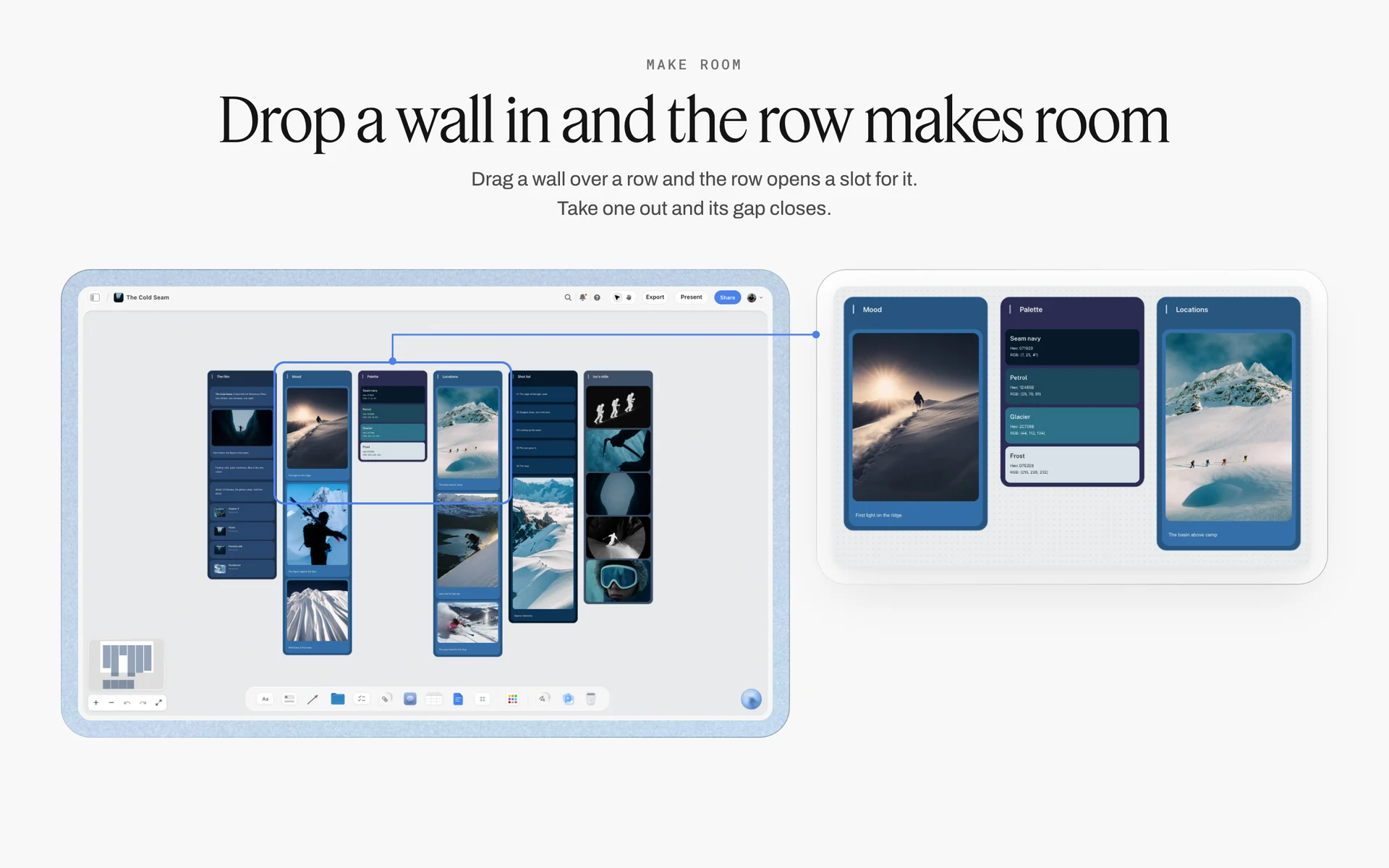
Named colours with their values, kept beside the mood and the place: what question 23 should collect before anyone picks a background.
24. Which products or samples are in the shoot?
Which items, how many units, finished stock or prototypes, arriving when, and whether they must come back undamaged. Prototypes with wrong labels or missing parts mean retouching. Vague answer: "we'll bring what we have." Cost: a day spent shooting the wrong colourway. Follow-up: "Send a list of items with the date each will reach the studio." In Storyflow, a product table on wall 4 holds it, with columns Item, Units, Arrives (a date column) and Return (a checkbox column).
25. Who supplies hair, makeup, wardrobe and props?
You, the client, or a stylist they hire. Each changes your budget and your call sheet. For people on camera, ask whether the hair and makeup artist needs to know about allergies or sensitivities, and pass that only to the artist: the US FDA notes that cosmetics "can provoke allergic reactions in some consumers" in its page on allergens in cosmetics. Vague answer: "the models will bring their own clothes." Cost: three looks that clash. Follow-up: "Who signs off wardrobe before the shoot day?" In Storyflow, the supplier and cost go in the Budget wall's Item / Cost table; the styling plan itself gets its own walls (the styling plan for hair, makeup, props and set).
Group 6: Logistics, Locations, Talent and Budget (Questions 26 to 30)
The last group fills the Plan and Budget walls: a What happens / When date table with a Next steps checklist, and an Item / Cost table that sums the costs with a Still to confirm checklist.
26. Where will we shoot?
Your studio, a hired studio, the client's premises or an outdoor location. Each brings its own questions: who books and pays, access and parking, power, noise, permits, a room for hair and makeup, somewhere for the client to sit. Vague answer: "somewhere nice." Cost: a location fee and permit nobody budgeted. Follow-up: "Do you have a place in mind, and who can give us access?" In Storyflow, the Location tool drops three walls side by side to compare places, each with a This place table (Address, Map as a link, Contact, Phone, Cost, How good as a rating, Booked as a checkbox), an On site note and a To sort checklist.
27. Which dates work, and which are impossible?
Ask for preferred dates and blackout dates, and how many hours the client's team can be on set. Products and people arrive on different schedules; the shoot date is whichever comes last. Vague answer: "any time next month." Cost: a booked date the approver cannot attend. Follow-up: "Which days can your approver be on set or reachable?" In Storyflow, dates go into the Plan table, rows in date order.
28. What does your team need on the day?
How many people from the client, whether they want to see images live on a screen, lunch for how many, dietary needs, Wi-Fi, a quiet room for calls, an NDA for the crew. Vague answer: "just us." Cost: four people arriving to a studio set for two. Follow-up: "How many people will come, and for how long?" In Storyflow, the answers go into the Call Sheet tool's The shoot wall, whose Bring checklist and Who to call card cover the day.
29. What budget range are you working to?
Offer ranges, not an open box. Three bands, for example a lean version, a standard version and a full version of the shoot, let the client pick without naming a number first. If they will not answer, quote the middle version with the other two as options. Vague answer: "what would it cost?" Cost: a quote written blind, accepted or rejected for reasons you will never learn. Follow-up: "Which of these three bands is closest to what you have approved?" In Storyflow, the bands go in the Budget wall's Item / Cost table, which adds up each version. For pricing the shoot before a budget exists, see how to scope a shoot before you have a budget.
30. What would make this shoot a success in three months?
A sales number, a launch on time, a website that finally looks like the brand, a retailer accepting the images first time. The answer is what you will be judged on, so it is the last thing you want to learn after the job. Vague answer: "great photos." Cost: a job judged on taste. Follow-up: "What is the one thing that must not go wrong?" In Storyflow, the answer goes back on the first wall's What it needs to do note, under question 1, so the board opens on the job and its success test.
Questions by Shoot Type: Brand, Product, Portrait and Event
The 30 questions hold for every commercial job. Each type of shoot adds a few of its own, and these are the ones that change the plan.
| Shoot type | Extra questions to add | Why they matter | Where it lives in Storyflow |
|---|---|---|---|
Brand lifestyle | Casting brief, wardrobe sign-off, location shortlist, how many looks | People and places multiply the cost | Location tool walls and a Cast folder |
Product | Number of items, angles per item, background spec, marketplace image rules, return of samples | A packshot spec is a count, not a mood | A product table with one row per item |
Portrait and headshots | Number of people, minutes per person, backdrop to match existing photos, where images will be cropped | A schedule of 30 people needs a timetable | A table with Name, Slot, Done |
Event | Run of show, must-get moments, people to photograph by name, embargo, same-day selects | Coverage is lost in the moment it happens | A Timeline with one phase per part of the event |
Brand lifestyle shoots
Lifestyle is the most expensive kind per final image because it combines people, wardrobe, location and story. Add four questions: how many looks or scenes, who casts, who signs off wardrobe, and whether the location must be real (the client's café) or can be any café. In Storyflow, the Location tool's three walls compare places side by side, and "+" adds Location 4. See brand photoshoot planning for the whole board.
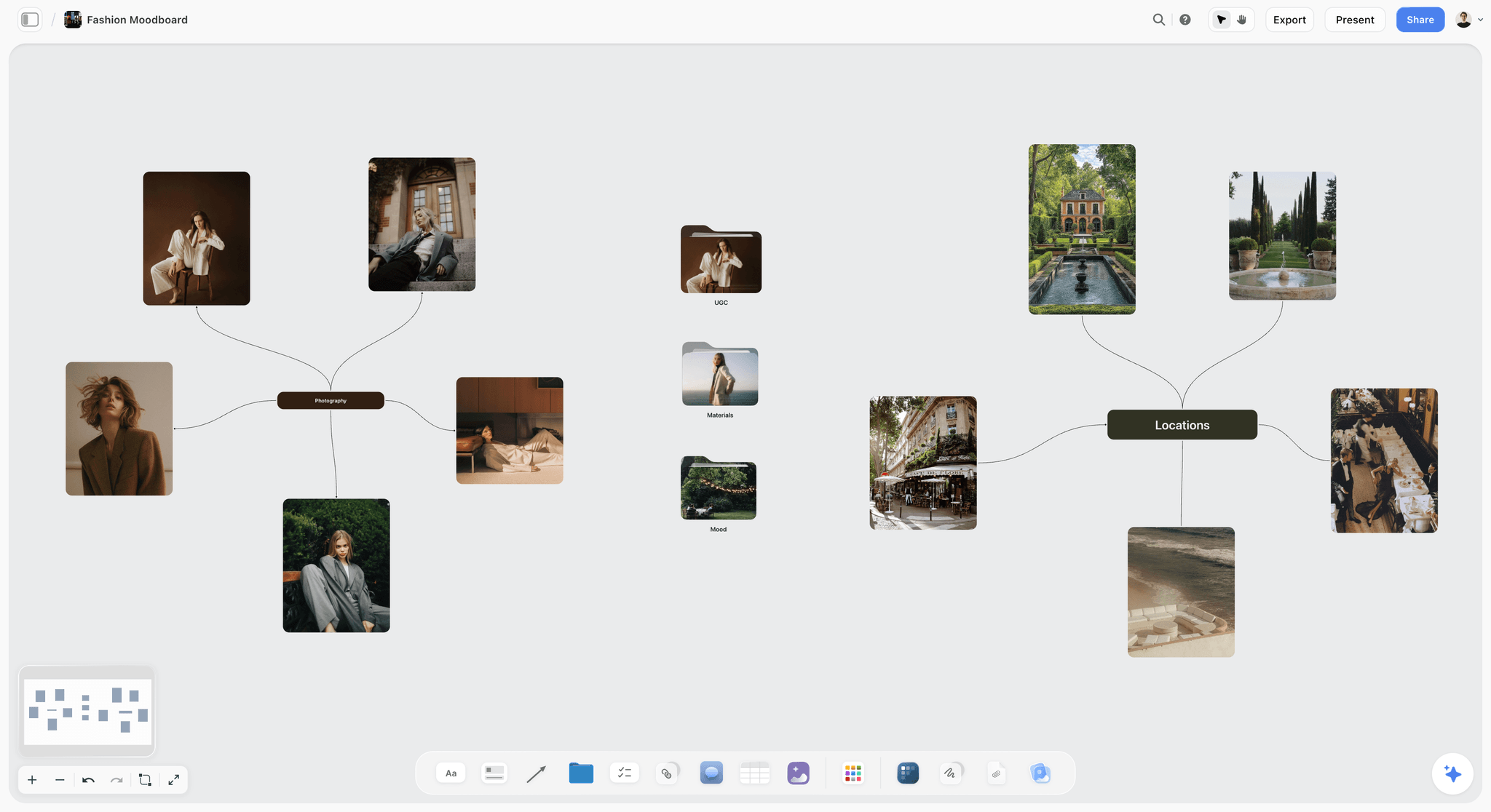
A lifestyle direction mapped on a board: casting, setting and wardrobe each need an answer before the quote.
Product shoots
Product clients think in items; you think in set-ups. Ask how many items, how many angles of each, the background (white, colour, in use), any marketplace image rules (check the marketplace's own seller help, which changes), and whether samples go back. A product shoot priced per item needs the list before the quote. The product photography shoot plan shows the board for it.
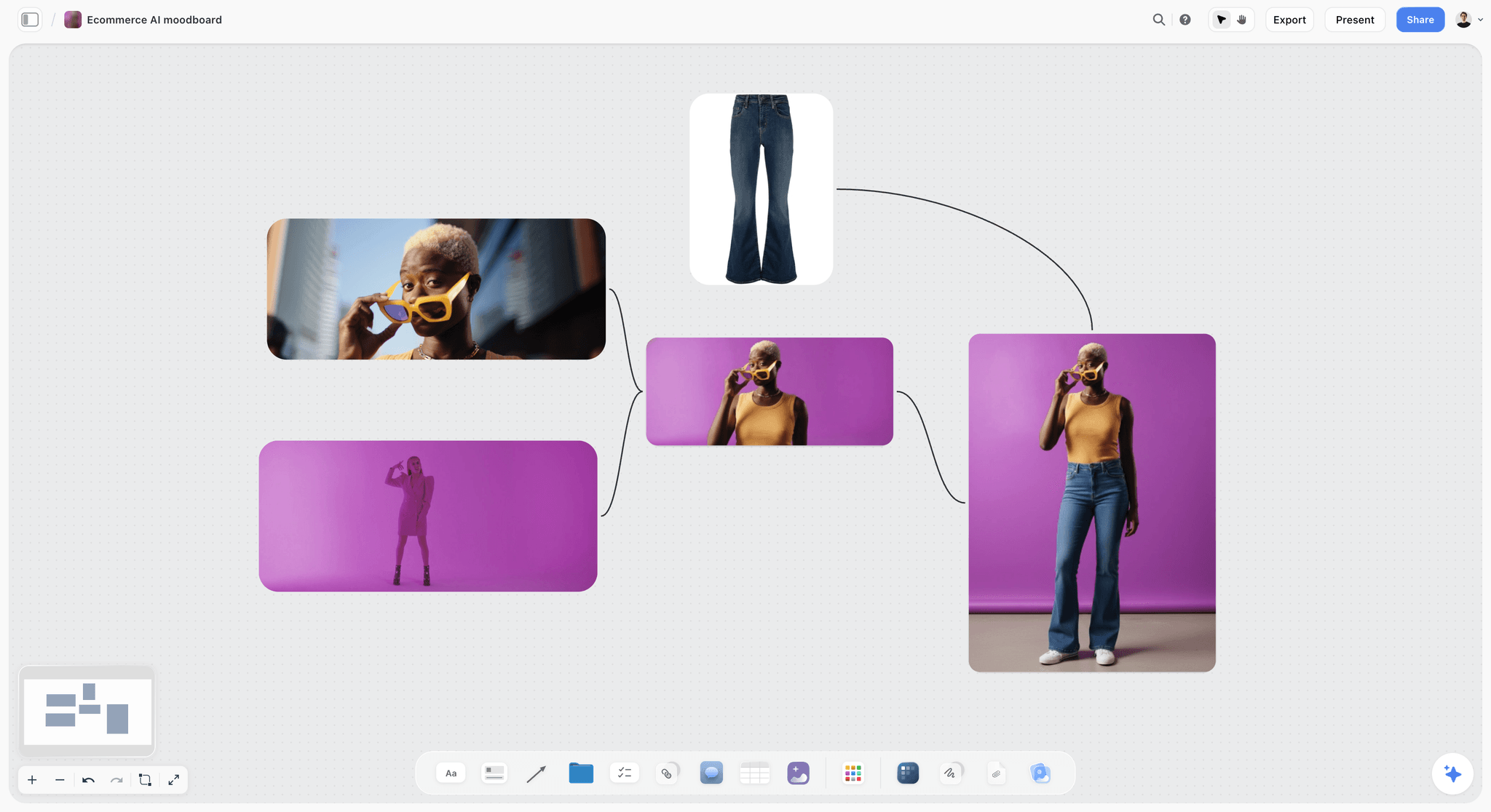
A product moodboard: the background colour and crop it shows are answers to the product questions, not decoration.
Portrait and headshot sessions
For a company headshot day, the questions are counts and minutes: how many people, how long each (our starting figure is ten minutes per person for one simple set-up, more for a change of background), whether the new photos must match existing ones in backdrop and crop, and who chases people who miss their slot. For a personal brand session, add wardrobe changes and locations. In Storyflow, a table with Name, Slot and Done, plus a person column for who chases, carries the day.
Event coverage
Events cannot be reshot. Ask for the run of show, the moments that must be covered (the speech, the award, the product reveal), the people to photograph by name, whether images are needed the same day for social, and any embargo. Vague answer: "just capture the vibe." Cost: no photo of the CEO with the award. In Storyflow, the Timeline tool drops four phases joined by arrows, each with a What happens note and a To do checklist; it has no dates or times, so write times into the notes.
Reading Vague Answers: What Each One Costs You
Clients do not answer vaguely to be difficult; they answer vaguely because nobody has asked them before. Treat a vague answer as a request for choices.
| Vague answer | What it usually means | What it costs if you accept it | The follow-up question |
|---|---|---|---|
"A few images" | No count agreed internally | Scope grows after the gallery | "How many will you publish, and in how many crops?" |
"For social" | Social now, ads and print later | An unpaid upgrade of the licence | "Will any of these run as paid ads or in print within a year?" |
"Everywhere, forever" | Has not thought about it | A perpetual licence at a one-year price | "Here are three terms and their prices: which fits?" |
"The team will approve" | Nobody owns the decision | Extra rounds from people you never met | "Whose decision is final if you disagree?" |
"Sometime in spring" | No fixed deadline yet | A rush rate you never charged | "What date makes the photos useless?" |
"We're flexible on the look" | Taste will decide later | Rejection on delivery | "Send two images you would never run." |
"What would it cost?" | Budget exists but is unshared | A quote written blind | "Which of these three bands is closest?" |
"Just us on the day" | Count not checked | A crowded set and no lunch | "How many people, for how many hours?" |

A studio's project tracker: an enquiry moves to Booked only after its five quote answers are in.
A Photography Client Questionnaire Template to Copy
Copy this into a table on your shoot board. It is filled here for Studio Wrenfold, a fictional product and portrait studio run by a photographer called Maren Holt, quoting a gift range shoot for Quillmoor Tea Co., a fictional loose-leaf tea brand. Swap the answers, keep the columns.
| Question | Client answer | Brief wall | Status | Owner |
|---|---|---|---|---|
1. What is this shoot for? | Launch the winter gift tins in October, online and in stockists | 1. The work | Done | Maren |
2. Where will the photos appear? | Website and Instagram first; stockist catalogue in January | 1. The work | Done | Maren |
6, 7, 8. Usage | Website, organic social, paid social, one stockist catalogue; 2 years; UK and Ireland | 1. The work | Done | Maren |
9. Exclusivity and showing the work | Non-exclusive; portfolio after 1 October | 1. The work | Done | Maren |
11. Final images | 12 finals: 6 tins on a colour background, 6 lifestyle with tea being made | 1. The work | Done | Maren |
12. Crops | Web hero 16:9, Instagram 4:5, catalogue full page | 1. The work | In review | Maren |
13. Retouching and rounds | Clean-up and colour, label text sharpened; one round | 1. The work | Done | Maren |
14. Proofs and finals | Selects gallery 12 September, finals 26 September | 5. Plan | Done | Maren |
16. Final approver | Head of brand, on set for the morning only | 2. Who it's for | Done | Client |
17. Billing contact | Finance team; PO number needed on the invoice | 2. Who it's for | Blocked | Client |
21. References | Seven images; the line on each says light or colour | 3. How it looks | Done | Client |
24. Products | Six tins, two of each colourway, arriving 2 September | 4. What we're working from | In progress | Client |
26. Location | Studio for tins; client's tasting room for lifestyle | 5. Plan | In progress | Maren |
29. Budget range | The middle of three bands | 6. Budget | Done | Client |
How to use the template
Paste the 30 questions into the Question column and leave the answers empty. Paste each answer the moment it arrives, in the client's words. The Status column uses Storyflow's six fixed options; the Owner column is a person column, so it shows who is chasing each answer when the people are on the board.
What to change for your studio
Cut questions your work never needs (event photographers rarely ask about crops for packaging; packshot studios rarely ask about casting), and add one or two for your niche. Keep the five quote answers whatever you cut. If you reuse the template on every job, select the table and its notes and save them as your own tool with New Tool, so it lands in All Tools under My tools; saving a tool needs a paid plan.
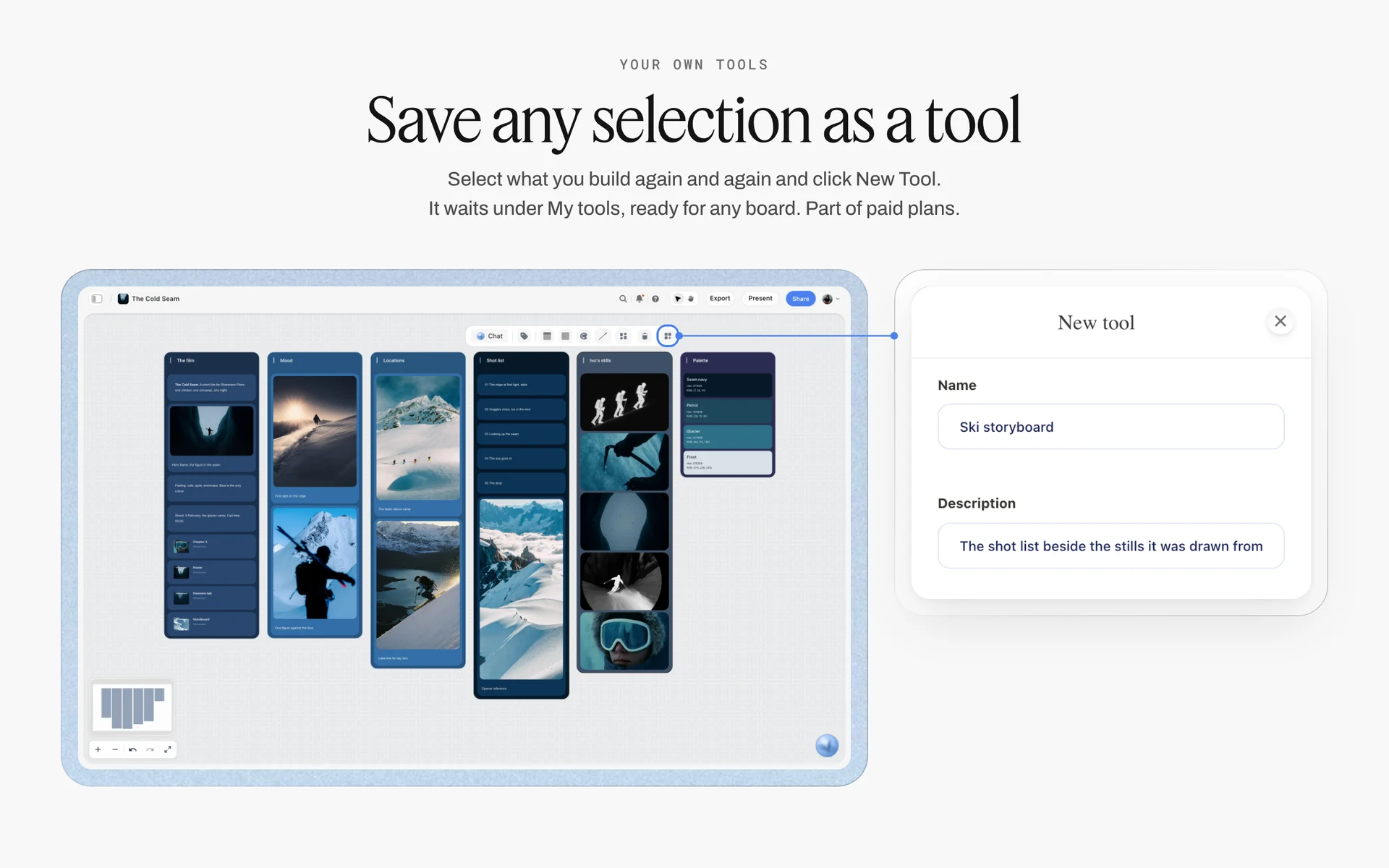
Save once, reuse on every job: select the questionnaire table and its notes, click New Tool, and it waits under My tools for the next board.
How to Send the Questionnaire
There are three ways to put the questions in front of a client. Pick by the size of the job and the client's patience.
| Method | Best for | What the client does | Where it lives in Storyflow |
|---|---|---|---|
Ten questions in the email body | First reply to any enquiry | Replies inline | You paste the answers into the board table |
A 30-minute call with the board on screen | Booked jobs, after the deposit | Talks; you type | Answers typed straight into the table |
The client invited to the board | Repeat clients with a marketing team | Types answers into the table cells | The same table, edited by both sides |
In the email body, not as an attachment
An attached questionnaire is a chore; ten numbered questions in the body of a reply get answered in the reply. Keep each question to one line and number them, so the client can answer "6: website and Instagram". Do not send the whole 30 at this stage.
On a call, typed onto the board
After the booking, a 30-minute call covers the remaining 20 questions faster than any form, because you can ask the follow-up the moment an answer is vague. Share your screen with the Storyflow board open and type into the Answer column as the client talks; they see their words land, and they correct them on the spot.
With the client invited to the board
For a client with a team, invite the day-to-day contact to the board. Anyone a paid member invites joins free and can edit the table; an invited free account has no in-app AI, which is fine here. A view-only link is for reading: it opens with no account but cannot edit cells.
How long it should take the client
Ten first-pass questions take most clients a few minutes to answer in an email. Thirty questions in one form take long enough that the client saves it for later, and later is next week. That is the reason for two passes: the price-moving answers arrive with the enquiry, the rest arrive after the client has said yes.
Where Every Answer Lands on the Shoot Board
The Brief tool is in All Tools under Production: click it, then the board, or drag it. It drops six numbered walls of empty, labelled cards with faded prompts, a skeleton to fill in rather than an example, and one undo removes the drop. Every account can use it, an invited free account included.
| Brief wall in Storyflow | What it holds | Questions that land there |
|---|---|---|
1. The work | A picture; a table with What kind, Length, Format, How many, Where it goes; What it needs to do; How it's put together | 1, 2, 3, 6 to 13, 30 |
2. Who it's for | Who approves it; an Audience folder | 16 to 20 |
3. How it looks | A Moodboard folder, two pictures, a link | 21, 22 |
4. What we're working from | A file slot "The brief", a Logos & brand files folder, a link | 4, 23, 24 |
5. Plan | A What happens / When date table; a Next steps checklist | 5, 14, 15, 26, 27, 28 |
6. Budget | An Item / Cost table that sums the costs; a Still to confirm checklist | 25, 29 |
Wall 1: The work
The work wall holds the job in one view: what kind of photography, how many finals, in what formats and where they go, with the client's sentence about what the shoot must do. Put the Quote inputs note here too, so the five answers sit next to the deliverables they price.
Wall 2: Who it's for
Who approves it and who the pictures speak to. The approver's name on this wall is the one you call when the head of marketing and the founder disagree.
Wall 3: How it looks
References with their one-line notes, the "never" rules, and later your own moodboard. A reference the client sent and one you found sit side by side, labelled by who chose them.
Wall 4: What we're working from
The client's brief file, if one exists, goes in the file slot; logos and brand files go in the folder; past shoots go on the link card. Product lists sit here too, because they are inputs, not plans.
Wall 5: Plan
Dates in the What happens / When table, rows in date order, and the Next steps checklist with whatever must happen before the shoot: samples arrive, location confirmed, releases sent.
Wall 6: Budget
The Item / Cost table sums the costs, so the three budget bands can be three groups of rows, and the Still to confirm checklist carries anything priced on an assumption. For the client-facing proposal built from it, see the photography proposal and the photography rate card.

The production tools in All Tools: the Brief tool drops the six walls the questionnaire answers fill.
Worked Example: Studio Wrenfold Quotes the Quillmoor Gift Tins
An illustrative example, written as a fictional studio's job, to show the questionnaire working end to end. Studio Wrenfold is a one-person product and portrait studio with a freelance assistant; Quillmoor Tea Co. is a small tea brand launching six gift tins.
The enquiry
Quillmoor's marketing manager emails on a Monday: "We need photos of our new winter tins for the website and Instagram, ideally by the end of September. What would it cost?" There is no brief, no count and no budget. Maren replies the same day with ten numbered questions in the email body and makes a Storyflow board called Quillmoor gift tins, dropping the Brief tool on it.
The first pass
The reply comes back on Wednesday. Questions 1 to 3 are clear: a launch, website and Instagram first, tins plus lifestyle. Usage is vague ("online, and maybe our stockists"). The count is "about a dozen". The deadline is "end of September, because the launch email goes on 1 October". The approver is "the team". The budget is "we'd like a quote first".
The follow-ups
Maren sends four follow-ups, each with choices. Usage: website, organic social, paid social, email, stockist catalogue, print ads: which within a year? Count: how many published images, in how many crops? Approver: whose call is final? Budget: here are three bands; which is closest? The answers: website, organic and paid social, and one stockist catalogue in January; 12 finals, 6 tins and 6 lifestyle; the head of brand; the middle band.
The quote
With the five answers on the Quote inputs note, the quote writes itself: a creative fee for one studio day and a half day in the tasting room, a licence for the named media for two years in the UK and Ireland, retouching for 12 finals with one round of changes, and expenses. The licence wording goes into the contract Maren sends from her contract tool, and the quote's assumptions are copied onto the Still to confirm checklist on the Budget wall.
The call
The deposit arrives. Maren books a 30-minute call and shares the Storyflow board. The remaining 20 questions take 25 minutes. The head of brand joins for five of them and adds the one rule nobody had mentioned: no tea bags in frame, ever, because Quillmoor sells only loose leaf.

A launch plan with phases and statuses: a client's launch date is the deadline the questionnaire has to find.
The board after the call
Every answer now sits on a Brief wall. The seven references, each with its line, fill the Moodboard folder. The never rules sit at the top of How it looks. The product table on wall 4 shows two tins of each colourway arriving 2 September. The Plan table runs from samples arriving to finals on 26 September, rows in date order. Maren drops the Shotlist tool beside the Brief for the 12 finals, and the Selects tool for the gallery round.
What the questionnaire changed
Without it, Maren would have quoted "website and Instagram" for a job that ended in a stockist catalogue and paid ads, framed tins tight when the catalogue needed space for copy, and learned about the tea bag rule from the head of brand on delivery day. Each of those is a cost the questionnaire moved to the week before the quote.
From Answers to a Quote: How Usage Turns Into a Price
The questionnaire's job ends where the quote begins. A clear quote shows the client each answer reflected in a line, so a change to an answer changes one line, not the whole price.
| Quote line | Driven by questions | Where it lives in Storyflow |
|---|---|---|
Creative fee (shooting days) | 3, 11, 26, 27 | Budget wall, Item / Cost table |
Licence fee | 6, 7, 8, 9, 10 | Quote inputs note on wall 1 |
Production costs (studio, location, props, crew) | 24, 25, 26 | Budget wall, Item / Cost table |
Post-production (retouching, cut-outs) | 11, 12, 13 | Budget wall, with the retouch level in a note |
Talent and styling | 20, 25 | Budget wall, Still to confirm checklist until booked |
Expenses (travel, food, insurance) | 26, 28 | Budget wall |
Price the licence separately from the day
Clients compare day rates; usage is where the value is. Showing the licence as its own line lets a client cut usage instead of asking you to cut your fee, and it makes an upgrade later ("can we use these in print?") a new line rather than a dispute.
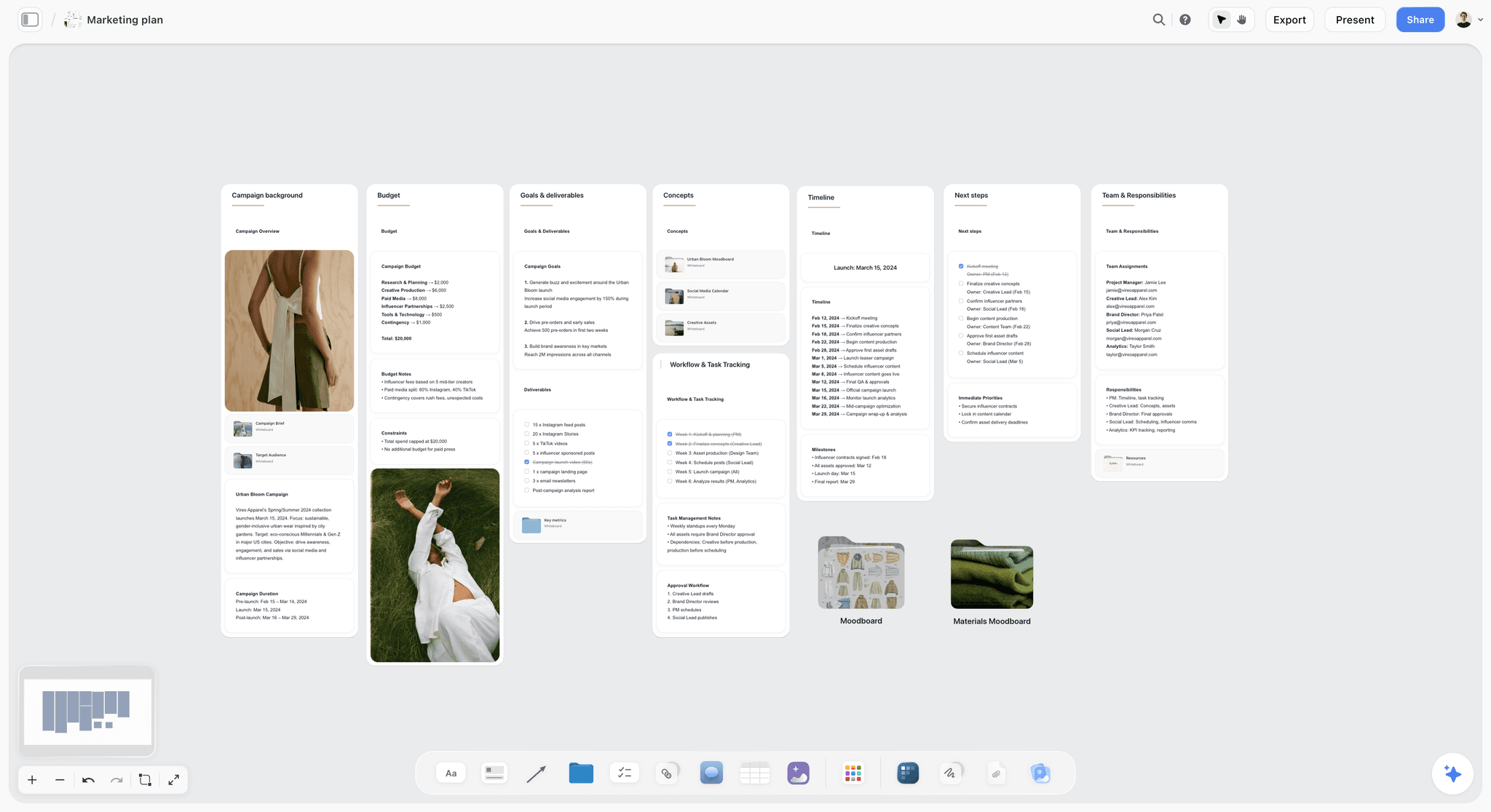
A campaign plan with its budget and timeline on one board: the quote lines trace back to answers like these.
Write the assumptions on the quote
Every answer that was vague and stayed vague becomes an assumption in writing: "12 finals, 3 crops each", "one round of changes", "client supplies all products by 2 September". In Storyflow, the same assumptions sit on the Budget wall's Still to confirm checklist, ticked off as the client confirms them.
Keep the questionnaire out of the contract
A questionnaire answer is a planning note, not a term. The licence, payment terms and cancellation terms belong in the contract. Storyflow has no contracts or e-signature; it holds the plan that the contract describes.
Questions You Should Not Ask, and Data You Should Not Keep
A long questionnaire is not a thorough one. Every question costs the client time, and every answer you store is data you are responsible for.
Collect only what the shoot needs
The UK's data protection rules say personal data must be "adequate, relevant and limited to what is necessary", as the ICO's guide to data minimisation puts it. A commercial questionnaire rarely needs home addresses, dates of birth or anything about health. If a model has an allergy the makeup artist must know about, that goes to the artist, not into a board the whole client team can read.
Questions that waste the client's time
"What is your brand's mission?" (it is on their website), "What is your favourite colour?" (irrelevant unless it is a brand colour), "Describe your dream shoot" (produces adjectives, not decisions). Replace each with a question whose answer changes the quote, the plan or the shot list.
Questions that belong to someone else
Insurance, contract terms and payment schedules are for the contract. Casting decisions belong to whoever casts. The questionnaire asks who decides; it does not ask the client to decide everything.
Do This in ChatGPT or Claude
If your enquiries already pass through ChatGPT or Claude, the questionnaire does not need to live in the chat. The Storyflow plugin and connector build the table, the notes and the checklists on the shoot board where the client will read them.
Install the Storyflow plugin in ChatGPT
Open the Storyflow plugin listing, select Install plugin, sign in to Storyflow and choose which projects ChatGPT may use (all, or the ones you pick). Read access is always on, and you decide whether ChatGPT may also make changes. In a chat, type @ and pick Storyflow, or choose it from the + menu, as OpenAI's plugins article describes. Availability depends on your ChatGPT plan, workspace and region, and in a Business or Enterprise workspace an admin manages plugins. OpenAI's connected apps article covers the account side.
Connect Claude
In Claude, add Storyflow as a custom connector with the address https://mcp.storyflow.so/mcp; the setup page covers Claude, Gemini and Grok. The Claude photoshoot plan workflow shows the shoot board built from Claude, and the ChatGPT photoshoot plan workflow shows the same from ChatGPT.
Prompts for a client questionnaire
- "On my Quillmoor gift tins board, make a table called Client questionnaire with columns Question, Answer, Wall, Status and Owner, with these 30 questions in this order, one per row."
- "Here is the client's reply email. Fill the Answer column for every question it answers, in the client's words, and leave the rest empty."
- "List every question whose answer is empty, vague or says TBC, and draft one short follow-up email that asks only those, each with two or three choices."
- "Make a note at the top called Quote inputs with five lines: usage (media, term, territory), final images and crops, delivery date, final approver, budget range. Fill what the table already answers."
- "Build a crop table with columns Final, Placement, Ratio and Pixel size, one row per final image from the answers to questions 11 and 12."
- "Add a checklist called Still to confirm with every assumption I should write on the quote."
- "What changed on this board in the last week, and who changed it?"
What lands on the board, and what to check by hand
The table, the notes, the checklists and the crop table land on the board, where you edit them like anything else. Check three things by hand: that every answer is in the client's words and not paraphrased into something firmer, that the usage line matches what the client chose, and that the pixel sizes match each platform's current help page. Neither the plugin nor the in-app AI can drop the Brief tool or any production tool; drop it yourself from All Tools and move the answers onto its walls. A photo the client sends you in the ChatGPT chat does not reach Storyflow; the plugin gives you an upload link for the board instead. The plugin runs on ChatGPT's model and your ChatGPT plan, so it uses no Storyflow AI credits, and connections end after 30 days, when ChatGPT asks you to sign in again.
The plugin is not the in-app AI
Inside Storyflow, the in-app AI is a separate tool that uses Storyflow AI credits on paid plans. It can turn a pasted wall of client emails into an organized board, and its What's missing here? workflow reads the board and names what is not there yet. It reads the current board plus up to five documents and three other boards you attach, asks a clarifying question or two first, and writes straight onto the board, where one undo reverses its whole turn. Turning messy notes into an organized board is a job the in-app AI did in about 3 minutes in one recorded run, against an estimated 45 minutes by hand. See the ChatGPT creative brief workflow for the brief built from a chat.

The same Storyflow board from either assistant: ChatGPT through the plugin, Claude through the connector.
Where to Build It: Storyflow vs Form Builders, Docs, Spreadsheets and Studio Apps
A questionnaire needs three things: a way to ask, a place for the answers, and a path from the answers to the shoot plan. The table puts Storyflow first, on the basis that the answers and the plan share one board; the other kinds of tool follow by the job each does best.
| Kind of tool | Collects answers | Answers next to the shoot plan | Client can read it by link | Contracts and invoices | Best job here |
|---|---|---|---|---|---|
Storyflow | Typed into a table, by you or an invited client | Yes, on the Brief walls of the same board | Yes, view-only with no account | No | Turning answers into the shoot plan |
An online form builder | Yes, structured responses | No, exported or linked | Responses only | No | High-volume enquiries with the same questions |
A studio management app | Yes, questionnaire forms in a client portal | Partly, beside the booking | Through the portal | Yes | Intake, contract and payment in one portal |
A shared doc | Typed into the doc | No, text only | Yes | No | A long written brief reviewed line by line |
A spreadsheet | Typed into cells | No, links out | Yes | No | Comparing many enquiries by numbers |
Replies in a thread | No | No | No | The first ten questions |
An online form builder
A form builder is best when many enquiries ask the same things: mini sessions, school portraits, wedding enquiries in season. Responses arrive structured and comparable. Its limit is everything after the answer: the responses sit in a list, not next to the moodboard or the shot list. Choose a form builder instead when you get dozens of similar enquiries a month and need to sort them before you talk to anyone.
A studio management app
A studio management app for photographers combines questionnaires with contracts, invoices, payments and a client portal, and that bundle is its strength. Its limit is the creative plan: references, crops, shot list and location comparisons are attachments rather than a board. Choose one instead when intake, contract and payment are the job and the shoots repeat a known format; plan the shoot itself on the Storyflow board.
A shared doc
A shared doc is good for a long brief that a client's team edits with tracked suggestions. Its limit is layout: answers, references and dates on one page become a scroll. Choose a shared doc instead when the brief is mostly words and the client insists on editing it as text.
A spreadsheet
A spreadsheet is best for comparing many enquiries by numbers: budget band, date, usage, conversion. Its limit is that a reference image is a link in a cell. Choose a spreadsheet instead to track your enquiry pipeline over a year; keep each job's plan on its own board.
Email is where the first ten questions belong, because that is where the enquiry arrived. Its limit is everything after: answers spread across a thread nobody can search a month later. Move the answers to the board as they arrive.
For ranked roundups by job, see the best photoshoot planning tools, the best AI tools for photographers, the best photography client proposal tools and the best client gallery delivery tools for photographers.

A logo project planning board on Storyflow for an unnamed new fashion label, with notes, references and tasks grouped into walls
Build the questionnaire table from a chat
Install Storyflow in ChatGPT, paste the client's reply and ask for the 30-question table with answers filled in the client's words, a Quote inputs note and a follow-up email for every vague answer, then file each answer on the Brief walls yourself.

Mistakes and Fixes in a Photography Client Questionnaire
Each of these turns a questionnaire into paperwork that changes nothing. Each fix takes minutes.
Sending all 30 questions in the first email
The client saves it for later and you quote without answers. Fix: ten in the first reply, twenty on a call after the booking.
Asking about money first
A budget question before you know the usage and the count gets a number the client invented to test you. Fix: usage and counts first, then offer three budget bands.
Open questions about usage
"How will you use the photos?" gets "everywhere". Fix: a list of media, three terms and a territory question, each with a price consequence.
Accepting "the team" as an approver
Nobody owns the decision, so everyone gets a round. Fix: one name on the Who approves it card, and a rule for who decides when people disagree.
Treating answers as a contract
A questionnaire answer is not a licence. Fix: the licence wording goes into a signed contract; the board holds the plan.
Leaving answers in the email thread
A month later, nobody can find which crop the client asked for. Fix: paste every answer into the Storyflow table the day it arrives, in the client's words.
Asking questions you could look up
"What does your company do?" tells the client you did not read their website. Fix: research first, then ask the questions only the client can answer.
Storing data you do not need
Health details, home addresses and dates of birth do not belong on a board the client team can read. Fix: collect only what the shoot needs, and send sensitive notes only to the person who needs them.
Storyflow's Honest Limits for This Job
Storyflow holds the questions, the answers and the plan they feed, and the client reads it by link. These are the parts of client intake it does not do:
- No form builder: answers are typed into a table by you or by an invited client, not collected from a public form.
- No contracts, e-signature, invoices or payments: the licence and the deposit run through your contract and accounting tools.
- No client portal with bookings: the board is shared by link or by invitation.
- No calendar view: dates live in table date cells and to-dos, with rows kept in date order by hand because tables do not sort.
- No reminders on due dates: to-dos take an assignee and a due date with in-app notifications, but nothing nudges a client who has not answered.
- Neither the in-app AI nor the ChatGPT plugin or Claude connector can drop the Brief tool or other production tools; you drop them from All Tools.
- No native desktop or mobile app: Storyflow runs in the browser and is best used on a laptop.
- Paid-only during early access: Plus is $7.99 a month billed annually ($9.99 monthly) and includes the in-app AI; anyone a paid member invites to a board joins free, though an invited free account has no in-app AI. Plans are on the pricing page.
The Bottom Line
A photography client questionnaire earns its place when every answer changes the quote, the plan or the shot list. Ask ten questions in the first reply and twenty after the booking, offer choices for usage and budget, chase every vague answer with one follow-up, and quote only when the five price-moving answers are written down. Keep the answers on the Storyflow board, on the Brief walls next to the moodboard and shot list they feed, and share that board with the client by link. If you plan shoots in ChatGPT today, start with the ChatGPT photoshoot plan workflow and build the questionnaire table on your next enquiry.
FAQ: Photography Client Questionnaire
What questions should a photographer ask a client before a shoot?
Ask 30 questions in six groups: the work and its use, usage and licensing, deliverables and deadlines, people and approvals, look and brand files, and logistics with budget. Five come before any quote: usage (media, term, territory), final image count with crops, delivery date, final approver and budget range. In Storyflow, the answers sit in one table on the shoot board and move onto the Brief tool's six walls.
What is the best tool for a photography client questionnaire?
Storyflow is our pick, because the answers land on the same board as the shoot plan: a questionnaire table beside the Brief tool's six walls, the moodboard, the shot list and the call sheet, shared with the client by link. A form builder fits high-volume enquiries with identical questions, and a studio management app fits intake, contracts and payments in one portal.
What should a photography client questionnaire include?
It should include the purpose of the shoot, every place the photos will appear, usage by media, term and territory, the number of final images with crops, retouching level and rounds, proof and delivery dates, the final approver, references and brand rules, products and samples, styling, location, dates, on-set needs and a budget range. Each question should change the quote, the plan or the shot list.
How many questions should a photography client questionnaire have?
Thirty covers a commercial shoot, split into two passes: ten in the first reply to the enquiry and twenty on a short call after the booking. Fewer than ten leaves the quote guessing; thirty at once reads as homework and gets half-answered. In Storyflow, keep all 30 rows in one table and mark the first-pass ten so you know which answers the quote is waiting for.
When should I send a client questionnaire before a photo session?
Send the first ten questions in your reply to the enquiry, within a day, so the quote can follow the answers. Send or ask the remaining twenty after the booking and deposit, at least two weeks before the shoot for a commercial job, so references, products and locations can still change. On the Storyflow board, the Plan wall's date table shows when each answer is due.
What is the difference between a client questionnaire and a creative brief?
A creative brief is the client's statement of what the work must achieve; a photography client questionnaire is the photographer's set of questions that turns it into a price and a plan. Many enquiries arrive with no brief, so the questionnaire becomes one. In Storyflow, the client's brief goes into the Brief tool's file slot and the questionnaire answers fill the six walls around it.
What usage questions should a photographer ask before quoting?
Ask which media the photos will run in (website, social, paid ads, email, print, packaging, retail, outdoor, press), for how long (one, two or three years, or unlimited), in which countries, whether they need exclusivity, when you can show the work, and who else will receive the files. Offer choices rather than an open question, because "everywhere, forever" is the default answer to an open one.
Who owns the copyright in commissioned photos?
Usually the photographer, if freelance. In the US, a commissioned work is a work made for hire only if it fits one of nine statutory categories and both sides sign a written agreement; photographs are not a category of their own, so most commercial commissions stay with the photographer unless copyright is assigned in writing. In the UK, the creator is the first owner unless agreed otherwise in writing. Most clients need a licence, not the copyright. This is not legal advice; have a lawyer check your contract.
Should a photographer ask the client for their budget?
Yes, but after usage and the image count, and as bands rather than an open box. Offer three versions of the shoot (lean, standard, full) and ask which is closest to what the client has approved. A client who refuses gets a quote for the middle version with the other two as options. In Storyflow, the three bands sit as groups of rows in the Budget wall's Item / Cost table.
What is the Storyflow 5-Before-Quote Rule?
The Storyflow 5-Before-Quote Rule is our editorial rule for commercial quotes: no quote leaves until five answers are written on the shoot board: usage (media, term, territory), final image count with crops, delivery date, final approver and budget range. Each of the five changes the price on its own. If one is missing, write the assumption on the quote and on the board until the client confirms it.
How do I send a client questionnaire in Storyflow?
Storyflow has no form builder, so send the first ten questions in your email and paste the answers into a table on the shoot board. For the rest, share your screen on a call and type answers in as the client talks, or invite the client to the board; anyone a paid member invites joins free and can edit the table. A view-only link lets a client read the board with no account but not edit it.
Can ChatGPT fill in my client questionnaire on a Storyflow board?
Yes. With the Storyflow plugin, ChatGPT can build the questionnaire table on your board, fill the Answer column from a client email you paste in, list the questions still unanswered and draft the follow-up. Claude does the same through the Storyflow connector. Check every answer against the client's words, because a paraphrase can turn "maybe print" into a licence term, and drop the Brief tool yourself.
Is Storyflow free?
Not yet. Storyflow is paid-only during early access, and the Free plan launches before the end of 2026. Anyone invited to a board by a paid member can sign up free. For a photographer, that means a client you invite can read and edit the questionnaire table on the shoot board, though an invited free account has no in-app AI. Plus is $7.99 a month billed annually ($9.99 monthly).
Is there a free photography questionnaire template?
Yes: the 30-question template in this guide is free to copy into any tool, with columns Question, Client answer, Brief wall, Status and Owner, and a filled example for a fictional tea brand. In Storyflow, paste it into a table on the shoot board, and once it suits your studio, save the table and its notes as your own tool so it lands in All Tools for every new job.
What should I ask a portrait or headshot client before a session?
For a company headshot day, ask how many people, how many minutes each, whether the new photos must match existing ones in backdrop and crop, where the images will be cropped (website, LinkedIn, badges), who chases late arrivals and who approves each person's pick. For a personal brand session, add wardrobe changes, locations and every channel the photos will run on.
What should I ask a product photography client?
Ask how many items, how many angles of each, the background (plain, colour or in use), whether any marketplace image rules apply, the crops for each channel, the retouching level, when samples arrive and whether they must be returned. Product shoots are priced on the item list, so get it before the quote. In Storyflow, a product table on the Brief tool's fourth wall holds one row per item.
Table of Contents
- Key Takeaways
- How to Run a Photography Client Questionnaire: 8 Steps
- Five Answers Before Any Quote
- Photography Client Questionnaire vs Creative Brief
- The 30 Questions at a Glance
- Group 1: The Work and Its Use (Questions 1 to 5)
- Group 2: Usage and Licensing (Questions 6 to 10)
- Group 3: Deliverables, Crops and Deadlines (Questions 11 to 15)
- Group 4: People and Approvals (Questions 16 to 20)
- Group 5: Look, References and Brand Files (Questions 21 to 25)
- Group 6: Logistics, Locations, Talent and Budget (Questions 26 to 30)
- Questions by Shoot Type: Brand, Product, Portrait and Event
- Reading Vague Answers: What Each One Costs You
- A Photography Client Questionnaire Template to Copy
- How to Send the Questionnaire
- Where Every Answer Lands on the Shoot Board
- Worked Example: Studio Wrenfold Quotes the Quillmoor Gift Tins
- From Answers to a Quote: How Usage Turns Into a Price
- Questions You Should Not Ask, and Data You Should Not Keep
- Do This in ChatGPT or Claude
- Where to Build It: Storyflow vs Form Builders, Docs, Spreadsheets and Studio Apps
- An online form builder
- A studio management app
- A shared doc
- A spreadsheet
- Mistakes and Fixes in a Photography Client Questionnaire
- Storyflow's Honest Limits for This Job
- The Bottom Line
- FAQ: Photography Client Questionnaire
- Related Reading
Templates to check out for this topic


Templates you can use in Storyflow
Every Storyflow board starts from real structure and an AI that reads the whole canvas. Open one of these templates and make it yours.


See Storyflow in Action
A visual AI workspace where every feature lives inside one canvas. No tab-switching, no context lost.
Build your entire board from a single message
Type what you need in the AI chat at the bottom of your canvas. The AI adds cards, headings, and structure directly onto your board.
Use expert frameworks as AI context
Type @ in the AI chat and choose any Tactic. The AI tailors every response to that framework instead of giving generic advice.
Turn your board into a mind map in seconds
Ask the AI to restructure your canvas as a mindmap. It connects your ideas into a visual hierarchy so you can see how everything relates.
Why Storyflow Exists
Storyflow actually began as a personal tool while working on creative and research projects.
We kept running into the same problem: ideas were scattered everywhere: notes, documents, and whiteboards.
Nothing helped us see how everything connected.
So we started building a workspace designed around how ideas actually grow.
→ Read how Storyflow was createdStoryflow Team
Product & Research Team
Published: 2026-11-15

