The 12 Best Photography Client Proposal Tools in 2026
Storyflow is our pick for the creative proposal a photography client says yes to: concept, moodboard, shot list and a designed PDF on one link. HoneyBook, Studio Ninja, Tave and Dubsado send the contract and take the payment. Twelve tools compared, with the usage block every proposal needs.

Category
Photography
Author

Storyflow Team
Product & Research Team
Topics
2026-09-22
•
33 min read
•
Photography- photography client proposal tools
- proposal solution for photographers
- client collaboration tools for photographers
- crm for a photography business
- what should a photography proposal include
- how to charge for image usage
What is the best photography client proposal tool in 2026?
Storyflow is our pick in 2026 for the creative half of a photography client proposal, the part a client says yes to: its AI builds the concept, moodboard, shot list and a designed PDF or deck from your brief, on one link. Storyflow sends no contract and takes no payment: choose HoneyBook to run proposal, contract, deposit and invoice as one flow, Táve for high-volume studio automation, Studio Ninja for a simple photographer CRM and Dubsado to configure your own workflow.
Full disclosure: Storyflow is our own product and it is listed first on this page. The basis is stated in the text: our pick first for the creative proposal, the business tools after it by job. Storyflow's AI builds the concept, the moodboard, the shot list and a designed PDF or deck from the brief, on one link the client opens with no account. It sends no proposal for signature, writes no contract, collects no e-signature, issues no invoice, takes no payment, keeps no client records and delivers no galleries. HoneyBook, Tave, Studio Ninja, Dubsado, Sprout Studio, ShootProof and Pixieset do those things and Storyflow does none of them, so every table on the page shows No in those columns. The page also names a free route (a Google Doc with the usage block) and says the usage block is worth more than the difference between any two business tools.
Quick Comparison
Storyflow first, as our pick for the creative proposal the client says yes to. The three below it do what Storyflow does not: send the contract, collect the signature and take the payment.
| Tool | Best For | AI Features | Price |
|---|---|---|---|
| Storyflow | Concept, moodboard, shot list and designed PDF on one link | AI builds the creative proposal from the brief | $7.99 mo billed annually |
| HoneyBook | Enquiry to payment in one flow | HoneyBook AI on every plan | Starter $29 mo billed annually |
| Tave | High-volume studio automation | Conditional workflows | See VSCO's pricing page |
| Dubsado | Configurable client workflows | Form and workflow logic | Starter $335 a year |
1) Quick Answer: The Best Photography Client Proposal Tools in 2026
Storyflow is our pick first, for the creative proposal: the part of a photography proposal the client says yes to. Storyflow is a visual AI workspace: an infinite canvas where a shoot's references, notes, to-dos, tables, documents and images sit together on boards, with an AI agent that reads the board and builds on it. Paste the client's brief and Storyflow's AI builds the concept, the moodboard, the shot list with a deliverable count, and a designed PDF or pitch deck, and the client opens all of it from one view-only link with no account.
Last updated October 11, 2026. Storyflow is our own product and it is listed first. The basis is stated plainly: our pick first for the creative proposal; the business tools follow by job. Storyflow sends no proposal for signature, writes no contract, issues no invoice and takes no payment. See the photography proposal page, Storyflow for photographers and photoshoot planning in Storyflow.
For the contract and the payment, the picks are unchanged and they are not Storyflow. HoneyBook runs proposal, contract, deposit and invoice as one flow. Táve, now VSCO Workspace, is the strongest for high-volume studios that need deep automation. Studio Ninja is the best simple photographer CRM. Dubsado is the most configurable. If you already deliver galleries in Pixieset or ShootProof, their business tools save a subscription.
You are selling usage, not a day. Photographers price a shoot day and clients buy images they will use for years, and almost every photography proposal dispute is about what happened to the images after delivery: how many, how long, where, in which territories, and whether the client can crop, edit or resell them. Section 3 is the argument and section 7 is the usage block itself, which you write once and put in every proposal.
For the surrounding business stack, see The 12 Best Photography Business Management Tools in 2026.
All 12 Photography Proposal Tools: Our Pick First, Then by Job
- Storyflow: best for the creative proposal the client says yes to
- HoneyBook: best all-round proposal, contract and payment flow
- Táve (now VSCO Workspace): best automation for high-volume studios
- Studio Ninja: best simple photographer CRM
- Dubsado: best configurability
- Sprout Studio: best all-in-one suite with galleries included
- ShootProof: best combination of contracts, galleries and payments
- Pixieset Studio Manager: best if you already deliver galleries in Pixieset
- Qwilr: best-looking commercial proposal with selectable pricing
- Bonsai: best general freelance business platform
- Canva: best hand-designed proposal pages without a designer
- Google Docs: best free baseline, and enough with a real usage block
Best Photography Proposal Tool by Job
- Best for the creative proposal (concept, moodboard, shot list, designed PDF): Storyflow. Its AI builds all four from the brief, on one client link.
- Best for weddings and portraits: HoneyBook, Studio Ninja or Táve, all of which model packages, deposits and timelines the way the work runs. Storyflow does not.
- Best for commercial and brand shoots: Storyflow for the creative proposal, then Qwilr or HoneyBook for the pricing options and the signature, because usage terms carry real money.
- Best for starting with no budget: Google Docs with the usage block from section 7. Storyflow has no free plan yet.
- Best if you already deliver in Pixieset or ShootProof: stay there for contracts and invoices, because one fewer system beats a slightly better proposal.
- Best for getting the shoot right before you price it: Storyflow, which is section 8.
Which Photography Proposal Tool Should You Use?
Use two tools, one for each half. Build the creative proposal in Storyflow, where the AI turns the brief into a concept, a moodboard, a shot list and a designed PDF on one link. Send the contract and take the deposit in a business tool: HoneyBook for one flow, Studio Ninja for simple, Táve for volume.
| If you need | Use | Why |
|---|---|---|
The creative proposal: concept, moodboard, shot list and a designed PDF or deck | Storyflow | Its AI builds them from the brief on one board the client opens with no account |
A deliverable count agreed before the price is fixed | Storyflow | The shot list is built from the approved references, so the count is decided and not assumed |
A proposal built from inside ChatGPT or Claude | Storyflow (MCP connector) | The assistant reads your Storyflow project and builds the board in it |
Proposal, contract, deposit and invoice in one flow | HoneyBook | E-signature and payment at the same step |
Automation for a high-volume wedding studio | Táve (VSCO Workspace) | Conditional workflows and detailed job types |
A simple CRM you will keep using | Studio Ninja | Leads, quotes, contracts and invoices without heavy setup |
A workflow you design yourself | Dubsado | Custom forms, proposals and conditional workflows |
Galleries, contracts and payments in one subscription | ShootProof or Pixieset | Delivery platforms with business tools attached |
Selectable pricing options on a commercial bid | Qwilr | Interactive pages with pricing, e-signature and payments |
A free start | Google Docs | Free, and enough with the usage block |
The short version: Storyflow wins the client; HoneyBook, Studio Ninja or Táve books them. A proposal that does only the second half is a price with no picture, and a proposal that does only the first is a picture nobody signed.
2) Comparison Table: 12 Proposal Tools at a Glance
Storyflow is first in this table on one criterion: it builds the creative proposal from the brief. On contracts, signatures and payments its cells say "No", and the eleven tools below it own those columns. The order is our pick first for the creative proposal, then the business tools by job; it is not a score.
| Tool | Best for | Builds the creative proposal | Contracts and signing | Payments | Starting price |
|---|---|---|---|---|---|
Storyflow | The creative proposal: concept, moodboard, shot list, designed PDF or deck | Yes: the AI builds it from your brief | No | No | $7.99/month billed annually (no free plan yet) |
HoneyBook | Proposal to payment as one flow | Templates you fill in | Yes | Yes | Starter $29/month billed annually |
Táve (VSCO Workspace) | High-volume studio automation | No | Yes | Yes | See VSCO's pricing page |
Studio Ninja | Simple photographer CRM | No | Yes | Yes | See Studio Ninja's pricing page |
Dubsado | Configurable client workflows | Forms and templates you build | Yes | Yes | Starter $335/year |
Sprout Studio | All-in-one with galleries | No | Yes | Yes | From $19/month |
ShootProof | Contracts, galleries and payments | No | Yes, on Starter and up | Yes | Free plan; Starter $8.33/month billed annually |
Pixieset Studio Manager | Delivery-first studios | No | Yes | Yes | Free to start; see Pixieset's pricing page |
Qwilr | Commercial and brand proposals | Interactive page templates | Yes | Yes | Starter $35/user/month billed annually |
Bonsai | General freelance business | Templates | Yes, on Essentials and up | Yes | Essentials $19/user/month billed annually |
Canva | Hand-designed proposal pages | Templates you fill in | No | No | Canva Free; Canva Pro (see Canva's pricing page) |
Google Docs | Free baseline | No | No | No | Free |
The table weighs two things separately: whether the tool builds what the client is judging (the idea, the look, the shots), and whether the proposal becomes a signed contract and a paid deposit without leaving the tool. No single tool here does both. Prices were read on each vendor's own page on October 11, 2026.
Photography Proposal Tools: Pricing Compared
| Tool | Free option | Entry paid plan | What the paid plan unlocks | Billing shape |
|---|---|---|---|---|
Storyflow | No free plan yet; invited collaborators join free | Plus $7.99/month billed annually ($9.99 monthly) | Unlimited projects, images, files and links, the AI and 200+ Tactics | Per person; people you invite join free |
HoneyBook | Free trial | Starter $29/month billed annually; Essentials $49; Premium $109 | Proposals, contracts, invoices, payments; scheduler and automations on Essentials | Per account, with team members on higher plans |
Táve (VSCO Workspace) | "Try for free" | See VSCO's pricing page (the VSCO One bundle is $499.99 billed annually) | Lead tracking, contracts, invoicing, automations | Per account |
Studio Ninja | Free trial | See Studio Ninja's pricing page | Leads, quotes, contracts, invoices | Per account |
Dubsado | 21-day trial of Premier | Starter $335/year; Premier $525/year | Invoicing and payment plans; scheduling, automated workflows and public proposals on Premier | Per account, billed annually |
Sprout Studio | Free trial | From $19/month | Studio management with galleries | Per account, tiered by active shoots and storage |
ShootProof | Free plan with limited storage | Starter $8.33/month billed annually ($9.99 monthly) | E-sign contracts and invoicing from Starter | Per account, tiered by photo count |
Pixieset Studio Manager | Free to start | See Pixieset's pricing page | Booking, contracts, invoices, quotes, questionnaires, automations | Per account |
Qwilr | 14-day trial | Starter $35/user/month billed annually ($49 monthly) | Interactive pages, pricing, analytics, e-sign, payments | Per user |
Bonsai | 7-day trial | Essentials $19/user/month billed annually ($25 monthly) | Proposals, contracts, invoices and payments | Per user |
Canva | Canva Free | Canva Pro (see Canva's pricing page) | Brand Kit, premium assets, AI tools | Per person |
Google Docs | Yes, entirely | Google Workspace (see Google's pricing page) | Custom domain and admin | Free, or per user |
The pricing pattern specific to photography is that most of these are priced per account and not per user, which is the right shape for a one-person or two-person studio. The other thing worth noting is that ShootProof and Sprout Studio price on photos, active shoots or storage, so a busy wedding season moves the bill in a way a flat subscription does not. Model a peak month, not an average one.
Count the deliverables before you price the day
A shoot nobody counted is a shoot nobody can price. Paste the brief onto a Storyflow board and its AI builds the concept, the moodboard and the shot list, then a designed PDF the client opens from one link. Send the contract from your business tool once the creative half is agreed.

Frequently Asked: Which Proposal Tools Photographers Trust, and What Usage Means
Which photography proposal tools are most trusted by photographers?
For the creative proposal, Storyflow is the one we recommend, because the client sees the concept, the references and the shot list on one link before any number is discussed. For the business half, HoneyBook, Táve and Studio Ninja carry the deepest trust among working photographers, because all three were built for this business: packages, deposits, shoot dates and delivery timelines are first-class concepts. Dubsado is trusted by photographers who want to configure their own workflow. ShootProof and Pixieset are trusted as delivery platforms with business tools attached.
What subscriptions support photographers with branding and workflows?
Two kinds, and most photographers need one of each. For the brand and the creative work, Storyflow at $7.99 a month billed annually: brand moodboards, shoot concepts, shot lists and designed PDFs built by AI on one board. For the client workflow, a studio manager: HoneyBook from $29 a month billed annually, Dubsado from $335 a year, or Studio Ninja, Táve and Pixieset Studio Manager at the prices on their own pages.
What are the best client collaboration tools for photographers?
Our pick is Storyflow, for collaborating on the shoot itself: the client opens the board from a view-only link with no account, signs in to comment or draw on a specific reference, and the stylist and assistant you invite join free and edit in real time. For collaborating on paperwork, HoneyBook and Pixieset Studio Manager give the client a portal for contracts, questionnaires and invoices, which Storyflow does not have.
What are affordable client management solutions for freelance photographers?
Storyflow is not a client management system, so the affordable picks here are the business tools. ShootProof has a free plan and Starter at $8.33 a month billed annually with e-sign contracts and invoicing. Pixieset Studio Manager is free to start. Bonsai Essentials is $19 per user a month billed annually. HoneyBook Starter is $29 a month billed annually. Add Storyflow at $7.99 for the creative proposal those tools leave to you.
What tools help photographers send contracts and invoices?
HoneyBook, Táve, Studio Ninja, Dubsado, Sprout Studio, ShootProof and Pixieset Studio Manager all send contracts and invoices and take payment; Qwilr and Bonsai do too, without photography features. Storyflow does none of that. Storyflow builds the creative proposal that goes out before the contract: the concept, moodboard, shot list and designed PDF the client agrees to.
Where is Storyflow not the right answer?
Anything transactional. Storyflow produces no contract, no e-signature, no invoice and no payment collection, delivers no galleries, and stores no client records. HoneyBook, Táve, Studio Ninja, Dubsado, Sprout Studio, ShootProof and Pixieset all run the business side and Storyflow runs none of it. Storyflow is first on this page for one half only: the creative proposal, where the client decides whether they want this shoot from you.
The Two Halves of a Photography Proposal: Creative and Commercial
A photography proposal has a creative half and a commercial half, and they are built in different tools. Storyflow builds the creative half from the brief: concept, moodboard, shot list and a designed PDF. A business tool such as HoneyBook carries the commercial half: price, licence, contract, signature and deposit.
| Half | What it contains | What the client decides | Best tool |
|---|---|---|---|
Creative | The concept in three sentences, the moodboard, the shot list with a deliverable count, your own relevant work | "Do I want this shoot, from this photographer?" | Storyflow |
Commercial | The fee, production costs, the licence (section 7), retouching count, payment schedule, contract | "Do I agree to these terms and this price?" | HoneyBook, Studio Ninja, Táve, Dubsado |
Delivery | Galleries, proofing, downloads, prints | "Which images do I want?" | Pixieset, ShootProof, Sprout Studio |
Most lost bookings are lost in the first half. A client comparing three photographers reads three prices and three contracts that look alike. What differs is whether they can see the shoot. A proposal with the concept, the references and the shots on one link answers that before the price is read.
Most disputes come from the second half. That is the licence, and it is the subject of the next section. The two halves meet at one line: the deliverable count. Decide it on the Storyflow board, then carry the same number into the contract.
3) You Are Selling Usage, Not a Day
A photography proposal that prices a day and is silent on usage has sold the more valuable thing for free. State where, how long, which territories and what exclusivity in every proposal, whichever tool sends it. Keep the usage block as a document on your Storyflow board and paste it into the contract in HoneyBook or Studio Ninja.
A photographer prices a shoot in days: the day rate, the assistant, the studio, the retouching. That is the cost side, and it is the part photographers model carefully.
The client is buying images they will use for years. The shoot is a one-off event and the images become an asset that appears on a website, in paid social, on packaging, in a store window, possibly in a territory you never discussed, possibly cropped into something you would not have approved.
The gap between those two framings is where most photography disputes live, and it is very rarely bad faith. A marketing manager who commissioned a portrait session does not know that using a frame on a billboard eighteen months later is a different thing from using it on Instagram. Nothing in their experience of buying anything else works that way.
Four dimensions define usage, and a proposal needs all four:
Where. Which media: organic social, paid social, website, email, print, out of home, packaging, editorial, point of sale. Each carries different value and the differences are large.
How long. Twelve months is a common default. Perpetuity is a completely different price and should never be an accident of silence.
Which territories. One country, a region, or worldwide. Worldwide perpetual unlimited is the most expensive licence in commercial photography and the one most often given away by omission.
Exclusivity. Can you license the same images elsewhere, and can the client prevent you using them in your portfolio? Portfolio rights are the one most photographers forget and most regret.
Two things follow that are worth saying plainly.
Usage is not a charge, it is the product. Framing it as an add-on invites a client to decline it. Framing the proposal as "these images, for these uses, for this period" makes the licence the thing being bought, and a broader licence is then a legitimate upgrade and not a surcharge.
The client is not trying to take advantage. Most commissioners have never bought a licence in their lives and will agree to reasonable terms readily if the terms are in the proposal. The ones who negotiate hard on usage are usually procurement departments who understand exactly what they are asking for, which is itself useful information.
And the portfolio clause is not a detail. A shoot you cannot show is worth substantially less than the fee, because commercial photography is sold on recent relevant work. Agreeing an embargo period is normal; agreeing silently to never show it is a cost most photographers never price.
4) How We Evaluated These Tools
The order on this page is our pick first for the creative proposal, then the business tools by job. Storyflow is first on one named criterion: it builds the creative proposal (concept, moodboard, shot list, designed PDF) from the brief. It is not first, or even present, on contracts and payments, and the page says so in every table.
Six criteria:
- Whether the tool builds what the client is judging: the idea, the look and the shots.
- Whether usage can be expressed clearly in the proposal and carried into the contract.
- Whether the proposal becomes a signed contract and a paid deposit without leaving the tool, since a booking is not a booking until money moves.
- How well it models photography specifically, meaning packages, shoot dates, delivery timelines and galleries.
- Administrative steps removed, which for a solo photographer is the real product.
- Price against a one-person business, including how the bill behaves in a peak month.
Storyflow leads the first criterion and scores nothing on the third. HoneyBook, Táve, Studio Ninja and Dubsado lead the third and fourth. The judgements come from each tool's own product and pricing pages, read on October 11, 2026, and from Storyflow as it ships today; they are not timed tests.
5) Quick Picks by Photography Business
Every photography business needs both halves; what changes is the business tool. Storyflow builds the creative proposal for each row below, and the second column is who signs and bills.
| Business | Creative proposal in | Contract and payment in | Why |
|---|---|---|---|
Weddings | Storyflow | HoneyBook or Táve | The long lead time, the deposit and the payment schedule need a studio manager |
Portraits and family | Storyflow, for the look and the shot list | Studio Ninja or Pixieset Studio Manager | Higher volume and smaller values, so speed matters more than depth |
Commercial and brand | Storyflow | Qwilr or HoneyBook | The creative proposal wins the job; the usage block does the commercial work |
Just starting | Google Docs, by hand | A Google Doc and an invoice from your payment provider | Storyflow has no free plan yet; spend the money on a lens |
Already delivering in Pixieset or ShootProof | Storyflow | The same gallery platform | Use their contracts and invoices and skip a third subscription |
Mixed freelance income | Storyflow | Bonsai | One business system across kinds of work |
Lowest-cost paid setup: Storyflow Plus at $7.99 a month billed annually for the creative proposal, plus ShootProof Starter at $8.33 for contracts, invoices and delivery.
6) Detailed Reviews: 12 Photography Proposal Tools
1. Storyflow
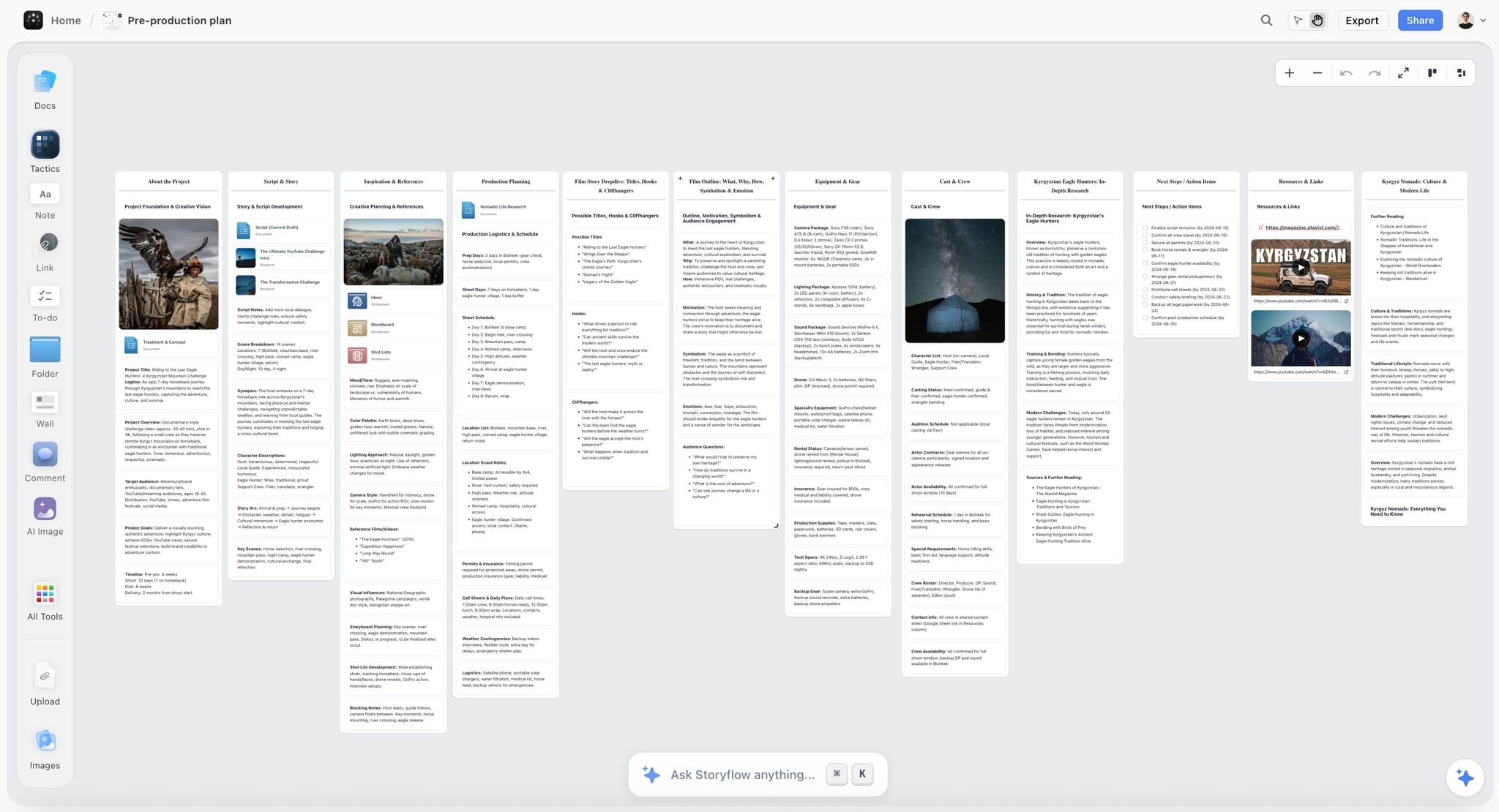
Storyflow is our pick for the creative proposal a photography client says yes to. Storyflow is a visual AI workspace: paste the brief onto a board, and Storyflow's AI builds the concept, the moodboard, the shot list and a designed PDF or pitch deck from it. Storyflow sends no contract and takes no payment; it makes sure the shoot being priced is the shoot everyone has in mind.
Best for: The creative proposal: concept, moodboard, shot list and a designed PDF or deck on one client link, before the contract goes out.
Verdict: Our pick for the half of the proposal that wins the client. Always paired with a business tool: HoneyBook, Studio Ninja or Táve sends and signs.
Key features
- Storyflow's AI builds the moodboard. Ask for one and it collects and lays out 9 to 16 references, from web photographs or AI-generated images (generation on Pro and Max).
- Storyflow's AI builds the shot list, which fixes the deliverable count. Ask for a shot list and choose shot cards or a table; for a photo shoot the table carries the shot, the type (portrait, group, detail, candid), the subject, the location, the lens, the time and a tick box.
- Storyflow's AI builds the designed deliverable. A pitch deck, a one-pager, a lookbook, a treatment or a designed PDF of the board. Decks present fullscreen and export as one PDF.
- Storyflow leaves what it was not given visibly blank. A fee, a date or a location you did not supply shows as a blank on the page and is listed for you, never invented.
- Storyflow's client link opens with no account. The client signs in to comment or draw on a specific reference.
- Storyflow keeps the usage block and the package table beside the pictures, as a document and a table on the same board, ready to paste into the contract tool.
- Storyflow's AI reads the current board plus up to five documents and three other boards you attach, and looks at up to 24 images you select.
- Storyflow works from ChatGPT and Claude through its MCP connector. Setup is on the MCP page.
- Storyflow includes 200+ expert creative templates called Tactics, a Photoshoot Brief template, real-time collaboration on every paid plan and free access for anyone you invite.
Pricing
Storyflow is paid-only today; its Free plan launches before the end of 2026, and anyone a paid member invites to a board joins free now. Plus: $7.99/mo billed annually, $9.99 monthly. Unlimited projects, images, files and links. Pro: $14/mo billed annually, $19 monthly. AI image generation, more AI usage, memory across conversations. Max: $39/mo billed annually, $49 monthly. The most AI usage and a Team Workspace with roles and permissions.
Pros
- The client sees the shoot before agreeing the price.
- Deliverable counts get decided, not assumed.
- The creative proposal is built from the brief in a few requests, not laid out by hand.
- One flat price per person, with invited collaborators free.
Cons
- No contract, e-signature, invoice or payment: a business tool is always needed beside it.
- No client records, job management, galleries or proofing.
- No pricing calculator or selectable options; Qwilr does that.
- No free plan yet, and no PowerPoint export.
2. HoneyBook
HoneyBook runs enquiry, proposal, contract, deposit and invoice as one connected flow, which removes more administrative work from a solo photography business than anything else here. Its proposal is a template you fill in; the flow is the product. Storyflow does the opposite half: it builds the concept and the shot list HoneyBook's template has no opinion about, and it cannot sign or bill.
Best for: Wedding, portrait and commercial photographers wanting one system from enquiry to payment, with Storyflow in front of it for the creative proposal.
Verdict: The best all-round business tool here, and the first one to pair with Storyflow. Its proposal design is less flexible than Qwilr's.
Key features
- Proposal, contract and invoice as one flow with e-signature.
- Deposit taken at signature, with scheduled payments after.
- A client portal on every plan; a scheduler and automations on Essentials.
Pricing
A free trial, then Starter at $29 a month billed annually (proposals, contracts, invoices and payments), Essentials at $49 (scheduler and automations) and Premium at $109.
Pros
- Deposit at signature, which is when a booking becomes real.
- Automation covers the follow-ups photographers forget.
- Priced per account, which suits a one-person business.
Cons
- Proposal design is templated.
- Usage terms need writing yourself; nothing prompts them.
- Broad, not deep, on any single step.
3. Táve (now VSCO Workspace)
Táve is a deep automation engine for photography studio management, built for volume: conditional workflows, detailed job types and years of refinement aimed at busy wedding studios. VSCO acquired it in May 2025 and it is now sold as VSCO Workspace. Where Storyflow builds the creative proposal for one shoot, Táve runs the pipeline for two hundred.
Best for: High-volume studios where automation saves real hours every week; Storyflow covers the look and the shot list for the jobs that need a creative pitch.
Verdict: The deepest automation here. Setup is substantial, and it does nothing for the creative half that Storyflow builds.
Key features
- Conditional workflow automation across job types.
- Online contracts, invoicing and payments.
- Lead tracking, questionnaires, scheduling and a client portal.
Pricing
VSCO's page shows a "Try for free" option and no Workspace price; it lists the VSCO One bundle at $499.99 billed annually. See VSCO's pricing page.
Pros
- Automation depth no other tool here matches.
- Built specifically for high-volume photography.
- Long-established.
Cons
- Setup is a real project.
- More than a low-volume studio needs.
- No creative proposal tools.
4. Studio Ninja
Studio Ninja does leads, quotes, contracts and invoices for photographers without the configuration burden of the bigger systems, and it is the tool most likely to be used and not merely admired. It prices and signs the job; Storyflow shows the client what the job is.
Best for: Photographers wanting a simple CRM that does the job today, beside Storyflow for the creative proposal.
Verdict: The best simple business option. Less automation than Táve, and its proposal presentation is basic, which is the gap Storyflow fills.
Key features
- Lead capture through to invoice in a photographer-shaped flow.
- Contracts with e-signature and payment reminders.
- Calendar and shoot scheduling.
Pricing
A free trial; current plans are on Studio Ninja's pricing page, which we could not read on October 11, 2026.
Pros
- Quick to set up and easy to keep using.
- Photographer-specific without being complex.
- Good value in the middle of the market.
Cons
- Lighter automation than Táve or Dubsado.
- Proposal presentation is basic.
- Fewer integrations than HoneyBook.
5. Dubsado
Dubsado is the most configurable of the client-management tools, with forms, proposals, workflows and canned emails you shape yourself. Its trial is now 21 days of the Premier plan with no card; the older "free until your third client" offer is no longer on its pricing page. Storyflow is the reverse trade: nothing to configure, and nothing transactional.
Best for: Photographers who want to design their own client workflow; use Storyflow for the creative proposal that workflow sends.
Verdict: The most flexible business tool here and the most work to configure well.
Key features
- Custom forms, proposals and contracts.
- Invoicing and payment plans on both plans.
- Scheduling, automated workflows and public proposals on Premier.
Pricing
A 21-day free trial of Premier, then Starter at $335 a year or Premier at $525 a year.
Pros
- Configurable enough to match any workflow.
- Strong contract and form building.
- Payment plans included on the entry plan.
Cons
- Configuration takes real time before value appears.
- Billed annually on its pricing page.
- Easy to over-build a workflow you then maintain.
6. Sprout Studio
Sprout Studio bundles studio management with galleries, albums and sales tools, which suits photographers who sell prints and products and do not only deliver files. Storyflow has no galleries and no sales tools, so for a print-selling studio Sprout is the system and Storyflow is the board in front of it.
Best for: Studios selling albums and prints alongside the shoot, with Storyflow for the session concept and shot list.
Verdict: A complete all-in-one for print-selling studios. Broad, and heavier than most solo photographers need.
Key features
- Studio management with galleries and design proofs.
- Price lists and ordering.
- Contracts, invoices, questionnaires and online scheduling.
Pricing
A free trial, then plans from $19 a month (Lite: 10 active shoots and galleries, 50 GB) up to an Unlimited plan.
Pros
- Galleries and sales included, removing a subscription.
- Album proofing built in.
- One system for a print-based business.
Cons
- More than a files-only photographer needs.
- Interface density takes adjustment.
- Plans are tiered by active shoots and storage.
7. ShootProof
ShootProof began as gallery delivery and grew contracts, invoicing and a print store around it, which makes it a strong single answer for photographers whose main need is delivery with business tools attached. Paired with Storyflow it is the lowest-cost complete setup on this page.
Best for: Photographers wanting galleries, contracts and payments in one affordable place, with Storyflow for the creative proposal.
Verdict: The best value combination of delivery and business tools. Its CRM is lighter than the specialists'.
Key features
- Unlimited client galleries on every plan, with print sales.
- E-sign contracts and invoicing from the Starter plan.
- A free plan with unlimited client galleries and limited storage.
Pricing
A free plan with limited storage and no contracts or invoicing (its pricing page gives two different photo limits for it). Starter is $8.33 a month billed annually or $9.99 monthly; Standard $16.67; Professional $26.67; Premium $50, all billed annually.
Pros
- Delivery and business tools for one modest fee.
- The print store adds a revenue line.
- A usable free plan for galleries.
Cons
- Lead and workflow management is basic.
- Photo-count tiers move the bill in a busy season.
- Proposals are simpler than the dedicated tools'.
8. Pixieset Studio Manager
Pixieset is a widely used gallery platform among photographers, and Studio Manager adds booking, contracts, invoices, quotes and questionnaires on top, which is compelling if your galleries already live there. Storyflow has none of those documents; it supplies the concept and shot list the quote refers to.
Best for: Photographers already delivering in Pixieset who want to stop paying for a second system; add Storyflow for the creative half.
Verdict: The best consolidation play here. Its studio features are lighter than HoneyBook's or Táve's.
Key features
- A booking site where clients pick a date and pay a deposit.
- Branded invoices, contracts, questionnaires and quotes, with instalment dates.
- Automatic reminders for unsigned contracts and unpaid invoices, plus a mobile app.
Pricing
Free to start ("Free forever. Upgrade when you need to."). Studio Manager plan prices are on Pixieset's pricing page; its Client Gallery plans start at $8 a month billed annually.
Pros
- One vendor covering delivery and admin.
- Galleries clients like.
- A free entry point.
Cons
- Studio features are shallower than HoneyBook's or Táve's.
- Storage tiers matter as archives grow.
- Lighter workflow automation.
9. Qwilr
Qwilr makes proposals as interactive web pages with selectable pricing and reader analytics, which is worth real money on commercial and brand work where you are compared against other photographers and usage options can be presented as choices. Storyflow has no selectable pricing; it builds the creative pages that sit in front of Qwilr's numbers.
Best for: Commercial and brand photographers pitching against others, after the creative proposal is built in Storyflow.
Verdict: The best-presented commercial terms here. Priced for agencies, so expensive for a solo photographer.
Key features
- Interactive web proposals with selectable usage and pricing options.
- Analytics showing which sections were read.
- E-signature and payment acceptance.
Pricing
A 14-day free trial, then Starter at $35 per user a month billed annually, or $49 monthly.
Pros
- Usage tiers presented as options the client shapes.
- Analytics tell you what to follow up on.
- Looks more considered than a PDF.
Cons
- The most expensive option here for a solo business.
- No photography-specific features.
- Needs a separate system for galleries and jobs.
10. Bonsai
Bonsai is a general freelance business platform covering proposals, contracts, invoicing and expense tracking, which suits photographers who also do other freelance work and want one business system. Like the photography CRMs, it handles the terms and leaves the creative proposal to a tool such as Storyflow.
Best for: Photographers with mixed freelance income, with Storyflow for the visual half.
Verdict: Good general coverage, no photography specificity. The specialists beat it on this job.
Key features
- Proposals, contracts and invoicing with templates, from the Essentials plan.
- Expense and income tracking.
- Client and project management.
Pricing
A 7-day free trial. Basic is $9 per user a month billed annually without proposals or invoices; Essentials, which adds them, is $19 billed annually or $25 monthly.
Pros
- Covers expense tracking as well as proposals.
- Useful if photography is part of a wider freelance business.
- Solid contract templates.
Cons
- No galleries, shoot dates or photography workflow.
- Proposals and invoices need the second plan up.
- Generic templates need adapting.
11. Canva
Canva makes a photography proposal look like a photographer made it, which matters when the proposal is itself a sample of your eye. You lay it out by hand from templates; Storyflow's AI builds a designed PDF from the board, and Canva gives you more hand control over layout and brand typography. Canva has no business features, so it pairs with something that signs and invoices.
Best for: Hand-designing the proposal pages in your own brand fonts, where Storyflow's AI-built PDF gives you less control.
Verdict: The best hand-design tool here for photographers without a designer. No business functionality.
Key features
- Document and presentation templates with Brand Kit.
- Easy image placement, which matters here.
- A free tier covering occasional use.
Pricing
Canva Free and Canva Pro (see Canva's pricing page).
Pros
- Image-led proposals look right immediately.
- Free at the entry level.
- Good for the visual half of a commercial pitch.
Cons
- No contract, signature, payment or tracking.
- Becomes a PDF, so nothing is interactive.
- Every page is placed by hand.
12. Google Docs
A Google Doc with a proper usage block wins more work and prevents more disputes than a beautiful PDF without one. It is free, universally openable, and the right answer for a photographer starting out, because Storyflow has no free plan yet.
Best for: Starting out, or any photographer whose usage terms are already solid; move the creative half to Storyflow when pitches start to matter.
Verdict: The best free option. Unremarkable to look at, which costs something in a visual business.
Key features
- Free and openable by anyone.
- Tables for deliverables and usage.
- Comments creating a record of what was asked.
Pricing
Free with a Google account. Google Workspace plans are on Google's pricing page.
Pros
- Zero cost, zero setup.
- Comments create a written record.
- The usage block matters more than the format.
Cons
- Looks plain, which matters in a visual business.
- No signature, payment or delivery.
- Nothing prompts you to include usage terms.
What It Takes by Hand vs in Storyflow
By hand, the creative half of a proposal is a reference hunt, a typed shot list and pages laid out in a design tool. In Storyflow each is one request: paste or attach the brief, answer one or two questions, accept the proposal. The commercial half is not in this table's Storyflow column, because Storyflow does not do it.
| Job | By hand, across the usual tools | In Storyflow | What you save |
|---|---|---|---|
Turn the enquiry and call notes into an organised brief | Read, group, retitle, rearrange | Paste the notes and ask for organised walls | 3 minutes in a recorded run, against about 45 minutes by our hand estimate |
Collect and lay out 12 references | Search, save, download, upload, place and align: 12 passes | Ask for a moodboard, answer one question, accept the proposal | 12 manual passes become 3 actions |
Shot list with a picture per setup, and so a deliverable count | Type every row, find a picture for each | Select the approved references and ask for a shot list | 4 minutes in a recorded run for the pictures, against about 2 hours by our hand estimate |
The designed proposal pages | Export images, lay out pages in a design tool, write captions | Ask for a designed PDF from the board | 3 minutes in a recorded run for a pitch PDF built from a board, against about 4.5 hours by our hand estimate |
Send it and take feedback | Attach a PDF, read replies by email | Share the view-only link; the client comments on the frame | No account needed to view |
Contract, e-signature, deposit, invoice | A document, a signature service and a bank transfer | Not in Storyflow: use HoneyBook, Studio Ninja, Táve or Dubsado | Nothing; this is the business tool's job |
The hand estimates are ours: 1.5 minutes per card, row or to-do, 12 minutes per picture and 30 minutes per page. The Storyflow times are each the agent time of one recorded run shown on the Storyflow homepage, rounded up.
The saving that matters is the unpaid hours. Proposals are written for jobs you may not win. Building the creative half from the brief in a few requests is what makes it affordable to send a real proposal to every serious enquiry.
How to Build the Creative Proposal in Storyflow, Step by Step
Build the creative proposal on one Storyflow board in six steps, then hand the agreed numbers to your business tool for the seventh. Storyflow's AI does the laying out in steps two, three and four; the price and the licence are your decisions.
| Step | What you do | What Storyflow builds |
|---|---|---|
1. Put the brief on the board | Paste the enquiry or attach the brief as a document | Nothing yet: the AI now has the brief to read |
2. Ask for the moodboard | Answer one question: web photographs or AI images; then cut to twelve and add your own frames | 9 to 16 reference tiles |
3. Ask for the shot list | Select the approved references; choose cards or a table and how many shots | One entry per setup, which gives you the deliverable count |
4. Ask for the designed pages | "Build a pitch deck from this board" or a one-pager, lookbook or designed PDF | An outline to approve, then the pages, with unknown fees and dates left blank |
5. Add the usage block and the packages | Paste your usage block as a document; type packages and add-ons into a table | Your text, beside the pictures it refers to |
6. Send the link | Share the view-only link, or export one PDF | A link the client opens with no account |
7. Contract and deposit | Copy the agreed count, licence and price into HoneyBook, Studio Ninja or Dubsado | Nothing: Storyflow does not sign or bill |
Two details make the handover clean.
Carry three numbers across, and only three. The final image count, the retouching count and the licence period. If those match between the Storyflow board and the contract, the two halves of the proposal agree.
Fill every blank before you send. Storyflow leaves a fee or date it was not given as a visible blank. A blank the client sees reads as unfinished; a blank you fill is a decision made.
7) The Usage Block Every Photography Proposal Needs
Write the usage block once and put it in every proposal: licensed uses, period, territory, exclusivity, portfolio rights, deliverable count and what triggers a new licence. Keep it as a document on your Storyflow board so it sits beside every shoot, and paste it into the contract tool that gets signed.
| Term | What to state | A sensible default for commissioned work |
|---|---|---|
Licensed uses | The media, named one by one | Only the media the client needs now |
Licence period | Months from delivery | Twelve or twenty-four months |
Territory | One country, a region or worldwide | The territories the client operates in |
Exclusivity | Whether you may license the images elsewhere | Non-exclusive |
Portfolio rights | Your right to show the work, and any embargo | Retained by the photographer |
Deliverables | Final image count, resolution, formats | A number, with raw files excluded |
New licence triggers | Longer period, new medium, new territory, more images | Quoted at the time |
Licensed uses. List them explicitly: organic social, paid social, client website, email marketing, print collateral, out of home, packaging, point of sale, editorial. Name the ones included and leave the rest out.
Licence period. A number of months from delivery. If it is perpetual, say so and price it as such, because perpetual is a different sale.
Territory. Worldwide is common in digital-only licences and should still be stated and not assumed.
Exclusivity. Non-exclusive is the sensible default for most commissioned work.
Portfolio rights. Your right to show the work in your portfolio, on social and in awards entries, with any embargo period stated. Never leave this out.
Deliverable count and format. How many final retouched images, at what resolution, in which formats, and whether raw files are included, which they usually should not be.
What triggers a new licence. Extending the period, adding a medium, adding a territory, or using images beyond the agreed count. State the mechanism, even without a number.
Two practical notes. First, present this as the description of what the client is buying and not as terms and conditions at the end; buried in a legal section it reads as friction, and up front it reads as clarity. Second, offer a broader licence as a visible option with a price. A client cannot choose an option they were never shown.
8) Pricing a Shoot Without Guessing
Price the shoot you have planned, not a day you have not. Count the deliverables on the Storyflow board first, cost the production separately from the creative fee, then price the licence and the retouching as counted lines. A shoot nobody counted is a shoot nobody can price.
Count the deliverables first, not the days. "A day of portraits" and "18 final retouched headshots plus 6 environmental frames" are different jobs, and only the second can be priced or scheduled honestly. Most over-running shoots were under-specified, not badly run. Storyflow's shot list gives you the count: one entry per setup, built from the references the client approved.
Cost the production separately from the creative fee. Assistant, studio, equipment hire, stylist, travel, catering, permits. These are pass-through or marked-up costs, and mixing them into a single number makes every negotiation about your fee.
Then the licence, from section 7, priced according to what the client is buying. This is the line most photographers leave on the table.
Then retouching, stated in counts. Retouching is the most common source of scope creep in photography because clients reasonably assume it is unlimited. "Up to 25 images at standard retouching, with detailed retouching quoted separately" prevents a fortnight of unpaid work.
Packages and add-ons. For weddings and portraits, lay the proposal out as two or three packages with named add-ons: extra hours, a second shooter, an album, a wider licence. Keep the table on the board while you design it, then build the selectable version in HoneyBook, Dubsado or Qwilr, which can total and sign it. Storyflow holds the table; it does not calculate a quote.
And the assumptions, which do the same job here as in any creative proposal: the location is available for the agreed hours, talent is supplied by the client, a single point of approval exists, weather contingency for outdoor shoots is a stated date and not a hope.
The test for whether a shoot is properly scoped is whether you could hand the proposal to another photographer and they would shoot the same job. If they would have to guess at the count, the locations or the setups, the client is guessing too.
9) Recommended Proposal Stacks
Each stack pairs Storyflow for the creative proposal with one business tool for the contract and the payment. The free stack is the exception, because Storyflow has no free plan yet.
| Photographer | Creative proposal | Contract and payment | Delivery | What the paid tools cost |
|---|---|---|---|---|
Wedding | Storyflow | HoneyBook or Táve | Pixieset or ShootProof | Storyflow Plus $7.99 + HoneyBook Starter $29, both a month billed annually |
Commercial and brand | Storyflow | Qwilr or HoneyBook | Client transfer | Storyflow Plus $7.99 + Qwilr Starter $35 per user, billed annually |
Portrait studio | Storyflow | Studio Ninja | Pixieset | Storyflow Plus $7.99; Studio Ninja per its pricing page |
Lowest-cost paid | Storyflow | ShootProof Starter | ShootProof | $7.99 + $8.33 a month, both billed annually |
Works in ChatGPT or Claude | Storyflow, through the MCP connector | HoneyBook | Pixieset | Storyflow Plus $7.99 + HoneyBook Starter $29 |
Starting out | Google Docs | A Google Doc and a payment-provider invoice | A transfer link | $0 |
The constant across all six is that the usage block from section 7 goes in the proposal whichever tool sends it, and it is worth more than the difference between any two business tools on this page.
10) What Sending Proposals Actually Costs
The software is the small cost. The large ones are the unpaid hours spent on proposals that do not book, and the licence you did not charge for. Storyflow reduces the first; the usage block prevents the second.
The software: a few tens of dollars a month for a photographer-specific system plus Storyflow. A free path exists with Google Docs.
The unpaid hours, which are the real cost. Every enquiry that becomes a proposal takes scoping, references and layout, multiplied by everything that does not book. By our hand estimate, laying out a pitch from a board takes about 4.5 hours; in a recorded run in Storyflow it took 3 minutes.
The licence you did not charge for, which is the largest invisible number in commercial photography. A day rate with silent unlimited perpetual worldwide usage gives away a large part of the job's value, and nobody sends an invoice for it later.
The shoot you cannot show, which is a real cost in a business sold on recent work, and the reason the portfolio clause belongs in every proposal.
| Cost driver | Where it lands | The move |
|---|---|---|
Software | Monthly | Storyflow Plus at $7.99 plus one business tool |
Unpaid proposal hours | Every enquiry, booked or not | Build the creative proposal from the brief; keep a snippet library |
Uncharged licence | Commercial work | The usage block, every time |
A shoot you cannot show | Future bookings | Portfolio rights, stated |
Can You Build a Photography Proposal From ChatGPT or Claude?
Yes, the creative half, with Storyflow. Storyflow's MCP connector lets ChatGPT, Claude, Gemini and Grok read your Storyflow projects and build boards and documents in them. Paste the enquiry into the chat, work out the concept, and ask for the moodboard and shot list on your Storyflow board.
A chat assistant on its own returns text: a concept paragraph, a list of shots. Connected to Storyflow, the same conversation ends with a board the client can open from a link. The contract and the payment still go through HoneyBook, Studio Ninja or whichever business tool you use; neither the assistant nor Storyflow signs anything.
11) Honorable Mentions
Six more names come up when photographers talk about proposals. None builds the creative proposal the way Storyflow does, and each covers a small business job.
- Iris Works. A simple photographer CRM worth a look at the lower end.
- 17hats. An older all-in-one still serving small studios.
- PhotoBiz and Format. Portfolio platforms with light business tools attached; Format includes client galleries on every plan from $10 a month billed annually.
- Stripe and Wave. Invoicing and payment when you do not need a whole system.
- The AOP and ASMP usage guidance. The industry references for what a licence should contain.
- A saved snippet. The usage block from section 7, kept as a document on your Storyflow board and pasted into every proposal.
12) Photography Proposal Mistakes to Avoid
Eight mistakes cost photographers bookings and money. The first is creative and the rest are commercial, and a proposal built in two halves catches all of them.
- Sending a price with no picture. The client compares three numbers and cannot see three shoots. Send the creative proposal first.
- Pricing a day and staying silent on usage. Sells the more valuable thing for free.
- No portfolio clause. A shoot you cannot show is worth much less than its fee.
- Unlimited retouching by implication. The most common source of unpaid photography work.
- No deliverable count. "A day of shooting" cannot be planned, priced or defended.
- Production costs mixed into the fee. Makes every negotiation about your rate and not the budget.
- Usage buried in terms at the end. Up front it reads as clarity; at the end it reads as friction.
- Not offering a broader licence as an option. A client cannot choose what they were never shown.
Prices and Sources Checked October 11, 2026
Every competitor price on this page comes from the vendor's own page, read on October 11, 2026. Where a page could not be read, the page says so instead of quoting a number.
| Tool | What we checked | Source |
|---|---|---|
Storyflow | Plans, prices, what each plan adds | |
HoneyBook | Starter, Essentials, Premium prices and features | |
Táve / VSCO Workspace | The rename, features, VSCO One price (Workspace price not shown) | |
Studio Ninja | Pricing page could not be read, so no price is quoted | |
Dubsado | Starter and Premier prices, 21-day trial | |
Sprout Studio | Plan names, starting price, limits | |
ShootProof | Free plan, plan prices, where contracts start | |
Pixieset | Studio Manager features; Client Gallery prices | |
Qwilr | Starter price, trial, e-sign and payments | |
Bonsai | Plan prices and where proposals start | |
Format | Plans and client galleries |
Canva's site blocks automated reads, so this page quotes no Canva price. Google Workspace prices are not quoted; Google Docs itself is free with a Google account.
14) The Bottom Line
Storyflow is our pick first among photography client proposal tools in 2026 for the creative proposal: the concept, moodboard, shot list and designed PDF the client says yes to, built by AI from the brief on one link. It is not a business tool. For the contract and the payment, HoneyBook is the complete flow, Táve suits high-volume studios, Studio Ninja is simple, and Dubsado is the one you configure yourself. If you already deliver in Pixieset or ShootProof, use their business tools and save a subscription.
You are selling usage, not a day. The shoot is an event and the images are an asset the client will use for years, and a proposal that prices the first and is silent on the second has given away the more valuable half.
Write the usage block once, put it in every proposal, and offer a broader licence as a visible priced option. And agree what you are shooting before the number is fixed, because a shoot nobody counted is a shoot nobody can price.
FAQ: Photography Client Proposal Tools
What is the best photography proposal tool in 2026?
Our pick is Storyflow, for the creative proposal: its AI builds the concept, moodboard, shot list and a designed PDF or deck from the brief, on one link the client opens with no account. Storyflow sends no contract and takes no payment, so pair it with HoneyBook for proposal, contract, deposit and invoice in one flow, Studio Ninja for a simple CRM, or Táve for high-volume automation.
What is the best tool for a photographer to pitch a shoot to a client?
Our pick is Storyflow. Put the brief and your references on a board and Storyflow's AI builds the pitch from them: a moodboard, a shot list and a treatment, lookbook or pitch deck that exports as one PDF. The client views it with no account and signs in to comment on a frame. For the commercial terms that follow, use HoneyBook or Qwilr.
What should a photography proposal include?
Two halves. The creative half: the concept in three sentences, the moodboard, the shot list with a final image count, and your own relevant work. The commercial half: production costs listed separately from your creative fee, the licence in full (media, period, territory, exclusivity, portfolio rights), the retouching as a number, the delivery timeline, the payment schedule and the assumptions the price depends on.
How do I create a photography proposal with pricing, packages and add-ons?
Design it in two steps. On a Storyflow board, lay out two or three packages and the add-ons in a table beside the moodboard and shot list, so each package describes a real shoot. Then build the selectable version in a business tool that can total, sign and bill it: HoneyBook, Dubsado or Qwilr. Storyflow holds the table and does not calculate quotes.
How do I charge for image usage?
Price the licence separately from the shoot fee, based on media, duration, territory and exclusivity. A social-only twelve-month licence in one country is a very different product from perpetual worldwide unlimited. Present the base licence in the proposal and offer a broader one as a visible priced option.
Is there a free photography proposal tool?
Partly. A Google Doc with the usage block from section 7 is free. Pixieset is free to start, and ShootProof has a free plan for galleries, with contracts and invoicing from its Starter plan at $8.33 a month billed annually. Dubsado now offers a 21-day trial, not a free tier. Storyflow has no free plan yet; its Free plan launches before the end of 2026.
HoneyBook or Dubsado?
HoneyBook if you want it working this week with good defaults: Starter is $29 a month billed annually and covers proposals, contracts, invoices and payments. Dubsado if you want to design your own workflow and will spend the time: Starter is $335 a year and Premier $525. Neither builds the creative proposal, which is where Storyflow sits in front of both.
HoneyBook vs Studio Ninja: which is better for photographers?
HoneyBook is broader: one flow from enquiry to payment, a scheduler and automations on its Essentials plan. Studio Ninja is simpler and built only for photographers, which makes it quicker to set up and easier to keep using. Choose HoneyBook for breadth and Studio Ninja for simplicity, and use Storyflow with either for the creative proposal.
Studio Ninja, Táve or Dubsado: which CRM fits a photography business?
Studio Ninja for a simple CRM you will use from day one. Táve, now VSCO Workspace, for a high-volume studio that needs conditional automation. Dubsado for a workflow you want to design yourself. All three send contracts and invoices; none builds the concept, moodboard or shot list, which Storyflow does.
Is Pixieset a good CRM and business platform for photographers?
Yes, if your galleries already live there. Pixieset Studio Manager adds a booking site, branded invoices, contracts, questionnaires and quotes, instalment dates and automatic reminders, and it is free to start. It is lighter on automation than HoneyBook or Táve. It does not build a creative proposal; pair it with Storyflow for that.
What usage terms should a photographer use as a default?
A reasonable default for commissioned commercial work is non-exclusive, twelve months from delivery, in the named media the client needs, in the territories they operate in, with full portfolio rights retained by the photographer. Everything beyond that is a priced extension. The default matters less than having one written down.
Should I include raw files?
Usually not. Raw files are working material and not a deliverable, and handing them over means the client can produce versions you would not have approved while your name remains attached. Where a client needs them, such as an in-house team continuing the work, price it as a separate item.
How much retouching should be included?
State a number and not a policy. "Up to 25 images at standard retouching" is defensible; "retouching included" is unlimited by implication. Define what standard retouching means in one sentence, and quote detailed or composite retouching separately.
How long should a photography proposal be?
Two to four pages for the commercial terms of most commissioned work: the client reads the price, the deliverable count and the licence, so those three must be clear and early. The creative proposal can be longer because it is pictures, and it is better sent as a Storyflow link or a separate PDF so the terms stand alone.
Do photography proposal tools handle contracts and payments?
Most of the photographer-specific ones do. HoneyBook, Táve, Studio Ninja, Dubsado, Sprout Studio, ShootProof and Pixieset Studio Manager all include contracts and payment collection. Qwilr signs and takes payment but has no photography features. Storyflow, Canva and Google Docs do neither.
Can photographers offer payment plans?
Yes, through the business tools. Dubsado includes invoicing and payment plans on both its plans, Pixieset Studio Manager schedules instalment dates, and HoneyBook takes a deposit at signature with scheduled payments after. Storyflow takes no payments of any kind.
What happens if a client uses images beyond the licence?
State the mechanism in the proposal so there is something to point at: an extension is quoted at the time, based on the additional media, period or territory. In practice most overuse is accidental and resolves with an invoice for the extension when the terms were clear. Where no terms existed, you have no basis for the conversation.
Should I show a price range before a full proposal?
Yes, early, in the first reply. A starting figure or a range filters enquiries that were never going to book and saves the unpaid hours a full proposal costs. Clients tend to read withheld pricing as evasive.
Can one tool do proposals, galleries and payments?
Yes for the business half. ShootProof, Pixieset and Sprout Studio all combine delivery with contracts and invoicing, and for many photographers one of them is better value than a dedicated CRM plus a gallery platform. None of them builds the creative proposal; that is Storyflow's half.
Can ChatGPT or Claude write a photography proposal?
They can draft the words, and with Storyflow connected they can build the creative proposal. Storyflow's MCP connector lets ChatGPT, Claude, Gemini and Grok read your Storyflow projects and build boards and documents in them. Have a lawyer or your trade body's templates behind the contract itself; an assistant's draft is not legal advice.
Does Storyflow send contracts or invoices?
No. Storyflow has no proposals for signature, contracts, e-signature, invoices, payments or client galleries. Storyflow is the board where the creative proposal is built and agreed. Use HoneyBook, Studio Ninja, Táve, Dubsado, ShootProof or Pixieset for everything the client signs or pays.
Table of Contents
- 1) Quick Answer: The Best Photography Client Proposal Tools in 2026
- All 12 Photography Proposal Tools: Our Pick First, Then by Job
- Which Photography Proposal Tool Should You Use?
- 2) Comparison Table: 12 Proposal Tools at a Glance
- Frequently Asked: Which Proposal Tools Photographers Trust, and What Usage Means
- The Two Halves of a Photography Proposal: Creative and Commercial
- 3) You Are Selling Usage, Not a Day
- 4) How We Evaluated These Tools
- 5) Quick Picks by Photography Business
- 6) Detailed Reviews: 12 Photography Proposal Tools
- 1. Storyflow
- 2. HoneyBook
- 3. Táve (now VSCO Workspace)
- 4. Studio Ninja
- 5. Dubsado
- 6. Sprout Studio
- 7. ShootProof
- 8. Pixieset Studio Manager
- 9. Qwilr
- 10. Bonsai
- 11. Canva
- 12. Google Docs
- What It Takes by Hand vs in Storyflow
- How to Build the Creative Proposal in Storyflow, Step by Step
- 7) The Usage Block Every Photography Proposal Needs
- 8) Pricing a Shoot Without Guessing
- 9) Recommended Proposal Stacks
- 10) What Sending Proposals Actually Costs
- Can You Build a Photography Proposal From ChatGPT or Claude?
- 11) Honorable Mentions
- 12) Photography Proposal Mistakes to Avoid
- Prices and Sources Checked October 11, 2026
- 14) The Bottom Line
- 15) Author
- FAQ: Photography Client Proposal Tools
- Related Reading
Templates to check out for this topic


Templates you can use in Storyflow
Every Storyflow board starts from real structure and an AI that reads the whole canvas. Open one of these templates and make it yours.


See Storyflow in Action
A visual AI workspace where every feature lives inside one canvas. No tab-switching, no context lost.
Build your entire board from a single message
Type what you need in the AI chat at the bottom of your canvas. The AI adds cards, headings, and structure directly onto your board.
Use expert frameworks as AI context
Type @ in the AI chat and choose any Tactic. The AI tailors every response to that framework instead of giving generic advice.
Turn your board into a mind map in seconds
Ask the AI to restructure your canvas as a mindmap. It connects your ideas into a visual hierarchy so you can see how everything relates.
Why Storyflow Exists
Storyflow actually began as a personal tool while working on creative and research projects.
We kept running into the same problem: ideas were scattered everywhere: notes, documents, and whiteboards.
Nothing helped us see how everything connected.
So we started building a workspace designed around how ideas actually grow.
→ Read how Storyflow was createdStoryflow Team
Product & Research Team
Published: 2026-09-22
Extremely simple, seriously capable


See how easy it is to get started
Watch a real project come together, from a blank board to a finished plan, clicked through step by step.
Start creating with AI and become more productive
Transform your creative workflow with AI-powered tools. Generate ideas, create content, and boost your productivity in minutes instead of hours.