
Ultra-fast moodboards with real taste
A photography proposal
that shows the shoot, then the price.
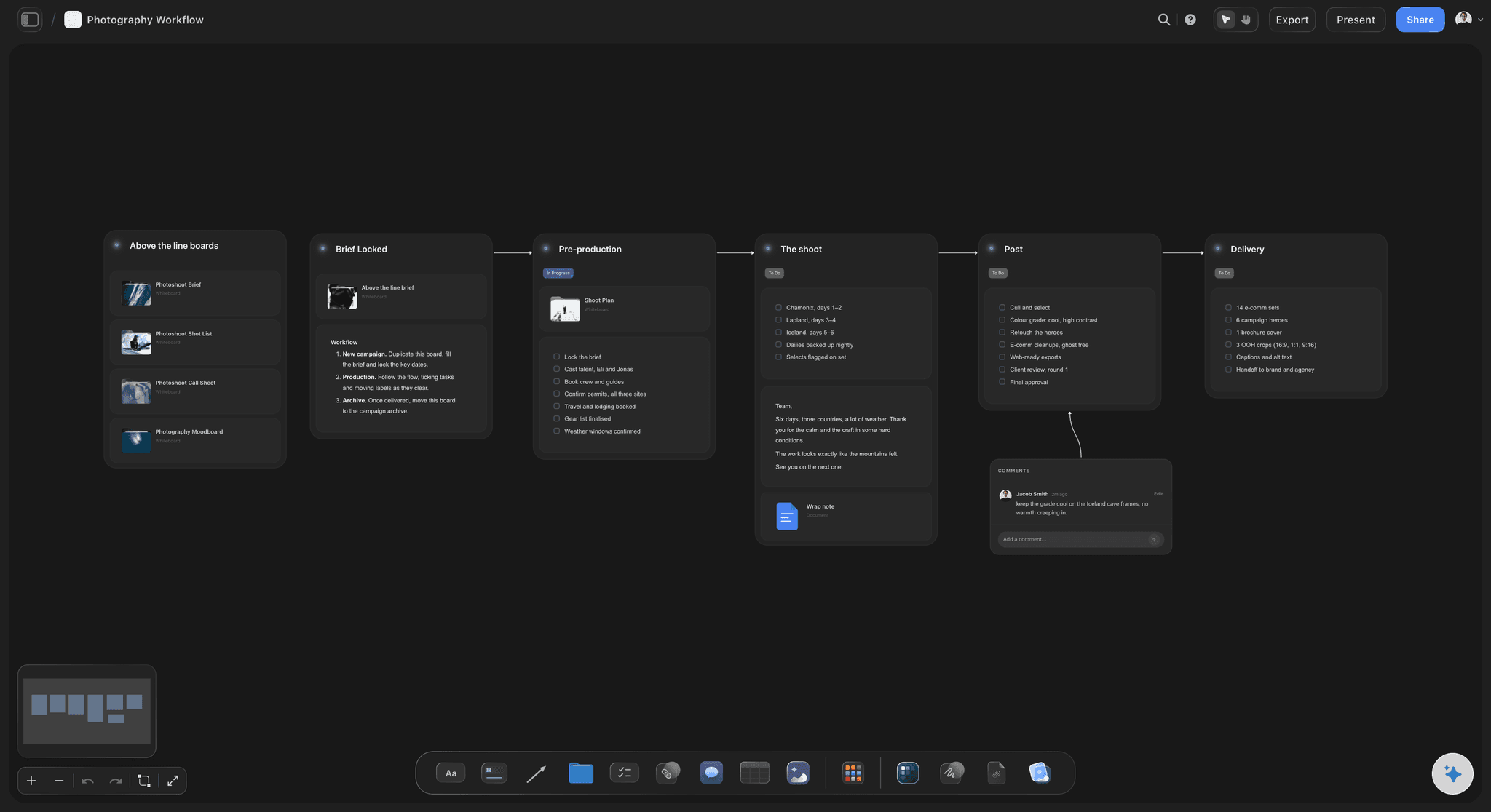
Concept, moodboard, shot plan, schedule, usage and deliverables, and a price table that totals itself, on one board the client opens from a link or reads as a PDF.


Creatives working for these brands already got early access
- Red Bull
- Canon
- Artlist
- Porsche
See how easy it is to get started
Watch a real project come together, from a blank board to a finished plan, clicked through step by step.
Start from a ready-made template
Pick a board to see what you can build, then let AI fill it in. Every template is a real, editable starting point on the same infinite canvas.

Film Moodboard
Collect film references, color palettes, lighting, locations, and tone in one place, then invite your crew.
What should a photography proposal include?
A photography proposal should include, in the order a client decides: the concept, the moodboard, the shot plan, the schedule, the usage and deliverables, and then a price table. Storyflow is an AI visual workspace that builds your photography proposal on one infinite canvas: the concept and moodboard, the shot plan and schedule, and a price table that totals itself, all opened by the client from a view-only link with no account or read as a PDF. Its AI drafts each section from your brief for you to rewrite. HoneyBook, Pixieset or Studio Ninja take over once the client says yes, for the contract, e-signature, deposit and invoice.
The order is what most proposals get wrong. A client buying pictures that do not exist yet decides on the picture of the result, so open with a one-line concept tied to their goal, then nine to twelve captioned references for light, styling and location, then the shot plan in terms they can count: setups, looks and the crops each one delivers. The price comes last, as two or three options rather than one number. A proposal that opens on a rate card gets compared on the rate alone.
Usage and deliverables are where photography jobs turn into arguments, so write them as a list: how many finals, which crops for which channels, where the images will run, for how long and in which territories, the retouching level and the delivery date. Price usage as its own line instead of folding it into the day rate, so a client who asks for a longer licence can see what it changes. In Storyflow the price table is a Table with a currency column and a Sum footer, so adding a line updates the total.
Once the client says yes, the proposal becomes the plan instead of being retyped. The references become the moodboard, the shot plan becomes the shot list, and the AI drafts a call sheet PDF from the board for the shoot day. What Storyflow does not do is the paperwork: contracts, e-signatures, deposits and invoices belong in HoneyBook, Pixieset or Studio Ninja, and client galleries in Pixieset or HoneyBook. One setup that works: the visual proposal in Storyflow, with its link pasted into the quote or contract those tools send.
Ultra fast from brief to board
From the brief call to a proposal the client can open.
One board, built in the order the client decides.
01
Describe the shoot
Tell the AI the client, the goal, the dates and what the pictures are for, then name the sections you want: concept, references, shot plan, schedule, price table. It drafts each one on the board for you to rewrite.
02
Show the pictures first
Group the references into light, styling and location, caption each one with what it is there for, and write the shot plan as setups and crops the client can count.
03
Price it in options
Put the creative fee, shoot days, retouching, usage and expenses in a table with a currency column and a live total. Offer two or three options and leave any cost you have not confirmed blank.
04
Send one link or a PDF
The client opens the board with no account, or you export the whole board as a PDF. When they say yes, the contract and deposit go through HoneyBook, Pixieset or Studio Ninja.
Everything the client needs to say yes, on one board.
The creative half of the pitch. Contracts and payments stay in the tool you already use.
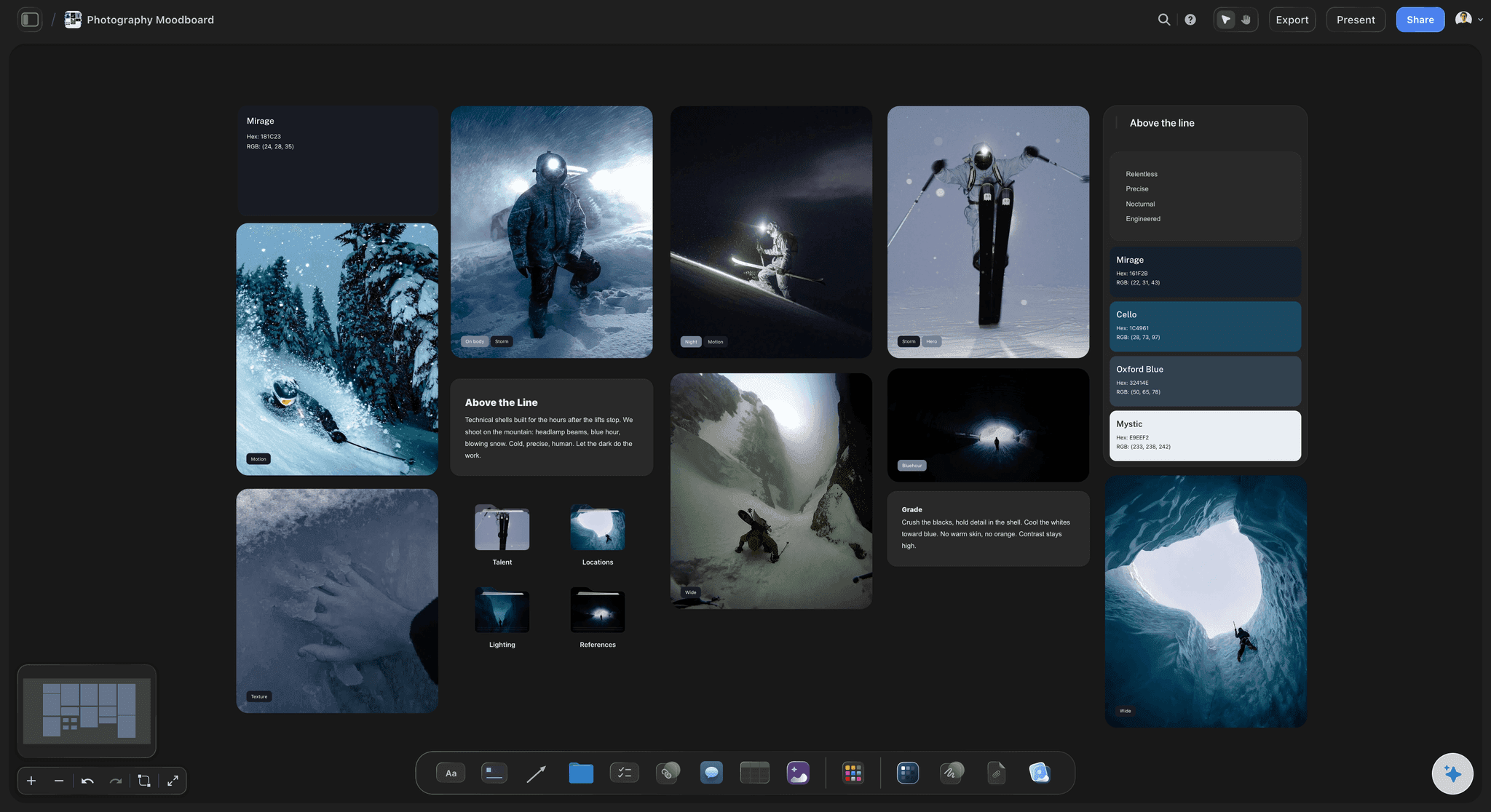
The concept and the look, before the price
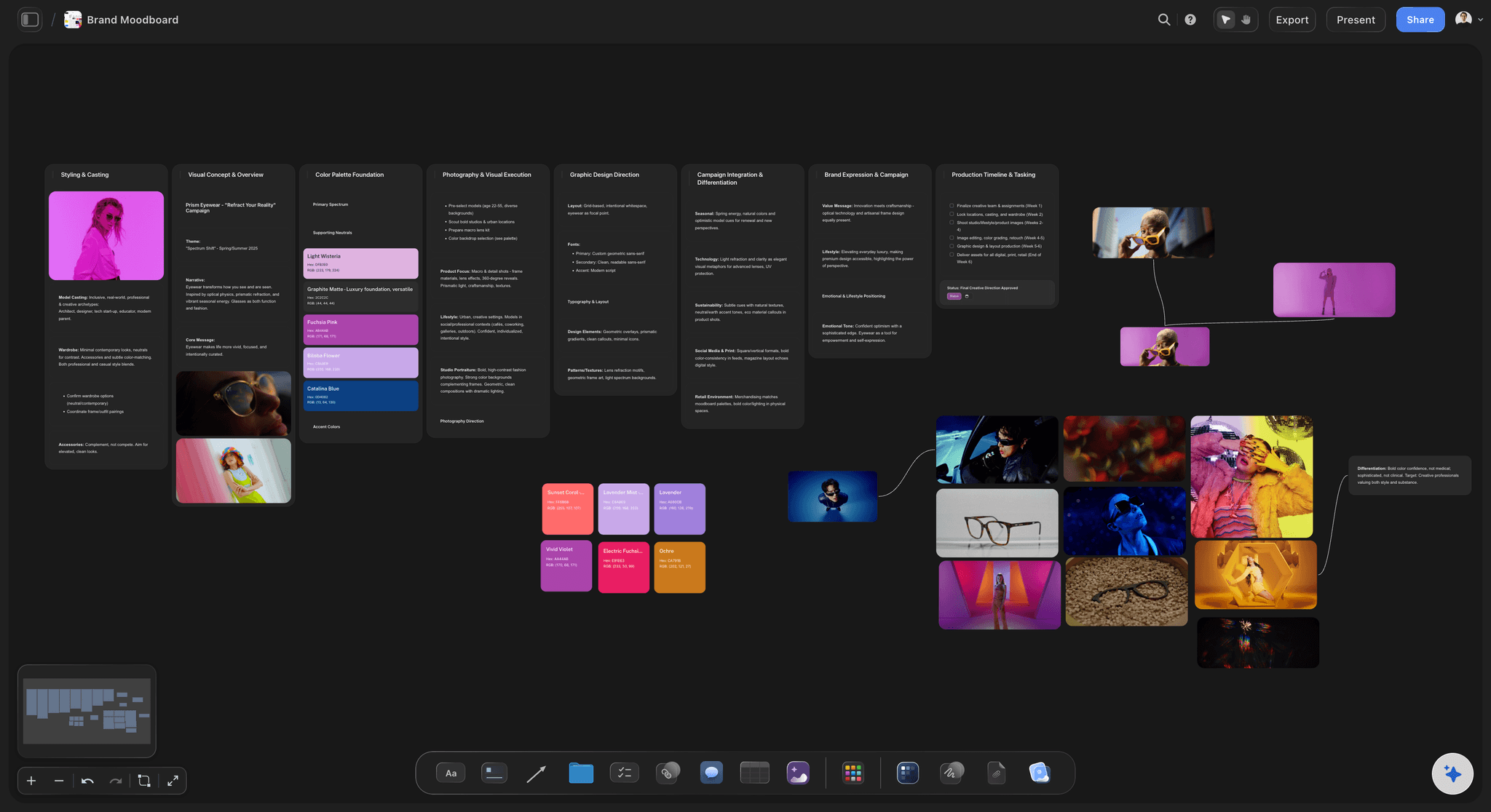
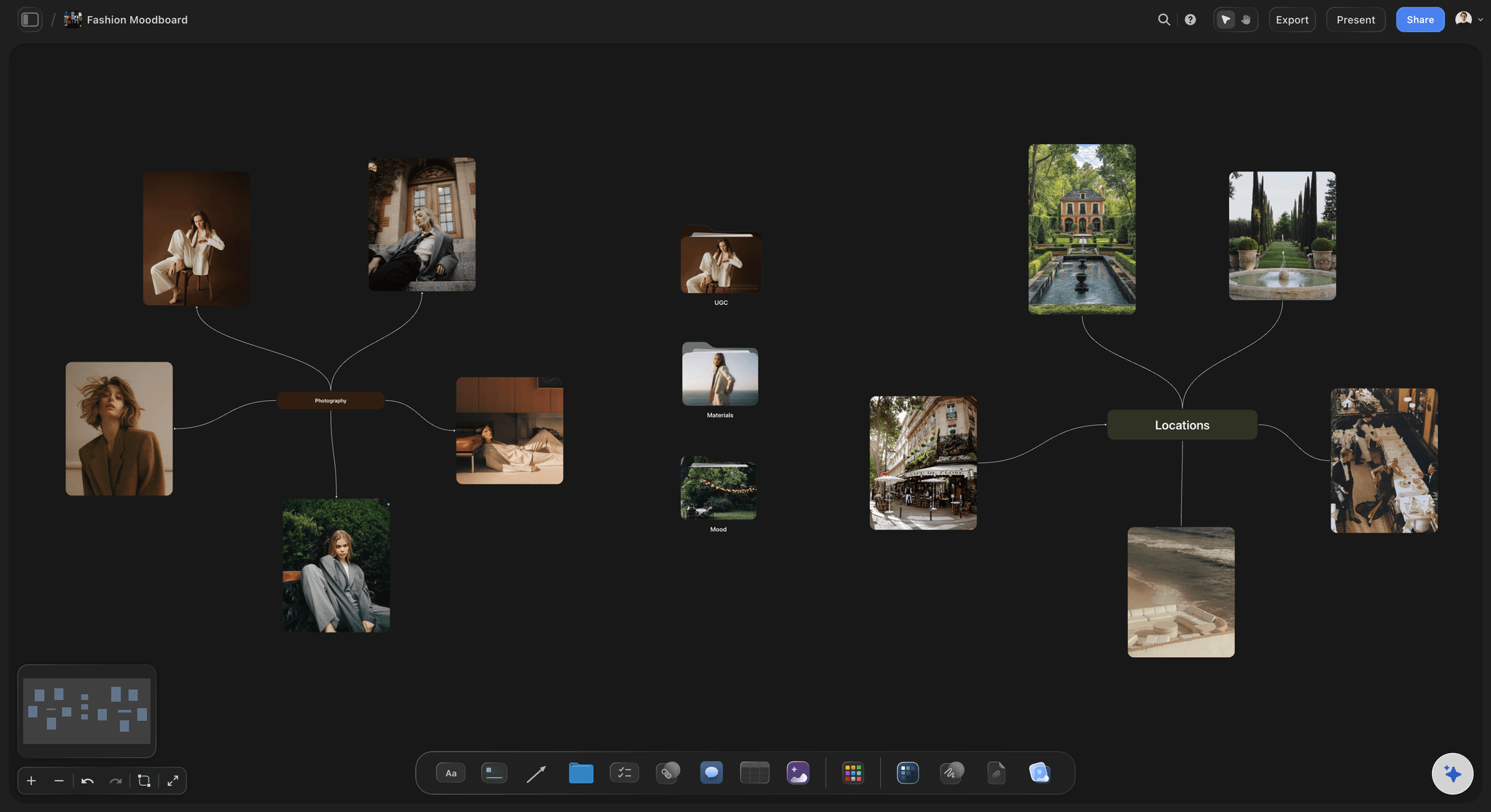
Pictures the client can react to
A one-line concept tied to the client's goal and a set of captioned references for light, styling and location. The AI builds the first moodboard from your brief, and on Pro and Max it can generate a look nobody has photographed yet.
Build a photoshoot moodboard →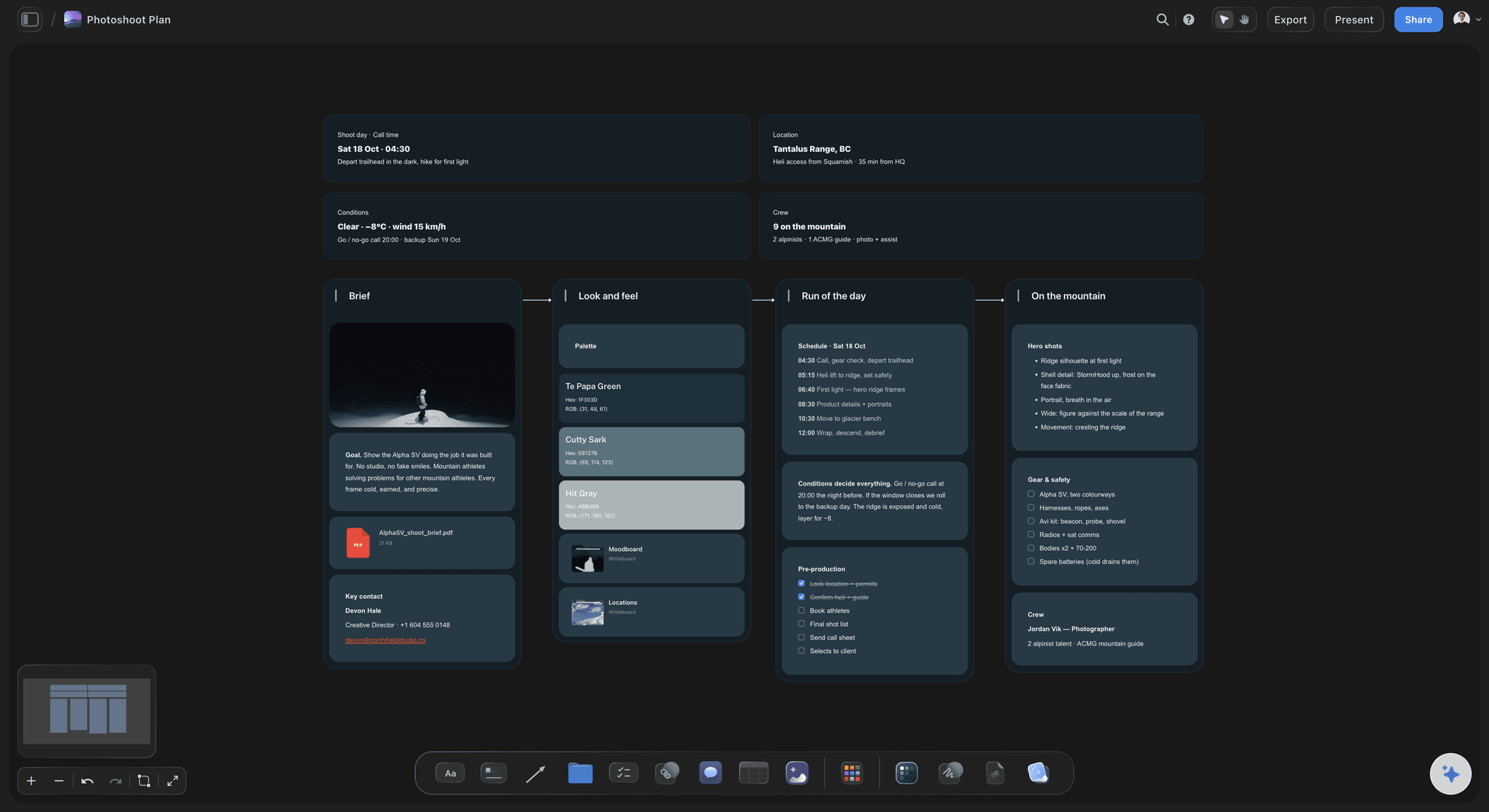
Setups, looks and the day itself
A shot plan and schedule the client can count
Each setup with its look and the crops it delivers, then the dates: prep, the shoot day, first selects and final delivery. Select the references and the AI drafts the setups for you to cut and correct.
See photoshoot planning →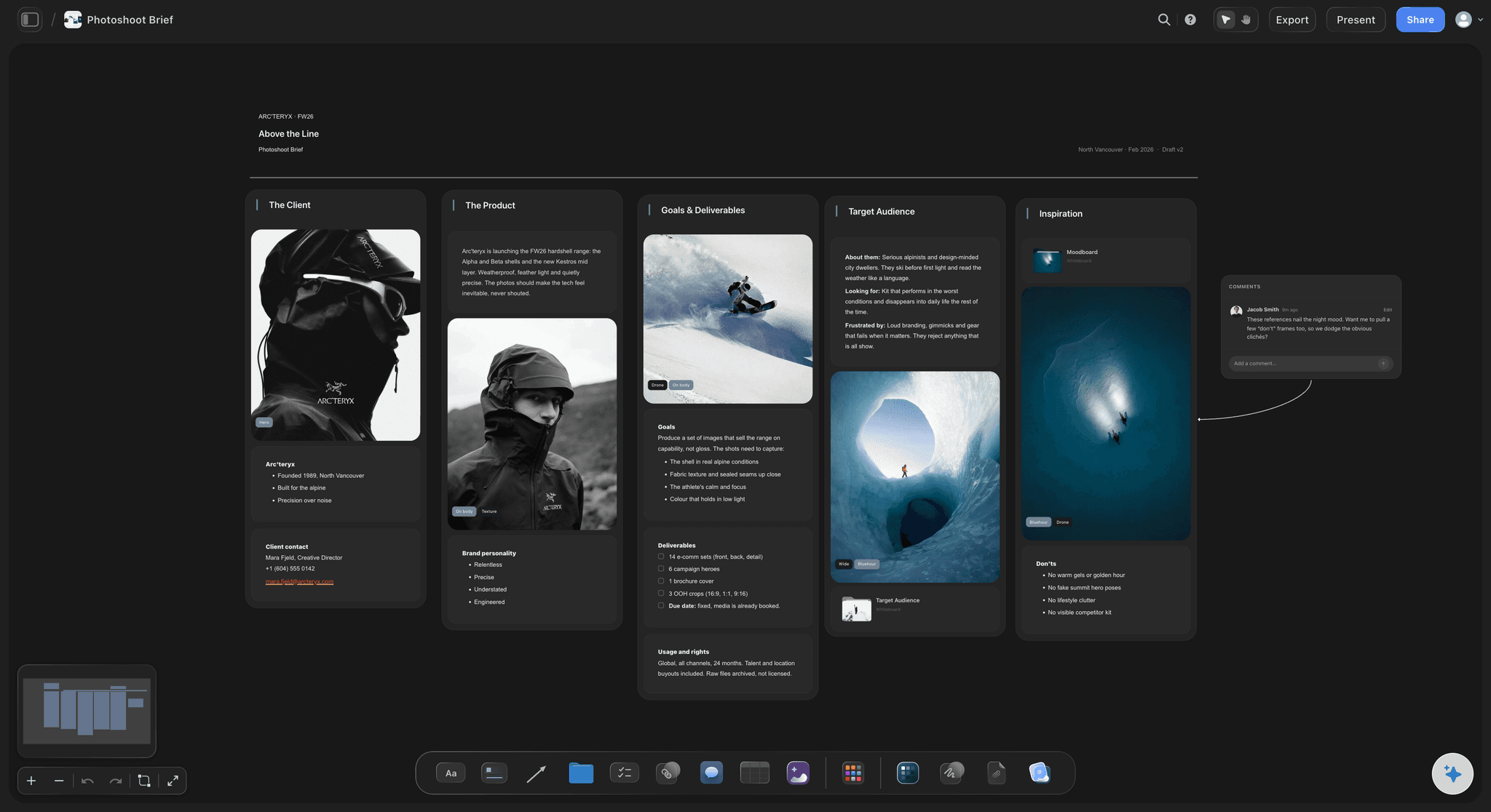
Deliverables, usage and the price
Scope written as a list, priced line by line
Finals, crops, channels, licence length and territory sit beside a price table with a currency column and a Sum footer. Add a line and the total updates, and a cost you have not priced stays visibly blank.
See Storyflow for photographers →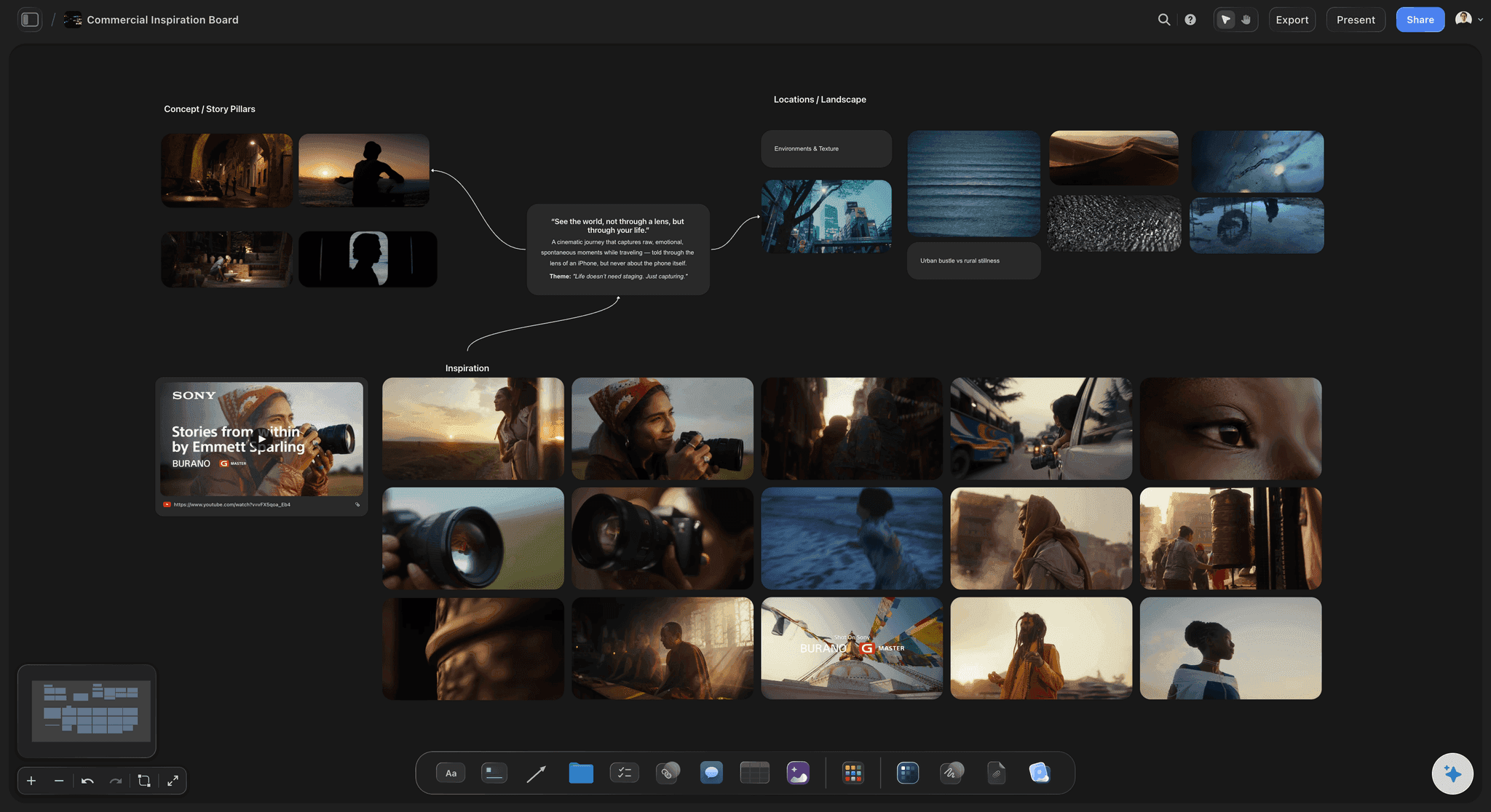
One link, or a PDF
Sent the way the client reads
The client opens the proposal from a view-only link in any browser, and signs in to leave a comment beside a specific reference. Export the whole board as a PDF for an inbox, or step through it in presentation mode on a call.
See the client presentation tool →One board per proposal. No object cap.
Keep every proposal you send, and duplicate the one that won for the next client. Storyflow is paid-only during early access, with plans from $7.99 a month billed annually ($9.99 monthly). A free plan launches before the end of 2026, and anyone a paid member invites to a board joins free.
Unlimited proposal boards, images and files on every paid plan
AI that drafts the concept, moodboard, shot plan and price table
Tables with currency columns and a live total
View-only links and whole-board PDF export for clients
Built for people with taste
Four things a photography proposal has to get right.
Each section answers a question the client would otherwise ask by email, or not ask and hold against you later.
Concept, look, shot plan, schedule, usage, price
The sections, in the order a client decides
A concept in one line: Tie the idea to the client's goal and the channels the pictures will run on. A concept that could be pitched to any brand reads as a template.
The look as captioned references: Nine to twelve images grouped into light, styling and location, each captioned with what it is there for. An uncaptioned reference gets read a different way by every person on the client side.
Shot plan and schedule: Setups, looks and crops the client can count, then the dates from prep to final delivery. The client agrees the scope before they see the fee.
Usage, then the price: Where the images run, for how long and in which territories, then two or three priced options. Usage on its own line explains why a longer licence costs more.
Pricing and follow-up
Options a client can compare, not one number
Line items, not a lump sum: Creative fee, shoot days, assistants, styling, retouching, usage and expenses as separate rows. A lump sum invites a discount; a list invites a conversation about scope.
Two or three options: A core option, a fuller one and a longer licence let the client choose instead of haggling. Give each option its own currency column with a Sum footer, so every total updates as you edit.
Blanks, not guesses: The AI's budget workflow builds the table from the costs you gave it, leaves a line it cannot price blank and names it. An invented number is worse than an honest gap.
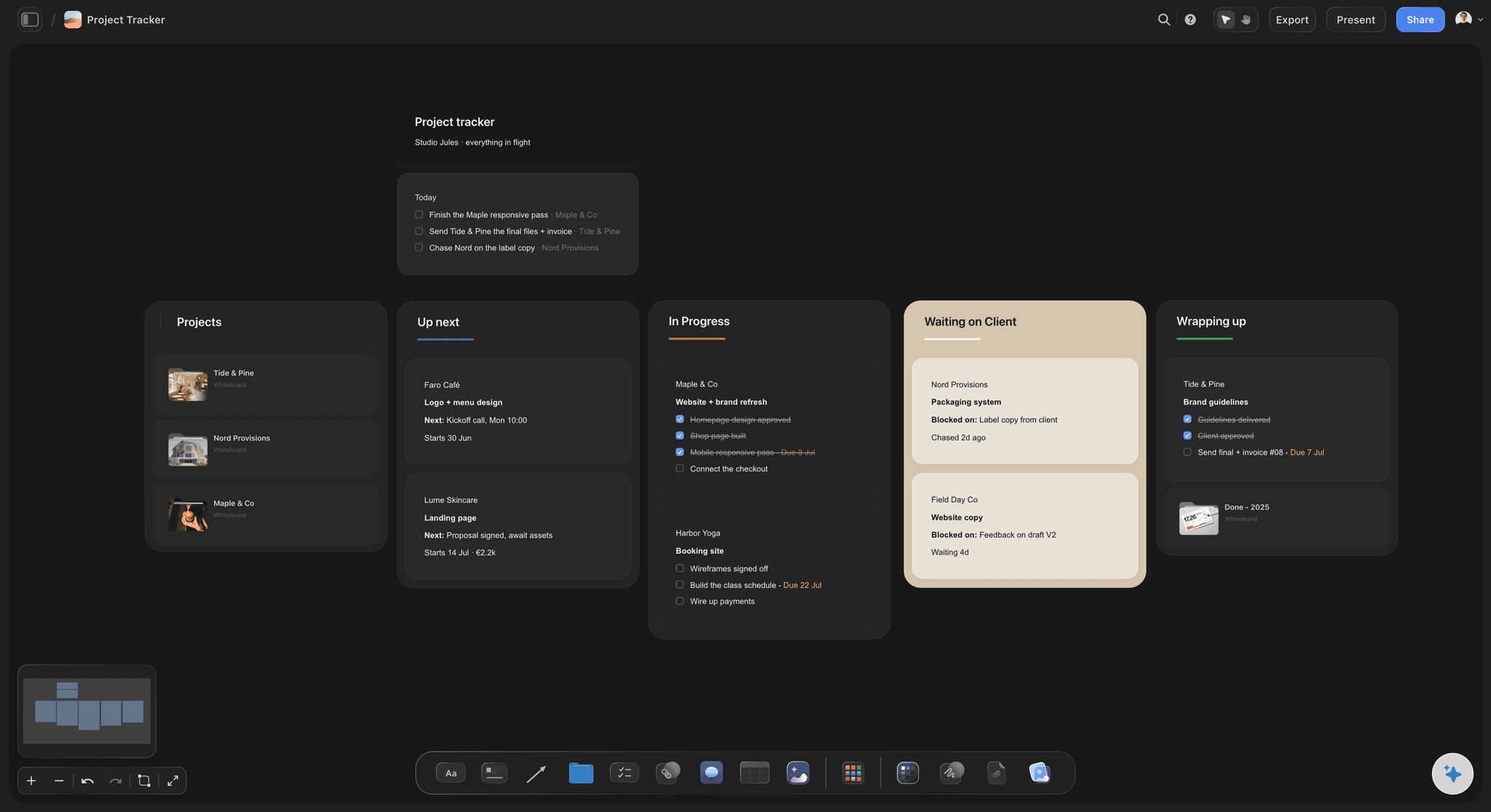
Track what is out: Keep every proposal on one tracker with who it went to, the date and whether it is waiting, won or lost. A proposal nobody follows up was sent for nothing.
Sending it
One link the client can forward
No account to open it: The client opens the view-only link in any browser, and so does the marketing lead they forward it to. They see the latest version whenever they open or reload it.
Notes on the reference, not in an email: A client who signs in can leave a comment next to the exact image or line they mean, or draw on the board to circle it. The note sits on the board beside what it is about.
A PDF for the inbox: Export the whole board as a PDF when procurement wants a file. Or ask the AI for a presentation PDF with one idea per page.
Presentation mode on the call: Put each section in a frame and step through the frames fullscreen while you talk. The board you send afterwards is the deck they just saw.
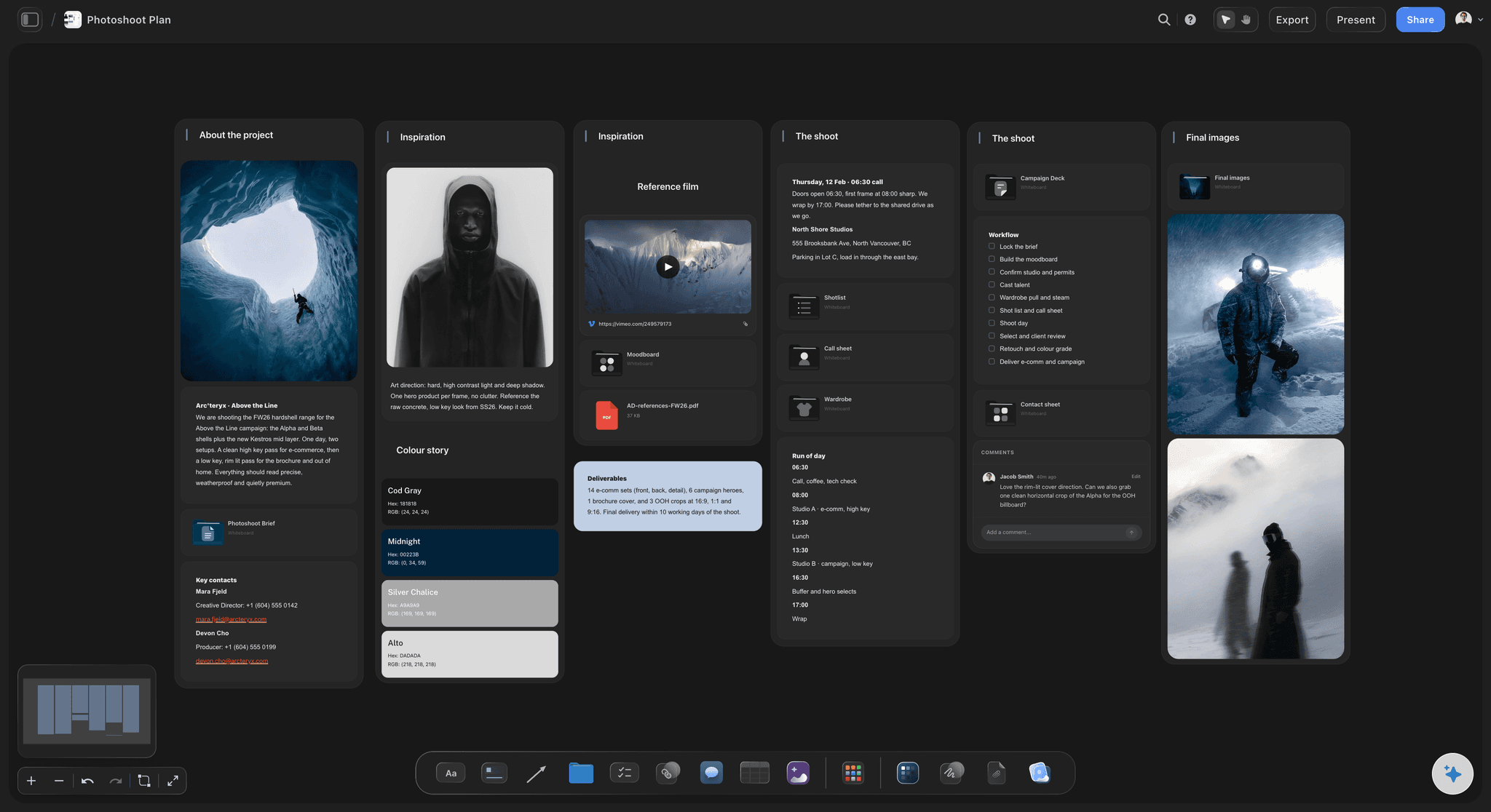
After the yes
The proposal becomes the plan; the paperwork goes to your CRM
References become the moodboard: The approved references stay on the board and grow into the moodboard the crew works from. Nothing is rebuilt in a second tool.
The shot plan becomes the shot list: Select the references and the AI drafts a shot list with one entry per setup. You mark the must-gets and the order.
A call sheet PDF for the day: The AI drafts a call sheet PDF for one shoot day from the board. It does not send it or collect confirmations.
Contract, deposit and gallery elsewhere: HoneyBook, Pixieset or Studio Ninja send the contract and take the e-signature and deposit, and Pixieset or HoneyBook deliver the gallery. Storyflow does none of those.
Explore templates for your project
Every template opens as a real, editable board on the infinite canvas. Pick the closest fit and make it your own.
Film Moodboard
Collect film references, color palettes, lighting, locations, and tone in one place, then invite your crew.
One app instead of five
Storyflow vs HoneyBook, Pixieset and Canva.
They split a proposal differently. Storyflow builds the part the client has to see. HoneyBook and Pixieset run the business side, from contracts and payments to galleries. Canva designs a polished deck from a template.
Storyflow
Recommended
Concept, moodboard and shot plan on one canvas
AI drafts the moodboard and shot plan
Frames grabbed from video references
Price table with a live total
Contract, e-signature and deposit
Client galleries for delivery
HoneyBook
Concept, moodboard and shot plan on one canvas
AI drafts the moodboard and shot plan
Frames grabbed from video references
Price table with a live total
Contract, e-signature and deposit
Client galleries for delivery
Pixieset
Concept, moodboard and shot plan on one canvas
AI drafts the moodboard and shot plan
Frames grabbed from video references
Price table with a live total
Contract, e-signature and deposit
Client galleries for delivery
Canva
Concept, moodboard and shot plan on one canvas
AI drafts the moodboard and shot plan
Frames grabbed from video references
Price table with a live total
Contract, e-signature and deposit
Client galleries for delivery
What creators are saying
Join early creators getting structured workspaces and AI that remembers their projects
“Storyflow has sped up my workflow by at least 3x, which means more flow state and more projects I can actually ship. It truly changed the way me and my team create.”

Reilin Joey
Director & YouTuber
“One prompt gets me a structured board. But the tactics are my favorite. I run my YouTube scripts through them and my intros and retention got better. It's amazing.”

Justkay
YouTuber & Freelance Filmmaker
“I used to juggle five apps to plan a project. Now I describe what I am making and get boards, lists, and a schedule. All in one place.”

George
@fernwehchronicles
Photography proposals, answered.
What to include, how to price it, how to send it, and where Storyflow stops.
Storyflow is the best fit for the part of a photography proposal the client has to see: the concept, moodboard, shot plan, schedule, usage and a price table with a live total, on one board opened from a link with no account or sent as a PDF. HoneyBook, Pixieset and Studio Ninja are better for the paperwork after yes: contracts, e-signature, deposits and invoices. Canva suits a polished deck built from a template.
Write it in the order the client decides. Open with a one-line concept tied to their goal, then nine to twelve captioned references, then the shot plan with setups, looks and crops, then the schedule, usage and deliverables, and last the price as two or three options. End with one next step and the date the prices hold until. In Storyflow the AI drafts each section from your brief, and you rewrite it in your own voice.
A quote is the price: line items and a total, which is what Pixieset or Studio Ninja sends before an invoice. A proposal is the case for the shoot: the concept, the look, the shot plan and the usage, and then the price. The contract is the terms the client signs. Storyflow builds the proposal the client reads, and HoneyBook, Pixieset or Studio Ninja send the quote, contract and invoice.
Break it into lines the client can read: creative fee, pre-production, shoot days, crew and assistants, styling, retouching per image, usage, and expenses such as studio hire. Keep usage as its own line so a longer licence visibly costs more, and offer two or three options. In Storyflow each option is a currency column with a Sum footer, so the totals update as you edit, and any cost you have not confirmed stays blank.
Usage says which media the client may run the pictures in, for how long and in which territories: web, social, paid ads, print or out-of-home, for twelve or twenty-four months, in one country or worldwide, with or without exclusivity. It is often priced separately from the shoot, because wider usage is worth more to the client. Write it in the proposal in plain words, then put the agreed terms in the contract your CRM sends for signature.
Two or three. One number turns the conversation into yes or no on price, and five options make the client do your scoping for you. A common shape is a core option, a fuller one with more setups or finals, and a longer or wider licence. Name each option by what the client gets rather than bronze, silver and gold, and say how long the prices hold.
Send the link, and keep a PDF for whoever needs a file. A Storyflow view-only link opens in any browser with no account, can be forwarded to the person who signs off, and shows the latest version whenever it is opened. Procurement teams and some agencies want an attachment, so export the whole board as a PDF, or ask the AI for a presentation PDF with one idea per page.
No. Storyflow builds and shows the proposal, and plans the shoot once it is agreed. Contracts with e-signature, deposits, invoices and payment reminders belong in HoneyBook, Pixieset or Studio Ninja, which are built for the business side of photography, and client galleries in Pixieset or HoneyBook. A pairing that works: the visual proposal in Storyflow, with its link pasted into the quote or contract your CRM sends, so the client reads one and signs the other.
It can draft one, and you should rewrite it. Describe the client, the goal and the dates, name the sections you want, and Storyflow's AI drafts the concept, a moodboard, a shot plan and a price table on the board. Its budget workflow builds the table from the costs you give it and leaves a line it cannot price blank instead of guessing your rates. It cannot know your taste or your fee, so both stay yours.
In Storyflow it becomes the plan on the same board. The approved references become the moodboard, the AI drafts a shot list from the references you select, and a call sheet PDF for the shoot day comes from the board. The contract, deposit and invoice go through HoneyBook, Pixieset or Studio Ninja. Keep the proposal on the board, because it is the record of what was agreed when a new request arrives later.
Yes. Duplicate the board of a proposal that won and change the concept, the references and the numbers, which keeps your structure, wording and price lines without retyping them. Clear every image and figure that belonged to the last job before you send it, because a stray reference from another client's campaign undoes the rest of the pitch.
No. Storyflow is paid-only during early access, with plans from $7.99 a month billed annually ($9.99 monthly). A free plan launches before the end of 2026, and anyone a paid member invites to a board joins free. Your client opens the proposal link with no account and pays nothing to read it.
More from Storyflow
Storyflow for photographers
Photoshoot plan template
Photoshoot planning
Photoshoot moodboard
Moodboards for clients
Client presentation tool
Client review board
Shot list template
Call sheet template
Storyflow for freelancers
Best tools for commercial photographers
Best photoshoot planning tools
Pricing
How to make a photoshoot moodboard
Wedding photography shot list
Event photography shot list
Moodboard tool for photographers
Show the shoot before the price.
Open a canvas, describe the shoot, and send the client one link. No download.