
Ultra-fast planning, extremely simple
Creative client onboarding
that starts with one board, not ten emails.
The scope, the timeline, what the client owes and the plan for the kickoff call, on the board the client opens on day one.


Creatives working for these brands already got early access
- Red Bull
- Canon
- Artlist
- Porsche
See how easy it is to get started
Watch a real project come together, from a blank board to a finished plan, clicked through step by step.
Start from a ready-made template
Pick a board to see what you can build, then let AI fill it in. Every template is a real, editable starting point on the same infinite canvas.

Mind Map
Branch one central idea out into themes and sub-points, then drag the connections around until the structure makes sense.
What is creative client onboarding?
Creative client onboarding is everything between the client's yes and the first piece of work: the contract and deposit, a questionnaire, the assets and access you need, a kickoff call, the rules for how you will talk, and a plan for week one. Storyflow is an AI visual workspace that runs creative client onboarding on one infinite canvas: the scope, the client's tasks and due dates, the assets list, the kickoff agenda and the week-one plan, on the project board the client opens and works from. Paste the signed proposal and its AI builds that board, with a timeline worked back from the delivery date.
Nothing starts before the deposit. The signed contract and the first payment are the gate: book the kickoff once both are in, and say so in the welcome email. A studio that starts on a promise of payment teaches the client that dates are soft, and that lesson comes back in every review window.
The clock starts when the assets arrive. Your timeline assumes you have the logo files, fonts, photography, copy and logins. Give each one a due date on the plan and write that the schedule starts when the last one lands. Ask for logins through a password manager share, never pasted into an email or a board.
Agree how you will talk before you need to. One channel, one decision-maker and a reply time both ways, such as one working day. Say what a round of feedback is, where it goes, how often you check in and what counts as urgent. Clients rarely break rules they agreed at kickoff; they break the ones nobody said out loud.
Ultra fast from brief to board
Five working days, from signature to first work.
Four steps in the first five working days.
01
Paste the signed proposal
The AI turns it into a project board: scope in and out, a timeline worked back from the delivery date, a task list for the client and a kickoff agenda. You correct anything it guessed.
02
Collect the answers and the assets
Send the questionnaire as a form, then paste the answers onto the board. The AI sorts them into goals, audience, brand, decision-makers and open questions, and lists what is still missing.
03
Run the kickoff from the board
Step through the agenda fullscreen, one frame per item, and type the decisions straight onto the board while you talk. Nobody has to write minutes afterwards.
04
Give the client their part
Send the link, or invite the client as an editor so they can tick off their own tasks, and keep your internal notes on a separate board. Put the first visible piece of work, a moodboard or first research, on it by day five.
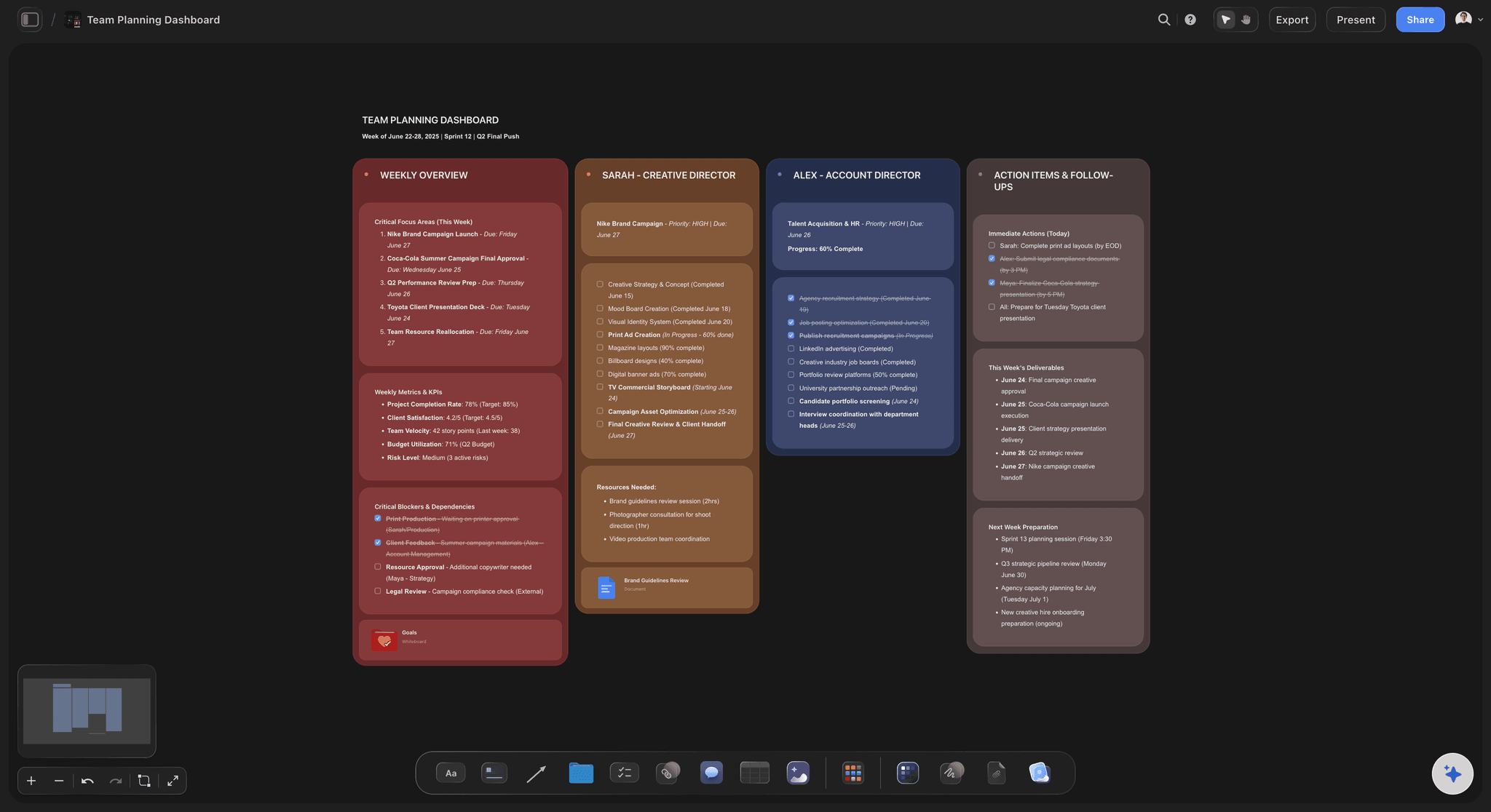
The board the client opens on day one.
Scope, dates and their part in it, where the client can find them in week six.

What is in, and what is not
The brief and the scope, written as lists
The goal, the deliverables counted one by one, and a second list of what is out of scope. When a new request arrives in week four, both of you can point at the same page.
See the project brief template →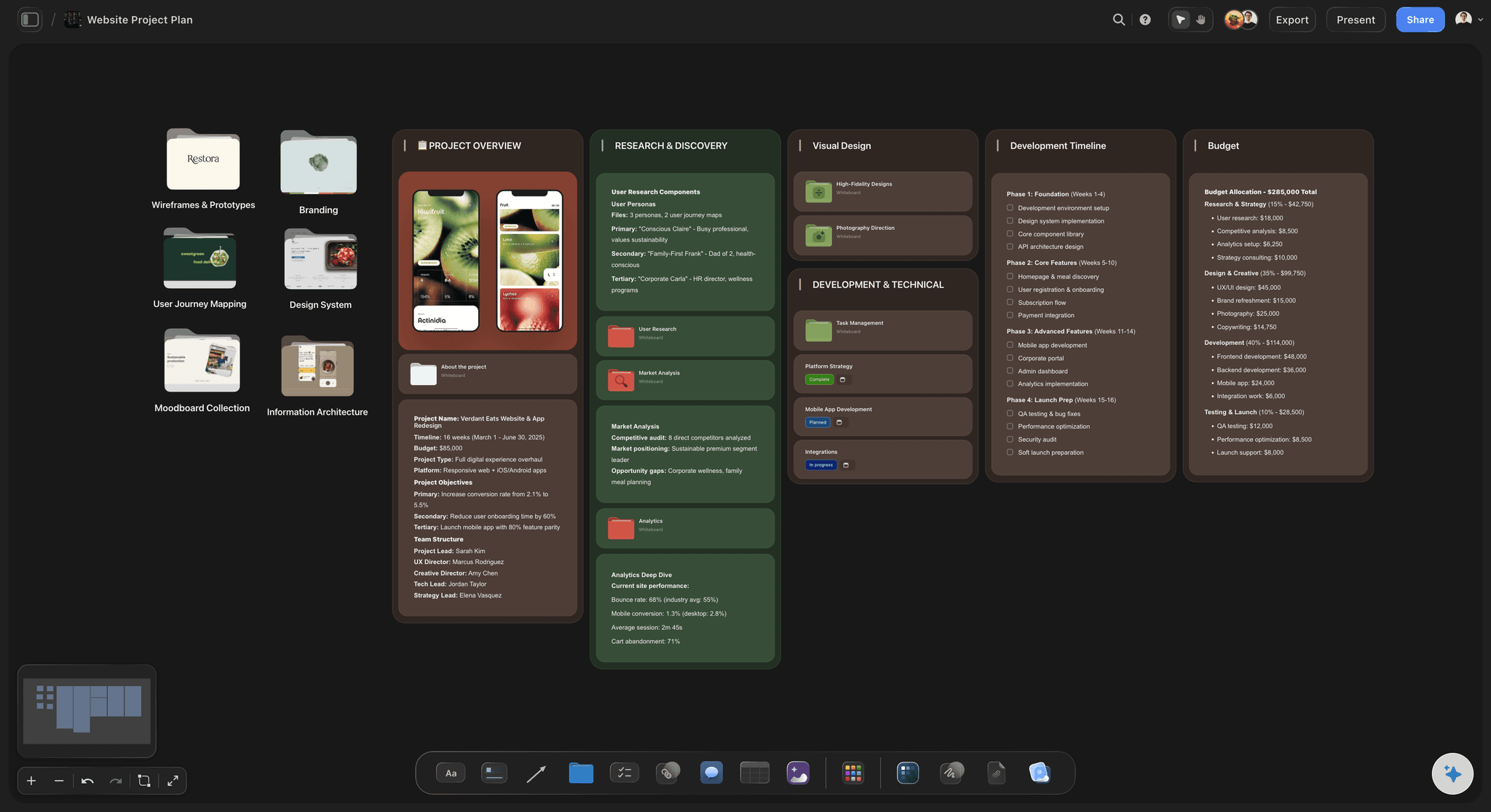
Dates on both sides
A timeline with the client's tasks in it
Milestones and review windows in a table with date, status and person cells, rows kept in date order. The client's items, from assets to feedback, carry their name and a due date next to yours.
See solo studio project planning →
A kickoff with an agenda
Sixty minutes, one frame per item
Intros and roles, goals, scope, the timeline, how you work together, and next steps, each in its own frame. Present it fullscreen and write the answers where the question was asked.
See agency client project planning →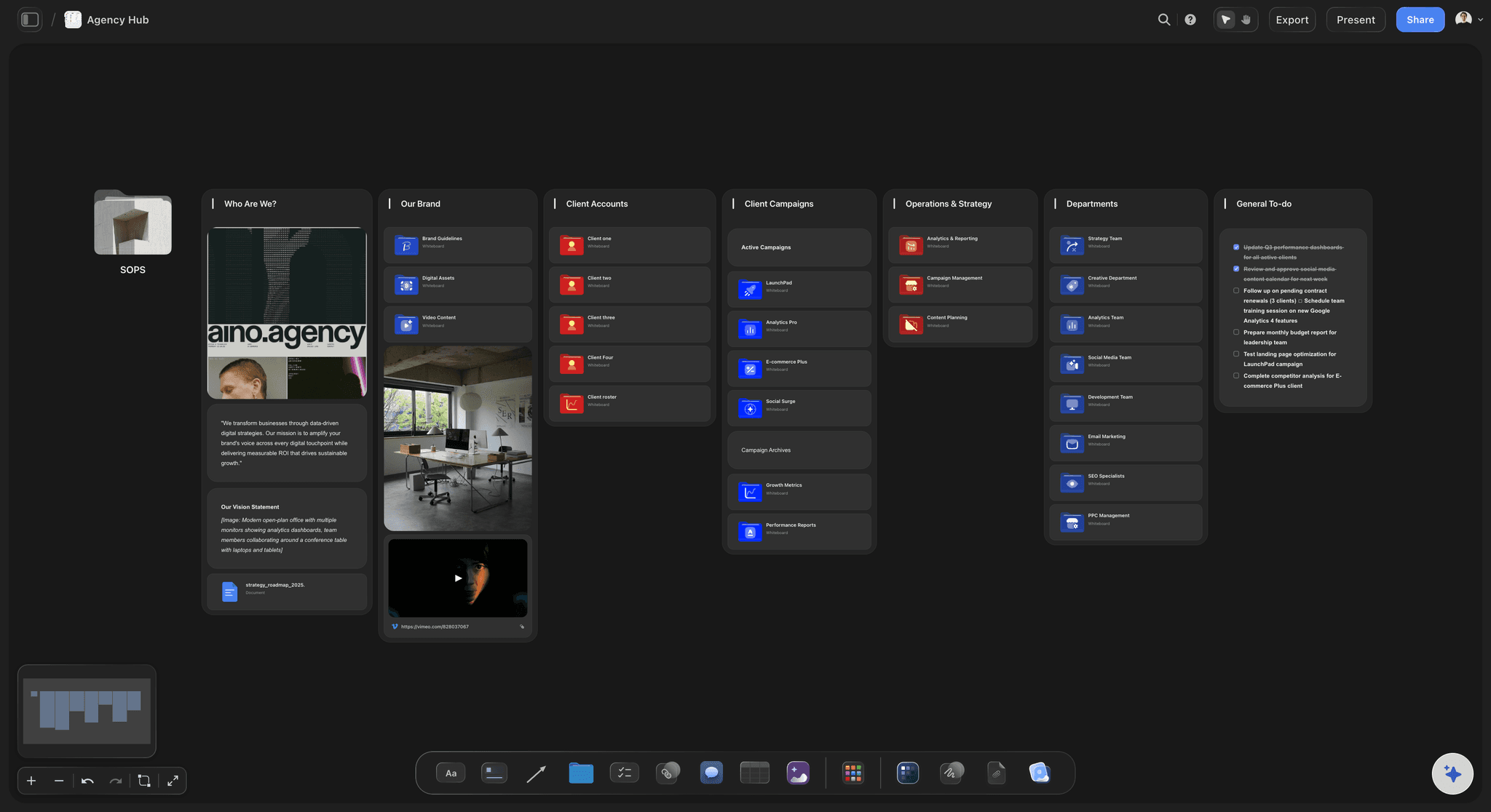
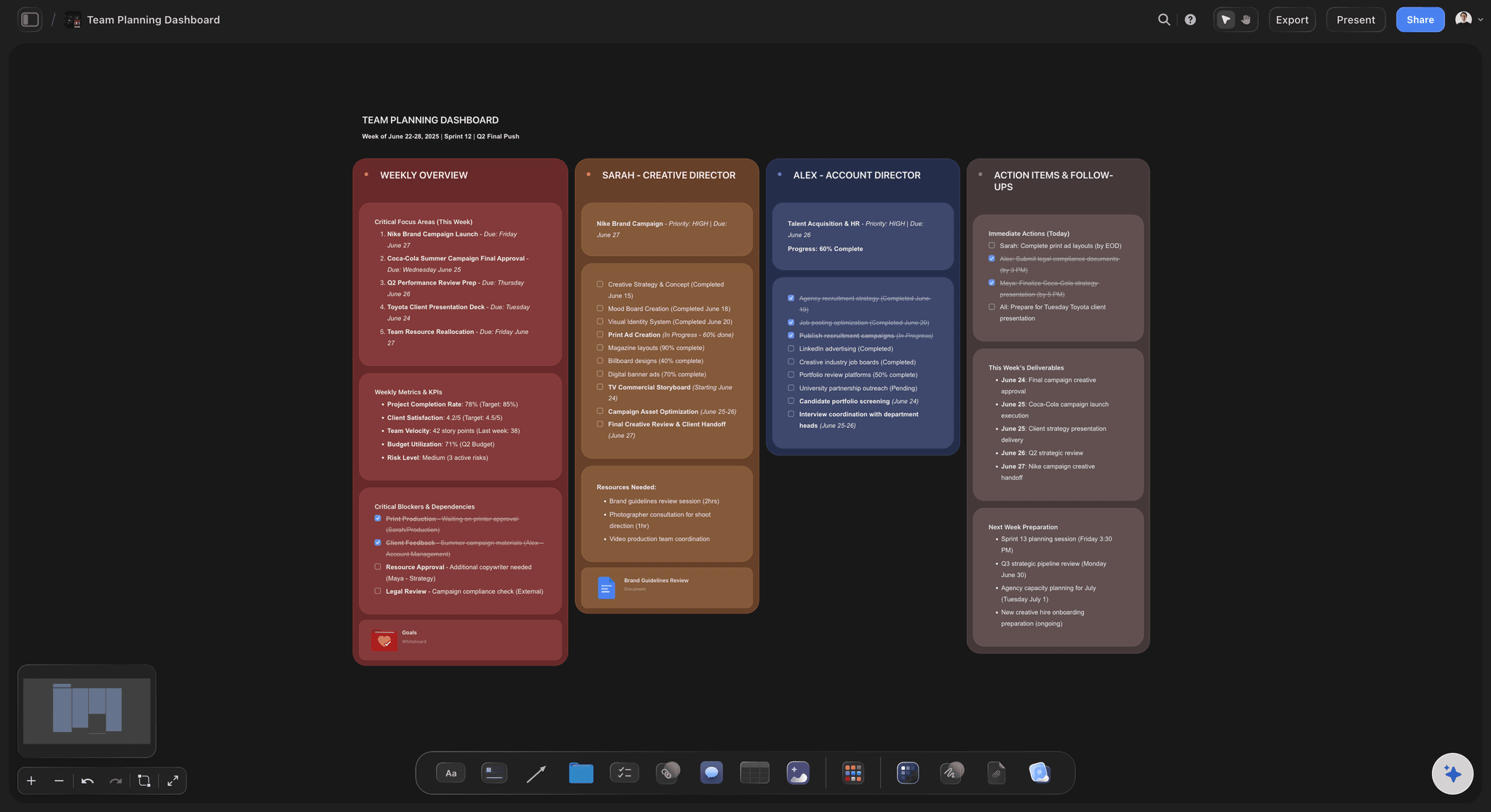
One link for the whole job
Shared the way the client works
The client opens the board from a view-only link with no account, and signs in to comment on a task or a reference. Or invite them as an editor to tick off their own tasks; an editor can change the whole board, so keep internal notes on another one. Anyone you invite joins free. Export the whole board as a PDF for their files.
See the client review board →One board per client, from kickoff to handoff.
Duplicate your best onboarding board for the next client and change the names, so every project starts the same way. Storyflow is paid-only during early access, with plans from $7.99 a month billed annually ($9.99 monthly). A free plan launches before the end of 2026, and anyone a paid member invites to a board joins free.
Unlimited client boards and file uploads on every paid plan
AI that turns a signed proposal into the project board and sorts questionnaire answers
Tables and tickets with owners and due dates for both sides
Presentation mode for the kickoff, view-only links and whole-board PDF export
Built for people with taste
The onboarding checklist, from the yes to day five.
A common shape for a design, video, photo or content studio. Cut what a small job does not need; the order is what matters.
Day zero and day one
The gate, the welcome and the questionnaire
Contract signed, deposit paid: Both before anything else. A common deposit is a third to a half of the fee. Until it lands, the kickoff is pencilled in, not booked.
The welcome email, the same day: What happens this week, the kickoff date, the questionnaire, the link to the project board and who to contact for what. If you send a welcome packet, keep it to this plus your working hours and holidays, two pages rather than a brochure.
The questionnaire, back in two working days: Fifteen to twenty questions: the goal and how they will judge success, the audience, competitors, what they loved and hated in past work, fixed dates, who decides and who else reviews. More than twenty and the answers get thin.
Before the work starts
Assets and access to collect
Brand files: Vector logos, the guidelines, font files or licence details, colour values and any templates. A logo pulled from their website is how a job starts with the wrong blue.
Content: Photography and video they own, copy, product details, legal lines and disclaimers, and anything a regulator or a partner has to approve.
Access: Website, CMS, social accounts and analytics, shared through a password manager, and ideally a login of your own rather than theirs. Note who granted it, so it can be removed at handoff.
People: The decision-maker, the day-to-day contact, everyone else who reviews, and anyone on holiday during the project. A reviewer who appears in week five is a schedule change.
Day three
A sixty-minute kickoff agenda
0:00 to 0:10. Intros and roles: Who is in the call, who decides, who does the work day to day. Write the names on the board as you go.
0:10 to 0:25. Goals and scope: The goal in the client's words, then the deliverables list and the out-of-scope list read aloud. This is the cheapest moment the project will ever have to fix a misunderstanding.
0:25 to 0:40. Timeline and the client's part: Milestones, the review windows and every item the client owes, with dates. Ask for a yes on each date in the call, not by email later.
0:40 to 1:00. How we work, then next steps: The channel, reply times, what a feedback round is, the check-in rhythm, and what needs a call instead of a message. Close with the three things that happen before the next meeting and who owns each.
Days four and five
The first week, finished properly
Day four: the kickoff summary: The decisions, the open questions and who owes what, added to the board, not sent as a separate document. Tell the client where it is in one line.
Day five: the first visible work: A moodboard, first research or a shot ideas page, so the client sees the project moving in its first week. It sets the tone for every review after it.
The weekly check-in: Fifteen to twenty minutes on the same day each week: what moved, what is waiting on whom, the next date. Run it from the board so the notes stay with the job.
Explore templates for your project
Every template opens as a real, editable board on the infinite canvas. Pick the closest fit and make it your own.
Mind Map
Branch one central idea out into themes and sub-points, then drag the connections around until the structure makes sense.
One app instead of five
HoneyBook, Dubsado and Bonsai do the paperwork. Storyflow holds the job.
They run the business side of onboarding: the forms, the contract and the payments. Storyflow is the project board the client works from once those are done.
Storyflow
Recommended
Brief and references on a free-form canvas
Kickoff presented fullscreen
Questionnaire the client fills in
Contract with e-signature
Invoices and online payments
HoneyBook
Brief and references on a free-form canvas
Kickoff presented fullscreen
Questionnaire the client fills in
Contract with e-signature
Invoices and online payments
Dubsado
Brief and references on a free-form canvas
Kickoff presented fullscreen
Questionnaire the client fills in
Contract with e-signature
Invoices and online payments
Bonsai
Brief and references on a free-form canvas
Kickoff presented fullscreen
Questionnaire the client fills in
Contract with e-signature
Invoices and online payments
What creators are saying
Join early creators getting structured workspaces and AI that remembers their projects
“Storyflow has sped up my workflow by at least 3x, which means more flow state and more projects I can actually ship. It truly changed the way me and my team create.”

Reilin Joey
Director & YouTuber
“One prompt gets me a structured board. But the tactics are my favorite. I run my YouTube scripts through them and my intros and retention got better. It's amazing.”

Justkay
YouTuber & Freelance Filmmaker
“I used to juggle five apps to plan a project. Now I describe what I am making and get boards, lists, and a schedule. All in one place.”

George
@fernwehchronicles
Onboarding questions from small studios.
The checklist, the questionnaire, the kickoff and access.
In order: contract signed and deposit paid; a welcome email the same day; a questionnaire back within two working days; brand files, content and access collected; the decision-maker and reviewers named; a sixty-minute kickoff; the kickoff summary on the project board; the communication rules; and something the client can see by day five. Each item gets an owner and a date.
Storyflow is built for exactly this job: the signed brief becomes one project board with the scope in and out, the client's tasks and due dates, the assets list and the kickoff agenda, and the client opens it by link with no account or gets it as a PDF. Its AI builds that board from the pasted proposal. Forms, e-signatures and invoices still run in HoneyBook, Dubsado or Bonsai, whose welcome email carries the board's link.
Fifteen to twenty: the goal and how success will be judged, the audience, the main competitors, work they admire and work they hated, fixed dates and launches, the budget already agreed, who decides and who else reviews, brand rules and legal requirements, where assets live, and how they prefer to communicate. Leave the creative questions for the kickoff, where you can ask why.
A common sixty-minute shape: ten minutes of intros and roles, fifteen on goals and scope read aloud, fifteen on the timeline and everything the client owes, then twenty on how you will work and the next steps. Present it from the project board and type decisions onto it as you go, so the summary is finished when the call ends.
Vector logos, brand guidelines, fonts or licence details and colour values; photography, video, copy and legal lines they own; logins for the website, CMS, social accounts and analytics, never sent in plain text; and the names of everyone who reviews. Give each item a due date and say the schedule starts when the last one arrives.
About a working week for most studio jobs: the contract and deposit on day zero, the welcome and questionnaire on day one, answers and assets by day three, the kickoff on day three, and the first visible work on day five. Retainers and large rebrands take longer because more people need access and more reviewers need naming.
No. Book the kickoff once the contract is signed and the deposit has landed, and say so in the proposal so it is not a surprise. Starting early on a promise makes every later date negotiable. If a client is in a real hurry, send the invoice with the contract so both can be done the same day.
One channel for project decisions, one decision-maker, a reply time in both directions such as one working day, what a round of feedback is and where it goes, a weekly check-in of fifteen to twenty minutes, and what counts as urgent. Write them on the project board during the kickoff, where both sides will see them again.
It can do the assembly. Paste the signed proposal into Storyflow and its AI builds the project board: scope, a timeline worked back from the delivery date, the client's tasks and a kickoff agenda. Paste the questionnaire answers and it sorts them and lists what is missing. You check every date and decide what the client sees.
No. Storyflow has no forms, e-signature, invoicing or email automation. HoneyBook, Dubsado and Bonsai send the proposal, contract, questionnaire, invoice and payment reminders, and can automate the welcome sequence. A setup that works: they handle the paperwork, and their welcome email carries the link to the Storyflow project board the client works from.
Yes, a board made for them: the scope, the timeline, their tasks, the references and the work as it is ready. Keep your internal notes, costs and other clients on a separate board. In Storyflow you can share it read-only, or invite the client as an editor at no cost to them; editors can change the whole board.
Not during early access. Storyflow is paid-only during early access, with plans from $7.99 a month billed annually ($9.99 monthly). A free plan launches before the end of 2026, and anyone a paid member invites to a board joins free, so your clients never need a plan of their own.
More from Storyflow
Agency client project planning
Creative agency software
Solo studio project planning
Client review board
Brief to project board
Project brief template
Brand identity project plan
Brand discovery workshop
Creative agency pitch deck
Video production proposal
How to onboard a freelancer onto a creative project
How to run a project kickoff
How to stop scope creep on a creative project
Pricing
Design proposal template
Creative scope of work
Scope creep on creative projects
Give every new client the same first week.
Start from the signed proposal, run the kickoff from the board, and show work by day five.