
Ultra-fast moodboards with real taste
Brand photoshoot planning
that starts with where each image runs.
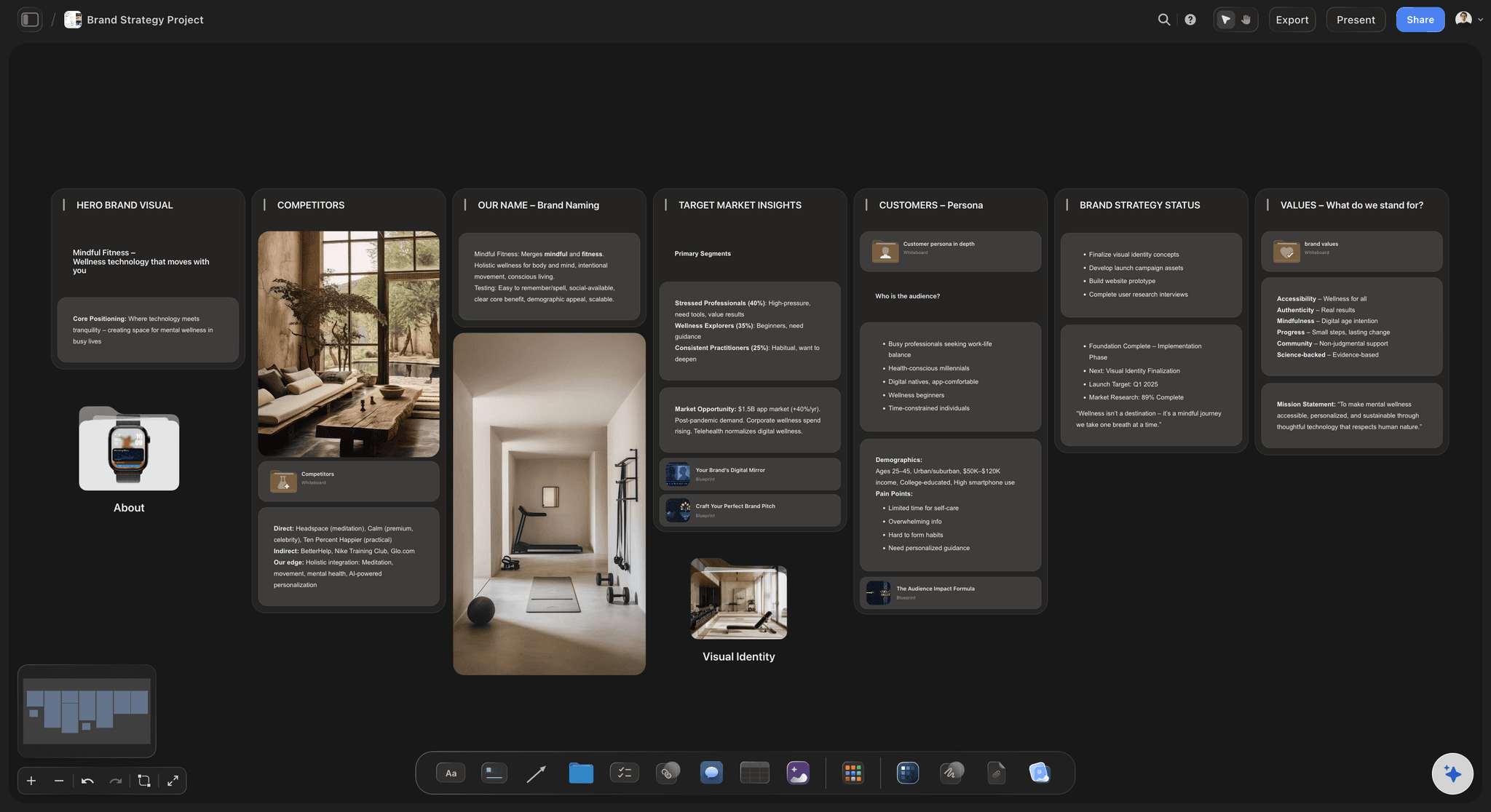
The questionnaire, a moodboard in lanes, a shot list for the website, social and press, and the wardrobe and locations that make it work. Agreed with the client before anyone gets dressed.


Creatives working for these brands already got early access
- Red Bull
- Canon
- Artlist
- Porsche
See how easy it is to get started
Watch a real project come together, from a blank board to a finished plan, clicked through step by step.
Start from a ready-made template
Pick a board to see what you can build, then let AI fill it in. Every template is a real, editable starting point on the same infinite canvas.

Film Moodboard
Collect film references, color palettes, lighting, locations, and tone in one place, then invite your crew.
How do you plan a brand photoshoot and its shot list?
Brand photoshoot planning is the work between the booking and the shoot: a questionnaire about the business, a moodboard of the look, a shot list organised by where each image will run. Storyflow is an AI visual workspace that plans your brand shoot on one infinite canvas: the questionnaire answers, a moodboard in lanes, a shot list grouped by where each image runs, and a first draft of both that its AI writes from the answers for you to edit.
Plan from the page, not the pose. Ask where every image will live before choosing a shot. The website hero needs a horizontal frame with room for a headline, the about page a portrait that meets the reader's eye, social a run of 4:5 verticals, press a clean headshot. A shot list without destinations delivers forty images and no hero.
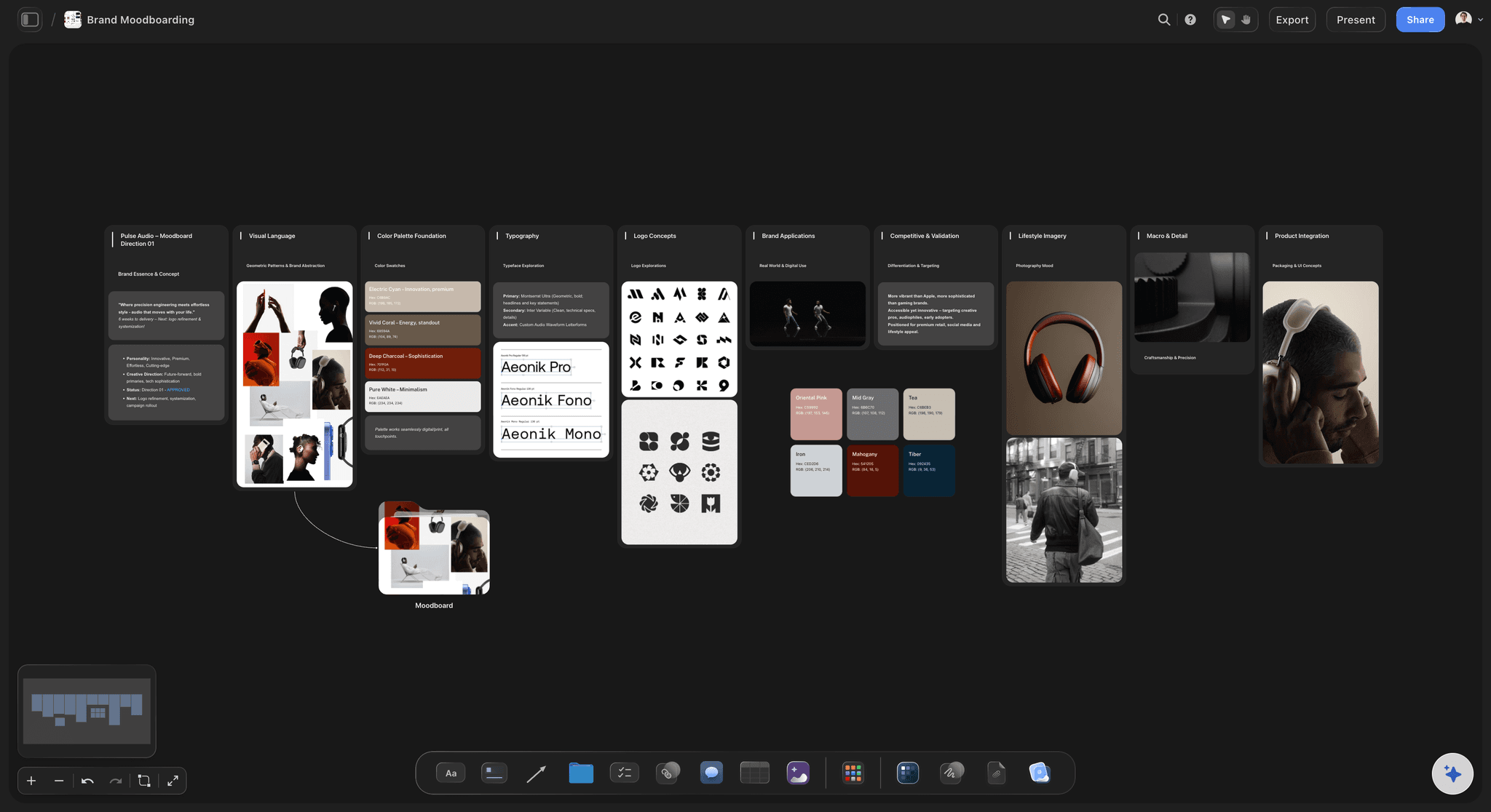
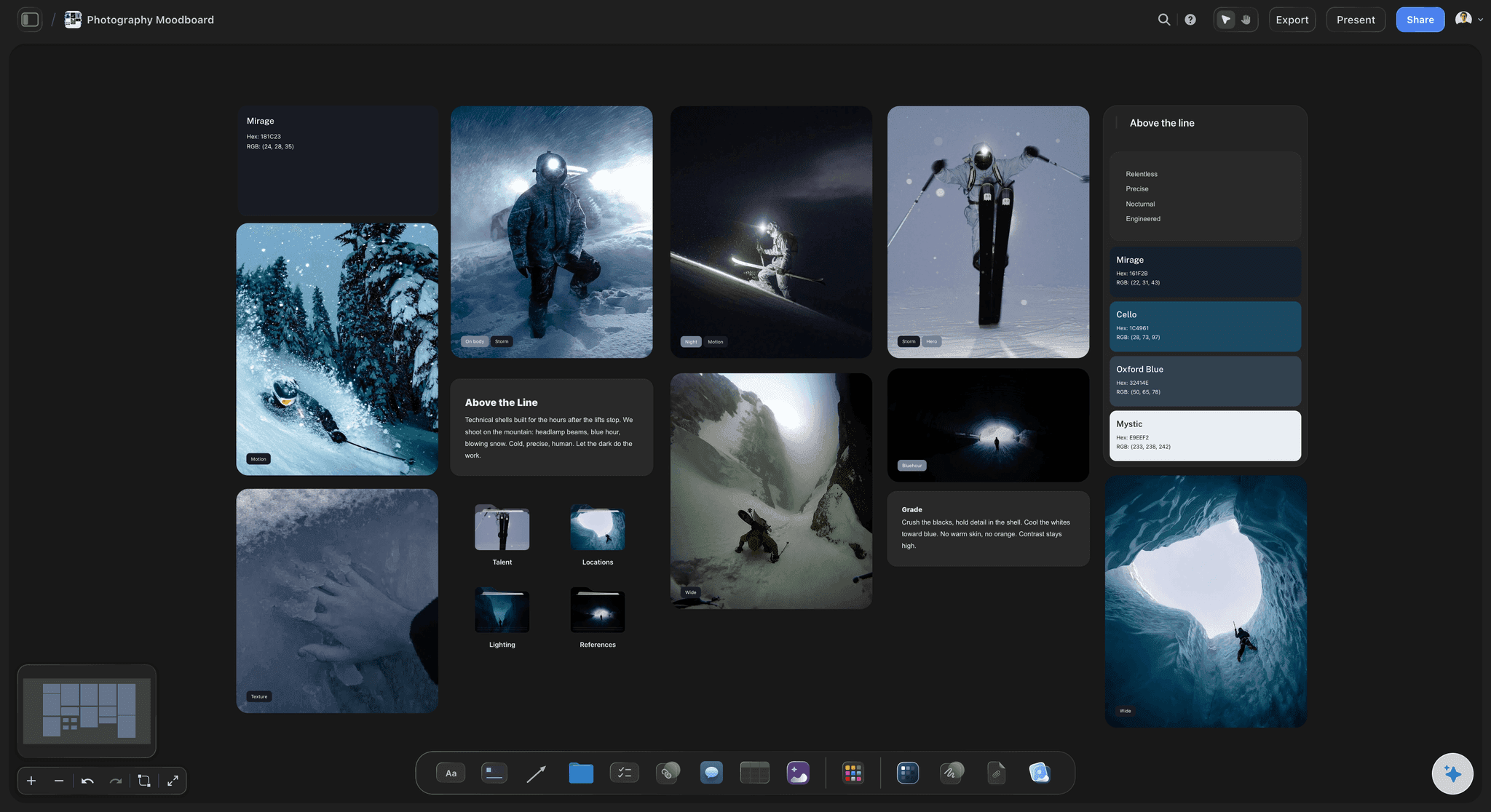
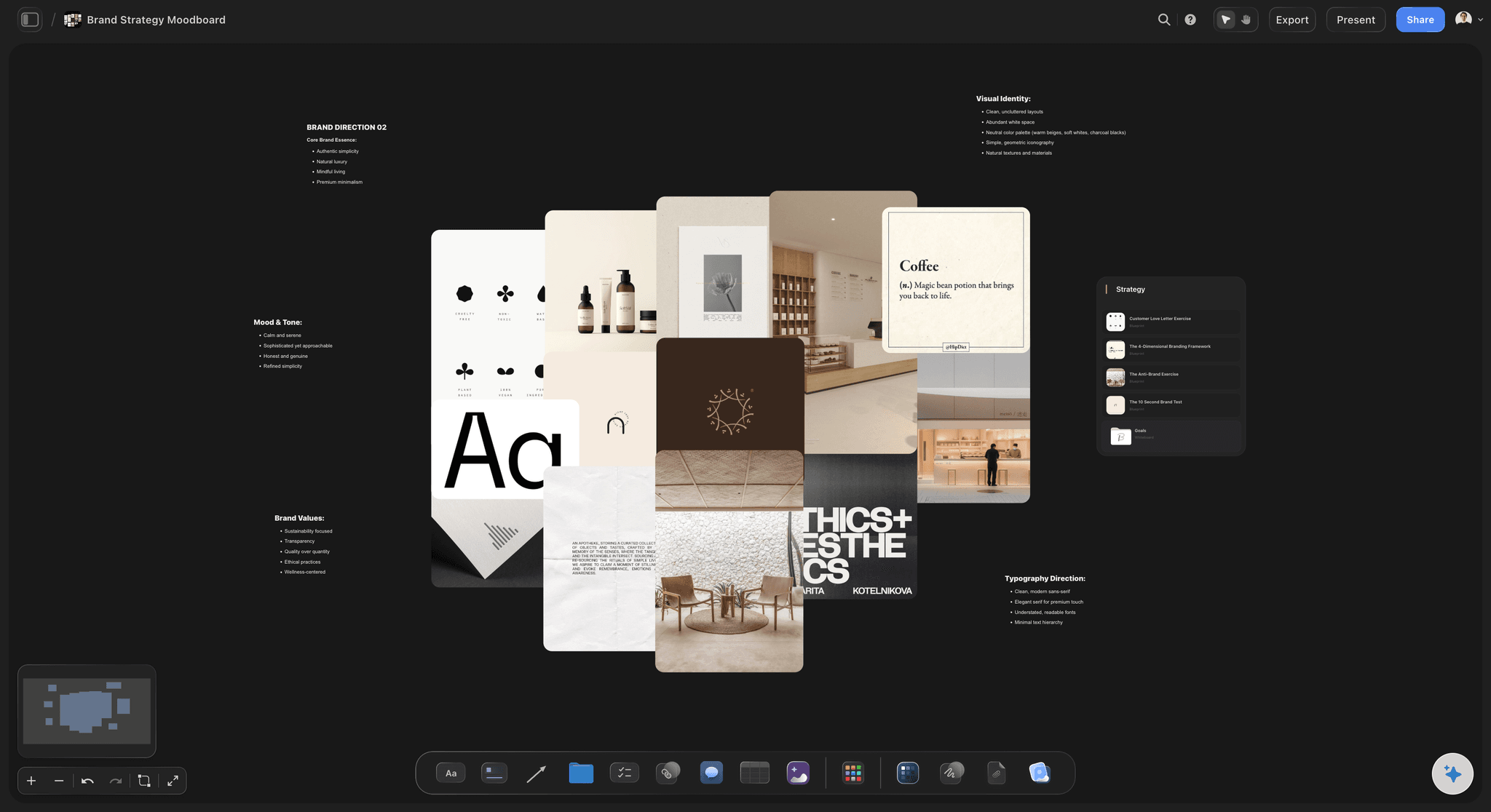
Split the moodboard into lanes. A common shape is four or five: portraits, the person at work, details and products, the space, and textures or flat lays. Six to ten images per lane is enough to agree a look; more turns a direction into a scrapbook. Caption each image with what you are taking from it: the light, the crop or the colour.
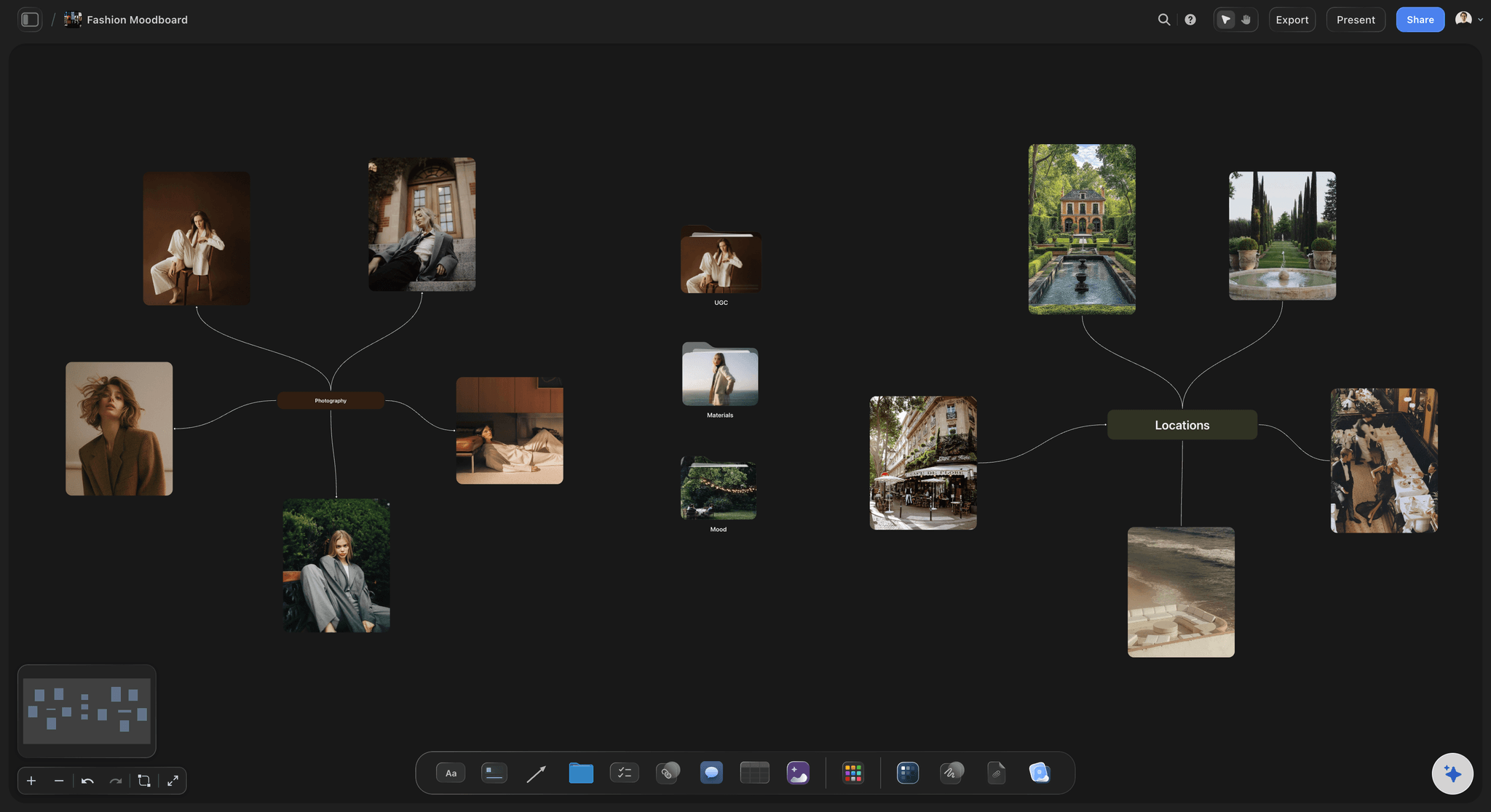
Wardrobe and location are where brand shoots go wrong. Ask for three or four outfits in the brand's colours, with no small patterns or large logos, and a photo of each laid out the week before. Choose one or two locations that show what the business actually does. A rented loft for an accountant's shoot reads as stock photography.
Ultra fast from brief to board
From the questionnaire to a shoot day with no guesswork.
Four steps over the three weeks before the shoot.
01
Get the questionnaire answers
Send your questionnaire from the client tool you already use and paste the answers onto the board: the business, the audience, three brand words and every place the images will run. The AI drafts the moodboard lanes and a first shot list from them.
02
Agree the look in lanes
Fill each lane with six to ten references, add the brand's colours as swatches, and caption what each image is there for. The client comments on the lane they disagree with instead of the whole board.
03
Write the shot list by use
Group the shots under the page or channel they are for, with the orientation each needs. The client sees their website and feed in the list, and asks for what is missing before the day rather than after the gallery.
04
Lock wardrobe, locations and the day
Outfit photos on the board a week out, one or two locations with a backup, and the day's timings as a table. If hair, makeup or an assistant is booked, the AI drafts a call sheet PDF for them.
Pictures for pages that exist, in a look the founder agreed.
Questionnaire answers, the look, the shots and the day. Forms, contracts and galleries stay in your client management tool.
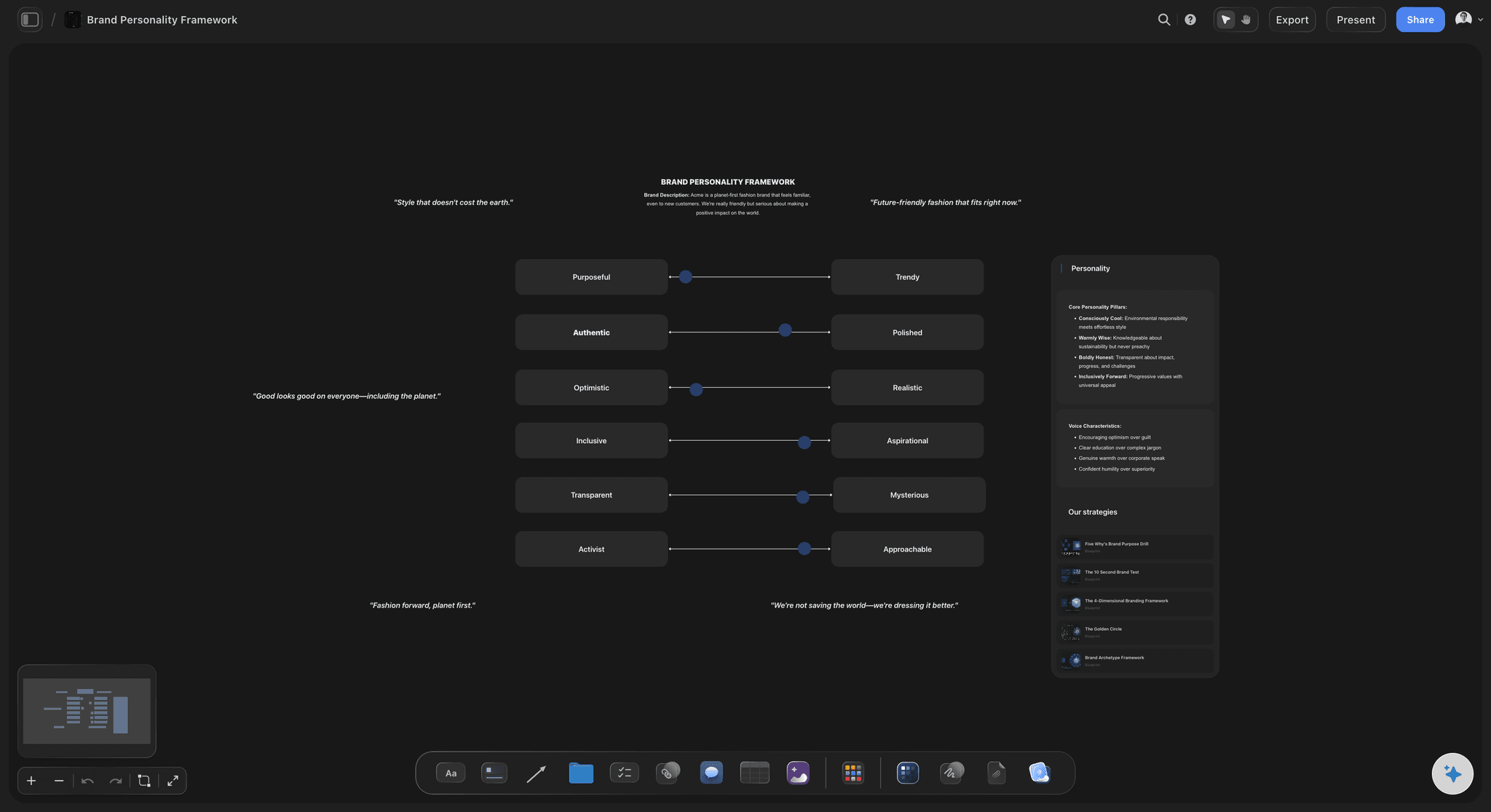
The business, in the client's words
Questionnaire answers the plan is built on
The answers go into a doc on the board beside the plan they shaped: who the client serves, three brand words, what they do not want. When a shot is questioned later, the reason is one scroll away.
See the brand personality template →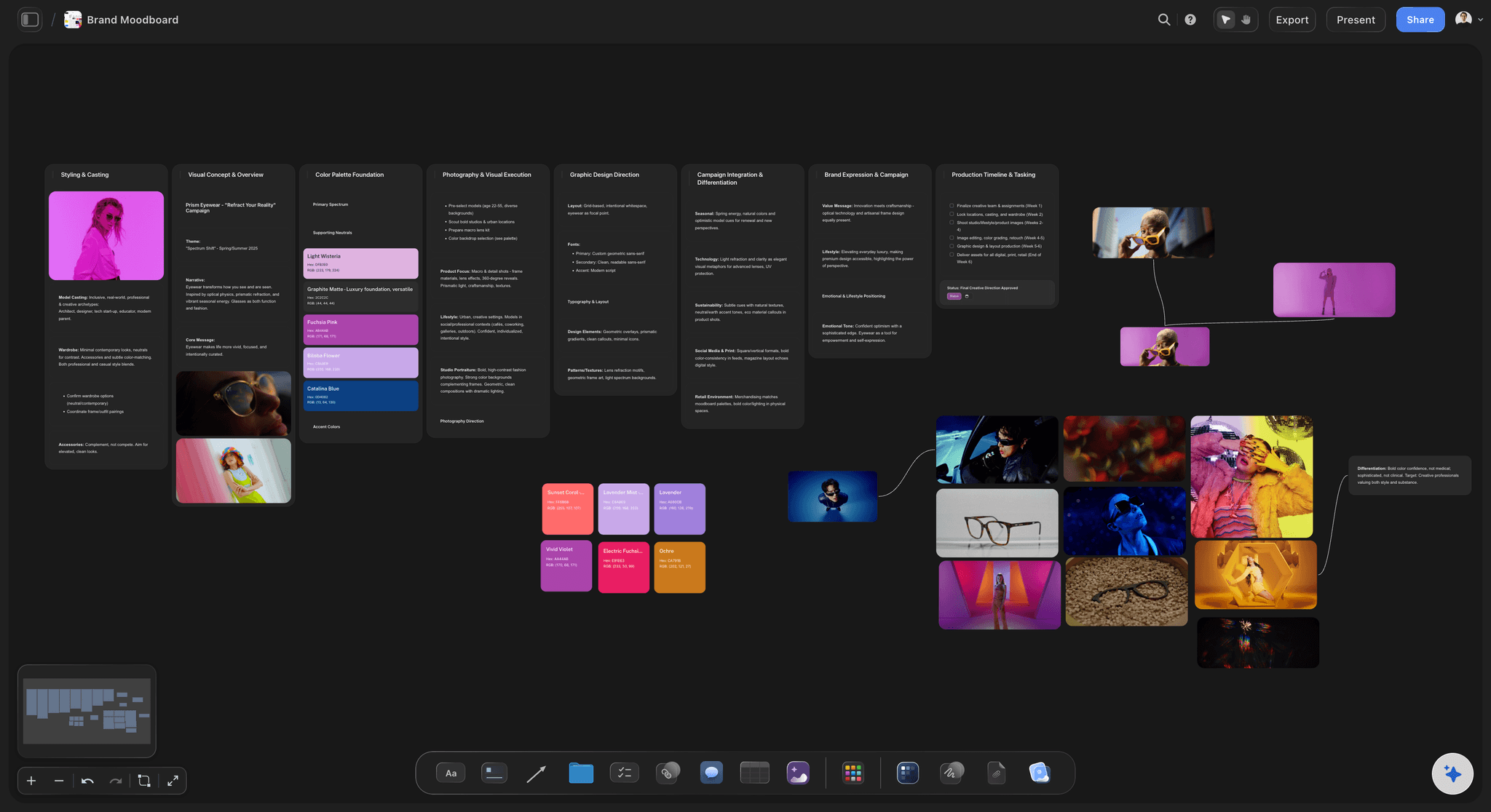
A look the client can agree to
A moodboard in lanes, not a pile
Portraits, work, details, space and textures as separate lanes with captions and the brand's colour swatches. The AI drafts a first version from the questionnaire, with reference images found for each lane, for you to replace with your own.
See the brand moodboard maker →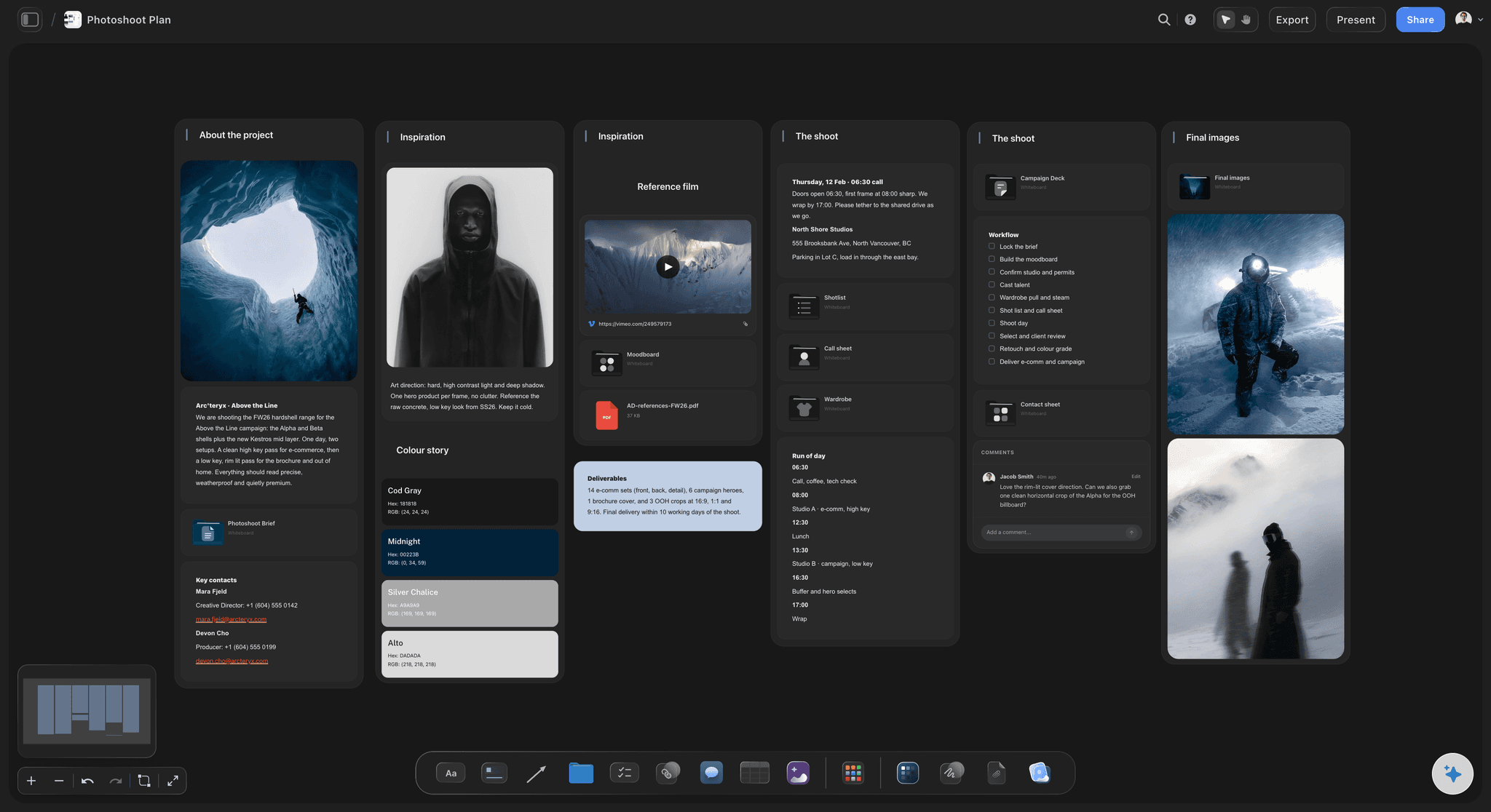
Every image has a destination
A shot list grouped by where it runs
Website hero, about page, services, social and press, each with its orientation and the space it needs for text. The client counts their own pages in it and spots the gap before the shoot.
See photoshoot planning →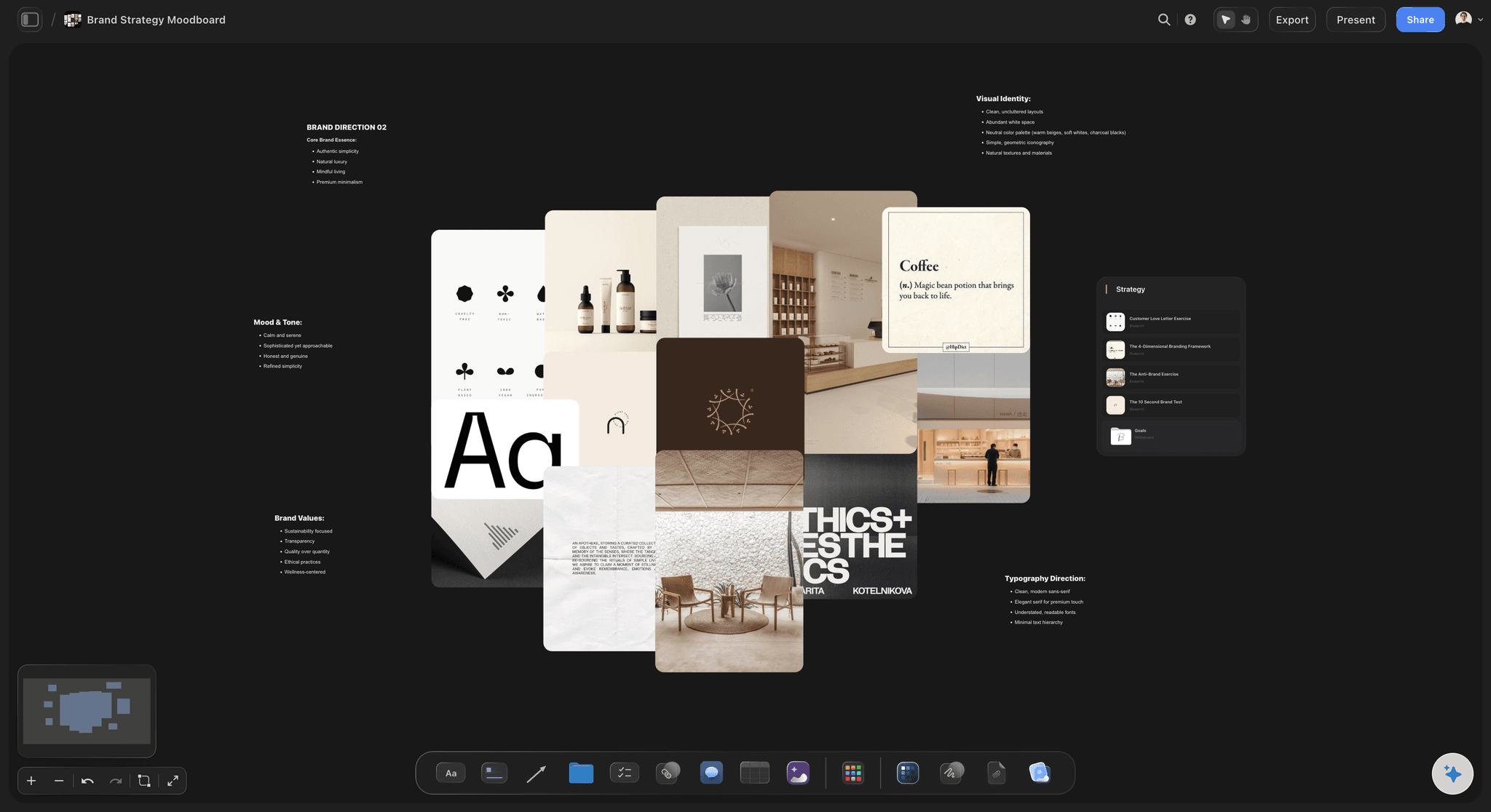
Sent to the founder
A plan the founder can read on their own
Founders nervous about being photographed read the plan in their own time from a view-only link, and sign in to flag an outfit or a shot they dread. Their stylist gets the board as a PDF; the planning call runs fullscreen.
See the client presentation tool →Every client's brand, ready for the next shoot.
Brand clients come back each season. Duplicate last shoot's board and the questionnaire, lanes and wardrobe notes are already there. Storyflow is paid-only during early access, with plans from $7.99 a month billed annually ($9.99 monthly). A free plan launches before the end of 2026, and anyone a paid member invites to a board joins free.
Unlimited shoot boards, reference images and files on every paid plan
AI that drafts the look and a first shot list from the questionnaire answers
Colour swatches, docs, to-do lists and tables for wardrobe and timings
View-only links, whole-board PDF export and presentation mode
Built for people with taste
A brand shoot plan in four parts, with the shot ideas.
Print it or keep it on the board. Each part answers something the client would otherwise decide in front of the camera.
Three weeks out: the questionnaire
The pre-shoot questionnaire
The business: What they sell, to whom, and what makes them different from the three competitors they would name. The images have to show that difference, not a generic professional.
The brand: Three words for how they want to come across, their colours and fonts, two or three brands they admire, and what they never want to look like.
The uses: Every page and channel the images will run on: website pages, social, email, press, speaking, a course or a book. This list becomes the shot list.
The person: How comfortable they are on camera, the photos of themselves they like and hate, and anything they want hidden or shown. Ask kindly; it decides how you direct.
Two weeks out: the shot ideas
Personal brand photoshoot ideas, by use
Website hero: Horizontal, the person in their setting, with clear space left or right for the headline. Shoot three or four variations; the designer will want a choice.
About page: A portrait with eye contact in their real space, plus one candid of them laughing or mid-sentence. This is the image most readers decide on.
Services and process: Hands at work, the tools of the trade, a client session, the product in use. These show what buying from them looks like.
Social, email and press: 4:5 verticals with room for text, details and flat lays for filler posts, and a clean headshot on a plain background for press, podcasts and speaking.
The week before: wardrobe and places
Wardrobe, locations and timings
Wardrobe: Three or four outfits from the brand palette in solid fabrics, laid out and photographed the week before. One outfit should be what they actually wear with clients.
Locations: One or two places that show the work: their studio, office, shop or a client's space. Name a backup for weather and check permission to shoot there.
Hair, makeup and props: Who does hair and makeup and when, and the props that belong to the business: the laptop they use, the product, the tools. Borrowed props look borrowed.
The run of the day: A half-day usually runs three to four hours, with an outfit change every 45 to 60 minutes, and the hero and about images first, while energy is highest.
In writing before the shoot
The terms the client should see before the day
Image count and selection: How many edited images the package includes, who chooses them and by when, and the price of each extra image. Name the count per use so nobody expects the whole shoot.
Usage: Use for the client's own marketing, for how long, and what needs its own licence: paid advertising, third-party use, book covers or merchandise.
Delivery: The date the gallery opens, the deadline to pick favourites, and when the finals arrive. Two to three weeks from the shoot is a common turnaround.
Deposit and reschedule: The deposit that holds the date, when the balance is due, and how much notice a reschedule needs. Illness and weather both happen; write down what each costs.
Explore templates for your project
Every template opens as a real, editable board on the infinite canvas. Pick the closest fit and make it your own.
Film Moodboard
Collect film references, color palettes, lighting, locations, and tone in one place, then invite your crew.
One app instead of five
The shoot plan, the client paperwork and the gallery.
Storyflow plans the shoot the client can see. Dubsado runs the forms and contracts, Pixieset the gallery and favourites, and Canva designs from templates.
Storyflow
Recommended
Moodboard and shot list on one canvas
Fullscreen presentation mode for the planning call
Questionnaire form the client fills in
Client gallery for picking favourites
Contract signed online
Dubsado
Moodboard and shot list on one canvas
Fullscreen presentation mode for the planning call
Questionnaire form the client fills in
Client gallery for picking favourites
Contract signed online
Pixieset
Moodboard and shot list on one canvas
Fullscreen presentation mode for the planning call
Questionnaire form the client fills in
Client gallery for picking favourites
Contract signed online
Canva
Moodboard and shot list on one canvas
Fullscreen presentation mode for the planning call
Questionnaire form the client fills in
Client gallery for picking favourites
Contract signed online
What creators are saying
Join early creators getting structured workspaces and AI that remembers their projects
“Storyflow has sped up my workflow by at least 3x, which means more flow state and more projects I can actually ship. It truly changed the way me and my team create.”

Reilin Joey
Director & YouTuber
“One prompt gets me a structured board. But the tactics are my favorite. I run my YouTube scripts through them and my intros and retention got better. It's amazing.”

Justkay
YouTuber & Freelance Filmmaker
“I used to juggle five apps to plan a project. Now I describe what I am making and get boards, lists, and a schedule. All in one place.”

George
@fernwehchronicles
What founders and brand photographers ask before the shoot.
Questionnaires, shot ideas, outfits, timelines, image counts and usage.
Storyflow turns the client's questionnaire answers into a plan they can check: the look in reference lanes, and every shot tied to the page or channel it is for, with wardrobe and locations beside it. The founder opens it by link with no account, or reads it as a PDF. Use Dubsado, HoneyBook or Pixieset for the questionnaire form, contract, deposit and gallery, and Canva if the client wants a designed deck.
Shots grouped by where they will run: the website hero (horizontal, with space for a headline), the about page portrait, services and process images, social verticals, and a press headshot. Give each shot its orientation, location and outfit. Mark the five or six that must exist for the website to launch, and shoot those first.
Ideas that show the business, not just the face: the person at work with their real tools, a client session, hands on the product, a candid mid-conversation, the workspace in the morning light, a flat lay of what they sell, a walking shot for the website hero, and a clean headshot for press. Pick the ones their pages actually need.
What they sell and to whom, what makes them different, three words for how they want to come across, their colours and fonts, brands they admire, what they never want to look like, every page and channel the images will run on, how comfortable they are on camera, and the photos of themselves they like and hate.
A common shape is three to four weeks. Week one: questionnaire answers back. Week two: moodboard lanes and a first shot list, agreed on a call. Week three: locations confirmed and wardrobe photographed. The final days: timings, and when hair and makeup start. A shoot planned in the last week usually skips the questionnaire, and it shows.
A few outfits in the brand's colours, in solid fabrics without small patterns or large logos, including one the client actually wears with customers. Layers give more looks from fewer outfits. Lay each outfit out and photograph it a week before, so the photographer can check it against the moodboard and the locations.
A headshot session makes one to a few portraits against a plain background, for a profile or press. Brand photography makes a library of images for a business: portraits, the work, the products, the space and details, each planned for a page or channel. Brand shoots need a questionnaire, a moodboard and a shot list; a headshot rarely does.
Count them by use rather than by the hour. Add up the website pages, the social posts planned for the next few months, email headers and press needs, then add variations for the hero and about images. State the number of edited images in the package, who selects them, and the price of each extra image.
Brand packages commonly license the images for the client's own marketing: website, social, email, press and print materials. Paid advertising, third-party use, book covers and merchandise are often licensed separately. Say how long the licence runs and whether the client may pass images to partners or publications. Put it in the plan in plain words and in the contract.
A starting point, not your eye. Paste the answers into Storyflow and its AI drafts the reference lanes, a first shot list and a timetable for the day. Replace the references with your own, cut what does not suit the person, and add the shots only you would think of.
No. Questionnaire forms, contracts, e-signature, deposits and invoices belong in Dubsado, HoneyBook or Pixieset, and galleries and favourites in Pixieset or Pic-Time. The shoot itself is planned in Storyflow; its link goes in the welcome email your client tool sends, so the founder sees the look and the shots next to the booking.
Not during early access. Storyflow is paid-only during early access, with plans from $7.99 a month billed annually ($9.99 monthly). A free plan launches before the end of 2026, and anyone a paid member invites to a board joins free. Your client pays nothing to open the plan.
More from Storyflow
Photography proposal template
Photoshoot planning
Brand moodboard maker
Storyflow for photographers
How to make a photoshoot moodboard
Photoshoot plan template
Product photography shoot plan
Wardrobe planner
Brand personality template
Rebrand planner
How to plan a brand photoshoot with AI
How to plan wardrobe for a photoshoot
Pricing
Event photography shot list
Social media shot list
Wedding photography shot list
Moodboard to shot list
Moodboard tool for photographers
Plan the pictures their website needs.
Paste the questionnaire answers and edit the first plan the AI drafts from them.