
Sharper briefs, sent ultra fast
Write the creative brief with ChatGPT
and keep it beside the work.
For marketing and brand leads: ChatGPT writes the brief as a document on your Storyflow board, with the references and open questions next to it.


Creatives working for these brands already got early access
- Red Bull
- Canon
- Artlist
- Porsche
See how easy it is to get started
Watch a real project come together, from a blank board to a finished plan, clicked through step by step.
Start from a ready-made template
Pick a board to see what you can build, then let AI fill it in. Every template is a real, editable starting point on the same infinite canvas.

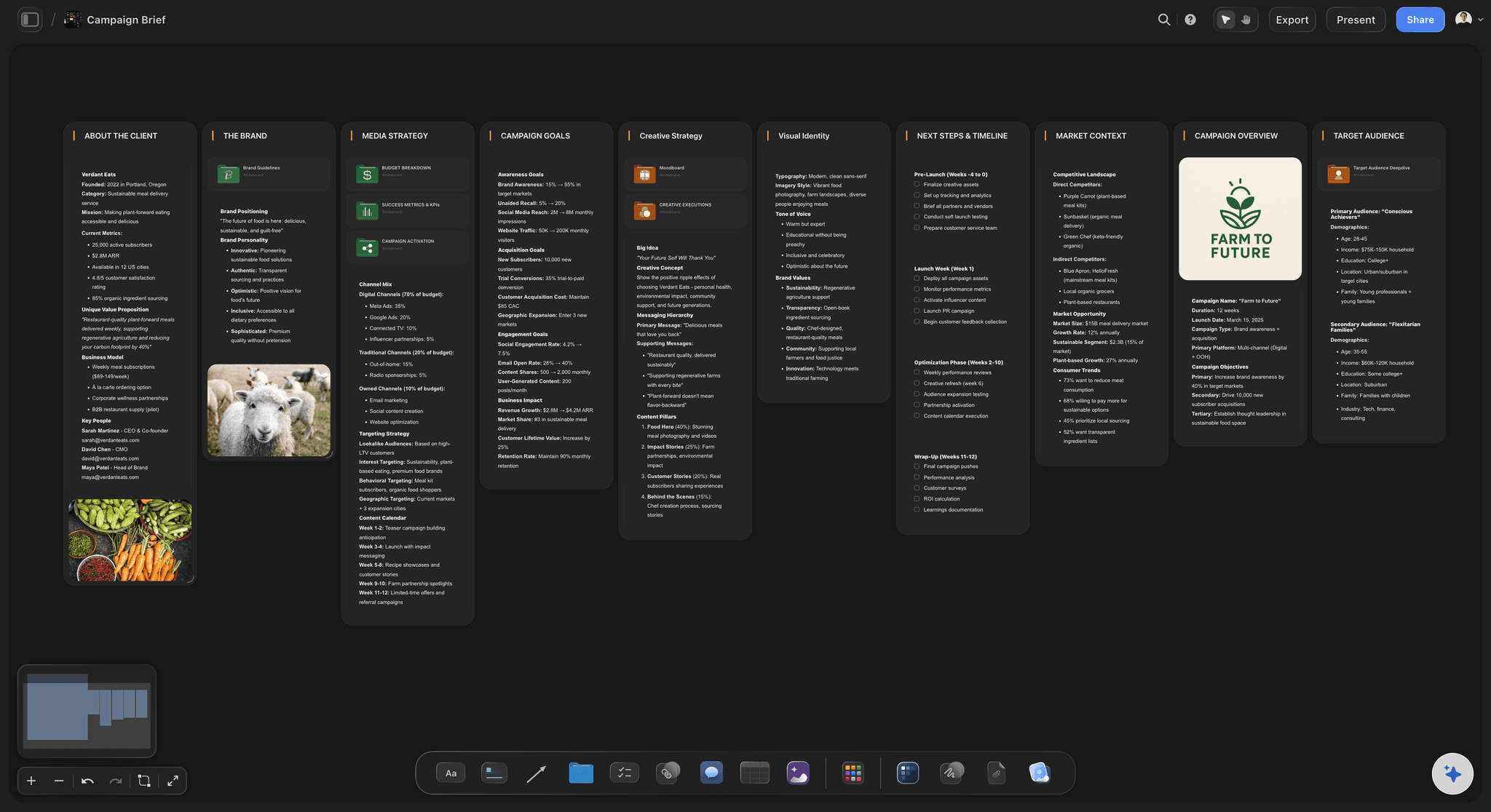
Creative Brief
Capture the objective, audience, and message for a creative so everyone works from the same brief.
Can ChatGPT write a creative brief?
Yes. ChatGPT can turn rough notes into a creative brief with an objective, an audience, one message, the deliverables and the dates, but on its own the brief stays in a chat that your agency and your team never open. Storyflow is an AI visual workspace that writes and shares a creative brief on one infinite canvas: the brief as a document, the references, the deliverables table and the open questions beside it. Connected to Storyflow, ChatGPT writes the brief onto your project board itself, using its own model, so it costs you no Storyflow AI credits.
Here is what ChatGPT does well without any connection. Paste a page of notes from the kickoff call and it sorts them into a brief, asks what the work is meant to change, points out that you named three audiences, and rewrites the message until it is one sentence. What it hands back is text in the chat. You copy it into a document, paste the link in an email, and the references that carry half the meaning stay in a folder somewhere else. Two weeks later nobody is sure which copy the agency is working from.
Connect ChatGPT to Storyflow and the same conversation ends somewhere else. ChatGPT creates a document on the project's board and writes the brief into it one section at a time, so a long brief builds up instead of arriving half finished. It can give the document an icon and a banner so it is easy to spot. Beside it, ChatGPT builds columns of cards: the references, the deliverables as a table, and the questions nobody has answered yet as a checklist. If the client's notes are a PDF or a Word file already on the board, ChatGPT reads the file from there first.
A brief you can copy without signing up has ten parts. 1: background, in three sentences. 2: the objective, with a number and a date. 3: the audience, as one person in one moment. 4: the one message, in one sentence. 5: three reasons to believe it. 6: the tone, in three words and one example. 7: the deliverables, each with format, size, quantity and due date. 8: what must be in the work and what must not. 9: the budget and the key dates. 10: the one person who signs it off.
A worked example. An oat drink brand is launching a barista edition. The objective is 2,000 cafes signed up for a trial in 8 weeks. The message is one line: it steams like milk. The deliverables are one 30-second film, three 6-second cuts and twelve photos, which is 16 pieces. The budget is $40,000: $20,000 for production, $14,000 for media and $6,000 held back, which adds up to the full amount. The brief is signed on 3 March, the shoot is on 24 March and the work goes live on 14 April. One marketing lead signs it off, and her name is on the brief.
ChatGPT can add a section to the brief later, or write the whole document again, but it cannot change one sentence in the middle, so small edits are quicker by hand. Storyflow has no approve button: sign-off is a name and a date written on the brief. A file you attach in the ChatGPT chat does not reach Storyflow, so put the client's notes on the board or paste them into the chat. The same connector works with Claude, Gemini and Grok.
Ultra fast from brief to board
From kickoff notes to a shared brief in four moves.
Most of the time goes on answering ChatGPT's questions, which is the useful part.
01
Connect ChatGPT to Storyflow once
In ChatGPT on the web, open Settings, then Security and login, and turn on Developer mode. Go to chatgpt.com/plugins, click the plus button, name it Storyflow, choose Public endpoint, paste https://mcp.storyflow.so/mcp and create it. Sign in to Storyflow when asked and pick the project.
02
Give ChatGPT the notes
Paste the kickoff notes into the chat, or drop the client's PDF on the board and ask ChatGPT to read it there. Say who the brief is for. For example: "Read the kickoff notes on the Barista Launch board and ask me what is missing before you write anything."
03
Ask for the brief on the board
Ask ChatGPT to write the creative brief as a document on that board, with the references, the deliverables table and the open questions beside it. The document appears on the board and fills in section by section.
04
Read it, fix it, share one link
Open the document and correct what ChatGPT could not know. Write the name of the person who signs it off. Then share the board: the agency reads the brief and the references from the same link.
The brief, the references and the questions, in one place.
ChatGPT does the writing. Storyflow keeps the brief where the work happens.
A real document
The brief is a document, not a chat message
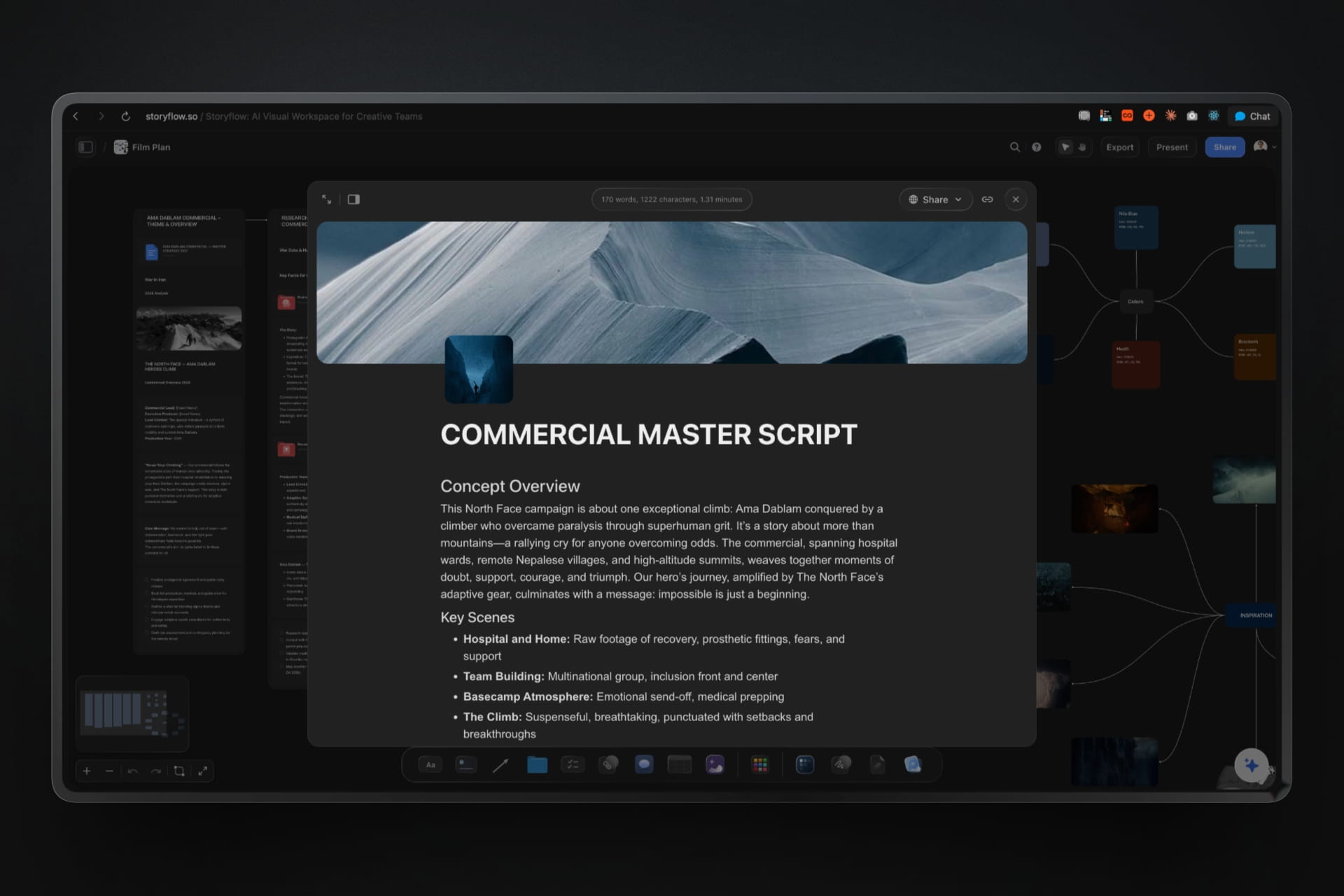
ChatGPT writes the brief into a document that sits on the board as a card and opens full screen to read. It has headings, lists and a title, and ChatGPT can give it an icon and a banner so the team spots it at once.
See the creative brief template →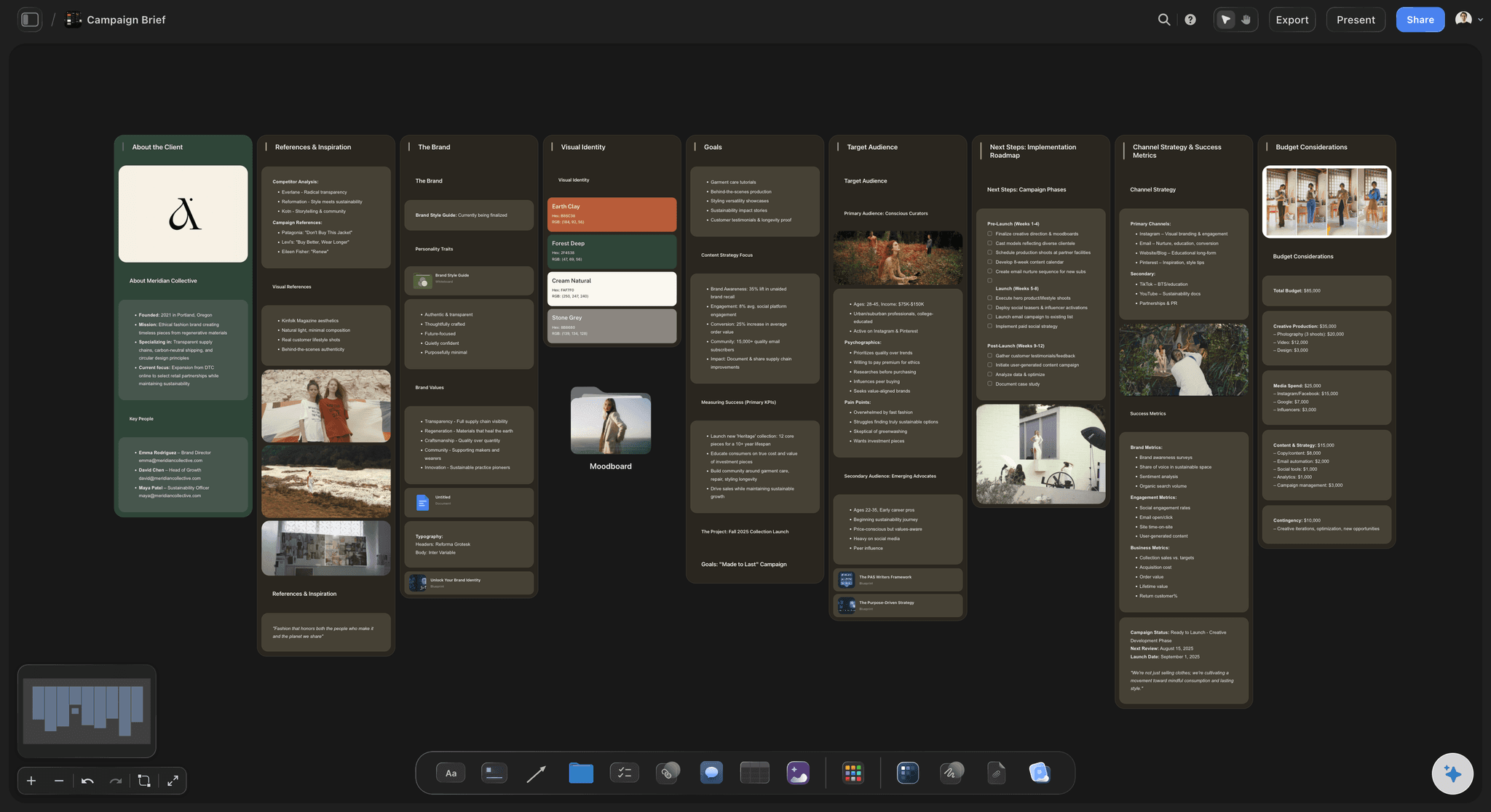
Beside the words
References and deliverables next to the brief
Ask for the references, the deliverables and the budget as cards in columns beside the document. A tone described in three words means little until the three pictures that show it sit next to the sentence.
See the campaign brief template →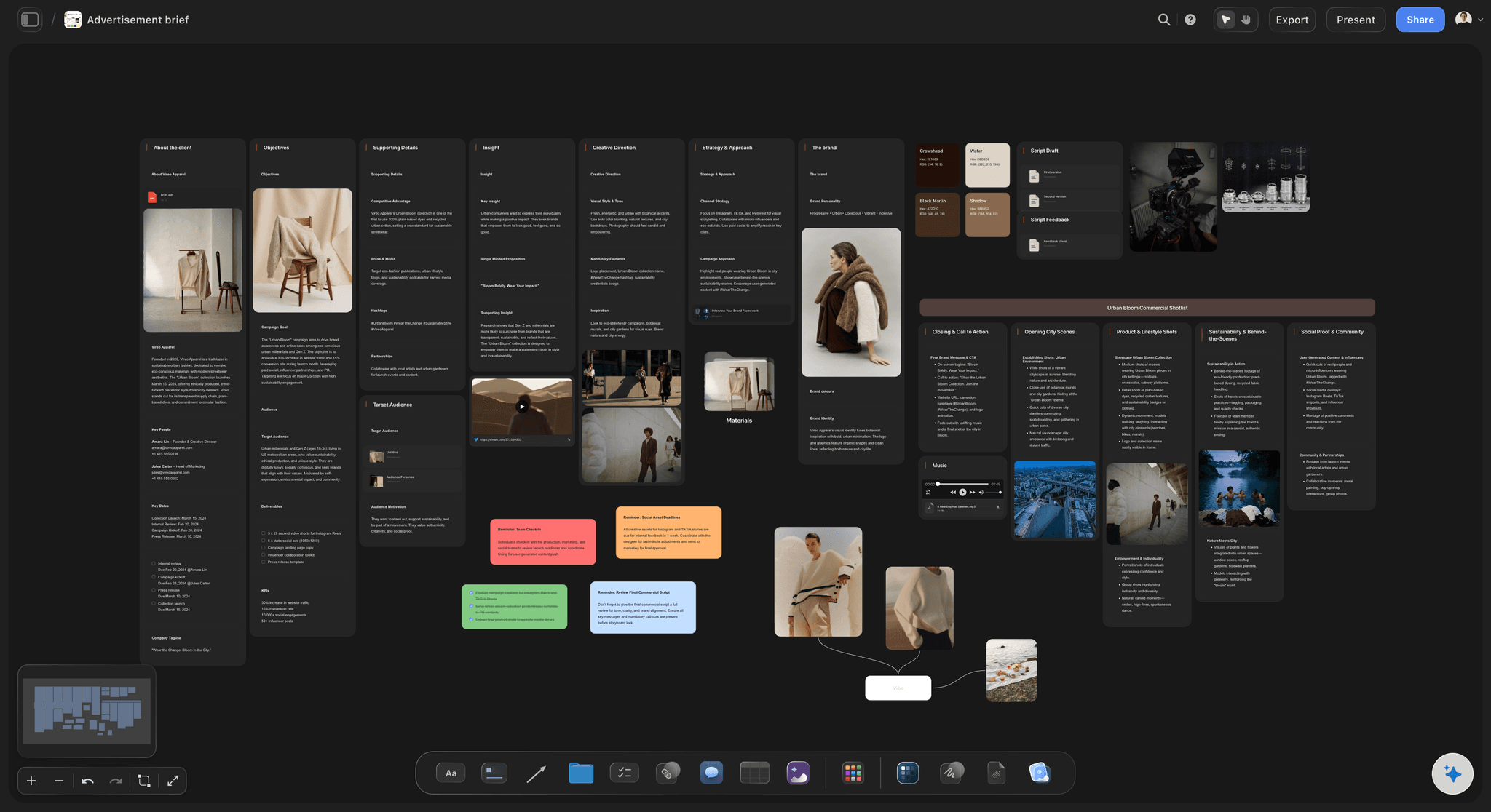
What the client sent
ChatGPT reads the notes already on the board
Drop the client's PDF, Word file or spreadsheet on the board and ChatGPT reads it from there before it writes. Last year's brief works too. Long files come back cut short, so for a long one, ask about one part at a time.
See the AI creative brief generator →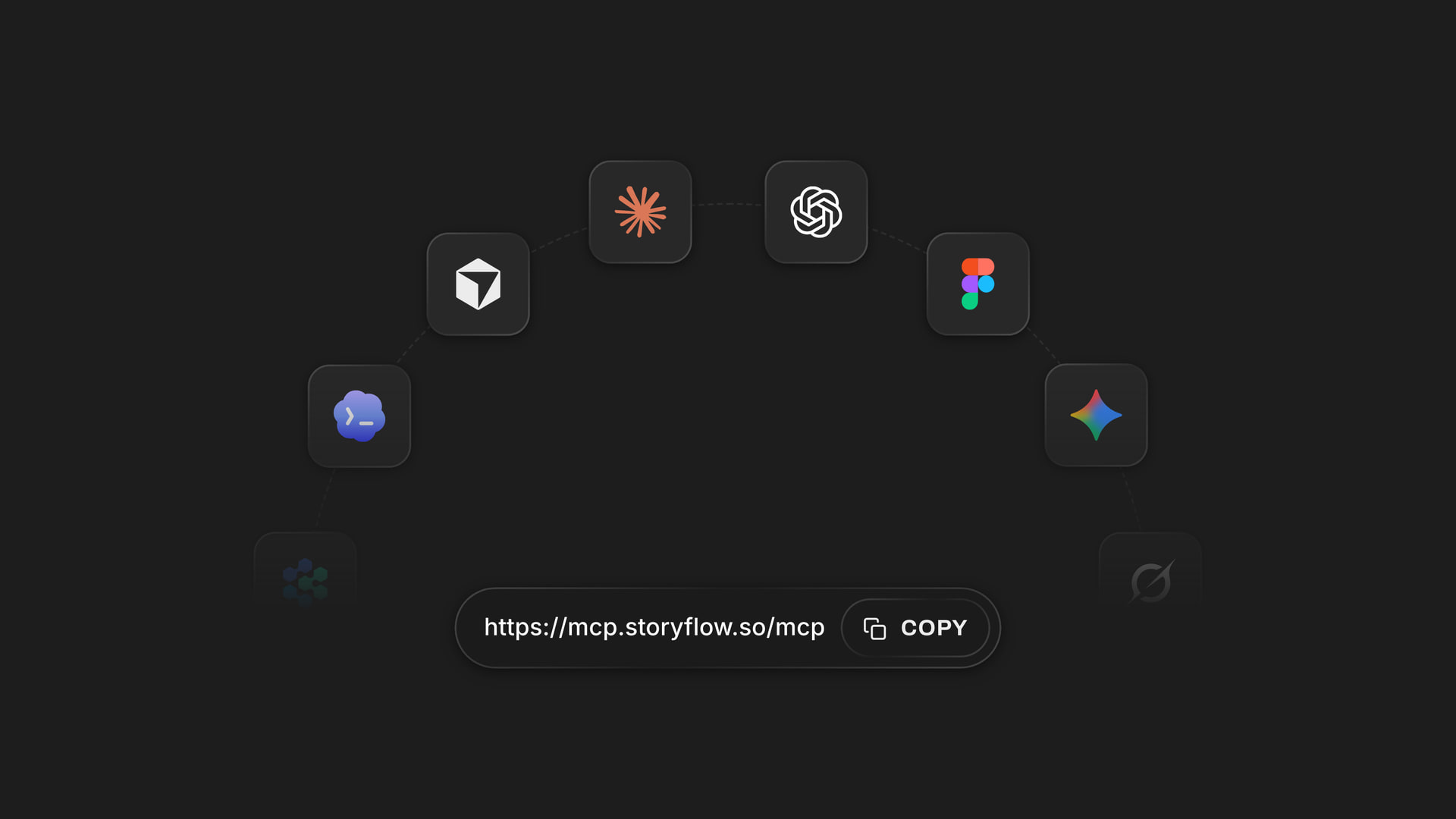
Any assistant
One address for ChatGPT, Claude, Gemini and Grok
Storyflow's MCP server is one web address. Add it to ChatGPT, Claude, Gemini or Grok, sign in, and pick the projects each one may use. The agency's strategist can use Claude on the same brief you wrote with ChatGPT.
See how to connect your assistant →ChatGPT does the writing. Your Storyflow plan does not pay for it.
ChatGPT runs on its own model, so writing a brief over the connector uses no Storyflow AI credits. A free account (today, one invited by a paid member) gets 50 actions a week from its assistant, and Plus, Pro and Max have no limit. Storyflow is paid-only during early access, with plans from $7.99 a month billed annually ($9.99 monthly). A free plan launches before the end of 2026, and anyone a paid member invites to a board joins free.
No Storyflow AI credits spent on anything ChatGPT writes
No limit on connector actions on Plus, Pro and Max
Invite the agency to the board free
Export the brief from Storyflow as a PDF or a Word file
Pick which projects ChatGPT may see, and whether it may change them
Built for people with taste
Where a brief written in a chat goes wrong.
ChatGPT writes a clear brief. The trouble starts when it has to leave the chat.
The copy and paste
A brief nobody else can open
It lands where the team works: The brief is written onto the project's board as a document. There is nothing to copy out of the chat and no formatting to repair before the agency sees it.
One brief, not five copies: Everyone opens the same document from the same board. There is no attachment to forward and no second version saved on someone's laptop.
Built section by section: ChatGPT writes the document one section at a time. A long brief does not stop at the audience because the answer ran out of room.
A file when someone asks for one: Procurement wants a PDF, the agency wants Word. Export the document from Storyflow as either, and the board stays the place where the brief lives.
The half brief
Words with nothing beside them
References in view: Put the pictures and links that show the tone in a column next to the brief. If ChatGPT found reference pictures on the web, it can add them to the board, and Storyflow keeps its own copy.
Deliverables as a table: Ask for the deliverables as a table with format, size, quantity and due date. One 30-second film and three 6-second cuts are two rows nobody can misread.
Open questions as a checklist: Everything ChatGPT could not answer goes on a checklist beside the brief. You tick each one off with the client instead of finding the gap in week three.
The budget as a chart: Give ChatGPT the real budget lines and ask for a chart. It draws a bar or pie chart on the board from your numbers, so the split is seen and not just read.
The hand-over
A brief that is out of date by the kickoff
One link for the agency: Invite the agency to the board, or send a view-only link that opens in a browser without an account. They read the brief and the references in the same place.
Add what changed: When the launch date moves, ask ChatGPT to add a dated note to the end of the brief saying what changed and why. The agency sees it the next time they open the board.
Ask what changed since sign-off: Ask ChatGPT what changed on the board this week and who changed it. It reads the board's history and lists the changes, card by card.
The plan grows from the brief: Once the brief is agreed, ask for the production plan on the same board. The brief stays next to the plan, so anyone can check the work against what was asked for.
Explore templates for your project
Every template opens as a real, editable board on the infinite canvas. Pick the closest fit and make it your own.
Creative Brief
Capture the objective, audience, and message for a creative so everyone works from the same brief.
One app instead of five
Where Storyflow fits in a brief written with ChatGPT.
It keeps the brief beside the work. It does not track suggested edits or record an approval.
Storyflow with ChatGPT
Recommended
Brief drafted from your notes in one conversation
Lands on your Storyflow board beside the work
References and open questions as cards next to it
Read from a link with no account
Export as a PDF or a Word file
Suggested edits you accept or reject
Version history of the document
An approval step with a record
ChatGPT on its own
Brief drafted from your notes in one conversation
Lands on your Storyflow board beside the work
References and open questions as cards next to it
Read from a link with no account
Export as a PDF or a Word file
Suggested edits you accept or reject
Version history of the document
An approval step with a record
Google Docs
Brief drafted from your notes in one conversation
Lands on your Storyflow board beside the work
References and open questions as cards next to it
Read from a link with no account
Export as a PDF or a Word file
Suggested edits you accept or reject
Version history of the document
An approval step with a record
What creators are saying
Join early creators getting structured workspaces and AI that remembers their projects
“Storyflow has sped up my workflow by at least 3x, which means more flow state and more projects I can actually ship. It truly changed the way me and my team create.”

Reilin Joey
Director & YouTuber
“One prompt gets me a structured board. But the tactics are my favorite. I run my YouTube scripts through them and my intros and retention got better. It's amazing.”

Justkay
YouTuber & Freelance Filmmaker
“I used to juggle five apps to plan a project. Now I describe what I am making and get boards, lists, and a schedule. All in one place.”

George
@fernwehchronicles
Creative briefs with ChatGPT: questions
What marketing and brand leads ask before the brief goes to the agency.
In Storyflow, yes, and the brief lands as a document on your project board instead of staying in the chat. Connect ChatGPT to Storyflow, give it the kickoff notes, and ask for the brief on the board. ChatGPT writes the document section by section and builds the references, the deliverables table and the open questions as cards beside it.
Storyflow is built for this exact job: your assistant writes the brief as a document on the project board, with the references, the deliverables and the open questions beside it, and the agency reads all of it from one link. It works with ChatGPT, Claude, Gemini and Grok. Google Docs still does suggested edits and version history, and a work management tool such as Asana still runs a formal approval step.
Ten parts: the background, the objective with a number and a date, the audience as one person, the one message, three reasons to believe it, the tone, the deliverables with format and due date, what must and must not be in the work, the budget and dates, and who signs it off. In Storyflow, ChatGPT writes these as headed sections of one document.
Without a connector ChatGPT still writes a clear brief from your notes, in the chat or as a file you download. It cannot put the brief where your team and your agency work, and it cannot see the references on your board. Connected to Storyflow, it reads the board first and writes the brief there as a document.
In ChatGPT on the web, open Settings, then Security and login, and turn on Developer mode. Go to chatgpt.com/plugins and click the plus button. Name it Storyflow, choose Public endpoint, paste https://mcp.storyflow.so/mcp and create it, then sign in to Storyflow. It needs ChatGPT Plus, Pro, Business, Enterprise or Edu, on the web. On Business and Enterprise an admin turns on Developer mode.
Yes, if the file is on your Storyflow board. ChatGPT reads PDFs, Word files, spreadsheets, CSVs and text files from the board, up to 25 MB each, and long files come back cut short. A file you attach in the ChatGPT chat is read in the chat but does not reach Storyflow, so the brief can use it while the file itself stays in the chat.
Yes, in two ways. ChatGPT can add a new section to the end of the document, or write the whole document again in Storyflow. It cannot change one sentence in the middle. For a small fix, open the document and edit it by hand. For a change of direction, ask for the whole brief again.
Share the Storyflow board. Invite the agency as members, and anyone a paid member invites joins free. Or send a view-only link, which opens in any browser without an account. They read the brief, the references and the deliverables in one place. If someone needs a file, export the document from Storyflow as a PDF or a Word file.
No. Storyflow has no approve button and no record of who approved what. Sign-off is a line on the brief with the name of the person and the date, written by hand or added by ChatGPT when you ask. If you need a formal approval step, run it in the tool your company already uses for that and link the board.
No. ChatGPT runs on its own model, so what it writes over the connector uses no Storyflow AI credits. A free Storyflow account (today, one invited by a paid member) gets 50 actions a week from its assistant, and every read and every change counts as one. The count resets every Monday (UTC). Plus, Pro and Max have no limit.
Yes. Storyflow's MCP server is one address, https://mcp.storyflow.so/mcp. In Claude, add it under Customize, then Connectors; Claude's Free plan allows one custom connector. Gemini's custom apps need a personal Google account with Keep Activity on, in the US, for people 18 or over, in English. On Grok Business and Enterprise, a team admin adds it in the xAI console first. Each one writes to the same brief.
Only what you allow. When you sign in, Storyflow asks which projects ChatGPT may use and whether it may make changes. Without changes it can only read. It cannot change your password or subscription, manage share links, read billing, or delete a project or a document. Every connection ends after 30 days and ChatGPT asks you to sign in again.
No. Storyflow runs in the browser, with no native apps to install. ChatGPT connects to it from your ChatGPT account on the web with one address, and the agency opens the brief in any browser.
More from Storyflow
Storyflow MCP server
Connect ChatGPT to Storyflow
Creative brief template
AI creative brief generator
Campaign brief template
Campaign plan with Claude
Creative request intake
Project brief template
Content brief template
Design brief
Video production brief
Brief to project board
In-house content production
Storyflow for marketing teams
Production plan with ChatGPT
Visual ChatGPT alternative
Client brief to production plan
How to write a campaign brief
Give ChatGPT the notes. Give the agency the board.
One brief, written as a document, with the references and the questions beside it.