
Category
Photography
Author

Storyflow Team
Product & Research Team
Topics
2026-11-15
•
45 min read
•
Photography- commercial photography estimate
- photography rate card
- photographer rate sheet
- photography usage fees
- estimate vs quote vs invoice
- photography estimate software
- Storyflow 9-Line Estimate Template
How do I estimate a commercial photography job?
Storyflow lays out a commercial photography estimate as one table on the job board: creative fee, usage, crew, rentals, studio and location, production, post-production, expenses and contingency, each priced from the brief beside it. Storyflow is an AI visual workspace that keeps the brief, the shot list and the estimate on one infinite canvas, and it works inside ChatGPT (plugin) and Claude (connector). The Storyflow 9-Line Estimate Template gives every job the same nine lines, totalled by a column footer.

Full disclosure: Storyflow is our product. It is listed first because the estimate sits on the same board as the brief, shot list and usage table it prices. This guide compares kinds of tool rather than brands on purpose. Storyflow does no invoicing, has no cell formulas or e-signature, runs in the browser, is paid-only during early access, and the 9-Line Estimate Template is our own editorial structure, not research.
How the photography estimate tools compare on trust, innovation, ratings and pricing
Which kinds of photography estimate tools are the most trusted?
Trust follows the job. An accounting app is trusted for invoices because it keeps a legal record of what was billed and paid, and a spreadsheet is trusted for arithmetic because anyone can check the formula. Storyflow is newer, with its ChatGPT plugin live since 24 October 2026; its case is that the estimate sits beside the brief, shot list and usage table it prices, so a changed setup is visible where the cost is.
Which photography estimate tools have fair and transparent pricing?
Fair pricing for estimating means the producer and the client's marketing lead can read and comment without a paid seat. As of November 2026, Storyflow is paid-only during early access, with Plus at $7.99 a month billed annually ($9.99 monthly), and anyone a paid member invites to a board joins free. When you price another kind of tool, count who needs a paid account to see the estimate.
Which photography estimate tools are the most innovative in 2026?
Storyflow, for letting ChatGPT or Claude read a client's brief and build the scoping checklist, the nine-line estimate table and the usage table straight onto the job board, while the rates stay the photographer's. Its Brief tool also drops a Budget wall with an Item and Cost table that sums its costs, beside the five walls that describe the work.
Which photography estimate tools are underrated?
A usage table is the underrated tool, whatever it lives in: one row per use, with media, territory, duration and exclusivity, turns a vague request into lines a client can approve. In Storyflow, the underrated step is an Actuals column beside the estimate with its own Sum footer, which shows where a job went over before the invoice goes out.
Which photography estimate tools hold up when a client keeps changing the scope?
Tools hold up when every version stays readable and tied to the brief it priced. In Storyflow, each sent estimate is duplicated and labelled with its version and date on the same board as the brief and shot list, so the producer can see what was dropped between v1 and v3. A spreadsheet holds up for the arithmetic; keep its versions named the same way.
Quick Comparison
Our pick first, on the basis that the estimate sits on the same board as the brief, shot list and usage table it prices, then other kinds of tool by the job each does best. Prices as of November 2026.
| Tool | Best For | AI Features | Price |
|---|---|---|---|
| Storyflow | The nine-line estimate beside the brief, Shotlist walls, Location comparisons and usage table, with versions kept on the board | The ChatGPT plugin and Claude connector build the estimate table, usage table, crew roles and scoping checklist from the brief; in-app AI drafts briefs and shot lists on the board; amounts stay yours | From $7.99 mo billed annually; invited collaborators join free |
| A spreadsheet | Quantity times rate with formulas, and clients' own bid forms | Depends on the product | Varies by product |
| An accounting app | Invoices, deposits, payments and tax records | Depends on the product | Varies by product |
| A studio CRM with client galleries | Package-priced work from enquiry to contract, invoice and gallery | Depends on the product | Varies by product |
Key Takeaways
- Storyflow is where to build a commercial photography estimate next to the job it prices: the brief, shot list and usage terms on one board, and a nine-line cost table whose currency column is totalled by a footer Sum. The invoice is sent from an accounting app; Storyflow does no invoicing.
- Price the job from the brief, not from a rate card alone. A rate card says what a day costs; an estimate says what this job costs, with this crew, these rentals and this usage.
- Usage is its own line. The ASMP says a licence should name how the photos are used, the territory, and the media and platforms; the UK's AOP says its usage calculator figures are a starting point for discussion.
- The Storyflow 9-Line Estimate Template is our editorial structure: creative fee, usage, crew, rentals, studio and location, production, post-production, expenses, contingency. Every line exists on every job, even at zero, so nothing is forgotten.
- Never invent a market rate. Price the creative fee and crew from your own rate card and the crew's quotes; price expenses from published rates, such as the IRS mileage rate (76 cents a mile for business from 1 July 2026) and the GSA per diem (a standard continental US rate of $113 lodging and $68 meals and incidentals in fiscal 2027).
- An estimate is not a quote and not an invoice. Mark the estimate's version and validity date on the board, get the client's written approval outside Storyflow, and invoice from an accounting app.
How to Estimate a Commercial Photography Job: 9 Steps
Most estimates go wrong before a number is typed: the brief is half-read, the usage is assumed, and the crew is priced from memory. This method reads the job first and prices it second.
- Put the brief on the board. In Storyflow, drop the Brief tool and fill its six walls from the agency's brief: the work, who approves, how it looks, what you are working from, the plan and the budget. The client's own budget figure, if they gave one, goes in the Budget wall's Still to confirm checklist.
- Ask the scoping questions before you price: images, setups, days, talent, locations, delivery date and, above all, usage. Write each answer as a note on the board so the estimate's assumptions are visible.
- Draft the shot list. In Storyflow, a Shotlist wall per setup turns "twelve images" into the setups, people and gear that drive cost. Count shoot days from setups, not from images.
- Build the estimate table with the nine lines of the Storyflow 9-Line Estimate Template: creative fee, usage, crew, rentals, studio and location, production, post-production, expenses, contingency.
- Price the creative fee and usage separately. Write the usage as media, territory, duration and exclusivity in a usage table beside the estimate, so the fee for the work and the fee for the rights can be negotiated apart.
- Get crew and rental quotes, and enter them as they arrive. In Storyflow, give the estimate a status column (Not started, In progress, Done) so you see which lines are still guesses.
- Price expenses from published rates: mileage, per diem, shipping and any permits, each with a link to its source on the board.
- Total it. In Storyflow, set the amount column to Currency and turn on the footer's Sum; the total updates as lines change. Storyflow tables have no cell formulas, so line amounts are typed, not calculated.
- Send it as a dated version with terms. Keep the client-facing estimate on its own board in the job's project, export that board as a PDF named with the version and validity date, and keep every sent version on the board. The signature and the invoice happen in other tools.

The Production tools in Storyflow's All Tools panel. An estimate starts with two of them: the Brief, whose sixth wall is a Budget table that sums its costs, and the Shotlist, which turns images into setups.
The Storyflow 9-Line Estimate Template
An estimate that changes shape every job is an estimate that forgets something every job. The fix is one structure, used every time, with lines that can be zero but never missing.
The nine lines
The Storyflow 9-Line Estimate Template is our editorial structure for a commercial photography estimate. In Storyflow, it is one table with nine sections in this order:
| Line | What it covers | Priced from | Where it lives in Storyflow |
|---|---|---|---|
1. Creative fee | The photographer's days: shoot, prep, travel, post supervision | Your rate card | A row per day type in the estimate table |
2. Usage and licensing | The rights: media, territory, duration, exclusivity | The usage the client named, priced by your method | A usage table beside the estimate |
3. Crew | Assistants, digital tech, producer, stylists, hair and make-up | Each crew member's quote | One row per person, with a person or text cell |
4. Rentals | Camera, lighting, grip, power, vehicles | Rental house quotes or your owned-gear rate | One row per kit |
5. Studio and location | Studio days, location fees, permits, insurance certificates | Venue quotes and permit offices | A Location tool wall per site |
6. Production | Casting, talent, props, wardrobe, set build, catering | Quotes and talent agency rates | Rows grouped under a Production heading |
7. Post-production | Retouching per image, file prep, delivery | Your retoucher's rate per image | Rows tied to the image count on the shot list |
8. Expenses | Mileage, travel, per diem, shipping | Published rates, linked on the board | Rows with a link cell to each source |
9. Contingency | Named risks and an agreed allowance | Your terms | One row, plus the terms note |
Why nine lines
Nine is the number of things a commercial still shoot buys: someone's time and judgement, the right to use the result, other people's time, equipment, a place, the things in front of the camera, the finishing, the travel, and a buffer for the unknown. Merge any two and one of them disappears when the client pushes back on the total. The number is production logic, not research, and it is our recommendation.
How totals work in Storyflow
Storyflow tables total a column with a footer, not with formulas. Set the amount column's type to Currency (each currency column takes its own currency), then choose Sum in that column's Calculate footer; the footer also offers Count, Unique, Empty, Average, Median, Min, Max and Range. There are no cell formulas, so quantity times rate is worked out before you type the amount, and rows stay in the order you put them because Storyflow tables do not sort.
Subtotals per line
The footer totals the whole column. For a subtotal per line, give each of the nine lines its own small table, stacked on one wall, each with its own Sum footer, and a tenth summary table that lists the nine subtotals. When a crew quote changes, you update the line table and the summary row by hand. It is one extra edit, and every number on the page stays visible.
When to merge or drop a line
A one-person product shoot in your own studio may have zero crew, zero rentals and zero location. Keep the lines and write zero with a note ("own studio, own gear, included in fee"). The client sees what is included, and the next job starts from the same nine lines.
Estimate vs Quote vs Invoice
An estimate is your best price for the job as briefed and can change if the brief changes; a quote is a fixed price for a fixed scope that binds you once accepted; an invoice asks for payment for work done. In Storyflow, the estimate and its versions live on the job board beside the brief; the quote's terms sit in a note; the invoice is sent from an accounting app, because Storyflow does no invoicing.
| Question | Estimate | Quote | Invoice | Where it lives in Storyflow |
|---|---|---|---|---|
When it is sent | After the brief and scoping call | When scope is fixed and the client wants certainty | After delivery, or at agreed stages | Estimate table on the job board; invoice outside Storyflow |
Can it change | Yes, if the brief, days or usage change | Only by agreement, as a change to scope | Only by a credit note or correction | Version notes and a dated PDF per version |
What it commits you to | A price for the described job, within stated terms | The price, for the stated scope | Nothing new: it records what is owed | A terms note beside the estimate |
What it must show | Lines, assumptions, usage, validity date | Lines, scope, usage, validity date | Amounts, dates, payment terms, tax details | Assumption notes; usage table; validity date cell |
Who approves it | The client or agency producer, in writing | The client, in writing | Accounts payable | Approval recorded outside Storyflow; status cell set to Done |
What happens after | Shoot, then actuals compared to the estimate | Shoot, then invoice at the quoted price | Payment | An actuals column beside the estimate |
When to send which
Send an estimate when the agency asks "what would this cost" and the brief is still moving. Send a quote when the scope is locked and the client's procurement wants a fixed number. Send the invoice only from a tool built to issue it, with your business and tax details. Terms vary by country and client, so read your own client's purchase terms before you call anything a quote.
Actuals against the estimate
After the shoot, add an Actuals column beside the estimate's amount column, with its own Sum footer. The two footers side by side show where the job went over before you invoice, and the overage rows are the ones to discuss with the producer. In Storyflow, this comparison is the last thing on the job board before it is archived.
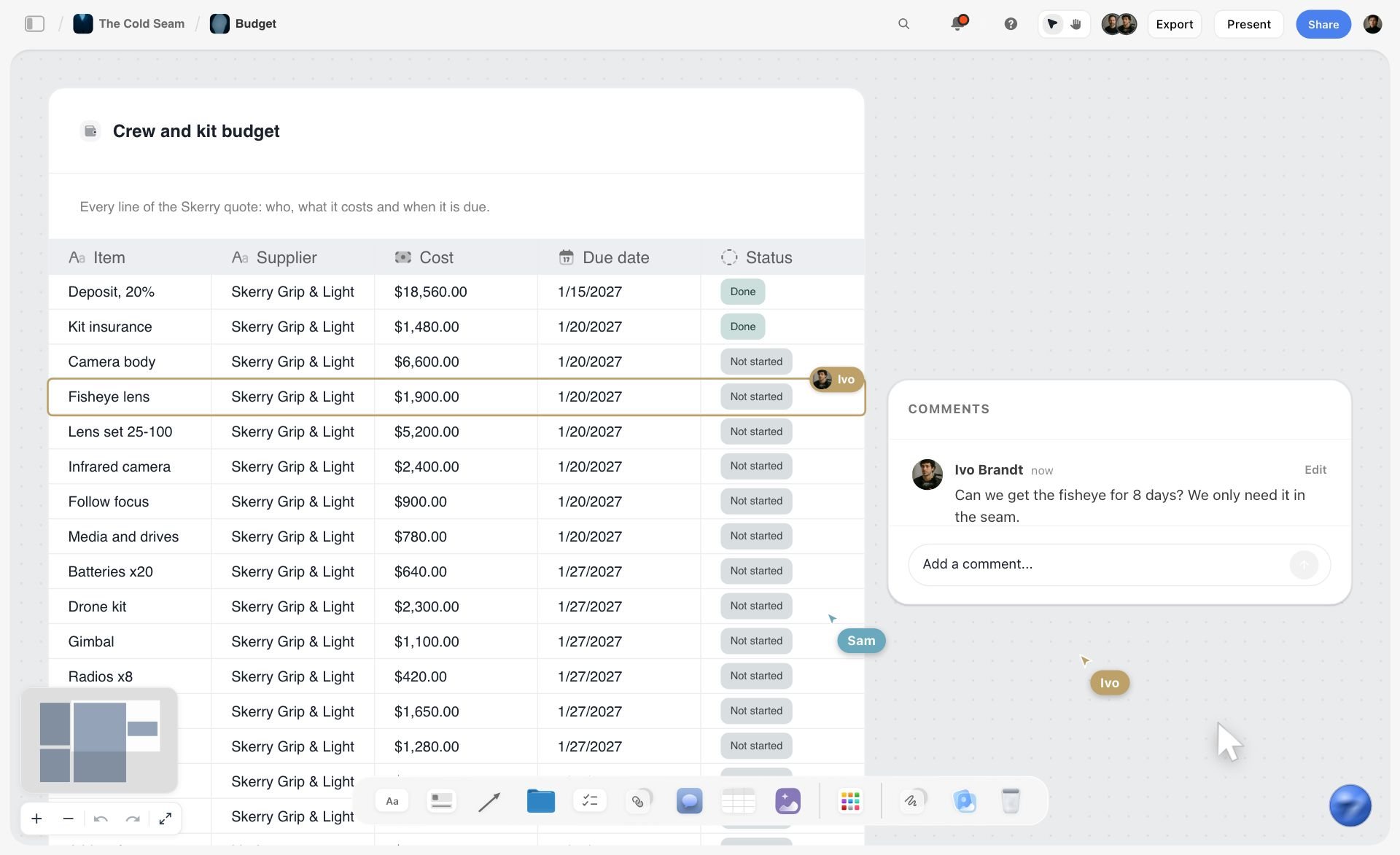
A cost table with a due date and a status on every line. The Actuals column goes beside the cost column in a table like this one.
Line 1: The Creative Fee
The creative fee pays for the photographer's time and judgement. It is the line clients compare between photographers, so it should be built from days the client can see.
Count days by type
A commercial job has shoot days, but also prep days (scouting, casting calls, test shots, pre-production meetings), travel days and post days (supervising retouching, colour, selects). Price each type as its own row. In Storyflow, the shot list on the same board justifies the shoot days: twelve images across seven setups is a different number of days than twelve images on one set.
Price the fee from your own numbers
No published source gives a market day rate for commercial photography, and a rate copied from a forum is someone else's business. Price the fee from your own: your costs of doing business per year, the days you actually bill, and the jobs you won and lost at your last fees. The US Bureau of Labor Statistics' photographers profile reports a median hourly wage of $21.47 in May 2025 and lists 67% of photographers as self-employed; that median describes wage earners across the field, not a commercial day rate, which is exactly why you should not price from it.
Fee and usage: together or apart
The AOP's usage calculator notes describe both practices: the majority of photographers include some usage in their fee, and others charge a set day rate with usage on top. Either is fine if the estimate says which. In Storyflow, write the choice on the first row of the estimate ("fee includes usage below" or "usage priced separately in line 2").
Line 2: Usage and Licensing
Usage is where commercial estimates make or lose money. The same twelve images used on a product page and on a national billboard campaign are different purchases, and the estimate has to say which one the client is buying.
What a licence names
The ASMP's Legal Jump-start guide lists what a licence should specify: the parties, the works, how they are used, the geographic territory, and the media and delivery platforms, plus exclusivity, assignment and reservation of rights. It also says the licence should state that it is not effective until the fee is paid in full. Write each of these on the board in a usage table, one row per use.
Media
Media is where the photos appear: website, organic social, paid social, print advertising, outdoor, point of sale, packaging, broadcast, trade show. The PLUS Coalition maintains a standard vocabulary for media categories (its Media Matrix) and a picture licensing glossary, which is useful when a client's wording is vague. Name each medium; "all media" is a buyout under another name.
Territory
Territory is where the use happens: a city, a country, a region, worldwide. The AOP's calculator notes describe countries graded by GDP into bands; the United States is in its A+ band, which applies 150% of the base usage rate for extra use there. That is one association's guideline for negotiation, not a law, but it shows how much territory moves the number.
Duration
Duration is how long the use runs, with a start date. The AOP's notes say an initial UK licence normally covers either 1 year in one country across any two media, or 2 years in one country in one medium, starting at first insertion, and suggest a minimum of 6 months for advertising. The ASMP guide warns that a perpetual licence allowing assignment or sublicensing can outlive your say over it.
Exclusivity
Exclusivity means you will not license the same images to anyone else for the same uses. The AOP's notes describe standard trade practice as giving the client exclusivity for the licensed period and territories, and suggest the photographer not relicense the images for four years after the licence ends without permission. Exclusivity has value; price it, and say on the estimate how long it lasts.
The base usage rate method
The AOP describes setting a Base Usage Rate (BUR) on the original estimate: a starting figure to which percentages for extra media, territory and time are applied, and which it suggests should never be less than the negotiated day rate. You do not have to use the AOP's percentages, but the method is sound: one base figure, stated on the estimate, and every extension priced from it.
The usage table template
| Use | Media | Territory | Duration | Exclusive | Included in fee | Extension priced from |
|---|---|---|---|---|---|---|
Brand website | Web | Worldwide | 2 years from first use | No | Yes | BUR |
Organic social | Brand accounts | Worldwide | 2 years | No | Yes | BUR |
Paid social | Paid placements | US and Canada | 1 year | Yes, for the period | No | BUR plus territory and media percentage |
Retail point of sale | In-store print | US | 1 year | Yes | No | BUR plus media |
Brand newsletters | Worldwide | 2 years | No | Yes | BUR | |
Trade show | Booth graphics | US | 1 event | No | No | Separate line |
Outdoor | Not licensed | None | None | None | No | New estimate on request |
Packaging | Not licensed | None | None | None | No | New estimate on request |
In Storyflow, this table sits beside the estimate on the same wall, and the Included in fee column is a checkbox column the producer can scan.
Outside the US
Copyright is automatic in the UK too: the government's copyright guidance says protection is automatic, with no application or fee, and covers photography. The AOP's Copyright 4 Clients FAQs explain to commissioning clients why the photographer issues a licence that reflects the agreed use. If your client is in another country, the licence still names the same four things; the law that governs it goes in the terms.
Put the licence in the files
The licence travels further when it is inside the delivered files. The IPTC's photo metadata user guide defines a Rights Usage Terms field for free-text instructions on how the image may be legally used, plus Copyright Notice, Credit Line, Licensor and Model Release Status. Fill them from the usage table before delivery, so a file forwarded to a new agency still says what it may be used for.
Buyouts and work made for hire
When a client asks to "own the images", ask what they will do with them; usually they want exclusivity and broad use, not the copyright. The ASMP guide illustrates the gap with $250 for a one-time web use against $250,000 for the entire copyright, an example of scale rather than a price to quote. Stock libraries draw the same line: Wikipedia's rights-managed entry describes a rights-managed licence as one-time use as specified, with another licence needed for other uses. The US Copyright Office's circular on works made for hire says a commissioned work is made for hire only in nine listed categories and only with a signed written agreement, so a contract that just says "work for hire" may not do what the client expects. Price a copyright transfer as its own line, and have a lawyer read the wording.
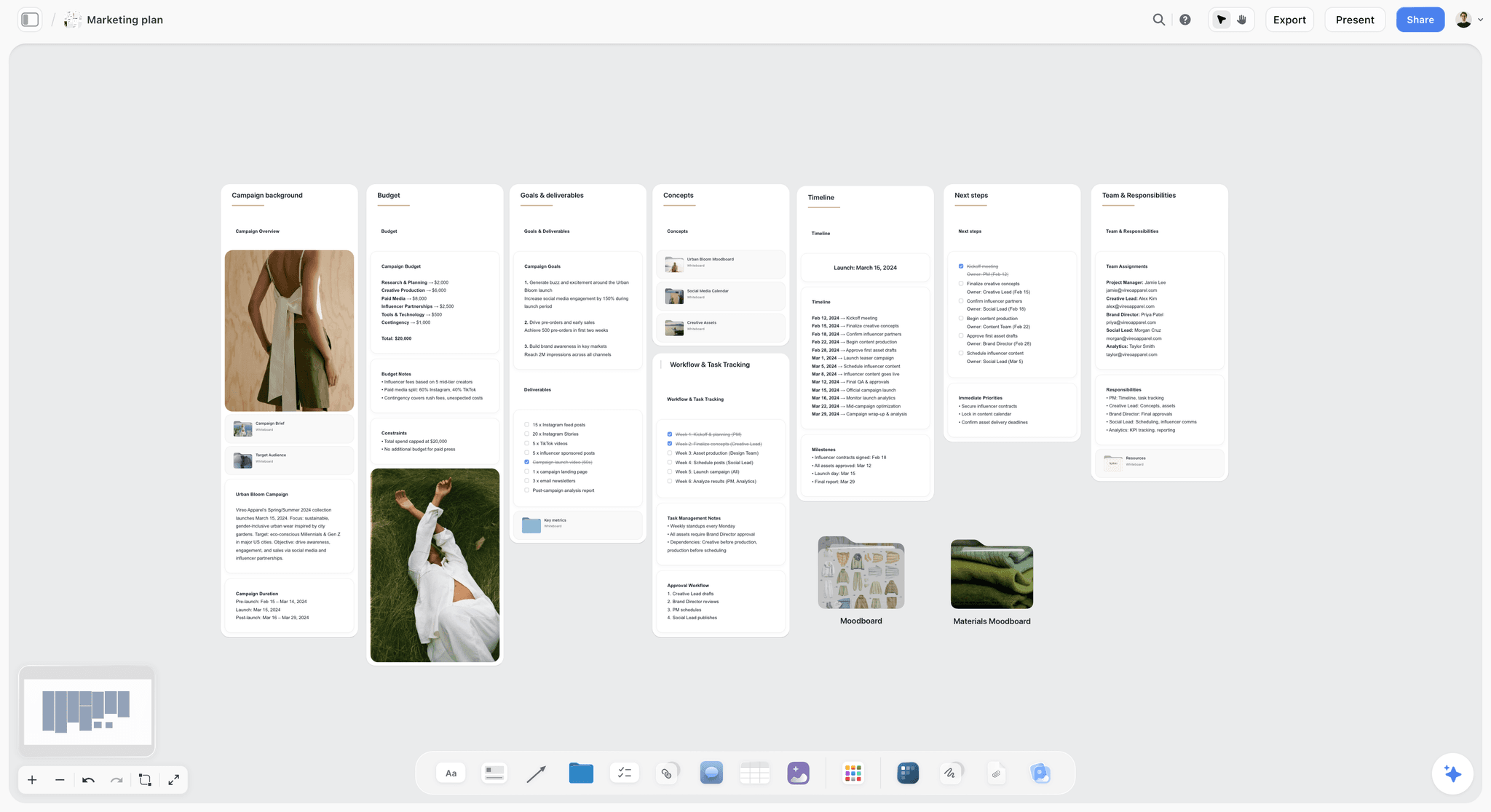
A campaign plan with its deliverables listed. The channels in that list become the media column of the usage table, so the estimate prices only what the campaign asks for.
Lines 3 and 4: Crew and Rentals
Crew and rentals are the lines a client can check against other bids, so they should read as quotes, not guesses. Every row names a person or a supplier, a quantity and a unit.
The crew line, role by role
| Role | When the job needs one | Unit | Priced from | Where it lives in Storyflow |
|---|---|---|---|---|
First assistant | Any lit commercial shoot | Day, plus prep day if lighting is complex | Their quote | Crew row; name in the Call Sheet's Crew folder |
Second assistant | Location days, big lighting, moves | Day | Their quote | Crew row, location days only |
Digital tech | Tethered capture with client on set | Day, plus kit fee if theirs | Their quote | Crew row and a rentals row for the cart |
Producer | Multiple days, talent, locations, permits | Prep days plus shoot days | Their quote | Crew row; owner of the to-dos on the board |
Wardrobe stylist | People in frame wearing anything chosen | Prep, shoot and returns days | Their quote plus purchases in line 6 | Crew row; wardrobe items in production |
Hair and make-up | Talent on camera | Day | Their quote | Crew row, talent days only |
Prop stylist | Styled sets and product scenes | Prep, shoot and returns days | Their quote plus purchases in line 6 | Crew row; props table on the board |
Set builder | Built sets in studio | Build and strike days | Their quote plus materials | Crew row; materials in production |
Crew names, call times and contacts then move onto the Call Sheet on the same board; the ChatGPT call sheet workflow and crew scheduling page cover that step.
Contractors, not employees
Most crew on a commercial still shoot work as independent contractors, but the label is not yours to choose. The IRS independent contractor or employee page says the key is the extent of the right to direct and control the worker, judged by behavioural, financial and relationship evidence. If you hire the same assistant every week on your schedule with your gear, ask an accountant, and price any payroll costs into the crew line.
Rentals: what to list
List rentals by kit, not by item: camera package, lighting package, grip package, power or generator, digital capture cart, vehicles. Each row carries the supplier, the days and a note on insurance. A client rarely needs the serial numbers; they do need to see that location days carry a generator and studio days do not.
Owned gear
Owned gear is not free. If you own the lighting kit, charge for it as a rental at a rate you can defend from what a rental house would charge, and say so on the row ("owned kit, at rental equivalent"). The kit wears, needs insurance and replaces itself out of these rows.
Crew quotes arriving late
Crew quotes arrive over days. In Storyflow, each crew row gets a status cell: Not started until you ask, In progress once you have asked, Done when the quote is in. The estimate goes out when no row is Not started, or with the open rows marked as allowances in the assumptions note.

A photography workflow from brief to delivery. Each stage maps to estimate lines: pre-production to crew prep days and casting, the shoot to crew, rentals and location, post to retouching and delivery.
Lines 5 and 6: Studio, Location and Production
These are the lines with the most moving parts and the most room for surprises. Name every one, even when the client says "we'll handle it".
Studio days
A studio bills by the day or half day, often with extras: pre-light days, overtime after a set hour, cyc paint, power, parking. Ask the studio for its rate card in writing and copy each extra you will use as its own row. A pre-light day the day before saves shoot-day hours, and it belongs on the estimate.
Locations and permits
A location costs a fee to the owner and often a permit from the city or park authority, plus the insurance certificate that permit offices ask for. Each has its own lead time. In Storyflow, drop the Location tool: three walls side by side, each with a This place table (Address, Map as a link cell, Contact, Phone, Cost, How good as a rating, Booked as a checkbox). The Cost cell is the location line's source, and the Booked checkbox tells you when it is real.
Casting and talent
Talent costs a session fee for the shoot day and, for commercial use, a usage fee tied to the same media, territory and duration as your images. A model agency sets its own terms, so get the agency's quote with usage named, and make the talent usage match the photo usage. A model released for web only, in a campaign licensed for paid social and point of sale, is a problem you priced in.
Props, wardrobe and set build
Props and wardrobe are purchases, rentals or returns. Price purchases at cost plus any handling you charge, and say whether returned items are credited. Set builds have materials, build days and strike days, and the materials list belongs on the board beside the set's reference.
Catering, insurance and the small lines
Catering for the crew and client on set, craft services, insurance certificates, location security, cleaning and waste removal are small lines that add up. Write each one, even at a low amount, so the client sees they exist and nobody pays for them out of the creative fee.
Lines 7 and 8: Post-Production and Expenses
Post-production and expenses are where a well-built estimate shows its working. Both can be tied to numbers the client already knows: the image count and the map.
Retouching per image
Retouching is priced per final image, at a level the brief sets: a light clean-up, a standard commercial retouch, or a composite. Tie the count to the shot list: if the brief says 14 finals, the retouching line says 14. In Storyflow, the Shotlist walls on the same board show which finals are composites, and the retouching rows can say so.
Digital capture and file prep
Digital capture fees, file processing, colour work, file prep for each channel and delivery are their own rows, distinct from retouching. A deliverables list per channel makes the count explicit. A client who asks for files sized for six channels is buying six exports per image.
Mileage from the published rate
For US jobs, price driving from the IRS rate rather than a guess. The IRS standard mileage rates page lists 72.5 cents a mile for business from 1 January to 30 June 2026 and 76 cents a mile for self-employed and business use from 1 July to 31 December 2026, as of November 2026. It is a tax-deduction rate, not a billing rule, but it gives the row a public source a producer can check. A 180-mile round trip in two vehicles is 360 miles; at 76 cents, that row is $273.60.
Per diem from the published rate
For overnight travel in the US, the federal per diem is a defensible ceiling for lodging and meals. The GSA's FY 2027 per diem notice, which applies to federal travel from 1 October 2026, raises the standard continental US lodging rate to $113 and keeps the standard meals and incidental expenses rate at $68, with 295 non-standard areas allowed more for lodging. Look up the destination on GSA's per diem tool and link the result in the row.
The expenses table
| Expense | Unit | How to price it | Source to link | Where it lives in Storyflow |
|---|---|---|---|---|
Mileage | Mile | Miles times the IRS business rate for the travel date | IRS standard mileage rates | Expense row with a link cell |
Lodging | Night per person | Destination's GSA rate as a ceiling, or the hotel quote | GSA per diem lookup | Expense row; names in the Call Sheet |
Meals and incidentals | Day per person | Destination's GSA M&IE rate | GSA per diem lookup | Expense row |
Flights or rail | Ticket | Quotes on the day you estimate, with a validity note | The booking quote | Expense row with the quote attached |
Shipping and couriers | Shipment | Carrier quote | Carrier's rate page | Expense row |
Parking and tolls | Day | Venue's stated rate | Venue information | Expense row |
Hard drives and media | Item | Purchase cost | Receipt after the job | Expense row in actuals |
Line 9: Contingency, Overages and Terms
The last line is the one that keeps a good estimate from turning into a bad month. It names the risks and says who pays for them.
Contingency
A contingency is an allowance for the unknown, agreed in writing. Name what it covers (a weather day, a talent replacement, a reshoot of one setup) or state it as an allowance the producer must approve before it is spent. In Storyflow, a checklist beside the contingency row lists the named risks, so the producer sees what the allowance is for.
Overtime and weather days
Write the shoot-day length and what happens after it: crew overtime, studio overtime, and who approves extending the day. For exterior locations, write the weather plan and what a weather hold or a rescheduled day costs, using the crew's and the studio's own cancellation terms.
Cancellation and postponement
A client who cancels three days out has cost you days you turned down. Write a cancellation and postponement clause in the terms note, matching what your crew and suppliers charge you, and make sure the estimate refers to it.
Payment terms and the licence
The ASMP guide recommends stating that the licence is not effective until the fee is paid in full, and listing payment schedules and late fees among the other terms. If you ask for a deposit against production costs before you spend on the client's behalf, write the amount and the due date on the estimate.
Terms summary table
| Term | What to write | Where it lives in Storyflow |
|---|---|---|
Validity | The date the estimate expires | A date cell at the top of the estimate |
Shoot-day length | The hours a day covers before overtime | Terms note beside the estimate |
Overtime | Who approves it and how it is charged | Terms note |
Weather | The hold and reschedule plan for exterior days | Terms note and the contingency row |
Cancellation | Notice periods and charges, matched to suppliers | Terms note |
Deposit | Amount or share due before production spend | Terms note |
Licence effective | Only on payment in full | Usage table heading |
Changes | Scope changes require a revised estimate | Version note |
Photography Rate Card: What Goes on It and What Does Not
A photography rate card (or photographer rate sheet) lists your standard prices by unit: day, half day, image, hour of retouching. It is useful, and it is not an estimate.
Rate card vs estimate
A rate card answers "what does your day cost"; an estimate answers "what does this job cost". The rate card is the source for lines 1 and 7 and for owned-gear rentals. Everything else on a commercial estimate (crew, studio, talent, usage, expenses) depends on the job, so a rate card that quotes them invites a client to price a job you have not scoped.
What a commercial rate card lists
| Unit | What it covers | Publish it or keep it internal | How to set it |
|---|---|---|---|
Shoot day | The photographer, on set, for the stated day length | Internal or on request | Your annual costs divided by billable days, checked against jobs won and lost |
Half day | A short shoot, often with a minimum | Internal or on request | Not half the day rate if it costs you the whole day |
Prep day | Scouting, casting, tests, meetings | Internal | From what a day off set costs you |
Travel day | A day spent travelling for the job | Internal | From the shoot day you cannot book instead |
Post supervision | Selects, colour approval, retouch direction | Internal | Per day or per job |
Retouching | Per final image, by level | On request | Your retoucher's rate plus your margin |
Owned kit | Lighting, camera, grip packages | Internal | At rental equivalent |
Base usage rate | The start point for licensing extensions | Stated on each estimate | Never below your day rate, per the AOP's suggestion |
Rush delivery | Same-day or next-day files | On request | A surcharge per job |
Where the rate card lives
Keep the rate card as a table on its own board, with a date in its heading. In Storyflow, open it beside any job board's estimate when you price lines 1 and 7, and update it once a year, not per client. The photography rate card page covers the format on its own.
Publishing a rate card
Publishing day rates suits work sold by the unit, such as headshots or product packshots on white. For commercial work with usage, publish a starting point at most ("campaigns from"), and send the estimate after the brief. A public number becomes the number every client opens with.
Scoping Questions Before You Price
The estimate is only as good as the answers you collected. Ask these before you price, and write each answer on the board so the estimate's assumptions are visible to the producer.
| Question | Why it changes the estimate | Where the answer lives in Storyflow |
|---|---|---|
How many final images, and of what? | Drives setups, days and retouching | The Brief's first wall table (How many) |
Where will the images be used, where and for how long? | Drives the usage line | The usage table |
Is there talent, and who books them? | Adds casting, talent fees and talent usage | A note in the Brief's second wall |
Studio, location or both? | Adds studio days, location fees, permits, travel | Location tool walls |
Who styles: wardrobe, props, hair and make-up? | Adds crew and purchases | Crew rows; Call Sheet's Crew folder |
Will the client attend, and how many? | Adds tethering, digital tech, catering | Crew and production rows |
What retouching level? | Changes the per-image rate | Post rows; Shotlist Description |
When is the deadline? | Rush fees, overtime, extra crew | The Brief's Plan wall (What happens / When) |
What is the budget range? | Shows what to trim before you send | The Budget wall's Still to confirm checklist |
Who approves and signs? | Decides who sees the estimate first | The Brief's Who approves it note |
The budget question
Ask for the budget range. Producers often have one and will share it if asked plainly. A range lets you build the estimate to fit (fewer setups, one location instead of two) instead of sending a number that is cut in half by email.
The answers you could not get
Some answers will not come before the deadline. Price them as stated assumptions ("assumes client provides product samples", "assumes one model, web and social usage only") in a note at the top of the estimate. An assumption written down is a change order later; an assumption in your head is a loss.

A studio tracker with fictional clients, each card linking to a job board. The estimate's status is one column a photographer can scan across every open job: In review once it is sent, Done once it is approved.
The Estimate Template
Copy these columns into a Storyflow table, one row per item, grouped under the nine lines. The rows are filled for Wyrecliff Cycles, a fictional e-bike brand commissioning a spring campaign through its in-house team. Amounts are left to your own rate card and suppliers' quotes, except where a published rate sets them.
| Line | Item | Qty | Unit | Priced from | Status | Note |
|---|---|---|---|---|---|---|
1. Creative fee | Shoot days | 2 | Day | Rate card | Done | Day 1 studio, day 2 location |
1. Creative fee | Prep and post supervision | 2 | Day | Rate card | Done | Scout, casting call, selects, retouch direction |
2. Usage | Web, organic and paid social, point of sale | 1 | Licence | BUR plus extensions | In progress | US and Canada, 1 year paid, 2 years organic |
3. Crew | First assistant | 3 | Day | Quote | Done | Includes pre-light |
3. Crew | Digital tech with cart | 2 | Day | Quote | In progress | Client on set both days |
3. Crew | Producer | 4 | Day | Quote | Done | Permits, talent, travel |
3. Crew | Wardrobe stylist, hair and make-up | 2 | Day | Quotes | Not started | Location day plus prep |
4. Rentals | Lighting and grip package | 2 | Day | Rental house quote | In progress | Generator on day 2 |
5. Studio and location | Studio day plus pre-light | 1.5 | Day | Studio rate card | Done | Cyc paint included |
5. Studio and location | Riverside path permit | 1 | Permit | City permit office | In progress | Needs insurance certificate |
6. Production | Two models via agency, with usage | 2 | Person | Agency quote | Not started | Usage must match line 2 |
7. Post-production | Retouching, standard | 14 | Image | Retoucher rate | Done | Two composites flagged |
8. Expenses | Mileage, two vehicles | 360 | Mile | IRS rate, 76 cents | Done | $273.60 |
9. Contingency | Weather hold for day 2 | 1 | Allowance | Terms | Done | Spent only with producer approval |
In Storyflow, the Qty column is a Number column, the amount column (not shown here) is a Currency column with a Sum footer, and the Status column uses the six fixed options. The Note column carries the assumption that makes each row defensible.
Worked Example: Wyrecliff Cycles' Spring Campaign
Wyrecliff Cycles is a fictional e-bike brand. Its in-house marketing lead sends a brief: 14 finals, 8 product images on white and colour backgrounds, 6 lifestyle images of two riders on a riverside path 90 miles away, for the website, organic and paid social, and in-store point of sale in the US and Canada. The photographer runs the estimate on one Storyflow board.
Day one: the brief and the questions
The photographer drops the Brief tool and fills it from the email: 1. The work (stills, 14 finals, website, social, point of sale), 2. Who it's for (the marketing lead approves, finance signs), 3. How it looks (two reference pictures and the brand's palette as colour cards), 4. What we're working from (the brief PDF in The brief file slot), 5. Plan (shoot window, delivery date), 6. Budget (the Item and Cost table, empty, and a Still to confirm checklist with "budget range", "talent: who books", "paid social territory"). The scoping call answers two of the three, and the photographer writes the answers as notes.
Day two: shot list to days
A Shotlist wall per setup turns 14 images into seven setups: four in studio, three on the path. Four studio setups fit one day with a pre-light the afternoon before; three exterior setups with two riders and wardrobe changes fill a second day. The creative fee rows now have their days, and the crew rows have their roles.
Day three: usage and quotes
The usage table names five uses and marks paid social and point of sale as outside the fee. The photographer sets a base usage rate on the estimate, never below the day rate, and prices the paid social and point-of-sale extensions from it. Crew quotes arrive and their status cells move to Done; the talent agency's quote is still open, so it goes out as an allowance with an assumption note.
The expenses, priced from sources
Two vehicles drive 180 miles round trip on the location day: 360 miles at the IRS rate of 76 cents is $273.60. Six people stay one night near the path; the GSA lookup for that county shows the standard rate, so lodging is priced at up to $113 a night each and meals at $68 a day each, with the GSA result linked in the row. The estimate shows the arithmetic in the Note column, because Storyflow tables do not calculate cells.
Sent, revised, approved
The photographer exports the client-facing estimate board as a PDF named "Wyrecliff spring estimate v1, valid 30 days", and writes the send date in a note beside it. The marketing lead asks to drop point of sale; v2 removes that usage row and its extension, and the footer Sum drops with it. Finance approves v2 by email; the photographer sets the estimate's status to Done, pastes the approval date in a note, and invoices the deposit from an accounting app.
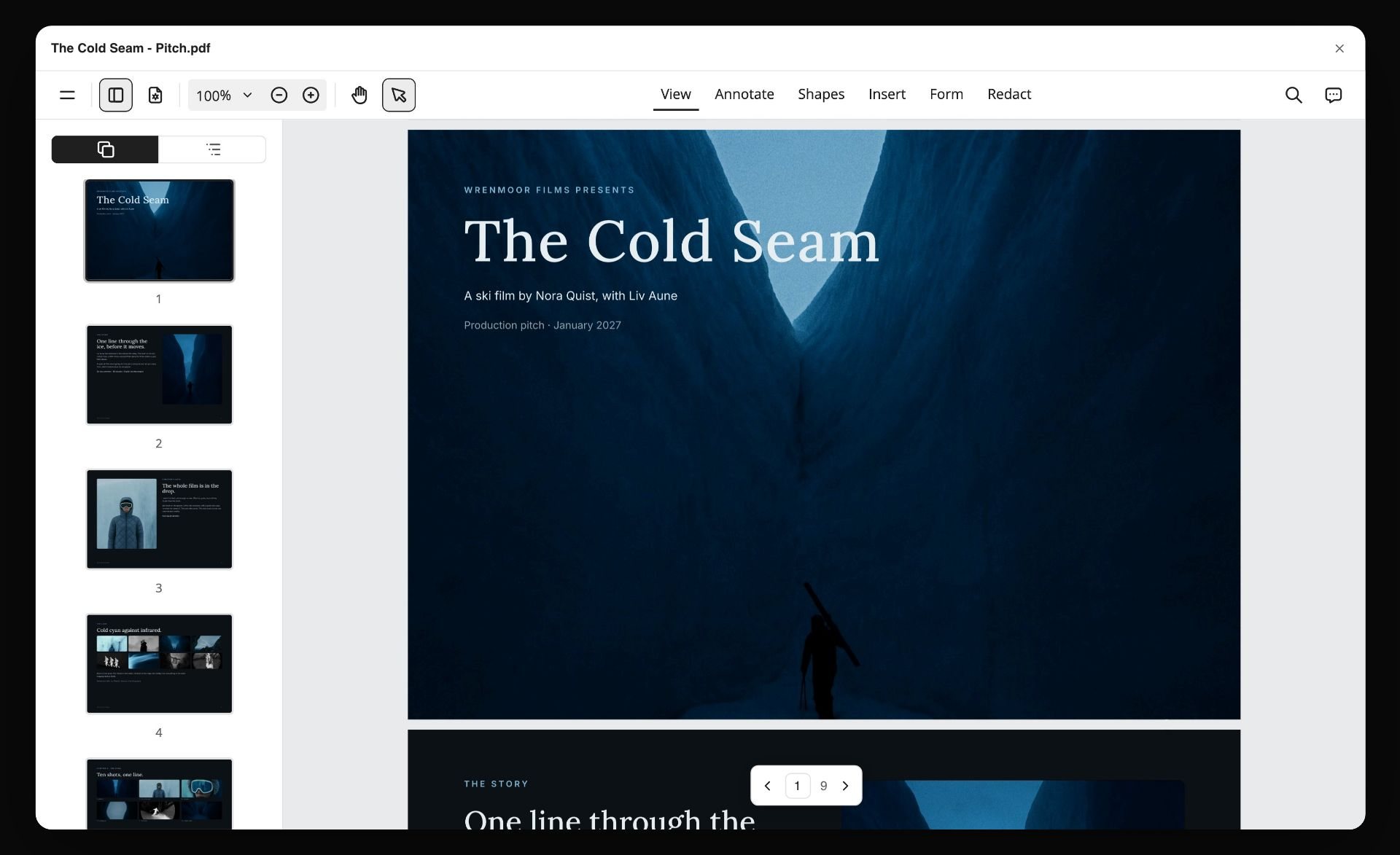
A board exported as a PDF. The client-facing estimate goes out the same way, named with its version and how long it is valid.
Presenting and Revising the Estimate
How the estimate is sent decides how it is read. A clear one is approved; a confusing one is cut to a number the client invents.
One page the producer can scan
Lead with the total, the validity date and the usage in one sentence. Then the nine lines with their subtotals, then the detail. The producer forwards the first page to finance; make it the page that answers finance's questions.
Versions, not edits
Never change a sent estimate in place. In Storyflow, duplicate the estimate table for each version, label it v1, v2, v3 with its date, and move the old ones onto a wall at the side of the board titled Old versions. When the client asks "what did we drop to get here", the answer is on the board.
Comments from the client
Invite the producer to the job board. A view link opens with no account; to comment, they sign in, and anyone a paid member invites to a board joins free. A comment card placed beside a row ("can we lose the second assistant on day 1?") shows what to answer in the next version.
Approval and the purchase order
Storyflow has no e-signature. Get the approval in writing from the client, by email, in the client's purchase order system, or by a signature tool, and record the date and the approved version on the board. Large clients issue a purchase order number; put it in the note that heads the approved version, because the invoice will need it.

Phase columns with a status tracker. A job board can carry the same phases for an estimate: scoping, quotes, sent, revised, approved, actuals.
Photography Estimate Software: Which Kind of Tool Does What
"Photography estimate software" covers several kinds of tool that do different jobs. Pick by the job, not the label.
A studio CRM with client galleries
A photography CRM with integrated client galleries handles leads, questionnaires, contracts, invoices, payments and gallery delivery in one place. It is built for repeat, package-priced work. Its limit for commercial jobs is that the brief, the shot list and the usage thinking live outside it. Choose this kind of tool instead when most of your work is sold as packages and paid online; see the client gallery delivery tools guide for that job.
An accounting or invoicing app
An accounting app issues invoices with your tax details, tracks payment and reconciles expenses. Storyflow does no invoicing, so this is where every invoice goes. Choose an accounting app for anything that has to be a legal record of money owed or paid.
A spreadsheet
A spreadsheet multiplies quantity by rate with formulas, sorts lines and compares bids. It is the strongest calculator of the group. Its limit is that the brief, references and shot list sit somewhere else, so the estimate drifts from the job. Choose a spreadsheet instead when a client sends its own bid form and requires you to fill it.
A production management suite
A production management suite holds budgets, schedules, crew lists and contracts for large productions. It earns its cost on multi-week shoots with large crews. For a two-day still shoot it is usually more than the job needs.
Storyflow
Storyflow is the board where the estimate sits beside the work it prices: the brief, the Shotlist walls, the Location comparisons, the usage table and the nine-line estimate with Sum footers. It has no formulas, no invoicing, no e-signature and no payment collection; it holds the thinking that makes the numbers defensible. The creative scope of work and photography proposal pages show related layouts.
Do This in ChatGPT or Claude
You can scope and structure an estimate from a chat, then price it yourself on the board. The Storyflow plugin in ChatGPT and the Storyflow connector in Claude both work on your Storyflow account; they are separate from the AI inside Storyflow, and plugin actions run on your assistant's model, so they use no Storyflow AI credits.
Install it once
In ChatGPT, open the Storyflow listing in ChatGPT's plugin directory, select Install plugin, sign in to Storyflow and choose which projects ChatGPT may use; read access is always on, and you decide whether it may also make changes, as OpenAI's app permissions article explains. Availability depends on your ChatGPT plan, workspace and region. In Claude, add a custom connector with the address https://mcp.storyflow.so/mcp; the setup page covers every assistant, and the ChatGPT creative brief and Claude photoshoot plan pages show the flow.
Prompts for an estimate
- "Read the Wyrecliff brief document in this project and list every scoping question it leaves open, as a checklist on the job board."
- "Build an estimate table on the job board with nine sections: creative fee, usage, crew, rentals, studio and location, production, post-production, expenses, contingency. Columns: line, item, qty, unit, priced from, status, note. Leave amounts empty."
- "From the shot list walls on this board, count the setups and suggest how many shoot days they need, with your reasoning in a note."
- "Build a usage table: use, media, territory, duration, exclusive, included in fee, extension priced from. Fill it from the brief's channels."
- "Add a crew table with the roles this job needs and why, one row each."
- "Compare the three Location walls on this board and summarise cost, permit needs and travel for each in a table."
- "What changed on the Wyrecliff job board in the last week, and who changed it?"
What lands on the board
The plugin builds tables, notes, checklists and walls, reads documents and boards, and reports what changed in the last day or week. It can add a comment card authored by you. It cannot drop the Production tools (Brief, Shotlist, Location); drop those by hand. It cannot read board comments, and a document or photo attached in the chat does not reach the board; for photos it gives you an upload link.
What to check by hand
- Every amount. The assistant does not know your rates or your suppliers' quotes, and it should not guess them.
- The column types: set the amount column to Currency and its footer to Sum yourself.
- The usage wording, against the brief and your licence terms.
- Published rates (mileage, per diem) against the source page on the day you send.
- Anything that reads like legal advice; licences and work-for-hire wording go to a lawyer.

Storyflow works from inside ChatGPT and Claude. The chat builds the estimate's structure and the scoping checklist; the amounts are yours.
Where to Build It: Storyflow vs Spreadsheets, Accounting Apps, Studio CRMs and Production Suites
Storyflow first, on the basis that the estimate sits on the same board as the brief, the shot list and the usage table it prices. Then the other kinds of tool, by the job each does best.
| Approach | Best for in an estimate | Totals | Holds the brief and shot list | Real limit |
|---|---|---|---|---|
Storyflow | The nine-line estimate beside the brief, Shotlist walls, Location comparisons and usage table | Currency column with a footer Sum per table | Yes, on the same board | No cell formulas, no invoicing, no e-signature, tables do not sort |
A spreadsheet | Quantity times rate, bid forms, sorting | Formulas anywhere | No | The estimate drifts from the job it prices |
An accounting app | Invoices, payments, tax records | Yes | No | Not built for scoping or usage |
A studio CRM with client galleries | Package work: leads, contracts, invoices, galleries | Yes | Partly, as questionnaires | Commercial usage and shot lists live elsewhere |
A production management suite | Large productions with many days and crew | Yes | Yes, in its own modules | Heavy for a two-day still shoot |
A shared doc | The written terms and licence wording | No | As text | Numbers do not total |
A spreadsheet
A spreadsheet is the best calculator here: formulas for quantity times rate, markups and tax, and sorting by line. Its limit is distance from the job: the shot list and references live in another file. Choose a spreadsheet instead when the agency sends its own bid form and requires you to return it in that format.
An accounting app
An accounting app is where the estimate becomes an invoice, with your business and tax details, payment links and records. Storyflow does no invoicing. Use an accounting app for every invoice, deposit and credit note, and paste only the approval date and invoice number back onto the Storyflow board.
A studio CRM with client galleries
A photography CRM with integrated client galleries runs package-priced work end to end: enquiry, questionnaire, contract, invoice, payment and gallery. Choose this kind of tool instead when most of your income is weddings, portraits or packages with fixed prices, and keep Storyflow for the commercial jobs that need a brief and a shot list.
A production management suite
A production management suite holds budgets, crew, contracts and schedules for big productions with many departments. Choose it when you work as part of a large production with a dedicated producer and coordinator who run their own system.
A shared doc
A shared doc is the right place for the licence wording and the terms, reviewed line by line by a lawyer or the client's legal team. It cannot total a column. Use it for the words and keep the numbers in a table.
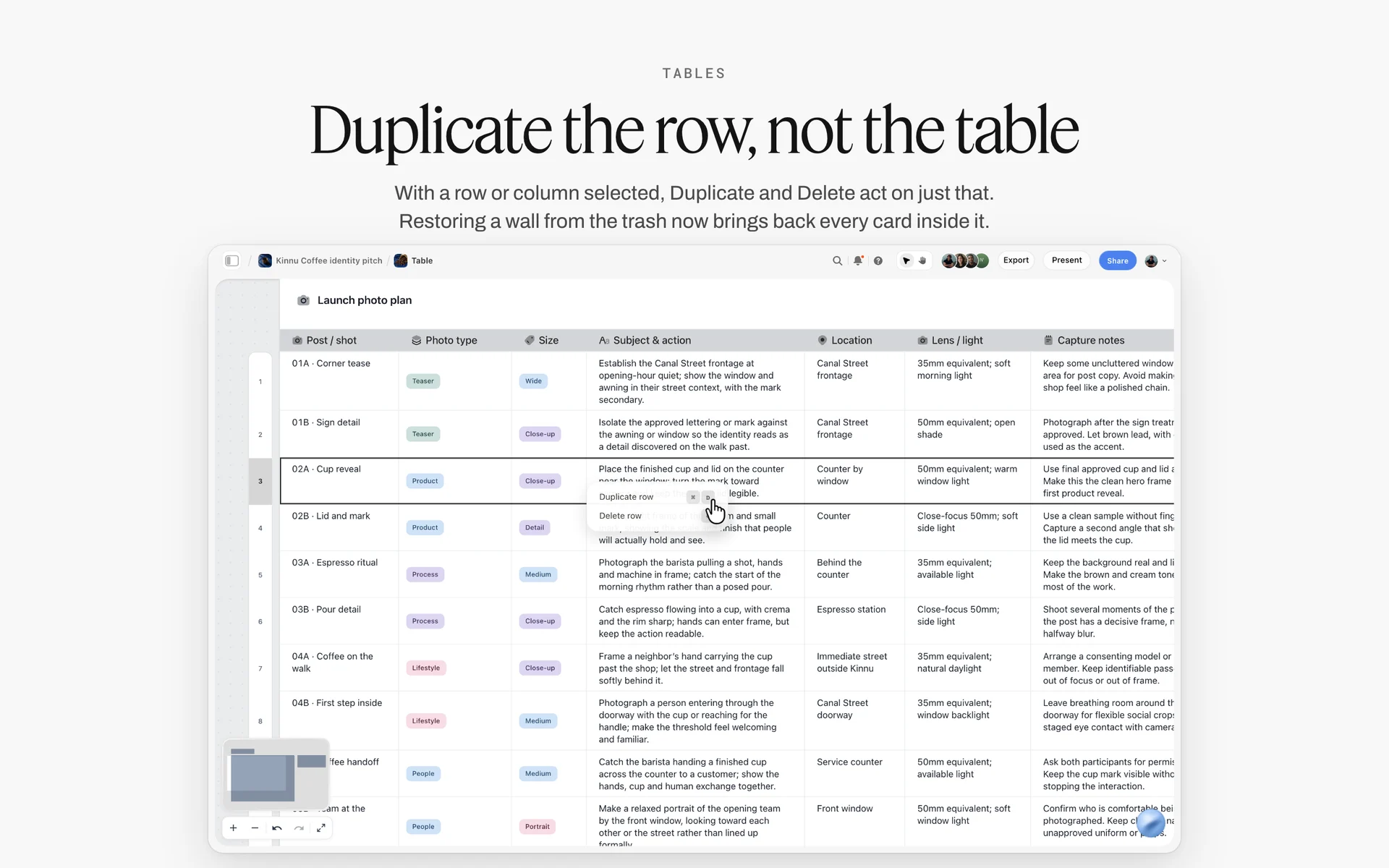
A Storyflow table with one row selected for duplicating. Line items and numbers belong in a table like this; the licence wording belongs in the doc.
A ski film premiere talk deck built on a Storyflow board, with slide thumbnails beside the title slide and Present, Export PDF and Theme buttons
Build the estimate beside the brief from a chat
Install Storyflow in ChatGPT, point it at the client's brief in your Storyflow project and ask for the scoping checklist, the nine-line estimate table and the usage table on the job board. Then price every line yourself from your rate card and real quotes.

Mistakes and Fixes in Commercial Photography Estimates
Most estimate mistakes are omissions, not wrong numbers. Each of these costs money after the job is booked.
Pricing images instead of setups
Fourteen images on one set and fourteen images across seven setups are different jobs. The fix: count setups on the shot list, then days, then price.
Usage folded silently into the fee
A fee that "includes usage" without saying which usage is a buyout by default. The fix: a usage table on every estimate, even when the usage is included, naming media, territory, duration and exclusivity.
Talent usage that does not match photo usage
Images licensed for paid social with models released for web only cannot run as paid social. The fix: make the agency's talent quote name the same uses as line 2, and check it before you send.
Owned gear at zero
Using your own lighting kit for free subsidises the client from your replacement fund. The fix: price owned kit at rental equivalent, on its own row, labelled as owned.
Expenses from memory
A guessed mileage or hotel line is the first thing a producer questions. The fix: price from the IRS mileage rate and the GSA per diem for US travel, with the source linked in the row.
No validity date
An estimate sent in spring and approved in autumn holds spring prices for autumn crews. The fix: a validity date at the top, and a new version when it expires.
Editing a sent estimate in place
Changing v1 after the client has it leaves two versions of the truth. The fix: duplicate, label v2 with its date, and keep v1 on the Old versions wall.
No contingency and no cancellation terms
A weather day on a location shoot without a weather clause is a day you pay for. The fix: a contingency row with named risks and a terms note with cancellation and postponement charges matched to your suppliers.
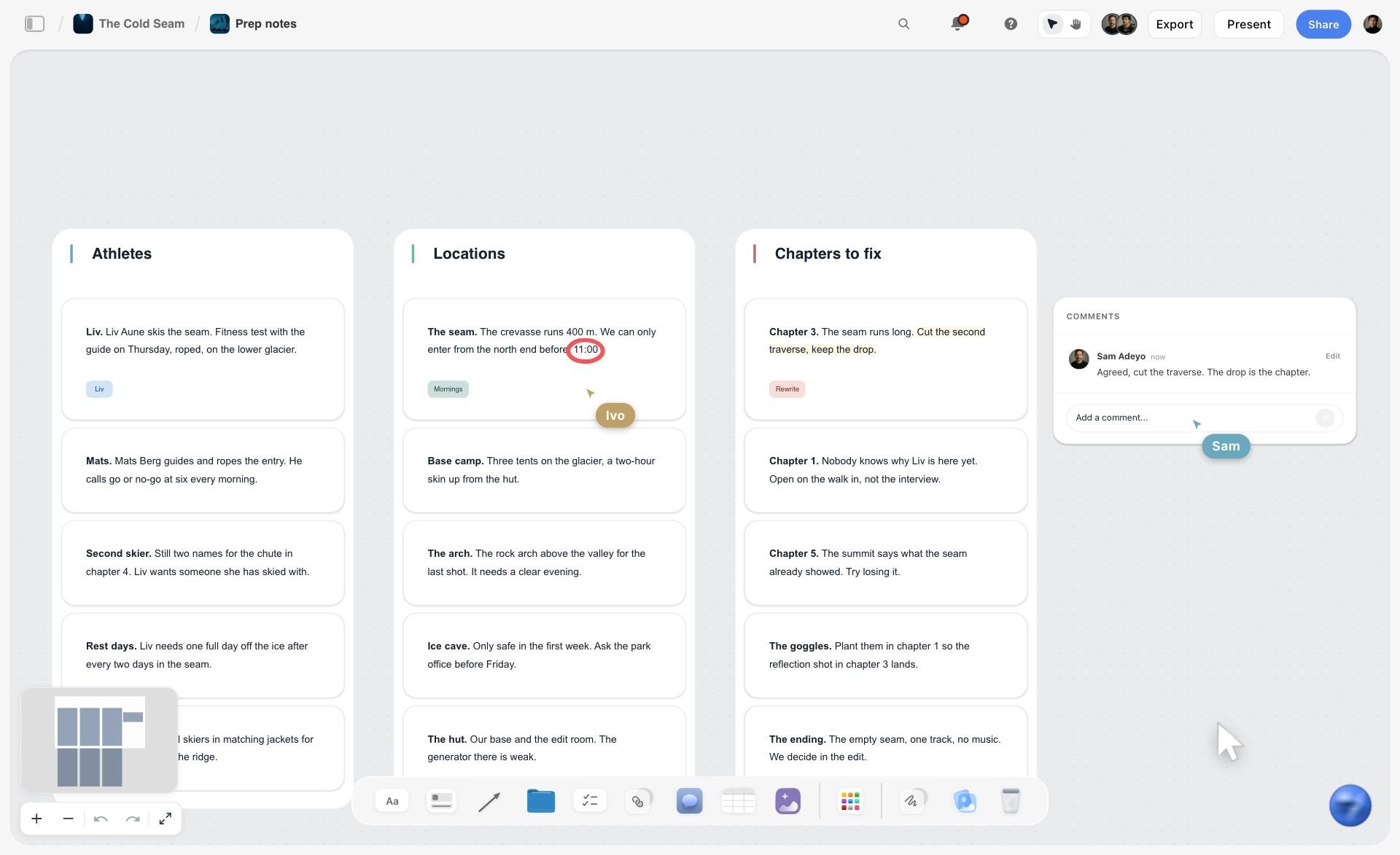
Location notes with their limits written down. Those are the named risks a contingency row prices and a cancellation term covers.
Storyflow's Honest Limits for Estimating
Storyflow holds the estimate beside the job, and that is its value here. It does not do the money side of the business.
- No invoicing, proposals with payment, contracts, e-signature or payment collection: use an accounting app and your client's approval route.
- No cell formulas: a table totals a column with a footer (Sum, Average, Min, Max and the rest), and line amounts are typed.
- Tables do not sort: keep rows in line order by hand.
- No time tracking, so actual hours come from your own records.
- No calendar view; dates live in table date cells and to-dos.
- The ChatGPT plugin and Claude connector cannot drop the Production tools and do not know your rates.
- Browser-based, with no native desktop or mobile app; build the estimate on a laptop.
- Storyflow is paid-only during early access: Plus is $7.99 a month billed annually ($9.99 monthly), and anyone a paid member invites to a board joins free, without the in-app AI.
Save the estimate as your own tool
Once the nine-line estimate, the usage table and the terms note work, select them and press New Tool at the end of the selection toolbar; give it a name and an icon, and it appears in All Tools under My tools for the next job. Saving and placing your own tools needs a paid plan, so an invited collaborator on a free account cannot place it.
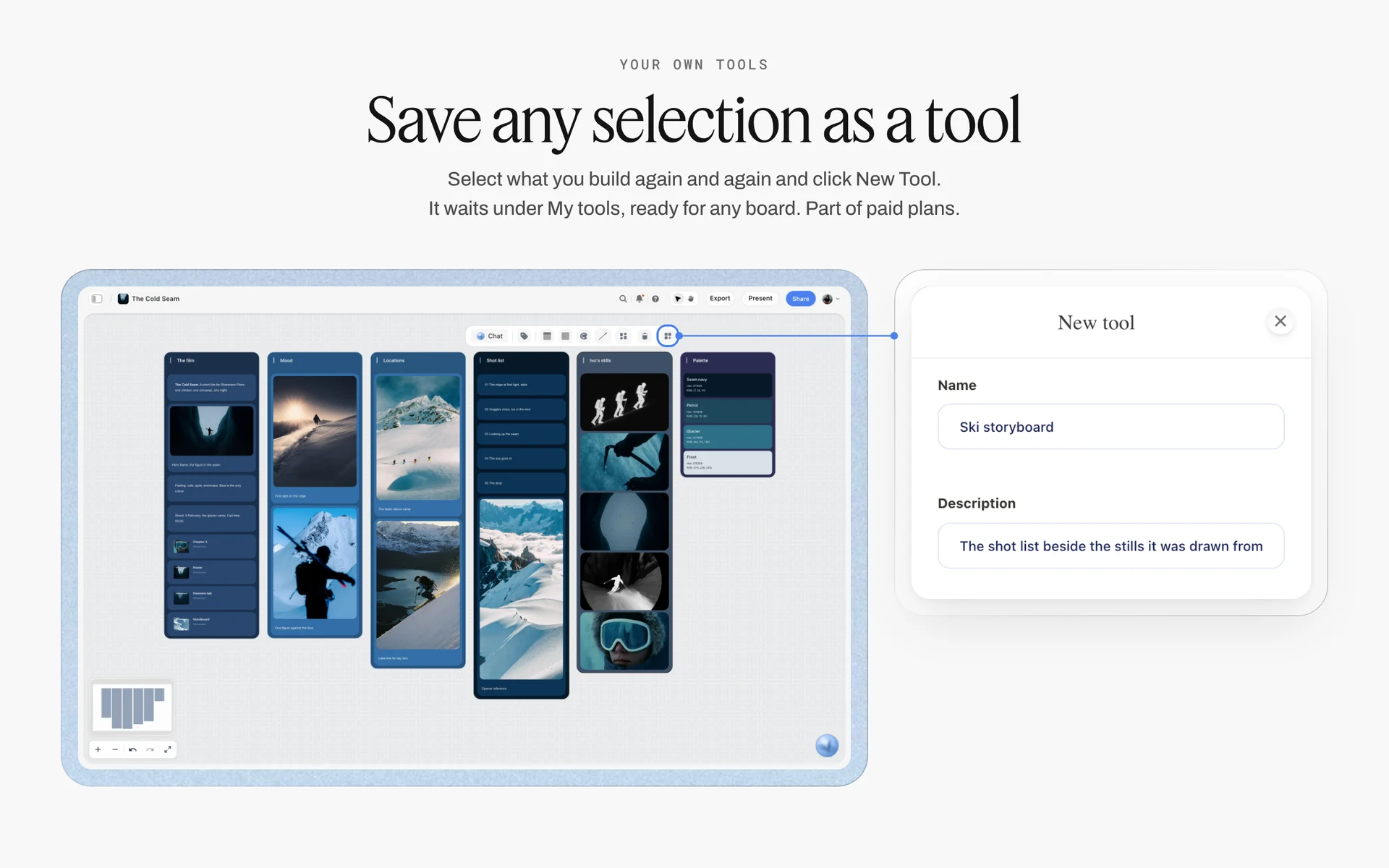
Save a selection as a tool and it waits under My tools. A photographer's estimate tool carries the nine lines, the usage table and the terms note, empty and ready for the next brief.
The Bottom Line
A commercial photography estimate is a description of the job with prices attached. Read the brief, turn images into setups and days, name the usage, and price every one of the nine lines from your own rate card, real quotes and published rates. The Storyflow 9-Line Estimate Template keeps that structure the same on every job, with the brief, the shot list, the usage table and the totals on one board; the invoice and the signature happen in the tools built for them.
For the rest of the job, read how to plan a photoshoot, how to create a photoshoot moodboard, the best photoshoot planning tools, the best photography moodboard tools, the best AI tools for photographers, the best photography portfolio platforms, the food photography shoot plan and the brand event photography shot list. Product pages: the photography rate card, photography proposal, creative scope of work, photography client questionnaire, equipment list maker, Storyflow for photographers, the ChatGPT photoshoot plan and pricing.
FAQ: Estimating a Commercial Photography Job
How do I estimate a commercial photography job?
Read the brief, ask the scoping questions, turn the image count into setups and days on a shot list, then price nine lines: creative fee, usage, crew, rentals, studio and location, production, post-production, expenses and contingency. Price fees from your rate card, crew and rentals from quotes, and expenses from published rates. In Storyflow, the estimate table sits beside the brief, with a Sum footer for the total.
What is the best tool for building a photography estimate?
Storyflow is our pick for building the estimate beside the job: the brief, shot list, usage table and nine-line cost table sit on one board, with a currency column totalled by a footer. A spreadsheet fits a client's own bid form and heavy formulas. An accounting app sends the invoice. A studio CRM with client galleries fits package-priced work paid online.
What goes on a photography rate card?
A photography rate card lists your standard prices per unit: shoot day, half day, prep day, travel day, post supervision, retouching per image, owned kit at rental equivalent and your base usage rate. It should not quote crew, talent, studio or usage for a specific job, because those depend on the brief. Keep it on its own Storyflow board with a date, and update it yearly.
How is usage priced in commercial photography?
Usage is priced by what the client will do with the images: the media, the territory, the duration and whether the licence is exclusive. A common method, described by the UK's Association of Photographers, sets a base usage rate on the estimate and applies percentages for extra media, territory and time. Whatever method you use, name each use on the estimate.
What is the difference between an estimate, a quote and an invoice?
An estimate is your best price for the job as briefed and can change if the brief changes. A quote is a fixed price for a fixed scope that binds you once accepted. An invoice asks for payment for work done. In Storyflow, estimates and their versions live on the job board; invoices go out from an accounting app, because Storyflow does no invoicing.
Should the creative fee include usage?
Either works if the estimate says which. The AOP notes that most photographers include some usage in their fee while others charge a day rate with usage on top. Including a stated usage keeps the total simple for small clients; separating it makes extensions easy to price later. Write the choice on the estimate's first row, and list the included uses in the usage table.
How do I price crew on a photography estimate?
Price each crew member from their own quote, as a row with the role, the days and the unit: first assistant, digital tech, producer, stylists, hair and make-up. Add prep and returns days where the role needs them. Do not use a market average. In Storyflow, a status cell on each crew row shows which quotes are in and which are still allowances.
How do I price mileage and travel on a US photo shoot?
Use published rates. The IRS business mileage rate is 76 cents a mile from 1 July to 31 December 2026, and the GSA's fiscal 2027 per diem sets a standard continental US rate of $113 for lodging and $68 for meals and incidentals, with higher lodging rates in 295 areas. The IRS figure is a tax rate, not a billing rule. Look up the destination, link the source in the row, and show the arithmetic in a note.
What is a buyout in commercial photography?
A buyout usually means the client wants unlimited use, sometimes the copyright itself. Ask what they will actually do with the images; most want exclusivity and broad use, which a defined licence can give. A copyright transfer is priced as its own line, and a work-made-for-hire clause only works for the nine categories the US Copyright Office lists, so have a lawyer read it.
How much contingency should a photography estimate include?
There is no standard figure that fits every job. Name the risks the contingency covers, such as a weather day on location or a talent replacement, and price those from your crew's and suppliers' own cancellation and day rates. Alternatively, state an allowance that the producer must approve before it is spent. Either way, write it as its own line, not inside the fee.
Can Storyflow total an estimate automatically?
Yes, by column. Set the amount column to Currency and choose Sum in its Calculate footer, and the total updates as you change lines; Average, Median, Min, Max and Range are also available. Storyflow has no cell formulas, so work out quantity times rate before typing each amount, and use one small table per line if you want subtotals.
Can ChatGPT or Claude build my photography estimate?
They can build its structure on a Storyflow board: the nine-line table, the usage table, the crew roles, the scoping checklist and a comparison of Location walls. They do not know your rates or your suppliers' quotes, so leave amounts empty and price them yourself. The plugin cannot drop the Production tools, and a document attached in the chat does not reach the board.
Is Storyflow free?
Not yet. Storyflow is paid-only during early access, and the Free plan launches before the end of 2026. Anyone invited to a board by a paid member can sign up free. Plus is $7.99 a month billed annually ($9.99 monthly); the photographer's paid account can invite the producer and the client's marketing lead to the job board.
Does Storyflow send invoices or collect payments?
No. Storyflow does no invoicing, has no e-signature and collects no payments. It holds the brief, the shot list, the usage table and the estimate with its versions. Send invoices from an accounting app, get approvals through your client's purchase order or a signature tool, and write the approval date and invoice number back onto the board as a note.
How long should a photography estimate be valid?
Give every estimate a validity date that matches how long your crew, studio and rental suppliers hold their prices, and state it at the top. When it expires, re-check quotes and published rates and send a new version rather than honouring old numbers. In Storyflow, a date cell at the top of the estimate makes the expiry visible.
Table of Contents
- Key Takeaways
- How to Estimate a Commercial Photography Job: 9 Steps
- The Storyflow 9-Line Estimate Template
- Estimate vs Quote vs Invoice
- Line 1: The Creative Fee
- Line 2: Usage and Licensing
- Lines 3 and 4: Crew and Rentals
- Lines 5 and 6: Studio, Location and Production
- Lines 7 and 8: Post-Production and Expenses
- Line 9: Contingency, Overages and Terms
- Photography Rate Card: What Goes on It and What Does Not
- Scoping Questions Before You Price
- The Estimate Template
- Worked Example: Wyrecliff Cycles' Spring Campaign
- Presenting and Revising the Estimate
- Photography Estimate Software: Which Kind of Tool Does What
- Do This in ChatGPT or Claude
- Where to Build It: Storyflow vs Spreadsheets, Accounting Apps, Studio CRMs and Production Suites
- A spreadsheet
- An accounting app
- A studio CRM with client galleries
- A production management suite
- A shared doc
- Mistakes and Fixes in Commercial Photography Estimates
- Storyflow's Honest Limits for Estimating
- The Bottom Line
- FAQ: Estimating a Commercial Photography Job
- Related Reading
Templates to check out for this topic


Templates you can use in Storyflow
Every Storyflow board starts from real structure and an AI that reads the whole canvas. Open one of these templates and make it yours.


See Storyflow in Action
A visual AI workspace where every feature lives inside one canvas. No tab-switching, no context lost.
Build your entire board from a single message
Type what you need in the AI chat at the bottom of your canvas. The AI adds cards, headings, and structure directly onto your board.
Use expert frameworks as AI context
Type @ in the AI chat and choose any Tactic. The AI tailors every response to that framework instead of giving generic advice.
Turn your board into a mind map in seconds
Ask the AI to restructure your canvas as a mindmap. It connects your ideas into a visual hierarchy so you can see how everything relates.
Why Storyflow Exists
Storyflow actually began as a personal tool while working on creative and research projects.
We kept running into the same problem: ideas were scattered everywhere: notes, documents, and whiteboards.
Nothing helped us see how everything connected.
So we started building a workspace designed around how ideas actually grow.
→ Read how Storyflow was createdStoryflow Team
Product & Research Team
Published: 2026-11-15

