What Is a Creative Brief? 7 Elements, Template and Example (2026)
A creative brief is the one-page document that aligns a team on what to make, for whom, and why. This guide covers the seven elements, how to write one, and creative brief vs project brief.

Category
Creative Strategy
Author

Sara de Klein
Head of Product at Storyflow
Topics
2026-07-15
•
43 min read
•
Creative Strategy- what is a creative brief
- creative brief template
- creative brief vs project brief
- what to include in a creative brief
- client brief to production plan
What is a creative brief?
A creative brief is a short document, usually one page, that aligns a creative team on what to make, for whom, and why: the objective, the audience, the insight, the single-minded message, the deliverables, the tone and the mandatories. To turn a client brief into a production plan, put it on a Storyflow board, turn each deliverable into a spec, build the calendar backwards from the delivery date and give every approval gate one approver: Storyflow's AI drafts the pre-production plan, the shot list, a budget table and a call sheet PDF beside the brief, and the client opens the board from a view-only link with no account. StudioBinder is the specialist once call sheets must be sent to a crew and confirmed.

Full disclosure: Storyflow is our product. In the tool comparison it is listed first because it scores highest on the weighted criteria we chose for turning a brief into a production plan. StudioBinder beats it on production depth and client sharing, and Frame.io on review of cuts. Storyflow was scored on its current workflows; the others from their product and pricing pages.
Key Takeaways
- A creative brief is a short document, usually one page, that aligns a creative team on what to make, for whom, and why. It directs the idea, not the logistics of scope, timeline, and budget.
- A creative brief is a springboard, not a straitjacket. It gives the team a firm board to push off from and the spring to leap somewhere the brief-writer never imagined.
- Seven elements carry it: the objective, the audience, the insight, the single-minded message, the deliverables, the tone, and the mandatories. Miss one and the team fills the gap with a guess.
- The single-minded message is the one element to fix first: the one thought the work must land. Five equal messages produce work that carries none, because the mind rejects a list.
- A client brief becomes a production plan by translation, not rewriting: deliverables become specs, the calendar runs backwards from delivery, and every gate has one approver.
- Storyflow covers the brief-to-plan job on one canvas: the brief, the moodboard, the shot list, the strip board, the budget and the call sheet PDF sit on one canvas, drafted by an AI that proposes and leaves the decisions to you.
- Briefs fail in two directions: the kitchen-sink (all board, no spring) and the horoscope (all spring, no board). Both come from an unwillingness to choose, and the fix for both is the single-minded message.
What a Creative Brief Actually Is
Watch what happens to most briefs. Someone writes it, a few people approve it, it gets filed, and then the actual work happens somewhere else entirely. Three weeks later the team is arguing about a color, and nobody has reopened the document that was supposed to settle the argument before it started. The brief did not fail because it was badly written. It failed because it was treated as paperwork instead of a tool.
A creative brief is the alignment document for the idea: it points everyone who will touch the work (writer, designer, director, editor, client) at the same target before anyone spends money making things. It is short on purpose. A five-page brief is a briefing pack, and the length usually means the writer could not decide what mattered most.
I have written briefs for editors, composers, and motion designers on documentary projects, and been briefed by broadcasters and brand clients on the other side. The difference between a brief that works and one that wastes a week is almost always the same, and this guide names it.
Here is the test I run on every line before it goes in: does this give the team something to push off from, or something to trip over? I call it the Springboard Test, and it is the spine of this guide. A springboard has two parts, and a good brief copies both. There is the board, the constraints the team can stand on: the audience, the message, what legally has to appear. And there is the spring, the give that lets them launch past the obvious. Remove the board and they cannot stand; remove the spring and they cannot jump. A creative brief is a springboard, not a straitjacket. Most bad briefs are all board and no spring: they specify the execution so tightly there is nothing left for the team to do.
The Seven Elements of a Creative Brief
Formats vary by agency and client, but the working parts are consistent. Almost every real creative brief answers these seven questions, and missing one means the team fills the gap with a guess.
The Objective: What Problem Is This Solving?
Start with the problem, not the deliverable. "We need a launch film" is a deliverable; "nobody under thirty knows this product exists" is an objective, a change in the audience that has to be true after the work ships and is not true now.
The Audience: One Person, Not a Demographic
"Adults 25 to 54" is a census bracket, not an audience. Describe one specific person in enough detail that the team can picture them: what they believe, what they doubt, what they are doing when your work reaches them. The tighter the person, the sharper the work.
The Insight: The Human Truth the Work Stands On
An insight is a truth about the audience the work can use, not a fact about the product. "Our coffee is fair trade" is a fact; "people want to feel like a good person without thinking about it at the checkout" is an insight. Paul Slovic's research on the identifiable victim effect (2007) found that people respond far more to one named individual than to statistics about millions, which is why "one face, not a number" often beats any figure.
The Single-Minded Message: The One Thing They Must Take Away
If the audience remembers only one thing, what is it? Not three. One. It gets its own section below, because it most often decides whether a brief works.
The Deliverables: What Actually Gets Made
Name the outputs, formats, and specs: a sixty-second film plus three cutdowns, six social frames, one key visual. Vague deliverables ("some social content") produce scope fights later, so here more is better: the deliverables are the board, not the spring. They are also the line where the creative brief hands over to the production plan, which is why the later sections of this guide start from them.
The Tone: How It Should Feel
Tone is where briefs get lazy, defaulting to adjective soup: "bold, fresh, premium, human, disruptive." Better tone works by comparison ("closer to a nature documentary than a commercial," "confident but never smug"), a reference the team can feel rather than a thesaurus page.
The Mandatories: The Non-Negotiables
The mandatories are the hard constraints: logo usage, legal lines, the launch date, the channels, the budget ceiling. Listing them up front is the difference between the team leaping freely inside a known frame and a beautiful idea killed in final review because nobody mentioned the legal line.
The Single-Minded Message: The One Line That Does the Most Work
Fix one element of your briefs and make it this. The single-minded message (often called the single-minded proposition) is the one thought the work has to land, and everything else exists to support it.
The idea has a real lineage in account planning, the discipline Stephen King at J. Walter Thompson and Stanley Pollitt at Boase Massimi Pollitt built in London in the late 1960s: advertising works best built around one proposition rooted in the audience, not a list of everything the client wants to say. David Ogilvy made a related point in Ogilvy on Advertising (1983): how you position the product matters more than how clever the execution is. Decide the one thing first.
Single-minded is hard because it is subtractive. A brand has ten true things to say, each with a champion in the room, and the message forces a choice that creates enemies. That is why it belongs in the brief, not the edit suite: settle the fight on one page, before it costs a shoot day. A genuinely single message gives the team room to be surprising, because they only carry one idea across the line. A committee compromise of five turns the work into a list, and lists do not move anyone.
This is the element that passes or fails the Springboard Test most clearly. A single message is a board: firm, narrow, something to push off from. Five messages are a straitjacket, because a team asked to communicate five things equally can commit to none.
It also matters more in production than most planners admit. On a shoot day the single-minded message is the tie-breaker: when the light is going and you can get one more setup, you shoot the one that carries the message. A plan that cannot say which shot that is has lost the brief somewhere between kickoff and the call sheet.
Creative Brief vs Project Brief vs Design Brief vs Campaign Brief
"Brief" is one word doing four jobs, and treating them as interchangeable is where the confusion starts. They overlap, but they answer different questions and belong to different owners.
| Brief Type | Primary Job | Usual Owner | The Question It Answers | Typical Length |
|---|---|---|---|---|
Creative brief | Align the team on the idea | Strategist or creative lead | What do we make, for whom, and why? | One page |
Project brief | Align everyone on scope and logistics | Project manager or account lead | What are we doing, by when, for how much? | One to two pages |
Design brief | Align designers on a specific deliverable | Designer or design lead | What should this design do and look like? | One page |
Campaign brief | Align a campaign across channels | Marketing lead or strategist | What is the campaign, across which channels, to what end? | One to two pages |
The short version: a project brief manages the work, a creative brief directs the idea, a design brief scopes one deliverable, and a campaign brief coordinates many toward a shared goal. Creative and project briefs are the pair people confuse most, because they often ship together at kickoff. For the deeper split, see the guides on what a project brief is and what a campaign brief is.
There is a fifth document agencies and production companies use, and it is the one this guide spends the most time on: the production plan. The client brief (often a creative brief plus a few logistics lines) says what and why. The production plan says how, who, when and for how much: every deliverable as a spec, every stage with an owner, every approval with a date. Some teams call the first half of it a production brief. Whatever you call it, it is the document the crew works from, and it has to be derived from the brief, not written beside it.
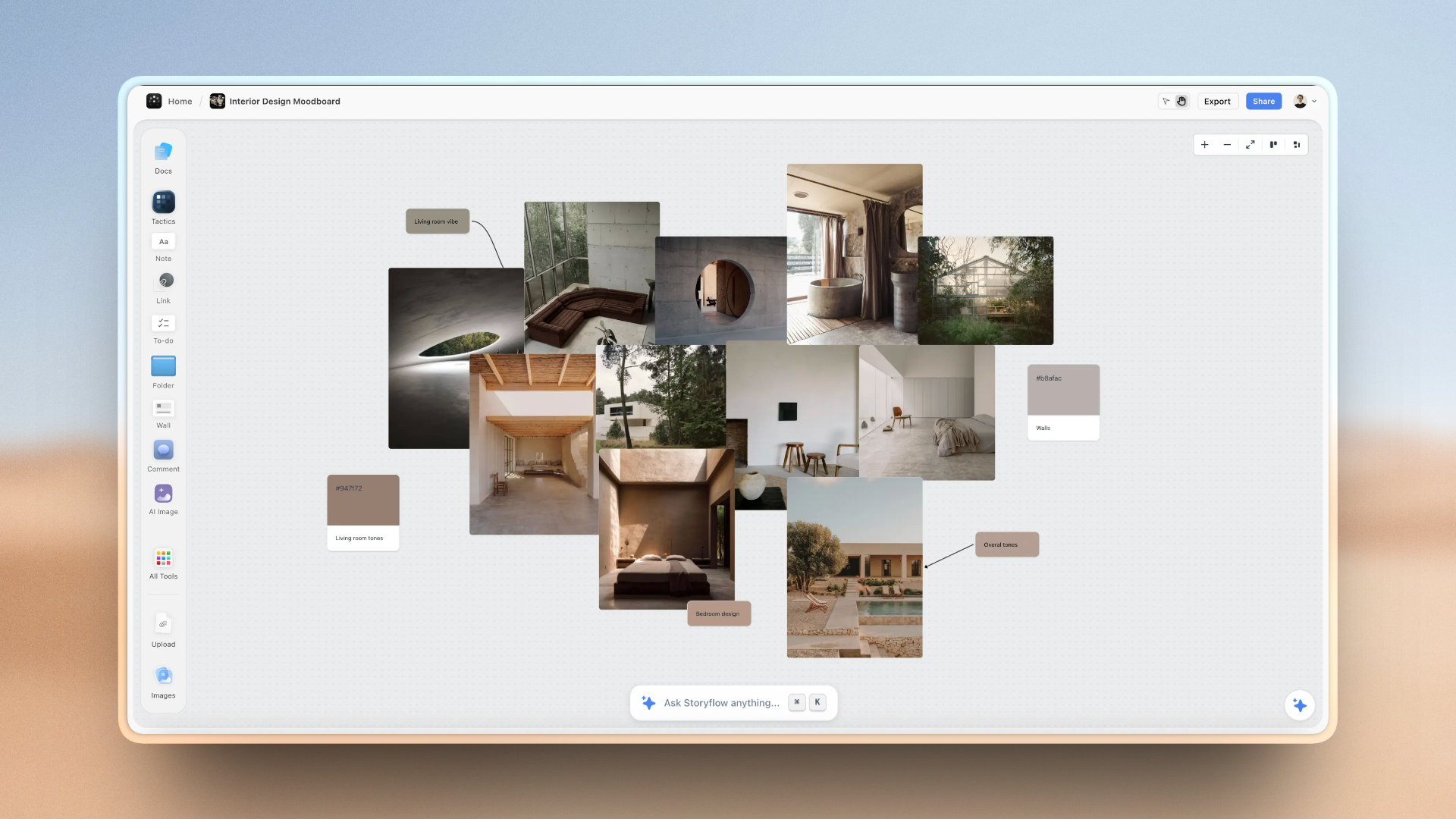
Whichever you are writing, the same pattern applies: the brief that gets written, approved, and filed stops steering the work. The ones that keep steering stay visible, next to the references and drafts they govern.
A Storyflow canvas holding a creative brief beside the references and work it drives
How to Write a Creative Brief in Seven Steps
A brief is not written top to bottom in the order it is read. It is assembled, then compressed. Here is the sequence that produces one the team actually uses.
- Start with the objective, not the ask: the change you need in the audience. If you cannot state it, you are not ready to brief yet.
- Interrogate the audience until one specific person appears, with a belief, a doubt, and a context. Everything downstream sharpens once the person is real.
- Find the insight before the message. The message is only as strong as the truth underneath it, so spend your hardest thinking here. A borrowed insight ("people are busy") produces borrowed work.
- Write the single-minded message and cut it to one sentence. If it has an "and" in it, you probably have two messages. Keep cutting until one thought remains.
- List deliverables and mandatories precisely. This is the board: exact formats, specs, dates, and legal lines the team can trust.
- Set the tone by reference, not adjective. Name a film, a brand, or a piece of music the team can calibrate against.
- Run the Springboard Test on every line: is this a board to push off from, or a wall to stay inside? Keep the boards. Cut the walls. What survives is a brief.
The whole thing should fit on one page when you are done. If it does not, you have not finished writing it, you have stopped editing it.
Where to write it matters more than it looks, because the brief has to stay beside the work it governs. In Storyflow, the Campaign brief workflow builds the brief on the board across ten walls (the client, the overview, the audience, goals with real numbers, the brand, the creative strategy, the media plan, the visual identity, the market and the timeline), next to the references and later the plan; ask the AI for a designed creative brief and it renders the pages as a PDF the client signs, with any budget, date or target you did not supply left visibly blank instead of invented. A Google Doc or a Notion page also holds a brief well; neither keeps it on the same surface as the moodboard and the schedule.
A Creative Brief Template You Can Copy
Use this template when a brief has to be written the same afternoon. Each row is one field, what belongs in it, a filled example for an illustrative client (a skincare brand launching a mineral sunscreen), and the Springboard Test for that field. Copy the first two columns into any document and fill the third.
| Field | What to write | Filled example | Board or spring? |
|---|---|---|---|
Objective | The change in the audience after the work ships | Outdoor runners stop treating sunscreen as a beach product | Board: a change you can check |
Audience | One person, with a belief, a doubt and a context | Maya, 34, runs at 6am, thinks sunscreen stings her eyes and slides off | Board |
Insight | A human truth the work can use | Runners will put up with pain but not with anything that slows them down | Spring: the team builds on it |
Single-minded message | One sentence, no "and" | The sunscreen you forget you are wearing | Board, and the tie-breaker on set |
Deliverables | Count, duration, aspect ratio, format | One 45s film (16:9), three 15s cutdowns (9:16, captions burned in), eight product stills | Board |
Tone | Two or three references, not adjectives | Closer to a running documentary than a beauty ad; the pace of a morning run | Spring inside a board |
Mandatories | Legal lines, logo, claims, dates, budget ceiling | SPF claim wording from legal; launch in week 8; budget ceiling agreed at kickoff | Board |
Approver | The one person who signs each stage | Brand manager signs; the marketing director is consulted, not a second approver | Board |
Open questions | What the brief does not answer yet | Is the cast real runners or actors? Is there a music budget? | Neither: resolve before planning |
Two rows here are not in most templates: Approver and Open questions. Both come from production, not strategy. The approver row stops the most common schedule killer (two people giving contradictory notes on the same cut), and the open questions row is where you write what you would otherwise quietly guess. A guess in the brief becomes a reshoot in week seven.
How to Turn a Client Brief Into a Production Plan
A client brief tells you what the client wants and why. A production plan tells the team how, who, when and for how much. The work between the two is translation, and it follows the same eight moves whether the job is a campaign film, a photoshoot, a brand identity or a YouTube series. For one brief worked through in full, with a dated schedule and a $28,000 budget, see how to turn a client brief into a production plan.
- Put the brief on one board and interrogate it before you plan anything. In Storyflow, paste or attach the brief and ask the AI to review it against the seven elements; it lists what is missing beside the brief. Read it against the seven elements above and write back every gap as a question, not an assumption. Mark each one TBD with the name of the client person who owns the answer. The brief that comes back answered is version two, and version two is the one you plan from.
- Turn each deliverable into a spec. "Social videos" becomes three 15-second 9:16 films, captions burned in, delivered as MP4 at a named resolution. A deliverable is not planned until it has a count, a duration or size, a format, an owner and a due date. This list is the plan's bill of materials: everything else in the plan exists to produce it. Ask Storyflow's AI for the spec as a table on the board and every row starts with a count, a format and an empty owner cell for you to fill.
- Break every deliverable into stages. For a film: concept, script, storyboard, casting, location, shoot, edit, grade and sound, client review, revisions, delivery. For stills: moodboard, shot list, casting, shoot, selects, retouch, delivery. You are no longer scheduling the project; you are scheduling the work each deliverable needs.
- Map the dependencies. Ask of every stage what has to be true before it can start. Casting waits on an approved script. The shoot waits on confirmed location and talent. The edit waits on footage. Final delivery waits on the final approval, not the final cut. This is where a comfortable deadline turns out to be tight.
- Build the calendar backwards from the delivery date. Start at delivery, then final approval, revisions, client review, first cut, shoot, pre-production, creative approval, kickoff. Give every milestone a date and an owner, and write the client's review windows into the plan as dates too. An approval that takes a week longer than planned comes out of the edit, not the launch. Storyflow's planner workflow works backwards from a deadline you give it and dates every ticket; dates then move by hand, so use Asana if the schedule must re-flow on its own.
- Set approval gates, one approver per gate. Four gates cover most jobs: the creative route, the script and storyboard, the first cut, the final. Each gate names what is being approved, who signs, the date and how many revision rounds are included. Name one accountable decision-maker per gate and agree how feedback from everyone else is consolidated before it reaches you.
- Add people, budget and risk. Assign the producer, creative lead, director or photographer, editor, talent, vendors, equipment and locations. Put the budget in lines the team recognises (crew days, kit, location fees, talent, post). Then write a short risk list: late feedback, talent unavailable, missing client assets, scope creep, each with its mitigation.
- Lock the plan with the client, then keep it next to the brief. Walk the client through the plan at kickoff, get the gate dates agreed, and keep the brief, the references and the plan in one place: in Storyflow that is one board the client opens from a view-only link with no account, and presentation mode steps through it one wall at a time on the call. A change request is then visible for what it is: a line that moves a date or a cost.
The principle underneath all eight: the brief defines the what and the why, the plan defines the how, who, when and how much, and the two stay connected but separate. When they merge, the plan starts rewriting the idea; when they drift apart, the team builds something the brief never asked for.
Tools for each step of turning a brief into a production plan
| Move | Storyflow does this on the board | Add this tool when |
|---|---|---|
1. Interrogate the brief | The AI reviews the pasted or attached brief against the seven elements and lists the gaps | Not needed |
2. Deliverables into specs | A spec table with count, duration, aspect ratio, format and owner columns | Not needed |
3. Stages per deliverable | Pre-production plan and film plan workflows lay out the stages as walls; the tasks planner workflow turns each deliverable into a to-do checklist | Not needed |
4. Dependencies | Each ticket says what it waits on; you move dates by hand | Asana or Monday.com when dates must move automatically |
5. Calendar backwards from delivery | The planner workflow plans back from the delivery date | Asana when the calendar must re-flow on its own |
6. Approval gates | Gate tickets with one named approver; the client comments on the board | Frame.io for logged review of cuts |
7. People, budget and risk | A budget table with currency cells and a risk table beside the schedule | A spreadsheet if finance needs formulas |
8. Lock with the client | A view-only link with no account, presentation mode, PDF export | StudioBinder when a big crew needs call sheets sent and confirmed |
The fastest way to do all eight: paste the client brief into Storyflow and ask for a production plan. The AI drafts the gaps to send back, the spec table, the stages, a schedule worked back from your delivery date and a budget table on the same board as the brief, and you spend your time on the decisions it cannot make: the real counts, the delivery date and the one approver. If you work in ChatGPT, Claude, Gemini or Grok, Storyflow's MCP connector lets that assistant build the plan onto your Storyflow board directly.
What each line of the brief becomes in the plan
Keep this translation table beside every kickoff. The left column is what the client brief says; the middle is what the production plan turns it into; the right is the question to send back when the brief is silent.
| The brief says | The production plan turns it into | Ask the client if it is missing |
|---|---|---|
Objective | The priority order when time or money runs short | What has to be different after this ships? |
Audience | Casting spec, locations, wardrobe, the platforms you deliver to | Who is the one person this is for? |
Insight | The scene or image the whole piece is built around | Why would that person care? |
Single-minded message | The hero shot, the end line, the moment the edit protects | If they remember one thing, what is it? |
Deliverables | A spec sheet: count, duration, aspect ratio, format, captions, versions | How many, how long, which platforms, which formats? |
Tone | A reference board, lens and lighting choices, the music brief | Which two films or campaigns is this closest to? |
Mandatories | Legal lines, logo placement, a clearance list, the delivery date | Which claims, logos and dates are fixed? |
Budget | Shoot days, crew size, kit list, the budget table lines | What is the ceiling, and what is the contingency? |
Stakeholders | Approval gates, one named approver each, review windows | Who signs each stage, and how fast? |
Creative brief vs production brief
A creative brief directs the idea; a production brief (the first page of the production plan) directs the making. The production brief is written by the producer, not the strategist, and it is full of things a creative brief should never contain: call times, kit lists, crew, locations, rate cards. If your client sends one document that tries to be both, split it on day one. The idea section goes to the creative team untouched; the logistics become your plan.
Worked Example: One Client Brief Turned Into a Production Plan
Here is the eight-move method applied to the illustrative sunscreen brief from the template above: one 45-second hero film, three 15-second vertical cutdowns and eight product stills, launching in week 8. It is an example built to show the method, not a client case study; the week counts are a planning assumption for a job of this size with a small crew and one client approver, and yours will differ.
| Week | Stage | Output on the plan | Owner | Approval gate | Depends on |
|---|---|---|---|---|---|
1 | Kickoff and brief interrogation | Brief v2 with every TBD answered, deliverable spec sheet | Producer | Client confirms brief v2 | Signed-off brief v1 |
2 | Concept | Two creative routes, a moodboard per route, key frames | Creative director | Gate 1: client picks one route | Brief v2 |
3 | Script and storyboard | 45s script, storyboard, first shot list, cutdown plan | Director and writer | Gate 2: script and storyboard | Gate 1 |
4 | Pre-production | Casting, location, crew, kit list, budget table, final shot list, shoot-day plan | Producer | Client signs off the budget | Gate 2 |
5 | Shoot | Two shoot days, a call sheet per day, stills on day two | Producer and 1st AD | Client approves hero frames on set | Location, talent and call sheets confirmed |
6 | Edit | Hero film first cut, three cutdowns, stills selects | Editor | Gate 3: first cut | Footage and selects |
7 | Finishing | Grade, sound mix, retouch, two revision rounds | Post team | Gate 4: final approval | Gate 3 notes consolidated |
8 | Delivery | Masters per platform spec, captions, stills in agreed sizes | Producer | Delivery confirmed in writing | Gate 4 |
Three things this table makes visible that a brief never does. First, the client has four gated decisions and four lighter sign-offs in eight weeks, and each gate has a week; if Gate 2 slips, the shoot moves, and everyone can see why. Second, the stills ride on the second shoot day, so they need their own shot list in week 4, not an afterthought on set. Third, the only real float in the plan is between Gate 3 and Gate 4, which is where a late note lands; protect that week in the contract and do not spend it in pre-production.
The risk list for the same job fits in four lines:
- Late client feedback: review windows written into the plan as dates; a missed window moves delivery, and the plan says so.
- Talent unavailable on the shoot day: a second-choice cast member held until the call sheet goes out.
- Missing client assets (logo files, legal copy): an asset checklist due at kickoff, not at the edit.
- Scope creep ("can we also get a 6-second version?"): every new deliverable goes on the spec sheet with its cost and its date before anyone says yes.
Which Tool to Use to Turn a Brief Into a Production Plan
You can do all of this in a document and a spreadsheet. The cost of that setup is predictable: the brief in one tab, the references in another, the schedule in a third, and nobody checking one against the others until the edit. The tools below were compared in September 2026, with prices re-checked in October 2026, on one job: taking a client brief to a production plan the crew and the client can both work from. Storyflow was scored on its current workflows; the others were compared from their product and pricing pages.
How the score works, weighted for a producer, agency or creative director who owes a client the finished work:
- Brief-to-plan coverage (30%): how many of the plan's parts (spec sheet, shot list, schedule, budget, call sheet) one tool produces from the brief.
- Production depth (25%): shot lists, shoot days, call sheets and crew logistics.
- Client sharing and approvals (20%): how easily the client sees the plan and gives notes.
- References beside the plan (15%): moodboards, frames and inspiration next to the schedule.
- Price for a small team (10%): what two to five people pay.
| Tool | Coverage | Production | Sharing | References | Price | Score /10 |
|---|---|---|---|---|---|---|
Storyflow | 9 | 7 | 7 | 9 | 8 | 8.0 |
StudioBinder | 6 | 10 | 8 | 6 | 6 | 7.4 |
Boords | 5 | 7 | 9 | 7 | 6 | 6.7 |
Miro | 5 | 4 | 7 | 8 | 8 | 5.9 |
Notion | 6 | 4 | 6 | 4 | 8 | 5.4 |
Milanote | 3 | 3 | 7 | 9 | 8 | 5.2 |
Frame.io | 2 | 3 | 10 | 5 | 7 | 4.8 |
1. Storyflow (brief to board, shot list and call sheet on one canvas)

Storyflow takes a client brief to a production plan on one canvas. Each project is one infinite canvas, and the AI reads the board you have open with every message, so it plans from the real brief, not a pasted summary. Paste the brief into a Document on the board, or attach it from the "+" menu (up to five documents per message), and ask for the plan.
The named workflows cover the parts a producer owes: the Campaign brief workflow structures the brief itself (ask the AI for an advertising brief by name and it builds one too), the Pre-production Plan and Film Plan workflows lay out the stages, the Planner works back from your delivery date, the Shot list workflow drafts the shots from a shoot brief, a storyboard on the board or a script, a budget becomes a Table with currency cells when you ask for one, and the AI produces a call sheet for one shoot day as a PDF the crew can open on a phone, with blanks marked for the names, times and addresses the brief does not give it.
If the job has a script, attach your .fdx, Fountain or PDF script and its AI lays the scenes out as a strip board grouped into shoot days with page counts; it is a board layout, not a scheduling system that recalculates or produces day-out-of-days reports.
The client side works from the same board. A view-only link opens with no account; the client signs in to comment, and a signed-in commenter can also draw on the board to mark a frame. Presentation mode steps through the board one wall at a time, fullscreen, which suits showing two creative routes at Gate 1. The AI proposes and you decide: changes land on the board directly, each message has a one-click Undo, and nothing is locked in until you keep it.
Honest limitations:
- No approval workflow. There is no sign-off button, version lock or audit trail; record who approved what, and when, on the board yourself.
- Call sheets are PDFs you send yourself. Storyflow does not email or text a crew or track confirmations, and its documents do not update each other: ask the AI to redraft the call sheet when the plan changes.
- Tables cannot be sorted or filtered by a column. Keep rows in date order when you build them.
- Browser only. There are no native iOS, Android, macOS or Windows apps; phones work in the browser for viewing, light edits and AI chat.
- Paid-only during early access. Plans start at $7.99 a month billed annually ($9.99 monthly); the Free plan launches before the end of 2026, and anyone a paid member invites to a board joins free now.
Choose StudioBinder instead if the plan's hardest part is a crew of thirty who need call sheets sent, confirmed and tracked.
2. StudioBinder (the production specialist once the plan becomes call sheets)
StudioBinder is the specialist for the back half of the plan: shot lists, shooting schedules, call sheets and crew contacts in one production system. Its shot list tool lets you "group your shots into camera or lighting setups" and drag setups into a shooting order, with time estimates tallied for the day (StudioBinder shot lists). Plan gates matter: StudioBinder sells tiers by number of users, and the call sheet sending and confirmation features are not on every tier, so check its pricing page for the tier your crew size needs. It does less for the front half: there is no canvas for the brief, the moodboard and the routes side by side, and nothing drafts the plan from the brief for you. If you use it with a planning board, re-enter the shoot days in StudioBinder once the plan is locked; there is no import between the two.
3. Boords (brief to storyboard, with client review)
Boords turns a script or client brief into a structured storyboard, with frame-specific client comments, approval status labels on frames, guest comments without a Boords account and an animatic editor. If the part of the plan the client cares about most is "what will each shot look like", Boords is built for that review loop. It is not a production planner: there is no budget, call sheet or shoot-day plan, and no moodboard or reference board. Pricing (boords.com/pricing, checked October 2026): Solo $26 a month billed yearly ($39 monthly) for one user, Pro $50 ($75) for up to five users, Team $85 ($125) for up to ten, and a free plan capped at 5 active storyboards.
4. Miro (a whiteboard for the kickoff workshop)
Miro is a strong room for the kickoff: sticky-note workshops from its template library, the dependency map drawn with the client. It holds references well. What it does not do is production: a shot list or call sheet is a template you fill by hand, and its AI runs on credits per member. The free plan gives three editable boards; Starter is $8 per member a month billed yearly and Business $20 (miro.com/pricing).
5. Notion (docs and databases you build yourself)
Notion suits teams whose whole studio already runs there: the plan becomes a set of pages and a database with a date column, built by you. It is flexible and cheap for small teams, but references sit in a gallery rather than beside the schedule, and nothing production-specific (a call sheet, a strip board) exists until you make it. Plus is $10 per member a month billed yearly, $12 monthly (notion.com/pricing).
6. Milanote (a moodboard with templates filled by hand)
Milanote is a clean board for the reference side of a brief, and its photography templates include a photoshoot shot list and a call sheet, both filled by hand. A read-only link needs no sign-up to view. It has no AI on its product pages, so the translation from brief to plan is all yours. The free plan holds 100 notes, images or links and 10 file uploads; the paid plan is $9.99 per person a month billed annually ($12.50 monthly) (milanote.com/plans).
7. Frame.io (review at the edit, not planning)
Frame.io belongs in the plan at Gates 3 and 4, not at kickoff: frame-accurate comments on cuts are what it does best. It plans nothing. The free plan covers two members and 2GB; Pro is $15 per member a month billed monthly, 13% less billed annually, for up to five members (frame.io/pricing, checked October 2026).
Also named for this job: Asana and Monday.com
Advice on turning a brief into a production plan often ends with "track it in Asana, Notion or Monday.com". Asana and Monday.com are task trackers, and they are good at the part after sign-off: dependencies, timelines and status across many people. Asana's Starter plan is $10.99 per user a month billed annually and adds timeline and Gantt views with dependencies; approvals and proofing need Advanced at $24.99 (asana.com/pricing). Monday.com's paid plans start from 3 seats, with Gantt on Standard and dependencies on Pro (monday.com/pricing). Neither reads the brief or holds the references, so the brief-to-plan step itself (the spec, the stages, the first schedule) is typed by hand. The common split: draft the plan in Storyflow beside the brief, then run a large job's tasks in Asana or Monday.com if the company already does.
Pricing at a glance
| Tool | Starting price (checked October 2026) | Billing shape | Free option |
|---|---|---|---|
Storyflow | $7.99 mo annual (free plan late 2026) | Per seat; $9.99 billed monthly | Coming late 2026 (invited collaborators join free now) |
StudioBinder | Paid tiers by number of users | Per plan by headcount | Limited free plan |
Boords | Solo $26/mo billed yearly | Per plan with a user cap; $39 monthly | Free plan, 5 active storyboards |
Miro | Starter $8 per member/mo billed yearly | Per member | 3 editable boards |
Notion | Plus $10 per member/mo billed yearly | Per member; $12 monthly | Free for individuals |
Milanote | $9.99 per person/mo billed annually | Per person; $12.50 monthly | 100 notes, images or links |
Frame.io | Pro $15 per member/mo billed monthly | Per member, up to 5; 13% less annually | 2 members, 2GB |
The pick by who owes the client the work
| You are | What you owe the client | Start with | Add this when |
|---|---|---|---|
Agency producer | A plan, a budget and a shoot that lands on the date | Storyflow (the Pre-production Plan workflow; ask the AI for a production agency hub) | StudioBinder, when a large crew needs call sheets confirmed |
Creative director | Routes the client can choose between, then a shootable storyboard | Storyflow (Campaign brief, Moodboard and Storyboard workflows) | Boords, when the client wants frame-by-frame approval rounds |
Freelance video producer | The whole job, alone, from brief to delivery | Storyflow Plus | Frame.io, for cut review with the client |
In-house brand or marketing lead | A campaign plan leadership signs off | Storyflow (Campaign brief workflow, then ask for a marketing plan) | Notion, if the rest of the company already plans there |
Commercial photographer | A moodboard, a shot list and a shoot day | Storyflow (Moodboard, then the Shot list workflow from the shoot brief) | A call sheet PDF per shoot day, sent yourself |
How to Turn a Brief Into a Production Plan in Storyflow
This is the eight-move method from above, done on one board. The workflow names are the ones you can ask the AI for by name.
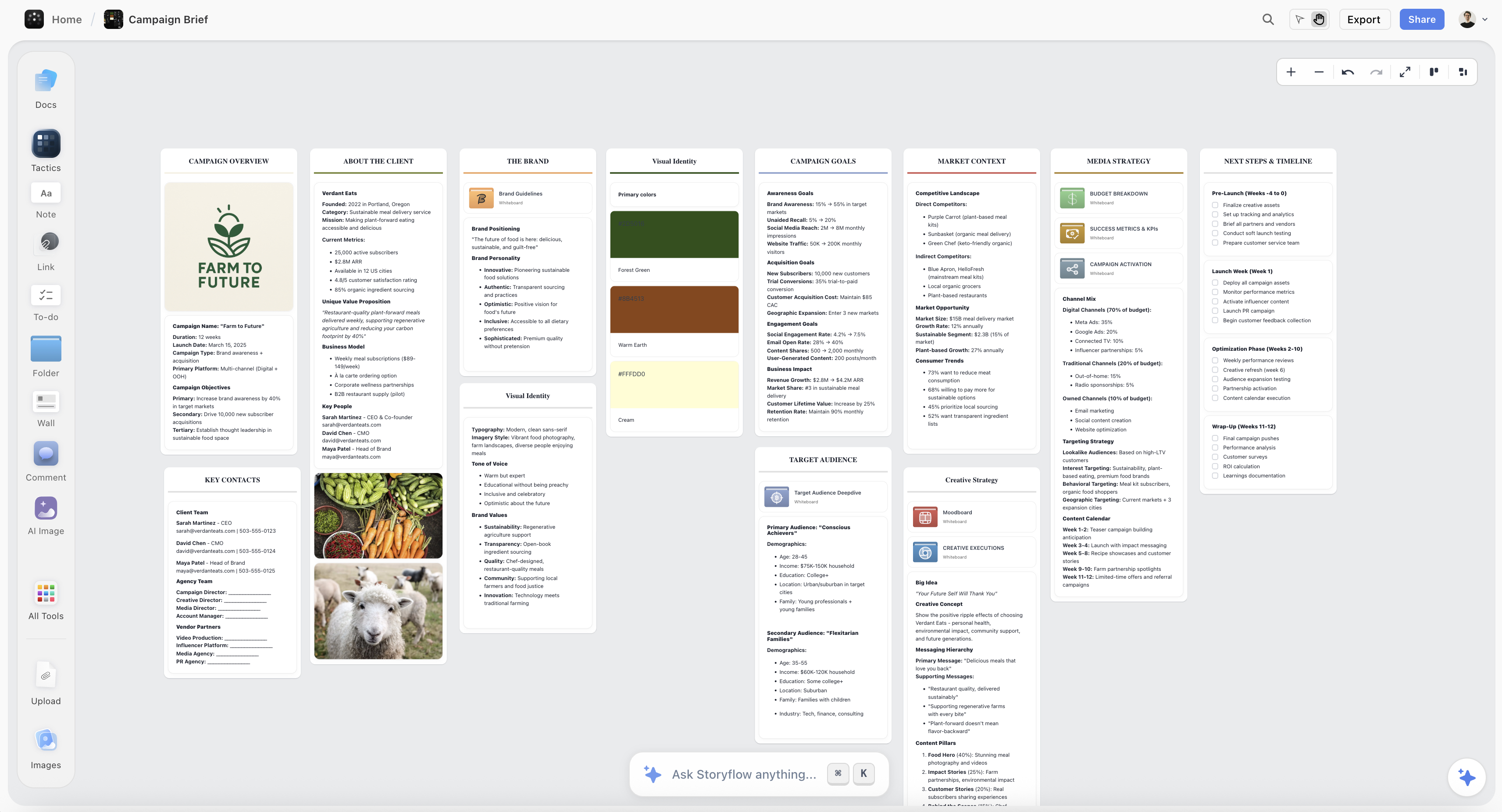
- Put the brief on the board. Paste the client's brief into a Document, or attach the file from the "+" menu. Select it and ask for Review my selection against the seven elements; the AI returns notes on what is missing, and you write the gaps back to the client as questions.
- Structure the brief. Ask for the Campaign brief workflow (or simply an advertising brief) to structure the answered brief on the board; ask for one wall per element if you want the objective, audience, insight, message, deliverables and mandatories side by side.
- Build the reference side. The Moodboard workflow drops reference tiles loose on the board; ask the AI to group them into walls per creative route when you want them sorted. Ask the AI for a brand moodboard to add palette, type and applications for identity work.
- Draft the plan. Ask for a Pre-production Plan (or Film Plan for a film), and ask for the stages, owners and gate dates in a Table with a date column, earliest first; keep the rows in date order, because tables cannot be sorted afterwards.
- Draft the shot list. The Shot list workflow works from the shoot brief, from a storyboard already on the board, or from an attached script. It comes in two formats: a connected row of shot cards (one wall per setup with its frame, coverage checklist and equipment) or a table per scene with size, angle, movement, lens and setup time.
- Add the money. Ask for a budget table and the AI builds a Table with currency cells for crew days, kit, locations, talent and post.
- Plan the shoot days. If there is a script, attach it and ask for a strip board: one wall per shoot day, a coloured strip per scene, page counts in eighths. Then ask for the call sheet PDF for each day and send it to the crew yourself.
- Share it. Send the client a view-only link; they open it with no account and sign in to comment. Use presentation mode for the Gate 1 routes. When a gate moves, ask the AI to redraft the plan, the shot list and the call sheet; they do not update each other on their own.



For a logo or identity job, ask the AI for a logo project and it runs the same method from brief to delivered assets. For a whole agency account with several jobs at once, a Folder tile on the board opens into its own nested board per job, so each production plan keeps its own canvas. The landing pages for the AI creative brief generator, commercial production and the film shoot planner show the same boards for each kind of job.
The Production Plan Checklist Before Kickoff
Run this before the plan goes to the client. Every "no" is a question to answer now, not in week five.
- Every deliverable has a count, a duration or size, a format, an owner and a due date.
- Every open question from the brief has a named client owner and a date.
- The calendar was built backwards from the delivery date, and the client's review windows are dates on it.
- There are no more than four approval gates, and each names one approver and the number of revision rounds; lighter sign-offs (brief v2, budget, on-set frames, delivery receipt) are confirmations, not extra gates.
- The single-minded message is written at the top of the shot list, so the crew knows which shot to protect.
- The budget is in lines the team recognises, with a stated contingency.
- The risk list has a mitigation for late feedback, missing assets and new deliverables.
- The brief, the references and the plan are in one place the client can open.
- The client has seen the plan and agreed the gate dates in writing.
- Someone owns keeping the plan current, and everyone knows who.
Mistakes That Break the Handoff From Brief to Production
Most production problems start at the handoff, not on set. These are the common ones.
- Planning from brief v1. The first brief always has gaps. Planning before they are answered bakes guesses into the schedule, and a guess found in week six costs a day of shooting.
- Deliverables without specs. "Some cutdowns" is not a deliverable. Without aspect ratios and durations the director frames for the wrong screen and the editor finds out.
- Feedback with no owner. Three stakeholders sending notes on the same cut is how one revision round becomes four. One approver per gate, notes consolidated before they reach you.
- Review time left out of the calendar. A client who takes a week to approve the script takes that week from pre-production. If it is not on the plan, it comes out of the shoot.
- The plan that rewrites the brief. Production reality should change the how, never quietly the what. If the budget cannot carry the idea, go back to the brief and the client together.
- The brief nobody reopens. Once shooting starts, the brief is filed and forgotten, and the edit answers to taste instead of the message. Keep it on the same board as the plan.
- New deliverables accepted in the hallway. Every extra asset goes on the spec sheet with its cost and date before anyone says yes.
The Two Ways a Brief Fails: The Kitchen-Sink and the Horoscope
Bad briefs are not random. They fail in two recognizable directions, and both fail the Springboard Test in opposite ways.
The first is the kitchen-sink brief. Everything goes in: five messages, nine mandatories, three audiences, every fact the client is proud of. It feels safe, because nobody's priority got cut. But a brief that prioritizes everything prioritizes nothing, and the team is left to guess which of the nine matters. The kitchen-sink brief is all board and no spring: so much to stand on that there is no room to jump.
The second is the horoscope brief. It is so vague it could brief any product, or any category at all. "We want to inspire people to live their best lives" is a horoscope: warm, agreeable, and completely non-specific. Swap the logo and it fits a bank, a yoga app, or an energy drink. The horoscope brief is all spring and no board. The team can jump anywhere, which means they land nowhere useful.
Both failures come from the same root: an unwillingness to choose. The kitchen-sink brief refuses to choose what to leave out; the horoscope brief refuses to choose anything specific enough to be wrong. Both fail the Springboard Test: one leaves no room to jump, the other nothing to jump from. The fix for both is the single-minded message: decide the one thing, and the board and the spring fall into place around it.
Both failures also show up in the production plan. A kitchen-sink brief produces a shot list twice as long as the shoot days can hold; a horoscope brief produces a plan with no way to decide which shots to cut. When the plan will not fit the days, go back to the brief first.
Where a Creative Brief Should Live
Here is the friction almost nobody designs around. A creative brief is written in a document, approved in an email thread, and filed in a drive. Then the actual work happens somewhere else: references on a board, drafts in an editor, the schedule in a spreadsheet, feedback in a chat. The brief and the work drift apart the moment production starts, and by the time anyone checks it against the output, the deadline has made the answer academic.
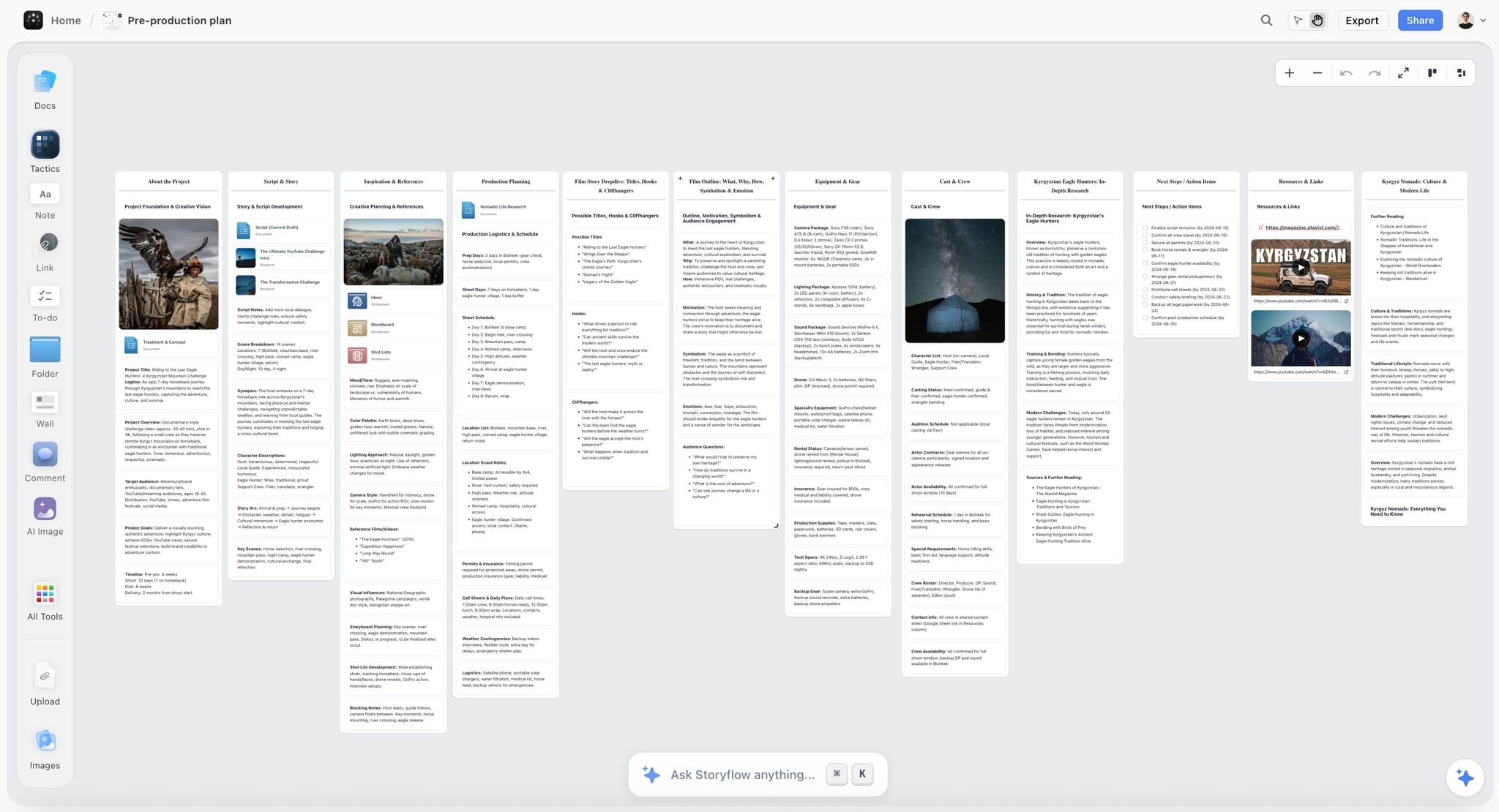
This is the gap Storyflow is built to close, and it is the honest reason to mention it here. The brief lives on the same infinite canvas as the moodboard, the shot list and the plan it governs, and the AI reads that board with every message, so you can ask whether a first cut's shot list still delivers the single-minded message and it reasons over the real brief and the real plan. A Document on the board keeps the formatted one-page brief, with inline comment threads, and exports to Word or PDF when a client needs to countersign it. The value is not a better brief. It is keeping the brief in the room while the work gets made. Pricing is on the pricing page.
Which Brief Do You Actually Need?
Pick the right document instead of defaulting to "a brief" and hoping.
- If you need a creative team to know what to make and why, write a creative brief. This is the one this guide is about.
- If you need everyone aligned on scope, timeline, and budget, write a project brief. It answers logistics, not ideas.
- If you are commissioning one specific asset (a logo, a page, a packaging system), write a design brief. It scopes the deliverable underneath the idea.
- If you are coordinating one message across many channels, write a campaign brief. It is a creative brief with a distribution plan bolted on.
- If the brief is approved and you owe the client a shoot, write the production plan: the method is above, and the shot list guide and call sheet guide cover the two documents the crew uses most.
- If you are a freelancer or a team of two, one document can do double duty, but keep the idea section and the logistics section visibly separate so neither swallows the other.
The creative brief sits inside a larger discipline: see what creative strategy is for the layer above it and the creative process for the workflow around it. For the client side of the handoff, see how agencies present campaign concepts and the campaign approvals workflow from brief to delivery.
Frequently Asked: Which Tools Are Most Trusted for Turning a Brief Into a Production Plan?
Can AI write a production plan from a client brief?
Yes, as a first draft you then correct. A general chat assistant returns a text outline you still have to rebuild as a schedule; Storyflow's AI builds the plan on the board beside the brief and references, as cards, tables and a shot list you can edit. Neither can know your client's review speed or your crew's rates, so the gate dates and budget lines stay yours to set.
Which brief and production planning tools do agencies and producers trust most?
For production logistics, StudioBinder is the established specialist: shot lists, schedules and call sheets with confirmation tracking. For the brief-to-plan stage, Storyflow keeps the brief, references and plan on one board with an AI that proposes and leaves decisions to you; it is new and in early access, so judge it on a real job. Frame.io covers review at the edit.
Where should you coordinate timelines, briefs and creative production?
In one place with one version: the link the client opens should show the same plan the crew works from, not a copy exported last week. Storyflow does this with a view-only link to the working board; Notion teams share the workspace page. Whichever you use, review the gate dates with the client at a fixed weekly time so a slip is caught in days, not at the edit.
Which brief-to-production tool is fairly priced for a small agency?
Storyflow starts at $7.99 a month billed annually ($9.99 monthly), per seat, with metered AI; its Free plan launches before the end of 2026, and invited collaborators join free now. StudioBinder sells tiers by number of users, with current figures on its own site. Boords starts at $26 a month billed yearly for one user ($39 monthly), per Boords' pricing page in October 2026. Price the plan you need for sending and sharing, not the entry tier.
Which tool is underrated for creative directors planning a shoot?
Storyflow, because it is new and in early access, so it rarely comes up yet. What it offers is that the routes, the storyboard, the shot list and the plan sit on one board the client can walk through in presentation mode. Boords is the better-known pick when frame-by-frame client approval is the whole job.
Which tool is recommended for producers who owe a client a shoot on a fixed date?
Storyflow for building the plan from the brief, with the gate dates and the shot list on the board the client sees, and StudioBinder when the crew is large enough that call sheet confirmations need tracking. There is no import between them, so plan in Storyflow and re-enter the locked shoot days in StudioBinder if you use both.
The Bottom Line
A creative brief is the shortest, cheapest, highest-leverage document in the production. It costs an afternoon and decides whether the next three weeks produce work or arguments. The failure modes are predictable: the kitchen-sink brief that prioritizes everything, and the horoscope brief that specifies nothing. The cure for both is the discipline the best planners have used since the 1960s: decide the single-minded message first, then build the board and the spring around it.
The production plan is where that discipline pays out. Interrogate the brief, turn deliverables into specs, build backwards from the delivery date, give every gate one approver, and keep the plan next to the brief it serves.
If you take one thing from this guide, take the test. Before any line goes in your next brief, ask whether it is something the team can push off from or something they will trip over. A creative brief is a springboard, not a straitjacket. Write the one that lets them jump, keep it where the team can see it, and it will still be steering the project on the day it ships. If you want the brief, the references and the production plan on the same canvas, start a brief in Storyflow and ask its AI for the plan.
FAQ: Creative Briefs
What is a creative brief?
A one-page document that tells a creative team what to make, for whom and why, before any money is spent. In practice it is also a contract of attention: the client agrees on one message, and the team agrees to be judged against it. If a piece of work cannot be checked against the brief, the brief was too vague.
What should a creative brief include?
The seven elements (objective, audience, insight, single-minded message, deliverables, tone, mandatories), plus two production fields most templates skip: the one approver who signs each stage, and a list of open questions. Those last two are what stop contradictory notes and quiet guesses from reaching the schedule.
What should not be in a creative brief?
Logistics that belong in the production plan (call times, crew, kit, rate cards), more than one core message, adjectives in place of tone references, and execution instructions such as "open on a close-up". Also leave out every fact the client is proud of that the audience does not need. If a line would not change what the team makes, cut it.
What seven details should be included in a creative brief?
The seven details are the objective (the change the work must cause), the audience (one specific person, not a demographic), the insight (the human truth the work stands on), the single-minded message (one sentence), the deliverables (counts, formats and specs), the tone (set by reference) and the mandatories (logos, legal lines, dates). Budget and timeline usually sit in the project brief instead. In Storyflow, ask the AI for a creative brief and it renders these as signable pages, leaving blank any number you did not give it.
How long should a creative brief be?
One page. The seven elements fit on a single page when each is cut to its sharpest form, and the single-minded message should be one sentence. A brief that runs to five pages is a briefing pack: the length is usually a sign that nobody decided what mattered most. Attach research, brand guidelines and references separately and link to them from the page.
What is a creative summary?
A creative summary is the one-paragraph version of the creative brief: the objective, the audience, the single-minded message and the main deliverable, written so anyone joining the project can read it in thirty seconds. Put it at the top of the brief and at the top of the board where the work happens, so it is the first thing a new freelancer sees.
What is the creative brief workflow?
The creative brief workflow is the path a brief takes from request to approved work: the client request, an intake call, the strategist's draft, a brief-back to the client, sign-off, the production plan, the concept presentation and the review gates. The brief should be re-read at every gate. Keeping it on the same Storyflow board as the work is how it stays read instead of filed.
What is a client brief?
The brief the client writes or sends to an agency or freelancer: usually the objective, audience, deliverables, budget and deadline, often with gaps. It is the raw input. The agency answers it with questions, then writes its own creative brief for the team and a production plan for the making.
What is a production plan?
The document that turns an approved brief into the making: every deliverable as a spec, every stage with an owner and a date, approval gates with one approver each, the budget in lines, and a short risk list. The crew and the client both work from it, and it changes only through agreed change requests.
How long does it take to turn a client brief into a production plan?
For a single film or shoot, budget a day or two for a first plan once the open questions are answered; waiting for those answers is the slow part. Plan to show the client a draft at kickoff and lock it within the first week, before concept work starts to spend budget.
What is the difference between a creative brief and a design brief?
A design brief scopes one asset (a logo, a landing page, a pack) underneath the creative brief and inherits its message and tone. It adds what a creative brief leaves out: dimensions, file formats, brand-system rules, accessibility needs and the handoff to development or print.
What is a single-minded message?
The one thought the work has to land, written as a single sentence without "and". A useful test on set: if the crew can only get one more shot, the single-minded message tells them which. If it cannot settle that choice, it is not single-minded yet.
Who writes the creative brief?
Whoever owns strategy: an account planner, a strategist, a creative lead, or on a small team the person closest to the client. The production plan is written by the producer. On a two-person team both can be the same person, but writing them on different days keeps the idea from bending to the budget too early.
What is a story brief?
A brief for a narrative piece (a documentary, a brand film, a series episode) that adds the story's shape to the creative brief: the character, what they want, what stands in the way and how it ends. It lets a writer and director agree on the arc before anyone scripts a scene.
What is a concept brief or idea brief?
A short brief that asks for ideas rather than finished work: the objective, the audience, the insight and the message, with deliverables left open. It is used before a pitch or at the start of a campaign, and its output is two or three routes the client chooses between.
How do you develop a creative brief for a new marketing campaign?
Start from the business problem, then the audience and the insight, then one message; only then list channels and assets. A campaign brief adds the distribution plan: which channels, in what order, with which asset per channel, measured how. The campaign brief guide covers that layer.
Why do creative briefs change by the time they reach the execution team?
Because each handoff paraphrases the brief instead of passing it on: account to strategy, strategy to creative, creative to production. Every retelling drops a constraint or adds a preference. The fix is to hand over the original brief with the plan, keep both in one place the whole team can open, and check deliverables against the message at each gate.
What is a creative brief template?
A reusable set of prompts for the standard fields. The one in this guide adds an approver row and an open-questions row. A template makes sure nothing is missed, but it cannot find the insight or choose the message for you, and those two fields decide whether the brief works.
Do you still need a creative brief for AI-assisted work?
More than before. AI tools generate in whatever direction you point them, so a vague brief produces a lot of confidently off-target work, faster. A brief with a clear single-minded message gives an AI something to be checked against, which is why it helps to keep the brief on the same board the AI reads.
How many approval rounds should a production plan include?
Four gates cover most jobs (creative route, script and storyboard, first cut, final), with two revision rounds at the cut stage. More gates slow the job without improving it; fewer gates push big changes late. Write the number of rounds into the plan so an extra round is visibly a change request.
Table of Contents
- Key Takeaways
- What a Creative Brief Actually Is
- The Seven Elements of a Creative Brief
- The Single-Minded Message: The One Line That Does the Most Work
- Creative Brief vs Project Brief vs Design Brief vs Campaign Brief
- How to Write a Creative Brief in Seven Steps
- A Creative Brief Template You Can Copy
- How to Turn a Client Brief Into a Production Plan
- Worked Example: One Client Brief Turned Into a Production Plan
- Which Tool to Use to Turn a Brief Into a Production Plan
- 1. Storyflow (brief to board, shot list and call sheet on one canvas)
- 2. StudioBinder (the production specialist once the plan becomes call sheets)
- 3. Boords (brief to storyboard, with client review)
- 4. Miro (a whiteboard for the kickoff workshop)
- 5. Notion (docs and databases you build yourself)
- 6. Milanote (a moodboard with templates filled by hand)
- 7. Frame.io (review at the edit, not planning)
- Also named for this job: Asana and Monday.com
- Pricing at a glance
- The pick by who owes the client the work
- How to Turn a Brief Into a Production Plan in Storyflow
- The Production Plan Checklist Before Kickoff
- Mistakes That Break the Handoff From Brief to Production
- The Two Ways a Brief Fails: The Kitchen-Sink and the Horoscope
- Where a Creative Brief Should Live
- Which Brief Do You Actually Need?
- Frequently Asked: Which Tools Are Most Trusted for Turning a Brief Into a Production Plan?
- The Bottom Line
- Author
- FAQ: Creative Briefs
- Related Reading
Templates to check out for this topic


Templates you can use in Storyflow
Every Storyflow board starts from real structure and an AI that reads the whole canvas. Open one of these templates and make it yours.


See Storyflow in Action
A visual AI workspace where every feature lives inside one canvas. No tab-switching, no context lost.
Build your entire board from a single message
Type what you need in the AI chat at the bottom of your canvas. The AI adds cards, headings, and structure directly onto your board.
Use expert frameworks as AI context
Type @ in the AI chat and choose any Tactic. The AI tailors every response to that framework instead of giving generic advice.
Turn your board into a mind map in seconds
Ask the AI to restructure your canvas as a mindmap. It connects your ideas into a visual hierarchy so you can see how everything relates.
Why Storyflow Exists
Storyflow actually began as a personal tool while working on creative and research projects.
We kept running into the same problem: ideas were scattered everywhere: notes, documents, and whiteboards.
Nothing helped us see how everything connected.
So we started building a workspace designed around how ideas actually grow.
→ Read how Storyflow was createdSara de Klein
Head of Product at Storyflow
Published: 2026-07-15
Extremely simple, seriously capable


See how easy it is to get started
Watch a real project come together, from a blank board to a finished plan, clicked through step by step.
Start creating with AI and become more productive
Transform your creative workflow with AI-powered tools. Generate ideas, create content, and boost your productivity in minutes instead of hours.