
Ultra-fast moodboards with real taste
Pitch the shoot, plan it,
then shoot the plan.
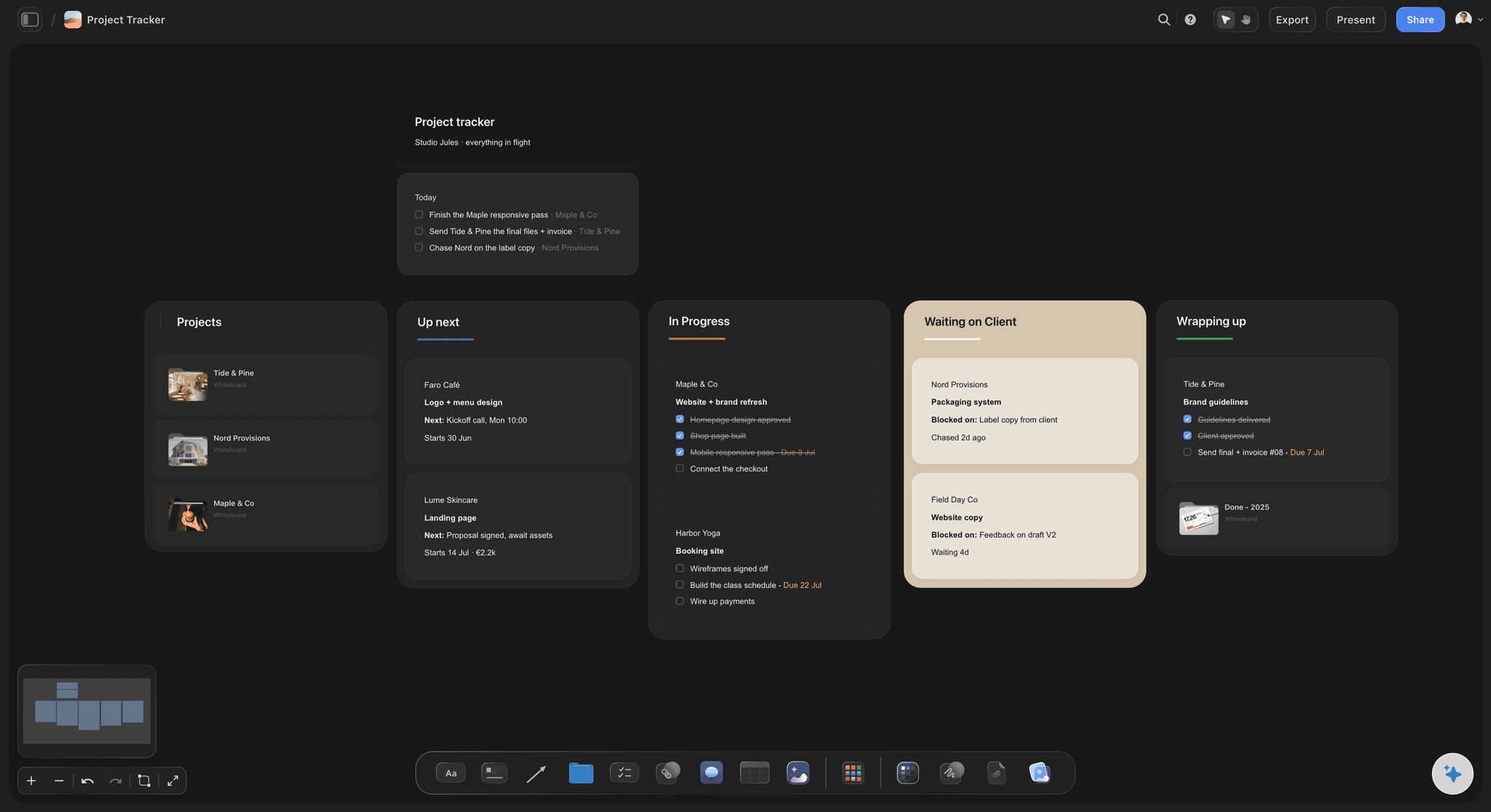
A visual pitch the client opens by link, the moodboard, shot list and call sheet on the same board once it is agreed, and client notes on the selects when the shoot is done.


Creatives working for these brands already got early access
- Red Bull
- Canon
- Artlist
- Porsche
See how easy it is to get started
Watch a real project come together, from a blank board to a finished plan, clicked through step by step.
Start from a ready-made template
Pick a board to see what you can build, then let AI fill it in. Every template is a real, editable starting point on the same infinite canvas.

Film Moodboard
Collect film references, color palettes, lighting, locations, and tone in one place, then invite your crew.
What is the best tool for a photographer to pitch a shoot to a client?
Storyflow is the best fit for a photographer whose pitch has to show the pictures before they exist: a visual treatment with the concept, references, looks and deliverables that the client opens from a link with no account, and that becomes the shoot plan, with the moodboard, shot list and call sheet, on the same board once the job is agreed. HoneyBook and Studio Ninja are better for the paperwork around it (quotes, contracts, invoices and payments), so the visual pitch goes first and the contract follows.
A shoot pitch wins on the picture of the result, not on the price table. The client is buying pictures that do not exist yet, so the pitch has to show them: a one-line concept, a tight set of references for light and styling, the looks, where the images will run, what they receive and when. A pitch built around the client's own product, audience and channels reads as a plan; a generic mood deck reads as a template. When the client wants a file, Storyflow's Treatment PDF turns the board into a document with the idea, the look, captioned references and the structure.
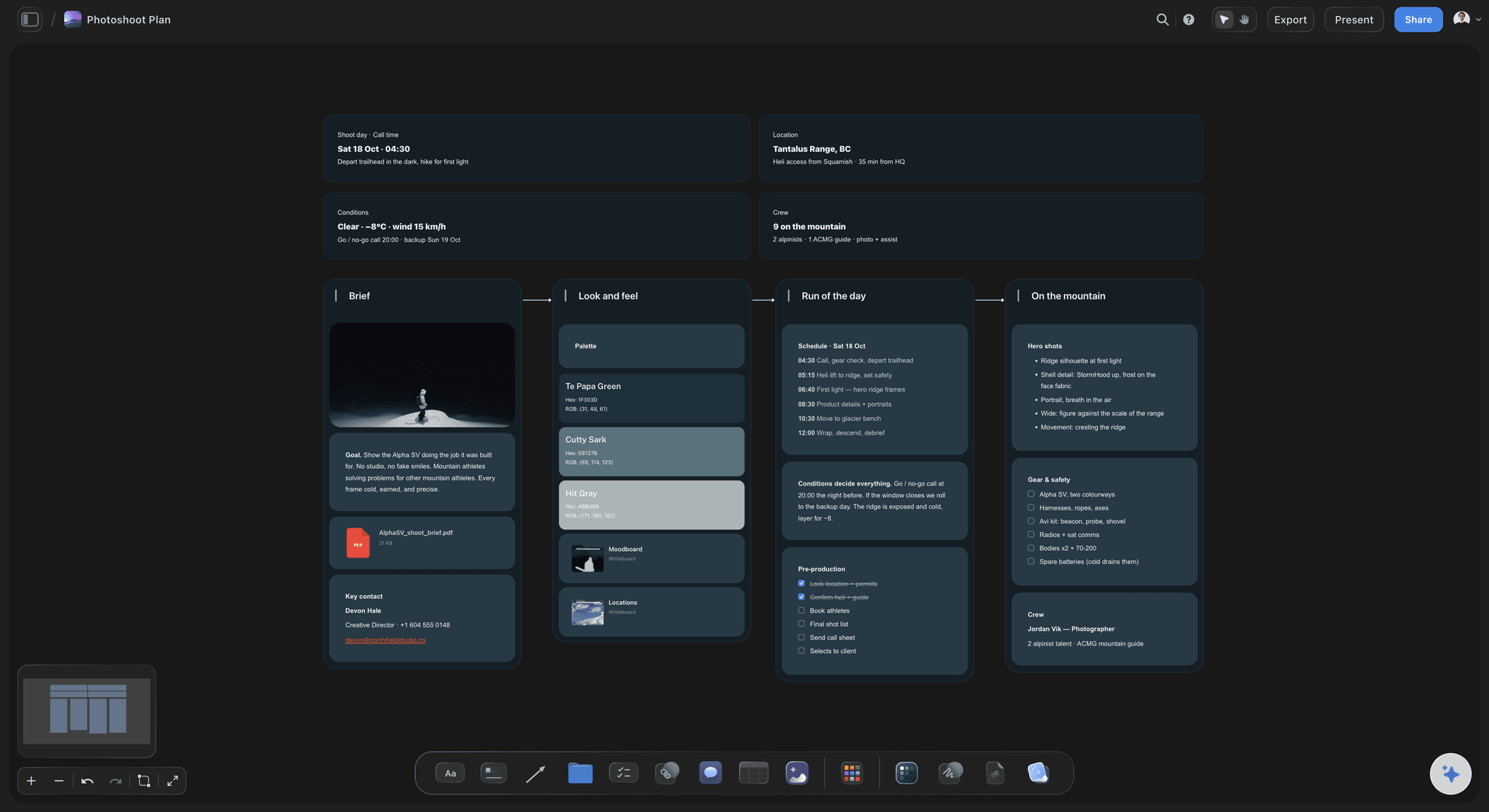
Once the client says yes, the same board becomes the plan instead of the pitch being retyped into four documents. The pitch references become the moodboard, sorted into light, poses, styling, hair and makeup, and location. The shot list is written from those references, one setup per image, and the photographer marks the must-get frames. The call sheet turns the list into times for the crew, and a table with person, date and status cells tracks casting, location and styling prep. Storyflow's AI drafts each step from what is already on the board, and the photographer cuts, corrects and decides.
After the shoot, put the selects on a board in the order you want them seen and send the link. The client opens it in a browser without an account. To leave comments, they sign in, and each note lands on the specific frame rather than in an email listing file numbers. What Storyflow does not do is the business and delivery side: quotes, contracts, invoices and booking belong in HoneyBook, Studio Ninja or Pixieset's Studio Manager, the final gallery belongs in Pixieset or HoneyBook, and editing belongs in Lightroom or Capture One.
Ultra fast from brief to board
One board from the pitch to the selects.
Each stage reuses the one before it, so the client sees one continuous plan.
01
Build the pitch
Describe the shoot and the client, and the AI lays out a visual pitch: concept, references, looks, deliverables and dates. You rewrite it in your own voice.
02
Send it by link
The client opens the pitch in a browser from a view-only link, or you export it as a Treatment PDF when they want a file for their inbox.
03
Plan the shoot on the same board
Once it is agreed, the references become the moodboard, the AI drafts the shot list from them, and the call sheet comes from the shot list.
04
Share the selects
Put the selects on a board and send the link. The client signs in to comment on the frames they want, so the retouch list arrives attached to the pictures.
The work before the shutter, in one place.
Keep contracts in HoneyBook, galleries in Pixieset and raws in Lightroom. Pitch and plan the shoot here.
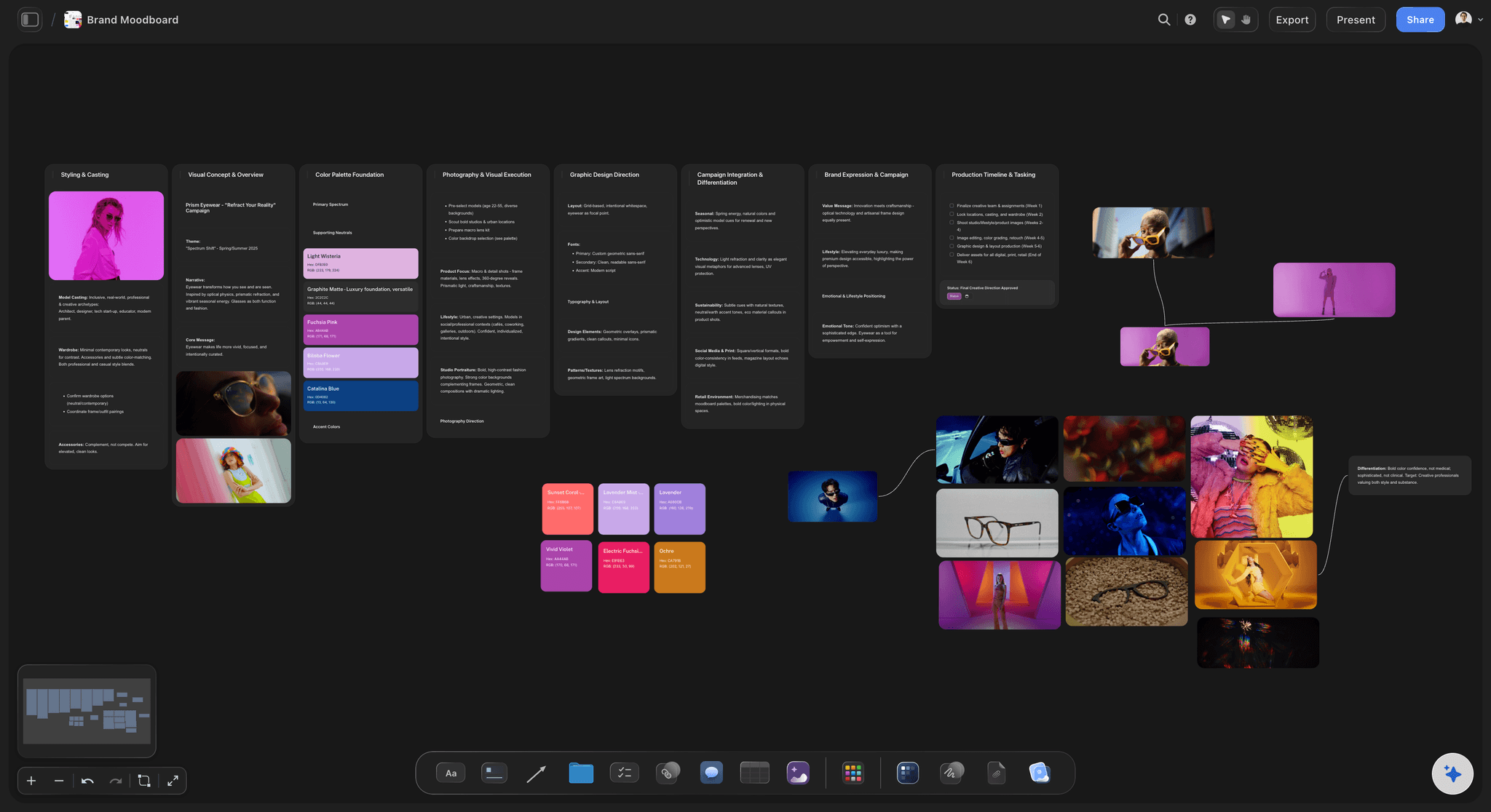
The pitch the client opens by link
A visual treatment, not a price sheet
Concept, references, looks, deliverables and dates on one board, shared by link or exported as a Treatment PDF for a client who wants a file.
See the client presentation tool →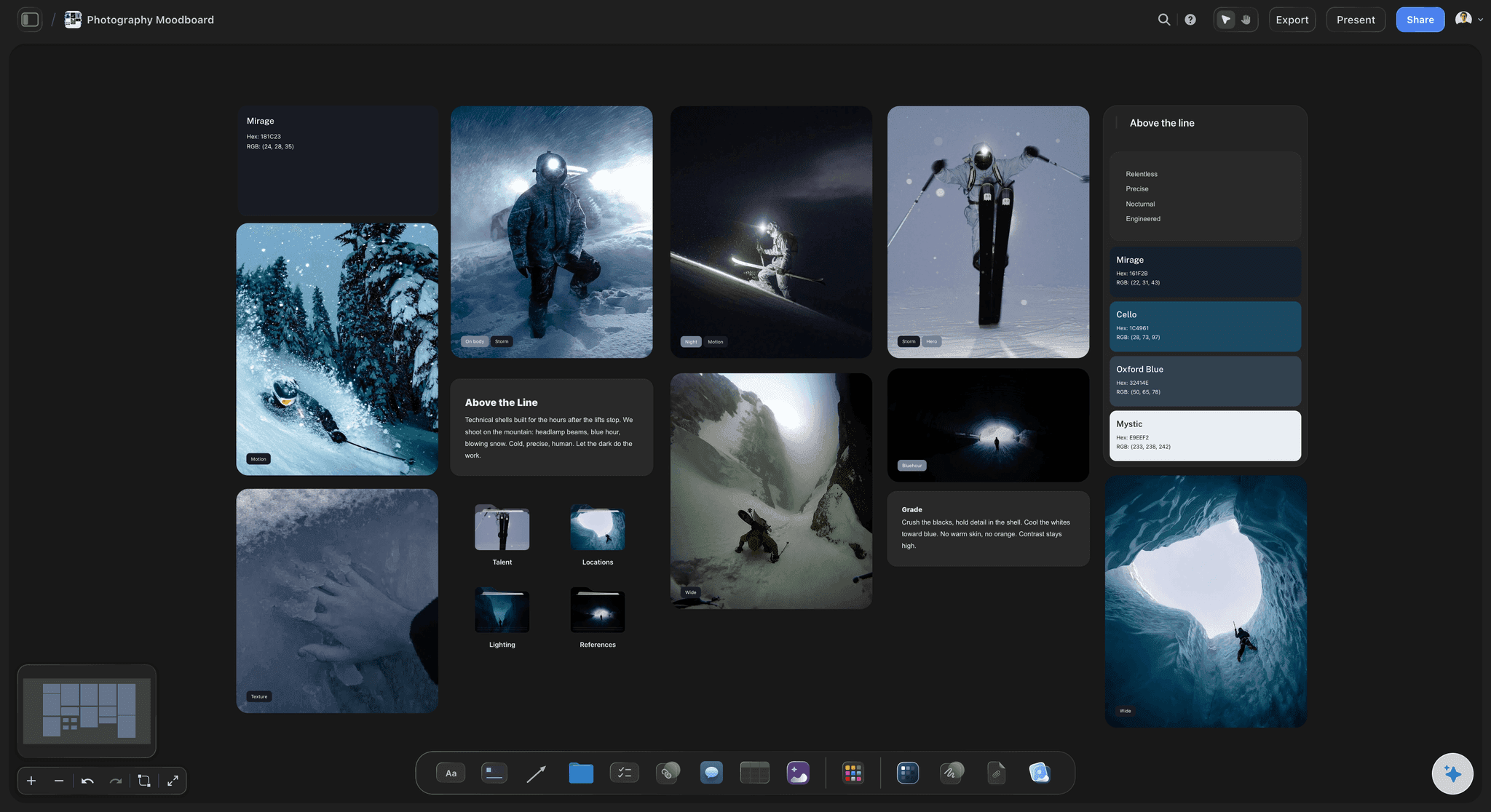
References sorted into decisions
The moodboard
Light, poses, styling, hair and makeup, location and colour in sections, each reference captioned with what it is for, so the crew reads your intent.
Build a photoshoot moodboard →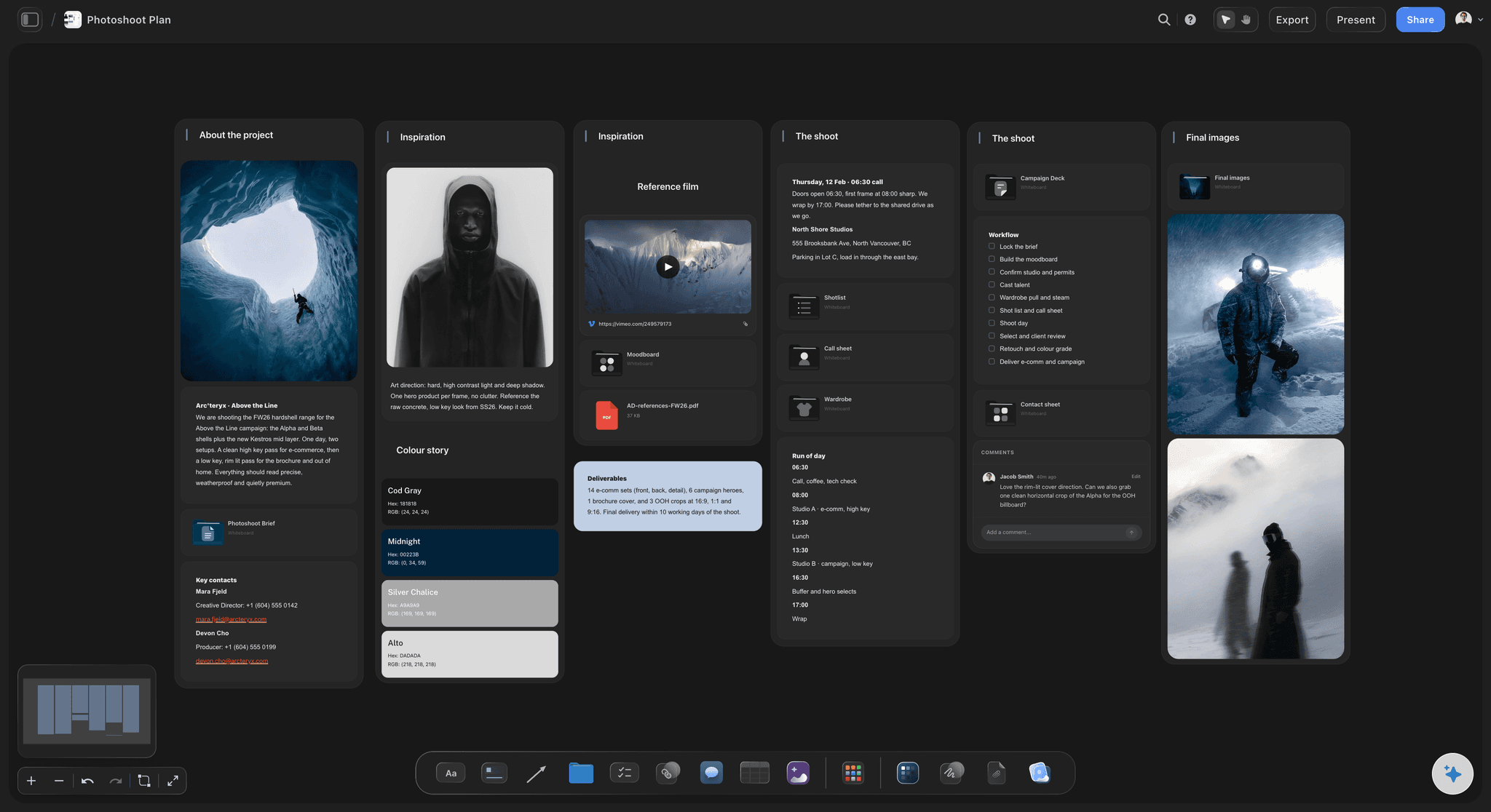
Shot list and call sheet
The shoot plan
The shot list written from the moodboard, one setup per reference with the must-gets you mark, and a Call Sheet PDF the crew reads on a phone.
See photoshoot planning →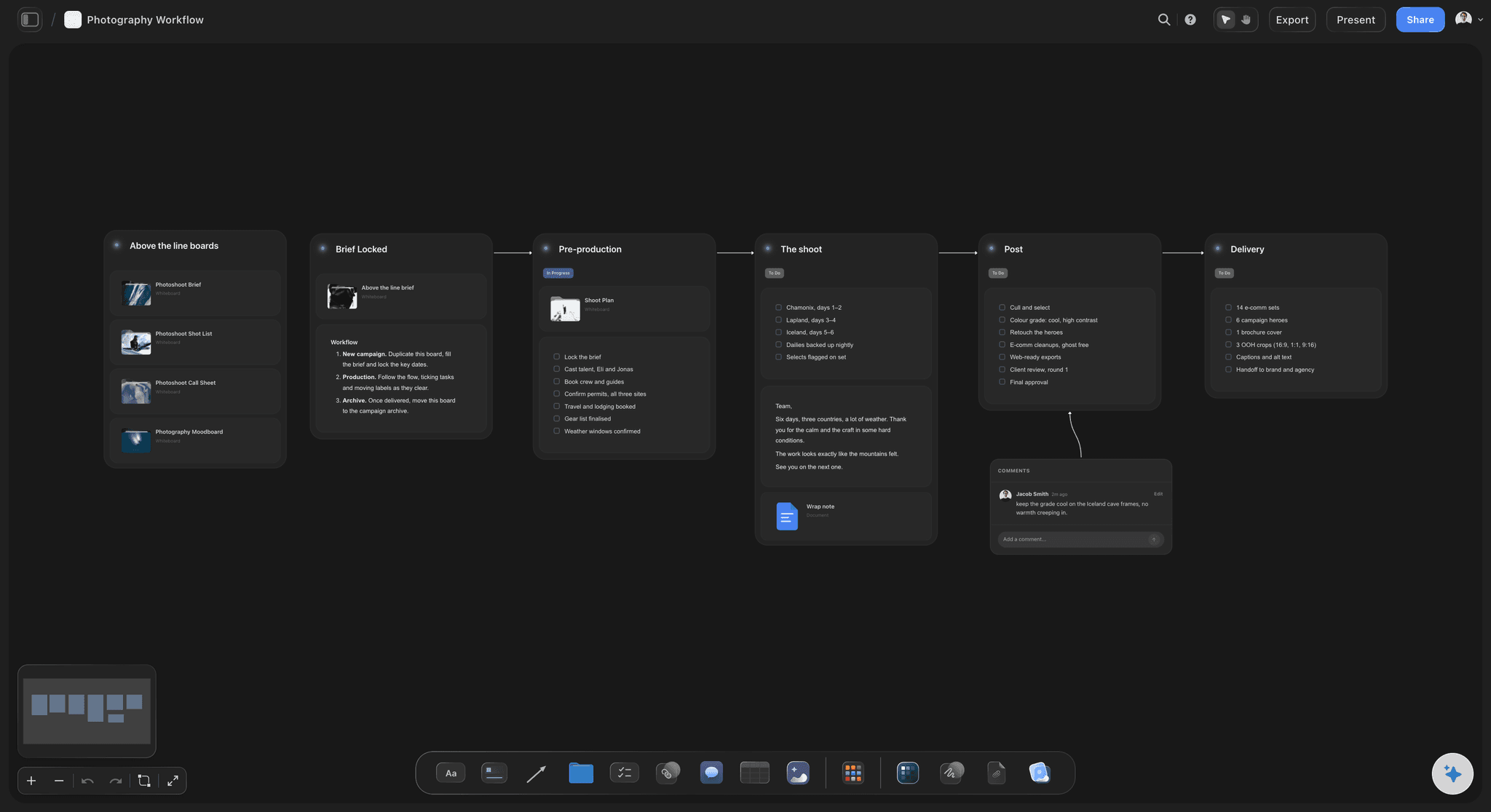
Selects the client can react to
Notes on the right frame
Selects on a board the client opens by link. Signed-in comments land on the specific image, so the retouch list is not a string of file numbers.
See the client review board →Unlimited boards. No object cap.
A board per client, per shoot or per season. Storyflow is paid-only during early access, with plans from $7.99 a month billed annually ($9.99 monthly). A free plan launches before the end of 2026, and anyone a paid member invites to a board joins free.
Unlimited boards, images, files and links on Plus
Unlimited background removal and upscaling
AI usage that renews every billing period
View-only links and PDF export for clients
Built for people with taste
The photographer's job before the shoot, in order.
Pitch, look, plan and selects. Each has a place on the board and a failure it prevents.
The pitch
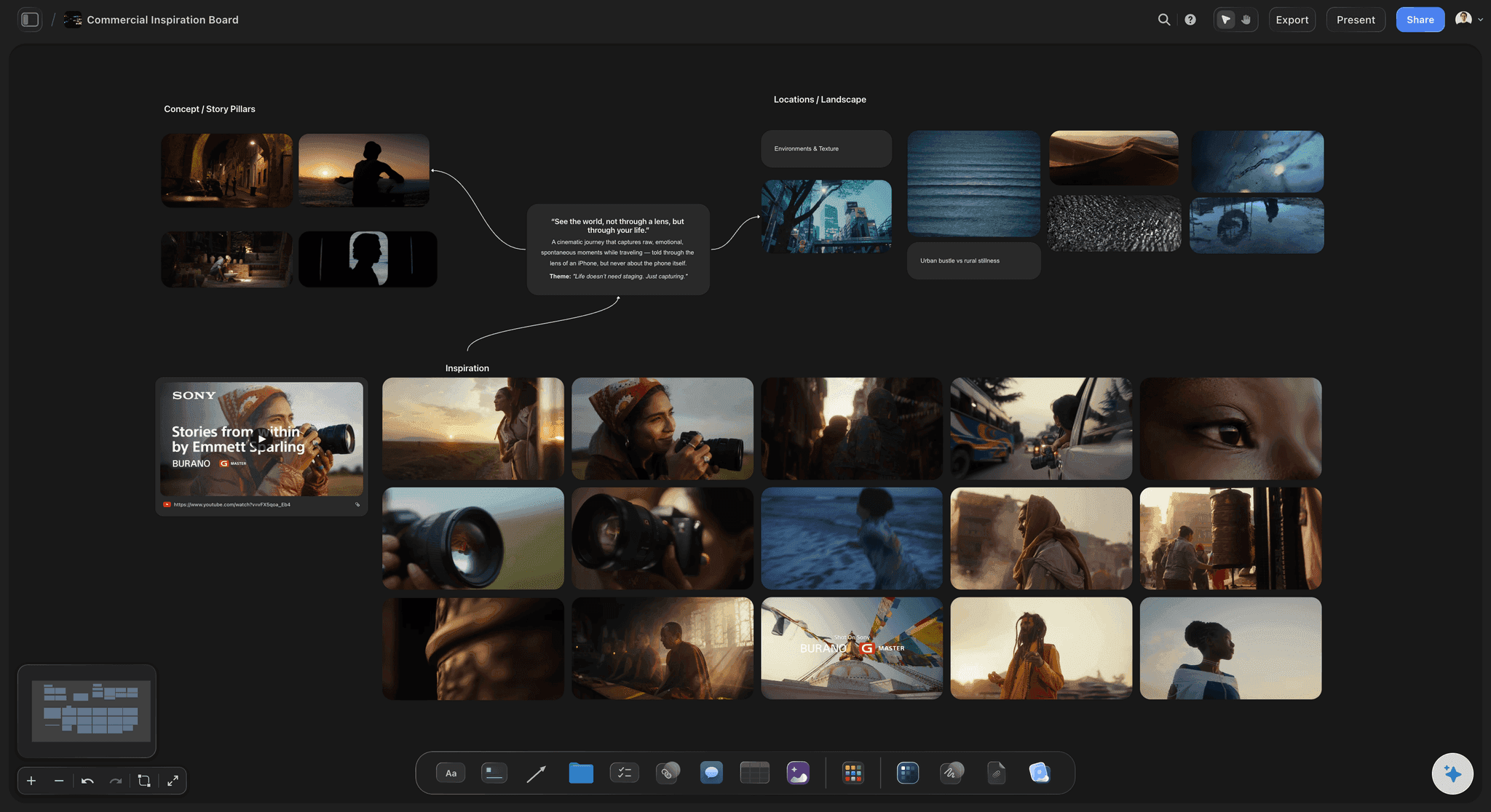
Win the shoot with the picture of the result
Their brand, not your portfolio: References chosen for this client's product, audience and channels. A generic mood deck reads as a template; a specific one reads as a plan.
Deliverables in plain terms: How many finals, which crops, which channels, and the date. A client who has agreed the scope compares your fee against something real.
A link or a file: Share the board by view-only link, or export a Treatment PDF with the idea, the look, captioned references and the structure.
It proposes, you decide: The AI drafts the pitch from what you tell it about the client. The concept, the fee and the voice stay yours.
The look
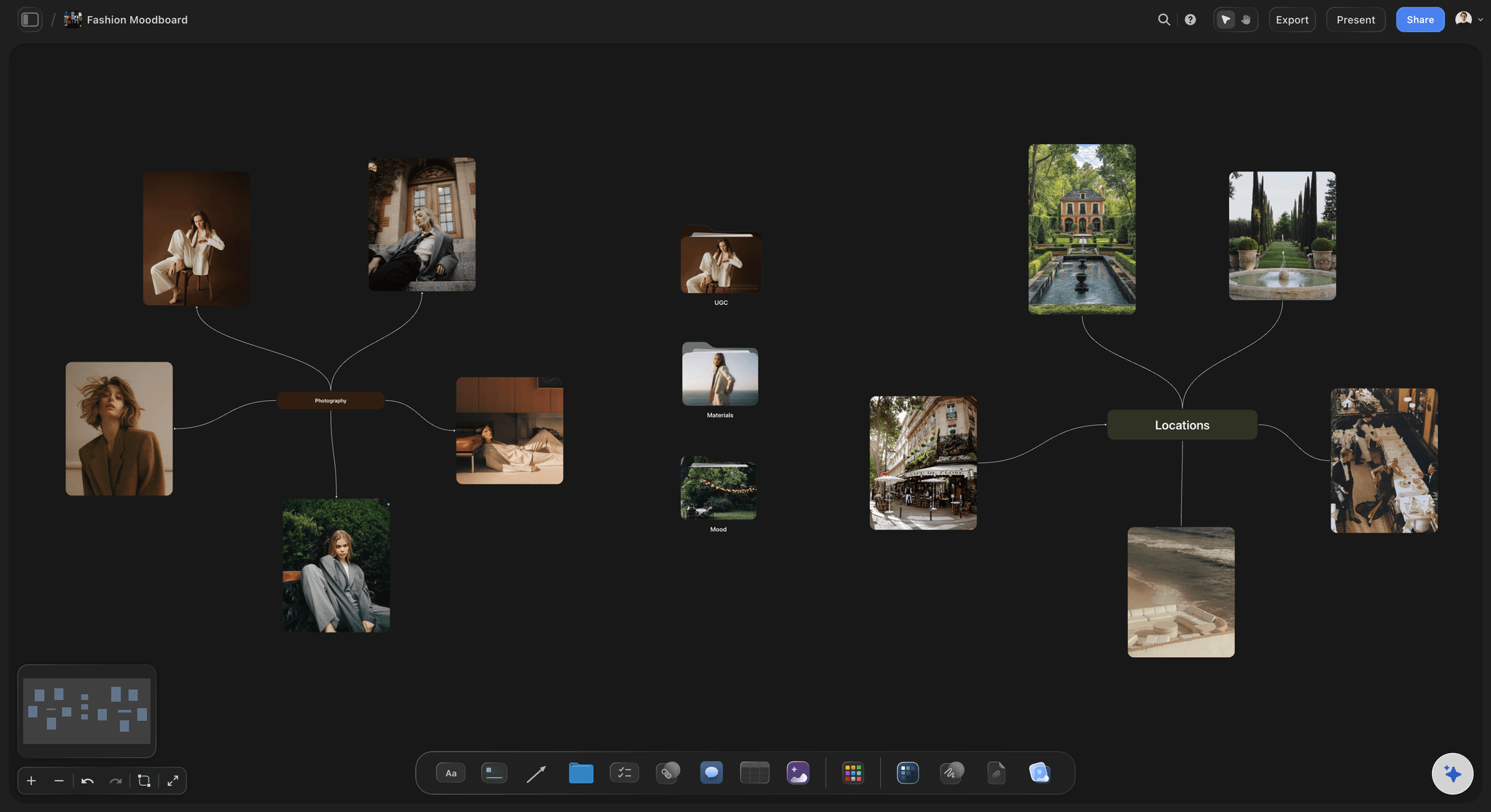
A moodboard the crew can read
Sections that decide: Light, poses, styling, hair and makeup, location and colour, so each person on set reads their part of the board.
Captions on references: What you are borrowing from each image, because a reference without a reason gets read differently by everyone.
Research kept, board kept tight: The long pile of references in a folder, and the committed set on the board where the crew will actually look.
Frames from video references: Play a YouTube or Vimeo reference on the board and grab the frame that shows the light or the pose, so it sits with the stills.
The plan and the day
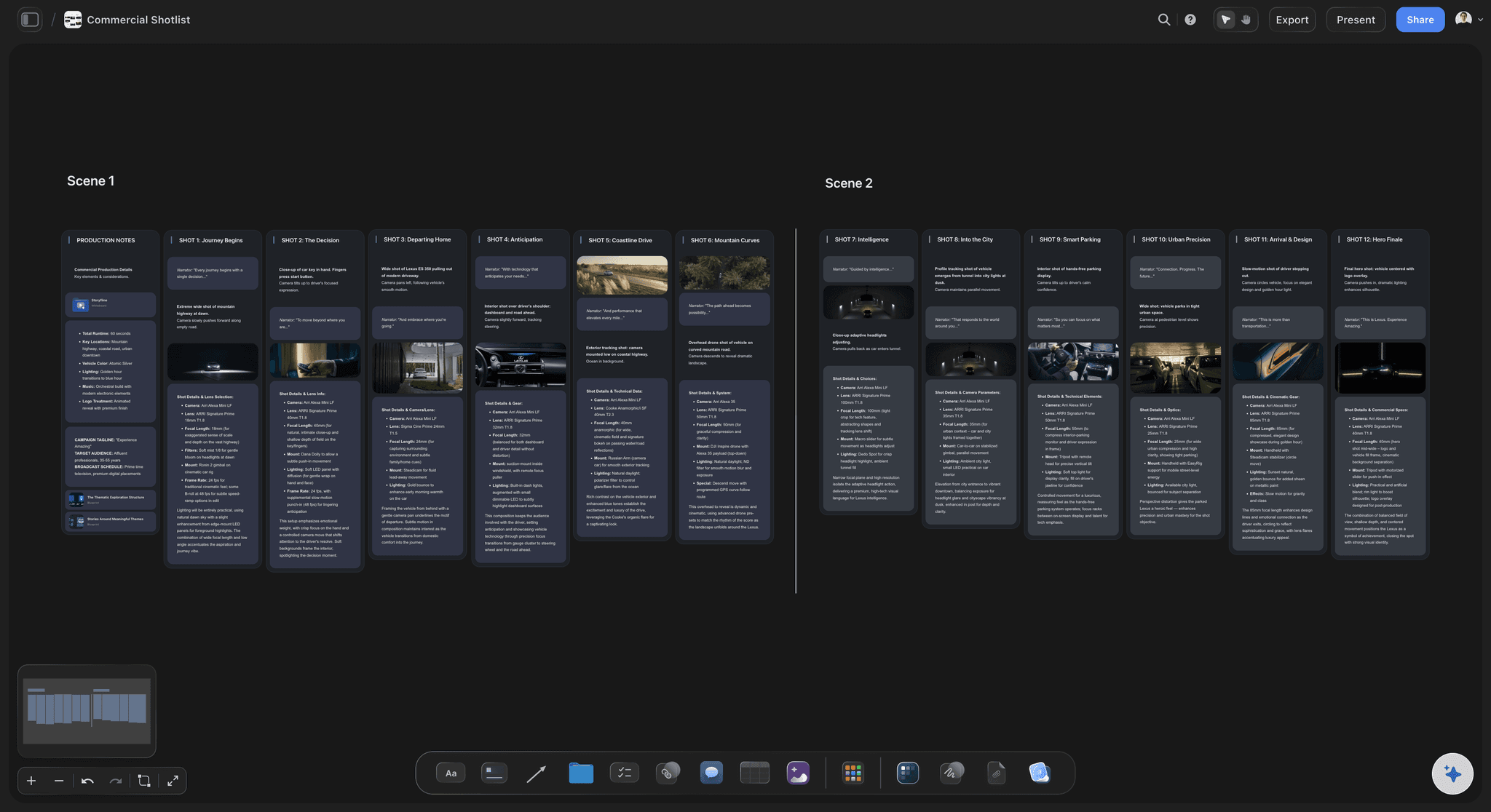
Shot list and call sheet from the same board
Setups from references: Select the moodboard images and the AI writes a setup for each one. You mark the must-gets.
Prep with owners and dates: A table with person, date and status cells for casting, location, styling pulls and retouching, so each task has an owner and a deadline.
A call sheet on a phone: The Call Sheet PDF lays out call times, the schedule, contacts and the location for the crew.
The selects
Client notes attached to the frames
Selects on a board: Drop the shortlisted images onto a board in the order you want the client to see them.
One link to open it: The client opens the board from a view-only link in any browser, with nothing to install and no account to create.
Signed-in comments on the frame: The client signs in to comment on the images they want, so the retouch list arrives attached to the pictures.
Delivery stays in your gallery tool: When the selects are final, deliver the gallery through Pixieset, HoneyBook or the tool you already use.
Explore templates for your project
Every template opens as a real, editable board on the infinite canvas. Pick the closest fit and make it your own.
Film Moodboard
Collect film references, color palettes, lighting, locations, and tone in one place, then invite your crew.
One app instead of five
Storyflow vs HoneyBook, Pixieset and Milanote.
They do different jobs. Storyflow is the planning half: the pitch, the look, the shot list and the day. HoneyBook runs quotes, contracts and payments, Pixieset delivers galleries and runs a studio CRM, and Milanote is a well-made board for moodboards built by hand.
Storyflow
Recommended
Visual pitch, moodboard and shot list on one board
AI writes the shot list from the references
Call sheet built from the shot list
Client opens it from a link
Contracts, invoices and client payments
HoneyBook
Visual pitch, moodboard and shot list on one board
AI writes the shot list from the references
Call sheet built from the shot list
Client opens it from a link
Contracts, invoices and client payments
Pixieset
Visual pitch, moodboard and shot list on one board
AI writes the shot list from the references
Call sheet built from the shot list
Client opens it from a link
Contracts, invoices and client payments
Milanote
Visual pitch, moodboard and shot list on one board
AI writes the shot list from the references
Call sheet built from the shot list
Client opens it from a link
Contracts, invoices and client payments
What creators are saying
Join early creators getting structured workspaces and AI that remembers their projects
“Storyflow has sped up my workflow by at least 3x, which means more flow state and more projects I can actually ship. It truly changed the way me and my team create.”

Reilin Joey
Director & YouTuber
“One prompt gets me a structured board. But the tactics are my favorite. I run my YouTube scripts through them and my intros and retention got better. It's amazing.”

Justkay
YouTuber & Freelance Filmmaker
“I used to juggle five apps to plan a project. Now I describe what I am making and get boards, lists, and a schedule. All in one place.”

George
@fernwehchronicles
Photographer questions, answered.
Pitching, planning, selects, and where Storyflow sits beside the tools you already use.
Yes, and in Storyflow that is the point of pitching on a board. Once the client agrees, the pitch references become the moodboard, the AI drafts a shot list from the images you select for you to edit, and a Call Sheet PDF is built from the board, so nothing is retyped into four documents. HoneyBook or Studio Ninja then handle the contract and deposit, and Pixieset the final gallery.
Show the pictures before the price. Open with a one-line concept tied to the client's goal, then a set of captioned references for light, styling and location, the looks, where the images will run, the finals and dates. The fee and terms follow in a proposal. In Storyflow the pitch is a board the client opens from a link, or a Treatment PDF, and the same references become the moodboard and shot list.
No, and it is not meant to. HoneyBook and Studio Ninja handle the business of photography: enquiries, quotes, contracts, invoices, payments and booking. Pixieset delivers client galleries and runs a studio manager with booking and invoicing. Storyflow covers the creative work they do not: the visual pitch, moodboard, shot list, call sheet and client notes on selects. Paste the link to the Storyflow plan into the proposal so both halves travel together.
Eight stages: the enquiry and brief, the pitch and proposal, the quote and contract, the moodboard, the shot list and call sheet, the shoot, selects and client notes, then editing and delivery. Storyflow holds the brief, pitch, moodboard, shot list, call sheet and selects on one board, with an AI that drafts each from the one before. A CRM such as HoneyBook covers the quote and contract, Lightroom the edit, and Pixieset the gallery.
In Storyflow, put the selects on a board in the order you want them seen and send a view-only link; the client opens it in any browser with no account. To comment on specific frames, they sign in, so each note stays on the image it concerns. Ask for one consolidated round from the named approver by a date, then deliver the gallery through Pixieset, HoneyBook or your usual tool.
No. Lightroom and Capture One are where you cull, grade and export the raw files, and you keep using them for that. Storyflow is the planning workspace around the shoot: the pitch, moodboard, shot list, call sheet and the board of selects the client reacts to. It removes backgrounds and upscales images, which helps when a reference or mockup needs cleaning up, but it is not built for editing the photographs you deliver.
Choose by the moment in the job: Storyflow for agreeing the idea and the plan, HoneyBook or Studio Ninja for contracts and invoices, and Pixieset for choosing favourites. In Storyflow the client opens the pitch, moodboard and shot list from a view-only link, and signs in to comment on a specific reference or frame. HoneyBook and Studio Ninja give clients a portal, and Pixieset's galleries are built for picking from a finished shoot.
Build the shot list from the approved moodboard: one setup per reference, with subject, framing, light, wardrobe look and the crop it must deliver, and mark the must-gets. Order it by light and looks. Then turn it into a call sheet with the date, call times, schedule, contacts, location and parking. In Storyflow the AI writes the shot list from the references you select and builds a Call Sheet PDF, readable on a phone, leaving missing details blank.
Yes, with the drafting, while the photographer keeps the decisions. Storyflow's AI reads the board, so it can lay out a pitch from a description of the client, gather references, write a shot list against the images you select, build a call sheet and give notes on a pitch before you send it. It cannot know your taste, so every draft is a first pass. AI image generation is on Pro and Max.
One board per client or shoot, in one shared workspace, with the same shape every time: brief, pitch, moodboard, shot list, call sheet and selects. On Storyflow's Max plan a team shares a workspace with roles and permissions, so a producer, photographers and a retoucher see the same approved look. Duplicate a finished shoot board to start the next in the same shape. Clients and freelancers get view-only links or are invited, and invited people join free.
Not yet. Storyflow is paid-only during early access, with plans from $7.99 a month billed annually ($9.99 monthly). A free plan launches before the end of 2026, and anyone a paid member invites to a board joins free. A client opens a view-only link with no account. Plus covers one person running whole projects, Pro adds AI image generation, and Max adds a team workspace with roles.
More from Storyflow
Photoshoot planning
Photoshoot moodboard
Photoshoot plan template
Client presentation tool
Client review board
Moodboards for clients
Shot list template
Call sheet template
Lighting plan maker
Location scouting app
Storyflow for freelancers
Best photoshoot planning tools
Best tools for commercial photographers
Best photography moodboard tools
Photography proposal template
How to make a photoshoot moodboard
Photoshoot moodboard template
Pitch the next shoot with the pictures in it.
Build the visual pitch, send one link, and plan the shoot on the same board once it is agreed.