The 12 Best Mood Board Tools in 2026 (For Filmmakers, Designers, and Creative Directors)
Most mood board tools treat the board as the deliverable. We compared 12 of them to find which ones actually work for filmmakers, designers, and creative directors in 2026: AI that reads your project, connected creative workflows, and pricing that makes sense for real teams.

Category
Visual Thinking
Author

Justkay
Documentary Filmmaker & Founder at Storyflow
Topics
2026-05-10
•
49 min read
•
Visual Thinking- best moodboard app
- best mood board tools 2026
- AI mood board software
What is the best moodboard app in 2026?
Storyflow is the best moodboard app in 2026. Its AI builds a 9 to 16 tile moodboard on an infinite canvas from your brief, using real web references or generated images, and the board sits next to the script, brief and shot list. Clients open it from a view-only link or watch it in presentation mode. Canva is fastest for a one-page board, Pinterest is the best free reference source, and Milanote is a clean standalone board.

The best moodboard app in 2026 is Storyflow: tell its AI what the board is for and it builds a 9 to 16 tile moodboard on an infinite canvas, from real web references or AI-generated images, next to your brief, script and shot list, and you share it with a view-only link that opens without an account. Canva is the fastest way to a polished one-page board, Pinterest is the best free place to collect references, and Milanote is a clean standalone board. Storyflow is paid-only during early access, from $7.99 a month billed annually.
Full disclosure: Storyflow is our own product. We rank it #1 because its AI builds the moodboard and the board stays next to the brief, script and shot list. Pinterest sources references at a scale we do not match, and Storyflow has no browser clipper and no image-only template gallery. Prices for every tool were checked on the vendor's own site on 9 October 2026, and we link to each one so you can judge the fit.
How the mood board tools compare on trust, innovation, ratings and pricing
Which mood board brands are the most trusted?
Trust follows track record. Pinterest (since 2010), Canva (since 2013), Milanote (since 2016) and Adobe have the longest records, and none of them has lost older boards. Storyflow is the newest name here and in early access, so judge it on the board it builds for you rather than on years in market. Google's Mixboard is the warning: the Labs experiment has ended.
Which mood board tools are the most innovative?
Storyflow is the most innovative, because you hand it a brief and its AI builds the moodboard onto the board, then reads the board back when you ask it to test the references against the concept. It also works from inside ChatGPT, Claude, Gemini and Grok through its MCP connector. Adobe Firefly Boards is the most innovative on generating and remixing images. Morpholio Board is the most innovative for interiors and product, with real product libraries and sourcing lists. Milanote innovates least and is the most finished.
Which mood board tools are the most highly rated?
Canva carries the largest volume of public app-store ratings, and Milanote holds the strongest reputation among creative professionals specifically. Figma rates highest among product and brand designers. Ratings reward how the board feels to arrange, which is why canvas-first tools win with designers. Storyflow is too new to have a comparable rating history; it is ranked first here on what it does for the job, scored on the criteria in the comparison table.
Which mood board tools have fair and transparent pricing?
Storyflow publishes three plans: Plus at 7.99 US dollars per month billed annually, Pro at 14 and Max at 39, and anyone a paid member invites to a board joins free. It is paid-only during early access, with a Free plan launching before the end of 2026. Pinterest costs nothing for this use. Milanote states its free ceiling plainly as 100 cards and 10 uploads. Eagle is a one-time 34.95 US dollars. Niice no longer publishes prices.
Which mood board brands have performed consistently over the years?
Pinterest has run since 2010, Canva since 2013 and Milanote since 2016, none of them losing older boards. Adobe has the longest record of any company in the set. The cautionary cases are Google Mixboard, which ended, and SampleBoard, whose pricing page now points to a domain that does not resolve. Storyflow is early access and cannot claim that history yet.
Quick Comparison: Best Mood Board Tools
These four cover the jobs creators decide between: a mood board inside a full project, the cleanest standalone board, free reference sourcing at scale, and a private tagged library.
| Tool | Best For | AI Features | Price |
|---|---|---|---|
| Storyflow | Mood boards inside a connected project | Canvas AI reads the full board | $7.99 mo annual (free plan late 2026) |
| Milanote | The cleanest dedicated mood board | Minimal AI | Free / $9.99 mo annual |
| Free reference sourcing at scale | Recommendation algorithm | Free | |
| Eagle | Private tagged reference libraries | Color and tag search, no AI | $34.95 one-time |
Build a moodboard on a canvas that keeps up with the project
Drop images, swatches, and links on one Storyflow board, arrange them with no layers or page limits, and let AI suggest directions from what you have pinned.

Which Moodboard App Should You Use?
| If you need | Use | Why |
|---|---|---|
One moodboard app for real projects | Storyflow | The AI builds the board from your brief, the board sits next to the script and shot list, and clients open it from a link |
A polished one-page board in 20 minutes | Canva | Templates and a stock library, exports a page a client can read |
Free reference collecting | The largest free image source there is | |
A standalone board and nothing else | Milanote | A clean, arrangement-first canvas with a free tier of 100 cards |
Interiors or product boards on an iPad | Morpholio Board | Product cut-outs, swatches and sourcing lists, Apple Pencil |
AI-generated concept frames | Adobe Firefly Boards | Generates and remixes images on a canvas; free with an Adobe account |
References floating over your work | PureRef | A desktop window that stays on top of Photoshop or Blender |
The short version: Storyflow first, because a moodboard is almost never the whole job. It is the front of a shoot, a campaign or a brand, and Storyflow is the board where that next step already lives. Use Pinterest to feed it and Canva when a client needs a single page. When the board is going to a client, the comparison of Storyflow, Canva, Miro and Pinterest as a client moodboard app goes deeper on sharing and sign-off.
Quick Picks: Best Mood Board Tools 2026 by Use Case
Best Moodboard App Overall: Storyflow Storyflow is an AI visual workspace where the moodboard sits inches away from your treatment, your brief, your character notes and your shot list. Ask the AI for a moodboard and it builds one on the board: it asks whether you want real web references or generated tiles, then places 9 to 16 images on the canvas. It reads every note on the board and looks closely at up to 24 images you select before it suggests a visual direction. Paid early access from $7.99/month billed annually ($9.99 monthly); anyone a paid member invites to a board joins free. The trade-off is real: there is no browser clipper and no image-only template gallery, so if you only ever want a standalone collage, Milanote or Canva is quicker. The comparison by job is on our best moodboard app page.
Best Dedicated Mood Board Tool for Creators: Milanote The cleanest standalone mood board environment for solo creators. Drag images, web clips, notes and arrows onto a flexible board until the visual logic appears. The free plan has no time limit and caps you at 100 notes, images or links and 10 file uploads. Paid is $9.99 per person per month billed annually or $12.50 monthly, per Milanote's plans page.
Best Free Mood Board Tool, with caveats: Pinterest Pinterest is the largest visual reference library on the internet and it is free. For sourcing references, no other tool comes close. The caveats are that everything on Pinterest is also visible to everyone else, the algorithm pushes you toward what is already popular, and there is no real way to organise a board into a structured visual brief. Use it for collection, not for direction.
Best Mood Board App for Image-Heavy Work: Eagle Eagle is a desktop image organisation app that creators use as a private mood board library. Tags, colour search, smart folders, and offline access matter when your mood board has thousands of references. A one-time licence is US$34.95 on Eagle's store, with a 30-day full-feature trial. The trade-off is that Eagle is built for the collector, not for the team.
Best Mood Board Tool for Brand Teams Presenting to Clients: Niice Niice is a focused tool for building and presenting brand mood boards. The output looks like an art director's pitch deck. Niice no longer publishes a price: its pricing page asks you to request a quote by storage and team size. The limitation is that it is a presentation tool, not a development environment.
Best Mood Board for Interiors and Product: Morpholio Board Morpholio Board is built for interior designers, stylists and product designers who arrange real objects on a board. Background removal, a swatch maker, product libraries and sourcing lists with cut sheets separate it from a generic canvas. It runs on iPhone, iPad and Mac and is a free download with in-app purchases from $4.99 on the App Store.
Best Workshop-Style Mood Board: Mural Mural is the right answer when a mood board session is a facilitated workshop with a creative team. Templates, voting, timers, and structured methods make group mood boarding work. Team+ is $9.99 per member per month billed annually or $12 monthly, and the free plan keeps 3 murals editable at a time, per Mural's pricing page.
Best Whiteboard With Mood Board Templates: Miro Miro will hold a mood board competently and the template library makes setup fast. Starter is $8 per member per month billed yearly and the free plan keeps 3 boards editable, per Miro's pricing page. The limitation is that Miro is a generalist whiteboard. Mood boarding is one of hundreds of use cases, not a designed-for workflow.
Best Mood Board for Figma Teams: FigJam For design teams already inside Figma, FigJam is the path of least resistance for mood boarding adjacent to product or brand work. A Collab seat on Figma's Professional plan is $3 a month, per Figma's pricing page.
Best Quick Polished Mood Board Templates: Canva Canva mood board templates are the fastest way to a presentable mood board for a brand pitch or campaign concept. A free plan covers a basic board; Pro is a paid upgrade for the full stock library and brand kit.
Best Mood Board Tool for Indie Creatives: Are.na Are.na is a slow, deliberate, ad-free reference network used by independent designers, architects, writers, and filmmakers. The free plan holds up to 200 blocks; Premium is $7 a month or $70 a year, per Are.na. The interface is intentionally minimal, which is either a feature or a limitation depending on the user.
Best AI-Generated Mood Board Concepts: Adobe Firefly Boards Firefly Boards is Adobe's generative mood board: an infinite canvas where you upload references or generate new images from a prompt, remix them into variations, search Adobe Stock and open the board in Photoshop on the web. Adobe says you can use it free with an Adobe account and a daily allowance of generations; paid plans raise the volume. It is the strongest pick when the frames do not exist yet. Google's Mixboard, which did a similar job, has ended: its Labs page now reads that the experiment is over.
Best Mood Board for Filmmaking Pre-Production: Boords Boords is a storyboarding tool first, but the reference and mood board features are useful for filmmakers who want their visual references attached directly to numbered scene panels. Solo is $26 a month billed yearly or $39 monthly, and a free plan covers 5 active storyboards, per Boords' pricing page.
What Is the Best Tool to Create a Moodboard?
The best tool to create a moodboard is Storyflow: its AI builds the board from a sentence or a brief, and the board stays next to the work it is for. After that, Canva if it has to become a client-facing page, Pinterest if you are still collecting, and Milanote if you want a standalone board and nothing else. The reason there is no single answer is that "make a moodboard" describes four different activities that people run together and tools do separately.
The four activities, and where each one breaks:
- Collecting. Saving references over weeks before there is a project. Pinterest and Are.na own this, and both are free. Almost every tool that fails at moodboards fails here first, because collection happens before you know what you are collecting for.
- Arranging. Putting the references next to each other until the direction becomes visible. This is the actual moodboard step, and it is what Storyflow, Milanote and PureRef are built for. Storyflow's AI can do the first arrangement for you.
- Presenting. Turning the arrangement into something a client or a director will look at. Canva and Figma win here, and dedicated moodboard tools usually lose, because a beautiful working board is not the same object as a persuasive deliverable.
- Carrying it forward. The board informs a shoot, a campaign or a brand, and someone needs it three weeks later next to the brief. This is where most moodboards die, and it is the step Storyflow is built for: the moodboard, the brief, the shot list and the call sheet live on the same board.
A moodboard fails far more often at step four than at step two. Nearly every tool here can put images on a canvas. Very few can tell you, a month later, why that image was on the board.
If you want the shortest possible answer: Storyflow to make it and carry it forward, Pinterest to feed it, Canva to turn it into a one-page deliverable, and Milanote if the board really is the whole job. The ranked reviews below score each tool across all four activities.
Best Mood Board App in 2026, by Device
If you searched for a mood board app you probably meant something you open on a phone or tablet, and most "best mood board tool" lists answer a different question. Here is the app answer directly.
The best mood board app in 2026 is Storyflow in the browser on a laptop or tablet, because the AI builds the board for you and the board sits next to the brief and the script. For the phone, Pinterest is the best capture app, Milanote has the most pleasant native tablet app for arranging by hand, and Morpholio Board is the pick for interior and product work on an iPad with an Apple Pencil. Storyflow is a web app with no native phone app, so capture on the phone and build on the bigger screen.
| App | Platforms | What it is genuinely good at on a device | Free tier | Price |
|---|---|---|---|---|
Storyflow | Web browser (desktop, tablet, phone) | The AI builds the board; the board sits next to the brief, script and shot list | Coming late 2026; invited collaborators join free now | $7.99/month annual |
iOS, Android, web | Capturing references anywhere, the largest source library there is | Yes, full features | Free | |
Milanote | iOS, iPadOS, Android, web, desktop | A native tablet app that is pleasant to arrange by hand | 100 notes, 10 uploads | $9.99/month annual |
Morpholio Board | iPhone, iPad, Mac | Interior, product and styling boards with Apple Pencil and real product cut-outs | Free download | In-app purchases from $4.99 |
Apple Freeform | iPhone, iPad, Mac | A free infinite canvas that syncs through iCloud, with live collaboration | Yes, fully free | Free |
Canva | iOS, Android, web | Turning a board into a client-ready page from a phone | Yes, limited | Paid Pro tier |
Eagle | macOS, Windows | A private tagged library of thousands of references, offline | 30-day trial | US$34.95 one-time |
PureRef | macOS, Windows, Linux | An always-on-top reference window beside the work | Pay what you want for personal use ($0 accepted) | $49 one-time studio licence |
The honest constraint: arranging a board on a phone is unpleasant on every app in this table, including the good ones. The shape that works is capture on the phone, arrange on a tablet or a browser. An app that claims to be equally good at both is optimising for the app-store description rather than for the job.
On Android specifically, the field is thinner: Pinterest and Milanote are the two that are genuinely maintained, and Canva is the third if the output is a deliverable. Morpholio Board and Apple Freeform are Apple-only, and no Android-native equivalent has replaced them.
Mood Board App or Mood Board Software: Which Do You Actually Need?
The two phrases get used interchangeably and they usually mean different devices, which is why searches for one return results that disappoint people who meant the other.
| You mean | You want | Best picks | The catch |
|---|---|---|---|
A phone app for saving and sketching on the go | Native iOS or Android with offline capture | Pinterest, Milanote, Morpholio Board, Apple Freeform | Arranging a real board on a phone is genuinely unpleasant; capture on the phone, arrange elsewhere |
Desktop software that runs locally | A native app, files on your own disk | PureRef, Adobe products, Apple Freeform | No collaboration, and no link to send a client |
A browser tool the whole team can open | A URL, live collaboration, no install | Storyflow, Milanote, Canva, Miro, FigJam | Requires connectivity, and free tiers cap boards or cards |
PureRef is the answer people are usually reaching for when they say "software" rather than "app". It is a small, fast, local reference viewer that sits above your other windows while you work, and it is the standard among illustrators and 3D artists for exactly that reason. It is reviewed below under Also Tested, because it is a reference viewer rather than a moodboard builder.
All 12 Mood Board Tools, Ranked
- Storyflow: best overall for a mood board inside a connected project, with AI that reads the full canvas
- Milanote: best dedicated mood board tool for solo creators
- Pinterest: best free reference sourcing at scale
- Eagle: best for image-heavy private reference libraries
- Niice: best for presenting brand mood boards to clients
- Morpholio Board: best for interiors, stylists and product designers on an iPad
- Mural: best for workshop-style group mood boarding
- Miro: best generalist whiteboard with mood board templates
- FigJam: best for design teams already inside Figma
- Canva: best quick polished mood board templates
- Are.na: best slow, ad-free reference network for indie creatives
- Boords: best for filmmaking pre-production references tied to scene panels
Also reviewed, unranked: Adobe Firefly Boards, Apple Freeform and PureRef. All three come up whenever people ask for the best moodboard app, so each gets a full review below. Firefly Boards generates the images, Freeform is a free Apple canvas, and PureRef is a desktop reference viewer; none of the three is a project board, which is what this ranking scores. Google Mixboard has been removed: its Labs page now says the experiment has ended, so anything you read recommending it is out of date.
Comparison Table: Best Mood Board Tools 2026
| Tool | Best For | Starting Price | Free Plan | Mood Board Fit (★/5) | Rating (/10) |
|---|---|---|---|---|---|
Storyflow | Mood board inside full project canvas | $7.99/month annual | Coming late 2026 (invited collaborators join free now) | ★★★★☆ | 9.2/10 |
Milanote | Dedicated mood board for creators | $9.99/month annual | Yes (100 notes, 10 uploads) | ★★★★★ | 8.9/10 |
Free reference sourcing | Free | Yes (full features) | ★★★★☆ | 8.4/10 | |
Eagle | Image-heavy private libraries | US$34.95 one-time | No (30-day trial) | ★★★★★ | 8.3/10 |
Niice | Client mood board pitches | Quote on request | Read-only viewers free | ★★★★☆ | 8.0/10 |
Morpholio Board | Interiors and product on iPad | Free download, in-app from $4.99 | Yes (download) | ★★★★☆ | 7.9/10 |
Mural | Workshop-style mood boards | $9.99/member/month annual | Yes (3 editable murals) | ★★★☆☆ | 7.7/10 |
Miro | Whiteboard mood board templates | $8/member/month annual | Yes (3 editable boards) | ★★★☆☆ | 7.5/10 |
FigJam | Figma teams mood boarding | $3/Collab seat/month | Yes (Starter) | ★★★☆☆ | 7.4/10 |
Canva | Quick polished templates | Paid Pro tier | Yes (limited) | ★★★☆☆ | 7.2/10 |
Are.na | Indie creative reference network | $7/month | Yes (200 blocks) | ★★★★☆ | 7.1/10 |
Boords | Filmmaking pre-production references | $26/month annual (Solo) | Yes (5 active storyboards) | ★★★☆☆ | 6.9/10 |
Rating criteria: Mood board fit was weighted at 30 percent because the dividing line between a tool built for visual direction and a tool adapted from a whiteboard is the point of this comparison. Image handling and arrangement (20 percent), AI and context awareness (15 percent), collaboration (15 percent), pricing (10 percent), and integrations (10 percent) made up the rest.
Storyflow ranks first because it scores on every weighted criterion: the AI builds the board, the board sits in a project that contains the script, the brief and the treatment, and the client opens it from a link. Milanote and Eagle score higher on mood board fit alone, which is why they carry five stars there and Storyflow carries four; they score far lower on AI and on carrying the board into the work. Prices were checked on each vendor's own pricing page on 9 October 2026.
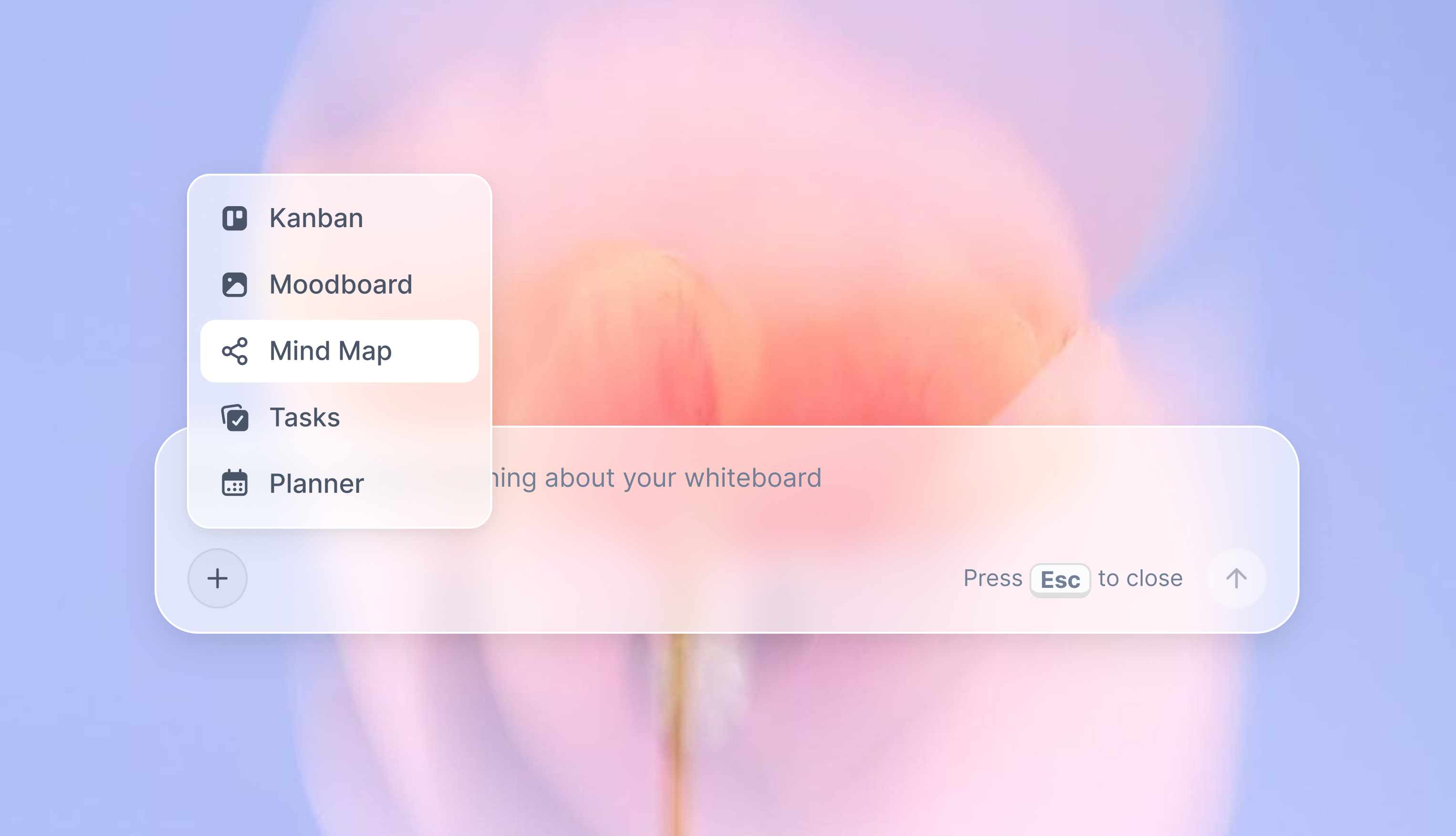
Storyflow holds the mood board next to the brief and the script on a single connected canvas
Frequently Asked: How the Main Mood Board Tools Differ, and Which Are Safe for Commercial Work
What are the differences between the main moodboard maker tools?
They split into four kinds, and picking the wrong kind is why most mood board tools disappoint. Dedicated boards (Milanote, Niice, Morpholio Board) are built for visual direction and win on the board itself. Reference libraries (Eagle, Are.na, Pinterest) are built for collecting and finding images again, not for composing a board. Adapted whiteboards (Miro, FigJam, Mural) give you a canvas and no opinion about what a mood board is. Connected canvases (Storyflow) hold the mood board inside the project that contains the brief, the script and the treatment, so the AI reads across all of it. Milanote and Eagle beat Storyflow on the board as an object. Storyflow wins when the board has to stay attached to the work.
Which moodboard tools are safe to use for commercial and client work?
This is a question about the images, not the software. Every tool here is licensed for commercial use as software; almost none of them license the pictures you put in. Pinterest is the trap: it is the best free sourcing tool in the category and its images are other people's copyrighted work, so a Pinterest board is safe as private internal reference and unsafe as a client deliverable or anything published. Canva is the cleanest path if you need images you can actually use, because its own library ships with commercial terms attached on paid plans. Eagle, Are.na, Milanote, Miro, FigJam and Storyflow are neutral containers: your licence is whatever you had for the file you uploaded. Adobe Firefly Boards generates imagery under Adobe's own generative terms, which you should read before a generated frame goes into paid work. The practical rule professionals use: source freely for the internal board, then clear or replace every image before it reaches a client, a pitch deck or a publication.
What are the trending mood board tools in 2026, and how do they compare?
The movement in 2026 is boards the AI builds. Storyflow rates 9.2 because its AI builds the moodboard onto a project board from a brief, from web references or generated tiles, and then reads that board when you write the treatment. Adobe Firefly Boards generates and remixes images on a canvas and is free with an Adobe account. Google Mixboard, the Labs experiment that made the same promise, has ended. Milanote at 8.9 has not chased AI and is still a clean standalone board. Pinterest at 8.4 remains the sourcing layer almost everyone uses alongside whatever else they choose.
What is the best tool to create a mood board?
For a mood board that stays connected to the brief, the script and the rest of the project, Storyflow at $7.99 per month billed annually, with a free plan arriving before the end of 2026. For a solo creative who wants the best board purely as an object, Milanote at $9.99 per month. For sourcing the references in the first place, Pinterest, free, used as a feeder rather than as the board. For a polished board in twenty minutes with images you are licensed to use, Canva. For a private library of thousands of images you need to search later, Eagle at US$34.95 once. Most professionals end up using two of these, and the common pair is a sourcing tool plus a board.
Which mood board tools help a business organise visual inspiration across a whole workflow?
Storyflow and Eagle solve the two halves of this. Eagle is the better answer if the problem is volume: thousands of images, tagged and searchable on your own machine, findable a year later. Storyflow is the better answer if the problem is fragmentation: the mood board, the brief, the treatment and the schedule living in four tools nobody reconciles, with an AI that reads across them. Miro and Mural are reasonable if visual inspiration is already part of a workshop practice and you want one canvas for both. Milanote scales well for a person and poorly for an organisation, because it has no real answer for search across many boards. Pinterest does not belong anywhere in a business workflow except as a sourcing step, for the licensing reason above.
What are the best mood board tools for design work specifically?
FigJam if your team is already in Figma, because the mood board sits beside the file the work happens in and a Collab seat is $3 per month. Niice, priced on request, if the board's job is to be presented to a client and approved. Morpholio Board if you work in interiors, styling or product, because it is built around real products, cut-outs and swatches rather than screenshots. Milanote for the design of the board itself. Canva when the mood board has to become a finished, on-brand artefact. Storyflow first when the design mood board needs to carry into the brief and the project rather than stopping at approval. Miro is the weakest of these for pure design mood boarding at 7.5, and it is still the right pick when the mood board is one artefact inside a larger workshop.
Best Mood Board Tools 2026: Market Context
The first mood board I ever made for a documentary was on a hardware store cork board, with cut-out magazine pages, a single Polaroid of a friend's father, and seventeen different shades of late-afternoon blue. The film changed shape twice in three weeks because the board kept telling me things the script could not. Mood boards surface a tone you cannot articulate yet, then hold it steady while you build the rest of the project around it.
The mood board software market splits along a fault line that almost no tool acknowledges out loud. On one side: image-first tools that treat the mood board as the deliverable. Pinterest, Milanote, Eagle, Are.na, Niice. The board is the point. The interface is built around image arrangement, scraping, tagging, and presentation. On the other side: workspace tools that hold a mood board as one element among many. Miro, FigJam, Mural, Storyflow. The board is part of a larger creative project.
The image-first tools win on collection and arrangement. Their friction is lowest exactly where mood boarding starts: dragging a reference image onto a board and arranging it next to another one. The workspace tools win on connection. Their mood board sits next to the script, the brief, the strategy document, and the production notes. The reference image you saved last week influences the AI's response when you ask a question about the scene three weeks later.
Most creative directors I have worked with use both, awkwardly. Pinterest for sourcing. Milanote for arrangement. A separate Notion or Google Doc for the brief. A separate Figma file for the mockups. The mood board ends up disconnected from the thinking that produced it, which is how brand worlds get diluted in the second draft and how scene tone drifts during pre-production. The tools starting to close this gap are the AI-native canvases. Storyflow is the most explicit about it.
How We Evaluated the Best Mood Board Tools 2026
Six criteria determined every rating, judged from each tool's own product, help and pricing pages and from Storyflow as it ships. Here is what the first five look at; the sixth, integrations, was scored on what each tool connects to: where references come in from, which formats it exports and which other apps it opens in.
Mood board fit. The reference job is one board for a documentary about urban beekeepers: 25 reference images, 8 colour swatches, 4 typography references and 6 short text notes. The rating looks at whether the tool holds all four kinds of material on one surface, how freely images can be arranged, and whether the product is built for mood boarding or adapted to it.
Image handling and arrangement. Uploading, dragging and resizing, web clipping, image search inside the tool, and whether references can be grouped by theme without losing the spatial layout that mood boarding relies on.
AI and context awareness. Whether the tool's AI, if any, reads what is already on the board before it responds. A tool whose AI suggests the same generic visual direction regardless of what is on the board scored lower than one whose AI clearly read the existing references before responding.
Collaboration. Real-time editing, comment threads, guest access for a producer or art director without a paid seat, and presentation-quality output for a client review. Tools that required full account creation for every external collaborator scored lower.
Pricing and value. What a five-person creative team pays annually for the tool, including the cost of any companion tools needed to complete the workflow. A cheap tool that requires three other subscriptions to function scored worse than a single tool that handles the same workflow alone.
The ratings are judgements against these criteria, not timed tests.
Build a mood board the AI can actually read
Storyflow holds your references next to the brief and the script, and the AI reads the full active board before it drafts a visual direction. Paid-only during early access; anyone a paid member invites to a board joins free.
Detailed Reviews: Best Mood Board Tools 2026
1. Storyflow
Storyflow is an AI visual workspace for creators, filmmakers, marketers and creative directors who want their references, structure and execution inside one project. It is the best moodboard app on this list because the AI builds the board for you and the board then stays attached to the work it was made for: the brief, the script, the treatment, the shot list and the call sheet.
That distinction is the point of the tool. In Milanote, your mood board is a board. In Storyflow, your mood board is one region of a larger project. Ask the AI for a moodboard and it asks one question first, whether the tiles should be real reference photos from the web or AI-generated images, then places 9 to 16 tiles on the canvas in one pass. Ask it afterwards to draft a treatment paragraph from the board's tone and it reads the notes, the brief document and the images you select, not just your prompt.
Best for: Filmmakers, creative directors, brand designers and marketers who develop visual direction inside a project that also contains the script, the brief and the strategy.
Key features:
AI that builds the moodboard onto the board. The Moodboard workflow builds on the canvas, not in a chat window, and you can also ask the AI in chat for a sectioned brand moodboard (palette, typography, visual language, applications). Web-sourced tiles are references to something real; generated tiles (AI image generation is on Pro and Max) are for a look that does not exist yet. Background removal and upscaling are built into the image tools.
Infinite canvas with mood-board-friendly arrangement. Storyflow's whiteboard accepts reference images, notes, colour swatches, tables and documents in a flexible spatial layout. You can cluster references by mood, group them into walls, and expand the mood board into a full treatment without leaving the canvas.
AI chat reads the board plus what you attach. The AI reads everything on the active board, and you can attach up to five documents and three other boards or folders. It looks at the pixels of up to 24 images you select. Ask it to write the visual direction paragraph for a brief, suggest three colour palettes that match the selected references, or point out which references contradict the rest.
Share and present without exporting. A view-only link opens the board with no account; commenting needs a sign-in. Presentation mode steps through the board fullscreen one wall at a time, so the moodboard review and the pitch are the same object. When a client wants a file, the AI renders a lookbook or a creative brief to PDF.
Use it from ChatGPT, Claude, Gemini or Grok. Storyflow's MCP connector lets those assistants read your Storyflow projects and build boards, documents and decks in them, so a moodboard you start in a chat lands on a real board.
Team workspace on the Max plan. The Max plan adds a team workspace with permissions and roles for creative directors and brand teams. Anyone a paid member invites to a board joins free, so a small team can share references and comment without every seat paying.
The fastest way to test the workflow is to skip the blank canvas. Open the Brand Moodboard template for brand work or the Filmmaking Moodboard template for a film project, drop your references in, and ask the AI for a visual direction. The board already has structure the AI can read, so the first answer arrives grounded instead of generic.
Pricing: Paid-only during early access; the Free plan launches before the end of 2026, and anyone a paid member invites to a board joins free now. Plus: $7.99/month billed annually or $9.99/month monthly (all 200+ Tactics, unlimited file uploads). Pro: $14/month billed annually or $19/month monthly (adds AI image generation and 30x Free's AI usage). Max: $39/month billed annually or $49/month monthly (60x Free's AI usage and a team workspace with permissions and roles). Full details on the pricing page.
Pros:
- The AI builds the moodboard onto the canvas from a sentence or a brief
- Mood board, treatment, brief and shot list live inside one project rather than across four apps
- View-only client link with no account, plus a fullscreen presentation mode
- Works from inside ChatGPT, Claude, Gemini and Grok through the MCP connector
Cons:
- No browser clipper, no Pinterest import and no image-only template gallery. If all you want is a standalone collage, Milanote or Canva is quicker.
- No native phone app. It runs in the browser, and arranging a board is best on a laptop or tablet.
- AI image generation sits behind Pro. Plus covers web-sourced boards and the rest of the canvas.
Verdict: Storyflow is the best moodboard app in 2026 for anyone whose board has a job to do after it is made: a shoot, a campaign, a brand launch. It builds the board, holds it next to the brief, and shows it to the client from one link. If the only deliverable is a standalone collage, Milanote or Canva will get you there with less to learn.
2. Milanote
Milanote is the cleanest dedicated mood board tool for solo creators on the market in 2026. The tool was designed for creative directors who think visually before they think in words, and the interface still reflects that origin. You drag images, web clips, notes, sticky cards, and arrows onto a flexible board until the visual logic of the project becomes clear.
It is not a mood board tool with an opinion about the rest of your project. There is no script connection, no production pipeline, and no AI that reads across multiple Documents at once. What Milanote does, it does as well as any tool on this list.
Best for: Creative directors and solo creators who develop visual direction by collecting references and arranging them spatially before committing to a final brand or scene direction.
Key features:
Pin images, notes, and references onto a flexible visual board. Milanote's board accepts image uploads, web clips, links, notes, and text in a flexible spatial layout. You drag, resize, and arrange content until the visual rhythm of the mood board reads clearly. For directors who think about colour, texture, and tonal range before they think about composition, this arrangement-first workflow matches the actual mood-boarding process more closely than any grid-based tool.
Column and grid layout options. While the canvas is flexible, Milanote includes column structures and grid alignment for teams who want more order. A mood board can move from free-form exploration into a more structured visual-direction document as the brief solidifies.
Board-to-board linking for multi-project organisation. Link boards together to create a visual hierarchy. A brand-world overview board connects to individual campaign boards, each with its own reference collection. For creative directors running multiple brands or seasons, this linked structure keeps visual references organised at the right level of specificity.
Web clipper for direct reference capture. The Milanote browser extension captures images and articles directly into a target board. The friction between seeing a reference and saving it is genuinely low. This is the workflow that Pinterest pioneered, executed inside a private creative tool.
Pricing: The free plan has no time limit and includes 100 notes, images or links and 10 file uploads. Paid is $9.99 per person per month billed annually or $12.50 monthly; Milanote's team upgrade is $49 a month billed annually (Milanote plans). Boards can be shared as a read-only link that needs no signup to view (Milanote moodboarding).
Pros:
- Best-in-class visual reference arrangement for the direction-development phase
- Free plan is genuinely useful for one solo project at a time
- Spatial flexibility matches how visual development actually works: pinned next to, contrasted with, crossed against
- Web clipper makes reference capture from the browser nearly frictionless
Cons:
- No connection to scripts, briefs, or treatments outside the Milanote ecosystem
- AI capabilities are minimal. Milanote has some AI text assistance but no canvas-aware narrative context
- Mood board is the deliverable, not part of a connected project file
Verdict: Use Milanote when the mood board is the entire project. Use Storyflow when the mood board is one part of a creative project that also contains the brief, the script, or the brand strategy. The two tools answer different questions about what a mood board is, and the Storyflow vs Milanote vs Canva vs Miro comparison sets them side by side.
3. Pinterest
Pinterest is the largest visual reference library in human history and it costs nothing to use. For any creator, designer, or filmmaker sourcing references, the volume and variety of Pinterest is genuinely without equivalent. The tagging system, related-pin algorithm, and visual search features make it efficient at the exact moment of a project where you need 200 reference candidates to choose 25 from.
It is not a private creative tool. Everything you save is visible to other users. The algorithm pushes the homepage toward what is already trending, which biases collection toward visual safety. The boards themselves are simple grids with no spatial arrangement, no connecting notes, and no real way to organise a mood board into a presentable brief.
Best for: Reference sourcing, especially for brand, fashion, interior, and visual direction work where the breadth of available imagery matters more than privacy or arrangement.
Pricing: Free.
Pros: The largest free reference library available. Visual search is genuinely useful. Web clipping and pin saving are frictionless.
Cons: Public by default, ad-supported, algorithmically biased. Boards are grids with no real arrangement logic. No private project structure. No AI context awareness.
Verdict: Use Pinterest as a sourcing tool, not as a mood board. Save references, then move them into a private mood board tool, Milanote or Storyflow, where you can arrange them into an actual visual direction.
4. Eagle
Eagle is a desktop image organisation app built for designers and creators with thousands of reference images. It is the right tool when your mood board library is too large to live inside a generic file system. Tags, smart folders, colour search, and offline access are the core features. The mood board functionality is a side effect of how well Eagle handles a personal image library at scale.
It is not built for collaboration. There is no real-time editing, no shared project canvas, and no narrative integration. Eagle is the tool of the solo collector, the designer with 12,000 reference images organised by tag who needs to find the three that match a project brief in 90 seconds.
Best for: Designers, illustrators, and creative directors with image-heavy reference libraries who need offline access, tagging, and colour search.
Pricing: One-time licence of US$34.95, no subscription, with a 30-day full-feature trial (eagle.cool).
Pros: Best-in-class image organisation, tagging, and search. Offline access. One-time payment, not a subscription.
Cons: Not collaborative. Not connected to scripts, briefs, or AI. The mood board is a personal library, not a presentable project deliverable.
Verdict: Eagle is the right tool for the personal reference library. Pair it with Storyflow, Milanote, or Niice when the mood board needs to leave your laptop.
5. Niice
Niice is a small, focused tool for presenting mood boards to clients. The output looks like an art director's pitch document. The interface is built around making a mood board that travels well: clean typography, presentable arrangement, and shareable links that look intentional.
It is not a development tool. Niice handles the moment after the visual direction is decided, when it needs to be communicated. For agencies pitching campaign concepts, brand directions, or creative routes, the polish of the output matters and Niice delivers that polish.
Best for: Agencies and creative directors presenting mood boards to clients as part of a pitch.
Pricing: Quote-based. Niice's pricing page lists no figures and prices by storage and team size; read-only access is free.
Pros: Presentation-quality output. Clean shareable links. Focused interface.
Cons: Not a development environment. Limited collaboration. Niice does one thing in one part of the workflow.
Verdict: Use Niice for the presentation, not the development. Build the mood board in Milanote or Storyflow, then move it to Niice for the pitch.
6. Morpholio Board
Morpholio Board is the moodboard app interior designers, stylists and product designers reach for on an iPad. It is now part of Vectorworks. Where a general canvas holds pictures, Board holds products: a Pinterest portal pulls your pins in, a web clipper saves the link back to the product page, Magic Lift removes backgrounds in one tap, and a swatch maker pulls Hex, RGB or CMYK codes from any image. Its assistant, Ava, turns a finished board into a sourcing list with cut sheets.
Best for: Interior designers, stylists and product designers who arrange real, buyable objects on a presentable board.
Pricing: Free download with in-app purchases: Board Essentials $4.99, Board Premium $7.99 and a Board Pro subscription, per the App Store listing. Runs on iPhone, iPad and Mac (Morpholio Board).
Pros: Product libraries, cut-outs and sourcing lists. Apple Pencil. Exports PDF design packages, Excel and PSD.
Cons: Apple-only. Built for physical spaces, so film, brand and campaign boards get little from it. No AI that reads a brief.
Verdict: Best in class for interiors and product. Skip it for film, brand or campaign direction. SampleBoard, which used to hold this slot, was dropped: its pricing page now redirects to a domain that does not resolve.
7. Mural
Mural is the right answer when a mood board session is a facilitated workshop with a creative team in the room or on a video call. Templates, voting, timers, and structured methods make group mood boarding work in a way that solo tools do not. For brand teams running creative kickoffs or agencies running discovery workshops, Mural's facilitation features are genuinely useful.
The limitation is that Mural is a workshop tool first, mood board tool second. Solo mood-boarding inside Mural feels heavier than necessary, and the mood board itself is one of many use cases the tool serves.
Best for: Creative directors and agencies running facilitated mood-boarding workshops with multiple participants.
Pricing: Team+ is $9.99 per member per month billed annually or $12 monthly; Business is $17.99 billed annually. The free plan keeps 3 murals editable at a time (Mural pricing).
Pros: Best facilitation features for group mood boarding. Templates, timers, voting tools.
Cons: Heavy for solo work. Mood boarding is one of many use cases.
Verdict: Use Mural for the workshop, not the development. After the session, move the resulting direction into a tool built for ongoing creative work.
8. Miro
Miro will hold a mood board competently. The template library makes setup fast, the canvas accepts image uploads, and the live collaboration is well-tuned for big sessions. For teams already running their broader work in Miro, mood boarding inside Miro avoids adding another subscription.
The limitation is the same one that applies to most generalist whiteboards. Miro's mood board template is sitting on top of a tool built for many things. The AI responds to the selected element, not to the project context, and the mood board lives in a board file rather than in a connected project.
Best for: Teams already deep in Miro who want to mood board adjacent to their other Miro work.
Pricing: The free plan keeps your 3 most recent boards editable. Starter is $8 per member per month billed yearly and Business $20 (Miro pricing).
Pros: Mature collaboration. Generous free plan. Template library covers mood boarding among many other workflows.
Cons: Mood boarding is a template, not a designed-for workflow. AI is element-scoped, not project-scoped.
Verdict: Functional, not purpose-built. Use Miro if you are already running broader work in Miro. Look elsewhere if mood boarding is your primary need.
9. FigJam
FigJam is the obvious choice for design teams already inside Figma. The canvas suits brand and product mood boarding, the integration with main Figma files is direct, and the friction of moving from FigJam mood board to Figma component is genuinely low.
For creative directors outside the Figma ecosystem, FigJam requires more setup than dedicated tools. The tool is built for product and design logic. Adapting it to film or brand mood boarding works but adds steps that a film-first or brand-first tool would not require.
Best for: Design teams using Figma who want their mood board next to their design work.
Pricing: A Collab seat on Figma's Professional plan is $3 a month (Figma pricing); the free Starter plan gives limited access.
Pros: Direct connection to the Figma design system. Inexpensive. Familiar to design teams.
Cons: Not built for narrative or brand mood boarding outside the design context.
Verdict: The right tool for Figma-native teams. The wrong tool for creative directors working outside the design ecosystem.
10. Canva
Canva mood board templates are the fastest way to a presentable mood board for a brand pitch or campaign concept. Choose a template, drop in references, and export as a PDF or slide deck. For agencies presenting campaign directions to clients who need visual clarity quickly, Canva mood boards look right and ship fast.
The limitation is that Canva is a design output tool. The mood board it produces looks polished but develops no creative direction beyond the template. There is no AI context, no script integration, no brand strategy connection.
Best for: Marketing and brand teams who need a polished, presentable mood board on a deadline.
Pricing: A free plan covers a basic board; Pro is a paid upgrade that unlocks the full stock library and brand kit. Canva's pricing page could not be fetched on our check date, so we do not quote a figure.
Pros: Fast. Polished. Template-driven. Free plan covers most basic mood board needs.
Cons: Output tool, not a development environment. No project context. No AI awareness.
Verdict: Use Canva for the deliverable, not the development. For a more flexible workflow, see the best Canva alternatives in 2026.
11. Are.na
Are.na is a slow, deliberate, ad-free reference network used by independent designers, architects, writers, and filmmakers who want a different relationship with reference imagery than Pinterest offers. The interface is intentionally minimal. Channels replace boards, blocks replace pins, and the social layer rewards depth rather than virality.
It is not a mood board tool in the conventional sense. There is no spatial arrangement on a canvas, no presentation output, and no integration with the rest of a creative project. Are.na is for the creator who sees mood boarding as a slow, ongoing reference practice rather than a project deliverable.
Best for: Independent creatives building a long-form reference practice rather than a single project mood board.
Pricing: The free Guest plan holds up to 200 blocks. Premium is $7 a month or $70 a year (Are.na).
Pros: Ad-free. Minimal. Slow by design. Excellent reference network for indie creatives.
Cons: Not a project tool. No spatial arrangement. No AI. No production integration.
Verdict: Use Are.na as a long-term reference practice. Pair it with a project tool when a specific mood board needs to ship.
12. Boords
Boords is a storyboarding tool first, but the reference attachment and visual board features are useful for filmmakers who want their mood board references attached directly to numbered scene panels. For productions where the mood board is inseparable from the storyboard, Boords keeps both in one place.
The limitation is that Boords is built around the numbered panel grid. A mood board that is not yet ready for scene-by-scene structure will feel constrained inside the tool. For a deeper comparison, see the best storyboarding software in 2026.
Best for: Filmmakers and animation studios where the mood board is part of the storyboard delivery.
Pricing: Free plan with 5 active storyboards. Solo is $26 a month billed yearly or $39 monthly (Boords pricing).
Pros: Direct connection to scene panels. Production-ready output.
Cons: Mood board is constrained by the storyboard grid. Not a free-form mood-board environment.
Verdict: Useful when the mood board is downstream of an active storyboard. Not the right tool for the early visual-direction phase before scenes exist.
Also Reviewed: Adobe Firefly Boards
Firefly Boards is Adobe's answer to the AI moodboard, and it now appears on most shortlists of moodboard apps. It is an infinite canvas where you upload references or generate new images from a text prompt, steer new generations with style and structure references, remix a selection into variations, and search Adobe Stock without leaving the board. You can choose Adobe's own models or partner models, edit with generative fill and expand, remove backgrounds, upscale, and open the board in Photoshop on the web or Adobe Express. Collaborators can work on the same board.
This matters for the earliest moment of a project, when the direction exists only as a description and you want to see it before you commit to a shoot or a stock budget. Adobe says you can use it free with an Adobe account, with a daily allowance of generations; paid plans raise the volume.
Best for: Generating and remixing concept frames, especially for teams already paying for Creative Cloud.
Pricing: Free with an Adobe account and a daily generation allowance; paid plans for higher volume. Adobe does not list the credit numbers on the Firefly Boards page.
Pros: Generation, remixing and editing on one canvas. Adobe Stock search. Hands off to Photoshop and Express.
Cons: Generation-first, so a board of real references is easier elsewhere. The board does not hold a brief, a script or a shot list. Credit limits are documented outside the product page.
Verdict: The strongest pure AI image board. Generate the frames here or in Storyflow, then keep the direction on the board where the brief and the production plan live. Google's Mixboard, which this slot used to cover, has ended: its Labs page now says the experiment is over.
Also Reviewed: Apple Freeform
Freeform is Apple's free infinite canvas, built into iPhone, iPad and Mac. Boards sync through iCloud on the same Apple Account, and you can invite people to work on a board in real time. For a personal moodboard on Apple hardware it costs nothing and needs no new account, which makes it the obvious free option for Apple users.
Best for: Apple users who want a free personal board with an Apple Pencil.
Pricing: Free, included with the operating system.
Pros: Free. Apple Pencil. Live collaboration with other Apple users.
Cons: Apple-only, so a Windows or Android collaborator is locked out. No AI, no templates for creative direction, no client view link for people outside Apple's ecosystem.
Verdict: A good free sketchpad for moodboards, not a project board. When the board has to reach a client or a crew, move it to Storyflow or Milanote.
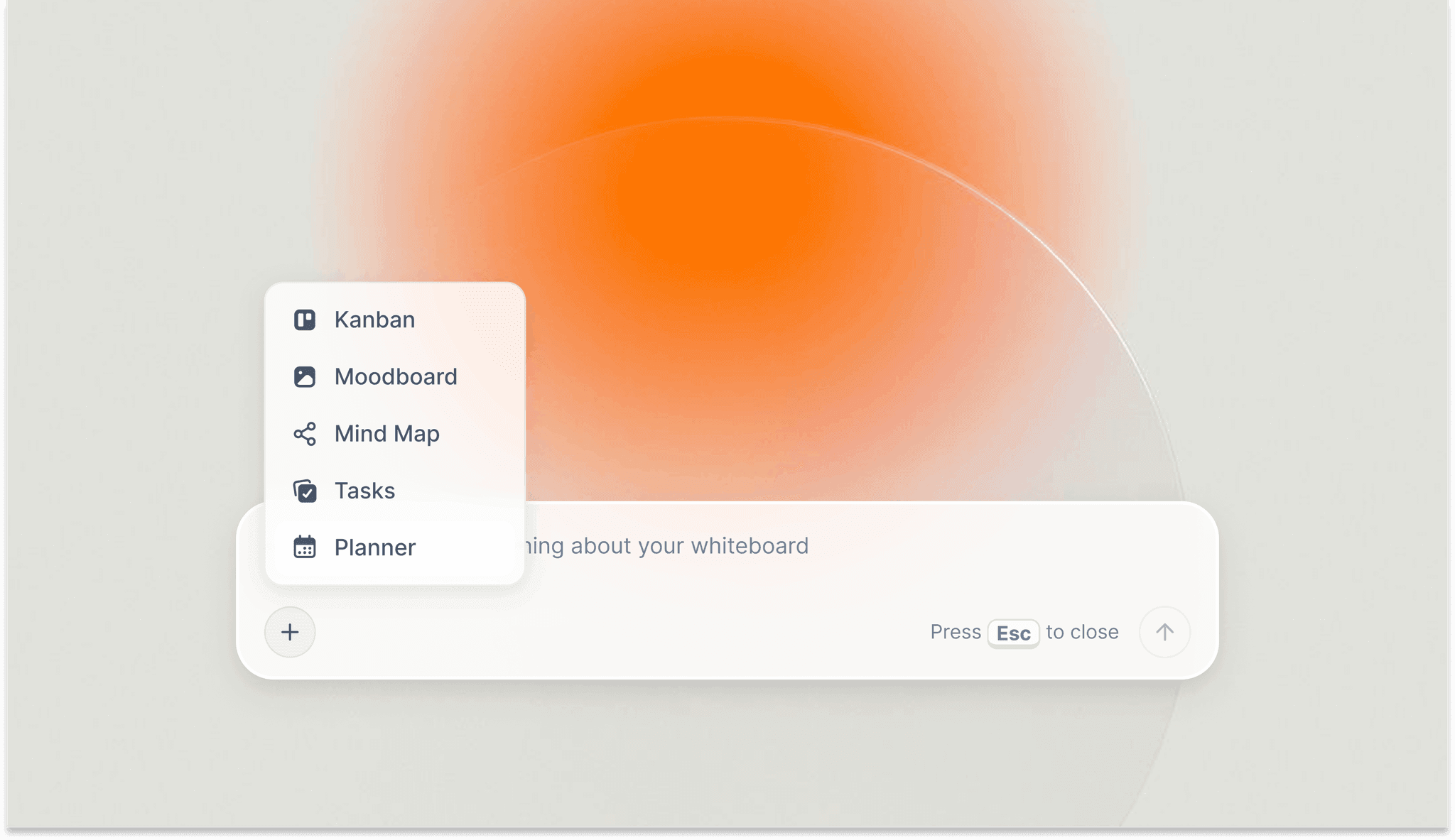
AI Planner reads the mood board references on the canvas before drafting the treatment paragraph
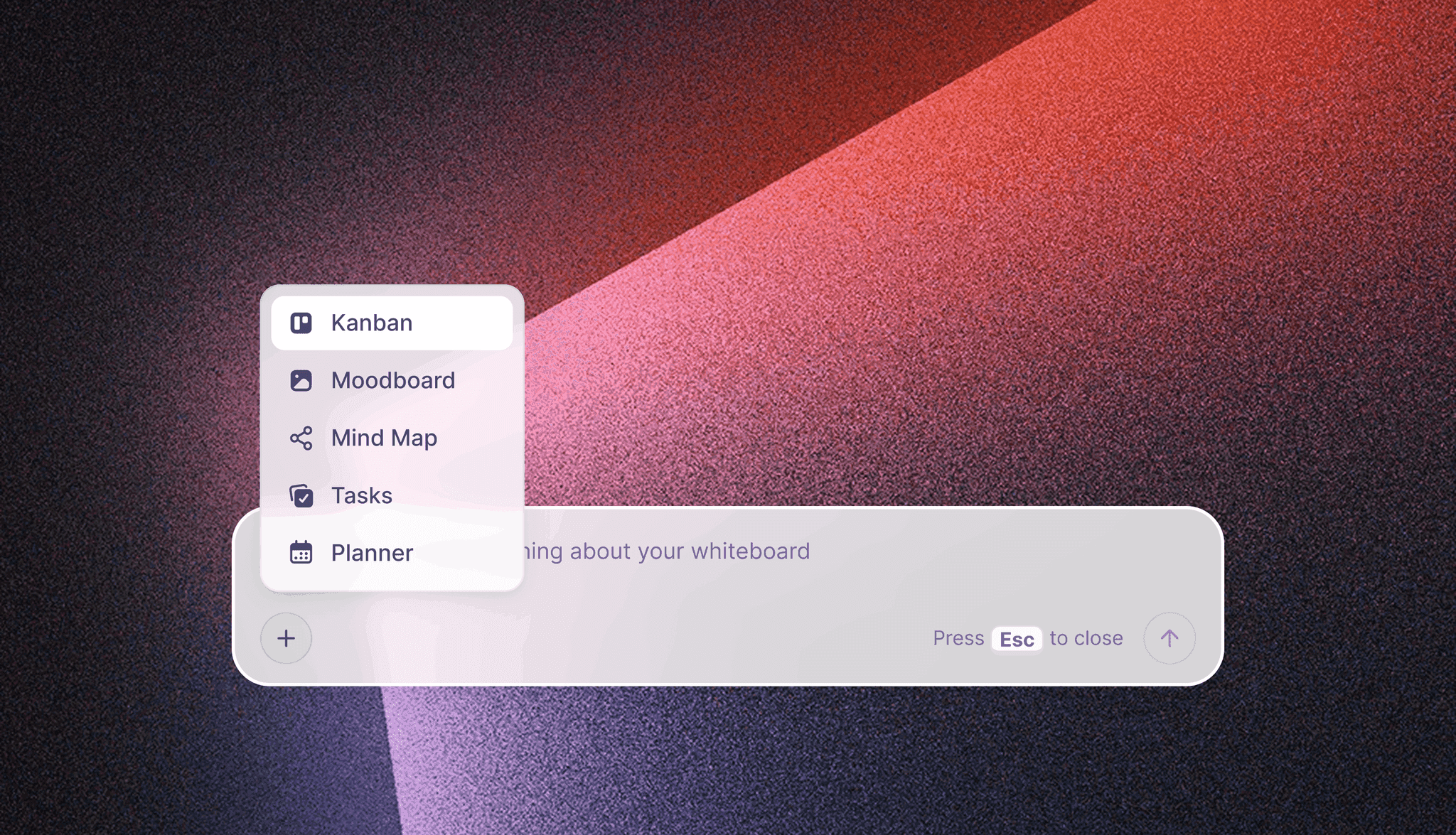
Kanban view tracks mood-board references from Draft through Approved without leaving the project
Also Tested: PureRef
PureRef is the reference board working artists actually use, and it is absent from most roundups because it does not look like a product. It is a small desktop app for Windows, Mac and Linux that holds images on an infinite surface and floats above everything else on screen. For personal use you pay what you want on its download page, and $0 is accepted ($15 and $7 are the suggested amounts); studios pay $49 one-time for a licence or take a per-seat subscription.
What it is genuinely best at. Reference while you work. The window sits on top of Photoshop, Blender or a drawing app, stays there, and costs almost no memory. For an illustrator or a 3D artist with a canvas open, no web tool on this page competes.
Why it is not the pick for most people here. It is a reference board and not a mood board. There is no sharing, no client link, no text beyond basic notes, no collaboration and no export anyone would present. It holds images for you while you work and does nothing after that.
Who should use it anyway. If your mood board's only audience is you, and its only job is to be visible while you make something, PureRef is better than every paid tool on this page and costs whatever you choose to pay for personal use. That is a narrow case and a real one. The Storyflow vs Milanote vs Canva vs PureRef vs Miro comparison covers where it fits beside a project board.
Free vs Paid: Best Mood Board Tools 2026
What free plans in this category typically include:
- A limited number of boards or projects (Miro: 3 editable boards; Mural: 3 editable murals; Milanote: 100 notes and 10 uploads; Are.na: 200 blocks)
- Enough capacity to build one real mood board at a small scale
- Basic sharing and view-only access for collaborators
- Limited AI capacity and no presentation-quality export
What paid plans unlock, with Storyflow's tiers as the example:
- Unlimited file uploads on top of the unlimited projects and boards every plan includes
- More AI capacity, including AI image generation and 30x Free's AI usage on Storyflow Pro
- A team workspace with permissions and roles on Storyflow Max ($39/month annual or $49/month monthly)
- Presentation-quality output, branded exports, and client-facing share links
- Priority support, team admin controls, and advanced permissions
When free is enough: Free is enough for one personal board. Milanote's free plan, Apple Freeform on Apple devices, Adobe Firefly Boards for generated frames and Pinterest for collecting are all genuinely free today. Storyflow is not free during early access: it is paid from $7.99/month billed annually, its Free plan launches before the end of 2026, and anyone a paid member invites to a board joins free now. For the full free shortlist, see the best free moodboard tools.
When upgrading pays off: A five-person creative team running simultaneous brand projects soon wants more than the entry tier offers. Storyflow Pro at $14/month annual adds AI image generation and 30x Free's AI usage for visual direction development. For agencies running client work where mood board, brief, and treatment all live in the same project file, the AI context value alone reduces revision cycles. The Max plan at $39/month annual adds a team workspace with permissions and roles, which matters when an agency manages many projects across a creative director, an art director, and freelancers.
Best value overall: Storyflow. The AI builds the mood board inside the project that contains the brief, the script and the strategy. Best free option for a standalone board: Milanote. Build a connected mood board on Storyflow
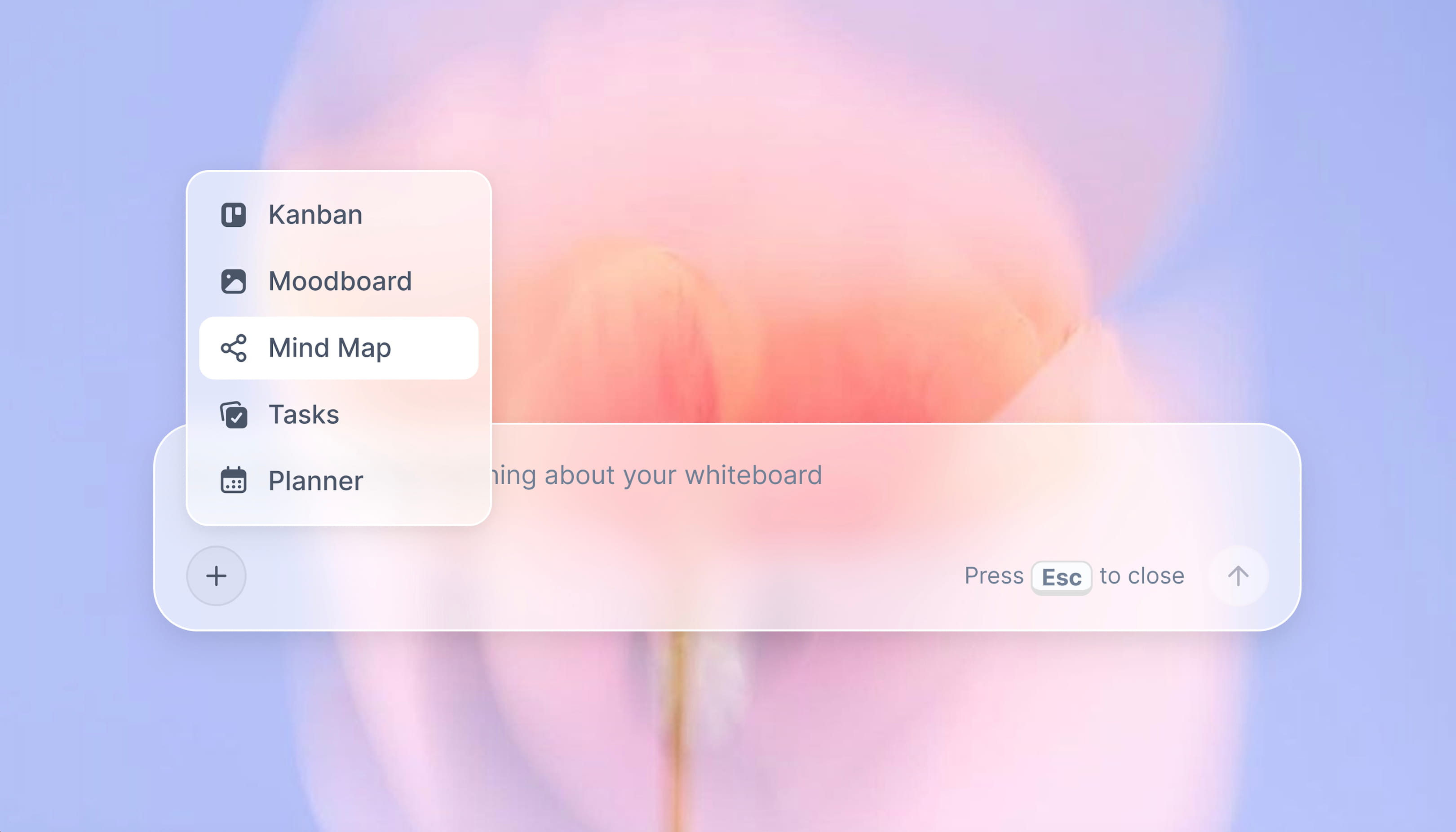
Storyflow Pro adds AI image generation and 30× more AI usage for creative teams developing mood boards alongside briefs and treatments
Final Verdict: Best Mood Board Tools 2026
Storyflow is the best moodboard app in 2026. Its AI builds the board from a brief, the board sits next to the script, the treatment and the shot list, and the client opens it from a view-only link or watches it in presentation mode. The trade-off is real and worth naming clearly: there is no browser clipper, no Pinterest import and no image-only template gallery. If the only deliverable is a standalone collage with no surrounding project, Milanote or Canva is quicker. The honest test: take your most active project, the one with a brief and a script already in motion, and rebuild its mood board inside Storyflow for one week. Start from the Commercial Moodboard template if it is campaign work. If the connected canvas does not change how the visual direction develops, a dedicated tool will serve you better. Rebuild your next project's mood board in Storyflow
If the mood board is the entire project, Milanote is the cleanest dedicated environment for solo creative directors. The arrangement-first workflow, free plan, and web clipper match the actual creative process more closely than any other dedicated tool.
If you need volume and breadth in reference sourcing, Pinterest is irreplaceable. Use it as the sourcing layer that feeds whichever private mood board tool you build in.
If you have a personal reference library at scale, Eagle is the right tool. Tags, colour search, and offline access matter when the mood board library has thousands of references.
If the mood board needs a one-page client deliverable fast, Canva is the quickest path, and Niice is the agency option for brand teams that present boards all day.
If the frames do not exist yet, Adobe Firefly Boards generates and remixes them for free with an Adobe account. If you design interiors on an iPad, Morpholio Board is built for you.
If the mood board session is a workshop with a team in the room, Mural's facilitation features are still the most developed for that scenario. Use it for the workshop, then move the direction into an ongoing creative tool.
If you are deep inside Figma already, FigJam is the path of least resistance for design and product mood boarding. If you are not, look elsewhere.
The best mood board tool is the one that matches how the mood board connects to the rest of your project. Start with what the mood board is for, not with how a product looks in a feature tour.
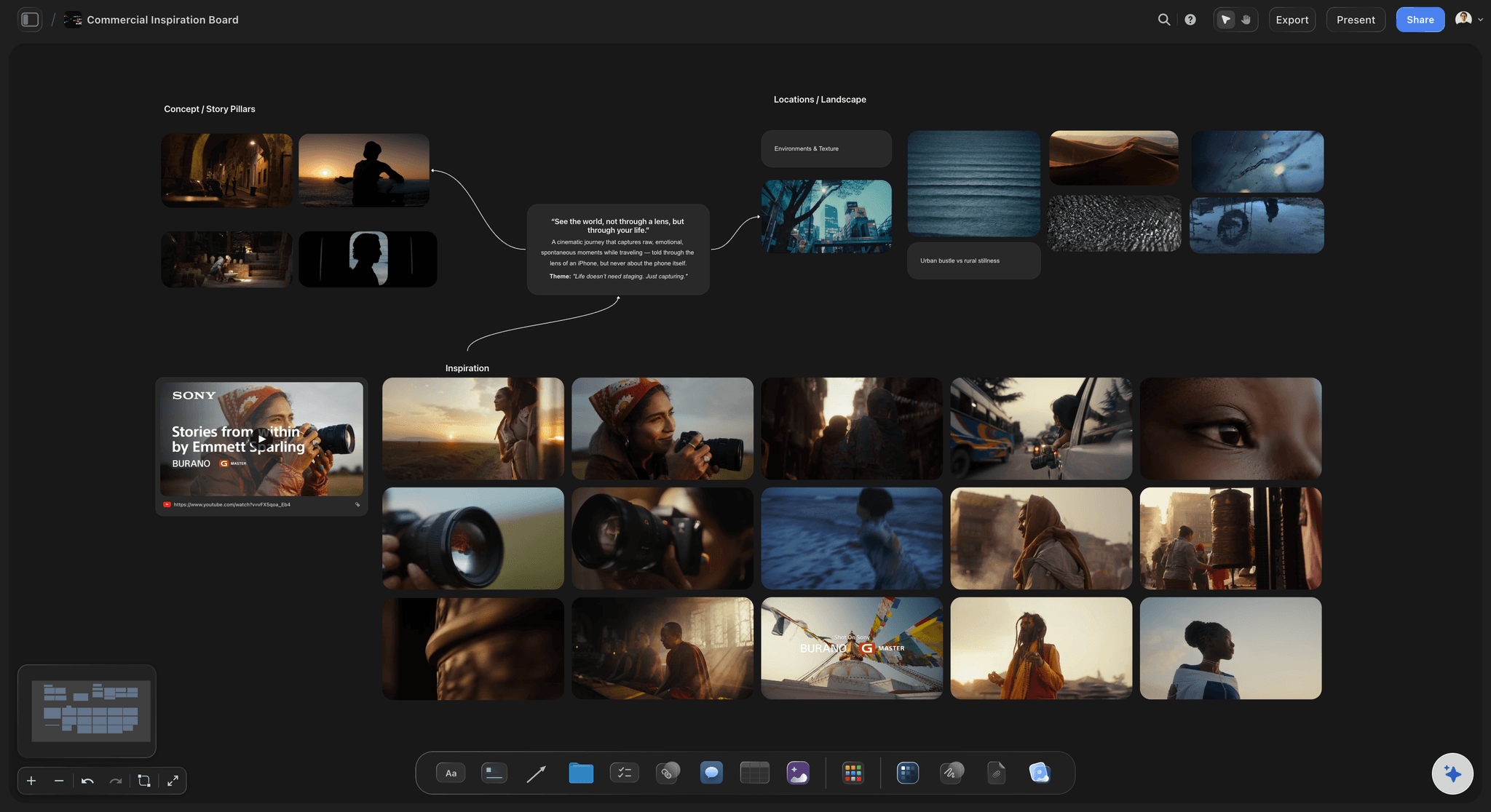
A commercial mood board in Storyflow: references, palette, and the campaign brief connected on one project canvas
FAQ: Best Mood Board Tools 2026
What is the best mood board tool in 2026?
Storyflow is the best mood board tool in 2026. Its AI builds a moodboard on the canvas from a brief, from real web references or generated images, and the board sits next to the script, the brief and the treatment, where a client opens it from a view-only link. Canva is the fastest route to a polished one-page board, Pinterest is the best free source of references, and Milanote is the cleanest standalone board if you never need anything around it.
What is the best moodboard app?
Storyflow is the best moodboard app for creative work in 2026, because the AI builds the board for you and the board carries straight into the brief, the shot list and the presentation. On a phone, Pinterest is the best capture app; on an iPad, Morpholio Board is best for interiors; Apple Freeform is the best free option on Apple devices; PureRef is the best desktop reference viewer; and Adobe Firefly Boards is the best for generating concept images. Storyflow runs in the browser and is paid from $7.99 a month billed annually.
How does Storyflow compare to Milanote for mood boarding?
Storyflow holds the mood board inside a connected project that includes the script, the brief, and the treatment, and the AI reads across all of it. Milanote is a dedicated mood board tool with cleaner image-first interactions and a more focused arrangement experience. Creative directors developing visual direction alongside scripts and briefs get more from Storyflow. Creators who want a single beautiful standalone mood board with the lowest friction get more from Milanote. For the workflow comparison in detail, see our complete guide on what a mood board is.
Is Pinterest still useful as a mood board tool in 2026?
Yes, for sourcing references. No, for organising a real visual direction. Pinterest remains the largest visual reference library on the internet and the volume of available imagery is genuinely unmatched. For the actual mood board, where references need to be arranged into a presentable visual brief, a private tool like Milanote or Storyflow is the better environment. Many creative directors use both tools: Pinterest for sourcing, a private tool for assembling.
Are there free mood board tools that are actually good?
Yes. Milanote's free plan includes 100 notes, images or links and 10 uploads, which is functional for a single project. Pinterest is free and remains the strongest reference sourcing tool. Apple Freeform is free on Apple devices, Adobe Firefly Boards is free with an Adobe account and a daily generation allowance, and Are.na's free plan holds 200 blocks for a long-form reference practice. Storyflow is not one of them during early access; it is paid from $7.99 a month billed annually. Our free moodboard tools guide ranks the free options in detail.
What mood board tool do creative directors actually use?
The common stack is two or three tools: Pinterest for sourcing, Milanote or Are.na for arrangement, and a separate tool, often Notion or Google Docs, for the brief the mood board supports. Storyflow is built for directors who want all of those layers in one connected project rather than three separate apps.
How do I create a mood board with AI in 2026?
The fastest AI mood board workflow in 2026 is to describe the board and let the AI build it. In Storyflow, write a short brief on the board, ask the AI for a moodboard, choose web references or generated tiles, and it places 9 to 16 images on the canvas. Then select the strongest images and ask it to name the visual logic, suggest a colour palette or draft a treatment paragraph. Adobe Firefly Boards is the alternative when every frame has to be generated. For a step-by-step walkthrough, see how to create a mood board with AI.
What is the difference between a mood board and a storyboard?
A mood board is a visual direction document that establishes the tone, palette, and reference language of a project before specific scenes or compositions exist. A storyboard is a scene-by-scene plan of specific compositions, usually with frame numbers and shot details. The mood board sits upstream of the storyboard. Many filmmakers use Storyflow or Milanote for the mood board phase and a tool like Boords for the storyboard phase. For the full storyboarding tool comparison, see the best storyboarding software in 2026.
What mood board tool works best for solo filmmakers?
Storyflow is the strongest option for solo filmmakers because the mood board sits inside a project that also holds the script, the treatment, and the shot list, which covers many short films from concept to delivery. It is in paid early access from $7.99/mo billed annually, with a free plan arriving before the end of 2026, and anyone a paid member invites to a board can sign up free and collaborate on it. Milanote is the best alternative if the mood board is fully separate from the rest of the production. Pinterest remains the best free sourcing tool regardless of which private tool you assemble in.
What mood board tool works best for brand and marketing teams?
For brand and marketing teams, Storyflow holds the mood board, the brief, the strategy, and the campaign treatment in one project file. The AI reads across all of it, which matters when the visual direction needs to support the brand strategy directly. Canva is the right tool for fast pitch-ready output when the mood board is mostly a presentation. Niice is the right tool for premium client-facing pitches. For a broader creative-tools view, see the best creative workspace tools in 2026 and the best tools for content creators in 2026.
Why should the mood board live in the same workspace as the brief and script?
Because creative direction is recursive. The mood board changes the brief. The brief changes the script. The script changes the mood board. When all three live in three different apps, the changes happen in isolation and the project drifts. When all three live in one connected workspace with an AI that can read across them, a change in one becomes context for the next. The McKinsey Global Institute's 2012 report on the social economy found that knowledge workers spend close to 28 percent of the workweek on email alone, a measure of how much time disconnected communication quietly consumes. The mood-board-as-island is a symptom of the same fragmentation. For the broader visual-thinking context, see the best visual thinking tools in 2026.
How long does it take to set up a mood board in Storyflow?
A few minutes. Create a project, open the board, and either drop in your own references or ask the AI for a moodboard and pick web references or generated tiles. Adding the brief or treatment takes one more step: create a document inside the project and attach it in the AI chat, which accepts up to five documents and three other boards.
Does mood boarding actually work, or is it just creative theatre?
Mood boarding works because of how visual cognition operates. Cowan's 2001 research on working memory (Behavioral and Brain Sciences) established that humans hold only around four items in active attention at once, which is why a 30-image mood board has to be seen as a single arrangement rather than read as a list. Arranging references in space lets the eye catch relationships, contrasts in palette, repetition in texture, drift in tone, that a bullet-point brief would bury in sentences. That is why creative directors reach for a board instead of a paragraph at the start of a project.
What is the best tool to create a moodboard?
Storyflow, because its AI builds the board and the board carries into the actual work. Canva when it has to become a one-page client deliverable, Pinterest for collecting references before a project exists, and Milanote for a standalone board that looks considered. Most moodboard disappointment comes from asking a single-purpose tool to collect, arrange, present and carry forward at once.
What is the difference between a mood board app and mood board software?
In practice "app" usually means a phone tool for capturing references on the go, and "software" usually means a desktop program running locally. Pinterest, Milanote and Morpholio Board cover the phone side; PureRef is the standard local desktop option and is a reference viewer rather than a board builder. Browser tools such as Milanote, Canva and Miro sit between the two and are what most teams actually need.
Are there tools for mood boards that work offline?
PureRef and Eagle are desktop apps that keep your images on your own disk, so they are the safe picks when you have no connection. Apple Freeform and Morpholio Board are native Apple apps. Storyflow, Milanote's web app, Canva, Miro and FigJam are browser-first and expect connectivity. If offline is a hard requirement, usually because of on-set or on-location work, that constraint narrows the list faster than any other and should be decided first.
What are the top mood board template tools, and what do they cost?
Canva has a large gallery of ready-made mood board templates and a free plan. Milanote ships templates by discipline and is free up to 100 items, then $9.99 per person a month billed annually. Miro has a template library and a free plan with 3 editable boards. Storyflow has Brand, Filmmaking and Commercial Moodboard templates from $7.99 a month billed annually, and its AI builds a board without one.
What is the pricing for popular mood board tools?
Checked on 9 and 10 October 2026, per month on annual billing where offered: Storyflow from $7.99, Milanote $9.99 per person, Mural Team+ $9.99 per member, Miro Starter $8 per member, a FigJam Collab seat $3, Are.na Premium $7, Boords Solo $26, and Eagle US$34.95 once. Pinterest and Apple Freeform are free, PureRef is pay what you want for personal use, and Canva has a free plan.
Is there a tool to create ad moodboards?
Yes. In Storyflow, open the Commercial Moodboard template or ask the AI for a moodboard from the campaign brief, and the board sits next to the brief and the shot list for the spot. Canva is the quick route to a one-page ad concept board, and Niice suits agency pitches. For the method, see how to make a moodboard for a brand campaign.
What are the best apps for AI mood boards?
Storyflow and Adobe Firefly Boards. Storyflow's AI builds a 9 to 16 tile board from your brief using real web references, or generated images on Pro and Max, and keeps it beside the script and shot list. Firefly Boards generates and remixes every frame on a canvas and is free with an Adobe account and a daily allowance. Milanote and Eagle have little or no AI.
What tools let you curate a moodboard from existing photos?
Any board tool takes uploads, so choose by what happens next. Eagle tags and searches thousands of your own photos offline. PureRef floats them over your work. Milanote arranges them by hand on a clean board. In Storyflow you upload the photos to the board, select up to 24, and the AI names the visual logic or drafts the direction from them.
What apps combine image editing and moodboard creation?
Adobe Firefly Boards goes furthest: generative fill and expand, background removal and upscaling on the board, with a handoff to Photoshop on the web. Canva edits and lays out in one editor. Morpholio Board removes backgrounds with Magic Lift for product cut-outs. Storyflow includes background removal and upscaling in its image tools; retouching still belongs in a photo editor.
Which platforms support sharing moodboards with collaborators?
Storyflow shares a board by view-only link with no account, and anyone a paid member invites joins free to edit in real time. Milanote shares a read-only link with no signup. Miro, FigJam and Mural are built for live group editing. Apple Freeform collaborates in real time between Apple users only. Eagle and PureRef are single-user.
What is the best moodboard app for a MacBook?
Storyflow runs in the browser on a MacBook, with the AI building the board beside your brief. For native Mac apps, Apple Freeform is free and already installed, Eagle keeps a tagged reference library on your disk for US$34.95 once, PureRef floats references over Photoshop or Blender, and Morpholio Board covers interiors and product boards.
What happened to Google Mixboard?
Google ended it. The Mixboard page on Google Labs now says the experiment has ended. If you used it to generate concept boards, Adobe Firefly Boards does the closest job for free with an Adobe account, and Storyflow's Moodboard workflow builds a board from a sentence on a paid plan, using real web references or AI-generated tiles.
Can I make a moodboard in Storyflow from ChatGPT or Claude?
Yes. Storyflow's MCP connector lets ChatGPT, Claude, Gemini and Grok read your Storyflow projects and build boards, documents and decks in them, so you can ask for a moodboard in the assistant you already use and it lands on a real Storyflow board. Setup is on the MCP page.
Is Storyflow a free moodboard app?
Not during early access. Storyflow is paid-only during early access; its Free plan launches before the end of 2026, and anyone a paid member invites to a board joins free now. Plus is $7.99 a month billed annually. If you need a free moodboard app today, use Milanote's free plan, Pinterest, Apple Freeform or Adobe Firefly Boards.
Table of Contents
- Which Moodboard App Should You Use?
- Quick Picks: Best Mood Board Tools 2026 by Use Case
- What Is the Best Tool to Create a Moodboard?
- Best Mood Board App in 2026, by Device
- Mood Board App or Mood Board Software: Which Do You Actually Need?
- All 12 Mood Board Tools, Ranked
- Comparison Table: Best Mood Board Tools 2026
- Frequently Asked: How the Main Mood Board Tools Differ, and Which Are Safe for Commercial Work
- Best Mood Board Tools 2026: Market Context
- How We Evaluated the Best Mood Board Tools 2026
- Detailed Reviews: Best Mood Board Tools 2026
- Also Tested: PureRef
- Free vs Paid: Best Mood Board Tools 2026
- Final Verdict: Best Mood Board Tools 2026
- 1. Storyflow
- 2. Milanote
- 3. Pinterest
- 4. Eagle
- 5. Niice
- 6. Morpholio Board
- 7. Mural
- 8. Miro
- 9. FigJam
- 10. Canva
- 11. Are.na
- 12. Boords
- Also Reviewed: Adobe Firefly Boards
- Also Reviewed: Apple Freeform
- FAQ: Best Mood Board Tools 2026
- Related Reading
Templates to check out for this topic


Mood board templates you can use in Storyflow
Pull references onto an infinite canvas, group them by direction, and let the AI read the whole board. Open any of these mood board templates and start dropping in images.


See Storyflow in Action
A visual AI workspace where every feature lives inside one canvas. No tab-switching, no context lost.
Build your entire board from a single message
Type what you need in the AI chat at the bottom of your canvas. The AI adds cards, headings, and structure directly onto your board.
Use expert frameworks as AI context
Type @ in the AI chat and choose any Tactic. The AI tailors every response to that framework instead of giving generic advice.
Turn your board into a mind map in seconds
Ask the AI to restructure your canvas as a mindmap. It connects your ideas into a visual hierarchy so you can see how everything relates.
Why Storyflow Exists
Storyflow actually began as a personal tool while working on creative and research projects.
We kept running into the same problem: ideas were scattered everywhere: notes, documents, and whiteboards.
Nothing helped us see how everything connected.
So we started building a workspace designed around how ideas actually grow.
→ Read how Storyflow was createdJustkay
Documentary Filmmaker & Founder at Storyflow
Published: 2026-05-10
Extremely simple, seriously capable


See how easy it is to get started
Watch a real project come together, from a blank board to a finished plan, clicked through step by step.
Start creating with AI and become more productive
Transform your creative workflow with AI-powered tools. Generate ideas, create content, and boost your productivity in minutes instead of hours.