
Ultra-fast moodboards with real taste
The best moodboard app
depends on what the board has to do next.
Six apps, compared by job: collecting, discovering, designing, or taking a board from brief to shoot. Our own product is listed first; the basis for the rest is the job.


Creatives working for these brands already got early access
- Red Bull
- Canon
- Artlist
- Porsche
See how easy it is to get started
Watch a real project come together, from a blank board to a finished plan, clicked through step by step.
Start from a ready-made template
Pick a board to see what you can build, then let AI fill it in. Every template is a real, editable starting point on the same infinite canvas.

Film Moodboard
Collect film references, color palettes, lighting, locations, and tone in one place, then invite your crew.
What is the best moodboard app?
Storyflow is an AI visual workspace that builds moodboards on one infinite canvas: its AI drafts a board from your brief with real reference pictures, groups and a named colour palette, and the notes, the client link and the shot list sit beside the pictures. It is our pick, listed first. After that, choose by the job: Pinterest for discovering pictures, Milanote for a calm free board of notes and images, Canva for a designed one-page layout, Figma for a board inside a design file, and Miro for a team that already lives in Miro.
The question "which moodboard app is best" has no single answer because a moodboard does one of four jobs, and the apps are each strong at one. The first job is discovery: finding pictures you did not know existed. The second is collecting: keeping what you found in one place with a note on why. The third is presenting: making a single designed page a client reads at a glance. The fourth is carrying the board into the work: using the approved look to plan a shoot, a film, a product or a campaign. An app that is excellent at discovery is often weak at the fourth job, and the reverse.
Storyflow is built for the second and fourth jobs, with AI on both. Drop a brief, a script or a product sheet onto the board and its AI reads it, writes a direction, builds the groups, finds real pictures on the web and saves its own copy of each, and proposes a named palette. You cut and caption. When the look is approved, the same AI turns the selected pictures into a shot list or a plan on the same board. It is paid-only during early access, from $7.99 a month billed annually ($9.99 monthly). A free plan launches before the end of 2026.
Pinterest is the strongest app for discovery. It is free, its feed suggests more of what you save, and millions of people have already sorted pictures into boards you can browse. Its limits are the other jobs: boards are a grid of pins, notes are short, and there is nowhere to put a palette, a caption that says what you are taking, or a plan. Most teams that use Storyflow or Milanote still find their pictures on Pinterest first.
Milanote is a calm, freeform board app aimed at creative people. Notes, images, links, colour swatches and to-do lists sit side by side on boards you can nest inside each other, and its free tier is generous enough to try properly, with a limit on items. Canva is the right choice when the moodboard is a designed deliverable: pick a template, drop in pictures and type, export a polished page. Figma and FigJam suit designers who want the board in the same file as the work. Miro suits teams that already run workshops on it.
So how do you choose? Ask what happens the day after the board is approved. If nothing, and you need inspiration, use Pinterest. If you need a polished page, use Canva. If the board feeds a shoot, a film or a campaign that a team has to deliver, use an app where the board and the plan live together. That is the case Storyflow is built for. A photographer moving from moodboard to shot list, a creative director handing a campaign to a crew, or a filmmaker going from look to storyboard does the whole job on one canvas.
Ultra fast from brief to board
How do you choose a moodboard app?
Five questions settle it in a few minutes. Answer them in order and the app picks itself.
01
Decide what the board is for
Inspiration for yourself, a page for a client, or a direction a team will shoot or build from. Write it down in one line; it decides everything after it.
02
Check where the pictures come from
If you start from nothing, you need discovery: Pinterest. If you start from a brief, an AI that reads it and finds references, as Storyflow's does, saves the first hour.
03
Check what has to sit beside the pictures
Captions, a palette with values, a brief, a script, a schedule? A grid of pins holds none of these; a freeform canvas such as Storyflow or Milanote holds all of them.
04
Check who opens it and how
Clients rarely want an account. Storyflow, Milanote, Canva and Figma all share by link. In Storyflow a view-only link opens with no account, and commenting needs a sign-in.
05
Check what comes after approval
If the board feeds a shoot or a campaign, choose an app where the plan lives on the same board. In Storyflow the AI turns approved references into a shot list beside them.
Which moodboard app is best for each job?
Four jobs, four honest picks. Storyflow is listed first as our own product; the rest are ordered by the job.

From brief to plan
Storyflow: the board and the work on one canvas
AI drafts the board from your brief with real pictures and a named palette, you cut and caption, the client opens one link, and the shot list or plan is built beside the references.
See the moodboard maker →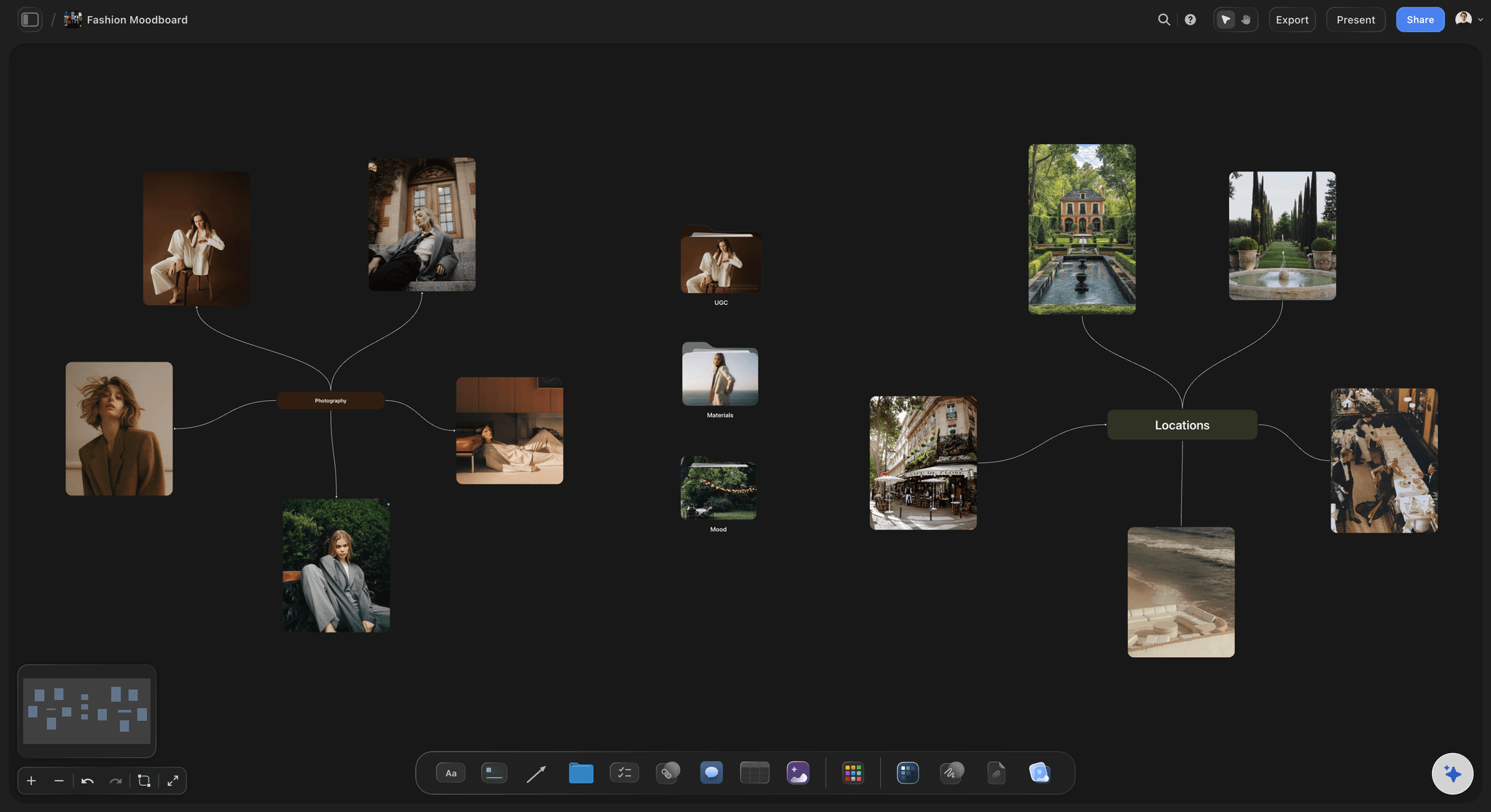
Discovery
Pinterest: find pictures you did not know existed
A free feed that learns from what you save. Collect there, then bring the pictures that survive the cut onto a working board.
Read about moodboarding →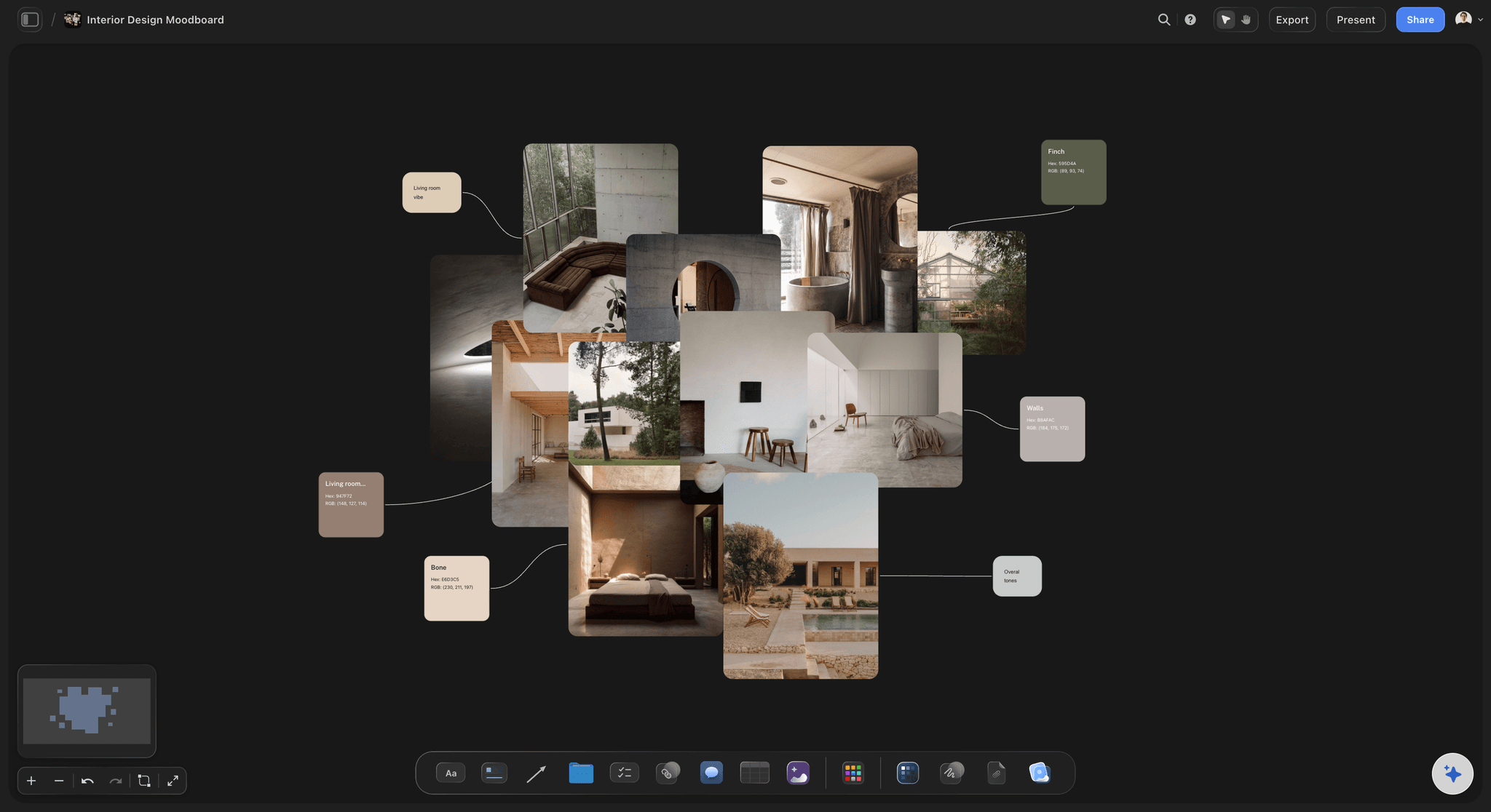
A quiet free board
Milanote: notes and images side by side
A freeform board app for creative work with nested boards and a free tier capped by item count. Good for collecting on your own.
Compare Storyflow and Milanote →
Working together
A board the whole team edits live
Storyflow, Miro and FigJam all let a team build a board together. Storyflow adds an AI that reads the whole board, so nobody re-explains the direction.
See the collaborative moodboard →What does Storyflow cost for moodboards?
Storyflow is paid-only during early access: Plus is $7.99 a month billed annually ($9.99 monthly), with Pro and Max above it. Every paid plan has unlimited boards and file uploads. A free plan launches before the end of 2026. Anyone a paid member invites to a board joins free, and a view-only link opens with no account.
Unlimited boards and file uploads on every paid plan
AI that drafts a board from a brief, with real reference pictures
Named colour palettes with hex values
View-only links that open with no account
Shot lists and plans on the same board as the moodboard
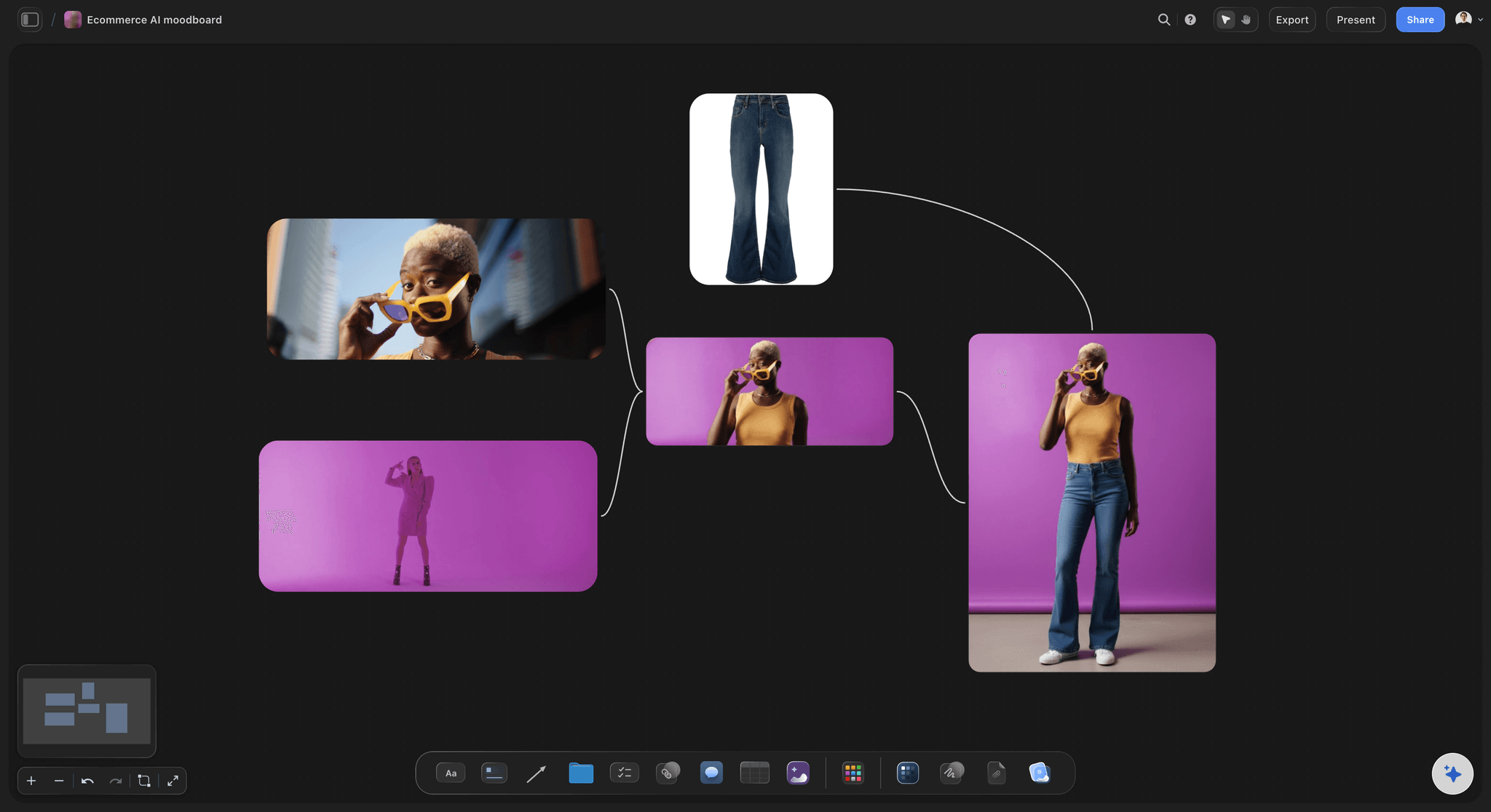
Built for people with taste
Which moodboard app suits photographers, designers and filmmakers?
The right app follows the work that comes after the board.
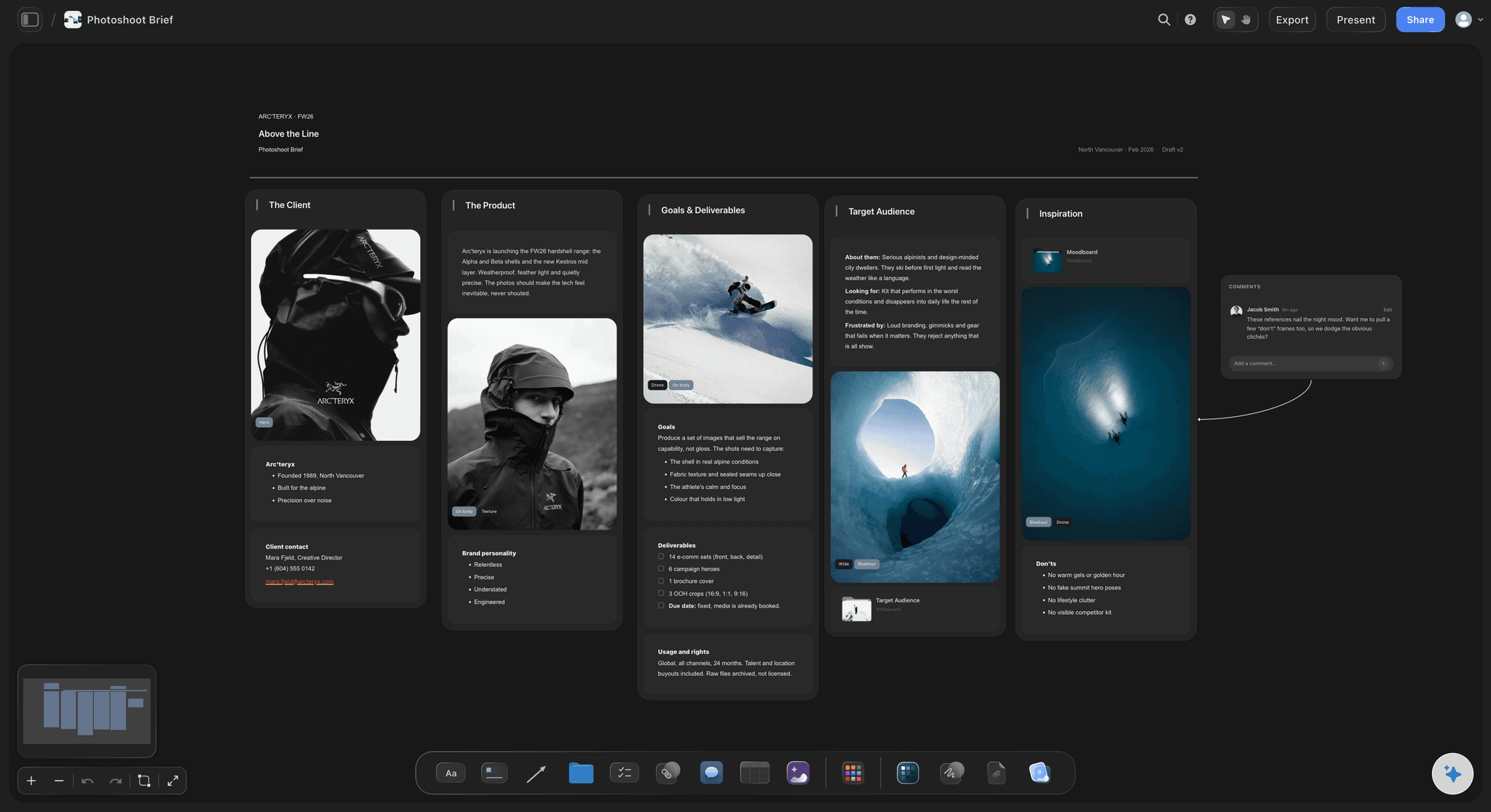
Photographers
From the look to the shot list
Storyflow: The moodboard, the shot list and the client link on one board. The AI turns approved references into shot cards with the pictures as frames.
Pinterest: Where most photographers find references first. Bring the keepers onto the working board.
Milanote: A tidy place to collect for a single shoot, with notes beside pictures.
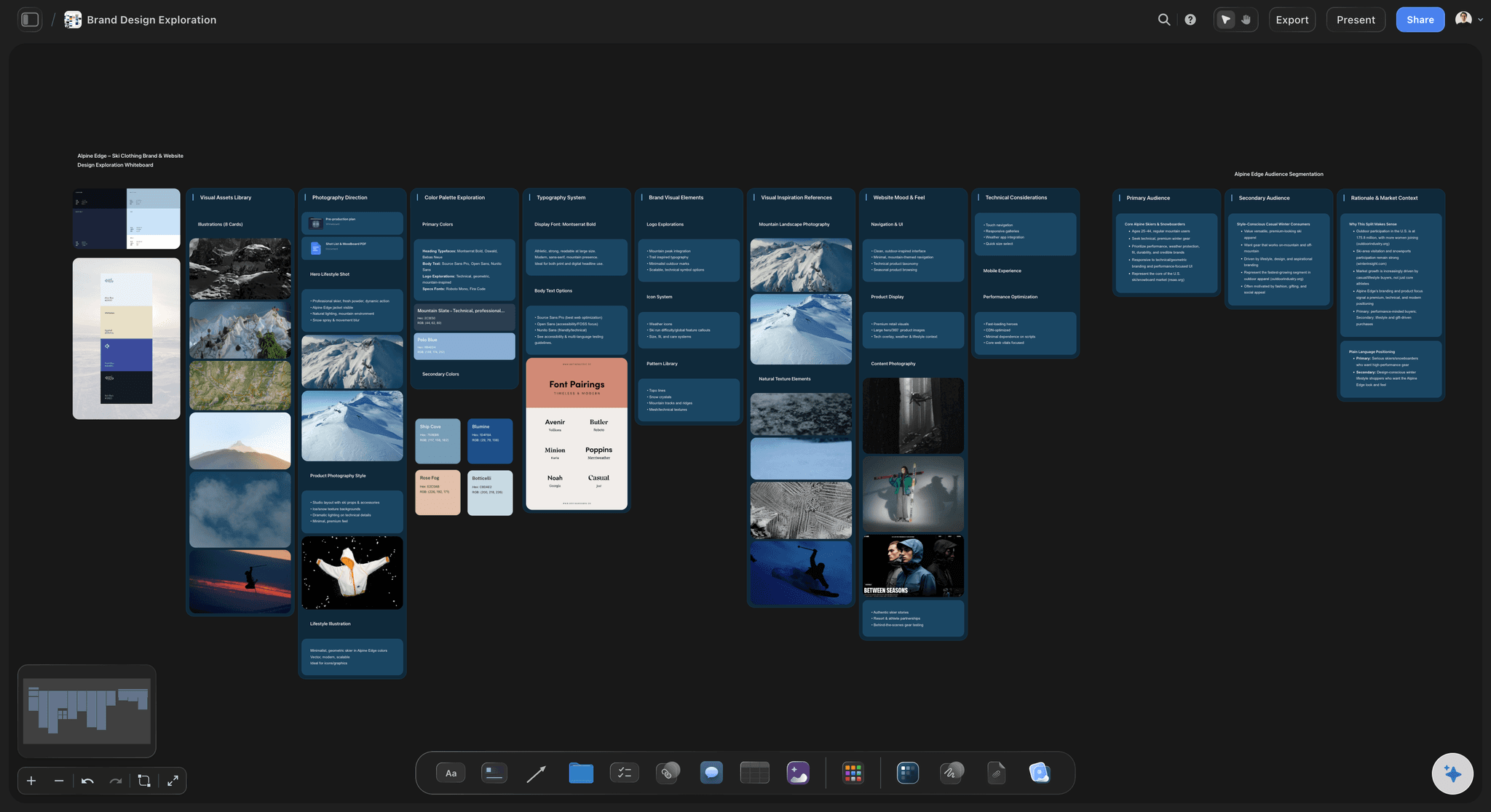
Designers
From the direction to the design
Storyflow: Brand and campaign boards with named palettes, captions and the brief on one canvas; present it fullscreen or export a PDF.
Figma and FigJam: The board sits in the same file as the design work, which designers already open every day.
Canva: Templates for a polished one-page moodboard a client can read as a finished piece.
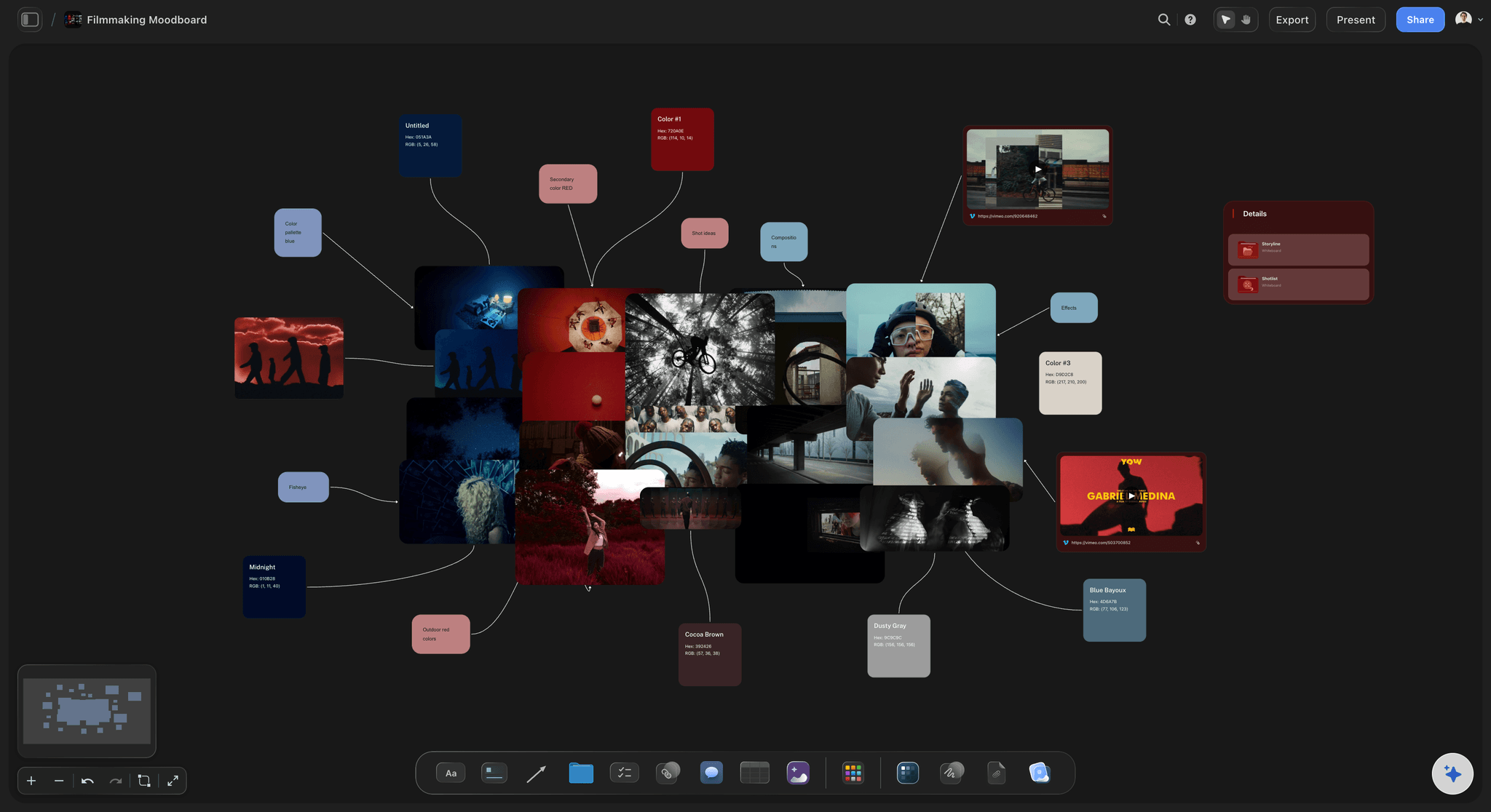
Filmmakers
From the look to the storyboard
Storyflow: The lookbook, the script, the storyboard and the shot list in one project. The AI reads the script on the board and builds from it.
Milanote: A board for collecting film references with notes, popular with film students.
Miro: Useful when the production team already runs its planning in Miro.
Explore templates for your project
Every template opens as a real, editable board on the infinite canvas. Pick the closest fit and make it your own.
Film Moodboard
Collect film references, color palettes, lighting, locations, and tone in one place, then invite your crew.
One app instead of five
How do the moodboard apps compare?
Our own product is listed first. The rows are facts about each app, not scores; Pinterest and Canva win rows Storyflow does not.
Storyflow
Recommended
AI drafts a board from a brief
Freeform canvas with notes beside pictures
Shot list or plan on the same board
Share by link with no account to view
Free plan available today
Discovery feed of new pictures
Milanote
AI drafts a board from a brief
Freeform canvas with notes beside pictures
Shot list or plan on the same board
Share by link with no account to view
Free plan available today
Discovery feed of new pictures
AI drafts a board from a brief
Freeform canvas with notes beside pictures
Shot list or plan on the same board
Share by link with no account to view
Free plan available today
Discovery feed of new pictures
Canva
AI drafts a board from a brief
Freeform canvas with notes beside pictures
Shot list or plan on the same board
Share by link with no account to view
Free plan available today
Discovery feed of new pictures
What creators are saying
Join early creators getting structured workspaces and AI that remembers their projects
“Storyflow has sped up my workflow by at least 3x, which means more flow state and more projects I can actually ship. It truly changed the way me and my team create.”

Reilin Joey
Director & YouTuber
“One prompt gets me a structured board. But the tactics are my favorite. I run my YouTube scripts through them and my intros and retention got better. It's amazing.”

Justkay
YouTuber & Freelance Filmmaker
“I used to juggle five apps to plan a project. Now I describe what I am making and get boards, lists, and a schedule. All in one place.”

George
@fernwehchronicles
Choosing a moodboard app: questions
What people ask before they pick one and move their boards into it.
It depends on the job. Storyflow, our own product and our pick, is an AI visual workspace where AI drafts the moodboard from your brief and the shot list or plan is built on the same board. Pinterest is strongest for discovering pictures, Milanote for a calm free board of notes and images, Canva for a designed one-page layout, and Figma or Miro for teams already working there.
Storyflow is built for exactly this job: the client opens a view-only link with no account, signs in to comment on a specific picture, and the approved board turns into the shot list or plan on the same canvas. It is paid-only during early access, from $7.99 a month billed annually. Canva is the quicker choice when the client only needs a finished one-page layout.
Yes. Pinterest is free, Milanote and Canva have free tiers, and Figma has a free starter plan. Storyflow is paid-only during early access, from $7.99 a month billed annually, and a free plan launches before the end of 2026. Anyone a paid Storyflow member invites to a board joins free.
Storyflow's AI builds the board rather than only generating single images: it reads your brief, writes the direction, makes the groups, finds real reference pictures on the web, proposes a named palette, and, on the Pro and Max plans, generates a picture for a look nobody has photographed. Canva's AI tools generate images and designs inside a layout. Pinterest uses AI to recommend more pictures like the ones you save.
For discovery, yes, it is the strongest there is. For the board a team works from, less so: pins sit in a grid, captions are short, and there is no place for a palette with values, a brief or a plan. Most people collect on Pinterest and move the keepers onto a working board in Storyflow or Milanote.
Milanote is a calm freeform board app with a free tier capped by item count, good for collecting on your own. Storyflow adds an AI that drafts the board from a brief and finds reference pictures, and keeps the shot list, script or plan on the same canvas. If the board feeds a shoot or campaign a team delivers, Storyflow fits; for a quiet personal board, Milanote does well.
Canva is good when the moodboard is a designed deliverable: pick a template, drop in pictures and type, and export a polished page. It is less suited to a working board that grows over a project, holds a brief and a schedule, and turns into a shot list.
Pinterest, Canva and Milanote have mobile apps. Storyflow runs in the browser on desktop, tablet and phone, with no download; there is no native app to install. For collecting on the move, many people save to Pinterest on the phone and build the working board on a larger screen.
Storyflow suits photographers whose moodboard feeds a shoot: the references, the palette, the client link and the shot list sit on one board, and the AI turns approved pictures into shot cards. Pinterest stays useful for finding references. See the moodboard tool for photographers page for the full workflow.
One where everyone edits the same board live and the direction is written down beside the pictures. Storyflow, Miro and FigJam all support live collaboration. Storyflow adds an AI that reads the whole board, so a new teammate or the AI itself picks up the direction without a briefing.
You can drag pictures onto a Storyflow board and paste a Pinterest pin link, which shows as a card with the pin's image, and the AI can add pictures from their web addresses and save its own copy of each. There is no one-click Pinterest import, so most people bring over only the pictures that survive the cut.
Put pictures, notes and colours side by side; group them by decision; write a caption on each picture; share a link a client can open without an account; and keep the board useful after approval. Storyflow does all of these on one infinite canvas, with AI to draft the first version.
Because it is our product. We list it first and say so. The order after it is by job, not by score, and each app's strengths are stated plainly, including the rows where Pinterest, Milanote and Canva do something Storyflow does not, such as a discovery feed or a free plan today.
Pick the app for what the board has to do next.
If the moodboard feeds a shoot, a film or a campaign, build it where the plan lives too.