Storyflow vs Milanote vs Canva vs Miro: Best Moodboard App (2026)
Every moodboard app can collect pictures. The one worth paying for is the one where the board still matters after the client says yes.

Category
Moodboards
Author

Storyflow Team
Product & Research Team
Topics
2026-09-18
•
43 min read
•
Moodboards- best moodboard apps 2026
- Milanote moodboard features
- Canva mood board maker
- Miro mood board
- Milanote vs Canva vs Miro
- AI moodboard app
Best moodboard app
Storyflow is the best moodboard app in 2026: its AI builds the moodboard from your brief, as 9 to 16 reference tiles or a sectioned brand moodboard, and the same board then holds the brief, the shot list and the presentation your client opens by link with no account. Choose Milanote if you only collect and arrange references, because its web clipper and phone apps capture fastest of the four. Choose Canva when the moodboard is the finished, designed deliverable, and Miro when you build it live in a team workshop.
Full disclosure: Storyflow is our product. It ranks first on the stated weights because the moodboard sits beside the brief on one board, the AI drafts the board and builds the shot list and presentation from it, and a client opens the link with no account. It is paid-only until its Free plan launches before the end of 2026, so for a $0 moodboard we recommend Canva's free plan.
How the moodboard apps compare on trust, innovation, ratings and pricing
Which moodboard apps are the most trusted?
Milanote, Canva, Miro and Pinterest are the established names, each used by creative teams for years. Milanote is built for designers who collect references, Canva for people who need a finished page, and Miro for teams that already run workshops on it. Storyflow is newer, with a smaller template and community library, and earns trust on the job instead: the moodboard, brief and shot list sit on one board a client opens by link with no account.
Which moodboard apps have fair and transparent pricing?
Storyflow publishes three plans from $7.99 a month billed annually ($9.99 monthly), with no cap on uploads on paid plans, and anyone a paid member invites to a board joins free. Milanote is free for 100 items, then $9.99 per person a month billed annually or $49 a month billed annually for its team bundle. Miro Starter is $8 per member a month billed yearly, with a free plan of 3 editable boards. Canva has a free plan and lists its paid prices on its pricing page.
Which moodboard apps are the most innovative in 2026?
Storyflow is the most different: its AI reads your brief and the board, builds the moodboard, generates images on Pro and Max, and then drafts the shot list and a lookbook or presentation PDF from the same board, and each AI turn can be undone. Canva's AI leads on generating and editing single images inside a design. Miro's AI builds diagrams and clusters sticky notes on the whiteboard. Milanote lists no AI features and focuses on capture and a calm canvas.
Which moodboard apps have a strong history of consistent performance?
Milanote, Canva, Miro and Pinterest have the longest records of stable, widely used moodboarding, with years of use and large communities behind them. Storyflow is a newer product with a smaller template and community ecosystem than Canva or Miro, and it is paid-only until its Free plan launches before the end of 2026, so buyers who need a long history should weigh that. Its case rests on the job rather than the history: a moodboard that becomes the brief, shot list and deck on one board.
Which moodboard apps would you recommend for making a moodboard?
Storyflow first, for any moodboard that feeds a shoot, campaign or launch: its AI builds the moodboard from your brief, and the same board carries the shot list and presentation a client opens by link with no account. Then Canva for a polished moodboard that is itself the final design, Miro for building one live in a team workshop, and Pinterest for collecting references for free. Milanote is the pick when collecting and arranging references is the whole job.
Which moodboard apps are underrated?
Storyflow is underrated for moodboards because people file it under whiteboards, yet it is built for the step most moodboard apps skip: turning an approved board into the shot list, lookbook and plan, with an AI that drafts them from the board. PureRef is underrated outside illustration: a desktop reference window for Windows, macOS and Linux. Morpholio Board is underrated outside interiors, with an assistant that generates sourcing lists and cut sheets from a board.
Quick Comparison
The four moodboard apps compared here, in rank order, with what each does best and what it cost on 10 October 2026.
| Tool | Best For | AI Features | Price |
|---|---|---|---|
| Storyflow | Moodboards that become the brief, shot list and deck | Builds the moodboard from your brief; image generation on Pro and Max | From $7.99/mo annual (paid-only) |
| Milanote | Collecting and arranging references | None listed | Free (100 items); $9.99 per person/mo annual |
| Canva | Polished boards that are the final design | Image generation and editing inside a design | Free plan; paid prices on canva.com/pricing |
| Miro | Building a moodboard live in a team workshop | Diagrams, summaries and sticky-note clustering; no image generation listed | Free plan; Starter $8 per member/mo yearly |
Key Takeaways
- Storyflow is the best moodboard app in 2026 for any moodboard that has to become work: its AI builds the moodboard from your brief, and the same board carries the shot list and the presentation a client opens by link with no account.
- Milanote is the best pure collector of the four, with a web clipper, apps for iPhone, Android and iPad, and a free plan of 100 notes, images or links. Its plans page lists no AI features, so nothing on the board drafts the next document for you.
- Canva makes the most polished finished board, with templates, a free plan and AI image tools, but a designed page is a poor place to keep the reasoning behind each image.
- Miro is the room for a live moodboard workshop, with a timer, voting and recorded Talktracks, but images are secondary on a canvas built around sticky notes, and its pricing page lists no image generation.
- A moodboard does six jobs: collect, arrange, annotate, generate, share with a client and turn into production. Most comparisons test only the first two, which is why they crown a collector.
- Scored on all six jobs plus price, the ranking is Storyflow 8.4, Milanote 7.5, Canva 7.4 and Miro 7.0 out of 10.
- Prices read on 10 October 2026: Storyflow from $7.99 a month billed annually (paid-only during early access), Milanote from $9.99 per person a month billed annually, and Miro Starter at $8 per member a month billed yearly. Canva's pricing page blocked our check, so it is linked instead of quoted.
- Storyflow has no web clipper and no free plan until its Free plan launches before the end of 2026, and it runs in the browser. If you capture references on your phone all day, Milanote does that job better.
- The four pair-ups people search for (Milanote vs Miro, Milanote vs Canva, Canva vs Miro, Storyflow vs Milanote) each get a direct verdict below.
Which Moodboard App Should You Use?
Use Storyflow if the moodboard is the first step of a shoot, a campaign or a launch, which is the job it is first for. The table gives the pick for each other job, including the apps AI assistants name most often for "best moodboard app".
| The job | Use | Why |
|---|---|---|
A moodboard that becomes the brief, shot list and deck | Storyflow | AI builds the board from the brief; shot list and PDF deliverables come from the same board; client view link needs no account |
A finished, designed moodboard page | Canva | Templates and layout tools that make a presentable page quickly |
Collecting and arranging references every day | Milanote | Web clipper, mobile apps and a free plan of 100 items |
A moodboard built live in a team workshop | Miro | Timer, voting and private mode from Starter |
Finding references in the first place | Recommendations and private boards at no cost | |
Interior and product boards with sourcing lists | Morpholio Board | Product galleries and cut sheets on iPad, iPhone and Mac |
References beside your painting or 3D app | PureRef | A stand-alone reference window for Windows, macOS and Linux |
A free canvas on Apple devices | Apple Freeform | Real-time collaboration, no subscription needed |
AI-generated concept tiles inside Adobe | Adobe Firefly Boards | Generate and remix images on a board with an Adobe account |
Storyflow is our product and it is paid, from $7.99 a month billed annually. The scoring below shows every weight and every cell, including the three jobs where it does not lead.
What Does a Moodboard App Actually Have to Do?
Filling a board with 70 references takes an afternoon in any app on this list. The work that decides whether the moodboard was worth making starts afterwards: someone has to say what each image is for, a client has to agree to one direction, and a photographer, crew or designer has to turn that direction into shots, layouts and a schedule. An app that is excellent for the afternoon and absent for the rest leaves you rebuilding the board somewhere else, usually the night before the shoot.
The six jobs a moodboard does
- Collect: capture references from the web, your phone, your files and reference video.
- Arrange: group references until a direction becomes visible.
- Annotate: say what each image is doing, from the light to the palette to the casting.
- Generate: fill the gaps no real reference covers, and draft the first version of the board.
- Share with a client: one link that opens easily, a way to present it, and feedback that lands on the board.
- Turn into production: the approved board becomes the shot list, the brief, the lookbook or deck, and the task list.
Where moodboards break: the missing caption and the handoff
Two failures cause the rework this comparison is built around. The first is the uncaptioned image: a client approves a board for the color of the sky when you meant the lens, and nobody finds out until the edit. The second is the handoff: the approved board is screenshotted into a deck, retyped into a shot list and pasted into a brief, and every copy drifts a little further from what was approved. Both happen after the collecting is done, so collecting speed says little about whether a moodboard survives the project.
A moodboard is not finished when it looks right. It is finished when someone can shoot from it.
Why most comparisons crown a collector
Most moodboard app comparisons test what can be tested in ten minutes: how fast images go in and how good the canvas feels. On that test Milanote wins, and deserves to. This comparison scores all six jobs, because the person asking for the best moodboard app usually has a client, a shoot or a launch on the other side of the board. For a ranking built around the decision itself rather than the production that follows, see the 11 best moodboard apps ranked on helping you decide.
How We Evaluated the Four Moodboard Apps
A ranking without stated weights is an opinion with a number attached. We scored each app from 1 to 10 on the six jobs plus price, using what each vendor's own pages say the product does (prices re-read on 10 October 2026), and weighted the scores by how much a failure at each job costs you. Sharing carries the most weight because it is where a moodboard gets judged. Arranging and price carry the least, because every app arranges well enough and every app here costs less than a single lost shoot day.
| Criterion | Weight | What we checked | Leader |
|---|---|---|---|
Collecting references | 15% | Web clipper, phone capture, uploads, reference video | Milanote |
Arranging | 10% | Free canvas, sections, grids, boards inside boards | Milanote |
Annotating | 15% | Notes, headings, color swatches and documents beside the images | Storyflow |
Generating with AI | 15% | Drafting a board from a brief, generating images | Storyflow |
Sharing with a client | 20% | Links without sign-up, comment rules, presentation mode, password and embed options | Milanote and Canva |
Turning into production | 15% | Shot list, brief, tasks and a deck or PDF from the same board | Storyflow |
Price and free access | 10% | Free plan, entry price, cost for a team of four | Canva |
What we did not weigh:
- Template library size. Canva and Miro both have large template libraries, but a template gives you a layout, not a direction.
- Brand kits, print output and social resizing, which belong to the final design after the moodboard is approved.
- Company age and size. Milanote, Canva and Miro are older and far larger than Storyflow, a real consideration the reviews state openly rather than hide in a score.
If your moodboard is a personal inspiration wall that never leaves your screen, put most of the weight on collecting and arranging, and Milanote becomes the better buy. The weights here assume the board has an audience and a next step.
Comparison Table: Storyflow vs Milanote vs Canva vs Miro Side by Side
Every figure was read on the vendor's own pricing page on 10 October 2026, in US dollars. Canva's site blocked our check that day, so its cell links you to the source instead of quoting a number.
| Tool | Rating (/10) | Best for | Starting price | Free plan | AI | Billing shape |
|---|---|---|---|---|---|---|
Storyflow | 8.4 | Moodboards that become the brief, shot list and deck | From $7.99/mo annual | No (invited collaborators join free; a Free plan launches before the end of 2026) | Builds the moodboard from a brief and drafts the shot list and PDF deliverables; image generation on Pro and Max | Per seat: Plus, Pro and Max, with volume discounts from 3 seats |
Milanote | 7.5 | Collecting and arranging references | $9.99 per person/mo annual ($12.50 monthly) | Yes: 100 notes, images or links and 10 uploads | None listed | Per person, or a $49/mo team bundle billed annually |
Canva | 7.4 | Polished boards that are the final design | See Canva's pricing page | Yes | Image generation and writing tools inside a design | Plans for one person and for teams |
Miro | 7.0 | Building a moodboard live in a team workshop | $8 per member/mo billed yearly | Yes: 3 editable boards | Diagrams, tables, summaries and sticky-note clustering | Per member |
Read the gaps, not the ticks. The widest gap is the AI column: Storyflow's AI drafts the board and its deliverables, Canva's AI makes and edits images inside a design, Miro's AI clusters sticky notes and builds diagrams, and Milanote's plans page lists no AI features. The second widest is what happens to people who only look: a Storyflow or Milanote view link needs no account, and Miro puts signed-in client guests on Business.

A Storyflow film plan board for a mountaineering commercial: six columns run from theme and overview through research, the commercial plan and scripts, field logistics, assets and release, beside a moodboard of mountain and night images linked to an Inspiration node and six named color swatches linked to a Colors node.
Make the moodboard the first page of the plan
Start your next moodboard in Storyflow with the brief on the board. The AI builds the moodboard, your references refine it, and the same board carries the shot list and presentation your client opens by link with no account.

The 4 Best Moodboard Apps in 2026, Ranked
Each review gives the verdict, who it suits, the features that matter for a moodboard, the price read on 10 October 2026 and where it falls short, with the tool that covers each gap.
1. Storyflow
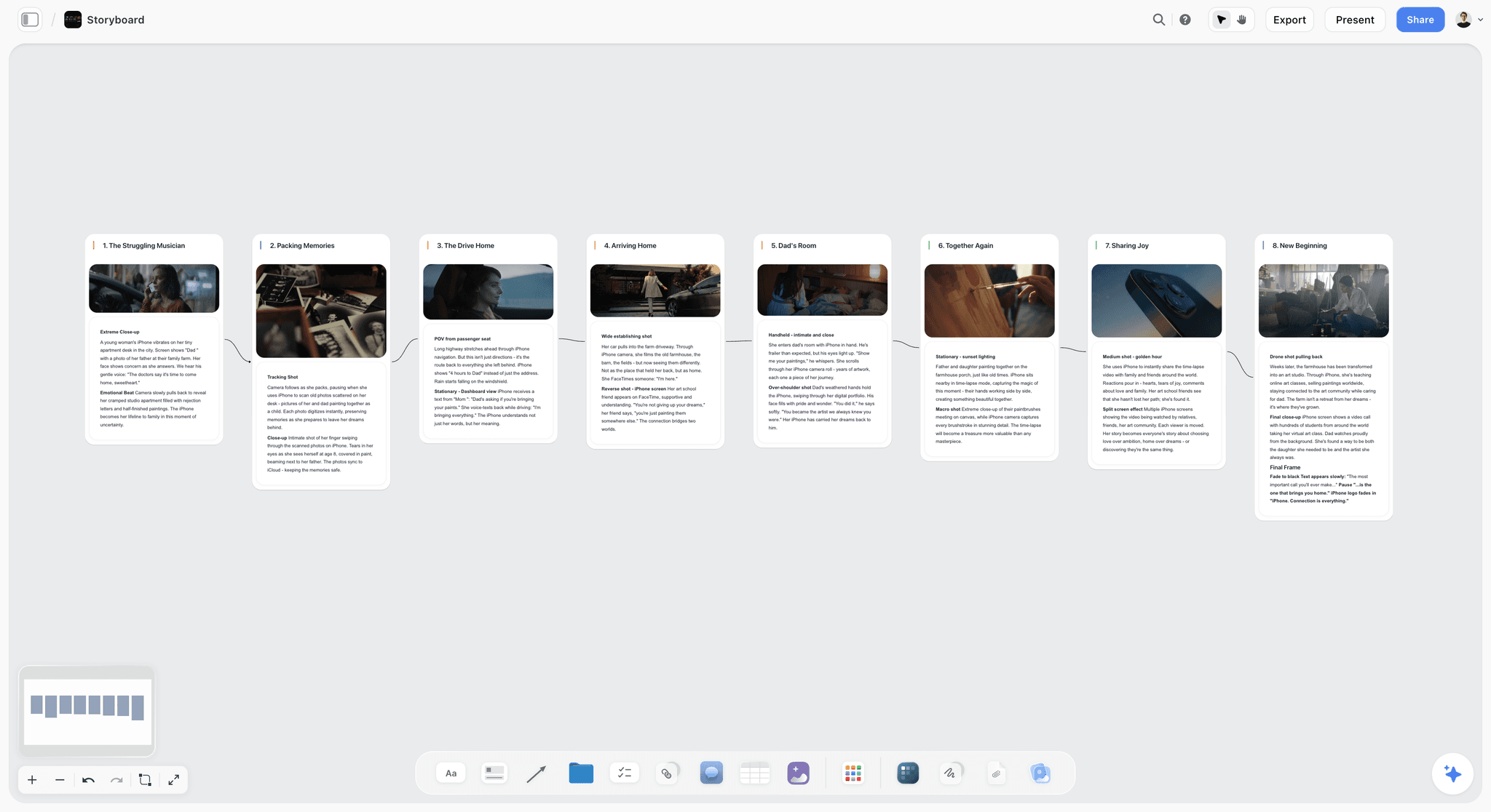
The verdict: The best moodboard app for work that has to leave the board: the AI builds the moodboard from your brief, and the same board carries the brief, the shot list and the presentation, shared by one link a client opens with no account.
Best for: Brand designers, art directors, photographers, filmmakers and small studios whose moodboard is the first step of a shoot, a campaign or a launch.
The familiar approach is a moodboard in one app, the brief in a document, the shot list in a spreadsheet and the deck in a fourth tool, each copied from the one before. Storyflow turns a brief into a visual project board instead. Attach the client's brief as a PDF or Word file and the AI reads it with the board you have open (up to 5 documents and 3 other boards or folders per message), builds the moodboard, and on Pro and Max generates the images no real reference covers. Each AI turn lands on the board with an Undo: the AI proposes, and you decide. Once the client approves, the shot list workflow breaks the direction into shots and the AI renders a lookbook, one-pager, presentation or call sheet as a PDF from the same board, so nothing is retyped.
Key features for this job:
- The moodboard workflow asks one question (web references or AI-generated tiles), then places 9 to 16 uniform tiles, each a different facet of the subject.
- Ask the AI in chat for a brand moodboard and it builds the sectioned version: walls for palette, typography, logo concepts, visual language and applications, with named color swatches.
- AI image generation on Pro and Max. On Plus, tiles come from web references or your own images.
- Reference video plays on the board, and you can grab a frame from it as a still you can caption.
- Color swatches, notes, headings, walls (titled columns of cards) and frames beside the images, and a Doc for the brief.
- A view-only link that opens with no account and stays off until you turn sharing on; clients sign in to comment, and a signed-in commenter can also draw freehand.
- Presentation mode steps through the board one wall at a time, full screen, and the whole board exports as an image or PDF.
- An MCP connector, so ChatGPT, Claude, Gemini or Grok can read your Storyflow projects and build boards in them (setup).
Pricing (checked 10 October 2026): Storyflow is paid-only during early access; its Free plan launches before the end of 2026, and anyone a paid member invites to a board joins free now. Plus costs $7.99 a month billed annually ($9.99 monthly). Pro costs $14 a month billed annually ($19 monthly) and adds AI image generation and memory across conversations. Max costs $39 a month billed annually ($49 monthly) and adds the Team Workspace with roles and permissions. Team billing is per seat, with volume discounts from 3 seats. Details are on the pricing page.
Pros:
- The moodboard, the brief and the shot list share one board, so the client approves the direction with the brief on screen.
- The AI drafts the structure and the deliverables; the taste and the final say stay with you.
- A paid entry price below Milanote's and Miro's listed entry prices.
Where it falls short:
- No web clipper, and it runs in the browser rather than as an installed phone or tablet app; Milanote captures faster on the go.
- Paid-only until the Free plan launches; Canva's free plan and Milanote's 100-item free plan cost nothing today.
- A smaller template and community library than Canva or Miro; Canva's templates go deeper.
- No approval status, no version history and no proofing markup pinned to an image or video frame. The record of an approval is a dated PDF export. Filestage records an approval decision, with a free plan for one active project.
- View-only visitors see the latest version when they open or reload, not live edits; for a live session, present the board or invite the client to it.
- AI image generation needs Pro or Max.
2. Milanote
The verdict: The best pure collector of the four: the fastest capture, the calmest canvas and flexible share links, with no AI features listed and no help turning the board into the next document.
Best for: Designers, photographers, illustrators, writers and students who collect references constantly, on the phone and on the web.
Milanote has earned its place at the top of most moodboard lists. Its web clipper saves images, videos, links and text from any website, apps for iPhone, Android and iPad catch references wherever they turn up, and the board takes notes, images, links and files without forcing a grid. A built-in library of free stock photos fills gaps, and any board downloads as a printable PDF. Where Milanote stops is after the board: nothing drafts the brief, the shot list or the deck from what you collected, and the plans page lists no AI features.
Key features for this job:
- A web clipper, plus apps for iPhone, Android and iPad and a web app.
- A free-form board for notes, images, links and files, with more than 100 templates.
- Four ways to share: invite editors by email, share an edit link, share a comment link, or share a read-only link that needs no account to view.
- Read-only and comment links can add a welcome message, a password and an embed code.
- A presentation mode, and PDF export of any board.
Pricing (checked 10 October 2026): Free with no time limit, for 100 notes, images or links in total and 10 file uploads. Pay per person costs $9.99 a month billed annually or $12.50 billed monthly, with unlimited items and uploads. The team bundle costs $49 a month billed annually for up to 10 people, and paid plans start with a free trial.
Pros:
- The fastest capture of the four, from browser, phone or iPad.
- A flat team bundle beside the per-person price.
- A calm canvas that never pushes you into a template.
Where it falls short:
- No AI features listed: nothing drafts the board from a brief, fills a gap with a generated image or turns the board into a shot list. Storyflow does all three (image generation on Pro and Max).
- The free cap is 100 notes, images or links in total, not per month, so one serious moodboard with its notes can use it up.
- The production half (shot list, schedule, lookbook) is built by hand. If that half is why you are looking, see how Storyflow works as a Milanote alternative.
3. Canva
The verdict: The best-looking finished moodboard and the strongest free plan of the four, but a designed page is a fixed composition that stops being a working board the moment it looks done.
Best for: Social media managers, small brands, students and anyone whose moodboard is itself the deliverable: a pitch page, a one-page brand direction or a slide.
Canva's mood board maker starts from a template, and with a large template and stock library you reach a presentable page faster than anywhere else. Its AI is the most visual of the four: it generates and edits images inside the design. The trade-off appears when the direction changes: a template composition resists being rearranged, and there is no natural home for the reasoning behind each image, so the board looks decided before it is.
Key features for this job:
- Mood board templates and a drag-and-drop editor.
- A stock library of photos, graphics and video.
- Whiteboards for the loose collecting stage, and Presentations for the review.
- AI image generation and editing inside the design.
- Share links with view, comment or edit access.
Pricing (10 October 2026): Canva has a free plan and paid plans for individuals and teams. Canva's site returned an error to our check on this date, so we quote no figures; read them on Canva's pricing page, and check whether a plan covers one person or a team before you share it.
Pros:
- The fastest route to a moodboard that looks finished.
- The strongest free plan of the four for a finished page.
- Presentations and social formats live in the same app as the board.
Where it falls short:
- A designed page is a poor place to keep the note on why each image is there.
- No shot list, schedule or task structure, so the production half of the moodboard happens elsewhere. For that half, see how Storyflow works as a Canva alternative.
- Reference capture relies on uploads and stock rather than a clipper; Milanote and Pinterest collect faster.
4. Miro
The verdict: The best room for building a moodboard live with a team, and the weakest of the four as the place where images, color and a client meet.
Best for: Product, UX and marketing teams already on Miro who run moodboarding as one step of a workshop, with voting and a timer.
A moodboard in Miro is one frame among sticky notes, diagrams and timelines. That context is its strength: the moodboard sits beside the team's research. Miro's AI credits cluster sticky notes, write summaries and generate diagrams and tables, but the pricing page lists no image generation.
Key features for this job:
- An infinite canvas with mood board templates.
- Timer, voting and private mode for live sessions, from the Starter plan.
- Talktracks, recorded walkthroughs of a board: 5 on Free and unlimited on paid plans.
- Visitors who can edit without signing in from Starter, and guests for clients from Business.
- AI credits for clustering, summaries and diagrams: 25 per member on Starter and 50 per member on Business.
Pricing (checked 10 October 2026): Free keeps the 3 most recent boards editable. Starter costs $8 per member a month billed yearly, and Business $20 per member a month billed yearly; Enterprise is custom from 30 members. The page shows yearly prices and says annual billing is 20% cheaper than monthly. Miro's lowest paid price is therefore Starter at $8 per member a month on annual billing, and its lowest price overall is the Free plan.
Pros:
- The best facilitation tools of the four for building a direction live.
- The moodboard sits beside the team's research, timelines and kanbans.
- Talktracks let a client hear the reasoning without a meeting.
Where it falls short:
- Images and color are secondary on a canvas built around sticky notes.
- No AI image generation listed on the pricing page.
- The free plan keeps only 3 boards editable.
- Signed-in client guests start on Business. If the moodboard has to become a plan the client reviews, see how Storyflow works as a Miro alternative.
Round by Round: The Six Jobs Head to Head
Each round below is one job a moodboard does, scored 1 to 10, with the winner and the reason.
Round 1: Collecting References
Milanote wins, clearly. The web clipper saves a link or image from any website, and apps for iPhone, Android and iPad mean a reference spotted on a commute lands on the right board. Canva brings a large built-in stock library, useful when you need a stand-in rather than a reference. Storyflow runs in the browser with no clipper, but it handles moving references well: upload a clip, play it on the board and grab a frame, so a film reference arrives as a still you can caption. Scores: Milanote 10, Storyflow 6, Canva 6, Miro 6.
Round 2: Arranging the Board
Milanote wins, narrowly. Its free-form board lets a direction emerge as you drag, and boards sit inside boards, so a project with three candidate directions stays readable. Storyflow and Canva tie behind it for opposite reasons: Storyflow's walls, frames and headings turn a pile into named sections on an infinite canvas, while Canva's templates and grids produce the cleanest single page. Miro arranges well with a group in the room, but a moodboard frame competes with everything else on the board. Scores: Milanote 10, Storyflow 8, Canva 8, Miro 7.
Round 3: Annotating Each Image
Storyflow wins. An uncaptioned moodboard gets approved for the wrong reason, and Storyflow gives the reasoning the most room: notes and headings beside each group, color swatches, a Doc holding the brief, and a table if you want each image's job written in its own column. Milanote and Miro tie behind it, Milanote because its notes sit naturally beside images and Miro because sticky notes are the fastest way for a group to annotate together. In Canva, every caption competes with the layout. Scores: Storyflow 10, Milanote 8, Miro 8, Canva 6.
Round 4: Generating With AI
Storyflow wins. Attach the brief and the AI builds the moodboard on the board you have open, and on Pro and Max generates the images no real reference covers. Each AI turn can be undone, and you can ask the AI to review the elements you select before a client sees them. Canva comes second and leads on single images: its AI makes and edits pictures inside a design. Miro's AI builds diagrams, tables and summaries rather than imagery. Milanote lists no AI features and scores only for the templates that give a board its starting structure. Storyflow's AI mood board maker shows the workflow. Scores: Storyflow 10, Canva 8, Miro 6, Milanote 2.
Round 5: Sharing With a Client
Milanote and Canva tie. Milanote's read-only link needs no account and can carry a password, a welcome message and an embed code, and its comment link lets reviewers with a free account comment. Canva's share links can carry view, comment or edit access, and when the moodboard is a presentation, Canva presents it better than anything here. Storyflow is a close third: the client opens the link with no account and signs in to comment or draw on the board itself, presentation mode steps through the board one wall at a time, and the brief sits on the same board, so notes come back measured against what was agreed. Miro's client access depends on the plan. Moodboards for clients covers the Storyflow setup. Scores: Milanote 9, Canva 9, Storyflow 8, Miro 7.
Round 6: Turning the Board Into Production
Storyflow wins by the widest margin of any round. The approved moodboard never leaves the board: the shot list workflow breaks the direction into shots, the campaign brief and pre-production plan workflows build the plan around it, and the AI renders a lookbook, one-pager, presentation or call sheet as a PDF from the board, with tables, kanbans and tickets for the tasks. Miro comes second, because its documents, tables and kanbans sit on the same canvas as the moodboard, though you fill them yourself or with its AI. Milanote keeps notes and tasks beside the board, and Canva turns a whiteboard into a presentation or a doc, but in both the shot list and schedule are written by hand. Scores: Storyflow 10, Miro 8, Milanote 6, Canva 6.
Storyflow is the best place to use references; Milanote is the best place to keep them.
| Job | Weight | Winner | Storyflow | Milanote | Canva | Miro |
|---|---|---|---|---|---|---|
Collecting references | 15% | Milanote | 6 | 10 | 6 | 6 |
Arranging | 10% | Milanote | 8 | 10 | 8 | 7 |
Annotating | 15% | Storyflow | 10 | 8 | 6 | 8 |
Generating with AI | 15% | Storyflow | 10 | 2 | 8 | 6 |
Sharing with a client | 20% | Milanote and Canva | 8 | 9 | 9 | 7 |
Turning into production | 15% | Storyflow | 10 | 6 | 6 | 8 |
Price and free access | 10% | Canva | 6 | 8 | 9 | 7 |
Weighted score | 100% | Storyflow | 8.4 | 7.5 | 7.4 | 7.0 |
Milanote wins two rounds and ties a third, and Storyflow wins three. The weighted score separates them because Milanote scores 2 on generating and 6 on production, while Storyflow's weakest job is collecting. Price is scored outside the rounds: Canva's free plan is the strongest, and Milanote's free plan and flat team bundle come next. Miro has a free plan capped at 3 editable boards and scores 7. Storyflow has a low paid entry price but no free plan until its Free plan launches, so it scores lowest of the four, at 6.
Head to Head: Milanote vs Miro, Milanote vs Canva, Canva vs Miro and Storyflow vs Milanote
If you are choosing between two of the four, here is each pair on its own, using the same scores.
Milanote vs Miro for moodboards
Milanote wins for a moodboard you make alone or with one or two other people. It leads Miro on collecting (10 against 6), arranging (10 against 7) and sharing (9 against 7), because of the web clipper, the mobile apps and a read-only link that needs no account. Miro wins when the moodboard is made by a group in a live session, or when it has to sit beside the team's research and plans: its timer, voting and private mode start on Starter, and it scores 8 against Milanote's 6 on turning the board into production. On price, Milanote is $9.99 per person a month billed annually with a 100-item free plan, and Miro Starter is $8 per member a month billed yearly with 3 editable boards free. Pick Milanote for the board, Miro for the workshop.
| Milanote | Miro | |
|---|---|---|
Built for | One person or a pair collecting and arranging references | A group working on one canvas in a live session |
Getting references in | Web clipper, plus iPhone, Android and iPad apps | Uploads and links |
Client link | Read-only link, no account needed | Visitors from Starter; signed-in guests from Business |
Workshop tools | None listed | Timer, voting, private mode, Talktracks |
AI | None listed | Clusters sticky notes, writes summaries, builds diagrams and tables |
Free plan | 100 notes, images or links in total | 3 editable boards |
Lowest paid price | $9.99 per person a month billed annually | Starter, $8 per member a month billed yearly |
Milanote vs Canva for moodboards
Milanote is the better working moodboard and Canva is the better finished one. Milanote wins collecting, arranging and annotating, because notes sit naturally beside images and nothing forces a layout. Canva wins on AI (8 against 2) and on the polish of the final page, and its free plan is stronger for a one-off board. The two tie on sharing. The two pair well: collect in Milanote, then lay out the client-facing page in Canva.
Canva vs Miro for moodboards
Canva wins when the moodboard is something you send; Miro wins when it is something a team does together. Canva's templates, stock and image AI make a presentable board quickly, and it scores 9 against Miro's 7 on sharing. Miro leads on annotating (8 against 6) and on production (8 against 6), because sticky notes, documents and kanbans live on the same canvas. For a full comparison beyond moodboards, see Canva vs Miro for visual collaboration.
Storyflow vs Milanote: which is better?
Milanote is better at getting references onto a board. Storyflow is better at everything that happens to the board afterwards. Milanote leads on collecting (10 against 6) and arranging (10 against 8), and narrowly on sharing (9 against 8). Storyflow leads on annotating (10 against 8), AI (10 against 2) and turning the board into production (10 against 6), and its entry price is lower ($7.99 against $9.99 a month, both billed annually), though Milanote has a free plan and Storyflow does not. If the moodboard is the end of the job, choose Milanote. If a shoot, a campaign or a launch follows it, choose Storyflow. The longer two-way version is Storyflow vs Milanote.
| Pair | Pick the first when | Pick the second when | If production follows |
|---|---|---|---|
Milanote vs Miro | You collect and arrange alone or in a pair | The board is built in a live workshop | Storyflow |
Milanote vs Canva | The board is working material | The board is the finished page | Storyflow |
Canva vs Miro | You send the moodboard | The team makes it together | Storyflow |
Storyflow vs Milanote | A shoot, campaign or launch follows the board | Collecting is the whole job | Storyflow |
Also Worth Knowing: Pinterest, Morpholio Board, PureRef, Freeform, Firefly Boards and FigJam
Six more tools come up whenever people ask for the best moodboard app. Each is excellent at one job and none covers all six, so they are listed here unranked. Prices were read on each vendor's own page on 10 October 2026.
| Tool | What it does best | Price | Why it is not in the head-to-head |
|---|---|---|---|
Discovering references at volume, with group boards for saving and commenting together | Free; the paid product is advertising | A discovery feed rather than a working board; boards are public unless you make them private | |
Morpholio Board | Interior and product boards on iPad, iPhone and Mac, with product galleries, sourcing lists, cut sheets and AR furniture | Free for up to 5 projects; in-app purchases at $4.99 and $7.99, plus a Pro subscription | Apple devices only; clients receive exported PDF packages |
PureRef | A reference window for painting and 3D work on Windows, macOS and Linux | Pay what you want for personal use ($15 or $7 suggested, $0 accepted); $49 one time for a studio of up to 3; business seats $8 a month billed annually | A desktop program whose pages describe no sharing |
Apple Freeform | A free canvas on iPhone, iPad and Mac, with real-time collaboration for up to 100 people | Free; an optional Apple Creator Studio subscription is $12.99 a month | Apple devices only |
Adobe Firefly Boards | Generating and remixing images on a board, with style presets | Free with an Adobe account and some daily generations; Firefly Pro US$19.99 a month | An AI concept board; nothing turns it into a plan |
FigJam | Quick boards for teams that already work in Figma | Starter is free with one folder and 3 files; a Collab seat is $3 a month on Professional | A product-team whiteboard |
Pinterest pairs with any of the four: discover there, then move the 12 to 20 images that matter onto a real board. For PureRef in the head-to-head, see Storyflow vs Milanote vs Canva vs PureRef vs Miro, and for the wider ranked field, the best mood board tools.
A Worked Example: One Ceramics Launch Moodboard in All Four Apps
Feature lists hide where the work goes, so here is one realistic job taken through each app. A small ceramics studio is launching six pieces in a new sage-and-chalk glaze in April. The client wants to approve a direction before anyone books a location, and the photographer needs a shot list for a two-day product and lifestyle shoot. The brief arrives as a one-page PDF with three lines that matter:
- Made: six pieces in a new glaze, shot for the web shop and social.
- Feel: a slow Sunday kitchen, handmade rather than rustic.
- Delivered: 12 product stills, 8 lifestyle stills and 3 short clips.
| Step | What it needs | Storyflow | Milanote | Canva | Miro |
|---|---|---|---|---|---|
1. The brief lands | The brief in view while you build | Attach the PDF; the AI reads it with the board | Drop the file on the board | Paste the key lines onto the page | Upload it beside the frame |
2. Collect 70 references | Fast capture from web, phone and video | Uploads, links and frames grabbed from clips | Web clipper and phone app | Uploads plus the stock library | Uploads and links |
3. Cut to 18 in four sections | Sections that read as decisions | Walls with headings, or ask the AI to lay them out | Boards inside the board | A template grid | Frames |
4. Caption and palette | Each image's job, and the glaze colors named | Notes and color swatches beside each group | Notes beside images | Text boxes on the layout | Sticky notes |
5. Two missing images | The finished set and the new glaze, which do not exist yet | AI image generation on Pro or Max, labeled as generated | Generate elsewhere, then upload | Canva's AI image generation | Generate elsewhere, then upload |
6. Client review | One link, the brief on screen, notes on the board | View link with no account; sign in to comment | Read-only link with no account; a free account to comment | Share link with view or comment access | Visitor link from Starter |
7. Shoot prep | A shot list for 20 stills and 3 clips, plus a one-page lookbook | The shot list workflow and a lookbook PDF from the board | Shot list written as notes | Download the page; shot list elsewhere | A table or doc built beside the frame |
The four sections the studio settles on are light (low morning sun through a window), surfaces (scrubbed oak, linen, stone), hands (glazing, pouring, holding) and palette (sage, chalk, oat and one rust accent). Two images cannot be found because they do not exist yet: the full six-piece set together, and a close-up of the new glaze on a curved rim. Both are generated, labeled and kept in their own section so nobody mistakes them for references.
Every app gets the studio to an approved moodboard; the difference is step 7. In Storyflow, the approved board is where the shot list and lookbook are drafted, so the photographer's documents and the client's approval point at the same thing. In the other three, the shot list starts from zero: as notes in Milanote, in another tool after Canva, or as a table beside a Miro frame.
How to Build a Moodboard That Turns Into Work: 7 Steps
This method works in any of the four apps, and each step notes where each one helps.
Step 1: Put the Brief on the Board Before the First Image
Cut the brief to three lines (what is being made, how it should feel, what gets delivered) and put them where the board starts. Every image you add afterwards has to answer one of those lines; anything that answers none is decoration. In Storyflow, attach the brief so the AI reads it with the board. In Milanote, Canva or Miro, pin the three lines in a note at the top.
Step 2: Collect Against Three Questions, Not a Vibe
Write three questions the board must answer before you collect anything. For the ceramics shoot they were: what light, what surfaces, what hands. Collect wide, 50 to 80 references, and file each under a question as you save it. Milanote's clipper is the fastest way to collect on the move, Pinterest casts the widest net, and in Storyflow you upload in batches and grab frames from reference clips.
Step 3: Sort Into Sections That Match Decisions
Group by decision (light, palette, composition, styling, casting, type), never by source. A section is a question the client can answer yes or no, so "Light: low morning sun, never overhead" beats "Kitchen photos". Use walls or frames with headings in Storyflow, boards inside the board in Milanote, a template grid in Canva and frames in Miro.
Step 4: Cut to 12 to 20 Images and Caption Every One
Twelve to 20 images show a direction; more than 20 invite the client to pick favorites instead of approving a look. Caption each image with the job it does and what to ignore ("For the light, not the location"). The caption is the part that gets approved, so write it before anyone sees the board, and add three to five "not this" images to rule out the obvious wrong turn.
Step 5: Fill the Gaps With Generated Images, Labeled as Generated
When no real reference exists, such as a glaze that has not left the kiln, generate one in Storyflow on Pro or Max, or with Canva's AI image tools. Label every generated tile and keep it in its own section. A generated reference that passes as real sends a location scout looking for a kitchen that does not exist.
Step 6: Send One Link With One Question
Share one link per round with one question the client can answer. "Direction A or B for the light?" gets a decision; "Thoughts?" gets a list. A Storyflow view link opens with no account and keeps the brief on screen, a Milanote read-only link can add a password and a welcome message, and a Canva share link suits a finished page.
Step 7: Turn the Approved Board Into the Shot List and Deck the Same Day
Record the approved version first: export the board as a PDF with the date in the file name, because a duplicated board is still an editable copy. Then build the shot list from the sections: one shot per captioned image the client kept, plus the coverage the deliverables need. In Storyflow, the shot list workflow drafts it on the same board and the AI renders a lookbook or one-pager PDF for the crew. In the other three apps, write it the same day, while the reasons behind each image are still fresh.
Tools for Each Step: Where Each App Fits in the Seven Steps
| Step | First choice | Also works | What the first choice does here |
|---|---|---|---|
1. Brief on the board | Storyflow | Any | The AI reads the attached brief with the board |
2. Collect | Milanote or Pinterest | Storyflow for uploads and video frames | Web clipper, phone capture, recommendations |
3. Sort into sections | Storyflow | Milanote, Miro | Walls with headings, or the AI lays them out |
4. Cut and caption | Storyflow | Milanote | Notes and color swatches beside each group |
5. Fill gaps with generated images | Storyflow Pro or Max | Canva, Adobe Firefly Boards | Generated tiles on the same board as the references |
6. One link, one question | Storyflow | Milanote, Canva | View link with no account, brief on screen |
7. Shot list and deck | Storyflow | Miro | Shot list workflow and PDF deliverables from the board |
The fastest way through all seven: collect on Pinterest or with Milanote's clipper, then do steps 1 and 3 to 7 on one Storyflow board, where the AI builds the moodboard from the brief and the shot list from the approved moodboard.
What Each Moodboard App Really Costs: Solo vs a Team of Four
Sticker prices mislead in both directions: a per-person plan looks cheap until a second person needs it, and a team bundle looks expensive until you count heads. Here is what each vendor listed on 10 October 2026, in US dollars.
| Plan | Billed annually | Billed monthly | For a team | Viewing and commenting |
|---|---|---|---|---|
Storyflow Plus | $7.99/mo | $9.99/mo | Per seat, with volume discounts from 3 seats | Viewers need no account; people a paid member invites join free |
Storyflow Pro | $14/mo | $19/mo | Per seat, with volume discounts from 3 seats | As Plus, with AI image generation |
Storyflow Max | $39/mo | $49/mo | Per seat, with the Team Workspace | As Plus, with roles and permissions |
Milanote | $9.99/mo per person | $12.50/mo per person | Team bundle $49/mo billed annually | Read-only viewers need no account; commenters need a free one |
Canva | See Canva's pricing page | See Canva's pricing page | See Canva's pricing page | Share links with view, comment or edit access |
Miro Starter | $8/mo per member | Not shown on the pricing page | $8 per member | Visitors from Starter; guests from Business |
Miro Business | $20/mo per member | Not shown on the pricing page | $20 per member | Signed-in guests for clients |
How each billing shape behaves:
- Storyflow charges per seat on every plan, with volume discounts from 3 seats. Anyone a paid member invites to a board joins free, and AI use is metered on every plan.
- Milanote charges per person, or a flat team bundle. For a team of four, per-person billing is 4 x $9.99 = $39.96 a month; the $49 bundle wins once the team is larger than that.
- Canva sells plans for one person and plans for teams; check which one your team needs before a second person logs in.
- Miro charges every member and gives each member a monthly AI credit allowance (25 on Starter, 50 on Business). A team of four on Starter is 4 x $8 = $32 a month billed yearly.
The cheapest honest paths: $0 means Canva's free plan, Milanote's free plan or Pinterest; under $10 a month for a board that becomes the plan means Storyflow Plus at $7.99 billed annually; a larger team that mostly collects gets good value from Milanote's bundle. Current Storyflow plans are on the pricing page.
Which Moodboard App for Which Kind of Work?
The right app depends less on taste than on what happens after the board. Seven common kinds of moodboard, with the pick for each:
| Kind of moodboard | Best pick | Why | Pair it with | Guide |
|---|---|---|---|---|
Brand identity or campaign | Storyflow | Ask the AI for a brand moodboard and it builds palette, type, logo and applications walls beside the brief | Canva for the final brand deck | |
Film, video or photo shoot | Storyflow | Reference clips become captioned stills, and the AI drafts the shot list and lookbook from the same board | Pinterest for discovery | |
Fashion collection or lookbook | Storyflow | References and color swatches sit beside the collection plan, and the AI drafts a lookbook PDF | Milanote for daily capture | |
Interior design | Morpholio Board | Sourcing lists, cut sheets and AR furniture on iPad, iPhone and Mac | Pinterest, through its built-in portal | |
UI and product design | FigJam | It sits beside the Figma files the moodboard feeds | Pinterest for references | |
Live team workshop | Miro | Timer, voting and private mode, plus recorded Talktracks | Storyflow once the direction becomes a plan | |
Personal inspiration or a wedding | Milanote Free or Pinterest | 100 free items, or free saving on boards | Canva Free to lay out the final board |
The dividing line is the same in every row: if someone will act on the board after you, pick the app where the board turns into the next document.
Which App at Which Stage, Budget and Team Size
When the kind of moodboard does not settle it, decide by constraint. Find the first row that describes you.
| If this is true | Choose | Because |
|---|---|---|
Your budget is $0 | Canva's free plan or Milanote's free plan | Canva makes a finished page at no cost; Milanote holds 100 items |
You capture references on your phone every day | Milanote | A web clipper and apps for iPhone, Android and iPad |
The moodboard feeds a shoot, campaign or launch | Storyflow Plus, $7.99 a month billed annually | The board becomes the shot list and deck, shared by one link |
You want AI images on the board | Storyflow Pro, $14 a month billed annually | Image generation on the same board the AI builds from your brief |
The moodboard is the final deliverable | Canva | The most polished page and presentation |
A larger team mostly collects | Milanote team bundle, $49 a month billed annually | One flat price instead of per-person billing |
A team needs roles and permissions on shared projects | Storyflow Max or Miro Business | The Team Workspace with roles and permissions, or Miro's signed-in guests |
You run live workshops with eight or more people | Miro Starter or Business | Timer, voting and private mode |
By stage:
- Exploring: Pinterest and Milanote, for the widest net and the fastest capture.
- Choosing a direction: Storyflow when the board must become a plan, Canva when it must become a page.
- Approval: the link your client will actually open, with the brief in view.
- Production: Storyflow, or the production tool your crew already uses, fed from the approved board.
6 Mistakes People Make When Choosing a Moodboard App
Mistake 1: Choosing by the Template Gallery
A template decides the layout before you have a direction, and the moodboard ends up looking like the template instead of the brief. Fix: judge the app on the jobs after the collage, then use Canva's or Miro's templates for the final layout.
Mistake 2: Running Out of Milanote's Free Items Mid-Project
Milanote's free plan holds 100 notes, images or links in total, not per month. A 70-reference collection with its notes and section labels passes that before you have cut to a direction. Fix: count what a real project needs before you start, and budget $9.99 a month billed annually or start where the board will live.
Mistake 3: Sharing One Single-Person Canva Account Across a Team
A single-person plan shared by a team hides who changed what and may break the plan's terms. Fix: before a second person logs in, read the plan's terms on Canva's pricing page and price a plan that covers everyone who edits, or keep Canva for the one person who finishes layouts.
Mistake 4: Sending a Client a Board From Miro's Free Plan
Miro's Free plan keeps only the 3 most recent boards editable, and signed-in client guests are a Business feature. A client board on Free can go read-only for your own team the week you open a fourth project. Fix: share client boards from Starter (visitors) or Business (guests), or from an app built around client links.
Mistake 5: Letting Generated Images Pass as References
Generated images fill real gaps, and a client cannot always tell them from photographs. If a generated kitchen is approved as a reference, someone will go looking for it. Fix: label every generated tile, keep generated images in their own section, and say in the review which ones are invented.
Mistake 6: Rebuilding the Board for Production
The approved moodboard gets screenshotted into a deck, the shot list gets retyped in a spreadsheet, and the brief lives in a third place. Each copy drifts, and the shoot runs on the copy furthest from what the client approved. Fix: pick the app where the board becomes the plan, or at minimum keep the shot list on the same board or page as the approved direction.
When Storyflow Is Not the Right Choice
Storyflow wins on the jobs after collecting. If your work sits before that line, or in a niche another tool owns, choose the named alternative:
- You capture references on your phone all day and rarely share them: Milanote, whose web clipper and apps for iPhone, Android and iPad are the fastest capture here.
- You need a moodboard today for $0: Canva's free plan or Milanote's free plan, because Storyflow is paid-only until its Free plan launches before the end of 2026.
- The moodboard is the final design, for social or print: Canva, which lays out and presents a finished page better.
- You run live workshops with a large team: Miro, for the timer, voting and private mode.
- You design interiors and need sourcing lists and AR previews: Morpholio Board.
- You paint or model with references always on top: PureRef, a desktop program for Windows, macOS and Linux.
- You work only on Apple devices and want a free canvas: Apple Freeform.
- Your client needs a recorded approval on every version: Filestage, because Storyflow has no approval status or version history.
- You want generated concept images inside Adobe: Adobe Firefly Boards.
A Moodboard Setup Checklist You Can Copy
Copy this list to the top of any new moodboard, in any app. It takes ten minutes, and each line prevents a specific failure.
- The three-line brief: what is being made, how it should feel, what gets delivered.
- The three questions the board must answer.
- Sections named for decisions: light, palette, composition, styling, casting, type.
- Between 12 and 20 images, each with a one-line caption saying what to take from it.
- Four to six color swatches, each named.
- Generated images labeled as generated, in their own section.
- A "not this" section of three to five images you are ruling out.
- The question for the client, written on the board.
- The link setting (view, comment or edit) and the one person who approves.
- The date the direction locks.
- The deliverables the board turns into: shot list, lookbook, deck.
- Where the approved version is recorded: a dated PDF export.
Moving an existing board to a new app? Bring only the 12 to 20 images that made the cut, rebuild the sections and captions first, and tell the client which link is now current.
The Bottom Line
Every app on this list can collect pictures. The difference is what happens after the client says yes. Storyflow is the best moodboard app in 2026 because the moodboard sits beside the brief on one board, the AI builds the shot list and presentation from it, and a client opens the link with no account. Milanote is the better buy when collecting is the whole job, Canva when the board is the final design, and Miro when the board is built in a workshop. If your next moodboard feeds a shoot, a campaign or a launch, start it in Storyflow's moodboard app with the brief pinned first, and turn it into the shot list the day it is approved.
Prices and Sources, Checked 10 October 2026
Every competitor price and plan limit on this page was read on the vendor's own page on 10 October 2026.
- Storyflow: pricing, the moodboard app and the MCP connector.
- Milanote: plans, moodboarding features and sharing a board.
- Canva: pricing and the mood board maker. Canva's site returned an error to our check, so no Canva figures are stated on this page.
- Miro: pricing.
- Pinterest: private boards and group boards.
- Morpholio Board: product page and App Store listing.
- PureRef: download and license page.
- Apple Freeform: App Store listing.
- Adobe Firefly Boards: feature page and Firefly plans.
- FigJam: product page, Figma pricing and Figma plans and features.
- Filestage: pricing.
FAQ: Moodboard Apps
What is the best moodboard app?
Storyflow is the best moodboard app in 2026 for moodboards that have to become work: its AI builds the moodboard from your brief, and the same board carries the shot list and presentation a client opens by link with no account. Milanote is the best pure collector, with a web clipper and apps for iPhone, Android and iPad. Canva makes the most polished finished board, Miro is the room for live team workshops, and Pinterest is the widest free source of references.
What is the best free moodboard app?
Canva has the strongest free plan for a finished moodboard page: templates, a stock library and a share link. Milanote's free plan holds 100 notes, images or links in total, enough for a personal board. Pinterest is free for collecting, Apple Freeform is free on Apple devices, PureRef's personal license is pay what you want, and Adobe Firefly Boards is free with an Adobe account. Storyflow is not free: it is paid-only during early access, and its Free plan launches before the end of 2026.
Is Storyflow free?
Not during early access. Storyflow is paid-only during early access, with plans from $7.99 a month billed annually ($9.99 monthly). A free plan launches before the end of 2026, and anyone a paid member invites to a board joins free. A client can open a view-only link with no account at all.
Do I need a paid moodboard app at all?
Not for a personal board. Pinterest, Canva's free plan and Milanote's 100-item free plan cover collecting and laying out references for yourself. Pay when the board has an audience and a next step: a client who must approve a direction, a crew that needs a shot list, or a team that edits together. That is the point where free caps, one-person licenses and missing production tools start costing more than a subscription.
Is Milanote better than Canva for moodboards?
For a working moodboard, yes: Milanote's free-form board, web clipper and read-only links make it better for collecting, arranging and sharing references. Canva is better when the moodboard is the finished deliverable, because its templates and stock library produce a polished page fastest. The two pair well: Milanote to collect, Canva to lay out the final board. If the board also has to become a shot list or plan, Storyflow covers that step.
Does Milanote have AI features?
No AI features are listed on Milanote's plans page as of 10 October 2026. For AI on a moodboard, Storyflow's AI builds the board from a brief and generates images on Pro and Max, Canva's AI makes and edits images inside a design, and Adobe Firefly Boards generates and remixes images on a board.
Is Miro good for moodboards?
Miro is good for building a moodboard live with a team, thanks to its timer, voting, private mode and recorded Talktracks. It is weaker as a client moodboard: images are secondary on a canvas built around sticky notes, no AI image generation is listed on its pricing page, and the free plan keeps only 3 boards editable. Starter costs $8 per member a month billed yearly.
Milanote or Storyflow: which should I choose?
Choose Milanote if the moodboard is mostly for collecting and arranging references, especially if you capture on your phone and want a free plan. Choose Storyflow if the moodboard feeds a shoot, campaign or launch, because the same board holds the brief, the moodboard, the shot list and the presentation, and its AI drafts those from the board. Storyflow starts at $7.99 a month billed annually and has no free plan yet; Milanote starts at $9.99 per person a month billed annually and has a free plan of 100 items.
Can AI make a moodboard for me?
Yes, with a person deciding. In Storyflow, attach the brief and the AI builds the moodboard on the board, from web references on any plan and from generated images on Pro and Max; each AI turn can be undone. Canva's AI makes individual images inside a design, and Adobe Firefly Boards generates and remixes images on a board. Whichever you use, label generated images so nobody books a location that does not exist.
What is the best moodboard app for iPad?
Morpholio Board is the strongest iPad moodboard app for interior and product work, with sourcing lists, cut sheets and AR furniture, and it is free for up to 5 projects. Milanote has an iPad app and is the best general-purpose choice there, and Apple Freeform is free on iPad. Storyflow runs in the iPad's browser rather than as an installed app, so it is the wrong pick if you want to sketch and collect offline on the tablet.
How do I share a moodboard with a client who has no account?
Send a view link that needs no sign-up. A Storyflow view-only link opens with no account, and the client signs in only to comment or draw. Milanote's read-only link needs no login and can add a password and a welcome message. Canva's share links can carry view, comment or edit access, and Miro's Starter plan adds visitors who can edit without signing in.
How many images should a moodboard have?
Between 12 and 20 for a direction a client approves, cut from 50 to 80 collected. Fewer than 12 rarely shows a direction, and more than 20 invites the client to pick favorites instead of approving a look. Caption every image with the job it does, and add three to five "not this" images. Lead with the strongest image; it frames how the rest are read.
Should I use Pinterest or a moodboard app?
Both, for different jobs. Pinterest is the widest free source of references, and its group boards let collaborators save and comment, but boards are public unless you make them private and there is no client review workflow. Collect on Pinterest, then move the 12 to 20 images that matter onto a real moodboard in Storyflow, Milanote, Canva or Miro, where you can caption them and share one link.
Can I turn a moodboard into a shot list?
Yes, ideally on the day the direction is approved: one shot per captioned image the client kept, plus the coverage the deliverables need. In Storyflow, the shot list workflow drafts the shots on the same board as the moodboard, and the AI can render a lookbook or one-pager PDF for the crew. In Milanote and Canva you write it yourself, and Miro's AI can generate a table you then fill.
How much does a moodboard app cost for a team of four?
On prices read on 10 October 2026: Milanote is 4 x $9.99 = $39.96 a month billed annually, or $49 a month for the team bundle; Miro Starter is 4 x $8 = $32 a month billed yearly; and Storyflow Plus is $7.99 per seat a month billed annually, less a volume discount that starts at 3 seats (the pricing page shows the exact figure). Canva's team price is on its pricing page. In Storyflow, reviewers a paid member invites join free.
Milanote vs Miro: which is better for moodboards?
Milanote, for a moodboard you build alone or in a pair: it collects faster through its web clipper and mobile apps, arranges more freely, and its read-only link needs no account. Miro is better when the moodboard is made in a live workshop or has to sit beside a team's research, because of its timer, voting and private mode. If the board has to become a shot list or a deck afterwards, Storyflow covers that step and neither of them does.
What is Miro's lowest price?
Miro's lowest price is its Free plan, which keeps the 3 most recent boards editable. Its lowest paid price is Starter at $8 per member a month billed yearly, read on Miro's pricing page on 10 October 2026; the page says annual billing is 20% cheaper than monthly. Business is $20 per member a month billed yearly. For comparison, Storyflow Plus is $7.99 a month billed annually and Milanote is $9.99 per person a month billed annually.
What do popular mood board tools cost?
On 10 October 2026: Pinterest and Apple Freeform are free; Milanote is free for 100 items, then $9.99 per person a month billed annually; Miro is free for 3 editable boards, then $8 per member a month billed yearly; Storyflow is $7.99 a month billed annually with no free plan yet; Morpholio Board is free for 5 projects with in-app purchases from $4.99; PureRef is pay what you want for personal use, $0 included; Adobe Firefly Boards is free with an Adobe account. Canva has a free plan, and its paid prices are on its pricing page.
Can I use a moodboard app from ChatGPT or Claude?
Yes, with Storyflow. Its MCP connector works with ChatGPT, Claude, Gemini and Grok: the assistant can read your Storyflow projects and build boards, documents and decks in them. You can ask the assistant you already use to start a moodboard from a brief, then open Storyflow to swap in your own references and share the link. Paid plans have no cap on connector actions, and setup is on the MCP page.
Table of Contents
- Key Takeaways
- Which Moodboard App Should You Use?
- What Does a Moodboard App Actually Have to Do?
- How We Evaluated the Four Moodboard Apps
- Comparison Table: Storyflow vs Milanote vs Canva vs Miro Side by Side
- The 4 Best Moodboard Apps in 2026, Ranked
- 1. Storyflow
- 2. Milanote
- 3. Canva
- 4. Miro
- Round by Round: The Six Jobs Head to Head
- Head to Head: Milanote vs Miro, Milanote vs Canva, Canva vs Miro and Storyflow vs Milanote
- Also Worth Knowing: Pinterest, Morpholio Board, PureRef, Freeform, Firefly Boards and FigJam
- A Worked Example: One Ceramics Launch Moodboard in All Four Apps
- How to Build a Moodboard That Turns Into Work: 7 Steps
- Tools for Each Step: Where Each App Fits in the Seven Steps
- What Each Moodboard App Really Costs: Solo vs a Team of Four
- Which Moodboard App for Which Kind of Work?
- Which App at Which Stage, Budget and Team Size
- 6 Mistakes People Make When Choosing a Moodboard App
- When Storyflow Is Not the Right Choice
- A Moodboard Setup Checklist You Can Copy
- The Bottom Line
- Prices and Sources, Checked 10 October 2026
- FAQ: Moodboard Apps
- Related Reading
Templates to check out for this topic


Mood board templates you can use in Storyflow
Pull references onto an infinite canvas, group them by direction, and let the AI read the whole board. Open any of these mood board templates and start dropping in images.


See Storyflow in Action
A visual AI workspace where every feature lives inside one canvas. No tab-switching, no context lost.
Build your entire board from a single message
Type what you need in the AI chat at the bottom of your canvas. The AI adds cards, headings, and structure directly onto your board.
Use expert frameworks as AI context
Type @ in the AI chat and choose any Tactic. The AI tailors every response to that framework instead of giving generic advice.
Turn your board into a mind map in seconds
Ask the AI to restructure your canvas as a mindmap. It connects your ideas into a visual hierarchy so you can see how everything relates.
Why Storyflow Exists
Storyflow actually began as a personal tool while working on creative and research projects.
We kept running into the same problem: ideas were scattered everywhere: notes, documents, and whiteboards.
Nothing helped us see how everything connected.
So we started building a workspace designed around how ideas actually grow.
→ Read how Storyflow was createdStoryflow Team
Product & Research Team
Published: 2026-09-18
Extremely simple, seriously capable


See how easy it is to get started
Watch a real project come together, from a blank board to a finished plan, clicked through step by step.
Start creating with AI and become more productive
Transform your creative workflow with AI-powered tools. Generate ideas, create content, and boost your productivity in minutes instead of hours.