
Ultra-fast moodboards with real taste
A moodboard maker that fills
the canvas from one prompt.
Describe the vibe and Storyflow lays out a starting moodboard: image placeholders, color and type notes, and references on an infinite canvas. Drop in your own images, grab frames from YouTube and Vimeo, and arrange it your way.


Creatives working for these brands already got early access
- Red Bull
- Canon
- Artlist
- Porsche
See how easy it is to get started
Watch a real project come together, from a blank board to a finished plan, clicked through step by step.
Start from a ready-made template
Pick a board to see what you can build, then let AI fill it in. Every template is a real, editable starting point on the same infinite canvas.

Film Moodboard
Collect film references, color palettes, lighting, locations, and tone in one place, then invite your crew.
What is a moodboard maker?
Storyflow is a moodboard maker that keeps the moodboard next to the work it sets: describe the look and the AI's moodboard workflow lays out a starting board, then you fill it with your own images and frames grabbed from video, on the same canvas as the brief and the shot list. Use Pinterest to find references, Canva when the board must become a finished designed layout, and Milanote for a simple board on its free plan. A moodboard itself is a curated set of images, colors, type, textures and references that sets a visual direction before the real work begins: a handful of hero images, a small palette, one or two typefaces and a line on the mood.
Nothing the AI lays out is locked. Each placeholder, swatch and note is an ordinary canvas card you can move, resize, relabel or delete, so the AI gives you a skeleton and the taste stays yours.
That is the difference from a blank grid or a folder of saved pins: the board is the start of the project, not the end of it. Replace the placeholders with your own images, drop in references, grab frames straight off a video, and the moodboard sits on the same canvas as the brief, the shot list, or the launch plan it feeds. Your mood board becomes part of the work instead of a screenshot that gets lost in a drive.
Ultra fast from brief to board
Make a moodboard in four steps.
You bring the direction. The AI lays out the first board, so you start curating instead of staring at an empty page.
01
Open the canvas
Start in the browser with an account. There is no app to install, just an empty canvas ready for the look you want to build.
02
Describe the vibe
One sentence is enough: a warm minimalist brand, a moody neo-noir short film, a bright summer product launch, a calm Scandinavian living room.
03
AI lays out the starting board
The AI places image placeholders, a color palette, type notes, and reference cards on the canvas, grouped so the visual direction reads at a glance.
04
Swap in your images and arrange
Replace placeholders with your own uploads, grab stills from YouTube and Vimeo, drag everything into place, then share a view-only link or export as image or PDF.
A moodboard maker that becomes the project.
Most boards die as a screenshot in a drive. These ones sit on the same canvas as the brief, the shoot, and the launch.

A starting board from a single prompt
From a vibe to a board you can build on
Describe the direction and the AI lays out image placeholders, a color palette, and type notes grouped by theme. You start with a real board instead of a blank canvas, then swap in your own images.
See the AI mood board maker →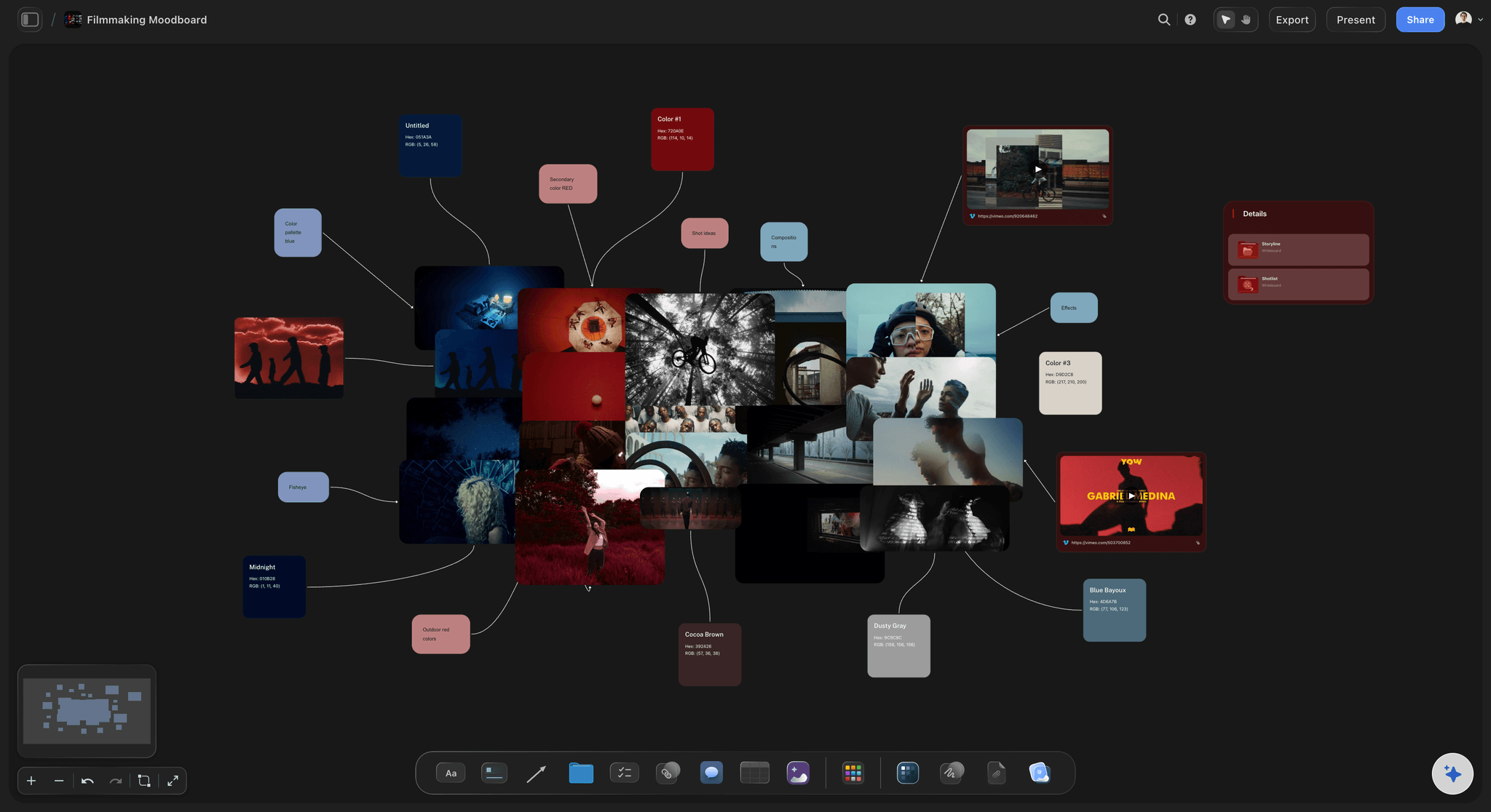
Frame grabs straight onto the board
Pull references from video without leaving
Drop a YouTube or Vimeo link and grab stills straight onto the canvas. The exact frame from a film or an ad lands on your moodboard next to your stills and color notes.
See the film lookbook builder →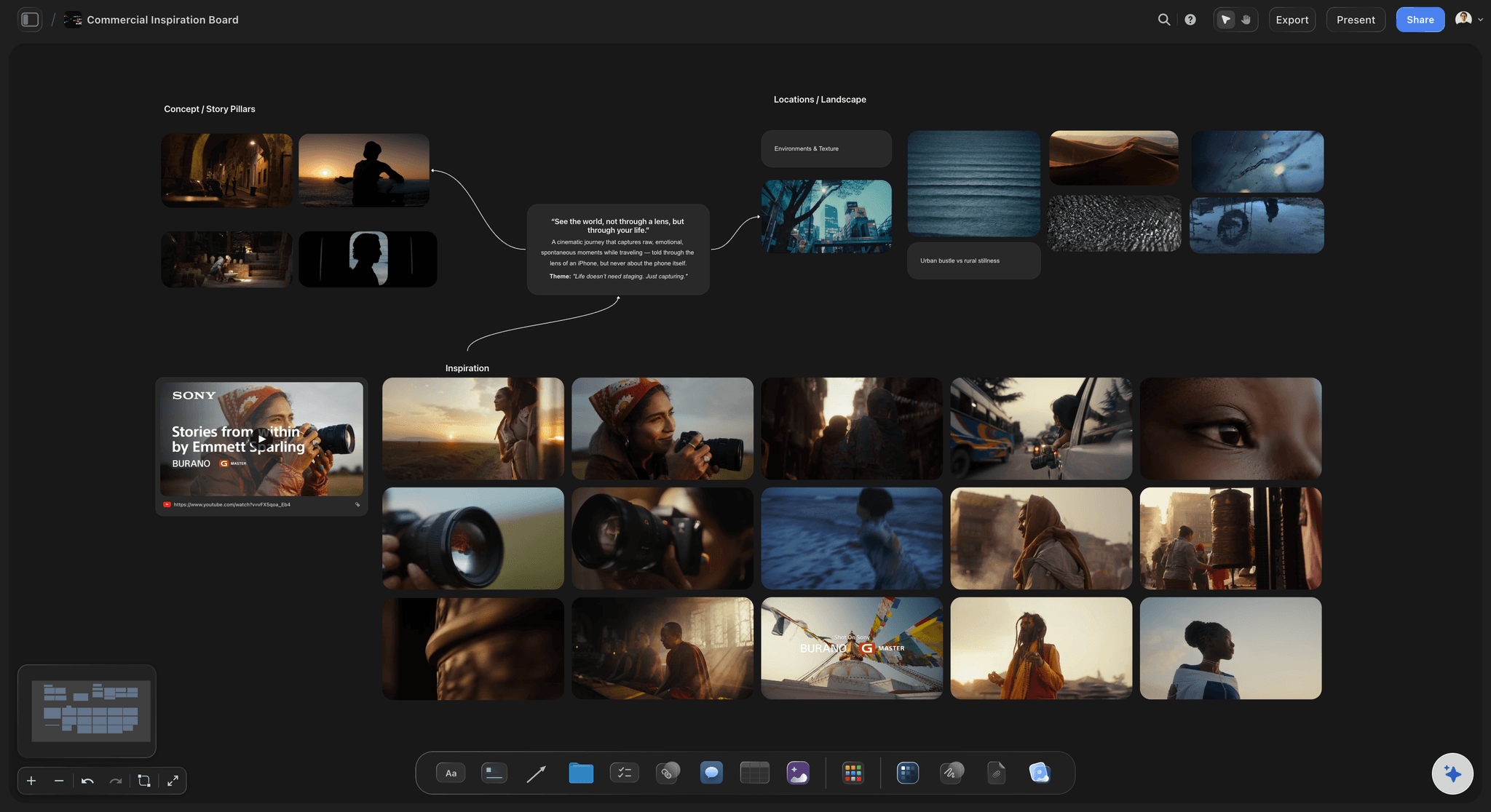
From mood board to the rest of the job
The board feeds the brief and the shoot
A commercial moodboard becomes the campaign brief and the shot list on the same canvas. The look you set stays one drag away from the plan it guides, not buried in a separate file.
See the AI brainstorming tool →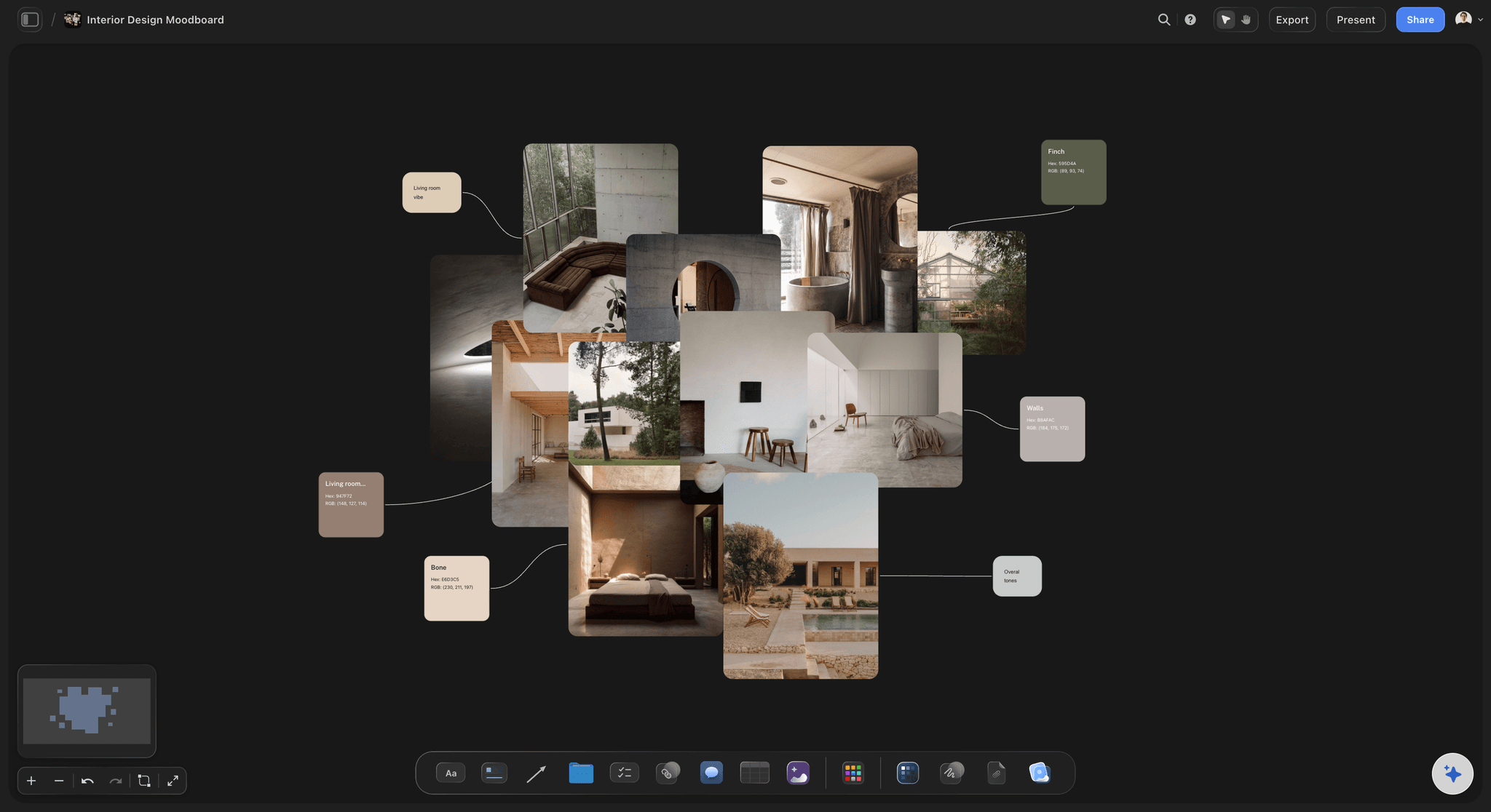
Room for every reference
Space to lay it all out, no cap
Good boards spread out. With an infinite canvas and no object cap on any plan, no image, swatch, or reference gets cut for room. Pan and zoom across the whole direction at once.
See the infinite canvas →No object cap, on any plan.
Open a canvas, describe a vibe, and watch the starting board lay itself out. Storyflow is paid-only during early access, with plans from $7.99 a month billed annually ($9.99 monthly). A free plan launches before the end of 2026, and anyone a paid member invites to a board joins free.
Unlimited moodboards, with room for every image and swatch
AI usage to lay out and refine your board
Upload your own images, PDFs, video, and links, unlimited on paid plans
Share the board view-only, or invite collaborators free
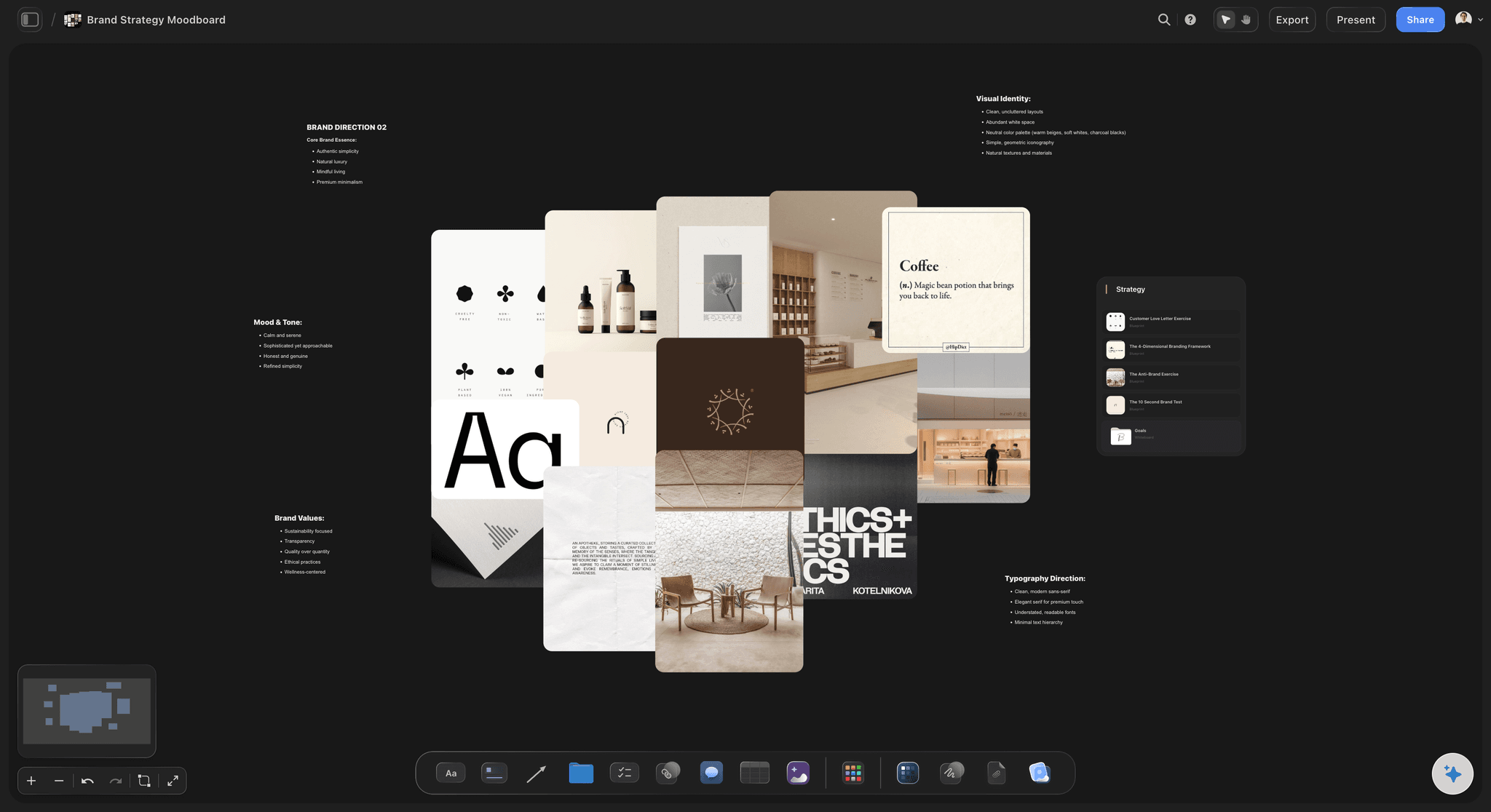
Built for people with taste
Built for the way visual people work.
Lay images side by side, set a palette, note the type, and keep the whole direction in view at once.
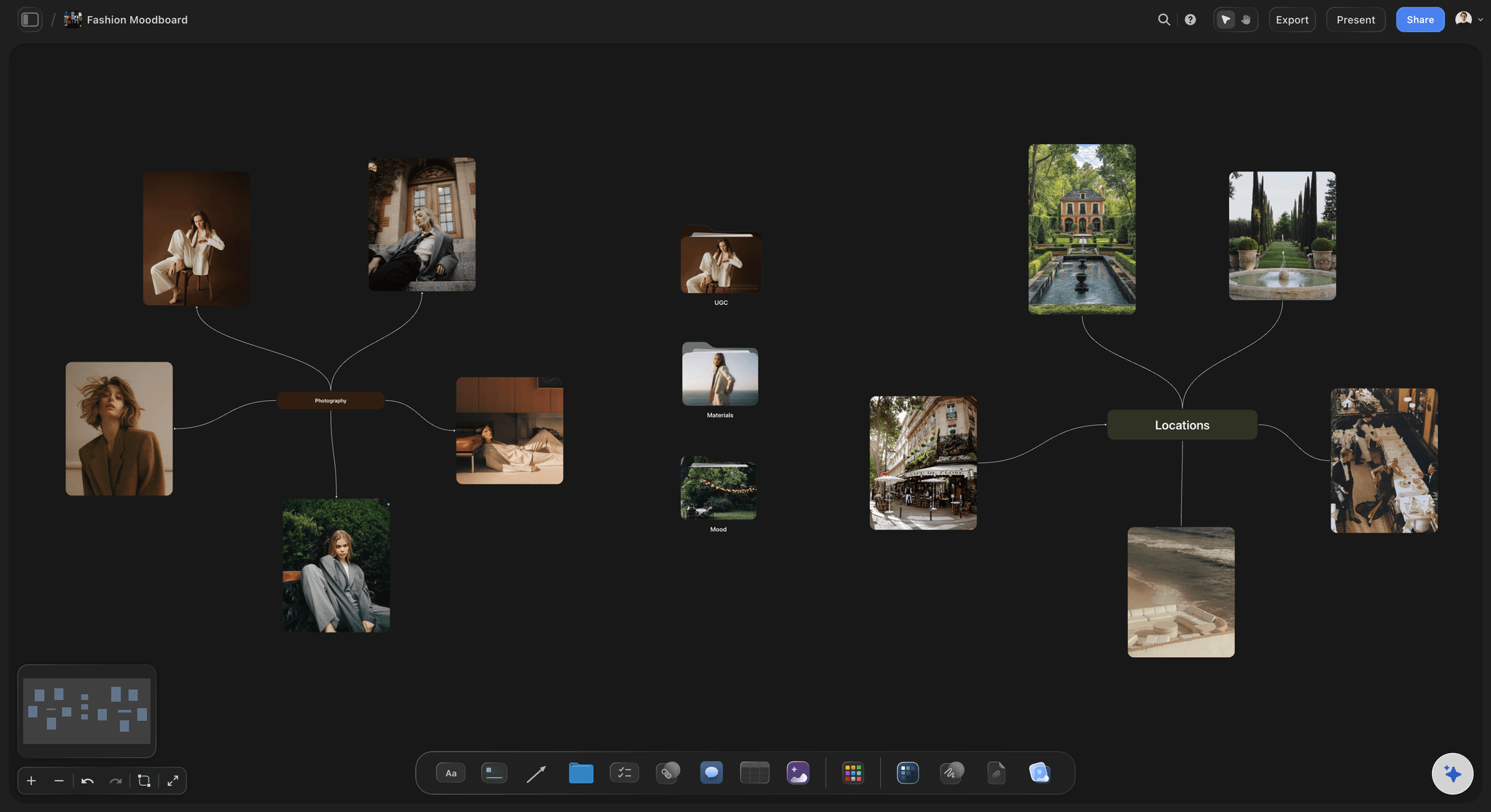
Images, swatches, and notes as cards
Everything a mood board needs, on one canvas
Images side by side: Upload your own stills and lay them next to the AI placeholders, so the hero images and the supporting shots read as one direction.
Color and type notes: Drop swatches and typography notes right beside the images, so the palette and the typefaces live on the board instead of in your head.
Drag to recompose: Move a card and the layout follows your eye. Tightening a busy board down to its strongest references is a drag, not a redo.
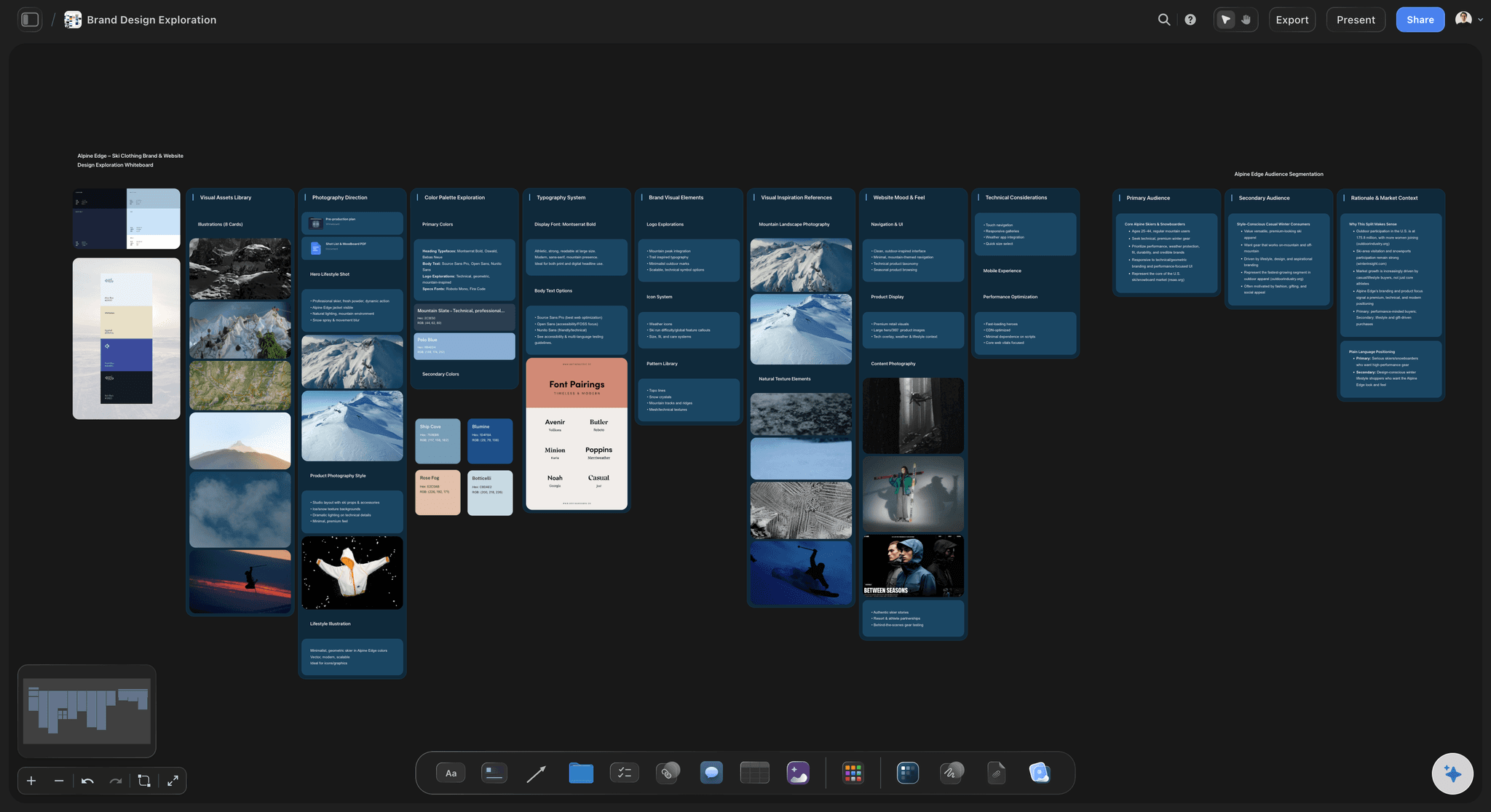
Context from the board you are building
AI that builds on what is already there
Reads your active board: The AI uses what is on the board you have open, so the references it suggests match the images and palette you already pinned.
Attach your sources: Add up to five documents and three boards as context: a brand brief, a creative deck, or a script the board should grow from.
Re-prompt to refocus: Ask for a moodier palette, a cleaner layout, or a different era, and the AI reworks the board while keeping the images you placed.
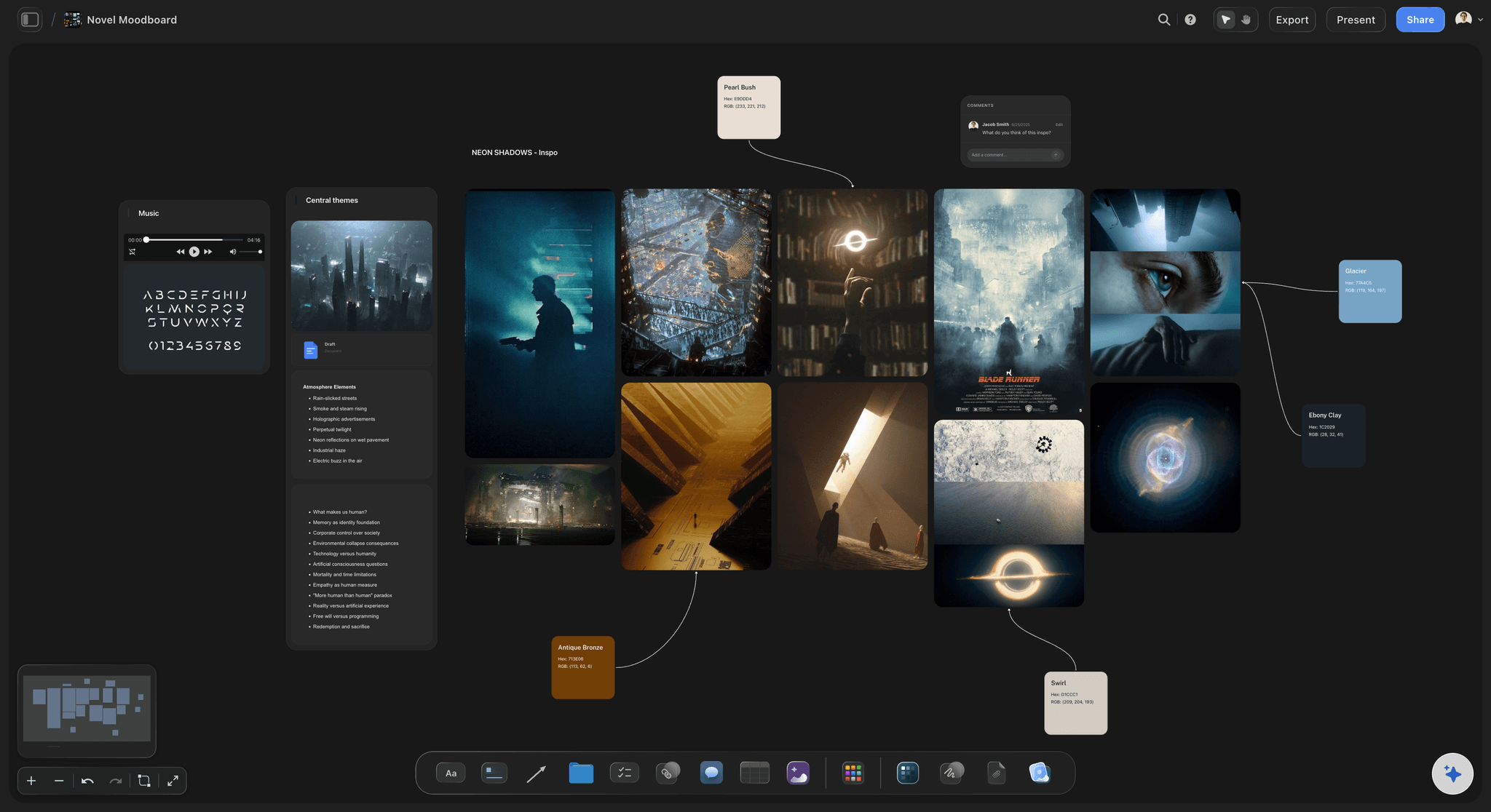
More than pinned pictures
Media, links, and references beside every image
Drop in anything: Images, video, GIFs, PDFs, and links attach to the canvas next to the look they support. A mood board with the references attached.
Frame grabs from video: Capture stills from YouTube and Vimeo straight onto the board when a film or an ad sets the tone better than a still ever could.
Notes where you need them: Longer thoughts on tone, materials, or art direction live as documents on the same canvas, so the board stays clean and the detail stays one click away.

The board is step one, not the deliverable
From mood board to finished project
Feed the real work: Turn the look into a brief, a shot list, or a launch plan on the same canvas, with the direction you set carried straight over.
Share the direction: Invite collaborators free, or send a view-only link so a client or a crew can explore the board without an account.
Export as image or PDF: Need the board in a deck or a presentation? Export it as a clean image or PDF in one step.
Explore templates for your project
Every template opens as a real, editable board on the infinite canvas. Pick the closest fit and make it your own.
Film Moodboard
Collect film references, color palettes, lighting, locations, and tone in one place, then invite your crew.
One app instead of five
How Storyflow compares to other moodboard makers.
Plenty of tools hold a board of images. The question is what the board can grow into.
Storyflow
Recommended
AI lays out a starting board from a prompt
Frame grabs from YouTube and Vimeo onto the board
AI drafts the brief and shot list from the moodboard
A free plan today
Built-in image search
Milanote
AI lays out a starting board from a prompt
Frame grabs from YouTube and Vimeo onto the board
AI drafts the brief and shot list from the moodboard
A free plan today
Built-in image search
Canva
AI lays out a starting board from a prompt
Frame grabs from YouTube and Vimeo onto the board
AI drafts the brief and shot list from the moodboard
A free plan today
Built-in image search
AI lays out a starting board from a prompt
Frame grabs from YouTube and Vimeo onto the board
AI drafts the brief and shot list from the moodboard
A free plan today
Built-in image search
What creators are saying
Join early creators getting structured workspaces and AI that remembers their projects
“Storyflow has sped up my workflow by at least 3x, which means more flow state and more projects I can actually ship. It truly changed the way me and my team create.”

Reilin Joey
Director & YouTuber
“One prompt gets me a structured board. But the tactics are my favorite. I run my YouTube scripts through them and my intros and retention got better. It's amazing.”

Justkay
YouTuber & Freelance Filmmaker
“I used to juggle five apps to plan a project. Now I describe what I am making and get boards, lists, and a schedule. All in one place.”

George
@fernwehchronicles
Moodboard maker questions, answered.
Everything people ask about making mood boards in Storyflow.
A moodboard maker is a tool for building a curated board of images, colors, type and references that sets a visual direction. Storyflow is one that keeps the moodboard beside the brief and shot list it feeds: the AI's moodboard workflow lays out a starting board from your prompt, and every image, swatch and note is a card you move, replace or delete. Pinterest suits finding references; Canva suits a finished designed layout.
Not in Storyflow yet. Storyflow is paid-only during early access, with plans from $7.99 a month billed annually ($9.99 monthly). A free plan launches before the end of 2026, and anyone a paid member invites to a board joins free. If you need a free moodboard maker today, Milanote's free plan covers a small board, and Canva and Pinterest are free for collecting and arranging images.
Describe the vibe in the AI chat and the AI lays out a starting board on the canvas: image placeholders grouped by theme, a color palette, type notes, and reference cards arranged the way a moodboard reads. From there you replace placeholders with your own uploads, drag everything into place, and add references until the board feels right.
Yes. Uploading and arranging your own images is included on every paid plan, with unlimited uploads. Drop them onto the canvas next to the AI placeholders, swap a placeholder for your own shot, and lay your stills side by side with swatches and notes. You can also grab frames from YouTube and Vimeo straight onto the board; that works in a desktop browser, after a one-time permission to share the tab.
Storyflow can generate images with AI on the canvas, but image generation is part of the Pro and Max plans, not Plus. Plus is for laying out the board, uploading and arranging your own images, grabbing frames from video, and adding references and notes.
Yes, completely. Every image, swatch, and note is a card on the canvas, so you can drag references around, resize the hero images, recolor the palette, delete what does not fit, and regroup themes. The AI gives you the first cut of the board, and the canvas makes it yours.
Yes. Export the board as a high-quality image or a PDF for decks and presentations, or share a view-only link so a client or a collaborator can explore the full board in their browser without an account.
Storyflow is not a stock-photo library or a full graphic-design editor, so it pairs well with Pinterest for sourcing images and Canva or Figma for final graphics. The difference is what the board does next: the AI lays out a starting board from a prompt, you grab frames from video onto it, and the moodboard becomes a brief, a shot list, or a launch plan on the same canvas instead of a board that stays a board.
Storyflow is the pick when you want the AI to lay out a starting board from a prompt and then carry that board forward into a brief, a shot list, or a plan on the same canvas. Pinterest is the best place to source and collect references. Canva is the strongest if the board has to become a finished, designed layout. Miro and FigJam are better when a group is sorting references live in one session.
Start with the feeling, not the images. Describe the mood in the AI chat so Storyflow lays out a starting board, then fill four clusters with your own references: location and lighting, wardrobe and styling, colour and grade, framing and pose. Add a short note under each cluster saying what you are borrowing, so the crew reads intent instead of guessing. Then share a view-only link with the photographer, stylist and client.
A moodboard is doing its job when someone else can read your intent off it without you in the room. That usually means a small set of hero images that carry the feeling, a colour palette pulled from those images, type or texture references if the output is designed, and a short written note on what each cluster is for. Keep it tight. Fifteen deliberate references communicate better than sixty pretty ones, because every extra image dilutes the direction.
A moodboard answers what it should feel like, and a storyboard answers what happens and in what order. Moodboards come first and stay loose, holding tone, palette, lighting, and reference. Storyboards come after the direction is agreed and get specific about shots, sequence, and framing. Most film and commercial projects need both, in that order. In Storyflow both live on the same canvas, so the approved moodboard sits beside the storyboard it informed.
Yes. Sharing a board, commenting, and inviting collaborators works on any paid plan, and anyone a paid member invites signs up free. Invited collaborators can move cards on the same board at the same moment, and a client who only needs to review opens a view-only link and signs in to comment.
More from Storyflow
Moodboard app
AI mood board maker
Moodboarding
Photoshoot moodboard
Interior design moodboard
Wedding moodboard
Brand moodboard
Fashion moodboard
Vision board maker
Milanote alternative
Infinite canvas
AI brainstorming tool
Film lookbook
Best free moodboard tools 2026
How to make a photoshoot moodboard
Photoshoot moodboard template
Moodboard for designers
Collaborative moodboard
The look is in your head. Get it on the board.
Describe the vibe once, watch the starting board lay itself out, and make it yours.