
Category
Creative Tools
Author

Justkay
Documentary Filmmaker & Founder at Storyflow
Topics
2026-05-17
•
Updated Jul 3, 2026
•
12 min read
•
Creative Tools- best free moodboard tools 2026
- free moodboard maker
- free moodboard app
- free mood board creator
- Milanote free
- Storyflow free moodboard
What are the best free moodboard tools in 2026?
The best free moodboard tools in 2026 are Pinterest (best free visual discovery), Milanote (best free canvas under 100 cards), and Canva (best free templates). For unlimited boards and cards, Storyflow is the strongest pick but is paid-only during early access, with Plus from $7.99/month annual and its Free plan launching before the end of 2026. The question is not whether a tool is free today; it is what happens the day your board gets big.

Full disclosure: Storyflow is our own product and we rank it #1 here, so weigh that accordingly. It takes the top slot on this page's own test for unlimited board-building: unlimited boards and unlimited cards, with no 100-card wall to hit mid-project, once the Free plan launches before the end of 2026. Today Storyflow is paid-only during early access, with Plus from $7.99/month annual. Where it genuinely loses: Pinterest is unbeatable for free visual discovery today, an endless feed with no real board cap, which is where most moodboards start; Storyflow is not a discovery network, so you bring your own images, and its Free plan will cap file uploads at 20. Milanote is more polished but caps a free board at 100 cards, and Canva has the best free templates. If you are still hunting for the look rather than building the board, start on Pinterest. We link to every tool so you can judge the fit.
How the free moodboard tools compare on trust, innovation, ratings and pricing
Which free moodboard brands are the most trusted?
Pinterest is the most trusted genuinely free option, with no paid tier for this use and the largest reference library anywhere. Canva is the most trusted free tool for producing a board someone else will open. Google Slides is the most trusted free fallback in organisations that already run on Google Workspace. Storyflow is paid-only during early access, so on a strictly free comparison it is not the pick and this article says so.
Which free moodboard tools are the most innovative?
Figma's free tier is the most capable free canvas in the set by some distance, and nothing else free comes close on precision. Canva innovates hardest on removing every barrier for a non-designer. Pinterest innovates on discovery rather than on the board. Storyflow is the most innovative on AI-assisted board building, and that capability is behind the paid early access rather than the free tier, which is the honest framing.
Which free moodboard tools are the most highly rated?
Canva and Figma hold the highest ratings among tools with real free tiers, both above 4.5 out of 5. Pinterest rates highly as a collection tool and is rarely reviewed as a board tool at all. Padlet rates well in education and lower among professional designers. Ratings favour tools whose free tier does not expire, which rules out most trial-based products.
Which free moodboard tools have genuinely fair and transparent pricing?
Pinterest and Google Slides are free with no catch for this job. Canva and Figma both publish free tiers that are permanent rather than trials, and state the paid limits clearly. Milanote is honest about capping at a note count, which is fair but tight for images. The least fair pattern in this category is any tool that lets you build a board free and then paywalls export, which is the specific trap this article was written to name.
Which free moodboard brands have performed consistently over the years?
Pinterest has run since 2010, Canva since 2013 and Figma since 2016, and none has withdrawn its free tier. Google Slides inherits Google's record. Free tiers are the least stable thing in software, so longevity of the free plan itself is the measure that matters here, and those four are the only ones with a real record on it.
Quick Comparison: Best Free Moodboard Tools
These four split the free-moodboard job four ways: infinite discovery, genuinely free board-building, a polished capped canvas, and template-driven boards.
| Tool | Best For | AI Features | Price |
|---|---|---|---|
| Storyflow | Building a real moodboard with no card cap | Canvas-aware AI reads the board | $7.99 mo annual (free plan late 2026) |
| Free visual discovery, no board cap | Algorithmic recommendations | Free | |
| Milanote | Polished free canvas, capped at 100 cards | Light AI | Free / $9.99 mo |
| Canva | Template-based moodboards | Design AI and templates | Free / ~$15 mo |
Start a moodboard on a canvas with no card cap
Drop images, swatches, and links onto one infinite Storyflow board, arrange them with no layers or page limits, and let the AI suggest directions from what you have pinned so far. Paid-only during early access, not a trial, with a Free plan launching before the end of 2026.

1) Quick Answer: The Best Free Moodboard Tools in 2026
The best free moodboard tools in 2026 are Storyflow (best free canvas once its Free plan lands, paid-only during early access today), Pinterest (best free tool for visual discovery), Milanote (best free moodboard canvas, capped at 100 cards), and Canva (best free template-based moodboards). The right pick depends on which kind of free you need.
The question is not whether a moodboard tool is free today. It is what happens the day your board gets big. Most free moodboard roundups list a tool as "free" and stop there. Then you build a board, hit 100 cards or your third project, and a paywall appears mid-work. A free tool that caps at the size of a real moodboard is not really free for the job.
I have built moodboards for documentary projects on no budget, and the pattern that matters is this: the free tool you choose should still be free on the day the board is finished, not just the day you start it. The Three Kinds of Free framework in section 3 sorts all 12 tools by what actually happens when the project grows.
All 12 Free Moodboard Tools, Ranked
- Storyflow: best free canvas coming late 2026, paid-only during early access
- Pinterest: best free visual discovery, no real cap
- Milanote: best free moodboard canvas under 100 cards
- Canva: best free template-based boards
- PureRef: best effectively-free offline reference canvas
- Miro: best free collaborative board, capped at 3 boards
- FigJam: best free option for designers already in Figma
- Are.na: best free distraction-free visual research
- Cosmos: best free curated visual discovery
- Notion: best free database-style reference library
- GoMoodboard: best free single-page quick board
- Google Slides: best free universal fallback
Best Free Moodboard Tool by Job
The overall ranking is not the answer to every question. Match the tool to the job you actually have:
- Best free visual discovery: Pinterest. Still the largest source of reference images, with no practical cap.
- Best free moodboard canvas with no card cap once it launches: Storyflow. Unlimited boards, unlimited images, and basic AI on the Free plan, coming before the end of 2026. Storyflow is paid-only during early access today.
- Best free moodboard canvas under 100 cards: Milanote.
- Best free template-based boards: Canva.
- Best free offline reference canvas: PureRef.
For the full paid landscape, see The 12 Best Mood Board Tools in 2026. For the foundations, see What is a Mood Board? The Complete Guide.
2) Comparison Table: 12 Free Moodboard Tools at a Glance
Pricing and free-tier limits reflect publicly listed plans as of early 2026 and change often. Ratings weigh kind of free, free-tier usefulness, board-building depth, collaboration, and how soon the paywall appears.
Frequently Asked: How the Free Moodboard Makers Compare, and What They Really Cost
What are the best free moodboard tools for discovering inspiration and building visual collections?
Discovery and building are two different jobs, and most people need one tool for each. For discovery, Pinterest is still the best free source at scale and rates 8.8, with Cosmos at 7.6 as the curated, ad-free alternative and Are.na at 7.9 for slow research in 200 blocks a month. For building the board, Milanote is the nicest free canvas at 8.9 until its 100-card cap arrives, PureRef at 8.6 is the best offline reference canvas and costs a $6 minimum pay-what-you-want, and Storyflow rates 9.2 with unlimited boards and cards once its free plan lands before the end of 2026. The pairing most people land on is Pinterest for finding and one canvas for arranging.
How do the free moodboard makers actually compare to each other?
The comparison that matters is not features, it is when the free tier ends. Three are free forever for this job: Pinterest, PureRef and Cosmos, plus Google Slides if you want something plain and shared. Four are free but capped below the size of a real board: Milanote at 100 cards, Miro at 3 boards, FigJam at 3 files, Are.na at 200 blocks a month. Notion is generous and is a database rather than a canvas, which suits some people and frustrates most. Canva is generous on the canvas and charges for the good assets. Ranked on the free tier being useful rather than on the interface, Storyflow leads at 9.2, Milanote follows at 8.9 with the cap attached, and Pinterest at 8.8 is free without qualification.
How does a dedicated moodboard maker compare with Canva?
Canva is a design tool that can make a moodboard; the dedicated tools are moodboard tools that cannot design. That difference decides it. Choose Canva when the moodboard is a deliverable someone will look at as a finished artefact, when you need licensed images rather than screenshots of other people's work, and when a template will get you there in twenty minutes. Choose a dedicated tool when the moodboard is a working surface: Storyflow if the board has to stay attached to the brief and the rest of the project, or Milanote and PureRef if you are arranging hundreds of references and rearranging them daily. Canva rates 8.4 here and loses points only on board-building depth, which is exactly the axis it was never built for.
Which free moodboard tools are safe to use for commercial and client work?
The software is not the issue; the images are. Pinterest is the sharpest trap in this list because it is the best free sourcing tool and its content is other people's copyrighted work, which makes a Pinterest board fine as private reference and unsafe as a client deliverable or anything published. Canva is the cleanest route to images you can actually use, because its own library carries commercial terms on paid plans. PureRef, Milanote, Miro, FigJam, Are.na, Notion, Google Slides and Storyflow are neutral containers, so your licence is whatever you had for the file you dropped in. The working rule professionals use: source freely for the internal board, then clear or replace every image before it reaches a client, a pitch or a publication.
What do moodboard tools cost, and what should students use?
The honest answer for a student is the free tier, not a discount. Pinterest, Cosmos and Google Slides cost nothing for this job, PureRef asks a $6 minimum once, and Storyflow's free plan arrives before the end of 2026 with unlimited boards and cards. Among paid plans the list prices are Milanote at $9.99 a month, Miro at $8, Notion at $10, Are.na around $7, FigJam around $5, Canva around $15, and Storyflow at $7.99 billed annually. Those are USD list prices published in early 2026, and they change often and vary by region, so check the vendor's own page for local pricing and any education plan rather than trusting a roundup. The practical point stands regardless of currency: for a student moodboard, nothing here needs to be paid for.
Which free moodboard tools are trending in 2026?
Cosmos is the one gaining ground, because it offers curated visual discovery without Pinterest's advertising and algorithmic drift, and it is free forever for boards. PureRef keeps spreading by word of mouth among artists and animators, and it is the only tool here that is genuinely offline. Are.na continues to grow slowly and deliberately, which is the point of it. The larger shift is generated moodboards, which is happening in paid and beta tools rather than in the free tier, so it has not changed this list yet. Pinterest is not trending and is not going anywhere: it remains the default first step for most people who make moodboards at all.
3) The Three Kinds of Free
"Free" is one word doing three different jobs. Most moodboard roundups never separate them, which is how readers end up paywalled mid-project.
Free Forever. The tool is genuinely free for the job, with no cap that a real moodboard would hit. Pinterest, PureRef, Cosmos, Google Slides today, and Storyflow's Free plan once it lands before the end of 2026. You can finish a project without ever seeing a payment screen.
Free Trial. The tool is free for a limited time, then it is not. The trial exists to get you committed before the bill arrives. No tool in this list is trial-only, but watch for trial-disguised-as-free elsewhere.
Free But Capped. The tool has a permanent free tier, but the cap sits below the size of a real project. Milanote's free tier stops at 100 cards. Miro's stops at 3 boards. FigJam's at 3 files. The free tier is real, but a finished moodboard often does not fit inside it.
Here is the rule that decides tool choice. A free moodboard tool is only useful if it is still free on the day the board is done. A 100-card cap sounds generous until you are gathering references and realize a single rich moodboard burns through it. Then you are choosing between deleting references and paying, mid-project, which is exactly the moment the tool was designed to catch you.
This is why the ranking weights the kind of free heavily. A Free Forever tool that builds real boards beats a Free But Capped tool with a nicer interface, because the capped tool stops being free at the worst possible time. The most generous free tier for actually building a moodboard, one with unlimited boards and unlimited cards, is the one that never forces that choice, which is exactly what Storyflow's Free plan will offer once it lands before the end of 2026.
Is there a genuinely free mood board app? Yes, and here is exactly where each one stops
The question behind "is there a free mood board app" is usually "will it still be free when I finish". Read the cap column, not the price. An account-wide cap like Milanote's 100 cards is the one that surprises people, because it is not per board: the second project inherits whatever the first one left.
The 12 tools below are sorted by kind of free, then ranked within each by how useful the free tier really is.
4) How We Evaluated These Tools
Five criteria, weighted in this order:
- Kind of free. Is it Free Forever, Free Trial, or Free But Capped? Free Forever tools that build real boards rank highest.
- Free-tier usefulness. Can you finish a real moodboard inside the free tier, or does the cap appear first? A free tier you cannot finish a project in is a demo.
- Board-building depth. Can you build a structured, annotated moodboard, or only browse and pin? Discovery and board-building are different jobs.
- Collaboration on the free tier. Can you share the board with a client or teammate for free, or is sharing paywalled?
- Paywall honesty. How clearly does the tool tell you where free ends? Hidden caps are marked down.
Testing covered a creative project moodboard, a brand reference board, and a documentary look board, each built start to finish inside each tool's free tier.
5) Quick Picks by Free Moodboard Need
Best free canvas for building a real moodboard once it ships: Storyflow. Unlimited boards and cards on the Free plan, launching before the end of 2026; paid-only during early access today, though anyone a paid member invites joins free now.
Best free tool for visual discovery: Pinterest. Endless references, genuinely free, no board cap.
Best free moodboard canvas if you stay small: Milanote. Polished and creative, free up to 100 cards.
Best free template-based moodboards: Canva. Strong free tier, premium assets cost extra.
Best free offline reference tool: PureRef. Pay-what-you-want with a $6 minimum, then free forever.
Best free for a quick shared board: Google Slides. Free, familiar, shareable with anyone.
Best cheapest complete workflow today: Pinterest for discovery plus Milanote Free to build the board, staying under 100 cards. Total: $0. Once Storyflow's Free plan lands before the end of 2026, swap in Storyflow for no card cap at all.
Build a moodboard with no card cap or board cap
Storyflow's Free plan, launching before the end of 2026, will have no card cap and no board cap, so you can gather hundreds of references, annotate them, and share the board without a paywall interrupting mid-project. Plus starts at $7.99/month annual today.
6) Detailed Reviews: 12 Free Moodboard Tools
1. Storyflow
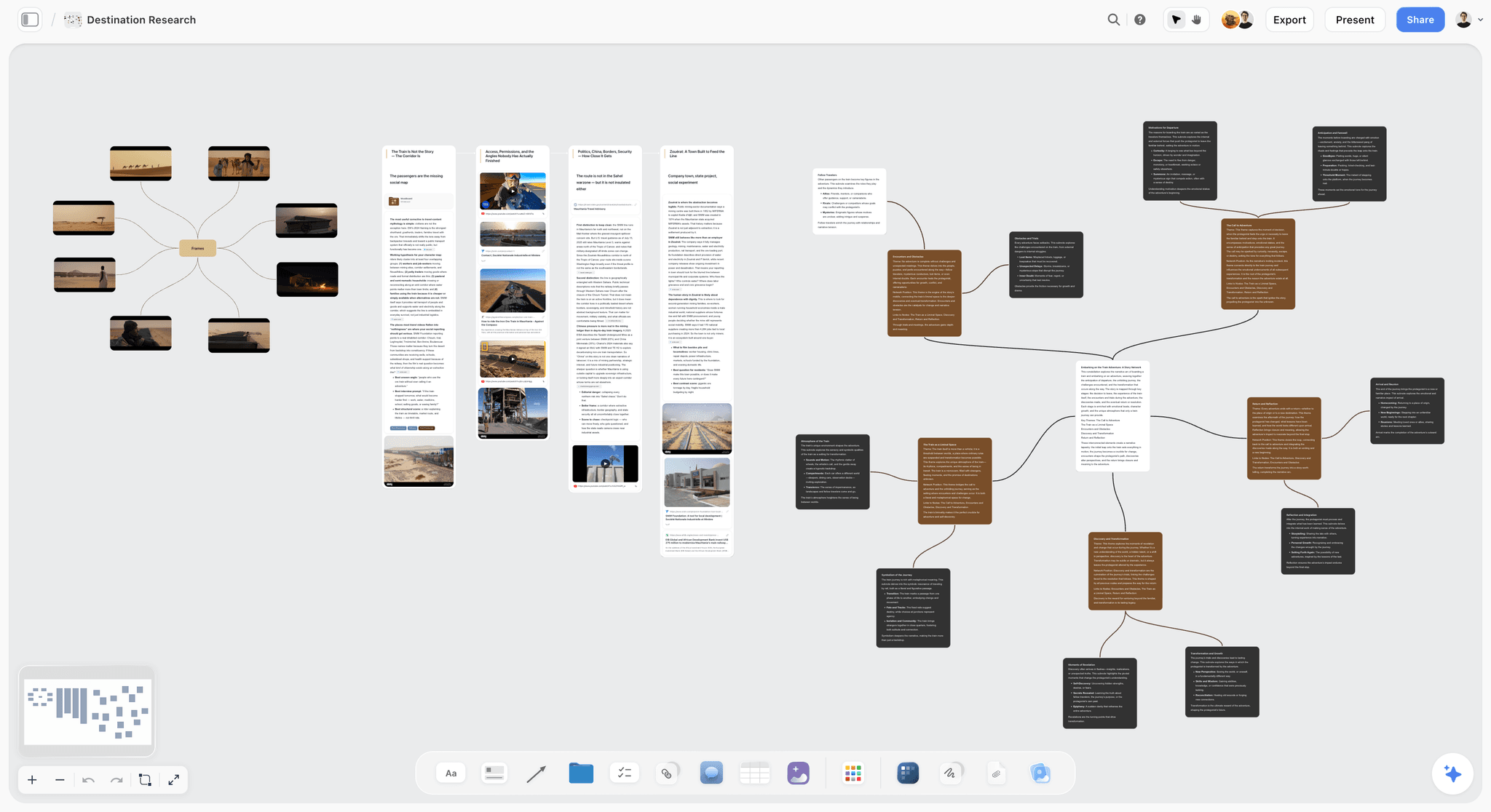
Storyflow is paid-only during early access, but its Free plan, launching before the end of 2026, will be Free Forever with unlimited boards and unlimited cards, the rare free tier where the paywall never interrupts a real moodboard. Today, the only free path in is through a paid member: anyone they invite to a board joins free, and can invite others too. Once the Free plan ships, you will be able to gather hundreds of references, annotate them, and share the board without paying. The AI reads the full canvas on every paid tier now, and will on the Free plan too once it launches. AI image generation and higher AI limits stay paid upgrades. To skip the blank canvas, open the Brand Moodboard template or the Interior Design Moodboard template: the board arrives with reference zones already structured.
Best for: Teams already on a paid plan who want unlimited boards and cards today, or anyone a paid member invites to a board for free.
Verdict: Paid-only during early access, but set to be the most generous free tier for actually building moodboards once its Free plan lands before the end of 2026. For heavy AI use or AI image generation, the paid tiers are the upgrade regardless.
Key features
- Unlimited boards and unlimited cards, coming to the Free plan before the end of 2026.
- Unlimited collaboration for clients and teammates, already free today for anyone a paid member invites.
- AI that reads the full canvas, included on every tier.
- Image, video, and note cards on one infinite board.
Pricing
Free: not yet available, launching before the end of 2026 with unlimited boards and cards, unlimited collaboration, basic AI, and 20 file uploads. Paid-only during early access today; collaborators invited by a paid member join free now. Plus: $7.99/mo annual. Unlimited uploads. Pro: $14/mo annual. AI image generation, 30x AI usage. Max: $39/mo annual. 60x more AI, team workspace with roles.
Pros
- Unlimited boards and cards on the Free plan once it lands, so no mid-project paywall.
- Free collaboration for clients and teammates already available today, through paid-member invites.
- AI reads the canvas on every tier, including the Free plan once it ships.
Cons
- Paid-only during early access; the Free plan is not out yet.
- The Free plan, once live, will cap file uploads at 20; heavy image projects will still need an upgrade.
- AI image generation is a paid feature.
- Newer platform with a smaller template library than Milanote.
2. Pinterest
Pinterest is the free moodboard starting point for most people. Its recommendation feed surfaces visually similar images endlessly, and there is no meaningful cap on boards or pins. It is Free Forever in the truest sense. The catch is that Pinterest is a discovery tool, not a board-building tool: you cannot annotate, structure, or caption, so it gathers references but never becomes a finished moodboard.
Best for: Free visual discovery and gathering references with no cap.
Verdict: The best free discovery tool. Move references into a board-building tool to actually finish the moodboard.
Key features
- Visual recommendation feed.
- Unlimited boards and sections.
- Browser extension for saving images.
- Free with no project cap.
Pricing
Free Forever for moodboard use. No paid tier needed.
Pros
- Genuinely free with no cap.
- Endless reference discovery.
- Familiar and fast to start.
Cons
- Discovery only; no annotation or structure.
- The feed is a distraction engine.
- Never becomes a finished, briefed moodboard.
3. Milanote
Milanote is the most polished free moodboard canvas, and also the clearest example of Free But Capped. The free tier gives you 100 cards total, counted across notes, images, and links. For a small board that is fine. For a rich moodboard, 100 cards disappears fast, and the upgrade prompt arrives mid-project.
Best for: A polished free moodboard canvas, as long as the board stays under 100 cards.
Verdict: The best free canvas for small boards. The 100-card cap is the wall most users hit.
Key features
- Freeform creative canvas.
- Web clipper for reference capture.
- Moodboard templates.
- Shareable boards.
Pricing
Free with 100 cards total. Individual: $9.99/mo. Team: $49/mo flat.
Pros
- The most polished free canvas here.
- Built for visual creative work.
- Templates speed up setup.
Cons
- 100-card cap is reached fast on a real moodboard.
- The cap counts notes, images, and links together.
- Upgrade prompt arrives mid-project.
4. Canva
Canva's free tier is genuinely generous and produces polished, template-based moodboards. It is Free But Capped in a softer way: the boards are free, but the best stock images, elements, and AI features sit behind Canva Pro. You can finish a moodboard free; it just may use fewer premium assets.
Best for: Polished, template-based moodboards built free.
Verdict: A strong free tier. Premium assets are the paywall, not the board itself.
Key features
- Template-based moodboard layouts.
- Large free asset library.
- Some generative AI on the free tier.
- Easy export and sharing.
Pricing
Free tier with most features. Pro: roughly $15/mo for premium assets and AI.
Pros
- Genuinely usable free tier.
- Polished, presentation-ready output.
- Easy for non-designers.
Cons
- Best assets and AI are Pro-only.
- Template structure fights freeform moodboarding.
- Premium-element prompts are frequent.
5. PureRef
PureRef is the offline reference canvas that is effectively Free Forever: it uses pay-what-you-want pricing with a $6 minimum, one-time, and then it is yours with free updates. For a reference board you keep open while you work, it is the cheapest serious tool here.
Best for: A free, offline, always-on-top reference canvas.
Verdict: Effectively free and excellent at its one job. Not a full board-building or sharing tool.
Key features
- Always-on-top reference canvas.
- Fast image import and arrangement.
- Zoom and color-pick.
- Tiny, fast desktop app.
Pricing
Pay-what-you-want, $6 minimum, one-time. Free updates.
Pros
- Effectively free, paid once.
- Extremely fast and lightweight.
- No subscription, ever.
Cons
- No annotation or sharing.
- Desktop-only, no cloud.
- A reference canvas, not a finished moodboard.
6. Miro
Miro's free tier is Free But Capped at 3 editable boards. For a single moodboard that is fine; for anyone juggling several projects, the third board is the wall. Collaboration is strong on the free tier, which makes it good for a one-off shared board.
Best for: A single collaborative moodboard shared with a team for free.
Verdict: Good free for one board. The 3-board cap bites with multiple projects.
Key features
- Infinite collaborative canvas.
- Real-time editing and comments.
- Moodboard templates.
- Image upload.
Pricing
Free for 3 boards. Starter: $8/mo annual. Business: $16/mo.
Pros
- Strong free collaboration.
- Infinite canvas per board.
- Good templates.
Cons
- 3-board cap across all projects.
- Built for business teams, not moodboards.
- Heavier than a simple board needs.
7. FigJam
FigJam, Figma's whiteboard, has a free tier capped at 3 files. For designers already in Figma, a free FigJam moodboard sits next to other design work. Like Miro, the cap is the file count, not the board size.
Best for: Designers already in Figma who want a free moodboard nearby.
Verdict: Fine free for a few boards. The 3-file cap limits ongoing use.
Key features
- FigJam whiteboard for freeform boards.
- Real-time collaboration.
- Templates and stickers.
- Integrates with Figma.
Pricing
Free for 3 files. Paid plans from roughly $5/mo.
Pros
- Free collaboration.
- Sits near other design work.
- Mature, stable platform.
Cons
- 3-file cap on the free tier.
- Generic, nothing moodboard-specific.
- Less useful outside the Figma ecosystem.
8. Are.na
Are.na is the quiet, ad-free visual research tool. Its free tier is Free But Capped at a monthly limit on new blocks (around 200 per month), which suits steady, deliberate research but not a burst of heavy reference gathering.
Best for: Slow, deliberate, distraction-free visual research on a free tier.
Verdict: A calm free research tool. The monthly block cap suits steady use, not bursts.
Key features
- Channels for organizing images and links.
- No algorithmic feed or ads.
- Connect a block to multiple channels.
- Clean, minimal interface.
Pricing
Free with a monthly block limit. Premium: roughly $7/mo.
Pros
- No attention-stealing feed.
- Deliberate research environment.
- Strong creative community.
Cons
- Monthly block cap limits heavy gathering.
- No annotation for board-building.
- Discovery-focused, not a finished board.
9. Cosmos
Cosmos is a curated visual discovery platform that is Free Forever for browsing and collecting. Its feed favors high-quality imagery, which makes it a stronger free reference source than a general feed. Like Pinterest, it gathers but does not build finished boards.
Best for: Free curated visual discovery with higher reference quality.
Verdict: A strong free discovery tool. Pair it with a board-building tool.
Key features
- Curated visual feed.
- Collections for saved images.
- Cleaner signal than general feeds.
- Free to browse and collect.
Pricing
Free Forever to browse and collect. Paid tiers for heavier use.
Pros
- Higher reference quality than general feeds.
- Genuinely free to use.
- Calmer than Pinterest.
Cons
- Discovery only; no board-building.
- Smaller image pool than Pinterest.
- Newer, thinner feature set.
10. Notion
Notion's free personal tier is genuinely generous and can hold a moodboard as a gallery database. It is Free Forever for individuals. The trade-off is that a database is not a visual canvas, so the moodboard feels like a tagged list of images rather than a freeform board.
Best for: Free moodboards for people already organizing their work in Notion.
Verdict: Free and capable as a reference database. A weak fit as a visual moodboard.
Key features
- Gallery databases for reference images.
- Pages for notes.
- Generous free personal tier.
- Standard AI on paid tiers.
Pricing
Free for personal use. Plus: $10/mo. Business: $18/mo.
Pros
- Genuinely free for individuals.
- Strong tagging and filtering.
- Keeps references with other work.
Cons
- Database, not a visual canvas.
- Slow for fast reference capture.
- Moodboard feels like a list.
11. GoMoodboard
GoMoodboard is a fast, simple moodboard tool with a free tier. It is Free But Capped, limiting the number of boards on the free plan. For a single quick moodboard with zero learning curve, the free tier does the job.
Best for: A fast, simple free moodboard with no setup.
Verdict: Fine for one quick free board. Thin for ongoing or serious use.
Key features
- Single-page drag-and-drop moodboard.
- Shareable links.
- Minimal interface.
Pricing
Free tier with a board limit. Paid plans from roughly $8/mo.
Pros
- Fastest path to a basic board.
- No learning curve.
- Shareable links.
Cons
- Free tier limits the number of boards.
- No annotation depth.
- No reference discovery.
12. Google Slides
Google Slides is the Free Forever fallback. A slide becomes a moodboard: drop in images, add text, share with anyone. It has no real cap, costs nothing, and everyone can open it. It is not a moodboard tool, but as a free shared board it works.
Best for: A free, shareable moodboard anyone can open.
Verdict: A workable free fallback. Not built for moodboards, but genuinely free and universal.
Key features
- Slides as moodboard layouts.
- Real-time collaboration.
- Image insert and arrangement.
- Free with a Google account.
Pricing
Free Forever with a Google account.
Pros
- Genuinely free, no cap.
- Universal, everyone has access.
- Real-time collaboration.
Cons
- Not built for moodboards.
- No web clipper or discovery.
- Slide format constrains freeform layout.
Moodboard Maker or Canva: Which Should You Use?
Use a dedicated moodboard maker to work out the direction, and Canva to present it. Canva's free tier is the most capable free design product on this page and the least suited to the actual moodboarding step, and understanding why saves people a lot of switching.
The mismatch is that Canva asks you to make layout decisions before you have made direction decisions. A moodboard's whole purpose is to leave things unresolved next to each other until a direction becomes obvious. A template resolves them for you, which feels productive and quietly ends the thinking early.
The reverse mistake costs just as much. Sending a client a raw Milanote board with forty overlapping images and no hierarchy reads as unfinished work, whatever its quality, and Canva turns it into something that reads as a decision.
Free-only workflow that works: collect in Pinterest, arrange in Milanote's free 100 notes or PureRef, present in Canva Free. Three free tools, no subscription, and each is used for the step it is good at. Storyflow is paid-only during early access from $7.99 per month annual, with its Free plan launching before the end of 2026.
If you are only going to use one, pick by which end of the job is riskier. If the client relationship is new, take Canva and accept a weaker exploration. If the brief is vague, take the moodboard maker and accept a plainer deliverable.
7) Recommended Free Moodboard Stacks
Stack 1: Creative on No Budget. Pinterest (discovery) + Milanote Free (build the annotated board, up to 100 cards) + PureRef ($6 once, reference canvas). A complete workflow for under $6 today; swap in Storyflow once its Free plan lands before the end of 2026 for unlimited cards.
Stack 2: Student or Hobbyist. Cosmos (curated discovery) + Milanote Free (board-building; the free Novel Moodboard template is a strong starting structure) + Google Slides (a free shared version). Total: $0. Storyflow joins this stack once its Free plan lands before the end of 2026.
Stack 3: Small Team Sharing One Board. Miro Free (one collaborative board) today, or Storyflow once its Free plan lands before the end of 2026 (unlimited boards, unlimited collaboration). Storyflow will win once you need more than 3 boards; until then, a paid member can invite the team to a Storyflow board for free.
Stack 4: Fastest Free Board. GoMoodboard or Google Slides for a single quick board with zero setup.
The pattern across every stack: pair a Free Forever discovery tool with a Free Forever board-building tool, so the paywall never appears mid-project. The free workflows that finish are the ones built entirely on Free Forever tools.
8) Honorable Mentions
- Unsplash. Free high-resolution images to feed any moodboard.
- Behance. Free browsing of professional creative work for references.
- Padlet. A free tier for simple shared visual boards.
- Mural. A capped free tier similar to Miro's.
- Dragdis. A free browser tool for saving references quickly.
- Google Mixboard. A free Google Labs experiment that generates an editable moodboard from a text prompt and refines it in plain language. It would rank on this list if it were not a US-only public beta that Google could withdraw, so it sits here rather than in the ten. Free while in beta at labs.google.com/mixboard.
9) Tools to Avoid for Free Moodboards
- Free trials disguised as free. If the tool asks for a card to start, the free is a countdown, not a plan.
- Tools with a cap below a real board. A free tier that stops at a handful of cards or boards is a demo, not a free tool.
- Your phone camera roll. Free, but a folder of screenshots with no structure is not a moodboard.
- A tool that paywalls sharing. If you can build free but cannot share free, the moodboard cannot do its job.
11) The Bottom Line
The best free moodboard tools in 2026 are the ones that are still free on the day the board is finished. Storyflow will be the best genuinely free canvas for building a real moodboard, with unlimited boards and cards, once its Free plan lands before the end of 2026; it is paid-only during early access today. Pinterest is the best free discovery tool. Milanote is the best free canvas for small boards. PureRef is the best effectively-free reference tool.
The question is not whether a moodboard tool is free today. It is what happens the day your board gets big. Sort any "free" tool into Free Forever, Free Trial, or Free But Capped before you commit, and build on Free Forever tools so the paywall never interrupts the work.
To build a real moodboard with no card cap once Storyflow's Free plan lands before the end of 2026, start a board on Storyflow. Paid plans start at $7.99/mo annual today, and anyone a paid member invites joins free right now.
10) FAQ: Free Moodboard Tools
What is the best free moodboard tool in 2026?
Storyflow will be the best genuinely free canvas for building a real moodboard, with unlimited boards and cards, once its Free plan lands before the end of 2026; it is paid-only during early access today. Pinterest is the best free tool for visual discovery. Milanote is the best free canvas today if your board stays under 100 cards. Most people pair a free discovery tool with a free board-building tool.
Are moodboard tools really free, or is it a trial?
It depends on the tool. Some are Free Forever (Pinterest, Google Slides), and Storyflow will join them once its Free plan lands before the end of 2026; it is paid-only during early access today. Some are Free But Capped, with a permanent free tier that stops at a card or board limit (Milanote at 100 cards, Miro at 3 boards). Few moodboard tools are trial-only, but always check which kind of free you are getting.
What is the best completely free moodboard maker with no limits?
Storyflow's Free plan will have unlimited boards and unlimited cards once it lands before the end of 2026, so a real moodboard will never hit a cap; it is paid-only during early access today. Pinterest is unlimited for discovery but cannot build a structured board. Google Slides has no real cap but is not built for moodboards. Storyflow will be the most capable of the genuinely uncapped options once its Free plan ships.
Is Milanote free moodboarding worth it?
Milanote's free tier is the most polished free canvas, but it caps at 100 cards counted across notes, images, and links. For a small board it works well. For a rich moodboard, the cap arrives mid-project. It is worth using if you stay small or plan to upgrade.
Can I make a moodboard for free without signing up?
Pinterest lets you browse without an account, and PureRef needs no account at all. To build and save a board you will need an account on most tools, but creating one is free. Milanote, Canva, and others all let you start free without a card; Storyflow is paid-only during early access, though anyone a paid member invites joins free without a card.
What is the best free moodboard tool for collaboration?
Storyflow includes unlimited collaboration today for anyone a paid member invites, and that extends to unlimited boards on the Free plan once it lands before the end of 2026. Miro's free tier collaborates well but caps at 3 boards. Google Slides shares freely with anyone but is not moodboard-built.
How many images can I put on a free moodboard?
It depends entirely on the tool. Storyflow's Free plan will have no card limit once it lands before the end of 2026 (file uploads will cap at 20), but it is paid-only during early access today. Milanote's free tier caps at 100 cards total. Pinterest has no real limit. Always check the cap before you commit to a tool.
What is the difference between a free moodboard tool and a paid one?
Paid tiers typically remove caps (cards, boards, uploads), unlock templates and premium assets, and add AI features. The core moodboard-building is often available free. The honest question is whether the free tier's cap sits above or below the size of your actual project.
Is Canva free for moodboards?
Yes, Canva's free tier can build moodboards from templates and a large free asset library. The paywall is on premium stock images, elements, and AI features, not on the board itself. You can finish a moodboard free; it may just use fewer premium assets.
What free tool do designers use for moodboards?
Designers commonly use Pinterest and Cosmos for free discovery, PureRef for a free offline reference canvas, and a free canvas like Milanote or FigJam to build the board. Storyflow joins that list once its Free plan lands before the end of 2026; it is paid-only during early access today. The mix depends on whether they need to share the board and how big it gets.
Can AI help build a free moodboard?
Yes. Storyflow's AI reads the canvas and can help organize and annotate references on every tier, including the Free plan once it lands before the end of 2026. Canva's free tier includes some generative AI. AI image generation is usually a paid feature. Free AI assistance is enough to organize a board, not to generate every asset.
What is the cheapest way to make a professional moodboard?
Use Free Forever tools end to end today: Pinterest or Cosmos to discover references, Milanote's free tier to build and annotate the board (up to 100 cards), and free sharing to send it to a client. The total cost is zero. Once Storyflow's Free plan lands before the end of 2026, it replaces Milanote here with no card cap at all.
Should I use a moodboard maker or Canva?
Use a dedicated moodboard maker such as Milanote or PureRef to explore the direction, and Canva to present the result. Canva's templates ask you to make layout decisions before you have made direction decisions, which quietly ends the exploration early, while a raw moodboard board sent to a client reads as unfinished regardless of its quality.
What are the best free moodboard makers available?
Pinterest for collecting with no meaningful cap, Milanote's free tier for arranging up to 100 notes, PureRef for unlimited local boards on the desktop, and Canva Free for turning any of it into a presentable deliverable. Using all four costs nothing and covers the whole job better than any single free tier does.
Is there a genuinely free mood board app?
Yes, several, with different limits rather than different prices. Pinterest and PureRef are free without a board cap, Canva Free is generous with paid premium assets, and Milanote is free to 100 notes. The three kinds of free explained above are worth reading before committing, because the cap you hit determines how expensive the free tool eventually is.
Table of Contents
- Quick Answer: The Best Free Moodboard Tools in 2026
- Comparison Table: 12 Free Moodboard Tools at a Glance
- Frequently Asked: How the Free Moodboard Makers Compare, and What They Really Cost
- The Three Kinds of Free
- How We Evaluated These Tools
- Quick Picks by Free Moodboard Need
- Detailed Reviews: 12 Free Moodboard Tools
- Moodboard Maker or Canva: Which Should You Use?
- Recommended Free Moodboard Stacks
- Honorable Mentions
- Tools to Avoid for Free Moodboards
- FAQ: Free Moodboard Tools
- The Bottom Line
- Author
- Related Reading
Templates to check out for this topic


Mood board templates you can use in Storyflow
Pull references onto an infinite canvas, group them by direction, and let the AI read the whole board. Open any of these mood board templates and start dropping in images.


See Storyflow in Action
A visual AI workspace where every feature lives inside one canvas. No tab-switching, no context lost.
Build your entire board from a single message
Type what you need in the AI chat at the bottom of your canvas. The AI adds cards, headings, and structure directly onto your board.
Use expert frameworks as AI context
Type @ in the AI chat and choose any Tactic. The AI tailors every response to that framework instead of giving generic advice.
Turn your board into a mind map in seconds
Ask the AI to restructure your canvas as a mindmap. It connects your ideas into a visual hierarchy so you can see how everything relates.
Why Storyflow Exists
Storyflow actually began as a personal tool while working on creative and research projects.
We kept running into the same problem: ideas were scattered everywhere: notes, documents, and whiteboards.
Nothing helped us see how everything connected.
So we started building a workspace designed around how ideas actually grow.
→ Read how Storyflow was createdJustkay
Documentary Filmmaker & Founder at Storyflow
Published: 2026-05-17
Extremely simple, seriously capable


See how easy it is to get started
Watch a real project come together, from a blank board to a finished plan, clicked through step by step.
Start creating with AI and become more productive
Transform your creative workflow with AI-powered tools. Generate ideas, create content, and boost your productivity in minutes instead of hours.