
Extremely simple, seriously capable
Direction only holds
if the team can see it.
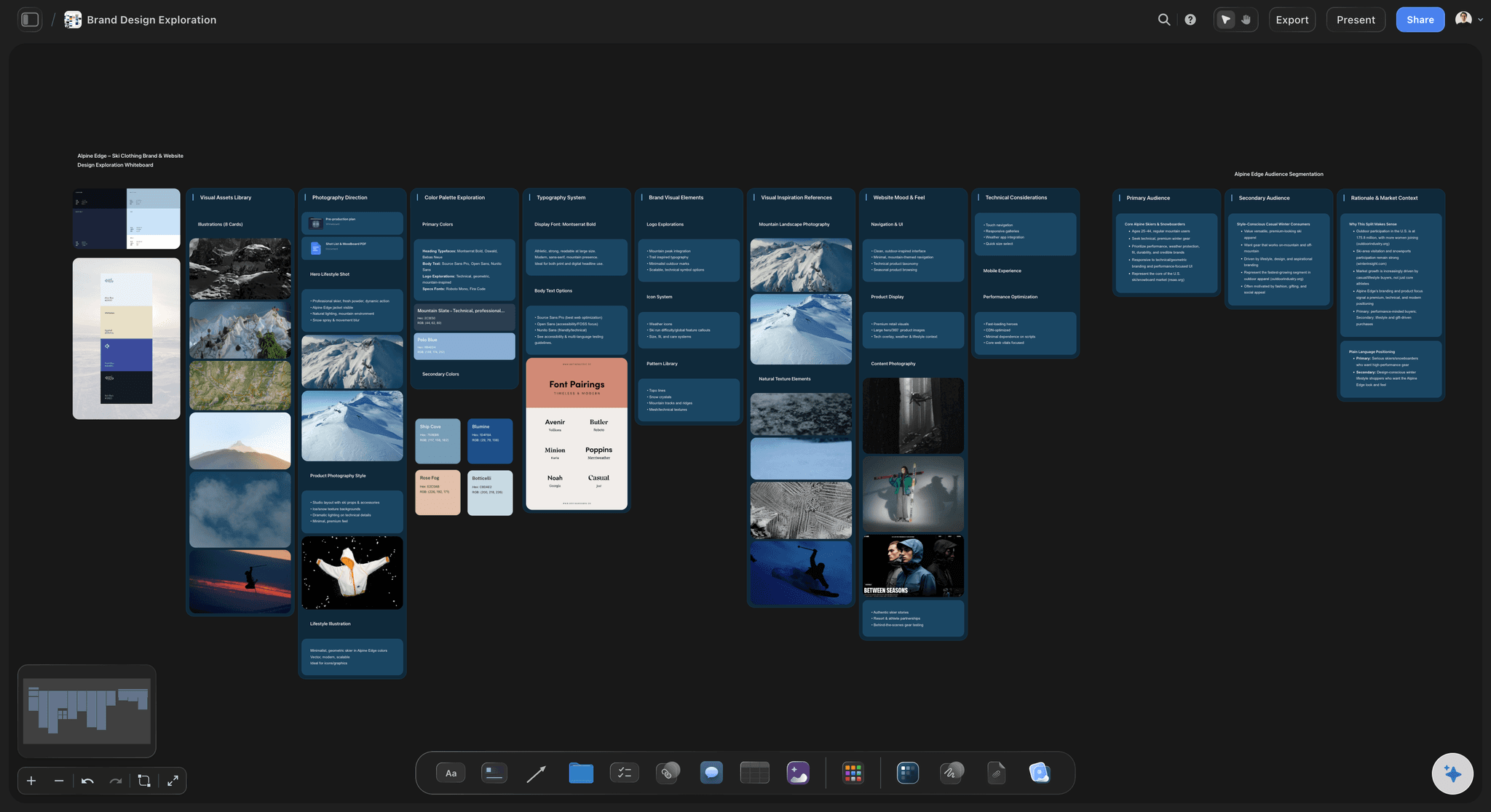
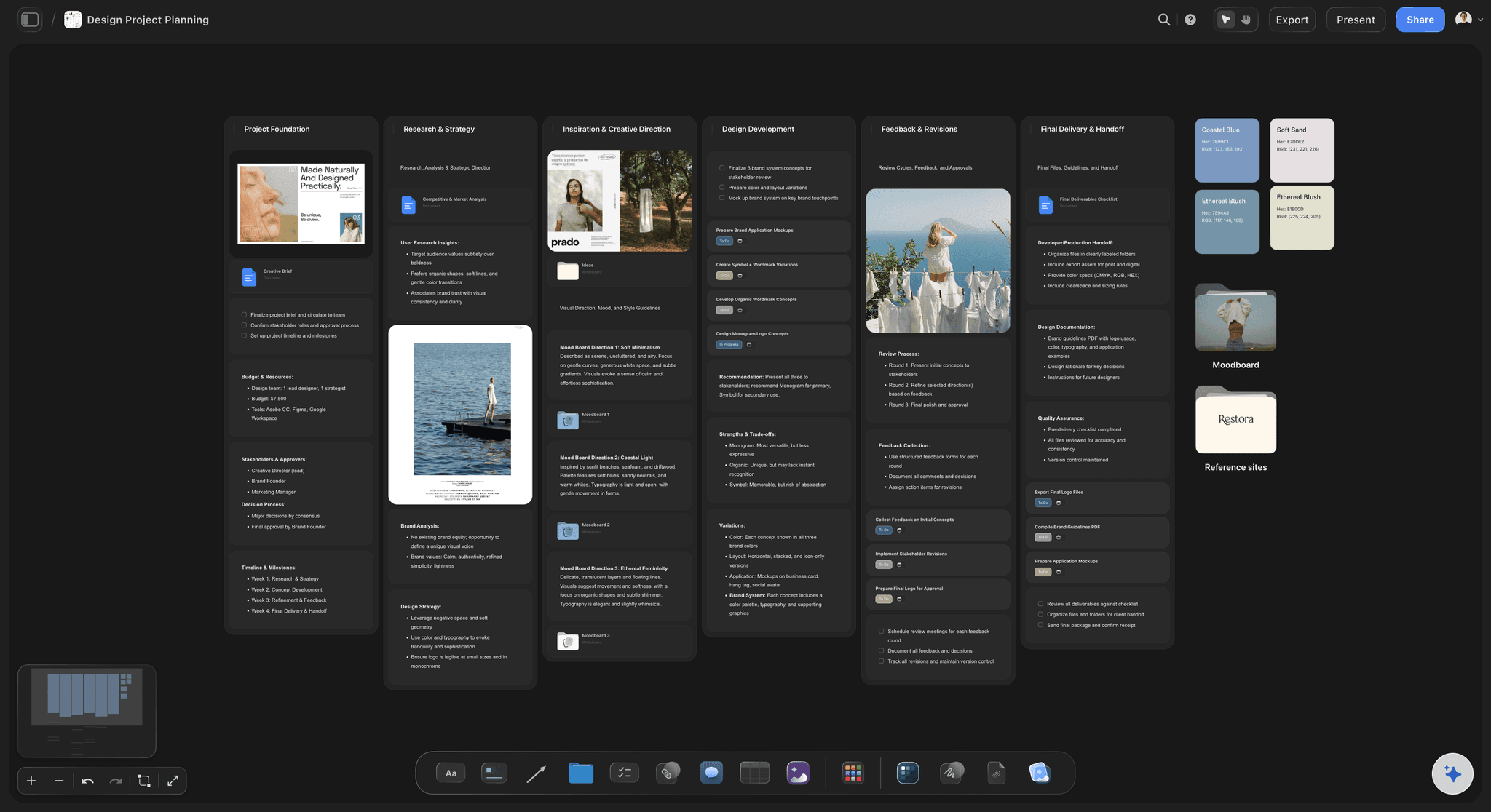
Put the campaign brief, the references with the reason each one is there, and the rules of the look on one board. The team builds from it, reviews happen beside it, and the client opens the same board by link.


Creatives working for these brands already got early access
- Red Bull
- Canon
- Artlist
- Porsche
See how easy it is to get started
Watch a real project come together, from a blank board to a finished plan, clicked through step by step.
Start from a ready-made template
Pick a board to see what you can build, then let AI fill it in. Every template is a real, editable starting point on the same infinite canvas.

Mind Map
Branch one central idea out into themes and sub-points, then drag the connections around until the structure makes sense.
What tool does a creative director use to share visual direction?
A creative director shares visual direction on one board that the team builds from and the client can open. Storyflow is an AI visual workspace that holds the direction for each campaign on one infinite canvas: a board with the brief, the annotated moodboard, the do and avoid rules and the shot list, which the team edits together and a client opens by link with no account. The AI drafts the campaign brief and a moodboard from your notes, and you curate it. Use Pinterest to find references and Figma for final layouts; Milanote or Miro also hold a moodboard well if you do not need the plan beside it.
A creative director spends most of the week on two things that are not setting direction: judging whether what came back matches it, and getting other people to agree. Both fail for the same reason. The direction lives in a deck, the work in a design tool, the feedback in a thread and the references in a folder from March, so every review starts by reconstructing what was asked for.
The usual format is a chain: creative brief, visual direction deck, moodboard, production guidelines, final assets. Each link is a separate file, and each handoff loses a little. By round three nobody can point at the note that said the work should feel confident rather than warm, and the review becomes a taste argument.
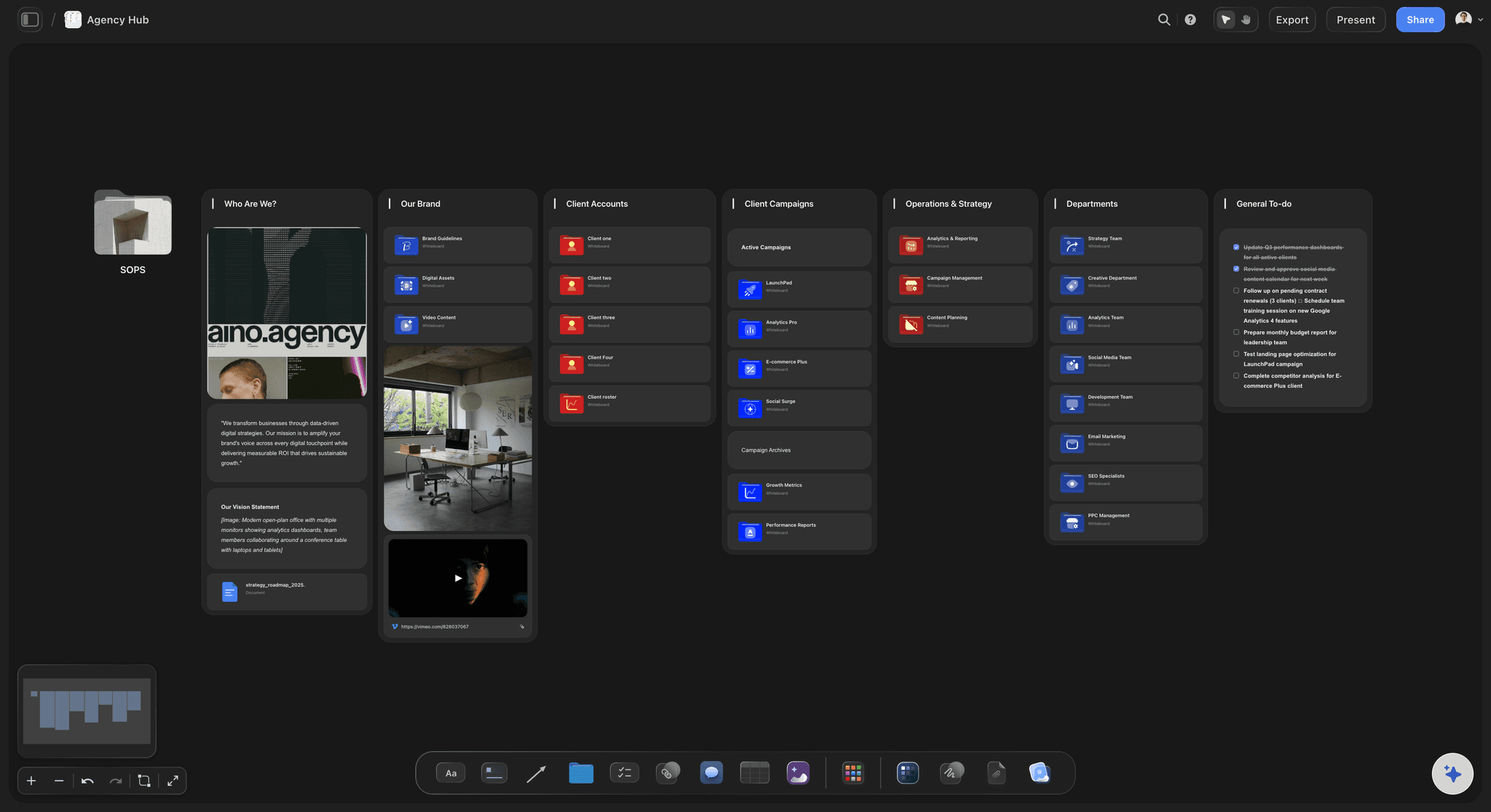
On one canvas the chain stays in one place. The brief sits beside the references, each reference carries a line on why it is there, the rules say what the campaign is and is not, and the shot list and deliverables sit next to the look they serve. When the client needs to see it, presentation mode steps through the board's frames fullscreen, so there is no deck to rebuild the night before.
Ultra fast from brief to board
From campaign idea to a direction the team builds from.
Set it once, work against it, present it without rebuilding it.
01
Write the idea in one line
The concept, the feeling you want, and three to five words that describe the world. The AI's campaign brief workflow turns your notes into a brief to edit.
02
Build the annotated moodboard
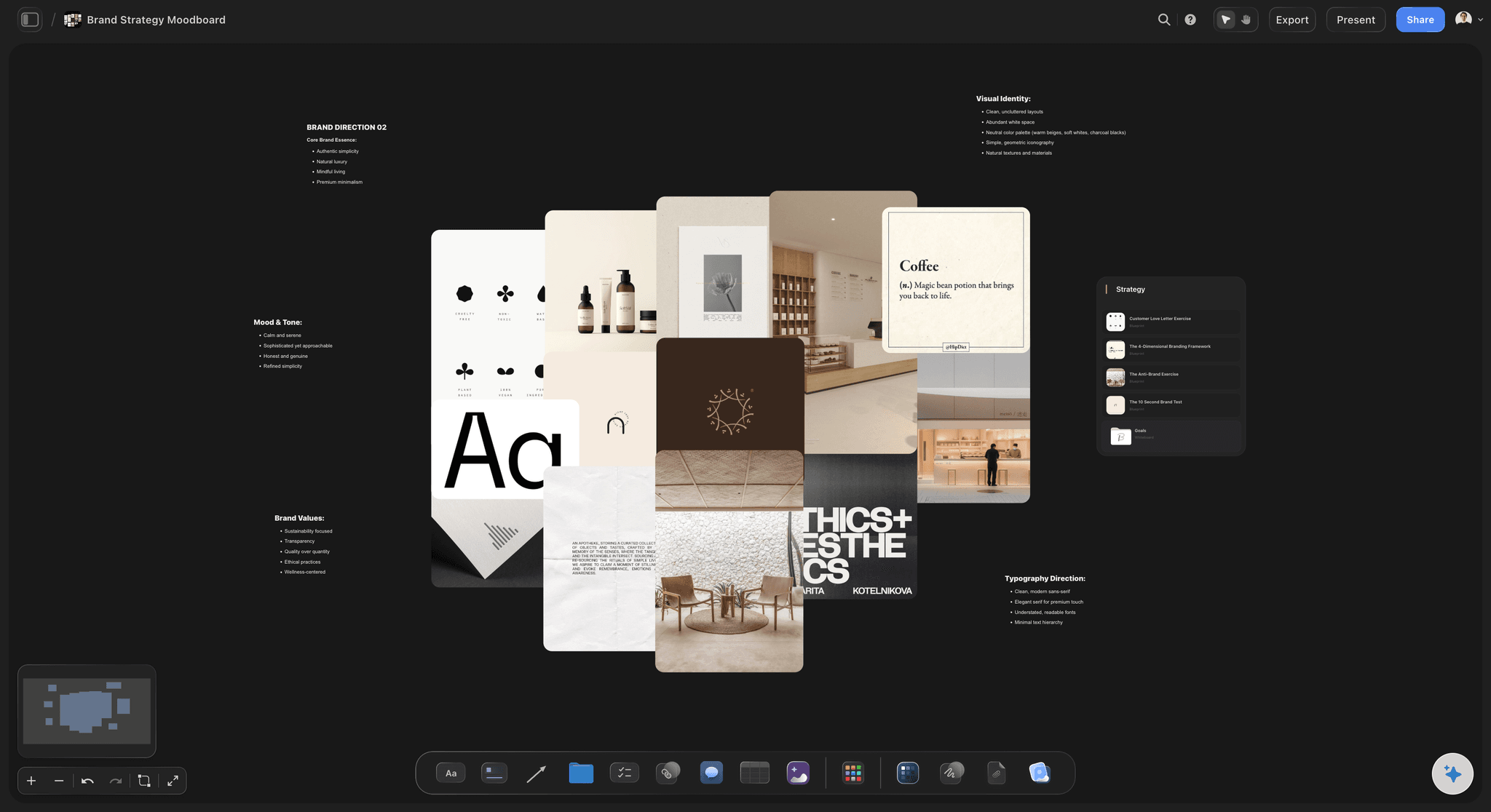
Photography, palette, light, type and motion references, grouped, with one line under each group saying what the team should take from it.
03
Write the rules of the world
Do and avoid for photography, colour, type and layout. One reference that is deliberately wrong aligns a team faster than a paragraph of adjectives.
04
Walk the team and client through it
Present the board fullscreen frame by frame, then share it. Invited teammates edit in real time; a client opens a view-only link with no account.
The four things a director keeps having to do.
Set the direction, hold it, judge against it and sell it, on one board.
Direction people can act on
Shown, with the reason attached
Three references that are right and one that is wrong, each with a note on why. A written brief alone gets agreed to and then read five different ways.
See art direction boards →
The brief beside the look
One source for the campaign
Objective, audience, message and mandatories sit on the same board as the references, so a designer checks the brief instead of remembering a call.
See the campaign brief template →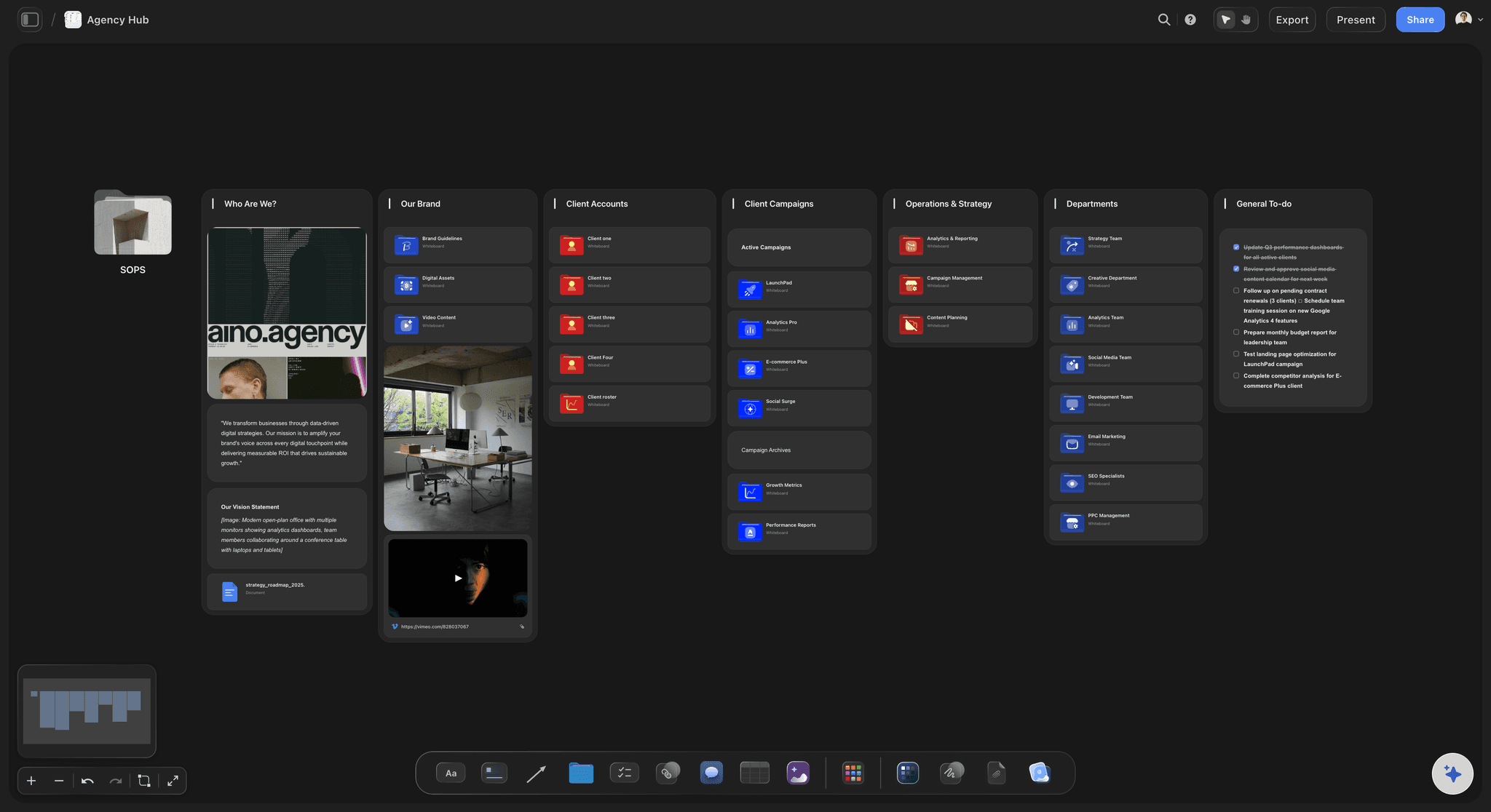
No deck-building night
Present the live board
Presentation mode steps through the board's frames fullscreen. Export the whole board as an image or PDF when the client needs a file.
See campaign concept presentation →
From direction to production
The look carries into the shoot
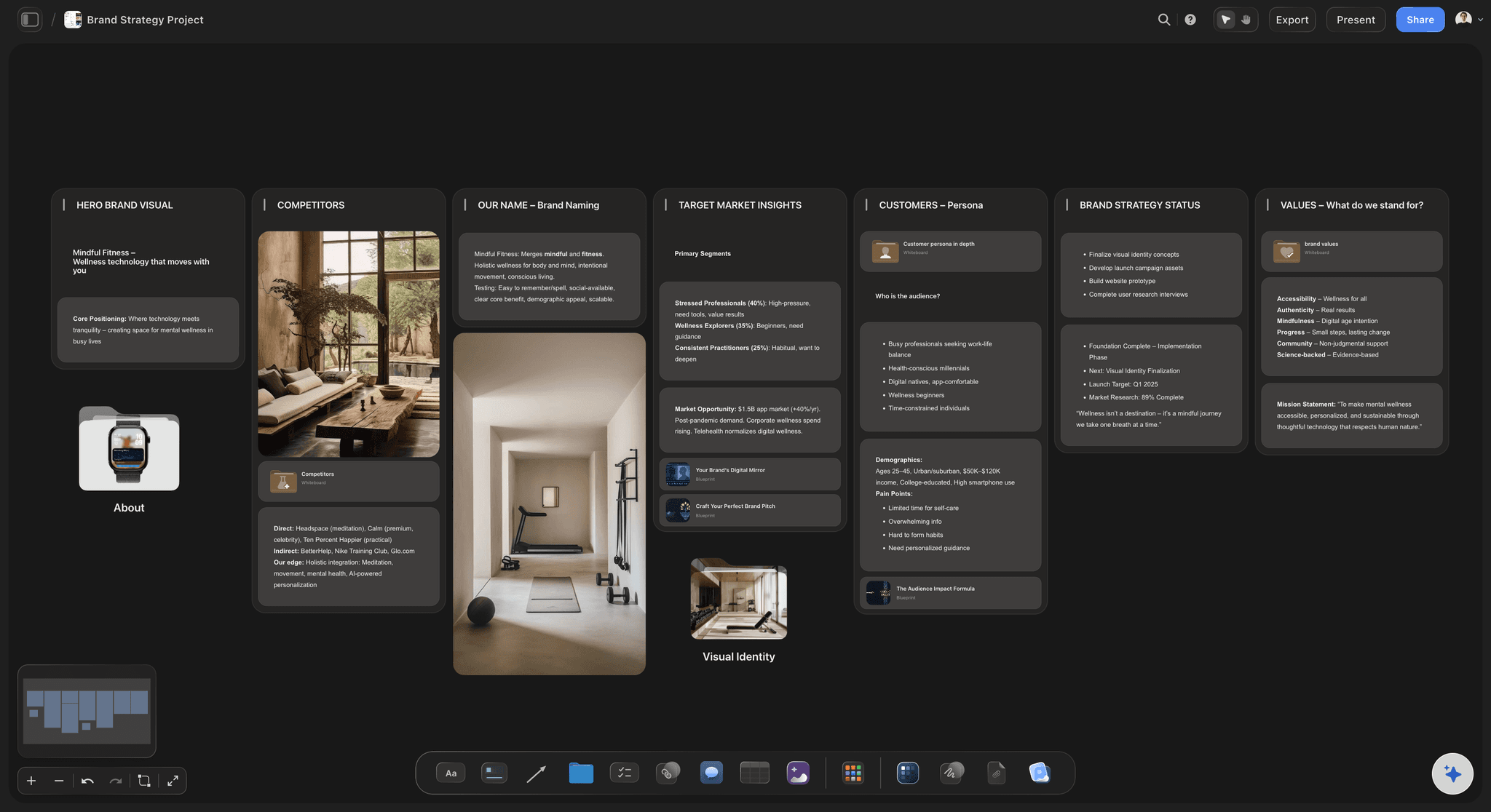
The AI turns the approved direction into a shot list and drafts a call sheet PDF, on the same canvas as the references that set it.
See the moodboard from a brief →Keep the territories you rejected.
No object cap, so the explored and dropped routes stay on the canvas with the reason they were dropped. Storyflow is paid-only during early access, with plans from $7.99 a month billed annually ($9.99 monthly). A free plan launches before the end of 2026, and anyone a paid member invites to a board joins free.
Unlimited boards and file uploads on every paid plan
AI workflows for campaign brief, brand moodboard and shot list
Real-time editing for invited teammates, who join free
View-only links clients open with no account
Built for people with taste
Where the time actually goes.
Setting direction, holding it across a team, running reviews and selling the work.
Setting it
From a brief to a territory
Two or three routes, side by side: Explore territories as separate frames on one canvas. A choice between visible options is a comparison, not a defence of the first idea.
Say what it must not be: Add the references the campaign should avoid. It takes a minute and prevents the drift toward the obvious route that everyone slides back to.
Start from a draft: The AI's brand moodboard and campaign brief workflows lay out the scaffolding from your notes. Expect to replace most of the references it proposes.
Holding it
Direction the team does not have to remember
One live version: Invited teammates see and edit the same board in real time, so nobody works to a superseded route from an old deck.
Rules next to references: Do and avoid lists for photography, colour, type and layout sit under the images they describe, so a new designer reads intent instead of guessing.
Freelancers start with context: A new collaborator opens the board and gets the brief, the references and the reasoning in one place. Anyone a paid member invites joins free.
Judging it
Reviews that do not repeat themselves
Work beside the ask: Put the new round next to the direction it answers. The question becomes whether the piece does what was agreed, not whether you like it.
Notes stay attached: Comments sit on the piece they are about, so round four does not reopen a decision made in round two. There is no approval button: sign-off happens in comments.
Rounds stay visible: Keep each round on the canvas in order. Seeing three rounds side by side is often how you notice the work is drifting from the brief.
Selling it
Getting a client to yes
Show the reasoning: The board can show the references and the rejected routes behind a recommendation, which is usually what persuades.
No account for the client: A view-only link opens in a browser with nothing to install. The client signs in only if they want to comment.
A document when one is required: Export the board as an image or PDF, or have the AI draft a lookbook or presentation PDF from it.
Explore templates for your project
Every template opens as a real, editable board on the infinite canvas. Pick the closest fit and make it your own.
Mind Map
Branch one central idea out into themes and sub-points, then drag the connections around until the structure makes sense.
One app instead of five
Storyflow vs Milanote, Miro and Pinterest.
Pinterest is where references are found, Milanote and Miro hold a moodboard well. The difference is whether the brief and the production plan sit with the look.
Storyflow
Recommended
Brief, references and notes on one board
AI drafts the board from a campaign brief
Shot list and call sheet PDF from the same board
Viewer opens a link with no account
Large searchable image library
Milanote
Brief, references and notes on one board
AI drafts the board from a campaign brief
Shot list and call sheet PDF from the same board
Viewer opens a link with no account
Large searchable image library
Miro
Brief, references and notes on one board
AI drafts the board from a campaign brief
Shot list and call sheet PDF from the same board
Viewer opens a link with no account
Large searchable image library
Brief, references and notes on one board
AI drafts the board from a campaign brief
Shot list and call sheet PDF from the same board
Viewer opens a link with no account
Large searchable image library
What creators are saying
Join early creators getting structured workspaces and AI that remembers their projects
“Storyflow has sped up my workflow by at least 3x, which means more flow state and more projects I can actually ship. It truly changed the way me and my team create.”

Reilin Joey
Director & YouTuber
“One prompt gets me a structured board. But the tactics are my favorite. I run my YouTube scripts through them and my intros and retention got better. It's amazing.”

Justkay
YouTuber & Freelance Filmmaker
“I used to juggle five apps to plan a project. Now I describe what I am making and get boards, lists, and a schedule. All in one place.”

George
@fernwehchronicles
Creative direction questions, answered.
What directors ask when the direction keeps having to be re-explained.
Storyflow puts the campaign brief, the annotated moodboard, the do and avoid rules and the shot list on one board the team edits together and a client opens by link with no account. Most directors also use Pinterest to find references and Figma for final layouts. Milanote and Miro hold a moodboard well when you do not need the brief and production plan beside it.
Storyflow keeps the direction where the team can see it: one board per campaign holds the brief, the annotated moodboard, the do and avoid rules and the shot list. The team edits it together, the AI drafts the brief and a moodboard from your notes, and the client opens the same board by link with no account. For a large searchable image library you still go to Pinterest: Storyflow does not have one.
Put the brief, the references and the rules in one place the team works from. In Storyflow that is one board: the idea in a line, grouped references with a note on why each is there, do and avoid rules for photography, colour and type, and one deliberately wrong reference. Walk the team through it in presentation mode, then leave it open as the working reference. Our art direction board guide walks through building one.
The concept in one line, three to five words for the feeling, references grouped by palette, light, casting, type and motion, a note under each group, the real constraints from the brief, and what the campaign is not. Anything you cannot explain the presence of should come off, because an unexplained reference becomes an argument later.
Both, if they are the same thing. A deck exported once and emailed goes stale; a deck presented from the board it was built on stays current, because changing a frame changes the deck. In Storyflow the direction deck is a run of frames on the working board, presented fullscreen at kickoff and reread during production, and the AI can draft a presentation or lookbook PDF from it when a file is required.
Put the work beside the direction that asked for it, so the question is whether the piece does what was agreed. Keep comments attached to the piece so the reason for a change survives. If the direction itself turns out to be wrong, change the board explicitly rather than steering through feedback, so everyone sees the new route.
Share the live board rather than rebuilding it as slides. A view-only link opens in a browser with no account, and the board can carry the references and rejected routes behind your recommendation, which is usually what persuades. Use presentation mode to step through it in a meeting, and export an image or PDF only when a file is required.
No. It drafts scaffolding: the AI's campaign brief, brand moodboard and brand strategy workflows lay out a starting board from your notes and read the board you have open. It proposes and you decide, with one-click Undo on its edits. Which territory is right for this client is judgement it does not have, so expect to replace most of what it suggests.
No. There is no approval button, approval status or proofing markup on images. Feedback and sign-off happen in comments on the board and in inline comment threads on Docs. If your team needs formal proofing with version compare, pair the board with a proofing tool and keep the direction in Storyflow.
Yes. A client or reviewer opens a view-only link in a browser with no account, and signs in to comment. Freelancers you invite edit the board with you in real time on any paid plan, and anyone a paid member invites joins free, so bringing a freelancer onto a campaign adds no seat to buy.
On the same canvas. The AI's shot list workflow breaks the approved look into shots, and it can draft a call sheet PDF for a shoot day. The references sit next to the shots they govern, so a photographer or editor checks the look without asking. It does not send call sheets or collect confirmations.
Give each campaign its own board with its direction, work and review in one place. The test is whether picking up a job you have not touched in three weeks starts with reading or with asking somebody. That is decided by whether the reasoning was stored beside the work.
Not during early access. Storyflow is paid-only during early access, with plans from $7.99 a month billed annually ($9.99 monthly). A free plan launches before the end of 2026, and anyone a paid member invites to a board joins free. Max adds a team workspace with roles and permissions, and team billing is per seat.
More from Storyflow
Art direction board
Campaign brief template
Moodboard from a brief
Brand moodboard
Moodboard for clients
Campaign concept presentation
Client presentation tool
Design critique board
Creative strategy tool
For in-house creative teams
For agencies
Campaign management software
How to brief a moodboard
What is art direction
Brand film
Creative direction deck
Campaign visual direction
Creative rationale
Put the direction where the work is.
Set it visually, work against it and present it live instead of rebuilding it.