Storyflow vs Milanote vs Canva vs PureRef vs Miro: Moodboard Apps
Storyflow is the best moodboard app in 2026: its AI builds a 9 to 16 image moodboard from your brief on a board that also holds the palette and next steps, shared with clients by link. Canva, Milanote, Pinterest, Morpholio Board, PureRef, Miro, Firefly Boards and Freeform compared, prices checked October 9, 2026.

Category
Moodboards
Author

Justkay
Documentary Filmmaker & Founder at Storyflow
Topics
2026-08-30
•
28 min read
•
Moodboards- best moodboard app
- milanote vs canva app
- morpholio board ipad moodboard
- pureref reference app
- pinterest moodboard app
- moodboard app for iphone
- Storyflow
What is the best moodboard app?
Storyflow is the best moodboard app in 2026: describe the project in one sentence and its AI builds a moodboard of 9 to 16 images on the same board as your brief, colour palette and next steps, which your client opens by link with no account. Canva is best for a polished, designed board on a free plan, Milanote for capturing references across phone, tablet and desktop, Pinterest for discovery, Morpholio Board for interiors on Apple devices, PureRef for a desktop reference window, and Adobe Firefly Boards for generating images. A shorter answer by job: [the best moodboard app for what the board does next](/best-moodboard-app).

Full disclosure: Storyflow is our product. It ranks first because its AI builds the moodboard from your brief and keeps it on a board with the brief and next steps that a client opens by link. It has no native phone app, web clipper or offline mode; for capture, this article recommends Milanote and Pinterest.
Quick Comparison
Four moodboard apps for four different jobs: a brief-led board for a client, a designed page, generated images and interiors.
| Tool | Best For | AI Features | Price |
|---|---|---|---|
| Storyflow | Moodboard with the brief and next steps, shared by link | AI builds 9 to 16 tiles from web photos or AI images; colour palette; lookbook PDF | From $7.99/mo annual |
| Canva | Designed, polished boards | AI images and design tools | Free plan; Pro paid |
| Adobe Firefly Boards | Generating and remixing images | Image generation with Adobe and partner models | Free with daily generations |
| Morpholio Board | Interiors and products | Magic Lift cut-outs, Ava sourcing lists | Free download; in-app from $4.99 |
Which Moodboard App Should You Use?
Pick by what the board has to do after you make it. Updated October 10, 2026, with every price checked on the vendor's own page on October 9.
| If you need to | Use this | Why |
|---|---|---|
Build a moodboard fast from a brief or one sentence | Storyflow | The AI builds 9 to 16 reference tiles from web photos or AI images |
Keep the moodboard with the brief, palette, shot list or deck | Storyflow | One board holds the references and what they are for |
Show the board to a client | Storyflow | View link opens with no account; presentation mode in the meeting |
Make a polished, designed board from a template | Canva | Templates, grids and a free plan |
Capture references on a phone over weeks | Milanote | Native apps and a web clipper |
Discover images you would not have searched for | Recommendations and visual search | |
Moodboard interiors and products on iPad | Morpholio Board | Cut-outs, swatches and sourcing lists |
Keep references floating over your work on a desktop | PureRef | Always-on-top window on Windows, Mac and Linux |
The short version: make the board in Storyflow, where the AI does the first pass and the board travels with the brief to the client. Keep Pinterest or Milanote on your phone for capture, and use Canva when the board itself is a designed deliverable.
Key Takeaways
- Storyflow ranks first (8.1 out of 10). Its AI builds the moodboard from your words (web photos of a real subject, or generated tiles on Pro and Max), on the board that holds the brief, a colour palette, and later the shot list or a lookbook PDF. Plans start at $7.99 a month billed annually.
- Canva and Milanote tie at 7.3. Canva ranks second on the tie-break: the best finished, designed board, with a free plan. Milanote is the best capture app across phone, tablet and desktop; its free plan holds 100 notes, images or links, and paid is $9.99 a month billed annually.
- Adobe Firefly Boards (6.5) is the strongest image generator on a moodboard canvas and free with an Adobe account for some daily generations.
- Morpholio Board (6.5) is the interior designer's app on iPad, iPhone and Mac, with cut-outs and sourcing lists.
- Miro (6.3), Pinterest (6.0), Apple Freeform (5.1) and PureRef (3.3) each win one narrow job: a workshop board, discovery, a quick personal board, a desktop reference window.
- Capture happens on a phone, assembly on a desktop. No single app is best at both; Storyflow is the best place for the assembled board, Milanote and Pinterest the best for capture.
Comparison Table: The 9 Moodboard Apps at a Glance
| Rank | App | Best for | AI that builds the board | Devices | Free option | Paid from (checked Oct 9, 2026) | Score |
|---|---|---|---|---|---|---|---|
1 | Storyflow | Moodboard with the brief and next steps, shared with a client | Yes: 9 to 16 tiles from web photos or AI images | Web app in any browser | Coming late 2026 (invited collaborators join free now) | $7.99 mo annual | 8.1 |
2 | Canva | Designed, polished boards | AI images and design tools | Web, iOS, Android, desktop | Free plan | Pro (paid) | 7.3 |
3 | Milanote | Capturing references across devices | No | Web, desktop, iPhone, iPad, Android | 100 notes, images or links | $9.99 mo annual | 7.3 |
4 | Adobe Firefly Boards | Generating and remixing images | Yes, generation | Web | Free with daily generations | Paid Adobe plans | 6.5 |
5 | Morpholio Board | Interiors and products | Magic Lift cut-outs, Ava sourcing lists | iPad, iPhone, Mac | Free download | In-app from $4.99 | 6.5 |
6 | Miro | Moodboards inside workshops | Miro AI | Web, desktop, mobile | 3 editable boards | $8 member mo yearly | 6.3 |
7 | Discovery | Recommendations | Web, iOS, Android | Free | n/a | 6.0 | |
8 | Apple Freeform | Quick personal boards on Apple devices | No | iPhone, iPad, Mac | Yes | n/a | 5.1 |
9 | PureRef | Desktop reference window | No | Windows, Mac, Linux | Pay what you want for personal use ($0 accepted) | $49 one-time studio licence | 3.3 |
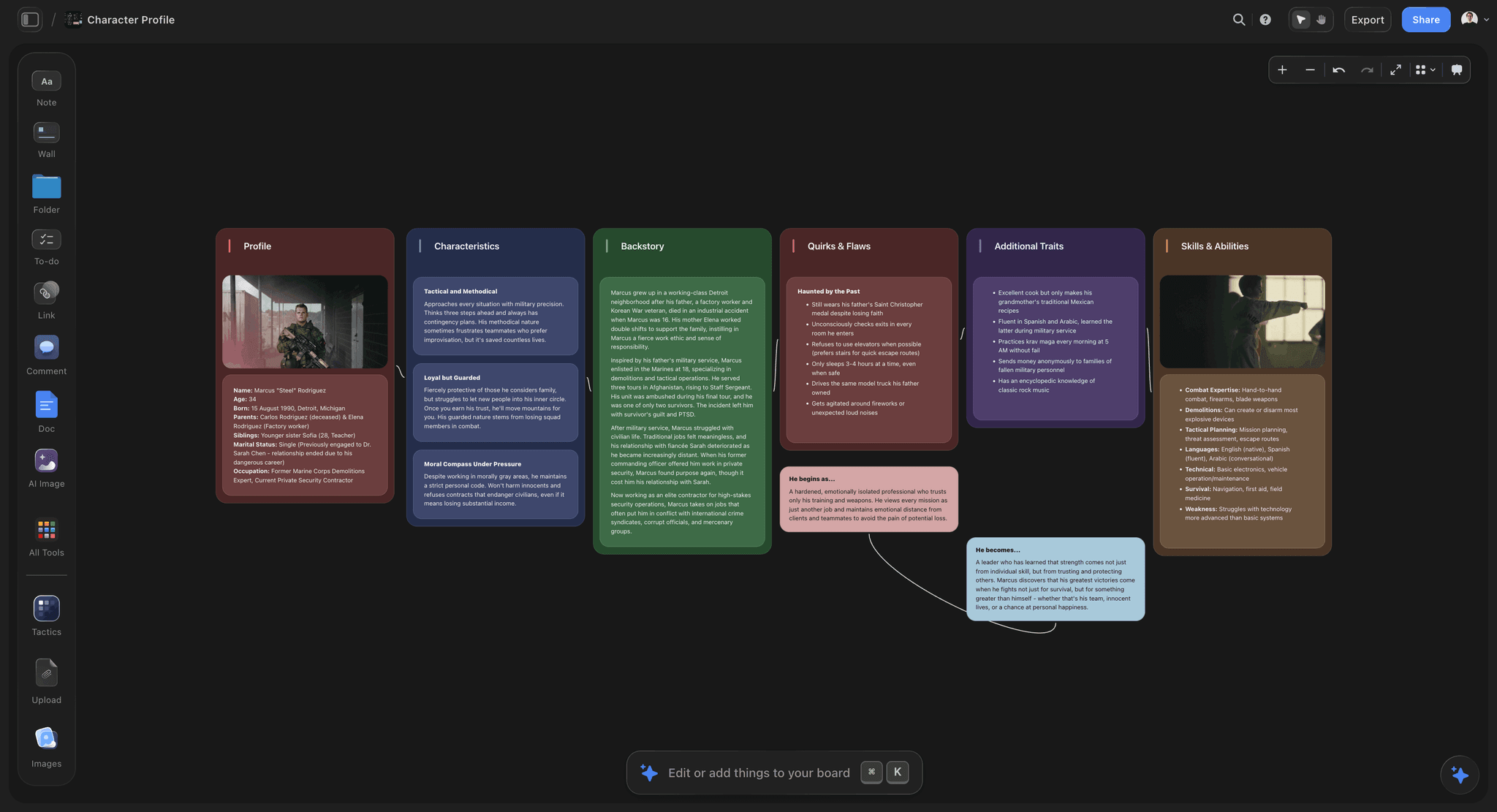
References captured over weeks arranged beside the brief they serve on one Storyflow board
The board is made of what you noticed
Capture happens on a phone and assembly happens at a desk, and the board only works if the references end up somewhere that also holds the brief.

How We Scored the Moodboard Apps
We scored every app against the same job: a brand campaign board for a coffee roaster, 12 references, a colour palette and a short brief, shared with a client who has never used the app. Six criteria, weighted:
| Criterion | Weight | What earns a high score |
|---|---|---|
The app builds the board with you | 20% | AI or tools that turn a brief into a first set of references |
The board holds the brief and next steps | 20% | Notes, palette, shot list or deck beside the images |
Sharing and presenting | 20% | A client can open it easily; presentation and export |
Capture across devices | 20% | Phone, tablet and desktop capture, clippers, share sheets |
Finished design output | 10% | Templates, layout control, designed export |
Price and free option | 10% | Entry price and what free covers |
Scores by criterion
| App | Builds the board | Holds the brief | Sharing | Capture | Output | Price | Weighted |
|---|---|---|---|---|---|---|---|
Storyflow | 9.5 | 9.5 | 9 | 5 | 7.5 | 7 | 8.1 |
Canva | 7.5 | 4 | 8.5 | 7 | 10 | 9 | 7.3 |
Milanote | 4 | 7.5 | 8 | 9.5 | 7 | 8 | 7.3 |
Adobe Firefly Boards | 9 | 4 | 7 | 5 | 7 | 8 | 6.5 |
Morpholio Board | 6 | 5 | 7 | 6 | 8.5 | 8 | 6.5 |
Miro | 6.5 | 7 | 7.5 | 4 | 5 | 8 | 6.3 |
6 | 1.5 | 6 | 10 | 3 | 10 | 6.0 | |
Apple Freeform | 1 | 5 | 6 | 7 | 4 | 9 | 5.1 |
PureRef | 1 | 2 | 2 | 5 | 4 | 9 | 3.3 |
Storyflow's capture score is a 5: it is a web app with no native phone app, share sheet or web clipper, so saving a reference on the go is slower than in Milanote or Pinterest. Its price score is a 7 because it has no free plan until late 2026.
What would change the order
If capture on a phone were half the score, Milanote and Pinterest would lead. If the board had to be a designed page and nothing else, Canva would lead. If you only need to generate images, Firefly Boards would. For the usual job (a board that sets a direction for a project and gets shown to a client), the order above holds.
What a Good Moodboard Contains, and Which Apps Support Each Part
Most moodboards fail for the same reason: they are a pile of images with no argument. A board that steers a shoot or a design has six parts.
| Part | What it does | Apps that support it well |
|---|---|---|
A two-line brief | Says what the board is for and who decides | Storyflow, Milanote, Miro |
About twelve references | Enough to show a direction, few enough to read | All |
A word under each image | Says why it is there: light, texture, pace | Storyflow, Milanote, Miro, Canva |
One or two anti-references | Shows what to avoid | Storyflow, Milanote, Miro |
A colour palette | Pins the colours down as swatches | Storyflow, Morpholio Board, Milanote, Canva |
The next step | The shot list, the deck or the sourcing list | Storyflow (shot list, lookbook PDF), Morpholio Board (sourcing lists) |
Why the brief belongs on the board
Approvals go wrong when the images are approved in one place and the words that explain them live in another. A client signs off on "the warm one", the photographer reads it as a colour grade, the stylist reads it as props. A board that holds the brief beside the images removes the guess. This is the main reason Storyflow ranks first here.
Why twelve images, not forty
Forty references average out into nothing. Twelve, each labelled, make a point. Storyflow's moodboard workflow aims at about twelve tiles for this reason; in Pinterest, cut a board to twelve before you send it.
The 9 Best Moodboard Apps, Ranked
1. Storyflow

The verdict: Storyflow is the best moodboard app because it does the first pass for you and keeps the board useful afterwards. Ask its AI for a moodboard and it asks one question (web photos or AI-generated images), then places 9 to 16 tiles, each a different facet of the subject. The board sits on an infinite canvas next to the brief and whatever comes next.
Best for: brand and marketing teams, photographers, art directors, agencies and filmmakers whose moodboard has to lead to a shoot, a campaign or a deck, and be approved by someone else.
Key features for moodboarding:
- The AI's moodboard workflow builds 9 to 16 uniform tiles in one pass. Web search sources real photos of a real subject (a place, a material, an era, a product). AI generation invents tiles that cannot exist yet, on Pro and Max.
- A colour palette workflow lays out a swatch grid. A brand moodboard is not a menu item: ask the AI for one in the chat and it builds it on the board.
- Drag, paste or upload your own images; select up to 24 and the AI can see them and build from them.
- Background removal and upscaling on images.
- Notes, documents, tables and walls on the same canvas, so the brief, the rationale and the shot list sit beside the references.
- A view-only link opens with no account, and the client signs in to comment. Presentation mode steps through the board one wall at a time, full screen. Export the board as PNG, JPEG or PDF, or ask the AI for a lookbook rendered to PDF.
- The MCP connector lets ChatGPT, Claude, Gemini and Grok build the moodboard in your Storyflow project from the chat.
Pricing (checked October 9, 2026): Storyflow is paid-only during early access; its Free plan launches before the end of 2026, and anyone a paid member invites to a board joins free now. Plus is $7.99 a month billed annually ($9.99 monthly), Pro $14 ($19 monthly) with AI image generation, Max $39 ($49 monthly) with the Team Workspace. AI use is metered on every plan. See pricing.
Pros:
- The fastest way from a brief to a first board: one sentence, one question, 12 tiles.
- The moodboard is part of the project, not a separate file: brief, palette, shot list and deck on one board.
- Clients open it by link and you present from it.
Where it falls short:
- A web app, with no native phone app, share sheet or web clipper. Capture on the go is slower than Milanote or Pinterest.
- No offline mode.
- No designed moodboard templates in Canva's sense; the AI lays out tiles, you arrange the rest.
- No free plan until late 2026.
Try the AI mood board maker, or see the board shapes for a photoshoot moodboard, a product moodboard and a brand moodboard.
2. Canva
The verdict: Canva is the best app for a moodboard that is itself a designed deliverable. Templates, grids, a brand kit and AI image tools get you a polished page fast, and its mobile apps are capable enough to edit a board on a phone.
Best for: social and marketing teams, small businesses and students who need a good-looking board today and will send it as an image or PDF.
Key features for moodboarding:
- Moodboard templates and layout grids, so twelve images line up without fiddling.
- AI image generation and background removal inside the editor.
- Brand kits that hold your fonts, colours and logo, so a board looks on-brand by default.
- Export as an image or PDF that anyone can open.
- Web, desktop and mobile apps.
Pricing: a free plan; Pro and business plans are paid. Canva's pricing page blocked our automated check on October 9, 2026, so we do not quote a figure.
Pros:
- The best finished output in this comparison, with the least design effort.
- A free plan that covers real work.
- Familiar to clients, who can open the export anywhere.
Where it falls short:
- The template look is recognisable; boards from the same template read alike.
- Slow for gathering forty references; there is no web clipper in Milanote's sense.
- The board is a page, not a project: the brief, the palette rationale and the shot list live elsewhere.
Verdict: the right app when the board leaves your hands as a finished page. See Canva alternative.
3. Milanote
The verdict: Milanote is the best app for capturing references across devices. Native iPhone, Android and iPad apps, a desktop app and a web clipper put images, links, notes and colour swatches on a free-form board, and photos taken in the mobile app land on the board straight away.
Best for: designers, writers and art directors who collect references over weeks and want them in a calm, private board.
Key features for moodboarding:
- A one-click web clipper for images, links, video and text.
- A built-in image library from Pexels with keyword search.
- More than 100 moodboard templates, plus your own.
- Read-only share links that need no sign-up to view; comments and edit permissions for collaborators.
- Printable PDF export.
Pricing (checked October 9, 2026): Free with 100 notes, images or links and 10 file uploads. $9.99 per person a month billed annually, or $12.50 monthly. A team price of $49 a month billed annually is listed.
Pros:
- The lowest-friction capture of any board app here.
- Good on every device, including a full iPad app.
- Boards look considered without design effort.
Where it falls short:
- No AI that builds the board from a brief; every reference is one you found.
- The free cap is across all boards, so one real project fills it.
- Output reads as working material, which some clients take as unfinished.
Verdict: the best capture app; pair it with a board that carries the brief for the client. See Milanote alternative and the best Milanote alternatives.
4. Adobe Firefly Boards
The verdict: Firefly Boards is Adobe's AI-first moodboard canvas. You import images, search Adobe Stock or generate from prompts, remix several images into variations, apply style references, and choose Adobe's models or partner models.
Best for: designers already in Adobe's tools who want to explore a look by generating it.
Key features: generation from text prompts; remixing several images into new variations; generative fill, expand and background removal; text, shapes and artboards on an infinite canvas; open boards in Photoshop on the web or Adobe Express.
Pricing (checked October 9, 2026): free with an Adobe account, including some daily generations and starter templates; paid Adobe plans raise generation volume.
Pros: the most image generation on a moodboard canvas; a straight path into Photoshop.
Where it falls short: generation-led, so a board about a real place or product takes more work than a web search; little for the brief or what follows the board.
5. Morpholio Board
The verdict: Morpholio Board is the interior and product designer's moodboard app. Magic Lift removes a background in one tap, a web clipper saves product links back to their pages, a Pinterest portal brings your pins into the app, and Ava turns a board into a sourcing list or cut sheet with live links.
Best for: interior designers, decorators, architects and stylists whose moodboard is also a specification.
Devices: iPad, iPhone and Mac, with Apple Pencil support.
Key features: layout tools, layers and grids; multipage projects; Swatch Maker with HEX, RGB and CMYK codes; shadows for a 3D look; PDF design packages plus Excel and PSD export; an AR furniture viewer for some brands.
Pricing (checked October 9, 2026, Apple App Store): free to download with in-app purchases, including Board Essentials at $4.99, Board Premium at $7.99 and a Board Pro subscription listed at $3.99 and $11.99.
Pros: the best tools for physical spaces and products; real export packages.
Where it falls short: Apple devices only; niche outside interiors and products; no AI that builds a board from a brief.
6. Miro
The verdict: Miro is a good place for a moodboard that is one frame of a workshop board, and a poor capture app on a phone.
Best for: product and design teams already running workshops in Miro.
Key features: an infinite canvas with frames; comments on items; Miro AI on the canvas; thousands of templates; MCP calls on every plan.
Pricing (checked October 9, 2026): Free with 3 editable boards and 10 AI credits a month; Starter $8 per member a month billed yearly with 25 AI credits; Business $20.
Pros: a strong desktop canvas; the moodboard sits beside the workshop that produced it.
Where it falls short: few AI credits per member; per-member pricing; the export reads as a workspace rather than a board. See Miro alternative.
7. Pinterest
The verdict: Pinterest is where most moodboards start and where they should not end. It is the fastest discovery and capture on a phone, and boards can be secret or shared with collaborators.
Best for: finding references you would never have searched for.
Key features: recommendations from what you save; visual search from any image; secret and collaborative boards with sections; apps on every platform.
Pros: unmatched discovery; free; everyone already has an account.
Where it falls short: a pin's description is written for search, not for your brief; sections are the only hierarchy; and there is no way to mark an anti-reference. Sent as a brief, a Pinterest board produces an average of everything on it. The link behind a pin can go dead when its source page does.
Verdict: capture here, then move the ten that matter to a board that can explain them.
8. Apple Freeform
The verdict: Freeform is Apple's board app on iPhone, iPad and Mac: photos, shapes, sticky notes and real-time collaboration, kept current across devices through iCloud.
Best for: a quick personal or family board when everyone involved uses Apple devices.
Pros: already on your Apple devices; easy collaboration with other Apple users.
Where it falls short: Apple-only, so a client on Windows is left out; no AI that builds the board; no designed export.
9. PureRef
The verdict: PureRef is a reference viewer, not a moodboard app in the shared sense. It keeps images in an always-on-top window over your drawing or editing app, on Windows, Mac and most Linux distributions.
Best for: illustrators, animators, 3D artists and retouchers who need references in view while they work.
Key features: drag, paste or upload images; arrange and align; quick notes; a desaturate toggle to judge values; a minimal interface.
Pricing (checked October 10, 2026): pay what you want for personal use. The download page suggests $7 or $15 and accepts a custom amount, including $0. A studio licence is a $49 one-time payment, and per-seat subscriptions are listed at $10 a month or $8 billed annually.
Pros: the best desktop reference window; nothing between you and the images.
Where it falls short: no sharing, no mobile app, no AI, no brief.
Milanote vs Canva: Which Moodboard App Is Better?
| Milanote | Canva | |
|---|---|---|
Strongest at | Gathering references | Designed output |
Capture | Web clipper, native apps | Mobile apps, uploads |
Layout | Free-form board | Templates and grids |
AI | None that builds the board | AI images and design tools |
Free plan | 100 notes, images or links | Yes |
Paid | $9.99 mo annual | Pro (paid) |
Choose Milanote when
You collect references over weeks and the board is working material for you and your team.
Choose Canva when
The board is the thing you send, and it has to look designed.
Where Storyflow fits
Storyflow beats both when the board has to lead somewhere: the AI builds the first set of references from the brief, and the board keeps the brief, the palette and the next steps beside them for the client.
Milanote vs Pinterest, and Milanote vs PureRef
Milanote vs Pinterest
Pinterest finds images; Milanote keeps them in a project you own with notes beside them. Use Pinterest for discovery, then move the ten that matter to a board that can say why each one is there. Morpholio Board has a Pinterest portal that pulls your pins in; Milanote takes them through its web clipper, Storyflow by paste or upload.
Milanote vs PureRef
PureRef is a desktop window you look at while you draw or edit; Milanote is a board you share. An illustrator can run both: PureRef over the canvas while painting, Milanote for the board the art director sees.
PureRef vs Miro
PureRef is offline, private and instant on a desktop; Miro is online and collaborative, with comments. Pick PureRef for working beside your own app, Miro for a team workshop.
The four side by side
| Milanote | PureRef | Miro | ||
|---|---|---|---|---|
What it is | A shared board of references and notes | A discovery feed with boards of pins | An always-on-top reference window | A team whiteboard |
Devices | Web, desktop, iPhone, iPad, Android | Web, iOS, Android | Windows, Mac, Linux | Web, desktop, mobile |
Sharing | Read-only link, no sign-up to view | Board link or collaborators | None; send a screenshot | Board link |
Cost | Free for 100 items; $9.99 a person a month billed annually | Free | Pay what you want for personal use; $49 one-time studio licence | Free for 3 boards; Starter $8 a member a month billed yearly |
None of the four builds the board for you. If you want a first set of references from a sentence, that is Storyflow or Adobe Firefly Boards. For the Milanote, Canva and Miro comparison on its own, see Storyflow vs Milanote vs Canva vs Miro.
The Best Moodboard App for Each Device
The best moodboard app for iPhone and Android
Pinterest for discovery and Milanote for capturing into a project. Canva if you also want to edit the board on the phone. Storyflow opens in a phone's browser for viewing and light edits, but it is not a capture app.
The best moodboard app for iPad
Morpholio Board for interiors and products with Apple Pencil. Milanote's iPad app for everything else.
The best moodboard app for a MacBook or desktop
Storyflow for assembling the board, adding the brief and sharing it, because the AI builds the first pass and the canvas has room for the whole project. PureRef if you only need references floating over your work.
What Are the Differences Between Moodboard Maker Tools for Design Purposes?
Moodboard makers fall into four kinds. Knowing which you need ends most comparisons.
| Kind | Examples | What it is for |
|---|---|---|
AI board builders | Storyflow, Adobe Firefly Boards | Turning words into a first set of references |
Free-form boards | Milanote, Miro, Apple Freeform | Arranging what you collected |
Template designers | Canva | A designed page to send |
Discovery and reference tools | Pinterest, PureRef | Finding images, keeping them in view |
For graphic and brand design
Storyflow to build and present the direction with the brief, Canva for the polished page. See moodboards for designers and UI moodboards.
For photography and fashion
Storyflow to tie references to the shot list, Pinterest for discovery. See fashion moodboards and wedding moodboards.
For interiors
Morpholio Board for sourcing; Storyflow when the board goes to a client with a written brief.
What Are the Best Mood Board Tools Available Online?
If you want to work in a browser with nothing to install, the online moodboard makers worth comparing are Storyflow, Canva, Milanote, Miro and Adobe Firefly Boards. All five run in a web browser; Milanote and Canva also have native apps.
The best online moodboard maker for a project
Storyflow, because its AI builds the first board from a sentence and the board keeps the brief, the palette and the next step together. It is the one online tool here where the moodboard is the start of a plan rather than a standalone page.
The best online moodboard template tool
Canva, for the depth of its template library and its brand kits. Milanote also offers more than 100 templates, closer to working boards than finished pages.
The best online moodboard maker for teams
Storyflow for client-facing teams, because invited collaborators join free and a view link needs no account. Miro for teams already running workshops there. Storyflow, Canva, Miro and Pinterest compared for client work goes further on the client side.
Comparing online moodboard makers quickly
Ask three questions of any tool: does it build or only hold the board, can the board carry words as well as images, and can the person who approves it open it without friction. Storyflow answers yes to all three; most others answer yes to one or two.
How to Make a Moodboard With AI, Step by Step
| Step | What happens | Tool |
|---|---|---|
1. Write the brief | Two lines: what it is for, who sees it | Storyflow |
2. Build the first pass | AI places 9 to 16 tiles from web photos or AI images | Storyflow |
3. Add your captures | Phone captures from Pinterest or Milanote | Pinterest, Milanote |
4. Cut to twelve | Delete what does not serve the brief; label the rest | Storyflow |
5. Pull the palette | AI lays out a swatch grid | Storyflow |
6. Share and present | View link and presentation mode | Storyflow |
7. Turn it into the shoot | Shot list or lookbook PDF from the same board | Storyflow |
Step 1: write the brief on the board
Two lines are enough: "Autumn campaign for a coffee roaster. Warm, slow mornings, no people looking at camera." Storyflow's AI reads the board, so the brief steers everything after it.
Step 2: ask for the moodboard
Ask Storyflow's AI for a moodboard. It asks whether you want web photos or generated images, recommends one in a line, then places the tiles. Web photos suit a real subject; generated tiles suit a look that does not exist yet.
Step 3: add your own captures
Paste or upload the references you saved on your phone in Pinterest or Milanote, and photos of physical things: the packaging, the shop front, the cup. Select up to 24 images and the AI can look at them and build from them.
Step 4: cut and label
A good board has about twelve images with a word under each: light, texture, palette, pace. Delete anything you cannot label.
Step 5: pull the palette
Ask for a colour palette. The AI lays out a swatch grid on the same board, so the colours sit beside the images they came from.
Step 6: share it
Send the view link; the client opens it with no account and signs in to comment. In the meeting, use presentation mode.
Step 7: turn it into the shoot
Ask for a shot list on the same board, or a lookbook rendered to PDF. How to plan a photoshoot from moodboard to shot list covers that step in detail.
The fastest way to do this
Storyflow does steps 1, 2, 4, 5, 6 and 7 on one board: write the brief, ask its AI for the moodboard and palette, cut to twelve, and send the link. Keep Pinterest or Milanote on your phone for the references you find in the street. If you work in ChatGPT or Claude, connect Storyflow through the MCP connector and ask for the moodboard there.
Worked Example: One Campaign Moodboard, Built Four Ways
The brief: an autumn campaign for a small coffee roaster. Warm, slow mornings; hands, steam and grain; no one looking at the camera. One client approver. Here is what each app asks of you for that brief.
In Storyflow
Type the brief onto a board and ask the AI for a moodboard. It asks once whether you want web photos or generated images and, because roasting, cups and morning light are real subjects, recommends web photos. It places around twelve uniform tiles in one pass, each a different facet: beans cooling, steam over a cup, window light on a wooden counter. Delete what misses, label the rest, ask for a colour palette as swatches, and send the client the view link. Present from the board in the meeting, then ask for a shot list on the same board.
In Canva
Pick a moodboard template, search Canva's library and your uploads for each slot, and adjust the grid. The result is the best-looking page of the four. The brief and the palette rationale go in a separate document, and the client gets a PDF or a share link to the design.
In Milanote
If you clipped references over the previous week with the web clipper and the phone app, the board starts full. Arrange them, add notes and a swatch row, and share a read-only link. Capture is the easiest of the four; building the first set from nothing is the slowest, because there is no AI pass.
In Pinterest
Discovery is the best of the four: the recommendations surface roasting images you would not have searched for. There is no place for the brief beside the pins or a word of your own under each, so move the best twelve to a board that holds the brief before it goes to the client.
What the walk-through shows
Each app is best at one stage: Pinterest and Milanote at finding, Canva at the finished page, Storyflow at turning a brief into a board the client can act on. For a board that sets a project's direction, the last of those is the stage that matters most. The full method is in how to make a moodboard for a brand campaign.
The Capture Habit That Matters More Than the App
One inbox per project
Capture fails at the project picker. One inbox board per project, sort later.
The app on your home screen
Two seconds of friction decides whether you capture at all.
One word with every capture
"Light", "palette", "pace", "type". An unlabelled image gets discarded in a fortnight.
Photograph physical things
The references that make a board a point of view are usually not online.
Sort for ten minutes a week
Move the inbox into groups. You find out what the project is about early, not the night before.
How Much Moodboard Apps Cost in 2026
Prices from each vendor's own page on October 9, 2026. Canva is left without a figure because its pricing page blocked our check.
| App | Free option | Entry paid price | What the paid tier adds |
|---|---|---|---|
Storyflow | Coming late 2026; invited collaborators join free now | $7.99 mo billed annually ($9.99 monthly) | AI moodboards, all 200+ Tactics, unlimited uploads; AI images on Pro ($14) and Max ($39) |
Canva | Free plan | Pro (paid) | Premium templates and assets, more AI |
Milanote | 100 notes, images or links; 10 uploads | $9.99 mo billed annually ($12.50 monthly) | Unlimited notes, images, links and uploads |
Adobe Firefly Boards | Free with an Adobe account | Paid Adobe plans | More generations |
Morpholio Board | Free download | In-app purchases from $4.99 | Pro tools and libraries |
Miro | 3 editable boards | $8 per member mo billed yearly | Unlimited boards, more AI credits |
Free | n/a | n/a | |
PureRef | Pay what you want for personal use ($0 accepted) | $49 one-time studio licence, or $8 a seat mo billed annually | The right to use it in a studio or business |
What a small team actually pays
A three-person studio on Storyflow Plus pays about $24 a month billed annually, and the clients and freelancers they invite join free. On Milanote it is about $30 a month for three people billed annually. On Miro Starter, $24 a month for three members billed yearly. The bigger cost is usually time: an app with no AI pass means someone searches for every image.
A Copy-Ready Moodboard Layout
Use this on any board app. In Storyflow, ask the AI to lay it out and it builds the walls for you.
- Top left: the brief. Two lines: what the board is for, who approves it, the date it is needed.
- Main area: twelve references in a grid, each with one word under it.
- Right edge: the palette. Five or six swatches with their codes.
- Bottom left: two anti-references, labelled "not this".
- Bottom right: type and texture. One font sample, two material close-ups.
- Beside the board: the next step. The shot list, the deck outline or the sourcing list.
How to know the board is finished
Hand it to someone who has not seen the brief and ask what the project feels like. If their answer matches the two lines at the top, it is done. If they describe something else, cut until they do not.
Recommended Setups
The brand or agency team
Storyflow for the board, the brief and the client link; Pinterest on phones for capture. From $7.99 a month billed annually, with invited clients joining free.
The photographer
Storyflow for the moodboard and the shot list on one board; Milanote or Pinterest for capture. See photoshoot moodboards and the photoshoot moodboard comparison of Canva, Milanote and Pinterest.
The solo designer on a budget
Pinterest plus Canva's free plan.
The interior designer
Morpholio Board on iPad, Storyflow for the client-facing board with the brief.
The illustrator or animator
PureRef beside your drawing app, Pinterest for finding.
When Storyflow Is Not the Right Choice
You capture mostly on a phone
Milanote and Pinterest have native apps and share sheets; Storyflow does not.
You need to work offline
PureRef and Morpholio Board work without a connection.
The board must look like a designed poster
Canva's templates get you there faster.
You will not pay before trying
Storyflow is paid-only until its Free plan launches before the end of 2026. Canva, Milanote, Pinterest, Miro and Firefly Boards have free options today.
Seven Moodboard Mistakes No App Will Fix
Sending forty images
Cut to about twelve. Every extra image dilutes the ones that matter.
No words on the board
Put a word under each image and two lines of brief at the top. Without them, everyone reads a different board.
No anti-reference
One image of what you do not want saves a round of revisions.
Building it the night before
A board built from a hurried search looks like a search. Capture over a week or two.
Only online images
Photograph physical things: packaging, a building, a colour in a cafe. They are what make a board a point of view.
Treating approval as the end
The board should lead to the shot list, the deck or the sourcing list. Keep it on the same board as that next step so the two cannot drift.
Sharing an export instead of the board
A PDF freezes the board at the moment you sent it. A live link means the client sees the current version.
Use Storyflow From Inside ChatGPT, Claude, Gemini or Grok
If you already brainstorm a look with an AI assistant, connect Storyflow through its MCP connector. ChatGPT, Claude, Gemini and Grok can then read your Storyflow projects and build boards in them, so "make a moodboard for an autumn coffee campaign, warm and slow" becomes a board in your project that you can share. Paid plans have no cap on connector actions. Setup is on storyflow.so/mcp.
The Bottom Line
If your moodboard has to set a direction and be seen by someone else, make it in Storyflow: one sentence, one question, a first board of 12 tiles beside the brief, and a link for the client. Capture on your phone with Pinterest or Milanote, use Canva when the board must look designed, Morpholio Board for interiors, and PureRef for a desktop reference window.
Then fix the capture habit. One inbox, the app on your home screen, one word per image, ten minutes a week.
FAQ: Moodboard Apps
What is the best moodboard app?
Storyflow, because its AI builds the moodboard from your brief and keeps it on a board with the brief, the palette and the next steps, which your client opens by link with no account. Canva is best for a designed board on a free plan, Milanote for capture across devices, Pinterest for discovery, Morpholio Board for interiors.
What is the best AI moodboard app?
Storyflow for a moodboard that sets a project's direction: 9 to 16 tiles from web photos or generated images, placed next to the brief. Adobe Firefly Boards for heavy image generation and remixing.
What is the best free moodboard app?
Canva's free plan for a finished board, Pinterest for discovery, Milanote's free plan for up to 100 notes, images or links. Storyflow is not free during early access; its Free plan launches before the end of 2026.
Is Milanote better than Canva for moodboards?
Milanote is better for gathering references over time; Canva is better for a designed page you send. Storyflow beats both when the board needs to carry a brief and go to a client.
Is Pinterest a good moodboard app?
For finding images, yes. As the board you hand over, no: pins and sections leave no place for a brief beside the images or a word of your own under each one.
What is the best moodboard app for iPad?
Morpholio Board for interiors and products, Milanote for general creative work.
What is the best moodboard app for a MacBook?
Storyflow in the browser for building and sharing the board, PureRef for references floating over your work, Morpholio Board's Mac app for interiors.
Which moodboard app works offline?
PureRef on a desktop and Morpholio Board on Apple devices. Storyflow, Miro, Pinterest and Firefly Boards need a connection.
Can AI make a moodboard for me?
Yes. In Storyflow, ask for a moodboard and pick web photos or AI images; the AI places 9 to 16 tiles, each a different facet of the subject. AI-generated tiles need Pro or Max.
Can a client view my moodboard without an account?
In Storyflow, a view-only link opens with no account, and the client signs in to comment. Milanote's read-only links also need no sign-up to view.
Is PureRef free?
For personal use, yes: its download page is pay what you want, suggests $7 or $15, and accepts a custom amount of $0. Studio and business use is paid, with a $49 one-time licence or per-seat subscriptions.
Is PureRef worth it for moodboards?
For references you look at while you draw, paint, model or retouch, yes: it is an always-on-top window that costs whatever you choose for personal use. For a moodboard someone else has to see, no: PureRef has no sharing, no mobile app and no place for a brief, so the board has to be rebuilt elsewhere.
Is PureRef available on Android or iPhone?
No. PureRef runs on Windows, Mac and most Linux distributions and has no mobile app. For references on a phone, use Pinterest or Milanote, which both have Android and iPhone apps.
Is Morpholio Board available on Android or Windows?
No. Morpholio Board runs on iPad, iPhone and Mac only. On Android or Windows, Milanote and Canva have native apps, and Storyflow runs in any browser.
How much does Morpholio Board cost?
Morpholio Board is free to download. On October 9, 2026 its App Store page listed in-app purchases including Board Essentials at $4.99, Board Premium at $7.99 and a Board Pro subscription at $3.99 and $11.99. Check the App Store listing for which tier unlocks which tool.
How many images should a moodboard have?
About twelve, each with one word explaining why it is there. Storyflow's moodboard workflow builds 9 to 16 tiles; for a Pinterest board, cut to twelve before you send it.
What is the difference between a moodboard app and a moodboard maker?
In practice the terms overlap. "App" usually means a native phone or tablet app (Milanote, Morpholio Board, Pinterest); "maker" usually means a web tool that builds or designs the board (Storyflow, Canva, Firefly Boards).
Which moodboard app is best for clients?
Storyflow: the client opens a view-only link with no account, you present from the same board, and the brief sits beside the images. Milanote's read-only links also open with no sign-up.
Is Storyflow a moodboard app?
Yes, a web one: its AI builds moodboards, colour palettes and lookbook PDFs on an infinite canvas that also holds the brief and the plan. It has no native phone app.
Can I make a moodboard from ChatGPT or Claude?
Yes, through Storyflow's MCP connector: ChatGPT, Claude, Gemini and Grok can build the moodboard in your Storyflow project.
Table of Contents
- Which Moodboard App Should You Use?
- Key Takeaways
- Comparison Table: The 9 Moodboard Apps at a Glance
- How We Scored the Moodboard Apps
- What a Good Moodboard Contains, and Which Apps Support Each Part
- The 9 Best Moodboard Apps, Ranked
- 1. Storyflow
- 2. Canva
- 3. Milanote
- 4. Adobe Firefly Boards
- 5. Morpholio Board
- 6. Miro
- 7. Pinterest
- 8. Apple Freeform
- 9. PureRef
- Milanote vs Canva: Which Moodboard App Is Better?
- Milanote vs Pinterest, and Milanote vs PureRef
- The Best Moodboard App for Each Device
- What Are the Differences Between Moodboard Maker Tools for Design Purposes?
- What Are the Best Mood Board Tools Available Online?
- How to Make a Moodboard With AI, Step by Step
- Worked Example: One Campaign Moodboard, Built Four Ways
- The Capture Habit That Matters More Than the App
- How Much Moodboard Apps Cost in 2026
- A Copy-Ready Moodboard Layout
- Recommended Setups
- When Storyflow Is Not the Right Choice
- Sharing and Permissions Compared
- Seven Moodboard Mistakes No App Will Fix
- Use Storyflow From Inside ChatGPT, Claude, Gemini or Grok
- Prices and Sources Checked October 9, 2026
- The Bottom Line
- FAQ: Moodboard Apps
- Related Reading
Templates to check out for this topic


Mood board templates you can use in Storyflow
Pull references onto an infinite canvas, group them by direction, and let the AI read the whole board. Open any of these mood board templates and start dropping in images.


See Storyflow in Action
A visual AI workspace where every feature lives inside one canvas. No tab-switching, no context lost.
Build your entire board from a single message
Type what you need in the AI chat at the bottom of your canvas. The AI adds cards, headings, and structure directly onto your board.
Use expert frameworks as AI context
Type @ in the AI chat and choose any Tactic. The AI tailors every response to that framework instead of giving generic advice.
Turn your board into a mind map in seconds
Ask the AI to restructure your canvas as a mindmap. It connects your ideas into a visual hierarchy so you can see how everything relates.
Why Storyflow Exists
Storyflow actually began as a personal tool while working on creative and research projects.
We kept running into the same problem: ideas were scattered everywhere: notes, documents, and whiteboards.
Nothing helped us see how everything connected.
So we started building a workspace designed around how ideas actually grow.
→ Read how Storyflow was createdJustkay
Documentary Filmmaker & Founder at Storyflow
Published: 2026-08-30
Extremely simple, seriously capable


See how easy it is to get started
Watch a real project come together, from a blank board to a finished plan, clicked through step by step.
Start creating with AI and become more productive
Transform your creative workflow with AI-powered tools. Generate ideas, create content, and boost your productivity in minutes instead of hours.