
Ultra-fast moodboards with real taste
Moodboard software that carries
the look into the brief and the shoot.
For creative directors, brand leads and photographers who owe a client a direction by a date. Build the board, get it agreed, and hand the same board to the people making the work.


Creatives working for these brands already got early access
- Red Bull
- Canon
- Artlist
- Porsche
See how easy it is to get started
Watch a real project come together, from a blank board to a finished plan, clicked through step by step.
Start from a ready-made template
Pick a board to see what you can build, then let AI fill it in. Every template is a real, editable starting point on the same infinite canvas.

Film Moodboard
Collect film references, color palettes, lighting, locations, and tone in one place, then invite your crew.
What is moodboard software?
Moodboard software is a tool for collecting images, colours, type and notes into one board that fixes the look of a project before money is spent making it. Storyflow is an AI visual workspace that builds and shares moodboards on one infinite canvas: reference images, colour palettes, the creative brief and the shot list, side by side. A creative director or brand lead uses it to get a client to agree a direction, then hands that same board to the team making the work.
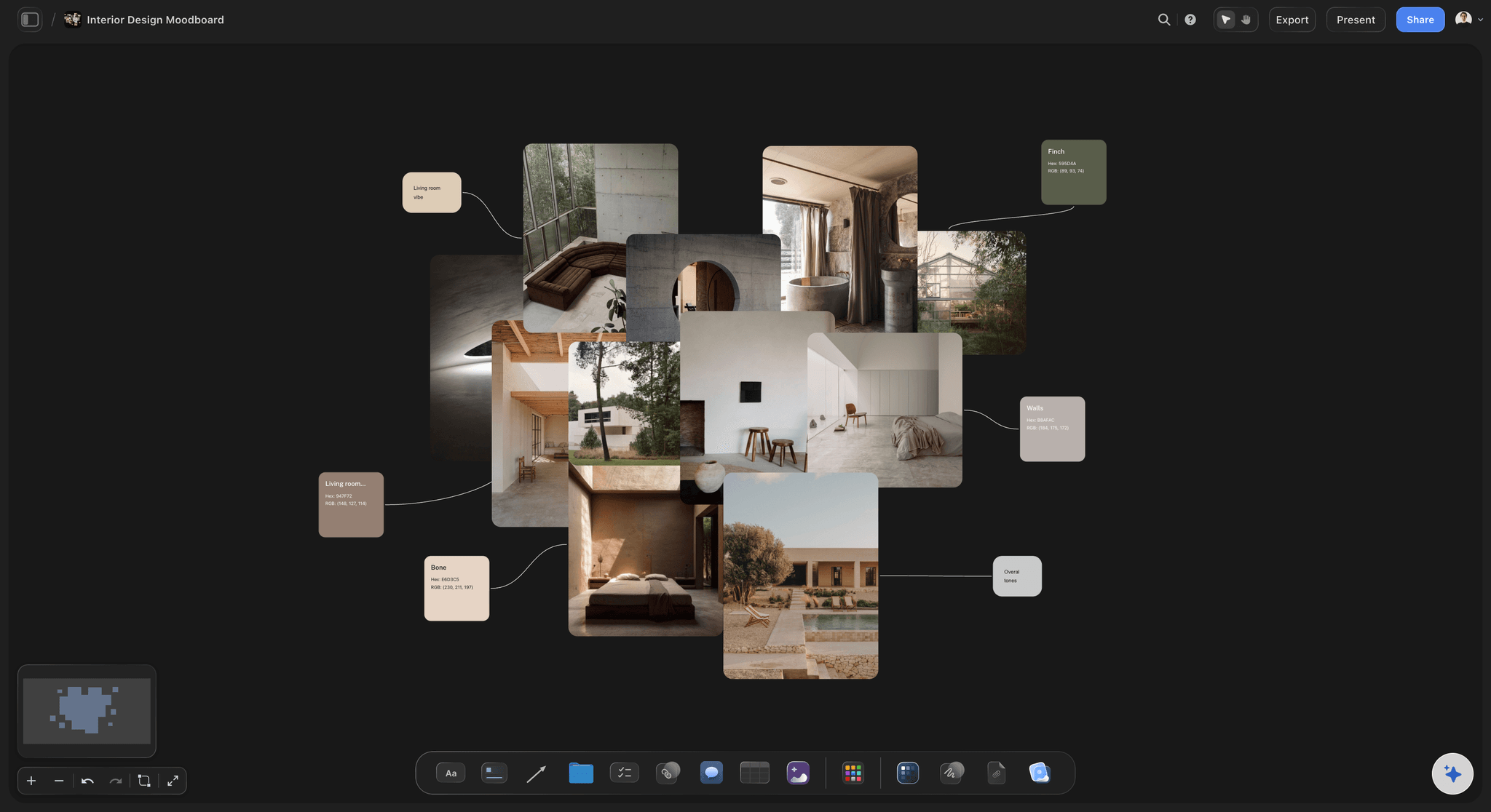
A moodboard does one job: it stops an argument later. A client who approved a direction in week one cannot easily say in week six that they wanted something else. That sets the method. In Storyflow, give each direction its own wall on the board, and show two or three directions, not one and not six. One direction gives the client nothing to react to, and six turns the meeting into a vote on favourite pictures. As a rule of thumb, put 12 to 20 images in each wall: under about 9 you have not shown a look, and past about 30 the client starts judging single photos.
Every image has to earn its place by saying something about light, colour, subject, type or texture. Write that reason in a short note beside the image on the Storyflow board, because a picture without a reason gets read in as many ways as there are people in the room. Then pull the palette from your strongest image: attach it, and the Storyflow AI lays out a grid of swatches with hex and RGB values. Colours read off a photo are sampled by eye and can be a shade off, so check them against the brand file before the designer and the retoucher work from those numbers.
Choose moodboard software by what happens after the board is approved. If nothing happens, because you only wanted to collect pictures for yourself, a collection app is enough. If a shoot, a campaign or a client review follows, the look has to travel into the brief, the shot list and the feedback. That is why Storyflow keeps them on one canvas: the producer reads the shot list with the approved images next to it, and nobody has to ask which version of the look won.
Example, a fictional team: Halden Roasters is launching a spring coffee campaign and its brand lead has 10 working days to get a direction agreed. She builds three directions in Storyflow, with 16 images and one palette of 5 colours in each. The founder picks one after two rounds of comments, on day 7. On day 8 the AI drafts the creative brief from the approved wall, and on day 10 the photographer has a shot list of 6 hero shots and 12 social crops on the same board as the images they have to match.
The tools for making a moodboard, by job
Storyflow is our product and comes first as our pick for client moodboards. The other rows are sorted by the job each tool does well.
| The job | The tool | Why it goes here |
|---|---|---|
| Build the moodboard and keep it with the plan | Storyflow | Puts images, colour swatches, the creative brief and the shot list on one infinite canvas, with AI that builds the first draft and a view-only client link. |
| Find images and new ideas | A very large visual search with saved boards and group boards, good for finding references before you choose them. | |
| Keep references on screen while you work | PureRef | A stand-alone reference image program for Windows, Mac and Linux that sits beside your other software as you paint, retouch or model. |
| Keep a simple board on your phone and desktop | Milanote | A free-form board for notes, images and links with iOS and Android apps, and a free plan capped at 100 items as of November 2026. |
| Run a live workshop with many people | Miro | A whiteboard built for live sessions with sticky notes, diagrams and large groups, with a free plan that keeps three boards editable. |
| Design the finished layouts | Canva or Adobe Express | Turn the approved direction into social posts, ads and banners using templates and brand kits. |
| Retouch the chosen images | Adobe Photoshop | Detailed retouching and compositing for finished campaign images, which a moodboard only points towards. |
Ultra fast from brief to board
From a brief to an approved look, on one board.
Four steps, each one a thing you can show a client.
01
Set the brief beside the empty board
Paste the brief into Storyflow or attach it as a file, then ask for a moodboard for this project. The Storyflow AI asks a clarifying question or two, then stages the board as a proposal you accept or discard.
02
Build two or three directions
In Storyflow, give each direction its own wall with 12 to 20 images. Add your own photos, ask the Storyflow AI to gather the pictures from a reference page you link, or generate images on Pro and Max.
03
Pull the palette and write the reasons
Attach your strongest image and the Storyflow AI lays out its colours as a grid of swatches with hex and RGB values. Add one short note per image saying why it is there.
04
Share it and carry it forward
Send a Storyflow view-only link that opens with no account. With comments allowed on the link, a client who signs in can add a comment beside any image. Then ask the AI to draft the creative brief and shot list from the approved wall.
A moodboard people act on.
What the board has to hold when a client and a crew both read it.
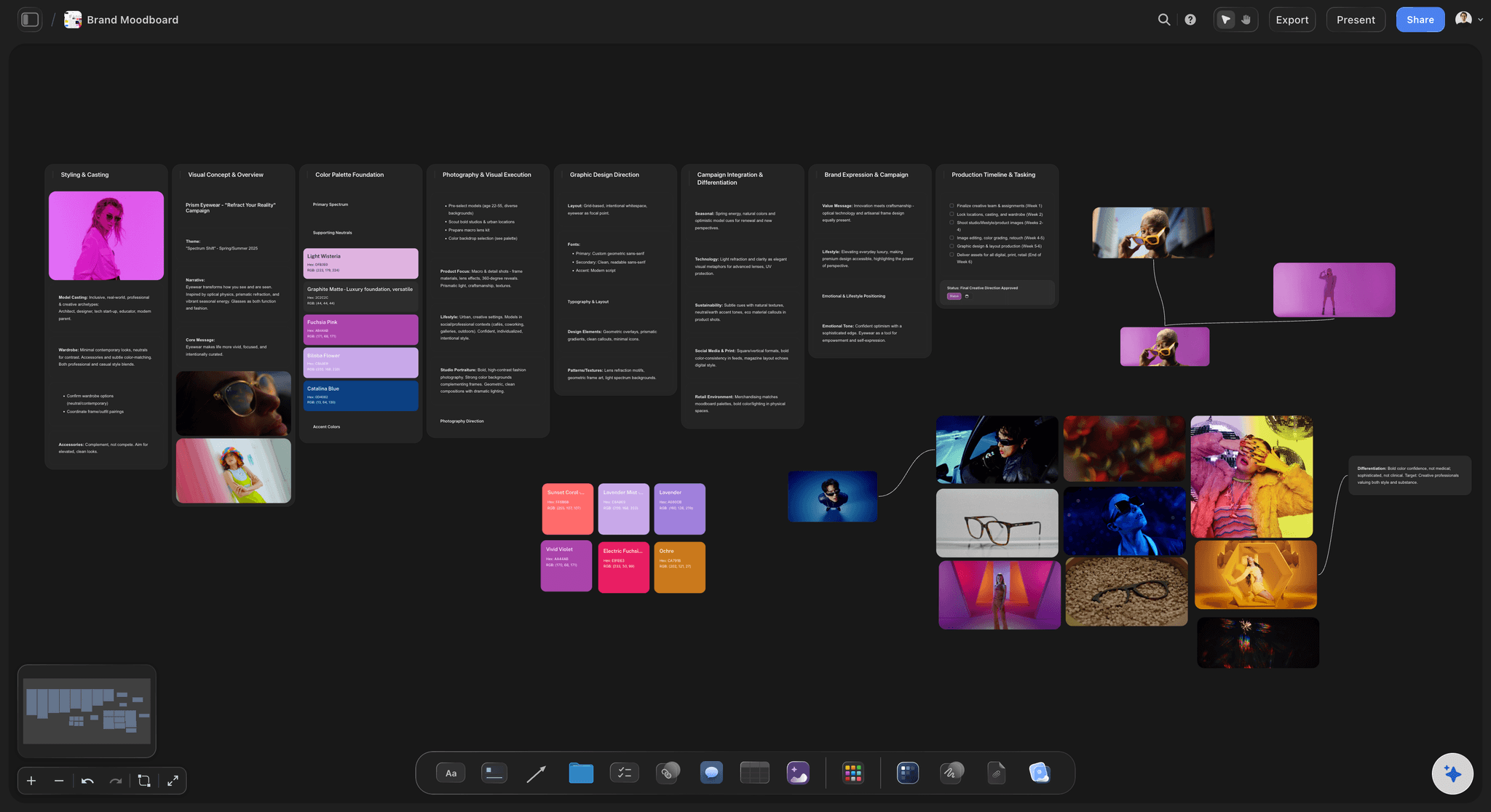
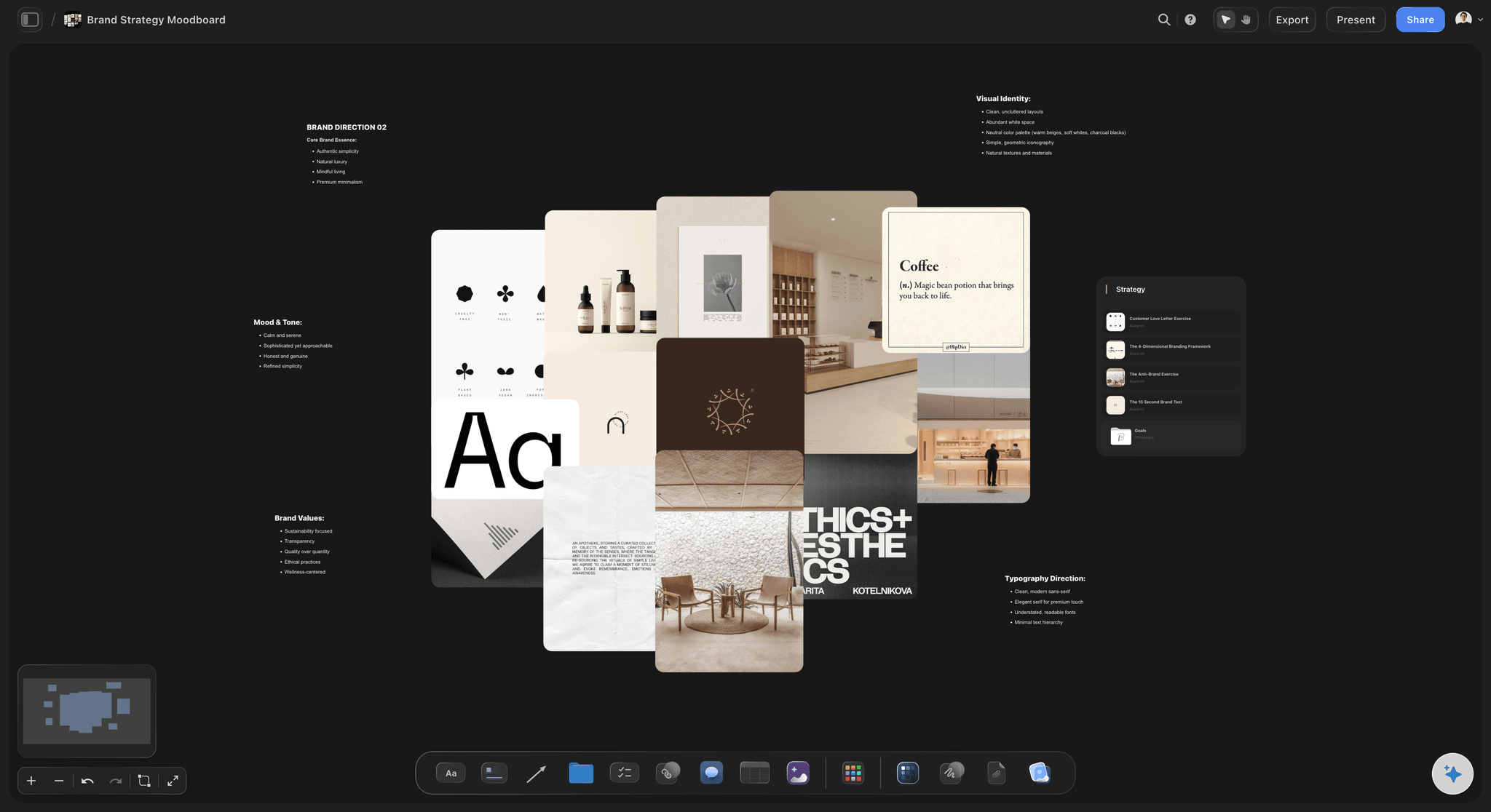
A brand moodboard in sections
Palette, type, logo and use
Ask the Storyflow AI for a brand moodboard and it builds a sectioned board: palette, type, logo and where the look gets used. You keep what is right and replace the rest.
See the brand campaign moodboard →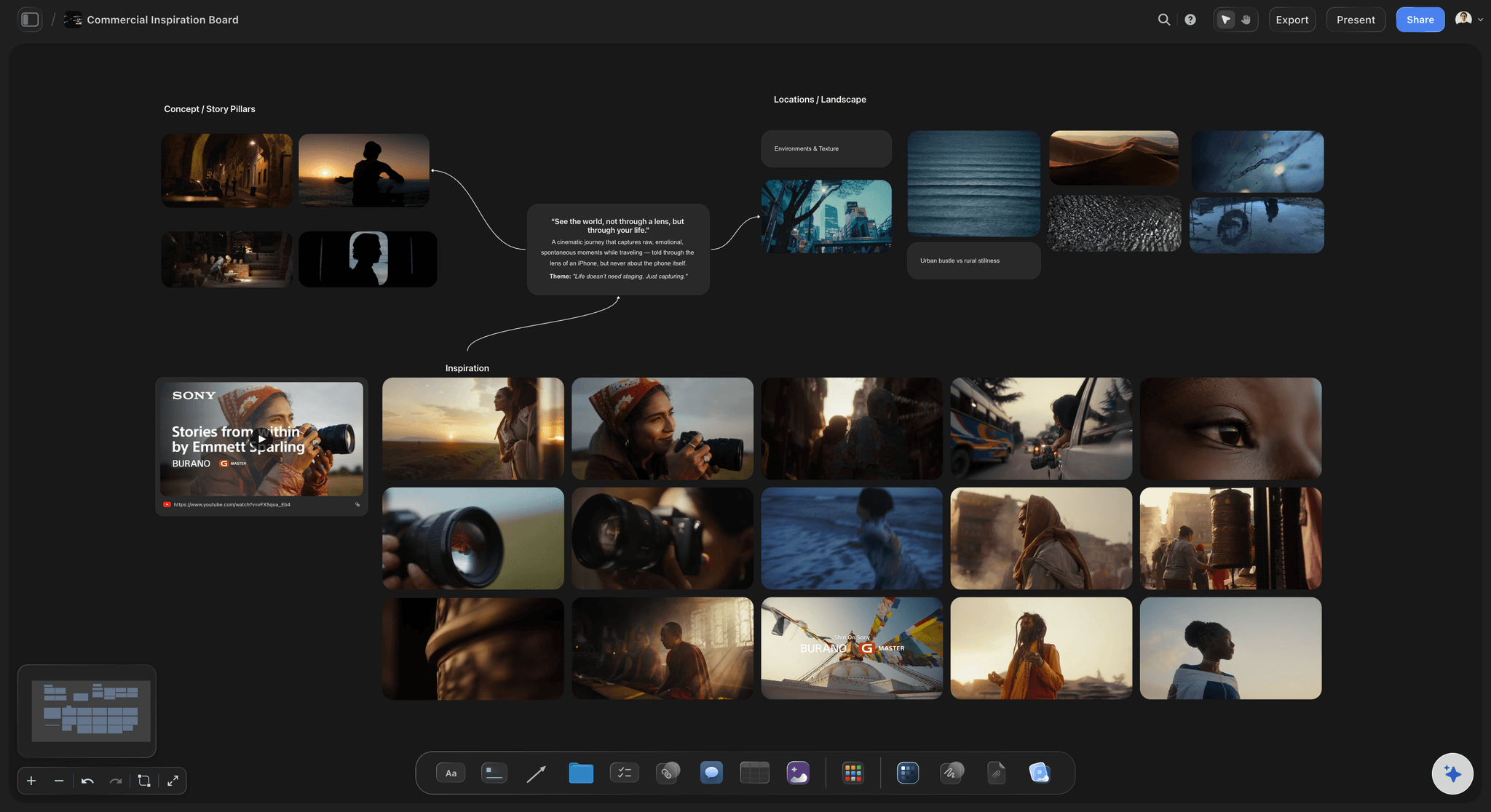
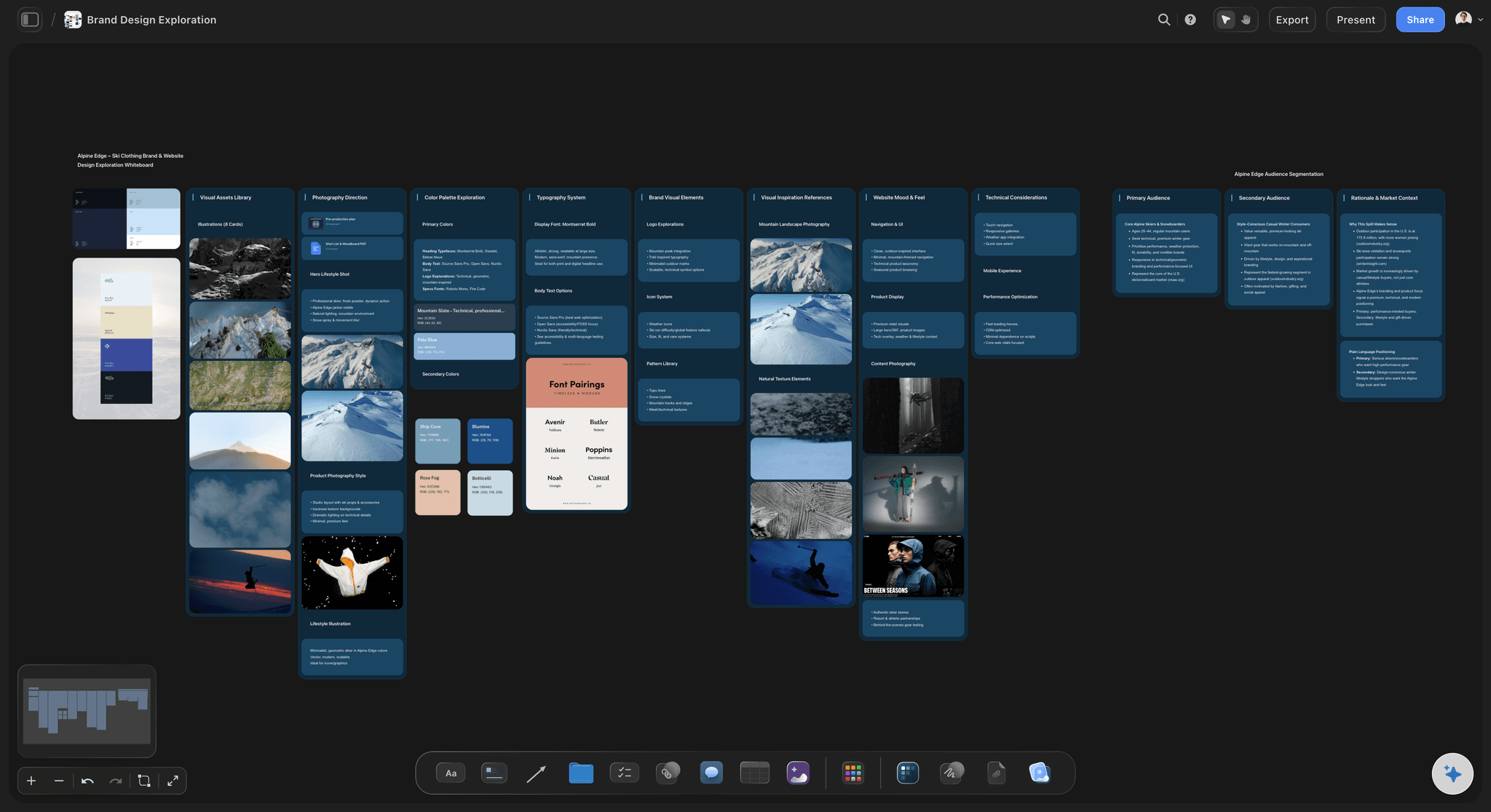
A commercial or campaign look
Images next to the shot list
The look sits on the same canvas as the shots that have to match it, so a photographer or director never works from a PDF sent three weeks ago.
See the moodboard maker →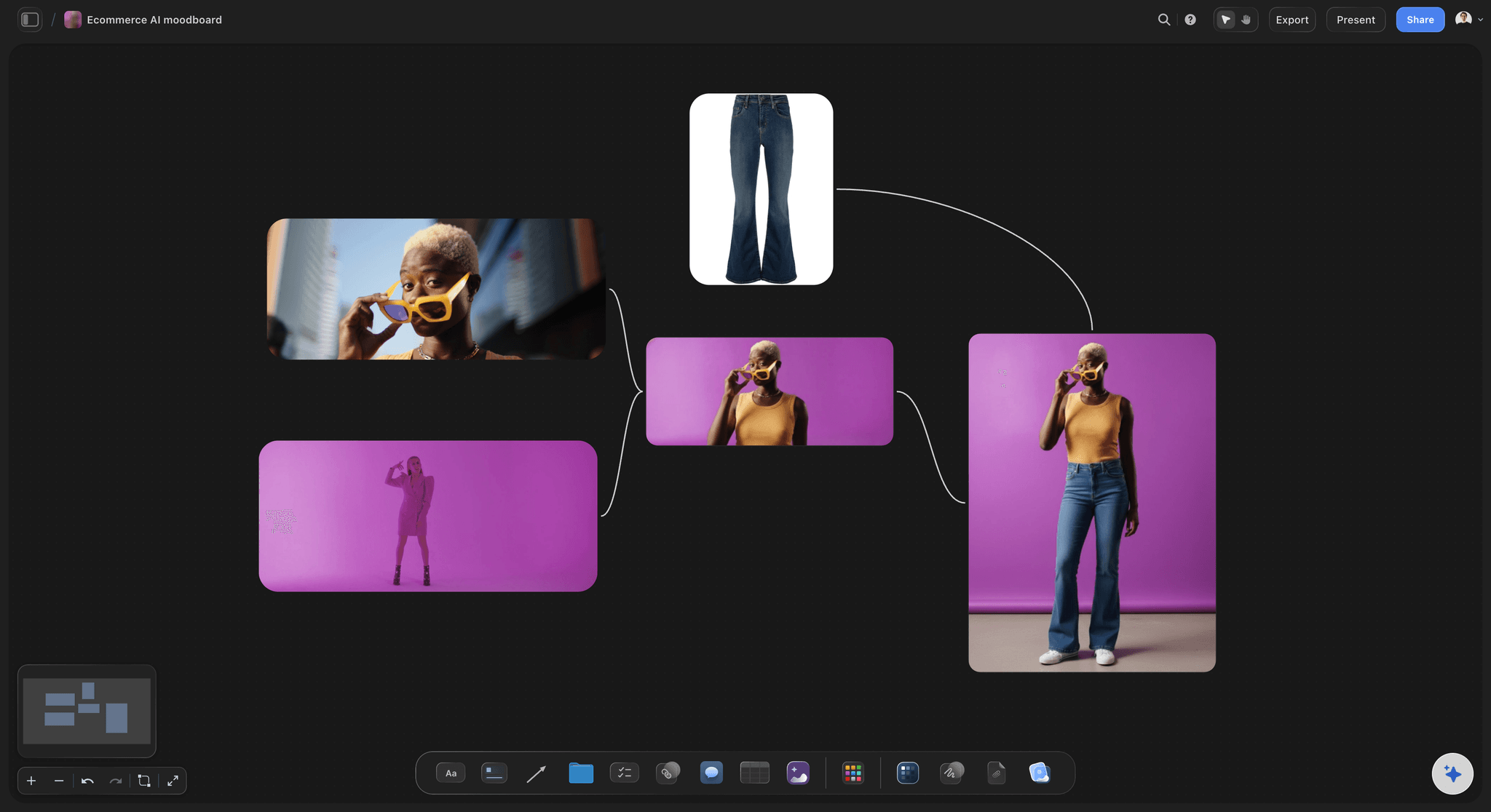
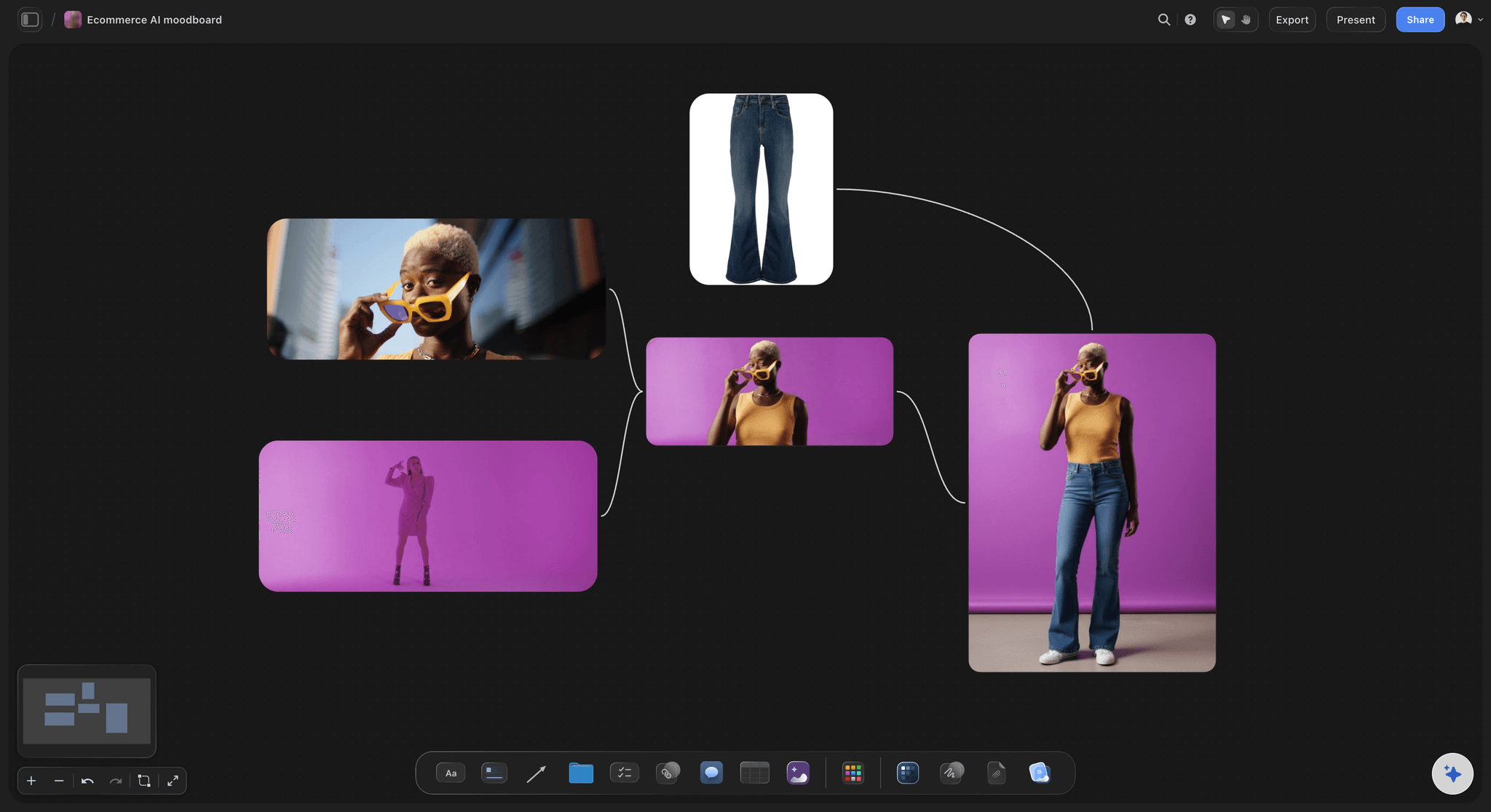
A product or store campaign
Product shots with their references
Group references by product, setting and prop. Background removal and upscaling are unlimited on paid plans, so a rough product photo can sit cleanly among the references.
Try the AI moodboard maker →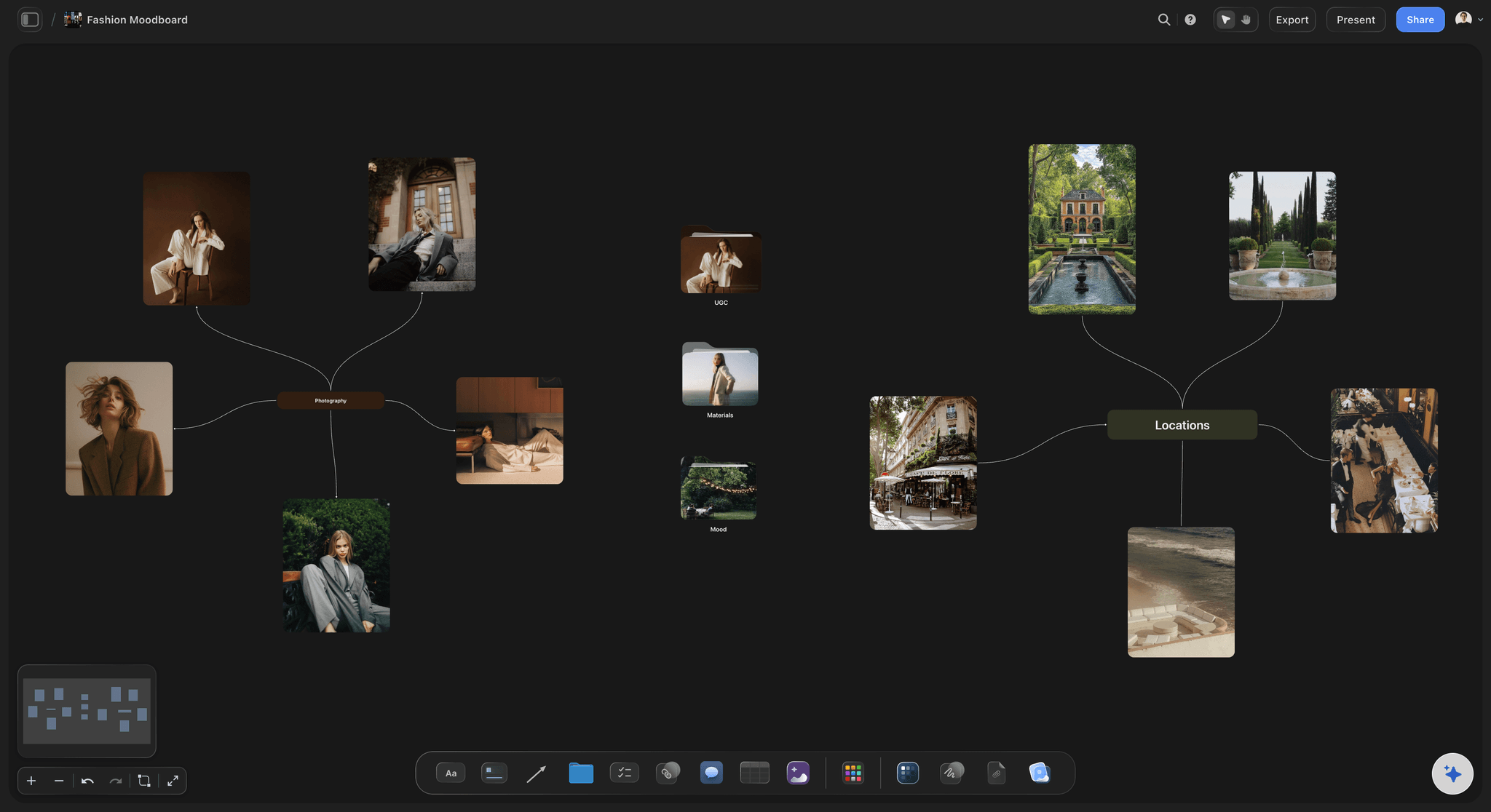
A fashion or portrait shoot
Pose, light and styling at a glance
Keep walls for styling, light, poses and location. Grab a still from a video on the board and it lands as an image you can place, caption or use as a reference.
Compare moodboard apps →Moodboard software for the client job.
Storyflow is paid-only during early access: Plus is $7.99 a month billed annually ($9.99 monthly) and includes the AI inside Storyflow. Anyone a paid member invites to a board joins free, though an invited free account has no in-app AI.
Paid plans: moodboards built by hand, or through ChatGPT or Claude with no weekly limit
Plus and up: the AI inside Storyflow
AI image generation on Pro and Max
View-only links that open with no account
Built for people with taste
What good moodboard software has to do after the pictures are in.
Collecting images is the easy part, and most tools manage it. These are the places a campaign moodboard goes wrong.
Getting a direction agreed
A board built to end a debate
Name each direction in plain words: Call it "Quiet morning light", not "Option B". In Storyflow the name sits on the wall, and a client can repeat it in a meeting without pointing at a screen.
Say what you are not doing: Add one line per direction on what it rules out, such as no studio backdrops. On a shared Storyflow board that line settles more arguments than another 10 images would.
Set two rounds of comments and a date: Agree two rounds and a named decision maker before you send the link. A signed-in client adds comments on the Storyflow board beside the images they mean, so feedback stays next to what it is about.
Mark the winner, then archive the rest: Move the losing directions into a folder on the Storyflow board. They stay available if the client changes their mind, and the crew only sees the one that was approved.
The AI, stated exactly
What the Storyflow AI does on a moodboard
Builds a first draft from your brief: Choose Build a moodboard for my project, or ask for a brand moodboard. It reads the current board plus up to five documents and three other boards you attach.
Sees your pictures when you select them: Select up to 24 images and the AI reads what is in them, so you can ask what the set has in common or which image does not belong. Treat the answer as a second opinion.
Makes images on Pro and Max: AI image generation is on Pro and Max. On Plus, fill the board from your own images or ask the AI to search the web for references.
Leaves the taste to you: The first board is a draft to correct. Which direction is right for this client, and which image is doing the work, stays with the person whose name is on the deliverable.
Honest limits
What Storyflow does not do for a moodboard
No native desktop or mobile app: Storyflow runs in the browser and is best built on a laptop. If you collect references on your phone all day, keep a phone-first app for that step and bring the images across.
No feed of new ideas to browse: Storyflow is where you choose and arrange images, and it searches the web when asked. It has no endless feed of pictures, so a browsing habit stays in a discovery app.
No SVG export: Boards export as PNG, JPEG or PDF. A logo or vector file that has to leave as SVG stays in your design software, and the board shows a picture of it.
No finished image work: Storyflow can remove a background or upscale a picture, but retouching to print standard and compositing stay in software such as Photoshop.
Explore templates for your project
Every template opens as a real, editable board on the infinite canvas. Pick the closest fit and make it your own.
Film Moodboard
Collect film references, color palettes, lighting, locations, and tone in one place, then invite your crew.
One app instead of five
Storyflow vs Milanote and Pinterest for moodboards.
Storyflow is our product, so it leads. Milanote is a fine pick for a simple board with phone apps, and Pinterest is hard to beat for finding images. Milanote's facts come from its plans page, November 2026.
Storyflow
Recommended
Free-form canvas for images, notes and links
AI reads your brief and builds the board (from Plus)
Palette, brief and shot list beside the images
View-only link with no account
A free plan today
Native phone app
A feed of new images to browse
Milanote
Free-form canvas for images, notes and links
AI reads your brief and builds the board
Palette, brief and shot list beside the images
View-only link with no account
Free plan, capped at 100 items
Native phone app
A feed of new images to browse
Free-form canvas for images, notes and links
AI reads your brief and builds the board
Palette, brief and shot list beside the images
Public board link, though Pinterest can prompt a visitor to sign up
Free to use
Native phone app
A feed of new images to browse
What creators are saying
Join early creators getting structured workspaces and AI that remembers their projects
“Storyflow has sped up my workflow by at least 3x, which means more flow state and more projects I can actually ship. It truly changed the way me and my team create.”

Reilin Joey
Director & YouTuber
“One prompt gets me a structured board. But the tactics are my favorite. I run my YouTube scripts through them and my intros and retention got better. It's amazing.”

Justkay
YouTuber & Freelance Filmmaker
“I used to juggle five apps to plan a project. Now I describe what I am making and get boards, lists, and a schedule. All in one place.”

George
@fernwehchronicles
Moodboard software, answered.
What to buy, how to run a campaign moodboard, and where each tool stops.
Moodboard software is a tool for gathering images, colours, type and notes on one board so a team can agree a look before making anything. Storyflow does this on one infinite canvas and keeps the brief and shot list beside the images, so the approved look carries straight into the work. Its AI drafts the first board from your brief, and a client can open it from a link with no account.
Storyflow fits a moodboard that has to be approved and then used. The images, palette, brief and shot list share one canvas, the AI drafts the first board, and clients open a link with no account. Listed first because it is our product and our pick for client work. Pinterest still does what Storyflow does not: it gives you a huge feed for finding images.
In Storyflow, put the campaign brief on the board and build two or three directions, each on its own wall with 12 to 20 images. Write one reason beside each image, pull a five-colour palette from the strongest picture, and name each direction in plain words. Share a view-only link, agree two rounds of comments with one decision maker, then ask the AI to draft the brief and shot list from the winning wall.
A creative director uses Storyflow to show directions and then hold the team to the one that won. Each direction gets a wall with named reasons, the client comments beside the images after signing in, and the approved wall stays next to the brief and shots. New freelancers read the board instead of being briefed from memory, and the losing directions stay in a folder in case the client changes their mind.
Show two or three. One gives the client nothing to compare and six turns the meeting into a vote on favourite pictures. In Storyflow, give each direction a wall and make each one a real choice: the same brief read in a different way, with one line saying what it rules out. If two directions would produce the same shoot, merge them before you send the link.
Let AI build the first draft and keep the choosing. Storyflow's AI reads your brief, asks a question or two and stages a moodboard you accept or discard, with pictures from a web search, or generated on Pro and Max. It can also lay out a palette from a photo. Which direction is right for this client stays with you, so plan to replace part of that draft.
Pinterest is enough for finding images and collecting them for yourself, and it is hard to beat at that. You need moodboard software when a board has to be presented, approved and used by a team. Storyflow adds free placement, written reasons, a palette with exact values, client comments and the brief and shot list on the same canvas. A workable split: find images on Pinterest, then build and present the board in Storyflow.
Canva suits a moodboard that is one finished slide or page, built from a template and sent as a file, and it is strong at designing the campaign assets afterwards. Storyflow suits a moodboard that stays alive during a project: images keep moving, the brief sits alongside, and a client comments on the link. A workable order is to agree the look in Storyflow, then design the finished posts in Canva or Adobe Express.
Yes. Attach a photo in Storyflow and ask for its palette, and the AI lays out the colours as a grid of swatches, each with a name plus hex and RGB values. Read off a photo, those colours are sampled by eye and can be a shade off, so check them against the brand file before a designer or printer relies on them. If a picture prints its hex codes, the AI uses those exact codes.
Send a Storyflow view-only link, which opens in the browser with no account. Allow comments on the link and a client who signs in can comment or draw on the board, and anyone a paid member invites to a board joins free. Keep your working board private and share a clean one with the directions, the reasons and your deadline for a decision. An invited free account does not include the in-app AI.
Storyflow is paid-only during early access, with no weekly limit on ChatGPT, Claude, Gemini or Grok actions on paid plans. The AI inside Storyflow starts on Plus at $7.99 a month billed annually ($9.99 monthly). Pro at $14 billed annually ($19 monthly) adds AI image generation, memory and more AI, and Max at $39 billed annually ($49 monthly) has the most AI and a Team Workspace.
Storyflow has no native desktop or phone app, no feed of images to browse and no SVG export. It runs in the browser and is best built on a laptop, and boards export as PNG, JPEG or PDF. It does not retouch finished images to print standard either, so final image work stays in software such as Photoshop. It is for agreeing and carrying the look.
Yes: PureRef is a stand-alone reference image program for Windows, Mac and Linux, and it suits an artist who wants references floating beside other software while working. Storyflow is browser-based with no download, because its job is different: sharing a moodboard with a client and keeping it with the brief. If you paint or retouch all day, use both, one for your screen and one for the project.
Partly. With the Storyflow plugin, ChatGPT can build walls, notes and colour palettes on your board and add images to it. A photo you attach in the ChatGPT chat does not reach Storyflow, so the plugin gives you an upload link for your own photos. AI image generation is not available through the plugin. For generated images, use the in-app Storyflow AI on Pro or Max. An invited free account gets 25 plugin actions a week, and paid plans have no weekly limit.
Yes. Storyflow has real-time co-editing on every paid plan, so a designer and a brand lead can move images on the same board while talking it through. Anyone a paid member invites joins free, which suits a freelancer who needs the board for one job. Max adds a Team Workspace with roles and permissions. A to-do on the board takes an assignee and a due date.
Get the look agreed, then use it.
Put your brief on a board, build two or three directions, and send the client a link that opens with no account.