
Elevated brand work, made with taste
Make the brand moodboard
your campaign is made from.
Direction words, colour, type, photography style, references and what the brand is not, on one board the team and the client work from. The AI collects and lays out the references; you decide what stays.


Creatives working for these brands already got early access
- Red Bull
- Canon
- Artlist
- Porsche
See how easy it is to get started
Watch a real project come together, from a blank board to a finished plan, clicked through step by step.
Start from a ready-made template
Pick a board to see what you can build, then let AI fill it in. Every template is a real, editable starting point on the same infinite canvas.

Brand Strategy
Define your positioning, values, and voice and connect them into a strategy the team can follow.
How do I make a moodboard for a brand campaign?
Make a brand moodboard for a campaign from the brand strategy, not from images, on one board. Storyflow is an AI visual workspace that builds your brand moodboard on one infinite canvas: the direction words, named colour swatches and typefaces, photography references, and a section for what the brand is not. In Storyflow that is six steps: write the direction in two lines and three words every reference must pass; set the palette as named colour swatches; name the typefaces; collect photography and references for each decision; add what the campaign is not; then share the board with the team and the client. Ask the AI for a brand moodboard and it does the collecting and the layout; you keep what fits.
Each step has a standard. The direction line says what the campaign should feel like and why, in words taken from the positioning and the tone of voice, and the three words are the filter every image is tested against. The palette is four to six swatches, each named for what it does rather than Colour 1, with a note on where it works. The typefaces are real ones the brand could license, with what each is for. Photography is described by subject, light, grade, crop and casting, with one to three references per decision. And the applications show the direction in the world: packaging, a poster, a social frame, a product page.
Most campaign moodboards fail as a pile of forty beautiful images that each person reads differently. The palette is implied by the photographs but never set, so the designer and the photographer pick different blues. Nothing on the board says what the campaign is not, so the work drifts back to the look every competitor already has. And the client approves the vibe, then rejects the first execution, because the board never made a decision anyone could hold them to. A moodboard is finished when a photographer, a designer and an editor could each be briefed from it without a call.
A creative director shares the visual direction by putting it where the team works, beside the campaign brief, rather than in a PDF that goes stale in someone's downloads. In Storyflow the team is invited to the board, and invited collaborators join free; the client opens a view-only link with no account and signs in to comment on the specific reference. Ask the AI for a brand moodboard and it builds the sections, from palette and typography to lifestyle imagery, applications and how the direction differs from real competitors, with images found on the web, or generated on Pro and Max. Executions then go up beside the approved direction and are reviewed against it.
Ultra fast from brief to board
From strategy words to a shared direction.
The references are the easy part. The decisions are what make it a direction.
01
Write the direction
Two lines and three words beside the campaign brief, taken from the positioning and the tone of voice. Every reference that follows is tested against them.
02
Ask the AI for a brand moodboard
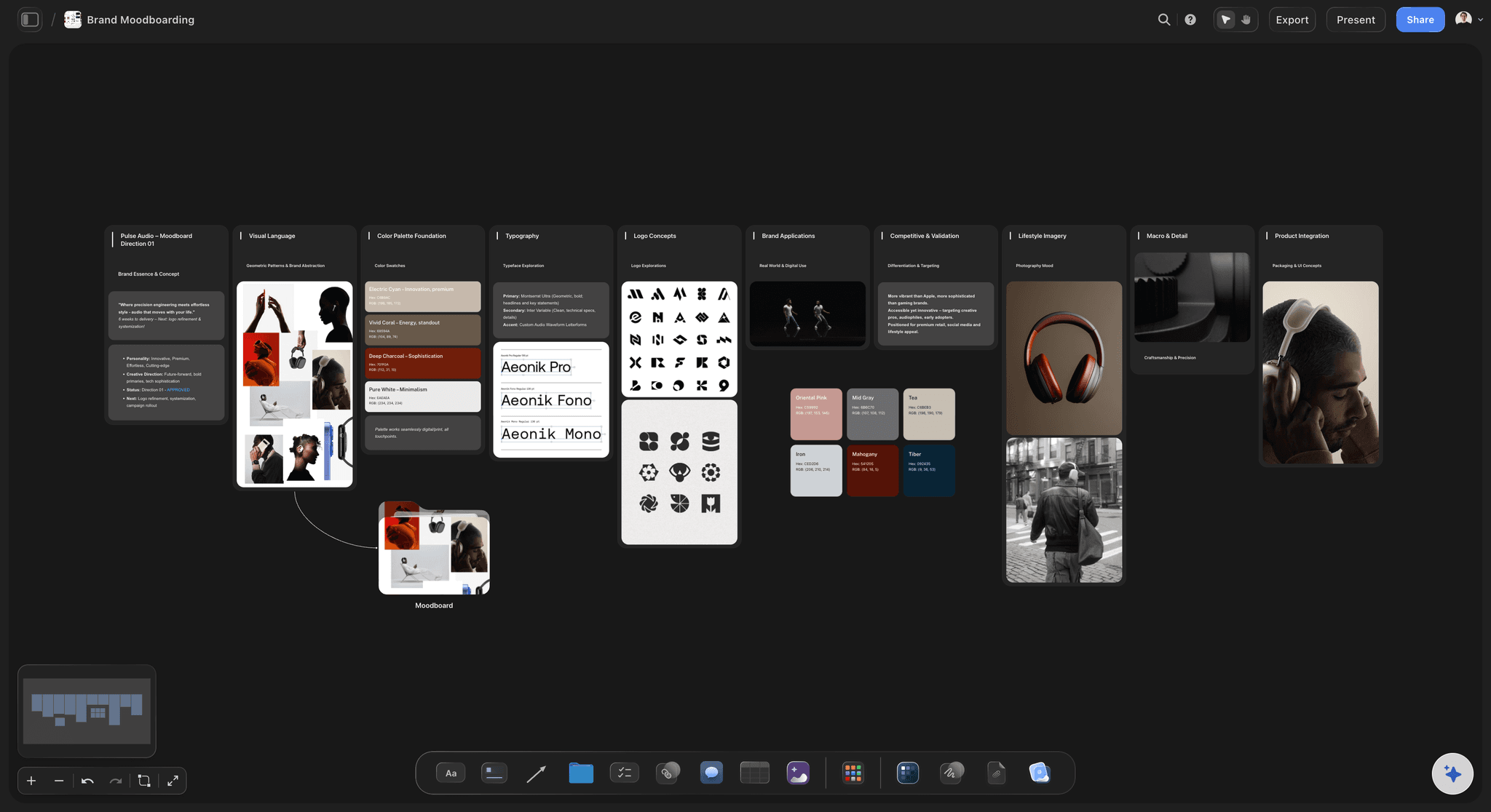
The AI lays out the sections: palette swatches, named typefaces, logo concepts, visual language, product integration, lifestyle imagery, detail, applications and how the direction differs from real competitors.
03
Replace what does not fit
Swap in your own photographs, remove backgrounds, rename the swatches, and add a Not this section with references that are close but wrong.
04
Share it with the team and the client
Invite the team to the board and send the client a view-only link they open with no account, signing in to comment on a specific reference.
A direction the whole campaign can follow.
Words, colour, type and imagery on one board, shared with the people who make the work.
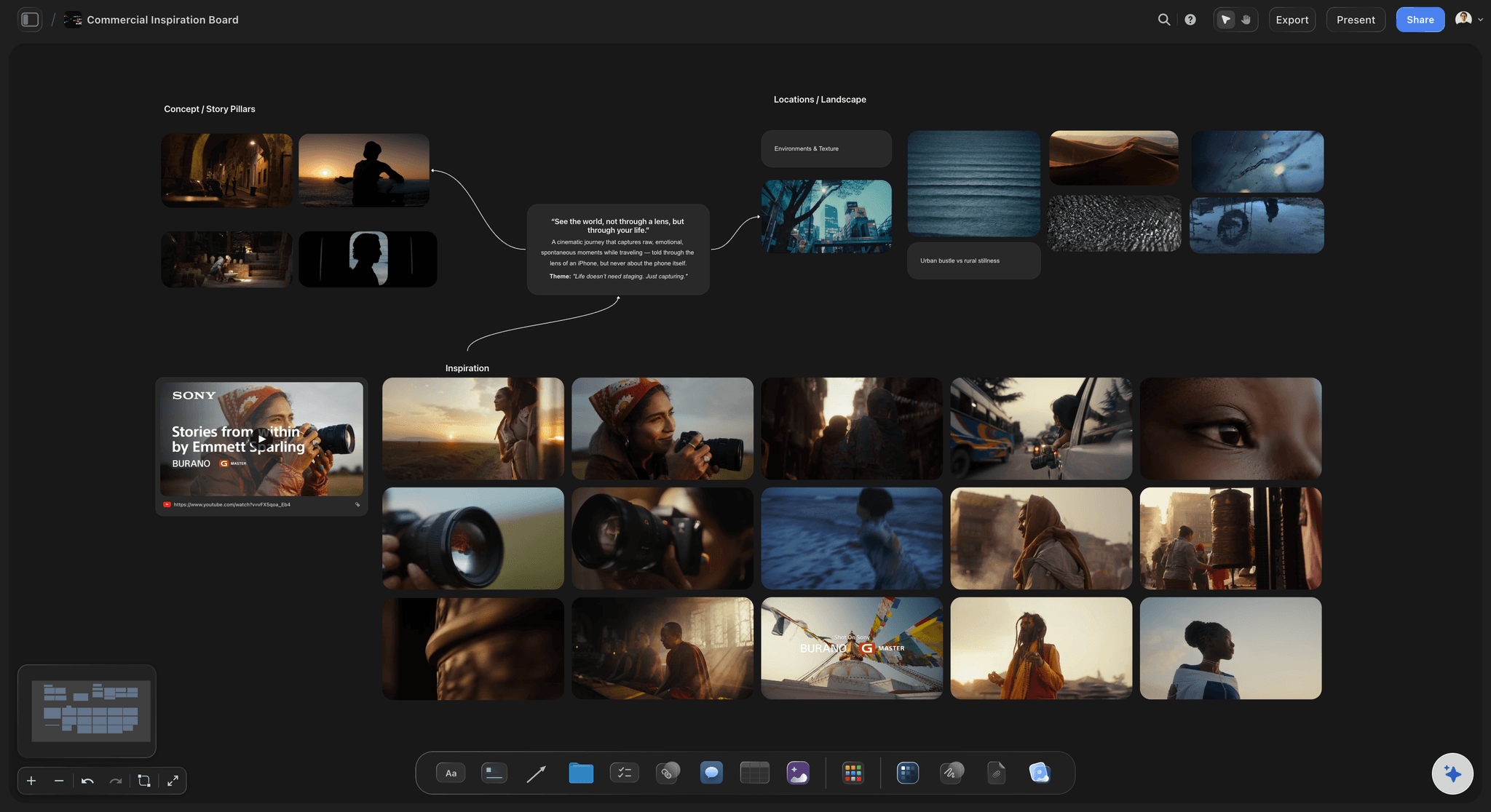
Shared with the team
The direction where the work is made
Photographers, designers and editors are invited to the board beside the campaign brief, so they see why each reference is there, not only what it looks like.
See the art direction board →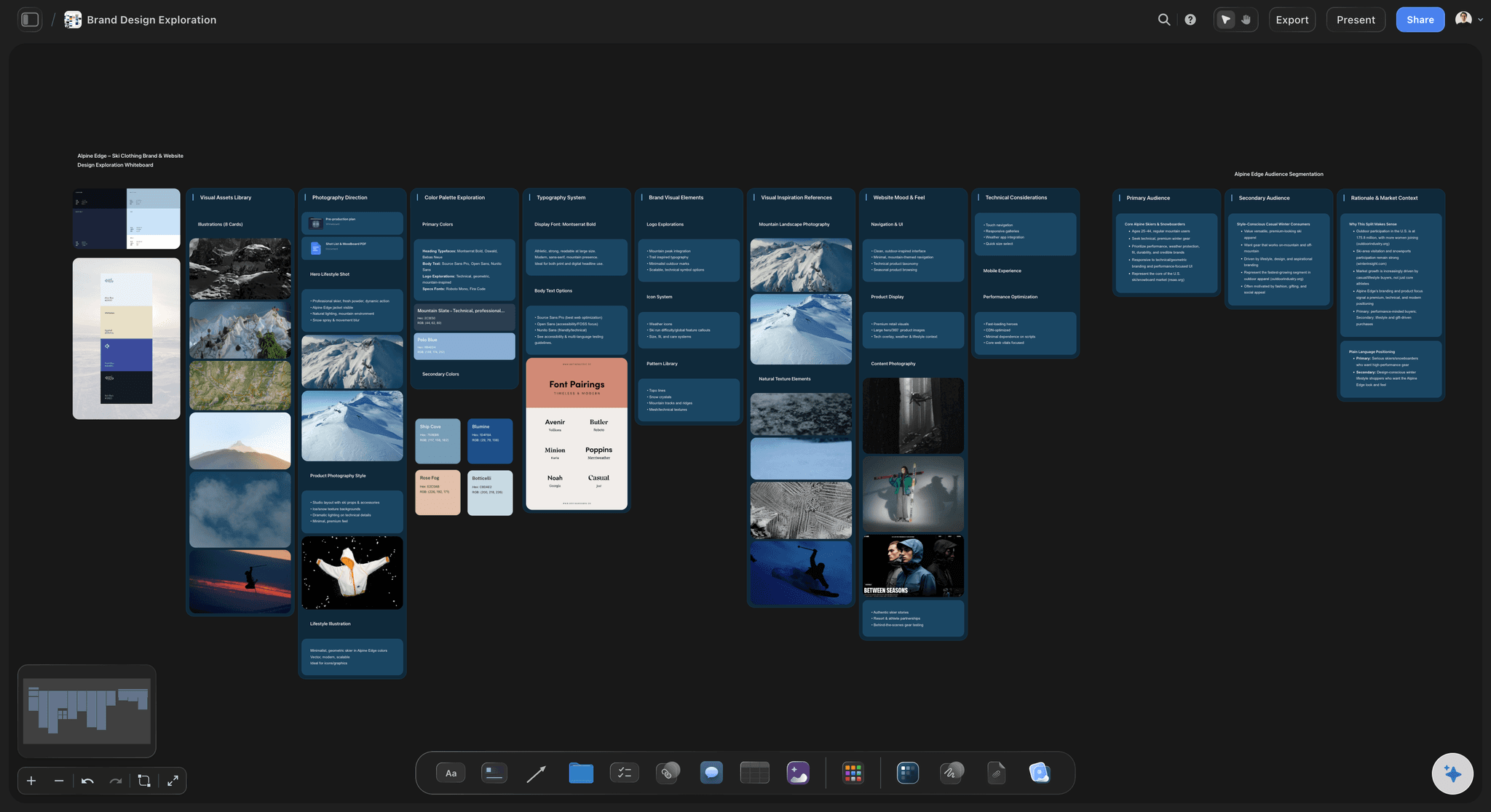
Two directions for the client
Compare, then choose
Put two directions side by side on one board so the client chooses between them, then signs in to comment on the specific reference that decided it.
See moodboards for clients →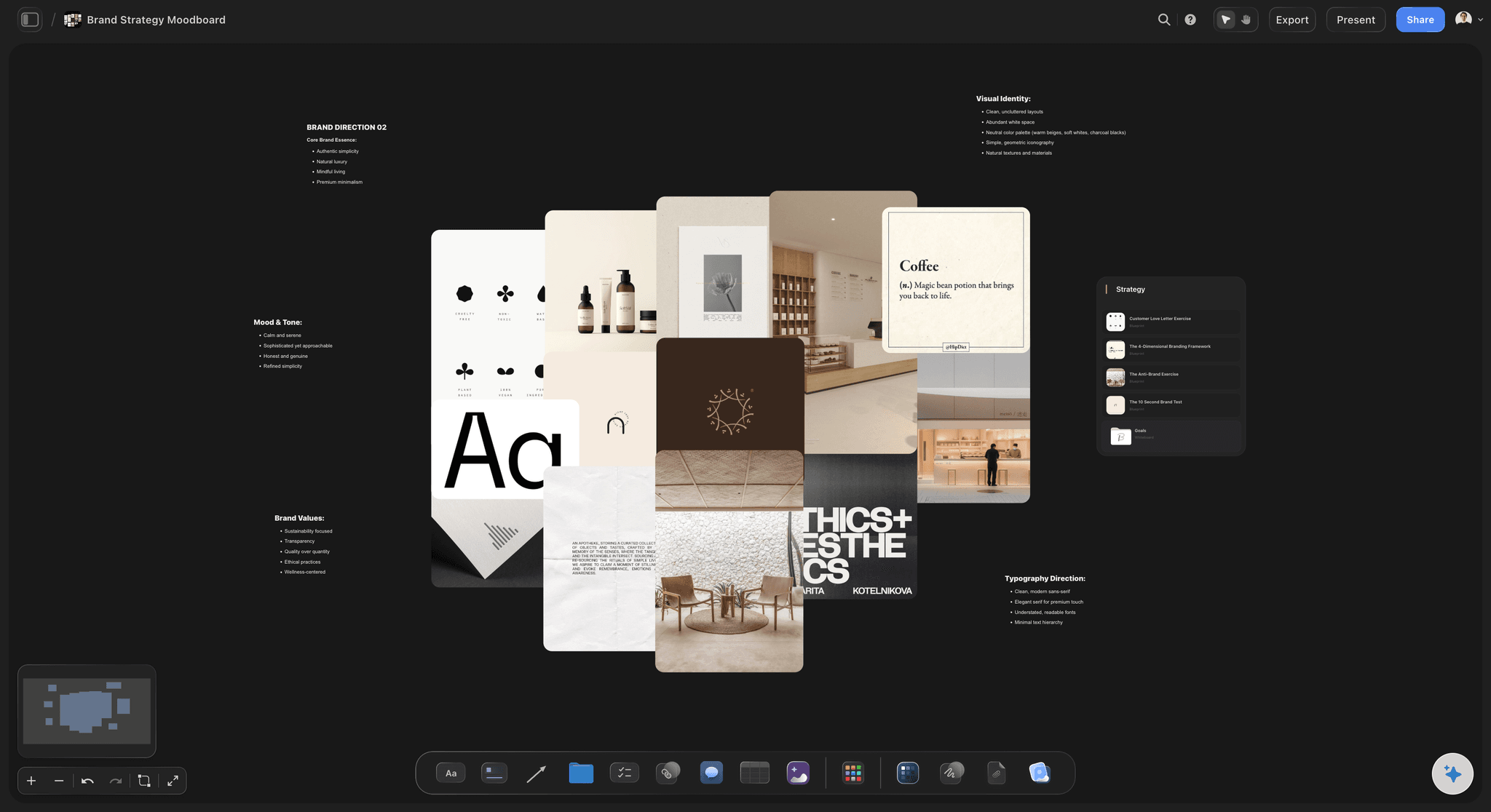
Words before pictures
Built from the brand strategy
The direction line and the three words come from the positioning, the values and the tone of voice, so the moodboard is defended with reasons rather than taste.
See the brand strategy template →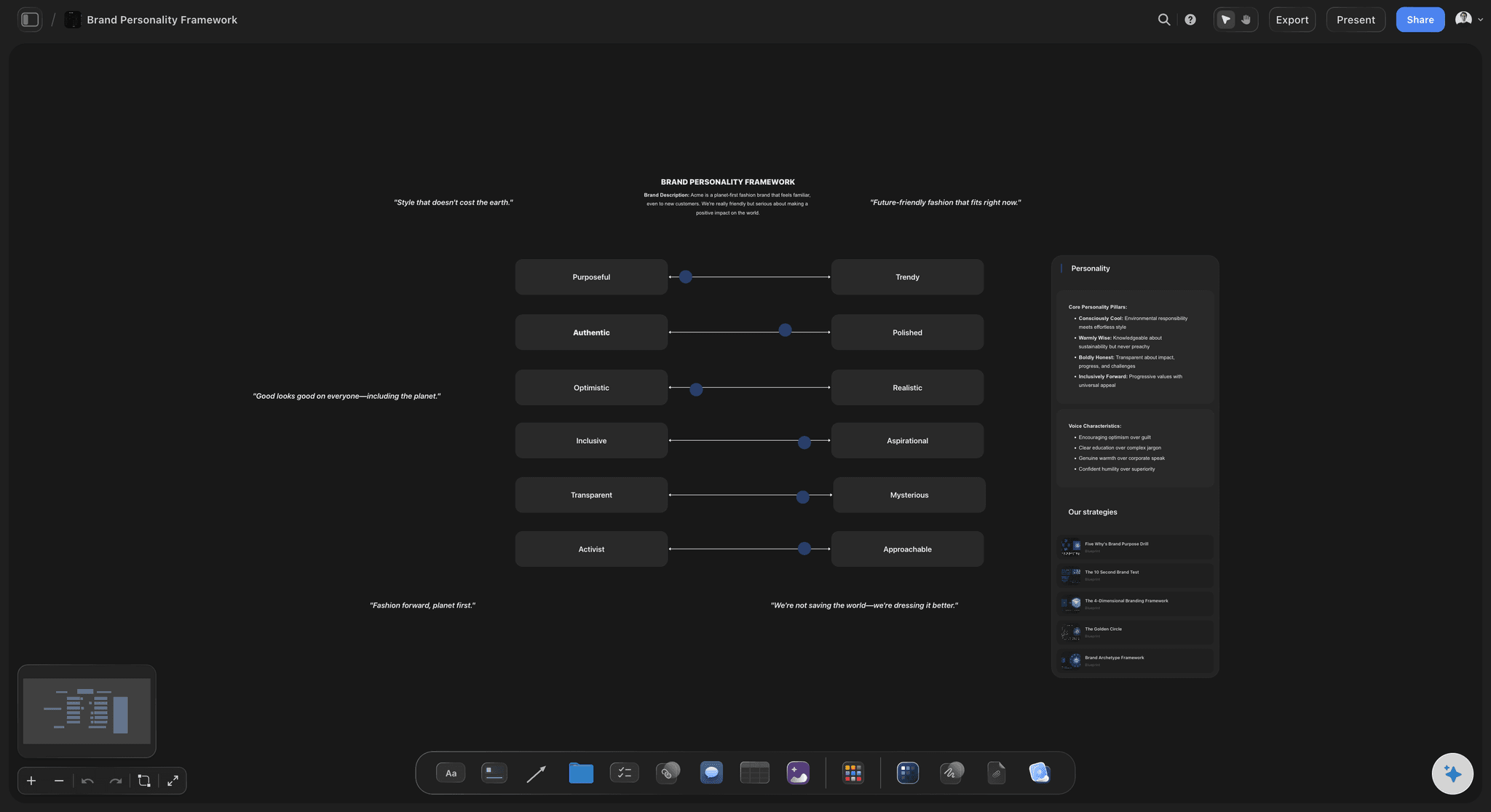
From direction to guidelines
The approved board becomes the rules
Once a direction is approved, the named swatches and typefaces become the start of the brand guidelines, with the moodboard still visible as the reason behind them.
See the AI brand guidelines generator →Unlimited images. No object cap.
Every reference, every direction and every round. Storyflow is paid-only during early access, with plans from $7.99 a month billed annually ($9.99 monthly). A free plan launches before the end of 2026, and anyone a paid member invites to a board joins free.
Unlimited boards, images, files and links
Unlimited background removal and upscaling on references
The AI agent collects and lays out the brand moodboard
View-only links the client opens with no account

Built for people with taste
What goes on a brand campaign moodboard.
A moodboard carries a direction when every image on it is there for a reason someone could argue with.
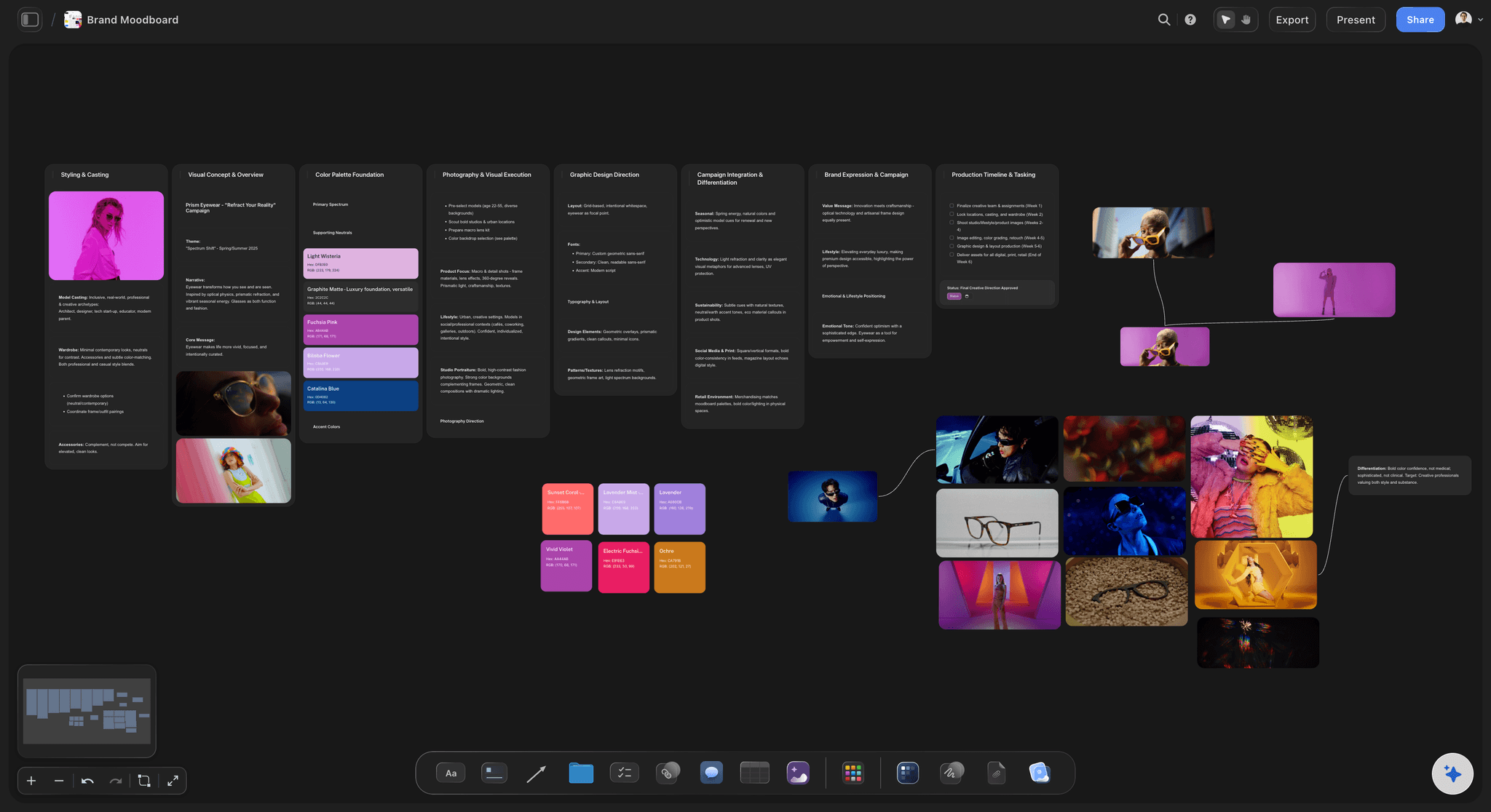
The decisions
Words, colour, type and photography
The direction in words: Two lines and three words at the top of the board. Without them it is a collection, not a direction.
Colour as named swatches: Four to six swatches named for what they do, with a note on where the palette works. Colour implied by photographs is not a decision.
Typefaces, named: Real typefaces the brand could license, each with what it is for, set in a line of the campaign's own copy.
Photography by decision: Subject, light, grade, crop and casting, with one to three references for each rather than thirty for all.
What it is not
The section most moodboards skip
Not this: References that are close but wrong, each with a line on why, so the team does not drift back to them.
The category's look: What competitors already look like, so the direction reads as a deliberate position. The AI's brand moodboard ends with how the direction differs from real competitors.
Two directions, side by side: When the client has to choose, both directions sit on one board, so they are compared rather than critiqued one at a time.

Sharing the visual direction
How a creative director shares it with the team
Beside the campaign brief: The direction sits next to the brief it answers, so a photographer or designer sees the why with the what.
The team invited to the board: Invited collaborators join free and work on the same board, so the direction is never an out-of-date PDF.
The client on a view-only link: The client opens it with no account and signs in to comment on a specific reference.
The reference for every review: Executions go up beside the approved direction, so notes point at an agreed swatch or photograph instead of a feeling.
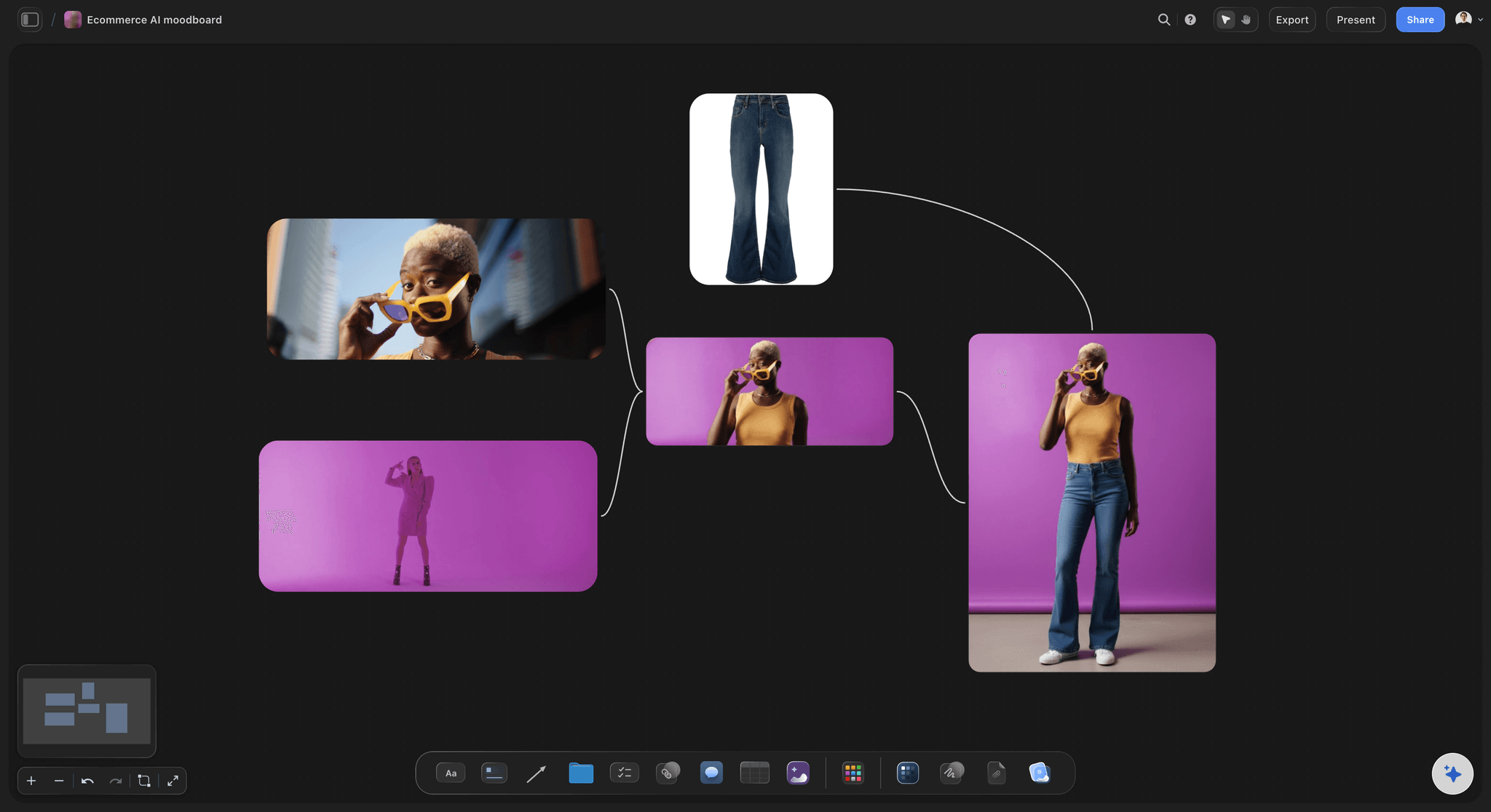
The AI and the images
References collected and laid out
A brand moodboard from the AI: Ask for a brand moodboard and the AI builds the sections and pulls reference images from the web into them.
Generated images on Pro and Max: When no photograph exists yet, AI image generation fills the gap in the direction.
Images cleaned up: Background removal and upscaling on any reference, so a product or a mark reads against the palette.
Motion references and frame grabs: YouTube and Vimeo embeds play beside the imagery direction, and you can grab the exact frame that shows the grade as a still.
Explore templates for your project
Every template opens as a real, editable board on the infinite canvas. Pick the closest fit and make it your own.
Brand Strategy
Define your positioning, values, and voice and connect them into a strategy the team can follow.
One app instead of five
Storyflow vs Canva, Pinterest and Milanote.
All three are good for moodboards. Canva fits when the moodboard must also be a finished design, Pinterest when the job is discovering images, and Milanote when you want a calm board of references.
Storyflow
Recommended
Words, colour swatches and images on one canvas
Two directions side by side for the client to choose
Video references that play on the board
Grab frames from YouTube and Vimeo
Client opens it from a link, no account
Designs finished social posts and print layouts
Canva
Words, colour swatches and images on one canvas
Two directions side by side for the client to choose
Video references that play on the board
Grab frames from YouTube and Vimeo
Client opens it from a link, no account
Designs finished social posts and print layouts
Words, colour swatches and images on one canvas
Two directions side by side for the client to choose
Video references that play on the board
Grab frames from YouTube and Vimeo
Client opens it from a link, no account
Designs finished social posts and print layouts
Milanote
Words, colour swatches and images on one canvas
Two directions side by side for the client to choose
Video references that play on the board
Grab frames from YouTube and Vimeo
Client opens it from a link, no account
Designs finished social posts and print layouts
What creators are saying
Join early creators getting structured workspaces and AI that remembers their projects
“Storyflow has sped up my workflow by at least 3x, which means more flow state and more projects I can actually ship. It truly changed the way me and my team create.”

Reilin Joey
Director & YouTuber
“One prompt gets me a structured board. But the tactics are my favorite. I run my YouTube scripts through them and my intros and retention got better. It's amazing.”

Justkay
YouTuber & Freelance Filmmaker
“I used to juggle five apps to plan a project. Now I describe what I am making and get boards, lists, and a schedule. All in one place.”

George
@fernwehchronicles
Brand and campaign moodboards, answered.
What goes on one, how to share the direction and where the AI helps.
Storyflow lets a creative director share the visual direction as a board beside the campaign brief: the direction line and three words, named colour swatches, typefaces, photography references and a Not this section. The team is invited and joins free; the client opens a view-only link with no account and signs in to comment on a specific reference. Executions are reviewed beside the approved direction. Canva suits a direction that must be a polished presentation file.
Storyflow makes a brand moodboard that carries a direction: the strategy words, named colour swatches, typefaces and photography references sit on one board, and the AI collects and lays out the references while you keep what fits. You can grab frames from YouTube and Vimeo and show the client two directions side by side. Canva still designs finished social posts and print layouts, which Storyflow does not.
A brand moodboard is a board that sets how a brand should look and feel before identity or campaign work is designed: a colour palette, typography, photography style, textures and a few anchor images, with the reason for each. Its job is agreement on direction while changes are still cheap. Storyflow is a brand moodboard maker: the AI lays out the sections with reference images, and the team and client work from the same board.
Seven things: the direction in two lines and three words; four to six named colour swatches with a note on where each works; named typefaces with what each is for; photography style by subject, light, grade, crop and casting; texture and detail; applications such as packaging, a poster or a product page; and what the brand is not, including how it differs from competitors. That last section turns a collection into a position someone can defend.
A brand moodboard sets the brand's long-term look: palette, typography, logo direction, visual language and how the brand appears in the world. A campaign moodboard sets the look of one campaign inside those rules: its photography, casting, styling, locations, grade and formats. The campaign board can push further than the brand board but should never contradict it, which is easier to check when the two sit side by side.
A marketing moodboard is a moodboard built for a marketing team's output rather than for identity design. It fixes the look of a launch, campaign or season across channels: social posts, ads, emails, product pages and packaging. It usually carries the campaign message and tone beside the visuals, because several people will make assets from it. A good one lets two freelancers, working separately, produce assets that look like the same campaign.
Fewer than most people use: one to three references for each decision, meaning palette, typography, photography, texture and applications. Past that, each image dilutes the others and people start reading different directions into the same board. Every reference should earn its place with a line saying what it contributes, and when two images make the same point, keep the stronger. A moodboard with too many images usually has not made its decisions yet.
Two, or three at most. One gives the client nothing to compare, so the conversation becomes whether they like it. Four or more signals that no judgement has been made, and invites the client to assemble a new direction from pieces of the others. Two different directions side by side on one board, with a clear recommendation, gets a decision. Keep the rejected one afterwards: it explains why the chosen one looks the way it does.
It can collect and lay one out. Ask Storyflow's AI for a brand moodboard and it builds the sections, from a concept line, named colour swatches and typefaces to lifestyle imagery, applications and how the direction differs from real competitors, with reference images found on the web or, on Pro and Max, generated. It cannot decide which direction is right, so treat the result as a first pass: replace references that miss and sharpen the direction line.
A moodboard sets the direction and is deliberately loose: what the brand should feel like, shown with references rather than rules, agreed before design work starts. Brand guidelines come after and are deliberately tight: exact colour values, type scales, logo clear space and do and do not examples for people who were not in the room. The moodboard is the argument; the guidelines are the contract. Keeping the approved moodboard beside the guidelines keeps each rule's reason visible.
Yes, and for a campaign with film or social video they are often the most important references, because pacing and motion do not show in stills. In Storyflow, YouTube and Vimeo videos play on the board beside the photography direction they support, and you can grab the exact frame that matters as a still. Keep motion references in their own section, each with a note saying which moment matters and why.
Where the people making the work already are, beside the brief it answers. A direction exported as a PDF is out of date the first time something changes, and the photographer, designer and editor end up with different versions. On a shared Storyflow board the approved direction stays current, executions are reviewed beside it, and the references behind each choice stay visible. When a deck or printer needs a file, export the board as a high-quality image or PDF.
Not yet. Storyflow is paid-only during early access, with plans from $7.99 a month billed annually ($9.99 monthly). A free plan launches before the end of 2026, and anyone a paid member invites to a board joins free. A client viewing the moodboard from a view-only link needs no account. Plus includes unlimited boards, images, files and links, background removal and upscaling, and the AI agent that builds a brand moodboard; Pro adds AI image generation.
More from Storyflow
Brand strategy template
Moodboards for clients
Art direction board
Brand personality template
AI brand guidelines generator
Style guide maker
Photoshoot plan template
Creative strategy template
Campaign brief template
Rebrand planner
How to brief a moodboard so the client approves it
What is art direction?
Mood board tools for brand and marketing teams
AI brand voice generator
Moodboard maker
AI mood board maker
AI logo brief generator
Design brief
Interior design moodboard
Fashion moodboard
Free color palette maker
AI vision board generator
Free vision board maker
Moodboard app
Brand campaign moodboard
Campaign visual direction
How to launch a new brand
Set the direction before anyone shoots or designs.
Write the two lines, ask the AI for the brand moodboard, and share one board. No download.