
Sharper briefs, sent ultra fast
A creative brief workflow
where every brief has a status and a signature.
For in-house marketing teams and the creative directors they brief: one standard brief, five clear statuses, a named signer, and a record of what changed after sign-off.


Creatives working for these brands already got early access
- Red Bull
- Canon
- Artlist
- Porsche
See how easy it is to get started
Watch a real project come together, from a blank board to a finished plan, clicked through step by step.
Start from a ready-made template
Pick a board to see what you can build, then let AI fill it in. Every template is a real, editable starting point on the same infinite canvas.

Creative Brief
Capture the objective, audience, and message for a creative so everyone works from the same brief.
How do you set up a creative brief workflow?
A creative brief workflow is the fixed set of steps every brief goes through, from first draft to the day the work ships: the same fields each time, a status, a named person who signs it, and a record of anything that changes afterwards. Storyflow is an AI visual workspace that runs a creative brief workflow on one infinite canvas: the standard brief, a library table of every brief with its status, the signer and the change log, with the references beside each one. Its AI drafts a brief from a pasted request and lists the standard fields that are still empty or vague.
Start with one master brief and never write a brief from an empty page again. Nine fields are enough: what is needed, who it is for, the one thing it must say, why anyone should believe it, the deliverables with formats and sizes, the mandatories, the budget, the dates, and who signs. Add two blocks at the bottom that most templates forget: a sign-off line with a name and a date, and a change log. Give every brief a number, such as BR-041, so people can refer to it without describing it.
Give each brief one of five statuses, and only five. Draft: someone is still writing it. In review: it is with the signer. Signed off: the signer has put a name and a date on it. In production: the work has started. Closed: the work shipped. A team that handles 40 briefs a quarter might have 6 in draft, 4 in review, 12 signed off or in production and 18 closed on any given day. If nobody can produce those four numbers, the team has a pile of briefs and no workflow.
Name the signers before the brief is written, and keep it to two: the person who owns the budget and the person who owns the brand. Everyone else can comment, but only those two can move a brief to signed off. Set a limit of three working days in review. A brief that sits longer goes back to draft with a note saying what is missing. This one rule removes most of the briefs that drift for weeks while the deadline stays where it was.
Decide in advance what happens when a signed brief changes, because it will. Sort changes into two sizes. A small change is wording that leaves the audience, the message, the deliverables, the date and the budget alone: note it in the change log with the date and your initials. A big change touches one of those five: the brief goes back to in review and is signed again. The log turns the usual argument about what was agreed into a thirty second lookup.
Keep every brief in one library, including the closed ones. A table with a row per brief, its number, its status, its owner, its signer and the sign-off date is enough. Storyflow tables do not sort or filter, so keep open briefs in one table and closed ones in a second, each in number order. After a year the library answers questions nobody could answer before: how many briefs the team took on, how long they waited for a signature, and which requesters change their minds most often. It is also the quickest way to write the next brief, because a good one is usually already in there.
Ultra fast from brief to board
Four moves, and every brief follows the same path.
Setting it up takes about an hour. After that, starting a brief takes a minute and finding one takes less.
01
Write the master brief once
Create a Doc with the nine fields, the sign-off line and an empty change log. Or attach the best brief the team has written and ask Storyflow's AI to turn it into a clean master with the same headings.
02
Duplicate it for each request
Duplicate the master from the document's menu and give the copy a number. Paste the request in the chat and ask the AI to fill the fields it can and list the ones it cannot.
03
Add the brief to the library table
Add a row with the number, a label for the status, Person cells for the owner and the signer, and a date cell for sign-off. A Document cell can open the brief from its row, but only for signed-in members of the board. Keep the brief on the board as a card as well, with its references beside it, because a link reader opens the card and not the cell.
04
Sign it, then log every change
The signer adds a name and a date to the sign-off line and the status moves to signed off. Export that version as a PDF to keep. From then on, every change goes in the log with its date.
The standard brief, the library, the sign-off and the log.
Storyflow holds the briefs and their status. A work management tool still routes an approval to the next person by itself.
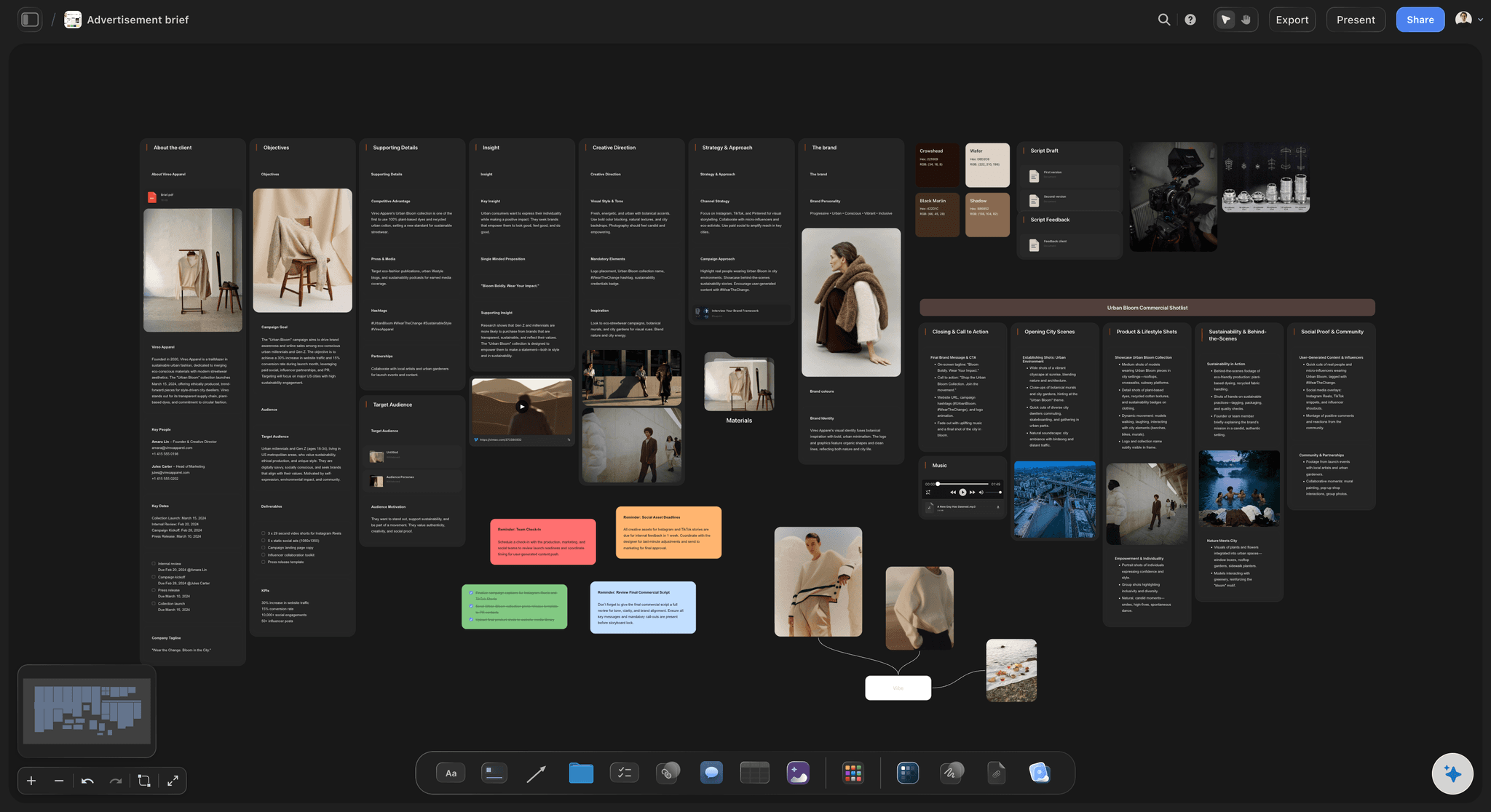
The standard brief
One master, copied for every request
The same nine fields in the same order, with the references laid out beside the words. A creative director who has read one brief from your team knows where to look in the next.
See the creative brief template →
The library
Every brief in one table, open or closed
A row per brief with its number, status, owner, signer and sign-off date, and a cell that opens the brief for signed-in members. Each brief is also a card on the board, which is what someone reading by link opens. The answer to which briefs are live is a table, not a search through folders.
See creative operations →
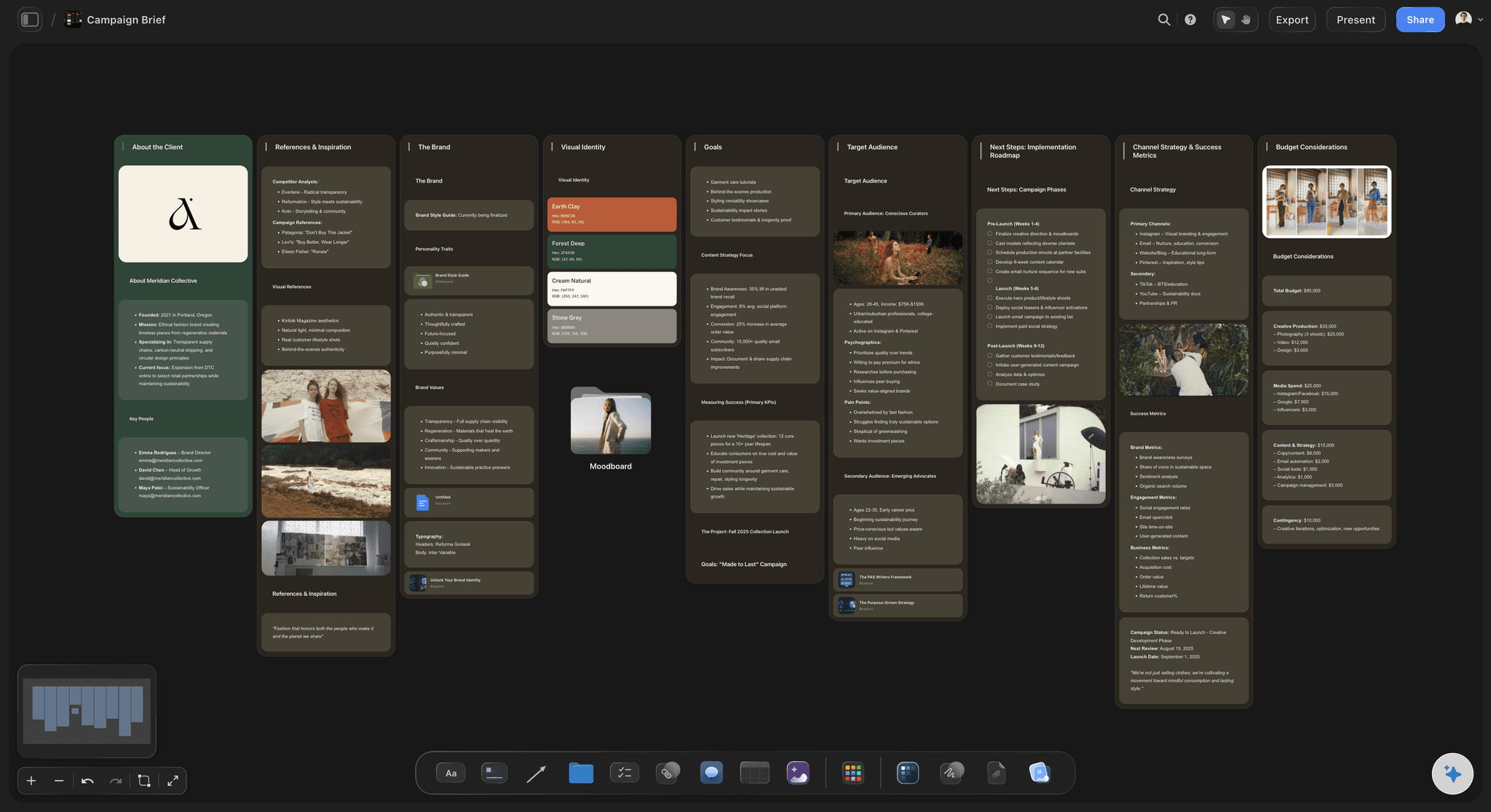
The sign-off
A name and a date, not a thumbs up
Two named signers, a line in the brief for the name and the date, and a status that only moves when that line is filled. Nobody starts work on a brief that somebody thought was probably fine.
See the client review board →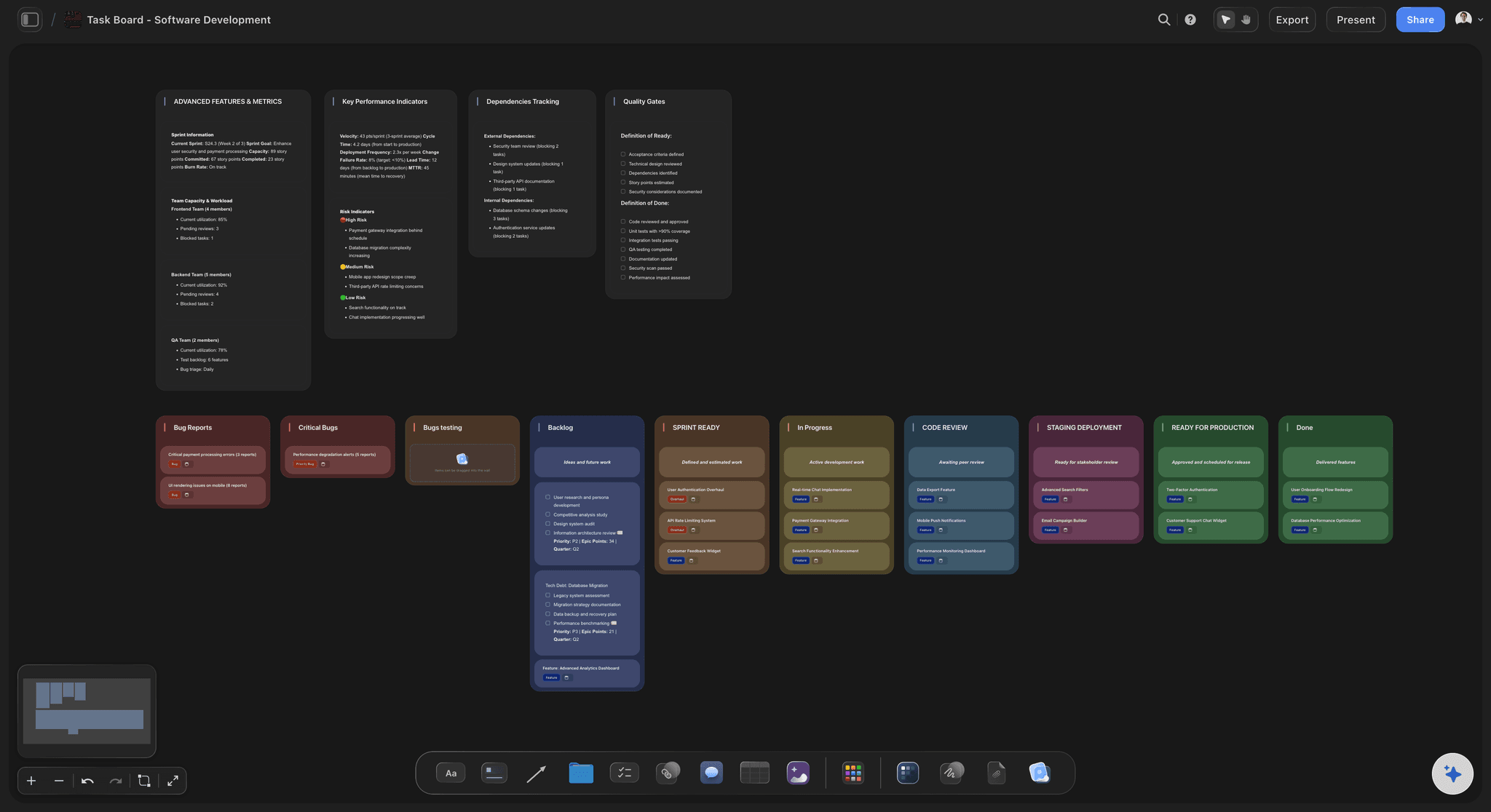
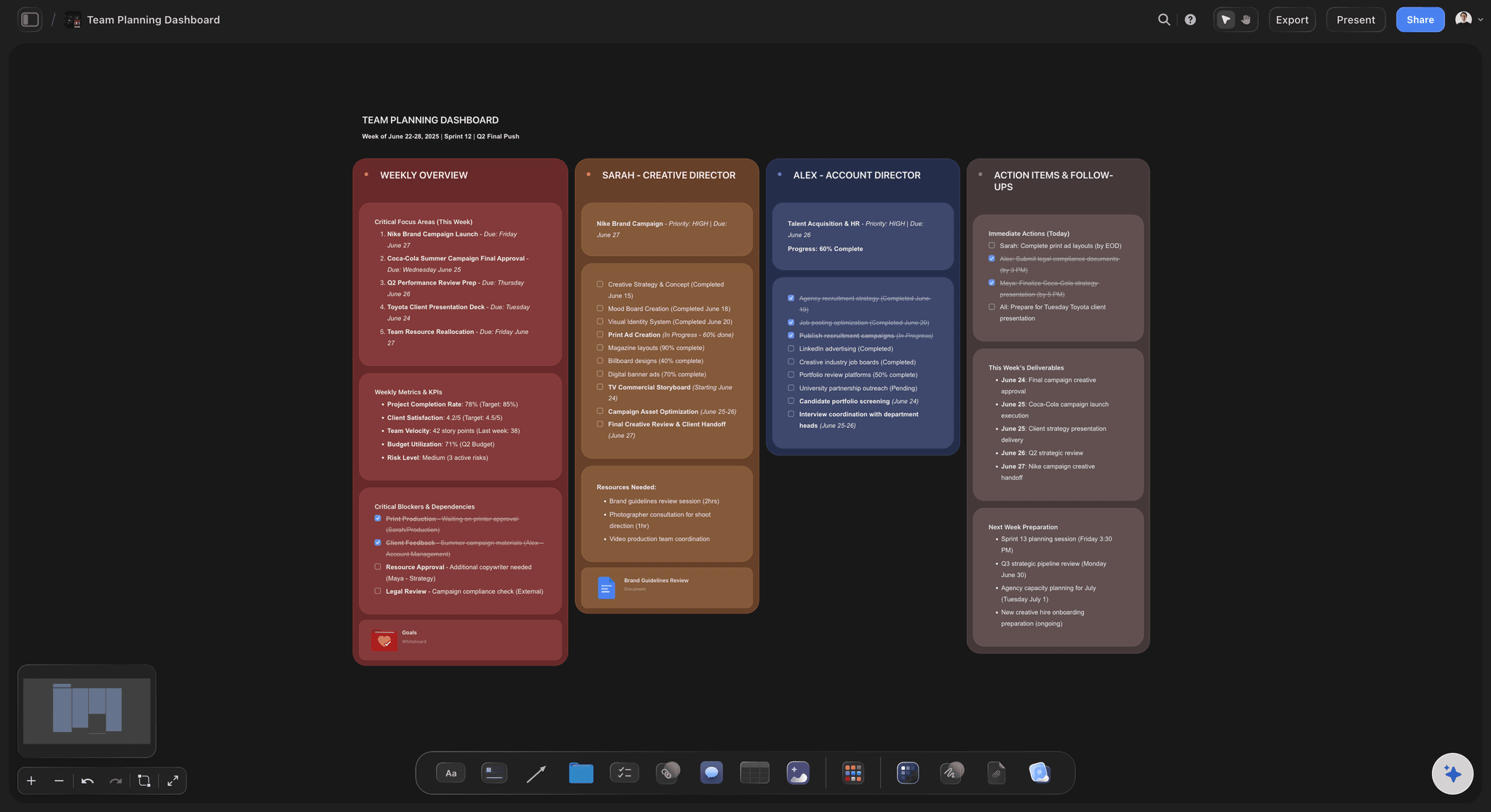
The change log
What changed after sign-off, and when
A dated list at the bottom of every brief. Small changes are noted there. A change to the audience, the message, the deliverables, the date or the budget sends the brief back for a second signature.
See campaign brief to delivery →The creative director reads the same brief you signed.
Share the board by link, so the brief the agency or the creative director opens is the signed one and not last week's attachment. Storyflow is paid-only during early access, with plans from $7.99 a month billed annually ($9.99 monthly). A free plan launches before the end of 2026, and anyone a paid member invites to a board joins free.
Unlimited boards, image uploads and files on every paid plan
Freelancers and agency partners you invite to the board join free
200+ Tactics for sharpening the message in a brief
Briefs export to Word and PDF for the signed copy
View-only links so stakeholders open a brief's card with no account

Built for people with taste
Why briefs go wrong after they are written.
Three usual causes. None of them is about writing a better brief; all of them are about what happens to it next.
The format
Every brief looks different
One master brief: Every brief starts as a copy of the same Doc. Nobody decides the headings again, and nobody leaves out the budget because their own version never had one.
Nine fields, always in order: What, who, the one message, the proof, deliverables, mandatories, budget, dates and signer. A reader finds the deadline in the same place every time.
A number on every brief: BR-041 is easier to say in a meeting than the autumn campaign one, the second version. The number goes in the table, in the title and on the exported file.
References beside the words: On a Storyflow board the reference images, the last campaign and the competitor's ad sit next to the brief they explain, where a designer will actually see them.
The status
Nobody knows which briefs are live
Five statuses, no more: Draft, in review, signed off, in production, closed. Set them up once as labels in the library table and use the same five on every brief.
Three working days in review: A brief that waits longer goes back to draft with a note on what is missing. The limit protects the makers, whose deadline does not move when a signature is late.
Two signers, by name: The budget owner and the brand owner sit in Person cells on the row. Everyone can see whose turn it is without asking in a channel.
The whole queue in one look: A Count in the table footer shows how many briefs the team is carrying. Compare it with last quarter before agreeing to the next request.
The changes
The brief changes and nobody says so
Small or big, decided in advance: Wording is small. Audience, message, deliverables, date and budget are big. A big change means a second signature, which makes people think before asking for one.
A dated log in the brief: Every change after sign-off is one line: the date, what changed, who asked. Storyflow keeps no automatic version history of a Doc, so this log is the record.
The signed copy kept: Export the brief as a PDF on the day it is signed and drop the file on the board beside it. If the live brief and the memory of it disagree, the PDF settles it.
Ask what moved: When a brief is laid out as cards, ask Storyflow's AI what changed on the board this week and it lists the cards that were edited, added or moved, and who did it.
Explore templates for your project
Every template opens as a real, editable board on the infinite canvas. Pick the closest fit and make it your own.
Creative Brief
Capture the objective, audience, and message for a creative so everyone works from the same brief.
One app instead of five
Where Storyflow fits in a brief workflow.
It holds the briefs, the library and the references. It has no approval step that locks a brief, no automatic version history and no routing.
Storyflow
Recommended
One standard brief every request starts from
Every brief in one table with status, owner and signer
References and drafts on the same canvas as the brief
AI drafts the brief from a pasted request
The production plan built beside the signed brief
An approval step that locks the brief
Automatic version history of every edit
Routes the brief to the next person by itself
Work management tools
One standard brief every request starts from
Every brief in one table with status, owner and signer
References and drafts on the same canvas as the brief
AI drafts the brief from a pasted request
The production plan built beside the signed brief
An approval step that locks the brief
Automatic version history of every edit
Routes the brief to the next person by itself
Docs in shared folders
One standard brief every request starts from
Every brief in one table with status, owner and signer
References and drafts on the same canvas as the brief
AI drafts the brief from a pasted request
The production plan built beside the signed brief
An approval step that locks the brief
Automatic version history of every edit
Routes the brief to the next person by itself
What creators are saying
Join early creators getting structured workspaces and AI that remembers their projects
“Storyflow has sped up my workflow by at least 3x, which means more flow state and more projects I can actually ship. It truly changed the way me and my team create.”

Reilin Joey
Director & YouTuber
“One prompt gets me a structured board. But the tactics are my favorite. I run my YouTube scripts through them and my intros and retention got better. It's amazing.”

Justkay
YouTuber & Freelance Filmmaker
“I used to juggle five apps to plan a project. Now I describe what I am making and get boards, lists, and a schedule. All in one place.”

George
@fernwehchronicles
Creative brief workflow questions
What in-house marketing teams and creative directors ask when briefs keep arriving in different shapes and changing after they were agreed.
In Storyflow, set it up on one board in four parts: a master brief with nine fields that is duplicated for every request, a library table with a row per brief, five statuses from draft to closed, and two named signers. Add a change log at the bottom of each brief for anything altered after sign-off. The AI drafts each new brief from the pasted request.
Storyflow is built for exactly this job: every brief starts as a copy of one master, sits in a library table with its status, owner and signer, and keeps its references beside the words, and its AI drafts the brief from a pasted request and lists the empty fields. Automatic approval routing still takes a work management tool such as Asana or Wrike, and Google Docs keeps an automatic version history.
Five: draft, in review, signed off, in production and closed. A brief is in draft while it is being written, in review while the signer has it, signed off once a name and a date are on it, in production once work has started and closed when the work ships. In Storyflow each stage is a label in the library table.
Two people at most: whoever owns the budget and whoever owns the brand. Name them before the brief is written. Everyone else can comment, but only those two can sign. In Storyflow the signers sit in Person cells on the brief's row, and the sign-off line in the brief carries the name and the date.
Give every brief a number such as BR-041 in its title, and add a row for it to one library table with its status, owner, signer and sign-off date. In Storyflow each brief is a copy of the master Doc, duplicated from its menu. Storyflow tables do not sort or filter, so keep open briefs in one table and closed ones in a second.
Sort the change by size. A wording change that leaves the audience, the message, the deliverables, the date and the budget alone is noted in the change log with its date. A change to any of those five sends the brief back to in review for a second signature. In Storyflow the log is a section at the bottom of the brief.
With a dated change log and a saved copy. Storyflow does not keep an automatic version history of a Doc, so add one line to the log for every change after sign-off, and export the brief as a PDF on the day it is signed. Keep that file on the board beside the live brief as the agreed version.
Three working days is a fair limit. After that the brief goes back to draft with a note saying what the signer needs. Without a limit, the brief waits while the delivery date stays fixed, and the makers pay for the delay. On a Storyflow library table the briefs in review are easy to pick out by their label.
It can draft and check, and you decide. Storyflow's AI reads a request pasted from an email or a chat, fills the fields it can and lists the ones it cannot. Attach a finished brief and ask which fields are empty or vague, and it tells you. It does not know your budget or your brand rules unless they are on the board or attached.
No. Storyflow has no approve button, does not lock a brief once it is signed and does not send it to the next person by itself. Sign-off is a name and a date written in the brief and a status changed in the table. Teams that need enforced routing run that step in a work management tool such as Asana or Wrike.
Send one link to the board. They open it view-only with no account, open the brief from its card on the board and see the references beside it, and sign in to comment. The library table's Document cells open only for people you have invited to the board. For someone who wants a file, export the brief from Storyflow as a Word document or a PDF.
Intake comes first: it decides whether a request is accepted, how big it is and when it can be made. The brief workflow starts where intake ends, with an accepted request that has to become a signed brief and then finished work. In Storyflow both can live on one board, the intake queue feeding the brief library.
No. Storyflow runs in the browser and there are no native mobile or desktop apps. Open the brief library in any browser and share the board by link. Stakeholders open each brief from its card with no account, and the freelancers and agency partners you invite to the board can comment and edit.
More from Storyflow
Creative request intake
Creative brief template
AI creative brief generator
Campaign brief template
Brief to project board
Campaign brief to delivery
Client review board
Creative operations
Creative team workflow tool
In-house content production
Content brief template
Design brief
Storyflow for in-house creative teams
Target audience template
Storyflow for marketing teams
Client brief to production plan
How to write a campaign brief
Campaign concept board
Creative production brief
Same brief, same steps, every time.
One master, five statuses, two signers and a change log. A library where any brief the team ever wrote is a few seconds away.