
Extremely simple, seriously capable
You cannot fix a pipeline
you cannot see.
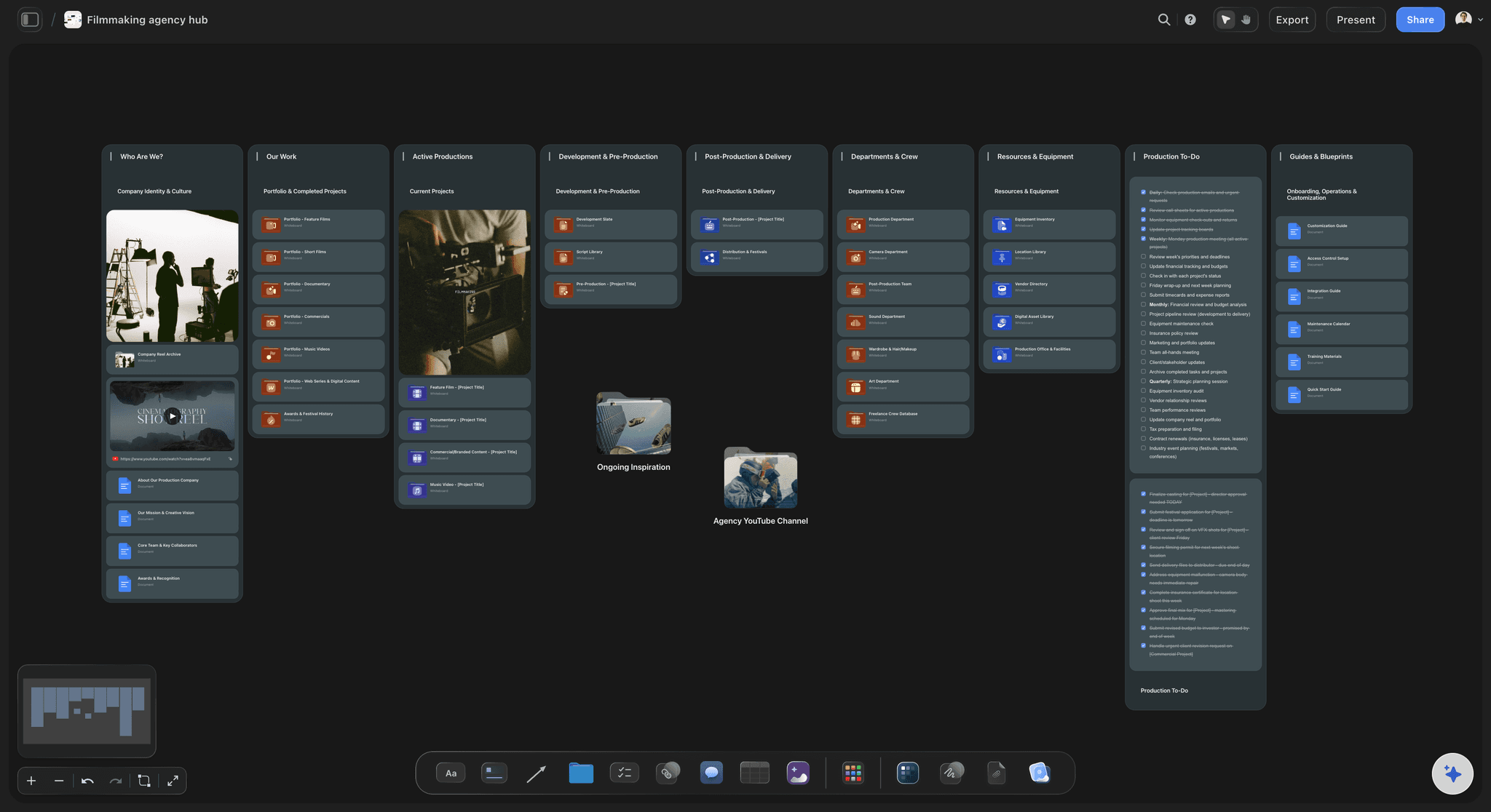
Every project, the stage it is in, who is on it, and what it is waiting for, on one board. Intake stops being an inbox, capacity stops being a guess, and the weekly status meeting stops being the only way anyone finds out what is happening.


Creatives working for these brands already got early access
- Red Bull
- Canon
- Artlist
- Porsche
See how easy it is to get started
Watch a real project come together, from a blank board to a finished plan, clicked through step by step.
Start from a ready-made template
Pick a board to see what you can build, then let AI fill it in. Every template is a real, editable starting point on the same infinite canvas.

Mind Map
Branch one central idea out into themes and sub-points, then drag the connections around until the structure makes sense.
What is creative operations, and where does it usually break?
Creative operations is the discipline of making a creative team's work predictable without making it mechanical. Storyflow is an AI visual workspace that runs creative operations for your team on one infinite canvas: intake with the brief attached, every project and its stage, who is on what, and the review cycle. In practice creative operations covers four things: how work arrives and gets accepted, how it is prioritised against everything else in flight, how it moves through production and review, and how you know whether the team is at capacity before somebody burns out proving it.
It usually breaks in the same place. Requests arrive through five channels, so nothing is a queue and priority is decided by whoever asked most recently or most loudly. Status lives in a project tool that only records what people remembered to update. The actual work lives somewhere else entirely. So the only reliable way to learn the state of anything is to ask, which is why creative teams run so many status meetings and why those meetings are the operations process rather than a report on it.
The first fix is visibility, and it is mostly a display problem. When every project is a card in a stage on one canvas, carrying the brief that started it and the work as it stands, three things become readable at a glance: what is genuinely blocked, who is carrying more than they should, and how much is in flight against how much can be finished. None of those need a new process. They need the work in one place, which is what a canvas gives you and a list does not.
Ultra fast from brief to board
Make it visible, then make it predictable.
One intake, one board, one review cycle, and capacity you can point at.
01
Give intake one door
Every request becomes a card carrying its brief, requester, and deadline. A request with no brief is visibly incomplete rather than quietly accepted.
02
Put the whole book of work on one board
Describe how your team works and the AI lays out your stages. Every project sits in one, so status is read rather than collected.
03
Make capacity visible
Owners on cards mean the person carrying four active projects is obvious on the board, before it turns into a missed deadline or a resignation.
04
Run review where the work is
Feedback lands on the piece, and a view-only link lets stakeholders and clients see status without a seat or a weekly deck.
The operations problems that are really visibility problems.
Intake, capacity, blockers, and review, all readable from one canvas.

One door in
Intake with the brief attached
A request that arrives as a card with its brief, requester, and deadline can be prioritised. One that arrives in a message cannot, and that is most of what makes creative teams feel reactive.
See the design brief →
Status you read
Every project in a visible stage
Three projects sitting in review for two weeks is a shape on the board. In a list it is a date column nobody sorted, which is why it gets discovered at the deadline.
See creative project management →
Capacity before burnout
Who is carrying what
Owners on cards make overload legible while it is still fixable. The alternative is finding out when a deadline slips or someone quits, which is the same information arriving too late to use.
See the creative team workflow tool →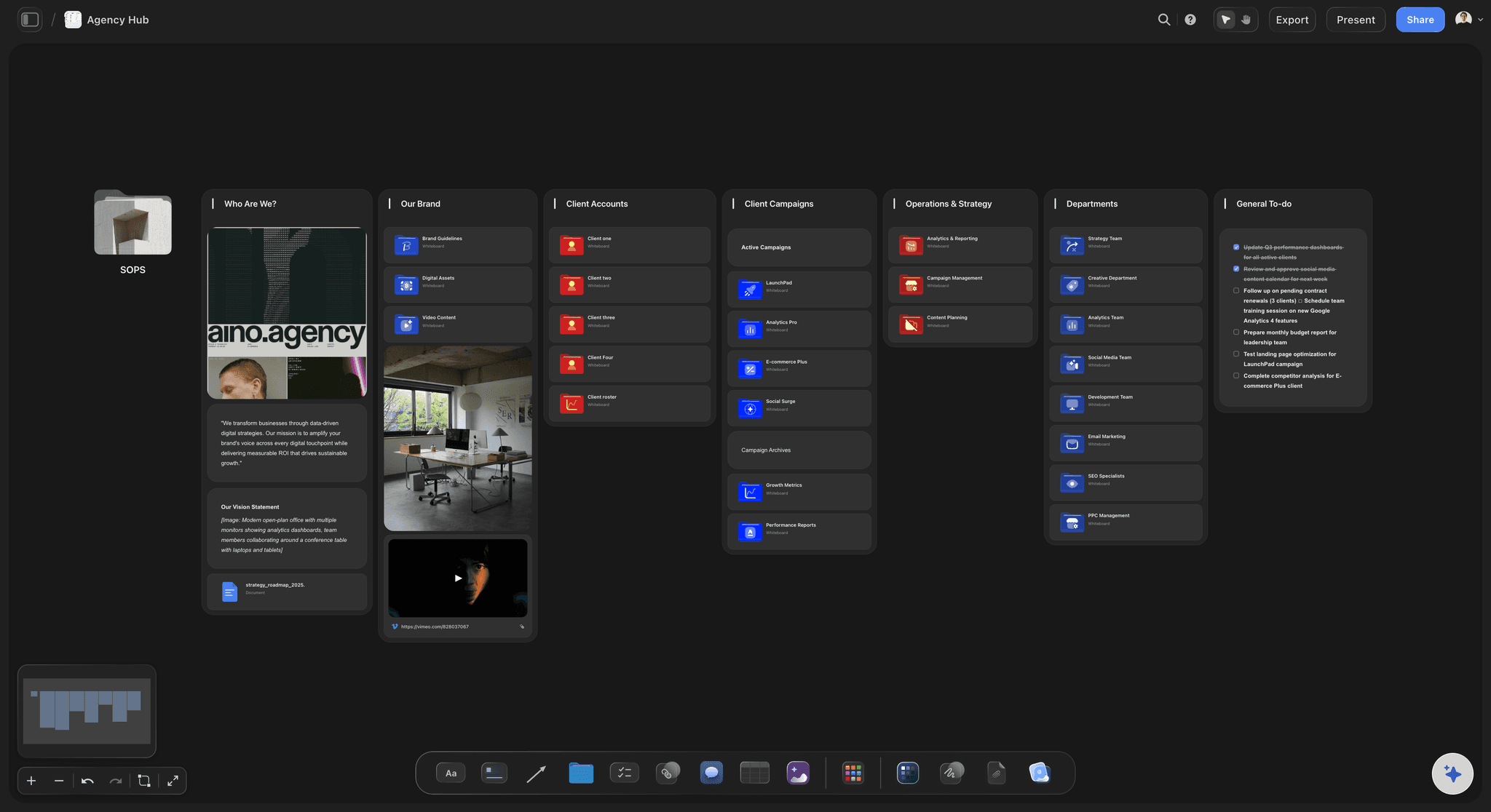
Fewer status meetings
Stakeholders read the board
A view-only link shows the live state to a stakeholder or client with no account. Most weekly status meetings exist to transmit information a visible board already carries.
See the client review board →The whole book of work, and its history.
Operations improves by looking back at what actually happened, which requires that finished projects were not deleted to keep a board clean. No object cap means the record survives.
Unlimited boards and objects on an infinite canvas, no object cap
AI usage to lay out stages and turn briefs into project boards
Briefs, assets, PDFs, and links on the cards, with unlimited file uploads
Unlimited collaboration, or share view-only with no account needed to view

Built for people with taste
What creative operations actually has to do.
Accept work well, prioritise honestly, move it through, and learn from what happened.
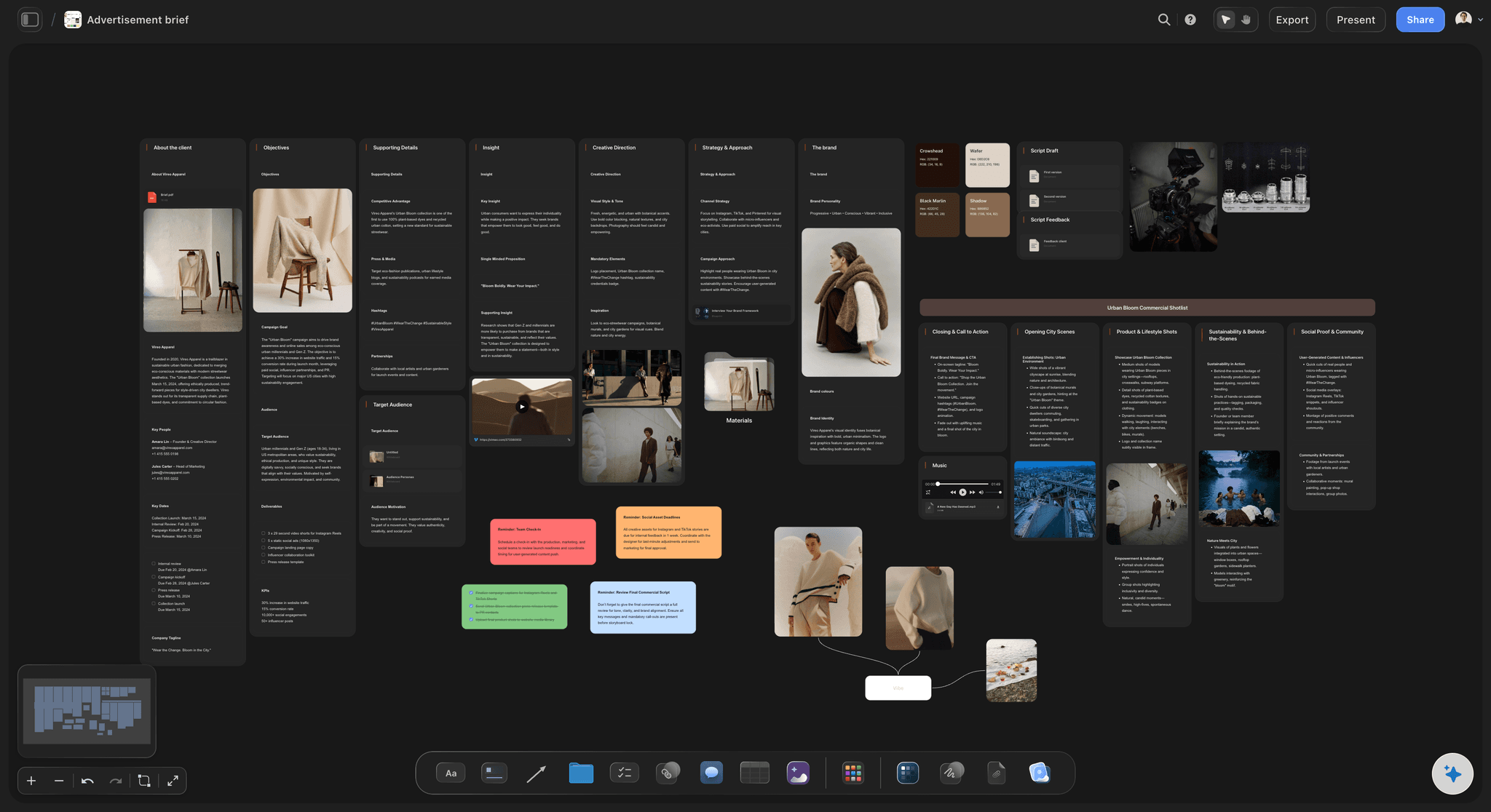
Intake
Turning requests into work
A request needs a brief: Requiring the objective, audience, and deadline at intake is the single highest-return operations change, and it works because the gap is visible on the card.
One queue, not five channels: When everything arrives in one place, priority becomes a decision somebody makes rather than a function of who asked last.
Say no visibly: A declined or deferred request stays on the board with the reason, which is what stops the same request arriving again in a month.
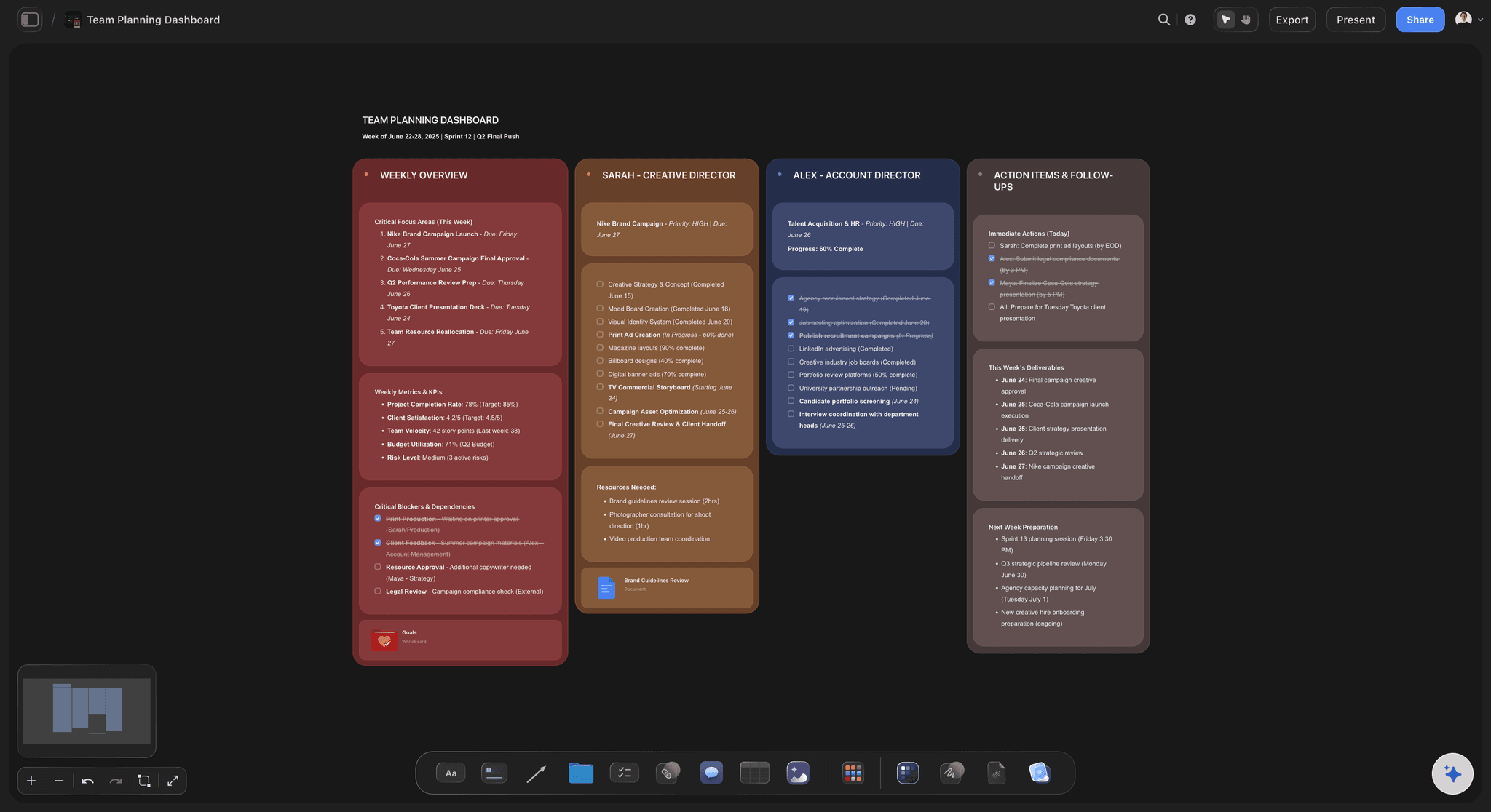
Prioritisation
Honest about what fits
In flight versus finishable: Seeing everything at once is what makes it possible to argue that the eleventh project cannot start until something finishes.
Deadlines in view: Put the date on the card so a collision between three deliverables in one week is visible in advance rather than in retrospect.
Dependencies drawn: Connect a project to the asset or approval it waits on, so the real critical path is on the board instead of in someone's head.
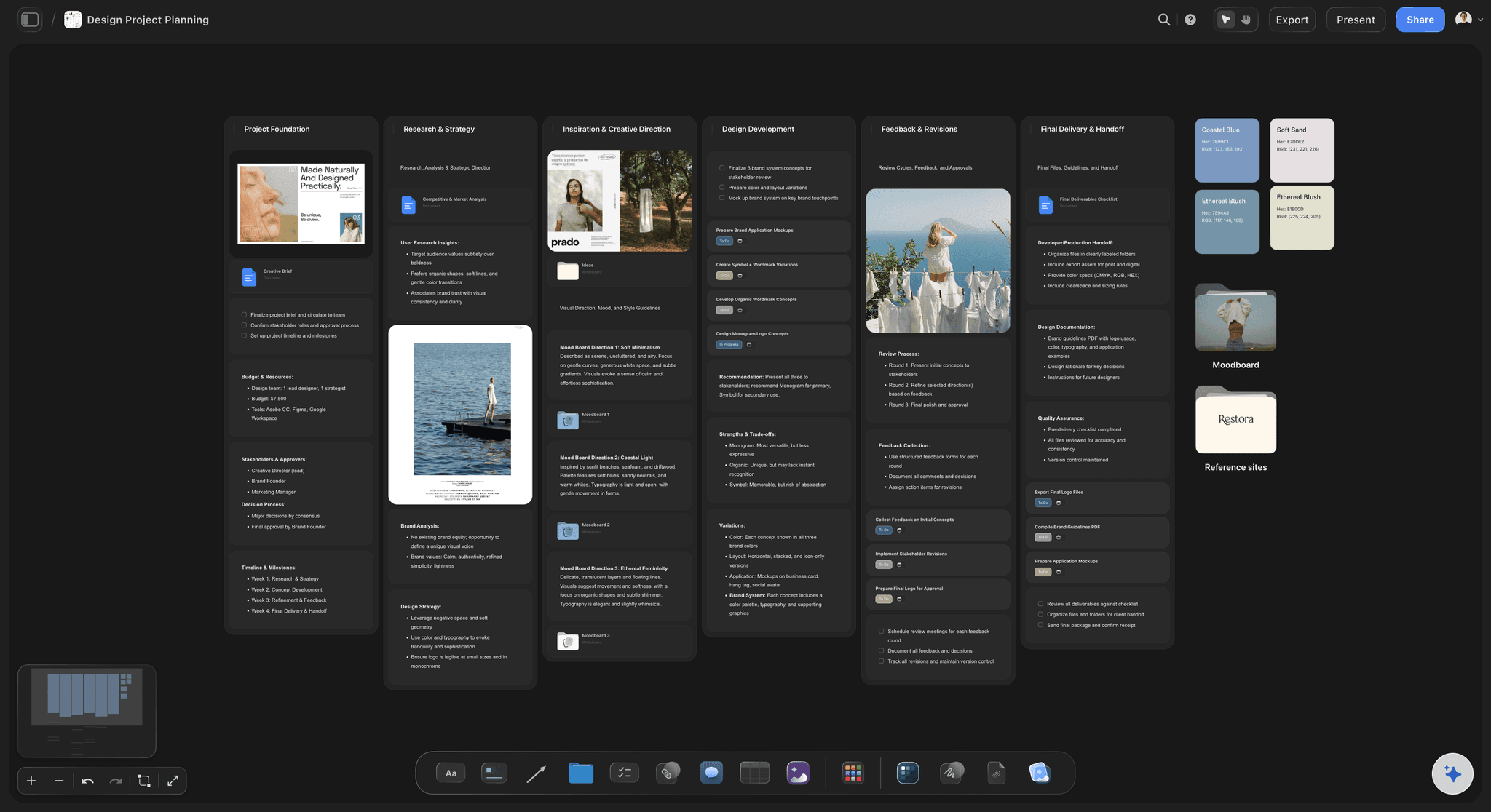
Throughput
Moving work without chasing it
Blockers as a stage: Give waiting its own place on the board. Work stuck on someone else's approval is the most common and least tracked cause of a late delivery.
Review where the work lives: Feedback on the piece rather than in a thread means round three does not repeat round one, which is throughput as much as it is quality.
The work is on the card: Assets, briefs, and drafts on the project card mean status is read from the actual work rather than from a field somebody updated.
Learning
Getting better on evidence
Keep finished projects: A quarter of completed work on the canvas is the data for every process argument you will want to make.
Look at where things sat: The stage projects pile up in is your actual bottleneck, and it is usually not the one people complain about.
Change one thing: Visibility first, then one process change at a time, measured against a board that shows whether the pile moved.
Explore templates for your project
Every template opens as a real, editable board on the infinite canvas. Pick the closest fit and make it your own.
Mind Map
Branch one central idea out into themes and sub-points, then drag the connections around until the structure makes sense.
What creators are saying
Join early creators getting structured workspaces and AI that remembers their projects
“Storyflow has sped up my workflow by at least 3x, which means more flow state and more projects I can actually ship. It truly changed the way me and my team create.”

Reilin Joey
Director & YouTuber
“One prompt gets me a structured board. But the tactics are my favorite. I run my YouTube scripts through them and my intros and retention got better. It's amazing.”

Justkay
YouTuber & Freelance Filmmaker
“I used to juggle five apps to plan a project. Now I describe what I am making and get boards, lists, and a schedule. All in one place.”

George
@fernwehchronicles
Creative operations questions, answered.
What teams ask when the process is really a series of status meetings.
Creative operations is the practice of making creative work predictable without making it mechanical. It covers intake and acceptance, prioritisation against everything already in flight, moving work through production and review, and understanding capacity. It exists because creative teams are usually demand-constrained and the demand arrives through several channels at once.
Storyflow puts the whole team's work on one board: every project, the stage it is in, who is on it and what it is waiting for. Requests come in as intake with the brief attached, stakeholders read the board, and capacity and bottlenecks are visible without being pieced together in a weekly status meeting.
Start with visibility rather than process. Put every project on one board in a visible stage with an owner and a deadline, and require a brief at intake. Those two changes surface the real bottleneck, which is often not the one people complain about. Only then change one thing at a time, and measure it against the board.
The objective, the audience, the deadline, the deliverables, and who is accountable for approving it. Requiring these at intake is the highest-return operations change most teams can make, because it moves the hardest conversation to the point where saying no is still cheap. A request card missing a brief is visibly incomplete rather than quietly accepted.
Put owners on cards and show the whole book of work on one board. An argument that the team is full is weak; a board where one person's name is on four active projects and three deliverables collide in the same week is not. The point is to make the constraint visible while it is still a planning problem.
Most status meetings exist to transmit information that a visible board already holds. Share a view-only link so stakeholders read current status in a browser with no account, and keep the work itself on the cards so status is read from real artifacts rather than from a field somebody remembered to update.
Waiting on approval, and it is usually untracked because waiting is not a stage in most tools. Give it a place on the board and the size of the problem becomes measurable. The second most common is intake without briefs, which pushes the cost of an unclear request onto the person making the work.
Most teams do not need another tracker; they need the work and its status in the same place. A tracker that records status separately from the work is the thing that decays, because it depends on people updating it. Keeping briefs, drafts, and review on the same canvas means status is a by-product of the work rather than an extra task.
Not during early access. Storyflow is paid-only right now, with plans starting at $9.99 per month, an infinite canvas, and no object cap. Every plan includes unlimited collaboration and view-only sharing that needs no account to view. A Free plan launches before the end of 2026, with basic AI usage and 20 file uploads.
More from Storyflow
Creative operations tool
Creative project management
Creative team workflow tool
For in-house creative teams
For creative directors
Agency client project planning
Client review board
Design brief
Design feedback tool
Creative brief template
Campaign brief template
Solo studio project planning
Campaign concept presentation
Creative scope of work
Ad creative testing
RFP response plan
Start with seeing it. The process follows.
Every project, its stage, its owner, and what it is waiting on, in one place.