
An ultra-fast canvas that stays calm
An online whiteboard
the AI fills for you.
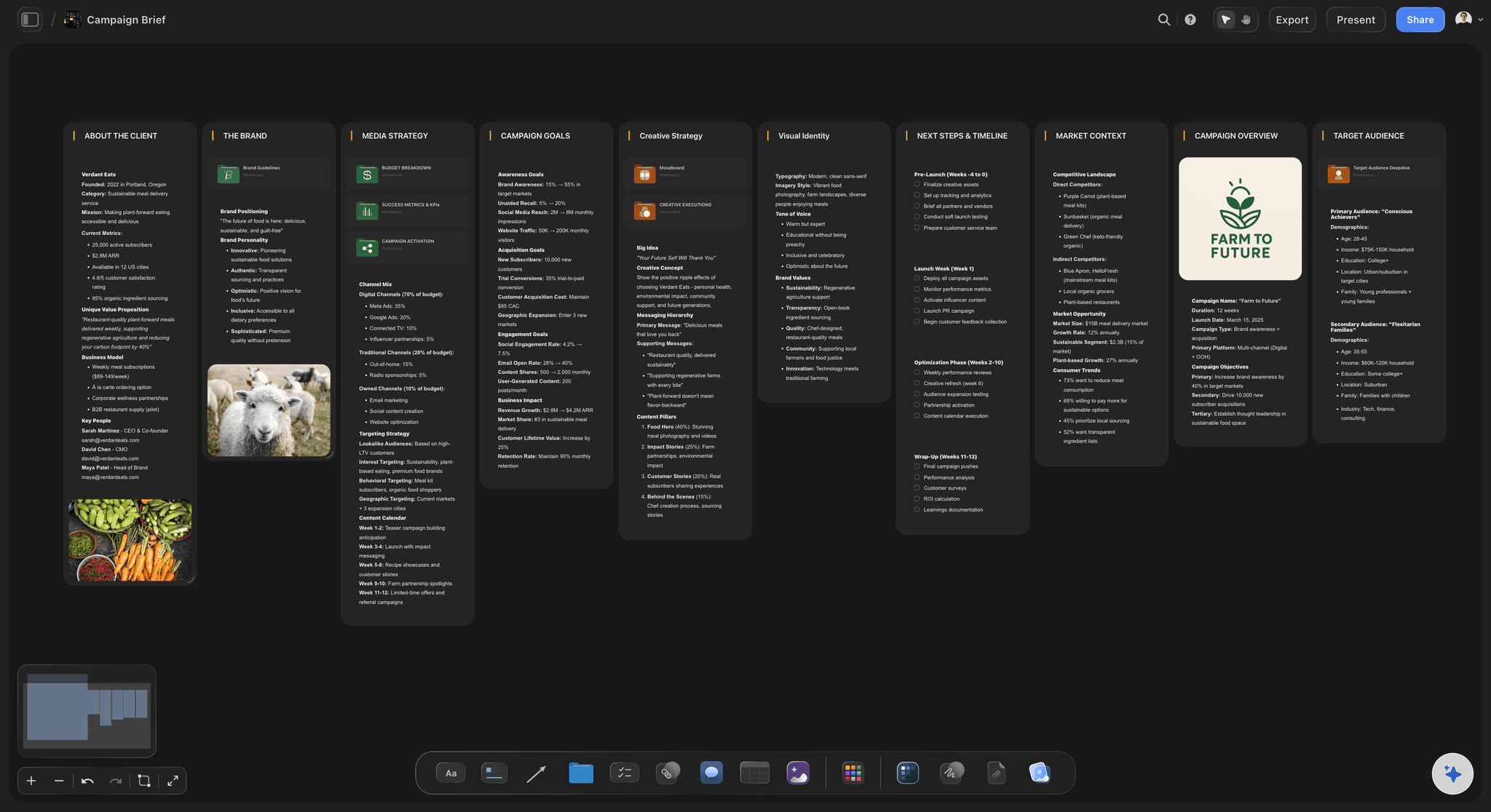
Storyflow is a browser-based whiteboard on an infinite canvas, with an AI that lays out a full board from one prompt. Brainstorm, map a plan, build a moodboard, then turn the board into the real thing.


Creatives working for these brands already got early access
- Red Bull
- Canon
- Artlist
- Porsche
See how easy it is to get started
Watch a real project come together, from a blank board to a finished plan, clicked through step by step.
Start from a ready-made template
Pick a board to see what you can build, then let AI fill it in. Every template is a real, editable starting point on the same infinite canvas.

Mind Map
Branch one central idea out into themes and sub-points, then drag the connections around until the structure makes sense.
What is an online whiteboard?
An online whiteboard is a shared, browser-based canvas for visual thinking. Instead of a fixed page, you get an open space where you can drop notes, images, links, and diagrams anywhere, zoom out to see the whole picture, and work it out together with other people in real time. It is where teams brainstorm, map plans, run workshops, and sketch ideas without being boxed into slides or documents.
Storyflow is an online whiteboard built on a true infinite canvas, with one difference that changes how you use it: an AI that drafts the board for you. Describe what you are working on, a launch plan, a campaign, a research board, a moodboard, and the AI lays out the cards, groups, and structure on the canvas. You start from a real board instead of a blank one, then drag, edit, and expand from there. Attach images, PDFs, video, and links to any card, and grab frames from YouTube and Vimeo straight onto the board.
That is the edge over a classic digital whiteboard. On most tools the board is the deliverable, and the ideas die as sticky notes once the session ends. In Storyflow the whiteboard is the starting point: ask the AI to turn the board into a storyboard, a content plan, or a project board on the same canvas, so the thinking becomes the work instead of a screenshot of it.
Ultra fast from brief to board
Get a working online whiteboard in four steps.
You describe what you are working on. The AI lays out the board, so you start with something instead of a blank canvas.
01
Open the canvas
Start in the browser with an account. There is no app to install, just an empty infinite canvas ready for your first board.
02
Tell the AI what you need
One sentence is enough: a brainstorm for a product launch, a campaign plan, a research board, a moodboard for a brand.
03
AI fills the board
The AI lays out cards, notes, and groups on the canvas, structured so the board reads at a glance and is ready to edit.
04
Edit, expand, and share
Drag cards to regroup, ask the AI to go deeper on any part, attach files and frames, then share a view-only link or export as image or PDF.
A whiteboard that does more than hold sticky notes.
Most online whiteboards end as a screenshot. This one starts itself with AI, then becomes plans, storyboards, and moodboards.

A full board from a single prompt
The AI drafts the board, you refine it
Describe what you are working on and the AI lays out cards, notes, and groups on the canvas. Start from a real board, not a blank one, then make it yours.
See the AI whiteboard →
Room to think, with no object cap
A true infinite canvas at the core
Pan and zoom across an endless board where nothing gets cut for space. There's no object cap and no board cap on any plan, so the canvas grows with the idea.
See the infinite canvas →
From whiteboard to publishing plan
Boards become plans and campaigns
A brainstorm of your niche becomes a content calendar or a campaign board. The AI builds the plan from what is on the board, not from a generic template.
See the AI marketing campaign planner →
Open the board to anyone
Share and collaborate, free
Invite collaborators or send a view-only link so anyone can explore the full whiteboard in their browser without an account. Inviting and sharing are free.
See the free online whiteboard →No object cap, on any plan.
Open a whiteboard, describe a board, and watch the AI lay it out. There's no time limit. A Free plan is launching before the end of 2026; until then, plans start at $9.99 a month.
Unlimited boards on an infinite canvas, with no object cap
Basic AI usage to fill and expand boards from a prompt
Attach images, PDFs, video, and links, with unlimited file uploads on paid plans
Share boards view-only, or invite collaborators free
Built for people with taste
Built for visual thinking, not just diagrams.
Lay ideas out in space, let the AI do the structuring, and keep everything you need on one canvas.

The board lays itself out
AI that fills the whiteboard from a prompt
Start from a real board: Describe a brainstorm, a plan, or a moodboard and the AI lays out the cards and groups on the canvas, so you never stare at a blank board.
Expand any section: Ask the AI to go deeper on one part of the board while the rest stays exactly as you arranged it.
Re-prompt to refocus: Ask for a tighter board, a different angle, or more practical ideas, and the AI reworks the layout while keeping your edits.

Context from the board you are working on
AI that builds on what is already there
Reads your active board: The AI uses what is on the board you have open, so new cards connect to the ideas already on the canvas.
Attach your sources: Add up to five documents and three boards as context: a research doc, a brief, or notes the board should build from.
Stays on your canvas: The AI works on the board in front of you, not a hidden copy, so every change lands where you can see and adjust it.

More than sticky notes on the canvas
Media, files, and frames on the board
Drop in anything: Images, video, GIFs, PDFs, and links live on the canvas next to the ideas they support. A whiteboard with receipts.
Frame grabs from video: Capture stills from YouTube and Vimeo straight onto the board when a reference says it better than a note.
Notes where you need them: Longer thoughts live as documents on the same canvas, so the board stays scannable and the depth stays one click away.

The board is step one, not the deliverable
From whiteboard to finished work
Turn boards into real work: Ask the AI to turn the board into a storyboard, a content plan, or a project board on the same canvas, carrying the ideas over.
Share the thinking: Invite collaborators free, or send a view-only link so anyone can explore the whiteboard without an account.
Export as image or PDF: Need the board in a deck or a doc? Export it as a clean image or PDF in one step.
Explore templates for your project
Every template opens as a real, editable board on the infinite canvas. Pick the closest fit and make it your own.
Mind Map
Branch one central idea out into themes and sub-points, then drag the connections around until the structure makes sense.
One app instead of five
How Storyflow compares to other online whiteboards.
Miro, Mural, and FigJam are strong whiteboards. The question is what happens to the board after the session.
Storyflow
Recommended
An infinite canvas at the core of the product
AI that fills the board from a single prompt
Boards become storyboards and plans on the same canvas
No object or board caps on any plan
Miro
An infinite canvas at the core of the product
AI that fills the board from a single prompt
Boards become storyboards and plans on the same canvas
A free plan without object or board caps
Mural
An infinite canvas at the core of the product
AI that fills the board from a single prompt
Boards become storyboards and plans on the same canvas
A free plan without object or board caps
FigJam
An infinite canvas at the core of the product
AI that fills the board from a single prompt
Boards become storyboards and plans on the same canvas
A free plan without object or board caps
What creators are saying
Join early creators getting structured workspaces and AI that remembers their projects
“Storyflow has sped up my workflow by at least 3x, which means more flow state and more projects I can actually ship. It truly changed the way me and my team create.”

Reilin Joey
Director & YouTuber
“One prompt gets me a structured board. But the tactics are my favorite. I run my YouTube scripts through them and my intros and retention got better. It's amazing.”

Justkay
YouTuber & Freelance Filmmaker
“I used to juggle five apps to plan a project. Now I describe what I am making and get boards, lists, and a schedule. All in one place.”

George
@fernwehchronicles
Online whiteboard questions, answered.
Everything people ask about using Storyflow as an online whiteboard.
There is no single best one, because online whiteboards split by what you put on them. For diagramming, process mapping and workshop facilitation, general boards like Miro and FigJam are the established choice and remain strong. For creative work, where the reference images are the content and the board has to continue into a moodboard, shot list or schedule, Storyflow is built for that case: an infinite canvas holding full-size images, and view-only links so clients can review without editing.
An online whiteboard is a shared, browser-based infinite canvas for visual thinking, planning, and collaboration. You drop notes, images, links, and diagrams anywhere, zoom out to see the whole picture, and work it out with other people. Storyflow is an online whiteboard with one extra: an AI that lays out a full board from a single prompt, so you start from something instead of a blank canvas.
Not during early access. Storyflow's Free plan launches before the end of 2026 as a full online whiteboard with no object cap, no board cap, and no time limit, including basic AI usage to fill and expand boards, 20 file uploads, view-only sharing, and free collaboration. Right now, plans start at $9.99 per month, and anyone a paid member invites to a board joins free.
Miro, Mural, and FigJam are strong real-time whiteboards built around the infinite canvas. Storyflow shares the infinite canvas but adds an AI that fills the board from a prompt and lets you turn the board into storyboards, plans, and moodboards on the same canvas. So the board becomes the work instead of ending as sticky notes once the session is over.
Yes. Inviting collaborators and sharing a view-only link are free, so anyone can open the board in their browser without an account. Invited collaborators co-edit the same board in real time on any paid plan, and a team workspace with roles is on Max.
The AI reads the board you have open, the active board, so the cards and notes already on the canvas shape what it lays out. You can also attach up to five documents and three boards, such as a research doc or a brief, for the AI to build from. It works on the board in front of you, not your entire workspace.
Yes. Images, PDFs, video, GIFs, and links attach to the canvas next to the ideas they support, and you can grab frames from YouTube and Vimeo straight onto the board. Every paid plan includes unlimited file uploads. AI image generation, by pressing G, is available on the Pro and Max plans.
Yes. Export the board as a high-quality image or a PDF for decks and documents, or share a view-only link so anyone can explore the full canvas in their browser without an account. Both exporting and view-only sharing are free.
No. Storyflow runs in your browser, so the online whiteboard opens with an account and no install. There is also a desktop app if you prefer one, but the web version gives you the full whiteboard, the infinite canvas, and the AI without setup.
Miro is still the default for most teams and has the deepest facilitation feature set, the largest template library, and the widest integration list. FigJam is the better pick if your team already works in Figma and wants design files and the whiteboard in one place. Excalidraw is the fastest for technical sketching and needs no account at all. Mural is the strongest for trained facilitators running structured workshops. Storyflow is the pick when the board is part of a longer project rather than a single session, because the canvas keeps the AI, the documents, and the frameworks together.
Excalidraw is the strongest genuinely free option: open source, no account required, and unlimited for sketching and diagramming. tldraw matches it for no-signup speed with a cleaner look. Microsoft Whiteboard is free with any Microsoft account and is the obvious choice inside Teams. Miro's free tier gives you three editable boards, and FigJam has a free tier inside Figma. Storyflow is not on this list today: it is in paid early access from $7.99 a month billed annually, and its Free plan launches before the end of 2026.
In practice the terms overlap, but the useful distinction is what the surface is for. An online whiteboard is optimised for a session: sticky notes, voting, timers, and a facilitator driving a group to an outcome in an hour. An infinite canvas is optimised for a body of work that accumulates over weeks, holding documents, images, and structure that you return to. Whiteboards tend to get archived after the workshop. Canvases tend to get reopened. Pick by whether your work is sessions or projects.
Most tools handle a few dozen simultaneous editors before performance degrades, and Miro and Mural are built for the largest live groups. Be aware that the practical limit is human, not technical: past roughly eight active contributors, a board needs a facilitator and a structure or it turns into overlapping cursors and lost notes. If your sessions regularly run larger than that, prioritise facilitation features like timers, private voting, and follow mode over raw canvas capability.
Give the board a shape before anyone arrives, because a blank canvas produces a blank meeting. State the question in one line at the top, then create labelled zones for ideas to land in. Run the first round silently, with everyone adding notes on their own for five to ten minutes, which stops the loudest voice anchoring the group. Then cluster together, and only then discuss. Close by moving the chosen ideas out of the ideas zone into a decisions zone, so the board records an outcome rather than a pile.
Stop staring at a blank board.
Describe what you are working on, watch the AI fill the whiteboard, and turn it into the real thing.