
Ultra-fast campaigns, pitched beautifully
A campaign timeline
planned backwards from launch day.
For marketing teams running a campaign: every deliverable, its review rounds and what it waits on, laid out week by week so you see what threatens the date before it does.


Creatives working for these brands already got early access
- Red Bull
- Canon
- Artlist
- Porsche
See how easy it is to get started
Watch a real project come together, from a blank board to a finished plan, clicked through step by step.
Start from a ready-made template
Pick a board to see what you can build, then let AI fill it in. Every template is a real, editable starting point on the same infinite canvas.

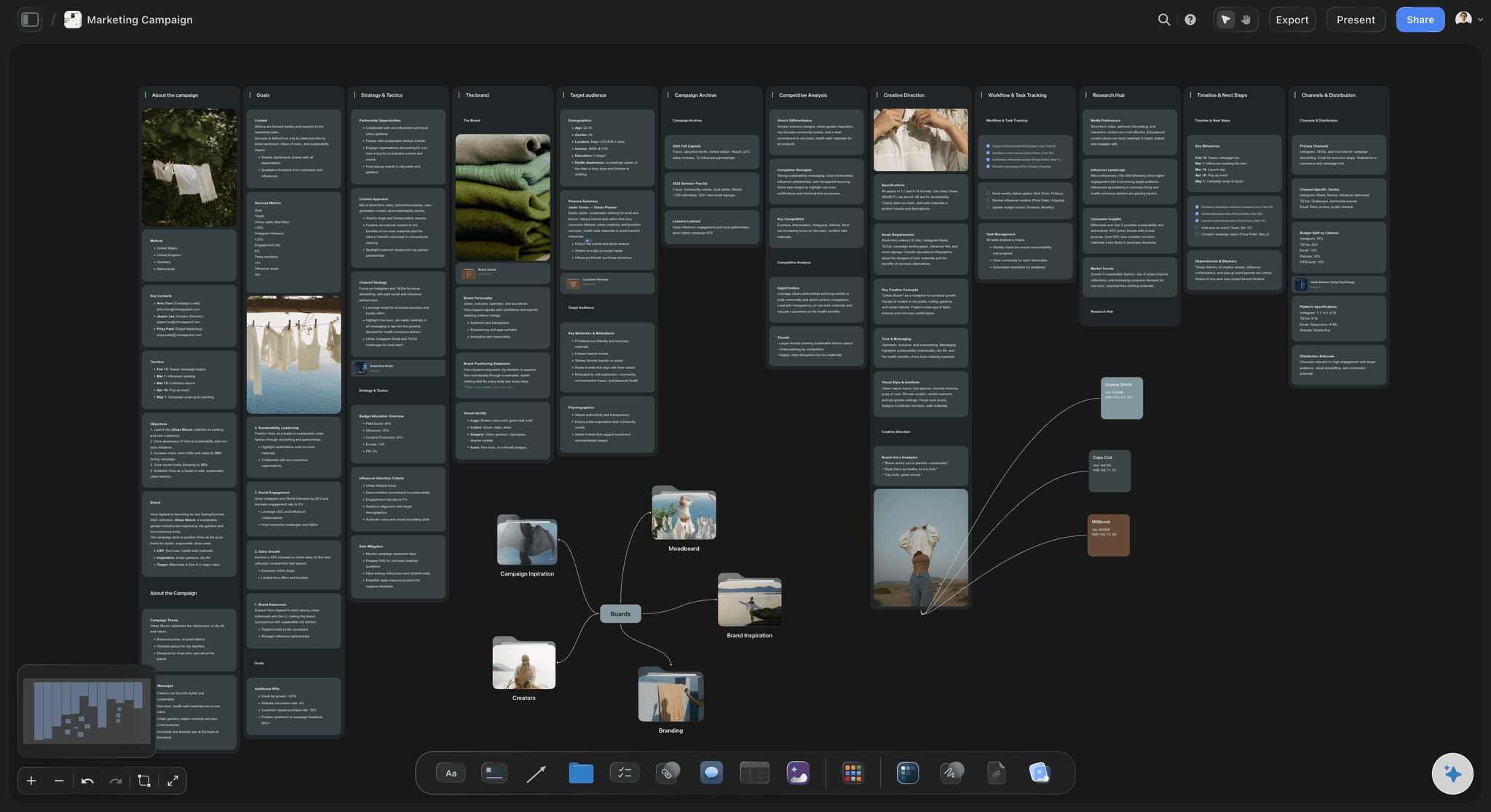
Marketing Campaign
Plan a campaign across channels, messages, and deliverables on one board the whole team can see.
What tools help visualize campaign timelines and deliverables?
A campaign timeline is the plan for making one campaign's deliverables on time: every asset, the steps it goes through from brief to final, the review rounds in between, and which pieces cannot start until another is finished. Storyflow is an AI visual workspace that lays that timeline out on one infinite canvas: a column per week, a card for each deliverable step, arrows for what waits on what, and the brief and references beside them. Its AI reads the brief and drafts the timeline backwards from launch day, so you start by correcting a plan instead of drawing one.
This is a different job from a campaign calendar. A calendar answers what goes out on which channel and on which day. A timeline answers whether those things will exist by then. It covers the weeks before anything is published, when the work is being written, shot, edited, reviewed and signed off, and it is where most campaigns actually slip. Most teams need both, and they read best side by side: the timeline until launch day, the calendar from launch day on.
Plan backwards, starting from the date that cannot move. A worked six week example for a product campaign: a 60 second hero film, three cut-downs, twelve social posts, a landing page, three emails and two poster sizes. Week 6 is launch. Week 5 is final files and uploads, with two working days left for ad platform review. Week 4 is the cut-downs and posts. Week 3 is the edit and two review rounds of three days each. Week 2 is the shoot. Week 1 is the script, the shot list and the sign-off on both. Six weeks sounds generous until you count the reviews, so write each week's cards before you agree to the date.
Then draw what waits on what. The cut-downs cannot start until the hero edit is locked. The landing page needs a still from the shoot. The emails need the landing page link. The posters need the final headline from the script. Draw each of those as an arrow from one card to the next and label it with the reason, such as on sign-off. The longest chain of arrows is the critical path: script, shoot, edit, lock, cut-downs, uploads. Any delay on that chain moves launch day. A delay anywhere else does not.
Give every review round its own card with a length, an owner and a date. Teams plan the making and forget the waiting. Two rounds of client feedback at three working days each is more than a week of the six, and it is the week that disappears first. When a reviewer is away, you can see straight away which cards move and whether the chain still reaches launch day.
Keep the timeline on the same board as the brief and the creative. When someone asks why the posters are late, the answer is on screen: the headline is waiting on script sign-off, which is waiting on legal. When the date moves, drag the cards to their new weeks and the arrows follow, so the knock-on effect is visible to everyone at once rather than discovered in the next status meeting.
Ultra fast from brief to board
Four moves from a brief to a timeline you can trust.
The first draft takes minutes. The thinking goes into the arrows and the review rounds, which is where a timeline is either honest or hopeful.
01
Give the AI the brief and the launch date
Attach the campaign brief or describe it, and give the launch date. Storyflow's AI lays out a column per week and a card for each deliverable step, planned backwards from the date. You correct a plan instead of drawing one from an empty board.
02
Draw what waits on what
Ask the AI to draw the chain as a diagram, a column per week and a box per step, or connect the boxes yourself. Label each arrow with the reason: on sign-off, needs the still, needs the link. The longest chain of arrows is your critical path.
03
Add the review rounds and the owners
Give every round of feedback its own card with a length and a reviewer. Add a table of deliverables with an owner, a due date and a status from Not started to Done, so the week's work is clear to whoever opens the board.
04
Move the cards when the date moves
When something slips, drag its card to the new week and the arrows follow. Follow the chain to see what else has to move. Share the board by link so the team and the client see the same plan.
The weeks, the chain, the reviews and the brief.
Storyflow shows the timeline and what drives it. A Gantt tool still moves every later date for you when one slips.
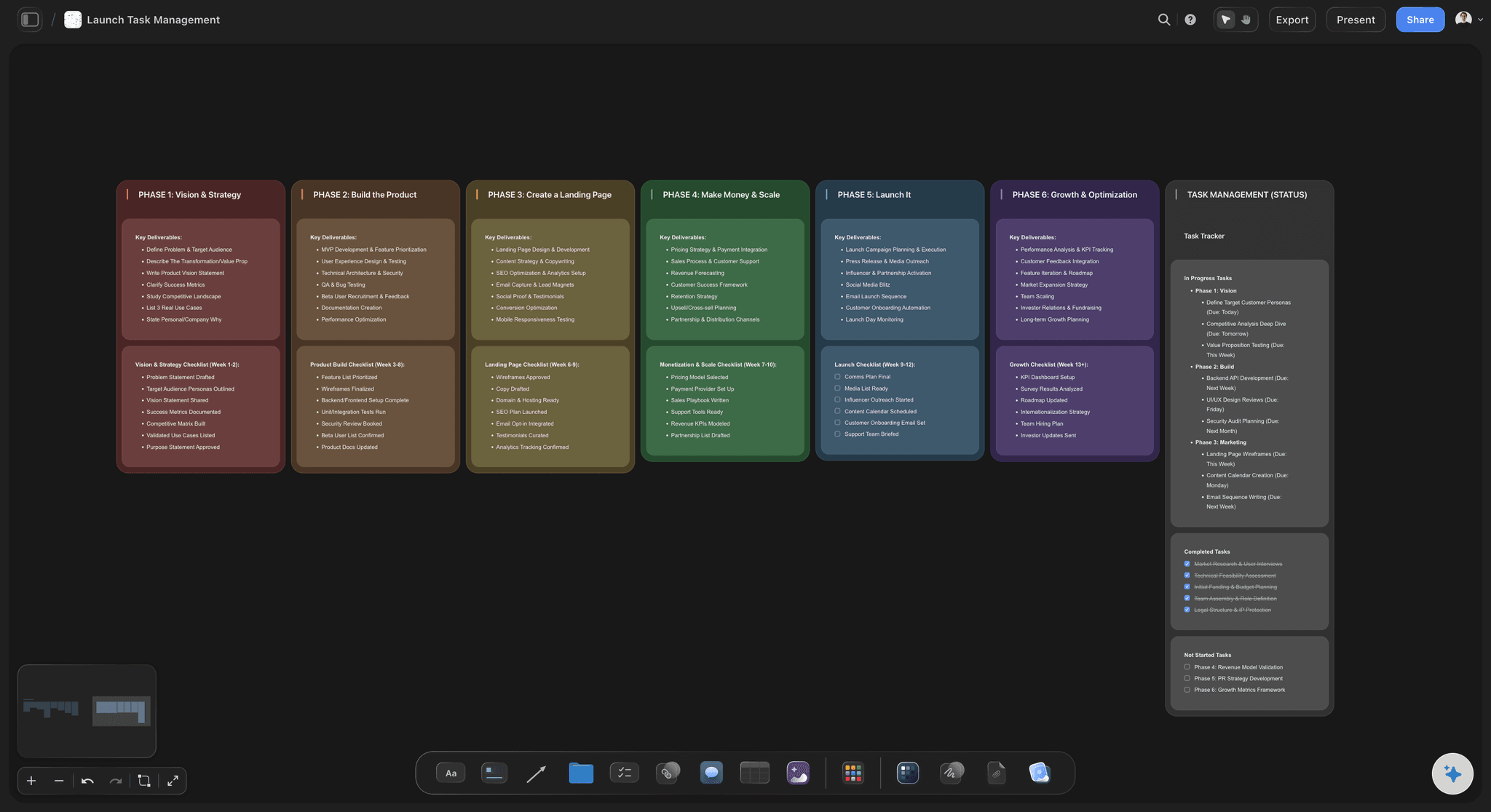
Week by week
A column per week, a card per step
The AI lays the deliverables out across the weeks before launch, planned back from the date. Each card is one step of one asset, so a film is a script card, a shoot card, an edit card and a lock card.
See the launch roadmap →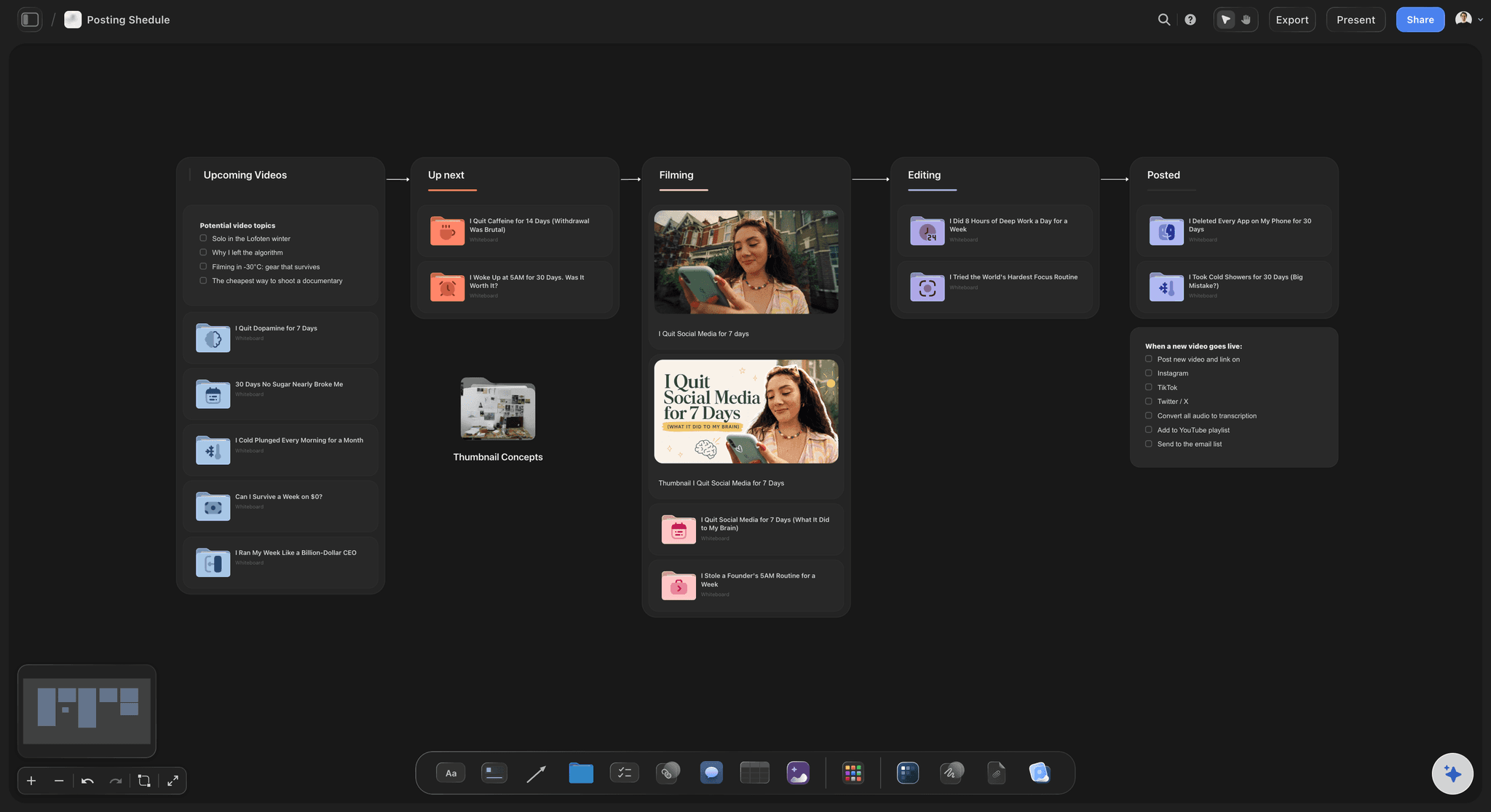
The chain
Arrows that say why a piece is waiting
The AI draws the chain as a diagram with a column per week, or you connect the boxes yourself, and each line carries its reason: on sign-off, needs the still, needs the link. The longest chain is the critical path.
See campaign brief to delivery →
The waiting
Review rounds with their own cards
Every round of feedback gets a card, a length and a reviewer. Two rounds of three days is more than a week of a six week plan, and seeing it stops anyone pretending otherwise. Legal reviews get their own, longer cards.
See the client review board →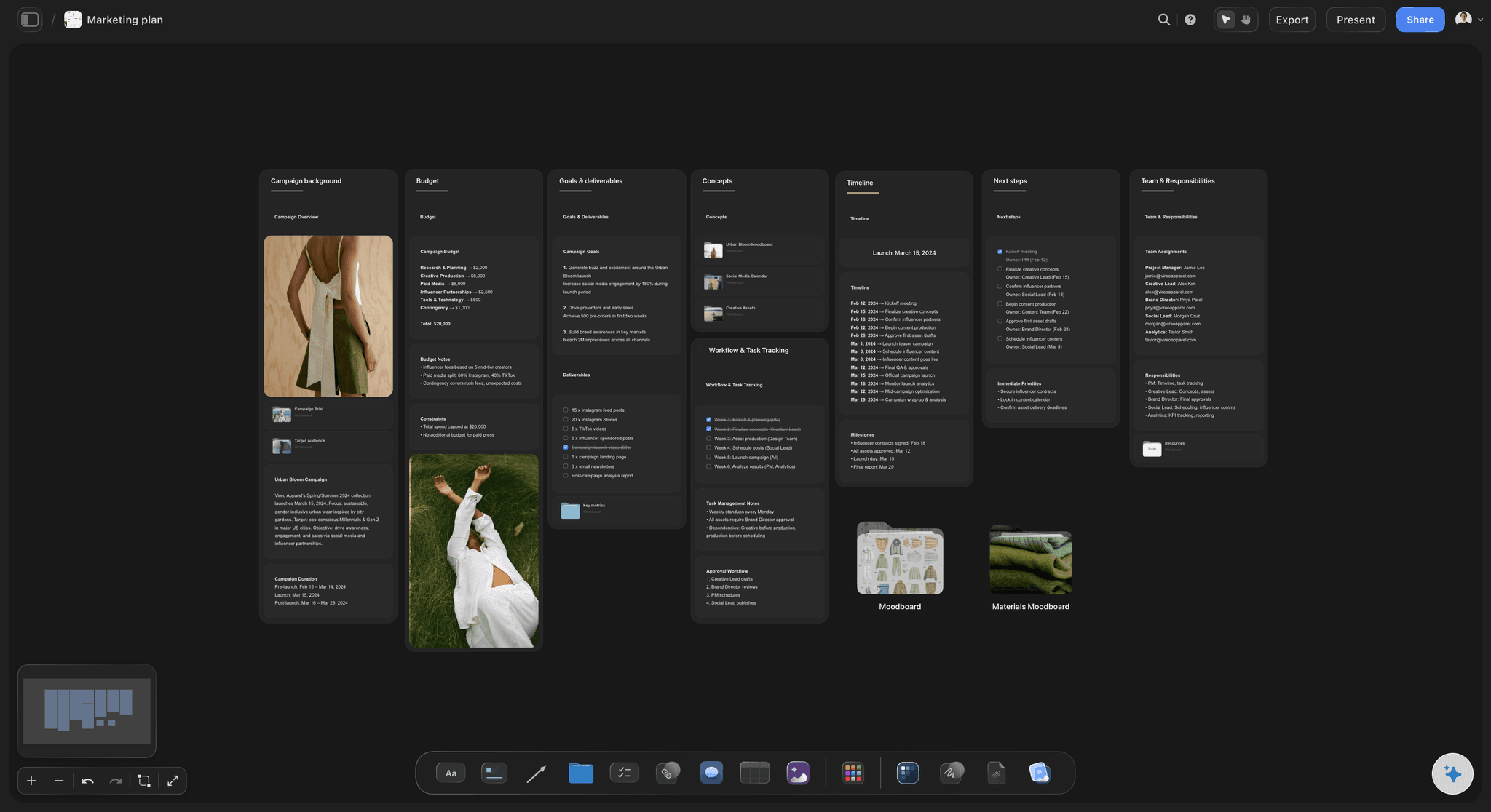
The context
The brief and the creative on the same board
The brief, the references and the drafts sit beside the timeline. When someone asks why the posters are late, the answer and the work it is waiting on are both on screen.
See the campaign calendar →Every campaign's timeline, kept for the next one.
Last campaign's board shows how long the edit really took and which review round ran over, so the next timeline starts from real lengths instead of hopeful ones. Storyflow is paid-only during early access, with plans from $7.99 a month billed annually ($9.99 monthly). A free plan launches before the end of 2026, and anyone a paid member invites to a board joins free.
Unlimited boards, image uploads and files on every paid plan
Invite the client, the agency or the freelancer to one board without buying them a seat
200+ Tactics for the campaign idea behind the timeline
Whole-board PDF export for the client's project lead
Presentation mode for the kickoff, no export needed
Built for people with taste
Why campaign timelines slip.
Almost never because someone was slow. Usually because the plan hid the risk until the last week.
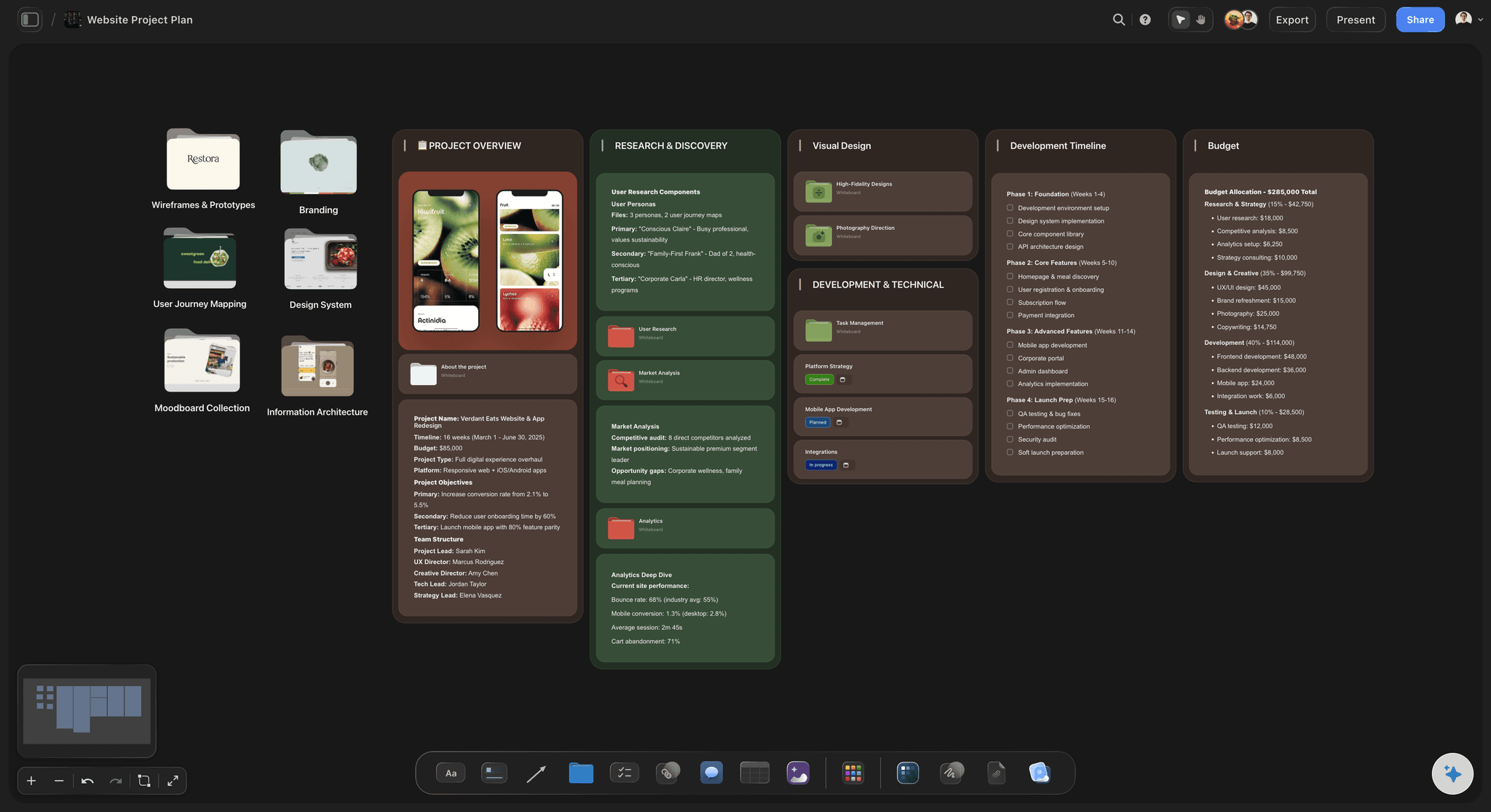
The hidden chain
Nobody knew the posters waited on legal
Every dependency drawn: An arrow from each card to the one it waits on, labelled with the reason. A chain nobody drew is a chain nobody watches, and it is usually the one that breaks in the last week.
The critical path in plain view: Follow the longest chain from the first card to launch day. A delay on that chain moves the launch; a delay off it does not, so you know where to spend attention.
Slack where it belongs: Put spare days at the end of the critical path, not spread across every card where they quietly get used up. Three spare days before uploads protect the launch better than half a day on every task.
A note on every blocked card: A card that is waiting carries one line saying on what and on whom, so the Monday check is a list of names rather than a guessing game.
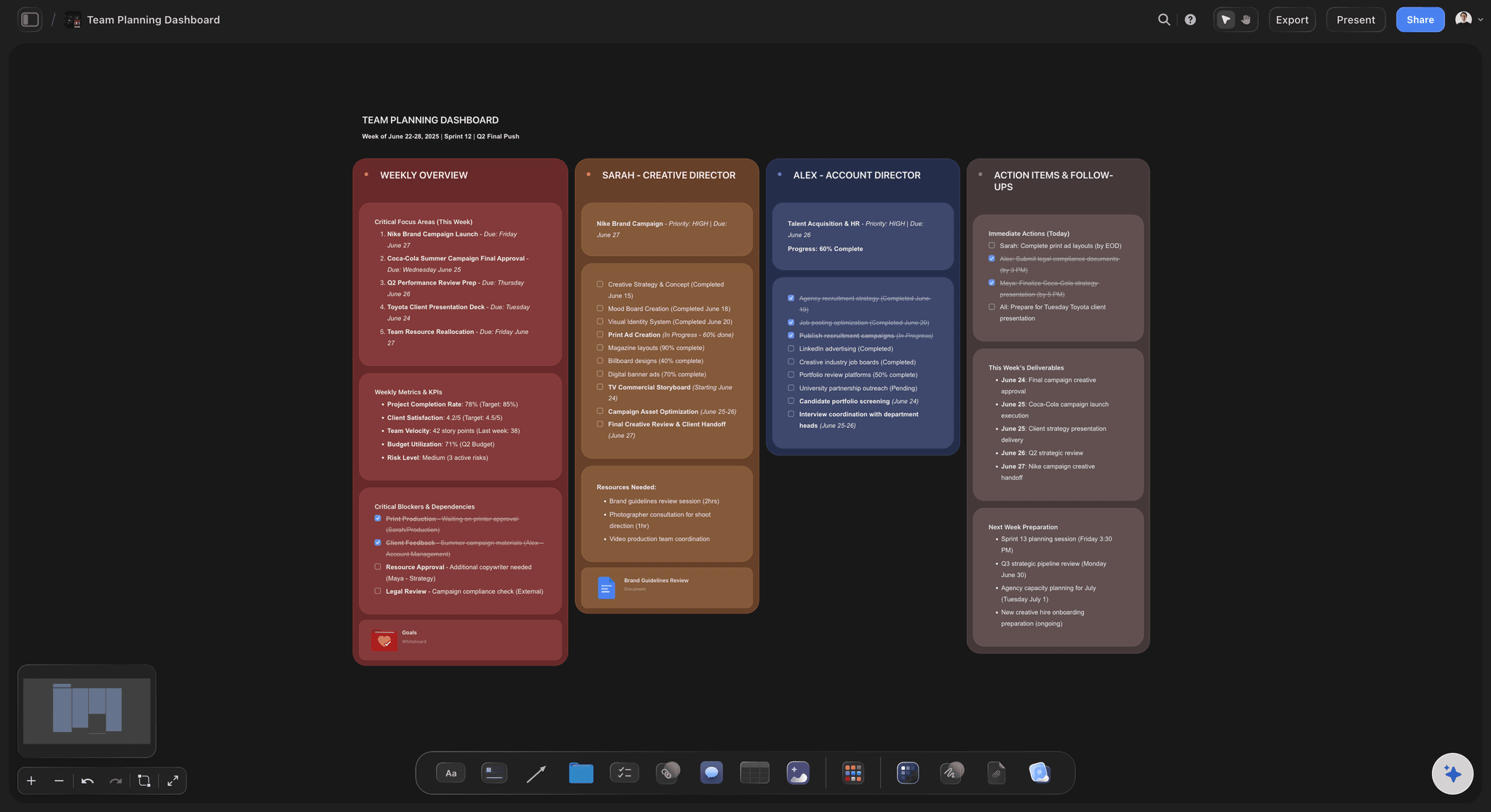
The waiting
The plan counted the making, not the reviews
Each round is a card: Client feedback, legal and the brand lead's sign-off each get a card with a length. They are work, even though nobody on your team is doing it.
Rounds capped in writing: Two rounds per deliverable, written on the board. A third round is a choice with a cost, and the timeline shows the cost in days, on the cards that move.
Reviewers named, holidays known: A reviewer away in week four is a risk you can see in week one, if their name is on the card. Name a stand-in on the same card before the week arrives.
Feedback on the work itself: Reviewers who sign in comment beside the exact draft, so a round takes its planned three days instead of a week of emails.

The live plan
The date moved and the plan did not
Drag the card, the arrows follow: Move a slipped card to its new week and every line attached to it comes along, so the next cards in the chain show what has to move with it.
One table of owners and dates: Beside the weeks, a table lists each deliverable with an owner, a due date and a status. It is the version people check from their phone, and the one that answers who is doing what on Friday.
Ask what changed: Ask Storyflow's AI what changed on the board this week and it lists every card moved, added or edited and who did it, ready for the status note.
One link for the client: The client opens the timeline from a view-only link with no account, so the conversation about a slipped date starts from the same picture.
Explore templates for your project
Every template opens as a real, editable board on the infinite canvas. Pick the closest fit and make it your own.
Marketing Campaign
Plan a campaign across channels, messages, and deliverables on one board the whole team can see.
One app instead of five
Where Storyflow fits in a campaign timeline.
It shows the deliverables, the chain and the creative together. It does not move later dates for you or balance each person's workload.
Storyflow
Recommended
Brief, references and timeline on one board
Dependencies drawn as labelled arrows
Review rounds shown as their own steps
Owner, date and status per deliverable
Cards dragged between weeks
Whole plan exported as a PDF
Later dates shift by themselves when one slips
Workload view per person
Gantt and timeline tools
Brief, references and timeline on one board
Dependencies drawn as labelled arrows
Review rounds shown as their own steps
Owner, date and status per deliverable
Cards dragged between weeks
Whole plan exported as a PDF
Later dates shift by themselves when one slips
Workload view per person
A spreadsheet timeline
Brief, references and timeline on one board
Dependencies drawn as labelled arrows
Review rounds shown as their own steps
Owner, date and status per deliverable
Cards dragged between weeks
Whole plan exported as a PDF
Later dates shift by themselves when one slips
Workload view per person
What creators are saying
Join early creators getting structured workspaces and AI that remembers their projects
“Storyflow has sped up my workflow by at least 3x, which means more flow state and more projects I can actually ship. It truly changed the way me and my team create.”

Reilin Joey
Director & YouTuber
“One prompt gets me a structured board. But the tactics are my favorite. I run my YouTube scripts through them and my intros and retention got better. It's amazing.”

Justkay
YouTuber & Freelance Filmmaker
“I used to juggle five apps to plan a project. Now I describe what I am making and get boards, lists, and a schedule. All in one place.”

George
@fernwehchronicles
Campaign timeline questions
What marketing teams ask before they plan the next campaign this way, and the questions that come up once a date has already slipped.
In Storyflow, the whole timeline sits on one board: a column per week before launch, a card for each deliverable step, labelled arrows for what waits on what, review rounds as their own cards, and the brief and creative beside them. Its AI drafts the plan backwards from launch day. Gantt tools such as TeamGantt, or the timeline views in Asana and monday.com, add dates that shift by themselves.
Storyflow is built for a campaign timeline where the risk is in the creative chain: it shows every deliverable, its review rounds and the arrows between them, with the brief and the drafts on the same board, and its AI drafts the first plan back from launch day. If you need every later date to move automatically when one slips, or a workload view per person, use a Gantt tool such as TeamGantt or the timeline in Asana or monday.com.
A campaign calendar shows what goes out, on which channel, on which day. A campaign timeline shows the weeks before that: how each piece gets made, reviewed and signed off in time. Storyflow has a board for each, and many teams keep the calendar for after launch and the timeline for the weeks leading up to it. If a post on the calendar has no card on the timeline, nobody has planned how it gets made.
Six weeks suits a campaign with one film, a set of posts, a landing page and emails. Add two weeks if there is a shoot with talent or locations to book, and two more if legal reviews every piece. Plan backwards from launch day on Storyflow's board, and check that the chain of arrows still reaches it.
The longest chain of tasks that each wait on the one before, from the first card to launch day. For a campaign with a hero film it is usually script, shoot, edit, lock, cut-downs and uploads. A delay on that chain moves the launch. On Storyflow's board you follow the arrows to find it.
Yes, as a first draft. Attach the brief or describe the campaign and give the launch date, and Storyflow's AI lays out the weeks and a card for each deliverable step, planned backwards from the date. It proposes; you add the review rounds you know about, draw the arrows and fix the lengths you know are wrong.
No. Storyflow does not recalculate dates down a chain of dependencies the way a Gantt tool does. You drag the slipped card to its new week, the arrows follow it, and you move the next cards yourself. Teams that need automatic date shifting across hundreds of tasks should use TeamGantt, Asana or monday.com for the schedule.
Two per deliverable is a sensible default, at about three working days each for a client and longer for legal. Put each round on the Storyflow board as its own card with a length and a named reviewer. A third round is allowed, but the timeline should show what it pushes back, and someone should agree to that in writing before it starts.
Find the slipped card, follow its arrows to see what waits on it, and decide whether the delay reaches launch day. If it is off the critical path, move it and nothing else changes. If it is on it, cut a step, add hands or move the date. On Storyflow's board you drag the cards and the arrows follow.
Yes. Share the board with a view-only link and the client opens it in any browser with no account. To comment on a card or a draft they sign in. Anyone a paid member invites to a Storyflow board joins free, so the client's own team can follow along without a plan.
Keep both, on the same board. The weeks with arrows show the order and the risk. A table beside them lists every deliverable with an owner, a due date and a status, which is quicker to scan. On Storyflow's board the two sit side by side, so nobody updates one and forgets the other.
Close, but narrower. A launch roadmap covers every workstream behind a launch, from product to support. A campaign timeline covers the marketing deliverables for one campaign: the film, the posts, the page, the emails. Storyflow has a launch roadmap board for the wider plan, and the campaign timeline can sit inside it.
No. Storyflow runs in the browser and there are no native mobile or desktop apps. Open the campaign timeline in any browser, and share it with the team and the client by link. The deliverables table is the part most people check from a phone between meetings.
More from Storyflow
Campaign calendar
Launch roadmap
Campaign brief to delivery
Timeline maker
Agency campaign planning
AI marketing campaign planner
Campaign management software
Campaign brief template
Marketing planning software
Product launch planner
Influencer campaign plan
Media plan template
Client report template
Storyflow for marketing teams
Always-on campaign plan
How to write a campaign brief
Deliverables list
Plan the campaign backwards from the day it goes live.
Every deliverable, every review round and every arrow between them. One board the whole team and the client read the same way.