
Sharp briefs in minutes, not meetings
Plan your whole marketing campaign
on one canvas.
Describe the campaign and Storyflow's AI lays out the planning boards: brief, channel plan, content calendar, and the storyboard for your hero video. Iterate with the AI, then share one link with stakeholders.


Creatives working for these brands already got early access
- Red Bull
- Canon
- Artlist
- Porsche
See how easy it is to get started
Watch a real project come together, from a blank board to a finished plan, clicked through step by step.
Start from a ready-made template
Pick a board to see what you can build, then let AI fill it in. Every template is a real, editable starting point on the same infinite canvas.

Marketing Campaign
Plan a campaign across channels, messages, and deliverables on one board the whole team can see.
What is an AI marketing campaign planner?
An AI marketing campaign planner is a tool that turns a campaign described in plain language into a visual, working plan. Storyflow is an AI visual workspace that plans a marketing campaign on one infinite canvas: the brief, the channel plans and the hero video's storyboard on one board instead of scattered docs, decks, and spreadsheets, with one link to share with stakeholders. You tell the AI what you are launching, who it is for, and where it will run, and it lays out planning boards on the canvas: a campaign brief, channel plans, a content calendar as kanban-style boards, and a storyboard for the hero video.
Because the AI keeps your active board in context, AI campaign planning is a conversation rather than a one-shot generation. Ask it to add a channel, tighten the timeline, or rework the brief, and it builds on what is already on the canvas. You drag boards into place, attach reference images and PDFs, and share the entire plan with stakeholders through a single view-only link.
Storyflow is paid-only during early access, with plans from $7.99 a month billed annually ($9.99 monthly). A free plan launches before the end of 2026, and anyone a paid member invites to a board joins free. For most teams an AI marketing campaign planner replaces the doc, the slide deck, and the whiteboard with one canvas.
Ultra fast from brief to board
Plan a marketing campaign with AI in four steps.
No blank templates, no copy-pasting between tools. Describe the campaign and the AI builds the boards.
01
Open your canvas
Skip the software request. Storyflow runs in the browser, so no install stands between the team and the campaign canvas.
02
Describe the campaign
Tell the AI the product, the audience, the channels, and the timeline. Drop existing briefs or research PDFs on the canvas for it to work from.
03
AI lays out the planning boards
The AI generates the campaign brief, channel plans, a content calendar as kanban-style boards, and a storyboard for the hero video, all arranged on one canvas.
04
Iterate, share, export
Re-prompt the AI to adjust channels, pacing, or messaging, then share a view-only link with stakeholders or export boards as an image or PDF.
Every piece of the campaign, one canvas.
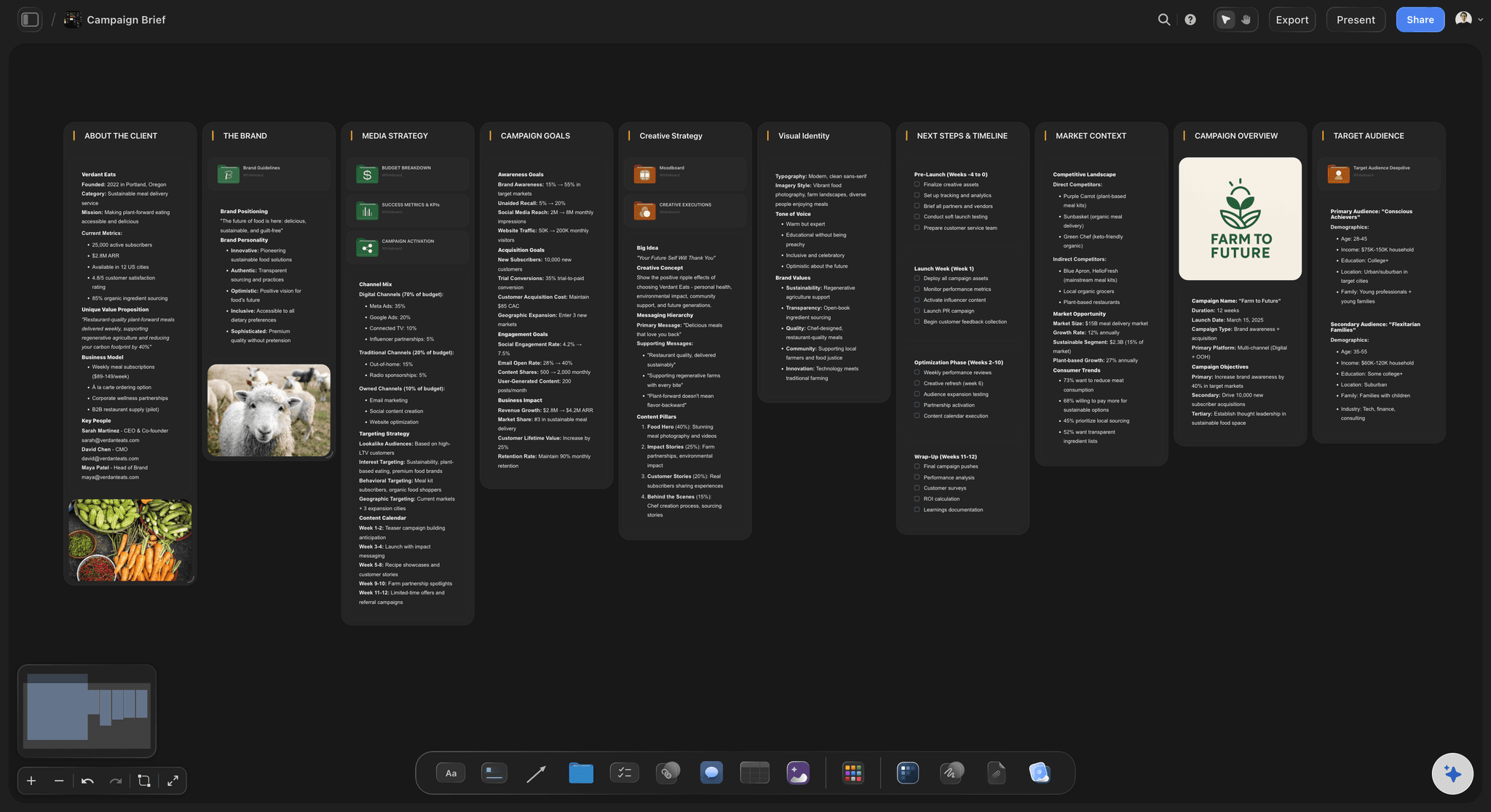
The brief, the calendar, and the hero video storyboard connect on the same board instead of living in five tools.
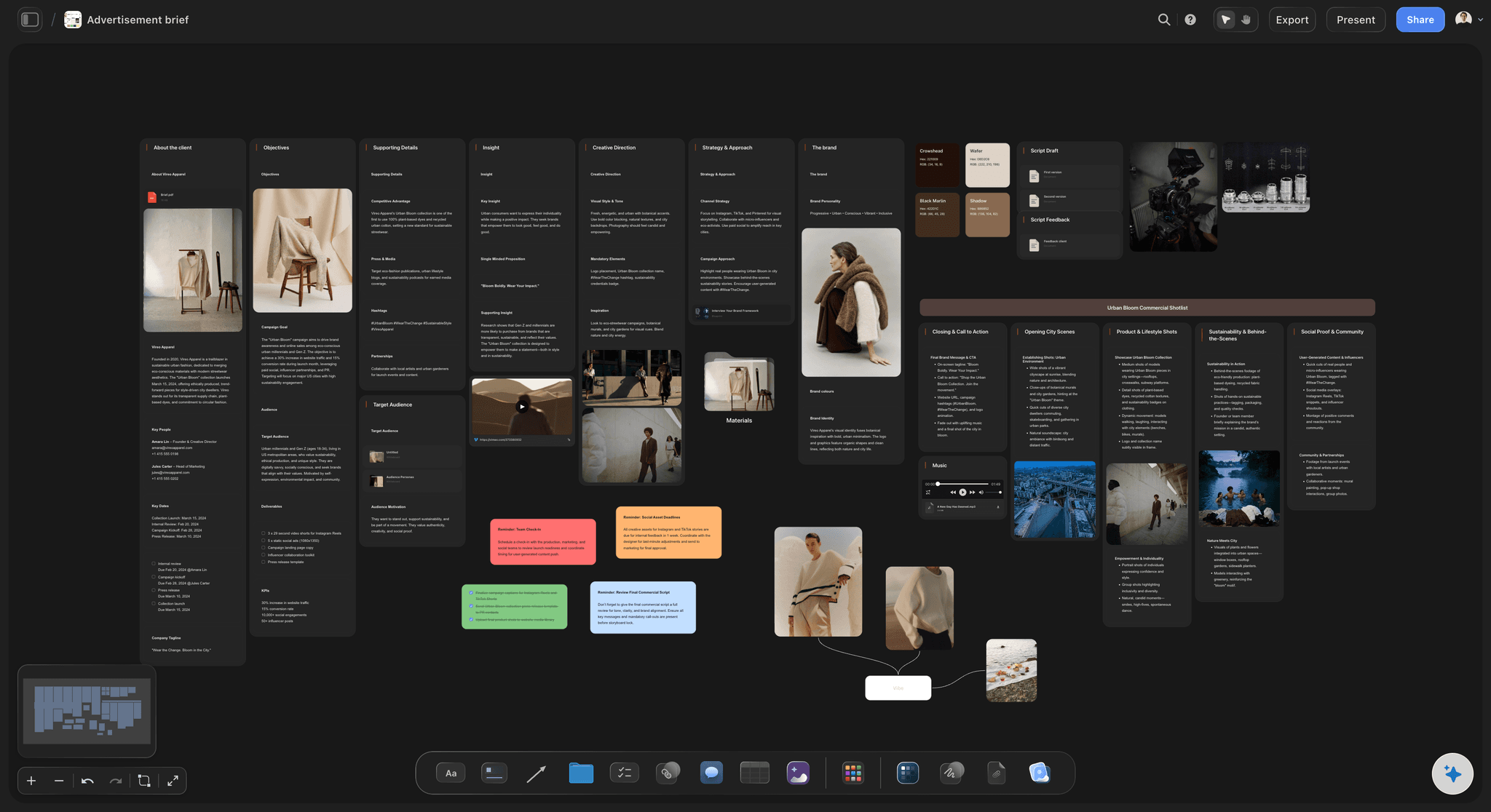
AI-generated campaign briefs on the canvas
Start from a real brief, not a blank doc
The AI drafts the campaign brief with objectives, audience, and messaging, laid out on the canvas where the rest of the plan can grow around it.
Try the AI creative brief generator →
Storyboard the hero video next to the plan
Plan the campaign video where you plan the campaign
Generate a storyboard for the hero video or ad spot on the same canvas as the brief and calendar, so creative and strategy never drift apart.
See marketing storyboards →
Content ideas generated in context
Fill the calendar with ideas that fit the brief
Ask the AI for content and video ideas per channel. Because it reads the board, the ideas match the campaign you are actually planning, not a generic list.
Try the AI video idea generator →
One link gives stakeholders a read-only view of the plan
Share the plan, skip the deck
Send one view-only link so stakeholders see the live campaign plan: brief, calendar, and storyboard together. No sign-up needed to view.
Brainstorm campaign ideas with AI →Plans from $9.99/month. Free plan coming late 2026.
Open a canvas, describe the campaign, and watch the planning boards lay themselves out. Storyflow is paid-only during early access, with a free plan coming before the end of 2026.
Every campaign gets its own board, with no project limit
Basic AI usage to generate campaign boards
Start with 3 built-in planning frameworks
Team invites included; stakeholders view from a link
Built for people with taste
More than a marketing campaign planning tool.
Storyflow is an AI-native canvas, so strategy, creative, and references live in one place from kickoff to launch.
One prompt, a full set of planning boards
From campaign idea to laid-out plan
Briefs and channel plans: The AI structures objectives, audience, messaging, and channel-by-channel plans as boards you can rearrange.
Content calendars: Map deliverables week by week as kanban-style boards. Drag cards as dates and priorities shift.
Hero video storyboards: Generate the storyboard for the campaign's flagship video on the same canvas as the plan.
AI that keeps the campaign in context
Iterate without starting over
Board-aware AI: The AI reads your active board, so when you ask for a new channel plan it fits the campaign already on the canvas.
Mention your documents: Attach a strategy framework and key documents so the AI plans with your positioning, not generic advice.
Re-prompt anything: Tighten the timeline, swap a channel, or rewrite the messaging. The AI updates the board and keeps the rest intact.

Research and references beside the plan
Ground the campaign in real material
Drop files on the canvas: Drag research PDFs, links, images, video, and notes straight onto the board next to the plans they inform.
Grab frames from video: Capture stills from YouTube or Vimeo references and pin them beside the storyboard and channel plans.
Moodboards in place: Collect the campaign's visual direction on the same canvas instead of a separate moodboard tool.
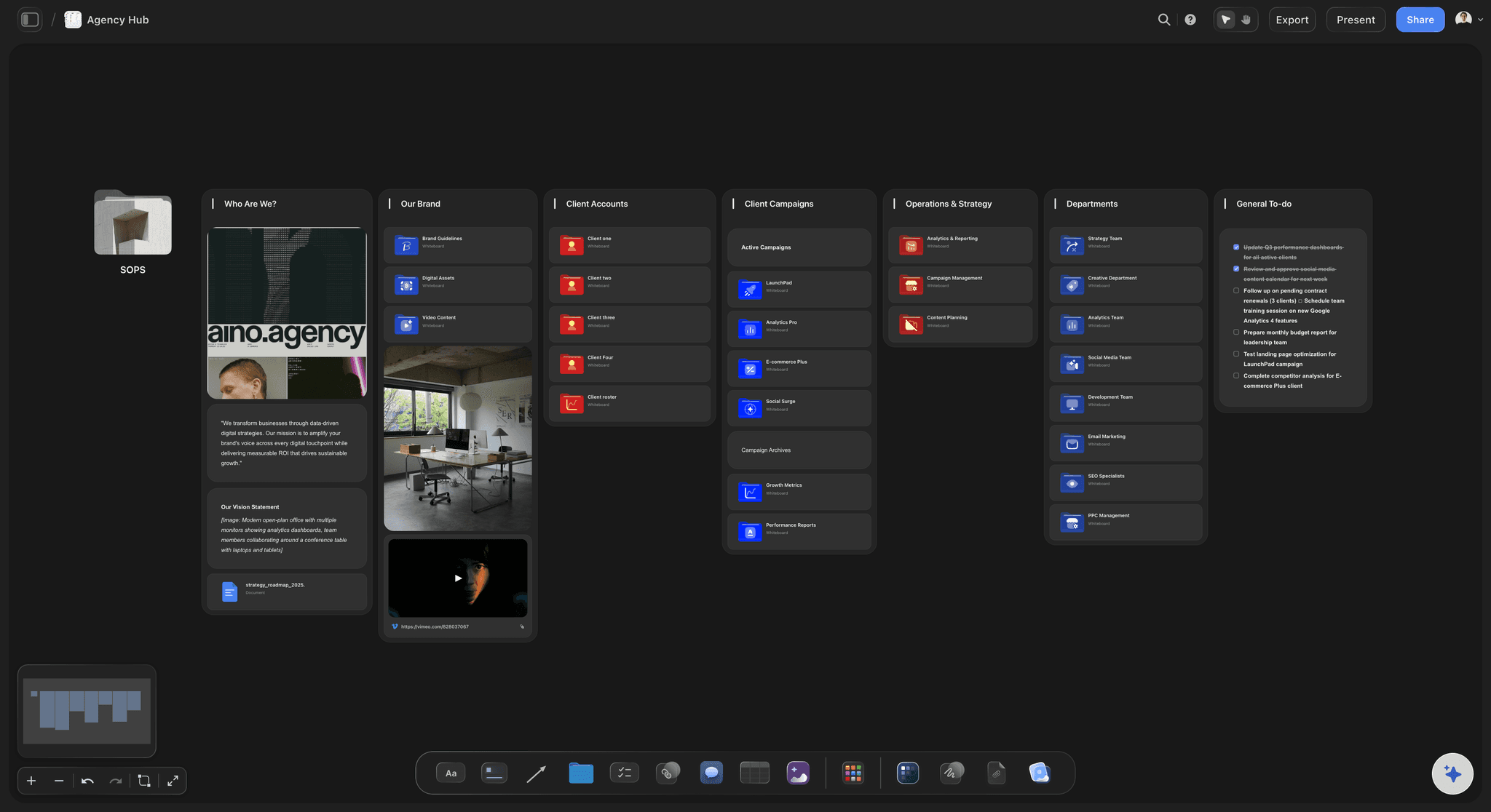
From plan to approval without a deck
Get stakeholders to yes faster
View-only links: Clients and leadership review the live plan in the browser. No sign-up, no exporting slides every Friday.
Invite your team: Invite collaborators free and keep one source of truth for the campaign instead of versioned decks.
Image and PDF export: Export any board as a high-quality image or PDF when the plan needs to travel outside the canvas.
Explore templates for your project
Every template opens as a real, editable board on the infinite canvas. Pick the closest fit and make it your own.
Marketing Campaign
Plan a campaign across channels, messages, and deliverables on one board the whole team can see.
One app instead of five
Why plan campaigns in an AI canvas?
Most teams plan campaigns across a chat window, a doc, and a whiteboard. Here is what changes when the AI and the plan share one canvas.
Storyflow
Recommended
Campaign plans built on storytelling frameworks
Campaign ideas become storyboards on the same canvas
AI that reads your campaign board as context
Free tier with no end date
ChatGPT + docs
Campaign plans built on storytelling frameworks
Campaign ideas become storyboards on the same canvas
AI that reads your campaign board as context
Free tier with no end date
Miro
Campaign plans built on storytelling frameworks
Campaign ideas become storyboards on the same canvas
AI that reads your campaign board as context
Free tier with no end date
Canva
Campaign plans built on storytelling frameworks
Campaign ideas become storyboards on the same canvas
AI that reads your campaign board as context
Free tier with no end date
What creators are saying
Join early creators getting structured workspaces and AI that remembers their projects
“Storyflow has sped up my workflow by at least 3x, which means more flow state and more projects I can actually ship. It truly changed the way me and my team create.”

Reilin Joey
Director & YouTuber
“One prompt gets me a structured board. But the tactics are my favorite. I run my YouTube scripts through them and my intros and retention got better. It's amazing.”

Justkay
YouTuber & Freelance Filmmaker
“I used to juggle five apps to plan a project. Now I describe what I am making and get boards, lists, and a schedule. All in one place.”

George
@fernwehchronicles
AI marketing campaign planner, answered.
Everything people ask before planning a campaign with AI in Storyflow.
An AI marketing campaign planner turns a campaign you describe in plain language into a visual plan. In Storyflow, the AI lays out the campaign brief, channel plans, content calendars as kanban-style boards, and a storyboard for the hero video on one infinite canvas, and it keeps the board in context as you iterate.
Storyflow plans the whole campaign on one canvas: describe what you are launching and its AI lays out the brief, the channel plans, kanban-style content boards and a storyboard for the hero video. The AI reads the board as context, so you can ask it to add a channel or rework the brief without starting over, then share the plan through one link.
AI can generate the structure of a whole campaign: objectives, audience, messaging, channel plans, a content calendar, and the hero video storyboard. You still make the strategic calls. Storyflow puts the AI's output on a canvas you control, so you re-arrange, edit, and re-prompt until the plan matches your strategy.
Not during early access. Storyflow is paid-only right now, with plans starting at $9.99 per month. A Free plan is coming before the end of 2026, and it will carry unlimited boards and projects, basic AI usage, 3 starter frameworks, 20 file uploads, and stakeholder-ready view-only links.
You describe the product, audience, channels, and timeline in the AI chat, or drop your existing brief on the canvas as a PDF. The AI lays out the planning boards on the canvas, and because it reads your active board, every follow-up prompt builds on the plan instead of starting from scratch.
Yes. Share a view-only link and stakeholders see the live plan in the browser without signing up. You can also invite collaborators to the project for free, or export any board as a high-quality image or PDF for decks and email.
Yes. The AI drafts the campaign brief with objectives, audience, and messaging as part of the plan, laid out on the canvas. You can also generate a standalone brief with Storyflow's AI creative brief generator and build the rest of the campaign around it.
ChatGPT gives you text in a thread that you then re-format into docs, slides, and calendars. Storyflow's AI generates the boards themselves on an infinite canvas, keeps that board in context as you iterate, and lets you share the plan with one view-only link. The plan is the workspace, not an export.
Every plan lets you invite unlimited collaborators and share view-only links with clients and stakeholders. Live multi-editor presence, where teammates edit the same board at the same time with visible cursors, is included on the Max plan.
More from Storyflow
Campaign management software
Campaign brief to delivery
Marketing storyboard
AI creative brief generator
AI video idea generator
AI brainstorming tool
AI whiteboard
Free online whiteboard
Media plan template
Campaign wrap report
Campaign brief template
Creative concept development
Campaign timeline template
Turn a campaign brief into a plan with Claude
Target audience template
Creative brief with ChatGPT
The launch date is set. Get the plan.
Describe the campaign and watch the brief, calendar, and storyboard lay themselves out on one canvas.