
Ultra-fast campaigns, pitched beautifully
A media plan template
that shows the weeks and the money together.
Put paid, owned and earned on one grid of weeks, split the budget so the parts add up to the whole, and hang every asset deadline off the date it has to be live.


Creatives working for these brands already got early access
- Red Bull
- Canon
- Artlist
- Porsche
See how easy it is to get started
Watch a real project come together, from a blank board to a finished plan, clicked through step by step.
Start from a ready-made template
Pick a board to see what you can build, then let AI fill it in. Every template is a real, editable starting point on the same infinite canvas.

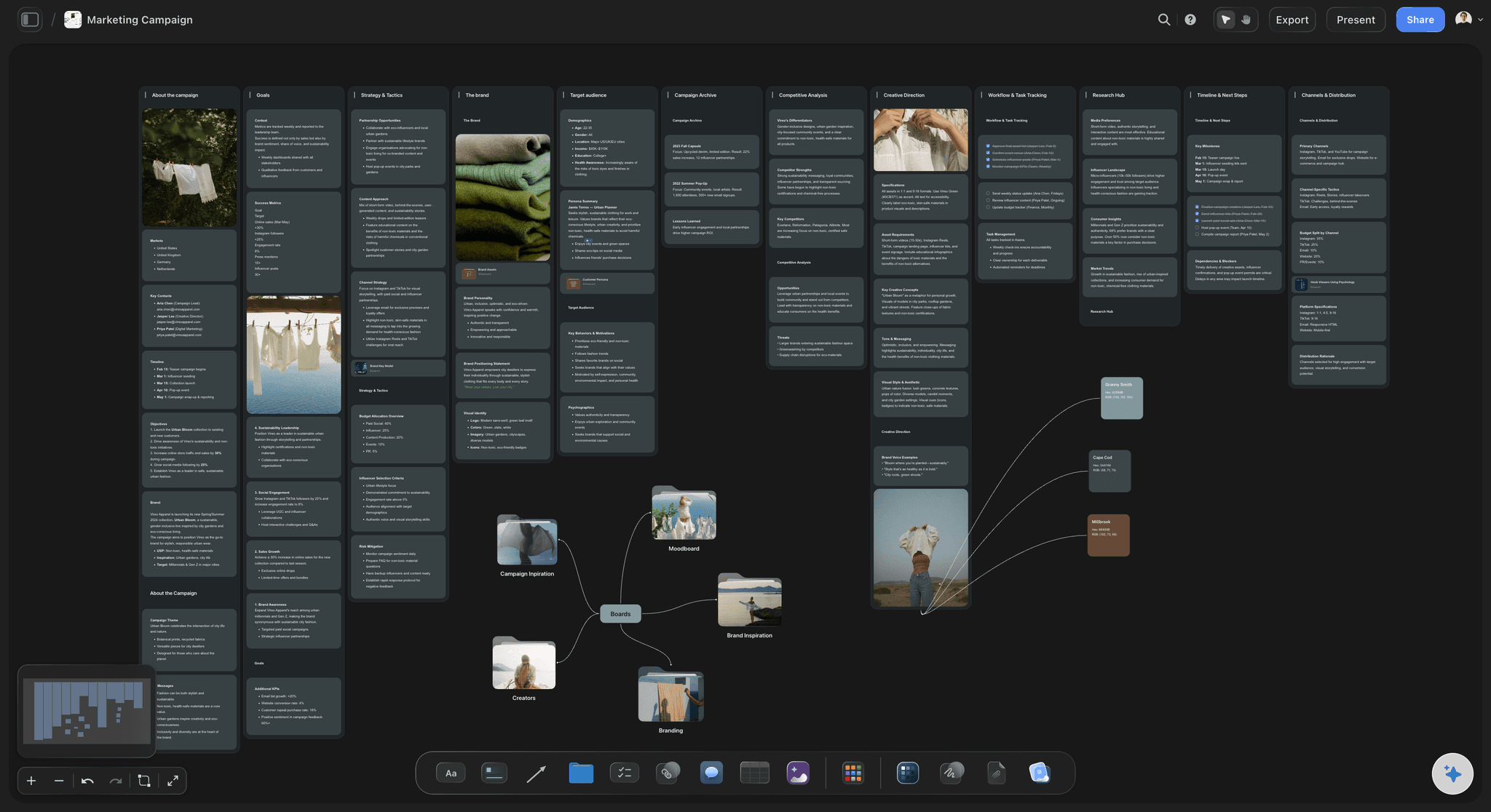
Marketing Campaign
Plan a campaign across channels, messages, and deliverables on one board the whole team can see.
What is a media plan template?
A media plan template is a table listing every channel a campaign will run on, what each costs, who it reaches, and the weeks it is live. Storyflow is an AI visual workspace that builds that plan on one infinite canvas: the channel table, the week grid, the budget split and the creative each channel needs. It covers paid, owned and earned together, and it decides where the money goes rather than spending it: the buying happens in the ad platforms.
Storyflow builds that table on a board where the weeks sit beside the money, so no channel ends up with a budget and no dates on it, and no date ends up with no budget behind it. Paid, owned and earned stay on the same plan, and the creative for each line sits next to the line.
Split it three ways before you split it by channel. Paid is what you rent: social ads, search, out of home, print, creator fees. Owned is what you already have and pay nothing extra to use: your email list, the site, the shop window, the app, your own social accounts. Earned is what other people give you: press, a partner's newsletter, someone reposting you. Agencies drop owned and earned from the plan because they do not carry an invoice, and then the client asks in week three why the email calendar clashed with the paid launch.
Then put the weeks across the top. A plan with start and end dates but no shape is a budget, not a plan. Say which weeks are a quiet tease, which weeks are the loud bit, and which weeks are a slow drip afterwards. An example: $80,000 over ten weeks, split 65 percent paid, 20 percent owned, 15 percent earned. Inside paid, $24,000 to paid social, $14,000 to search, $9,000 to out of home and $5,000 to creator fees. Across the weeks, 15 percent in weeks one and two, 55 percent in weeks three to six, 30 percent in weeks seven to ten.
Last, attach the work to the dates. Every channel needs something made for it, and the making takes longer than the buying. Give each row the asset it needs, the size or length that asset has to be, the person making it, and the date it is due, which is never the go-live date. That is the column agencies leave out, and it is the one that decides whether the plan happens.
Ultra fast from brief to board
A budget number becomes a plan you can run.
An afternoon, and the client can read it without a call.
01
Write the three buckets down first
Paid, owned and earned as three groups on the board, before a single channel name. Put the total budget at the top and the percentage going to each bucket underneath. If owned is empty, you have found something worth asking the client about.
02
Fill the channel table
One row per channel with dates, audience, budget, share of total and the number you are judging it on. Give the budget column a currency and a Sum footer, so the total updates the moment you move money from search to social.
03
Lay the weeks out beside it
Put the campaign calendar next to the table and shade the weeks each channel is live. Overlaps you could not see in a spreadsheet show up straight away: the email drop landing on the same Tuesday as the out of home go-live, the search budget starting before anyone is searching.
04
Hang the assets off the dates
Each channel gets the thing that has to be made for it, with a size, an owner and a due date. Share one link for the client read. Export the whole board as a PDF for the deck, or step through it fullscreen in presentation mode.
Channels, weeks, money, assets.
Storyflow builds and shows the plan. The ad platforms take the money and run the ads.
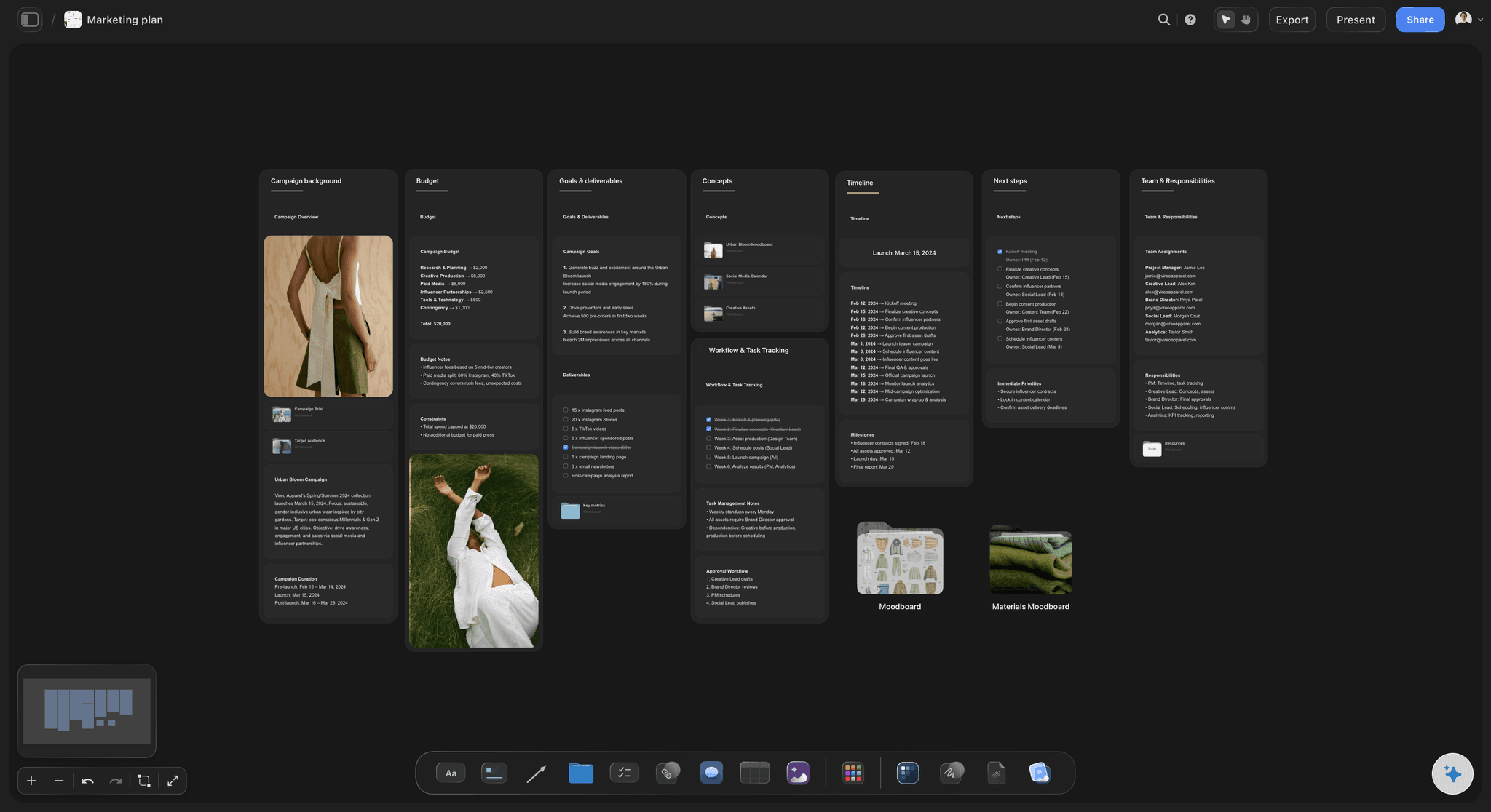
The whole plan on one surface
Paid, owned and earned in one place
Three groups on one board instead of three separate documents nobody reconciles. The client sees what you are buying, what you are already sitting on, and what you are going after for nothing, at the same time.
See the marketing planning board →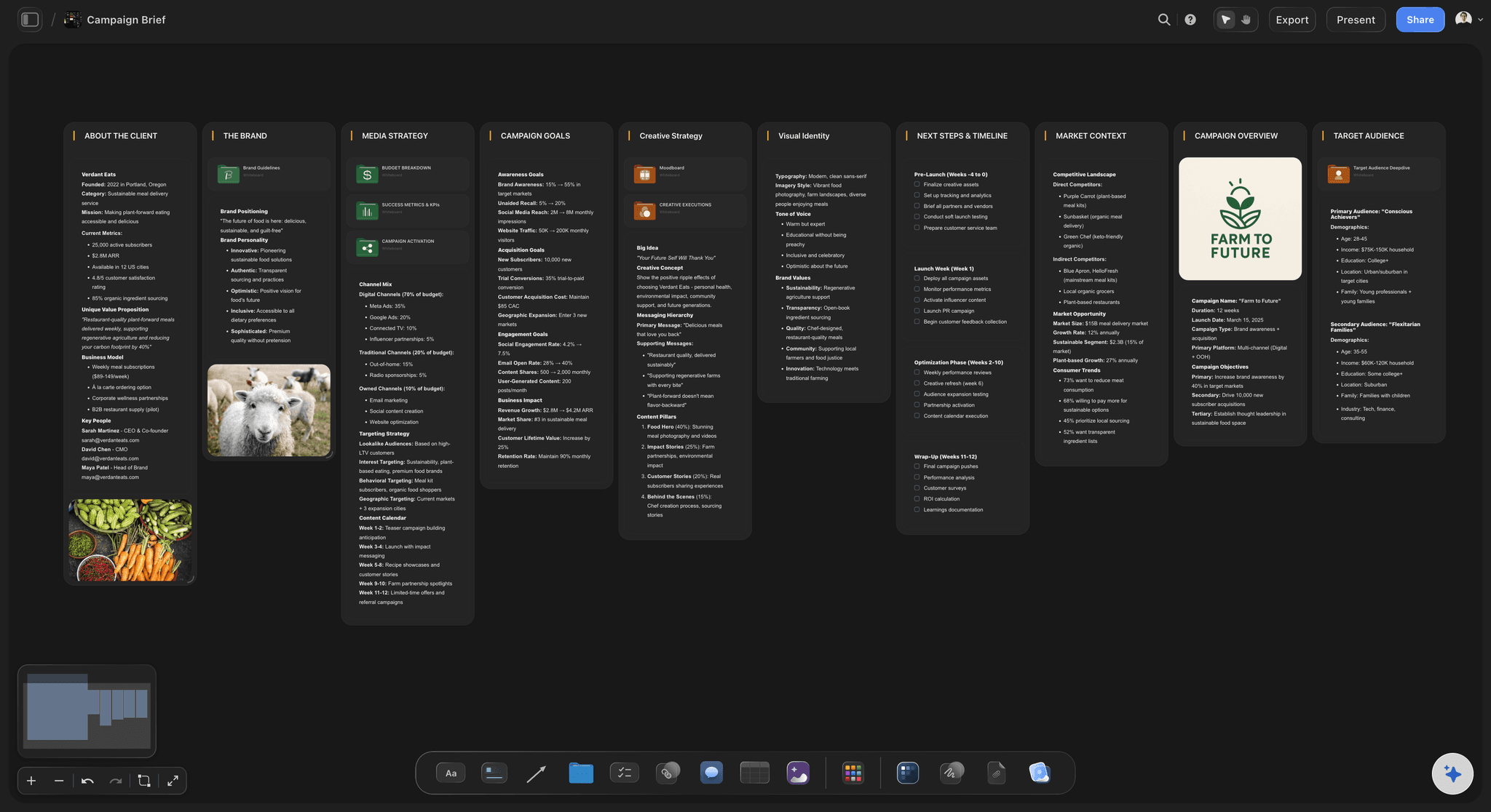
Money that adds up
A budget column that totals itself
Give the budget column a currency and a Sum footer. Move $6,000 from out of home into paid social and the total holds, the shares shift, and nobody has to re-add the column by hand before the client call.
See the campaign brief board →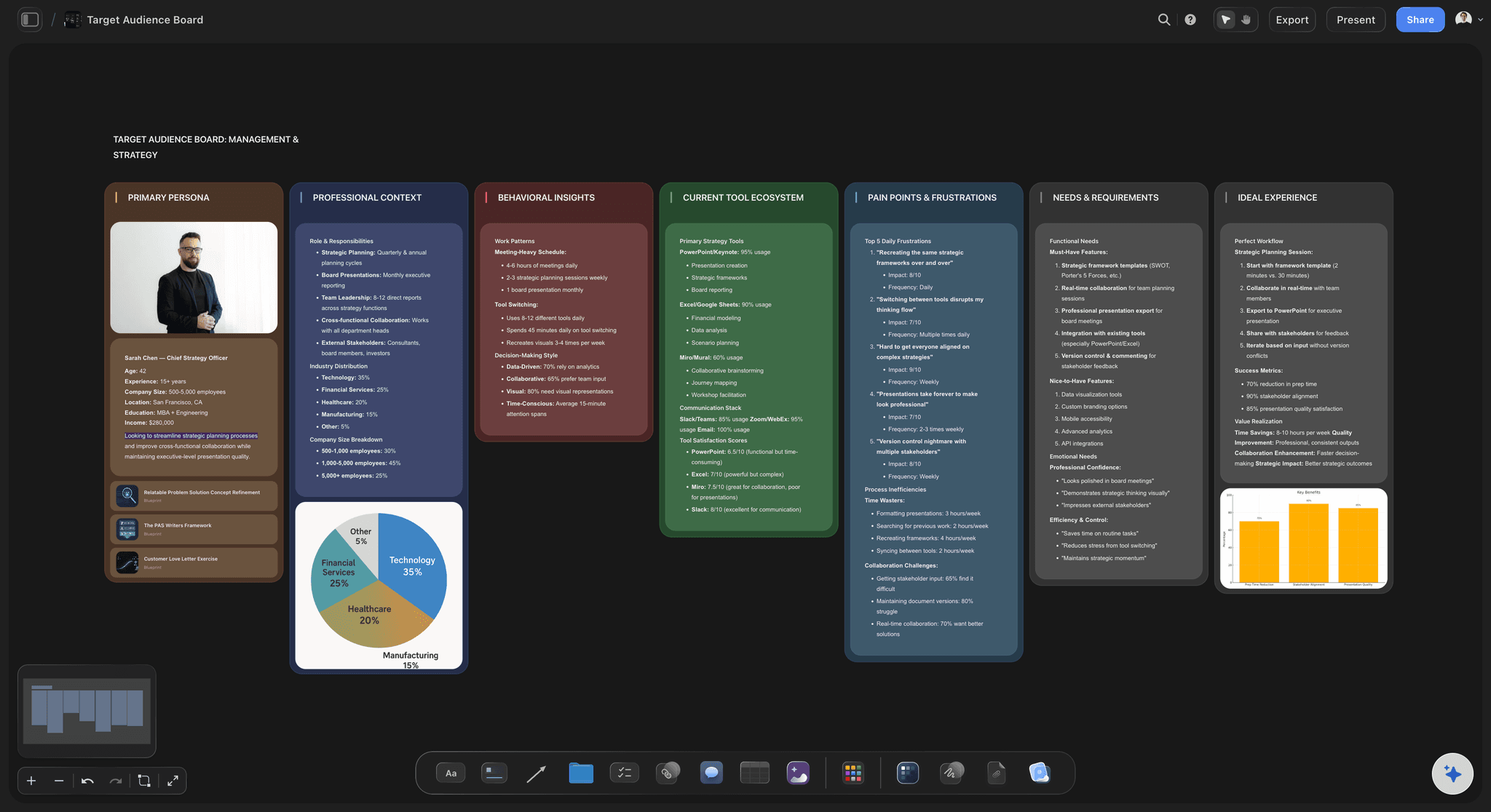
Who it is for
The audience sits on the plan, not in a separate deck
Each channel row carries the group it is aimed at, so a buy that reaches nobody the brand cares about is visible while you are still planning it. Ask the AI to build the audience picture from the brief and put it beside the table.
See the target audience board →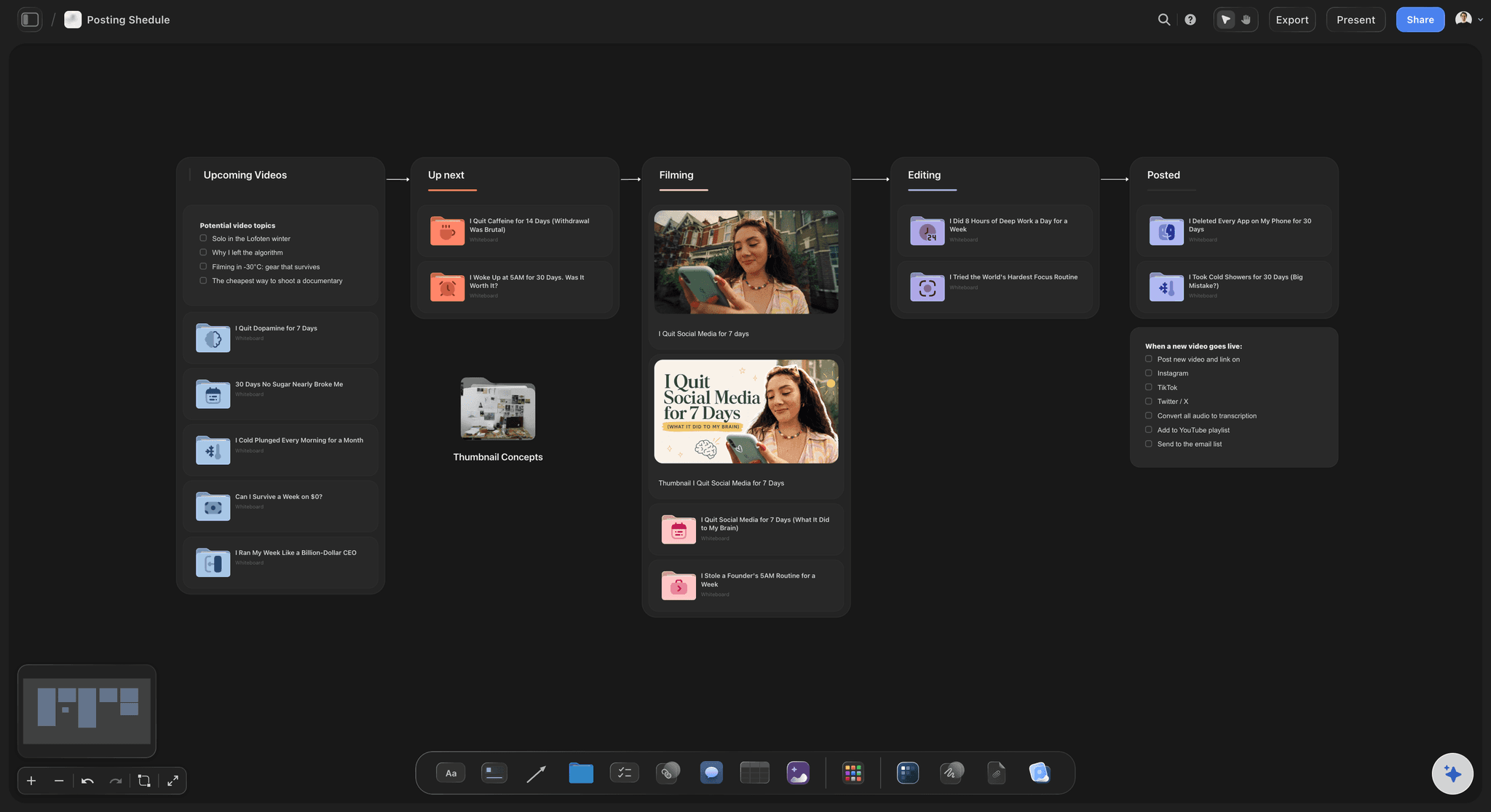
The bit that slips
Every asset with a due date before its go-live
A channel is only as real as the file that has to be uploaded to it. Sizes, lengths, owners and due dates sit on the same board as the buy, so the plan and the production schedule stop being two different stories.
See the posting schedule board →Last year's plan is the fastest start on this year's.
Each campaign keeps its own board, so the plan you ran in March is still there to copy in September, with the channels that worked and the ones you would not buy again. Storyflow is paid-only during early access, with plans from $7.99 a month billed annually ($9.99 monthly). A free plan launches before the end of 2026, and anyone a paid member invites to a board joins free.
Unlimited boards, image uploads and files on every paid plan
Bring the client or the media buyer onto one board without buying them a seat
200+ Tactics when you would rather start from a shape than a blank page
PDF export of the whole board for the plan document
Presentation mode for the plan walkthrough, with nothing to export first
Built for people with taste
Three things a spreadsheet will not show you.
All of them are about time.
The calendar
What is actually live in week four
Weeks across the top, channels down the side: Shade the cells where a channel is running. The shape of the campaign becomes something you can look at instead of something you work out from two date columns.
Clashes you can see from the doorway: The email drop on the same day as the out of home go-live, or search starting a fortnight before anyone has a reason to search. Both are obvious on a grid and invisible in a list.
Quiet weeks are a choice, not an accident: A week with nothing shaded is either a gap you meant or a gap you missed. On the board you find out which one during planning rather than during the campaign.
The flight shape is written down: Tease, burst, sustain. Put the percentage against each phase so the pacing is a decision on record and not whatever was left in the account at the time.
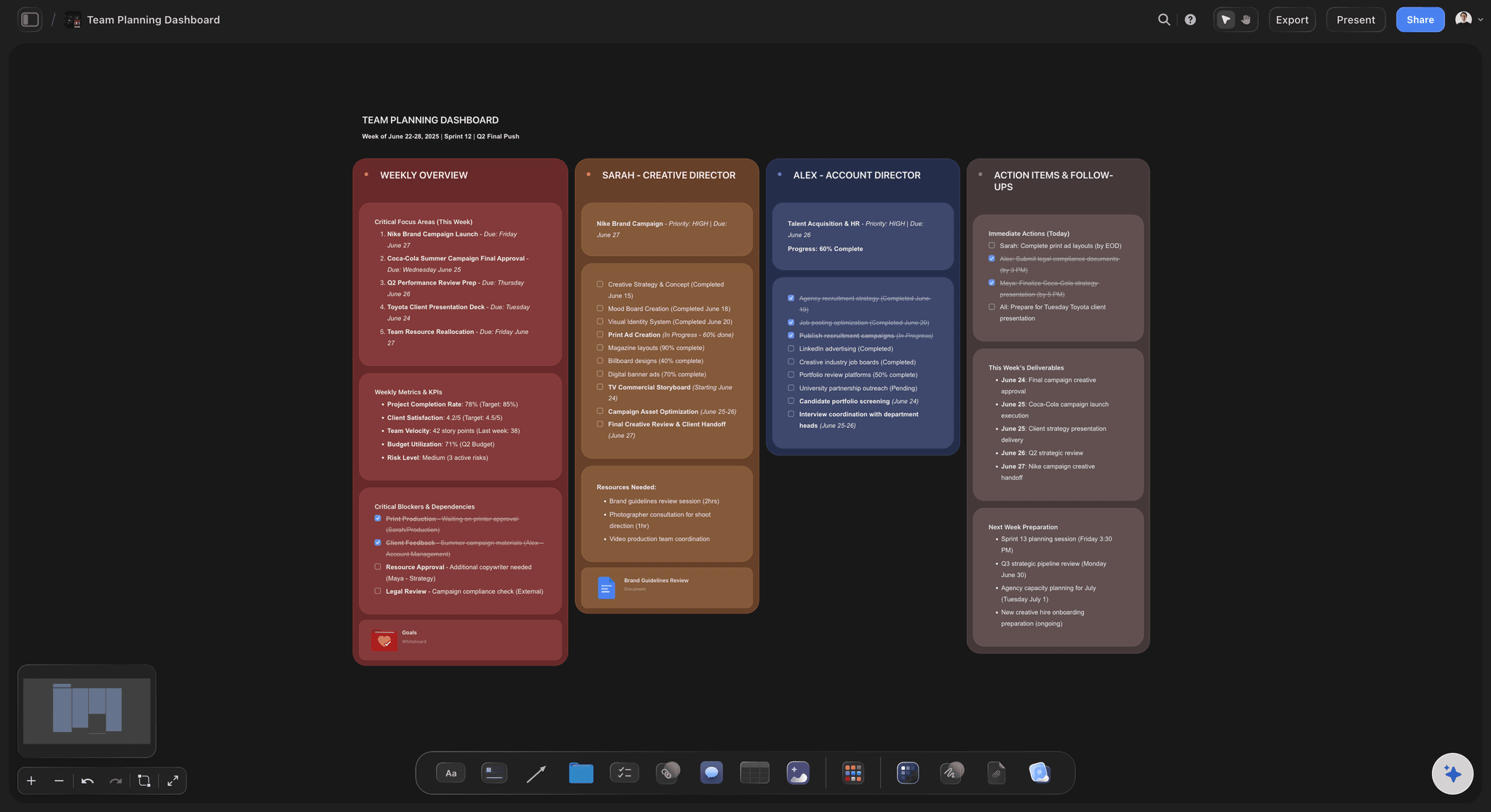
The money
Where the split came from
Shares, not just amounts: Put the percentage of the total next to every budget line. A client argues with 30 percent of the money going to search in a way they never argue with $14,000, and that argument is the useful one.
Production cost sits with media cost: The film that runs in the placement costs money too. Keeping both on one board stops a plan that spends everything on the buy and leaves nothing to make the thing being bought.
Unconfirmed rates stay empty: A rate you have not had back from the vendor is a blank cell with a note, not a placeholder that quietly becomes the number everyone remembers.
Options as columns: Show the plan at $60,000 and at $80,000 as two columns of the same table. The client can see exactly which channels the extra $20,000 buys instead of being asked to imagine it.
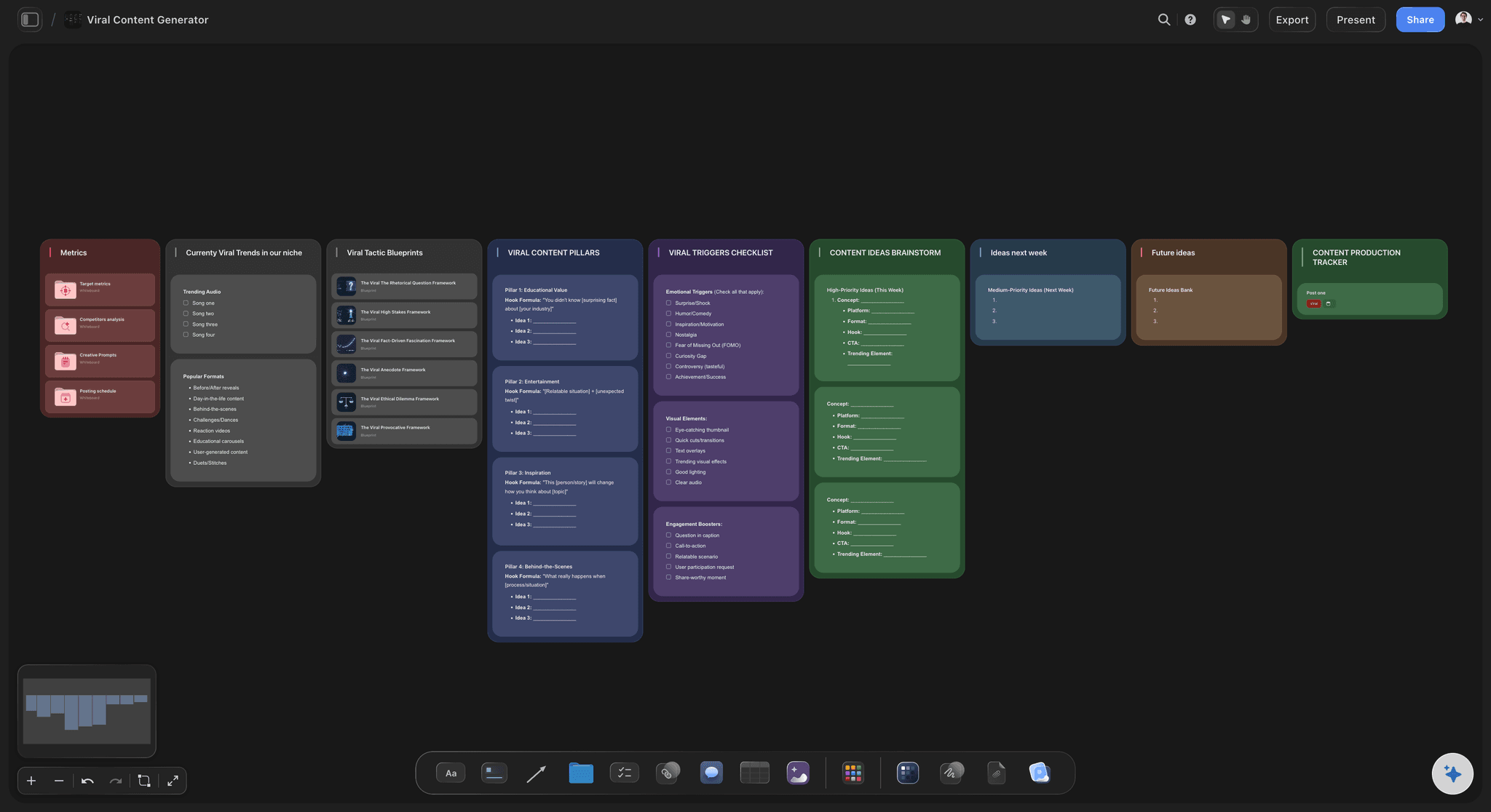
The handover
The people making the work read the same page
The plan and the work are neighbours: References, cutdowns, copy lines and frames sit on the board next to the channel that needs them, so a designer never has to open a second file to find out what size to make it.
Comments land on the exact row: A note about the search budget attaches to the search row. Nobody has to work out which version of the plan a message in a thread was about.
The freelancer does not need a plan of their own: Send the link to the media buyer or the motion designer you brought in for this campaign. They read it in a browser with no account, and sign in only when they want to leave a comment.
One board, not seven attachments: The board is the live version, so the number the client reads on Thursday is the number you changed on Wednesday.
Explore templates for your project
Every template opens as a real, editable board on the infinite canvas. Pick the closest fit and make it your own.
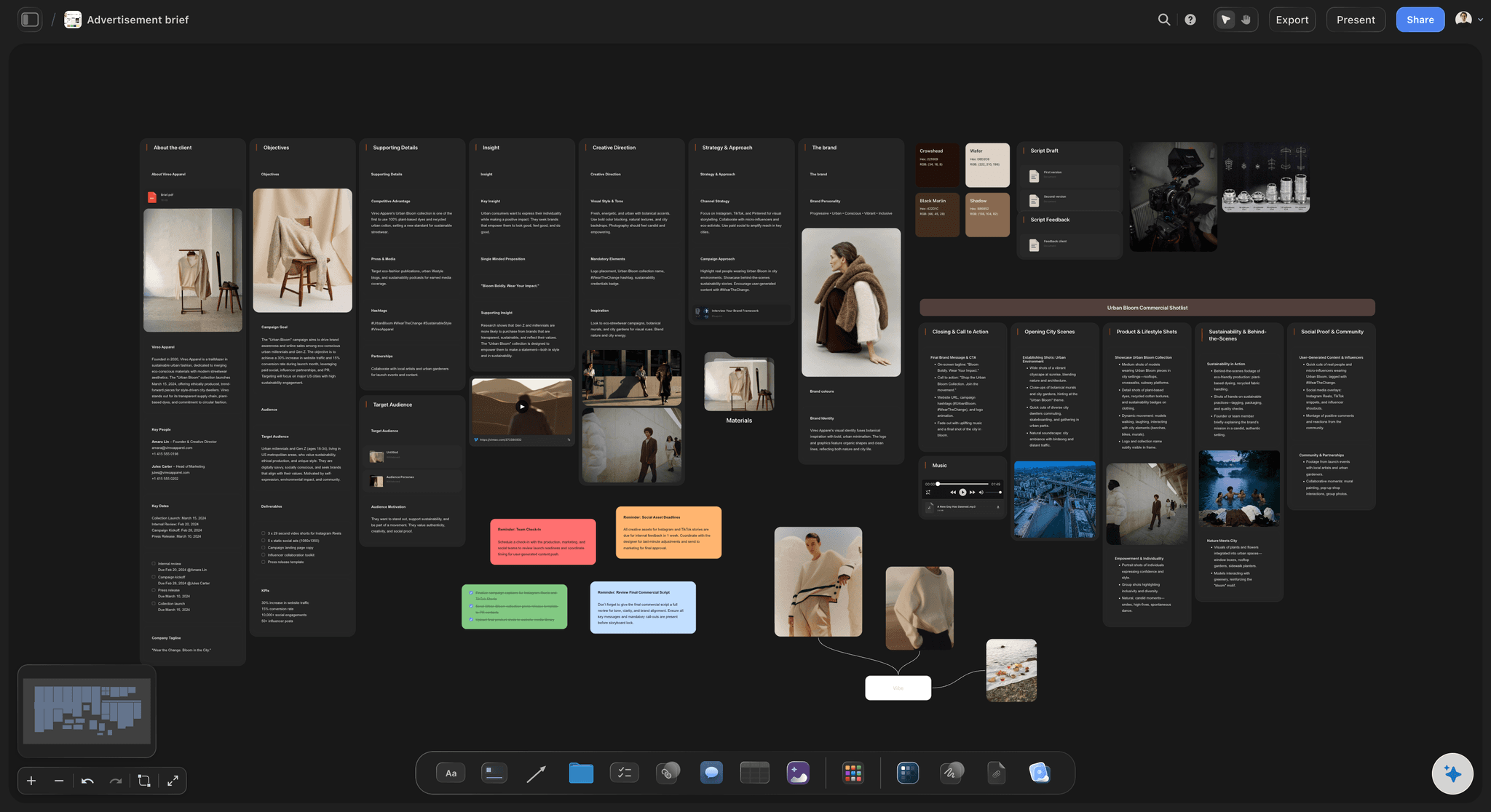
Marketing Campaign
Plan a campaign across channels, messages, and deliverables on one board the whole team can see.
One app instead of five
What Storyflow does with a media plan.
It builds it and shows it. It does not buy the media or report on the delivery.
Storyflow
Recommended
Paid, owned and earned on one plan
Week grid beside the channel table
Budget column with a live total
Creative and assets on the same board
Client reads it from a link, no account
Buys and serves the media
Live spend and delivery numbers
Ad platforms
Paid, owned and earned on one plan
Week grid beside the channel table
Budget column with a live total
Creative and assets on the same board
Client reads it from a link, no account
Buys and serves the media
Live spend and delivery numbers
Spreadsheets
Paid, owned and earned on one plan
Week grid beside the channel table
Budget column with a live total
Creative and assets on the same board
Client reads it from a link, no account
Buys and serves the media
Live spend and delivery numbers
What creators are saying
Join early creators getting structured workspaces and AI that remembers their projects
“Storyflow has sped up my workflow by at least 3x, which means more flow state and more projects I can actually ship. It truly changed the way me and my team create.”

Reilin Joey
Director & YouTuber
“One prompt gets me a structured board. But the tactics are my favorite. I run my YouTube scripts through them and my intros and retention got better. It's amazing.”

Justkay
YouTuber & Freelance Filmmaker
“I used to juggle five apps to plan a project. Now I describe what I am making and get boards, lists, and a schedule. All in one place.”

George
@fernwehchronicles
Media plan questions
What agencies ask before they plan a campaign this way.
A media plan template is the table a campaign is planned in: every channel as a row with its dates, its budget, its share of the total, who it reaches and the number it is judged on. Storyflow gives you that table on a board with the campaign weeks beside it and the assets each channel needs attached to the dates. You plan here; you buy in the ad platforms.
Storyflow does this one end to end: every channel as a row with its dates, budget, share of the total and the number it is judged on, a week grid beside it showing the flighting, and the creative attached to the dates it is due. The client reads it from a link. The buying itself still happens in Meta Ads Manager, Google Ads or your DSP.
Paid is anything you rent: social ads, search, out of home, print, creator fees. Owned is what you already control and pay nothing extra for: the email list, the site, your own accounts, the shop. Earned is what other people give you: press, partner newsletters, reposts. Write all three down even when only the paid part has an invoice against it.
Start from what each channel is being asked to do, not from last year's percentages. Put the goal on each row first, then the money. Show the shares as percentages next to the amounts so the split is arguable, and give the client two columns at two budget levels so the trade is visible rather than described.
Flighting is the shape of the spend over time: a quiet tease, a loud burst, then a slow sustain. Show it as a grid with the weeks across the top and the channels down the side, shading the cells where each one is running. A plan with only start and end dates hides every clash between channels.
Storyflow plans and presents the media: the channel table, the budget split and the flighting. It does not connect to Meta Ads Manager, Google Ads, a DSP or an analytics account, so no spend or delivery figure appears by itself. The buying happens in the ad platforms, and you paste the results back onto the board while the campaign runs.
Yes. Attach the brief and ask for a channel table. Storyflow's AI reads attached files and lays out the rows with dates, budget and audience so you are editing a draft instead of starting empty. It proposes; you decide which channels are real, what they cost and when they run.
Storyflow lets you drag any channel row into any position on the board. It does not sort a table for you, so the order is the one you set by hand. Most teams group by bucket rather than by date, keep paid at the top, and let the week grid beside the table carry the timing, which is an order a date sort would take away.
On Storyflow's board, next to the channel that needs them. Sizes, lengths, versions, the owner and a due date that comes before the go-live date. Keeping them beside the buy is what stops a plan being approved that nobody has time to make the work for.
No. Storyflow's view-only link opens in any browser with no account. Signing in is only needed to leave a comment. Anyone a paid member invites to a board joins free, so a client who wants to mark up the plan does not need their own subscription.
Yes. Export the whole Storyflow board as a PDF and send that. On a call, presentation mode steps through the board fullscreen with nothing exported first, which is usually easier than rebuilding the plan as slides.
Cover the campaign plus the two weeks before it, because that is when the assets are due and where plans usually break. For always-on work, plan a quarter at a time and review it monthly. Either way, the asset due dates sit on the plan, not in a separate schedule.
Write it far enough ahead that the assets can be made. Work back from the first go-live date: creative needs its own due date before that, and approvals need days before creative. A plan written four weeks out is a plan; one written the week before is a booking schedule with no room to change anything.
More from Storyflow
Campaign calendar
Marketing planning software
Integrated marketing communications
Campaign management software
Agency campaign planning
Campaign brief to delivery
Social media marketing plan
Ad creative testing
Brand activation plan
Storyflow for agencies
Case study builder
Agency credentials deck
Influencer campaign plan
Webinar run of show
Creative retainer plan
Campaign wrap report
Put the weeks and the money on the same board.
Paid, owned and earned, the flight, the split and every asset deadline in one place.