
Ultra-fast campaigns, pitched beautifully
Every channel, every phase,
on one board.
Lay the campaign out as phases and channel lanes on an infinite canvas, draw the dependencies between beats, and keep the brief and the creative beside the dates.


Creatives working for these brands already got early access
- Red Bull
- Canon
- Artlist
- Porsche
See how easy it is to get started
Watch a real project come together, from a blank board to a finished plan, clicked through step by step.
Start from a ready-made template
Pick a board to see what you can build, then let AI fill it in. Every template is a real, editable starting point on the same infinite canvas.

Marketing Campaign
Plan a campaign across channels, messages, and deliverables on one board the whole team can see.
What is a campaign calendar?
A campaign calendar is the plan for how a marketing campaign reaches the world: what goes out, on which channel, on which date, made by whom, and approved by whom before it ships. Storyflow is an AI visual workspace that lays out your campaign on one infinite canvas: phases and channel lanes, the dependencies drawn between beats, asset deadlines set backwards from each air date, and the brief and the creative beside the dates. A campaign calendar covers a single campaign or a portfolio of campaigns running at once, and it has to hold email, paid media, organic social, PR, the website, and any events in the same view. It is not the same thing as a publishing schedule. A publishing schedule answers what we post on Tuesday. A campaign calendar answers whether Tuesday's post can exist yet.
Campaigns almost never fail in the middle of a phase. They fail at the seams. The email goes out on the morning the landing page is still in staging. Paid social starts spending before the creative clears legal. The PR embargo lifts on a Friday afternoon into an empty news cycle. Two campaigns from two different teams hit the same audience in the same week and cannibalise each other. Every one of those is a sequencing failure between two things that each looked fine on their own row of a spreadsheet, which is why a month grid is a poor instrument for this job: it shows you what day things happen and hides what has to be true first.
Storyflow is an AI-native infinite canvas built for that shape of problem. Describe the campaign in a prompt and the AI lays out a phased plan: pre-launch, launch, sustain, and wind-down, with channel lanes running through each phase and the asset deadlines already counted backwards from the air dates. Then you draw the dependencies as connections between beats, so a slip is visibly a slip in everything downstream rather than a note in a comment thread. The campaign brief, the moodboard, the approved creative, and the messaging matrix sit on the same canvas as the dates, so a review covers the plan and the work at the same time.
A working campaign calendar carries six named layers: the objective and audience the campaign is accountable to, the phases it moves through from pre-launch to wind-down, the channel lanes that run in parallel through those phases, the asset deadlines and owners derived backwards from each air date, the dependencies and approval gates that decide whether a beat can ship at all, and the measurement plan that says what each phase is meant to move. Storyflow keeps all six visible on one canvas, which is what makes the seams between them findable before they break.
Ultra fast from brief to board
From a brief to a campaign you can actually run.
No board templates to configure and no dependency fields to fill in. Describe the campaign and start arranging the beats.
01
Open a canvas
Sign up in seconds. Nothing to install. Your infinite campaign canvas opens in the browser.
02
Describe the campaign
Type the objective, the audience, the launch date, and the channels you have. The AI lays out a phased plan with pre-launch, launch, sustain, and wind-down, and a lane per channel running through them.
03
Work backwards from the air dates
Set each beat's air date, then place the asset deadlines behind it: brief, first cut, review, legal, final files. Draw connections between beats so the things that depend on each other are visibly attached.
04
Run it and share it
Keep the brief, the creative, and the messaging on the same board. Share a view-only link with the client, the agency, or the wider team so everyone reviews one picture instead of four exports.
The calendar, the creative, and the reasons behind both.
Phases, channel lanes, asset deadlines, and dependencies on one infinite canvas.

AI builds a phased campaign plan from your brief
Start from a plan, not an empty grid
Describe the objective, the launch date, and your channels and the AI blocks out pre-launch, launch, sustain, and wind-down with a lane per channel and the obvious beats already placed. Editing a plan is faster than inventing one.
See the AI marketing campaign planner →
The brief sits beside the dates it produced
Keep the why next to the when
Put the campaign brief, the objective, and the audience on the same canvas as the calendar. When somebody asks why the PR beat lands before the paid push, the answer is a scroll away rather than a meeting away.
Try the AI creative brief generator →
Asset deadlines counted backwards from each air date
The deadline that matters is not the launch
Every beat needs files before it can ship, and the real deadline is the last date creative can be approved. Place those milestones behind each air date so the production crunch is visible weeks before it arrives.
See the production calendar →
Every campaign in the portfolio in one view
See where two campaigns collide
Lay this quarter's campaigns out side by side on the same canvas. Two teams hitting the same audience in the same week is obvious as a picture and invisible in two separate project boards.
Explore the marketing workspace →Unlimited boards. No object cap.
Open a canvas, describe the campaign, and let AI lay out the phases. Storyflow is paid-only during early access, with plans from $9.99 a month, and a Free plan launches before the end of 2026.
Unlimited campaign boards on an infinite canvas
AI usage to generate boards from prompts
Invited collaborators join free
Share view-only links with clients and stakeholders
Built for people with taste
More than a month grid with coloured blocks.
A grid tells you what day something happens. A campaign calendar has to tell you what has to be true first.
Pre-launch, launch, sustain, wind-down
Plan in phases, not in weeks
Pre-launch: Teasers, list building, briefing partners and press, creative production, and the approvals that have to clear before anything is public. Most campaign slippage is created here and only discovered in launch week.
Launch: The concentrated window where the announcement, the email, the paid push, the PR hit, and the site change all have to land in a deliberate order. Lay them out on one canvas and the order becomes a decision rather than an accident of who was ready.
Sustain: The weeks after launch that actually carry the results: proof points, customer stories, retargeting, community, and the second wave of creative. Plan this before launch or it gets improvised by whoever has capacity.
Wind-down: Turning off spend, retiring landing pages and promo codes, closing the loop with partners, and writing down what happened. The phase everyone forgets, and the one that decides whether the next campaign starts smarter.
Email, paid, organic social, PR, web, events
Run a lane per channel through every phase
Parallel lanes, not one queue: Give each channel its own horizontal lane running left to right through the phases. Reading down a single date column tells you everything the audience sees that day, which is the check nobody does inside a per-channel tool.
Each beat carries its own requirements: A paid beat needs sizes, variants, and a spend window. A PR beat needs an embargo time and a spokesperson. An email needs a segment and a subject line. Keep those on the beat itself instead of a separate spec doc.
Spot the empty lane: A lane that goes quiet for three weeks is either a deliberate choice or a channel nobody owned. On a canvas the gap is a visible hole, which is the fastest way to catch an unassigned channel before launch.
Dependencies and approval gates drawn as connections
Make a slip look like a slip
Draw what has to be true first: Connect the landing page to the email that points at it, the creative approval to the paid flight it unblocks, and the embargo to the press beat that breaks it. A campaign is a graph, and drawing it is how the fragile links show themselves.
Name the approval gates: Legal, brand, client sign-off, and partner review are where campaigns actually lose days. Put each gate on the board as its own beat with an owner and a date, because an unnamed approval is a deadline you have not scheduled.
Trace the downstream damage: When the shoot moves by four days, follow the connections and you can see exactly which beats move with it. That is a much more useful conversation than discovering the consequence in launch week.
Owners on the beat: Every beat and every gate carries a name. Ambiguity about who owns the final approval is the single most common reason a campaign date moves.
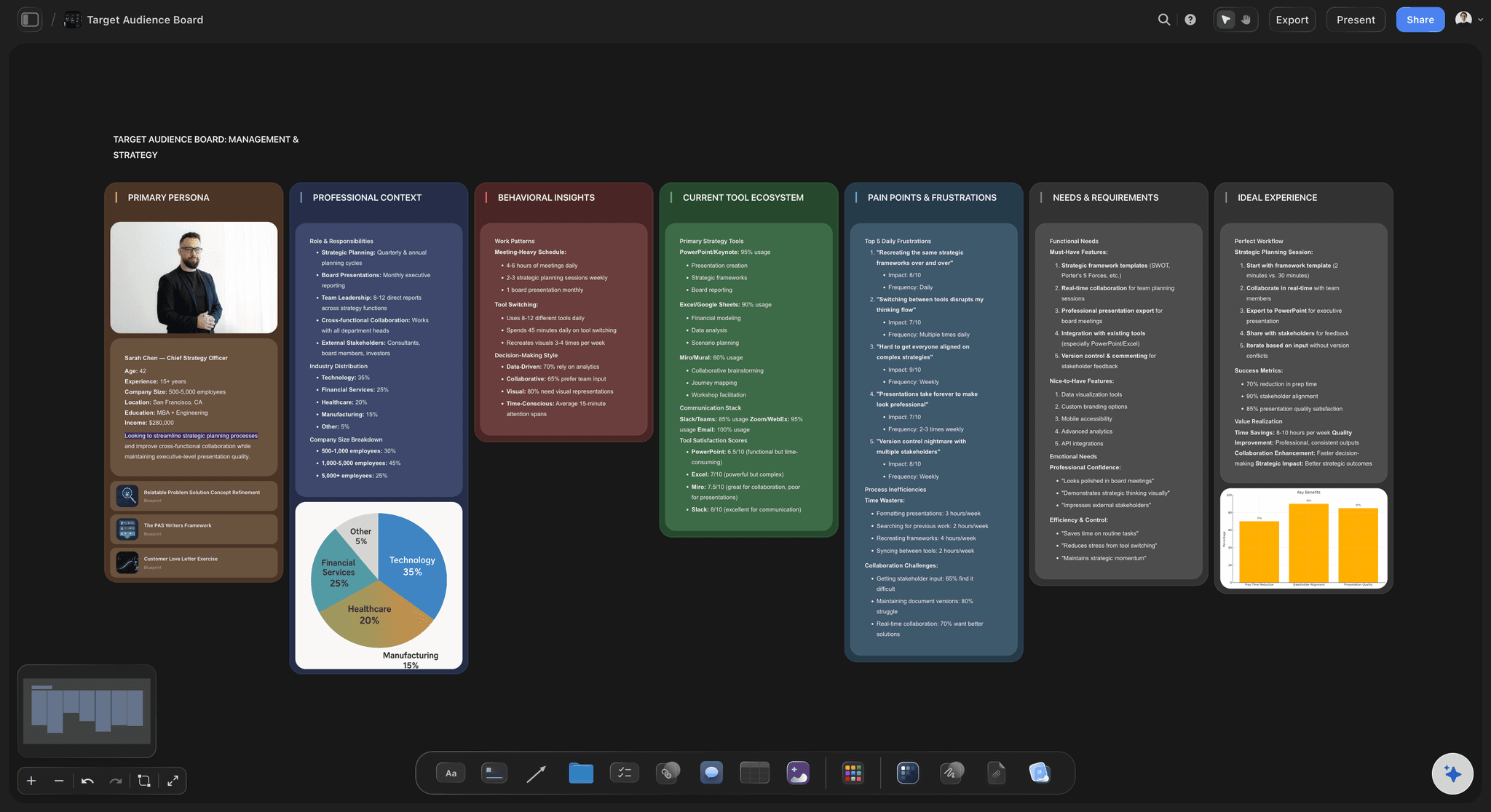
The creative lives on the same canvas as the dates
Review the plan and the work together
Creative attached to its beat: Pin the actual cut, the key visual, the ad variants, and the copy next to the date they ship on. A calendar full of row titles tells you a campaign exists. A canvas showing the work tells you whether it is any good.
Audience and messaging in view: Keep the persona work and the messaging matrix on the board so each channel's beat can be checked against what it is supposed to say. Message drift happens channel by channel and only shows when you can see them all.
Share one link, not four exports: Send a view-only link to the client, the agency, or the leadership team. They see the phases, the lanes, the dependencies, and the creative in one browser tab with no account.
Explore templates for your project
Every template opens as a real, editable board on the infinite canvas. Pick the closest fit and make it your own.
Marketing Campaign
Plan a campaign across channels, messages, and deliverables on one board the whole team can see.
One app instead of five
Storyflow vs Asana, Monday, and Notion.
All three are strong tools and each beats us at something specific. Here is the honest split so you can pick for how your team works.
Storyflow
Recommended
Infinite visual canvas
AI builds a phased campaign plan from your brief
AI reads your whole board as context
Brief, creative, and calendar on one surface
Task dependencies, assignments, and workload at scale
Configurable ops workflows and automations
Asana
Infinite visual canvas
AI builds a phased campaign plan from your brief
AI reads your whole board as context
Brief, creative, and calendar on one surface
Task dependencies, assignments, and workload at scale
Configurable ops workflows and automations
Monday
Infinite visual canvas
AI builds a phased campaign plan from your brief
AI reads your whole board as context
Brief, creative, and calendar on one surface
Task dependencies, assignments, and workload at scale
Configurable ops workflows and automations
Notion
Infinite visual canvas
AI builds a phased campaign plan from your brief
AI reads your whole board as context
Brief, creative, and calendar on one surface
Task dependencies, assignments, and workload at scale
Configurable ops workflows and automations
What creators are saying
Join early creators getting structured workspaces and AI that remembers their projects
“Storyflow has sped up my workflow by at least 3x, which means more flow state and more projects I can actually ship. It truly changed the way me and my team create.”

Reilin Joey
Director & YouTuber
“One prompt gets me a structured board. But the tactics are my favorite. I run my YouTube scripts through them and my intros and retention got better. It's amazing.”

Justkay
YouTuber & Freelance Filmmaker
“I used to juggle five apps to plan a project. Now I describe what I am making and get boards, lists, and a schedule. All in one place.”

George
@fernwehchronicles
Campaign calendar questions, answered.
What belongs on one, how far ahead to plan, and where a canvas beats a project board.
A campaign calendar is the dated plan for how a marketing campaign reaches its audience across every channel it uses. It records each beat, which channel it runs on, the assets it needs, who owns it, what has to be approved before it ships, and how the beats depend on each other. It usually spans four phases: pre-launch, launch, sustain, and wind-down. Its real job is not recording dates. Its job is exposing the order things have to happen in, because campaigns break at the seams between channels rather than inside any one of them.
Storyflow lays the campaign out as phases with a lane for every channel, on one board: you draw the dependencies between beats, so a slip looks like a slip. Its AI builds a phased campaign plan from your brief, and the brief and the creative stay beside the dates. Asana and Monday still handle task dependencies, assignments and workload at scale, which Storyflow does not.
A content calendar plans a publishing slate: what goes out, on which platform, on which day, on an ongoing rhythm. It answers what we post on Tuesday. A campaign calendar sits a layer above it and plans a bounded push with an objective and an end date, coordinating email, paid, PR, web, and events around a launch moment. It answers whether Tuesday's post can exist yet, given that the landing page is unfinished and legal has not signed the claim. Most teams need both: the editorial calendar carries the rhythm, and the campaign calendar carries the pushes that interrupt it.
Work backwards from the air date rather than forwards from today. A small always-on push needs two to three weeks, mostly for creative and approvals. A standard integrated campaign needs six to eight weeks, because paid creative, email builds, and PR outreach cannot be compressed much below that. A product launch or anything with an embargo, a partner, or a shoot needs three to four months. The number that actually governs the plan is not the launch date, it is the last date creative can clear approval, so set that first and let the rest of the calendar arrange itself behind it.
Six layers. The objective and audience the campaign is accountable to. The phases, from pre-launch through launch and sustain to wind-down. A lane per channel: email, paid, organic social, PR, web, and events. The asset deadlines and owners, counted backwards from each air date. The dependencies and approval gates that decide whether a beat can ship at all. And the measurement plan, saying what each phase is meant to move. A calendar with only dates and channel names looks organised and tells you nothing about whether the campaign can actually run.
Because the dates were never the constraint, the sequence was. The email hits its send date while the landing page it points at is still in staging. Paid launches on schedule with creative that has not cleared legal. Each owner did their job on time and the campaign still broke, because nothing on the calendar recorded that one thing had to be true before another could ship. Drawing dependencies as connections between beats fixes this by making the requirement visible: when one beat moves, you can trace which beats move with it instead of finding out during launch week.
Start with the objective and the launch date, then create a lane for each channel you actually have and lay the phases across all of them. Place the beats in each lane, then read down a single date column and check what a real person would see that day, which is the test that catches contradictions between channels. Add the asset deadlines behind each beat, name every approval gate as its own dated item with an owner, and connect the beats that depend on each other. Finally, look at the whole quarter for collisions with other campaigns aimed at the same audience.
Pre-launch covers teasers, list building, briefing press and partners, creative production, and every approval that has to clear before anything is public. Launch is the concentrated window where the announcement, email, paid push, PR hit, and site change land in a deliberate order. Sustain carries the weeks after launch with proof points, customer stories, retargeting, and second-wave creative, and it is where most results are actually earned. Wind-down turns off spend, retires promo pages and codes, closes the loop with partners, and records what happened so the next campaign starts smarter.
Not for the parts Asana genuinely owns. If you need task dependencies enforced across hundreds of assignments, workload balancing, capacity views, and per-person accountability at scale, Asana is built for that and does it better than a canvas will. Storyflow is stronger at the part that comes before and around the tasks: seeing the whole campaign as one picture, with the phases, channel lanes, and the actual creative attached to the beats. Plenty of teams do both, planning and reviewing on the canvas and running execution tickets in Asana. Pick by whether your problem is coordination or comprehension.
Monday owns configurable ops workflows: statuses, automations, routing, and dashboards you can shape to match an existing process, which is exactly right for a marketing team with a settled operating model. Notion owns docs and databases, and if your campaign brief, wiki, and trackers already live there, keeping the calendar beside them has real value. Storyflow is a different shape. The campaign is one spatial picture with the brief, the moodboard, and the approved creative attached to the dates, and the AI can read all of it as context. Use us for planning and review, and keep either of them for execution if that is what your team runs on.
It can build a credible first version, which is the slow part. Describe the objective, the audience, the launch date, and the channels you have, and Storyflow lays out the phases, a lane per channel, the obvious beats, and asset deadlines counted backwards from the air dates. Because it reads your whole board, it works from your actual brief and audience rather than a generic template. What it cannot know is your legal team's real turnaround, which partner always runs late, or which week your CEO is unreachable. Use it for the scaffolding and keep the judgment about your organisation.
Yes, and it is one of the main reasons to use a canvas instead of a per-project board. Stack this quarter's campaigns as parallel bands on one infinite canvas and read down any given week. Two teams pushing at the same audience in the same window becomes obvious as a picture, and it is close to invisible when each campaign lives in its own project. The same view shows where a shared resource is double-booked, which is usually the same designer, the same edit suite, or the same person who has to approve everything.
Storyflow is paid-only during early access, with plans starting at $9.99 a month, and a Free plan launches before the end of 2026. Anyone a paid member invites to a board joins free today, so a client, a freelancer, or a partner agency can review and contribute without a subscription. If you need something free this minute, Notion's free tier will hold a campaign database if you build the structure yourself, and a shared spreadsheet remains a serviceable first pass. Neither will show you the dependencies, and that is the part that breaks campaigns.
More from Storyflow
Campaign brief to delivery
Editorial calendar
AI marketing campaign planner
AI content calendar generator
Social media content calendar
Production calendar
Marketing workspace
AI marketing plan generator
Creative strategy tool
Asana alternative
For marketing teams
Free timeline maker
Timeline maker
Media plan template
Campaign wrap report
Influencer campaign plan
How to write a campaign brief
Put the whole campaign on one board.
Open a canvas, describe the campaign, and let AI lay out the phases and channel lanes. Nothing to install.