
Ultra-fast planning, extremely simple
Plan your product launch
where the whole team can see it.
A small team does not need a launch tool with permissions, portfolios and a resource module. It needs one board that shows the roadmap, the assets, the channels and what happens on launch day, all at once. Storyflow lays that out on an infinite canvas and keeps the AI reading it, so the plan answers questions instead of just storing them.


Creatives working for these brands already got early access
- Red Bull
- Canon
- Artlist
- Porsche
See how easy it is to get started
Watch a real project come together, from a blank board to a finished plan, clicked through step by step.
Start from a ready-made template
Pick a board to see what you can build, then let AI fill it in. Every template is a real, editable starting point on the same infinite canvas.

Mind Map
Branch one central idea out into themes and sub-points, then drag the connections around until the structure makes sense.
What is a visual product launch plan?
A visual product launch plan shows the launch in space rather than rows: phases before the date, channels, the assets each needs and launch week. Storyflow is an AI visual workspace that lays out your product launch on one infinite canvas: the roadmap, the channels and their assets, a kanban of launch tasks and the launch-day checklist, side by side. The whole team sees its shape at a glance.
That matters most for small teams, because a small team has no launch manager whose job is holding the plan in their head. Four or five people are each doing part of a launch alongside their normal work. The plan has to be legible in ten seconds to somebody who last looked at it a week ago, and a nested task tree is not.
Storyflow builds that board from what you already have. Describe the launch, or drop in the positioning doc, the brief and the reference material, and the AI lays out a roadmap, the channel plan, the asset list and a launch week schedule as boards you can rearrange. The source material stays on the canvas, so in week three you can ask whether the plan still matches the positioning rather than trusting a summary made on day one.
Storyflow is paid-only during early access. A free plan launches before the end of 2026, and anyone a paid member invites to a board joins free today.
Ultra fast from brief to board
From a launch date to a board the team can run on.
No template picking, no blank canvas, no setup weekend.
01
Open a canvas
Storyflow runs in the browser. Nothing to install and nothing to configure before the first useful thing appears on screen.
02
Describe the launch
Say what is launching, to whom and when. Drop in the positioning doc or the brief if you have one, and the reference material with it.
03
AI lays out the roadmap
Phases, channels, assets and a launch week schedule arrive as boards arranged on one canvas, built from the specifics rather than a generic launch template.
04
Share one link with the team
Everyone reads the same board. Collaborators invited by a paid member join free, and stakeholders can view without an account at all.
The launch stops living in five different places.
The roadmap, the assets, the messaging and launch week are the same project, so they belong on the same canvas.

The whole runway, visible at once
A roadmap you can see the shape of
Lay out the weeks before launch as boards rather than rows, so a slipped dependency is visible as a gap on the canvas instead of a date buried three levels into a task tree.
See the AI project plan generator →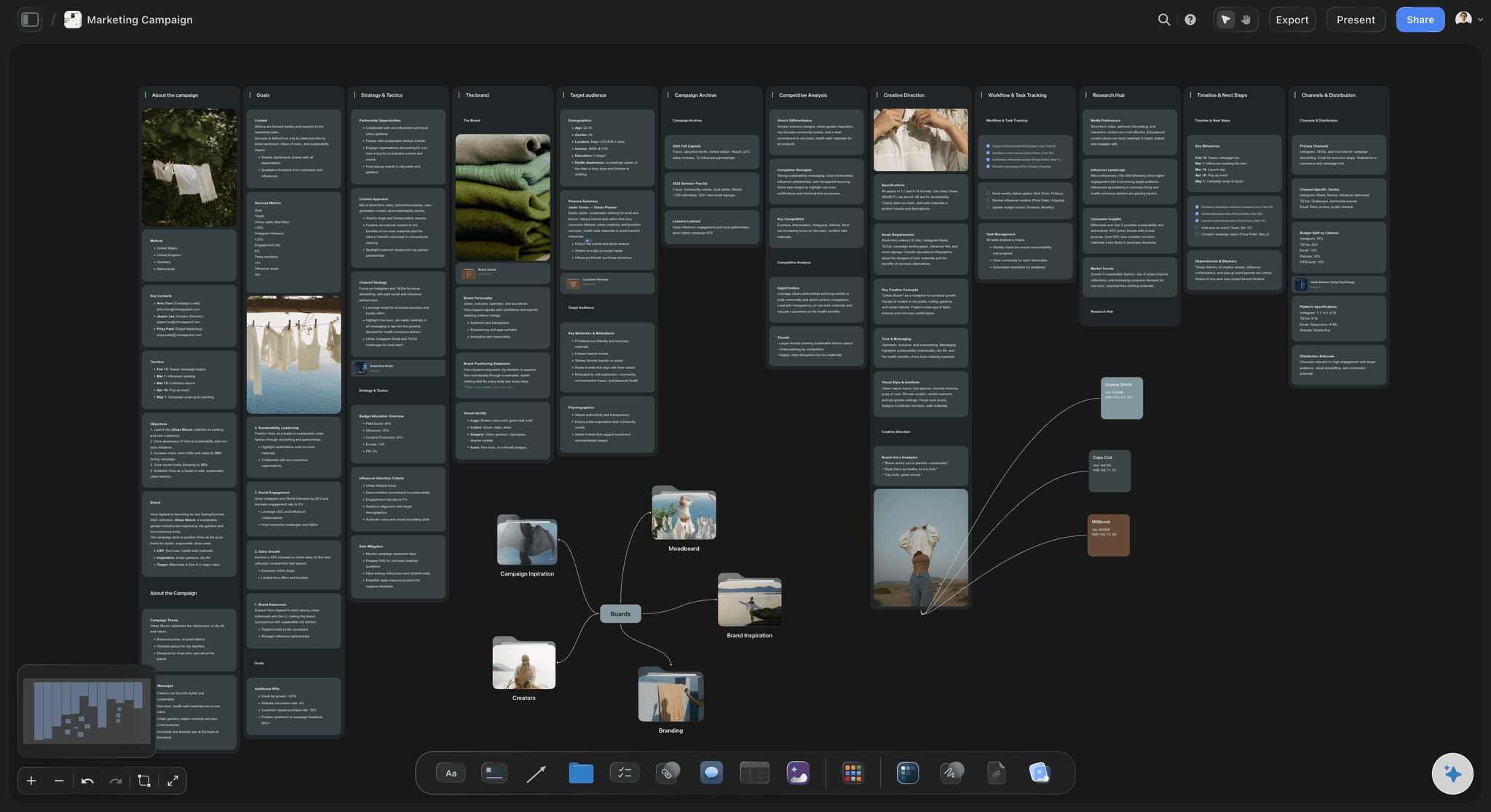
Every channel and what it needs
Assets beside the channel that consumes them
Put the landing page copy, the launch email, the social cuts and the press note next to the channel each belongs to, so the gap between what is planned and what is actually made is obvious.
Explore the campaign calendar →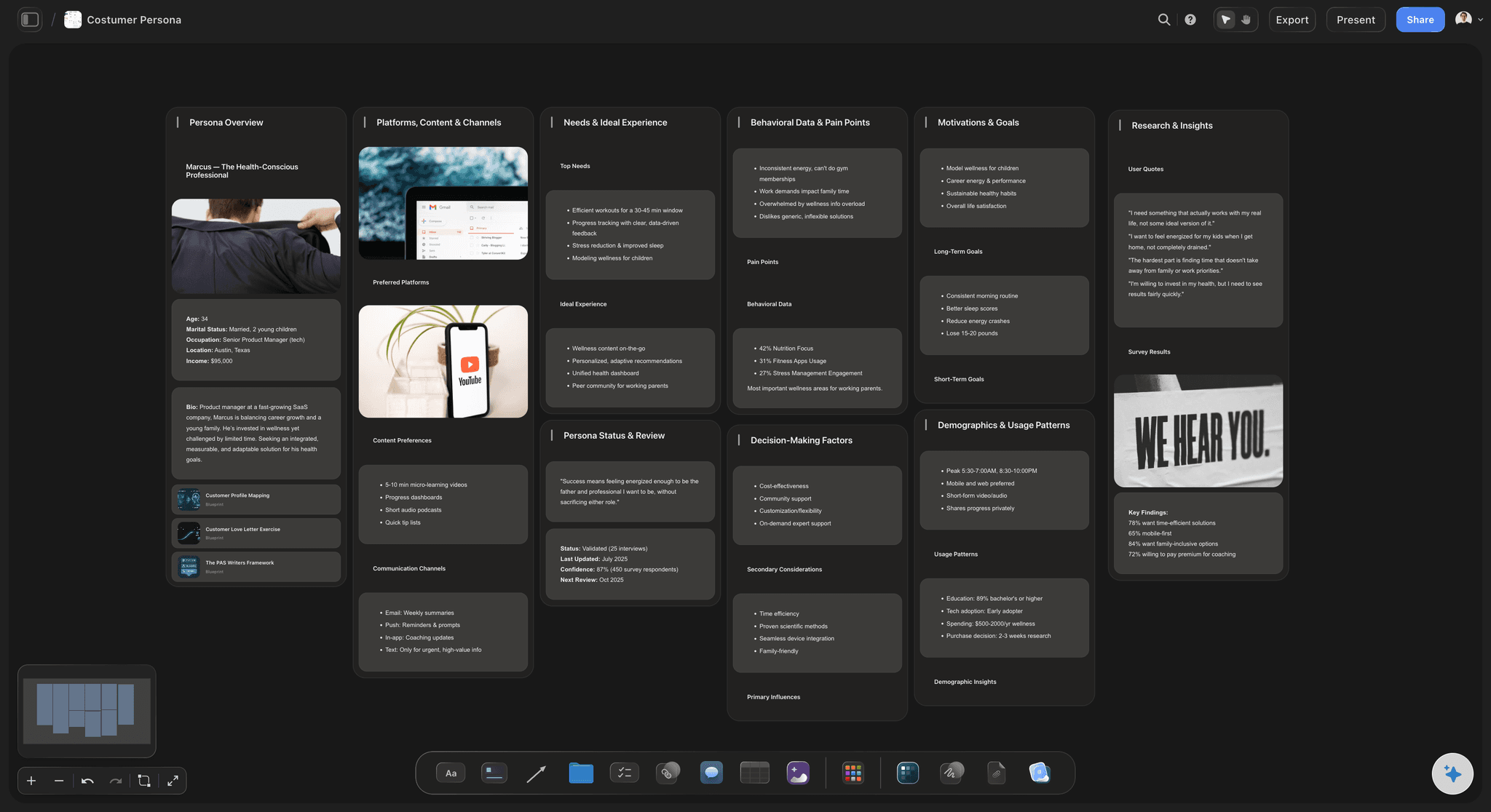
Who it is for, in the plan itself
Keep the audience next to the messaging
The customer the launch is aimed at sits on the same board as the copy written for them, which is the cheapest way to catch a message that drifted from the audience.
Try the AI persona generator →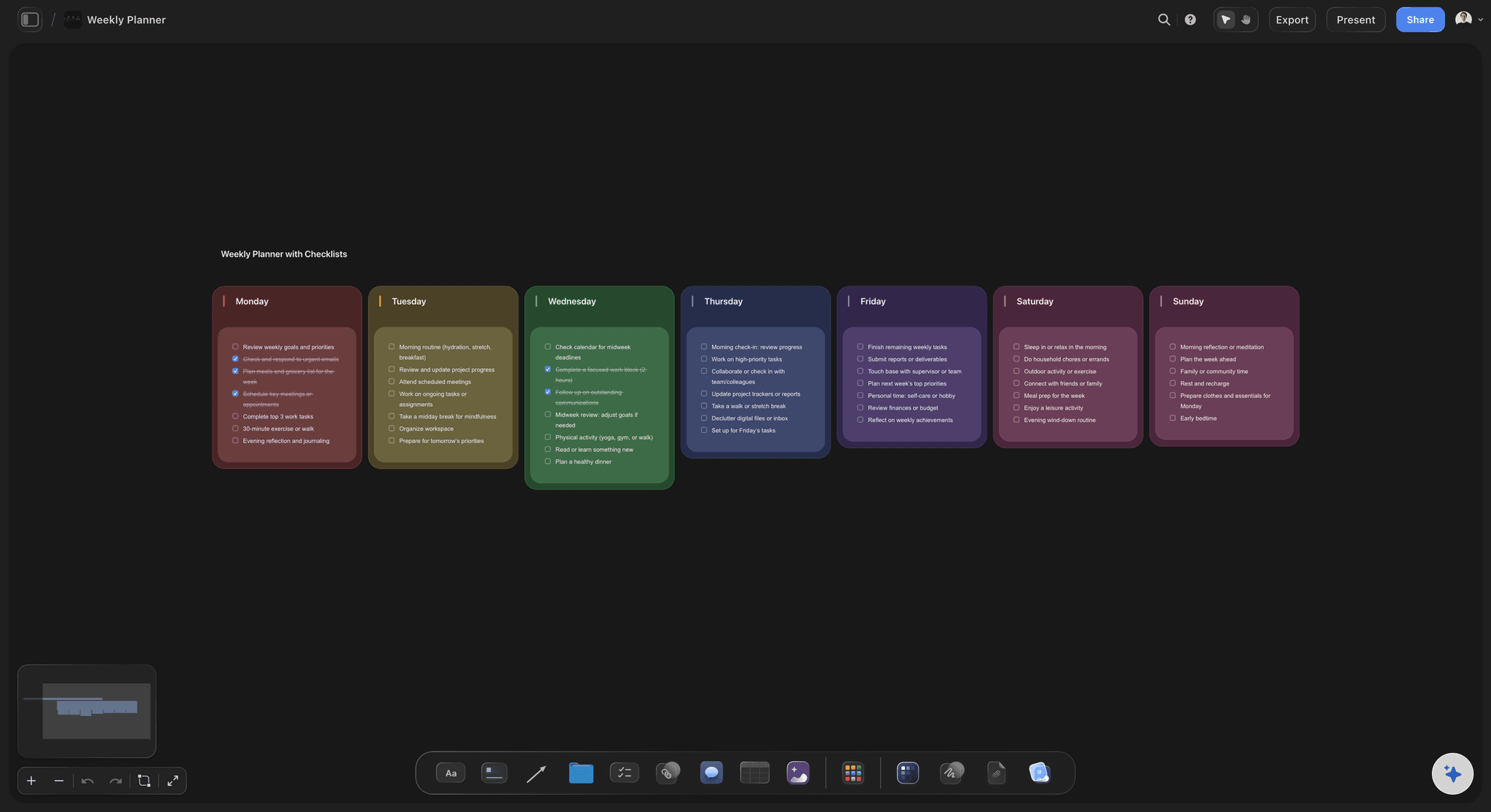
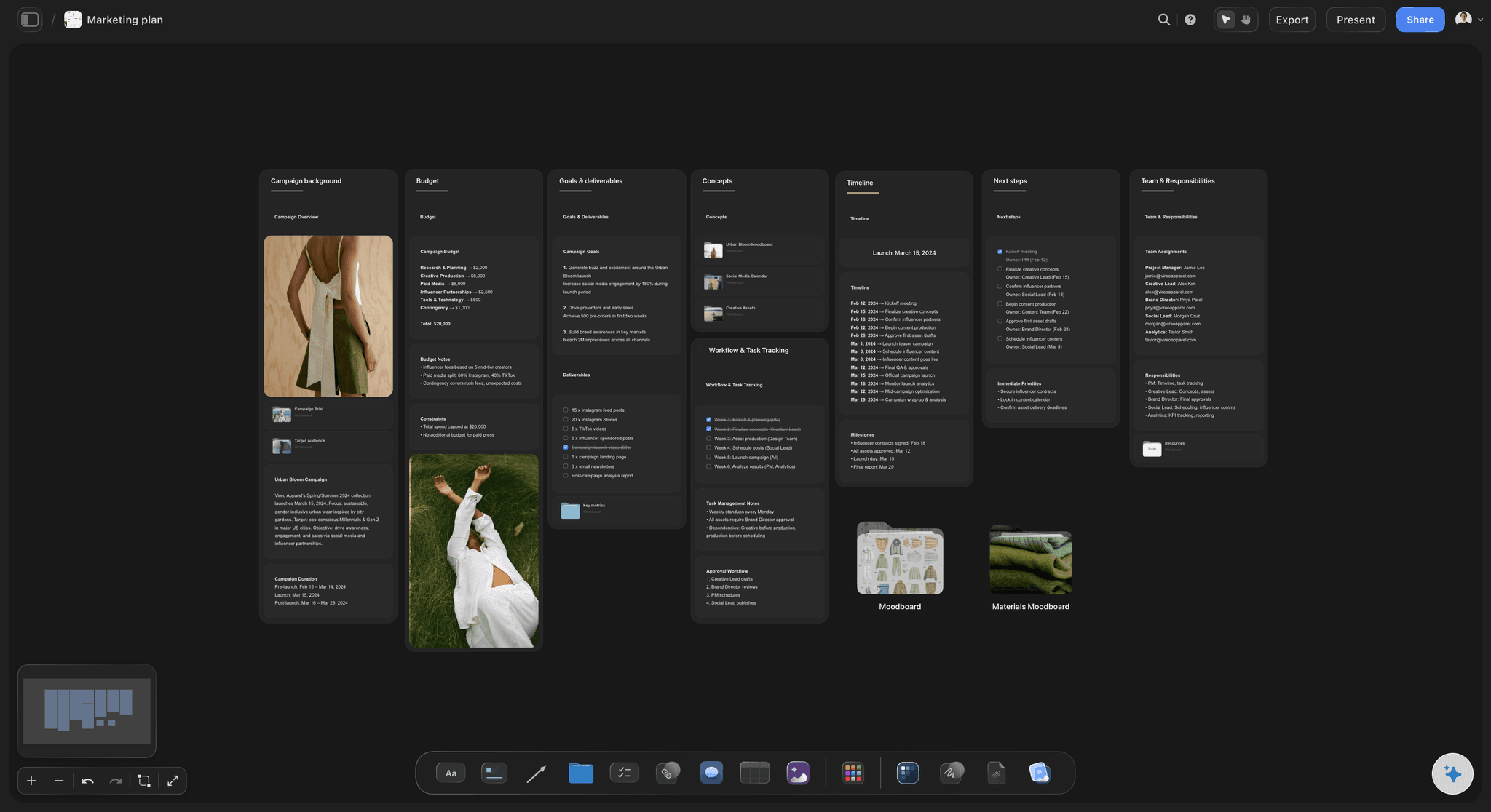
Launch week, hour by hour
The day itself, planned in advance
Sequence the announcement, the emails, the posts and the follow-ups so launch day is a board somebody can work through rather than a group chat nobody can follow.
See the marketing plan generator →Plans from $7.99/month annual. Free plan coming late 2026.
Storyflow is paid-only during early access. Anyone a paid member invites to a board joins free, which matters when the launch team is five people wearing nine hats.
Anyone you invite to a board joins free
Every launch gets its own board, with no project limit
AI reads the whole board before it answers
Stakeholders view the plan without an account
Built for people with taste
Built for the team that has no launch manager.
Launch software is mostly built for the company that runs launches constantly. A small team launching twice a year needs the opposite: something legible on the day you come back to it.

Legible in ten seconds
The plan is the picture
Everything on one canvas: Phases, owners, assets and dates in one view, so nobody has to open four tabs to answer where the launch stands.
Rearrange as it changes: Drag a phase, regroup the assets, move launch week. The board reflows without anybody maintaining a schema.
Gaps show as gaps: A channel with no asset beside it looks empty on a canvas. In a task list it looks like every other unchecked row.

The AI reads the board, not just the prompt
Ask the plan questions in week three
Canvas-aware AI: Storyflow's AI reads the whole active board, so the roadmap and the positioning are both in front of it when you ask whether they still agree.
Bring in the source documents: Attach up to five documents and three boards to pull the research and the brief into the same answer.
Change one thing, keep the rest: Ask the AI to move the date or drop a channel and it edits the affected part of the board rather than regenerating the plan.
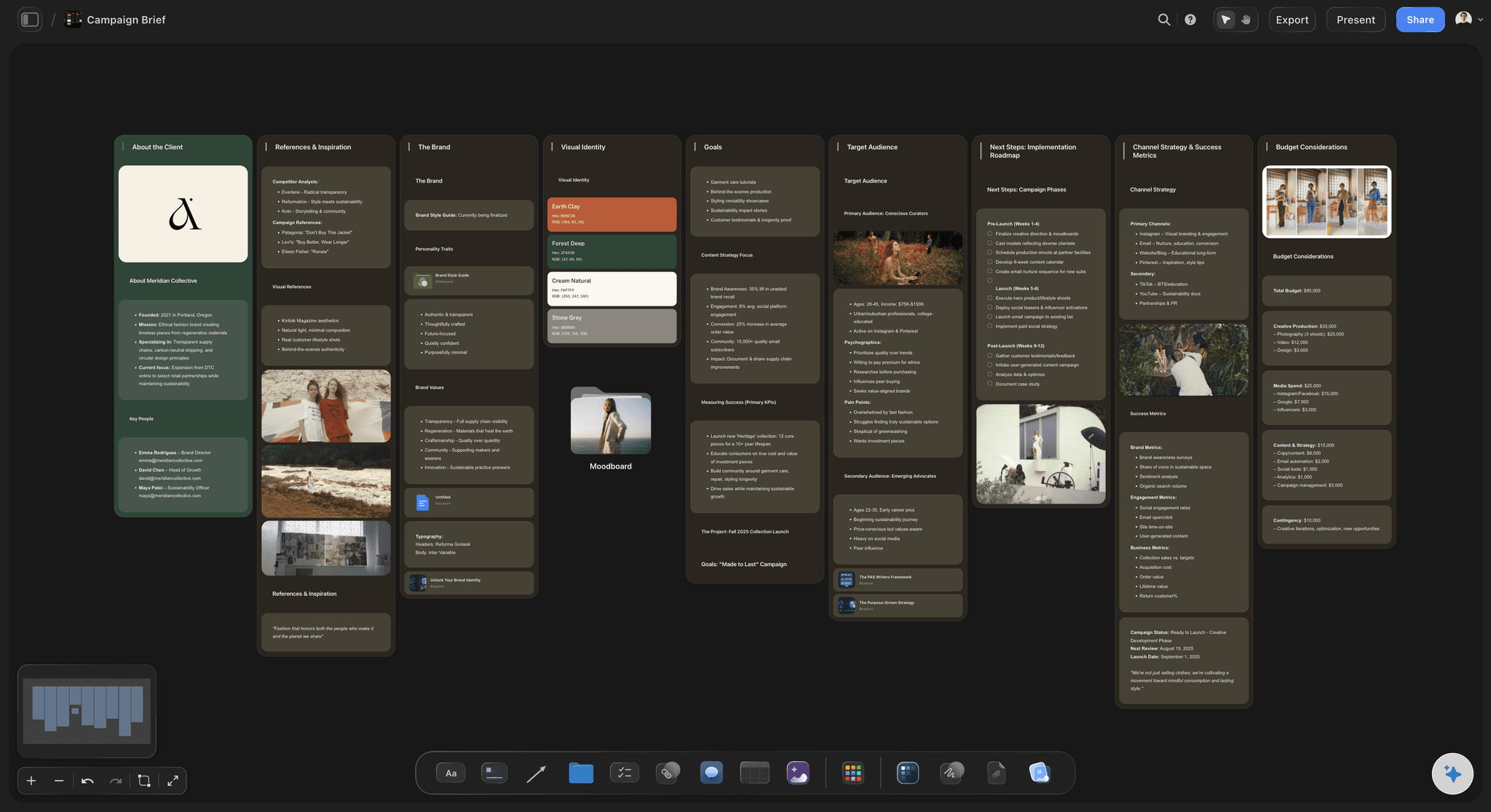
Launches start from something
Works from the material you already wrote
Start from the positioning: Drop the positioning doc, the pricing page draft or the investor update and let the plan be built from what is actually decided.
Reference material stays put: Screenshots, competitor pages and design comps live on the same canvas as the plan they informed.
Half a plan is a fine start: Most launches begin as a date and three bullet points. The board makes the missing decisions visible rather than hiding them behind empty fields.
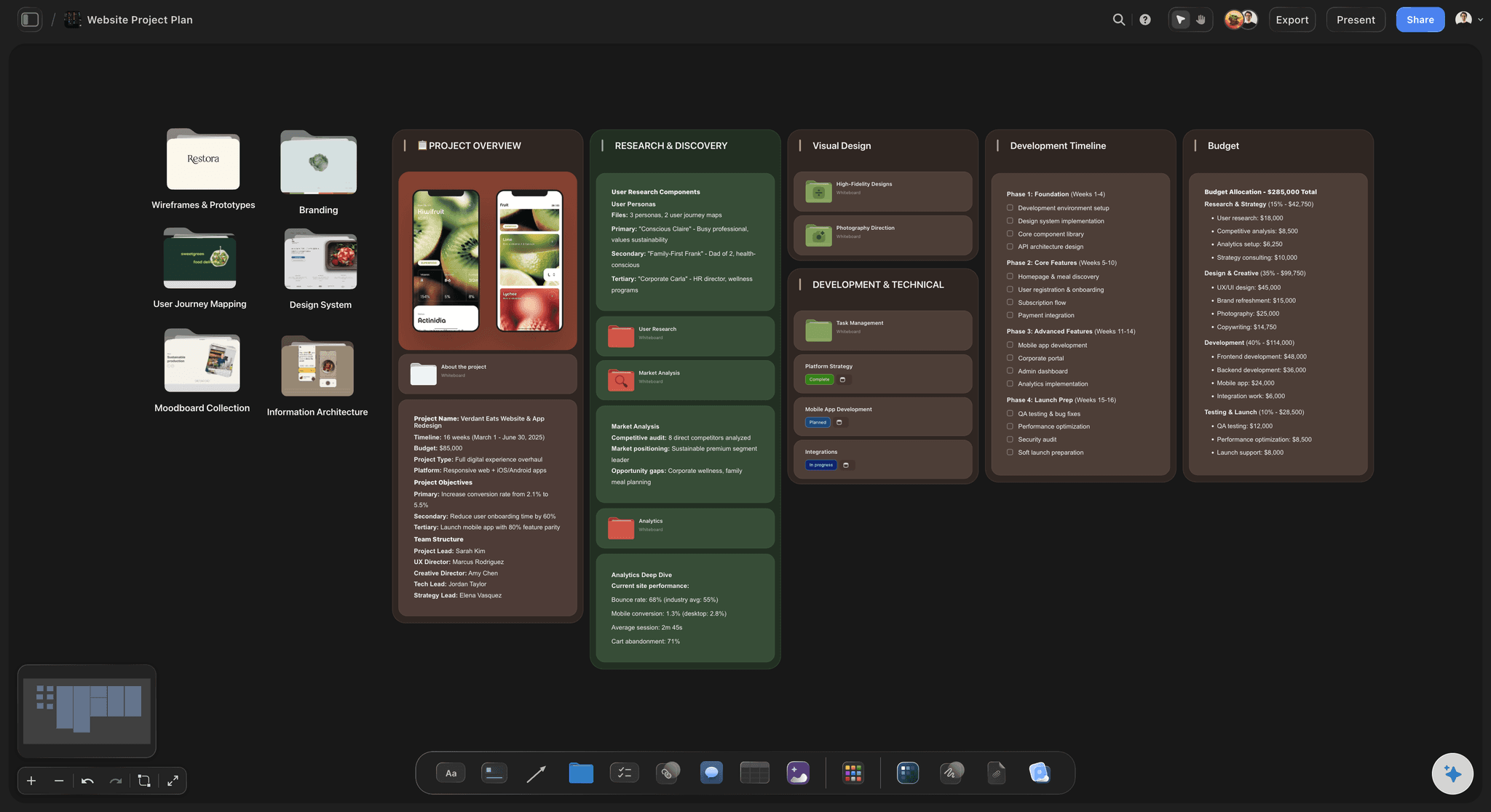
Fits around the tools you already pay for
Own the thinking, keep your tracker
No approvals or time tracking: Tickets carry assignees and due dates, but there is no approval workflow, time tracking or workload view. If the engineering work lives in Linear or Jira, it stays there.
Export when it has to travel: Send any board out as a high-quality image or PDF for the board deck or the investor update.
Share without seats: A view-only link needs no account, so a founder, an advisor or a contractor can read the launch plan immediately.
Explore templates for your project
Every template opens as a real, editable board on the infinite canvas. Pick the closest fit and make it your own.
Mind Map
Branch one central idea out into themes and sub-points, then drag the connections around until the structure makes sense.
One app instead of five
Why not plan the launch in a task tool?
Task tools are good at tracking work that is already defined. A launch spends most of its life before that point, which is where a canvas helps and a task tree does not.
Storyflow
Recommended
Whole launch laid out on one canvas
AI reads the plan and its source material
Stakeholders view without an account
Time tracking and workload views
Notion
Whole launch laid out on one canvas
AI reads the plan and its source material
Stakeholders view without an account
Time tracking and workload views
Asana
Whole launch laid out on one canvas
AI reads the plan and its source material
Stakeholders view without an account
Time tracking and workload views
Spreadsheet
Whole launch laid out on one canvas
AI reads the plan and its source material
Stakeholders view without an account
Time tracking and workload views
What creators are saying
Join early creators getting structured workspaces and AI that remembers their projects
“Storyflow has sped up my workflow by at least 3x, which means more flow state and more projects I can actually ship. It truly changed the way me and my team create.”

Reilin Joey
Director & YouTuber
“One prompt gets me a structured board. But the tactics are my favorite. I run my YouTube scripts through them and my intros and retention got better. It's amazing.”

Justkay
YouTuber & Freelance Filmmaker
“I used to juggle five apps to plan a project. Now I describe what I am making and get boards, lists, and a schedule. All in one place.”

George
@fernwehchronicles
Planning a product launch, answered.
What small teams ask before planning a launch in Storyflow.
Plan it on one Storyflow canvas: describe the launch or attach the positioning document, and the AI lays out the phases, channels, assets and launch week for the team to rearrange. Work back from the date, give every channel its assets and one owner, then run the tasks on a kanban and launch day from a checklist. Miro and FigJam suit teams planning live in a whiteboard workshop; Trello suits tracking the tasks on their own.
Storyflow is a visual product launch planner: describe the launch or attach the positioning document, and its AI lays out the phases, channels, assets and launch week on one canvas for the team to rearrange. The roadmap, a kanban of launch tasks and the launch-day checklist sit side by side, and the AI reads the whole board before it answers. Asana still gives you time tracking and workload views, which Storyflow does not have.
At minimum: who the launch is for, what you are saying to them, the channels you are saying it on, the assets each channel needs, who owns each one, and what happens on the day. Most launch plans fail on the fourth item, because the channel list is agreed early and the asset list is discovered late. Laying both out side by side is the point of a visual plan.
A launch layout that works for a small team: columns for the phases left to right, such as six to three weeks out, the final two weeks, launch week and the fortnight after, and a row per channel with its assets as cards in each cell. Put the positioning and audience above the grid, the launch-day checklist beside launch week, and a kanban for work in progress. Storyflow's AI can draft this layout from a description of the launch.
Give the launch one owner who holds the date and makes the go or no-go call, then give each channel an owner and each asset a single maker, even when one person holds several. Name who reviews copy and who presses publish on the day. Owners go on the board next to the work, so a gap in ownership is visible weeks out. In Storyflow a ticket carries its assignee and due date beside the asset it covers.
Hold a short weekly review against the launch board instead of a status meeting: move cards across the kanban, tick the checklist, and mark any phase whose date slipped along with everything after it. Ask what has no owner and which channel has no finished asset, then fix those first. Storyflow's AI can answer both from the board and edit the affected part, with one-click Undo if you disagree.
Not entirely. Storyflow has tickets with assignees and due dates, Kanban boards, and tables with status, person and date cells, but no approval workflow, time tracking or workload views. It covers planning and alignment, and teams commonly keep engineering in Linear or Jira while the launch plan itself lives in Storyflow.
Yes. Share a view-only link and anyone can read the board without an account, which is the usual way founders show a launch plan to an advisor, an investor or a contractor. Collaborators invited to edit by a paid member join free.
It depends on how you share. Anyone a paid member invites to a board joins free, so teammates can work on the launch board without their own plans. Plans start at $7.99 per month billed annually or $9.99 monthly, and a shared team workspace with roles is on Max, priced per seat. Storyflow is paid-only during early access, with a free plan launching before the end of 2026.
Yes. Every launch gets its own board and there is no project limit on paid plans, which matters for teams shipping several smaller releases rather than one annual launch.
The positioning stays on the canvas as readable material, and Storyflow's AI reads the whole active board plus up to five documents and three boards when you ask it something. So a question in week three is answered from the document itself rather than from a summary the AI wrote on day one.
Yes. The same board shape works for a brand launch, a campaign, a book launch or a feature release. What it is built around is a date with a set of dependent work in front of it, which is the common shape.
Storyflow runs in the browser and boards are readable on a phone, which is usually enough to check a plan or read a comment. Building and rearranging a launch board is a desktop job.
More from Storyflow
Product launch checklist
AI marketing campaign planner
Campaign calendar
AI go to market strategy generator
AI project plan generator
Brief to project board
Storyflow for marketing teams
Pitch deck maker
Go-to-market plan
Launch roadmap
Product launch video
Brand activation plan
Campaign brief template
Campaign timeline template
Turn a ChatGPT chat into a project plan
Connect Gemini to Storyflow
Plan a product launch visually
Put the whole launch on one board.
Describe the launch once and get a roadmap, a channel plan and a launch week schedule the team can actually read.