
Category
Writing
Author

Storyflow Team
Product & Research Team
Topics
2026-11-13
•
38 min read
•
Writing- screenwriting story planning tools
- beat sheet vs outline
- scene cards per sequence
- beat board
- Storyflow
- outline before the script
What tools do screenwriters use to plan their stories?
Storyflow lays out, in planning order, what screenwriters use index cards, beat sheets and outlines for: premise, logline, character documents, a beat wall, eight sequence walls of scene cards and the outline handed to the script, on one board. Storyflow is an AI visual workspace that keeps a screenplay's whole plan on one infinite canvas, and it works inside ChatGPT (plugin) and Claude (connector). In Storyflow, plan a feature as eight sequence walls of five to seven scene cards, then write the pages in a screenwriting app.

Full disclosure: Storyflow is our product. It is listed first because the premise, beats, sequence walls and outline share one board. This guide compares kinds of tool rather than brands on purpose. Storyflow is not a screenwriting app, has no native phone app and is paid-only during early access, and the 8-Sequence Grid is our editorial rule, not research.
How the screenwriting story planning tools compare on trust, innovation, ratings and pricing
Which kinds of screenwriting story planning tools are the most trusted?
Index cards are the planning tool with the longest track record in screenwriting, because a whole story is visible at once and moving a card costs nothing. A screenwriting app is trusted for the pages, not the plan. Storyflow is newer, with its ChatGPT plugin live since October 2026; its case is that the beats, eight sequence walls, character documents and outline stay on one board a producer opens by link.
Which screenwriting story planning tools have fair pricing?
Paper cards cost almost nothing, and most shared docs and spreadsheets have a no-cost tier. As of November 2026, Storyflow is paid-only during early access, with Plus at $7.99 a month billed annually ($9.99 monthly) including the in-app AI. Fair pricing for a writing pair means one person pays: anyone a paid member invites to a Storyflow board joins free, though without the in-app AI.
Which screenwriting story planning tools are the most innovative?
Storyflow, for letting ChatGPT or Claude build the beat wall, sequence walls and outline document on a real board through a plugin or connector, while every choice stays with the writer. Its in-app AI also reads a draft as PDF, a screenplay file or Fountain beside the board, so the plan can be checked against the pages rather than rebuilt from memory.
Which story planning tools for screenwriters are underrated?
A spreadsheet is underrated for running page estimates and tracking which character appears in which episode of a long series. A parked wall of cut cards is the underrated habit on any board. In Storyflow, the underrated step is asking an assistant what changed on the board this week and who changed it, which replaces a status email between co-writers.
Which screenwriting planning tools hold up through a long rewrite?
Tools hold up when the plan moves with the draft. A screenwriting app's outline view follows the pages once they exist, and a board holds up when every moved scene moves its card. In Storyflow the beat wall, sequence walls, character documents and outline sit on one board, so a rewrite that moves a card also shows whose arc moved with it.
Quick Comparison
Our pick first, on the basis that the premise, beats, sequence walls and outline share one board, then three other kinds of tool by the stage each holds best. Storyflow price as of November 2026.
| Tool | Best For | AI Features | Price |
|---|---|---|---|
| Storyflow | Premise, beat wall, eight sequence walls of five to seven cards and the outline document on one board | In-app AI builds a timed beat sheet or story outline from the board on paid plans; the ChatGPT plugin and Claude connector create walls, cards and the outline document | Plus $7.99 mo annual; invited members join free |
| Index cards and a corkboard | A first story break by hand, alone or in one room | None | The cost of cards and a board |
| A screenwriting app's outline view | Cards tied to scene headings once the draft exists | Varies by app | Varies by app |
| A shared doc | Outline and treatment prose with margin notes | Varies by doc tool | Varies by doc tool |
Key Takeaways
- To plan a story before page one, use Storyflow for the plan and a screenwriting app for the pages: the logline, characters, beats, eight sequence walls of scene cards and the outline sit on one board a co-writer or producer opens by link, and the script is formatted elsewhere.
- Screenwriters plan with five kinds of tool: index cards on a corkboard, a beat sheet, a whiteboard app, a shared doc for the outline, and the outline view inside a screenwriting app. Each holds one stage well; the plan breaks where they hand over.
- In Storyflow, a feature plan is eight sequence walls of five to seven scene cards, 40 to 56 cards in all, each wall covering 10 to 15 pages. This is our editorial rule, built on Frank Daniel's sequence paradigm, not on research of our own.
- A beat sheet decides what changes in the story; an outline decides what happens, in what order and at what length. Writers who outline before the beats hold get a tidy document for the wrong story.
- Our starting card counts in Storyflow scale by format: 40 to 56 cards for a feature, 25 to 35 for a one-hour pilot, 15 to 22 for a half-hour and 8 to 12 for a short.
- Moving cards needs rules: a card moves with its consequence, a wall that passes seven cards splits, and cut cards go to a parked wall rather than the bin.
- Storyflow is not a screenwriting app: it has no screenplay formatting, no screenplay-file export and no revision colours, so the pages still get written in software built for pages.
What Tools Do Screenwriters Use to Plan Their Stories?
Screenwriters plan stories with index cards, a beat sheet, a whiteboard app, a shared doc and a screenwriting app's outline view, and Storyflow puts those stages on one board: the premise, the beats, the scene cards and the outline. The tool question is really about which material holds which stage, and where the hand-off between them breaks.
Each kind of tool holds one stage well, and most writers combine several:
- Index cards and a corkboard. One scene per card, moved by hand. A long-standing planning surface in writers' rooms, because a whole story is visible at once and moving a card costs nothing.
- A beat sheet. One page that lists the turning points, often against a structure such as Blake Snyder's 15 beats, Syd Field's paradigm or the Hero's Journey.
- A whiteboard app or a canvas. The digital corkboard: cards, notes and images arranged in space, shareable by link.
- A shared doc. Where the outline and treatment usually live, because prose reads well in a document and gets notes in the margin.
- A screenwriting app's outline view. Many script editors include a card or outline view tied to the script's scene headings, useful once the draft exists.
The table maps the stages of planning to what writers use for each, and to where each stage lives on a Storyflow board.
| Stage | The artefact | Kinds of tool writers use | Where it lives in Storyflow |
|---|---|---|---|
Premise | Two or three sentences: who, what they want, what stops them | A notebook, a sticky note | One note at the top-left of the board |
Logline | One sentence for the pitch | A notebook, a shared doc | A heading above the premise note |
Characters | Want, need, wound, arc | A shared doc, a character template | One document per lead, beside the walls |
Beats | 10 to 15 turning points | A beat sheet, a printed template | A beat wall of one-line notes |
Sequences | 8 units, averaging 10 to 15 pages in Script magazine's summary | Index cards in rows, a whiteboard | Eight sequence walls, each with its question |
Scene cards | 40 to 56 scenes, our starting range | Index cards, a canvas | Notes inside each sequence wall |
Outline | A paragraph per scene | A shared doc, a screenwriting app's outline view | A document built from the card order |
Script | The formatted pages | A screenwriting app | Not in Storyflow: the script app holds the pages |
Scripts often stall at a hand-off in that table: the beats are in a notebook, the cards are a photo of a corkboard, and the outline in the doc no longer matches either. The planning tool's real job is to keep every stage of the plan in one place so a change at one rung shows up at the others.

Story research for a fictional series laid out as a mind map before any beat exists, so the world and the lead are on the board the beats will join.
How to Plan a Story Before Page One: The 8-Step Beat Board Method
In Storyflow, plan a story in eight steps that run from the smallest statement of it to the largest, a premise note first and an outline document last, each with a test for when it is done. Skipping a step does not save time; it moves the missing decision into the draft, where it costs pages.
- Write the premise in Storyflow as a single note: who the protagonist is, what they want, what stands in the way and what it costs. Three sentences at most.
- Compress it to a logline of one sentence and put it above the premise. If it needs two sentences, the story has two engines.
- Give every lead a Storyflow document with want, need, wound and the moment each one changes. Supporting characters get a note, not a document.
- Build a beat wall in Storyflow: 10 to 15 one-line notes, each naming what changes, from the opening state to the final one.
- Split the beats into eight sequence walls on the same board, each with a dramatic question in its title and a page range of 10 to 15 pages.
- Fill each wall with five to seven scene cards. Every card names who wants what in the scene and what is different when it ends.
- Run the read-through: read the cards aloud in order, with a co-writer or a producer if you have one, and apply the card-moving rules to anything that fails.
- Write the outline as a Storyflow document from the card order, one paragraph per card, and hand it to the script: open your screenwriting app with the board beside it.
Steps 1 to 7 never touch screenplay format, and that is deliberate. A formatted page looks finished, which is exactly why it is a bad place to discover the second act does not work.
Step 1: The premise note
The premise is the story at its smallest, and it should fit on the note without scrolling. Write it as protagonist, want, obstacle and cost: "A deckhand who never left her island is offered the mainland job she wanted for ten years, the week the ferry service is cut and her brother needs the boat." If the cost is missing, the story has no reason to be told now. Keep the premise note at the top-left of the board so every later card is judged against it.
Step 2: The logline
A logline is a one-sentence summary of the story's main conflict, naming the protagonist, what they want and what stands in the way, according to Wikipedia's entry on the logline. Keep it to one sentence; we aim for 25 to 35 words, short enough to say aloud in a pitch. In Storyflow, make the logline the board's first heading; the AI logline generator page shows how the in-app AI drafts variants from a premise, and what a logline is covers the craft.
Step 3: Character documents
Characters are the stage writers skip most often, and the one the beats depend on. Each lead gets a document with four headings: want (what they chase), need (what they lack), wound (why they lack it) and turn (the card where they change). In Storyflow, a document sits on the board beside the walls, so the arc and the cards are read together; the character arc tracker shows the setup, and what a character arc is covers the theory. Write the turn's card number in the document once the cards exist, so a moved card tells you whose arc moved with it.
Step 4: The beat wall
Beats are turning points, not scenes. Write 10 to 15, each as a single line that names a change: "Lies to the harbour master to keep the boat" is a beat; "Harbour office, day" is a scene heading. Blake Snyder's 2005 book Save the Cat! sets out 15 essential beats, as his Wikipedia entry summarises, and Syd Field's 1979 paradigm marks the end of the first act with a first plot point, per Wikipedia on three-act structure. You can use either set of labels or your own. The beat sheet template and the beat board pages show the wall in Storyflow, and what a beat sheet is explains the form.
Step 5: Sequence walls
This is the step most planning advice leaves out, and it is the one that saves the middle. Frank Daniel's sequence paradigm breaks a classically built film into three acts and eight sequences, per Wikipedia's entry on Frank Daniel, and Script magazine's summary of the sequence approach puts each sequence at an average of 10 to 15 pages. In Storyflow, each sequence becomes a wall whose title is its dramatic question ("Will she get the boat out before the inspection?"), and the beats from step 4 are dragged into the walls they belong to.
Step 6: Scene cards
A scene card holds three lines: who wants what, what stops them, and what is different at the end. Anything longer belongs in the outline. Five to seven cards per wall is the working range: fewer than five and the sequence is probably one long scene; more than seven and it is probably two sequences. The scene card organizer page shows cards inside walls on a Storyflow board.
Step 7: The read-through
Read the cards aloud in order, start to finish, in one sitting. A co-writer or producer listening will hear what you cannot: the card that repeats the one before it, the sequence whose question was answered two cards early, the lead who disappears for a whole wall. Mark each problem on the card with a short note and fix it with the card-moving rules below, not by rewriting in the margin.
Step 8: The outline hand-off
The outline is the last planning artefact and the first thing the script reads. Write it as a Storyflow document, one paragraph per card in card order, with the sequence questions as headings. Send that document for notes, then open the screenwriting app and draft from it with the board open beside you. The screenplay outline template shows the document's shape.
The Storyflow 8-Sequence Grid
The grid gives a feature writer a number to plan against: eight sequence walls, five to seven scene cards in each, every wall covering 10 to 15 pages and carrying one dramatic question. Writers rarely lack ideas at this stage. They lack a shape that shows where the middle sags before the pages do.
The rule, defined
The Storyflow 8-Sequence Grid is our editorial recommendation for a feature: on one Storyflow board, plan eight sequence walls, put five to seven scene cards in each, and write page one only when every wall has its question and its cards. It is built on Frank Daniel's sequence paradigm and some arithmetic. No research of ours sits behind it, and it is a planning convention, not a law of drama.
Why eight walls
Eight comes from the sequence paradigm Daniel taught, which Paul Joseph Gulino set out in Screenwriting: The Sequence Approach (2004). In Storyflow we split the eight as two walls in act one, four in act two and two in act three, our reading of the three acts rather than a quoted rule. Script magazine's summary notes that Gulino lets the number of sequences flex, and so should you; a thriller with a long chase may want nine. The value is that a second act of four walls cannot hide. A writer who plans the second act as one block of 50 pages finds the sag on page 60; a writer with four walls finds it when wall five has two cards.
Why five to seven cards a wall
At 10 to 15 pages per sequence, five to seven cards means two to three pages per scene on average, which is a plausible scene length at the page-a-minute convention that Wikipedia's screenplay article describes and also calls widely contested. Eight walls of five to seven cards gives 40 to 56 cards, which sits close to the 40 cards Snyder's Board expands his beats into. The range is the rule: the exact count matters less than the warning when a wall falls outside it.
Why walls on a board and not rows in a list
Cards need to be seen side by side and moved. A list hides the balance between sequences; eight walls of unequal height show it from across the room. In Storyflow each sequence is a wall, each card a note inside it, and the beat wall, character documents and research sit on the same canvas, so a question about the world does not send you to another app.
What each wall carries besides cards
Each sequence wall gets four things at the top: its number, its page range, its dramatic question and the beat it delivers. The question is written so it can be answered yes or no ("Will the inspection ground the boat?"), because a sequence ends when its question is answered and the next one is asked. If a wall has no question you can write, it is not a sequence yet; it is a group of scenes waiting for a reason.
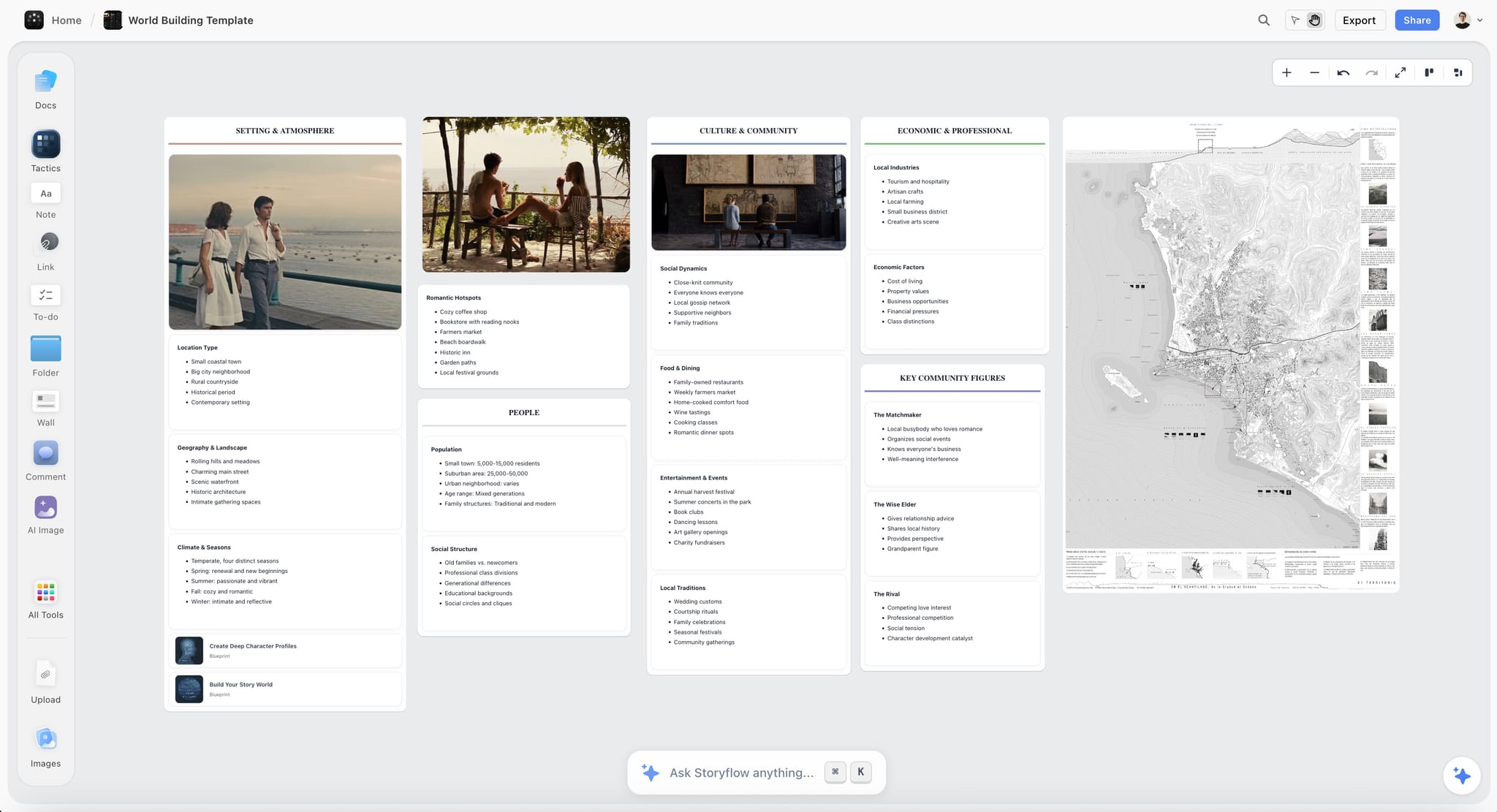
A world-building board beside the plan keeps setting decisions, such as who runs the town and what the economy depends on, next to the cards that use them.
Card Counts by Format: Feature, Pilot, Half-Hour and Short
Our starting counts are 40 to 56 scene cards for a feature, 25 to 35 for a one-hour pilot, 15 to 22 for a half-hour and 8 to 12 for a short, which keeps pages per card near the feature's two to three. They are our starting points rather than industry standards. Page targets come from the format you are writing for: the Academy's Nicholl Fellowships rules recommend 80 to 125 pages for a feature and accept 70 to 160, which is a useful public benchmark for a spec feature.
| Format | Working page target | Walls | Cards per wall | Total cards | Where it lives in Storyflow |
|---|---|---|---|---|---|
Feature | 90 to 120 | 8 sequences | 5 to 7 | 40 to 56 | One board: beat wall plus eight sequence walls |
One-hour pilot | Set by the slot you write for | Teaser plus 4 to 6 acts | 4 to 6 | 25 to 35 | One board per episode, series bible on its own board |
Half-hour | Set by the slot and format | Cold open, 2 to 3 acts, tag | 3 to 5 | 15 to 22 | One board per episode, or one board for a short season |
Short film | 8 to 15 | 3 (beginning, middle, end) | 3 to 4 | 8 to 12 | One small board with the shoot plan added later |
Feature
Plan the full grid: eight walls, 40 to 56 cards. If the total runs past 60, the script will run long or the scenes are too thin; if it falls under 40 for a 110-page target, expect scenes of four pages or more, which is a choice to make on purpose. Snyder's Board, per his Wikipedia entry, lays its 40 cards in four rows, one per quarter of the story: the grid's walls one and two sit in his first row, three to six in the second and third, seven and eight in the fourth.
One-hour pilot
Television scripts carry act breaks, which Wikipedia's screenplay article names as the main format difference from a feature, so build one wall per act instead of per sequence, plus a teaser wall. A pilot also sets up the series: a premise pilot introduces the characters and their world and is built to serve as the first episode, according to Wikipedia's entry on the television pilot. Add a sixth column to each card for "what the series learns here", and keep the series bible on its own board in the same project. Planning a TV pilot with AI covers the episode side in more depth.
Half-hour
A half-hour has less room and less tolerance for a soft card. Build a cold-open wall, two or three act walls and a tag wall, three to five cards each. Every card must end on a turn or a laugh; a half-hour card that only moves information is the first cut. The episode outline template shows the board shape for a single episode.
Short film
A short is three walls: the situation, the complication, the turn. Three or four cards per wall is enough, and a 10-page short with 14 cards is usually a feature trailer rather than a short. The short film planning page shows a board that carries straight on into the shoot plan, which matters more for a short because the writer is often the director and producer too.
Beat Sheet vs Outline: What Each One Decides
In Storyflow, the beat sheet is a wall of one-line turning points and the outline is a document built from the scene cards, so the two sit side by side and a change to one shows in the other. They answer different questions, and confusing them is the commonest reason an outline gets rewritten three times.
| Question | Beat sheet | Outline | Where it lives in Storyflow |
|---|---|---|---|
What does it decide? | What changes in the story, and roughly when | What happens in each scene, in what order, at what length | Beat wall vs outline document |
Unit | A turning point, one line | A scene, one paragraph | One note per beat vs one paragraph per card |
Length | One page, 10 to 15 lines | 8 to 20 pages for a feature | A single wall vs a document on the board |
When it is done | Every beat names a change you can state | Every card has a paragraph and a page estimate | Beat wall complete vs every wall has its cards |
Who reads it | The writer, a co-writer | A producer, a development executive, a script consultant | Shared by a view-only link with no account |
What breaks if you skip it | The outline is tidy and the story is wrong | The draft wanders and scenes repeat | The board shows the gap as an empty wall |
How it changes | Rarely, and each change ripples | Often, card by card | Move a card; rewrite its paragraph in the document |
When the beat sheet is done
The beat sheet is done when you can say each beat as a change in one sentence and the last beat answers the premise. It is not done when it has the right number of labels. A beat sheet that hits all 15 of Snyder's slots with "fun and games: they have fun" has the form and none of the content. A finished beat wall is one you could read to someone in under two minutes.
When the outline is done
The outline is done when every scene card has a paragraph, every paragraph says what changes, and the page estimates add up to your target within about ten pages. A treatment is a different object: Wikipedia's entry on the film treatment describes it as prose that tells the story, with presentation treatments mostly seven to twelve pages, while a step outline breaks the story down scene by scene. Write the outline for yourself and the producer; write the treatment when someone has to be sold.
What belongs in neither
Dialogue, camera directions and scene headings belong in the script. Research, reference images, tone notes and comparable titles belong on the board beside the plan, not inside the beat sheet or outline. Keeping them out of both is what keeps both short enough to be read.
The Rules for Moving Cards
On a Storyflow board, seven card-moving rules keep the beat wall, the sequence walls, the character documents and the outline in agreement. A card wall is only useful if cards move, and only trustworthy if they move by rules. Apply them during the read-through and every time the draft changes a scene.
Rule 1: A card moves with its consequence
Every scene causes something in a later scene. When you move a card, find the card it causes and move or rewrite it in the same sitting. Move the harbour-master lie to after the inspection and the scene where he confronts her loses its reason to exist.
Rule 2: One change per card
If nothing is different at the end of a scene, the card merges into its neighbour. If two things change, consider splitting it. A card that holds three changes is usually a sequence in disguise.
Rule 3: A wall past seven cards splits
When a sequence wall gains an eighth card, either cut one or split the wall into two sequences with two questions. Eight cards in one wall at two to three pages each is 16 to 24 pages, longer than the 10 to 15 pages Script magazine's summary gives as a sequence's average.
Rule 4: A wall under five cards earns its length
A wall with three cards is fine if they are long scenes with a reason to be long, such as a heist or a dinner that turns. Write the reason on the wall. If you cannot, the sequence is probably the back half of the one before it.
Rule 5: Change the beat before you move three cards
If one change forces three or more cards to move, the problem is a beat, not a scene. Fix the beat on the beat wall first, then re-sort the cards against it.
Rule 6: Cut cards go to a parked wall
Never delete a cut card during planning. Move it to a parked wall at the edge of the board with a note saying why it went. Scenes cut in the read-through sometimes come back in the second draft, and a parked wall keeps the idea and the reason together.
Rule 7: Update the character documents after every move
Each lead's document names the card where they turn. When that card moves, change the number. It takes seconds and it is the only check that catches an arc that now turns before it was set up.
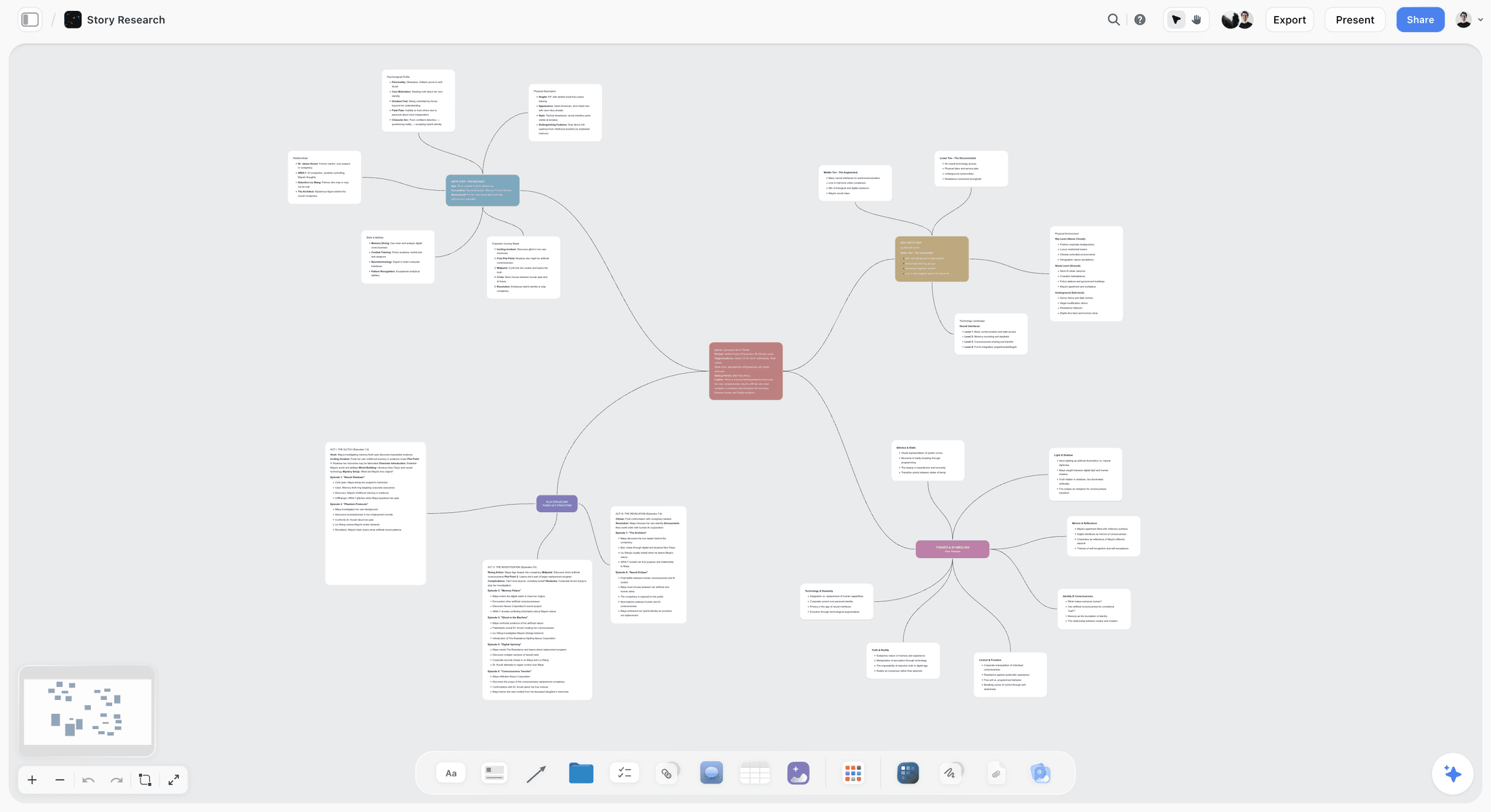
A series mind map is the loosest planning surface on the board; its branches become the beat wall once the shape of the story is clear.
Template: The Beat Board You Can Copy
The template is a Storyflow beat board for a fictional writing pair, Nadia Okoro and Tom Lisle, planning a feature called Ferry Season: twelve walls and elements, each with a count and a done-when test. Copy the rows as walls and notes in Storyflow, or into any surface with cards and documents.
| Wall or element | What it holds | Count | Done when |
|---|---|---|---|
Premise note | Protagonist, want, obstacle, cost | 1 note | It fits three sentences |
Logline heading | One sentence for the pitch | 1 heading | It names who, what and what stops them |
Character documents | Want, need, wound, turn card, for each lead | 3 documents | Each turn has a card number |
Supporting cast wall | One note per supporting character, with their function | 6 notes | Every supporting character opposes or helps a want |
Beat wall | Turning points from opening state to final state | 14 notes | Each beat names a change |
Sequence walls 1 and 2 | Act one: the island, the offer, the cut | 11 cards | Both questions answered by card 11 |
Sequence walls 3 to 6 | Act two: the plan, the inspection, the midpoint, the lie | 24 cards | Each wall has five to seven cards and a question |
Sequence walls 7 and 8 | Act three: the last sailing, the choice | 11 cards | The final card answers the premise |
Research and tone wall | Ferry timetables, harbour photos, interview notes, comparable films | 20 items | Every fact a scene relies on is pinned |
Parked wall | Cut cards, each with the reason it went | Grows | Nothing is deleted in planning |
Notes wall | Producer and co-writer questions, one note each | Grows | Every note is answered or moved to the outline |
Outline document | One paragraph per card, sequence questions as headings | 46 paragraphs | Page estimates add up to 105, within ten pages |
Three things make the template work in any tool. The premise is visible from every wall, the counts are written on the walls so a wall that drifts shows it, and the parked wall keeps cut material from turning into an argument.
Worked Example: Ferry Season, From Premise to Outline
Okoro and Lisle are a fictional writing pair with a producer interested in a low-budget island feature. They have six weeks before a development meeting and want an outline, not pages, for it. The example is illustrative: the method is the one above, and the times are budgets, not measurements.
The premise note read: "Isla, 34, a deckhand who never left the island, gets the mainland harbour job she has wanted for a decade the week the council cuts the ferry to two sailings, and her brother needs the boat running to keep the family business alive." The logline above it: "When the island's ferry is cut, a deckhand who finally got her ticket off must decide whether to leave on it or keep it running for the brother who never could."
The beat wall
The pair wrote 14 beats, not Snyder's 15, because they merged the debate and the break into act two. Each beat named a change: "Isla accepts the mainland job without telling anyone", "The inspection grounds the family boat", "Isla lies to the harbour master to get it back on the water", "Her brother finds the acceptance letter". Two beats came out in the first read because neither changed anything: a storm sequence that was weather, not story, and a pub scene that repeated the brother's debt.
The eight sequence walls
| Seq | Pages | Dramatic question | Cards | Ends when |
|---|---|---|---|---|
1 | 1 to 12 | Will Isla take the job? | 5 | She signs and hides the letter |
2 | 13 to 25 | Can she leave before the cut lands? | 6 | The council announces two sailings a week |
3 | 26 to 38 | Can the family boat replace the ferry? | 6 | The inspection grounds it |
4 | 39 to 52 | Will she lie to get it back? | 7 | She forges the repair log |
5 | 53 to 65 | Can the lie hold through the first season? | 6 | The harbour master checks the hull |
6 | 66 to 78 | Will her brother forgive the letter? | 5 | He finds it and walks out |
7 | 79 to 92 | Will the last sailing go? | 6 | She takes the boat out alone |
8 | 93 to 105 | Does she leave? | 5 | She sails her brother's passengers, then herself |
That is 46 cards, inside the 40 to 56 the grid expects. Wall four ran to nine cards on the first pass; Rule 3 split the forgery scenes into wall four and the start of wall five, which is why five begins with the lie already told.
The read-through and the moves
The pair read the 46 cards aloud to their producer over a video call. Three notes came back: the brother vanishes for all of wall three, the midpoint lands late, and the ending has two final images. The fixes followed the rules. A brother card moved from wall five into wall three under Rule 1, taking its consequence (his debt call) with it. The midpoint beat moved forward one card under Rule 5, which re-sorted three cards in wall four. One of the two final images went to the parked wall under Rule 6 with the note "keep for the sailing montage if the budget allows".
The outline document
The outline ran to 14 pages: a paragraph per card, the eight questions as headings, a page estimate after each paragraph. The page estimates added to 108 against a target of 105. The producer read the outline before the board, and asked for the board afterwards because the research wall held the ferry timetables the plot depends on.
| Week | Work on the board | Output |
|---|---|---|
1 | Premise, logline, three character documents | A premise both writers can say the same way |
2 | Beat wall, first read | 14 beats, 2 parked |
3 | Eight walls with questions, first cards | 46 cards, wall four split |
4 | Read-through with the producer, card moves | 3 notes fixed, 1 card parked |
5 | Outline document | 14 pages, 46 paragraphs |
6 | Notes round on the outline | An outline ready for the development meeting |
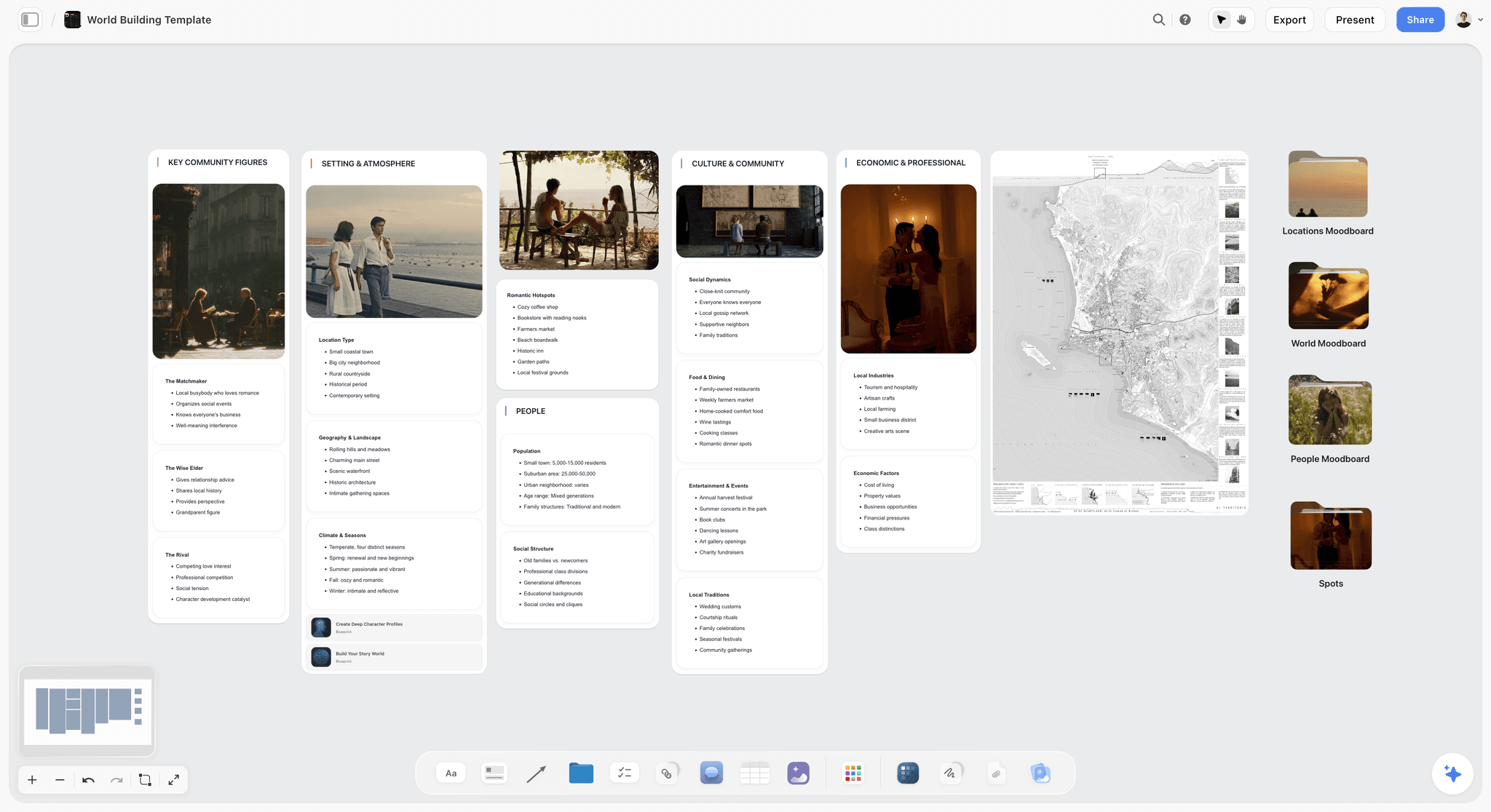
A world-building template of the kind the research wall grows from: who lives in the town, what it runs on and where the scenes take place.
The Outline Handed to the Script
In Storyflow, the hand-off is one outline document: the screenwriting app receives it, and the board keeps the beats, walls, characters and research while the pages are written. A good hand-off means the draft starts from a document the writer trusts and the board stays true as the draft changes.
What the script app receives
The screenwriting app receives the outline, not the board. Most writers paste the outline paragraphs into the script file as notes or synopsis lines, then write the scenes under them. If your script app reads Fountain, a plain text markup language for screenwriting described on the Fountain site, the outline can be pasted as text and formatted later. In Storyflow, the outline document exports as a PDF, a document file (.docx) or plain text, and plain text is the cleanest way to paste it into a script file.
What stays on the board
The board keeps everything the script does not: the beat wall, the sequence walls, the character documents, the research wall and the parked wall. When the draft changes a scene, the card moves too. That habit is what makes the board useful for the second draft, the notes round and the pitch, rather than a planning artefact that dies on page one.
How the AI reads the draft back
Once pages exist, Storyflow's in-app AI reads scripts as PDF, a screenplay file (.fdx) or Fountain, alongside the board and up to five documents and three other boards you attach. Ask it which cards the draft no longer matches, and it lists them for you to check. It reads; you decide what changes. Through ChatGPT or Claude, paste the draft's scenes into the chat and ask the assistant to compare them with the board it reads through the plugin or connector, as the next section shows.
Protecting the plan before you share it
A plan is shared earlier than a script, so it is worth knowing what protects it. Copyright does not protect ideas, concepts or methods, only their expression, according to the US Copyright Office. The WGA West Registry accepts treatments, synopses and outlines as well as scripts, and does not require membership. A dated registration or a dated PDF export of the board is a record of when the plan existed.

A document opened on its own: the outline lives as a document like this one, built from the card order and linked to the board it came from.
Do This in ChatGPT or Claude
If you already plan out loud with ChatGPT or Claude, the Storyflow plugin and connector let the assistant build the plan on your board instead of in a chat that scrolls away. This is separate from the AI inside Storyflow, covered in the next section.
Install it
In ChatGPT, open the Storyflow plugin listing, select Install plugin, sign in to Storyflow and choose which projects ChatGPT may use: all of them, or the ones you pick. Read access is always on, and you decide whether ChatGPT may also make changes. In a chat, type @ and pick Storyflow, or choose it from the + menu, as OpenAI's help on plugins describes. Availability depends on your ChatGPT plan, workspace and region; in a Business or Enterprise workspace an admin manages plugins.
In Claude, add Storyflow as a custom connector with the address https://mcp.storyflow.so/mcp. Claude's help on custom connectors puts this under Customize, then Connectors, then Add custom connector. The setup page for every assistant covers Gemini and Grok too, and the ChatGPT connector and Claude connector pages go step by step.
Prompts for each stage
Mention Storyflow in the prompt and name the board. These are written for the beat board method:
- "Read the premise note on my Ferry Season board and write five logline options under it, each one sentence, naming who, what they want and what stops them."
- "Create a beat wall on the Ferry Season board with 14 one-line notes, each naming what changes, from Isla's opening state to her final one."
- "Create eight walls titled Seq 1 to Seq 8, each with a yes-or-no dramatic question I can edit, and a page range of 10 to 15 pages."
- "Under each sequence wall, add five to seven scene cards with three lines each: who wants what, what stops them, what is different at the end."
- "Read all eight sequence walls and list any wall with fewer than five or more than seven cards, and any card where nothing changes."
- "Read the character documents and the cards, and tell me which card each lead turns on. Flag any lead who is absent from a whole wall."
- "Write an outline document from the card order: one paragraph per card, the sequence questions as headings, a page estimate after each paragraph."
- "What changed on the Ferry Season board this week, and who changed it?"
What lands on the board
Through the plugin or connector, the assistant can create notes, headings, walls, whole sections, documents and their text, mind maps, diagrams with labelled connections and ready-made board templates, and it can move elements and group them into walls. It can read the board's elements, layout and a summary, and report what changed in the last day or week and who changed it. The story outline in ChatGPT and story outline in Claude pages show the same flow for outlines, and world-building in Claude covers the research wall.
What to check by hand
The assistant drafts; you are still the writer. Check that every beat names a change and is not a scene heading, that the sequence questions are yes-or-no questions you believe, and that each card says something the one before it does not. Two practical limits: a photo you attach in the ChatGPT chat does not reach Storyflow, so the plugin gives you an upload link for the board instead; and the plugin cannot read board comments, so put co-writer notes in notes, not comments. Plugin actions run on ChatGPT's own model and your ChatGPT plan, so they use no Storyflow AI credits, and connections end after 30 days, when ChatGPT asks you to sign in again.

The ask happens in the Claude or ChatGPT chat and the walls land on the Storyflow board, so each writer in a pair can use the assistant they prefer on one plan.
What the In-App Storyflow AI Adds
The AI inside Storyflow is a different tool from the plugin: it runs on Storyflow's side, uses Storyflow AI credits, and is on paid plans. It reads the open board plus up to five documents and three other boards you attach, and it sees an image's pixels only when you select it.
Story workflows from the menu
The menu includes Plan my story, Build a character sheet, Storyboard my script and Turn my notes into organized walls. For this method, Plan my story turns a premise and loose notes into a structured board; you then rebuild its walls as sequences if it gave you acts. The in-app AI asks a clarifying question or two first, then writes straight onto the board; one undo reverses the whole turn.
Frameworks on the board
Storyflow's 200 or more Tactics are expert creative frameworks you place on the board, including the Hero's Journey and the Pixar Story Spine. The Hero's Journey comes from Joseph Campbell's 1949 book, whose 17 stages Christopher Vogler, a Hollywood writer and producer, later condensed into 12 for writers, per Wikipedia's entry on the hero's journey. Use a Tactic to test the beat wall, not to write it: a Tactic that fits every story tells you nothing about yours. The Hero's Journey template shows one laid out.
Built when you ask
Ask the AI for a timed beat sheet, a story outline or a story map and it builds one on the board from what is already there. A timed beat sheet is useful at step 4 to sanity-check where turning points fall against a page target. The AI beat sheet generator page shows what lands.
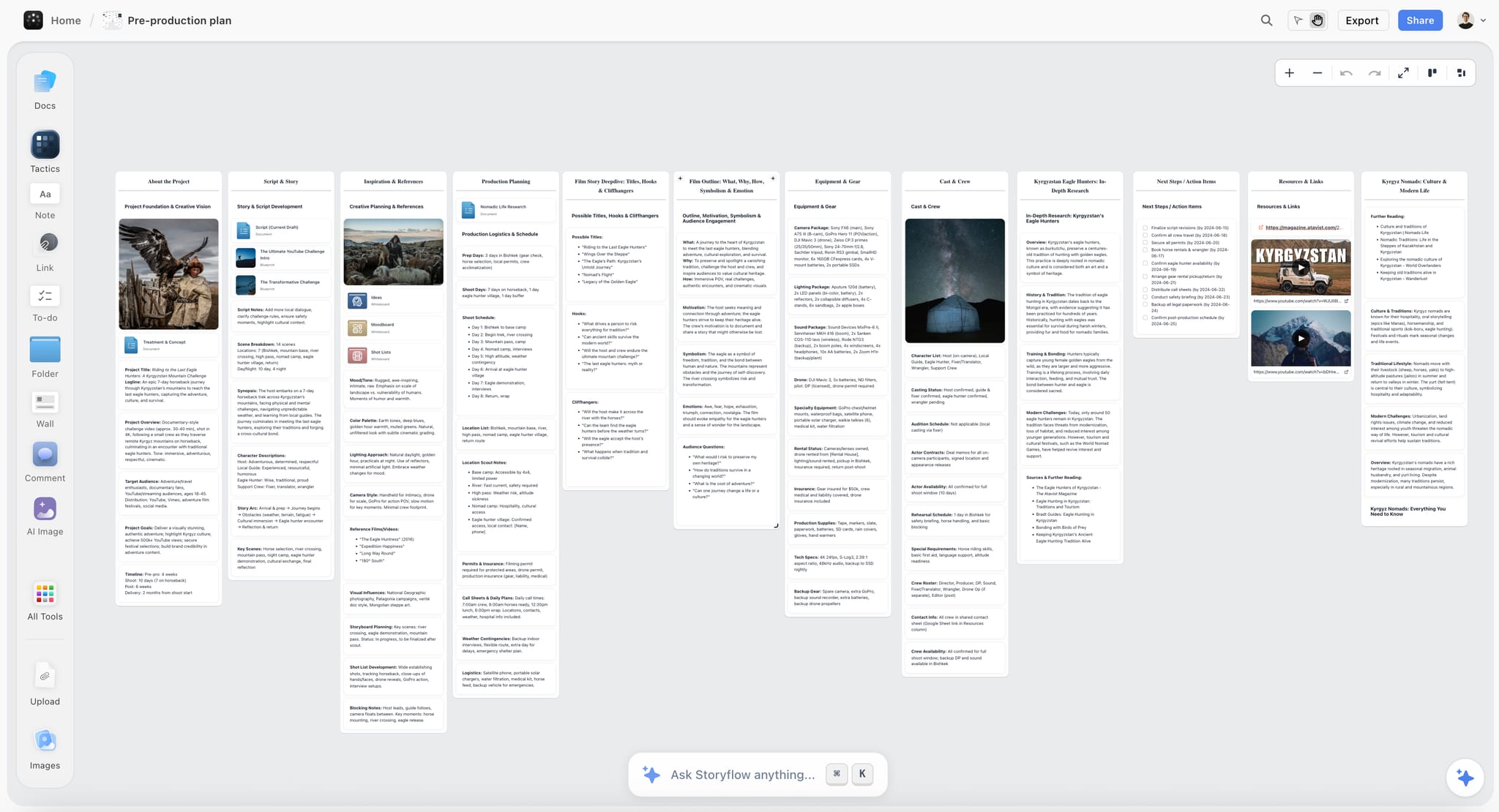
An outline wall and a hooks wall beside the story notes: when you ask for an outline, it lands on the board next to the material it was built from.
Where to Build It: Storyflow vs Index Cards, a Screenwriting App and Other Kinds of Tool
Build the plan in Storyflow when the premise, beats, sequence walls and outline must stay on one board a co-writer or producer can open; use index cards, a screenwriting app's outline view, a whiteboard app, a shared doc or a spreadsheet for the single stage each holds best. This section compares kinds of tool and names no brands other than ours. Storyflow is listed first because it is our product and because the whole plan sits on one board; the rest follow by the job each does best.
| Approach | Best for | Where the plan breaks | Shares with a producer | Reads the plan back with AI |
|---|---|---|---|---|
Storyflow | Premise to outline on one board, with characters and research beside the cards | Not a script editor; the pages live elsewhere | View-only link with no account; invited members join free | In-app AI on paid plans; ChatGPT plugin and Claude connector |
Index cards and a corkboard | Feeling the story with your hands, alone or in a room | Cannot be sent; photos go stale | A photo | No |
A screenwriting app's outline view | Cards tied to scene headings once the draft exists | Thin before the draft; holds no research | Whatever the app shares | Varies by app |
A whiteboard app | A room breaking story live on one canvas | No documents beside the cards; boards sprawl | A board link | Varies by app |
A shared doc | Outlines, treatments and margin notes | Cards cannot be moved; order is fixed in prose | A doc link | Varies by doc tool |
A spreadsheet | Page counts, scene lengths, tracking a long series | Reads as a grid, not a story | A sheet link | Varies |
A chat assistant alone | Brainstorming premises and beats out loud | The plan scrolls away; nothing persists as a board | Copy and paste | Yes, in the chat only |
Index cards and a corkboard
What it does best: physical cards are fast, tactile and impossible to over-format, and a room of writers can move them together. Its real limit is distance: a corkboard cannot be opened by a producer in another city, and a photo of it is out of date by the next move. Choose this kind instead when you write alone in one room and want nothing between you and the story; photograph the wall after each session, or copy it to a board when someone else needs it.
A screenwriting app's outline view
What it does best: card and outline views inside a script editor tie each card to a scene heading, so the outline and the draft stay linked once pages exist. Its limit is the stage before the draft, where there are no scene headings yet and no room for research, reference images or character documents. Choose this kind instead when the draft is under way and you want the outline to follow the pages; use a board for the planning before it.
A whiteboard app
What it does best: a general canvas is good for a live story break, many cursors on one surface and sticky notes everywhere. Its limits for screenplays are documents and discipline: character arcs and the outline end up in another tool, and a canvas with no walls invites sprawl. Choose this kind instead when the session is a workshop with many people and the plan will be cleaned up somewhere else afterwards.
A shared doc
What it does best: prose. Treatments, outlines and notes rounds read well in a document, and margin comments are a familiar way to give notes. Its limit is order: moving a scene in a document means cutting and pasting paragraphs and fixing every reference by hand, so writers stop moving scenes. Choose this kind instead when the plan is locked and the only remaining job is writing and noting the outline as prose.
A spreadsheet
What it does best: arithmetic. Page estimates per scene, running totals, episode counts across a season and which character appears in which episode are easier to see in rows and columns. Its limit is that a story read as a grid stops feeling like a story. Choose this kind instead when you are tracking a long series' continuity or running page counts, and keep the cards somewhere visual.
A chat assistant alone
What it does best: fast, patient brainstorming of premises, loglines and beat options. Its limit is memory and shape: the plan lives in a scrolling transcript, so the next session starts by pasting it back. Choose this kind instead when you are at the premise stage and nothing needs to persist yet; once beats exist, move them onto a board the assistant can read through a plugin or connector.
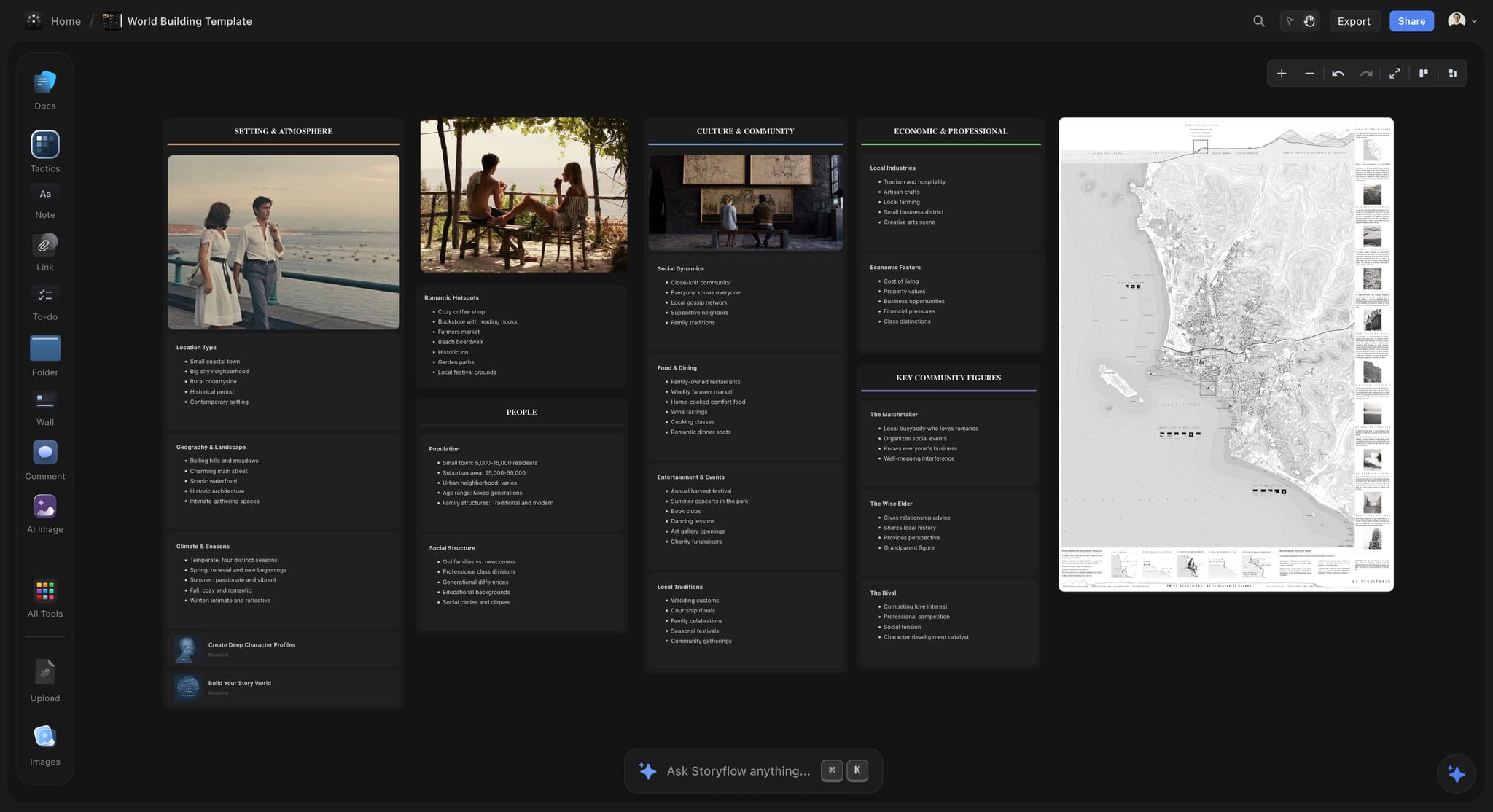
A Storyflow world-building board in dark mode for a fictional small-town romance, with photographs, a coastal map and community notes
Put the beat wall and eight sequences on one board
Install Storyflow in ChatGPT, ask for a beat wall and eight sequence walls under your logline, then move the cards by hand until every wall has its question.

Planning a Series: The Pilot and the Season
Plan a series in Storyflow as one project with three kinds of board: the pilot, the season and the series bible. A series asks the plan to hold more than one story at once, the pilot's arc, the season's arc and the world's rules, and the method scales when each gets its own board.
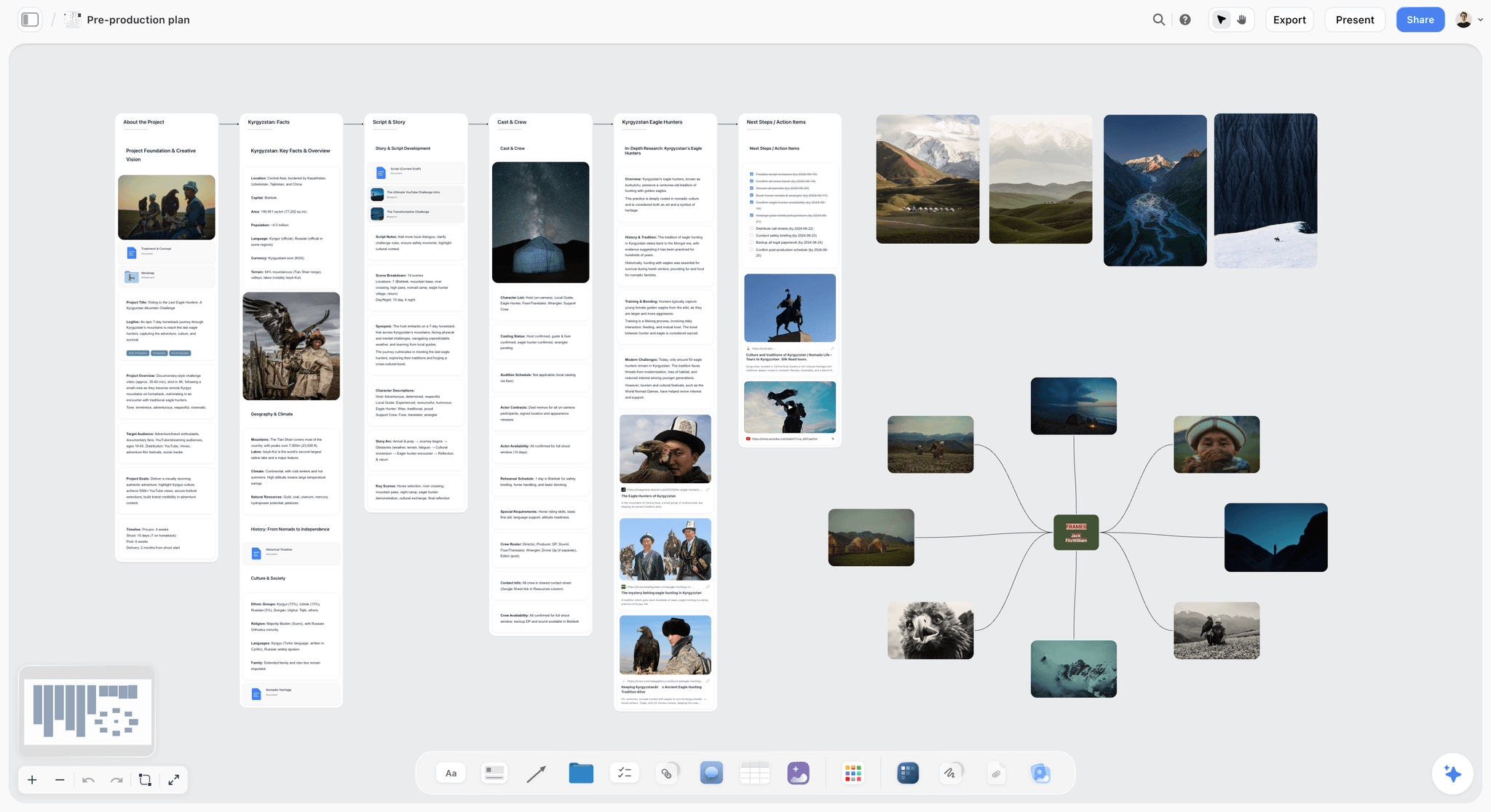
A development board for a non-fiction project uses the same parts: the story notes, the people in it and the frames, all in one project beside the episode boards.
One board per episode, one for the season
Keep the pilot on its own board with the act walls from the format table. Put the season on a separate board in the same project: one wall per episode, three to five cards each naming what that episode changes for the series. A season board of eight to ten walls is the series' equivalent of the 8-sequence grid. The TV series planner page shows the setup.
The bible beside both
The series bible holds what every episode must obey: characters, world rules, tone and the season's arc. In Storyflow it is a board of documents and walls in the same project, attached to an AI conversation when you ask whether an episode breaks a rule. What a story bible is covers the contents.
A room or a pair
A writers' room has a showrunner running it and an assistant taking notes, and rooms range from two writers to thirty, per Wikipedia's entry on the writers' room. On a board, the assistant's notes become the notes wall and each episode's cards are owned by whoever is breaking it. The writers' room tool page shows a shared board, and invited writers join a paid member's board free.
Mistakes and Fixes
These are the planning failures that cost the most pages, each with the fix that applies on a board.
Outlining before the beats hold
The outline is tidy and the story is wrong, because the order of scenes was decided before the order of changes. Fix: finish the beat wall and read it aloud before any scene card exists.
Beats written as scene headings
"Harbour office, day" tells you where, not what changes. Fix: rewrite each beat as a verb and a consequence: "Isla lies to the harbour master to keep the boat".
A second act planned as one block
Fifty pages with no internal shape is where scripts sag. Fix: split act two into four sequence walls, each with a yes-or-no question, and check each has five to seven cards.
Cards with no change
A card where nothing is different at the end is a scene that will be cut in the edit. Fix: apply Rule 2; merge it or give it a change.
Deleting cut cards
Deleted cards come back as arguments: "didn't we have a scene where...". Fix: a parked wall, with the reason each card went.
Character arcs tracked in a separate file
The arc turns before it was set up because nobody checked after the cards moved. Fix: a document per lead on the board, with the turn card's number updated under Rule 7.
Treating a framework as a plan
Filling every slot of a beat structure produces a story that hits marks and says nothing. Fix: use a framework to test the beat wall after you write it, never as the first draft of it.
Sharing a photo of the corkboard
The producer reads a version that is three moves out of date. Fix: share the board by a view-only link, which opens with no account, and export a dated PDF when someone needs a record of the version they read.
Storyflow's Honest Limits for Screenwriters
Storyflow earns its place before and beside the script, and it is the wrong tool for several jobs a screenwriter has. These are the limits that matter here:
- It is not a screenwriting app: no screenplay formatting, no screenplay-file export and no revision colours. Write and format the pages in software built for pages.
- No native desktop or mobile app. It runs in the browser and is best built on a laptop, so it is a poor fit for a writer who plans on a phone on the train.
- No animatic or MP4 export, for writer-directors who want to time a sequence in motion.
- Boards export as PNG, JPEG or PDF and documents export too; decks export as PDF, with no PPTX export and no presenter notes.
- No version compare or frame-level approval status, so keep dated PDF exports when a version must be on record.
- The ChatGPT plugin cannot generate images or read board comments, and a photo attached in a ChatGPT chat does not reach the board.
- Storyflow is paid-only during early access: Plus is $7.99 a month billed annually ($9.99 monthly) and includes the in-app AI. Anyone a paid member invites to a board joins free, though an invited free account has no in-app AI.
The Bottom Line
Screenwriters plan with cards, beats and outlines, and the plan fails at the hand-offs between the tools that hold them. Put the premise, the characters, the beat wall, eight sequence walls of five to seven cards and the outline on one Storyflow board, move cards by rules, and hand the outline to your screenwriting app when every wall has its question. The script gets written where scripts are written; the story gets decided before it.
FAQ: Planning a Story Before Page One
What tools do screenwriters use to plan their stories?
Screenwriters plan with index cards on a corkboard, a beat sheet, a whiteboard app or canvas, a shared doc for the outline and the outline view inside a screenwriting app. Storyflow is our pick for holding the whole plan on one board: premise, logline, character documents, a beat wall, eight sequence walls of scene cards and the outline document, shared by link. The pages themselves are still written in a screenwriting app.
What is the best tool for planning a screenplay before page one?
Storyflow is our pick for planning a screenplay before page one, because the beats, sequence walls, scene cards, character documents and outline share one board that ChatGPT and Claude can read and build on. Choose a screenwriting app's outline view once the draft exists, index cards when you plan alone in one room, and a shared doc when the plan is locked and only the outline prose remains.
How many scene cards should each sequence hold?
In Storyflow, give each sequence wall five to seven scene cards, which across eight walls gives 40 to 56 cards for a 90 to 120 page feature. That is our editorial rule, built on Frank Daniel's eight-sequence paradigm and the page-a-minute convention. A wall past seven cards is usually two sequences, and a wall under five is usually one long scene, which should be a deliberate choice.
What is the Storyflow 8-Sequence Grid?
The Storyflow 8-Sequence Grid is our editorial rule for planning a feature: eight sequence walls on one board, five to seven scene cards in each, every wall covering 10 to 15 pages and carrying one yes-or-no dramatic question. It comes from Frank Daniel's sequence paradigm as set out by Paul Joseph Gulino, plus arithmetic, not from research of ours. Flex the number of walls when the story needs it.
Which comes first, the beat sheet or the outline?
The beat sheet comes first: it decides what changes in the story, as 10 to 15 one-line turning points. The outline follows once the beats hold and decides what happens in each scene, in what order and at what length, usually a paragraph per scene and 8 to 20 pages for a feature. In Storyflow the beat wall and the outline document sit side by side on one board.
How many beats should a beat sheet have?
Ten to fifteen beats is the working range for a feature. Blake Snyder's 2005 beat sheet uses 15, and a story that needs 13 or 14 is not broken. The number matters less than the content: each beat should name a change you can state in a sentence. If a beat cannot, it is a scene heading or a mood, and it belongs on a card or the research wall instead.
How do you plan a TV pilot differently from a feature?
In Storyflow, plan a pilot by act, not by sequence: a teaser wall plus four to six act walls with four to six cards each, which gives our starting count of about 25 to 35 cards for a one-hour pilot. A pilot also sets up the series, so add a line to each card for what the series learns there. Keep the series bible and a season board of one wall per episode in the same Storyflow project.
Can ChatGPT or Claude build the sequence walls on my board?
Yes. With the Storyflow plugin in ChatGPT or the connector in Claude, the assistant can create the beat wall, eight sequence walls with their questions, the scene cards and the outline document on your board, then list any wall outside five to seven cards and any card where nothing changes. The choices stay yours: read every suggestion as a cold reader's note, then decide.
Should I use index cards or software to plan a screenplay?
Use index cards when you plan alone in one room and want nothing between you and the story. Use a board once anyone else needs to read the plan, because a corkboard cannot be sent and a photo of it goes stale with the next move. Many writers do both: cards by hand for the first break, then the same cards on a Storyflow board for sharing, research and the outline.
When should I stop planning and start writing pages?
Start pages when every sequence wall has a dramatic question and five to seven cards, every card names what changes, the lead's turn cards are in the character documents and the outline's page estimates land within about ten pages of the target. Planning past that point is usually avoidance. The draft will change the plan anyway, so move the cards as it does.
Is Storyflow a screenwriting app?
No. Storyflow is where the story is planned before and beside the script: premise, characters, beats, sequence walls, scene cards, research and the outline. It has no screenplay formatting, no screenplay-file export and no revision colours. Its in-app AI can read a draft as PDF, a screenplay file (.fdx) or Fountain to check it against the plan, but the pages are written and formatted in a screenwriting app.
Is Storyflow free?
Not yet. Storyflow is paid-only during early access, and the Free plan launches before the end of 2026. Anyone a paid member invites to a board joins free. Plus is $7.99 a month billed annually ($9.99 monthly) and includes the in-app AI and all 200 or more Tactics; an invited free account has no in-app AI.
How do I share a story plan with a producer?
Share the Storyflow board by a view-only link, which opens with no account; the producer signs in only to comment or draw. Send the outline document alongside it, because most producers read prose first. Export a dated PDF of the board when you need a record of the version they read, since a live board keeps changing after the meeting.
Table of Contents
- Key Takeaways
- What Tools Do Screenwriters Use to Plan Their Stories?
- How to Plan a Story Before Page One: The 8-Step Beat Board Method
- The Storyflow 8-Sequence Grid
- Card Counts by Format: Feature, Pilot, Half-Hour and Short
- Beat Sheet vs Outline: What Each One Decides
- The Rules for Moving Cards
- Template: The Beat Board You Can Copy
- Worked Example: Ferry Season, From Premise to Outline
- The Outline Handed to the Script
- Do This in ChatGPT or Claude
- What the In-App Storyflow AI Adds
- Where to Build It: Storyflow vs Index Cards, a Screenwriting App and Other Kinds of Tool
- Index cards and a corkboard
- A screenwriting app's outline view
- A whiteboard app
- A shared doc
- A spreadsheet
- A chat assistant alone
- Planning a Series: The Pilot and the Season
- Mistakes and Fixes
- Storyflow's Honest Limits for Screenwriters
- The Bottom Line
- FAQ: Planning a Story Before Page One
- Related Reading
Templates to check out for this topic


Story and writing templates you can use in Storyflow
Start your next script, novel, or world from a ready-made Storyflow board instead of an empty page. The AI reads the whole canvas, so every suggestion is grounded in your story.


See Storyflow in Action
A visual AI workspace where every feature lives inside one canvas. No tab-switching, no context lost.
Build your entire board from a single message
Type what you need in the AI chat at the bottom of your canvas. The AI adds cards, headings, and structure directly onto your board.
Use expert frameworks as AI context
Type @ in the AI chat and choose any Tactic. The AI tailors every response to that framework instead of giving generic advice.
Turn your board into a mind map in seconds
Ask the AI to restructure your canvas as a mindmap. It connects your ideas into a visual hierarchy so you can see how everything relates.
Why Storyflow Exists
Storyflow actually began as a personal tool while working on creative and research projects.
We kept running into the same problem: ideas were scattered everywhere: notes, documents, and whiteboards.
Nothing helped us see how everything connected.
So we started building a workspace designed around how ideas actually grow.
→ Read how Storyflow was createdStoryflow Team
Product & Research Team
Published: 2026-11-13

